
Weflow vs Clari Copilot for Call Recording Rollout: Setup and Rep Coverage (2026)
Compare Weflow vs Clari Copilot setup, automatic recording, and rep coverage rates in 2026


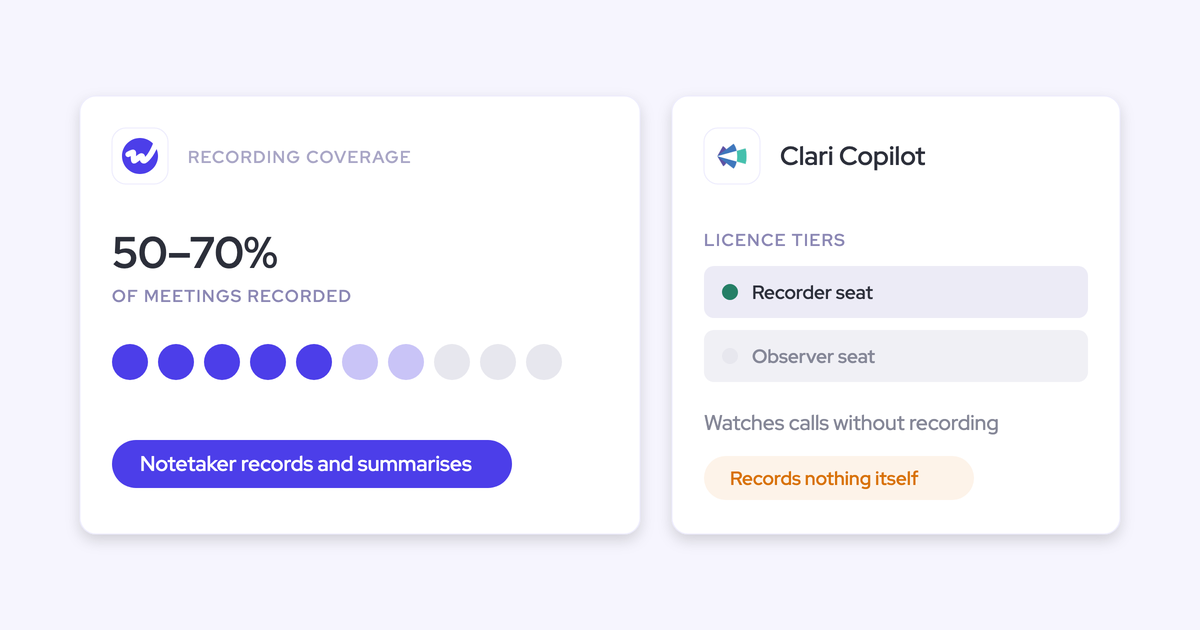

Is Clari Copilot live but only recording part of your team? That's usually down to how Copilot is designed, not your reps. Copilot asks every rep to complete several setup steps, and coverage leaks at each one.
Some reps never finish setup, others remove the bot, and once your call library is only a sample, nobody trusts the analysis built on it.
Weflow is the Revenue AI Orchestration platform for sales, customer success, and RevOps teams. Weflow Conversation Intelligence works the other way around.
An admin assigns recording to teams centrally, each rep signs in once, and from then on the notetaker joins every external meeting by default. If a meeting is skipped or fails, the system tells the admin, so you don't have to hear about it from a rep.
Before we dig in, two quick expectations:
- A healthy recording rate is 50 to 70 percent of eligible meetings, not 100.
- Switching means giving up Copilot's real-time battlecards.
Below, we walk through both rollout paths, show how each tool reports who isn't being recorded, and lay out what the switch costs.
Weflow vs Clari Copilot side by side, from rollout to pricing
The biggest differences come down to two things: how recording reaches every rep, and whether call data ever leaves the CI tool.
| Capability | Weflow | Clari Copilot (Salesloft brand) |
|---|---|---|
| Setup and rollout | An admin assigns recording to teams that update as members change, and each rep signs in once. Our team runs the rollout free, typically in two to three weeks. | An admin invites reps one at a time. Each rep then signs up, connects a calendar, records a voice fingerprint and installs the desktop app for real-time features. |
| Recording video meetings | The notetaker joins every external Zoom, Teams, Meet and Webex meeting from the calendar and waits about 10 minutes in the lobby. The botless desktop app covers the meetings the bot can't join. | Copilot records Zoom, Teams, Meet and Webex. The Zoom bot joins and leaves with the organizer, so recordings can come out short or missing with no error. |
| Recording consent | Opt-out, opt-in or none, set per team, with a chat notice and stop link, an optional pre-meeting email and a CSV consent log. Consent doesn't vary by region. | Do Not Record domain lists, per-area-code dialer rules and per-user switches. The meeting platforms show the notices, and an optional pre-meeting consent link goes out about an hour before the call. |
| Integrations | Salesforce, Google and Microsoft mail and calendars, the four meeting platforms, Slack and dialers such as Outreach and Aircall. Warehouses connect through the API with no native connector, and Weflow works only with Salesforce. | Salesloft's data layer syncs with Salesforce, Dynamics, Snowflake, Databricks, Gmail, DocuSign, ZoomInfo and LinkedIn. |
| AI assistant access (MCP) | One read-only connector returns transcripts, summaries, playbooks, forecast calls and pipeline metrics. A separate admin toggle controls transcript access. | Three separate servers. Copilot's reaches calls only, Forecast's has no deal-level data, and Salesloft's needs a paid add-on and returns summaries rather than raw transcripts. |
| Raw data access | Transcripts and summaries land on Salesforce records, the REST API bulk-exports transcripts, scores and signals, and video exports to your own storage. | REST, Export and Copilot APIs, CSV forecast history export and Salesloft warehouse sync. Recordings stay in Copilot. |
| Pricing | Published per seat: $39 for Weflow Conversation Intelligence and $49 for the Revenue AI Foundation bundle, with AI usage included. | Quote-only through Salesloft sales, with no trial. Only the Advanced and Elite package structure is public. |
Why teams compare Weflow and Clari Copilot on rep coverage
Most teams land here for the same reason: Copilot only records part of the team, and they want to know whether that's a tool problem or a rep problem. The transcripts themselves are fine. They just cover a slice of your calls.
In some cases, Copilot never got a proper launch. One Clari Forecast customer had it switched on during a renewal upgrade, and it was never rolled out.
Salesloft customers are now in a similar spot, since Copilot is replacing Salesloft Conversations as the CI layer inside Salesloft.
A quick note on naming: since 1 September 2026, Clari sells under the Salesloft brand, but "Clari Copilot" is still the name of the recorder you'd be leaving.
There's a structural reason, too. Clari built its CI through an acquisition (Wingman became Copilot in 2022), and Copilot was never rebuilt on the same foundation as Clari Forecast. As a result, call data doesn't feed the forecast. As one buyer put it:
"I honestly don't see the value today of having copilot and forecast with Clari because they're not talking to each other."
And then there's the usual rep pushback on notetakers, which any new tool has to work through:
"I've always gotten a lot of pushback ever since these AI note takers came online, reps not wanting to use it even if they were on Zoom."
How Weflow Conversation Intelligence records your whole team
In Weflow, recording is assigned centrally and scheduled automatically, so "recorded" is the default state for every external meeting. Below, we'll walk through how each part works, and where it can break.
Weflow assigns recording by team, and each rep signs in once
You assign recording to teams rather than individual users, and those teams update as people join or leave.
So when a new rep joins the Sales team, they're recorded automatically, without anyone having to remember to add them. That alone closes the most common gap in coverage.
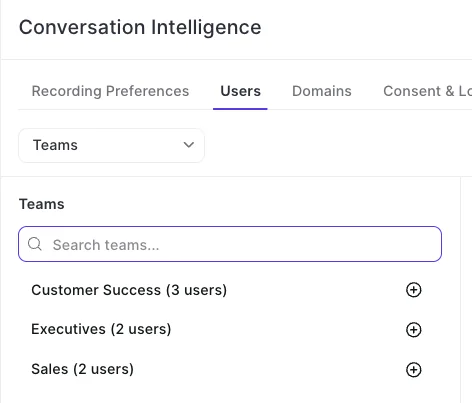
Calendars connect through Weflow Activity & Contact Capture, hich reads them server-side, so reps don't need to connect anything. All each rep has to do is sign in to Weflow once.
| Step | What the admin does | What each rep does |
|---|---|---|
| Connect calendars and mail | Joins one technical session with the Salesforce and mail admins | Nothing |
| Assign recording | Adds teams to Conversation Intelligence | Nothing |
| Set consent and domains | Picks the consent mode and lists internal domains | Nothing |
| Go live | Enrolls the group after training | Attends one 30 to 40 minute session and signs in once |
One thing to watch for: if a rep skips that first sign-in, activity capture still runs, but their calls never get recorded. Since their emails and meetings still land in Salesforce, the gap is easy to miss until someone goes looking for a recording.
Our team runs the rollout for you, free of charge, in three phases:
- Technical implementation: A single 45 to 60 minute session with your Salesforce admin and mail admin to connect the systems.
- Configuration: Team structure, consent mode, internal domains, methodology, the fields AI should fill and the prompt templates. Most of the time goes here.
- Role-based rollout: Reps train in groups of about 20 to 25. We enroll each group for recording only after its session, then hold a follow-up about seven days later.
We enroll reps after training on purpose. Once they're enrolled, the notetaker joins every external meeting, and a rep who doesn't know how to keep it out of a call (or stop it) can get caught out in front of a customer.
Most teams go live with capture and conversation intelligence in two to three weeks, and six weeks at the most.
And if your RevOps team is already buried in backlog, our managed-service option means we do the heavy lifting while your team just answers questions and grants access.
The Weflow notetaker joins every external Zoom, Teams, Meet and Webex call
The notetaker adds itself to every meeting on a rep's calendar that has at least one attendee outside your internal domains, and it joins as a visible participant just before the call starts. Nobody has to invite it or remember to start it.
Reps can still switch it off for a specific meeting from the Weflow calendar, or turn it on for an internal one.
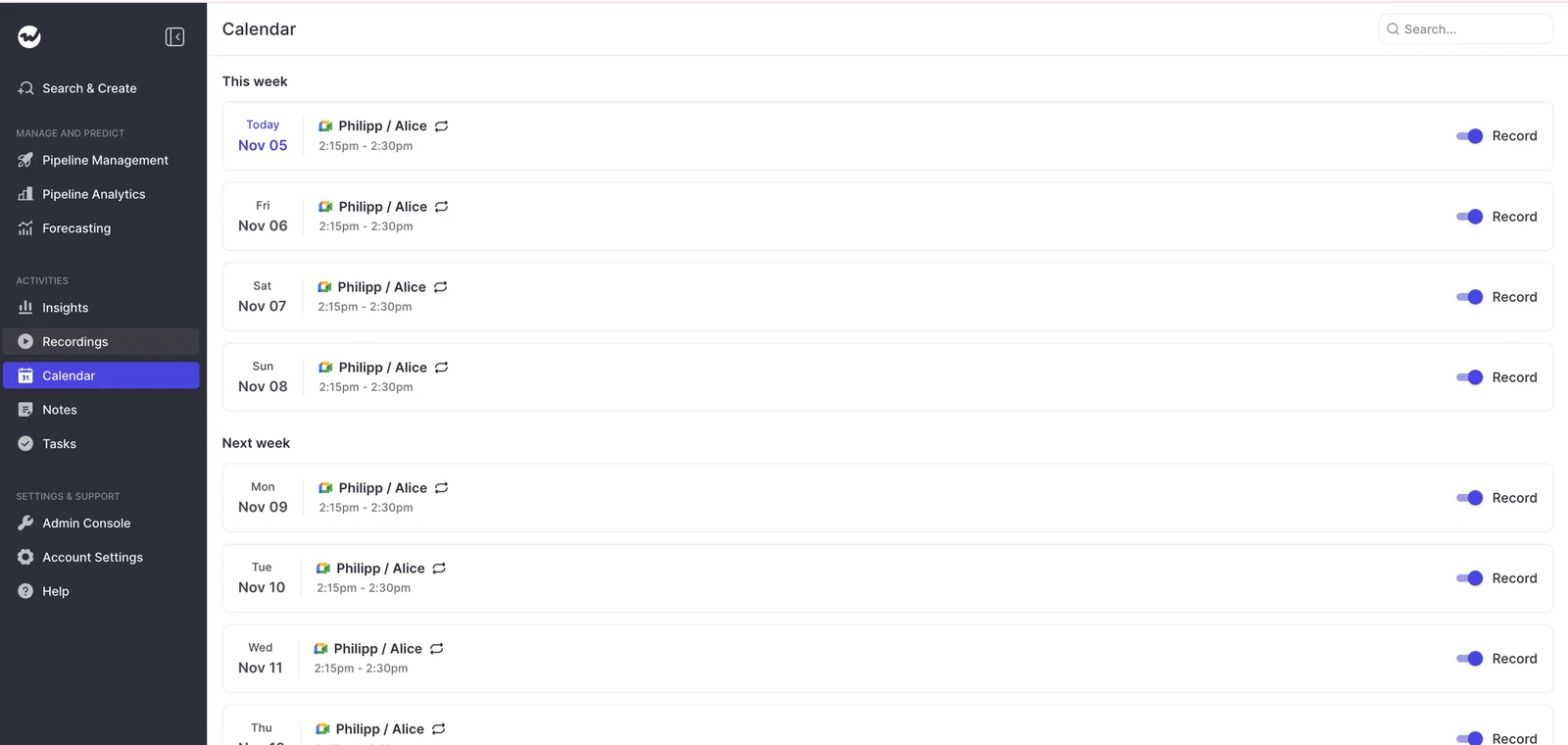
Only one Weflow notetaker joins per company, however many of your people are on the call.
Here's how Weflow handles the usual coverage killers:
- Lobby: The notetaker waits about 10 minutes to be admitted. If the customer booked the meeting and never arrived to admit it, the rep can send it back in mid-call from the Weflow calendar and keep the rest of the conversation.
- Zoom host identity: On Zoom, recording starts only when the signed-in host lets the notetaker in. When an assistant booked the meeting, or the rep is signed in with a different email, make the attending rep the owner, stay signed in, or admit notetakers automatically in Zoom's settings.
- Botless fallback: The Weflow desktop app for Windows and macOS records from the rep's machine with no bot in the call. It's included in the Conversation Intelligence seat, and its recordings go through the same summaries, field updates and scorecards.
- Missing meetings: If a rep's notetaker keeps missing calls, start with their Weflow calendar page. It should list every meeting on their Outlook or Google calendar. If it doesn't, the calendar connection is at fault, and our support team can fix it.
There are a few limits to keep in mind::
- A recurring series can't be excluded wholesale. A standing meeting with one external guest has to be switched off one occurrence at a time.
- The internal domains list decides what counts as external. If you run several email domains and leave one off, internal meetings on that domain get recorded as if a customer were on them.
- The desktop app records only when the rep starts it.
You set Weflow recording consent per team: opt-out, opt-in or none
Weflow handles consent inside the product, so it doesn't rely on reps remembering to ask. Here's how it works:
- When the notetaker joins, it posts a customizable notice in the meeting chat with a link that stops the recording.
- An optional email can reach external guests before the meeting.
- Every consent decision goes into a downloadable CSV log.
- If a participant opts out, the notetaker leaves and we delete the recording.
- If the host removes the notetaker mid-call, everything up to that point is kept.
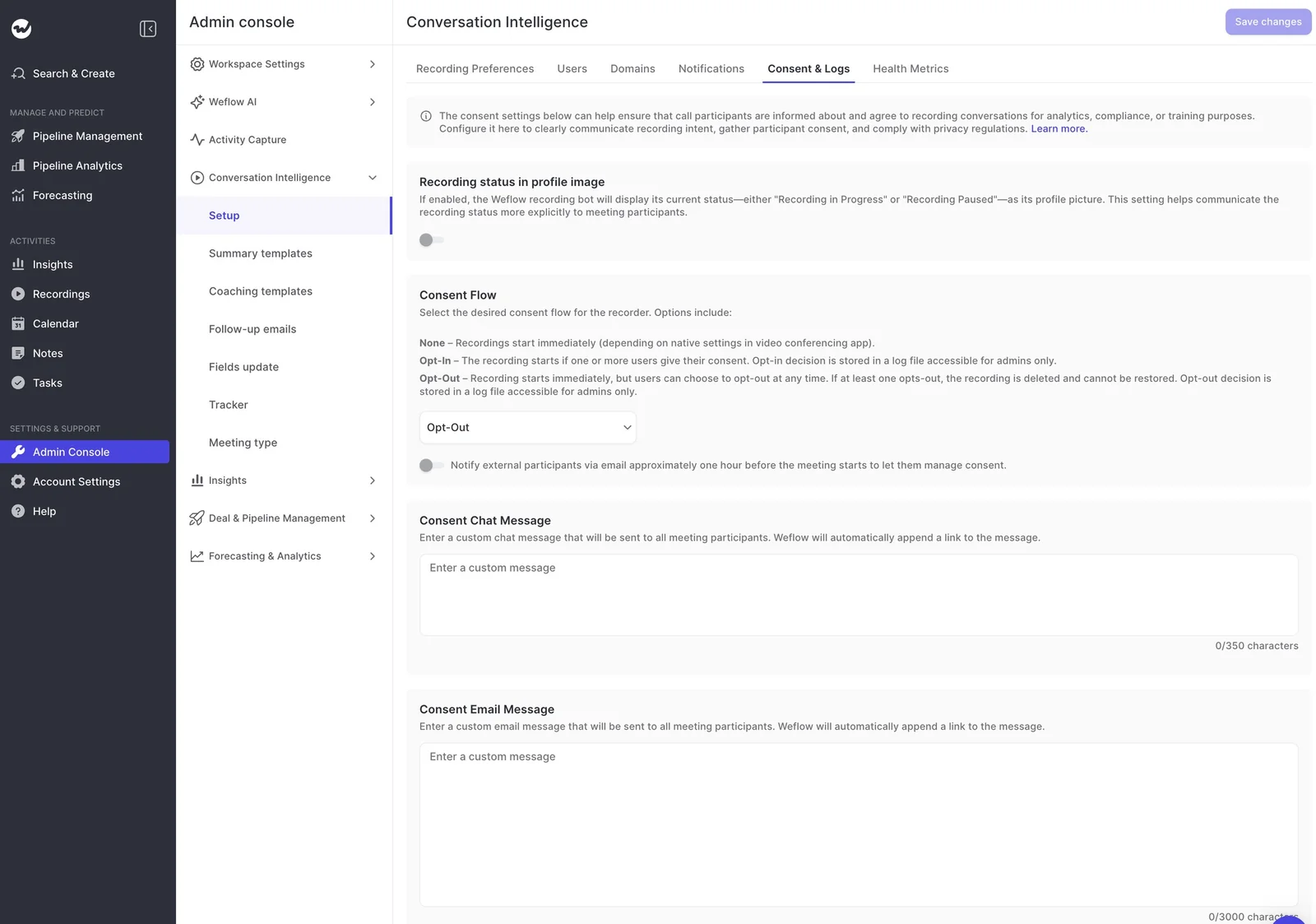
The consent mode you choose shapes most of your coverage, so it's worth deciding with your legal team before rollout.
| Mode | What the guest sees | Effect on coverage |
|---|---|---|
| Opt-out | The meeting records by default, with a chat notice and a stop link | Highest. Most of our customers choose it. |
| Opt-in | Every participant has to accept before recording starts | Thinner. It holds up one-to-one, but in a group, one person who forgets to accept stops the recording. |
| None | No product-driven consent step, so the seller handles it in the room | Depends entirely on the rep |
A few limits here, too:
- Consent doesn't vary by the region an account sits in. One team configuration means one consent behavior, so separating jurisdictions means separate teams.
- On Microsoft Teams, people who join late may not see the chat notice, depending on chat settings. The notetaker stays visible in the participant list.
- Desktop-app recordings carry no automated consent flow, so consent becomes the rep's job.
Weflow connects to your calendars, dialers and BI tools
Weflow integrates natively with the Salesforce, calendar, meeting and dialer tools your sales team already uses.
- CRM: Salesforce only. Weflow doesn't work with HubSpot, Dynamics or Pipedrive.
- Calendar and mail: Gmail, Google Calendar and Outlook.
- Meeting platforms: Zoom, Microsoft Teams, Google Meet and Webex, plus Slack notifications when a recording and its summary are ready.
- Dialers: You connect the Outreach dialer yourself in the admin console. Our support team activates Aircall, CloudTalk, Dialpad and Zoom Phone.
- BI and warehouse: Tableau, Looker, Snowflake, Databricks and BigQuery all connect through the API, since there's no native warehouse connector.
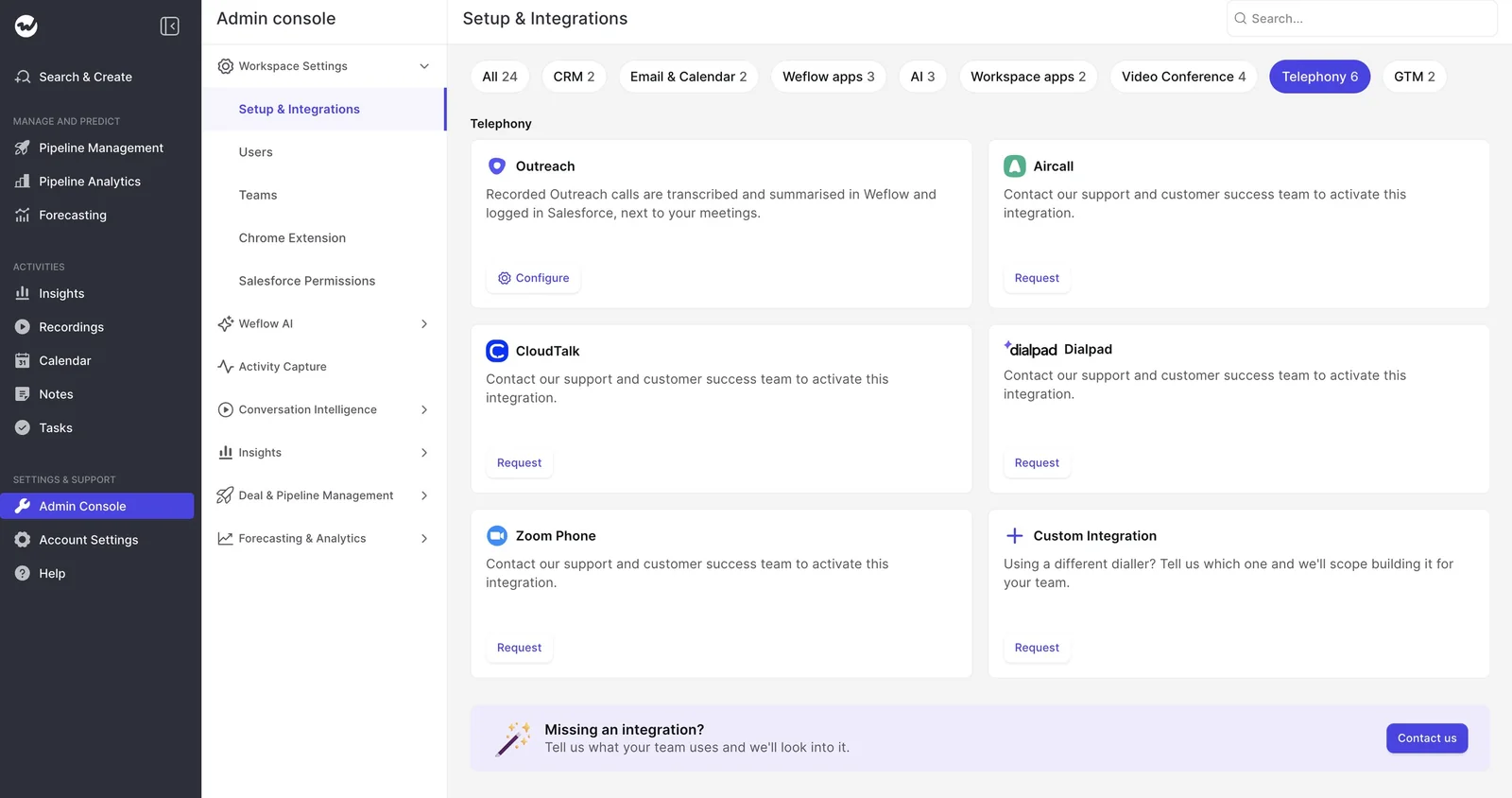
Weflow isn't an integration platform with a catalog of connectors. If you use Salesloft for sequencing, you can keep it. Weflow runs alongside sequencing tools and logs their emails only once through compatibility mode.
Claude and ChatGPT read Weflow call data through its MCP connector
Weflow has a single, official, read-only MCP connector that covers calls and the forecast together. Claude, ChatGPT and any other client that supports remote MCP servers connect through the same URL.
Admins switch the connector on per workspace, and a second toggle controls whether assistants can read full transcripts or only AI summaries. The admin console also shows every user who has connected an assistant.
What the connector returns:
- Transcripts, call summaries, tracker hits and coaching scores.
- AI playbook output.
- Forecast calls and targets.
- Pipeline metrics per rep, such as coverage, win rate and cycle length, for up to 25 owners per request.
What it doesn't return:
- The content of captured emails.
- Salesforce field values.
Both live in Salesforce, so assistants read them through Salesforce's own connector. Run the two connectors together, and a single chat can see the record, the forecast and the conversation.
You can pull Weflow transcripts and scores out through the API
Every call's transcript and summary land on a recording record in your Salesforce, where they're reportable and permissioned like the rest of your CRM. They also stay there if you ever stop using Weflow.
The REST API bulk-exports transcripts, metadata, scores and signals as JSON or CSV. Video files stay out of Salesforce (CRM storage is expensive) and export through the API to your own cloud storage instead.
There's no native Snowflake, Databricks or BigQuery connector.
Weflow publishes its Conversation Intelligence seat price
Weflow publishes its per-seat pricing, and AI usage is included in the seat. Weflow Conversation Intelligence is $39 per user per month, and the Revenue AI Foundation bundle (Activity & Contact Capture plus Conversation Intelligence) is $49.
The seat also includes the desktop app, with no usage caps on recordings or transcripts.
How Clari Copilot records your team, one rep at a time
Clari Copilot is set up per user, so every step a rep has to take is another chance for coverage to leak.
Every rep onboards to Clari Copilot individually, in four steps
An admin or manager invites each rep (as a Rep, Manager or Observer) and tracks their progress in an onboarding spreadsheet. From there, each rep has four steps to finish, and each one is a potential leak:
- Sign up: A rep who never accepts the invite is never recorded, and nothing flags them.
- Connect a calendar: Copilot joins only meetings on a connected calendar. In one Clari account review, a batch of reps had never synced theirs.
- Record a voice fingerprint: It's one more task reps tend to put off.
- Install the desktop app: Real-time features need it, so reps who skip it get recording without the live features that justify Copilot.
Inside Salesloft, the path looks slightly different. You'll need a Salesloft license on Advanced or higher, plus a Clari Copilot subscription.
An admin enables Team Access to provision users automatically, but each rep still connects a calendar, records a voice sample (about 15 minutes) and installs the desktop app for real-time features.
Executive assistants are another known snag. An assistant can only control which of an executive's calls get recorded if they have rights to act for the whole org.
The workaround is a shared service account that holds the recording license, which security teams tend to push back on.
Clari Copilot records four platforms, but the Zoom bot follows the organizer
Copilot covers Zoom, Microsoft Teams, Google Meet and Webex, joining any meeting with a video link and at least one external participant. However, some conditions can shorten or drop recordings without any error:
- Organizer-bound Zoom bot: The bot joins when the organizer joins and leaves when they leave. A meeting that runs on after the organizer drops gets cut off, and a rep who starts before the organizer gets a late start.
- Zoom re-sync: Customers had to re-sync their Zoom account by 1 April 2026. Anyone who missed it lost Zoom recording entirely, with no warning.
- Native recording route: Recording through Zoom's cloud recording avoids the bot but gives up battlecards, bookmarks and monologue alerts.
- Salesloft Conversations rules: Recordings under two minutes aren't captured, and meetings where every attendee uses a public domain such as Gmail are skipped unless an admin changes that.
- Opportunity matching: Copilot attaches a call to the right Salesforce opportunity roughly three times out of four, so teams ask reps to check the link before the call.
Clari Copilot consent runs on Do Not Record lists and platform notices
Copilot handles governance through domains and area codes.
Admins keep a Do Not Record domain list for meetings, set per-area-code rules for dialer calls, and switch recording on or off per user, while Zoom, Teams and Meet show their own recording notices.
Copilot can also send external guests a consent link about an hour before the meeting.
Teams often choose this to stay strict on GDPR, but it hands every guest an easy no before anyone has explained why the call is being recorded, and coverage drops as a result.
Mobile recording asks the rep to confirm that everyone consented, and an audible chime plays.
Clari connects through the Salesloft data layer, including Snowflake
On paper, Clari is stronger on integrations, mostly thanks to Salesloft:
- The Unified Revenue Data Layer syncs with Salesforce, Microsoft Dynamics, Snowflake, Databricks, Gmail, DocuSign, ZoomInfo and LinkedIn.
- Recording runs through API integrations with Zoom, Teams, Meet and Webex.
- Salesloft Conversation Intelligence imports calls from Aircall, Dialpad, FreshCaller, HubSpot, Orum and the Salesloft Dialer.
- A Clari Copilot Slack app sends reps pre-call and post-call alerts.
So if you need native warehouse sync or a CRM other than Salesforce, Clari covers ground Weflow doesn't.
Clari runs separate MCP servers for Copilot, Forecast and Salesloft
Clari runs three MCP servers, each limited to its own product, so an assistant can't see calls and deals together through a single connector.
| Server | What it returns | What it misses |
|---|---|---|
| Clari Copilot | Copilot call data | The forecast and pipeline layer |
| Clari Forecast | Live forecast numbers and historical snapshots, scoped to Clari permissions | Deal-level opportunity data |
| Salesloft | Accounts, people, opportunities and call summaries, read-only | Raw transcripts and cadences. It also needs the paid Agentic add-on |
Clari offers REST, Export and Copilot APIs for raw data
You can get raw data out of Clari through its REST and Export APIs, the Copilot API, CSV export of forecast history, and Salesloft's sync to Snowflake and Databricks.
Copilot pushes a call summary with next steps to a Salesforce Task, but it doesn't write deal fields. The recordings themselves stay in Copilot's call library, not on your Salesforce records.
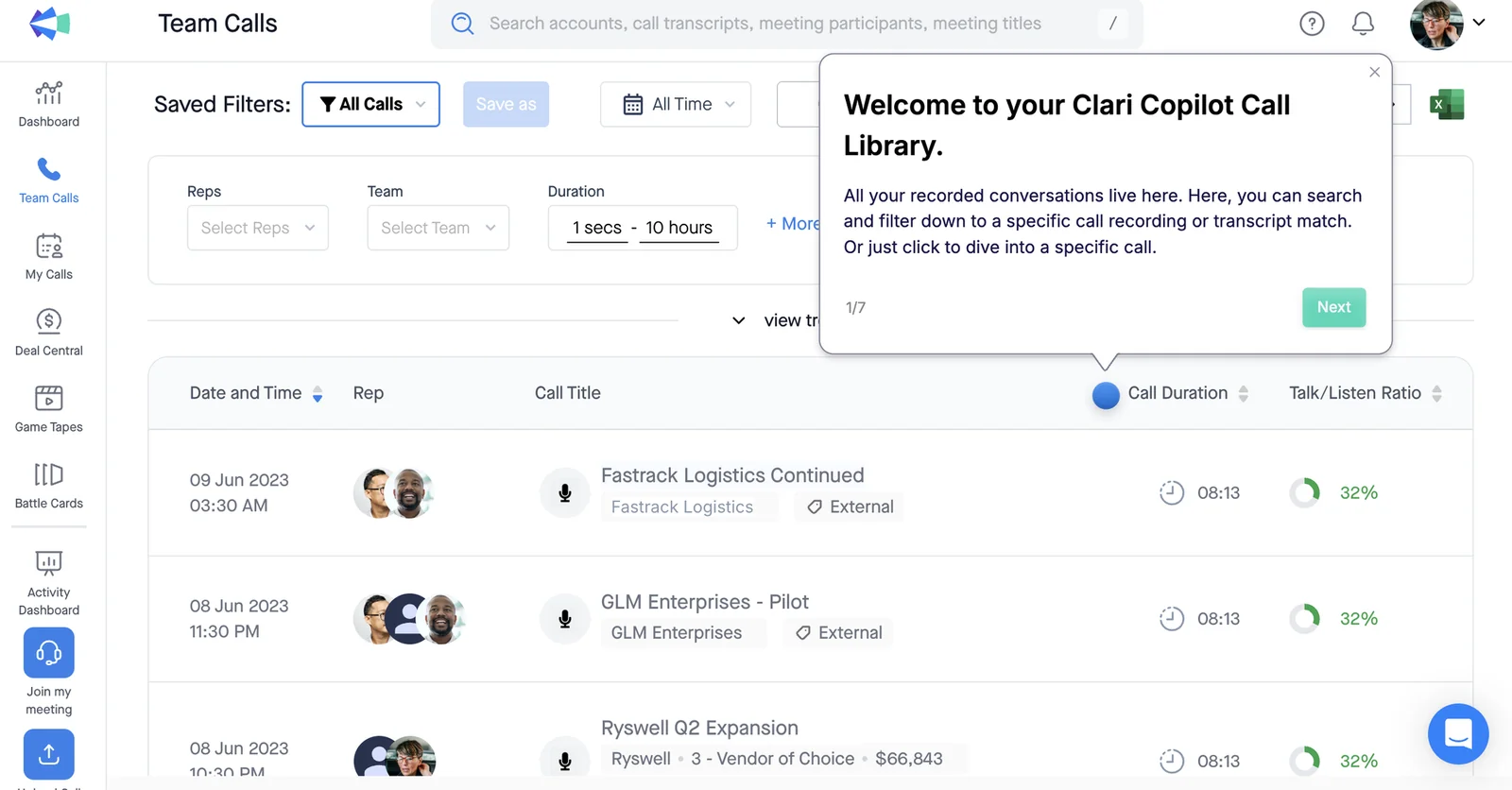
Clari Copilot pricing is quote-only through Salesloft sales
Neither Clari nor Salesloft publishes seat prices or offers a trial. Both pricing pages send you to book a call with Salesloft sales, and only the package structure (Advanced and Elite, with paid add-ons) is public.
How much of your team will actually get recorded?
When recording is the default, coverage rises to a realistic rate, and the admin can see and explain whatever gap remains. Nobody can promise you 100 percent, and you shouldn't trust anyone who does.
A healthy recording rate is 50 to 70 percent, not 100
Recording 50 to 70 percent of eligible meetings is normal, because people skip recordings on purpose. Across our customers, coverage typically runs between 60 and 80 percent. So the question to ask is whether you can explain the gap.
| Recording rate | What it means for your data |
|---|---|
| Under 40% | A rollout or configuration problem, not a product ceiling. The library is a sample. |
| Under about 60% | Silence in the transcripts means nothing. You can't conclude a rep never raised a topic. |
| 50 to 70% | Normal and healthy. |
| 60 to 80% | The typical range across eligible meetings. |
| 80 to 90% | Where teams that started under 40% typically land once configuration and habits are fixed. |
Watch out for one distortion: some calendar systems attach a video link to every event, including in-person and internal ones, which skews the numbers. Above roughly 60 percent, the library starts to work as a census.
How Weflow tells you who wasn't recorded and why
Weflow's health metrics split skipped meetings (notetaker not admitted, consent declined) from failed ones (a technical issue). You can export each list as CSV, and every admin gets a daily email listing the previous business day's unrecorded meetings.
That split tells you whether a low rate is a behavior problem for enablement or a technical one for support.
| Signal | What it tells the admin |
|---|---|
| Meetings recorded and success rate | Overall coverage for any period you choose |
| Skip rate, with CSV | Notetakers left in the lobby or consent declined. Usually a habit or customer-side issue. |
| Error rate, with CSV | Technical failures that go to support |
| Daily admin email | Yesterday's unrecorded meetings, without opening a dashboard |
| Participant email | Tells internal attendees when one of their meetings wasn't recorded |
| Insights by user and team | Recordings per team, so you can spot which teams need retraining |
It's exactly what RevOps leaders ask us for, often after years of hearing about gaps from reps first:
"I'd like the system to be proactive and tell us: this is your desired capture, these things failed."
Clari lists an enterprise admin command center with adoption reporting among Copilot's features, so Copilot does report on adoption.
But the failures that hurt most, like the organizer-bound Zoom bot and the missed re-sync, produce a shorter recording or none at all, with no error to report.
Where Clari Copilot is still the stronger choice
Copilot is stronger on in-call features and analytics, and it's a natural fit for teams already deep in Clari. Here's what you'd give up by switching:
- Real-time battlecards and monologue alerts: Cards fire on trigger words you configure. Users find them hit or miss, and they run only in the desktop app. Weflow has no live in-meeting assistant: summaries, field updates, follow-up emails and coaching scores all arrive after the call.
- Observer licenses: Copilot separates recorder licenses from observer licenses, so product, leadership and other teams follow calls without a recording seat. Weflow's free view-only seats cover the same need, capped at the number of recording seats you hold.
- Analytics depth: Smart Topics, AI Themes and the team insights leaderboard get heavy use. AI Themes runs on a monthly quota of analyses.
- AI follow-up email: Reps actually use Copilot's follow-up email.
- Existing investment: If your forecast runs in Clari Forecast and enablement has built coaching tools on Copilot data, most of what a replacement offers already exists for you by another route.
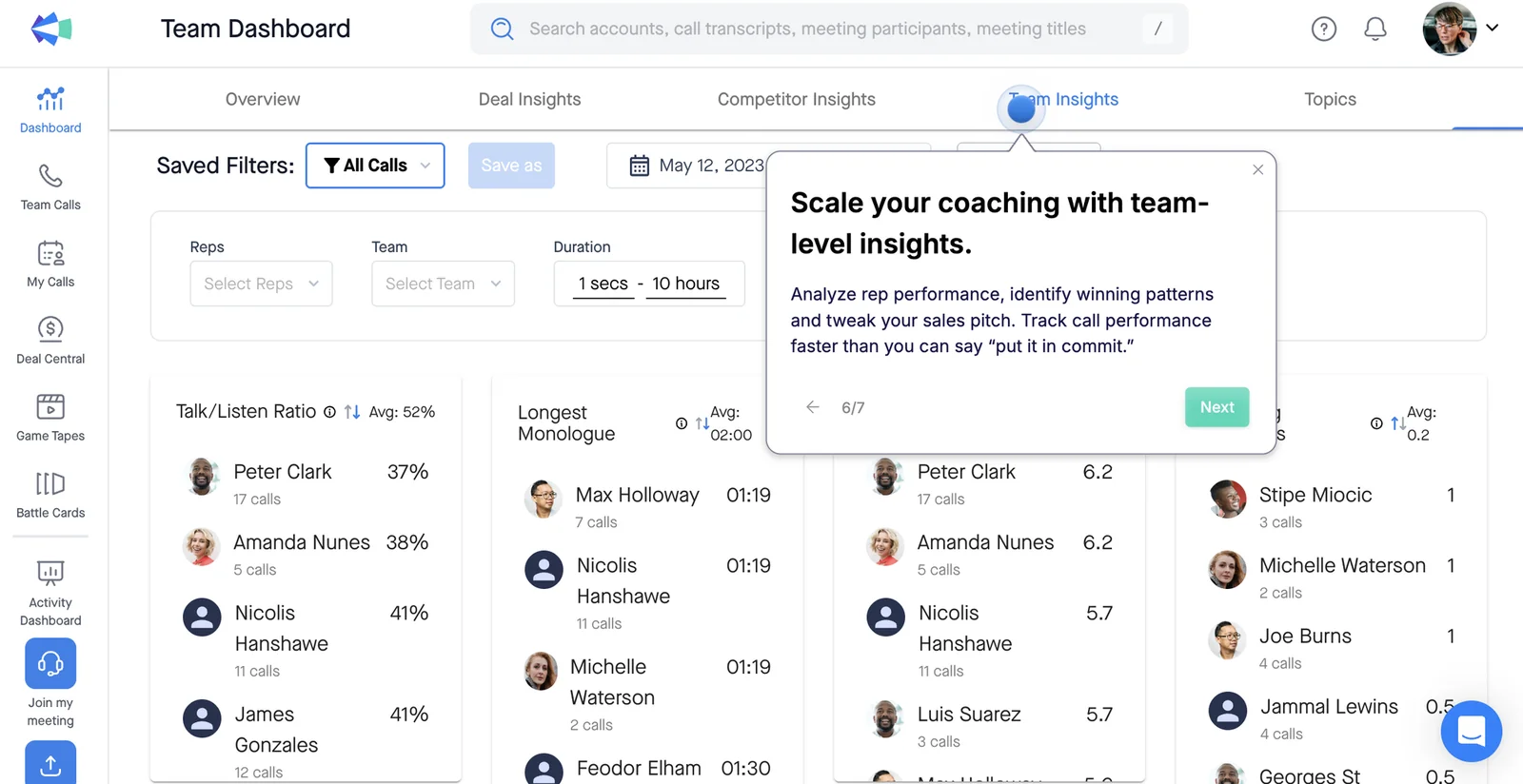
If live battlecards are the reason your reps open Copilot, losing them is a real cost, and we'd rather you weigh that now than discover it after the switch.
Where Weflow pulls ahead for a partly recorded team
Weflow tackles coverage from two sides: it removes the rep steps where coverage leaks, and it gives reps a reason to keep the notetaker on.
Recorded becomes the default, so coverage doesn't depend on reps
Together, team assignment, calendar scheduling and gap reporting turn coverage from a discipline problem into a configuration problem. So will your adoption problem follow you to a new tool? Not entirely, but it shrinks to things you can see and fix.
| Where Clari Copilot coverage leaks | What Weflow does instead |
|---|---|
| Admins invite reps one at a time and track progress in a spreadsheet | Recording follows team membership, so new joiners are covered automatically |
| Each rep signs up, connects a calendar, records a voice fingerprint and installs an app | Calendars connect centrally, and the rep signs in once |
| The Zoom bot follows the organizer | The notetaker joins as a participant, waits about 10 minutes, and reps can re-trigger it mid-call |
| Failures show up as missing calls | Skipped and failed meetings appear in health metrics and the daily admin email |
| A pre-meeting consent link invites declines | Opt-out mode records by default, with a chat notice and a stop link |
| RevOps project-manages the rollout | We run the rollout free, with a managed-service option |
We hear this requirement from sales leaders in nearly every CI evaluation:
"Are the individual reps deciding when this is turned on or off, or is it automatically overlaid into the conversation? One thing we want to avoid is the ability to not use the system."
Calls land in Salesforce fields, so reps get something back
Weflow AI Field Updates write deal fields from the call into Salesforce: next steps, methodology answers, stage evidence, account sentiment.
Admins map each field to its own prompt, and updates can run with a review step or fully automatically, with the transcript and summary sitting on the same Salesforce record.
With Copilot, that job goes to a second vendor. One team that kept Copilot bought Momentum on top of it to write call outcomes into Salesforce.
Now they manage two contracts, and when a write fails, their admin has to check Salesforce, Clari and Momentum one by one to find the problem.
This payoff matters for coverage. When a call fills in a rep's opportunity fields and drafts their follow-up email, they have a reason to keep the notetaker on. When the recording disappears into a separate portal, they don't, and that's when reps opt out.
What switching costs against your Clari contract
Weflow's pricing is published and predictable, while Clari's is quote-only, with paid add-ons and upgrade costs on top.
| Cost item | Weflow | Clari / Salesloft |
|---|---|---|
| Pricing model | Published per seat. AI summaries, field updates and Ask Weflow AI are included. Agent Builder is the only usage-priced product. | Quote-only through Salesloft sales, with no trial. |
| List price | Weflow Conversation Intelligence $39 per user per month. Revenue AI Foundation (Activity & Contact Capture plus Conversation Intelligence) $49. | No public seat price. Our estimate for Clari is $120 to $180 per user per month, and Clari doesn't sell its products standalone. |
| Minimums and term | 10-user minimum and a 12-month term. A negotiated early opt-out after three months is available. Volume discounts start around 30 to 40 seats. | Not published. |
| Implementation | Free, guided by our team. | We estimate professional services at $15,000 to $50,000. Clari publishes no figure. |
| View-only access | Free seats, capped at the number of recording seats. | Separate observer licenses. |
| What costs extra | Agent Builder tiers above the free 25 actions a month. | Advanced and Elite packages with paid add-ons for forecasting, agents and the dialer. The MCP server needs the Agentic add-on. |
Salesloft customers moving from Salesloft Conversations to Copilot face a paid upgrade on top of this. One team we spoke with was quoted around 15,000 to 20,000 for it.
For a sense of scale, capture plus conversation intelligence for about 62 seats comes to around $36,000 a year at our pricing.
Timing matters as much as price. A CFO who just signed a forecasting renewal won't approve a second forecasting tool, so start with what sits outside that renewal (call recording and capture) and revisit forecasting when your Salesloft contract comes up.
How you move off Clari Copilot without losing history
Your existing recordings come with you, and Clari Forecast can stay where it is.
Weflow imports your Clari recordings, including departed reps' calls
We import your Clari recordings user by user, and calls from people who've left go to a colleague you nominate. Here's how it works:
- Your team goes through training and signs in to Weflow, so every user exists to receive their recordings.
- You list the people who have left and name a manager or colleague for each.
- Our migration team imports each user's recordings and reassigns departed users' calls as part of the import.
- The imported calls sit in Weflow alongside new recordings, so nothing in the history becomes unreachable.
You can keep Clari Forecast and replace only Clari Copilot
Since Clari reads activities from Salesforce, Weflow capture can actually feed cleaner activity data into Clari Forecast. And because Copilot and Clari Forecast don't share data today, replacing Copilot takes nothing away from your forecast.
The fields Weflow writes are Salesforce fields, so anything that reads the opportunity sees them.
Just don't run two capture engines in parallel. If Clari or Salesloft capture and Weflow both write meetings to Salesforce, every recorded meeting shows up twice, so turn one off before you turn the other on.
When to choose Weflow and when to stay on Clari Copilot
It comes down to one trade-off: centrally enforced coverage with call data written into Salesforce, or live in-call features plus the Clari investment you already have.
Choose Weflow if:
- Your team runs on Salesforce.
- You want recording assigned by team, not left to each rep's setup.
- You want skipped and failed meetings reported to the admin daily.
- You want calls written into Salesforce fields, without a second vendor.
- You want a guided rollout in two to three weeks at a published seat price.
Stay on Clari Copilot if:
- Your forecast lives in Clari Forecast and your enablement tooling is built on Copilot data.
- Real-time battlecards and monologue alerts are central to how your reps work.
- Your reps are worn out by tool changes and another one would cost more goodwill than it returns.
- You need native warehouse sync or a CRM other than Salesforce.
See how Weflow captures activity, updates Salesforce fields from calls, and rolls up your forecast. Book a 30-minute demo.
FAQs RevOps teams ask before switching from Clari Copilot
Should we pilot Weflow Conversation Intelligence or just decide?
For conversation intelligence, we'd suggest deciding and then rolling out with proper enablement. A pilot with reps who've never been recorded tends to become a vote on being tracked rather than a test of the product.
Activity capture is a different story: it asks nothing of reps, so it trials cleanly. If legal won't approve a trial on real customer calls, agree on deletion terms between both legal teams before it starts.
How does Weflow handle GDPR, consent logs, retention and deletion?
- Retention: You can delete recordings after a set period and keep the transcripts, delete both, or delete transcripts and keep the AI summaries.
- Contracts: We provide a Data Processing Agreement with EU Standard Contractual Clauses.
- Data region: Your instance runs in the region where your Salesforce is hosted, and you can override that to keep data in the EU or UK.
- Certifications: Weflow is SOC 2 Type II certified and GDPR compliant, runs Zero Data Retention for AI processing, and never uses customer data to train AI models.
Will a works council or legal team object to a visible notetaker?
Some will, and the objections can go either way:
- Some legal teams prefer the visible notetaker, because it posts a notice and gives participants a way to stop the recording.
- Some German works councils won't approve a visible video recorder in a sales call at all.
If a visible bot is a dealbreaker, the Weflow desktop app records without one. Just keep in mind it has no automated consent flow, and its transcripts show anonymous speaker labels (Speaker 1, Speaker 2) instead of names.
Either way, bring legal and the works council into the consent decision before rollout.
Which Zoom, Teams and Webex settings do we need before go-live?
- Zoom: Your Zoom admin enables local recording, and the host has to approve the notetaker. Hosts need to be signed in with the account that booked the meeting, or you can admit notetakers automatically in Zoom's settings.
- Teams and Meet: Someone admits the notetaker from the lobby. On Meet, it joins as an anonymous user.
- Webex: Recording is off by default, so enable it per workspace.
- Internal domains: List every email domain your company uses, so internal meetings aren't treated as external.
Can we exclude a specific customer from being recorded?
Yes. An admin adds the customer's domain to the notetaker exclusion list, and the notetaker stays out of their meetings. That's handy for risk-averse accounts that see a new recorder as a new sub-processor.


