Weflow vs Salesforce Agentforce for Deal Questions and Meeting Prep (2026)
Weflow vs Salesforce Agentforce for deal questions and meeting prep: what each one reads


If you're an AE in a Salesforce org where Agentforce is the default, the choice for deal questions and meeting prep comes down to the data under each answer. Weflow is the Revenue AI Orchestration platform for sales, customer success, and RevOps teams. It's built for Salesforce teams.
We'd choose Weflow when the truth about your deals sits in email threads and calls, and you want to be asking questions within weeks. Agentforce is the stronger pick when Data 360 already runs, your capture is reliable and your reps want to ask from inside Slack.
Weflow and Salesforce Agentforce both answer plain-language deal questions inside your Salesforce permissions, so the difference lies in what each one reads. Ask Weflow AI answers from the emails, meetings and call transcripts Weflow captures itself, plus your Salesforce records. Teams go live in 2 to 3 weeks with no per-rep setup.
Agentforce answers from what Salesforce's capture products wrote into the org. It starts answering only once Data 360 is running and an admin has built the agent.
Weflow and Salesforce Agentforce compared on deal questions and meeting prep
Weflow and Salesforce Agentforce differ most on where their answers come from, how long they take to go live and how you pay for the AI.
| Dimension | Weflow | Salesforce Agentforce |
|---|---|---|
| Ask-anything AI chat | Ask Weflow AI in the Weflow app and Chrome extension, scoped from 1 call to your whole system | Slackbot routes plain-language questions to the Sales Cloud Agent |
| Deal summaries across all interactions | On-request deal summary across every meeting; AI Playbooks read every email, meeting and field | One-click record summary with follow-up questions; briefs add web updates and service history |
| Setup and rollout | 2 to 3 weeks, no per-rep setup, free implementation | Data 360 first, then an admin build for each agent |
| Integrations with other tools | Native integrations with Salesforce, Gmail, Outlook, Zoom, Teams, Meet, Slack and the Outreach dialer; not an integration platform | MuleSoft APIs, Flows, Apex and external MCP servers as agent actions |
| Access from AI assistants (MCP) | Read-only connector returns conversation data, playbooks and forecast calls | Hosted MCP Server reads org records; agents surface in ChatGPT, Claude and Gemini |
| Raw data access outside the tool | REST API bulk export in JSON or CSV; recordings export to your own storage | Output lands in Salesforce records, reached through Salesforce's APIs |
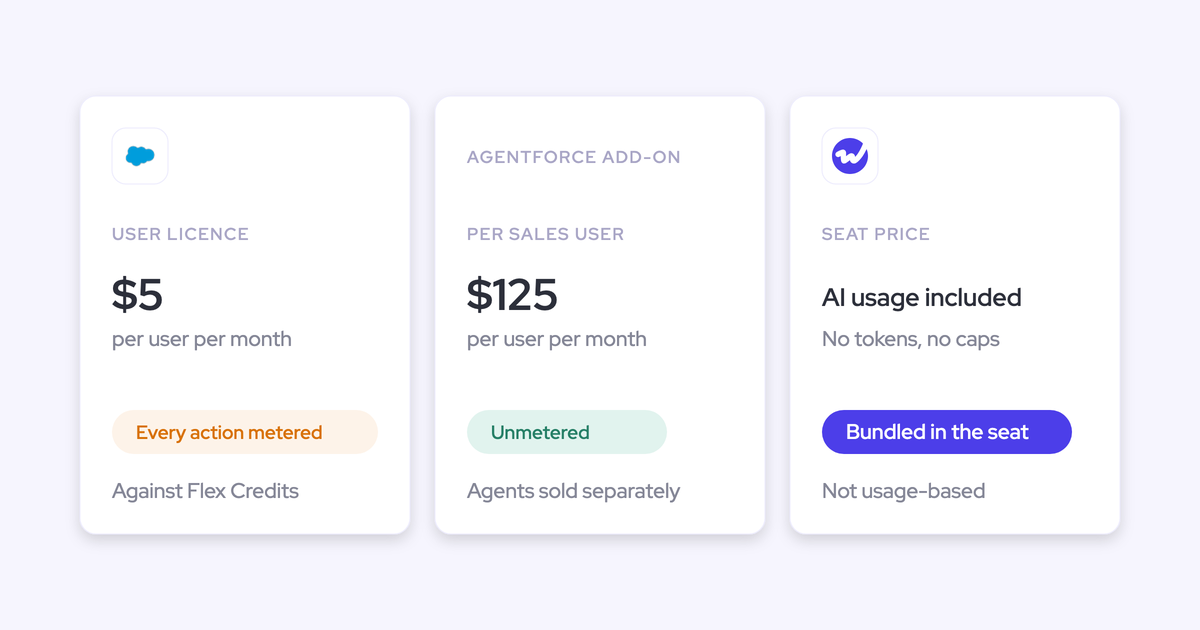
| Pricing | Per seat, billed annually, with Ask Weflow AI included and not metered | Per-user add-on, or a per-user license plus metered Flex Credits; Data 360 credits separate |
| Best for | Salesforce teams of 10 or more seats whose deals live in emails and meetings | Orgs already running Data 360, with admin capacity and reps who ask in Slack |
For Weflow, the comparison comes down to these differences:
- Ask Weflow AI reads the emails, meetings and transcripts Weflow captures itself, so its answers rest on what was said.
- Teams are live in 2 to 3 weeks with free implementation.
- The AI comes with the seat and isn't metered.
For Agentforce, it comes down to reach. Its agents meet reps in Slack, Teams, Outlook and ChatGPT, and its briefs pull in web, third-party and enablement data. You get that reach once Data 360 runs and an admin has built the agent.
Why reps on Salesforce compare Agentforce with Ask Weflow AI
Like most AEs, you compare these two tools because Agentforce is Salesforce's own product, so procurement makes you assess the default first. You price it and assess it on paper before you can propose anything else.
A demo doesn't help much at that stage, because nobody in the approval chain sees it. What helps is a written, like-for-like comparison you can attach to the business case.
The job itself is easy to state. You want to ask what's going on in a deal and get a straight answer, and you want to walk into tomorrow's call prepared.
Today that prep is manual. You gather the CRM history, the earlier emails, past calls and whatever is public about the company by hand. The conscientious reps spend real time on it, and the rest arrive cold.
Deal reviews suffer from the same gap. You know you met the VP twice and that the champion went quiet 3 weeks ago, but none of that is on the opportunity. So your manager questions you for the story instead of inspecting the deal.
Many teams already own Salesforce AI that still isn't deployed. Inside the company, Agentforce's support usually comes from familiarity with Salesforce rather than from a capability the alternatives lack.
Teams that standardized on Einstein Activity Capture and Einstein Conversation Insights are also hearing about Momentum without a straight answer on whether that capture layer has a future.
Weflow answers deal questions from the emails, meetings and transcripts it captures
Weflow is the Revenue AI Orchestration platform for sales, customer success, and RevOps teams. For deal questions, Ask Weflow AI answers from the emails, meetings and call transcripts Weflow captures itself, alongside your Salesforce records.
Ask Weflow AI reads the whole deal, from one call up to your entire pipeline
Ask Weflow AI answers plain-language questions across your Salesforce records, captured emails, meetings and call transcripts, and it can also read the public web. You choose Ask Weflow AI's scope, from a single call up to the entire system. One question can cover many call recordings at once.
You ask from the Weflow app or the Weflow Chrome extension, which puts Ask Weflow AI on your Salesforce record pages, so you never leave the opportunity. Each answer lists the sources it read, so you can open the call or email behind a claim before you repeat it in a deal review.
I love being able to go right to the call, transcript or email and see where something was said that the AI is referencing. - Scott Jones, SVP of GTM Revenue Intelligence & Enablement, KORE Wireless

Here are questions that work well at each scope of Ask Weflow AI:
- A single call: "What did the customer say about timing, and who raised it?"
- A single deal: "What has the economic buyer said about budget across every meeting?"
- A filtered deal board: "Which of my pipeline hygiene opportunities are at risk?"
- An account: "Who have we spoken to here, and who has gone quiet?"
- The entire system: "Which competitors came up on calls this quarter?"
Prepare meeting and the deal summary put the full history in front of you
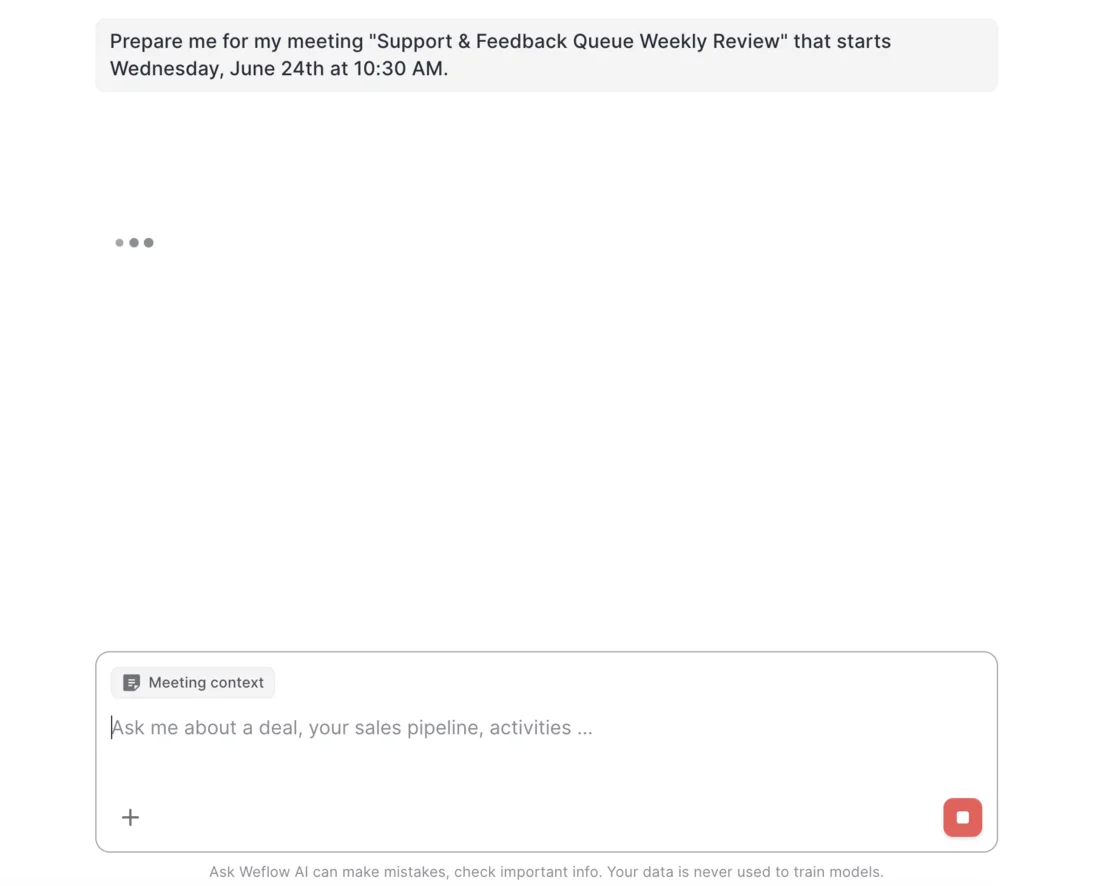
Prepare meeting turns a calendar entry into a brief. Every meeting on the Weflow calendar carries a Prepare meeting button that hands the meeting to Ask Weflow AI as context. The AI then assembles the brief from prior emails, meetings, previous recordings and Salesforce.
You don't describe the meeting or gather its context, because the calendar entry supplies both. The chat opens with a Meeting context chip attached, so you ask follow-ups in the same thread.
For a deal review, Weflow's deal summary reasons across every meeting on the opportunity rather than one call at a time. It returns pros, cons, next steps and risks, next to communication velocity and every person involved. Velocity is computed from the emails actually sent and received.
The deal summary is generated when you ask for it, not kept up to date automatically, so request a fresh one before each review.
AI Playbooks score the whole deal against your methodology by reading every email, meeting, transcript and CRM field on it. They refresh every few hours and write the result to the matching Salesforce fields.
AI Playbooks also recommend a next step, such as finding an economic buyer who is still unidentified. Your deal review starts from that evidence instead of from you reconstructing the deal.
Where Weflow stops: company knowledge, Slack and Teams chat, and small teams
Weflow isn't the right fit for every team. These are its limits:
- Company knowledge: Ask Weflow AI doesn't reach your other knowledge systems, so process documentation, product guides and your ticketing system stay outside it. If your reps need answers drawn from enablement material, Agentforce fits better. You can work around the gap with Weflow's MCP connector: a general assistant such as Claude reads Weflow's conversation data next to the other sources you connect to it.
- Slack: Weflow's Slack integration sends output to Slack, but you can't ask Ask Weflow AI questions there. Deal channels aren't captured yet, so conversations in shared customer channels aren't part of the record. If your reps want to ask deal questions inside Slack, Agentforce is the better choice.
- Teams chat: Weflow records and analyzes Microsoft Teams meetings, but Teams chat isn't a surface Weflow works in. Notifications and agent output reach Slack and email only.
- Team size: Weflow requires a minimum of 10 users per product or bundle, so it isn't the right fit for a team under 10 reps.
Salesforce Agentforce answers deal questions in Slack from what Salesforce has captured
Salesforce Agentforce answers deal questions through agents your reps reach in Slack, grounded in what Salesforce has captured. It's Salesforce's agent layer for Sales Cloud: prebuilt sales agents plus Agentforce Builder for custom ones, running on Data 360 and the Trust Layer.
Agentforce captures nothing itself. Its deal answers rest on what Momentum, Einstein Activity Capture and Einstein Conversation Insights put into Salesforce.
Agentforce meets reps in Slack, Teams, Outlook and ChatGPT
Agentforce's real strength is that it answers where your reps already work. You ask Slackbot in plain language, and Slackbot routes the request to the right agent. The Sales Cloud Agent handles deals, close plans, meeting follow-ups and forecasting, and the Pipeline Management agent updates opportunity fields.
Slack comes with every new Salesforce org. When an agent posts its work in a public Slack channel or thread, your whole team sees it, checks its data sources and steers the next step. If your team already works its deals in Slack, that shared view is a real advantage.
Salesforce builds its agents headless: built once on the data foundation and surfaced in Slack, Microsoft Teams, Outlook, ChatGPT, Claude and Gemini.
On the record itself, Salesforce's sales AI writes a one-click summary of any account, opportunity, lead or contact. You then ask Agentforce follow-up questions on that record or trigger the next step from it.
Agentforce briefs reach beyond the deal into web, third-party and enablement data
Agentforce's Account Management agent prepares you from a wider pool than the deal itself. It researches an account across Salesforce, the web, third-party data, conversations and internal enablement material, then sends meeting and account briefs to reps in Slack, ChatGPT and mobile.
An Agentforce brief carries a company summary, recent conversations, web updates and service history, so you prepare without opening several systems. The same agent fills in account plans with company overviews, key performance indicators, competitive insight and industry trends.
Agentforce's brief sources are broader than Weflow's. Ask Weflow AI reads Salesforce, captured emails and meetings, and the public web, but not enablement material. Weflow doesn't connect to third-party data providers such as ZoomInfo, 6sense or Clay either.
Where Agentforce stops: what the org captured and what an admin built
Agentforce's deal answers are only as complete as what your org captured. In Salesforce's own account of the stack, Einstein Activity Capture supplies email and calendar sync, and Einstein Conversation Insights supplies the call intelligence that grounds Agentforce Sales answers. Momentum is built on both.
Anything that capture layer failed to write into Salesforce is out of Agentforce's reach, however good the agent is. So before you judge Agentforce's answers, check how much of your email, calendar and call activity actually lands in Salesforce.
Capture also depends on your edition. Legacy Enterprise and Unlimited customers keep their pricing but don't get Momentum bundled; they reach it by moving to a new edition.
Agentforce also needs setup before its first answer. It doesn't run without Data 360, which has to be provisioned and enabled for any Agentforce use, and an admin builds each custom agent in Agentforce Builder.
Every change queues behind an internal Salesforce admin team that's usually already the bottleneck. So you can end up paying for Agentforce while nothing runs on it.
Both tools keep answers inside your Salesforce permissions, and Weflow narrows them further
Weflow and Salesforce Agentforce both keep answers inside each user's Salesforce permissions, and Ask Weflow AI goes further by withholding some data a user could reach in Salesforce directly.
Weflow inherits your permission sets and role hierarchy, along with your fields, objects and validation rules, so Ask Weflow AI only returns data the user can already access. On top of that floor, Ask Weflow AI applies its own guardrails. Security reviews usually worry that chat makes reachable data easier to surface at scale, and the guardrails answer that worry.
Agentforce runs on the Salesforce Trust Layer, which:
- keeps the user's permissions when it retrieves grounding data
- masks personal and sensitive data before a prompt reaches a large language model
- holds third-party model providers to zero data retention
Agentforce also falls under Salesforce's ISO 27001, 27017, 27018 and ISO 42001 certifications and its SOC 2 report.
Weflow doesn't inherit visibility enforced through list-view restrictions or Lightning component visibility. If your org segregates access that way, you rebuild it in Weflow: an admin creates pipeline and account views centrally, assigns them per team and switches off users' ability to build their own.
For your security review, Weflow's trust claims are SOC 2 Type II, GDPR compliance, Zero Data Retention for AI processing, and customer data never used to train AI models.
| Control | Weflow | Salesforce Agentforce |
|---|---|---|
| Permission source | Inherited Salesforce permission sets and role hierarchy | Trust Layer keeps the user's permissions on retrieval |
| Extra protection | Ask Weflow AI guardrails withhold data a user could reach in Salesforce | Data masking before prompts; zero data retention for third-party models |
| Known gap | List-view and Lightning component restrictions are rebuilt in Weflow | Zero data retention covers third-party models, not Salesforce's own predictive models |
How long it takes before a rep can ask the first question
With Weflow, a rep typically asks a first question within 2 to 3 weeks. With Agentforce, the rep waits on Data 360 and an admin-built agent.
Weflow goes live in 2 to 3 weeks with no per-rep setup
Weflow goes live in 3 phases, run against a mutual action plan with named owners on both sides:
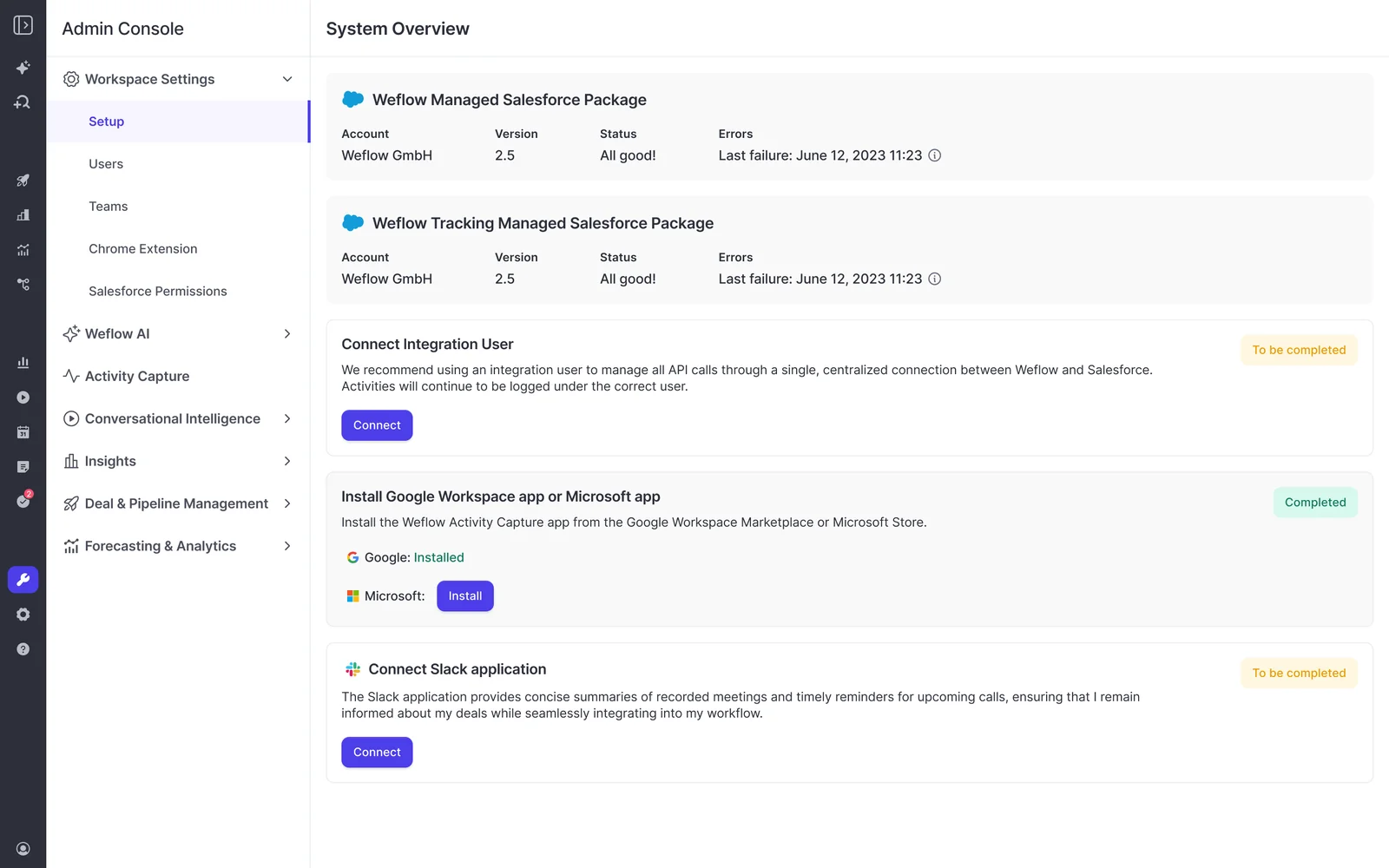
- Technical implementation: a single 45 to 60 minute session where a Salesforce admin and a mail admin connect the systems. On Microsoft 365, the Microsoft admin starts the install from Weflow's admin console; a Salesforce admin can't do it for them.
- Configuration: about an hour of workspace setup covering team structure, your methodology, the custom fields AI should fill, playbooks, deal warnings and prompt templates.
- Role-based rollout: separate training for leadership and for reps.
Implementation is free, with no per-rep install and no Data 360 project. What usually stretches the timeline is internal alignment, so get both admins into one call early and decide which methodology to score against before configuration.
Agentforce waits on Data 360 and an admin build for each agent
Agentforce's first answer waits on Data 360. Provisioning and enabling Data 360 is the minimum. If you want a dependable agent workforce, you also implement it:
- connecting data
- mapping it to data models
- cleaning and transforming it
- running identity resolution to build unified customer profiles
- setting up retrieval-augmented generation
Each agent is then an admin build. Agentforce Sales Coach is a coaching agent rather than a prep agent, but it shows the shape of that build in 5 parts:
- Enable its supporting features and Data 360.
- Create a dedicated agent user on the Einstein Agent license.
- Assign the manage and use permission sets.
- Add the component to the Opportunity page in Lightning App Builder.
- Configure and activate the agent in Agentforce Builder.
Reaching deal data from Claude, ChatGPT and the rest of your stack
Weflow and Salesforce Agentforce both open their data to outside assistants and tools, and Agentforce reaches further into the rest of your stack.
Both tools connect to AI assistants over MCP, with different reach
Weflow and Salesforce both let Claude, ChatGPT and other assistants reach deal data over MCP, and each returns different data. Salesforce's Hosted MCP Server queries the org: it reads objects, checks which fields a record requires and pulls filtered lists, such as every account over a given revenue.
Weflow's official MCP connector is read-only and returns conversation data: transcripts, call summaries, tracker hits, coaching scores, playbook results and forecast calls. An admin switches it on per workspace, and a separate toggle decides whether assistants read full transcripts or only AI summaries.
Weflow's connector doesn't return captured email content or Salesforce field values; those come through Salesforce's connector.
We recommend connecting both, because forecast calls, submissions and targets live in Weflow rather than in Salesforce objects. Your assistant then asks Salesforce's connector about the record and Weflow's about the forecast and the conversation.
Agentforce connects to more of the stack through MuleSoft and external MCP servers
Agentforce connects to more of your stack than Weflow does. Agentforce Builder connects agents to Flows, Apex, MuleSoft APIs, prompt templates and knowledge. Agentforce can also register external MCP servers in the Salesforce API Catalog, so their tools become agent actions.
Weflow's native integrations cover your CRM, email, calendar, meetings and chat:
- Salesforce
- Gmail, Google Calendar and Google Meet
- Outlook and Microsoft Teams
- Zoom and Slack
- calls from the Outreach dialer
Weflow isn't an integration platform with a catalog of connectors, and connecting finance or ERP systems is outside what it's built for.
Weflow exports transcripts and activity through its REST API
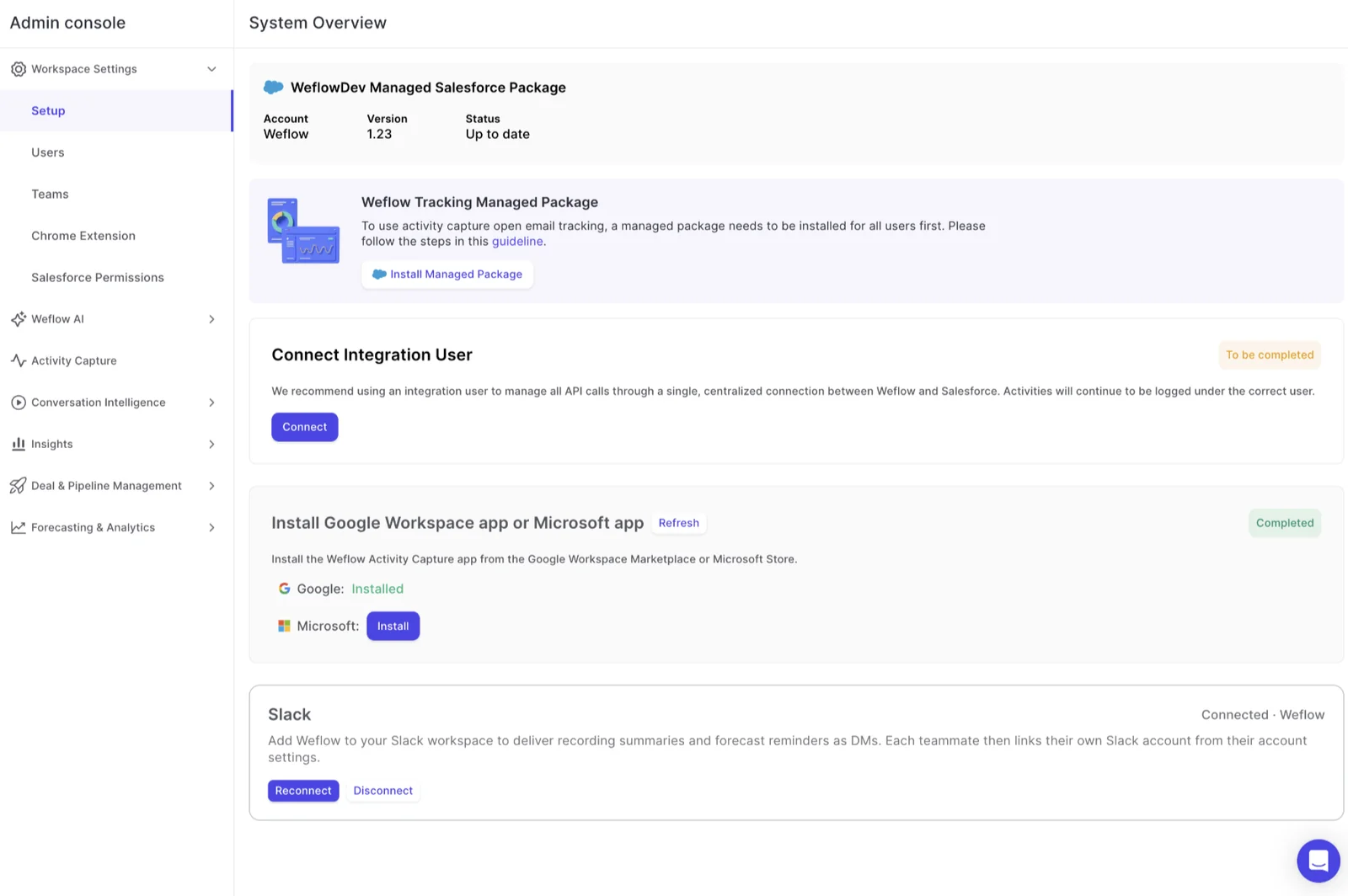
Weflow's REST API bulk-exports transcripts, metadata, scores and signals as JSON or CSV, and feeds BI tools such as Tableau and Looker. Weflow has no native warehouse connector, so you use the API to move that data into Snowflake, Databricks or BigQuery.
Meeting recordings stay out of Salesforce and export through the API to your own cloud storage. Captured emails are already native Salesforce records.
Agentforce output lands in Salesforce records too, so you reach it through Salesforce's APIs and its Hosted MCP Server.
What each tool costs once every rep can ask questions
Weflow charges per seat with Ask Weflow AI included, while Agentforce adds per-user or consumption charges on top of your Salesforce edition.
Weflow prices per seat, with Ask Weflow AI included in every plan
Weflow has transparent per-seat pricing, and Ask Weflow AI comes with every product and bundle. It isn't metered or priced separately, under a fair use policy no customer has reached.
| Plan | Price per user per month |
|---|---|
| Weflow Activity & Contact Capture | $19 |
| Weflow Conversation Intelligence | $39 |
| Weflow Deal Intelligence & Forecasting | $39 |
| Revenue AI Foundation | $49 |
| Revenue AI Business | $59 |
| Revenue AI Enterprise | $79 |
Every Weflow plan is billed annually on a 12-month term, with a 10-user minimum per product or bundle. Agent Builder is the one consumption-priced product, and every plan includes a free tier of 25 agent actions per month per workspace.
Agentforce prices by add-on seat or Flex Credits, plus Data 360 and deployment
Agentforce prices employee use per user or by consumption, on top of your Salesforce edition. The edition prices apply to new purchases from 3 September 2026; existing customers keep their legacy pricing.
| Option | Price | What you get |
|---|---|---|
| Agentforce add-on | $125 per user per month | Unmetered agent use for that user |
| Agentforce User License | $5 per user per month, plus Flex Credits at $500 per 100,000 credits, or about $0.10 per action | Limited CRM access, with every action metered against Flex Credits |
| Max edition | From $550 per user per month | Agentforce for Sales and 2.75 million Flex Credits per org per year |
| Core edition | $195 per user per month | Momentum bundled; the agents that act on its data remain an upsell |
Budget for these costs on top:
- Data 360 features consume Data 360 credits, a cost separate from Flex Credits.
- Unused Flex Credits expire at the end of the subscription term instead of rolling over.
- Buyers report that deploying Agentforce through Salesforce professional services or a third-party partner is quoted in the hundreds of thousands of dollars.
Moving deal questions to Weflow without giving up Salesforce or Agentforce
You can move deal questions to Weflow through a trial on your own Salesforce, with Agentforce left in place. We recommend these steps:
- Start a 14-day free trial on your own Salesforce. Weflow's team does the setup at no cost, typically for one team of 5 to 10 people. A historical sync-back brings in 12 to 24 months of emails and meetings in 3 to 4 days, limited by your available Salesforce API calls.
- Keep your Salesforce setup as it is. Weflow inherits your standard and custom fields and objects, field dependencies, validation rules, permission sets and role hierarchy.
- Leave Agentforce running and connect both MCP servers to your assistant, so Salesforce's connector answers about the record and Weflow's about the conversation and the forecast.
- Adopt in order: Weflow Activity & Contact Capture first, Weflow Conversation Intelligence second, Weflow Deal Intelligence & Forecasting third, because each layer feeds the next.
- Know what stays if you leave. Weflow Activity & Contact Capture writes to native Salesforce objects, so that activity remains in your org, and recordings export through the API to your own storage.
If you ever stop using Weflow, the data persists. It is your data. - Janis Zech, Co-founder and CEO, Weflow
When to choose Weflow and when to stay with Salesforce Agentforce
Choose Weflow if:
- Your deals are decided in emails and meetings, and you want answers that read them directly.
- You want reps asking their first question within 2 to 3 weeks, without a Data 360 project or an admin build per agent.
- You want meeting prep from a calendar entry and deal reviews that start from a deal summary and AI Playbooks scores.
- Your team runs 10 or more seats on Salesforce and wants the AI included in the seat.
Stay with Salesforce Agentforce if:
- Data 360 already runs in your org and your capture is reliable.
- Your reps want to ask questions inside Slack or Microsoft Teams chat, where Ask Weflow AI doesn't take questions.
- Your prep depends on enablement material, web research and third-party data in the same brief.
- Your admin team has the capacity to build and maintain agents.
Walk through the product yourself, no call required.
Questions reps ask about Weflow and Salesforce Agentforce
Can I ask Ask Weflow AI questions from Slack or Microsoft Teams?
No. Ask Weflow AI runs in the Weflow app and the Weflow Chrome extension, including on Salesforce record pages. Weflow sends agent output and notifications to Slack and email and records Teams meetings, but you can't ask questions in Slack or Teams chat. Agentforce takes questions there, through Slackbot and its headless agents.
Can Weflow and Agentforce run side by side?
Yes. Weflow inherits your existing Salesforce setup rather than replacing it, so Agentforce keeps running. An assistant such as Claude can connect to both MCP servers at once, and different teams in the same company can run different Weflow products.
Which call platforms does Weflow record?
Weflow Conversation Intelligence records Zoom, Google Meet, Microsoft Teams and WebEx, and pulls in calls made through Outreach's dialer. Calls on Microsoft Teams Phone are recorded with the Weflow desktop app, which records without a notetaker joining the call.
Does Ask Weflow AI work with custom objects?
Yes. Weflow inherits standard and custom fields and objects, and Ask Weflow AI can work from a custom object once it's connected. Ask Weflow AI follows your team's own rules for reading the object, such as taking revenue from a delivery schedule object rather than the opportunity amount.
What happens to captured data if we leave Weflow?
Your captured activity stays in Salesforce. Weflow Activity & Contact Capture writes to native Salesforce objects, so those emails, meetings and contacts stay in your org, and call transcripts and structured outputs land in Salesforce too. Recordings export through the API to your own cloud storage, while the hourly opportunity snapshots behind pipeline history are stored on Weflow's side.
Is Ask Weflow AI metered?
No. Ask Weflow AI comes with every Weflow product and bundle and isn't metered or priced separately; a fair use policy applies that no customer has reached. On Agentforce, the per-user license meters every action against Flex Credits, while the add-on gives that user unmetered agent use.