
Weflow MCP vs Salesforce MCP for Claude: What data can each access?
See what data Claude can access with Weflow MCP vs Salesforce MCP, and when you need one or both.


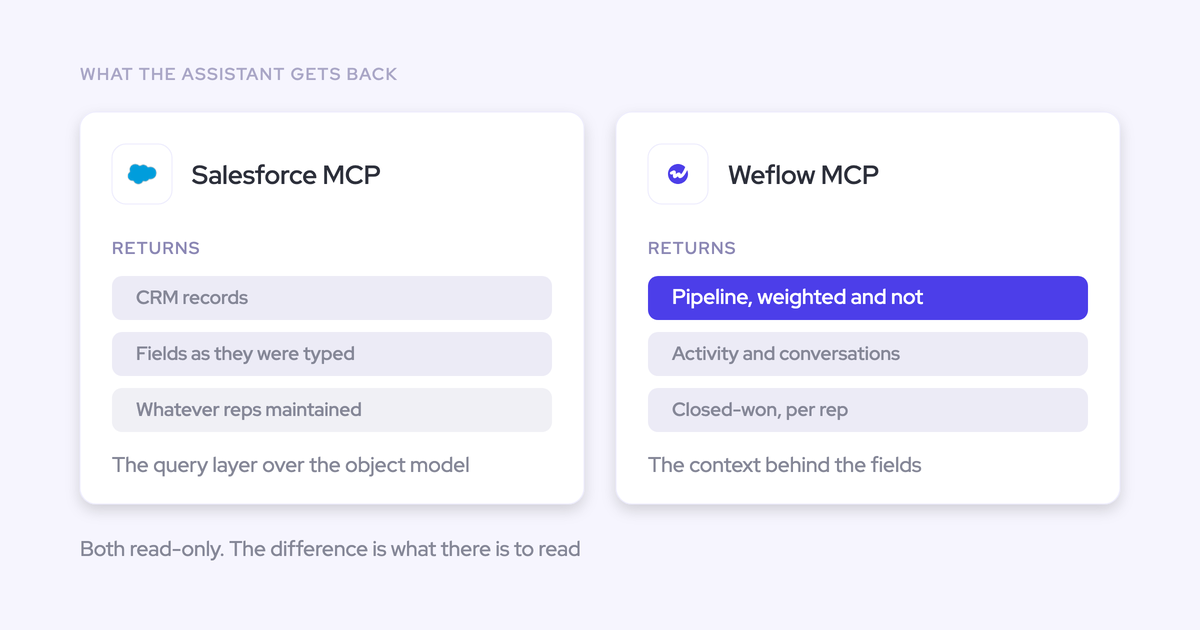

You don't need a second MCP connector to retrieve data that's already complete in Salesforce. The decision changes when Claude needs the forecast submissions, targets, or conversation context behind the CRM record.
Salesforce MCP and Weflow MCP overlap wherever Weflow writes output into your org. They aren't interchangeable. Each connector gives Claude access to a different source, with different permissions and operations. The useful comparison is what Claude can retrieve for a record lookup, a forecast explanation, and the conversations supporting that explanation. Start with those questions before approving another connector. That gives you a testable choice between Salesforce MCP, Weflow MCP, both, or an internal bridge.
Weflow is the Revenue AI Orchestration platform for sales, customer success, and RevOps teams. Built for Salesforce teams, Weflow makes revenue context available through its own interface and compatible external assistants. If your team runs deal reviews in Claude, you don't have to move that work into another chat window.
Weflow MCP vs Salesforce MCP at a glance
Salesforce MCP provides broader CRM access and actions; Weflow MCP adds direct, read-only access to Weflow's revenue context.
| Decision dimension | Salesforce MCP | Weflow MCP |
|---|---|---|
| Source boundary | Data and supported operations available through the Salesforce org. | Exposed Weflow recordings, playbooks, forecast data, and calculated metrics. |
| CRM access and actions | Record queries, field inspection, and supported create, read, update, and delete operations. | Read-only. Not a route for arbitrary Salesforce records or CRM changes. |
| Forecast context | Forecast data stored in accessible Salesforce objects. | Weflow forecast calls, submissions, targets, and metrics calculated under Weflow's forecast configuration. |
| Conversation access | Weflow summaries and full transcripts stored on the Salesforce recording object, subject to access and retrieval support. | Direct access to call summaries, transcripts, and playbook output. Transcript access requires a separate control decision. |
| Cross-pipeline analysis | Filtered multi-record queries over CRM data. | Per-rep pipeline and performance metrics for reps in scope, with supporting opportunity IDs. |
| Permissions | Salesforce sharing and visibility rules govern access. Review the connecting identity and enabled operations. | Weflow authorization governs the connection. Verify MCP-specific visibility rather than assuming every application restriction carries through. |
| Licensing and usage | Basic hosted MCP access starts at Enterprise Edition. CRUD and process usage are currently unmetered; other operations can consume Flex Credits. | Weflow offers seat-based products. Confirm MCP entitlement, eligible users, and request treatment separately. |
Why do RevOps teams compare both MCP servers?
The redundancy objection is reasonable: Weflow writes activity and conversation output into Salesforce, so Salesforce MCP can already reach part of that work.
We hear the underlying question in evaluations: what does the company already pay for that it hasn't switched on? A second connector needs to close a specific gap.
- Claude is the interface. Your executives and operators ask questions there.
- MCP is the access path. The server exposes particular tools and data to the assistant.
- The source system sets the boundary. A Salesforce query can't retrieve a Weflow forecast submission that doesn't exist in Salesforce.
Weflow MCP earns its place when the answer needs Weflow-held context beyond the Salesforce record. It doesn't earn its place merely by returning the same field through another endpoint.
Salesforce MCP is stronger for CRM access and actions
Choose Salesforce MCP for questions and operations centered on data already structured in your Salesforce org.
If Claude needs an Opportunity's current Stage, Amount, and Close Date, adding Weflow MCP doesn't improve that lookup. Salesforce is the authoritative source for those CRM values.
Which Salesforce records can Claude query?
Salesforce MCP supports record reading, field inspection, and filtered lists across the data its tools and connecting identity can access.
- Single-record retrieval: Read an Account or Opportunity and its available fields.
- Schema inspection: Check object fields and which fields a record requires before attempting an operation.
- Filtered multi-record queries: Retrieve a list such as Accounts above a revenue threshold, rather than opening each record separately.
For custom objects, inspect the available tools and test the actual object. An object existing in Salesforce doesn't prove that your configured connector exposes every query pattern you need.
Which Salesforce actions can Claude trigger?
Salesforce hosted MCP supports CRM operations and Salesforce processes, but those paths don't share one licensing or usage model.
| Operation type | Required Salesforce path | Licensing or usage consideration |
|---|---|---|
| Create, read, update, or delete records | Hosted MCP tools with the required object and field permissions. | Basic MCP access starts at Enterprise Edition. CRUD usage is currently unmetered. |
| Invoke Flows or Apex | Supported Salesforce process invocation through MCP. | Salesforce tracks this as a separate usage type, currently unmetered. |
| Use Agentforce Actions or Data 360 queries | The corresponding enabled Salesforce capability. | Consumes Flex Credits. |
| Run Agentforce Agents | A configured agent and its authorized capabilities. | Requires the applicable agent licenses. |
Don't approve write access because a read-only pilot worked. Test the specific action, validation rules, and confirmation behavior before letting Claude change production records.
Where Weflow MCP adds missing revenue context
Weflow MCP adds forecast-process records, calculated pipeline metrics, and direct conversation and playbook access.
These are different kinds of evidence. A rep's submitted forecast is a judgment. A coverage ratio is a calculation. A transcript records what someone said. Claude should keep those distinctions visible.
Which Weflow forecast and tracker records remain outside Salesforce?
Weflow forecast calls, submissions, targets, and tracker hits remain in Weflow rather than Salesforce objects.
| Weflow record or output | Revenue question it supports |
|---|---|
| Forecast calls | What did the team discuss when reviewing the forecast? |
| Forecast submissions | What number did the rep or manager submit? |
| Targets | What target should we compare this forecast against? |
| Tracker hits | Which conversations matched a tracked topic, phrase, or competitor? |
Weflow MCP exposes forecast context directly. Tracker storage needs a separate distinction: tracker hits remain outside Salesforce, but confirm the available tracker-retrieval tools before promising a tracker-specific Claude workflow.
A Salesforce-only query can't recover these records from opportunity fields. Reconstructing a submission from today's pipeline also loses the judgment the rep made at submission time.
Which Weflow pipeline metrics can Claude retrieve?
Weflow MCP returns per-rep pipeline and performance metrics, together with the opportunity IDs behind the calculations.
| Metric | Level or scope | Calculation source | Traceability |
|---|---|---|---|
| Weighted and unweighted pipeline value | Each rep in scope. | Weflow forecast configuration. | Supporting opportunity IDs accompany the metrics. |
| Closed-won amount and count | Each rep in scope. | Weflow-calculated opportunity metrics. | Returned opportunity IDs support record inspection. |
| Total closed count and total opportunity count | Each rep in scope. | Weflow-calculated opportunity metrics. | Check the contributing opportunity population. |
| Win rate | Each rep in scope. | Weflow's configured calculation context. | Inspect the underlying opportunities before comparing rates. |
| Average deal size and average contract value | Each rep in scope. | Weflow's configured calculation context. | Use returned IDs to investigate differences. |
| Average sales-cycle length in days | Each rep in scope. | Weflow-calculated cycle metrics. | Review the opportunities contributing to the result. |
| Coverage ratio and gap to forecast | Each rep in scope. | Weflow's forecast configuration and relevant forecast context. | Inspect opportunity IDs alongside the applicable target or forecast. |
Weflow computes these metrics; it doesn't retrieve them from a Salesforce report. That matters when your Weflow forecast configuration differs from the org's Salesforce forecast setup.
Confirm the available period and rep filters during evaluation. The supplied metric inventory doesn't establish unlimited historical scope or unrestricted team-wide access.
Which conversation and playbook outputs can Claude retrieve?
Weflow MCP returns both source conversation content and generated outputs: transcripts, call summaries, forecast calls, and playbook output.
| Output | What Claude receives | Source and scope | Access check |
|---|---|---|---|
| Raw transcript | The conversation text, rather than only Weflow's interpretation. | Accessible recording transcripts. | Verify transcript access and the separate transcript control. |
| Call summary | A generated account of the conversation. | Summary output associated with a recording. | Test recording visibility for the connecting user. |
| Forecast call | Available forecast-call context. | Weflow's forecast layer. | Verify the user's permitted forecast scope. |
| Playbook output | Generated analysis from automated AI playbooks. | Exposed playbook data. Weflow supports playbooks on Accounts and Opportunities. | Confirm returned output, filters, and record associations. |
Don't treat the Weflow application's full feature set as an MCP tool inventory. During the pilot, inspect the actual tool names, arguments, response fields, and pagination behavior.
For evidence-sensitive questions, ask Claude to distinguish transcript statements from summary or playbook conclusions. Both are useful. They aren't the same source.
Which Weflow data already reaches Salesforce?
Captured activity, structured field updates, and recording content already reach Salesforce, creating genuine overlap between the connectors.
That overlap is intentional. Weflow writes usable data into your CRM so your reporting, automations, and other assistants can work with it.
Which Weflow fields and activities become Salesforce records?
Salesforce MCP can retrieve Weflow-created records and field values when its tools and permissions cover their Salesforce destinations.
| Weflow output | Salesforce destination | What Salesforce MCP can retrieve |
|---|---|---|
| Captured emails | Task or EmailMessage, depending on configuration. | The stored email data. EmailMessage preserves native addressing and thread structure that Task doesn't. |
| Captured meetings | Event records. | The meeting activity and available record fields. |
| Created contacts and deal associations | Contact and Opportunity Contact Role records. | The people and CRM relationships Weflow created. |
| AI field updates | Configured standard or custom Salesforce fields. | The current stored value, not necessarily every conversation supporting it. |
| Playbook-maintained field values | Mapped Salesforce fields. | The written answer. Don't assume the field contains the full playbook output. |
| Recording summary and transcript | The Weflow recording object in Salesforce. | The stored summary and full transcript, subject to access and retrieval behavior. |
Field updates and playbooks also answer different questions. A post-call field update reflects one conversation; a scheduled playbook can maintain an answer across the opportunity's wider history.
Can Salesforce MCP retrieve full Weflow transcripts?
Yes, through the Salesforce recording-object route, provided the connector can read that object and retrieve the transcript field.
Weflow's recording object holds the executive summary and full transcript. Salesforce MCP doesn't have to stop at a summary merely because Weflow produced the recording.
| Route | Why use it? | What to verify |
|---|---|---|
| Salesforce recording object | Keep retrieval within an existing Salesforce connection. | Object and field access, actual recording visibility, and whether the response returns the complete transcript. |
| Weflow MCP | Retrieve conversation content directly alongside Weflow playbook and forecast context. | Recording authorization, transcript controls, and response completeness. |
Treat recording-object access as a confidentiality decision. The object contains what people said on calls, not just evidence that a meeting happened.
Test with users who should see different recordings. Don't assume the visibility of the related Opportunity proves the transcript has the same boundary.
How do both connectors answer the same revenue questions?
The strongest setup depends on the question's authoritative source, not which connector returns the longer answer.
A record lookup needs CRM values. Explaining a forecast may need a submission, its supporting discussion, and the opportunities beneath it.
Which connector should answer each revenue question?
Route current CRM facts to Salesforce MCP and Weflow forecast context to Weflow MCP; combine them when the question crosses both sources.
| Question type | Salesforce MCP contribution | Weflow MCP contribution | Best setup | Identifiers to inspect |
|---|---|---|---|---|
| What are this deal's current Stage, Amount, and Close Date? | Current Opportunity fields. | No additional context needed for this lookup. | Salesforce MCP. | Opportunity ID. |
| What did the rep submit, and what supports that number? | Current underlying opportunity records. | Submission, forecast-call context, and calculated metrics. | Both. | Opportunity IDs and available forecast-record references. |
| What did the buyer say about procurement? | Transcript from the recording object. | Direct transcript access and relevant generated output. | Either verified transcript route. | Recording reference and linked Opportunity ID where available. |
| Which reps have a gap to forecast? | Supporting CRM record inspection. | Per-rep gap and pipeline metrics. | Weflow MCP; add Salesforce for broader inspection. | Returned opportunity IDs and rep scope. |
| Which deals meet these CRM field conditions? | Filtered multi-record query. | Additional revenue context only if the question needs it. | Salesforce MCP. | Matching record IDs. |
| Update the next step on this Opportunity. | Authorized record update. | No write operation. | Salesforce MCP. | Target Opportunity ID and resulting field value. |
These are evaluation questions, not promises that one tool call completes every task. Inspect the returned references rather than assuming Claude's citations prove the connector supplied them.
How should Claude reconcile overlapping connector answers?
Claude should preserve source differences until it can explain them, rather than blending Salesforce and Weflow values into one number.
- Identify the requested fact. Separate current CRM state, submitted forecast judgment, calculated metric, and conversation evidence.
- Select the authoritative source. Use Salesforce for current CRM fields and Weflow for Weflow submissions and configured metrics.
- Align the scope. Check the period, reps, opportunity population, and currency before comparing results.
- Inspect timing. Compare available update and submission timestamps. A historical submission needn't match today's pipeline.
- Follow the records. Use opportunity IDs and available source references to investigate the difference.
- Leave unresolved conflicts visible. Ask Claude to state what it couldn't verify instead of choosing a value silently.
A mismatch between a Salesforce calculation and a Weflow calculation doesn't automatically indicate an error. Different forecast configurations can produce different answers from related records.
How should RevOps scope access for both connectors?
Scope each connector independently and test the combined exposure before approving a dual-connector rollout.
Salesforce orgs often contain service, portal, or other sensitive records beyond the revenue team's needs. Weflow MCP offers a narrower revenue surface, but narrower doesn't mean automatically safe.
Which permissions govern Salesforce and Weflow MCP visibility?
Salesforce MCP follows Salesforce access rules; Weflow MCP requires its own authorization and verification of the data it exposes.
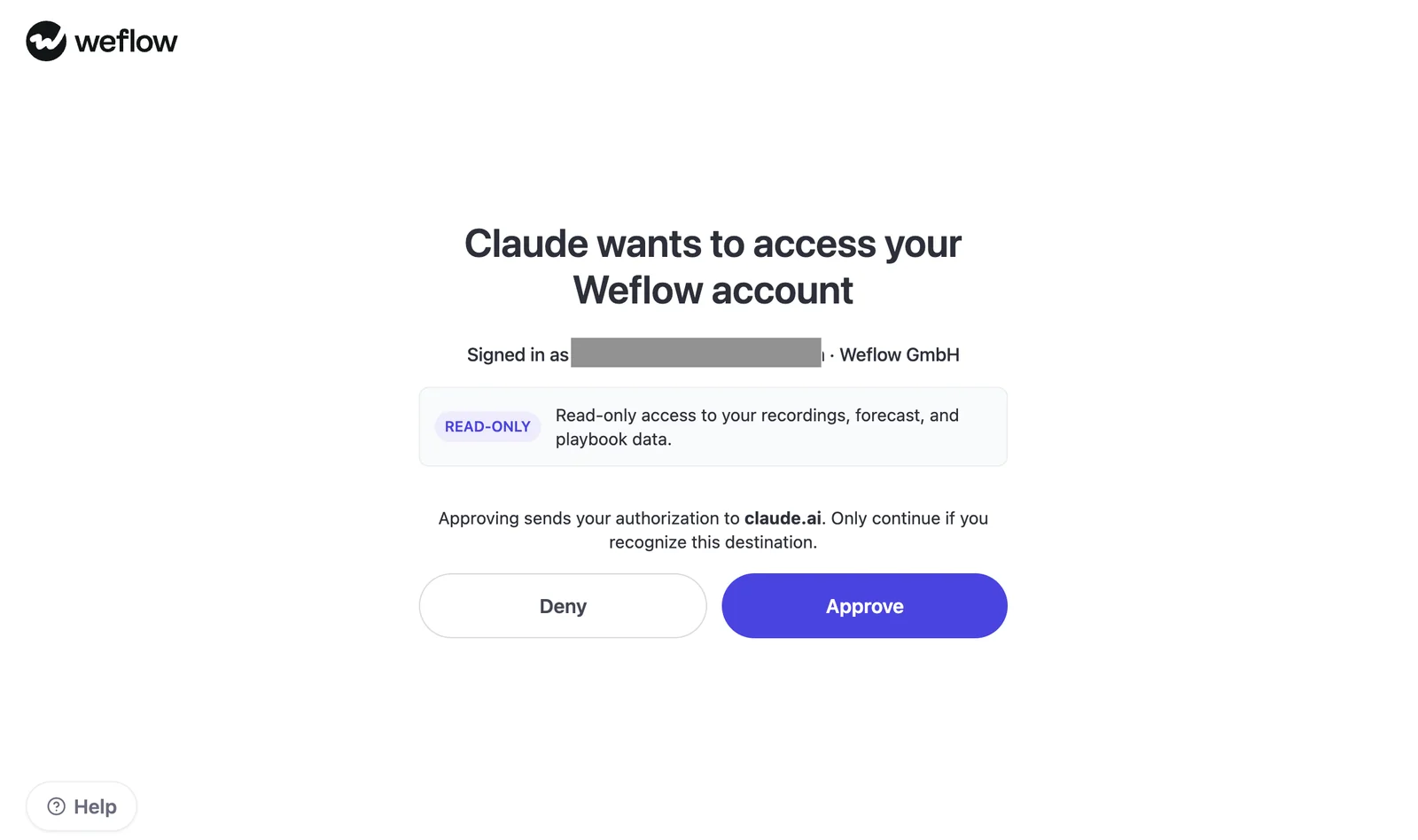
Weflow's Claude consent screen explicitly requests read-only access to recordings, forecast, and playbook data. Read-only limits operations. It doesn't make the content less sensitive.
| Control | Salesforce MCP behavior | Weflow MCP behavior | Admin verification |
|---|---|---|---|
| Identity | The authorized Salesforce identity determines access. | The connection authorizes access to a Weflow account. Weflow sign-in uses Salesforce authentication. | Identify whose access each connection represents. |
| Object and field permissions | Salesforce permissions govern accessible data and operations. | Weflow inherits Salesforce permissions for CRM access. Verify MCP output separately. | Test a permitted field and a denied field. |
| Role hierarchy and sharing | Salesforce sharing and visibility rules apply. | Weflow inherits the Salesforce role hierarchy; forecast and recording visibility need explicit testing. | Compare results for a rep and manager. |
| List views and Lightning visibility | Interface visibility isn't a substitute for underlying record permissions. | Weflow doesn't inherit list-view restrictions or Lightning component visibility. | Test records hidden by the interface but readable through permissions. |
| Transcript access | Recording-object access exposes sensitive conversation content. | Transcript access has a separate control decision. | Test both allowed and restricted recordings through each route. |
| Revocation | Review connection authorization and user access. | Salesforce deactivation removes Weflow application access. | Verify MCP token revocation and behavior after access removal. |
Weflow admins can restrict application views and disable users' ability to create their own views. Don't assume those interface controls also restrict MCP responses. Verify that boundary directly.
How to isolate a limited dual-connector pilot
A limited pilot needs enforceable data restrictions, not just a prompt asking Claude to stay within one team.
- Use a small approved user group with documented access expectations.
- Limit Salesforce object, field, and record access through actual permissions.
- Exclude service and portal data unless the pilot requires it.
- Approve recording and transcript access separately from opportunity access.
- Verify Weflow forecast and playbook visibility for each test identity.
- Review Claude's own data-handling terms and workspace controls.
- Document how to revoke both connections and test that procedure.
If the connectors can't enforce the intended boundary, use an approved non-sensitive test environment or delay the pilot. Prompt instructions aren't access controls.
What do Salesforce MCP and Weflow MCP cost?
Salesforce includes basic hosted MCP access in Enterprise Edition and above; Weflow's MCP-specific entitlement and request pricing need explicit confirmation.
Separate the connector cost from the products supplying its data. A Weflow seat price doesn't, by itself, establish which MCP tools or users your contract includes.
| Cost or requirement | Salesforce MCP | Weflow MCP |
|---|---|---|
| Minimum edition or plan | Enterprise Edition and above for basic hosted MCP access. | Confirm the MCP-eligible product, bundle, and user requirements. |
| Agentforce dependency | No Agentforce license required for basic MCP access. Agentforce Agents require their own licenses. | No Salesforce Agentforce dependency for the Weflow connector. |
| Claude dependency | A Claude environment that supports the required connection and your organization's controls. | The same assistant-side requirement applies. Weflow doesn't supply the Claude license. |
| MCP inclusion | Basic access forms part of the eligible Salesforce edition. | Confirm inclusion in the evaluated contract. Don't infer it from Ask Weflow AI or Agent Builder. |
| Action or agent charges | Agentforce Actions and Data 360 queries consume Flex Credits. | Weflow MCP is read-only. Agent Builder has separate pricing and isn't a proxy for MCP charges. |
| Current request metering | CRUD and Salesforce process invocation are currently unmetered usage types. | Confirm MCP-specific metering, limits, and any separate charges. |
| Future pricing exposure | Salesforce commits to 30 days' notice before adding a multiplier and beginning metering. | Confirm contractual treatment. Don't assume seat-based product pricing guarantees future MCP pricing. |
Weflow publishes these product prices, billed annually with a 10-user minimum:
- Weflow Activity & Contact Capture: $19 per user per month.
- Weflow Conversation Intelligence: $39 per user per month.
- Weflow Deal Intelligence & Forecasting: $39 per user per month.
- Revenue AI Foundation: $49 per user per month for activity capture and conversation intelligence.
- Revenue AI Business: $59 per user per month, adding deal intelligence.
- Revenue AI Enterprise: $79 per user per month, including forecasting.
Get MCP entitlement and usage treatment in writing before calculating the total cost. The absence of a confirmed MCP surcharge isn't proof that every plan includes unrestricted access.
Is a custom Salesforce-to-Claude bridge a viable alternative?
Yes. An internal bridge is credible when the necessary data already exists and your team can own the integration.
We see buyers arrive with working prototypes, not hypothetical build plans. The comparison needs to account for what the prototype already does and what someone must maintain after the demo.
What can a lightweight MCP prototype reproduce?
A lightweight bridge can reproduce CRM retrieval and transcript-based analysis without recreating Weflow's full revenue-data layer.
- Retrieve authorized Salesforce records and pass selected fields to Claude.
- Ingest available conferencing transcripts and associate them with CRM records.
- Apply prompts for summaries, qualification answers, or proposed field updates.
- Support basic CRM changes through an authorized API or action path.
- Calculate metrics from data and definitions your team already maintains.
A Salesforce-only bridge still can't retrieve Weflow-only submissions or targets. It needs an authorized Weflow access path or a separate process that captures those records itself.
What must a production MCP bridge maintain?
A production bridge needs owners for data completeness, permissions, calculations, and failures, not just the connector code.
| Responsibility | Failure mode | Suggested owner | Ongoing effort |
|---|---|---|---|
| Capture and ingestion | Missing transcripts or activity produce incomplete answers. | Integration engineering and RevOps. | Monitor coverage, ingestion failures, and recovery. |
| Record mapping | A conversation attaches to the wrong Opportunity. | RevOps and Salesforce admin. | Maintain matching rules and correction workflows. |
| Schema and write logic | New required fields or picklist values break updates. | Salesforce admin and integration engineering. | Test metadata changes, validation rules, and dependencies. |
| Forecast calculations | Different populations or definitions produce conflicting numbers. | RevOps with finance. | Maintain periods, targets, weighting, and calculation tests. |
| Authorization | The assistant exposes records beyond the user's intended scope. | Security and identity owners. | Review scopes, tokens, access changes, and revocation. |
| Retrieval reliability | Partial results look like complete answers. | Integration engineering. | Handle pagination, response limits, retries, and errors. |
| Rollout and support | The original builder becomes the permanent support queue. | A named service owner. | Maintain documentation, regression tests, and incident handling. |
Picklist handling is a concrete example. Weflow reads Salesforce's allowed values before writing an AI field update. An internal write-back workflow needs equivalent checks, plus handling for rejected updates.
When is an internal bridge the better choice?
Build when the required coverage is narrow, the data is ready, and someone owns the service beyond launch.
| Build if | Don't build if |
|---|---|
| Your questions rely on complete Salesforce records and available transcripts. | The missing work is capturing and mapping the underlying revenue data. |
| You need a small set of stable retrieval or action workflows. | You expect a prototype to replace a maintained forecast process and calculation layer. |
| Your company already operates integrations with security and support ownership. | The sole owner will be a RevOps leader maintaining it between forecast calls. |
| You need orchestration across finance, ERP, and other business systems. | You mainly need Weflow context that the official connector already exposes. |
Weflow isn't a general-purpose integration platform for arbitrary business systems. If that's your requirement, an internal orchestration layer can consume Weflow data rather than trying to replace it.
How to test both MCP servers before rollout
Run the same questions against Salesforce MCP alone, Weflow MCP alone, and both together. Judge source coverage and correctness before answer fluency.
- Write the expected answers first. Select approved records, known forecast submissions, targets, and conversations. Record the source for each expected fact.
- Inspect the tool inventories. Capture names, arguments, returned fields, identifiers, filters, and access requirements from the actual connections.
- Test Salesforce MCP independently. Check record lookup, filtered lists, and transcript retrieval from the recording object. Keep production writes disabled during retrieval testing.
- Test Weflow MCP independently. Retrieve forecast context, rep metrics, playbook output, and conversation content. Note missing fields or unsupported filters.
- Enable both. Repeat the questions with explicit source instructions. Check whether Claude combines evidence without duplicating or silently blending it.
- Inspect completeness and identifiers. Follow opportunity IDs and recording references. Check long transcripts and multi-record results for omissions.
- Run permission tests. Repeat with different user roles and known denied records. A successful authorized query doesn't prove isolation.
- Test actions separately. Use approved test records to check Salesforce updates, validation failures, and confirmation behavior.
- Document operating costs. Record observed latency, errors, administrator effort, licensing questions, and unresolved coverage gaps.
Keep the first results inside RevOps. Review the actual output before adding executives whose first impression will decide whether anyone uses the connection.
This pilot proves connector coverage. It doesn't prove better forecast accuracy, which requires a working cadence and outcomes to compare against submissions.
Which MCP setup should your RevOps team choose?
Use Salesforce MCP alone for complete CRM-based workflows. Add Weflow MCP when direct Weflow forecast and conversation context changes the answer.
| Setup | Choose it when | What Claude gains | What remains missing | Prerequisite |
|---|---|---|---|---|
| Salesforce MCP only | Your required data already lives in Salesforce, or you need CRM actions. | Broad authorized CRM access and supported operations. | Weflow-only forecast records and direct Weflow outputs. | Eligible Salesforce edition and tested permissions. |
| Weflow MCP only | You need read-only Weflow revenue context without broader CRM access. | Direct recordings, playbooks, forecast context, and configured metrics. | Arbitrary Salesforce queries and write-back. | Confirmed Weflow entitlement and approved visibility. |
| Both connectors | Your questions combine CRM facts with Weflow forecast judgment and conversation evidence. | The broadest combined coverage of these two sources. | Automatic reconciliation guarantees or access to unrelated business systems. | Independent access reviews and explicit source rules. |
| Internal bridge | Your requirements are specific and you can maintain the integration. | Custom retrieval, calculations, and actions. | Any data or process your team hasn't captured or implemented. | A named engineering, security, and operating owner. |
For Weflow customers who need both CRM access and forecast explanation, we recommend testing both connectors. Keep the second connection only if it returns material context the first one misses.
Bring a real forecast question to that evaluation, along with the records you expect to support the answer.
See how Weflow captures activity, updates Salesforce fields from calls, and rolls up your forecast. Book a 30-minute demo.
Weflow MCP and Salesforce MCP FAQs
The final approval should settle licensing, user access, request treatment, and what happens to each data source if you leave.
Does Salesforce MCP require an Agentforce license?
No. Basic Salesforce hosted MCP access is included in Enterprise Edition and above without an Agentforce license or add-on.
Agentforce Agents require their own licenses. Agentforce Actions and Data 360 queries consume Flex Credits, so separate those capabilities from basic CRM access.
Which Weflow plan includes MCP access?
Confirm Weflow MCP entitlement for the product or bundle you're evaluating. The confirmed product pricing doesn't establish the minimum MCP plan, eligible user types, or separate request charges.
Don't infer MCP access from included Ask Weflow AI, Agent Builder, or view-only licenses.
Are Salesforce and Weflow MCP requests metered?
Salesforce currently leaves hosted MCP CRUD and Salesforce process usage unmetered. Salesforce has committed to 30 days' notice before adding a multiplier and starting metering; Agentforce Actions and Data 360 queries already consume Flex Credits.
Weflow's core products use seat-based pricing, but confirm MCP-specific request treatment separately. Included AI features and Agent Builder allowances don't establish an MCP usage policy.
Can Weflow MCP update Salesforce records?
No. Weflow MCP is read-only and can't create or update Salesforce records.
Weflow's AI field updates and scheduled playbooks write fields through separate product mechanisms. Use an authorized Salesforce MCP operation or internal API workflow for Claude-driven CRM changes.
Can both MCP servers run in Claude simultaneously?
Yes, in a Claude environment that supports both connections and permits them under your organization's settings. Making both available doesn't guarantee that Claude will select the right source for every question.
- Configure and approve each connector independently.
- Instruct Claude to name its sources, preserve conflicting values, and return available supporting identifiers.
Does Weflow MCP support assistants besides Claude?
Yes. Weflow MCP supports ChatGPT and other compatible MCP clients as well as Claude.
Compatibility depends on the client's connection and authorization support. Don't assume every corporate assistant supports the same setup.
What Weflow data remains after cancellation?
Data Weflow has persisted in Salesforce remains your CRM data. Weflow-only records need a separate retention and export agreement.
| Data location | Post-cancellation implication |
|---|---|
| Salesforce records and fields | Persisted activity, contacts, field values, and stored recording text remain in Salesforce. Review managed-package handling before uninstalling anything. |
| Weflow application | Forecast calls, submissions, targets, tracker hits, and Weflow-calculated context don't become Salesforce data through cancellation. Confirm export availability and retention terms. |
| Weflow-hosted video recordings | Video files aren't the same as transcript text stored in Salesforce. Confirm download and retention arrangements before access ends. |
Before signing, list the Weflow-only records you need to retain and agree on an exit path for each.







