Cirrus Insight Pricing: Plans, Add-Ons and What a Sales Team Actually Pays (2026)
Learn Cirrus Insight pricing, add-ons, and what a 40-seat Salesforce team pays in 2026.




Cirrus Insight has no plans or editions. It sells 16 capabilities, and each one has its own price per user per month and its own headcount. At list price, a 40-rep team pays this over 12 months:
- About $12,960 a year for email and calendar capture only ($27 per user per month).
- About $55,680 a year for capture plus Meeting AI written back to Salesforce ($116 per user per month).
- About $115,680 a year with Live Coaching on top ($241 per user per month).
These figures come from Cirrus's public price list as it stood when we pulled it in 2026. They are list prices, before any negotiated discount.
The trap is the first number. Budgets get approved on a seat price that looks like $27. Then recording, the meeting workflow and Salesforce write-back arrive later as separate lines, and you're the one who has to explain the uplift to finance.
We're Weflow, so you should know we sell a competing bundle. Weflow is the Revenue AI Orchestration platform for sales, customer success, and RevOps teams, built for Salesforce teams. Our Weflow Activity & Contact Capture is the product most Cirrus buyers compare first. We'll do the Cirrus math first and in full, then put it beside ours, and we'll show you where Cirrus is the better buy.
Does Cirrus Insight have pricing plans or editions?
No. Cirrus Insight has no plans, editions, bundles or minimum tier, so there's no Starter or Pro you're missing on the pricing page.
Cirrus sells each capability separately, and the unit price stays the same whether you buy one line or all 16. That's why the pricing page shows unit prices but never a total. Here's the full list, grouped by Cirrus's four areas.
| Area | Capability | Price per user per month | What it does |
|---|---|---|---|
| Salesforce Sync | Salesforce Sidebar | $11 | Create, edit and file Salesforce records from Gmail or Outlook |
| Salesforce Sync | Calendar Sync | $11 | Syncs events between the calendar and Salesforce, in one or both directions |
| Salesforce Sync | Email Sync | $5 | Logs email in the background by admin rules, when an existing contact or lead is on it |
| Salesforce Sync | Fast Sync | $5 | Shortens the email and calendar sync cycle from 15 minutes to 5 |
| Salesforce Sync | Task Sync | $2.50 | Syncs tasks between Salesforce and the inbox |
| Scheduling | Personal Scheduling | $7 | A booking page with meeting types |
| Scheduling | Team Scheduling | $7 | Combined availability on one link, round-robin and shared pages |
| Scheduling | Smart Scheduler | $20 | Routes web-form leads to a live calendar by territory, skills, availability and workload |
| Meeting AI | Meeting Capture | $39 | A bot records video, audio, transcript and summary, with 6 pooled hours per user per week |
| Meeting AI | Meeting Lifecycle | $35 | Prep brief, recap with next steps, drafted follow-up and call review |
| Meeting AI | CRM Updates | $15 | Writes meeting summaries into Salesforce and suggests record updates |
| Meeting AI | Live Coaching | $125 | Guides reps during the call; sold only with Meeting Capture |
| Engagement | Email Templates | $7 | Reusable email templates |
| Engagement | Email Blast | $12 | One-to-many email from the rep's mailbox to a Salesforce report or list view |
| Engagement | Buyer Signals | $10 | Open, click and reply tracking |
| Engagement | Sales Sequences | $39 | Multi-step sequences; listed as coming soon and requires Email Blast |
The model looks like this because of how Cirrus grew. It started as an inbox add-on for Gmail and Outlook and absorbed more over time, including Zynbit, a Salesforce inbox integration, plus scheduling, meeting AI and engagement. Each addition became its own line.
That structure is what breaks budgets. Approval happens on the first line someone prices, and the rest of the stack shows up once a team asks for recording or write-back. The configurator also sets your term and billing frequency, so those move the number too.
What a 40-rep sales team pays for Cirrus Insight
At list price, a Cirrus seat climbs from $27 to $116 to $241 per user per month as you add Meeting AI with write-back and then Live Coaching.
Assumptions: 40 reps, all on the same lines, 12 months, list prices from Cirrus's pricing page as pulled in 2026, and no Cirrus discount, because Cirrus doesn't publish one.
| Stack | Lines included | Per user per month | Per year at 40 reps |
|---|---|---|---|
| Capture | Sidebar, Email Sync, Calendar Sync | $27 | $12,960 |
| Capture with Fast Sync | The above plus Fast Sync | $32 | $15,360 |
| Capture with Fast Sync and Task Sync | The above plus Task Sync | $34.50 | $16,560 |
| Capture plus Meeting AI with write-back | Capture plus Meeting Capture, Meeting Lifecycle, CRM Updates | $116 | $55,680 |
| Plus Live Coaching | The above plus Live Coaching | $241 | $115,680 |
Your real setup probably isn't 40 identical seats. Cirrus lets each line carry its own seat count, so rebuild this table per group: reps, managers, CS, anyone who only needs calendar sync.
Cirrus Insight email and calendar capture: $27 to $34.50 per user
The minimum for automatic logging plus a way to add new people is three lines, $27 per user per month. Here's how "one capture seat" builds up:
- Salesforce Sidebar, $11. Running total: $11.
- Email Sync, $5. Running total: $16.
- Calendar Sync, $11. Running total: $27.
- Fast Sync, $5, for a 5-minute cycle. Running total: $32.
- Task Sync, $2.50. Running total: $34.50.
You might be tempted to drop the sidebar, since Email Sync runs in the background without it. But Email Sync never creates contacts, and the sidebar is where a rep adds someone new. Without it, a new person on a thread has no route into Salesforce.
Fast Sync is the line people argue about. The default cycle is 15 minutes, and Cirrus positions Fast Sync as required for teams that book meetings from Salesforce. On a 15-minute cycle, a booking made in Salesforce can miss the calendar long enough for someone else to book over it.
If your reps book from their calendar, 15 minutes is usually fine. One more thing to weigh: more frequent syncs generate more Salesforce API requests.
Cirrus Insight Meeting AI with Salesforce write-back: $89 more per user
Getting call summaries onto the opportunity takes three separate Cirrus purchases: recording, the meeting workflow and Salesforce write-back.
| Line | Price per user per month | What it adds |
|---|---|---|
| Meeting Capture | $39 | The recorder bot: video, audio, transcript and summary |
| Meeting Lifecycle | $35 | Prep brief before the meeting, recap and prioritized next steps after, drafted follow-up and a call review |
| CRM Updates | $15 | Writes summaries into Salesforce as enhanced notes or files and suggests opportunity, case or custom object updates for the rep to accept |
| Total | $89 | $42,720 a year at 40 reps, on top of capture |
CRM Updates is the line that matters most to your Salesforce data. Without it, call content stays in Cirrus's Meeting AI app instead of on the Salesforce record.
Recording also has a cap. Meeting Capture includes 6 recorded hours per licensed user per week, pooled across the organization. At 40 licensed users that's a 240-hour weekly pool. Heavy recorders draw on light ones, so the useful check is your team's total recorded external meeting hours per week against that pool.
Cirrus Insight Live Coaching adds $125 per user on top
Live Coaching costs $125 per user per month and is only sold with Meeting Capture, which takes the full Cirrus seat to $241.
It works during the call. It tracks discovery against your team's framework, flags questions left unanswered and answers buyer questions from your knowledge base and collateral.
For 40 reps, Live Coaching alone adds $60,000 a year. The full stack lands at $115,680.
Where Cirrus Insight's à la carte pricing beats a bundle
For narrow or uneven needs, Cirrus is cheaper and more flexible than any bundle, ours included. If your team thinks like this, Cirrus's model is built for you:
we want what we actually use, cheaper
Here's where that holds up:
- Email Sync alone costs $5 per user per month. If background email logging is all a group needs, nothing we sell gets close.
- Every line takes its own headcount. You can license calendar sync for 140 people, meeting capture for 35 and email blast for 4.
- Cirrus sells scheduling and routing. Personal and Team Scheduling and Smart Scheduler lead routing are capabilities Weflow doesn't offer at all.
- Cirrus sells email blast and engagement tracking. Weflow doesn't send email on a rep's behalf.
- Cirrus publishes no minimum tier or bundle, and its configurator offers a choice of term and billing frequency.
Our terms are stricter. Weflow requires 10 users per product or bundle, a 12-month minimum term, and there's no mid-term seat reduction. For a small group or a short commitment, that's a real cost of choosing us.
Cirrus Insight vs Weflow at a glance, capability by capability
The two products split most on capture speed, contact creation, whether meeting content reaches Salesforce without an extra line, AI-assistant access and packaging.
| Capability | Weflow | Cirrus Insight |
|---|---|---|
| Automatic email capture | Server-side through a tenant app in Microsoft Entra or Google Workspace, in real time, on any device. Logs only mail that matches a Salesforce record. | Background Email Sync ($5) logs by admin rules when an existing contact or lead is on the email. 15-minute minimum cycle, 5 minutes with Fast Sync ($5). |
| Inbox extension or add-in | Outlook add-in and Chrome extension for Gmail show which records an email will log to and carry Ask Weflow AI. Optional on top of server-side capture. | Chrome extension for Gmail, a lighter Gmail add-on, and an Outlook web add-in, on one license. The sidebar ($11) creates and edits Salesforce records. |
| Automatic contact creation | Creates contacts from To and CC when the rep sends, with enrichment included. Never creates leads. | Email Sync creates no contacts or leads. A rep adds unknown addresses from the sidebar, with account and signature details pre-filled. |
| AI meeting summaries | Summary within about a minute, from admin-defined templates, written to the Salesforce Event and Weflow_Recording__c. Included in the Weflow Conversation Intelligence seat. | Summary with Meeting Capture ($39). Recap and next steps with Meeting Lifecycle ($35). Write-back to Salesforce with CRM Updates ($15). |
| Integrations with other tools | Salesforce, Gmail, Google Calendar, Outlook, Zoom, Teams, Google Meet, Slack and the Outreach dialer. No native warehouse connector. | Salesforce, Gmail, Outlook and Teams, Zoom, Teams and Google Calendar links for scheduling, a HubSpot scheduler embed, Zapier and scheduling webhooks. |
| Access from AI assistants (MCP) | Official read-only MCP connector for Claude, ChatGPT and others, switched on per workspace. | No MCP server or connector. |
| Raw data access outside the tool | REST API with bulk export of transcripts, metadata, scores and signals as JSON or CSV. Recordings export to your own storage. | Preview REST API that Cirrus labels likely to change. Transcripts download as text. No endpoints for recordings or meeting summaries. |
| Pricing | Published per-seat bundles: $19 for capture, $49 for capture plus Conversation Intelligence. Only Weflow Agent Builder is metered. | Published per-line prices across 16 capabilities, with no editions or bundles. Totals depend on the lines and headcount per group. |
Buyers compare these two because both are mid-market activity capture tools for Salesforce teams, and Cirrus is usually the incumbent or the cheaper lean on the shortlist.
What Cirrus Insight covers in capture, meeting AI and data access
Cirrus is strong in the inbox and on scheduling. Its limits show up in contact creation, the paid write-back line and data access for AI.
- Automatic email capture: Email Sync logs inbound and outbound email in the background, by rules an admin sets or locks. It logs only when an existing Salesforce contact or lead is on the To, CC or From line. Smart Link then relates the email to the most recently created or edited record of one object type, which on an account with several open deals is whichever was touched last.
- Inbox extension or add-in: Cirrus runs in Gmail through a Chrome extension, with a lighter add-on for mobile and other browsers, and in Outlook through a web add-in. One license covers both. The Gmail add-on drops the Scheduling and Work tabs, and every user needs the Salesforce API Enabled permission.
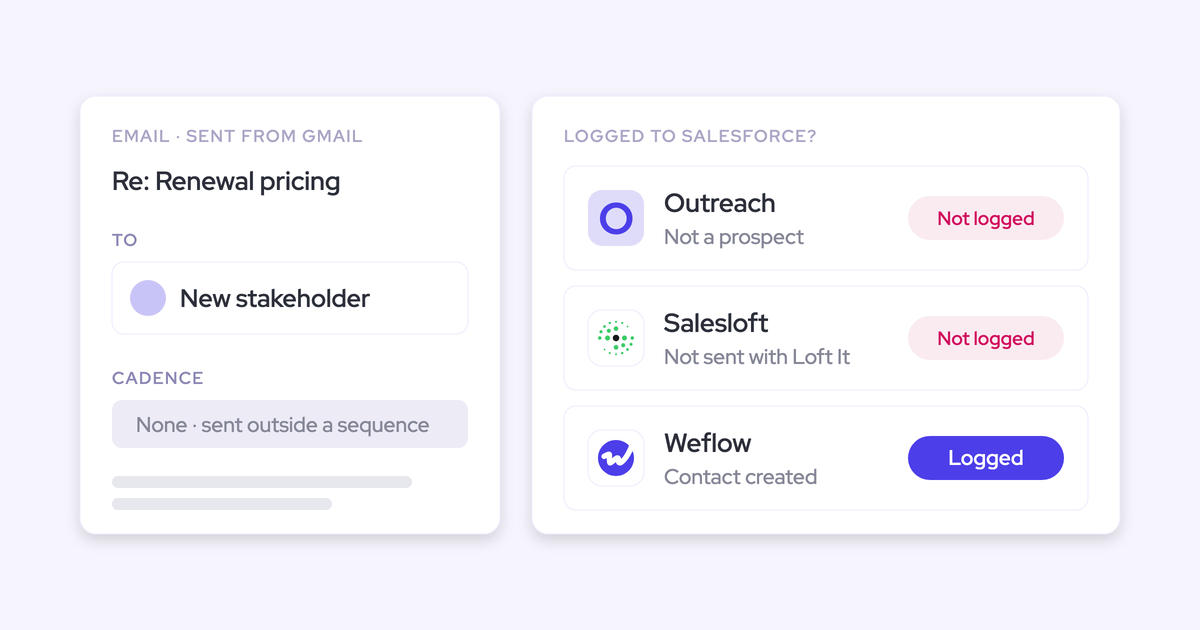
- Automatic contact creation: Email Sync never creates contacts or leads. An unknown address gets an Add Contact or Add Lead action in the sidebar, and Cirrus pre-fills the account plus title, phone and company from the signature. New buying-committee members met only by email stay out of Salesforce until a rep adds them. Cirrus markets CRM Updates as turning people on recorded calls into records.
- AI meeting summaries: Meeting Capture produces the summary. Meeting Lifecycle adds the prep brief, the recap with prioritized next steps, a drafted follow-up and a call review scored against your framework. CRM Updates writes summaries in a structure your team defines. Each is a separate purchase.
- Integrations with other tools: Cirrus connects to Salesforce, Gmail, Outlook and Microsoft Teams, adds Zoom, Teams and Google Calendar links to meetings booked through its scheduling, embeds its scheduler on HubSpot websites and connects to other tools through Zapier. Its webhooks fire on Smart Scheduler bookings and configuration changes, not on recorded meetings or synced emails.
- Access from AI assistants (MCP): Cirrus has no MCP server or connector for assistants such as Claude or ChatGPT. Reaching its data from an assistant means building on the preview API or going through Salesforce.
- Raw data access outside the tool: The Platform API is in preview, covering scheduling, meeting transcripts, CRM accounts, contacts and deals, Buyer Signals and Email Blasts. Cirrus labels the endpoints illustrative and likely to change before general availability. Activity doesn't go straight to a warehouse such as Snowflake; it gets there through Salesforce.
- Pricing: The 40-rep section above covers it line by line.
What Weflow covers in capture, meeting AI and data access
Weflow captures at the mail tenant instead of the inbox, creates contacts automatically, and writes meeting content into Salesforce as part of the seat. Here's the same eight capabilities, limits included.
- Automatic email capture: Weflow Activity & Contact Capture runs server-side through one app in Microsoft Entra or Google Workspace. It logs every enrolled user's email and meetings in real time, from any device, with no rep action. It logs only mail it can match to a Salesforce record, skips internal-only threads, and doesn't capture personal accounts or mail sent from a separate deliverability subdomain.
- Inbox extension or add-in: The Outlook add-in and Chrome extension for Gmail show which Salesforce records an email will log to. A rep re-maps a thread once and every later reply follows, and can move an email that's already logged. Ask Weflow AI runs in the extension, including on Salesforce record pages.
- Automatic contact creation: Weflow creates Salesforce contacts from To and CC when the rep sends, not on receipt and not from BCC. Before creating one, it checks contacts, leads and custom email fields to avoid duplicates, then enriches name, title, email, phone and LinkedIn at no extra charge. You can restrict creation to existing accounts, cap it per meeting and block prefixes like no-reply. Weflow never creates leads, and a validation rule requiring a field enrichment couldn't fill stops that contact.
- AI meeting summaries: Weflow Conversation Intelligence delivers the summary, a drafted follow-up and proposed field updates within 30 to 60 seconds of the call ending. Summaries come from as many admin-defined templates as you want and can vary by detected meeting type. They're written to the Salesforce Event and the Weflow_Recording__c object, with AI field updates in the seat. The summary lists next steps but can't assign one to a named person.
- Integrations with other tools: Weflow integrates natively with Salesforce, Gmail, Google Calendar, Outlook, Zoom, Microsoft Teams, Google Meet, Slack and the Outreach dialer. BI tools such as Tableau and Looker read from the API. There's no native Snowflake, Databricks or BigQuery connector, and Weflow isn't an integration platform with a connector catalog.
- Access from AI assistants (MCP): Our official MCP connector is read-only and gives Claude, ChatGPT and other assistants playbooks, call summaries, transcripts, forecast calls and pipeline metrics. An admin switches it on per workspace, with a separate toggle for transcript access. It doesn't return captured email content or Salesforce field values, and per-rep breakdowns cap at 25 owners.
- Raw data access outside the tool: The REST API bulk-exports transcripts, metadata, scores and signals as JSON or CSV. Recordings export to your own cloud storage. Teams that centralize data in a warehouse move it there through the API.
- Pricing: The next section covers it.
One thing that doesn't separate us: both Cirrus and Weflow write email and calendar activity to standard Salesforce objects you own. The data-ownership difference only shows up on meeting content, where Cirrus needs CRM Updates to get it onto the record.
How we price Weflow: seats, bundles and one metered item
Every Weflow product is a published per-seat price with AI included. Weflow Agent Builder is the only part we meter, and it has a free tier and fixed paid tiers.
Weflow Revenue AI Foundation bundles capture and Conversation Intelligence
Revenue AI Foundation costs $49 per user per month for capture and conversation intelligence together, about 16% below buying the two separately.
| Product | Price per user per month | What's included |
|---|---|---|
| Weflow Activity & Contact Capture | $19 | Email, meeting and contact sync to Salesforce, contact enrichment, activity insights, Ask Weflow AI, Agent Builder free tier |
| Weflow Conversation Intelligence | $39 | Recording, transcripts, summaries and AI field updates written to Salesforce, Mobile Copilot, desktop app, Ask Weflow AI, Agent Builder free tier |
| Both bought standalone | $58 | Everything above |
| Revenue AI Foundation | $49 | Everything above in one bundle |
Salesforce write-back, Ask Weflow AI and AI field updates sit inside the seat, not on a separate line. All of it is published on weflow.ai/pricing.
Weflow Agent Builder is the only part we meter
Recordings, transcripts, AI templates and Ask Weflow AI prompts carry no usage caps within a bundle. Ask Weflow AI runs under a fair use policy that no customer has reached yet.
Weflow Agent Builder is priced per workspace, not per user:
| Tier | Agent actions per month | Price per workspace per month |
|---|---|---|
| Free (in every plan) | 25 | $0 |
| Growth | 500 | $299 |
| Scale | 2,500 | $999 |
| Enterprise | Custom | Custom |
An action depends on what the agent does: a simple lookup counts as one, an agent reasoning across transcripts and activity about five. Summaries, field updates and coaching scorecards never draw on the allowance, and agents you build on our API or MCP connector draw no actions at all.
We confine metering to agents because that's the one workload that's open-ended. Everything people use daily stays in the seat, because this is the fear we hear before features:
I can't have explosive token usage. We can't afford to say, oh, it cost 200 grand, I spent 400 grand.
Weflow contract terms: 10-user minimum, 12 months, prorated adds
Our terms are fixed and published, and a few of them are less flexible than Cirrus's:
- Billing is annual, with a 12-month minimum and no shorter term.
- Each product or bundle needs at least 10 users.
- There's no mid-term seat reduction, but you can reassign a seat when someone leaves.
- Seats added mid-term are charged pro rata to the end of the term.
- Viewer seats are free, capped at the number of recording licenses you hold.
- You can mix plans across groups, for example most reps on one bundle and a handful of managers on another.
- Bundle, volume and multi-year discounts apply in the sales process, with the volume breakpoint starting around 30 to 40 seats.
Cirrus Insight vs Weflow pricing for 40 reps, line by line
At list price for 40 reps over 12 months, capture alone costs $27 at Cirrus against $19 at Weflow. Capture plus meeting AI with Salesforce write-back costs $116 at Cirrus against $49 for Revenue AI Foundation.
| Stack and vendor | What's included | Per user per month | Per year at 40 reps |
|---|---|---|---|
| Capture only: Cirrus Insight | Sidebar, Email Sync, Calendar Sync | $27 | $12,960 |
| Capture only: Weflow | Weflow Activity & Contact Capture | $19 | $9,120 |
| Minimum write-back: Cirrus Insight | Capture, Meeting Capture, CRM Updates (no Meeting Lifecycle) | $81 | $38,880 |
| Minimum write-back: Weflow | Revenue AI Foundation | $49 | $23,520 |
| Full capture plus Meeting AI: Cirrus Insight | Capture, Meeting Capture, Meeting Lifecycle, CRM Updates | $116 | $55,680 |
| Full capture plus Meeting AI: Weflow | Revenue AI Foundation | $49 | $23,520 |
The yearly gap at 40 reps is $3,840 on capture, $15,360 on the minimum write-back stack and $32,160 on the full stack. Every figure is list price, before negotiated discounts on either side.
The rows aren't identical inside, so here's what differs:
- Pre-meeting prep brief: Cirrus's Meeting Lifecycle includes one, and Weflow doesn't do pre-meeting AI research. That's why the minimum write-back row exists, as the comparison without it.
- Sync speed: Every Cirrus row runs on the 15-minute default. A 5-minute cycle adds Fast Sync at $5, or $2,400 a year for 40 reps. Weflow captures in real time by default.
- Contact creation: Cirrus Email Sync creates no contacts in any row. Weflow creates and enriches them automatically in every row.
- Recording limits: Cirrus pools 6 recorded hours per licensed user per week. Weflow puts no cap on recordings within a bundle.
- Scheduling and routing: These aren't in any row, because Weflow doesn't sell them.
We left Live Coaching out of this table on purpose. Weflow scores calls after they happen and doesn't prompt reps during the call, so there's no Weflow line to price against Cirrus's $125.
How to switch from Cirrus Insight without duplicate Salesforce events
Run a parallel, unconfigured parity check on a pilot group, and finish Weflow setup before any mailbox is read. The duplicate risk sits in calendar events, because Cirrus pairs an event with an existing Salesforce event only when the subject, start time and end time all match.
- Install and connect without capturing. Install the managed package, connect the integration user and add the Weflow app in Microsoft Entra or Google Workspace. Weflow reads no mailbox until a user is enrolled, so this can run while your legal review is still open. On Entra, set the app's Assignment required property to Yes if you scope it to a group.
- Set calendar sync to one way. Choose calendar to Salesforce. Weflow then never pushes Salesforce events back into the calendar, which keeps it out of a loop with Cirrus's two-way Calendar Sync.

- Enroll a pilot group. Capture starts for those users at enrollment and nowhere else.

- Run the parity check on defaults. Leave Weflow unconfigured, with no templates or custom use cases, and compare it one for one against Cirrus on the pilot group. The question at this stage is whether anything is lost. Configuration comes after.
- Watch event pairing. An event Weflow logs with the same subject, start and end time is linked by Cirrus instead of copied. One with a different subject syncs again as a new event, and once Cirrus links two events the link can't be removed. Cirrus's own guidance is to clear existing duplicates and keep subject lines consistent.
- Cut over. Turn off Cirrus Email Sync and Calendar Sync for the pilot group, then roll Weflow out to the rest of the team. If you still need booking pages or routing, Cirrus Scheduling lines are licensed separately and can stay.
Your history stays put. Cirrus-captured activity already sits on standard Salesforce Tasks, EmailMessage records and Events, and it remains there after you switch.
Should you stay on Cirrus Insight or switch to Weflow?
Stay on Cirrus if scheduling, routing or very uneven headcounts drive your needs. Choose Weflow if you want capture plus conversation intelligence written into Salesforce on one published seat price.
| Choose Cirrus Insight if | Choose Weflow if |
|---|---|
| You need booking pages, team round-robin or Smart Scheduler lead routing. | You want capture, recording, summaries and AI field updates in Salesforce on one $49 seat. |
| A large non-rep group only needs background email sync at $5. | You want server-side capture in real time on any device, with no sync-speed add-on. |
| Different groups need different capabilities, including groups under 10 people. | You want new people on email threads created as enriched Salesforce contacts automatically. |
| Leadership wants in-call coaching and has budget for $125 per user on top of recording. | You want AI in the seat, with metering limited to Weflow Agent Builder's fixed tiers. |
| You want a pre-meeting research brief or term options beyond a 12-month annual contract. | You want Claude or ChatGPT to query call data through MCP, plus bulk export through an API. |
See how Weflow captures activity, updates Salesforce fields from calls, and rolls up your forecast. Book a 30-minute demo.
Questions Sales Ops teams ask about Cirrus Insight pricing
Does Cirrus Insight offer volume or term discounts?
Cirrus doesn't publish discounts. Its configurator sets term and billing frequency, and the per-line unit price stays the same whether you buy one capability or all 16. Weflow applies bundle, volume and multi-year discounts in the sales process, with the volume breakpoint starting around 30 to 40 seats.
Can you reduce seats mid-term on Cirrus Insight or Weflow?
On Weflow, there's no contractual seat reduction during the 12-month term. You can reassign a seat when someone leaves, and seats added mid-term are prorated. Cirrus doesn't publish a mid-term reduction policy.
Do managers and viewers need a paid Cirrus Insight or Weflow seat?
On Cirrus, you license only the lines each person needs, so a manager might hold one line or none. On Weflow, viewer seats are free, capped at the number of recording licenses you hold.
Is 6 pooled recording hours per user per week enough?
Cirrus pools the 6 hours across the organization, so 40 licensed users share 240 recorded hours a week. Heavy recorders draw on light ones, which makes the team total the number that matters. Compare it with your team's weekly recorded external meeting hours.
Is Cirrus Insight's 15-minute sync fast enough without Fast Sync?
For teams that book meetings from their calendar, 15 minutes is usually fine. Cirrus positions Fast Sync's 5-minute cycle as required when you book meetings from Salesforce, because a booking can miss the calendar long enough for someone to book over it. Faster syncs also generate more Salesforce API requests.
Will future AI features cost extra on Cirrus Insight or Weflow?
Cirrus prices new capabilities as new lines. Sales Sequences is already listed at $39 per user per month as coming soon, and it requires Email Blast. Weflow includes Ask Weflow AI, summaries and field updates in the seat today, and Weflow Agent Builder is the only metered component, on fixed tiers.
Does Weflow have an equivalent to Cirrus Insight Live Coaching?
No. Weflow scores and coaches calls after they happen, with methodology-aligned scorecards, and doesn't prompt reps during the call. That's why we left Live Coaching out of the side-by-side totals.
What replaces Cirrus Insight scheduling and Smart Scheduler if you switch?
Weflow doesn't do scheduling, booking pages or lead routing. Cirrus's Scheduling lines are priced separately, so you can keep Personal Scheduling, Team Scheduling or Smart Scheduler on their own while Weflow handles capture and conversation intelligence.
Where do Cirrus Insight and Weflow process meeting and email data?
Cirrus generates its AI content with OpenAI on a dedicated Microsoft Azure instance in the United States, so meeting data sent for AI processing is processed in the US even when the rest of the service is hosted in the EU.
Weflow reads no mailbox until a user is enrolled, and our support team sees how Weflow decided to log or skip an email, not its content. Sign-in runs only through your Salesforce authentication. Weflow is SOC 2 Type II certified and GDPR compliant, with Zero Data Retention for AI processing, and customer data is never used to train AI models.
Does Cirrus Insight or Weflow push activity directly to Snowflake?
Neither does. Both write activity into Salesforce, and it reaches Snowflake from there. Weflow's API also moves conversation data such as transcripts, scores and signals into a warehouse.