Best Conversation Intelligence Tools That Keep Call Data in Your CRM (2026)
Compare 2026 conversation intelligence tools by transcript ownership and what syncs to Salesforce.


"Keeps call data in your CRM" means something different for every tool on this list. Here, call data means three things: the transcript, the summary and the structured field values a call produces. No tool here stores video files in Salesforce. That includes Weflow.
The six tools split on three questions:
- What actually lands in your org after a call: a full transcript record, a summary, typed field values or a link back to the vendor.
- What's still in your org after you cancel.
- Whether your existing call history can come across with you.
On the first question, Weflow Conversation Intelligence with AI Field Updates writes the full transcript and summary to a Salesforce record. Gong, Fireflies, Momentum, Outreach (Kaia) and Avoma mostly write a summary, a Note or a link, and keep the transcript in their own store.
Below we score every tool, Weflow included, field by field, and name what each one leaves behind.
How six conversation intelligence tools handle your Salesforce data
No column passes every row, ours included. The table is built to drop straight into your shortlist doc.
| Capability | Weflow | Gong | Fireflies | Momentum | Outreach (Kaia) | Avoma |
|---|---|---|---|---|---|---|
| Activity stored as Salesforce records | Email as EmailMessage or Task; meetings as Event | Tasks or Events once export is on, only for CRM-matched contacts and leads | Summary Note with a link back; Events and Tasks optional; no email | Call logs to Event only when Event mapping is on; no email capture | Email and calls as Tasks, meetings as Events, prospects only | Event per meeting; email as Task with the Revenue Intelligence add-on |
| Historical backfill | 24 months of email and meetings (3 years custom), paid add-on; imports Gong, Chorus, Jiminny, Clari recordings | 12 months of CRM-matched email into Gong; reaches Salesforce depending on setup order | Pushes meetings it already recorded, up to 90 days or a custom range | Older dialer calls on request; recording migration as a service; no past email | Up to a year of email with existing prospects, at mailbox connection | Past meetings pushed to the CRM by hand, one at a time |
| CRM field updates from conversations | Picklist, number, date, multi-select and Stage on standard and custom objects; auto or review per field; no lookups | AI Data Extractor: 20 published max, admin-only, existing fields only, overwrites | Contact, Account and Opportunity fields; a rep reviews and sends each meeting | Opportunity, Account, Lead, Event, Contact, including lookups; auto, confirm or write-if-empty | Deal Agent writes opportunity fields; auto, if empty or confirm; no multi-select | Smart Topics to opportunity and account fields; no custom objects; no review step |
| Writes its own insights into the CRM | Transcript and summary on Weflow_Recording__c; summary on Event; warnings, playbook scores, forecast submissions stay in Weflow | Activity and extractor values; transcripts stay in Gong | Summary Notes, action-item Tasks; full transcript as a Pro+ toggle | Autopilot fields, summary notes, coaching scores; transcripts in the Call Library | Summary and recording link on the Event or a Kaia Recording object; no full transcript | Notes, Smart Topic fields, AI win or loss reason |
| Integrations with other tools | Google, Microsoft, Zoom, Teams, Meet, Webex, Slack, Outreach dialer; no native warehouse connector | About 450 listed integrations; about 30 dialers | More than 100 apps | Runs on Gong, Chorus, Clari Copilot, Attention, Salesloft CI; seven dialers | More than 90 integrations; imports Orum, Nooks and Gong calls | 26 native integrations plus Zapier |
| Access from AI assistants (MCP) | Read-only; transcripts (admin toggle), summaries, playbooks, forecast calls; no credit meter | Three record-scoped tools, insights only, credit-metered | Own MCP server; transcripts, summaries, analytics | None of its own; Salesforce's hosted MCP reads the records it writes | 42 tools including Kaia transcripts; licensed user with Amplify | Connector for Claude and ChatGPT; Organization plan or API add-on |
| Raw data access outside the tool | REST bulk export as JSON or CSV; video by API to your storage | API capped at 10,000 calls a day; Data Cloud about $5,000 a year | GraphQL API on every plan; Snowflake delivery | API off by default, enabled through support; 100 requests per 15 minutes | API with transcripts; daily export; Data Sharing; media not exportable by API | REST API, 60 requests a minute, Organization plan and up |
| Pricing | Published: $39 Conversation Intelligence, $49 Revenue AI Foundation; AI in the seat | No published prices; platform fee; AI credits | Published: $10 to $39 a seat plus AI credits | Included in Salesforce Max at $550; Core and Advanced coming soon; standalone $69 to $99 | Quote-only; seats plus AI credits | Published: $19 to $39 a seat; add-ons $29 each |
Video files stay with the vendor in every column.
What keeping call data in your CRM should actually mean
"Integrates with Salesforce" can mean a link back to a portal, a summary squeezed into a 255-character field, a Note blob, or a full record with typed fields. These are very different things to own.
The split goes back to how the category started. First-generation conversation intelligence was built as a never-lose-a-call video archive in the vendor's cloud. The Salesforce integration came later, and in most tools it still shows.
"Do we own like the underlying data that's been pushed in Salesforce, but will we also own like the phone calls in that transcription too? If we say we use your platform but then we decided to move on, would we own those calls?"
A buyer on a call with us
That question breaks into three tests. Each of the eight capabilities answers at least one of them, and you can check every one during a trial.
| Capability | Test it answers | How to check it in a trial |
|---|---|---|
| Activity stored as Salesforce records | One and two | Send a test email and hold a test meeting, then open the records in Salesforce. Note the object (EmailMessage, Task, Event) and whether it relates to the opportunity. |
| Historical backfill | Three | Ask for the range, who runs it, what it costs and how it handles your daily Salesforce API limit. |
| CRM field updates from conversations | One | Map a picklist and a field on a custom object, run a call, and look at what was written and whether a rep had to click anything. |
| Writes its own insights into the CRM | One and two | Look for the transcript as a record you can report on and query in Salesforce, as opposed to a link. |
| Integrations with other tools | One | Run it next to your sequencer and capture tool for a week, then count meetings per rep. |
| Access from AI assistants (MCP) | Two | Connect Claude, ask for a full transcript, and find out whether the request draws credits. |
| Raw data access outside the tool | Two and three | Export a month of transcripts and see what format and rate limits you get. |
| Pricing | All three | Price the exit and the migration along with the seats, including any meter on AI usage. |
Test one: what lands in Salesforce after every call
Check the object and the field type, not the word "sync." A transcript stored as a record is something your reports, flows and own AI can read. A link back to the vendor is something only the vendor can read.
In a trial, look for five things:
- Object: is the transcript a Salesforce record, or does the record point back to the vendor?
- Field type: do values land in picklists, numbers and dates you can group and chart, or in one long text field?
- Event deduplication: does the summary land on the one Event your capture tool already wrote, or does the tool create a second meeting?
- Participant linking: is every attendee matched to the right Contact or Lead?
- Opportunity relation: is the activity tied to the right opportunity, or only to the contact?
Test two: what stays in Salesforce when you cancel
Only what was written to Salesforce records survives a cancellation. Anything in the vendor's store, whether transcripts, scores or video, leaves on that vendor's retention and deletion terms.
Procurement teams now ask this in writing before they sign. Here's how one questionnaire put it:
"Describe the data export format and tooling available at termination, the retention, return and destruction provisions, and the transition assistance committed at no additional cost."
From a procurement questionnaire a buyer sent us
Put the same questions to every vendor on your list:
- In what format can we export transcripts, summaries and recordings?
- How long do you keep our data, and can we set that?
- What happens to our data after the contract ends, and when?
- What help do we get moving the history out, and does it cost extra?
Test three: whether your call history comes with you
The archive is the real switching cost, more than any feature. Settle how migration works, what it costs and whether calls re-link to the right opportunity before you sign.
Backfilling email and meetings and importing past recordings are two separate jobs, and vendors often answer one when you ask about the other.
| Question | Backfill of email and meetings | Import of past recordings |
|---|---|---|
| What it moves | Emails and calendar events still sitting in your Google or Microsoft mailboxes | Transcripts, metadata and recordings held by your current CI vendor |
| Where it reads from | Your own mail tenant | The old vendor's API |
| Where it should land | EmailMessage, Task and Event records in Salesforce | The new tool, re-linked to the right account, opportunity and contact |
| What limits it | Your daily Salesforce API allowance, shared with every other integration | What the old vendor's API returns, and whether the association to Salesforce records comes with it |
| What it can't recover | Nothing in the mailbox is lost by waiting | Conversations that were never recorded |
Weflow: transcripts, summaries and typed fields written into your org
Weflow is the Revenue AI Orchestration platform for sales, customer success, and RevOps teams. Weflow Conversation Intelligence with AI Field Updates records your calls, then writes the transcript, the summary and typed field values into your Salesforce org. It sits next to Weflow Activity & Contact Capture, which logs every email and meeting, so the summary lands on the meeting Event that capture already wrote.
Within 30 to 60 seconds of a meeting ending, your rep gets the summary, a drafted follow-up email and the proposed field updates. The summary is written onto the Event with a link to the recording.

Quick specs: Salesforce only. Records Zoom, Microsoft Teams, Google Meet and Webex, plus Outreach dialer calls and a desktop app that records without a bot. Built for mid-market B2B revenue teams and scales to enterprise.
What Weflow writes into Salesforce, capability by capability
| Capability | What Weflow does |
|---|---|
| Activity stored as Salesforce records | Captured emails become EmailMessage or Task records, your admin's choice, and meetings become Event records. About nine in ten customers choose EmailMessage. |
| Historical backfill | We backfill up to 24 months of email and meetings as standard and up to three years on request, run by our team as a paid add-on. We also import recordings from Gong, Chorus, Jiminny and Clari with an API key, re-link them to Salesforce records, and migrate Gong history at no charge. |
| CRM field updates from conversations | AI Field Updates write picklists, numbers, dates, multi-selects and Stage on standard objects and on custom objects (custom objects need setup by our support team). You set each field to write automatically or wait for review. Validation rules still apply. |
| Writes its own insights into the CRM | Every call writes a Weflow_Recording__c record holding the full transcript and summary, and puts the summary on the related Event. Deal warnings, AI Playbook scores, agent outputs and forecast submissions stay in Weflow. |
| Integrations with other tools | Salesforce, Gmail, Google Calendar, Outlook, Zoom, Teams, Meet, Webex, Slack and the Outreach dialer. Our API feeds BI tools such as Tableau and Looker. |
| Access from AI assistants (MCP) | A read-only MCP connector gives Claude, ChatGPT and other assistants your playbooks, call summaries, transcripts, forecast calls and pipeline metrics. An admin turns it on per workspace, with a separate toggle for full transcripts. There's no credit meter. |
| Raw data access outside the tool | The REST API bulk-exports transcripts, metadata, scores and signals as JSON or CSV. Video files export through the API to your own storage. |
| Pricing | Weflow Conversation Intelligence is $39 per user per month. Revenue AI Foundation (Activity & Contact Capture plus Conversation Intelligence) is $49, billed annually with a 10-user minimum. AI summaries, field updates and Ask Weflow AI are included in the seat. |
The auto-or-review switch sits on each field's prompt, so an unambiguous field like a website can update itself while a champion or pain field waits for the rep.

What Weflow keeps outside Salesforce, and why
Here's exactly what doesn't reach your org:
- Video files stay in Weflow's storage. Salesforce file storage is expensive, so we keep media out of it. You pull video through the public API into your own store, and you can set recordings to delete on a schedule, such as every 30 days.
- Deal warnings, AI Playbook scores and forecast submissions are Weflow fields. They can't be reported on in Salesforce dashboards. Forecast roll-up data comes out through the public API.
- AI Field Updates can't write lookup fields. A MEDDPICC champion lands as text, not as a pointer to a Contact record.
- We have no native Snowflake, Databricks or BigQuery connector. You move data with the API, or let your existing Salesforce-to-warehouse sync pick up the records we write.
- Weflow works with Salesforce only. There's no HubSpot, Dynamics or Pipedrive support.
Which teams Weflow fits best
Weflow fits Salesforce teams that want the transcript, summary, typed fields, email and meetings written into their own org. It suits teams that need years of history migrated in and want a published seat price with AI included.
Gong: the deepest call analytics, with transcripts kept in Gong
Gong invented this category and still has the deepest conversation analytics on the list. It records and analyzes calls in its own cloud. It's sold as a mandatory Gong Foundation licence with coaching, forecasting, engagement and Data Cloud applications on top.
Its deal boards are a big part of why managers stay. On the Salesforce side, Gong exports activity, and call transcripts stay in Gong.
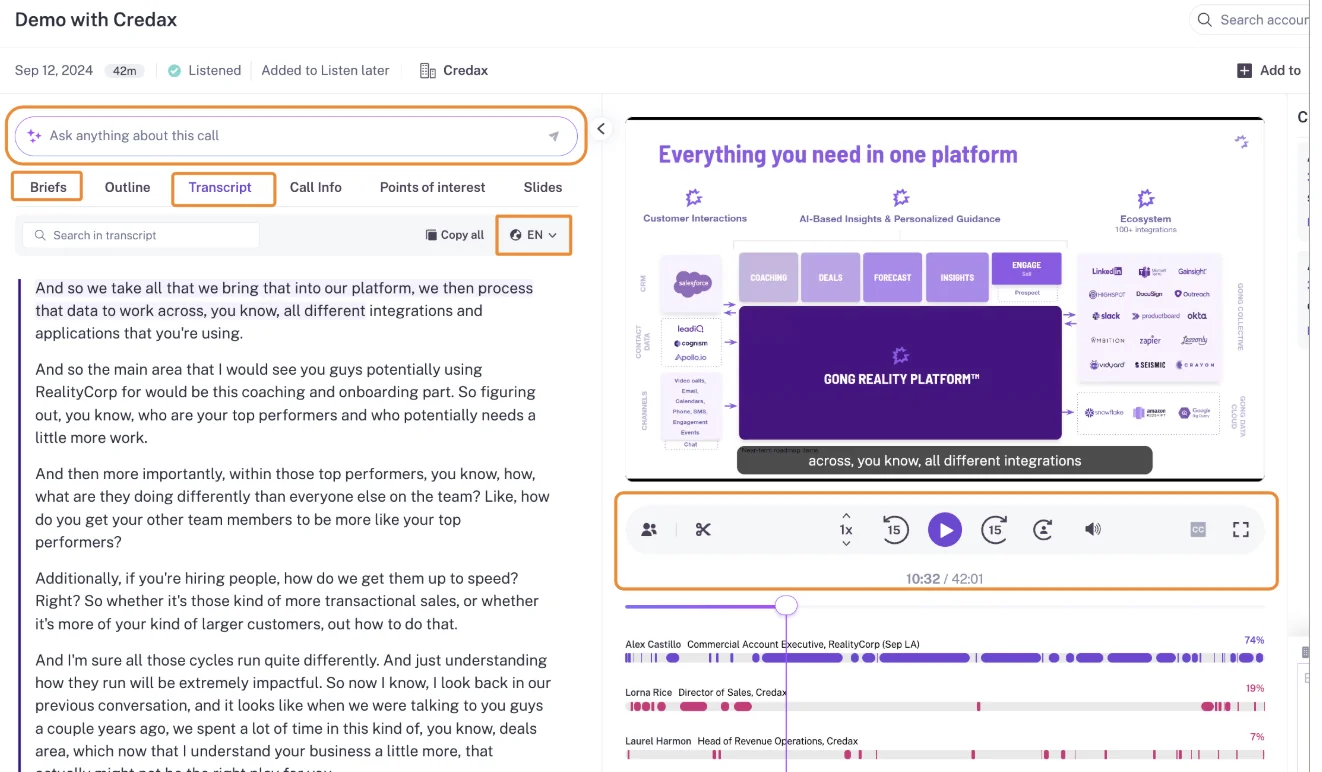
Quick specs: records on Zoom, Google Meet, Teams, Webex and seven other meeting platforms. Imports calls from about thirty dialers. Works with multiple CRMs.
What Gong writes into Salesforce, capability by capability
| Capability | What Gong does |
|---|---|
| Activity stored as Salesforce records | Exports meetings, calls and emails as Tasks or Events once a tech admin turns export on, on any plan. Only activity with an external participant matching a Salesforce contact or lead is exported, and email export runs forward from the day it's enabled. |
| Historical backfill | On first connection, imports the previous 12 months of CRM-matched email, and of meetings when set to import all meetings, into Gong's store. That history reaches Salesforce only if the CRM was connected before the mailbox, and only inside the admin-set activity update period. |
| CRM field updates from conversations | AI Data Extractor writes answers into existing CRM fields automatically and overwrites them when newer information appears. A workspace can publish 20 extractors at most, and only a business admin creates them. |
| Writes its own insights into the CRM | Writes activity, extractor values and Gong conversation records into Salesforce. Call transcripts aren't exported. |
| Integrations with other tools | The Gong Collective lists about 450 integrations and partner solutions across CRM, telephony, conferencing, BI, enrichment and MCP. |
| Access from AI assistants (MCP) | The MCP server exposes three tools (ask_account, ask_deal, generate_brief), each scoped to one record. It returns AI insights, never raw transcripts, and every request draws credits. |
| Raw data access outside the tool | The public API returns transcripts, participants, trackers and scorecards, capped at 3 calls a second and 10,000 a day. Data Cloud delivers to Snowflake, Databricks, BigQuery and Redshift as a separate purchase of about $5,000 a year. |
| Pricing | Gong publishes no prices. It charges a per-user licence plus a platform fee that scales with users, and quotes every buyer through a custom proposal. |
What stays in Gong when you leave
- Call transcripts stay in Gong, because the Salesforce export doesn't include them.
- Email from before export was switched on stays in Gong, because email export never runs retroactively.
- Activity with no matching contact or lead never reaches Salesforce.
- History that depends on setup order often stays behind. One RevOps team told us it got three months of meetings into Salesforce after more than twenty attempts, and fifteen months never left Gong.
- Retention clocks run in the background. Gong keeps calls, transcripts and statistics for up to three years by default. Calls saved to the library are kept indefinitely, and any team member can add calls there in bulk.

Which teams should stay on Gong
If your priority is the deepest conversation analytics and the broadest integration ecosystem, stay on Gong. That's also true if you're content to reach your data by API or Data Cloud rather than in Salesforce records. Gong does that job well, and switching only makes sense if data ownership in your org outranks those strengths for you.
Fireflies: an affordable notetaker that sends data to your warehouse
Fireflies is a horizontal AI notetaker sold to every function, from sales to recruiting to research. Its Fireflies for Sales bundle adds reviewed CRM field updates and a deal view.
It's strong on portability out to your own systems through an API, an MCP server and Snowflake delivery. Inside Salesforce it's thinner: a Note or Event with a link back, and no email.
Quick specs: records Zoom, Google Meet, Teams, Webex, GoToMeeting, Lifesize and Jitsi. Transcribes calls from dialers such as Aircall, RingCentral, Outreach and Salesloft. Works with Salesforce, HubSpot and other CRMs.
What Fireflies writes into Salesforce, capability by capability
| Capability | What Fireflies does |
|---|---|
| Activity stored as Salesforce records | Writes each meeting as a Note on the matched Contact or Lead, optionally on the Account and open Opportunities, with toggles for Events and Tasks. It doesn't log email. |
| Historical backfill | Pushes meetings it already recorded to Salesforce for the last 7 to 90 days or a custom range. It imports Gong calls into Fireflies, not into Salesforce. |
| CRM field updates from conversations | Autofill CRM extracts into configured Contact, Account and Opportunity fields, standard or custom, with append or overwrite per field. A rep reviews and sends each meeting from inside Fireflies, and a meeting nobody reviews leaves Salesforce unchanged. |
| Writes its own insights into the CRM | Writes summaries, action-item Tasks and Events automatically. The full transcript and AI Skill outputs are optional. |
| Integrations with other tools | Lists integrations with more than 100 apps across conferencing, dialers, CRMs, storage and automation. |
| Access from AI assistants (MCP) | Runs its own MCP server, listed in Claude's connector directory and usable from ChatGPT, exposing transcripts, summaries and analytics. |
| Raw data access outside the tool | A public GraphQL API on every plan, webhooks, and delivery of meetings, summaries and transcripts into your Snowflake account. |
| Pricing | Publishes prices: Pro at $10, Business at $19 and Enterprise at $39 per seat per month billed annually, plus AI credits. |
What Fireflies keeps in its own store
- Transcripts live in Fireflies by default. Sending the full transcript to Salesforce is a separate toggle on Pro and above.
- Recordings and playback stay in Fireflies, which the Salesforce Note links back to.
- Extracted field values stay in Fireflies until a rep reviews and sends them.
- AI usage is credit-metered. Autofill uses one credit per meeting, and a team that runs out moves to the next credit package automatically unless an admin switches that off.
- Backfill only covers meetings Fireflies already recorded. There's no email history to pull, because it never captured email.
Which teams Fireflies fits best
Fireflies fits cost-sensitive or horizontal teams that treat their warehouse as the destination, not Salesforce. If "portable" means Snowflake for you, Fireflies gets you there cheaply. If it means Salesforce fields, you'll be adding a capture tool and asking reps to review each meeting.
Momentum: Salesforce's own field-writing layer on top of your recorder
Momentum is owned by Salesforce and positioned as the data foundation under Agentforce. It records calls itself or runs on top of the recorder you already have, including Gong, Chorus and Clari Copilot. It then turns what was said into structured Salesforce fields.
Its field writing is strong: lookups, append mode, and Retropilot, which re-reads past conversations when a Salesforce event fires. Transcripts stay in its Call Library, it doesn't capture email, and its price is tied to Salesforce editions.
Quick specs: captures Zoom, Teams and Google Meet. Integrates with five other CI tools and seven dialers. Delivers to Slack or Microsoft Teams. Salesforce-focused.
What Momentum writes into Salesforce, capability by capability
| Capability | What Momentum does |
|---|---|
| Activity stored as Salesforce records | Writes call logs to Event records only when an admin switches on Event mapping, and only for calls processed after that. It can save each call summary as a note. |
| Historical backfill | Ingests dialer calls from the day an integration connects, with older calls on request through support. It migrates recordings from an incumbent as a service over a couple of days. It documents no import of past email or calendar events. |
| CRM field updates from conversations | Autopilot writes Opportunity, Account, Lead, Event and Contact fields, plus fields on objects reached from those. Each extraction writes automatically, waits for confirmation or writes only when empty. It also writes lookups, so a champion points at a Contact. |
| Writes its own insights into the CRM | Writes Autopilot values, summary notes and call logs, and can push coaching scores to Salesforce fields. |
| Integrations with other tools | Gong, Chorus, Clari Copilot, Attention and Salesloft Conversation Intelligence; seven dialers and contact centers; Slack or Teams; an Outlook calendar integration in early beta; Gmail for sending follow-ups. |
| Access from AI assistants (MCP) | Has no MCP server of its own. Assistants reach what it captured through Salesforce's hosted MCP server, reading the records Momentum wrote. |
| Raw data access outside the tool | The API returns meetings with full transcripts and recording download links. It's off by default, switched on per workspace through support, and capped at 100 requests per 15 minutes. |
| Pricing | Included in Salesforce's Max edition at $550 per user per month and announced for Core ($195) and Advanced ($395). It's a quoted add-on on Starter and Pro Suite, and momentum.io still lists standalone plans. |
What Momentum keeps in its Call Library
- Recordings and transcripts live in Momentum's Call Library.
- Event mapping is off by default and not backfilled, so calls processed before the switch never become Events.
- Email threads never reach Salesforce through Momentum. It reads only emails someone already logged as Tasks.
- The API is support-enabled, so bulk access to transcripts starts with a ticket.
- Momentum deletes all customer data within 30 days after the agreement ends, apart from legal holds and isolated backups. Get the transcripts out before then.
Which teams Momentum fits best
Momentum fits Salesforce Max-edition teams, which already hold it. It also fits teams that want to keep Gong or Chorus as the recorder and add a CRM-writing layer on top. It's also the strongest option here if lookup writes for MEDDPICC contacts are a hard requirement. The tradeoff is two vendors in the chain and no email capture.
Outreach (Kaia): conversation intelligence inside your Outreach contract
Outreach is a sales execution platform that grew out of sequencing. Kaia is its conversation intelligence, sold inside the same contract.
For teams already standardized on Outreach, Kaia keeps calls and sequences in one place. Salesforce gets a summary and a recording link. The full transcript stays in Outreach, though API and MCP releases in 2026 opened up access to it.
Quick specs: Kaia joins Zoom, Teams, Google Meet and Webex as a bot. Records Outreach Voice calls and imports Orum, Nooks and Gong recordings. Works with Salesforce, Dynamics and ServiceNow Sales CRM.
What Kaia writes into Salesforce, capability by capability
| Capability | What Outreach (Kaia) does |
|---|---|
| Activity stored as Salesforce records | Logs emails and calls as Tasks and meetings as Events. By default it logs only meetings that include an Outreach prospect and are organized by an Outreach user. |
| Historical backfill | Connecting a mailbox pulls up to a year of past email, but only with people who are prospects at that moment. A prospect created later gets no history. |
| CRM field updates from conversations | Deal Agent writes values from Kaia conversations into opportunity fields, including MEDDPICC and custom fields. Each field is set to update automatically, only when empty, or after a rep confirms. Multi-select picklists aren't supported. |
| Writes its own insights into the CRM | Writes the recording link and summary to the Event, with the summary in Description because custom activity fields stop at 255 characters. An optional Kaia Recording custom object holds the summary and link. It can't sync the full transcript. |
| Integrations with other tools | More than 90 integrations, imports from Orum, Nooks and Gong, and an MCP client that pulls third-party connectors into Omni. |
| Access from AI assistants (MCP) | A public MCP server with 42 tools, including search and fetch of Kaia summaries and transcripts, usable from Claude, Microsoft Copilot and Agentforce. Each connection needs a licensed user with Amplify. |
| Raw data access outside the tool | The public API returns Kaia transcripts and fires a webhook on new recordings. Daily Export sends video, transcript and metadata to your SFTP, S3 or Azure storage, and Data Sharing reaches Snowflake. |
| Pricing | Quote-only. Outreach publishes its model, seats plus AI credits, and each package's credit allowance. |
What stays inside Outreach after a Kaia call
- The full transcript stays in Outreach. Salesforce gets the summary and a link.
- Anyone without an Outreach login sees nothing. A revenue leader who lives in Salesforce depends on a colleague forwarding recording links.
- Media files can't be exported through the API and stay accessible for 60 days after the contract ends. Daily Export only covers recordings from the day you switch it on.
- Costs are quote-only seats plus credits. An org-wide Deal Agent backfill costs one Amplify credit per meeting.
Which Outreach teams Kaia fits best
Kaia fits teams already standardized on Outreach for sequencing who want conversation intelligence inside the same contract. If you'd rather keep Outreach for sequencing and get transcripts into Salesforce records, Weflow runs alongside it. Compatibility mode stops the same email from logging twice, and Weflow pulls Outreach dialer calls in as recordings.
Avoma: meeting-first conversation intelligence with transparent seat prices
Avoma started with recording, transcribing and summarizing meetings, then added CRM sync, coaching and deal features. It sells mostly to small businesses and solo operators.
Its prices are published and low, and it has an MCP connector. Its field writes cover opportunity and account fields only with no review step, past meetings go to the CRM by hand, and email needs an add-on.
Quick specs: records Zoom, Meet, Teams, Webex and more by bot, cloud recording or desktop app. Connects to about a dozen dialers. Works with Salesforce, HubSpot, Pipedrive, Zoho and others.
What Avoma writes into Salesforce, capability by capability
| Capability | What Avoma does |
|---|---|
| Activity stored as Salesforce records | Creates an Event for every meeting that arrives through calendar sync and writes notes to a Note, the Event or a Task. Members with the Revenue Intelligence add-on also have email logged as Tasks. |
| Historical backfill | Syncs notes only for meetings after the CRM is connected. A user pushes each past meeting by hand, and past recordings come in as uploads, one file at a time or in bulk through support. |
| CRM field updates from conversations | Maps Smart Topics to Salesforce fields and appends extracted notes in real time, on Opportunity and Account only. Avoma describes no review step before the write. |
| Writes its own insights into the CRM | Writes meeting notes, Smart Topic field values and an AI win or loss reason when a deal closes. |
| Integrations with other tools | Lists 26 native integrations across conferencing, CRMs, dialers and sales engagement tools, plus Slack, Teams chat, ClickUp and Zapier. |
| Access from AI assistants (MCP) | An MCP connector for Claude and ChatGPT reads meetings, transcripts, notes and scorecards, and sets a meeting's outcome, purpose and privacy. It needs the Organization or Enterprise plan or the API Access add-on. |
| Raw data access outside the tool | A REST API and webhooks for meetings, recordings, transcripts, notes and scorecards, limited to 60 requests a minute, from the Organization plan up. |
| Pricing | Publishes per-recorder-seat prices: Startup $19, Organization $29 and Enterprise $39 a month billed annually, with $29 add-ons. |
What Avoma leaves for you to sync by hand
- Past meetings reach the CRM only when someone syncs each one, and private meetings sync only by hand too.
- Custom objects aren't supported for field mapping, so anything you track there stays manual.
- Field writes have no review step, so a wrong extraction lands on the opportunity without anyone seeing it first.
- Email logging is gated behind the Revenue Intelligence add-on.
Which teams Avoma fits best
Avoma fits small teams that want meeting-first conversation intelligence at a low published per-seat price, with unlimited transcription and no credit meter. It suits teams whose qualification lives on the opportunity and account and doesn't need custom objects.
What each tool costs, and what you pay on top
Two things decide your real bill:
- Published vs quote-only. Weflow, Fireflies and Avoma publish prices. Gong publishes none, Outreach is quote-only, and Momentum is priced through Salesforce editions.
- AI included vs metered. Gong and Fireflies charge credits and Outreach charges credits per action. Weflow includes summaries, field updates and Ask Weflow AI in the seat.
| Tool | Pricing model | List prices | What costs extra | Minimums and terms |
|---|---|---|---|---|
| Weflow | Per seat, AI included | Activity & Contact Capture $19; Conversation Intelligence $39; Deal Intelligence & Forecasting $39; Revenue AI Foundation $49, Business $59, Enterprise $79 | Historical email and meeting backfill (paid add-on); Agent Builder beyond the free 25 actions ($299 for 500, $999 for 2,500) | 10 users, 12-month annual term; Gong migration at no charge |
| Gong | Per-user licence plus a platform fee that scales with users | None published | AI credits (2,000 per paid core seat a year, pooled company-wide); Data Cloud about $5,000 a year; applications on top of Foundation | Gong Foundation is mandatory; seats are counted per application |
| Fireflies | Per seat plus AI credits | Pro $10, Business $19, Enterprise $39 billed annually | Credit packs from $5 for 50 to $600 for 10,000 a month; Autofill uses one credit per meeting | Sales features need Business or above; Enterprise is annual only |
| Momentum | Bundled into Salesforce editions, or standalone | Max $550 (included); Core $195 and Advanced $395 (coming soon); standalone Business $69, Transformation $99 | Quoted add-on on Starter and Pro Suite; $30 Conversation Intelligence add-on on standalone plans; Agentforce for Sales from $125 on Core and Advanced | Salesforce editions bill annually |
| Outreach (Kaia) | Seats plus AI credits per action | None published | Extra credit packs; Data Sharing and other paid add-ons; forecasting only in Amplify Pro | Quote-only; credit allowance from 10,000 (Essentials) to 100,000 (Pro) |
| Avoma | Per recorder seat, unlimited transcription | Startup $19, Organization $29, Enterprise $39 billed annually | Revenue Intelligence and Conversation Intelligence add-ons at $29 each; optional $1,000 onboarding; bulk imports may carry a one-time fee | 10-seat minimum on Enterprise; viewer seats free |
Metered AI changes how far you can roll a tool out. When every summary, extraction or MCP request draws on a shared pool, someone starts rationing who gets to use it.
With Gong specifically, the same brief is free in the interface and costs credits through the API or MCP. The meter rises exactly when you try to wire your call data into the rest of your stack.
Which conversation intelligence tool fits your Salesforce team
Pick by your exit priority and your current stack. The feature lists overlap too much to settle it on their own.
| Your situation | Best fit | Why | What you accept |
|---|---|---|---|
| You want everything owned in your org | Weflow | Transcript, summary, typed fields, email and meetings land as Salesforce records, and history migrates in | Video stays in Weflow storage; no lookup writes; Salesforce only |
| You want the deepest analytics | Gong | The most mature conversation analytics and about 450 integrations | Transcripts stay in Gong; credits on MCP and API; no published prices |
| You keep your recorder and fix the write-back | Momentum | Runs on Gong or Chorus and writes fields, including lookups | Two vendors; transcripts in the Call Library; no email capture; Salesforce edition pricing |
| You're standardized on Outreach | Outreach (Kaia), or Outreach plus Weflow | Kaia keeps CI in one contract; Weflow coexists through compatibility mode and pulls Outreach dialer calls | With Kaia: summary and link in Salesforce, transcript in Outreach |
| Your warehouse is the destination | Fireflies | API on every plan, MCP server and Snowflake delivery | Thin Salesforce footprint; no email; rep review on every field write; credits |
| You're a small team on a tight budget | Avoma | Low published seat prices, unlimited transcription, no credits | Opportunity and account fields only; no review step; past meetings synced by hand |
Team size. Avoma's Startup plan caps at 25 seats and Organization at 100, which matches its small-team focus. Weflow starts at 10 users and is built for mid-market teams, with volume discounts kicking in around thirty to forty seats. Gong's platform fee scales with headcount, so steady hiring raises the bill between renewals.
Budget. On published list prices, Weflow Revenue AI Foundation covers capture and conversation intelligence for $49 a seat. Fireflies and Avoma come in lower per seat, but their CRM write-back does less. For Gong and Outreach you'll need a quote, plus a forecast of credit usage, before you can compare totals.
If you want to see where the transcript, summary and fields land before talking to anyone, walk through the product yourself, no call required.
What changed in call data access during 2026
- February 2026: Outreach opened Kaia data. Its public API now lists recordings, returns structured transcripts and fires a webhook on new recordings, and a public MCP server shipped the same month. Kaia transcripts became reachable outside Outreach for the first time.
- May 2026: Gong rolled out credits. Companies received credit allocations, with MCP, API workflows and question-based trackers drawing on a pooled balance. Programmatic access to your own call data now has a meter on it.
- June 2026: Outreach added an MCP client. Omni can pull third-party connectors into its answers, which pushes Outreach further toward being the place you query, not only a source.
- August 2026: Kaia started importing Gong recordings. A seven-day backfill plus ongoing sync lets Outreach teams run Kaia features on Gong calls. Imported history lands in Outreach, not in Salesforce.
- 3 September 2026: Salesforce bundled Momentum into its new editions. Max includes it, and Core and Advanced are marked coming soon. Capture and CRM writing now come with the Salesforce seat on those editions, while the agents that act on the data remain a separate purchase.
How we put this comparison together
We built each verdict from the vendors' public documentation and pricing pages, Weflow's own product facts, and what buyers tell us about their current tools on calls with us. Every tool is scored on the same eight capabilities, in the same order.
We wrote this article, and we state Weflow's limits in the same terms as everyone else's. We left out tools whose behavior we couldn't verify on every one of the eight capabilities.
Frequently asked questions about conversation intelligence and Salesforce data
What survives in Salesforce if we cancel our conversation intelligence tool?
Records written to your org survive. Vendor-store items don't. With Weflow, your EmailMessage, Task and Event records, the Weflow_Recording__c transcript and summary, and field values stay. Video, deal warnings, playbook scores and forecast submissions go.
Elsewhere:
- Gong: exported activity and field values stay; transcripts leave with the contract.
- Fireflies: Notes, Events and Tasks stay, and transcripts stay only if you turned on the transcript toggle.
- Momentum: fields and notes stay; Momentum deletes its own data within 30 days.
- Outreach (Kaia): summaries and links stay; Kaia media is accessible for 60 days.
- Avoma: synced notes and fields stay.
Does storing transcripts in Salesforce blow up our storage bill?
Video is the expensive part, which is why Weflow keeps it out of Salesforce. Transcripts land as text on the Weflow_Recording__c record.
The bigger storage lever is how you log email. An EmailMessage record is roughly seven times heavier than a Task. Task suits orgs near their limit, while EmailMessage keeps From, To, Cc and threading.
Can we bring our Gong, Chorus or Clari recordings with us?
Yes, with Weflow. We import recordings from Gong, Chorus, Jiminny and Clari with an API key, and we migrate Gong history at no charge. We re-link each call to the right Salesforce records, and where the old vendor's API doesn't carry the association, we run our own matching.
Fireflies and Kaia also import Gong calls, but into their own stores, not into Salesforce.
How far back does email and meeting backfill go, and what does it cost in API calls?
Weflow backfills up to 24 months as standard and up to three years on request, as a paid add-on run by our team. We cap it at 50,000 Salesforce API calls per company per day, so heavy histories run over several days, up to about a week. Users have to be enrolled in activity capture first.
Mailbox history can wait. Conversations that were never recorded can't be recovered at all.
Will a notetaker create duplicate meetings next to our capture tool or sequencer?
It will if each tool writes its own Event. Weflow writes the summary onto the one Event that Activity & Contact Capture already logged. Compatibility mode holds our email sync back about ten seconds and skips anything carrying your sequencer's tracking pattern. If you send through a custom tracking domain, add it to the exclusion patterns.
"I don't want separate tools collecting data and duplicating meetings inside Salesforce. If I want to question the state of a deal, all the information should be in one place, no matter how many activity capture or conversation recording tools I use."
A RevOps leader on a call with us
Which Salesforce fields can AI field updates write to?
Weflow writes picklists, numbers, dates, multi-selects and Stage on standard and custom objects, and every type except lookups. Validation rules still apply, so a blocked stage change stays blocked until its required fields fill.
Other tools draw the line in different places:
- Gong: existing fields only, 20 extractors.
- Avoma: opportunity and account only.
- Fireflies: Contact, Account and Opportunity.
- Kaia: opportunity fields, no multi-selects.
- Momentum: also writes lookups.
What happens when an AI field update fails or overwrites good data?
In automatic mode, a Weflow field update replaces the field's content with what the latest call produced. Keep methodology fields on review, or tell the prompt to leave the field alone when the call adds nothing new. AI Playbooks read the whole deal for anything cumulative.
A failed write fires once and can't be replayed, though the content survives on the recording record. Test writes against every object your activities map to before rollout.
Can our own Claude, ChatGPT or in-house MCP server reach the transcripts?
Yes. Weflow's read-only MCP connector returns transcripts when an admin enables the transcript toggle, alongside summaries, playbooks and forecast calls. If your security team wants its own MCP server inside its boundary, build it on our REST API with a key. Neither route draws credits.
Gong's MCP server, by contrast, returns insights only and meters every request.
Can we keep our current recorder and only fix the Salesforce write-back?
Yes. Momentum is built for that and runs on Gong, Chorus and Clari Copilot. Weflow can also work on top of another recorder's history if the transcripts are synced into Salesforce in structured form, though our AI Playbooks then score from CRM data, emails and meeting metadata rather than the transcripts.
The tradeoff is two vendors: when a write fails, you troubleshoot across both.
What should procurement ask about retention, deletion and data residency?
Ask how long recordings are kept, whether you can set deletion on a schedule, and where data lives. Weflow keeps recordings for as long as you subscribe, deletes them periodically if you choose, and hosts your instance in the region of your Salesforce org. Weflow is SOC 2 Type II certified and GDPR compliant, runs Zero Data Retention for AI processing, and never uses customer data to train models.
For contrast, Gong keeps calls for three years by default and library calls indefinitely.