Weflow vs Gong for Recording Calls Without a Bot Joining: Zoom, Google Meet and Microsoft Teams (2026)
Weflow vs Gong: which records Zoom, Google Meet and Teams without a bot, and who handles consent


Gong records a call without a bot joining only on Zoom, where it takes in Zoom's native recording. On Google Meet and Microsoft Teams, Gong's bot joins the meeting and someone has to admit it.
Weflow is the Revenue AI Orchestration platform for sales, customer success, and RevOps teams. Built for Salesforce teams, it records Zoom, Google Meet and Microsoft Teams with no bot in the attendee list.
Your reps do that recording with the Weflow desktop app for Windows and macOS, from their own computer and with video included. Each desktop recording goes through the same AI pipeline as a notetaker recording, and Weflow writes the transcript and summary into Salesforce.
In exchange, two jobs move to the rep. The rep starts every desktop recording, and because nothing joins the meeting to post a notice, the rep obtains consent from the participants, not Weflow.
That trade decides who should move. If you run Salesforce and your customers push back on a bot in Google Meet or Microsoft Teams calls, only Weflow gives you bot-free recording there. If you run a Zoom-only team, want every call recorded with no rep action, and your legal team values Zoom's consent prompt, you're better off staying on Gong.
Weflow vs Gong at a glance for recording without a bot
Weflow records without a bot on Zoom, Google Meet and Microsoft Teams through a desktop app the rep starts, while Gong records without a bot only on Zoom. The two also differ on who collects consent and where the transcript ends up. These 7 capabilities decide the choice for a Salesforce team.
| Dimension | Weflow | Gong |
|---|---|---|
| Recording without a bot joining | Desktop app records Zoom, Google Meet and Microsoft Teams, video included; the rep starts each recording | Zoom only, through Zoom's native recording; a bot joins on Google Meet, Microsoft Teams and other platforms |
| Recording consent management | Notetaker runs opt-in, opt-out or manual consent with a chat notice, pre-meeting email and CSV log; nothing runs for desktop recordings; one setting across regions | Consent profiles per team and region, with a consent page, audio prompt and pre-call email |
| Recording in-person meetings | Mobile Copilot records in-person meetings and voice notes, synced to Salesforce | Mobile app records in-person meetings as audio on any plan; no voice notes |
| Integrations with other tools | Salesforce, Gmail, Google Calendar, Outlook, Zoom, Microsoft Teams, Google Meet, Slack and the Outreach dialer; no native warehouse connector | About 450 integrations and partner solutions, 11 meeting platforms, about 30 dialers |
| Access from AI assistants (MCP) | Read-only connector returns playbooks, summaries, transcripts and forecast calls; admin toggle for transcripts | Read-only server with 3 record-scoped tools, AI insights only, metered credits |
| Raw data access outside the tool | REST API bulk export in JSON or CSV; transcripts and summaries in native Salesforce objects | API capped at 3 calls a second and 10,000 a day; warehouse delivery needs the Data Cloud add-on |
| Pricing | Public per-seat prices; desktop app included in the $39 Weflow Conversation Intelligence seat; annual billing, 10-user minimum | No public prices; per-user licences plus a platform fee, quoted through a custom proposal |
| Best for | Salesforce teams on Google Meet, Microsoft Teams or a mix who want bot-free recording and every recording in Salesforce | Zoom-centric teams who want automatic background recording, region-based consent rules or the widest integration catalog |
Why Gong teams ask us about recording without a bot
Gong teams ask us about recording without a bot because their customers object to a bot in the attendee list. Every workaround your reps reach for then costs either call time or coverage.
Some of your reps open every external meeting by explaining the recorder and asking permission. That eats the first 2 or 3 minutes of the call, before any rapport. Other reps skip recording altogether.
Free desktop notetakers that never join the call made "no bot" something reps expect, and some reps install one themselves without IT sign-off. Every meeting captured that way is a transcript that never reaches Salesforce, and the consent question sits with the individual rep rather than a company policy.
Zoom has a built-in recording consent prompt, and Google Meet and Microsoft Teams don't. On Meet and Teams, the recorder collects consent outside the meeting itself, through an email before the call and a message in the meeting chat. Remove the bot there and you remove the place where consent was collected.
Legal teams disagree on whether a visible recorder is the risk or the safeguard. Some prefer a visible recorder, because the platform asks participants and logs the answer, and they read a background desktop recorder as compliance exposure. A German works council can go the other way and refuse a visible video recorder in a sales call outright.
Buyers split by region too. US buyers tend to want the recorder invisible, while European buyers treat visibility as the safeguard. RevOps ends up owning the trade between coverage and consent, and because Gong is the safe choice, leaving it needs a reason you can defend.
I wasn't going to get fired for buying Gong. It wasn't going to happen, right? So it was a very safe choice. - Chris Nethercote, Head of Sales at Weflow, former Gong enterprise customer
Which tool records Zoom, Google Meet and Microsoft Teams without a bot
Gong records without a bot on Zoom only, while the Weflow desktop app records without a bot on Zoom, Google Meet and Microsoft Teams, with the rep starting each recording.
On Zoom, Gong uses Zoom's native recording and Weflow uses its desktop app
On Zoom, Gong takes in Zoom's native recording automatically: Zoom records the call and Gong retrieves it, with better audio and speaker identification. Because Zoom does the recording, participants see Zoom's own built-in consent prompt, not a Gong one.
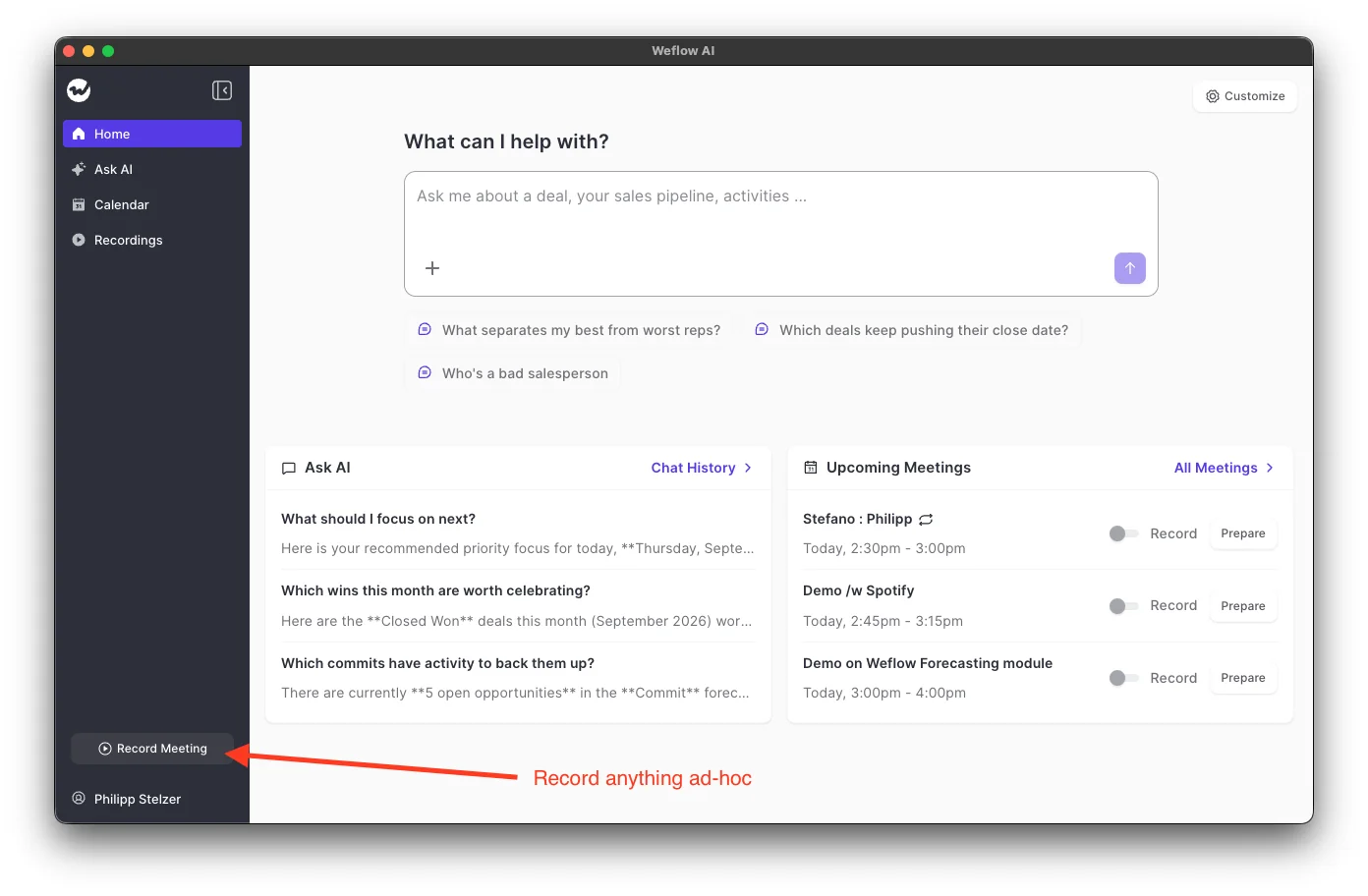
The Weflow desktop app records Zoom from the rep's computer instead. When your rep joins a Zoom meeting ad hoc, the app sends a notification, and accepting it starts the recording. The rep can also press Record meeting at any time.
The desktop app also fills a gap in Weflow's notetaker on Zoom. The notetaker starts recording only after the host lets it in, signed in with the Zoom account that booked the meeting. So when a colleague's account booked the call, the notetaker can stall, and the desktop app records the meeting without waiting for the host.
On Google Meet, only Weflow records without a bot
On Google Meet, only the Weflow desktop app records without a bot. Gong's bot has to join every Meet call it records, and where the meeting has a waiting room, the host must admit it.
The Weflow desktop app captures the Meet call's system audio, microphone and video from the rep's computer. It offers to start recording when the rep joins a Meet meeting ad hoc. Google Meet has no built-in consent dialog, so with the desktop app your rep asks for consent in the conversation.
On Microsoft Teams, only Weflow records without a bot, and the rep presses Record meeting
On Microsoft Teams, Gong's bot joins every meeting it records, while the Weflow desktop app records with no bot once the rep presses Record meeting. The desktop app sends no join prompt on Teams, so your reps start each Teams recording as a deliberate step.
Record meeting records whatever the computer's system audio and microphone carry. It needs no meeting link, so it works for a Teams call that was never on the calendar.
Your reps record calls on Microsoft Teams Phone through the desktop app as well. Weflow has no integration with Teams Phone, so the desktop app records those calls from the rep's machine, on any computer where the app is running.
Gong records Zoom automatically and sets consent by region, but sends a bot everywhere else
Gong is the stronger choice if you run a Zoom-centric team that wants every call recorded without anyone pressing a button, or if you need consent rules that differ by team or region.
Gong records every Zoom call in the background with no rep action
Once you connect Gong to Zoom, Gong records every Zoom call in the background, with no bot in the meeting and nothing for the rep to do. That automatic, bot-free coverage keeps some teams on Gong, because no Zoom call depends on a rep remembering.
The recordings also serve people who never record. In one company, about 30 people record while about 200 collaborators, the product team among them, read the calls for feature requests and feedback. If your company uses Gong that way, replacing it means replacing a product feedback library as well as a recorder.
The Weflow desktop app can't match that on Zoom, because it records only when the rep starts it. Weflow's automatic route is the notetaker, which Weflow auto-schedules onto every external meeting, and it joins as a visible participant.
Gong's consent profiles set different rules by team and region
Gong's consent profiles let you set different recording consent rules for different teams and regions. A tech admin configures them, on any Gong plan. Here is how the profiles work:
- A profile chooses among 3 notices: a Gong-hosted consent page, an audio prompt played as participants join, and a pre-call email sent 10 to 20 minutes before the meeting.
- The consent page can be enabled, so a participant can skip it, or enforced, so the call isn't recorded when the participant skips the page.
- On most supported platforms, participants can refuse recording and still join the call.
- The consent page doesn't work if your team books meetings with dynamic meeting links, because there is no fixed link to put the page in front of. Those teams fall back on Gong's in-meeting announcement.
Gong's bot has to be admitted on Google Meet and Microsoft Teams
Gong's bot joins as a participant on Google Meet, Microsoft Teams, Webex and every other platform it supports outside Zoom native recording. Where the meeting has a waiting room, the host has to admit it from there.
On Microsoft Outlook and Teams setups, Gong records a meeting only after the rep adds the Gong assistant to the invite. You also have to set Outlook not to attach a Teams link automatically. That puts a manual step on every invite, so your coverage depends on rep discipline rather than on the calendar.
Coverage collapses when reps have to remember a step, and conversation data with gaps stops being usable. Gong customers have also told us about meetings the Gong bot never joins, with a support case open for weeks and no clear cause.
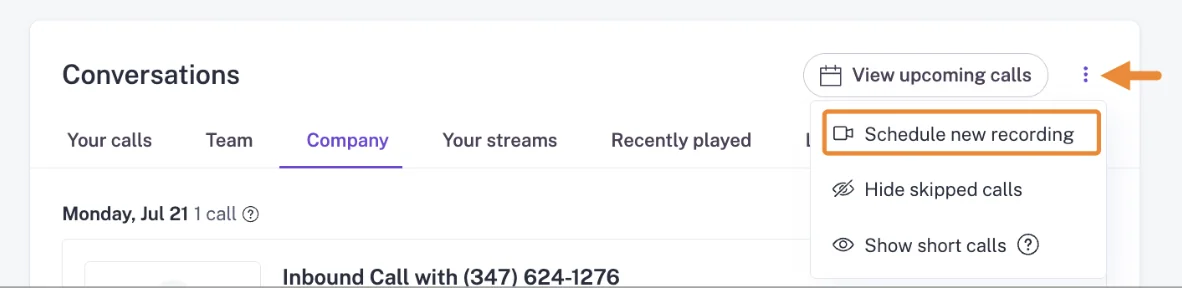
When Gong misses a meeting, you can bring it in by hand. Gong's Conversations page offers Schedule new recording in its overflow menu, the manual route for a meeting Gong wasn't set to record.
Weflow records without a bot on all three platforms, and the rep starts each recording
One Weflow Conversation Intelligence seat runs 2 recording modes. The notetaker auto-schedules onto every external meeting and carries Weflow's consent flow. The desktop app records Zoom, Google Meet and Microsoft Teams without a bot, and moves the start and the consent to the rep.
Desktop recordings get the same AI Field Updates, summaries and scorecards as notetaker recordings
A Weflow desktop app recording enters the same pipeline as a notetaker recording, so it gets the same outputs:
- AI Field Updates to Salesforce
- Summaries and chapters
- Follow-up emails
- Scorecards
- Search and Ask Weflow AI
Weflow writes the summary and full transcript into a native Salesforce recording object, alongside an indexing object. That makes the transcript reportable, permissioned and queryable with the rest of your CRM data.
Video files stay out of Salesforce, because Salesforce storage is expensive. You can export them through Weflow's API to your own cloud storage.
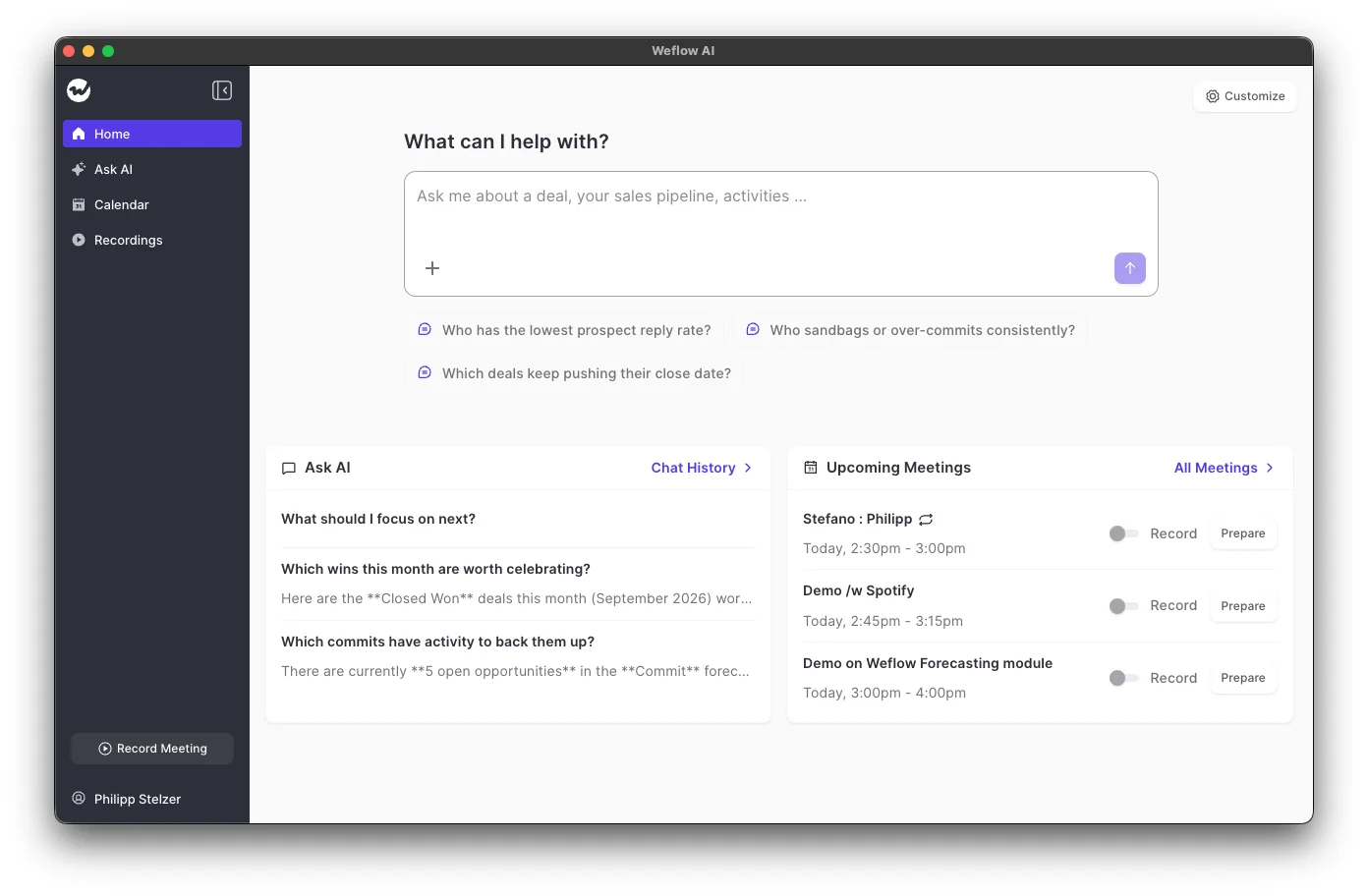
The desktop app runs on Windows and on Macs with Apple Silicon or Intel. It is a lightweight version of the web app, so your reps can also view and share recordings, manage the calendar and use Ask Weflow AI from it.
Weflow's AI Field Updates prompts decide what the AI reads from each transcript, such as the opportunity's current stage, and whether Weflow writes the value to Salesforce automatically. Desktop recordings feed the same prompts as notetaker recordings.

Weflow's notetaker runs the consent flow, while desktop recordings leave consent to the rep
Weflow's notetaker runs Weflow's consent flow, and desktop app recordings run none of it, so the recording mode a meeting gets decides who handles consent. The notetaker gives you these consent controls:
- A choice of 3 consent modes: opt-out, where the meeting records by default and a guest can object; opt-in, where every participant accepts first; or manual, where the seller asks in the room.
- A customizable notice in the meeting chat, with a link that lets any participant stop the recording.
- An optional pre-meeting email that lets a guest decline before the call starts.
- Deletion on opt-out: when a participant opts out, the notetaker leaves and Weflow deletes the recording, transcript and notes.
- A downloadable CSV log of every consent decision.
On Microsoft Teams, depending on chat settings, someone who joins after the notetaker may never see its chat notice, though the notetaker stays visible in the participant list.
The Weflow desktop app posts no notice and runs no consent flow, because nothing joins the meeting. Your rep obtains consent from the participants under their local law.
Weflow applies one consent setting to every meeting a configuration covers, rather than varying it by the account's region. If you sell into several jurisdictions, you separate them with separate team configurations.
If your legal team wants a visible recorder and a logged consent decision, we recommend the notetaker for that meeting, sensitive meetings included. Only the notetaker posts a notice and logs the answer. If the customer objects to a bot, the rep records with the desktop app and asks for consent at the start of the call.
Weflow can't take meeting notes without audio, because the transcript and everything built on it come from the audio. Where a customer refuses any recording, the rep can dictate a voice note in Mobile Copilot after the meeting.
Where a customer objects to recordings being kept, Weflow can delete them automatically after a set period.
The Weflow desktop app records only when the rep starts it
The Weflow desktop app records only when the rep starts it, so desktop coverage depends on your reps remembering, and you plan the rollout around that.
Coverage decides whether conversation data is usable, and it collapses when reps opt in per call. The reps who skip recording leave your coaching and pipeline data with holes exactly where the weakest calls are.
We recommend keeping the notetaker auto-scheduled on every external meeting as the default, because that makes recording the default state for every meeting. Your reps switch the notetaker off from the Weflow calendar only for the specific meetings they record with the desktop app.
A month after rollout, check the share of meetings each team records. A team with a low ratio needs retraining rather than a new tool.
Before you roll out, know these details:
- The Record meeting button records whatever the system audio and microphone carry, which covers a meeting that was never on the calendar, a link that changed at the last minute, or a platform the notetaker can't join.
- The prompt to record appears when the rep joins a Zoom or Google Meet meeting ad hoc, and not on Microsoft Teams.
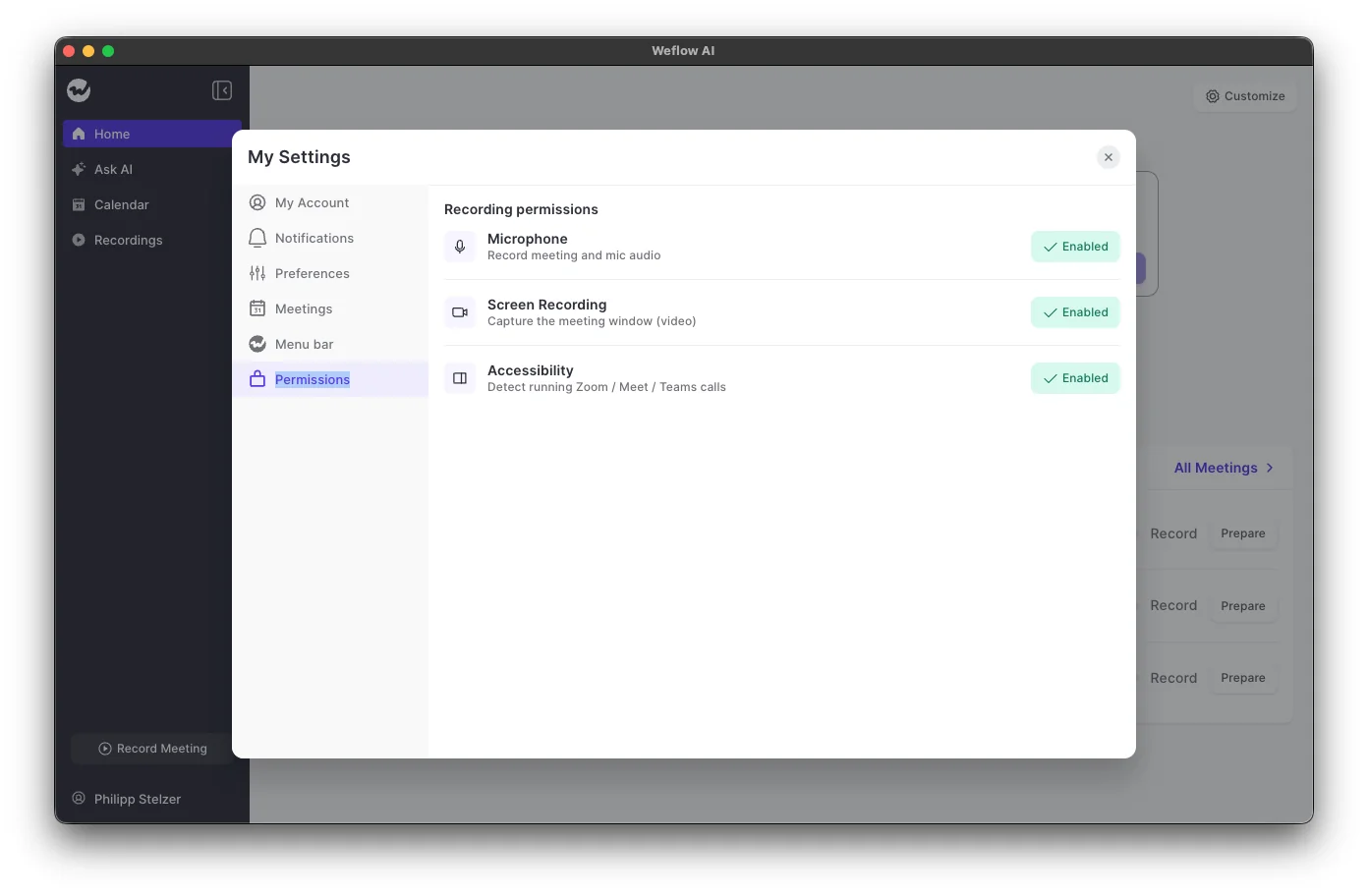
- On macOS the desktop app needs 3 permissions granted separately: Microphone, Screen Recording and Accessibility. If you manage your Mac fleet with MDM, pre-allow all 3, or every rep sees the prompts. Windows grants most permissions automatically.
How Gong and Weflow record in-person meetings and softphone calls
Gong and Weflow both record in-person meetings from a phone app, and the Weflow desktop app also records softphone calls the rep starts on the computer.
The Gong mobile app records scheduled and in-person meetings as audio on any Gong plan, and Gong uploads, transcribes and analyzes them. It has no dedicated voice-notes feature.
Weflow's Mobile Copilot on iOS and Android records in-person meetings. It also takes a spoken voice note after the meeting, which Weflow processes exactly like a call recording and syncs to Salesforce. The voice note matters when putting a phone on the table is socially impossible.
A voice note holds only what the rep remembers, so whatever the rep leaves out stays out. The gap shows later, when the playbook marks an element as never discussed. On a deal that runs on voice notes, ask the rep about that element before you treat it as missing.
For phone calls, the Weflow desktop app records softphones such as Aircall or RingCentral, because it captures the system audio rather than connecting to the telephony provider. The rep starts that recording, and the call gets the same transcript, summary, field updates and scorecard as a meeting.
Gong instead imports the audio from the telephony system, connecting by API to about 30 dialers.
Getting call data out of Gong and Weflow: integrations, AI assistants and raw data
Gong connects to more tools, while Weflow hands over more of the conversation itself: transcripts reach AI assistants and sit in Salesforce.
Gong connects to more meeting platforms, dialers and tools
Gong connects to more of the revenue stack than Weflow. Its marketplace lists about 450 integrations and partner solutions, it records on 11 meeting platforms, and it imports calls from about 30 dialers.
Those integrations are strong enough that some customers change their own infrastructure to fit Gong. If you rely on a dialer or tool outside Weflow's list, that catalog can decide the choice on its own.
Weflow integrates natively with Salesforce, Gmail, Google Calendar, Outlook, Zoom, Microsoft Teams, Google Meet and Slack, and pulls in calls from the Outreach dialer. It has no native Snowflake, Databricks or BigQuery connector, so you use the Weflow API to move data into a warehouse.
Weflow's MCP connector can return transcripts, while Gong's returns AI insights
Weflow's MCP connector can give Claude, ChatGPT and other assistants full call transcripts, while Gong's MCP server returns only AI-generated insights. Both are read-only.
Gong's MCP server exposes 3 tools, ask_account, ask_deal and generate_brief, each working on one record at a time. It never returns raw transcripts, and it draws metered credits. To connect, you need a paid Gong seat plus a paid tier of the AI tool.
Weflow's connector reaches playbooks, call summaries, transcripts and forecast calls. An admin switches it on per workspace, and a separate toggle decides whether assistants read full transcripts or only AI summaries.
Weflow writes transcripts into Salesforce, while Gong charges extra to reach a warehouse
Weflow stores every transcript and summary in native Salesforce objects, while Gong keeps them in its own cloud and charges for warehouse delivery.
Gong's API returns transcripts, participants, trackers and scorecards, capped at 3 calls a second and 10,000 a day. To get Gong data into a warehouse, you need Data Cloud, a separately purchased application.
Weflow's REST API bulk-exports transcripts, metadata, scores and signals as JSON or CSV, and feeds BI tools such as Tableau and Looker. Often you won't need the export: the transcript already sits in a Salesforce object, so your own reports, flows and AI read it in place.
It is great if you have the recordings. The real challenge is turning that transcript into structured data back in your CRM. - Philipp Stelzer, CPO & Co-founder, Weflow
What recording without a bot costs in Weflow and Gong
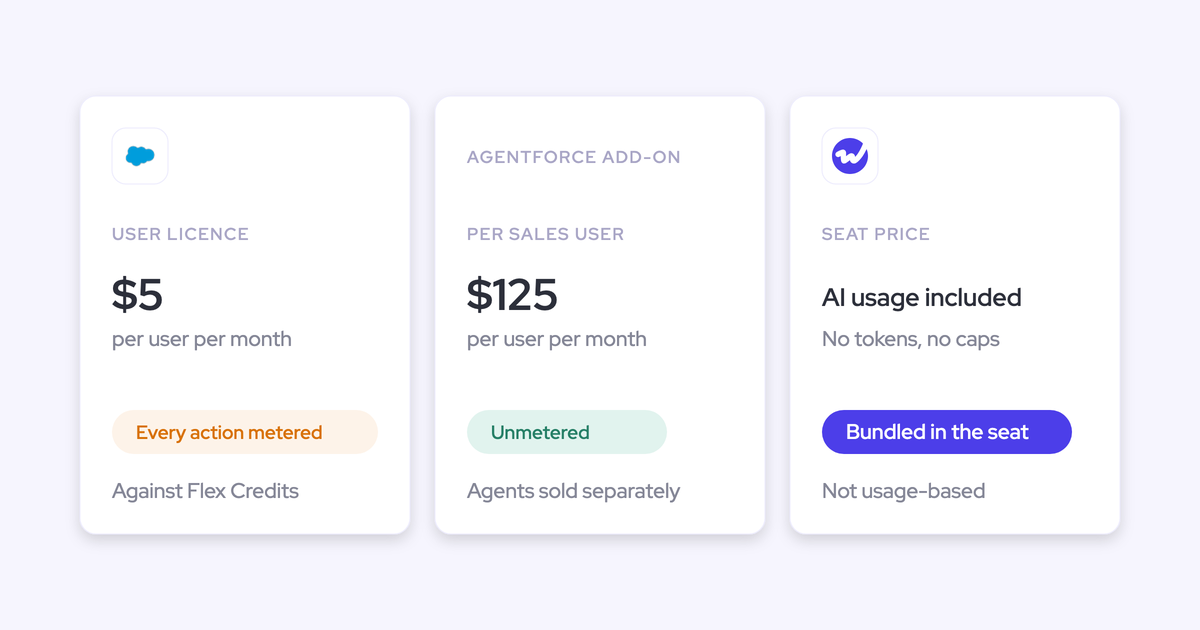
Weflow publishes per-seat prices, and Gong quotes through a custom proposal with no public prices. Weflow comes in at about half the price of Gong.
Weflow prices everything per seat, with Ask Weflow AI, AI summaries and AI Field Updates included in the seat. Agent Builder is the only consumption-priced product.
The desktop app has no separate licence. It comes with a Weflow Conversation Intelligence seat at $39 per user per month, or inside Revenue AI Foundation at $49, which bundles Weflow Activity & Contact Capture with Conversation Intelligence. Weflow bills both annually, with a 10-user minimum.
Weflow Activity & Contact Capture alone and Weflow Deal Intelligence & Forecasting alone don't include the desktop app, because recording lives in Conversation Intelligence.
Gong prices licences per user and adds a platform fee that scales with the number of users. Every buyer gets figures through a custom proposal. Gong Foundation is a mandatory core licence, and you buy applications such as Gong Forecast and Data Cloud on top of it.
Gong also meters AI in credits on top of seats: its MCP server and API-based AI workflows draw from a company-wide credit pool. Warehouse delivery through Data Cloud costs about $5,000 a year as a separate line item.
How to move your Gong recordings into Weflow
Weflow migrates your Gong recordings for free in 3 steps, and the move takes about a week.
- Import your Gong recordings through the Gong API or a CSV and map each one to its Salesforce records, so the history sits on the right accounts and opportunities.
- Configure Weflow, including the notetaker's consent mode and which meetings reps move to the desktop app.
- Roll out to the team with role-based training for reps, managers and admins.
Weflow reuses Gong's transcripts where it can and retranscribes the rest. It then reprocesses the calls through Weflow AI, so your imported calls answer the same questions as new ones.
Choose Weflow or stay on Gong: the questions that decide it
Your choice comes down to which platforms your calls run on and who your legal team wants holding consent.
Choose Weflow if:
- Your customers object to a bot on Google Meet or Microsoft Teams calls, where only the Weflow desktop app records without one.
- You want every transcript and summary in native Salesforce objects your team owns, so your own reports read them without an export.
- You want public per-seat pricing, with the desktop app included in the Conversation Intelligence seat.
Weflow isn't the right fit for every team. Stay on Gong if:
- You run only on Zoom and need every call recorded in the background with no rep action, because the Weflow desktop app records only when the rep starts it.
- Your legal team values Zoom's own consent prompt over a recording the rep starts, because Weflow runs no consent flow for desktop recordings.
- You need consent rules that change by team and region, because Weflow applies one consent setting to each configuration.
- You depend on Gong's catalog of about 450 integrations and partner solutions.
Neither bot-free route fits if you need meeting notes with no audio at all, because Weflow's transcript comes from the audio and Gong's bot-free routes record audio too.
See how Weflow captures activity, updates Salesforce fields from calls, and rolls up your forecast. Book a 30-minute demo.
Frequently asked questions about recording without a bot in Weflow and Gong
Can Gong record Google Meet or Microsoft Teams without a bot?
No. Gong records without a bot only on Zoom, through Zoom's native recording, and in person through its mobile app. On Google Meet and Microsoft Teams, the Gong bot joins the meeting and the host has to admit it.
What do other participants see when the Weflow desktop app records?
Participants see no bot in the attendee list when the Weflow desktop app records Zoom, Google Meet or Microsoft Teams, and Weflow posts no chat notice. The rep tells the participants and obtains their consent.
Who handles consent with the Weflow desktop app?
The rep handles consent for Weflow desktop app recordings, under the participants' local law, because Weflow's consent flow runs only for the notetaker. We recommend the notetaker for meetings where legal wants a visible recorder and a logged consent decision, because the notetaker posts a notice and logs the answer.
Can the Weflow notetaker and desktop app run side by side?
Yes. One Weflow Conversation Intelligence seat runs both: the notetaker auto-schedules onto external meetings by default, and the rep switches it off for the meetings recorded with the desktop app.
Does a Weflow desktop recording get the same AI Field Updates and scorecards?
Yes. Weflow processes a desktop app recording exactly like a notetaker recording, with AI Field Updates to Salesforce, summaries and chapters, follow-up emails and scorecards.
Does the Weflow desktop app cost extra?
No. The Weflow desktop app is included with a Weflow Conversation Intelligence seat, standalone or inside a bundle, and the rep signs in with the same account.
Does Weflow record softphone calls and in-person meetings without a bot?
Yes. The Weflow desktop app records softphone calls such as Aircall or RingCentral when the rep starts it, and Mobile Copilot records in-person meetings and voice notes on iOS and Android.
Can our Gong call history come across to Weflow, and how fast?
Yes. Weflow imports Gong recordings through the Gong API or a CSV at no charge, maps them to Salesforce records and reprocesses them through Weflow AI, and the migration takes about a week.