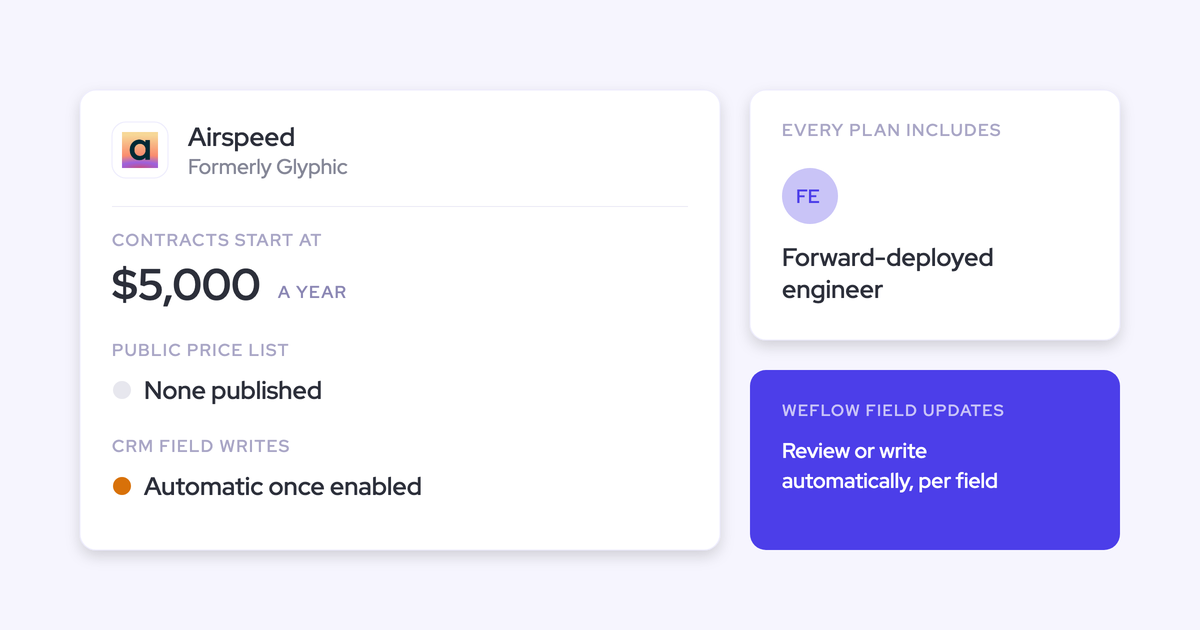
Weflow vs Fathom: Salesforce Field Updates From Sales Calls Compared (2026)
Learn whether Weflow or Fathom gives Salesforce typed field updates or just call summaries.


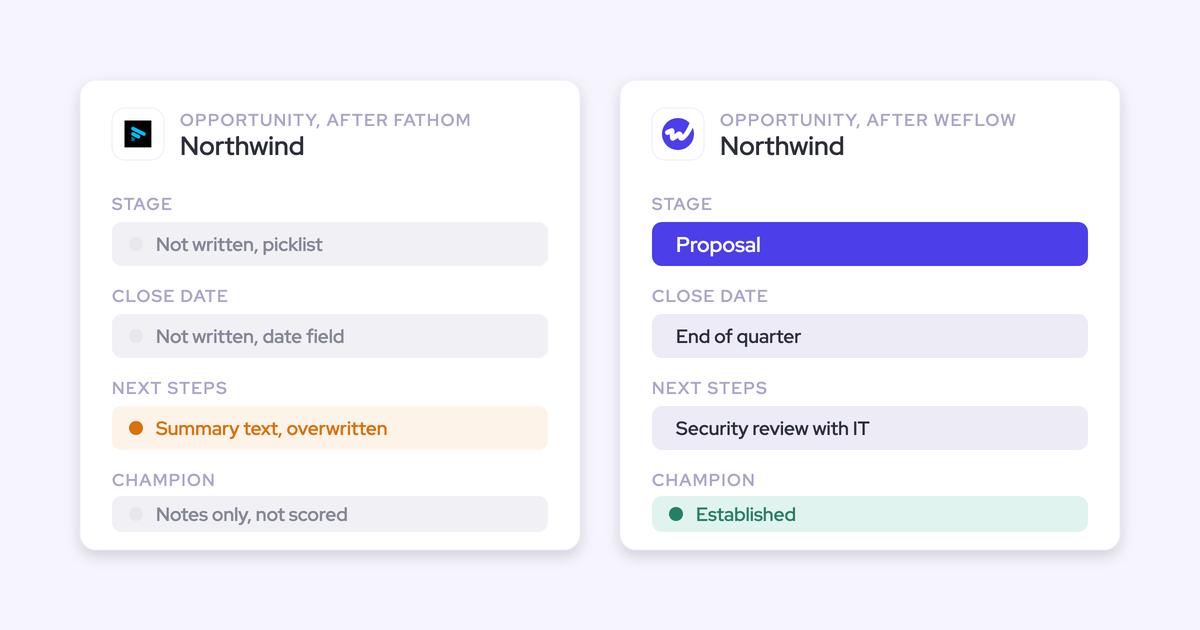

After a sales call, Fathom logs a summary in Salesforce as a Task on the Contact. On its Business plan, it also writes sections of that summary into Opportunity text fields you map, and the next meeting overwrites them.
Weflow is the Revenue AI Orchestration platform for sales, customer success, and RevOps teams. Its Weflow Conversation Intelligence + AI Field Updates works differently:
- It writes typed values (picklists, dates, numbers and the Stage itself) into the fields you choose.
- It adds to methodology fields instead of replacing them.
- You decide per field whether a value writes itself or waits for a rep.
- Paired with Weflow Activity & Contact Capture, it also logs the emails that carry the other half of the deal.
Fathom is an excellent notetaker, and a lot of teams love it for good reason. Summary quality doesn't separate these two. What separates them is whether you need a summary in your CRM, or structured data you can report on, gate stages with and forecast from.
Weflow vs Fathom at a glance for Salesforce teams
Here's the whole comparison on the ten capabilities that matter once call data has to land in Salesforce.
| Capability | Weflow | Fathom |
|---|---|---|
| CRM field updates from conversations | Every field type except lookups, including picklists, dates, numbers, Stage | Business plan only; text fields only, overwritten each meeting |
| Salesforce integration | Real-time two-way REST API sync; inherits validation rules and permissions | Contact, Account, Opportunity, Task via contact roles; one connection per team |
| Activity stored as native CRM records | Emails as EmailMessage or Task, meetings as Events, transcripts in Salesforce | Summary as logged-call Task on Contact; action items as Tasks |
| Automatic email capture | Server side, inbound and outbound, every enrolled user, no rep action | Not offered; captures meetings only |
| Recording without a bot joining | Desktop app on Windows and macOS; rep starts it, no consent flow | Mac desktop app only; bot-free video is a limited Zoom beta |
| Qualification methodology capture | AI Playbooks score each element across every email, call and field | MEDDPICC, SPICED and other summary templates; no per-element scoring |
| Integrations with other tools | Zoom, Meet, Teams, WebEx, Outreach dialer, Slack; no native warehouse connector | 30 listed, mostly productivity; no dialer, sequencing or BI tool |
| Access from AI assistants (MCP) | Read-only workspace connector; admin controls transcript access; 25-rep breakdown cap | Official connector on every plan; reads only what each user sees |
| Raw data access outside the tool | REST API bulk export as JSON or CSV; recordings to your storage | Public API and webhooks on every plan; keys belong to individual users |
| Pricing | Public; Conversation Intelligence $39 per user/month; 10-user minimum, annual | Public; free plan, Business $25 per user/month; two-user minimum |
Why Salesforce teams move past Fathom as their notetaker
Fathom is free for individuals, it records well, and it spread one seller at a time. That's by design: Fathom gives the individual product away to win team deals, and more than 300,000 companies use it.
Then leadership asks for something new. They don't want recordings anymore; they want what was said on the call to show up on the opportunity. RevOps gets the job, and the first discovery is usually this:
We have Fathom. We just don't grab insights from that and put it in there.
Fathom's CRM model grew up largely on HubSpot, where a deal is flat and has one buyer. Summary sections map neatly onto deal fields there. In Salesforce, that same design becomes a Task on a Contact, text pasted into Opportunity fields, and a match path that runs through contact roles. The conversation arrives as prose, and filling fields is a different job from writing prose.
The ownership change points the same way. Superhuman acquired Fathom in September 2026 to fold meeting notes into its suite of email, calendar, documents and general-purpose agents. Its announced roadmap runs through those products. It says nothing about deeper Salesforce field writes, deal context or coaching, and the CRM is one destination among several.
What Weflow writes into Salesforce after a sales call
Take one discovery call on an open opportunity. Here's what Weflow leaves in Salesforce afterwards, capability by capability, with the limit for each stated where it applies.
Weflow AI Field Updates fill picklists, dates, numbers and Stage
Weflow AI Field Updates write to every Salesforce field type except relationship lookups. Before writing to a picklist or multi-select, Weflow reads the field's allowed values and matches its output against them. It never writes a value the field rejects.
That detail matters more than it sounds. A model asked to fill a picklist will happily invent a value, and the write then fails silently or pollutes the field. Teams building this themselves tend to find that out late.
Typed fields are the whole point. You can group, chart and gate a stage on a picklist. You can't do any of that with a paragraph.
- Picklists: a champion-strength score from 0 to 3, filled from what the buyer actually said.
- Multi-select picklists: which competitors came up on the call.
- Numbers: an amount, including one computed from the seat count and seat price discussed.
- Dates: a next step date or a close date.
- Text and long text: MEDDIC or SPICED narratives that build up over the deal.
- Stage: moves when the exit criteria you wrote into the prompt are met on the call.
Stage writes interact with your validation rules, and the rules still apply. If a rule blocks a stage change until five fields are filled, Weflow can fill those five fields from the call too. A blocked change stays blocked until the fields it depends on hold values.
The limit: Weflow doesn't write lookup fields. If you're planning an automation that sets a relationship between records from a call, it won't work.
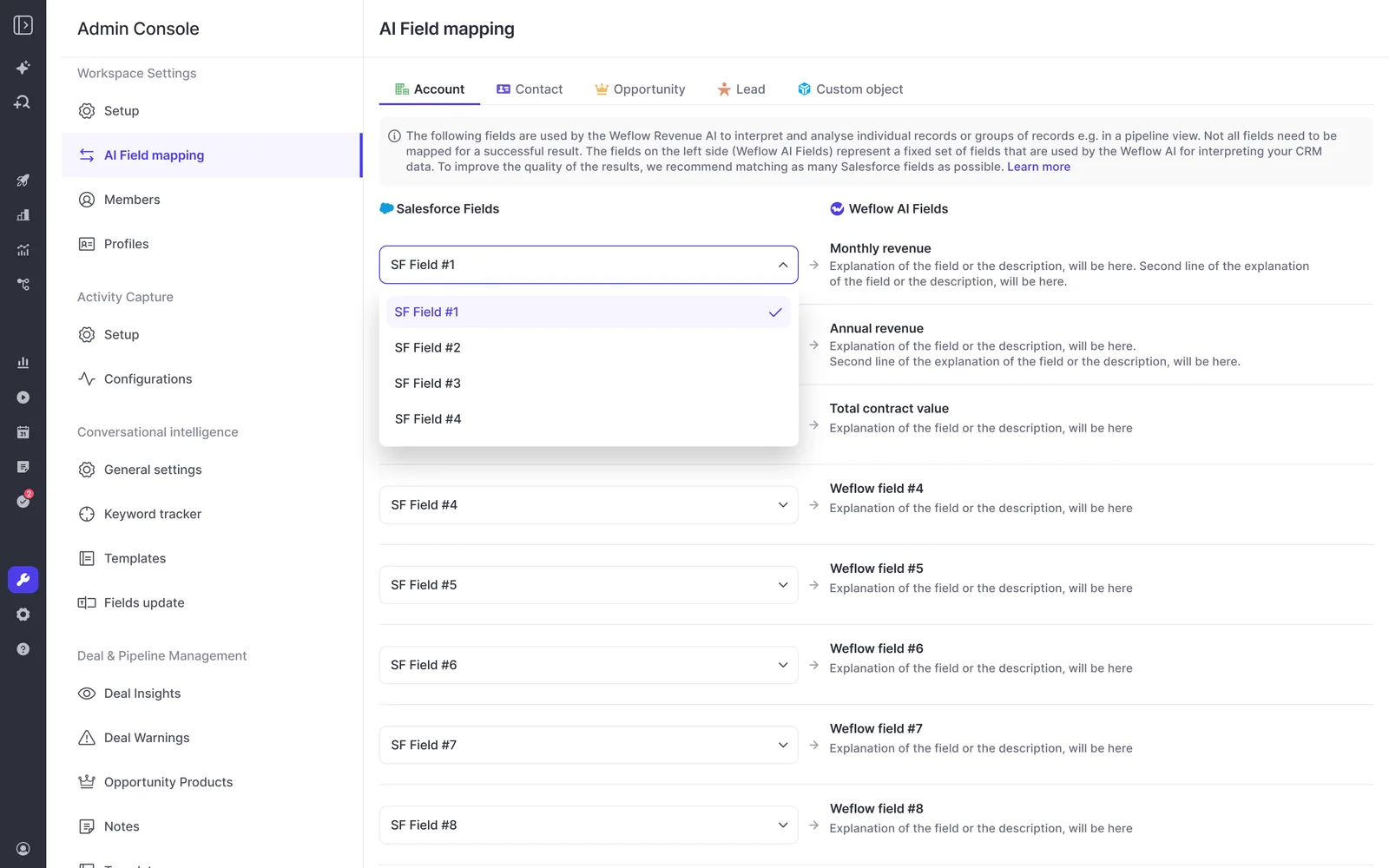
Weflow adds to methodology fields on the second call
This is the question we hear first on almost every evaluation call:
When the tool populates the fields in Salesforce, does it take into account any information already in the fields? Eg rep could have already updated some fields with additional information.
Yes. When a Weflow field update writes to a methodology field that already has content, it adds to the existing text. Your MEDDIC or SPICED field gets richer as the deal moves instead of turning into a summary of the last call.
Here's how a Metrics field develops across two calls:
- After call one: "Wants to cut new-hire onboarding from six weeks to two."
- After call two: "Wants to cut new-hire onboarding from six weeks to two. Finance confirmed the current process ties up two people each quarter."
The early qualification survives, and that's the part nobody will repeat on a later call. It's also why fully automatic writes are safe on methodology fields: the worst case is an extra line, not a lost paragraph.
Single-value fields work differently. An amount or a close date holds one value, so a new write replaces the old one. Those fields belong under review, which is the next section.
You choose per field whether Weflow writes or waits for review
Weflow sets automatic versus review per field, not per team or workspace. The same rep, on the same call, can have a website field update itself while the champion field waits for a person.
Where review is on, the rep sees the current value beside the suggested one and can accept, edit or reject each suggestion. Nothing changes in Salesforce without that confirmation, and required fields stay locked.
Here's the split we recommend to most teams:
| Field | Setting | Why |
|---|---|---|
| Website, billing address | Write automatically | One right answer, low risk if it changes. |
| Competitors mentioned (multi-select) | Write automatically | Factual and additive; the call either named them or it didn't. |
| Methodology narratives (Metrics, Decision Process) | Write automatically | Weflow adds to them, so nothing a rep typed disappears. |
| Champion, pain | Hold for review | Interpretive; the rep knows things the transcript doesn't. |
| Stage | Hold for review | A wrong move changes the pipeline and the forecast. |
| Amount, close date | Hold for review | Single value, overwritten by one misheard sentence. |
| Next step | Hold for review | Commercial field a manager reads every week; a check costs seconds. |
Start with more fields on review than you think you need, then move each one to automatic once its output has earned it. The bar most RevOps leaders set is honest about the alternative:
If it is only 90% accurate, then I will take it, I will work with it.

Weflow works inside your Salesforce setup through a real-time sync
Weflow runs a real-time, two-way integration on the Salesforce REST API, and writes land in about 200 milliseconds. The managed package uses webhooks to catch field changes, which keeps API consumption down.
Weflow inherits your setup as it is: standard and custom fields and objects, field dependencies, validation rules, permission sets and the role hierarchy. It works with your org's rules instead of around them.
Two limits to plan for:
- A new Salesforce field can take up to 8 hours to appear in Weflow. Support can trigger a sync sooner.
- Field updates on custom objects need setup by Weflow support.
Weflow logs the call as an Event with the transcript attached
Within 30 to 60 seconds of the call ending, the rep gets the summary, a drafted follow-up email and the proposed field updates. Weflow writes the summary onto the Salesforce Event, with a link to the recording, so it appears on the opportunity's activity timeline.
Here's what lands where:
- Event: the AI summary, visible on the opportunity timeline.
- Weflow's recording object: the summary and the full transcript, reportable and permissioned like any Salesforce record.
- Mapped fields: the values from AI Field Updates, on Opportunity, Account, Contact, Lead or a configured custom object.
- Weflow storage: the video file, which stays out of your Salesforce storage and exports to your own cloud through the API.
Because the transcript sits in your org, it stays there if you ever stop using Weflow. You can also run different summary and field-update templates for sales, onboarding and customer success, each writing to its own objects.
One permission consequence: access to the recording object means access to every transcript on it. Weflow sets that permission per profile rather than granting it with the package, so treat it as a confidentiality decision.

Weflow Activity & Contact Capture logs the deal's emails automatically
Recorded calls cover only part of most deals. One RevOps leader put it plainly:
In our situation, generously, 50 percent will have calls. I'm trying to push them to record more, but there's a ton of activity that happens in email.
Weflow Activity & Contact Capture closes that gap. It runs server side, through a central app in Microsoft Entra or Google Workspace, and logs inbound and outbound email for every enrolled user. It works on any device, with no plugin and no rep action. You choose whether emails land as EmailMessage or Task records, and meetings land as Events.
This sits in Weflow Activity & Contact Capture, not in the Weflow Conversation Intelligence seat. The pricing section below shows what that means for cost.
What it doesn't capture:
- Mail that doesn't match a Salesforce record. Once someone creates the account, Weflow logs the earlier emails to it automatically.
- Personal email accounts, SMS and calls from a personal mobile.
- Mail sent from a separate deliverability subdomain, which outbound tools often use. Capture picks up the thread once the buyer replies to the main domain.
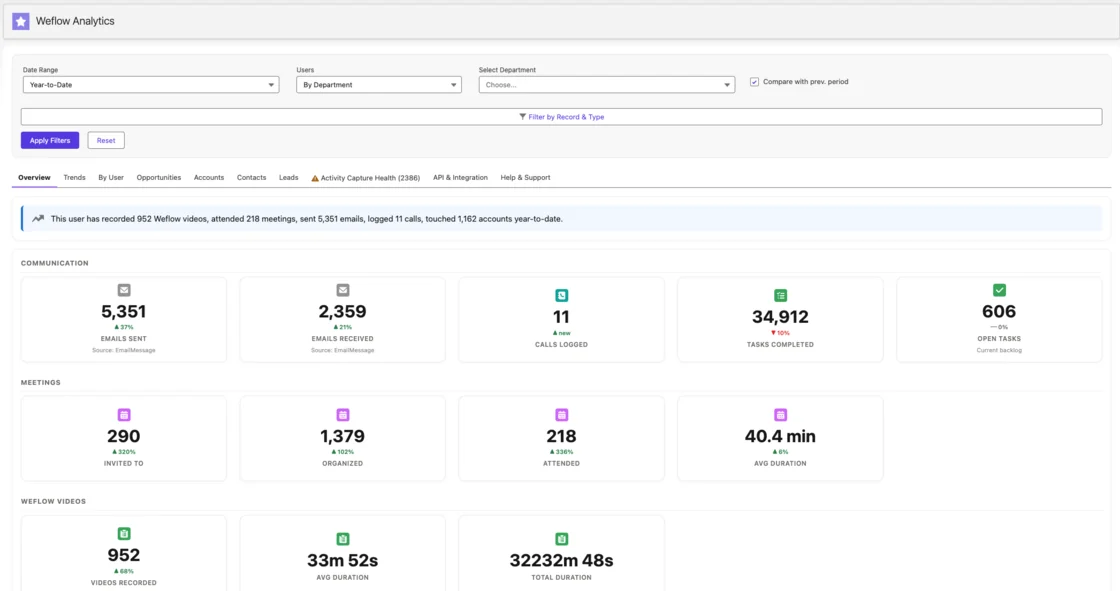
The Weflow desktop app records without a bot on Windows and Mac
The Weflow desktop app comes with the Weflow Conversation Intelligence seat at no extra charge. It runs on Windows and on Macs with Apple Silicon or Intel, and records Zoom, Google Meet and Microsoft Teams meetings, including video, without a bot joining.
Its recordings go through the same pipeline as notetaker recordings: field updates, summaries, follow-up emails and scorecards. Because it captures system audio, it also records softphone calls on tools like Aircall or RingCentral.
The limits:
- The rep starts each recording, either with the Record button or by accepting the prompt when joining a Zoom or Meet call.
- The automated consent flow doesn't run for desktop recordings, so consent is the rep's responsibility.
Weflow AI Playbooks score every methodology element across the deal
Weflow AI Playbooks read every email, meeting, transcript and CRM field on the opportunity. They fill in each element of your methodology and then judge how well each one is actually established. The results write to Salesforce fields.
The second step catches the failure mode every RevOps leader knows: a field someone filled with filler to get past a validation rule. Playbooks check rep-typed text too, and mark filler as "not assessed" instead of complete.
| Score state | What it means |
|---|---|
| Fully established | The deal's evidence supports this element. |
| Partially established | Some evidence exists, with a note on what's missing. |
| Never discussed | Nothing in emails, calls or fields covers it. |
Playbooks differ from per-call field updates in one important way. A field update reflects the latest call. A playbook keeps the field at the best current answer across the whole deal, which is what you want for a champion or a metric discussed differently on five calls.
We ship around thirty methodology templates, including MEDDIC, MEDDPICC, SPICED and BANT, and you can encode a house framework the same way. Playbooks rerun whenever new activity lands, and otherwise every three hours.
The limit: playbooks only score opportunities created or changed after setup. Your existing pipeline stays empty until someone regenerates it, record by record or through a batch Weflow runs for you.
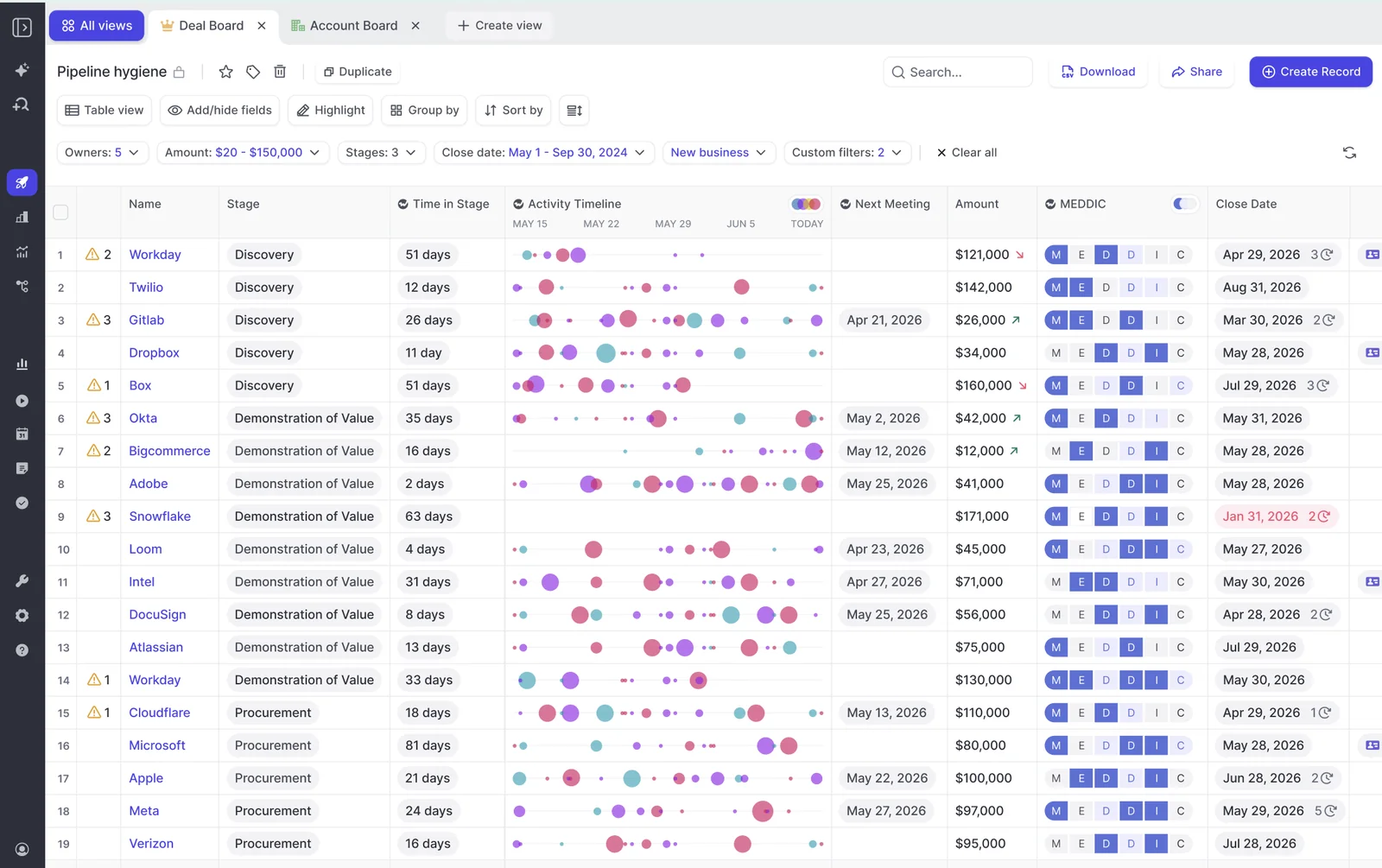
Weflow connects to Zoom, Teams, Outreach, Slack and BI tools
Weflow integrates natively across the revenue stack:
- Mail and calendar: Gmail, Google Calendar and Outlook, through Google Workspace or Microsoft 365.
- Meetings: Zoom, Google Meet, Microsoft Teams and WebEx.
- Dialer: Outreach dialer calls arrive as recordings with transcript, summary and coaching.
- Collaboration: Slack, for meeting summaries, forecast reminders and agent reports.
- BI and AI: Tableau and Looker through the API, and Claude and ChatGPT through the MCP connector.
Weflow isn't an integration platform with a connector catalog. There's no native Snowflake, Databricks or BigQuery connector, so teams that centralize data in a warehouse move it there through the API.
Claude and ChatGPT reach Weflow data through a workspace MCP connector
An admin switches on Weflow's read-only MCP connector per workspace. A separate toggle decides whether assistants can read full transcripts or only AI summaries. The console lists every connected user and the date they connected.
Through the connector, Claude, ChatGPT and other assistants reach playbooks, call summaries, transcripts, forecast calls and pipeline metrics at org level, within the scope the admin allows. Per-rep breakdowns are capped at 25 owners, so a large org gets aggregates unless you narrow the question to a team.
Weflow's API exports transcripts, scores and signals to your warehouse
Weflow's REST API bulk-exports transcripts, metadata, scores and signals as JSON or CSV, on a schedule or on demand. Recordings export to your own cloud storage. An exportable audit log records field writes and configuration changes for compliance review.
What Fathom writes into Salesforce after the same call
Here's the same discovery call through Fathom, on the same capabilities in the same order. Where something needs the Business plan, we say so.
Fathom maps summary headings into Opportunity text fields only
On the Business plan, Fathom writes sections of its AI deal summary into Salesforce Opportunity fields. An admin maps a heading such as Pain Points or Next Steps to a field once, for the whole team.
The constraints:
- It needs the Business plan and a team-level Salesforce connection.
- It writes only to long text or single-line text fields.
- It writes only from sections formatted as H3 or H4 headings.
- Content over the field limit, 32,000 characters by default, gets cut.
- Validation rules and required fields can block the write.
- It can't fill picklists, numbers, dates or checkboxes.
Fathom overwrites the mapped field on every new meeting
Each new meeting replaces what the mapped field held. The field becomes a summary of the last call.
Run the same Metrics example. After call one, the field reads "Wants to cut new-hire onboarding from six weeks to two." After call two, it holds only what call two produced. If call two was about pricing, the onboarding goal disappears from the record.
That's the early qualification nobody repeats later, and it's the loss reps fear most when you switch on automatic writes.
Fathom syncs each whole call automatically or manually, not per field
Fathom offers two Salesforce sync modes. Automatic, the default, writes as soon as the summary is ready. Manual writes nothing until the call owner or an admin clicks Sync to CRM.
Either way, the decision covers the whole call. There's no per-field setting and no view of the old value beside the new one before it lands.
Fathom reaches the Opportunity only through a Contact role
Fathom links a meeting to Salesforce through one path:
- It takes an external attendee's primary email.
- It finds the matching Contact.
- It follows the Contact to its Account.
- It reaches open Opportunities only through that Contact's contact roles.
If no Contact matches, Fathom writes nothing. What falls out of that path:
- Leads never match.
- Secondary email addresses are ignored.
- A Contact with no contact role gets the summary, and the Opportunity gets nothing.
- Closed Opportunities get nothing.
- Internal-only meetings, impromptu calls without a calendar event and secondary calendars don't sync.
- Each team gets one Salesforce connection. Companies with several orgs lose Deal View and team field mapping if users connect their own.
- Nothing syncs from before the connection. Older meetings go in one at a time with the manual button.
Many sales teams add contact roles late or not at all, and prospects often sit as Leads for weeks. So when teams tell us this about the integration, the match path is where we'd look first:
We tried the Fathom Salesforce integration. It breaks half the time… it's not great at mapping the fields back to Salesforce.
Fathom logs the summary as a Task on the Contact
Fathom writes each meeting summary as a logged-call Task on the matched Contact. It turns each action item into a separate Task on every open Opportunity the Contact is linked to, assigned to the call host. Summaries show in the Activity Timeline on Contacts, Accounts and Opportunities.
Fathom writes only to Contact, Account, Opportunity and Task. It can't log meetings to Leads or to custom objects.
Fathom captures meetings only, so deal emails never arrive
Fathom doesn't capture email. Its apps are a desktop app, a Zoom app and a Chrome extension for Google Meet, with no Gmail extension or Outlook add-in. The email half of the deal stays out of Salesforce.
Fathom records bot-free on Mac and builds a live summary
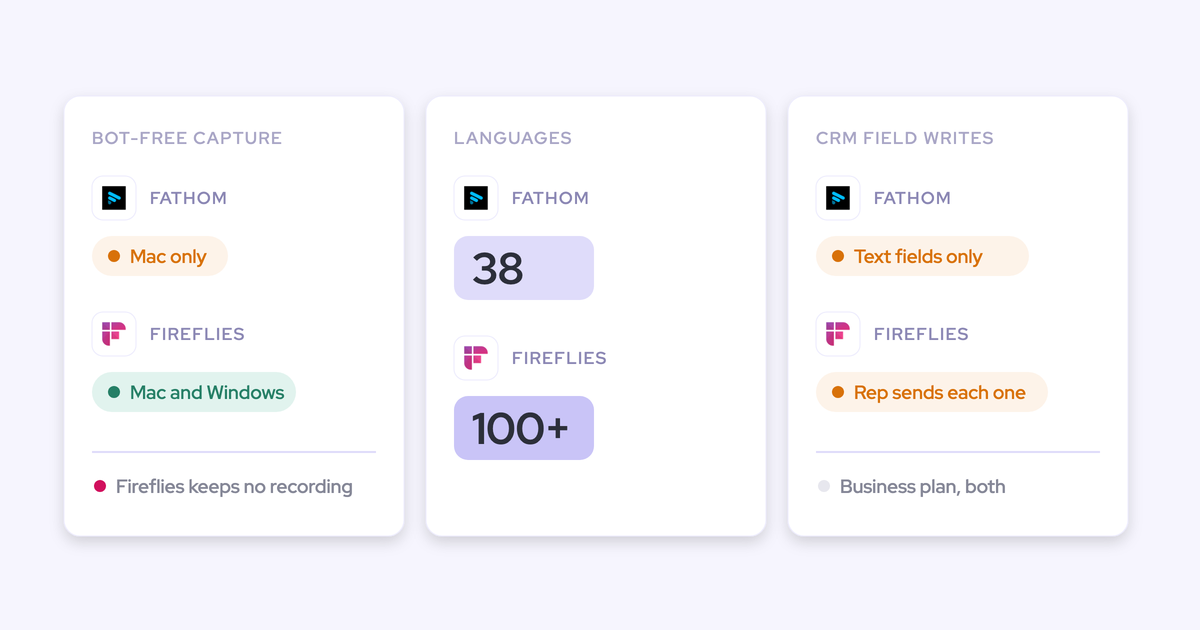
Fathom lets each user choose per meeting between a bot and bot-free capture from its Mac desktop app. Bot-free capture can take video and audio, audio and transcript, or transcript only, and bot-free video is a limited beta on Zoom. Windows users stay on the bot experience.
The bot-free mode also builds a summary live while the call runs. That's a genuine strength, and Weflow doesn't offer it.
Fathom summarizes calls in MEDDPICC and SPICED templates without scoring
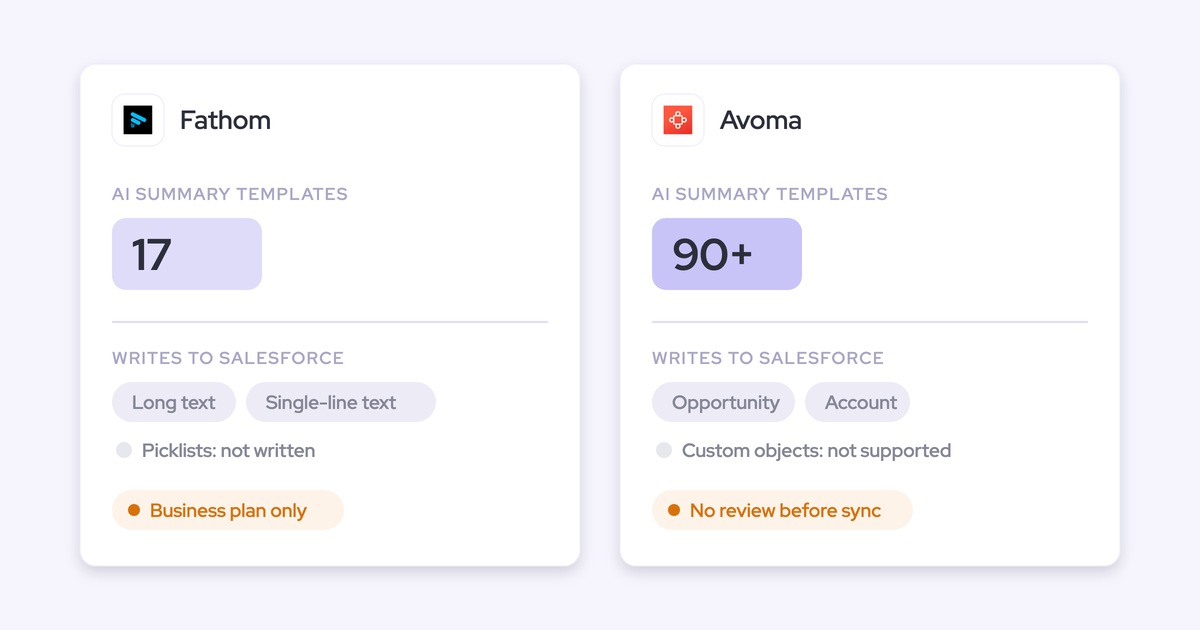
Fathom summarizes calls from 17 templates, including MEDDPICC, BANT, SPICED and Sandler, and users can add their own instructions. Custom templates for a whole organization start on the Business plan.
A template organizes notes against a framework. It doesn't assess whether each element is established, and it doesn't score the deal across calls.
Fathom's Business plan does include AI scorecards. Admins write the criteria, and the AI grades each internal host's call as Yes, Partial or No, with timestamped coaching notes. Those scorecards grade the rep's call, not the state of the deal.
Fathom connects to 30 tools, mostly productivity and workflow apps
Fathom's integrations directory lists 30 integrations, including:
- CRM: Salesforce, HubSpot, Zero and Pylon.
- Meetings: Zoom, Google Meet and Microsoft Teams.
- Collaboration and workflow: Slack, Notion, Asana, Zapier and Make.
- AI: Claude, ChatGPT and Superhuman Go.
- Sales engagement: GetAccept, FollowUp and SecondBody.ai.
The directory lists no dialer, no sequencing tool and no data warehouse or BI tool.
Fathom's MCP connector reads only what each user can see
Fathom has an official MCP connector for Claude and ChatGPT on every plan. It respects each user's permissions, so an assistant sees only the meetings the connecting user recorded or can access. There's no org-wide view by default.
Fathom's API exports meetings, transcripts and CRM matches via webhooks
Fathom's public API is on every plan. It lists meetings, summaries, transcripts, action items and CRM matches, sends webhooks when content is ready, and ships TypeScript and Python SDKs.
API keys belong to individual users, and private calls stay with their host. For a technical RevOps team building its own workflows, it's a solid base.
Weflow vs Fathom pricing at your seat count
Fathom costs less per seat. Weflow's seat price includes typed field writes, per-field review and additive methodology fields. Email capture needs Weflow Activity & Contact Capture, either on its own or inside the Weflow Revenue AI Foundation bundle.
| Plan | List price per user/month (annual) | Monthly billing | Salesforce field writes | Email capture | Minimum and term |
|---|---|---|---|---|---|
| Weflow Conversation Intelligence | $39 | No | Every type except lookups | No | 10 users, 12 months |
| Weflow Activity & Contact Capture | $19 | No | No | Yes | 10 users, 12 months |
| Weflow Revenue AI Foundation (both) | $49 | No | Every type except lookups | Yes | 10 users, 12 months |
| Weflow Agent Builder | Per workspace: Free (25 actions), $299 (500), $999 (2,500), custom Enterprise | Monthly tiers | No | No | Free tier included in every plan |
| Fathom Free | $0 | Free, no billing | No | No | Individuals; CRM sync capped at three users per domain |
| Fathom Business | $25 | $34 | Text fields only, overwritten each meeting | No | Two users |
| Fathom Enterprise | Quote only | Quote only | Same as Business | No | Quote only |
Fathom's Premium ($16) and Team ($15) plans exist too, but they cap CRM sync at three users per email domain. A team that wants field mapping into Salesforce lands on Business.
At 10 seats, from list prices:
- Fathom Business, annual: 10 × $25 × 12 = $3,000 a year.
- Fathom Business, monthly: 10 × $34 × 12 = $4,080 a year.
- Weflow Conversation Intelligence: 10 × $39 × 12 = $4,680 a year.
- Weflow Revenue AI Foundation, with email capture: 10 × $49 × 12 = $5,880 a year.
These are list prices. Weflow applies bundle, volume and multi-year discounts, with volume discounts becoming meaningful around thirty to forty seats.
Weflow's standard contract is 12 months, with no shorter term. Fathom lets you pay month to month.
Where Fathom is the better choice
Fathom wins on cost, HubSpot fit, the live in-call summary and automated pre-meeting consent. If any of these decides it for you, stay put.
Fathom costs less and has a free plan
Individuals get Fathom free with unlimited recordings. Business costs $25 per user per month against $39 for Weflow Conversation Intelligence.
Fathom's team plans start at two users, where Weflow's standard minimum is ten. Fathom also bills monthly, which Weflow doesn't.
Fathom fits HubSpot teams, which Weflow doesn't serve
Weflow works only with Salesforce. Fathom's summary-to-field design suits HubSpot's flat deal model, where each summary section maps onto a deal property. If you run HubSpot, Fathom is the right call between these two.
Fathom shows a live summary while the call runs
Fathom's bot-free mode builds a summary during the call. Every Weflow output (summary, field updates, follow-up email, scorecard) arrives after the call.
That's a real difference. A rep who joins late can't ask Weflow what they missed while the call is still going.
Fathom emails attendees for recording consent before meetings
Fathom emails external attendees 24 hours before a scheduled meeting to ask for recording consent, and a decline turns off auto-recording. It sends nothing for same-day or impromptu meetings, and on Zoom only when the Fathom user hosts.
The Weflow notetaker has its own consent flow: opt-in, opt-out or none, a notice in the meeting chat with a link that stops the recording, and an optional pre-meeting email. The Weflow desktop app runs none of that. If your legal team wants bot-free recording with automated consent, that can decide it.
How to switch from Fathom to Weflow without losing data
Most of the switch is sequencing. Stop Fathom writing to Salesforce for trial users, keep your Fathom history where it is or export it, and test every Weflow write before rollout.
Run Weflow beside Fathom without duplicate Salesforce activities
When two tools each write a record for the same meeting, Salesforce holds it twice. Every report counted per meeting, such as meetings per rep or touches per closed deal, is inflated until someone deduplicates.
The fix is to turn off Fathom's Salesforce sync for the users in your trial. Weflow doesn't deduplicate against Fathom's Tasks, so the clean path is one tool writing per user.
Keep your Fathom call history through Fathom's API
Your past recordings stay in Fathom. Weflow doesn't import them. Fathom's API exposes transcripts and summaries, so you can export what you want to keep into your own storage before the subscription ends.
Check these Weflow setup steps before reps go live
- Install the managed package. It takes about five minutes and adds the recording object where summaries and transcripts live.
- Set recording-object permissions per profile. Access to that object is access to every transcript.
- Have every licensed user sign in once. The notetaker won't join meetings for a user who never signed in, and the admin view shows them as external.
- Test writes against every object your activities map to. A failed write fires once and can't be replayed, and the failure is silent.
- Allow for the 8-hour field sync. New Salesforce fields can take that long to appear in Weflow, unless support triggers a sync sooner.
- Regenerate playbooks on existing opportunities. Otherwise only new or changed deals get scored.
When to choose Weflow and when to stay on Fathom
The choice turns on what you need in Salesforce. Weflow fits when you need structured, reportable data and email coverage. Fathom fits when a summary Task on the timeline is enough, or when you run HubSpot.
| Choose Weflow if | Stay on Fathom if |
|---|---|
| Your qualification fields need picklists, dates, numbers or Stage filled from calls. | A summary Task on the activity timeline is all your team actually uses. |
| Reps already type into methodology fields, and you can't risk losing what they wrote. | You run HubSpot, which Weflow doesn't support. |
| Half your deal activity happens in email, and it needs to reach Salesforce. | Budget decides it, and $25 per seat fits where $39 doesn't. |
| Leads, contacts without roles or custom objects need the call data. | Fewer than ten people need the product. |
| You want deal-level methodology scores feeding your pipeline review. | Your reps rely on a live summary during the call. |
| Windows users need to record without a bot. | You want bot-free recording backed by an automated consent email before scheduled meetings. |
See how Weflow captures activity, updates Salesforce fields from calls, and rolls up your forecast. Book a 30-minute demo.
Questions RevOps leaders ask when comparing Weflow and Fathom
Will Weflow overwrite what reps already typed in Salesforce?
Not in methodology fields. Weflow adds to existing methodology text instead of replacing it. Single-value fields like amount or close date do get overwritten, so keep those on review, where the rep sees the old value beside the new one before anything writes. Required fields stay locked.
How accurate are Weflow AI Field Updates, and who tunes the prompts?
Accuracy depends on how well each field's prompt is written. Weflow ships more than 250 pre-built prompts, and your RevOps team edits them. Simple prompts beat over-specified ones. Start fields on review, then automate each one once its output has proven reliable.
Can Weflow update Leads and custom Salesforce objects?
Yes. Leads are one of the standard objects Weflow AI Field Updates write to, alongside Account, Contact and Opportunity. Custom objects need setup by Weflow support. Lookup fields are out of scope on every object.
Does Weflow show whether a value came from the call or the web?
No. The Weflow comparison view shows what changed, not which source produced it. Web search is off by default and is set per field in that field's prompt, so a field you want limited to the conversation stays that way unless someone enables search on it.
What happens if a Weflow write to Salesforce fails?
A Weflow write fires once, when the call ends, and can't be replayed. The summary and transcript survive on the recording object, so the content isn't lost, but the write to the Event or field has to be copied across by hand. That's why the rollout checklist tests every object before reps go live.
Do Weflow AI Playbooks score opportunities created before setup?
Not until someone regenerates them. Weflow AI Playbooks score opportunities created or changed after setup. Older deals get scored when you regenerate them record by record, or when Weflow runs a batch for you.
Why not connect Claude to Salesforce and our transcripts ourselves?
A Claude build over your transcripts and Salesforce gets you a recognizable share of the outcome, and we'd never pretend otherwise. What it lacks is the foundation: picklist-safe writes, record matching when there are several open deals and no contact roles, email capture, and capture that holds up when meetings move. It also lacks a security posture your procurement team can review, and someone to maintain it. Most teams building their own stack still buy the capture layer.
Where does Weflow host data, and does it train AI on it?
Weflow hosts in the EU, US or APAC, in Frankfurt, New York or Sydney, and matches the region of your Salesforce unless you choose otherwise. Weflow never uses customer data to train AI models, and Zero Data Retention applies to AI processing. Weflow is SOC 2 Type II certified and GDPR compliant, with ISO 27001 in progress. Fathom stores all data in the US and trains its own models on de-identified customer data unless you opt out.
How does recording consent work with the Weflow desktop app?
The Weflow desktop app runs no consent flow, so the rep is responsible for getting consent. The Weflow notetaker carries the consent options: opt-in, opt-out, an in-meeting notice with a stop link, and an optional pre-meeting email. Consent rules depend on the participants' country, which makes this a decision for your legal team.
Is there a 10-seat minimum or a shorter Weflow contract?
Weflow's standard minimum is 10 users per product or bundle, on a 12-month term with no shorter option. Bundle, volume and multi-year discounts apply, and you can reassign seats when someone leaves.