How to migrate off Salesloft conversation intelligence and re-score your past calls
Learn how to move Salesloft conversation intelligence to Weflow and re-score past calls in Salesforce.


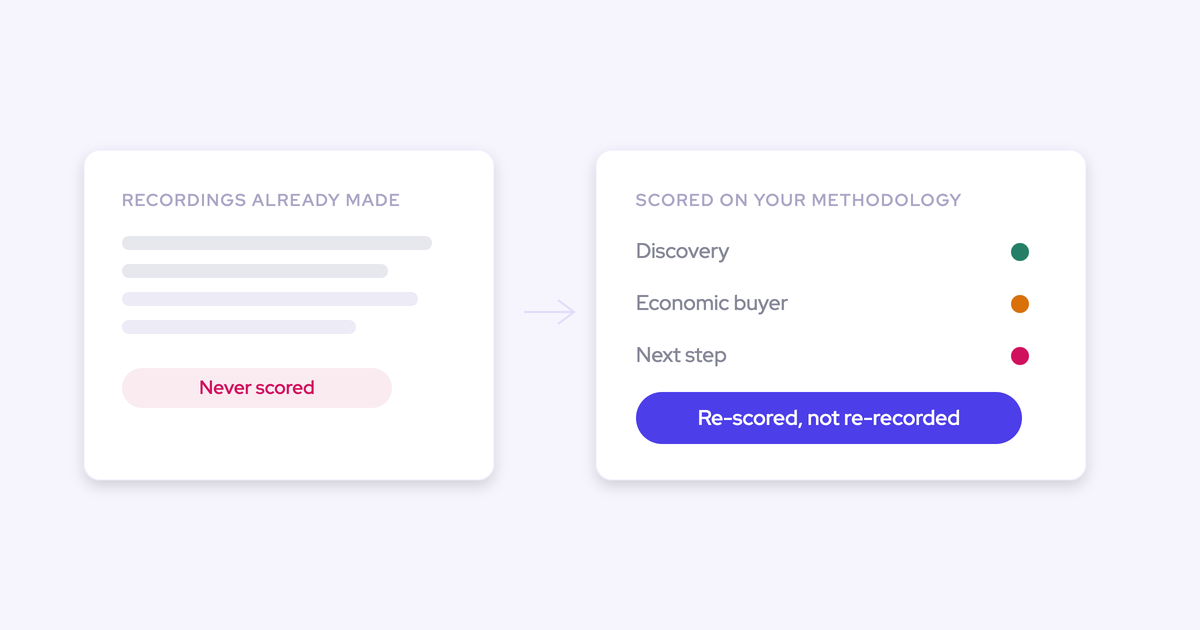

Yes, you can take the call recordings sitting in Salesloft, bring them into Weflow, and score them against your methodology. The import runs off an API key from your current provider, the recordings get linked back to the right Salesforce records, and the output lands in Salesforce as structured fields your company owns. There's no manual export marathon.
We get asked this in the first conversation, almost word for word:
"What are the capabilities of taking our current conversation recordings in Salesloft and bringing them into Weflow and doing scoring against those?"
And you don't have to leave Salesloft to do it. This is a CI-layer swap: Salesloft keeps the sequencing and cadences it's genuinely good at, and the conversation layer moves. Weflow is the Revenue AI Orchestration platform for sales, customer success, and RevOps teams, and the piece doing the work here is Weflow Conversation Intelligence with AI Field Updates.
What follows is the mechanism: prerequisites, the six steps in order, what you hold in Salesforce at the end, and the parts we can't do.
What this migration produces: scored calls in Salesforce you own
When the migration finishes, your call history exists as transcripts, summaries, methodology scores, and structured field values on native Salesforce objects. Not as an archive in a vendor UI that you rent access to.
That difference is the whole point of the project, so it's worth being concrete about the before and after.
| Before the migration | After the migration | |
| Recordings and transcripts | Inside Salesloft, reachable through its interface | Transcripts in Salesforce; video files in your own cloud storage, linked from Weflow |
| Methodology scores | Whatever a manager typed after listening, if they had time | Written into the Salesforce fields you map, refreshed on a schedule |
| Who owns the data | The vendor holds the system of record for conversations | Your Salesforce org holds it, under your own permissions and reporting |
| How coaching runs | A manual review process, sampled call by call | Every recorded call scored against your rubric, per team, trended over time |
| What you can report on | Activity volume, mostly at contact level | Conversation content joined to the opportunity, queryable in Salesforce |
"It's great if you have those recordings, but, like, the real challenge is to make sure that, you know, the next steps that are discussed in that meeting, sort of, like, the the discussion points that would have an impact on the projected amount, the stage that the opportunity is currently in, the happiness of the account that you're talking to, and so on."
— Philipp Stelzer, CPO & Co-founder of Weflow
Why swap only the CI layer and keep Salesloft sequencing
Salesloft was bought for sales engagement, and that's what it's good at. Its conversation intelligence, deal, and forecasting modules compete on breadth rather than depth, which is why the coaching work lands back on your managers.
The pattern we hear on switch calls is consistent:
"If we were looking to replace Salesloft, the conversational intelligence is the key thing Salesloft is weak on, it's a manual process for the managers."
So keep the cadence engine. Move the layer that isn't working.
Weflow does no sequencing, no cadences, and no dialer, and we're not building one. If you rip out Salesloft entirely, your BDR team loses its whole motion and you have nowhere to put it.
There's a second reason to draw the line here. Sales engagement platforms log activity to the Salesforce Task object rather than to EmailMessage and Event, which throws away the from and to information, so reply rate becomes uncomputable. And the activity usually lands on the contact or the account, not the opportunity.
That's the honest scope: Salesloft runs sequences, Weflow becomes the capture and conversation layer feeding Salesforce, and the two coexist.
What you need before importing Salesloft recordings into Weflow
- An API key from your current provider. That's the whole ask on the import. Once you share it, we handle the pull on our end. If no key is available, a raw file export can work, but our team evaluates feasibility before you commit to that path.
- A Salesforce org. Weflow is built entirely on the Salesforce API and works only with Salesforce. Sign-in runs through your Salesforce authentication, so there's no second identity to provision and no field mapping step at setup.
- A legal and consent review of re-processing historical recordings. The recordings were captured under Salesloft's consent flow. Whether you can re-process them is a question for your legal team, and it's cheaper to ask before the import than after.
- The methodology and fields you're scoring against. Decide whether it's MEDDIC, MEDDPICC, SPICED, or your own rubric, and which Salesforce fields each element writes to. Weflow ships more than 250 pre-built AI prompts covering the common frameworks, so this is editing, not authoring from scratch.
- A decision on who admins it. Every AI output is a prompt an admin can rewrite. Someone in RevOps needs to own that configuration, because field-update accuracy tracks prompt quality more than anything else.
How to migrate and re-score Salesloft calls, step by step
The migration runs in three phases: import and map the recordings, configure Weflow, then roll out with role-based training. Technical setup takes 30 to 45 minutes with a Salesforce admin and your Google or Microsoft admin. Full time to value is typically two to three weeks, and most of that is business logic, not plumbing.
Six steps, in this order:
- Share your Salesloft API key for the import
- Verify recordings auto-link to the right Salesforce records
- Re-process transcripts into structured Salesforce field updates
- Score opportunities against your methodology
- Turn on compatibility mode so nothing double-logs
- Move new-call recording to Weflow going forward
Step 1: Share your Salesloft API key for the import
Weflow imports conversation data, transcripts and recordings, through the API of your current provider. We've run this from Gong, Chorus, Jiminny and others, and the mechanics don't change with the logo.
Two paths, and you'll know which one you're on within a call:
- API key available. You share the key, we handle the import. No manual export, no file uploads, no week of someone downloading recordings one at a time.
- No API key available. A raw file export can also work, but our team evaluates it first. We'd rather tell you it's not feasible before you build a plan around it.
There are no implementation fees on this, and it's run by our team as part of onboarding rather than billed as a project.
Step 2: Verify recordings auto-link to the right Salesforce records
An imported recording that lands unattached is worthless. So the linking happens automatically, by one of two routes.
| Association available through the provider API | Weflow uses that data directly to map each recording to the correct account, opportunity, or contact |
| Association not available through the API | Weflow runs its own lookup service to match recordings to Salesforce records, so the history stays connected |
Your job in this step is a spot-check, and there's one place to aim it: accounts with more than one open opportunity. That's where every domain-matching mapping engine in this category quietly gets it wrong, and it's where you want to see the result with your own eyes before anyone builds a report on top of it.
Step 3: Re-process transcripts into structured Salesforce field updates
Imported calls run through Weflow AI exactly the way a live call does. This is the step where the migration stops being a file move.
Per call, re-processing produces:
- A summary in your own template format, in named sections, written onto the Salesforce Event with a link to the recording
- Proposed field updates: next steps, discussion points affecting the projected amount, whether the stage is still valid, account sentiment
- Methodology field values, which in most orgs we connect to are sitting empty before we arrive
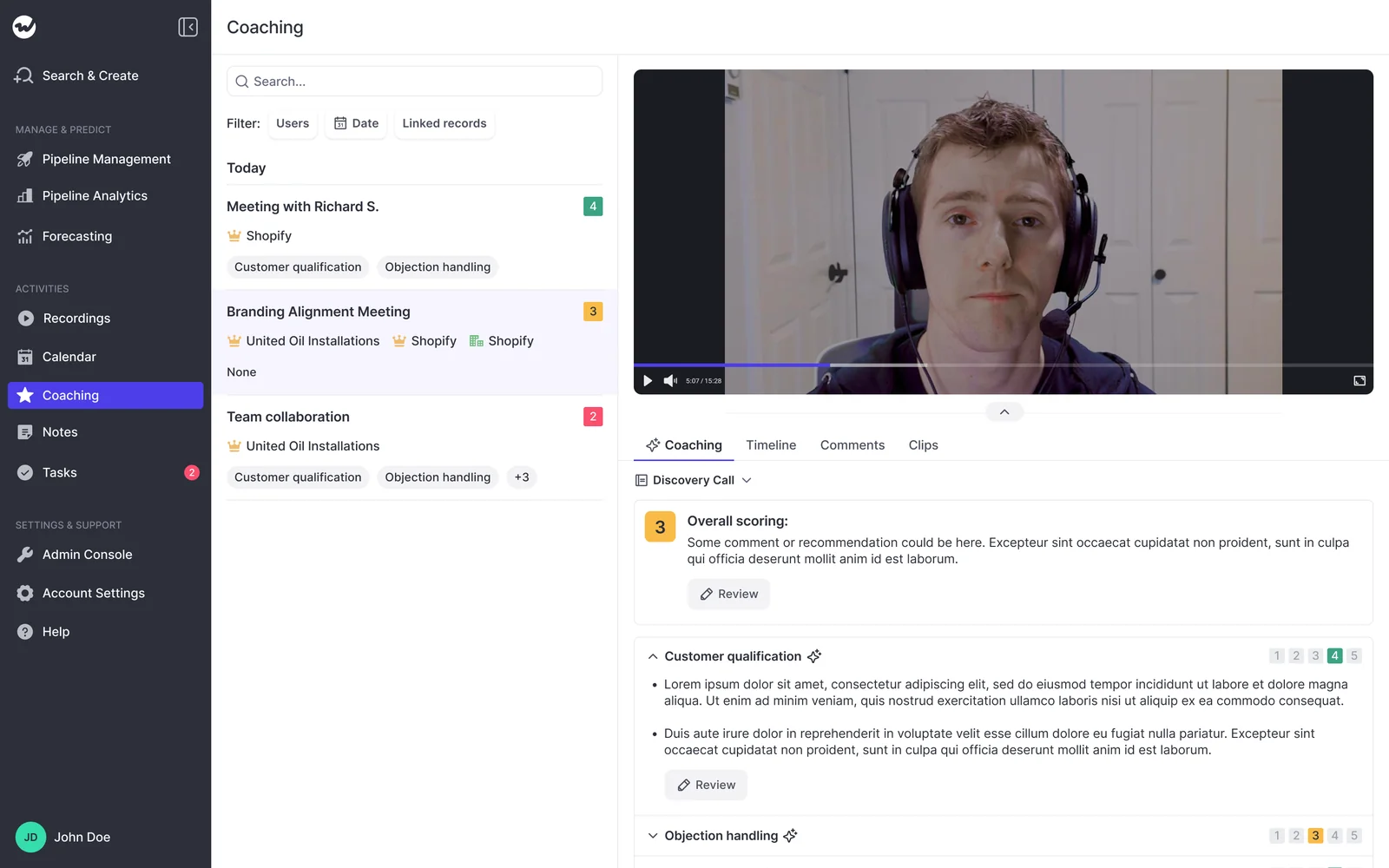
- Coaching scores against your rubric, with 1 to 5 ratings across the dimensions you define
- Keyword and phrase trackers applied retroactively, so a new competitor or objection tracker crawls the imported history too
Nothing has to land blind. Weflow shows the current Salesforce value beside the suggested one, so a rep or admin can accept, edit, or reject each field and write them back in one click. You can also run it fully automatic once you trust the prompts. Validation rules, field dependencies, permissions, and role hierarchy are respected either way, and every Salesforce field type is supported except lookup relationships.

Step 4: Score opportunities against MEDDIC, MEDDPICC, or SPICED
Weflow AI Playbooks score the whole opportunity, not one call at a time. The playbook reads every email, meeting, transcript, and CRM field on the deal, refreshes on a schedule, writes the result back to the corresponding Salesforce fields, and returns a next-step recommendation.
That distinction is the one that decides whether this project is worth doing. A per-call score on a deal that ran across twelve conversations means opening twelve recordings and stitching the picture together by hand. Nobody does that, so the scores pile up unread.
Evidence for a methodology is scattered by nature: the budget signal is in an email, the champion showed up on a call, the compelling event was mentioned in passing in a meeting. Because the playbook reads all of it together, a rep can't pass a qualification check by typing something into a field. Overrides are allowed, and the override itself gets checked for plausibility against the deal.
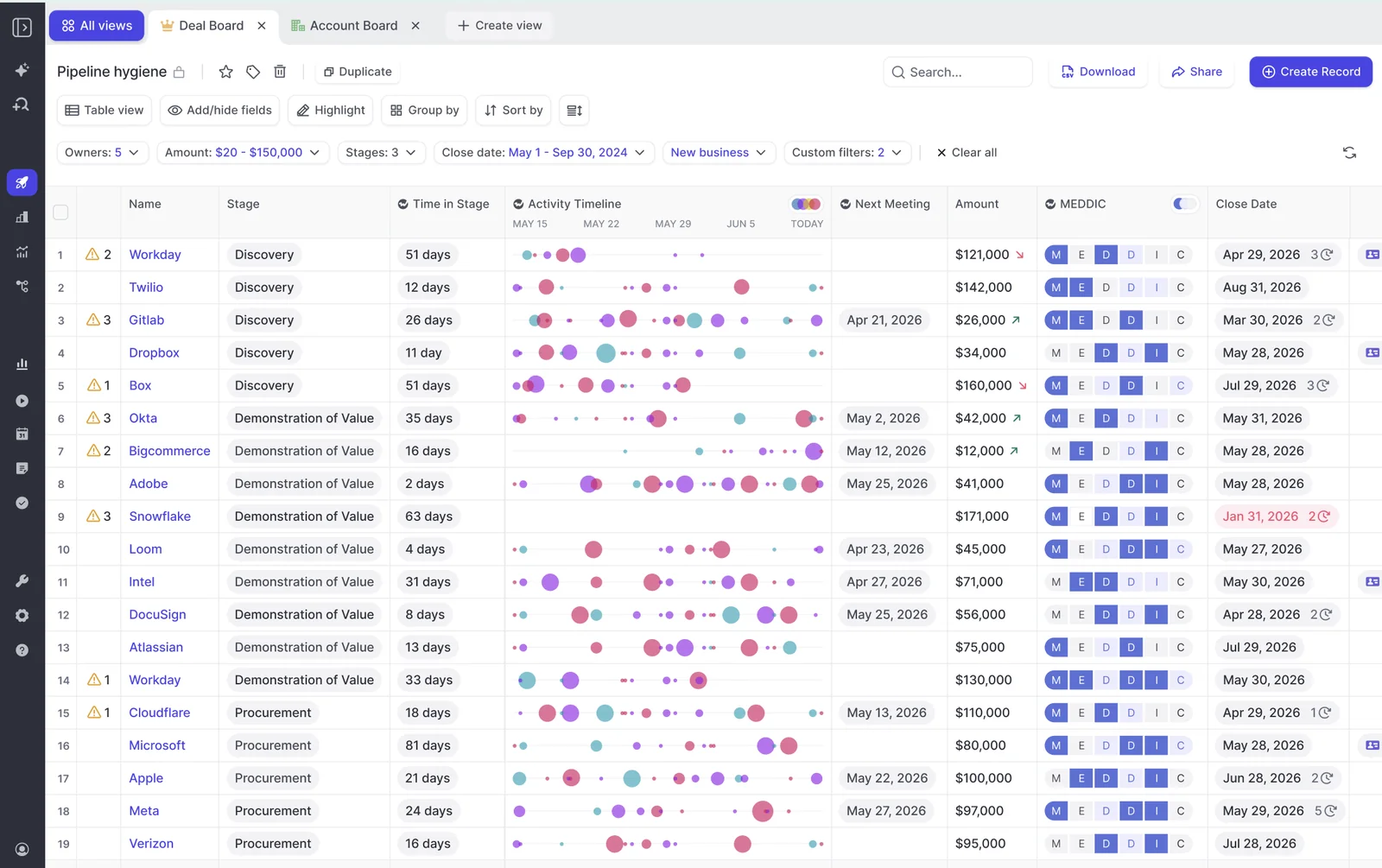
One warning, and it's the part most vendors skip. If the machine fills in everything, your reps stop thinking about their own deals, which was the point of the methodology in the first place. The setup that works keeps a deal inspection step where the rep still answers the qualification questions, and their answer gets pressure-tested against the computed score. The gap between the two is the coaching conversation.
Step 5: Turn on compatibility mode so nothing double-logs
This is the question every RevOps leader asks about coexistence, and it's the right one:
"All my activities are already logged through Outreach. Is there any conflict with Weflow? Is it gonna double log into Salesforce?"
No. Weflow's historical activity backfill deduplicates against activity already logged by Salesloft, Outreach, and Apollo, and compatibility mode is how Weflow runs alongside an engagement platform without competing over the same emails and meetings.
The rule underneath it is simple.
"So you might have an activity capture provider that writes the meeting back into Salesforce. And then you have a conversation intelligence or an AI notetaker provider that also writes the meeting. But those are actually two separate meetings. So suddenly, you have duplication of meetings. So if you now wanna report on how many meetings per rep or how many meetings per opportunity closed, you actually have duplicated data. And, yeah, this is actually a big problem. And then, ideally, you have, obviously, the AI summary being written into Salesforce into the same meeting, into the one unique meeting activity that actually happened. Because, obviously, if you record a meeting, it's not another meeting. It's the same meeting."
— Janis Zech, CEO & Co-founder of Weflow
So the summary and the field updates land on the one meeting activity that actually happened. Your meetings-per-rep and meetings-per-closed-opportunity numbers stay honest.
Step 6: Move new-call recording to Weflow going forward
History migrated, now the forward pipeline. Weflow's notetaker joins Zoom, Microsoft Teams, Google Meet, and WebEx calls, scheduled from the calendar rather than from each rep remembering to invite a bot.
Pick your consent flow before rollout, with legal in the room: opt-out (records by default, guest is notified in chat and can stop it), opt-in (every participant accepts first), or manual. Most teams pick opt-out, because opt-in breaks down the moment one person in a five-person meeting forgets to accept. If a participant opts out, the recording, transcript, and notes are destroyed.
Reps don't get a second place to work. The summary lands on the Salesforce Event, so it shows up on the opportunity activity timeline, and within 30 to 60 seconds of a call ending the rep has the summary, a drafted follow-up email, and the proposed field updates waiting for review.
The number to watch a month in is the recording ratio, broken down by team. Low ratios are a training problem, not a product problem, and you want to see them while it's still a rollout.
What your team owns in Salesforce after the migration
Everything Weflow captures and generates lands in native Salesforce objects, under your permissions, usable by your own reports, flows, and AI. The managed package adds one custom object and three custom fields for conversation data. That's the footprint.
| Data type | Where it lives, and who owns it |
| Emails, meetings, contacts | Native Salesforce objects (EmailMessage, Event, Task, Contact), permanently stored, yours |
| Call transcripts | Salesforce, via the managed package object |
| Call summaries | Written onto the Salesforce Event, with a link out to the recording |
| Methodology scores and field updates | The standard or custom Salesforce fields you map them to |
| Video files | Your own cloud storage, exported through Weflow's public API. Deliberately not in Salesforce, because video storage there is expensive and heavy |
| Forecast submissions and roll-ups, if you expand later | The Weflow app, not Salesforce. Reachable through our public API, but not a Salesforce object |
Those last two rows are the honest limits, and you should hear them from us rather than find them in month three.
Everything that makes the history analysable, the transcripts, the summaries, the scores, the structured values, is in your CRM. Which is the actual filter this reader is applying:
"I've used GONG before. I'm a previous GONG user. I know they're weak and also you can never leave them because you don't own any of the data. And also they take you away from the Salesforce interface and you have to work within their interface."
Common pitfalls when replacing Salesloft conversation intelligence
| Pitfall | How to avoid it |
| Running two capture engines against the same inbox during the evaluation | Disable one, or use compatibility mode. Two engines competing over the same emails produce conflicting and duplicate logging, and then you're debugging the test instead of reading it |
| Skipping the consent and legal review before re-processing historical recordings | Ask legal about the historical corpus at the same time you pick the consent flow for new calls. It's one conversation, not two |
| Starting the raw-export path without a feasibility check | Get the export evaluated by our team first. If there's no API key, that check is the difference between a two-week import and a dead end |
| Expecting Weflow to replace sequencing | It doesn't. Keep Salesloft, or another engagement platform, for cadences and dialing. Weflow starts at the opportunity |
| Expecting the video files inside Salesforce | Plan the cloud storage bucket up front. Transcripts and structured outputs land in Salesforce; the media file doesn't |
| Piloting conversation intelligence with reps who've never been recorded | That pilot becomes a referendum on being tracked rather than a test of the product. Make it a leadership decision, then support it with enablement |
FAQ: migrating from Salesloft conversation intelligence to Weflow
Does re-scoring imported calls cost extra in Weflow?
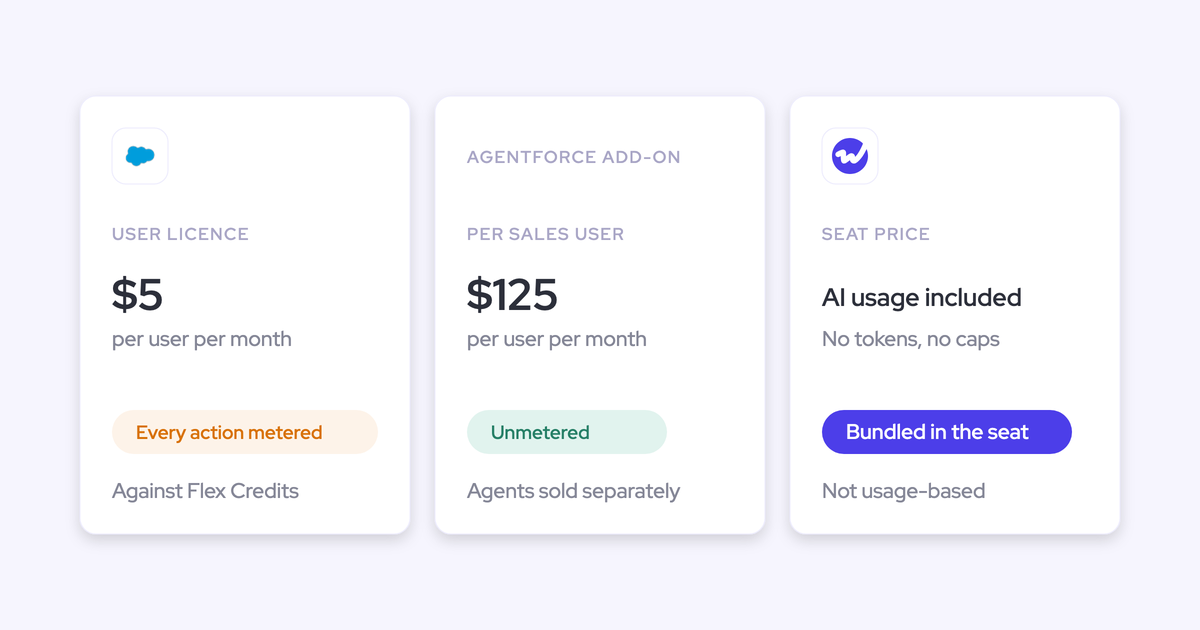
No. Weflow is priced per seat with AI usage bundled in, so recordings, transcripts, AI templates, and playbook scoring aren't metered and have no usage caps. The import itself is handled by our team, and there are no implementation fees. The one thing that is a separate add-on is the historical activity backfill for emails, meetings, and contacts.
What happens if Salesloft won't provide an API key?
A raw file export can work instead, but our team has to evaluate it before you plan around it. We'd rather test the export early and tell you what's actually recoverable than promise a migration and discover the limit halfway through.
Will Weflow and Salesloft double-log meetings in Salesforce?
No. Weflow's historical backfill deduplicates against activity already logged by Salesloft, and compatibility mode lets both run in parallel. The AI summary and field updates get written onto the one meeting activity that actually happened, not a second copy of it.
Can we re-process recordings captured under Salesloft's consent flow?
That's a legal question about your original consent language, and we won't tell you the answer. What we can tell you is what to bring to the review: Weflow is SOC 2 Type II certified and GDPR compliant, AI processing runs with zero data retention, and customer data is never used to train models, including through sub-processors. For calls going forward you choose opt-out, opt-in, or manual consent, with a customisable notice in the meeting chat.
Which Salesforce fields does Weflow write, and who reviews them?
Any standard or custom field except lookup relationships. Each field is mapped to its own prompt workflow, so an admin decides what gets extracted and where it lands. By default the rep sees the current value beside the suggested value and accepts, edits, or rejects each one before it writes. You can switch a field to fully automatic once the prompt is tuned, and accuracy tracks prompt quality closely, which is why the configuration work in week one matters more than the model.
Does re-scoring cover customer success and renewal conversations?
Yes. Weflow's scope starts at the opportunity and covers new logo, expansion, and renewal, across AEs, managers, customer success, and revenue leadership. That matters more than it sounds: customers on multi-year contracts signal their intent to leave one to two years before the renewal ever hits a forecast, and those signals live in conversations, not pipeline fields. Recording existing customers is often more sensitive internally than recording prospects, so set the consent flow per team.
What does Weflow conversation intelligence cost, standalone or bundled?
Weflow Conversation Intelligence is $39 per user per month, billed annually, with a 10-user minimum. If you also want capture into Salesforce, Revenue AI Foundation (Activity & Contact Capture + Conversation Intelligence + Mobile Copilot + Ask Weflow AI + Agent Builder) is $49. Revenue AI Business adds Deal Intelligence at $59, and Revenue AI Enterprise adds Forecasting at $79. View-only licenses are free, up to one per recording license, which is how managers, enablement, and CS get access without buying seats.
See how Weflow captures activity, updates Salesforce fields from calls, and rolls up your forecast. Book a 30-minute demo.