How to Track a New Rep's Qualification Skills in Their First 30 Days With Weflow Methodology Scores
Learn how to track a new rep's qualification skills in 30 days with Weflow methodology scores.


You can't judge a new AE on revenue in month one. Most of the deals they close early came from marketing, so the number looks healthy while the skill you hired them for goes untested.
Thirty days is enough to judge two narrower things. Does the rep run discovery and the new-business meeting to your standard? And do the deals they open themselves meet your framework?
Weflow is the Revenue AI Orchestration platform for sales, customer success, and RevOps teams. In Weflow Conversation Intelligence, every recorded call gets an AI coaching scorecard, and every deal the rep opens gets an AI Playbook score. The rep's trend builds from both. This guide covers three stages:
- Setup before day one.
- A weekly read in weeks one to four.
- A comparison and a coaching conversation at day 30.
What you can judge about a new rep in 30 days
At day 30 you can judge the rep's behavior. You can't judge their results yet. The behavior that counts is how they run the two qualifying conversations and whether the deals they open are qualified.
Those two conversations are the discovery meeting and the new-business meeting. In the new-business meeting, the rep plays the customer's pain back to them and shows how it might be solved. Every qualified opportunity passes through both, whether the lead came from an SDR, marketing, an event or the rep's own outreach.
Closed revenue hides problems in these conversations. A new rep who spends ramp closing inbound deals looks productive the whole time, so nobody steps in.
Then ramp ends. The rep has no pipeline of their own, and two quiet quarters later the company decides it hired badly. In most of these cases the real problem was training.
The payoff from catching it early is measurable. Laura Fu tracked when reps started closing business:
"The reps that were able to create their pipeline and were able to execute on these activities upfront and earlier in the cycle, they were actually closing business in the sixth, seventh month of their ramp compared to the ninth, tenth month."
Treat day 30 as an early read. It tells you where to coach. It doesn't tell you whether the rep will ramp.
| What you can read at day 30 | What you can't read yet |
|---|---|
| How the rep runs discovery, element by element | Whether the rep will hit quota |
| How the rep runs the new-business meeting | Win rate on deals they sourced themselves |
| Whether the deals the rep opened meet your framework | A trustworthy forecast line for the rep |
| Which elements trail your top performers | Whether "six months to ramp" will hold |
How Weflow scores a new rep's calls, deals and trend
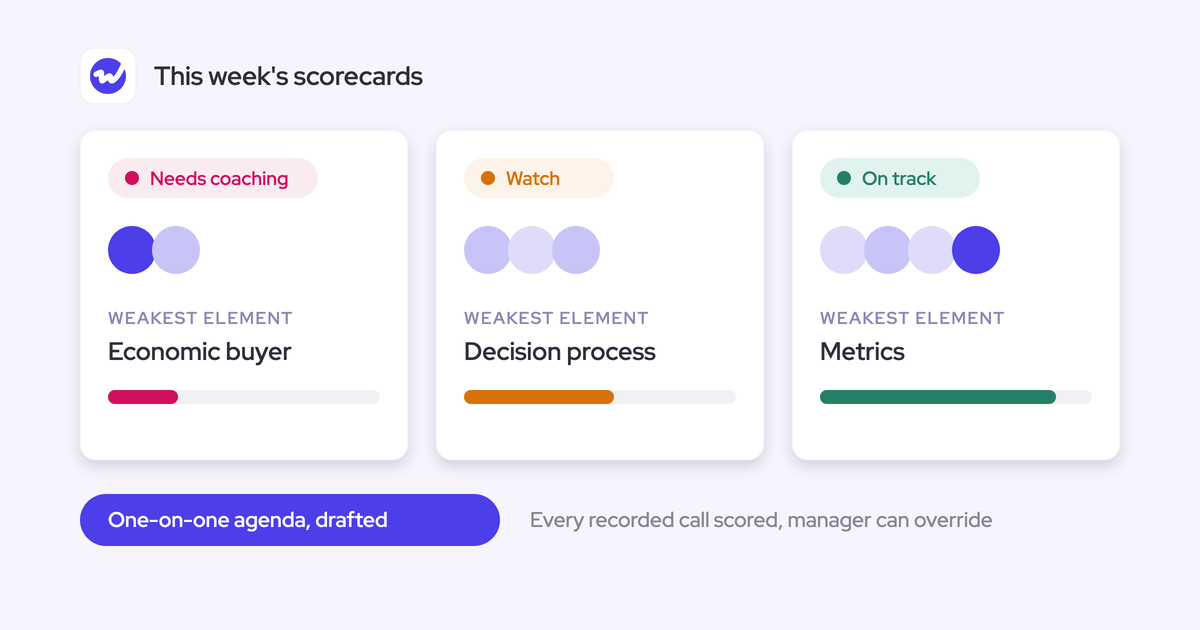
Weflow scores the same calls, emails and deal records at three levels: the call, the opportunity and the rep over time. Each level answers a different question, so start with the one that matches what you're asking.
| Call scorecard | AI Playbook | Rep level | |
|---|---|---|---|
| What it scores | One recorded conversation against your coaching template | One opportunity across every call, email, meeting and CRM field on it | One rep across every scored call and deal over time |
| The question it answers | How did the rep run this conversation? | Is this deal qualified? | Where is this rep consistently strong or weak? |
| Who sees it | The rep gets the scorecard. You get a structured agenda and can override the score | You see per-element status beside the deal. The rep can add notes or override a field | You, in Rep 360 and the Scorecards By User view |
| When it updates | After the call is processed | When new activity lands on the record, and otherwise every three hours | As each new call and deal is scored |
| Where you read it | The Coaching tab on each recording | The Playbook panel on the deal board | Rep 360 and Insights |
| What it means for a new hire | Skill in discovery and the new-business meeting | Whether the deals they opened should exist | Whether that skill is moving week to week |
Call scores and Playbook scores are separate instruments, so read them separately. A rep can run an excellent discovery call on a deal that should never have been opened.
Our CEO describes the change like this:
"There's no manual call review anymore. The AI automates that and scores every call against your methodologies and enables you to basically see over time how your sales methodology is operationalized."
Without automatic scoring, a manager can review three to five calls a week. That gives you a small, recent and memorable sample of a new rep's calls, and a trend can't come from a sample that small.
What to sort out before the new rep's first day
Weflow can only score calls it recorded. Three setup gaps stop recording, and none of them shows an error.
Assign the Conversation Intelligence seat and have the rep sign in
An assigned seat isn't enough. If the rep has never signed in to Weflow, the notetaker won't join their meetings.
This one is easy to miss because activity capture still runs in the background. The rep's emails and meetings land in Salesforce, so everything looks like it's working. In the admin view, an assigned but unregistered user shows as external and the seat looks allocated. We see this on implementation calls: a team discovers weeks later that a new hire's calls were never recorded.
Ask the rep to sign in on day one, before their first customer meeting. After that meeting, look for their recording in Weflow.
☐ The new rep has signed in to Weflow at least once before their first customer meeting.
Make sure the notetaker can get into the rep's meetings
Two conditions decide whether the notetaker records a given meeting, and the rep should know how to recover when one fails.
- The notetaker only joins meetings with at least one attendee outside your internal domains. Internal role-plays and shadowing prep won't record.
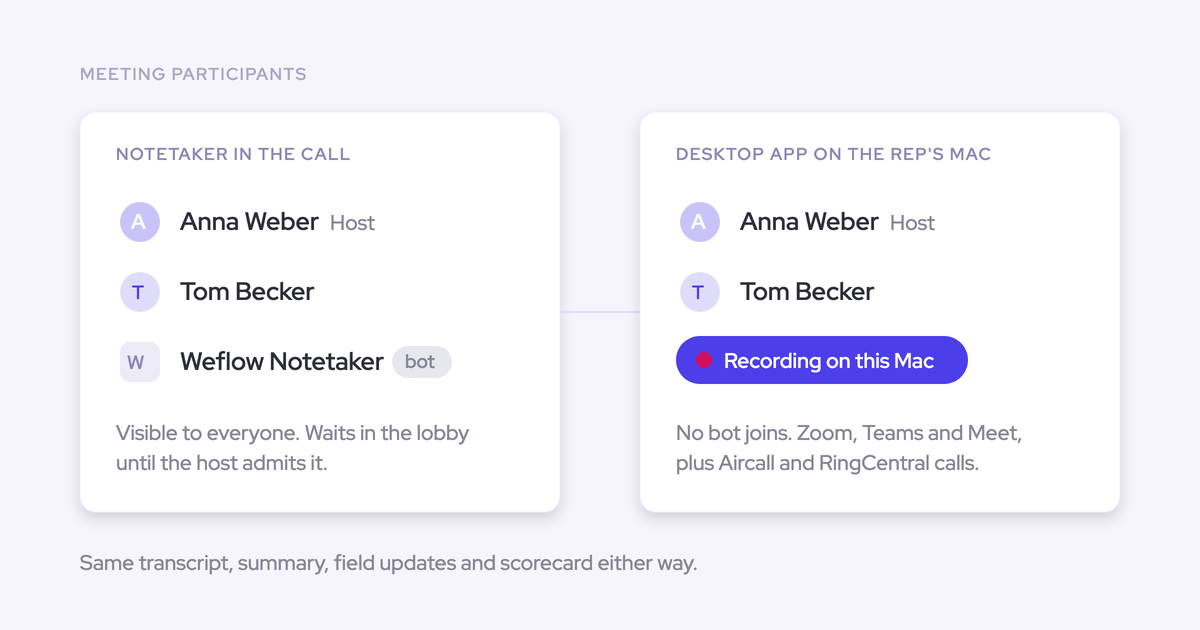
- The notetaker joins as a participant, so someone has to admit it. If a customer booked the meeting and didn't join first, the notetaker waits in the lobby and leaves after about ten minutes.
- To recover mid-call, the rep clicks the start-recording control on the Weflow calendar page. That sends the notetaker back in, and the rep asks the customer to admit it.
- If the rep records with the Weflow desktop app instead, nothing joins the call, so there's no lobby to get stuck in.
Scoring follows the same external rule. Only meetings with external participants get a scorecard.
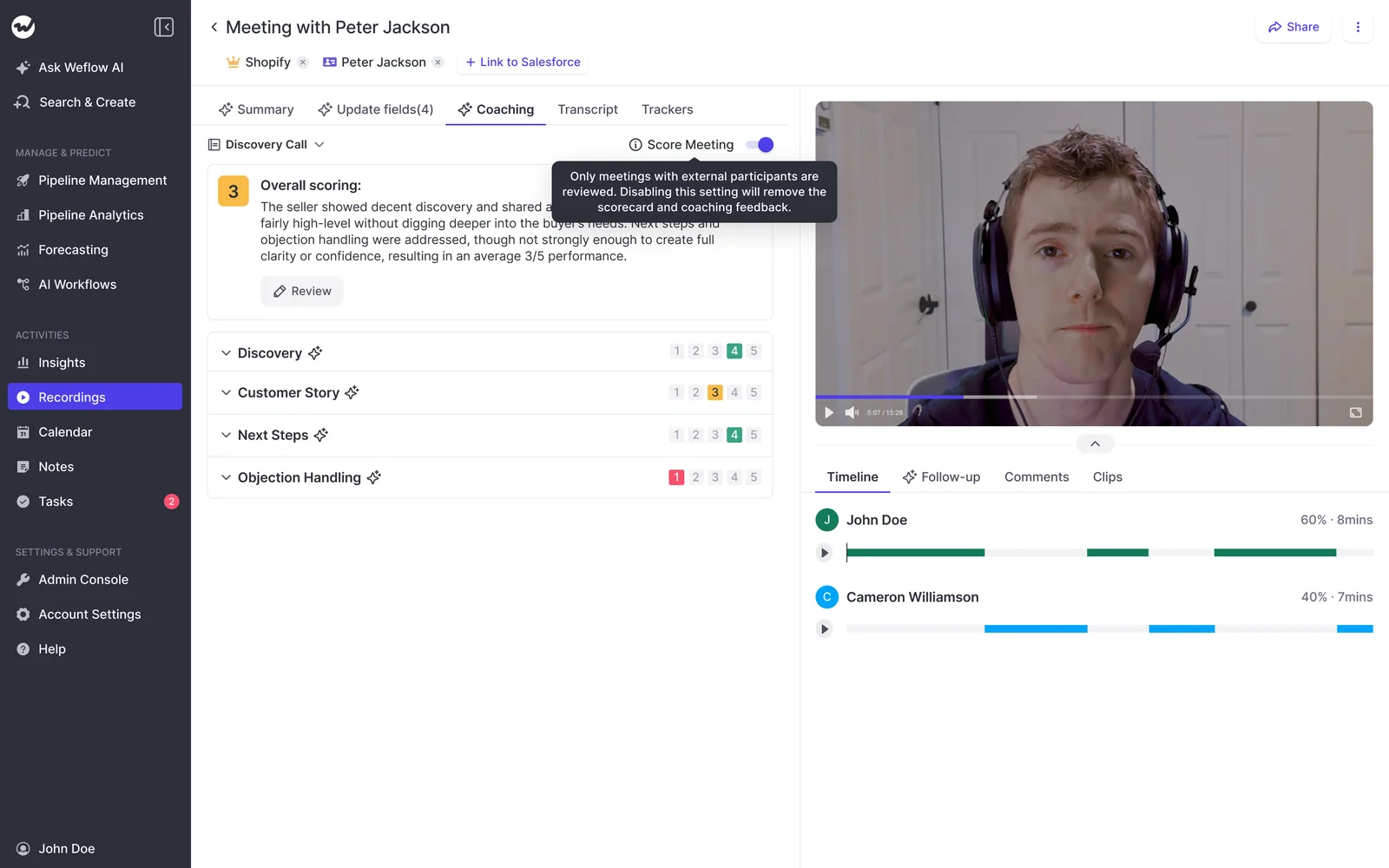
☐ The new rep knows how to send the notetaker back into a call from the Weflow calendar.
Name who in Sales Ops or RevOps owns the setup
Meeting types, scorecard templates and Playbook prompts are admin configuration. Someone has to own them after launch. Without an owner, prompts go stale, the output drifts and people stop trusting the score.
Most of this belongs with Sales Ops or RevOps. Your part is the judgment calls.
| Task | Who does it |
|---|---|
| Assign the Conversation Intelligence seat | Sales Ops or RevOps |
| Make sure the rep signs in and knows the notetaker recovery | You |
| Manage meeting types in the Admin Console | Sales Ops or RevOps |
| Build the scorecard and neutral rule | Sales Ops or RevOps, with your definitions |
| Write house-framework prompts, including what doesn't count | You define, Sales Ops or RevOps encodes |
| Assign the AI Playbook to the rep's team | Sales Ops or RevOps |
| Set up the weekly email summary | You, in Agent Builder |
| Agree recording consent rules for desktop recordings | Legal, with Sales Ops or RevOps |
☐ One named person in Sales Ops or RevOps owns meeting types, scorecards and Playbook prompts.
Before day one: set up scoring for discovery calls
The scores are only fair to a new rep if three things are true:
- Discovery calls get a discovery rubric.
- Elements that weren't relevant yet score neutral.
- The criteria are your own.
Step 1: Tag discovery and new-business meetings as their own types
Owner: Sales Ops or RevOps.
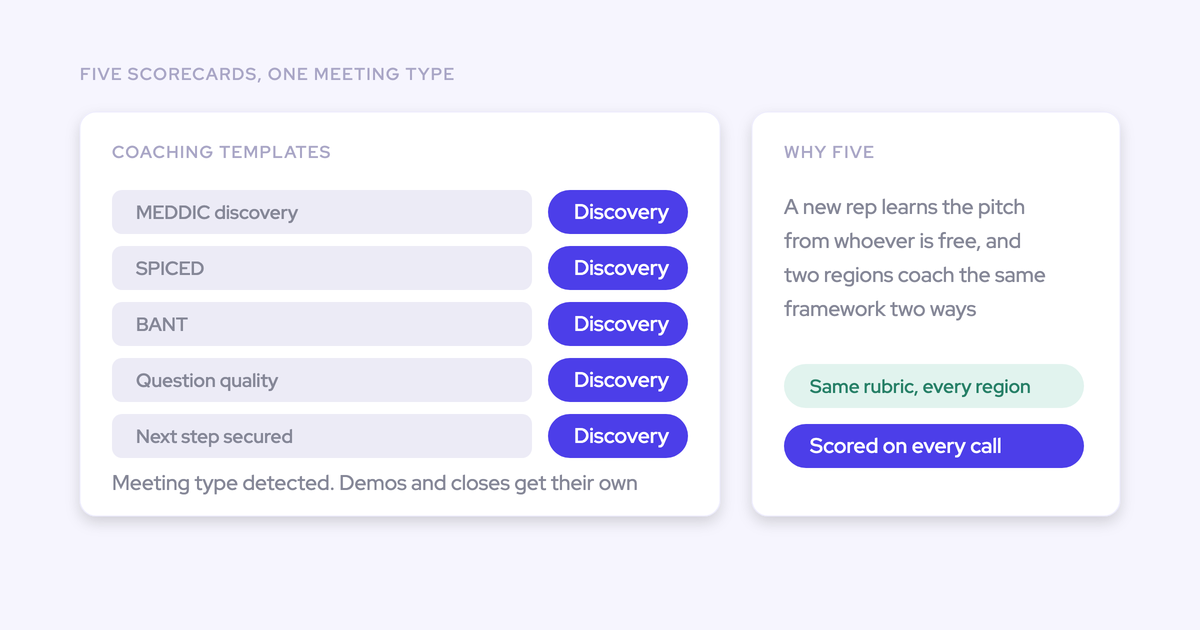
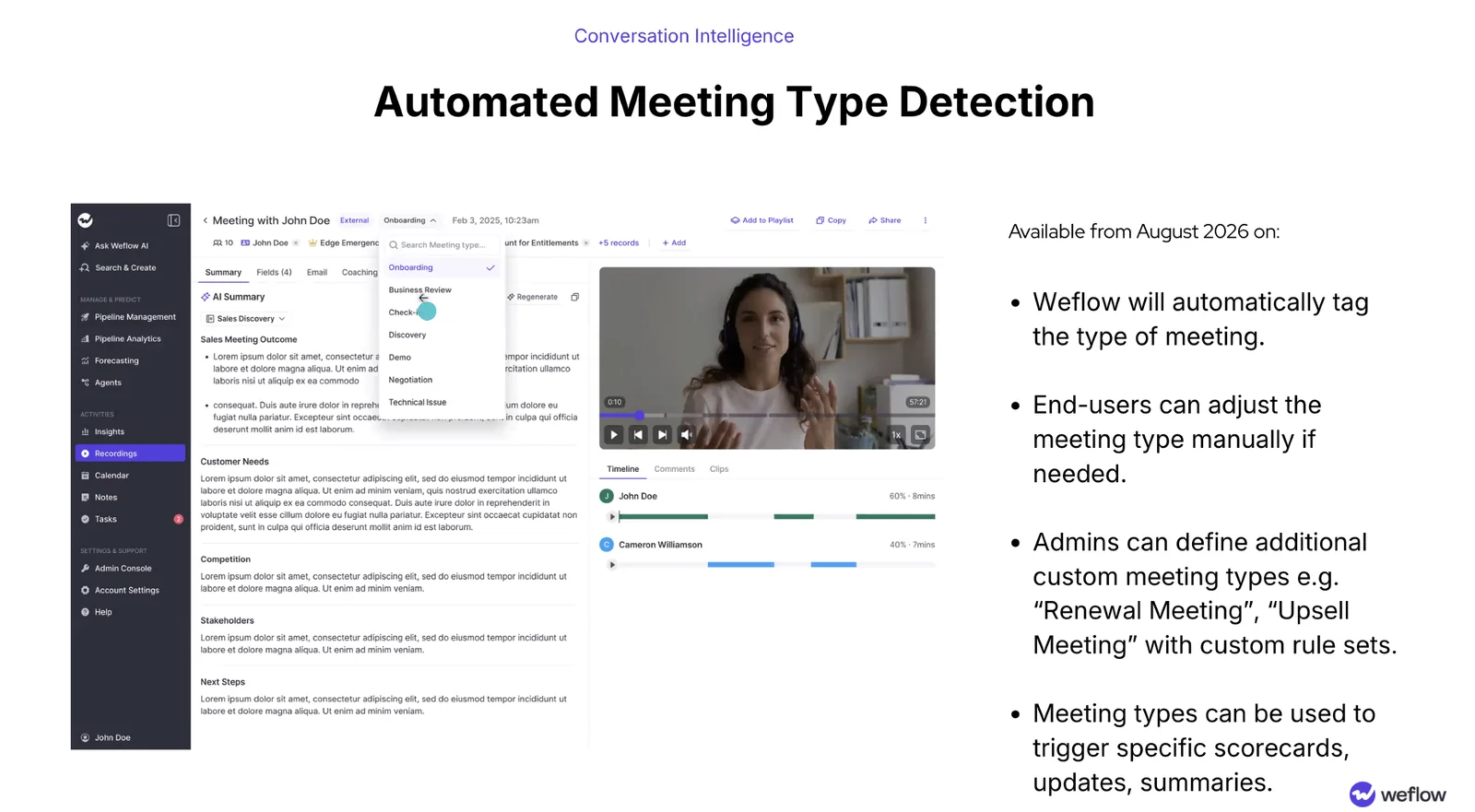
The meeting type decides which scorecard runs on a call. Weflow tags each recording automatically from your active types, so a discovery call gets the discovery rubric and won't be graded on late-stage elements.
- Open the Admin Console and go to Conversation Intelligence, then Meeting types.
- Remove the default types your team doesn't run, such as technical issue or business review. You can run up to ten active types.
- Add a new-business meeting as a custom type with its own rule set, if your team holds one and it isn't already listed.
- Link the discovery type and the new-business type to their own scorecards.
When the AI labels a call wrong, the rep fixes it from the meeting-type picker on the recording.
Step 2: Score each MEDDIC element separately, with a neutral rule
Owner: Sales Ops or RevOps, with you.
Give each element its own score and reason. Then add an explicit rule that an element not discussed on the call scores neutral, not low.
Without that rule, you get the complaint we hear from managers who used per-call scoring elsewhere:
"Right now it scores us on an individual call. So if we talk about metrics on the first call and get a four, then on the second call, because it's already been decided, we score a one because we didn't discuss it again."
Here's how a new rep's first discovery call reads under each setup:
| Element | Without a neutral rule | With a neutral rule |
|---|---|---|
| Identify pain | Scored on what the rep uncovered | Scored on what the rep uncovered |
| Metrics | Scored, often low if only hinted at | Scored on whether the rep started quantifying |
| Economic buyer | Low, because it didn't come up | Neutral, with a reason saying it wasn't discussed |
| Decision process | Low, pulls the average down | Neutral |
| Paper process | Low, pulls the average down | Neutral |
| Overall read | A weak call by a rep who didn't do anything wrong | A read on the skills discovery is meant to test |
The template settings that make this work:
- One block per element, each rated 1 to 5 with a written reason.
- A neutral rule in every element's prompt, for example: "If this element wasn't discussed on the call, score it neutral and say so in the reason."
- The same 1 to 5 scale stated in every prompt that reports a score, including the email agent in Step 8.
- The template assigned to the new rep's team. Coaching templates are assigned per team.
Step 3: Write your house framework into the scorecard and Playbook prompts
Owner: You define it, Sales Ops or RevOps encodes it.
Your managers decide whether a deal should have been opened by checking it against your house framework. Textbook MEDDIC isn't what they use. A rough mapping onto a standard model gives you scores people argue with.
Weflow ships about thirty methodology templates, and you can write your own prompt for each element. A proprietary framework is encoded the same way as MEDDIC. Start from the closest shipped template and rewrite it.
Each element's prompt should carry:
- The definition your team uses, in your words.
- What counts as evidence the element is established.
- What doesn't count, even when it looks plausible.
The third line does the most work. Without it, a prompt fills the field with something plausible and wrong. Here's how one sales leader put it on a call with us:
"If the metrics comes back and says they have 50,000 staff, that is a metric, but it's not relevant to what we're looking at in our sales process."
A metrics prompt that prevents this reads something like: "Metrics is the quantified business outcome the customer expects, such as hours saved or revenue protected. Company size, headcount and the customer's general KPIs don't count unless the customer tied them to the outcome." Champion needs the same treatment. Tell the prompt to exclude your own employees, or it will name them.
Writing these exclusions down is often the first time your framework gets fully defined. Until now it lived in your best managers' heads.
Step 4: Assign the AI Playbook to the new rep's team
Owner: Sales Ops or RevOps.
AI Playbooks score the deals the new rep opens. Playbooks are assigned per team and cover opportunities created or changed after setup. That works in your favor here, because every deal a new rep opens is new.
- Choose the Playbook template that matches the framework you encoded in Step 3.
- Assign it to the new rep's team.
- Finish this before the rep creates their first opportunity.
On those new opportunities, Weflow re-evaluates the Playbook when new activity lands on the record, and otherwise every three hours. Deals that existed before setup stay empty until someone regenerates them.
Weeks one to four: read the rep's calls and deals
Do the same three things each week, in this order:
- Confirm the calls are there.
- Read skill from call scorecards.
- Read qualification from Playbook scores.
Then have the summary sent to you so you don't have to go looking for it.
Step 5: Check the rep's recording coverage before trusting any score
Compare the rep's recorded meetings against their calendar before you read a single score. A low share points to a setup problem you can fix. It doesn't tell you anything about the rep.
For a benchmark, Weflow Conversation Intelligence customers typically record 50 to 70 percent of their meetings. A new rep well below that usually has one of these gaps:
- The rep never signed in, so nothing recorded.
- The meeting had no external attendee, so the notetaker didn't try to join.
- The notetaker sat in the lobby and nobody admitted it.
- The meeting ran under 60 seconds.
- The call ran on a phone line without the desktop app or the Outreach dialer connection.
- The rep was on the call with a senior AE. Weflow doesn't score individual sellers when several reps share a meeting, so shadowed calls won't give the new rep a score.
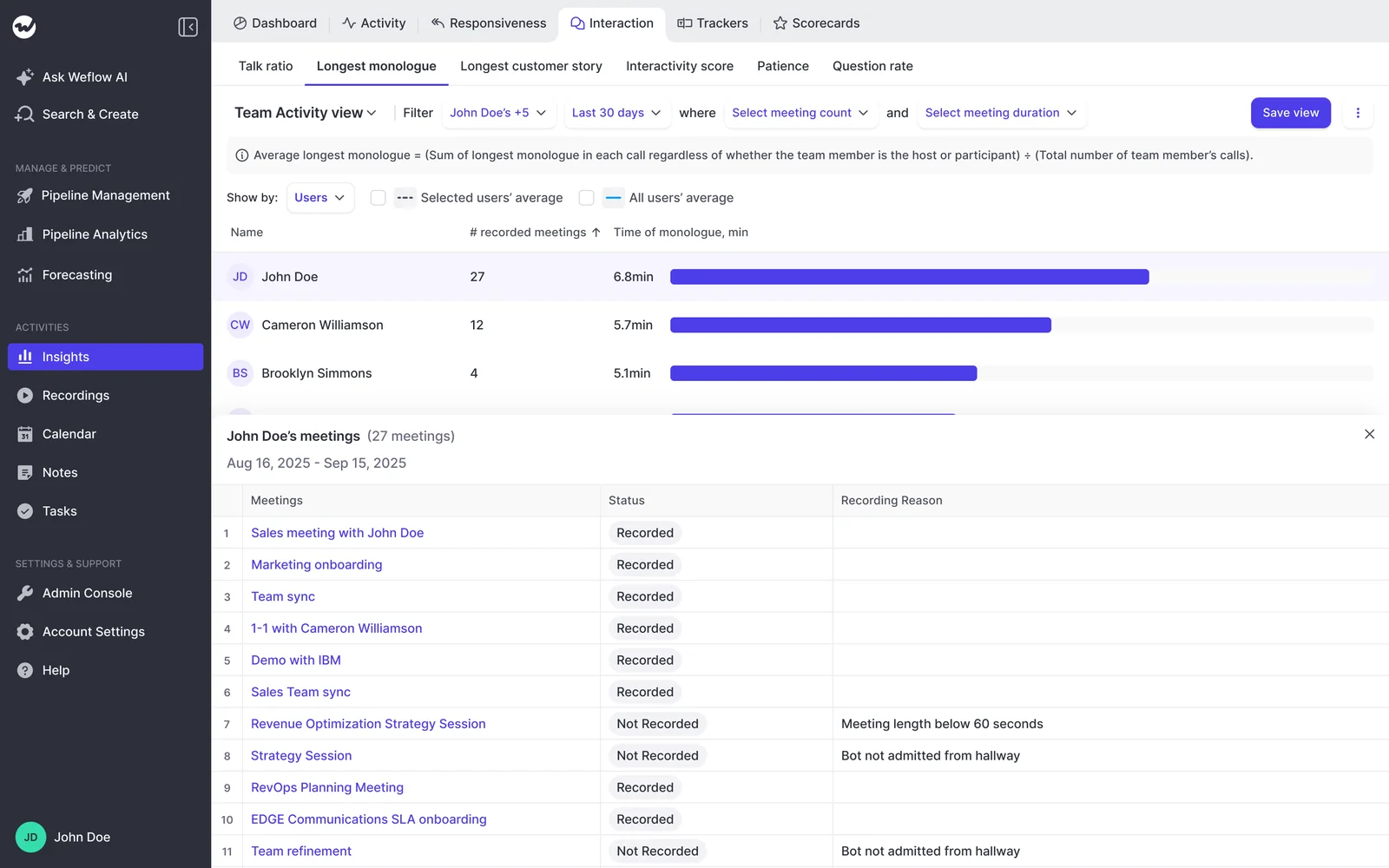
In Insights, the drill-down meeting list for each rep shows a recording reason, such as a meeting below 60 seconds or a bot not admitted from the hallway. Weflow reports lobby problems separately from opt-outs, so you can tell a fixable gap from a customer's choice.
Step 6: Read call scorecards for how the rep runs discovery
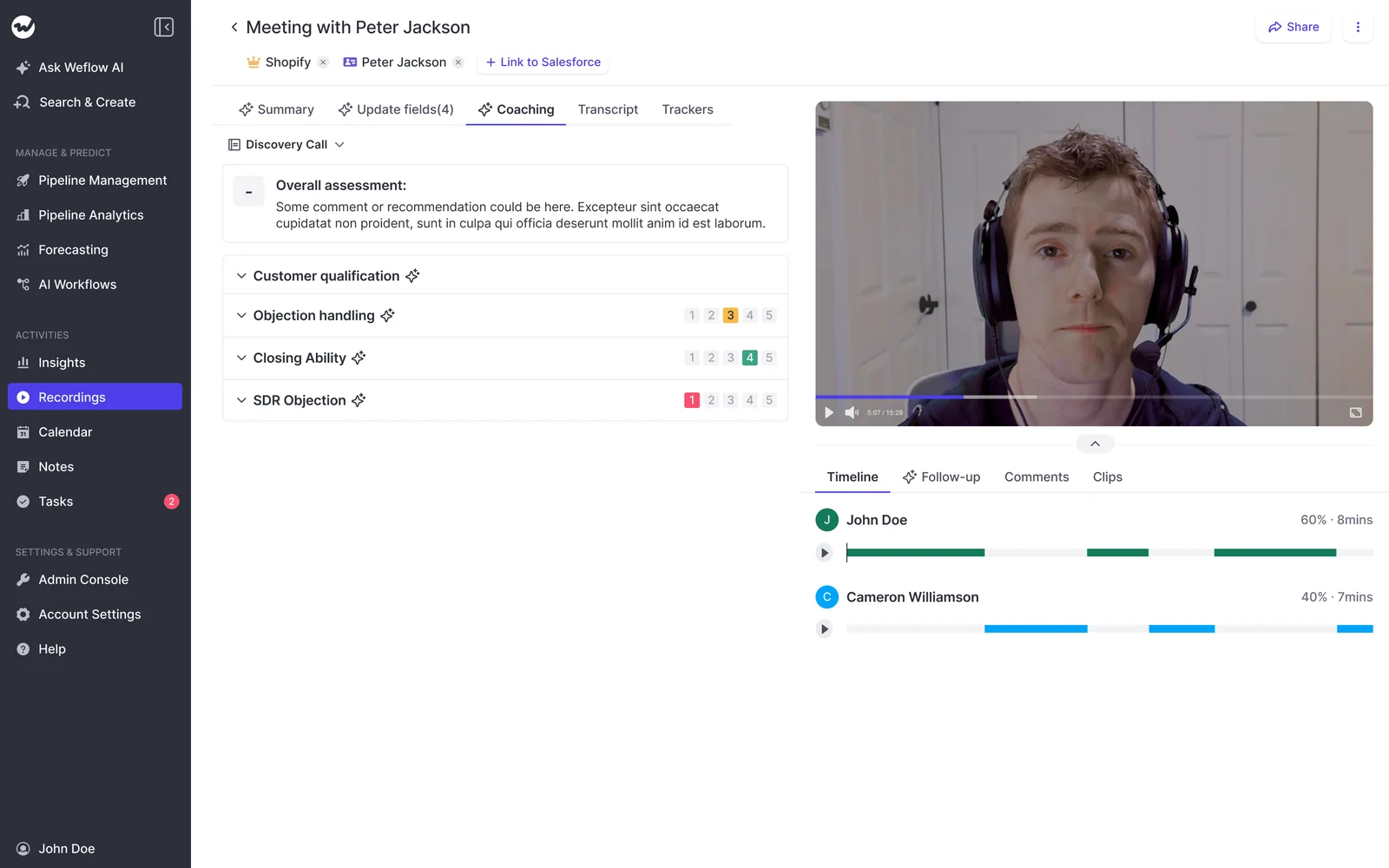
Look for patterns across discovery and new-business calls. A single low call tells you very little.
- An element that scores low on most discovery calls is a skill gap. One low call is noise.
- Neutral scores on late-stage elements in discovery are expected, so don't coach on them.
- In the new-business meeting, check whether the rep plays the customer's pain back before pitching.
- When an element is weak, open the specific calls behind it and listen to that part. Chapters let you jump straight to it.
- If the AI misread a call, override the score so the trend stays honest.
A useful pattern in week three: pain scores climbing while metrics stays flat. That rep is finding the problem but not quantifying it, and that's one coaching point you can name.
Step 7: Read AI Playbook scores for whether the rep's deals qualify
Here you're asking whether this deal should have been opened at all. The AI Playbook answers that from the deal's evidence across calls, emails, meetings and CRM fields. It doesn't rely on what the rep says about the deal.
The Playbook also checks text a person typed. If a new rep pads a MEDDIC field to get past a validation rule, that element shows as not assessed instead of complete. Methodology fields also accumulate rather than overwrite, so qualification from an early call isn't wiped out by the latest one.
| Playbook state | What it means on a new rep's deal |
|---|---|
| Fully established | The evidence supports the element. You don't need to coach here. |
| Partially established | Something is there, and the note says what's missing. This is your coaching point. |
| Never discussed | Nothing on the record supports it. On a deal past discovery, ask why it was opened. |
| Not assessed | The field holds filler that doesn't count as evidence. Talk about it before it becomes a habit. |
Email matters more than most managers expect. Champion and decision maker often surface only in email threads. A RevOps lead testing Weflow told us:
"On one of our test opportunities, the champion was never talked about on the call, and the decision maker was never talked about on the call either. All of this came through email."
A Playbook that only read calls would mark those elements missing on a deal where the rep had done the work.
Step 8: Have Weflow email you the week's scores before the one-on-one
Most managers won't open a tool to review a rep's calls one at a time. One sales leader said it plainly:
"I don't think anybody will go into the tool to review call by call. Getting a summary sent out by email might be the best way to get into these."
You can build that summary in Agent Builder.
- Create an agent in Agent Builder for the new rep.
- Point it at the rep's scored calls and Playbook results from the past week.
- Ask it for the pattern per element, the two weakest elements, and the specific calls or deals behind each.
- State the scale in the prompt: "Report every score on the same 1 to 5 scale the scorecard uses."
- Have it email the summary to you ahead of the one-on-one.
Stating the scale matters. Without it, the email can report on a different scale from the app, such as 1 to 10 in the email against 1 to 5 in Weflow.
Agent Builder Free includes 25 agent actions a month, so keep this agent focused on your new reps.
Day 30: take the skill gap into the one-on-one
At day 30, compare the rep to your best performers to find the specific gap. Then let the rep assess themselves before you show them the evidence.
Step 9: Open Rep 360 and line the new rep up against your best
Rep 360 brings the new rep's conversation and coaching data into one view. In Insights, the Scorecards By User view puts the new rep beside your top performers on the same scorecard. It shows score development over the last 30 days and the last ten scored meetings.
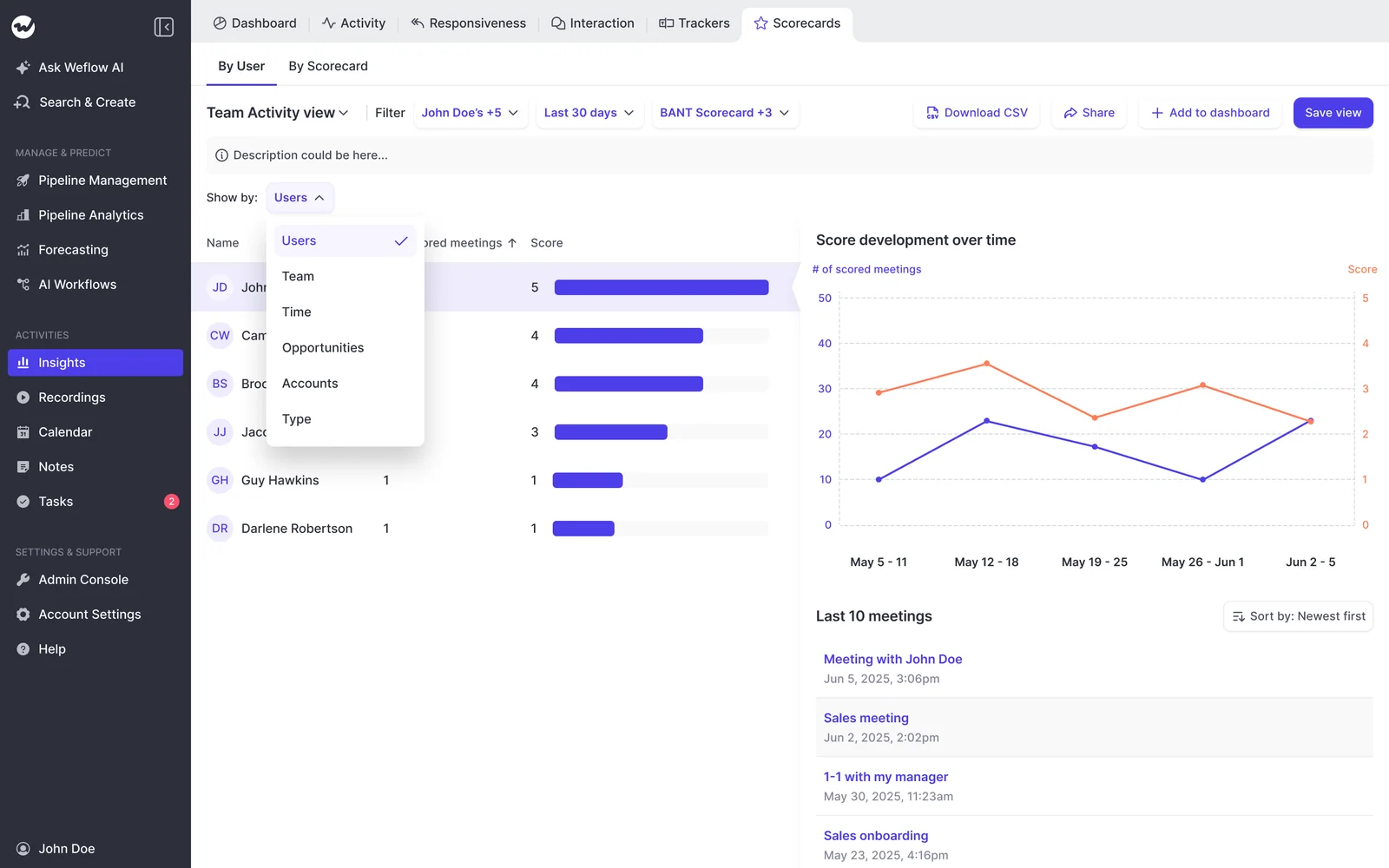
Say the comparison shows a common new-hire pattern:
| Element | New rep | Top performers | Coaching focus |
|---|---|---|---|
| Identify pain | In line | Consistently strong | None this month |
| Metrics | In line | Consistently strong | None this month |
| Economic buyer | In line | Consistently strong | None this month |
| Decision process | Trailing on most new-business meetings | Mapped by the second meeting | Asking how the decision gets made |
| Champion | Trailing, mostly "never discussed" | Named and tested early | Testing whether the contact will sell internally |
The comparison also gives every manager the same picture of the rep. Today, ramp depends heavily on which manager the rep was assigned. Julien Cerutti described how that happens:
"Someone can look at one document and the other person can look at the same document and interpret that differently ... every manager looks at it differently, they coach differently, and then the outcomes become different."
With one shared scorecard, this new hire can be compared to the last one, whoever managed them.
Step 10: Have the rep score their own deals before you show yours
Automation fills in the fields, and if you stop there the rep stops thinking about their deals. Asking the rep for their own read first keeps the coaching conversation in the one-on-one.
- Pick two or three deals the rep opened in the last 30 days.
- Ask the rep to rate each element themselves and say what evidence they have.
- Show the Playbook status for the same elements.
- Talk about the elements where the two ratings differ most.
- Agree one element to work on in the next 30 days, and check it in the next weekly email.
Cerutti built a deal inspection bot to have exactly this conversation:
"A rep can say, hey, my champion's a three. I got this, this, and this, and it'll say, your champion isn't a three. You don't have these things. So it's actually pressure testing."
Coach on the difference between what the rep believes about the deal and what the evidence shows.
Readings of a new rep's scores that will mislead you
Three readings of a new rep's numbers will send you in the wrong direction.
- Treating the AI forecast projection as a ramp signal. Weflow's AI projection doesn't adjust for ramping reps. It scores deals partly on the owner's conversion history, and a new rep has almost none, so their line can run high or low. Use Playbook scores for the rep and the team range for the forecast.
- Treating day 30 as a verdict. Four weeks shows you where to coach. Whether the rep ramps shows up in the trend over months, and in whether they're building their own pipeline.
- Expecting inherited deals to be scored. If the new rep took over opportunities created before the Playbook was set up, those deals stay blank until someone regenerates them. Regenerate the inherited deals before you read them, or leave them out of the day-30 read.
If you want to see the coaching scorecards, AI Playbooks and Rep 360 before you set this up, walk through the product yourself, no call required.
Questions managers ask about scoring new reps in Weflow
How many scored calls does a new rep need in 30 days?
We don't set a fixed number. At 30 days, look for repeated patterns across the rep's discovery and new-business calls, and check coverage first so the pattern isn't built on a handful of recordings. The rep-level trend keeps building for months, and it gets more reliable as it does.
Can a new rep see their own scores and ask what to improve?
Yes. Each scorecard goes to the rep after the call, so they get feedback without waiting for you. With Ask Weflow AI, one question can cover many recordings at once. A rep can add their last ten discovery calls and ask: "What are the things I need to improve on most regarding MEDDPICC?"
Does Weflow score phone calls from Aircall, RingCentral or Outreach?
Yes, through two routes:
- Desktop app: records any softphone whose audio runs through the computer, such as Aircall or RingCentral. The rep starts the recording themselves.
- Outreach dialer: Weflow pulls those calls in as outbound recordings with audio, a transcript and coaching, but no video.
Calls from either route get the same scorecards as recorded meetings.
Who handles recording consent when the rep uses the Weflow desktop app?
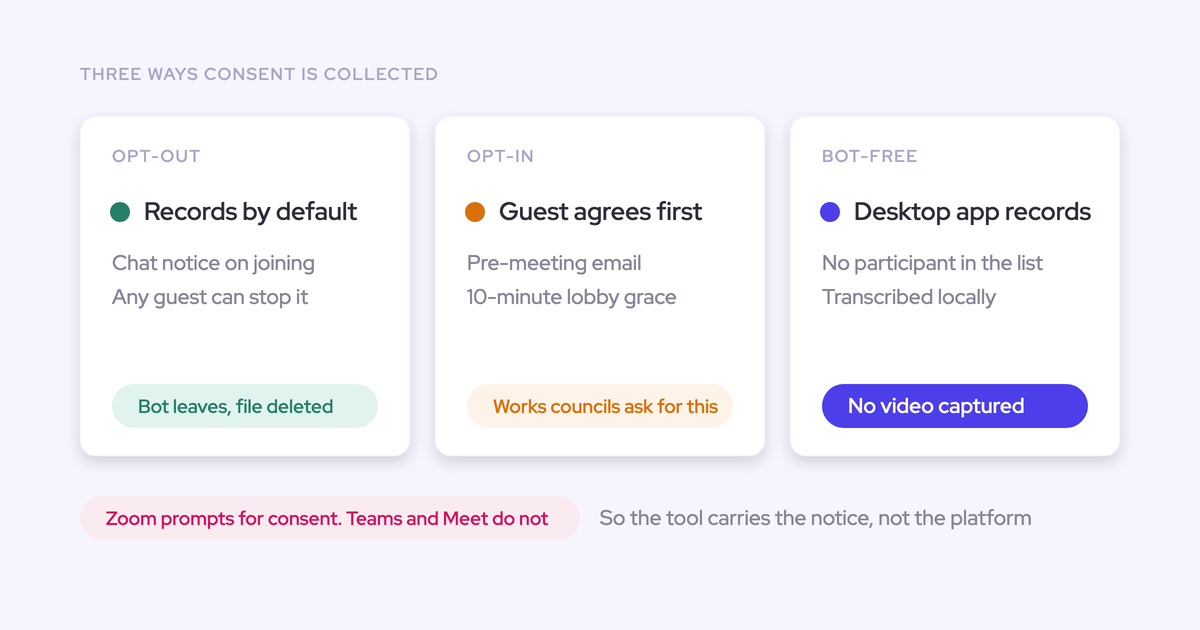
The rep does. On notetaker recordings, Weflow runs the consent flow: opt-in or opt-out, a notice in the meeting chat with a link to stop recording, and an optional pre-meeting email. None of that runs on desktop recordings, because nothing joins the meeting. Our guidance is to agree the consent requirements for your participants' countries with your legal team before the new rep starts.
Does Weflow coach the new rep live during the call?
No. Everything in Weflow Conversation Intelligence arrives after the call, including the summary, field updates and coaching score. Jiminny and Cirrus Insight both ship live in-call coaching, and a nervous new rep may want that prompt in the moment. Weflow gives you every call scored afterwards and the trend those scores build, which is what you need to judge ramp.
Should I run new-rep scoring as a time-boxed coaching program?
Yes, and Chorus does the program shape well. Chorus launches a scorecard as a dated initiative for named teams, tracks a running average and a leaderboard, and closes it when it's served its purpose. ZoomInfo recommends two to three weeks per initiative and fewer than ten questions per scorecard.
In Weflow, scoring is always on, so you add the program structure yourself:
- Pick two or three focus elements for the new rep's first 30 days.
- Write them into the weekly email agent.
- Read progress in the Scorecards By User view, filtered to the last 30 days.
- Close the focus at day 30 and pick the next one.
What does a Weflow Conversation Intelligence seat cost for a new hire?
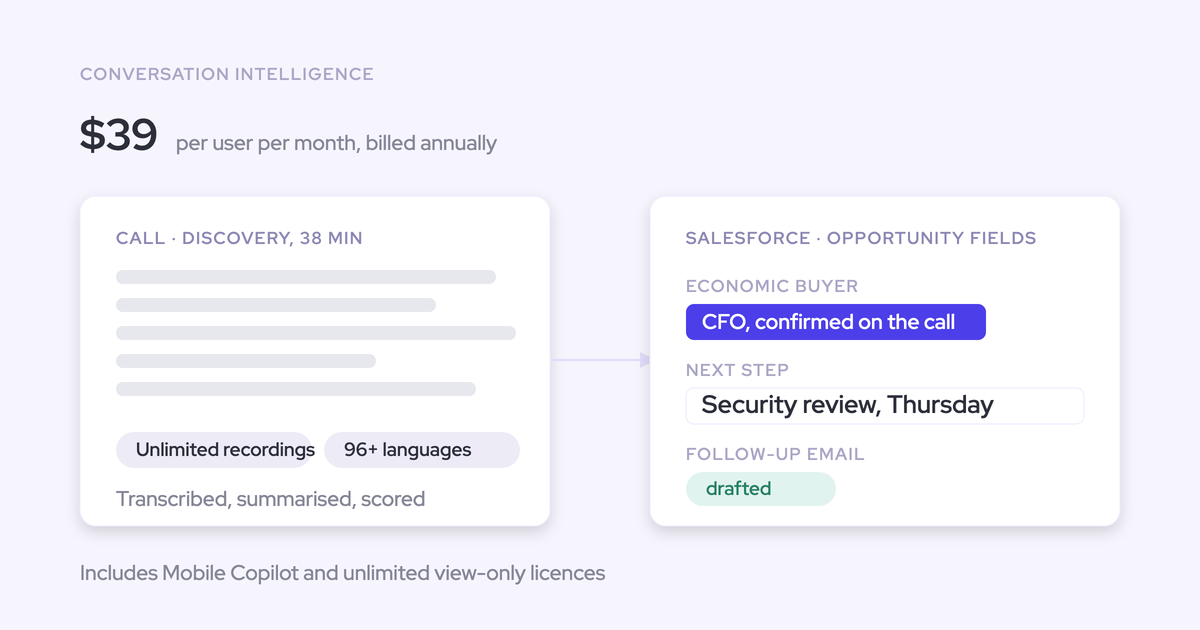
Weflow Conversation Intelligence is $39 per user per month, billed annually, with a 10-user minimum. The seat includes:
- The desktop app.
- Mobile Copilot.
- Ask Weflow AI Pro.
- Agent Builder Free with 25 agent actions a month.
If your team runs a bundle, the seat is the bundle price: Revenue AI Foundation at $49, Revenue AI Business at $59 or Revenue AI Enterprise at $79. Viewer seats for leaders who only read dashboards are free. You can reallocate seats between full and viewer types each quarter as your team changes.