How Weflow Tags Meeting Types Automatically, and What That Lets You Trigger
Learn how Weflow auto-tags meeting types to trigger scorecards, summaries, and Salesforce updates



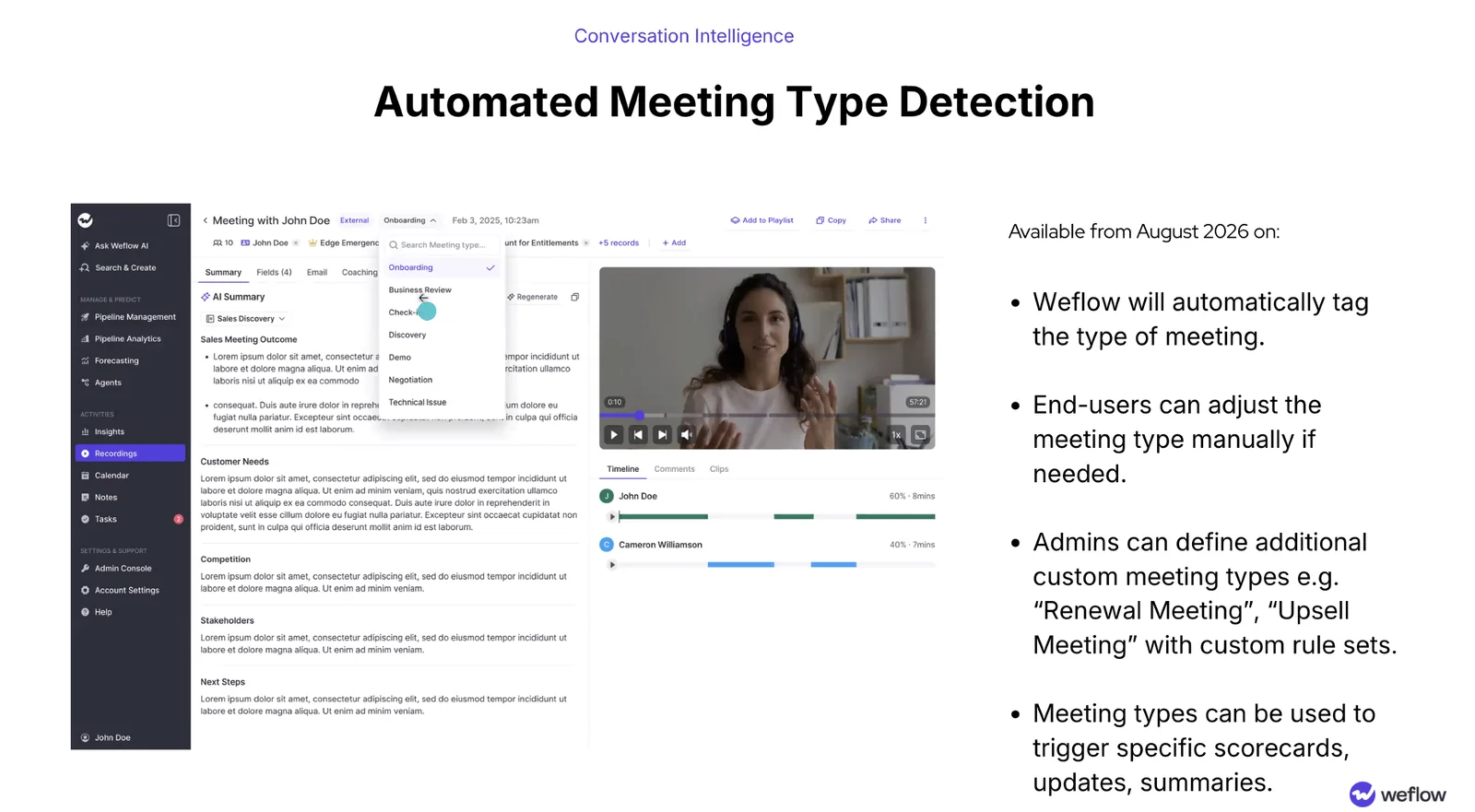
Weflow now tags every recorded meeting with its type, automatically. Discovery, demo, negotiation, onboarding, business review, check-in, technical issue, plus any type your admin adds. No rep clicks anything.
That tag is the piece that was missing. Once the system knows what kind of call it's looking at, everything downstream can match the conversation: the scorecard it runs, the Salesforce fields it writes, the summary it produces. A renewal stops being scored on the discovery rubric, and your renewal team gets a reason to read its coaching output again.
Weflow is the Revenue AI Orchestration platform for sales, customer success, and RevOps teams. Meeting type detection ships inside Weflow Conversation Intelligence and AI Field Updates, and it changes what the rest of the product is allowed to assume about a call.
Weflow now tags every recorded meeting with its type
Weflow tags each recorded meeting with its type automatically, and the tag sits on the recording next to the internal or external marker. The default set covers:
- Onboarding
- Business review
- Check-in
- Discovery
- Demo
- Negotiation
- Technical issue
Two things sit around that list. Admins can define additional types with their own rule sets, so renewal and upsell become first-class types rather than a workaround. And when the AI reads a call wrong, an end user corrects it from a picker.
The tag itself is plumbing. What it fires is the point.
Why renewal calls kept getting scored like discovery calls
First-generation conversation intelligence runs one prompt library and one scorecard across the whole team, because it has no idea what kind of call it's looking at. It only has the one rubric, so it runs the one rubric.
Teams that split hunters from farmers inherited that mismatch on day one. The config was built for the new-business motion and pointed at every motion.
The gap is invisible at rollout. It shows up weeks later, when the renewal team quietly stops opening its scorecards and summaries, while every one of those seats still gets billed. By then it reads as "the tool doesn't work." The tool was told the wrong thing.
What a meeting type can trigger in Weflow
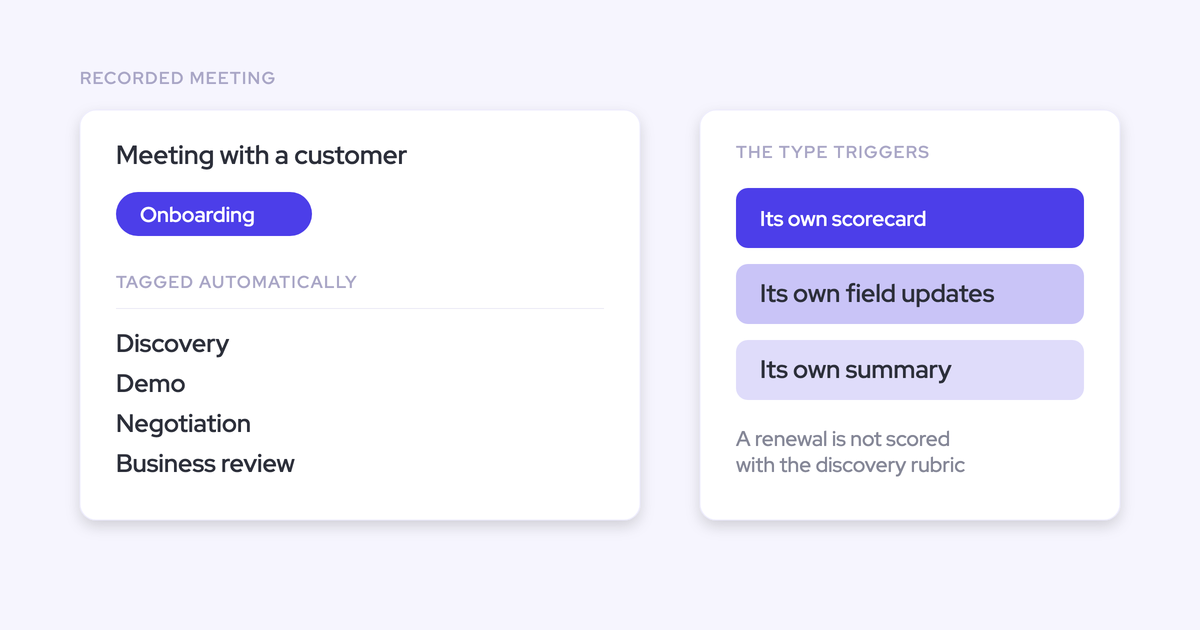
In Weflow, a meeting type can trigger its own scorecard, its own set of AI field updates, and its own summary. So what the system produces from a call is conditional on the kind of conversation it was, decided before a human looks at it.
| Meeting type | Scorecard that runs | What gets written and summarized |
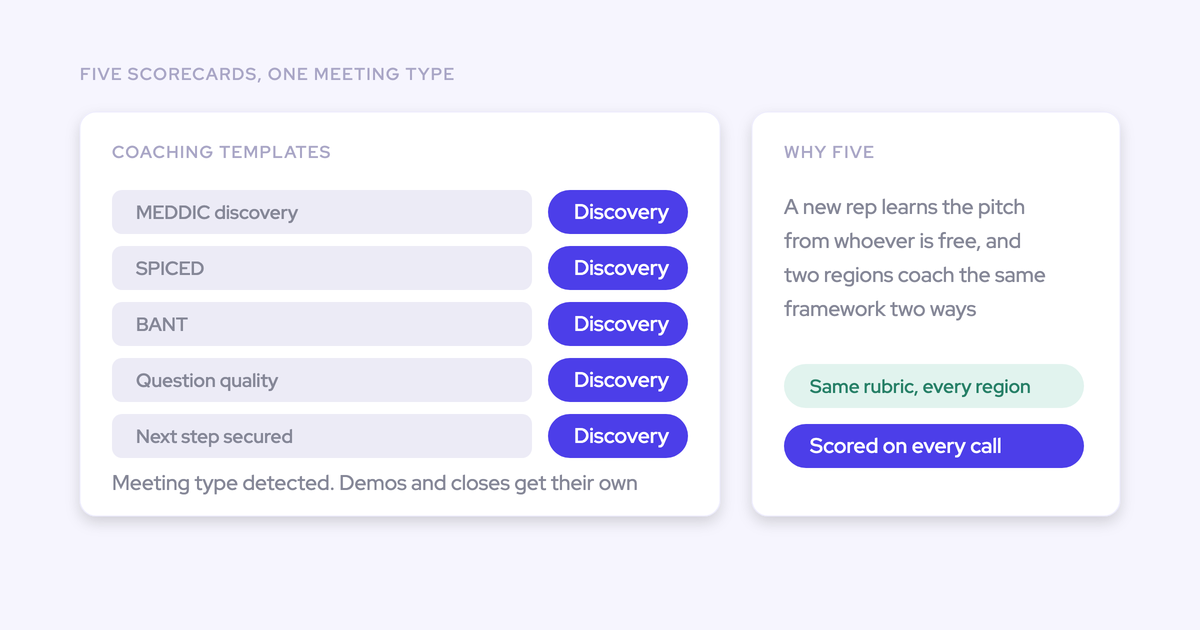
| Discovery | Your qualification rubric (MEDDIC, MEDDPICC, SPICED, BANT, whichever you run) | Qualification fields, pain, stakeholders, next steps |
| Demo | Demo and objection-handling criteria | Competitors mentioned as a multi-select, technical blockers, next steps |
| Negotiation | Commercial and closing criteria | Projected amount impact, stage validity, close-date signals |
| Renewal (custom type) | Renewal criteria you define, not discovery questions | Account sentiment, risk picklist, renewal date, expansion signals |
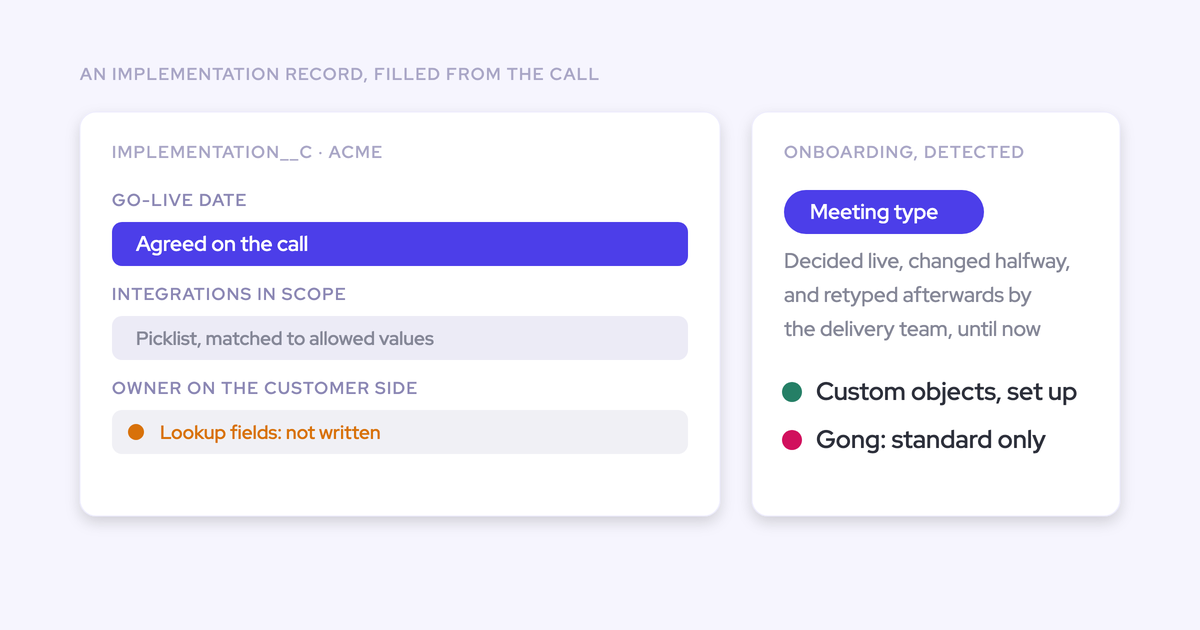
| Onboarding | Onboarding milestones, run by the post-sale team | Post-sale qualification fields on the object that team owns |
Per-type coaching scorecards: coach each motion on its own criteria
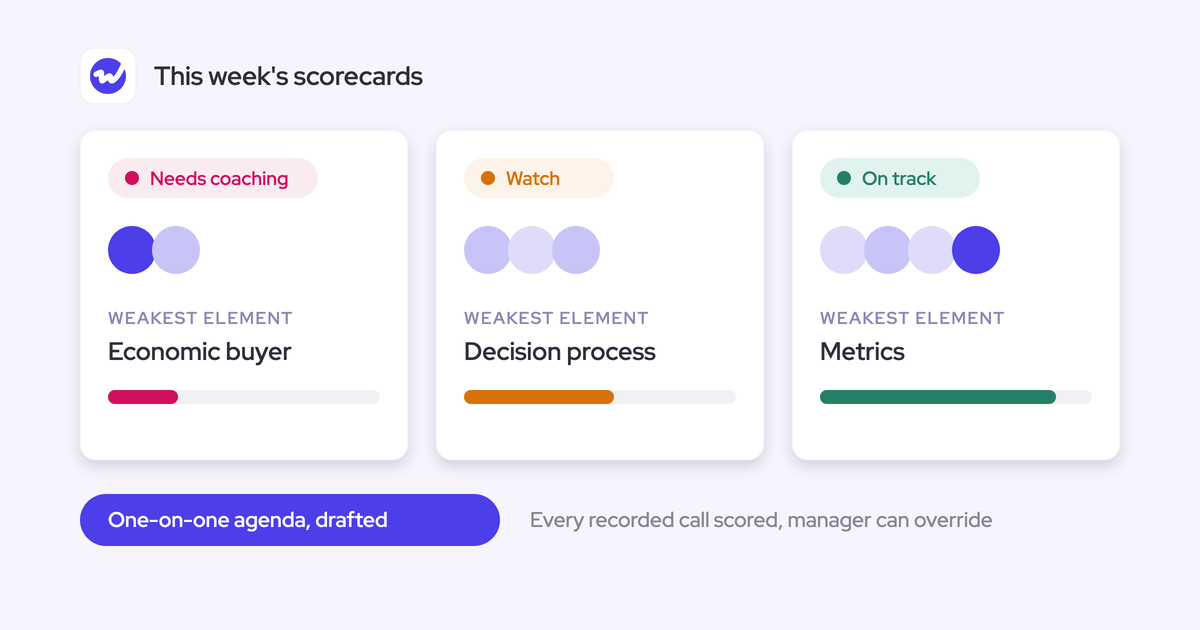
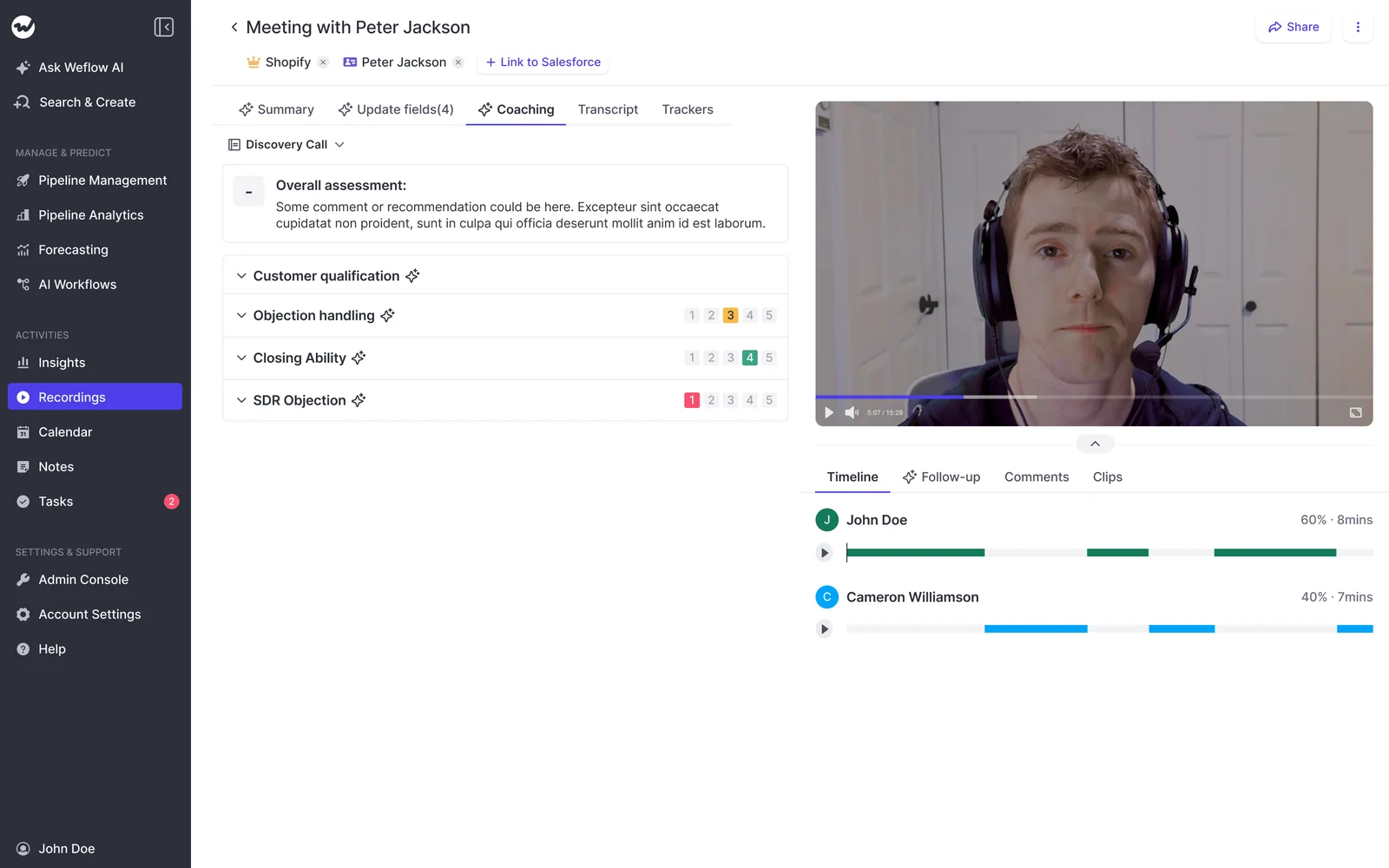
This is the payoff. A renewal call gets scored on renewal criteria and a discovery call on discovery criteria, so the score in front of a manager is a score of the conversation that actually happened.
Compare the two states honestly.
- Before: a renewal rep runs a solid expansion conversation and comes back with a two out of five on "identified the economic buyer" and a flag for not establishing budget. They were talking to a customer they've had for three years. They stop reading.
- After: the same call runs the renewal rubric. Did they surface adoption risk? Did they name the expansion trigger? Did they get the renewal decision path? Those are questions a renewal manager can coach against on Monday.
Weflow scores methodology at three levels: a single call, a whole opportunity, and a rep across every deal they've worked over months. The rep level is what turns coaching from anecdote into a trend, and it only means something if each call was judged against the right rubric in the first place.
Field updates and summaries matched to the call type
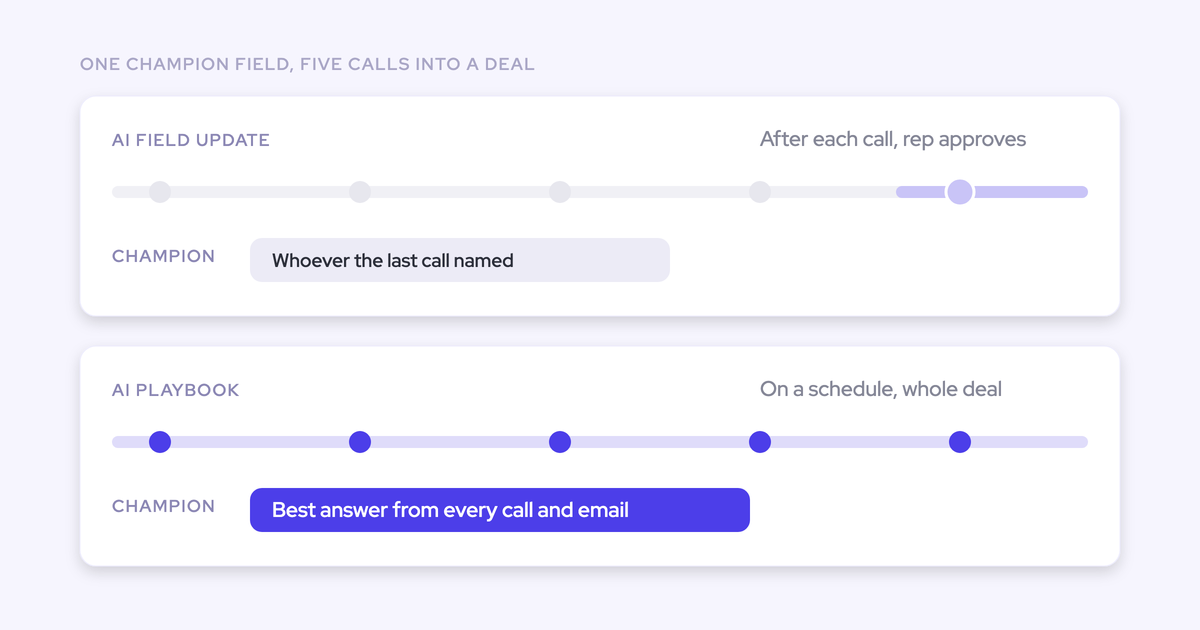
The irrelevant summary problem goes away for the same reason the scorecard problem does. The type decides which summary template and which AI Field Updates template runs, so a check-in doesn't come back asking about decision criteria that were settled two years ago.
Then it lands in Salesforce. Weflow's AI Field Updates write to real fields, not only a text blob:
- Picklists, so qualification strength can be a zero-to-three value you group and chart
- Multi-selects, so competitors named on the call become a reportable column
- Date and number fields, for renewal dates, projected amount impact, timelines
- Custom objects as well as standard ones, so a post-sale team writes where its process lives
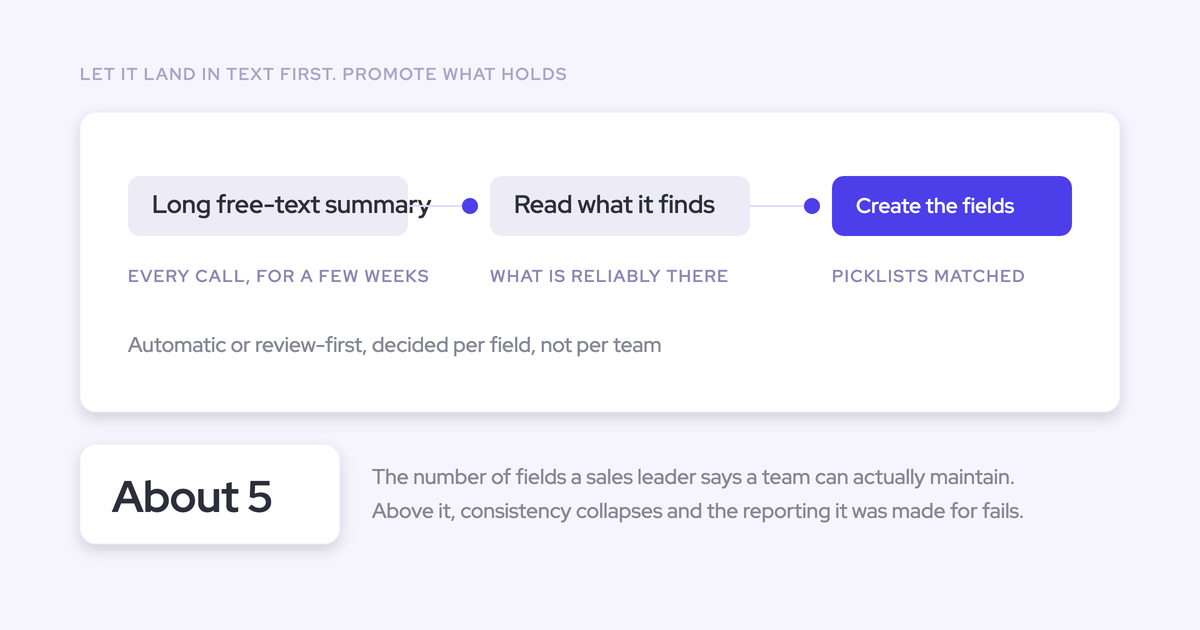
A narrative dropped into a long text field can't be grouped or charted. A value selected from a picklist can. That's the difference between a summary tool and something your dashboards read.
One caveat worth saying out loud: field-update accuracy depends on how well the prompt behind it is written. Weflow ships more than 250 pre-built prompts covering MEDDIC, MEDDPICC, SPICED, BANT, Challenger and others, so nobody starts from a blank page, but the hour an admin spends tuning the renewal prompt is the hour that decides whether the renewal team trusts the output.
Per-team templates that write to different Salesforce objects
Weflow supports different AI summary and field-update templates per team, writing to different Salesforce objects, off the same capture layer.
Post-sale teams qualify on different criteria than sales. Reuse the sales template on an onboarding call and you get the wrong fields filled with confident nonsense.
| Team | What they run | Where it lands |
| Sales | Methodology scorecard and qualification fields | The opportunity |
| Onboarding | Onboarding milestones and blockers | The account or the custom object that team works from |
| Customer success | Health, adoption and renewal criteria | The account or a custom object |
Same recordings, three qualification structures, three destinations. That's what lets one purchase serve the whole lifecycle instead of only the new-business motion.
Add custom meeting types like renewal and upsell
Renewal isn't in the default list, and it shouldn't be. Your renewal motion isn't the generic one.
Admins define additional meeting types with their own rule sets, and those types behave exactly like the built-ins: they can fire their own scorecard, their own field updates, and their own summary. Renewal, upsell, QBR, whatever your team actually calls the meeting on the calendar.
The admin flow is short:
- Define the type and its rule set, so Weflow can recognize the conversation.
- Attach the scorecard you want that type judged against.
- Attach the field-update and summary templates, per team if the teams differ.
This is admin configuration in the Weflow console, not a services engagement and not rep work. What it needs is someone inside your company who owns it. Capture largely runs itself; conversation intelligence with per-team prompts, scorecards and field mappings does not, and without a named owner the templates go stale and people stop trusting the output. That failure reads as a product failure and it isn't one.
What happens to meetings that were never recorded
Detection is recording-based. If there's no recording, there's no meeting type. A calendar event that Weflow captured as activity, but nobody recorded, carries no type and triggers nothing.
Two places that bites.
The first is coverage. Weflow's Conversation Intelligence customers typically record 50 to 70 percent of their meetings, which means a real share of conversations sit outside the per-type scoring model. Auto-scheduling the notetaker from the calendar is the single biggest lever on that number, and recording ratio by team is what an adoption review should look at a month in.
The second is the historical backfill, and it's the one this reader hits first.
A backfill drops months of calendar events into Salesforce at once, named whatever people named them. Those meetings have no recording behind them, so they get no type, and "the first meeting on the opportunity is the discovery" is not something Weflow reconstructs for you today. Detection starts working on meetings from the point recording starts. Plan the backfill for what it's good at, which is completing the activity and contact record, and expect per-type scoring to build forward from go-live.
How to turn on meeting type detection in Weflow
Meeting type detection lives in Weflow Conversation Intelligence. If you're already recording, the types start appearing on recordings and the configuration work is about what you want each type to fire.
- Connect Salesforce and your calendar. The technical integration takes 30 to 45 minutes with a Salesforce admin and a mail admin in the room. Getting those two people on the same call is usually the slow part, not the setup.
- Review the default types and add your own, with their rule sets, for the motions your defaults don't cover.
- Attach a scorecard, a field-update template and a summary template to each type, per team where sales and post-sale differ.
- Tell your reps nothing. There's no tagging step, no confirmation prompt, no new habit. The only optional action is correcting a wrong type from the picker.
Configuring the workspace takes about an hour. What actually stretches an implementation is the decision underneath it: which methodology each motion is scored against and which fields get written. That's a change management conversation, and it's worth having before you configure rather than after.
Walk through the product yourself, no call required.
Frequently asked questions
How accurate is the detection, and how do I fix a wrong tag?
What we can tell you is the correction path: when the AI reads a call wrong, an end user overrides the type from a picker on the recording, and the correction sticks.
If one type is consistently wrong, that's a rule-set problem, not a per-call problem. An admin tightens the rule set once and it stops happening across the team.
Do reps have to tag or confirm anything?
No. Detection and everything it triggers run automatically. The override is available, never required.
That matters more than it sounds. Manager-chased tagging doesn't survive past a handful of people, and any workflow that depends on a rep remembering a step is a workflow that decays quietly for months before anyone notices.
Which meeting platforms does Weflow record and detect types on?
Zoom, Microsoft Teams and Google Meet. Weflow Conversation Intelligence is purpose-built for revenue meetings, so it isn't the tool for HR interviews or product research sessions, and it isn't a general-purpose recorder.
Do backfilled meetings without recordings get a meeting type?
No. No recording, no type. Backfilled calendar events land in Salesforce as activity with the names people gave them, and Weflow doesn't infer a type from the name or from the order of events on the opportunity.
Does this require Conversation Intelligence, and what does it cost?
Yes, recording and detection live in Weflow Conversation Intelligence, which is $39 per user per month billed annually, with a 10-user minimum. It's published on our pricing page rather than gated behind a demo call.
If you also want emails, meetings and contacts captured into Salesforce automatically, Revenue AI Foundation bundles Activity & Contact Capture with Conversation Intelligence at $49 per user per month. Recordings, transcripts and AI processing aren't metered, so per-type scoring doesn't get more expensive as your team records more.
Can I report on type-specific fields and scores in Salesforce?
The field updates, yes. Anything a type-specific template writes goes into a real Salesforce field, standard or custom, so it groups, filters, charts and reaches your BI tool like any other CRM data.
Weflow's own scores are a different matter, and this is the honest limit. Scores that live as Weflow fields stay in Weflow, and they won't appear in a Salesforce report or a board deck built in Power BI. If you need a score in that deck, have an agent write the value into a Salesforce field you create. It works, and it's a build step rather than a checkbox.