Conversation Intelligence for Sales Managers: What to Look at Every Week
Learn which Conversation Intelligence signals sales managers should review weekly, and why metrics come last.


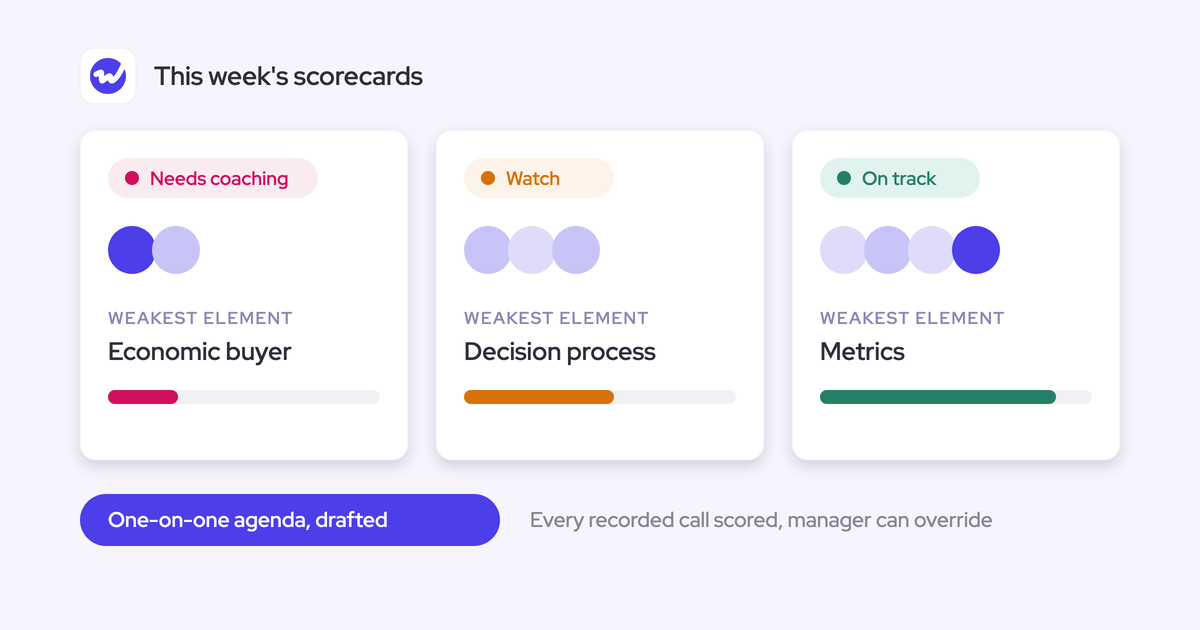

Your team records far more calls than you'll ever hear. Most frontline managers get to three to five a week, and usually after something has already gone wrong.
The fix isn't a bigger listening list. It's a short sequence of signals you read in the same order every week, and those signals pick the two or three calls worth your time:
- Coverage: can you trust the data?
- Methodology score trends per rep: where is the gap?
- Deal evidence versus the rep's view: where do they disagree?
- Tracker spikes: which objections and competitors are coming up?
- Interaction metrics: read last, as context.
The whole routine runs inside the one-on-ones and deal reviews you already hold. You don't add a meeting.
How you get those signals is the real decision. You can keep sampling calls by hand, get more out of the tool you already own, or move to a setup where every call is scored and written into Salesforce, which is what we built Weflow Conversation Intelligence & AI Field Updates to do. We'll lay out all three, then the routine, then what it looks like in Weflow.
Why listening to more calls won't fix your coaching
The math doesn't work. Ten reps on calls three or four hours a day produce 30 to 40 hours of conversation, every day, and you hear a handful of calls a week.
The first generation of conversation intelligence was built as an archive: never lose a conversation. An archive assumes someone watches it. No manager can.
So you sample, and the sample picks itself. You hear the recent call, the memorable one, the deal that blew up. Coaching turns into anecdote, and one rep gets three hours of your attention while the rest get none.
The second half of the cause sits in Salesforce. Methodology rollouts assume reps hand-fill the MEDDIC or MEDDPICC fields after every call. They don't.
"And what we typically see is that the sales methodology fields in Salesforce, they're almost always empty. So even the data capture doesn't work."
Janis Zech, Co-founder and CEO of Weflow
With empty fields, the CRM holds no record of what was discussed. You have nothing to coach against except memory.
Coaching at scale is a data problem: a conversation only becomes coachable once every call is scored and the result lands in a field you can read.
Three ways managers use call data to coach
Each of these paths is the right call for some teams. They differ in how much of your week they take and what they hand back.
Keep sampling a handful of calls by hand
What it is: You pick calls, listen, take notes, and bring what you heard into the one-on-one.
Who it suits: A small team, or a manager who joins most calls live anyway. If you have four reps and sit in on half their calls, you already carry the context.
Where it breaks: Past five or six reps, the sample chooses itself. It also does nothing about the empty methodology fields, so the deal records stay blank between your listens.
What it takes to run: If you stay here, choose calls on purpose rather than by alarm. Pick one call per rep per week on Monday and rotate the call types, so discovery, demo and negotiation each get their turn.
Work harder in the dashboards you already have
What it is: You open the analytics your current conversation intelligence tool provides and read them every week.
Who it suits: Teams whose tool already gives a strong aggregated view. Gong is the honest example.
If your managers already get value from that view every week, stay where you are.
Where it breaks: This path breaks when your tool is an archive or a thin add-on. Buyers evaluating a Salesloft replacement put it plainly:
"If we were looking to replace Salesloft, the conversational intelligence is the key thing salesloft is weak on, it's a manual process for the managers."
It also breaks when the dashboard is a destination you won't visit. We hear this about Gong too: it only works when frontline managers actively use it.
What it takes to run: A fixed weekly slot in your calendar and a named owner for the scorecards, so the criteria don't drift away from how you actually sell.
Score every call and write the results into Salesforce
What it is: Every recorded call gets scored automatically against your methodology. The scores and methodology answers land in Salesforce fields on the opportunity.
Who it suits: Managers who can't hear most calls and won't open another tool. Scoring every call turns coaching from sampling into reading a trend. Writing the results into Salesforce puts them on the deal records you already review.
Where it costs you: This path has three real costs:
- Recording coverage has to be good, or the trend has holes.
- Someone has to configure the scorecards and field mappings.
- A named internal owner has to maintain the templates, or the output degrades until people stop trusting it.
What it takes to run: Coverage and a template owner come first. Also test the Salesforce writes against every object your activities map to before rollout. A failed write is often silent, and you usually find out weeks later.
Four questions that decide how you coach from calls
Four questions decide which path fits your team:
- Does it cover every call, or only the ones you hear? Count the calls behind any conclusion you draw. If it's five, you're reading anecdote.
- Does it hand you a pattern, or a pile of recordings? A pattern names a specific weakness per rep. A pile asks you to find it.
- Does the result land in Salesforce fields you already review? If the insight lives in a separate app, it won't show up on the deal record during pipeline review.
- Does it fit inside meetings you already run? Anything that needs its own coaching hour gets cancelled first when the quarter tightens.
| Question | Sampling by hand | Existing dashboards | Every call scored into Salesforce |
|---|---|---|---|
| Covers every call? | Only the three to five calls you hear each week | Every recorded call, if your tool scores them | Every recorded call, so coverage becomes the input to watch |
| Pattern or pile? | A pile of your own notes | A pattern in a strong aggregated view, a pile in an archive-style tool | A score trend per rep and per deal |
| Lands in Salesforce? | Only what you type yourself | Varies by tool; many keep the insight in their own app | Written to fields on the opportunity |
| Fits existing meetings? | Yes, but the listening happens on your own time | Only if you open the dashboard before each one-on-one | Yes, the results sit on records you already review |
| What it asks of you | Hours of listening every week | A weekly dashboard slot and a scorecard owner | Setup work up front and a template owner |
The weekly routine we recommend: five signals, in order
We recommend scoring every call and reading five signals in a fixed order. The routine answers all four questions: it covers every recorded call, hands you a pattern first, puts the results on Salesforce records, and feeds the meetings you already run.
The order matters because each signal qualifies the next. Coverage comes first, because a trend with holes is worse than no trend. Interaction metrics come last, because they're context.
1. Check recording coverage before you trust any trend
Start with coverage, because a team where calls can go unrecorded produces data with holes exactly where the weakest calls are.
Full coverage is rare. Our customers typically record 50 to 70 percent of their meetings. What matters is knowing which calls are missing and why. The usual gaps each mean something different:
- Lobby waits: The customer booked the meeting and never joined, so nobody admitted the notetaker. That's a setup problem, not a rep dodging.
- Reps who never signed in: They hold a license, but their calls never get recorded. RevOps fixes this in a day.
- Internal-only meetings: The notetaker skips meetings with no external attendee. That gap is expected.
- Opt-outs: A participant declined or the rep stopped the recorder. This is the one gap worth a conversation with the rep.
- Calls away from video: Phone calls and in-person meetings need their own capture route, or field-heavy reps look invisible.
Send setup gaps to RevOps. Raise opt-outs with the rep directly.
2. Read each rep's methodology score trend for the gap
Look at each rep's score trend over several weeks, not at one call's score. The coachable unit is a specific weakness, such as "strong on economic buyer, weak on decision process."
Here's how a read goes. One of your AEs scores well on metrics and economic buyer across six weeks of discovery calls. Decision process sits at the bottom of her scorecard every single week.
Six weeks of the same low score is a habit, and a habit is coachable. You bring one topic to her next one-on-one: how she maps the decision process. You pull two calls where it went missing.
The same view answers the question managers keep asking us: what does my best rep do that the others don't? Put your top rep's trend beside the rest of the team. The element that separates them is what you teach.
3. Find deals where the evidence and the rep disagree
The best coaching moment is a gap, not a score. Julien Cerutti at Meltwater frames it as the difference between what the rep believes about a deal and what the emails, calls and fields say.
| What the rep says | What the evidence says |
|---|---|
| "Commit, closing this month" | No economic buyer identified in any call or email |
| "The champion is strong" | The champion hasn't replied to an email in three weeks |
| "Pricing is agreed" | Pricing came up as an objection on the last two calls |
| "The next step is booked" | No follow-up meeting on the calendar |
Read the evidence across emails as well as calls. Qualification facts often only show up in writing.
4. Scan tracker spikes for new objections and competitors
A rising mention rate of a competitor, a pricing term or an objection tells you what your team is facing this week. You see it as a number instead of a rumor from one rep.
Seen early, a spike points you to the calls worth hearing and the objection worth drilling as a team.
The answer is often not the one you expect. One advertising customer ran a sweep across every transcript from the past week. The dominant objection wasn't price. It was how their customers' accounting teams managed advertising budgets, which is a blocker the company could actually fix.
5. Read talk ratio and monologues last, as context
Read interaction metrics last, because the vendors publishing talk-ratio benchmarks don't agree on what good looks like:
| Vendor | Published talk-ratio guidance | Context |
|---|---|---|
| Gong | Around 43% for the rep | Pairs it with a longest monologue under two and a half minutes |
| Jiminny | 61% | On video meetings, from its own data |
| Clari | Under 50% | Target for discovery calls |
| Avoma | 40% to 60% | From its own findings |
That spread is the argument. A rep at 58% is on target for one vendor and over the line for another.
Use the number to open a question. Ask "you talked for most of that discovery call, what were you trying to get across?" instead of handing out a score.
How to run the routine inside your existing one-on-ones
The five signals produce the agenda for the one-on-ones and deal reviews you already run. Coaching stops being the separate meeting that gets cancelled when the quarter tightens.
Let the signals pick the two or three calls you hear
You still listen. The signals just choose the calls, so the three to five calls you can afford each week are the right ones.
Don't replay whole calls. Jump to the chapter on the pricing discussion or the objection, and clip the moment you want to discuss.
Pull your top rep's best moments into a shared playlist. What your best rep does differently becomes something the rest of the team can watch in five minutes.
Open the one-on-one with the gap, not the score
Put the gap between evidence and belief on the table and ask the rep to agree or disagree. That turns the review into a coaching conversation instead of a reconciliation exercise.
A one-on-one of 20 to 30 minutes runs well in this order:
- Coverage, two minutes: Anything unrecorded this week, and why?
- One deal gap, five to ten minutes: Show the evidence and ask whether they agree.
- One methodology weakness, five to ten minutes: Use the trend and one clip.
- One objection, five minutes: Use this week's tracker spike and practice the answer.
- One thing to try: Close on a single behavior for next week.
"It gives you this freedom to sort of, like, interrogate what the AI is telling you and then to get the rep's opinion on it and then to talk about the actual merits of the opportunity versus just trying to get your arms around how many opportunities do we even have."
Mallory Lee, VP Revenue Operations at PhoneBurner
There's one tension to manage. When the AI fills every qualification field, the rep can stop thinking about the deal.
Keep the rep answering the questions out loud in the one-on-one, then hold their answers against the computed score. The disagreement is the coaching.
Keep rep-level metrics in your view, not on the team screen
Separate what reps see from what you see. If you lead with rep-level interaction numbers on launch day, the team reads the whole rollout as monitoring and quietly resists the recorder.
Share with reps:
- Their own call summaries and follow-up emails
- The fields that fill themselves on their deals
- Their own scorecard feedback after each call
- Team playlists of good calls
Keep in your own session:
- Talk ratio and monologue numbers per rep
- Email responsiveness per rep
- Side-by-side rep score comparisons
- Coverage gaps by rep
Who owns the routine: you, RevOps, or the vendor
The work splits in two. RevOps or an admin configures and maintains the scorecards and meeting types. You own the weekly reinforcement.
Both halves need a named person. Without a configuration owner, the templates go stale. Without you, nothing changes, and practitioners who have run this at scale say so directly:
"I joke, like, if I was gonna write a book around go-to-market, it would be about how the frontline manager makes or breaks, especially for a large organization like Meltwater where you've got the entire global ecosystem."
Julien Cerutti, VP of Global Revenue Strategy at Meltwater
"If it's not taught well, whether it's any philosophy, to be honest with you, or methodology, the problem is the leadership's not coaching to it."
Richard Harris, Sales advisor, trainer, and founder of the Harris Consulting Group
We see the same pattern with our own customers:
"Very often also with our own software, I think the manager is so often the make or break point when it comes to these things."
Philipp Stelzer, Co-founder of Weflow
| Task | Owner |
|---|---|
| Choose the methodology and write scorecard criteria | RevOps or enablement, with your input |
| Configure meeting types and the scorecard each one triggers | RevOps or the Salesforce admin |
| Maintain templates as the pitch changes | A named RevOps owner |
| Fix coverage gaps from setup | RevOps or the Salesforce admin |
| Supply prebuilt templates and onboarding | The vendor |
| Read the five signals every week | You |
| Coach the gap in one-on-ones | You |
How Weflow Conversation Intelligence & AI Field Updates runs the routine
Weflow is the Revenue AI Orchestration platform for sales, customer success, and RevOps teams. We built it for Salesforce teams, so call outcomes, scores and methodology answers land in the Salesforce fields your reports already read.
Weflow Conversation Intelligence & AI Field Updates delivers each of the five signals, in the same order, without you opening calls one by one.
Weflow shows which meetings went unrecorded, and why
Weflow's coverage reporting attributes lobby failures separately from opt-outs, so a customer who never admitted the notetaker doesn't read as a rep avoiding the recorder.
Admins choose who records, one user at a time or by whole team:

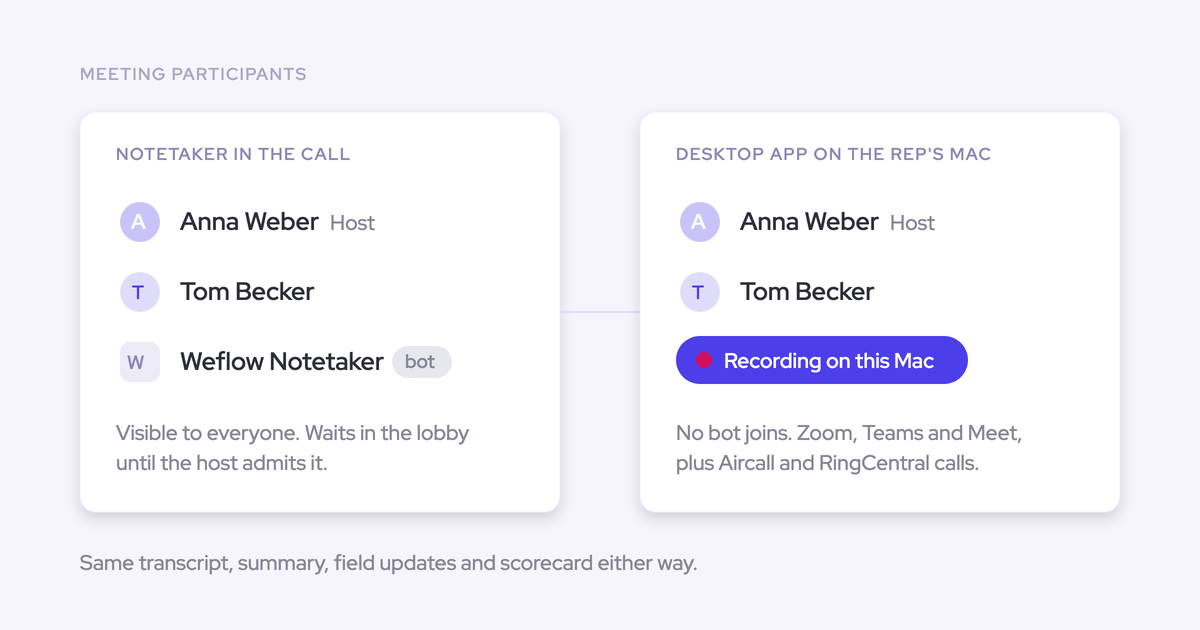
The notetaker joins meetings with at least one external attendee, for users who have signed in to Weflow at least once. Make that first sign-in part of rollout. A licensed user who skips it has emails and meetings captured but no calls recorded.
If the notetaker gets stuck in a lobby, the rep can send it back in mid-call from the Weflow calendar.
The other coverage routes:
- Desktop app: It records Zoom, Google Meet and Microsoft Teams without a bot joining. It also captures softphones such as Aircall or RingCentral when the rep starts the recording.
- Outreach dialler: Weflow pulls in dialler calls with audio, speaker separation, transcript, summary and coaching.
- Weflow Mobile Copilot: It records in-person meetings. A spoken voice note afterwards gets processed like a call.
Weflow scores every call against your own methodology
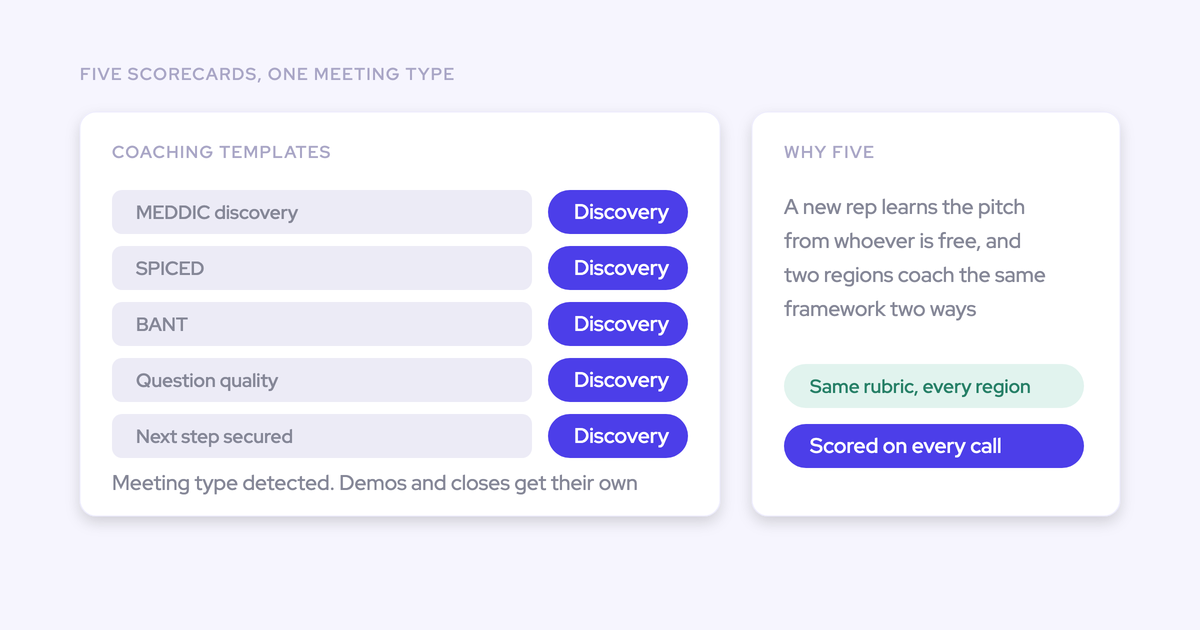
Weflow scores every recorded call against your configured coaching template: MEDDIC, MEDDPICC, Challenger, or one you write yourself. Templates are assigned per team, with 1 to 5 ratings or free-form feedback. You can override any score.
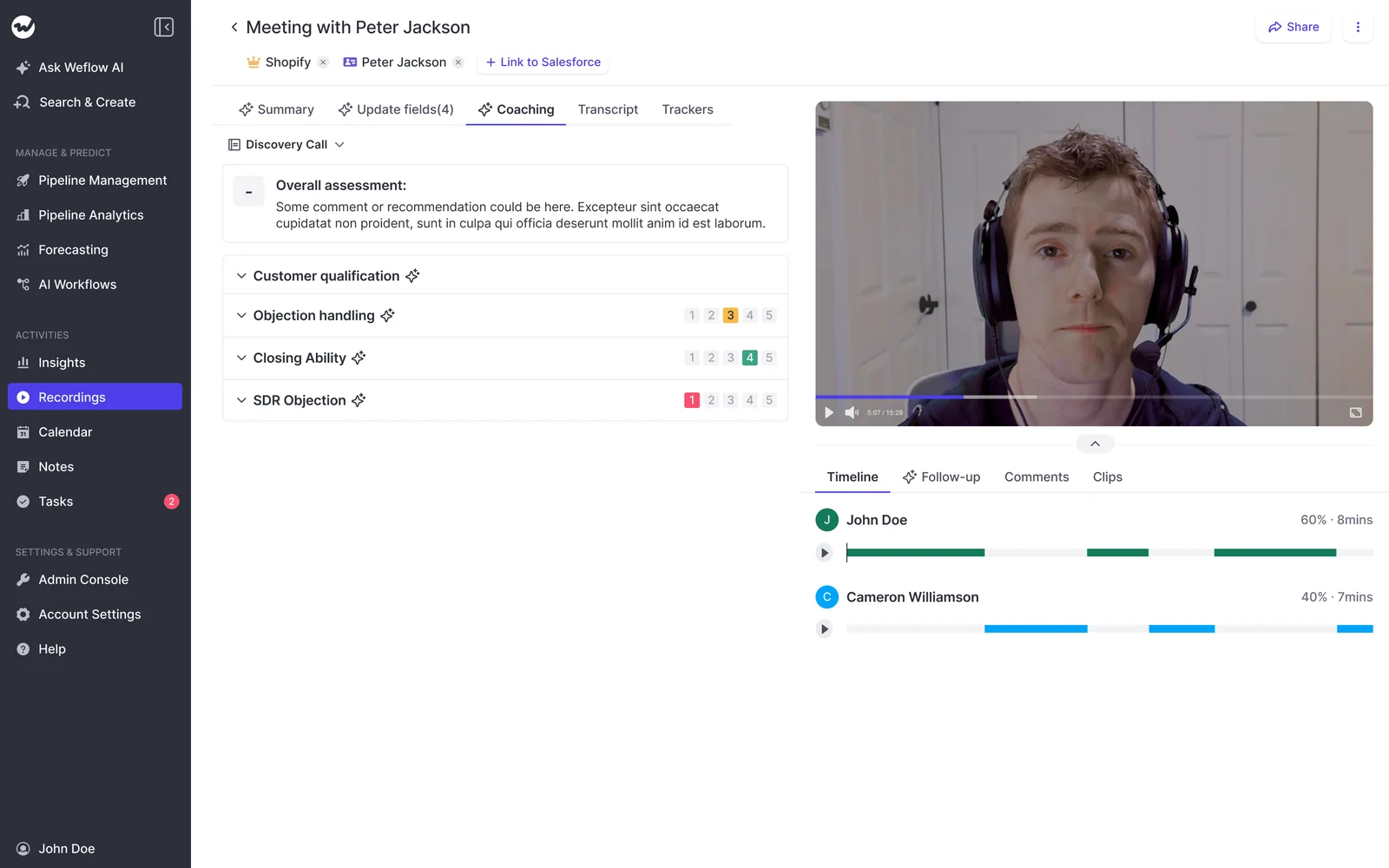
Scores roll up at three levels: a single call, a whole opportunity, and a rep across months. That rep-level trend is signal two, ready before your one-on-one.
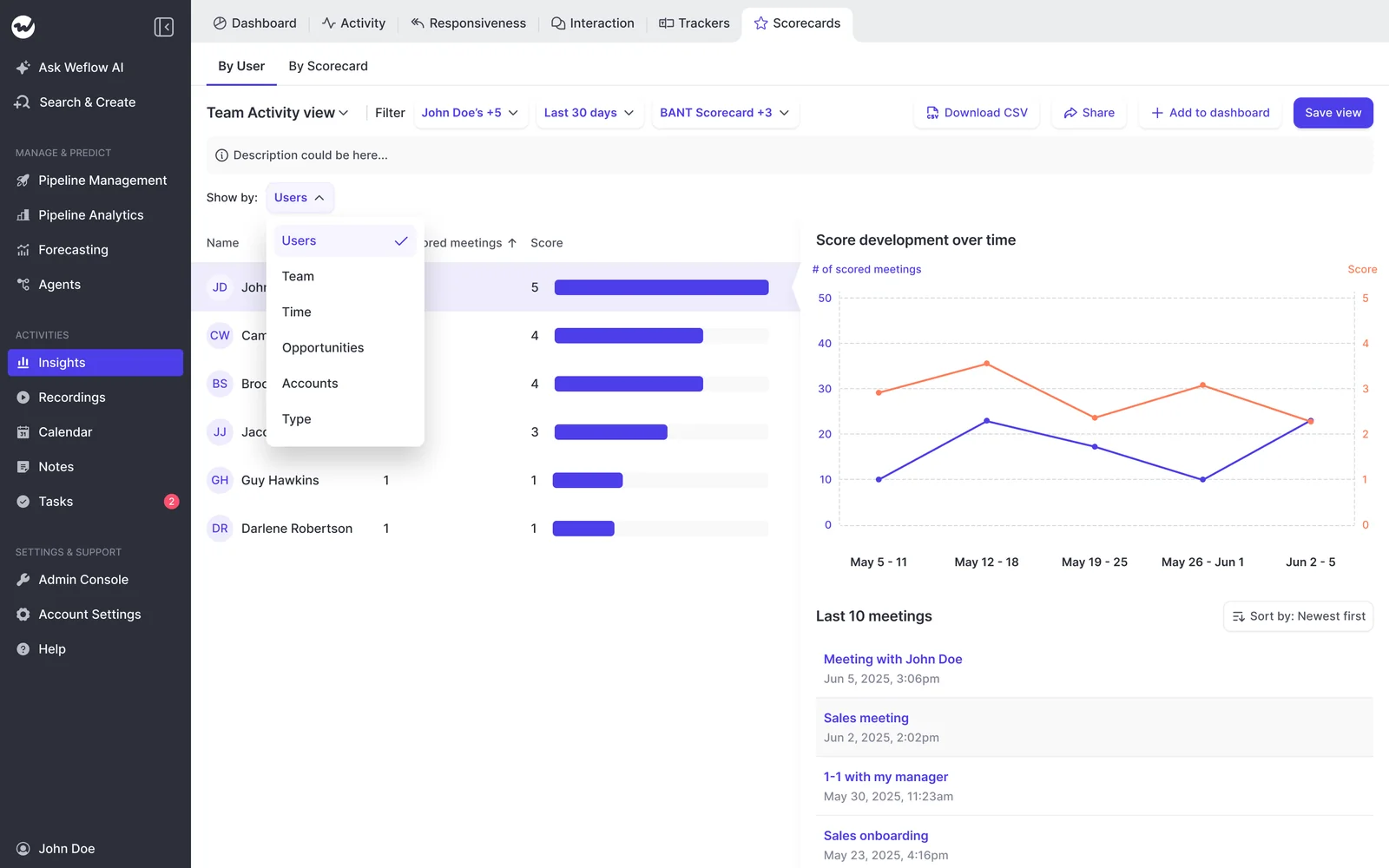
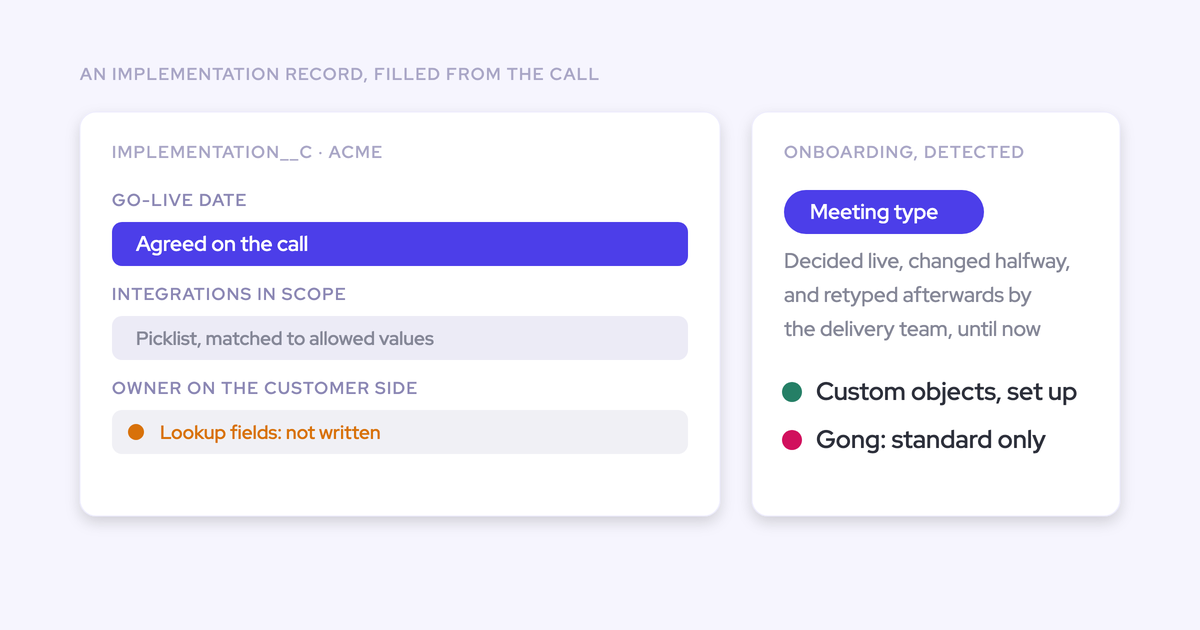
Weflow also classifies each meeting's type automatically, and admins run up to ten types, including their own. A type can trigger its own scorecard, so a renewal call isn't scored with the discovery rubric.
AI Playbooks and AI Field Updates put deal evidence in Salesforce
AI Playbooks read every email, meeting, transcript and field on an opportunity. They write a rating per methodology element back to Salesforce fields, with a next-step recommendation.
That puts the "rep says fine, evidence says no economic buyer" gap on the deal record itself. A rep can override a field, and Weflow checks the override for plausibility against the deal, so filling in a box doesn't pass the check.
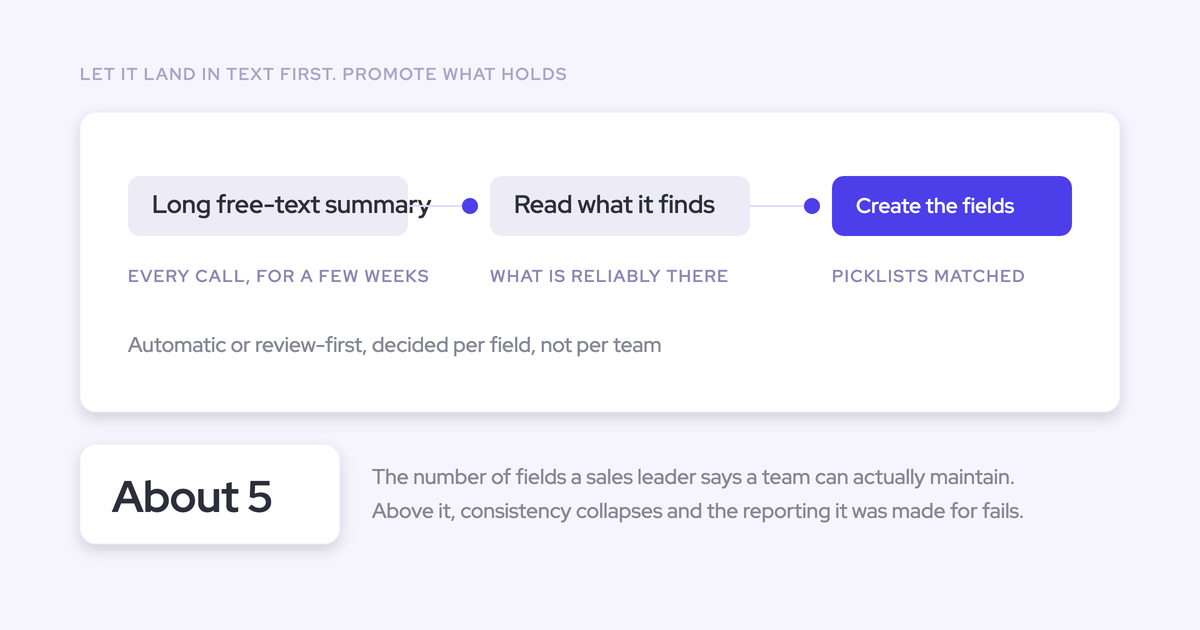
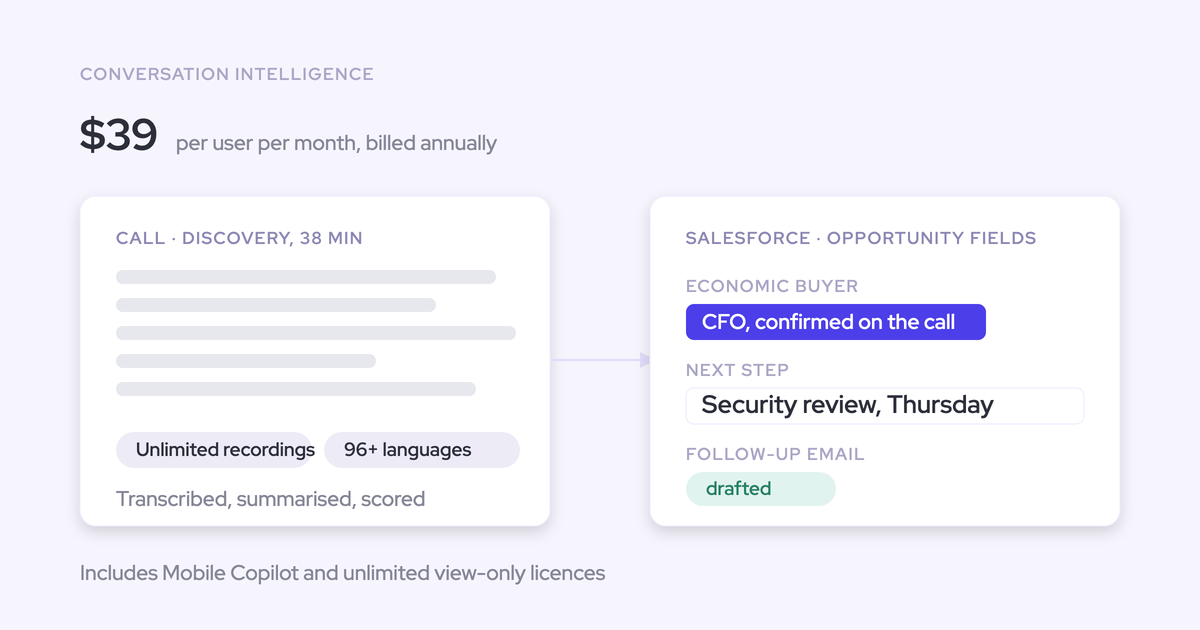
AI Field Updates work call by call. After each meeting, prompts extract methodology answers and next steps from the transcript. The rep sees the current value beside the suggested one, then accepts, edits or rejects each field.

Use each mechanism where it fits:
- AI Field Updates reflect the latest call, which suits next steps.
- AI Playbooks keep a field at the best answer across the whole deal, which suits anything cumulative, like the champion or the metrics.
Trackers and Ask Weflow AI answer questions across many calls
Weflow trackers count competitor, pricing and objection mentions across every recorded call. They roll the counts up by rep, team and region. New trackers also run back over past recordings, so a competitor you start tracking today shows its history too.
Ask Weflow AI takes one question across many recordings, a filtered deal board or an account. "What objections came up this week?" returns an answer drawn from all of them, and every answer links back to its source.

"I love being able to go right to the call, transcript or email and see where something was said that the AI is referencing."
Scott Jones, SVP of GTM Revenue Intelligence & Enablement at KORE Wireless
Weflow labels speakers internal or external for interaction metrics
Weflow reports talk ratio, longest monologue and email responsiveness per rep. It labels each speaker internal or external from Salesforce and calendar data, so the numbers separate your team from the customer without anyone tagging speakers.
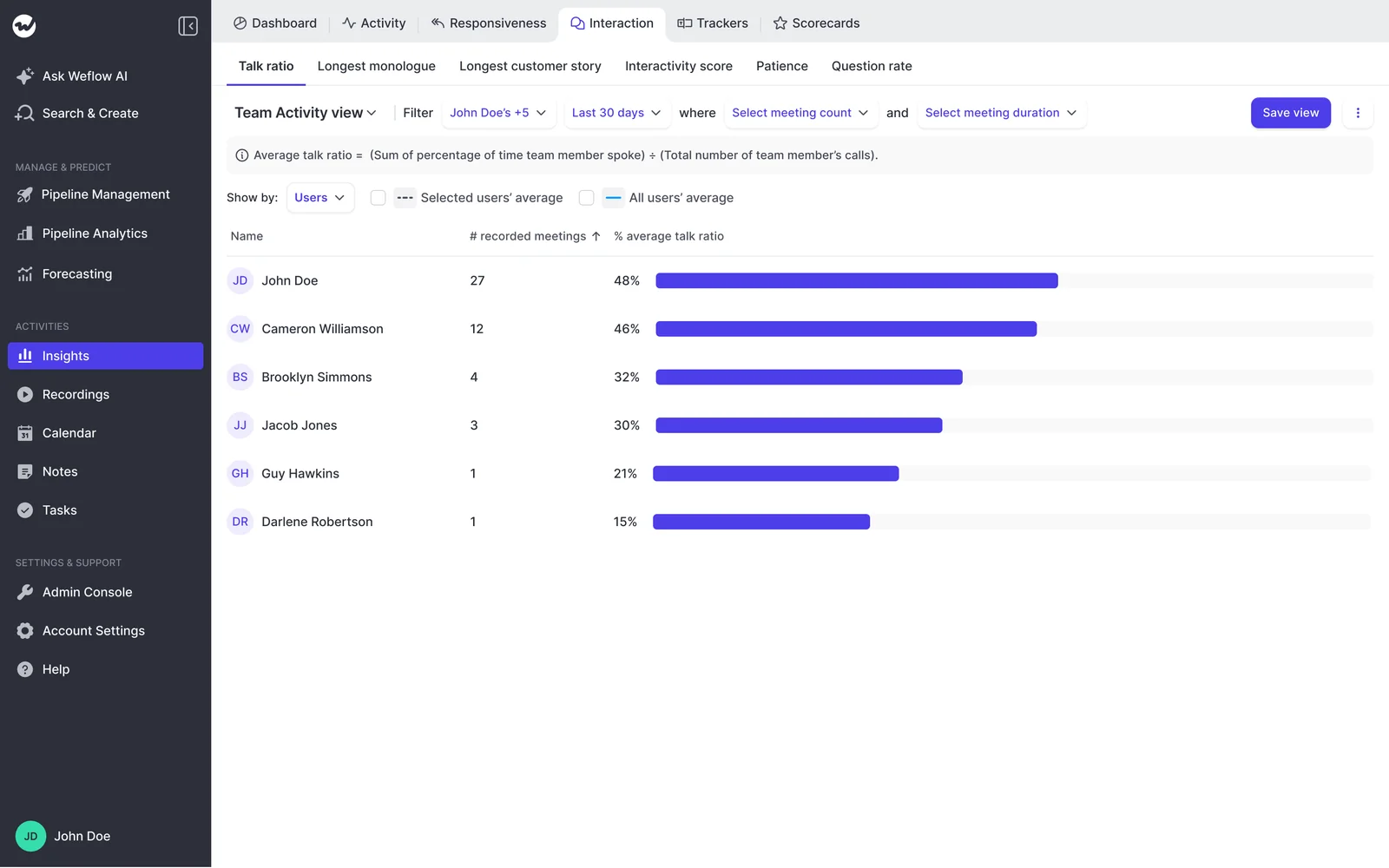
Responsiveness shows whether a rep replied to a customer email within 24 hours. The metrics sit there as context for signal five.
Time in meetings comes from calendar slots, so it undercounts field time. A post-meeting voice note in Weflow Mobile Copilot lands as an activity and fills part of that gap.
Where Weflow falls short for weekly coaching
These are the limits you'd hit running this routine in Weflow:
- No live in-call assistant. Weflow has no real-time battlecards or talk-ratio alerts. Everything arrives after the call. Gong's Zoom app gives reps a live transcript and a talk-ratio alert after two and a half minutes of continuous talking. If you coach live, Gong is ahead here.
- Gong's aggregated manager view is strong. If your managers already use it every week and get value from it, stay put.
- Time in meetings understates field time. It counts the calendar slot, not the conversation after the agenda ends. Don't compare a field team with an inside team on this number.
- Playbooks don't backfill. AI Playbooks refresh every three hours for opportunities created or changed after setup. Older deals stay empty until someone regenerates them record by record, or we run a batch for you.
- No per-call private flag. Call visibility follows the Salesforce hierarchy. Sharing a single call outside it means tagging an individual user.
- No individual scores on multi-rep calls. When two of your reps share a meeting, Weflow doesn't score each seller separately.
What Weflow Conversation Intelligence costs for your team
Weflow Conversation Intelligence costs $39 per user per month, billed annually, with a ten-user minimum. Managers who only read dashboards take free viewer seats.
| Product or bundle | Price per user per month | What's included |
|---|---|---|
| Weflow Conversation Intelligence | $39 | Recording, transcripts, summaries, AI Field Updates, scorecards, trackers, desktop app, Weflow Mobile Copilot |
| Weflow Activity & Contact Capture | $19 | Email, meeting and contact sync to Salesforce, activity insights |
| Weflow Deal Intelligence & Forecasting | $39 | Pipeline management, deal signals, forecasting |
| Weflow Revenue AI Foundation | $49 | Activity & Contact Capture plus Conversation Intelligence |
| Weflow Revenue AI Business | $59 | Foundation plus Deal Intelligence |
| Weflow Revenue AI Enterprise | $79 | Business plus Forecasting |
Every plan includes Ask Weflow AI Pro and Agent Builder Free with 25 agent actions a month. Recordings and transcripts are unlimited.
Call recording lives in Conversation Intelligence. If you want your team recorded, start with Conversation Intelligence or Weflow Revenue AI Foundation.
If you want the five signals on one page for next week's one-on-ones, grab our free Conversation Intelligence & AI Cheat Sheet.
Questions sales managers ask about coaching with conversation intelligence
Can reps turn recording off, and how do I know coverage is complete?
Admins decide who records in Weflow, by user or by team. The notetaker joins every meeting with an external attendee for users who have signed in once.
Reps have a record control on each calendar meeting and can remove the recorder mid-call. Participants can also stop it through the consent notice.
Weflow's coverage reporting separates lobby failures from opt-outs, so you know which gaps are setup problems and which are choices.
Can scorecards differ per team and per call type?
Yes. Weflow assigns coaching templates per team. Meeting types trigger their own scorecard, so discovery, demo and renewal calls each get scored against the criteria that fit them.
Do call scores and methodology answers land in Salesforce fields?
Yes, where the corresponding fields exist in your org. Scorecard results, AI Playbook ratings and AI Field Updates write into Salesforce fields, and you report on them like any other field.
Can I get the weekly coaching view pushed to me instead of logging in?
Weflow writes scores and Playbook ratings into Salesforce fields. They show up on the deal records, reports and dashboards you already open for pipeline review, so most of the weekly read happens where you already work.
Does it score calls held in other languages?
Weflow records, transcribes and summarizes calls in 96+ languages with automatic language detection. Those calls run through the same scoring and field updates as any other recording.
We already record in Gong, Fireflies or Salesloft. Do we start from zero?
No. Weflow imports your recordings and transcripts through the old platform's API at no extra cost, in about one to two weeks depending on volume.
Your existing tracker sets carry over, and the imported transcripts stay searchable with Ask Weflow AI.
Does it cover phone calls and in-person meetings, or only video?
Weflow covers all three:
- Video: Zoom, Microsoft Teams, Google Meet and WebEx.
- Phone: Softphones through the desktop app, and the Outreach dialler.
- In person: Weflow Mobile Copilot.
How long before the scores are trustworthy enough to coach from?
Full time to value typically takes one to three weeks, and most of that goes into customizing templates.
Accuracy depends on how well the prompts and templates are written. We ship 250+ prebuilt prompts to start from, and a named owner keeps them sharp.
AI Playbooks refresh every three hours for new or changed opportunities. Deals that predate setup need regenerating before they show a score.
Will legal or a works council block call recording?
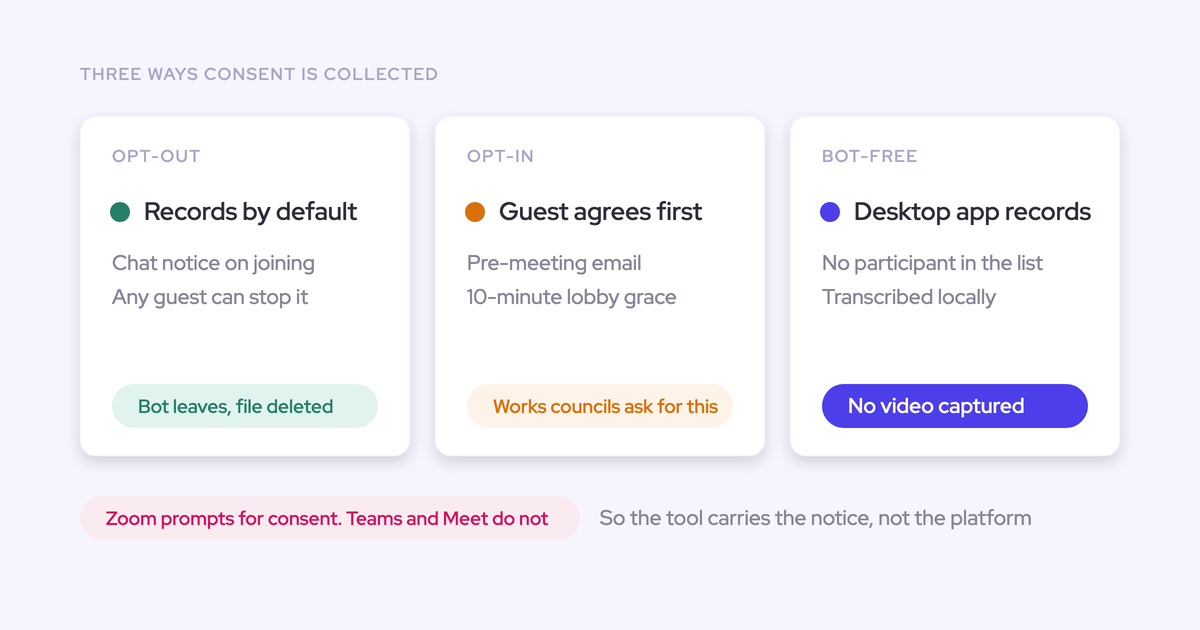
Weflow's notetaker carries its own consent flow:
- Opt-in, opt-out or no consent mode
- A notice in the meeting chat with a link that stops the recording
- An optional pre-meeting email
Removing the recorder through that flow permanently deletes the recording data. When the desktop app records, nothing joins the meeting, so consent is the rep's responsibility under local law. Agree the rules for each market with your legal team before you roll it out.
Weflow is a German company. We host your instance in the region where your Salesforce runs, with Frankfurt, New York and Sydney available, and we can override that to keep data in the EU or UK.
You can set recordings to delete automatically after a fixed period, such as every 30 days. Weflow is SOC 2 Type II certified and GDPR compliant, runs Zero Data Retention for AI processing, and never uses customer data to train AI models.