
How to Use a House Qualification Framework, Not MEDDIC or BANT, as a Weflow AI Playbook
Learn to build a house qualification framework in Weflow AI Playbooks instead of MEDDIC or BANT


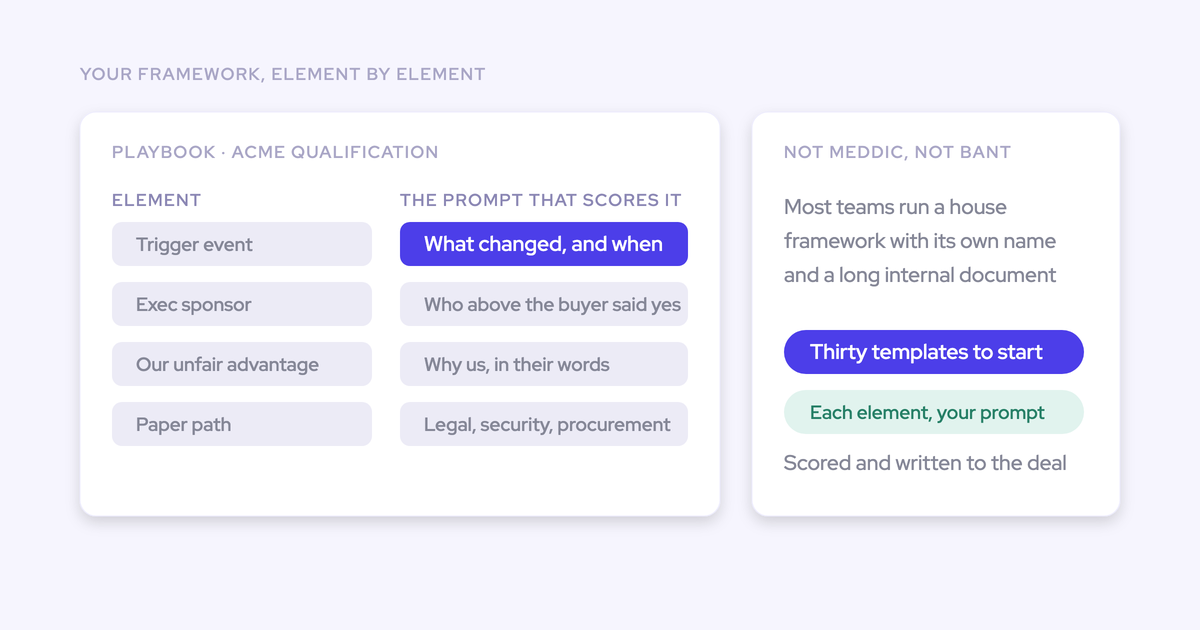

You can configure your own qualification framework in Weflow AI Playbooks, element by element, using your team’s names and definitions. You don’t need to translate your sales process into MEDDIC or BANT.
The test is whether the playbook distinguishes evidence from a plausible answer. A populated metrics field tells you little if it contains company headcount instead of the business impact your buyer needs to address. We’ll work through two qualification gates, from definitions and prompts to Salesforce fields, testing, and manager inspection.
Weflow is the Revenue AI Orchestration platform for sales, customer success, and RevOps teams. Built for Salesforce teams, Weflow combines per-call extraction through Weflow Conversation Intelligence with AI Playbooks that assess qualification across the opportunity’s history.
What do you need before configuring Weflow AI Playbooks?
Start with an approved framework, accessible deal evidence, a Salesforce field inventory, and named owners for configuration and acceptance. Your managers need to agree on what qualifies before an AI Playbook can apply that standard consistently.
- Access: Weflow admin access and a Salesforce admin who owns field permissions, validation rules, and dependencies. Weflow works exclusively with Salesforce.
- Framework material: Your current playbook, stage criteria, and examples of answers managers accept or reject.
- Deal data: Existing opportunities with related emails, meetings, recordings, and CRM content that represent your sales motion.
- Field inventory: Destination objects, field API names, types, allowed values, and downstream automations.
- Ownership: A RevOps owner to author the configuration, a sales manager to validate qualification judgments, and a Salesforce admin to approve writes.
Choose the assessment level deliberately. Weflow AI Field Updates extract information from a call; Weflow AI Playbooks maintain the current qualification picture across a record.
| Mechanism | Evidence scope | Use it for |
|---|---|---|
| Per-call AI Field Update | The individual call transcript | Capturing what the buyer said in that conversation |
| Opportunity-level AI Playbook | Related CRM fields, emails, meetings, and recordings | Assessing what the deal’s evidence currently establishes |
A missing procurement discussion on a discovery call doesn’t make the call unsuccessful. A deal expected to close this period with no established approval process needs attention.
1. Break your house framework into testable qualification criteria
Separate whether the deal is real from whether it can close this period. Then give each element a definition that two managers can apply to the same evidence.
For this example, we’ll use six elements across those two gates. Keep your existing terminology when you build yours.
| Gate | Element | Operational definition | Completion test |
|---|---|---|---|
| Is the deal real? | Business problem | The buyer identifies a problem your offering addresses. | The answer names the problem, affected workflow, and buyer who described it. |
| Is the deal real? | Business impact | The buyer quantifies the problem’s cost or desired improvement. | The answer connects a measure and timeframe to the problem, with buyer support. |
| Is the deal real? | Buyer ownership | A customer stakeholder owns solving the problem and has an established route to approval authority. | The evidence explains responsibility and access, rather than supplying a name alone. |
| Is it ready to close this period? | Commercial agreement | The buyer agrees to the proposed scope and commercial terms. | The record shows buyer agreement and identifies any remaining commercial conditions. |
| Is it ready to close this period? | Approval path | The buyer establishes the remaining approval steps, owners, and dates. | The sequence supports completion within the target period, with no unresolved timing blocker. |
| Is it ready to close this period? | Buyer-backed timing | The buyer’s required outcome supports the proposed purchase timing. | A buyer commitment or business event supports the date, beyond the seller’s close-date field. |
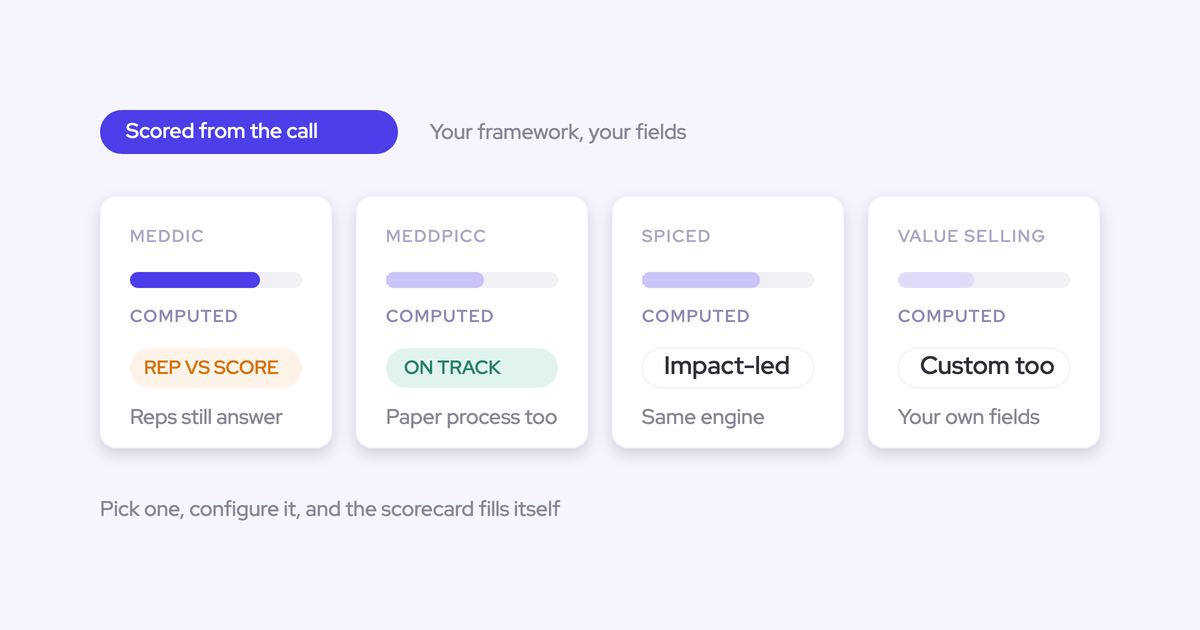
Weflow supports custom methodology elements and prompts, so your house framework can retain its definitions rather than inherit MEDDIC or BANT labels.
Resolve disagreements here. If one manager accepts a sent proposal as commercial agreement and another requires buyer acceptance, the prompt can’t reconcile that policy difference for you.
2. Write qualification prompts with explicit exclusions
Each qualification prompt needs both a positive definition and a boundary around what doesn’t count. Broad instructions such as “find the business impact” leave your most important judgment unstated.
We recommend writing each element in this order:
- Question: What qualification question should the answer settle?
- Qualifying evidence: What must the record establish?
- Exclusions: Which plausible answers fail your definition?
- Output: What information belongs in the answer?
- Missing or conflicting evidence: What should the answer say when support is incomplete or contradictory?
Weflow AI Playbooks separate extraction from evaluation: one process finds the answer, while another assesses how well the evidence establishes the element. Keep the extracted content and the qualification judgment separate in your specification, too.
Define qualifying evidence for each playbook element
Specify what would convince a manager that the criterion is established. For business impact, that means a buyer-supported consequence, not any number associated with the account.
Here’s a complete prompt for the first gate’s Business impact element:
Identify the current buyer-supported business impact of the problem this opportunity addresses.
Find the affected workflow, the measurable cost or desired improvement, the unit and timeframe, and the customer stakeholder who supports the measure. Include the source and date when available.
Exclude company headcount, revenue, and other firmographic numbers unless the buyer explicitly connects them to this problem. Exclude seller-only ROI estimates and generic claims about saving time.
Return a concise answer containing the problem, impact measure, supporting evidence, and missing information. If the buyer describes a problem without quantifying it, preserve that distinction. If sources conflict, describe the conflict rather than choosing silently. Don’t invent a number.
The first paragraph defines the task. The next two define acceptance and rejection. The last controls the answer’s shape without treating a completed answer as a completed criterion.
For the second gate, the Approval path prompt needs different evidence:
Identify the buyer’s current approval path for closing this opportunity within the target period recorded on the opportunity.
Find the remaining commercial, legal, security, procurement, and signature steps that apply. Identify each step’s owner, sequence, expected completion date, and buyer confirmation. Distinguish completed steps from planned steps.
Exclude the seller’s close date as proof of buyer timing. Don’t treat a sent contract as approval, a scheduled meeting as a completed review, or silence about a step as evidence that it isn’t required.
Return the remaining steps, owners, dates, supporting evidence, and unresolved blockers. State which details lack buyer support. If newer evidence changes an earlier plan, explain the change. Don’t conclude that the deal can close this period while a required step has unresolved timing.
Use expected evaluation states to test whether those definitions hold:
| Element | Available evidence | Expected answer and assessment |
|---|---|---|
| Business impact | The buyer quantifies recurring rework and identifies its measurement period. | Extract the measure and context. Fully established under this definition. |
| Business impact | The buyer describes rework but gives no measure. | Preserve the problem. Partially established, with quantification missing. |
| Approval path | The buyer supplies remaining steps, owners, and dates within the period. | Describe the sequence. Fully established if no unresolved blocker contradicts it. |
| Approval path | Only the seller’s close date exists. | Report no supporting approval-path evidence. Don’t mark the element complete. |
Exclude answers that do not establish qualification
Write your managers’ rejection rules into the prompts. The false positives that damage trust often look relevant enough to survive a quick review.
| Candidate answer | Why it fails | Prompt instruction |
|---|---|---|
| Company headcount as business impact | Account size doesn’t establish the consequence of the problem. | Exclude firmographic numbers without an explicit connection to the buyer’s problem. |
| A seller’s ROI estimate | The buyer hasn’t supported the assumption. | Separate seller estimates from buyer-supported measures. |
| A contact name as buyer ownership | Identity alone doesn’t establish responsibility or access to authority. | Require evidence of ownership and an approval route. |
| A sent contract as commercial agreement | Sending terms doesn’t establish acceptance. | Require buyer agreement and identify outstanding conditions. |
| “On track” as approval-path evidence | The phrase supplies no steps, owners, or dates. | Describe the missing details instead of inferring completion. |
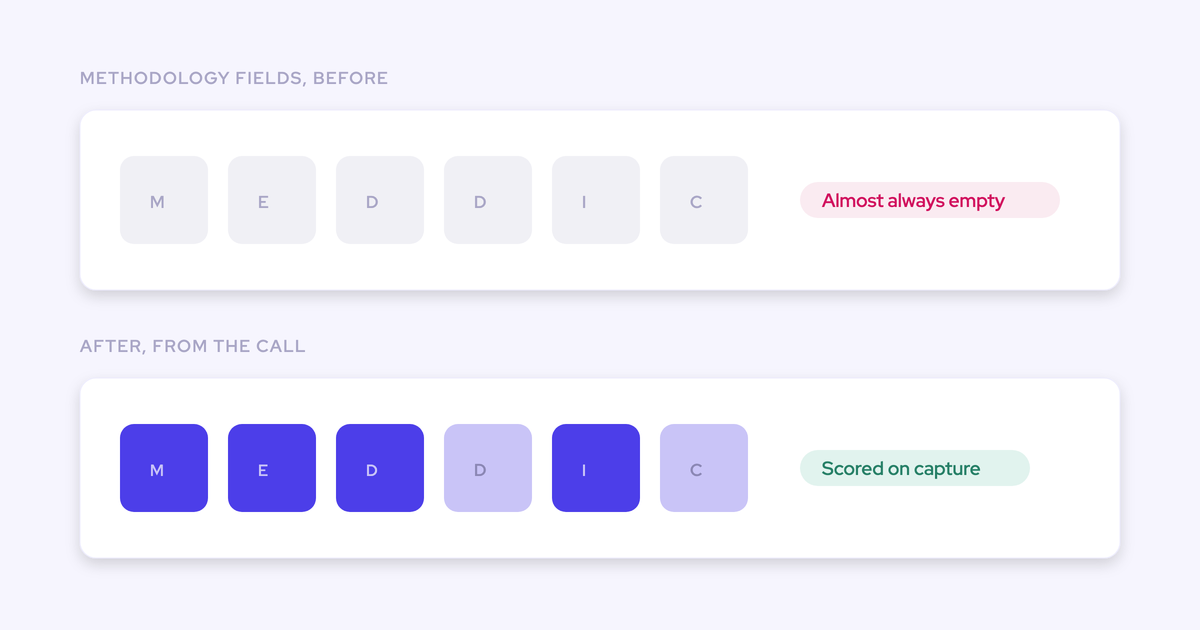
Weflow evaluates human-entered methodology content as well as extracted answers. A rep typing filler into a field doesn’t automatically establish qualification.
3. Configure your house framework in Weflow AI Playbooks
Configure the framework around its record scope, destination fields, and pilot team. Weflow’s admin console includes AI Playbooks and Context and Sources in its AI section.
Use your approved element definitions as the configuration specification. That gives the admin and sales manager the same reference during testing.
Choose the deal evidence your playbook can read
Use the opportunity as the assessment scope for this new-business framework. Weflow AI Playbooks also support accounts, where qualification spans a customer relationship rather than one deal.
- Select the record scope. Keep the two-gate framework tied to the opportunity whose qualification you’re evaluating.
- Configure Context and Sources. Select the standard and custom Salesforce objects Weflow AI may read. Use Object Context and Field Context to explain company-specific meanings.
- Inspect the evidence available on pilot records. Review activity associations and transcript availability before judging the answers.
For Business impact, the source set should include the opportunity’s existing qualification content and related buyer conversations. Approval path also needs relevant email exchanges and meeting history, because procurement updates don’t always happen on recorded calls.
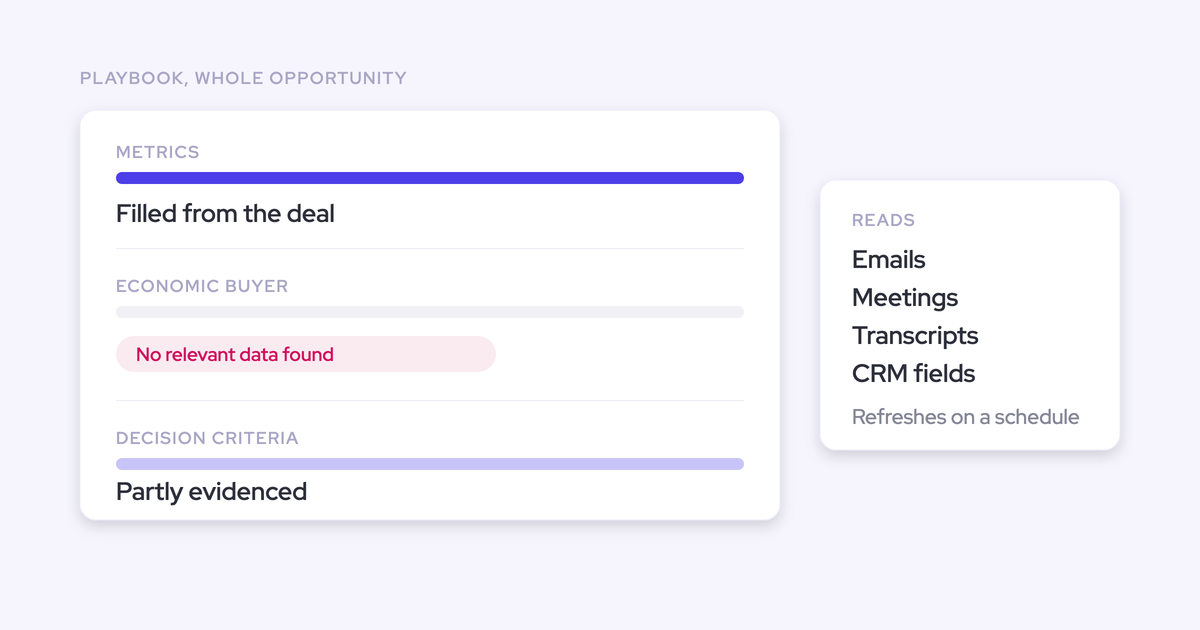
Weflow AI Playbooks read related CRM data, emails, meetings, and recordings. An unrecorded conversation or an email attached to the wrong opportunity leaves a gap in that evidence.
Access needs its own test. Weflow inherits Salesforce permissions and role hierarchy, but Salesforce list-view restrictions and Lightning component visibility don’t carry over as access controls.
Map each qualification element to a Salesforce field
Give every qualification answer an explicit destination and value format. Reuse existing fields when they already express the criterion; adding parallel fields creates another reconciliation job.
- Define each element in AI Playbooks. Use your house names and the prompts you approved.
- Map the qualification content. Record the destination object, field API name, type, and write constraints.
- Separate content from evaluation status. A narrative answer and a completion state serve different purposes. Specify them separately in your field design.
| Element | Destination on Opportunity | Field type | Expected output | Write checks |
|---|---|---|---|---|
| Business problem | Existing problem-description field | Long text | Problem, affected workflow, buyer evidence | Length and edit access |
| Business impact | Existing impact field | Long text | Measure, unit, timeframe, source, gaps | Preserve context around the number |
| Buyer ownership | Ownership-evidence field | Text | Stakeholder responsibility and approval access | Keep narrative content separate from contact relationships |
| Commercial agreement | Commercial-status field | Picklist | An allowed value matching the evidence | Allowed values and dependencies |
| Approval path | Existing approval-process field | Long text | Steps, owners, dates, blockers | Existing content and validation rules |
| Buyer-backed timing | Timing-evidence field | Long text | Buyer commitment, business event, unresolved conditions | No automatic Stage or Close Date change in the pilot |
Weflow reads Salesforce picklist and multi-picklist values before writing, then matches its output to the allowed values. Salesforce validation rules and field dependencies still apply.
AI field extraction doesn’t update lookup relationships. For Buyer ownership, keep the written qualification evidence distinct from the relationship field linking a contact.
Assign your house playbook to the pilot team
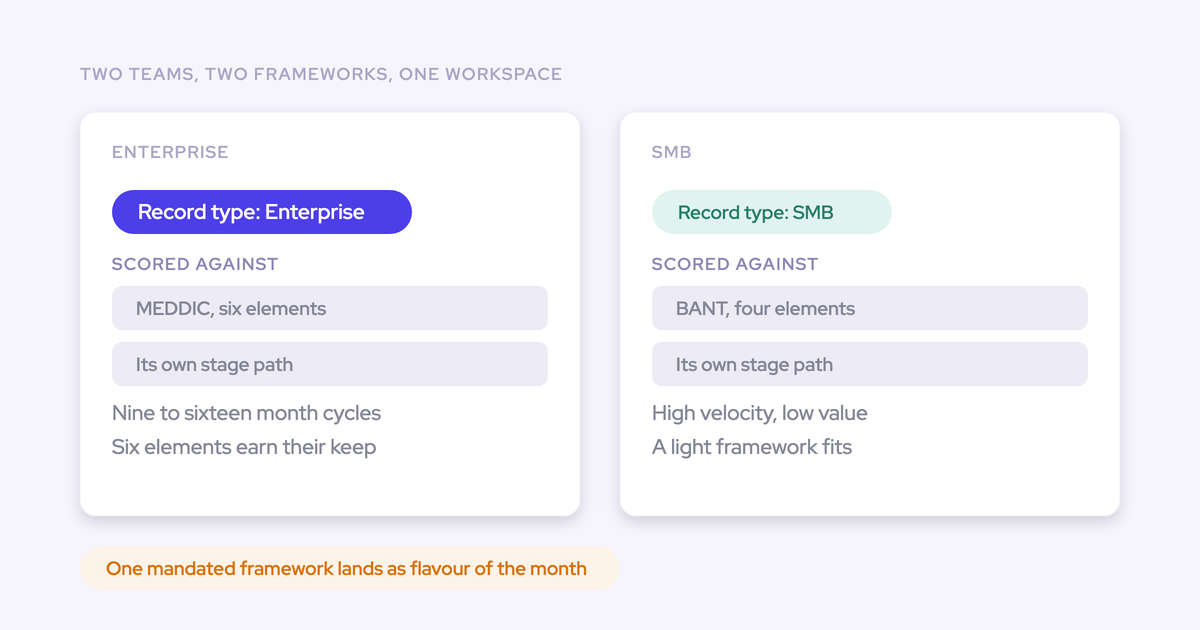
Assign the house framework to the sales motion you’re testing. Weflow supports different methodologies by team, so another team can retain MEDDIC or BANT.
- Set the pilot assignment. Start with the team whose managers approved the definitions.
- Inspect representative records. Confirm the intended framework appears for the pilot audience and unrelated teams retain their own methodology.
- Name the configuration owner. Route prompt changes through that owner so managers don’t create competing definitions during the pilot.
| Team | Framework | Rollout boundary |
|---|---|---|
| Enterprise pilot | House two-gate framework | Validate its answers, states, and field writes |
| Transactional sales | BANT | Keep the existing qualification process |
| Other enterprise teams | Current framework | Expand after pilot acceptance |
4. Test your playbook before automating Salesforce field updates
Approve the playbook against qualification judgments and write behavior, not field-completion rates. A filled field with an unsupported answer is a failed test.
Choose pilot records by scenario coverage:
- Clear evidence that meets each criterion.
- Partial evidence with a specific missing detail.
- Plausible but irrelevant answers, including firmographic numbers.
- Human-entered filler and conflicting sources.
- Older conclusions that newer buyer evidence changes.
- Restricted records and fields with validation dependencies.
We recommend treating unsupported completion, unauthorized access, and unintended stage changes as release blockers. Have the sales manager own judgment acceptance and the Salesforce admin own write acceptance.
Check playbook answers against manager-reviewed deal evidence
Compare extraction and evaluation separately. Weflow can extract a detail correctly without that detail satisfying your qualification definition.
- Have the manager document the expected answer, supporting evidence, qualification state, and missing information.
- Compare the playbook output against that baseline.
- Classify each mismatch as a definition, source, extraction, evaluation, or write problem.
- Correct the underlying issue and rerun the affected cases alongside cases that already passed.
| Test case | Manager-reviewed expectation | Failure to record | Correction |
|---|---|---|---|
| Business impact: buyer-supported measure | Answer preserves the measure and context; criterion is fully established. | Missing unit, timeframe, or buyer support | Make the output requirements explicit. |
| Business impact: pain without a measure | Partially established; quantification remains missing. | Complete status despite the gap | Tighten the completion definition. |
| Business impact: headcount only | No qualifying impact evidence. | Headcount passes as business impact | Add the exclusion and retest. |
| Approval path: “on track” in a CRM field | Steps, owners, and dates remain unsupported. | Human-entered filler establishes completion | Require substantive support. |
| Approval path: buyer postpones a required review | Answer reflects the changed timing and names the blocker. | Earlier completion judgment persists | Inspect source availability and conflict handling. |
In your test ledger, record the actual answer and state beside each expectation. Keep the evidence timestamp as well, so you can distinguish a stale run from a wrong judgment.
Weflow AI Playbooks rerun when new activity reaches the record and otherwise every three hours. Include a changed-evidence case to test ongoing maintenance, not just the first assessment.
Test Salesforce writes without automating stage changes
Keep Stage outside the pilot’s automated writes. Qualification-field automation and authority to advance a deal need separate approval.
Inspect existing Salesforce automation before testing. A Flow or validation rule that reacts to populated fields can affect the process even when the playbook doesn’t write Stage directly.
| Write test | Expected result | Actual result to record | Owner |
|---|---|---|---|
| Long-text qualification answer | Content reaches the intended opportunity field. | Saved value, truncation, and treatment of prior content | RevOps |
| Picklist or multi-picklist | Output uses allowed values. | Saved selection and dependency outcome | Salesforce admin |
| Validation-rule conflict | Salesforce enforces the rule. | Write outcome and remaining field value | Salesforce admin |
| Restricted field | Access controls remain intact. | Read and write behavior for the tested user | Salesforce admin |
| Stage | No automated transition during the pilot. | Stage before and after, including downstream automation | Sales manager and Salesforce admin |
Release the approved qualification writes only after the test cases pass. Keep the rep or manager responsible for stage transitions until you’ve separately tested that process.
5. Use Weflow AI Playbook gaps in deal reviews
Use the playbook to decide what needs inspection, then ask the rep to defend the deal with evidence. Automation removes transcription work; the rep still needs to reason about the opportunity.
Weflow’s deal board shows methodology status across opportunities. The MEDDIC view below shows how managers can inspect qualification alongside deal amount, stage, and close date.
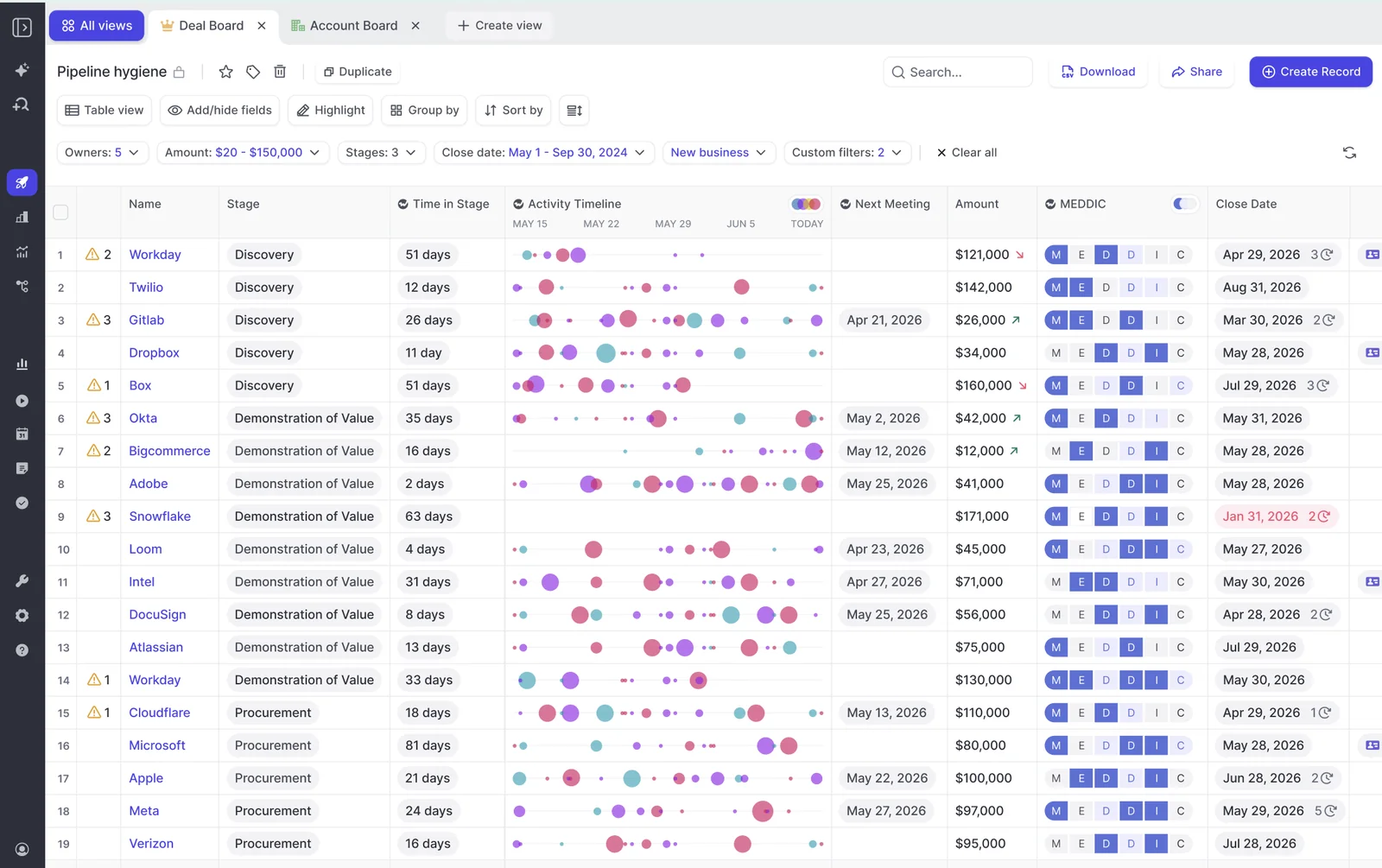
Run the review in this order:
- Select the deals that matter. Start with opportunities expected to close this period and apply your team’s deal-size threshold.
- Ask for the rep’s assessment. Let the rep explain whether the deal is real and ready before supplying the manager’s answer.
- Inspect the gap. Compare the assessment with the playbook’s answer, missing details, and underlying deal evidence.
- Assign a buyer-facing action. Name the owner and due date for resolving the uncertainty.
| Review item | Example |
|---|---|
| Criterion | Approval path |
| Evidence gap | Procurement is involved, but no buyer-supported completion date exists. |
| Rep assessment | The deal should close this period because the contract is with the buyer. |
| Manager question | What evidence shows procurement can finish before signature? |
| Next action | The rep asks the procurement owner for the remaining steps and dates before the next deal review. |
Customizability alone isn’t a reason to replace an incumbent. Gong also supports custom playbooks built from scratch. If Gong’s Deal Reviewer fits your process and maintaining the required Salesforce fields isn’t important, keep that in your evaluation.
For a Weflow pilot, bring your framework, field inventory, and a deal where the answer isn’t clear. That’s a better test than a record with every criterion already satisfied.
See how Weflow captures activity, updates Salesforce fields from calls, and rolls up your forecast. Book a 30-minute demo.
FAQs about custom Weflow AI Playbooks
Custom-framework setup centers on element definitions, record-level evidence, and Salesforce destinations. Keep those separate from per-call update behavior when you design the rollout.
Can I import our framework document into Weflow?
The supported configuration path is to define your framework element by element, using your own names and prompts. Use the internal document as the source for definitions, exclusions, and completion tests.
Can Weflow AI Playbooks assess existing opportunity history?
Yes. Weflow AI Playbooks assess the accessible history related to an existing opportunity, including CRM fields, emails, meetings, and recordings. The opportunity doesn’t need to start after the playbook rollout.
Historical readiness depends on whether the evidence is available:
- Activities must relate to the appropriate opportunity.
- Transcripts must be accessible to Weflow, rather than sitting only in another vendor’s archive.
- Permissions must allow access to the relevant records and fields.
Weflow can read transcripts from another recording provider when they’re available in Salesforce in a structured form.
How do Weflow AI Playbooks update existing qualification content?
Weflow AI Playbooks reassess the opportunity’s evidence to maintain the current best answer. That differs from adding information from one call to an existing methodology field.
| Mechanism | Maintenance behavior |
|---|---|
| Per-call methodology AI Field Update | Adds information to existing methodology text rather than replacing it with the latest call’s content. |
| Opportunity-level AI Playbook | Reassesses related evidence when new activity arrives and otherwise every three hours. |
Use opportunity-level assessment when the answer depends on how the deal has developed across conversations.
Can reps override Weflow AI Playbook answers?
Reps can add notes in the playbook panel. Weflow’s evaluation process also assesses human-entered content, so a note doesn’t automatically make a criterion complete.
The MEDDIC panel below shows the note-entry fields beside the opportunity.
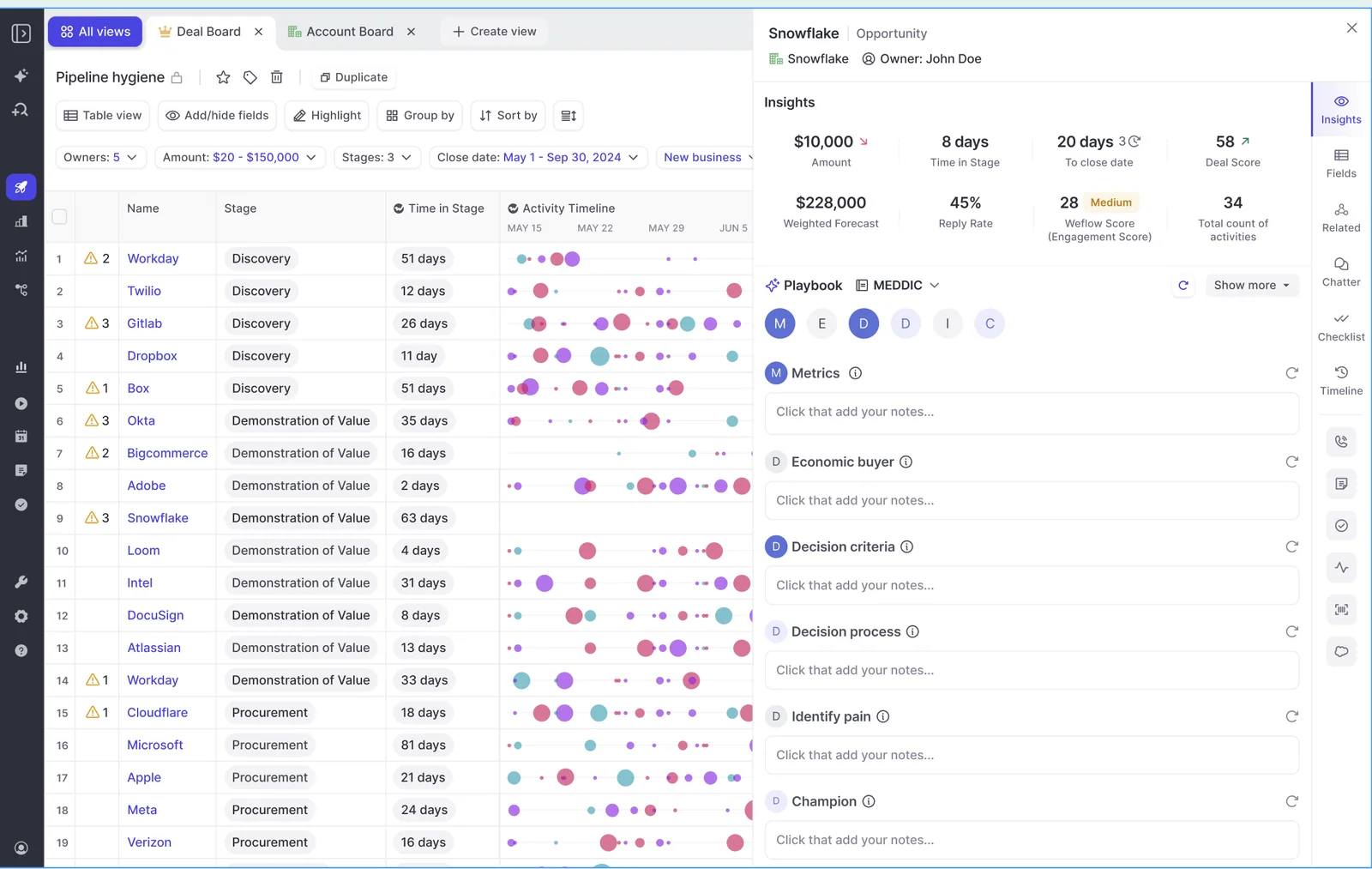
Per-call AI Field Updates have a separate review workflow: reps can accept, edit, or reject suggested values before writing them to Salesforce.
What stays in Salesforce if we stop using Weflow?
Qualification content that Weflow writes into your Salesforce fields remains in your Salesforce org. Captured activities and contacts stored in native Salesforce objects remain there, too.
Recordings and pipeline snapshots live in Weflow’s infrastructure. They’re separate from the Salesforce field content, so the data-ownership distinction depends on where each output resides.
What does a custom Weflow AI Playbook cost?
Weflow Deal Intelligence & Forecasting costs $39 per user per month, billed annually. Weflow’s Revenue AI Business bundle costs $59 per user per month, billed annually, and combines activity capture, conversation intelligence, and deal intelligence.
Use your pilot to establish which qualification answers and Salesforce writes you need before selecting the broader rollout scope.
-p-1600.png)

-p-1600.png)
-p-1600.png)
-p-1600.png)