How to Build a Closed-Lost Analysis Agent With Weflow Agent Builder
Learn how to build a closed-lost analysis agent in Weflow Agent Builder and send reports to Slack.


By the end of this guide, you'll have a Weflow Agent Builder agent that runs once a month. It pulls the opportunities you lost in the last 30 days from Salesforce, reads the calls and emails on each one, and sends a short report to Slack or email. The report covers three things:
- which competitors showed up in the conversations
- which objections kept coming back
- where the picklist reason doesn't match what the buyer said
A monthly run fits inside the 25 free agent actions included in every Weflow plan. It's one of the AI-powered deal execution workflows in Weflow.
Weflow is the Revenue AI Orchestration platform for sales, customer success, and RevOps teams. Agent Builder is the part of the platform that turns captured conversations into a scheduled conclusion for the people who make decisions.
Building the agent is the easy part. Most of your effort goes into two other things. The first is a lookup scoped tightly enough that the agent knows which deals to read. The second is a long prompt that knows who your competitors are. After that, you run it privately once before anyone senior is on the list.
Three limits apply from the start:
- The agent doesn't write its conclusions into Salesforce fields.
- It runs on a schedule, not when a deal closes.
- It delivers to Slack and email, not Microsoft Teams chat.
What the closed-lost agent reports each month, and where it stops
The agent gives you a recurring report on patterns across all your lost deals, built from what buyers said. It does not write a loss reason onto each deal. Keep that in mind through every step below.
| The agent does | The agent doesn't |
|---|---|
| Reads the activities, emails, calls and transcripts attached to each lost opportunity | Write its conclusions into Salesforce fields |
| Names the competitors and recurring objections it finds | Run the moment a deal is marked closed-lost |
| Compares the picklist reason with what was said | Post to Microsoft Teams chat |
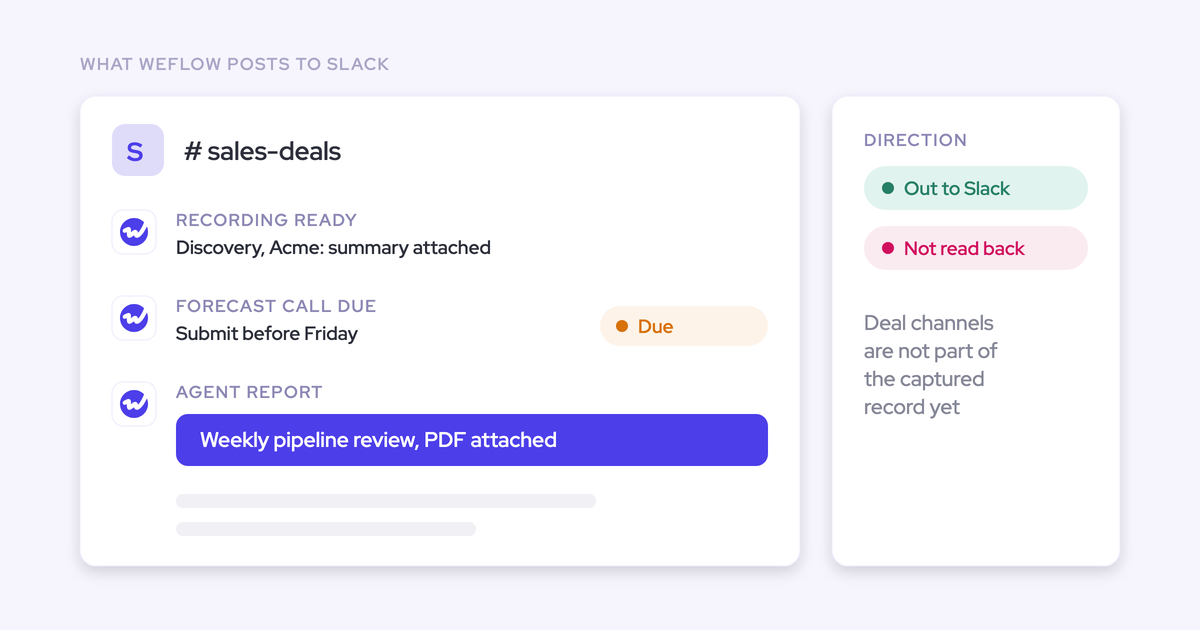
| Delivers to a Slack channel or by email, with an optional PDF | Read your Slack deal channels |
| Links each report back into Ask Weflow AI for follow-up questions | See calls that Weflow didn't capture |
Agent Builder is our newest product and the least mature part of the platform. Activity capture, conversation intelligence and forecasting have years of customer use behind them. Agent Builder is still rolling out.
What it already does well is composition. You put the flow together yourself: trigger, lookup, reasoning step, delivery. Gong's Agent Studio works differently. Its eighteen agents are a fixed catalog, so you configure an agent whose purpose Gong already decided, and you can't chain your own trigger-lookup-reason-deliver flow.
What you need in place before you build the agent
The agent can only reason over conversations that were captured on your lost opportunities. Get these in place first:
- Admin access in Weflow. Only admins can build and edit agents today.
- Calls captured by Weflow Conversation Intelligence and emails captured by Weflow Activity & Contact Capture. Both need to be attached to the opportunity, because the agent reads what sits on the record.
- Your Salesforce field values. You need the exact closed-lost stage value, plus the opportunity type values you use for new business and renewal.
- A competitor list or glossary document, ready to upload. This document is what makes the output specific to your company.
- Room in your Agent Builder tier for the run. A monthly run fits in the free tier. The cost section below has the math.
Step 1: Create the agent and set a monthly schedule
Start from a template, not a blank agent. The templates put a lookup step in by default, and the lookup is the step people most often skip on their first build.
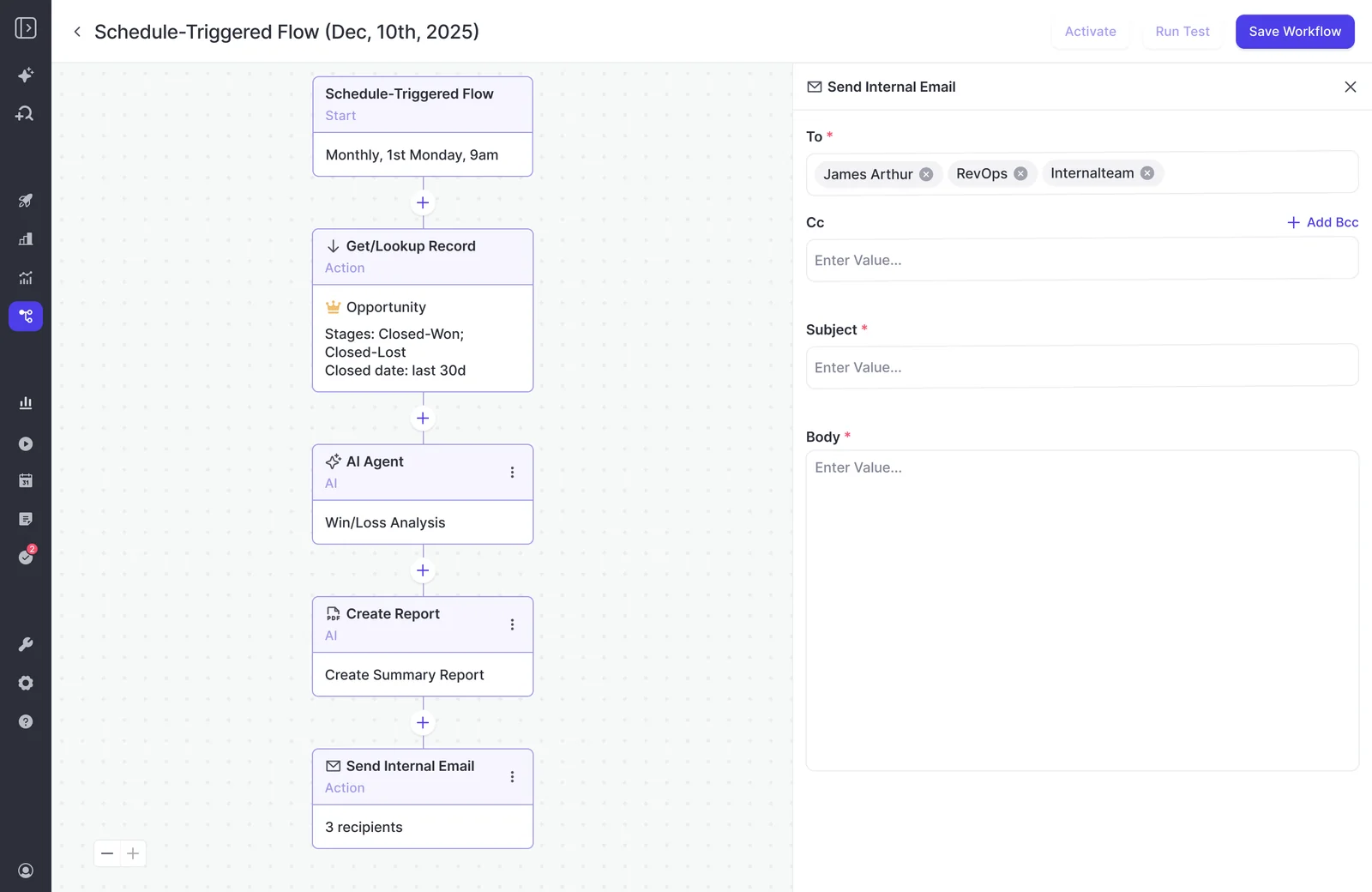
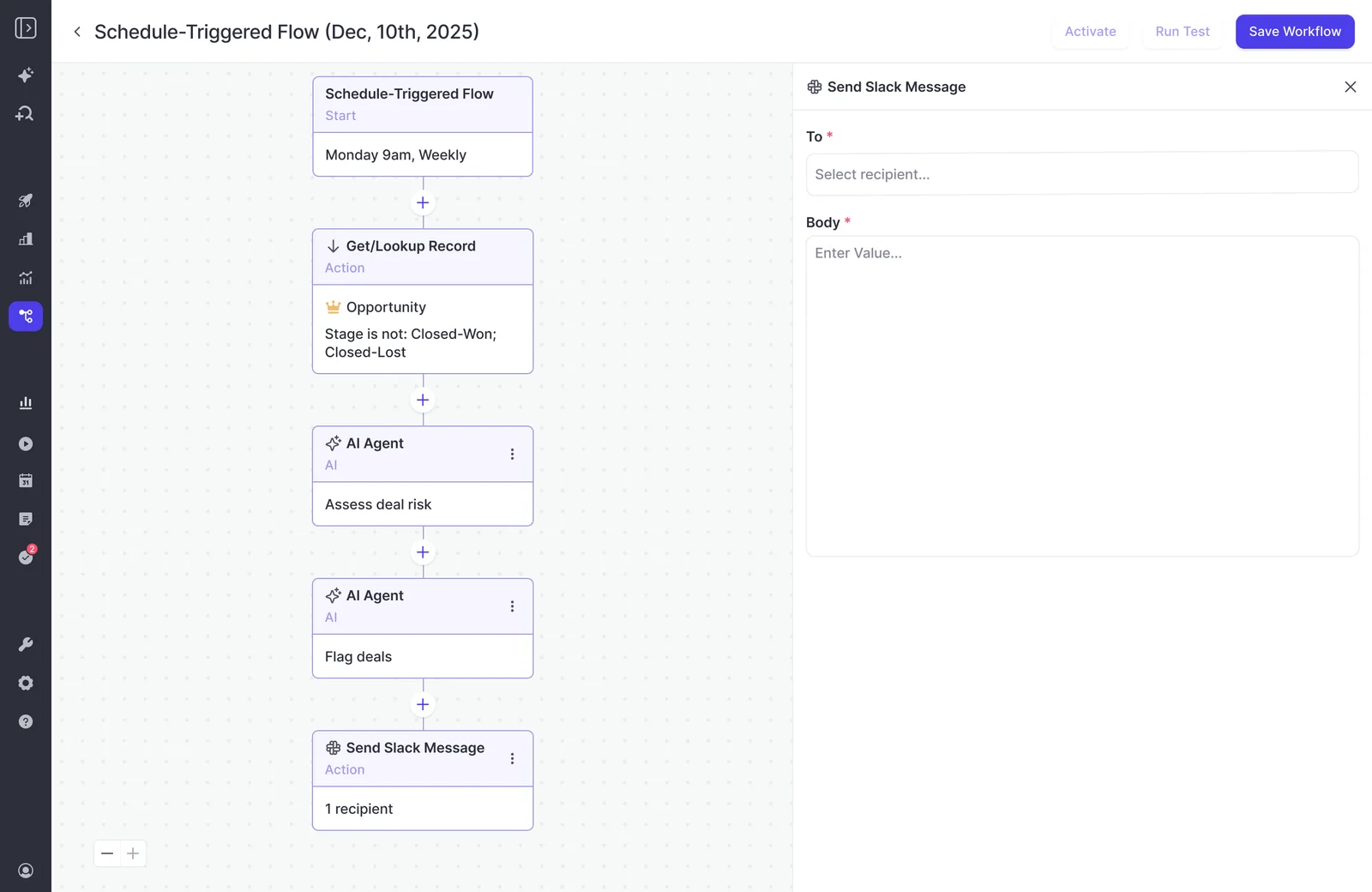
- Open Agents in Weflow and add a new schedule-triggered agent from a template. The deal risk PDF template is the closest starting point.
- Set the schedule's day, time and timezone. A good default is the first Monday of the month at 9am in your leadership team's timezone.
- Name the agent something your CRO would recognize in an inbox, such as "Monthly closed-lost read."
- Leave the template's lookup, agent and delivery steps in place. You'll rewrite each one in the steps below.
The schedule is the only trigger. A deal lost today shows up in the next scheduled run, which suits a monthly pattern report.
Step 2: Scope the lookup to recently lost Salesforce opportunities
The lookup has the biggest effect on output quality. It decides which records the agent is allowed to read.
We've seen the same prompt return a strong answer in chat and an empty or unusable report from an agent that had no lookup in front of it. Asking an agent to analyze every deal in your CRM overwhelms it, and it can't tell what to focus on.
| Filter | What to set | Why it matters |
|---|---|---|
| Object | Opportunity | The agent reads the calls, emails and transcripts attached to whatever records this step returns. |
| Stage | Your exact closed-lost value | One wrong value and the report covers open pipeline instead of losses. |
| Close date | Last 30 days for the monthly run | Keeps the question small enough to answer well. For a baseline, run one wider window, such as the last two quarters, as a one-off. |
| Opportunity type | New business, with a separate agent or filter for renewal | A lost new logo and a churned renewal fail for different reasons, and mixing them blurs both. |
| Amount | Optional minimum | Filters out small deals that would otherwise outweigh the losses leadership cares about. |
The lookup reads Salesforce live, not from a snapshot. If a rep moves a deal to closed-lost a minute before the run, that deal is included.
Step 3: Write a prompt that knows your competitors and deals
A working closed-lost prompt is long and specific. It states whose deals, which period, which competitors, what counts as a loss reason at your company, and what to leave out. One sentence typed into the box won't get you there.
Give the agent your company context inside the prompt
If the prompt doesn't name the context, the agent answers from the wrong one. Put these in plainly:
- your company name and what you sell
- who you sell to
- your typical sales cycle length
- what an opportunity means at your company, such as a qualified deal past discovery
- the date range of the run, matching your lookup
- what you consider a real loss reason and what you consider noise
Upload your competitor list or glossary as grounding
The agent step accepts an uploaded document as grounding. That document tells the agent who counts as a competitor in your market rather than in a generic one.
This matters more than any other prompt change. Teams that test agents without it get good extraction and generic interpretation.
Put these in the document:
- your named competitors, including the nicknames and old product names buyers use
- alternatives that aren't vendors, such as building in-house, a spreadsheet, or doing nothing
- your product and package names, so the agent doesn't read them as rivals
- the internal terms reps and buyers use for stages, approvals and budget cycles
Ask the agent to check the picklist reason against the conversations
Tell the agent to compare the recorded closed-lost reason with what was said on each deal, and to report where they diverge. That comparison answers the question you're asked every quarter: how often is it really price?
What comes back is often a fixable answer instead of "price." Our co-founder Philipp Stelzer described one of those findings on our podcast:
"Like, we had one customer in advertising and we found, hey, actually the biggest objection is not their price or whatever, like typical objections, like authority, like path to power, stuff like this. But it was actually just budget management, like how their accounting team dealt with advertising budgets. And that's obviously a huge insight for them because that's something they can fix."
Ask for the deal names and the line from the conversation that shows the real reason. A finding with evidence attached holds up in a leadership meeting. A finding without it gets argued down.
Structure the report around champion, decision process and decision criteria
A framework gives the report a shape leadership can act on. One we like comes from Julien Cerutti, VP of Global Revenue Strategy at Meltwater: deals are won on the champion, slip on the decision process, and are lost on decision criteria.
| Outcome and variable | What the agent looks for |
|---|---|
| Won: champion | Whether a champion gave you access to the economic buyer and to how the decision would be made |
| Slipped: decision process | Whether anyone mapped the approval path, or the close date rested on hope |
| Lost: decision criteria | Whether the team documented what the buyer was actually buying, and built a reason to choose you |
For a closed-lost agent, the decision criteria row does most of the work. The other two rows explain why a deal never got close enough for criteria to matter.
A starting closed-lost prompt you can copy and adapt
This prompt combines the four parts above. Replace everything in brackets.
You are analyzing closed-lost opportunities for [Company], a [what you sell] company selling to [ideal customer]. Our typical sales cycle is [length]. An opportunity here means [definition].

Scope: only the opportunities returned by the lookup, closed lost between [start date] and [end date]. Report new business and renewals separately.

Use the attached competitor list and glossary. Count a company as a competitor only if it appears in that document. List any other vendor a buyer mentions separately as "unlisted vendor mentioned."

For each opportunity, compare the recorded closed-lost reason with what was said in calls, emails and meeting transcripts.

Report:
1. Coverage: how many opportunities were in scope, and how many had no recorded calls or emails. Leave those out of the patterns below.
2. Price: how often the recorded reason was price, and how often the conversations support price as the main reason. Name the deals where they disagree and quote the line that shows the real reason.
3. Competitors: which competitors from our list appeared, on how many deals, at what stage, and what buyers said about them.
4. Recurring objections, ranked by number of deals, with one example deal each.
5. For each lost deal, whether it broke down on champion, decision process or decision criteria.
6. Three things sales leadership, product or customer success could act on next month.

Do not include general sales advice, definitions, or anything that would be true of any company. If the evidence for a pattern is thin, say so. Keep the report under one page.
The prompts in our shipped templates are deliberately basic and meant to be rewritten. Replace the template prompt with this one, not the other way around.
Step 4: Run it privately before your CRO sees it
A test run shows you the output in the app but sends no email. Use it to check the content. Then send the first live cycle only to yourself before anyone senior is added.
- Run a test and read the result in the app.
- Tune the prompt, the grounding document or the lookup based on what you see.
- Test again until the content holds up.
- Set yourself as the only recipient for the first live run, so you see exactly what a recipient gets.
- Add the real recipients only after that report passes the checklist below.
The tradeoff is time. Delivery only happens on the live schedule, so on a monthly cadence the first real inbox check comes a month later. If leadership is waiting, plan for that.
Check the report against this list:
- It names your actual competitors, not well-known vendors from outside your market.
- It points to specific deals, not generalities.
- It says where the loss wasn't price, with the evidence attached.
- It contains no sentence that could describe any company.
When a claim looks off, use the Ask Weflow AI link in the report to open the deals behind it. That's the quickest way to tell a prompt problem from a data problem.
Step 5: Send the report to a few people in Slack or email
Send it to a small group, on the surface they already use, and set a date to review whether anyone still reads it. Reports decay. A report built for a real question gets read for a quarter and then keeps running, unread, for two years. Agents speed that cycle up because they push output rather than waiting to be opened.
| Slack channel | Email with PDF | |
|---|---|---|
| Best for | Sales leadership and product teams that discuss findings together | CROs and CEOs who read reports in their inbox |
| What an executive sees | A post in a channel they may or may not follow | A one-page PDF waiting on Monday morning |
| Follow-up questions | Link back into Ask Weflow AI | Link back into Ask Weflow AI |
| Teams-first company | Not available | Use this |
Pick recipients by who will act on the report:
- Sales leadership, for coaching and for competitive positioning.
- Product, when the recurring objection is a gap they can close.
- Customer success, if you run the renewal version of the agent.
Each delivered report links back into Ask Weflow AI. A VP who reads "four deals lost on security review" can ask which four without you building another report. That's what makes the agent useful for people who never open Weflow.
Put a review on your calendar for three months after launch. If nobody acted on the report, change the audience or switch the agent off.
Microsoft Teams chat isn't a delivery surface today. Teams-first companies should send the report by email with the PDF attached.
Mistakes that turn a closed-lost agent into generic filler
Almost every weak first report comes from scope, context or audience. The model is rarely the problem. Check these before your first live run:
- No lookup, or one that's too wide. Filter by stage, close date and opportunity type, so the agent has a question it can answer.
- A one-sentence prompt. Name your company, your cycle, your definitions and what to exclude, or you get advice that fits any company.
- No competitor list. Upload the document. Without it, the agent decides who your competitors are.
- Executives on the first run. Send the first live cycle to yourself.
- Too many recipients. Start with the two or three people who will act on it, and grow from there.
- Treating uncaptured deals as if the agent read them. Ask for a coverage count, and keep deals with no conversations out of the patterns.
How many Weflow agent actions a monthly closed-lost run costs
An agent that reasons across transcripts and activity uses about five actions per run. A monthly closed-lost run therefore fits comfortably inside the 25 actions a month that Agent Builder Free includes with every Weflow plan.
Agent Builder is the only part of Weflow priced on consumption. Everything else is per seat.
| Agent Builder tier | Price | Actions per month |
|---|---|---|
| Free | Included in every Weflow plan and bundle | 25 |
| Growth | $299 per month | 500 |
| Scale | $999 per month | 2,500 |
| Enterprise | Custom | Custom volume |
Tiers are priced per workspace, not per user. You'd move to Growth in any of these cases:
- you run the closed-lost agent weekly, which puts it at roughly 20 to 25 actions a month on its own
- you split it into versions by segment, region or team
- you add a second agent, such as a deal-review agent, alongside it
Standard workflows don't draw on the allowance. Meeting prep, summaries, AI field updates and coaching scorecards are part of the seat and aren't metered.
Once your first agent is live, the work shifts to monitoring output, managing consumption and retiring what nobody uses. Our Free AI Agent Ops Cheatsheet for RevOps covers that next stage.
FAQ about building a closed-lost agent in Weflow Agent Builder
Can the agent run as soon as a deal is marked closed-lost?
No. Weflow agents run on a time schedule only, and a change to a Salesforce record can't trigger them. A deal lost on the 3rd appears in the run on the first Monday of the next month. For a pattern report, a monthly read across the whole month is the useful unit anyway.
Can the agent write the real loss reason into a Salesforce field?
No. Agent output goes to email and Slack. Someone has to enter a conclusion into Salesforce before it becomes part of the record.
If what you want is an AI-written "why we lost" reason on every deal in your CRM, Avoma does that when a deal closes. Weflow's agent does a different job: it produces the cross-deal pattern, which is what leadership asks for.
Who can build and edit the closed-lost agent?
Admins only, for now. The restriction is deliberate, because an agent can read a lot of data at once. Granting the permission to an individual non-admin is coming but isn't available yet. In the meantime, a sales manager can still receive their team's version.
What happens to lost deals where calls weren't recorded?
The agent can't see them. It reads only what was captured on the opportunity.
- Phone and VoIP calls are a capture gap today.
- Calls made through Outreach are covered, because Weflow pulls them in once you connect Outreach.
- In-person meetings recorded with Mobile Copilot are covered too.
Keep the coverage line in your prompt, so every report states how many deals it couldn't read.
Should we keep the closed-lost picklist once the agent runs?
Keep it. The agent's output stays outside the record, so the picklist is still the field your Salesforce reports read.
What changes is how you use the report. After two or three runs, you'll see which picklist values never match the conversations and which real reasons have no value at all. Use that to redesign the values so the field reflects how your company actually loses.
How is this different from asking Ask Weflow AI about closed-lost deals?
Ask Weflow AI is the place for a one-off question, such as "what do closed-lost deals in the last 90 days have in common." It answers within a ceiling of one million tokens per query.
Agents have no per-run ceiling, run on a schedule, and push the result to people who never open Weflow. Anything that spans your whole book of business, every month, belongs in an agent.
We use Microsoft Teams instead of Slack. How do we get the report?
Send it by email with the PDF attached. Microsoft Teams chat isn't a delivery surface for Weflow agents. Teams meetings are still recorded and analyzed like Zoom or Google Meet calls, so the conversations behind the report are covered.
Can the agent read our data warehouse or Slack deal channels?
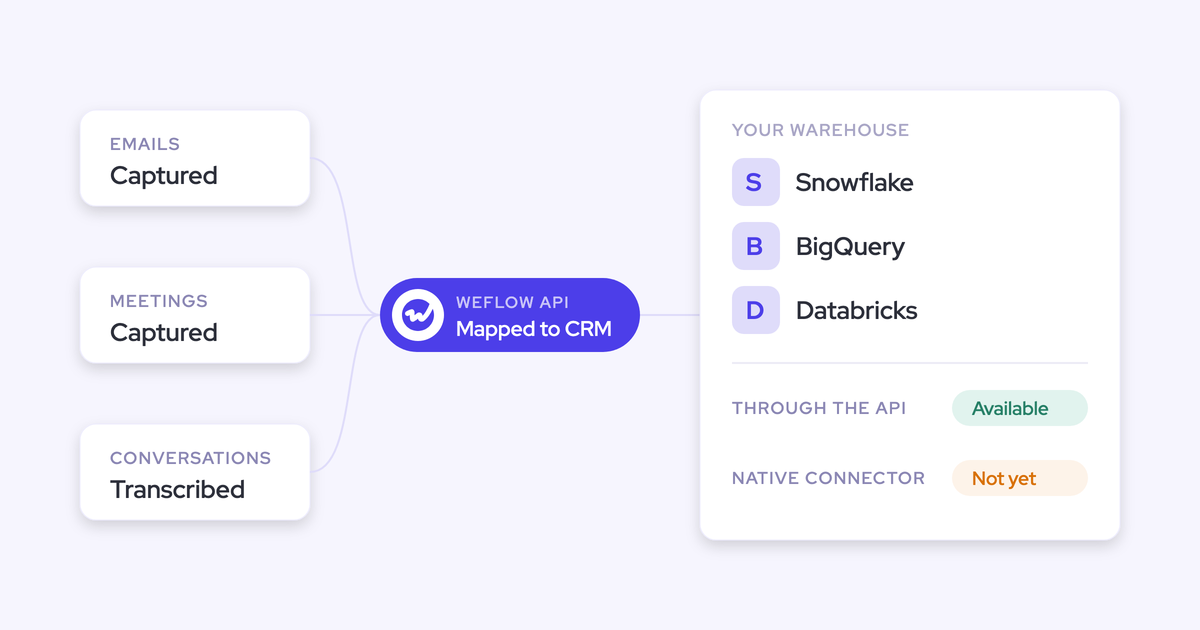
- Data warehouse: the agent sees warehouse data only after it's synced into Salesforce. Push the fields you need, such as product usage, into Salesforce first.
- Slack: delivery only. The agent can post a report to a channel but can't read deal channels. Reading Slack channel context is on our roadmap.