Ask Weflow AI Prompts That Surface the Deal Risks Reps Do Not Volunteer
Learn which Ask Weflow AI prompts surface deal risks reps don't volunteer from calls and emails


The deal-risk prompt that works best is one question: why would this deal fall through? Run it in Ask Weflow AI on a deal before your one-on-one. It reads the deal's calls, emails and Salesforce record together. It names the risk your rep hasn't said out loud and shows you where each risk came from.
That changes how the conversation opens. You start at "the AI found this, do you agree?" instead of "what did you miss?"
Weflow is the Revenue AI Orchestration platform for sales, customer success, and RevOps teams, and Ask Weflow AI is the part of it you talk to. Below is the starter question plus twelve more, grouped by the deal signals that live in conversations rather than fields:
- Quantified pain
- The champion
- Competition
- Real next steps
- Who you're actually talking to
- Silence and slippage
Every prompt tells you what scope to run it on, what to click through to, and what it can't tell you. Ask Weflow AI is included in every Weflow plan with no usage caps, so you can run these on every deal, every week.
Why asking the AI gets you the risk your rep won't name
The AI has nothing to defend. Your rep does.
When a rep names a weakness in their own deal, it reads as a judgment on their competence. So they defend the deal instead of interrogating it. The champion is "solid", the next step is "booked", and the close date is "on track". Nobody is lying. The person closest to the deal is simply the one who most needs it to be real.
A third party reading the conversation takes that weight off the rep. Mallory Lee described this after a small test she ran on a Fathom recording of one of her own meetings. Her test wasn't in Weflow, but the mechanism she spotted is the reason this whole prompt set works:
"I did a little test where I went to the Fathom recording of one of our meetings and I asked the AI, I said, why would this deal fall through? And it gave me a really nice answer. I was like, okay. Well, that's kinda cool. You know, you can use your judgment to understand that stuff, but you can also get this objective opinion from this third party robot that can, you know, give you help with that answer. And I think it takes a little bit of the onus off of the rep to try to say, oh, here's, you know, where I might have a weakness or here's something that I'm not thinking of."
The risk is usually already there in writing. A buyer said the budget was under review, or the champion stopped replying, weeks before the close date moved.
Your rep heard those moments too. They just didn't file them as risk. Ask Weflow AI reads the deal from the evidence, so the risk reaches your one-on-one without anyone having to confess it.
How to point Ask Weflow AI at the right deals
Two controls decide whether an answer is worth bringing to a rep. The first is the scope you point the question at. The second is the source you open before you use the answer.
Choose the scope: one deal, a filtered board or an account
Scope decides what the answer covers. Ask Weflow AI reads Salesforce records together with captured emails, meetings and call transcripts for whatever you point it at.
On a filtered deal board, a question applies to exactly the deals in view. "Which of these deals has no quantified pain" runs on this quarter's commit and nothing else.
| Scope | Use it when | Example question |
|---|---|---|
| One call or several selected recordings | You want to know what happened in specific conversations | What objections came up across these three calls? |
| Deal | You're prepping one opportunity for a one-on-one | Why would this deal fall through? |
| Filtered deal board | You want to find which deals in a set share a gap | Which commit deals have no buyer-confirmed next step? |
| Account | The history runs across several deals or years of email | Which competitors came up on this account and when? |
| Whole system | The question spans your whole book | What do our closed-lost deals from the last 90 days have in common? |
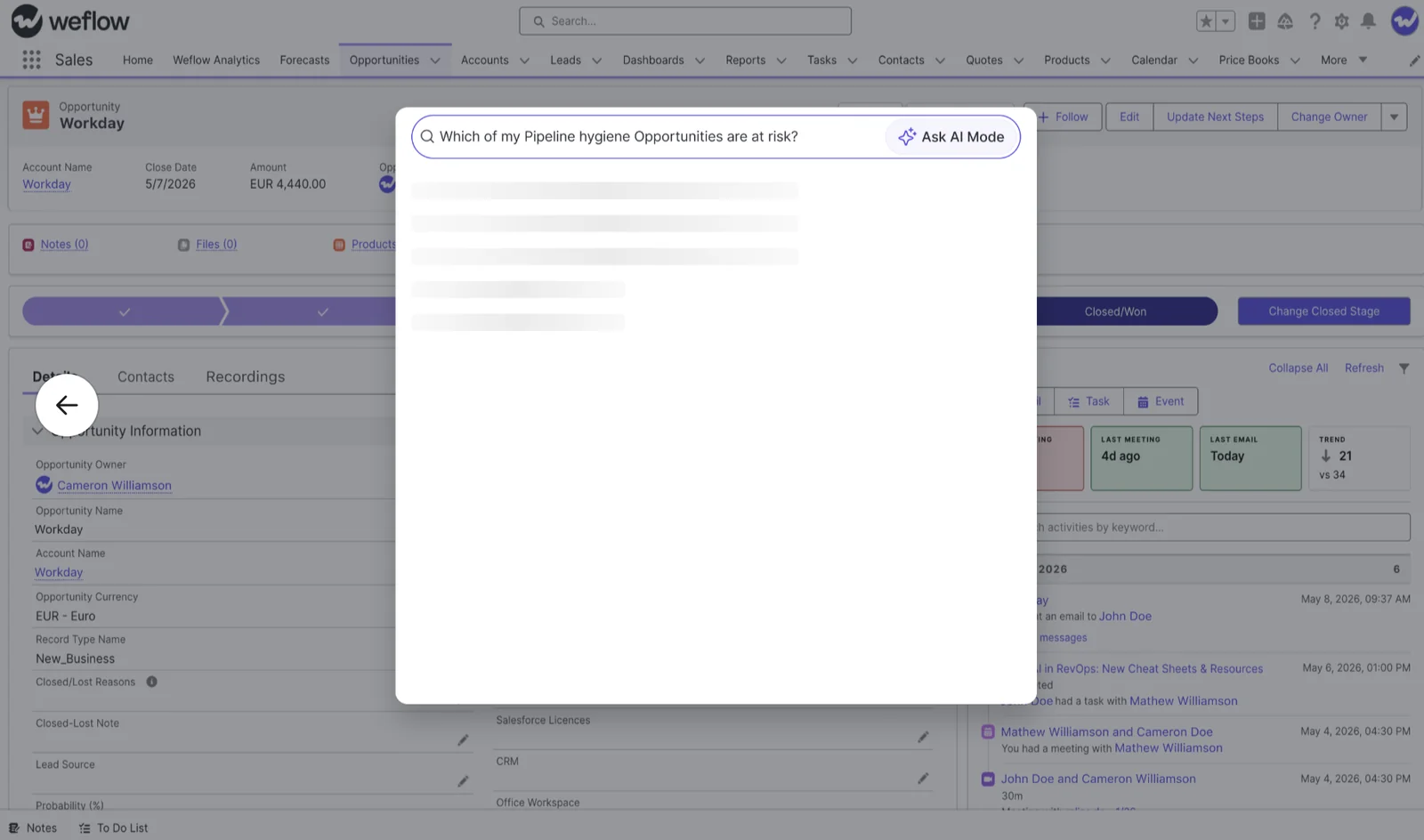
You run it in the Weflow web app or through the Weflow Chrome extension, which puts Ask Weflow AI on Salesforce record pages. You can ask from inside the opportunity you're already looking at.
Open the call, transcript or email behind every answer
Before a finding goes into your one-on-one, click through to where it came from. Ask Weflow AI shows its sources, so you can read the exact line the buyer said or wrote.
This is what separates a finding from a score. A number you can't interrogate gets ignored the first time it disagrees with what a manager knows about the deal. A quote with a date and a call attached gets discussed.
"I love being able to go right to the call, transcript or email and see where something was said that the AI is referencing."
— Scott Jones, SVP of GTM Revenue Intelligence & Enablement, KORE Wireless
Every prompt below asks for the source in the prompt itself, so the answer comes back already traceable.
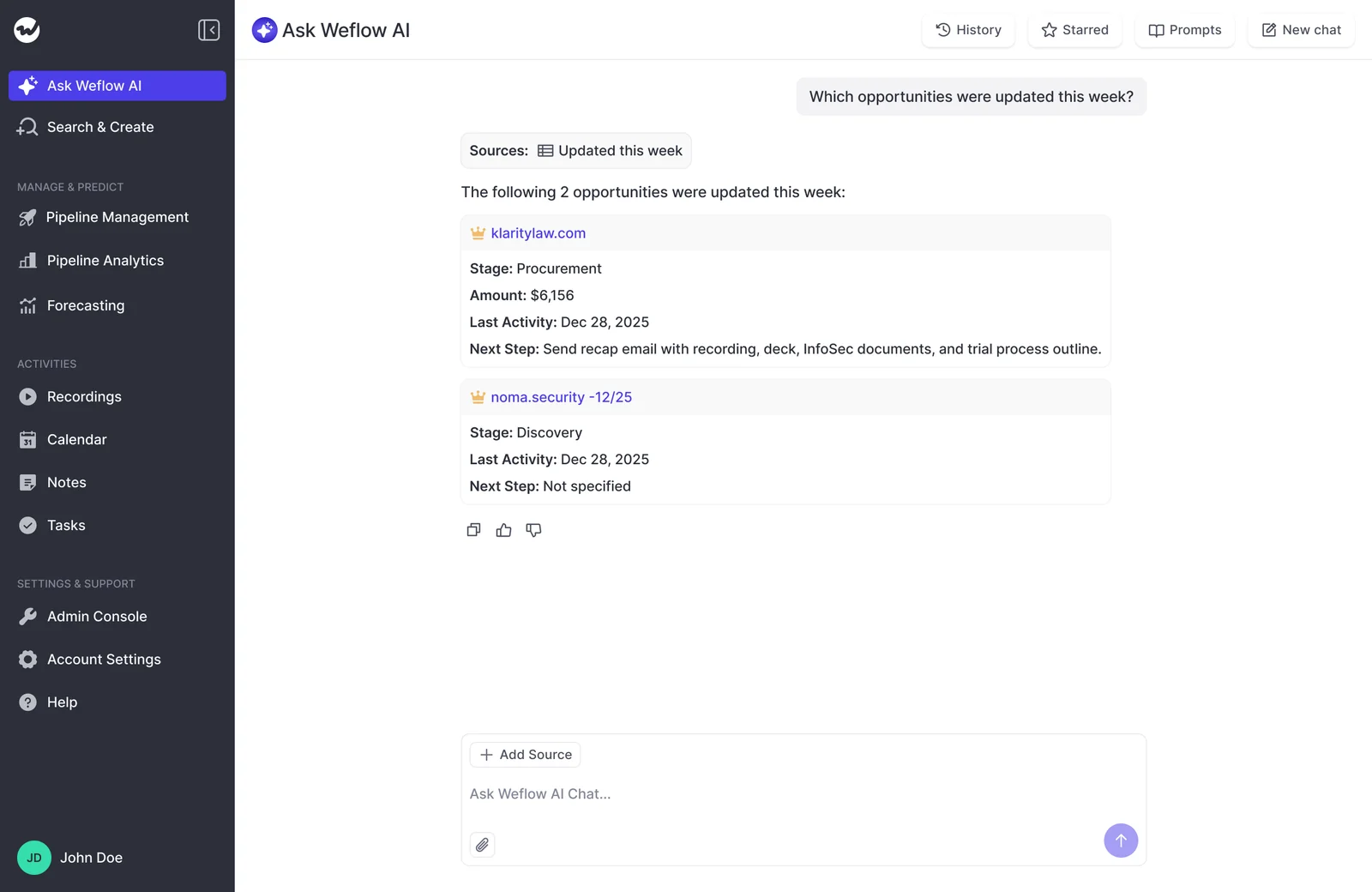
Start with one question: why would this deal fall through?
This is the prompt to run on every deal you plan to discuss. Scoped to the deal, Ask Weflow AI reads the full history of calls and emails on the opportunity, not just the last call.
That matters more than it sounds. A per-call summary sees one conversation, so a deal can look qualified on Tuesday's call and be hollow across the whole cycle. The deal scope catches the champion who went quiet in week three and the budget comment from the second discovery call.
Why would this deal fall through? Read every call transcript, email and meeting on this opportunity, not only the latest call. List the three biggest risks, ordered by how likely each is to stop the deal from closing. For each risk, quote what the buyer said or wrote, name the call or email it came from with the date, and suggest one thing the rep could do this week to reduce it. If you find no evidence for a risk, say so instead of guessing.| Run it on | Deal |
|---|---|
| What it reads | The opportunity record, every captured email and meeting, and the transcripts of recorded calls |
| What you get back | Three ranked risks, each with a buyer quote, a source and a suggested action |
| Click through to | The call or email named for each risk |
| What it can't tell you | Anything said in conversations that weren't recorded or captured |
Example answer: "1. No agreed timeline for security review. On the March 12 call the buyer said their IT team 'hasn't looked at it yet', and no email since confirms a date."
Read the answer as a starting point. The risk ranked first isn't always the one that matters most to you, but every risk comes with a source you can open in a few seconds.
Prompts that check whether the buyer's pain is quantified
Quantified pain is the signal behind drifting close dates. A buyer who hasn't put a number on the problem has no reason to decide this quarter, so the deal slides and your forecast slides with it.
"Without pain, there's no urgency. Right? Without urgency, you know, like, the deal will just drag on."
The evidence for pain lives in what the buyer said, not in a picklist. A missing number also isn't proof the pain doesn't exist. Often the buyer just needs help articulating it, which makes it a coaching opening for the rep rather than a reason to cut the deal.
Ask one deal whether the buyer put a number on the pain
Did the buyer put a number on the problem they want to solve? Search the calls and emails on this deal for any cost, time, revenue or risk figure the buyer stated in their own words. Quote each one with its source and date. If the pain was discussed but never quantified, say so, and list the moments in the calls where a follow-up question about impact would have fit.| Run it on | Deal |
|---|---|
| What it reads | Call transcripts and emails on the opportunity |
| What you get back | The buyer's own numbers with sources, or the moments where the rep could have asked for one |
| Click through to | The call where the pain was discussed |
| What it can't tell you | Pain the buying committee discussed internally, in conversations your rep wasn't part of |
Example answer: "The buyer described the manual reporting process as 'eating our Fridays' on the Feb 20 call but gave no figure. A question about hours per week would have fit at minute 14."
Find the deals on your board with no quantified pain
For each deal in this view, check the calls and emails for pain the buyer quantified in their own words. Return a table with the deal name, close date, whether quantified pain was found (yes or no), and the quote and source where it was found. List the deals with no quantified pain first.| Run it on | Filtered deal board, for example this quarter's commit |
|---|---|
| What it reads | Calls and emails on every deal in the view |
| What you get back | A table of deals sorted by whether pain was quantified |
| Click through to | The source quote on any deal marked yes, and the deal itself on any marked no |
| What it can't tell you | Whether a very large board fits in one query; a single query has a one-million-token ceiling |
Prompts that test the champion your rep says you have
Ask Weflow AI can't tell you whether a champion is real. It can show you the engagement facts behind the name, and it can arm you with the questions that need a conversation.
Ask Weflow AI doesn't infer champion or economic-buyer roles. A real champion owns the pain, can run the buying process internally, and can open the door to the economic buyer. Email and meeting volume shows that someone is engaged, not that they'll fight for you when your rep isn't in the room.
So these two prompts don't score the relationship. They narrow the question so your one-on-one goes straight to the part only your rep can answer.
Pull the engagement facts behind a named champion
Look at the contact recorded as champion on this opportunity. From the emails and meetings, show how often they replied to us, how often they started a thread, which meetings they attended, and whether they introduced anyone else from their company. Give dates and sources for each. Don't judge whether they're a real champion; lay out the engagement facts.| Run it on | Deal |
|---|---|
| What it reads | Contact roles on the opportunity, captured emails, meetings and transcripts |
| What you get back | Replies, threads started, meetings attended and introductions made, with dates |
| Click through to | The emails where they introduced colleagues, or the last thread they replied to |
| What it can't tell you | Whether this person will fight for you internally |
Example answer: "Replied to 4 of 11 emails, started no threads, attended 2 of 5 meetings. Last reply was Feb 28. No introductions to colleagues found."
Draft the champion questions to ask in the one-on-one
Based on the emails, meetings and call transcripts on this deal, write four questions I should ask my rep about the champion in our one-on-one. Ground each question in something specific you found or didn't find, for example whether the champion has introduced us to the economic buyer, whether they own the problem, or whether they've moved the process forward internally. Cite the source for each.| Run it on | Deal |
|---|---|
| What it reads | The full deal history, read against the champion criteria in the prompt |
| What you get back | Four questions for your rep, each tied to a gap in the evidence |
| Click through to | The source behind each question, so you know why you're asking it |
| What it can't tell you | The answers; those come from your rep |
Example answer: "She's been in every call but hasn't brought anyone senior in. Has she offered to take you to the CFO, and if you asked, would she?"
Prompts that find competitors mentioned in calls and emails
You shouldn't learn about a competitor from the closed-lost reason. Whether a deal is competitive lives in the conversation data, and most buyers say it openly if anyone listens back.
Knowing early lets your rep respond while there's still time to position. It also isn't always bad news. A buyer comparing alternatives has usually committed to solving the problem.
"So in my pipeline criteria, having competition was a plus, not a minus. If they were also looking at alternatives, it was a strong sign for us that they were committed to eventually make a move and make a decision."
These prompts are for finding out, not for raising an alarm.
Ask an account which competitors came up and when
Which competitors or alternative solutions have come up on this account? For each, tell me when it was first mentioned, who mentioned it, in which call or email, and what was said about it. Include mentions of building it in-house or doing nothing. Order the results by date.| Run it on | Account |
|---|---|
| What it reads | Every email, meeting and transcript on the account, across all its opportunities |
| What you get back | A dated timeline of competitor mentions with who said what |
| Click through to | The call or email where each competitor first came up |
| What it can't tell you | Evaluations the buyer ran without mentioning them to your team |
List the open deals where a competitor was mentioned
Which deals in this view have a competitor or alternative solution mentioned in calls or emails? Return the deal name, stage, the competitor, the date of the most recent mention and the source. Flag late-stage deals where the first competitor mention came in the last 30 days.| Run it on | Filtered deal board |
|---|---|
| What it reads | Calls and emails on every deal in the view |
| What you get back | Competitive deals, with late-stage newcomers flagged |
| Click through to | The most recent mention on any flagged deal |
| What it can't tell you | Mentions that were never captured or recorded |
Prompts that separate a real next step from a meeting
A next step is a step required to close: what happens, by when, and with whom. The next meeting on the calendar doesn't count.
Plenty of next-step fields are filled in and say nothing about whether the deal can sign. "Follow-up call Thursday" looks complete and tells you nothing about legal, security or procurement.
"It's about really understanding what are the next steps of the deal. Let's say we are in legal. Do we know by when do we get the red line back? Do we know what the next step is after that?"
Check whether the next step names what, when and who
Compare the Next Step field on this opportunity with what the buyer actually agreed to in calls and emails. List each step the buyer committed to, with what happens, by when, who on their side owns it, and the source. Then tell me whether the Next Step field matches, and whether any step toward legal, security or procurement has been agreed.| Run it on | Deal |
|---|---|
| What it reads | The Next Step field, plus calls and emails on the opportunity |
| What you get back | Buyer-agreed steps set against the field, with any gap called out |
| Click through to | The call or email where the buyer agreed each step |
| What it can't tell you | Commitments made in a phone call nobody recorded |
Example answer: "The field says 'Pricing review next week'. In calls, the buyer agreed only to share internally. No owner or date for legal or security was discussed."
Find late-stage deals whose next step is just another meeting
For the deals in this view, find the most recent next step the buyer agreed to in calls or emails. Flag every deal where that step is only another meeting or demo, with no agreed step toward legal, security review, procurement or signature. Return the deal name, stage, close date, the last agreed step and its source.| Run it on | Filtered deal board, filtered to late stages |
|---|---|
| What it reads | Calls and emails on every deal in the view |
| What you get back | Late-stage deals with no buyer-confirmed path to signature |
| Click through to | The last agreed step on each flagged deal |
| What it can't tell you | Steps the buyer is running internally without telling your rep |
Prompts that show who you're actually talking to
Multi-threading is real only when you measure it from who replies and attends. Counting the contacts on the deal doesn't tell you that. A deal with six contacts and one person replying is single-threaded.
Weflow Activity & Contact Capture creates Salesforce contacts from email threads and calendar invites, and attaches them to the matched account and opportunity. The people on the buyer side are there to ask about, even when your rep never added them by hand.
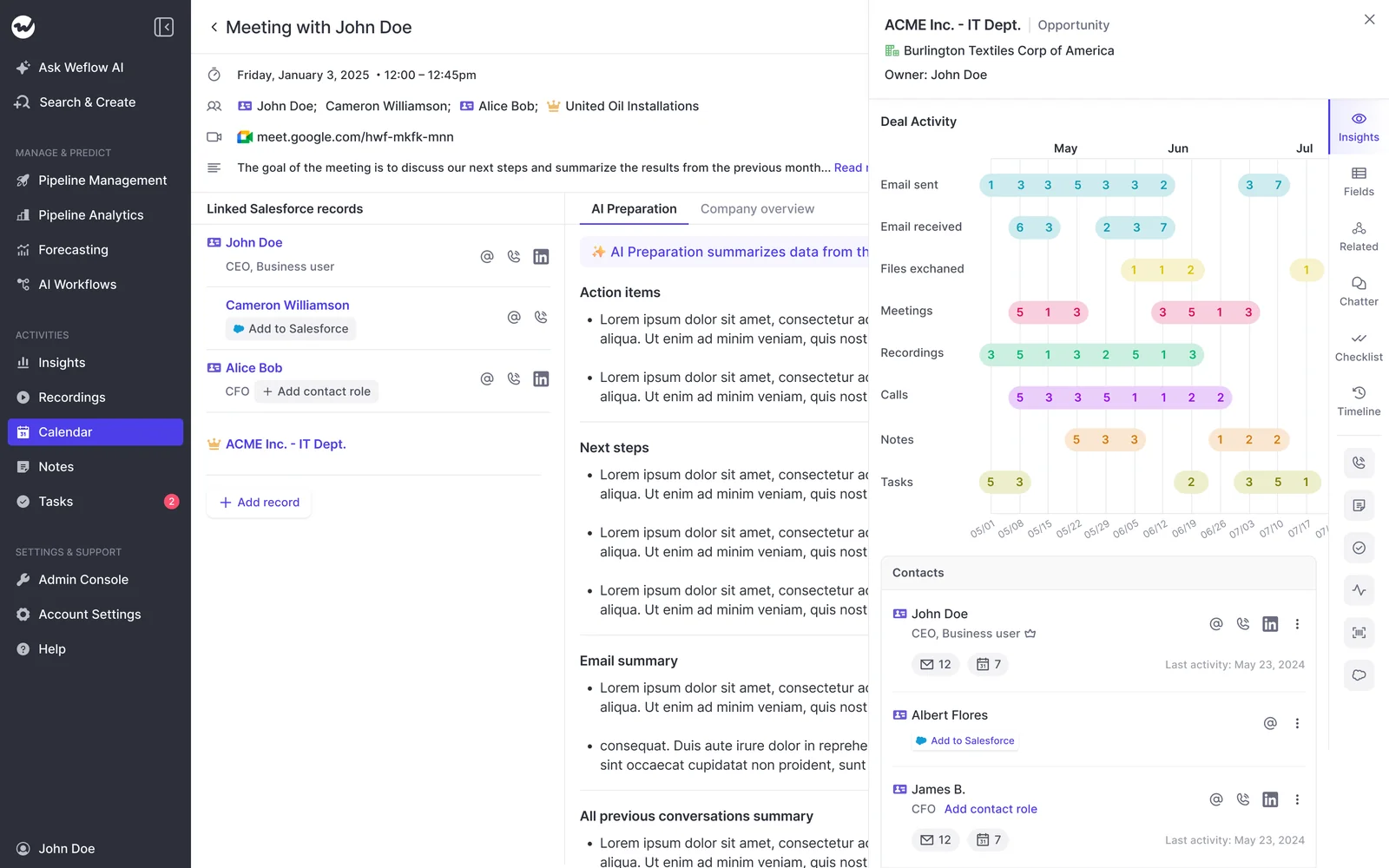
Map who on the buying committee is actually replying
List every person on the buyer side of this deal. For each, show the emails they sent us, the emails we sent them, the meetings they attended, and the date of their last reply or attendance. Highlight anyone we email who has never replied. Tell me how many people have actually engaged in the last 30 days.| Run it on | Deal |
|---|---|
| What it reads | Contacts on the deal, captured emails and meeting attendance |
| What you get back | Sent versus received per person, meetings attended and last engagement |
| Click through to | The last email or meeting for anyone who looks central |
| What it can't tell you | Influence from people who never appear on a thread or invite |
Example answer: "Seven buyer-side contacts. Two have replied or attended in the last 30 days. We've sent the Head of Finance six emails; she hasn't replied to any."
Check whether a senior buyer has been in any meeting
Has anyone at VP level or above on the buyer side attended a meeting or replied to an email on this account? Name them, give their title, list the meetings or emails they were part of, and give the last date they engaged. If no senior person has engaged, say so plainly.| Run it on | Account or deal |
|---|---|
| What it reads | Contact titles, meeting attendance and email replies |
| What you get back | Senior people who have engaged and when they last did |
| Click through to | The meeting a senior buyer last attended |
| What it can't tell you | Who holds the economic-buyer role, unless a contact role or title says so; Ask Weflow AI doesn't infer it |
Prompts that explain why a deal went quiet or keeps slipping
When the CRM says a deal is stale and your rep says they met the buyer yesterday, the answer comes from captured emails and meetings. Weflow's days inactive counts only emails and meetings, so editing a field or adding a note doesn't make a deal look active.
Salesforce's Last Modified date moves whenever anyone touches the record, which makes a neglected deal look alive. Weflow also tracks push count and days in stage automatically on every opportunity. Your questions about silence and slippage have honest data behind them.
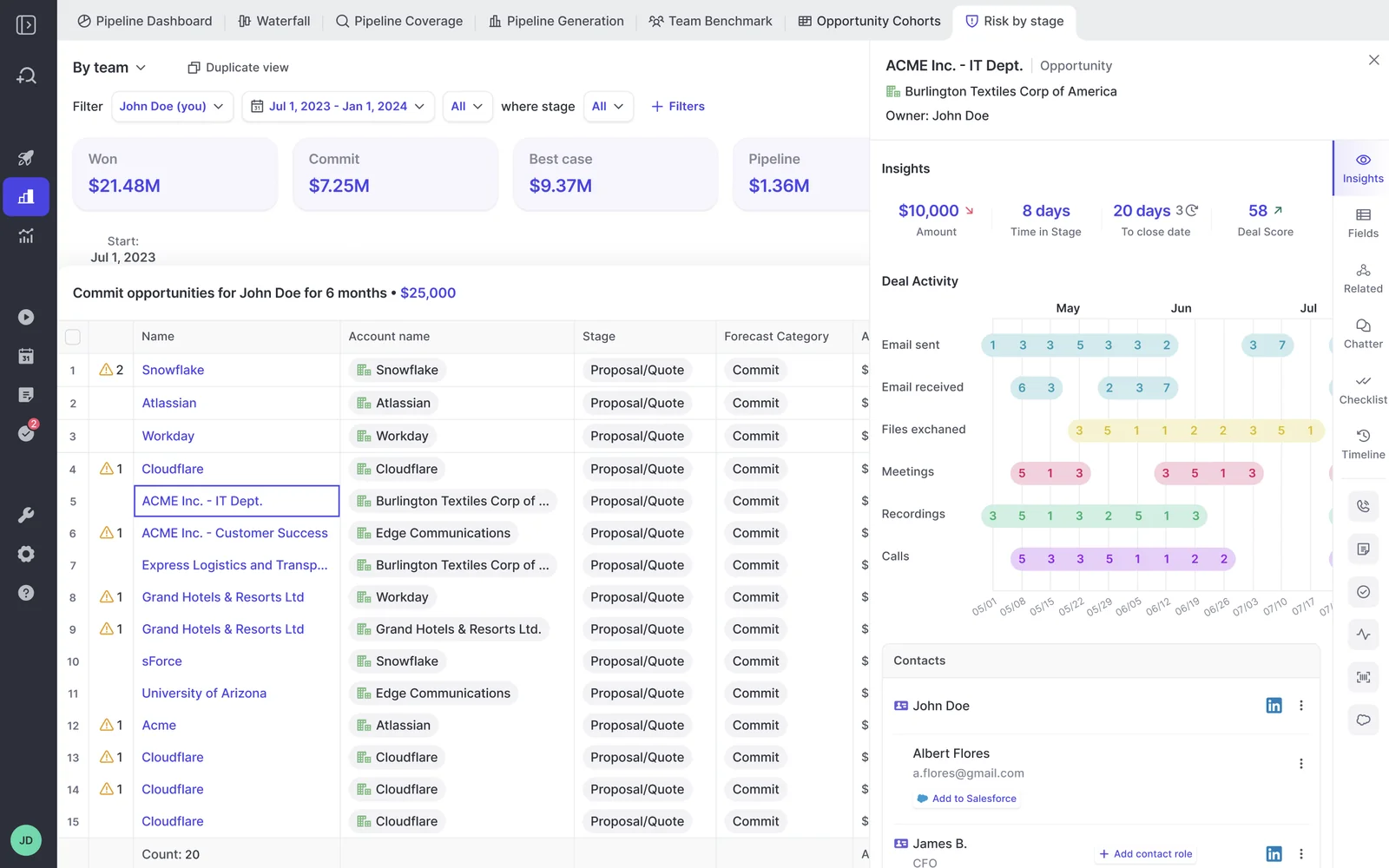
Find deals with no buyer emails or meetings recently
Which deals in this view have had no email from the buyer and no meeting with the buyer in the last 14 days? For each, give the date and type of the last real buyer interaction, the stage and the close date. Ignore field edits and notes; count only emails and meetings.| Run it on | Filtered deal board |
|---|---|
| What it reads | Captured emails and meetings on every deal in the view |
| What you get back | Quiet deals with their last real buyer touch |
| Click through to | The last email or meeting on any deal your rep says is fine |
| What it can't tell you | Contact in channels Weflow doesn't capture, such as a phone call or text message |
Set the window to match your sales cycle. Fourteen days of silence is a warning on a 60-day cycle and normal on a 12-month one.
Ask why a deal's close date has moved
This deal's close date has moved. Using the calls and emails on the opportunity, explain what was happening around each time the timeline shifted: what the buyer said, what was promised, and what changed. Quote the sources with dates. Then tell me whether the slips point to one recurring cause.| Run it on | Deal |
|---|---|
| What it reads | The opportunity record, calls and emails |
| What you get back | What was said around each slip and whether there's a pattern |
| Click through to | The conversation around the most recent slip |
| What it can't tell you | Reasons that were never spoken or written down, such as a rep moving the date to protect the forecast |
Example answer: "Both slips followed a call where the buyer mentioned waiting on budget sign-off from finance. Neither call set a date for that sign-off."
How to bring the AI's findings into the one-on-one
Run the prompts before the one-on-one and open with "the AI found this, do you agree?" Let reps run the same prompts first, so a finding lands as help rather than a gotcha.
Get this part wrong and the prompts become surveillance. Reps start defending against the AI the way they defended against you, and the honest conversation you wanted never happens.
Run the prompts before the one-on-one, not during it
Here's a weekly prep routine that fits in less time than rebuilding each deal from reports:
- Filter your deal board to the deals you'll discuss, for example each rep's commit and best case.
- Run the board-scope prompts on that view: no quantified pain, gone quiet, next step that's only a meeting.
- Run "why would this deal fall through?" on the deals that came up flagged.
- Open the source behind every finding you plan to raise.
- Bring two or three findings per rep, not ten. Pick the ones that change what the rep does this week.
The point is to spend the one-on-one on the deal's merits rather than on reconstructing it.
"It gives you this freedom to sort of, like, interrogate what the AI is telling you and then to get the rep's opinion on it and then to talk about the actual merits of the opportunity versus just trying to get your arms around how many opportunities do we even have."
Let reps run the same prompt on their own deals first
The Weflow Chrome extension puts Ask Weflow AI on Salesforce record pages, right where your reps already work. A rep can run "why would this deal fall through?" on their own opportunity before you meet.
That flips the dynamic. The rep finds the gap first, often fixes it, and arrives with a plan instead of a defense. You stop being the person who spots the problem and become the person who helps solve it.
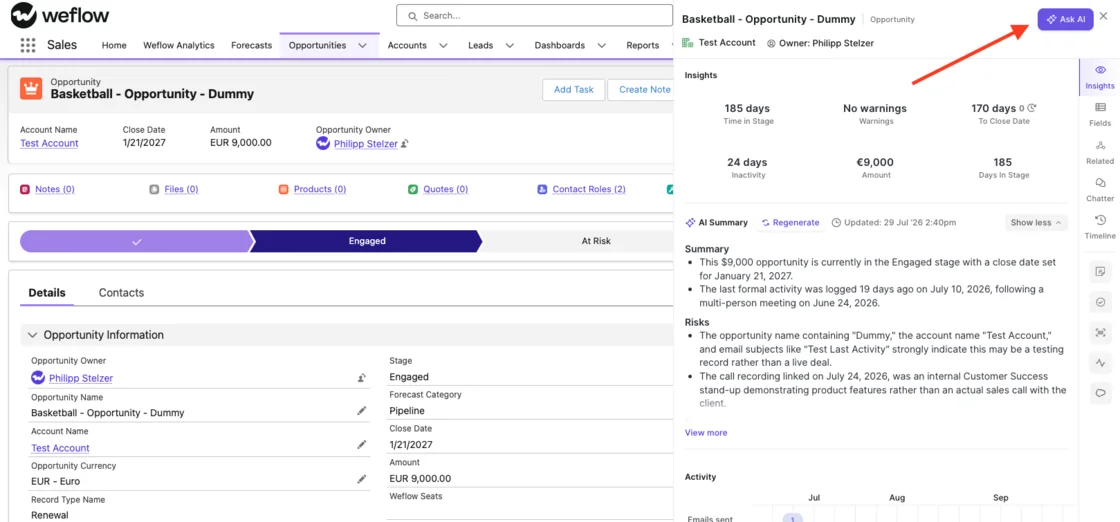
HolidayCheck saw the same effect when reps could see their own deal signals:
"The visibility alone changed behavior. Reps come into meetings already aware of what's overdue or inactive. They're more proactive now, because they can actually see what needs attention."
— Bastian Stosic, Head of Media Sales Operations, HolidayCheck
Save these prompts as Prompt Templates for your team
Your admin can save these prompts as Prompt Templates in the AI section of the Weflow admin console. Every manager then asks the same questions on every deal. A prompt library also ships with Ask Weflow AI, so your team starts from more than this list.
A few customization notes before you roll them out:
- Use your methodology's words. If you run MEDDPICC or SPICED, swap "quantified pain" for "Metrics" or "Impact", and "champion" for the term your team uses.
- Name your own stages. Replace "late stages" with the stage names your board actually filters on.
- Set your own windows. Change the 14-day and 30-day windows to match your sales cycle length.
- Explain your custom fields. Field Context and Object Context, under Context and Sources, tell the AI what your custom fields and objects mean, so it doesn't have to guess.
- Keep the questions identical across managers. Two managers who ask the same question of the same deal reach the same answer, which makes your deal reviews defensible upward.
What these prompts can't tell you about a deal
The prompts are only as good as your capture and recording coverage. Each limit below has a known workaround or a better-suited tool.
| Limit | What it means for you | What to use instead |
|---|---|---|
| Doesn't infer champion or economic-buyer roles | It reads contact roles and titles but won't label a person as champion | The engagement-facts prompt, then the question in your one-on-one |
| Answers on request, not proactively | Nothing flags a risk until you ask | Deal warnings, configured per team, for conditions you want watched all the time |
| Nothing is written to Salesforce | The answer lives in the chat, not on the opportunity | An Agent Builder agent writing to a Salesforce field you create |
| One-million-token ceiling per query | A very large board may not fit in one question | A narrower view, or Agent Builder for whole-book sweeps |
| No live in-call assistance | Answers arrive after the call is processed, not during it | The prompts before the next conversation |
| Thin answers where calls weren't recorded or activity is sparse | A quiet answer can mean missing data rather than a healthy deal | Weflow Conversation Intelligence on the calls that matter; treat "no evidence found" as a question for the rep |
| Calls recorded with another tool | Ask Weflow AI and AI Playbooks see that tool's written fields, not its transcripts | Recording with Weflow Conversation Intelligence for richer call-based answers |
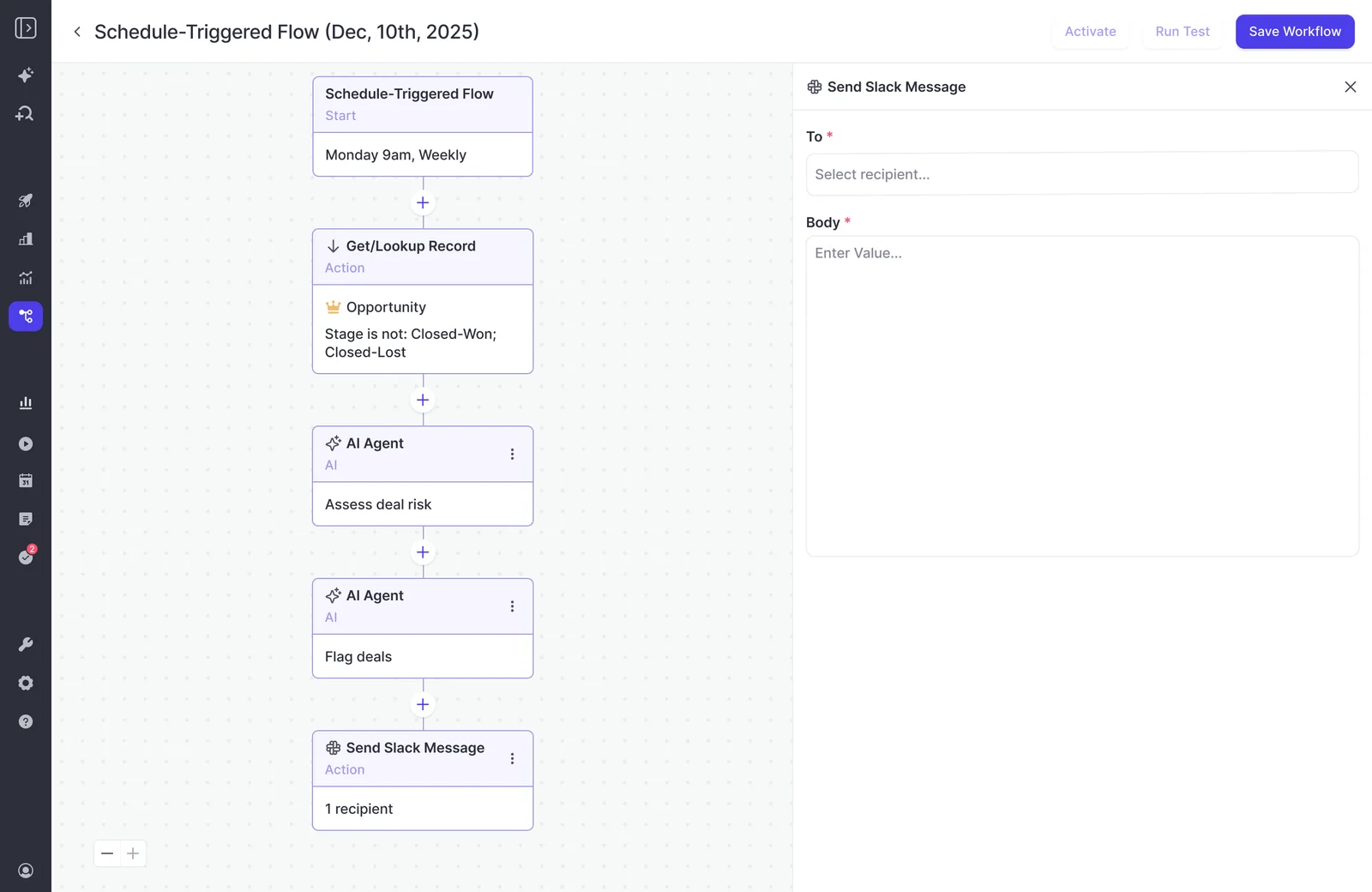
For whole-book sweeps, Agent Builder runs scheduled agents across your open deals and posts the result where your team works, for example a weekly deal-risk digest in Slack.
Ask Weflow AI vs deal warnings, deal score and AI Playbooks
Ask Weflow AI is the question you ask on purpose before a conversation. The other Weflow Deal Intelligence & Forecasting features watch your deals for you, each in a different way.
| Feature | Question it answers | When it runs | Where the result shows |
|---|---|---|---|
| Ask Weflow AI | Whatever you ask, such as why this deal might fall through | When you ask | In the chat, with sources |
| Deal warnings | Has this deal hit a condition we defined, such as two close-date pushes, one contact or days inactive? | Continuously, against rules your admin sets per team | On the deal board and in the forecast submission screen, as Weflow fields |
| AI deal score | How likely is this deal to close won, and why? | Nightly, once about six months of closed history exists | On the deal, as a 0 to 100 score with its drivers |
| AI Playbooks | How does this deal score against our methodology? | On a schedule, every few hours | Methodology values write back to Salesforce fields; the playbook score stays a Weflow field |
| AI deal summary | What are the pros, cons, next steps and risks on this record? | When someone generates it | In the Weflow panel on the Salesforce record |
Deal warnings and AI Playbook scores are Weflow fields, so they don't reach Salesforce reports. In practice, the features fit together like this:
- Warnings catch the conditions you already know matter, without anyone asking.
- The deal score tells you where to look first across a full pipeline.
- AI Playbooks keep methodology answers current on every deal.
- Ask Weflow AI answers the specific question you want settled before you sit down with a rep.
What it costs to run these prompts every week
Running these prompts costs nothing extra. Ask Weflow AI Pro is included in every Weflow plan with no usage caps, so you can ask on every deal, every week, without rationing.
That covers all three standalone products:
- Weflow Activity & Contact Capture
- Weflow Conversation Intelligence
- Weflow Deal Intelligence & Forecasting
It also covers all three bundles: Weflow Revenue AI Foundation, Business and Enterprise. Usage falls under a fair-use policy that no customer has reached yet.
Agent Builder is the only consumption-priced product at Weflow, and it's priced per workspace rather than per user. The Free tier comes with every plan.
| Agent Builder tier | Price | Agent actions per month |
|---|---|---|
| Free | Included in every plan | 25 |
| Growth | $299/month | 500 |
| Scale | $999/month | 2,500 |
| Enterprise | Custom | Custom |
Want more ready-made prompts and workflows to build into your weekly routine? Grab our 16 Free AI Workflows & Prompts for RevOps.
FAQ about Ask Weflow AI deal risk prompts
Does Ask Weflow AI cost extra or count against a usage limit?
No. Ask Weflow AI is included in every Weflow product and bundle with no usage caps. A fair-use policy exists, and no customer has reached it.
Can Ask Weflow AI run a prompt across my whole team's pipeline?
Yes, on a filtered deal board. You can combine up to 10 pipeline views in one chat. A single query has a ceiling of one million tokens. For sweeps across your whole book of business, Agent Builder is the better fit.
What if my team records calls with another tool?
Your call-based answers will be thinner. Ask Weflow AI sees the fields the other tool writes into Salesforce, but not its transcripts. Email, meeting and CRM-based prompts such as silence and multi-threading work the same.
Can the risks Ask Weflow AI finds go into Salesforce or the forecast?
Not from the chat. To write a risk assessment onto the opportunity, build an Agent Builder agent that writes to a Salesforce field you create. Deal warnings stay as Weflow fields, though they do appear in the forecast submission screen when a rep chooses what to commit.
Does Ask Weflow AI work on calls held in other languages?
Yes. Weflow transcribes 96 languages and detects the spoken language automatically. You can ask Ask Weflow AI to answer in a specific language.
Will Ask Weflow AI show me deals I can't see in Salesforce?
No. Ask Weflow AI inherits your Salesforce permissions as a floor and applies its own guardrails on top. It can withhold information you could reach directly in Salesforce, but it never shows you more.
Why does Ask Weflow AI give thin answers on some deals?
Usually because there's little to read. Calls that weren't recorded, deals with sparse email activity and conversations in channels Weflow doesn't capture, such as phone calls, all leave gaps. On those deals, a "no evidence found" answer is a question to put to your rep.
How soon in a trial will these prompts give useful answers?
As soon as there's captured history to read. The technical setup is a single session, and Weflow Activity & Contact Capture plus Weflow Conversation Intelligence roll out in about two weeks.
The prompts read whatever has been captured, so answers deepen as each deal builds its history of emails, meetings and recorded calls. They don't need six months of closed deals the way the AI deal score does.