Weflow Deal Warnings, AI Playbook Scores and the Deal Score: Which Signal Answers Which Question
Learn when to use Weflow Deal Warnings, AI Playbook Scores, and Deal Score in reviews and forecasts.


Weflow is the Revenue AI Orchestration platform for sales, customer success, and RevOps teams. If you've switched on Weflow Deal Intelligence & Forecasting, you now have five deal signals and nothing that tells you which one goes in front of whom.
Here's the short answer. Each signal answers one question, reads one layer of data and belongs in one meeting.
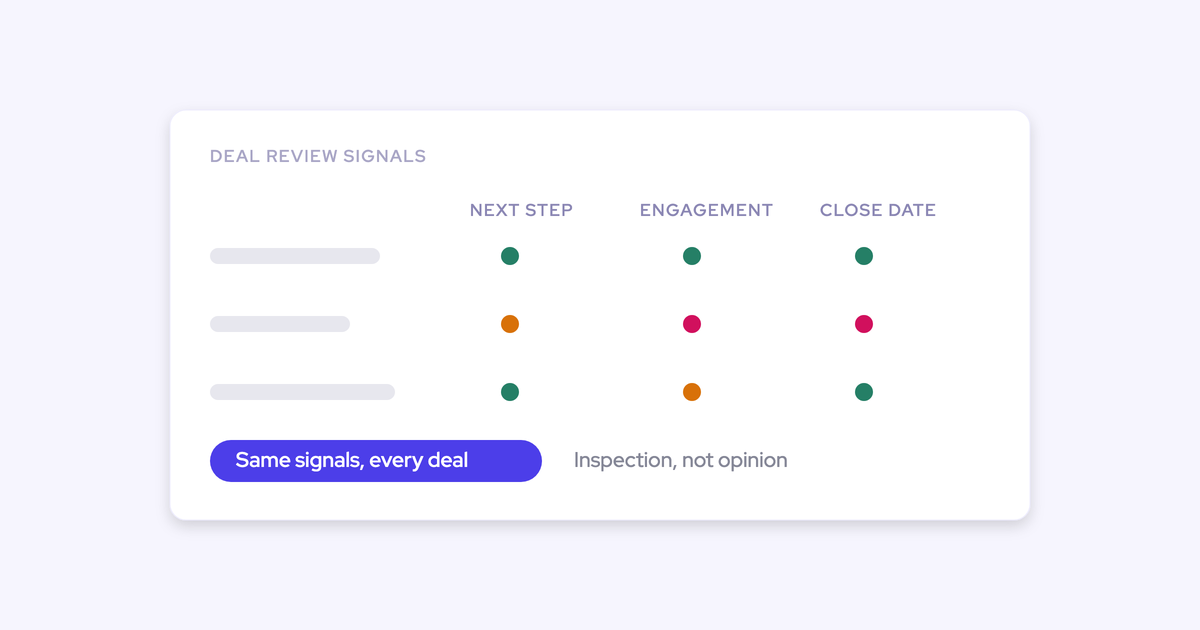
Weflow Deal Warnings tell the rep that something you defined as bad has happened. Weflow AI Playbooks tell the manager whether the deal is qualified on your methodology. The Weflow Deal Score ranks which deals to inspect first, the Weflow Engagement Score watches the account, and data-quality flags check the record before it reaches the roll-up.
Switch them on meeting by meeting, not all at once. That's how you avoid a red board that managers tune out inside a week. One thing to know before you plan the executive view: deal warnings and AI Playbook scores are Weflow fields, so they don't reach a Salesforce report or your BI tool unless you build a route for them.
Which Weflow deal signal answers which question, at a glance
Each Weflow Deal Intelligence signal answers one question and has one home meeting. This is the map to share with your sales leader.
| Signal | The question it answers | What it reads | Where it belongs |
|---|---|---|---|
| Weflow Deal Warnings | Has something we defined as bad happened on this deal? | Rules you write on opportunity fields and on activity Weflow computes, such as days inactive, close-date pushes, days in stage, and last and next meeting | The rep's deal board first, then the forecast submission screen |
| Weflow AI Playbooks | Is this deal qualified on our methodology, based on all the evidence? | Every email, meeting, transcript and field on the opportunity | Deal inspection and commit criteria, read by managers |
| The Weflow Deal Score | How does this deal compare with our own won and lost history? | A model trained on your closed deals and recalculated nightly | Ranking which deals managers open first |
| The Weflow Engagement Score | Is this account engaged? | A per-account model tuned to your industry and selling culture | Account-level attention, in any table or Kanban view |
| Data-quality flags | Is this record clean enough to forecast on? | Required fields, close dates, next steps and MEDDICC fields | The check before the forecast roll-up |
Every row has limits, and each section below names them. Managers stop reading a signal they can't explain.
Why we keep deal signals separate instead of one health score
We keep the signals separate because one deal health number ends up answering five questions and does a good job on at most one of them. As soon as it's wrong in front of a manager, nobody reads it again.
Buyers on our calls describe Clari's opportunity score this way: it stays on the screen and nobody reads it. Training a score on your own history is the right idea. The problem starts when one number has to cover qualification, activity, data hygiene and win likelihood, and it inherits every gap in the records underneath.
"The fundamental question people have to ask is, when you look at a deal, can you tell whether it actually is healthy or it's derailed?"
Separate signals give a manager a specific answer to that question. Before you explain them to your managers, fix the names:
- The Weflow Deal Score is the 0 to 100 likelihood-to-close score, recalculated nightly.
- The Weflow Engagement Score is calculated per account, not per deal.
- Some of our help pages title the engagement score article "deal health score". It's the same engagement score, not a sixth signal.
| Aspect | One deal health score | Separate Weflow signals |
|---|---|---|
| What it answers | Every question at once | One question per signal |
| When it's wrong | The whole number loses credibility | One signal is wrong and the others still stand |
| What the manager does next | Asks the rep what's going on | Asks about the specific gap: the missing buyer, the silent thread, the pushed date |
| Can a rep game it | Yes, by filling the fields it reads | Inactivity counts only emails and meetings, and playbooks judge typed text |
| Where it shows up | Usually one colour in one view | In the meeting where its question gets asked |
How Weflow deal warnings flag the risks your team defines
Weflow Deal Warnings flag a deal when a condition you defined as risky becomes true. They show it to the rep first and again when the rep decides what to commit.
Weflow ships with 50+ pre-built deal signals. You get the most out of them when the warnings describe your own business.
Build warnings on your own fields and computed activity
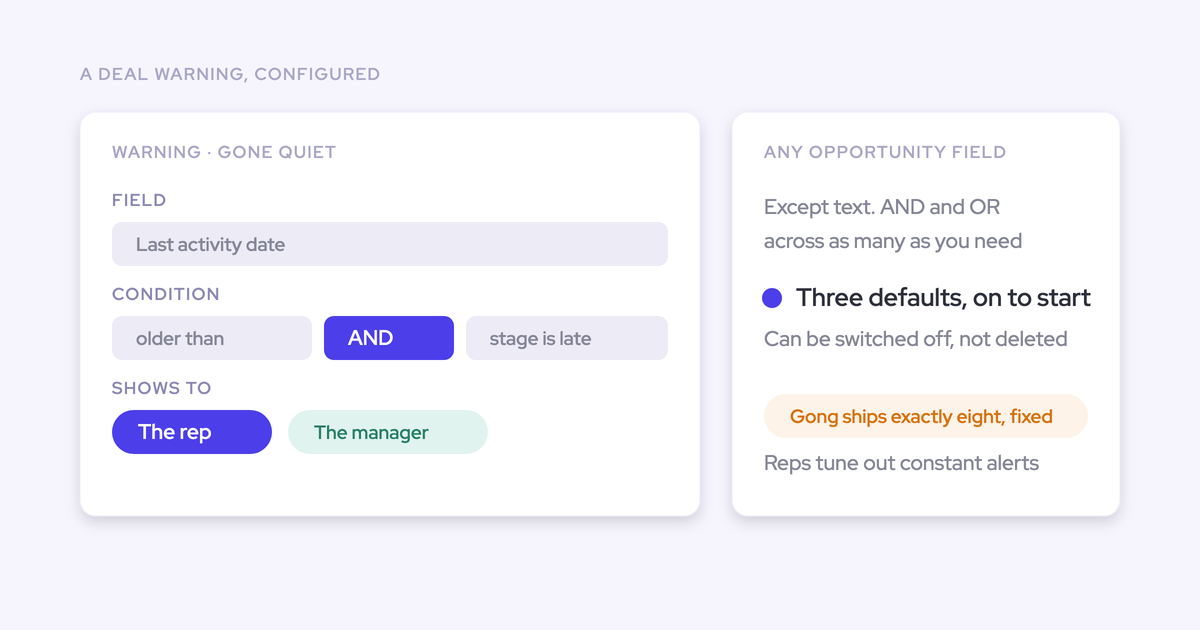
Weflow Deal Warnings are AND/OR rules you author on opportunity data and on fields Weflow computes from captured activity. You can build on:
- Any opportunity-related field, except text fields.
- Days inactive, which Weflow calculates from emails and meetings.
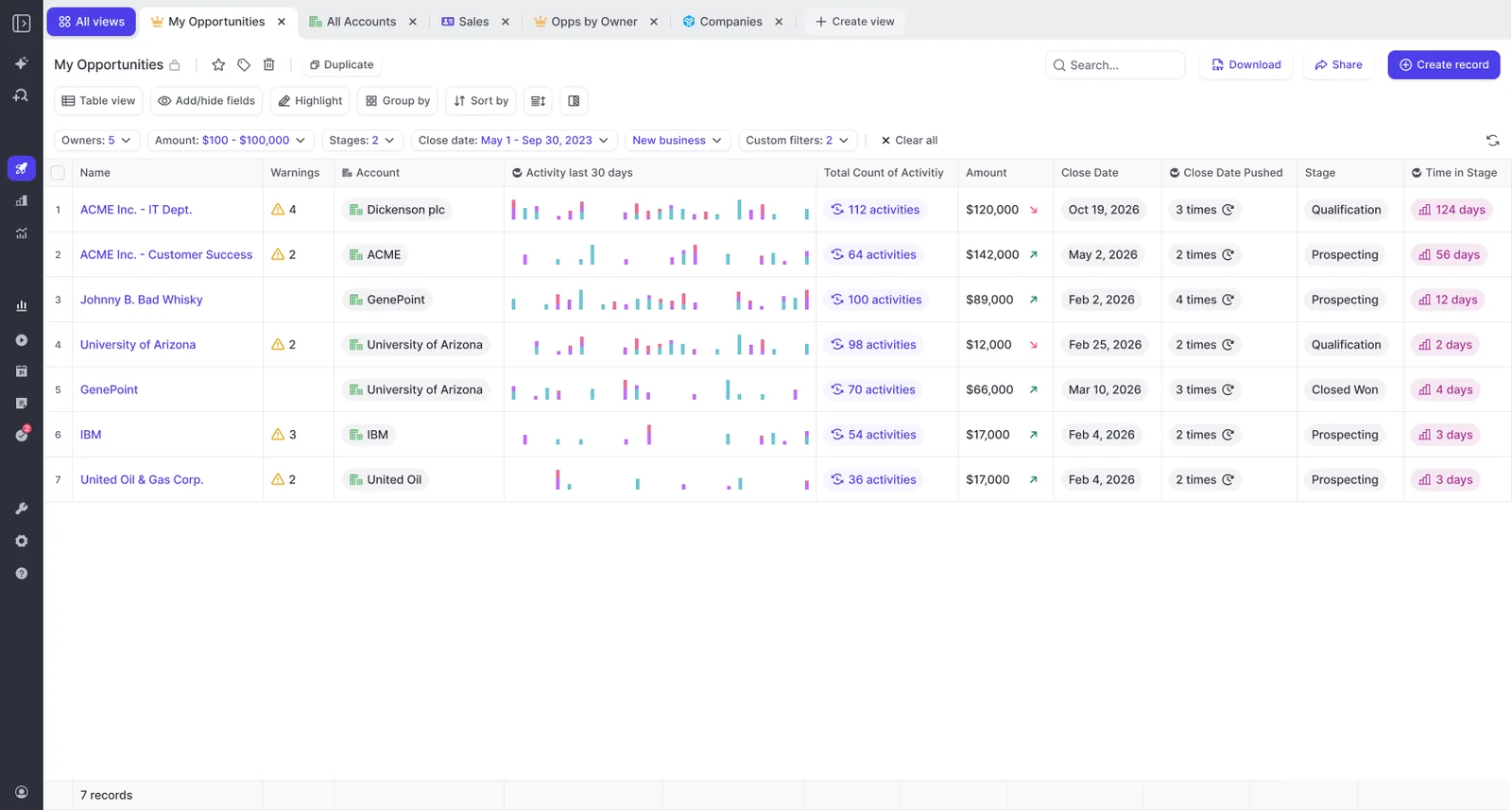
- Close-date push count, which Weflow tracks on every opportunity without a custom field.
- Days in stage, also tracked automatically.
- Last meeting and next meeting dates.
Typical warnings combine these: a close date pushed more than twice, only one contact on the deal, a missing methodology field, too many days in the current stage, or no activity within a window that fits your sales cycle.
Two admin details catch people out. The three default warnings can be deactivated but not deleted. And a warning only takes effect once you assign it to a team.
Other tools give you configurable rules too. Salesloft Deal Gaps lets admins build rules on any deal field, and Jiminny and Chorus let you tune thresholds on their risk alerts. Gong's AI Deal Monitor is stricter: it has eight Gong-defined warnings you can switch on, switch off and retime, but you can't create a new one.
Weflow's difference is the inputs and where the flag lands. Our warnings run on activity Weflow captures and computes, and they appear inside the forecast submission screen.
Why inactivity warnings count only emails and meetings
Weflow's days inactive counts only emails and meetings, so a rep who edits a field or adds a note doesn't make a dead deal look alive. Salesforce's Last Modified date does exactly that, because it moves whenever anyone touches the record.
| What happens on the deal | Salesforce Last Modified | Weflow days inactive |
|---|---|---|
| Rep updates the close date | Resets, so the deal looks active | Keeps counting |
| Rep edits a field or a note | Resets | Keeps counting |
| Buyer replies to an email | Moves only if the record is touched | Resets |
| A meeting takes place | Moves only if the record is touched | Resets |
| Where you set the threshold | No threshold, it's a timestamp | Per team, in the admin console |
Days inactive is also a dynamic field, so you can add it as a column to any pipeline view.
Where reps and managers see a deal warning
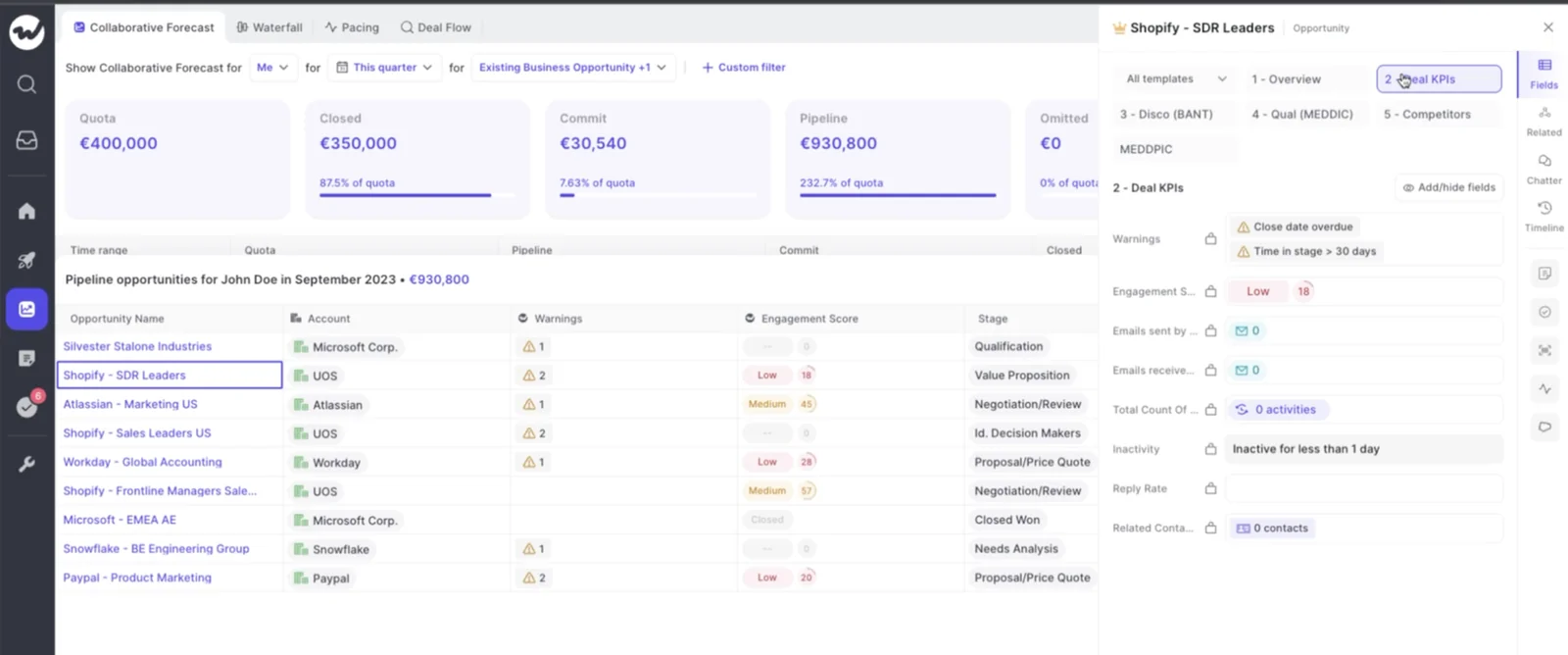
Reps see warnings on the deal board where they already work, before a manager asks about them. That order matters. If the flag reaches the manager first, the rep hears about their own deal in a chasing email, and the tool reads as surveillance.
"The visibility alone changed behavior. Reps come into meetings already aware of what's overdue or inactive. They're more proactive now, because they can actually see what needs attention."
Bastian Stosic, Head of Media Sales Operations at HolidayCheck
The second placement is the forecast submission screen. The rep sees the warning at the moment they choose which deals to commit, so unhealthy pipeline gets caught before it enters the roll-up, not in a report after the number is already wrong. The forecast submission screen belongs to the forecasting layer, which the licensing section below covers.
How Weflow AI Playbooks score the whole deal, not one call
Weflow AI Playbooks score an opportunity against your methodology by reading every email, meeting, transcript and field on the deal. They rerun whenever new activity lands on the record, and otherwise every three hours.
That's why a playbook works as a forecast signal and not as a coaching score. A per-call summary only sees one conversation, so a deal can look qualified on the last call and still be hollow overall. The playbook keeps each element at the current best answer across the whole deal and returns a next-step recommendation.
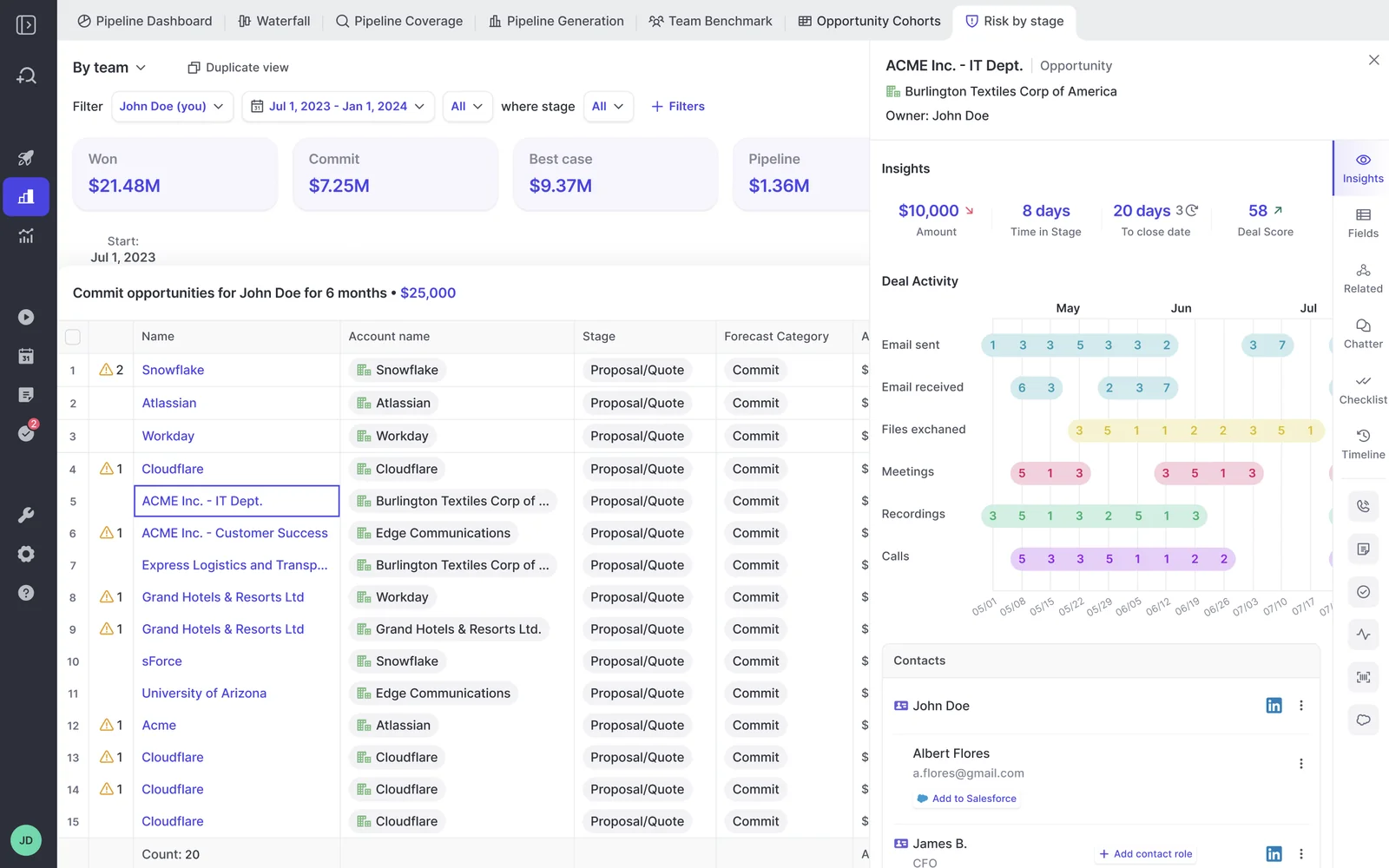
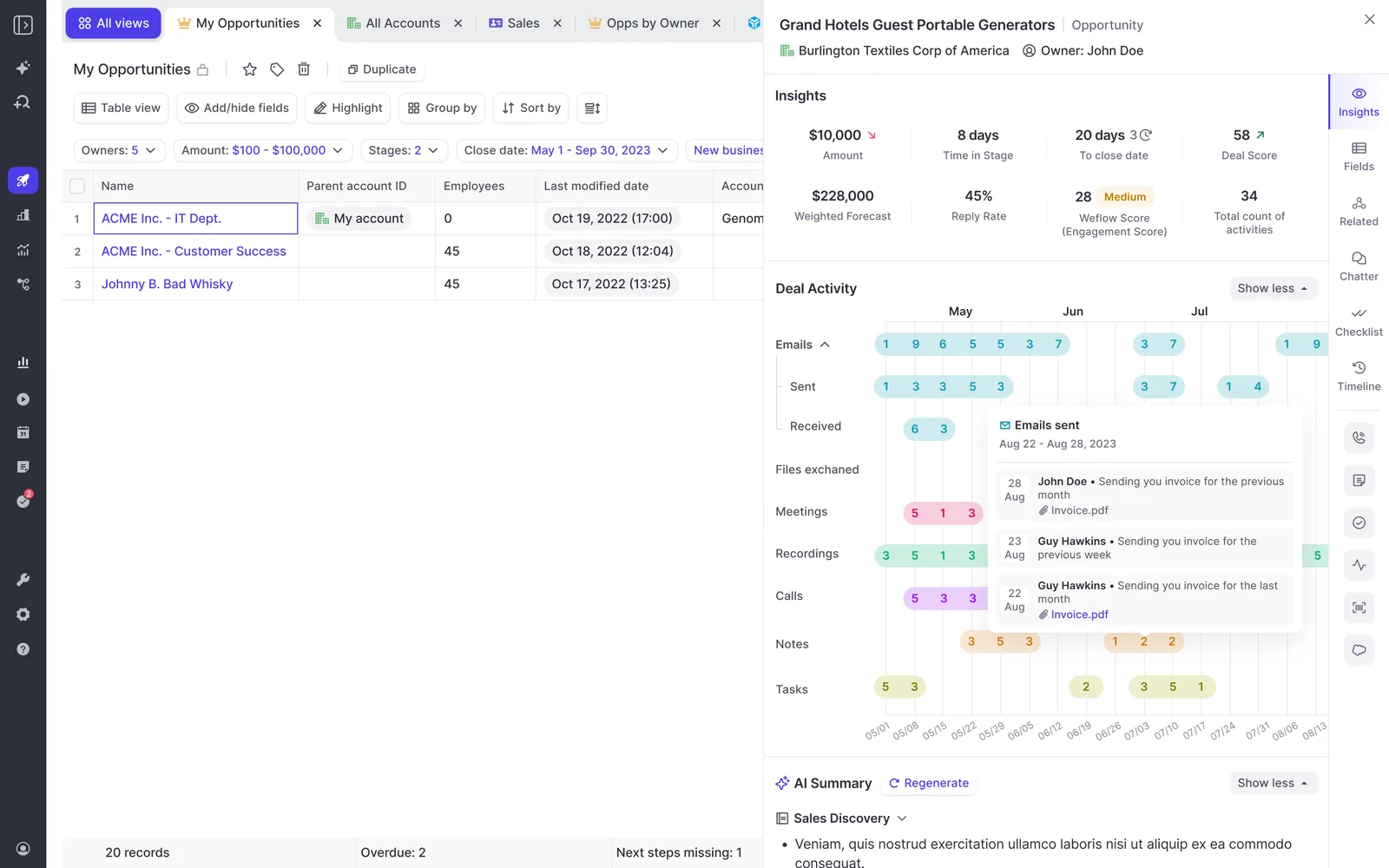
The playbook panel sits beside the deal board, next to amount, time in stage, days to close, Deal Score, weighted forecast, reply rate and engagement score. A manager reads what's evidenced and what's missing in one place.
Why a filler MEDDIC answer gets marked not assessed
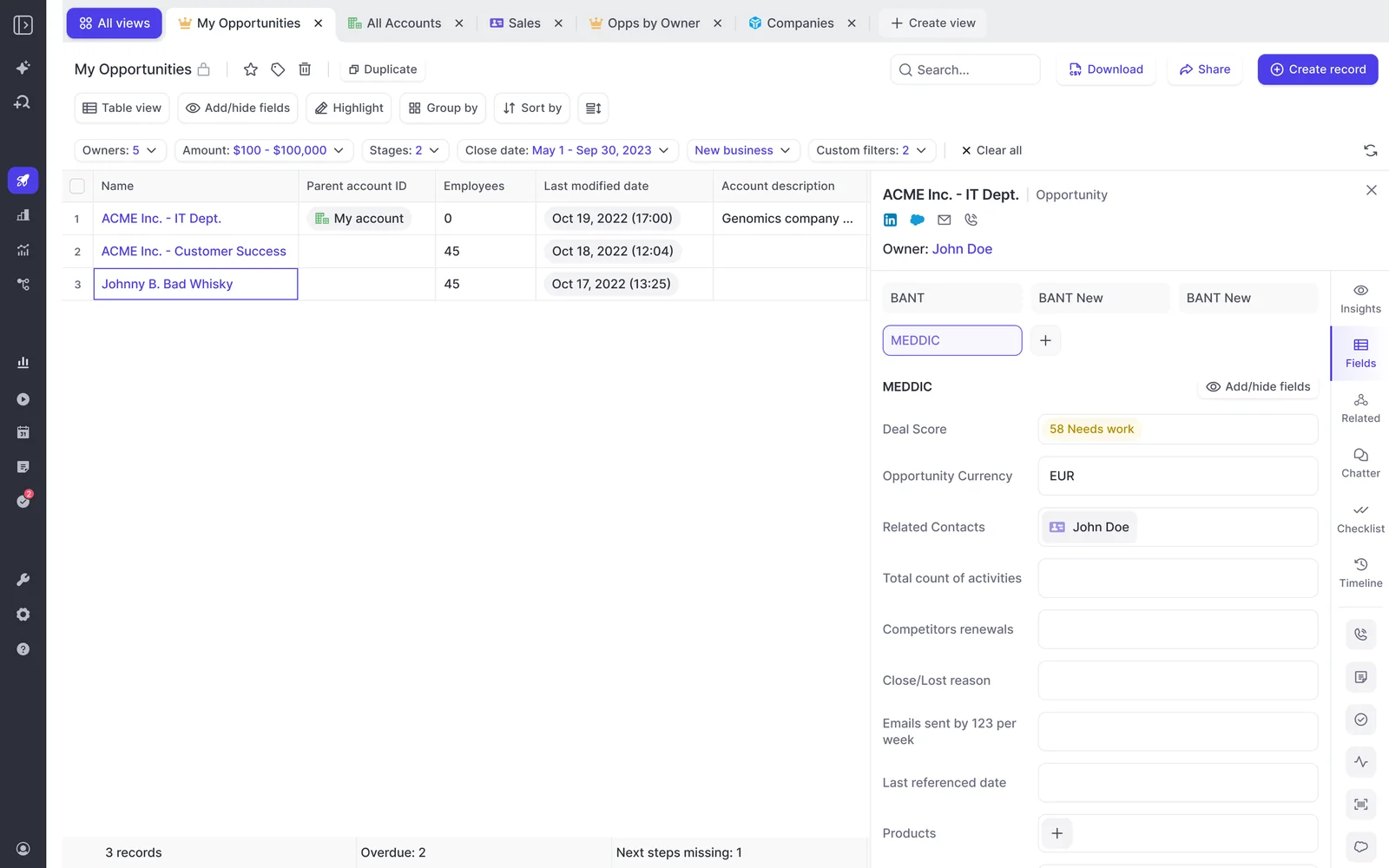
A Weflow AI Playbook runs two algorithms. The first fills every element of your methodology from the deal's evidence. The second judges how well each element has actually been established, including text a person typed.
So a rep who types filler into a MEDDIC field to get past a validation rule doesn't get a complete element. That element shows as not assessed. Each element lands in one of three states:
- Fully established: the evidence supports it.
- Partially established: with a note on what's missing, for example metrics named but not quantified.
- Never discussed: nothing on the deal supports it, for example no relevant data found on the economic buyer.
Reps can override any element, and the playbook evaluates the override for plausibility against the deal. They can also type notes into the same panel. That answers the question every RevOps leader asks about rep-typed qualification data:
"Luckily, now we have, like, conversation intelligence and AI on top of that that can help you kind of prove out if something has happened in the process. I'm sure you all at Weflow have something similar to help your customers with verifying, like, did the buyer say this, or is it just a sales rep filling out a custom field in Salesforce?"
Use AI Playbook gaps as commit criteria in the forecast call
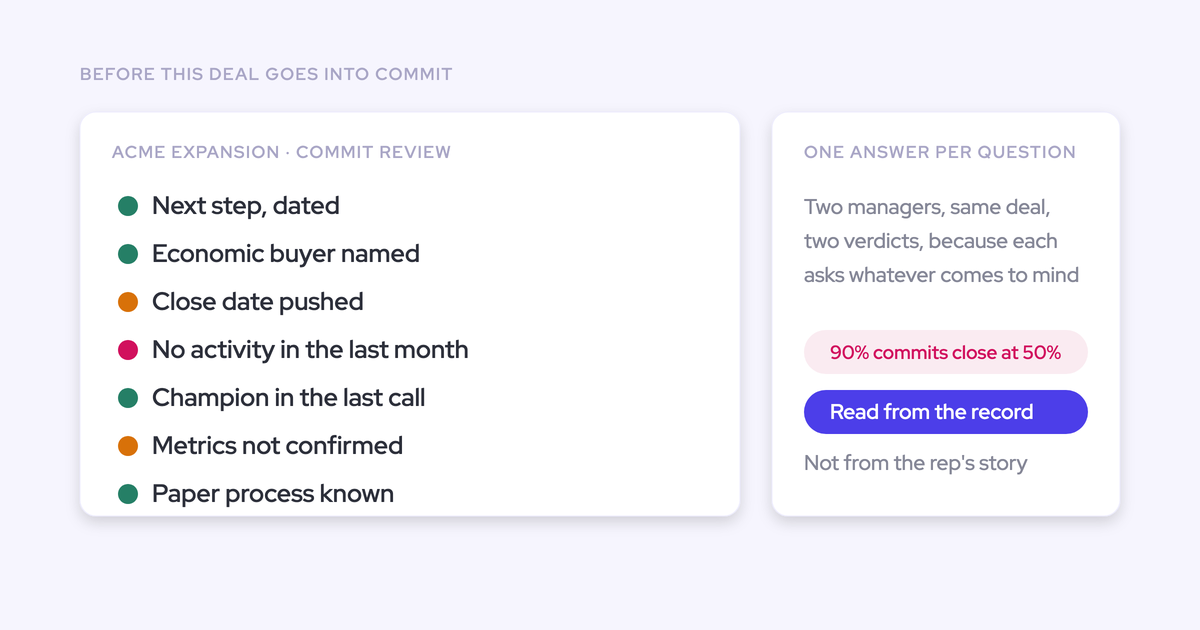
A playbook gap on a late-stage deal is a specific, actionable risk. "Forecast to close this month, no identified economic buyer" gives a manager something concrete to work on, where "this deal feels soft" doesn't.
Here's what a commit check looks like. A deal sits in Commit with a close date this month. The playbook shows the economic buyer as never discussed and metrics as partial. In the forecast call, the manager skips "how's it going?" and asks who signs, when the rep meets them, and what number the customer has agreed to. If the rep can't answer, the deal moves to Best Case until they can.
"If you are in the last stage of the opportunity but get a CRM score of forty or fifty percent, then there are big red flags of, okay, is it really happening, or is it just a hygiene topic, or did you miss key parts."
What AI Playbooks can't read and don't cite
Know these limits before you put playbook scores in front of managers:
- Playbooks read transcripts of meetings Weflow recorded. If you record with another tool such as Gong or Momentum, the playbook works from the CRM record, emails and meeting metadata. Weflow still shows the fields that other recorder writes in its deal views and sidebar.
- Playbook results don't cite the specific emails, calls or fields behind each answer. When a reviewer wants the evidence, Ask Weflow AI answers questions about the deal and lists the sources it read.
- No digital signal validates a champion. Engagement shows someone is talking to you. Whether they'll fight for you internally still needs a conversation in the deal review.
How the Weflow Deal Score ranks which deals to inspect
The Weflow Deal Score is a 0 to 100 likelihood-to-close score, trained on your own closed deals and recalculated nightly. It learns what separated won from lost in your business, such as time in each stage, number of activities and communication cadence, and it shows the drivers behind each score. There's no logic for you to configure.
Use it to decide which deals managers open first, not as a verdict on any single deal. The model needs about six months of closed history before it scores accurately, and after that it trains within a few days. Until then, rank deals by warnings and playbook gaps.
Where the engagement score and data-quality flags fit
These two signals support the three above, so give them a narrower job.
Use the Weflow Engagement Score for account-level attention
The Weflow Engagement Score is calculated per account by a machine learning model customized to your industry and selling culture. A higher score means a higher likelihood of Closed/Won.
You can add it to any table or Kanban view. Its job is to tell an account owner where attention is slipping across the account. Deal-level qualification stays with the playbook.
Let data-quality flags gate the forecast roll-up
Weflow's data-quality flags point to opportunities with missing required fields, stale close dates, missing next steps or incomplete MEDDICC data before they enter the forecast submission flow.
Their question is narrow: is this record clean enough to forecast on? Use them as the last check before a rep submits, and fix the record before you debate the deal.
Which deal signals reach Salesforce reports and your BI tool
The answer depends on the signal. Weflow Deal Warnings and AI Playbook scores are Weflow fields, so they don't appear in Salesforce reports or BI. Captured activity is Salesforce data and reports like anything else in your org.
Look for the W in the Weflow interface. It marks a Weflow field and is the quickest way to tell what will reach a report.
| Signal or output | Where it lives | Salesforce reports and BI | Route if you need it there |
|---|---|---|---|
| Weflow Deal Warnings | Weflow field, marked W | Not reportable | An agent that writes the assessment into a Salesforce field you create |
| AI Playbook score | Weflow field, marked W | Not reportable | Same agent route |
| AI Playbook element answers | Written back to the corresponding Salesforce fields | Reportable like any Salesforce field | Map the fields during configuration |
| Captured emails and meetings | Task or Email Message records for email, Event records for meetings | Reportable in Salesforce and readable by any BI tool | None needed. The Weflow Analytics package adds activity reports inside Salesforce with no API calls |
| Forecast submissions and roll-up | The Weflow app | Not in Salesforce | Pull them into BI through the Weflow public API |
The agent route works, but you have to build it. In Agent Builder, an admin sets the schedule, the record filter and the prompt, and a test run shows the output in Ask Weflow AI before anything goes live. The agent then writes its assessment into a Salesforce field you created, where your dashboards can read it.
Agents run on a time schedule, not on a record change. A deal that slips shows up at the next scheduled run, so treat the output as a recurring briefing rather than a real-time alert.
If your board reporting has to run from Salesforce dashboards with zero build, factor this gap into your plan before you promise warnings in the board deck.
Which Weflow bundle includes each deal signal
Weflow Revenue AI Business includes the Deal Intelligence signals. Weflow Revenue AI Enterprise adds the forecasting layer, which is where the forecast submission screen lives.
| Capability | Weflow Revenue AI Business | Weflow Revenue AI Enterprise |
|---|---|---|
| Table and Kanban deal views | Included | Included |
| AI deal and account scoring | Included | Included |
| Weflow Deal Warnings on the deal board | Included | Included |
| Buying committee intelligence | Included | Included |
| Forecast submission screen with warnings | Not included | Included |
| Pipeline Analytics | Not included, it's sold with Forecasting | Included |
| List price | $59 per user per month, billed annually | $79 per user per month, billed annually |
Weflow Deal Intelligence & Forecasting is also available on its own at $39 per user per month, billed annually. It includes Ask Weflow AI Pro and the Agent Builder free tier with 25 agent actions per month.
Pipeline Analytics and Pipeline Management sound alike but are packaged separately. Pipeline Analytics is built from your forecast configuration, so it comes with Forecasting.
The view-only licence covers recordings and the insights panel. It doesn't include pipeline management or forecasting, so an executive on a view-only seat won't get a read-only deal board.
How to roll out Weflow deal signals without flooding managers
Roll out the minimum signal set each meeting needs. Aim for a board that's empty when deals are on track, so anything that appears on it is already overdue.
Check four criteria before switching a signal on
- Name the meeting whose question this signal answers. If you can't, leave it off.
- Check whether you have about six months of closed history. Without it, the Weflow Deal Score has no opinion yet.
- Check where your calls are recorded. Weflow AI Playbooks read Weflow transcripts, not transcripts held in another recorder.
- Decide whether the output has to land in Salesforce or BI. If it does, plan the agent route before you promise it.
Set warning thresholds from your closed-won benchmarks
A warning threshold is a judgement about your business, so build it from your own data. A team with a 60-day cycle can treat 14 days of silence as a warning. A team with a 12-month cycle would drown in that alert.
"Days in stage is also important because what you wanna do is you actually wanna track what's the average time and stage for an opportunity, you know, for those that actually move to close one at some point in the future. That allows you to create internal benchmarks, and you can then use these benchmarks and to then create, you know, signals and warnings and so on. So having a good grasp and understanding of this actually allows you to coach better and to react quickly. Right? So you need to have those benchmarks. Otherwise, you won't know what is good and what is bad, basically."
Here's how to derive a benchmark:
- Pull your closed-won deals, split by motion if new business and renewals behave differently.
- Read how long those deals spent in each stage. Weflow tracks days in stage automatically.
- Read how often their close dates moved. Weflow tracks push count the same way.
- Sit down with your sales leader and set each threshold where a deal clearly runs past that norm.
- Assign the warning to the team it fits, and revisit it once a quarter of results is in.
Your sales leader needs to be in that room. A threshold RevOps sets alone gets argued about in every forecast call.
Start with the minimum signal set per meeting
Phase the rollout by audience. Reps adopt the deal board, and leaders adopt the forecast, so start with the rep and build up. KORE Wireless rolled Weflow out in five phases, with Deal Intelligence fourth and forecasting last.
- Reps, deal board and Weflow Deal Warnings. It's working when reps arrive at their 1:1 already knowing what's overdue, and most of the board is empty.
- Managers, AI Playbook scores in deal inspection. It's working when inspection starts from the gaps, not from "what's the status?"
- Managers, Weflow Deal Score ranking once you have the history. It's working when managers open the lowest-scoring commit deals first.
- Reps and managers, forecast submission with warnings and data-quality flags, where Revenue AI Enterprise is licensed. It's working when flagged deals get fixed or downgraded before they're committed.
- Executives, reporting after you've decided the Salesforce route. It's working when the board number and the reasons behind it come from the same place.
Assign pipeline templates per team as you go. A template locks the field set, so sales, customer success and leadership each get their own view without the columns drifting.
Warnings and playbooks get configured during the onboarding configuration phase. The technical setup is a 30 to 45 minute session with your Salesforce admin and mail admin, and workspace configuration takes about an hour. Agreeing on thresholds and methodology with your sales leader takes longer than either.
When deal signals disagree, put the gap on the agenda
When signals disagree, or a signal disagrees with the rep, the gap tells the manager where to dig. Where the system and the rep agree, the manager asks about the next step. Where they differ, the rep explains why the system is wrong.
| The disagreement | What to ask in the meeting |
|---|---|
| High Weflow Deal Score, hollow AI Playbook | The deal behaves like past wins, but what's missing on the methodology, and who closes that gap this week? |
| The CRM says the deal is stale, the rep says "I met them yesterday, it's fine" | Where is that meeting? Days inactive counts emails and meetings, so if it happened and it isn't on the timeline, log it and agree the next step. |
| Heavy engagement, no validated champion | Will this person take your call, and will they get you to the economic buyer? |
| Deal in Commit, playbook shows the economic buyer as never discussed | Who signs, and when do you meet them? Until that's answered, does this belong in Best Case? |
This changes the tone of the meeting. The manager stops reconciling whether the deals are real and starts testing the system's read against the rep's.
"It gives you this freedom to sort of, like, interrogate what the AI is telling you and then to get the rep's opinion on it and then to talk about the actual merits of the opportunity versus just trying to get your arms around how many opportunities do we even have."
Your next step is to pick the first meeting, switch on the one signal that answers its question, and set its thresholds with your sales leader. If you want a structure for the deal-inspection side of that work, use our pipeline guide.
Free Guide: Deal Insights & Pipeline Management Best Practices
FAQ
Do reps see the same Weflow deal warnings as their managers?
Yes. Reps see Weflow Deal Warnings on the deal board where they work, and the same warnings appear in the forecast submission screen. Showing the flag to the rep first keeps warnings from reading as surveillance.
Can Weflow deal warnings send alerts to Slack?
Weflow Deal Warnings show in the Weflow app and in the forecast submission screen. To get risk into Slack, use a scheduled agent from Agent Builder, which delivers a recurring briefing rather than a real-time alert. The Weflow Slack app also posts when a recording and its summary are ready, and when a forecast call is due.
Can I delete the default Weflow deal warnings?
No. You can deactivate the three default Weflow Deal Warnings, but you can't delete them. Any warning, default or custom, only takes effect once you assign it to a team.
Can reps override AI Playbook answers without gaming the score?
Reps can override any Weflow AI Playbook element, and the playbook evaluates each override for plausibility against the deal. Filler text gets marked as not assessed, not as complete.
What does an AI Playbook read if we record calls with another tool?
A Weflow AI Playbook reads the CRM record, emails and meeting metadata, but not transcripts held by another recorder such as Gong or Momentum. Weflow shows the fields that recorder writes into Salesforce in its deal views and sidebar.
What does the Weflow Deal Score show before six months of closed deals?
The Weflow Deal Score has no reliable opinion until it has about six months of closed history to learn from. Until then, rank deals by Weflow Deal Warnings and AI Playbook gaps.
Can an executive get a read-only Weflow deal board?
Not on the view-only licence. It covers recordings and the insights panel, and doesn't include pipeline management or forecasting.
How long does it take to configure deal warnings and AI Playbooks?
Weflow Deal Warnings and AI Playbooks get configured in the onboarding configuration phase. The technical setup takes 30 to 45 minutes and workspace configuration about an hour. Aligning thresholds and methodology with your sales leader takes the most time.