Seller-Activity Stages vs Buyer-Milestone Stages: Which Sales Stage Design Forecasts Better
Decide whether seller-activity or buyer-milestone stages forecast better, and when to fix commit.


Your sales leaders call commit at 80 or 90 percent, and half of it closes. Every stage-gate field is full, and almost none of it tells a manager anything about the deal.
So you're weighing three moves: redesign the stages, add exit validation, or redefine the forecast categories. Here's our answer up front. Buyer-milestone stages forecast better, but only when every milestone is a buyer-verified exit criterion you can check from evidence.
Rename seller-activity stages into buyer language while the rep still ticks the box, and you've changed the labels and nothing else. Stage should be a fact about what happened. Forecast category should stay the rep's judgment.
Below, we show which of the three moves fixes which failure, what a redesign does to your conversion history before you touch the picklist, and how to test whether the change worked. This covers the design choice. It isn't a stage template.
Buyer-milestone stages forecast better only when the buyer verifies them
Buyer-milestone stages forecast better than seller-activity stages when each exit criterion is something the buyer showed and you can check. Who verifies the move matters more than whether the stage name describes the seller or the buyer.
That's where the RevOps leaders we've hosted on our podcast keep landing. Andy Smidmore argues stages should follow the buying process. Dan Jiao names the variable that makes it work: buyer-verified exit criteria.
Nobody has published a measured accuracy difference between the two designs. What follows is a reasoned position from people who've run these pipelines, built on structure rather than a study.
- Verification over labels. A stage is only as honest as the evidence that moved the deal into it.
- Stage as process, category as judgment. Stage records what happened. Forecast category records whether the rep thinks it closes this period.
- Name the redesign cost first. Changing stage values resets the history your win rates, weighted forecast and AI projections learn from.
We build Weflow Deal Intelligence & Forecasting, so we'll show where software helps with verification and where plain Salesforce config does the job for free. Weflow is the Revenue AI Orchestration platform for sales, customer success, and RevOps teams. It's built for Salesforce teams and works only with Salesforce.
How seller-activity stages differ from buyer-milestone stages
A seller-activity stage records what the rep did. A buyer-milestone stage records what the buyer did. Only the second one can move without the rep's own word being the evidence.
The buyer-milestone column below uses the four stages Robert Gimbel, former CRO at Camunda, runs after a to-be-qualified stage in a complex enterprise sale.
| Seller-activity label | Buyer-milestone label | Who decides the stage is true |
|---|---|---|
| Demo held | Customer commits budget and people to solving the problem and starts an evaluation | Seller label: the rep. Buyer label: the buyer, by assigning budget and people. |
| Proposal sent | We're the preferred product of choice | Seller label: the rep. Buyer label: the buyer, by picking you. |
| Negotiation | Commercial and contractual terms are negotiated | Seller label: the rep. Buyer label: the buyer's procurement, legal and security teams. |
| Contract sent | The agreement is signed | Seller label: the rep. Buyer label: the signatory. |
Read across any row and the difference is who has to act. A rep can run a demo for a junior contact with no budget, and "Demo held" is still true.
"Customer commits budget and people" stays false until someone on the buyer's side does it.
Why seller-activity stages leak rep optimism into your forecast
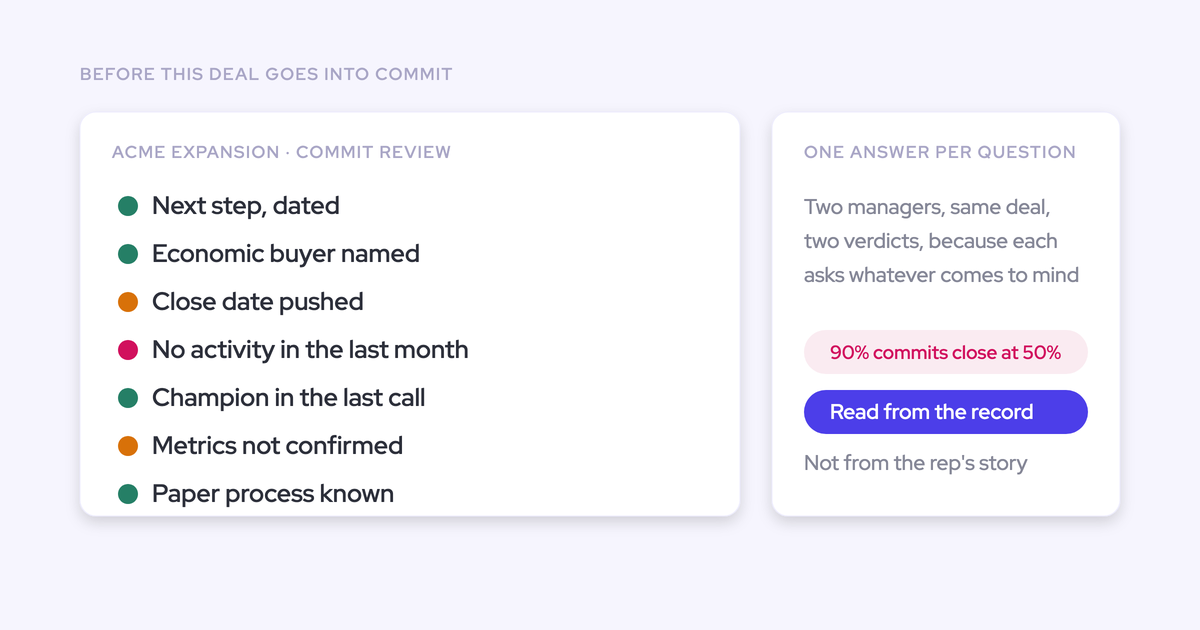
Seller-activity stages leak optimism because the rep is the only witness to whether the stage happened. That's why commit says 90 percent and lands at 50 or 60.
Jeff Ignacio, Head of GTM Operations at Keystone AI, put the symptom plainly on our podcast:
"Now you talk to a sales leader, what's your commit? They'll tell you, well, it's ninety percent, eighty percent. And then you find out that only fifty or sixty percent of those deals won. Okay. Well, something's wrong with your commit process then."
The gap comes from a chain, and each link causes the next:
- A seller-activity stage can be completed without the buyer moving at all.
- So progression is self-reported. The rep decides when the deal advances.
- So confidence leaks into stage. A deal moves forward because the rep feels good about it.
- So forecast categories and weighted probabilities, which hang off stage, inherit the distortion. Commit becomes whatever each manager says it means.
The same deal can sit two stages apart depending on who owns it. Your stage conversion rates then measure rep temperament as much as buyer behavior.
Mallory Lee draws the line where we'd draw it:
"I don't like when people mix up their confidence level with their stage labels because I think those should be two separate things."
Why renaming stages after buyer milestones won't fix the forecast
Renaming stages into buyer language doesn't fix the forecast if the rep still ticks the box to move the deal. You suspected this already, and Jeff Ignacio agrees:
"What I mean by sales changes is you might change your stages, right? That's a cosmetic thing. You might put validation criteria in order to move from one stage to the next."
Swap "Proposal sent" for "Preferred vendor selected" and keep the same gate. The rep who used to click "Proposal sent" after emailing a PDF now clicks "Preferred vendor selected" after the same email.
The label got more honest. The data didn't. You also paid the full history cost of a stage change for it.
The variable that moves forecast quality is verification. Dan Jiao, VP RevOps at Aircall, frames the question every late-stage gate should answer:
"So there's still, like, requirements of, like, I'd call them buyer verified exit criteria. So, like, what does the buyer actually have to show and prove as evidence that you're actually in a late stage deal?"
Stage design is a verification question before it's a labeling question. Everything after this section follows from that.
Three fixes you can make, and when each one fits
Each of the three fixes repairs a different failure, and most teams need a sequenced mix. Doing nothing is also a legitimate choice if your commit already converts close to what your leaders claim.
| Criterion | Redesign stages | Add buyer-verified exit criteria | Redefine forecast categories |
|---|---|---|---|
| Symptom it repairs | Stages mean different things per rep or region | Gate fields full of junk, self-reported progression | Commit means something different per manager |
| What it leaves broken | Verification, if the gate stays a checkbox | Broken stage definitions, if they're broken | Stage honesty, if stages are unverified |
| Cost to stage history | High: every model built on stage restarts | Low: stage values stay the same | Moderate: category history breaks, stage history survives |
| Change-management load on reps | High: new stages to learn and new habits | Medium: depends on who satisfies the gate | Medium: managers and reps relearn what commit means |
| What it needs first | Agreement on the buying process | Written criteria per stage | Verifiable commit criteria |
Redesign stages when the definitions themselves are broken
Redesign stages when your current stages describe seller actions and nobody agrees what they mean. If one rep's "engaged" is another rep's dead deal, no gate can rescue the definition.
- Fits: stages named after seller activity, definitions that drift by rep, cohort or region, or a re-platform that already resets history.
- Doesn't fit: stages your team reads consistently, where the only failure is that nobody checks the move.
Redesign carries the heaviest history cost of the three. We cover that in full in the next section.
Add buyer-verified exit criteria when gate fields fill with junk
Add buyer-verified exit criteria when your stages are reasonable but progression is self-reported. This fix changes the process without changing a single stage value, so your history stays intact.
- Fits: stage names your team understands, gate fields that are populated with filler, and deals that advance on rep confidence.
- Doesn't fit: a team that hasn't written down what has to be true to leave each stage. Writing those criteria is the work, and no tool does it for you.
Redefine forecast categories when commit means something different per manager
Redefine forecast categories when stage is roughly honest but commit gets assigned on relationship and gut feel. This is where verifiable commit criteria, like legal redlines underway or engaged procurement, earn their place.
- Fits: stages that mean the same thing everywhere, with a commit category that doesn't.
- Doesn't fit: unverified stages. Commit criteria built on top of them inherit the same problem.
What changing your stages does to your conversion history
Changing your stage values resets the history that every stage-based model learns from. Teams underestimate this cost more than any other part of the project.
Here's what resets:
- Stage win rates and conversion rates. Old and new stages aren't the same population, so your trend lines break at the change date.
- Weighted forecasts. Any probability tied to a stage needs new history before it means anything.
- AI projections. Models trained on stage history start over from the date of the change.
Vendors document this openly. Terret's own documentation says changing Salesforce stages or forecast categories makes its projections unusable for one to two quarters.
Gong's documentation sets minimums for reliable projections: at least 400 created opportunities with 150 closed-won across four quarters. It also notes that changes to stages affect accuracy.
A re-platform can do the same damage without anyone choosing it.
You can soften the cost:
- Change exit criteria before stage values. Verification on your current stages leaves the history untouched.
- Map old values to new ones before cutover. Terret offers a stage-history remapping, which takes about four weeks through its customer success team.
- Run old and new stage values side by side in Salesforce during the switch, so you can reconcile the two.
- Weight from a rolling window. Weflow's weighted forecast recalculates each stage's win rate from recent history, such as the last 90 or 180 days, instead of the probability typed onto the stage. New stage rates build up as deals convert, rather than waiting on someone to retype the probabilities.
Verify the exit first, then rename the stages
Our recommendation: write and enforce buyer-verified exit criteria against your current stages, and rename stages only where the definitions are broken. This order repairs the biggest failure for the smallest history cost.
- Write buyer-verified exit criteria for your current stages. Name what the buyer has to show and where that evidence lives. Your history stays intact.
- Enforce them. Pick the enforcement path per criterion: a validation rule, a flow, or an AI-evidenced write under review.
- Rename or restructure only the broken stages. Do it once, with the history cost planned for.
- Keep forecast category as the rep's call throughout. It's the one input only a person can give.
The design principle behind the sequence comes from Mallory Lee. Reps own the few things only they know, and everything else gets evidenced.
Line items, close date and forecast category carry the rep's judgment. Stage isn't on that list.
What buyer-verified exit criteria look like at each stage
A good exit criterion names what the buyer showed and where the evidence lives. Adapt these to your own stages. They draw on Gimbel's milestones, Smidmore's commit signals and Aiven's close rule.
| Stage (Gimbel) | Buyer-verified exit criterion | Evidence source |
|---|---|---|
| To be qualified | The buyer names a problem, puts a number on the pain, and a real buyer agrees to evaluate | Discovery call |
| Customer commits budget and people, evaluation starts | The buyer names an evaluation team and agrees success criteria in writing | Call, email, contact roles |
| Preferred product of choice | The buyer documents technical sign-off and confirms you're the preferred option | Call, email |
| Commercial and contractual terms negotiated | Procurement is engaged, legal redlines are underway, and an official quote exists | Email, quote record |
| Agreement signed | The contract is signed. Aiven adds a valid payment method and three consecutive days of consumption | System record |
Markus Jaensch, Head of RevOps at Aiven, explains the close rule:
"We have two mandatory rules to close an opportunity. One is a valid payment method that is added, and two is that we have three consecutive days of consumption."
Write exclusions into every criterion. We've seen a champion field name the customer's own employee until it was told to exclude internal people, and a metrics field return company headcount. Without exclusions, criteria get filled with plausible wrong answers.
Should forecast category follow stage automatically?
No. Keep forecast category loosely aligned with stage, with commit confined to the final one or two stages and its own verifiable criteria.
The evidence conflicts here, and we'll say so. Teams that re-platform often rip out custom categories and tie Commit, Best Case and Pipeline directly to stages. Andy Smidmore argues the opposite: moving a deal to a later stage shouldn't flip it to commit by itself.
We side with Smidmore. Janis Zech, our co-founder, puts the reason in two sentences:
"The stage is essentially your process. The forecast category is your judgment."
Tie the two together and you lose one of them. Keep them apart and the gap between where a deal is and what the rep believes becomes your forecast-call agenda.
| Question | Category tied to stage | Category loosely aligned |
|---|---|---|
| What it buys you | One rule everywhere, nothing to re-explain each quarter | The rep's judgment stays visible as its own signal |
| What it costs you | Commit inherits every stage error, and judgment disappears | Commit needs its own written criteria and a manager who checks them |
| When a deal enters commit | When it reaches a stage | When it's in the last one or two stages and meets commit criteria |
| Who it suits | Teams whose stages are already verified end to end | Teams still building verification, which is most of them |
Three ways to enforce exit criteria in Salesforce
Each enforcement path verifies something different. Validation rules verify entry, flows verify system facts, and AI-evidenced writes verify what was said.
| Criterion | Validation rules | Salesforce flows | AI-evidenced stage writes under review |
|---|---|---|---|
| What it verifies | That a field has a value | That a system record exists | That the buyer said or did something on the deal |
| What it costs | Nothing extra | Nothing extra | A Conversation Intelligence license |
| Where it fails | Reps type whatever clears the rule | Most milestones aren't records | Deals with no recorded conversations |
| Who does the work | The rep | The system | The AI proposes, a person approves |
| Best for | The floor under every stage | Quote created, contract signed, payment added | Milestones that live in conversations and email |
Validation rules make reps enter something, not something true
Validation rules raise completion, not truth.
Keep your rules anyway. They're the floor. A deal shouldn't reach negotiation with an empty close date, even if the rule can't judge the content.
Salesforce flows set the stage when the milestone is a record
Where the milestone is already a system artifact, a plain Salesforce flow sets the stage for free. If your negotiation stage starts when an official quote exists, trigger the stage change from the quote record.
Mallory Lee automates stage from artifacts like the quote for exactly this reason: it's a fact about the process, not an opinion about the outcome. AI adds nothing here, and you shouldn't pay for it.
The limit is coverage. Budget committed, technical sign-off and a named evaluation team don't create records. They live in calls and email.
How Weflow AI Field Updates move the Stage from buyer evidence
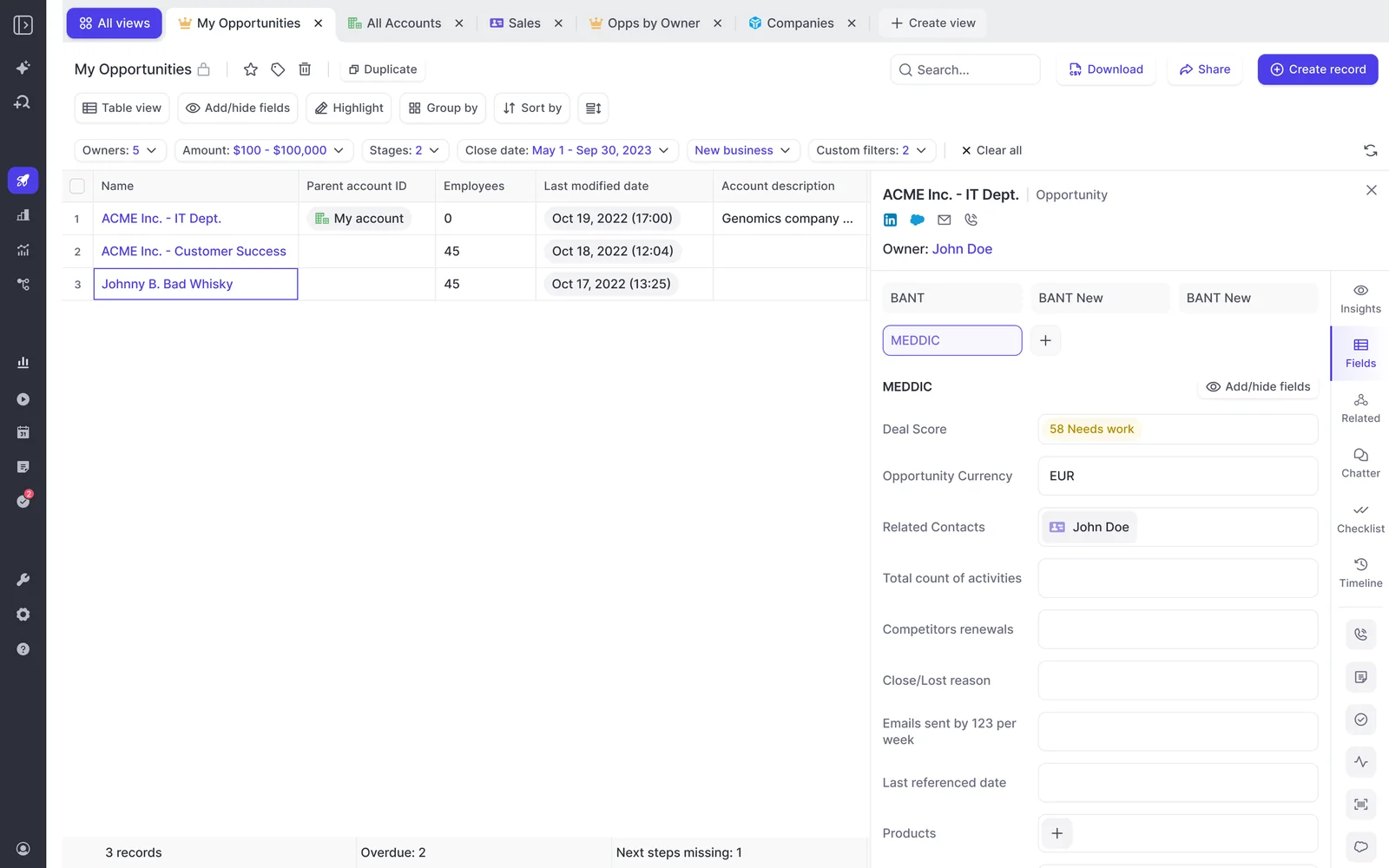
Weflow AI Field Updates treat the opportunity Stage as a field with your exit criteria written into its prompt. The deal moves when the conversation shows the criteria were met, and a person approves the move.
AI Field Updates write the Stage when the call meets the exit criteria
You write what has to be true to leave each stage into the prompt against the Stage field. After a call, Weflow AI Field Updates check the conversation against those criteria and propose the stage move.
Three details make this hold up in a real org:
- Picklist-safe writes. Weflow reads the Stage picklist's allowed values before writing, so it can't invent a stage that doesn't exist.
- Gated fields get filled too. If a validation rule blocks the stage change until five fields are populated, AI Field Updates fill those fields from the same conversation. The gate clears on what was said, not on a form exercise afterwards.
- Meeting type detection. Weflow recognizes discovery, demo and closing calls, so each gets its own prompt set. Early calls aren't scored on late-stage criteria.
Weflow's AI Field Updates also write to number, date and multi-select fields, and they respect your validation rules and field dependencies.
Keep Stage under review while other fields write automatically
Weflow sets write mode per field, so Stage can wait for approval while other fields write on their own. A website or billing address can update itself. Stage shouldn't, because a wrong move changes your forecast.
With review on, the rep accepts the suggestion, edits it, or reassigns the call to a different deal, and the AI reanalyzes if the deal changes. That review step does double duty: it builds your evidence that the extraction is right, and it makes reps read what happened on their own call.
Start Stage in review. Move it to automatic only after the output has earned it. Buyers tell us their bar for an AI-filled field is lower than for a rep-filled one, because the honest alternative is an empty field.
AI Playbooks read the whole opportunity and flag filler in gate fields
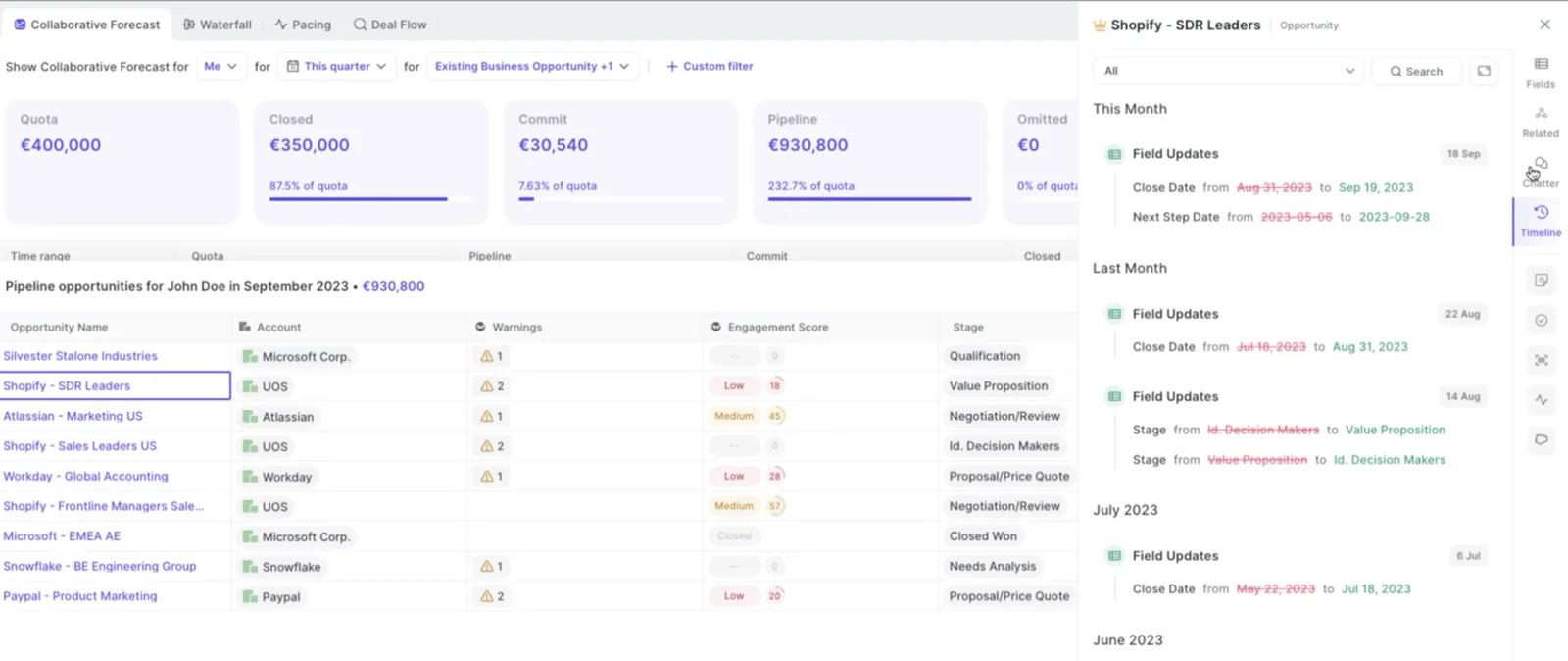
Weflow AI Playbooks score the whole opportunity against your methodology by reading every email, meeting, transcript and field on the deal. A per-call update only sees one conversation. A deal can look qualified on the last call and be hollow overall.
Playbooks run two passes. The first fills each methodology element from the deal's evidence. The second judges how well each element is established, and it also checks text a human typed.
A rep who fills a gate field with filler gets that element marked "not assessed," not complete. That's the direct answer to stage gates full of junk.
Each element shows one of three states:
- fully established;
- partially established, with a note on what's missing;
- never discussed.
Playbooks rerun when new activity lands on the record, and otherwise every three hours. Evidence that lives in email, like a budget signal, counts as much as evidence from a call.
Weflow Deal Intelligence & Forecasting shows the rep's call beside the stage maths
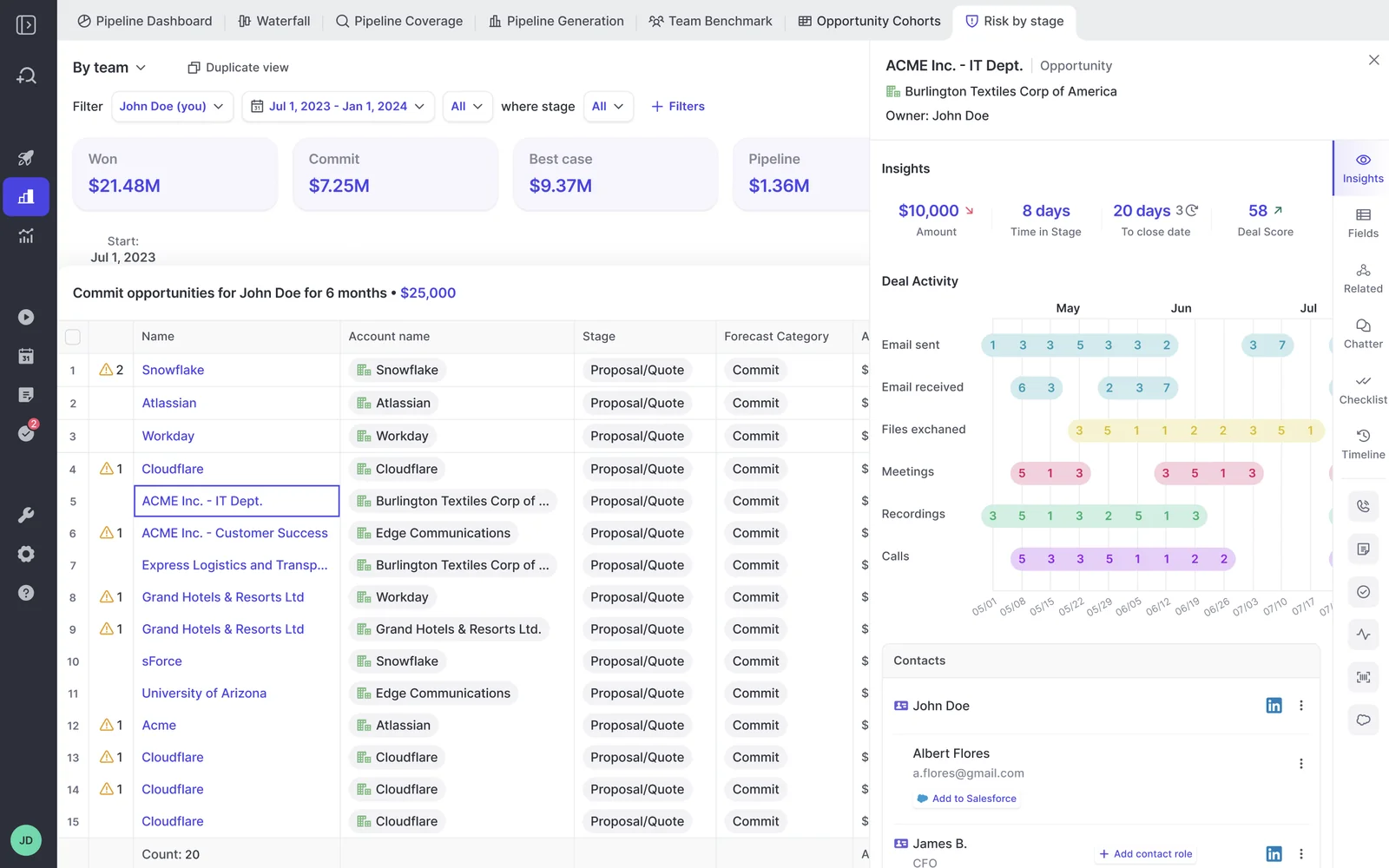
Weflow Deal Intelligence & Forecasting runs three forecast methods side by side, so stage as process and category as judgment both stay visible:
- The roll-up. Each rep submits a baseline and a best case, tied to the named opportunities behind each number. Every submission is versioned, and managers can override with a logged rationale.
- The weighted forecast. Stage win rates come from a rolling 90 or 180-day window, not a probability typed once.
- The AI projection. It reads more than fifty deal-level signals, including methodology health and whether a next meeting is booked, and returns a landing range.
Where the three agree, you have a credible range. Where they disagree, you have the agenda for the forecast call.
Where Weflow's stage evidence still has gaps
Here's where our approach falls short today:
- Field updates don't show which source produced a value. The comparison view shows what changed, not where it came from. To restrict a field to conversation data, you write that restriction into its prompt.
- A failed write to Salesforce can't be replayed. The content survives in the Weflow recording object, but the write to the opportunity field fires once.
- Per-call field updates miss deals with no recorded calls. If half your deals happen mostly in email, Stage suggestions only cover the half with calls.
- AI Playbooks score opportunities created or changed after you configure them. You run Generate AI Playbooks in bulk to score your existing pipeline.
- Exit criteria have to be written down first. Weflow enforces your criteria. It doesn't write them for you.
- Weflow works only with Salesforce.
The source gap matters most for this reader.
Review mode on Stage is our answer for now: no stage moves without a person reading the suggestion.
How to test whether your new stages forecast better
Run Jeff Ignacio's commit conversion test every quarter. Snapshot the commit list at a fixed week, then count how many of those deals closed won.
- Pick a fixed point in the quarter, such as week ten, and snapshot every deal in commit.
- On the first day of the next quarter, pull the closed-won list.
- Divide the commit deals that closed won by the total commit deals in the snapshot.
- Compare that rate to the confidence your leaders claimed for commit.
- Repeat every quarter, before and after your change, by team and by region.
If leaders call commit 80 or 90 percent and 50 to 60 percent lands, your commit criteria are broken, whatever your stages say. When the gap closes quarter over quarter, commit has become a calibrated probability instead of a feeling.
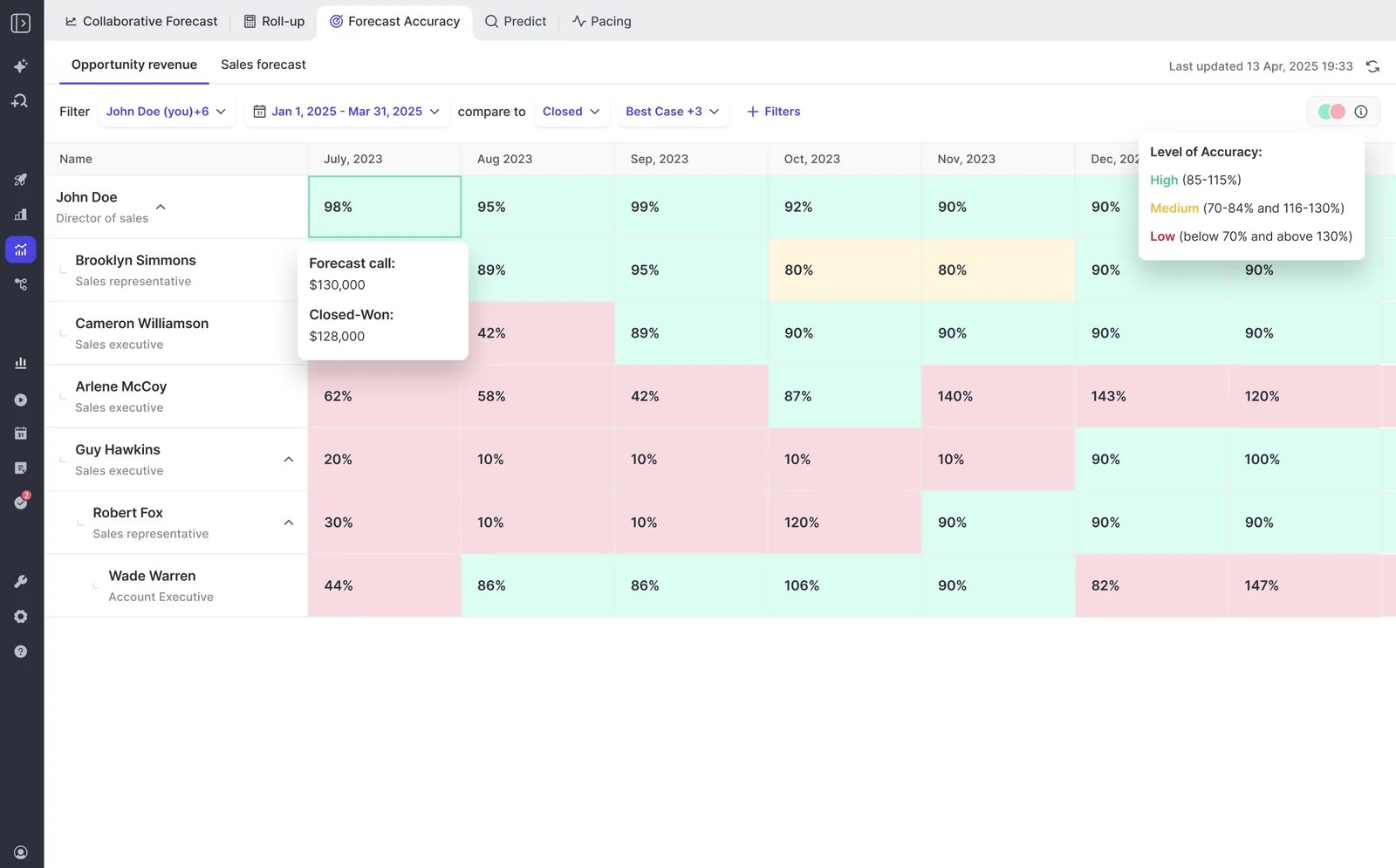
Weflow keeps every forecast submission versioned, so the week-ten snapshot already exists, and the forecast accuracy report compares each rep's call with closed won.
Zeotap shows what's possible once the pipeline data is complete and the cadence holds:
"With Weflow, we forecast within 7% by week 4 of the quarter."
That number comes from complete pipeline data and a weekly, monthly and quarterly cadence, not from a stage redesign. Use it as a target for the whole system.
For the pipeline review habits that make the test stick, grab our Free Guide: Deal Insights & Pipeline Management Best Practices.
Frequently asked questions about sales stage design
How many sales stages do you need after the opportunity opens?
Robert Gimbel runs four stages after a to-be-qualified stage in a complex enterprise sale. They are evaluation started, preferred product of choice, terms negotiated, and agreement signed.
That's one practitioner's design, not a rule. The test for any stage count is whether every stage has an exit criterion the buyer has to satisfy.
Do new logo, renewal and expansion need separate stage sets?
Yes. New logo, renewal and expansion are different sales processes, so model them as separate Salesforce record types, each with its own entry and exit criteria.
Make the criteria visible to the reps who follow them. A renewal doesn't need a "preferred product of choice" stage, and forcing one onto it corrupts both funnels.
What should stay global and what can a region define?
The commit definition and late-stage exit criteria stay global. What counts as evidence of a critical event can be regional. That's the split Dan Jiao runs at Aircall.
A critical event in Germany can look different from one in Australia, so the regional GM owns that part. Jiao explains why the rest has to stay shared:
"And you can't do that if, like, one business is defining commit and, like, a stage four deal differently from another region or business unit."
How do you move a deal backwards when a late stakeholder appears?
Move it back, because buyers don't move through stages in a straight line. If a stage is a fact, it stays true only while its exit evidence holds. A new stakeholder who reopens the evaluation means the evaluation isn't done.
Some teams track key meetings as sub-steps inside stages: initial demo, technical demo, executive to executive. One organization a prospect described to us found that deals over $100,000 without an executive-to-executive meeting slipped by a quarter.
How do AI field updates work with your existing validation rules?
Weflow AI Field Updates respect your validation rules and field dependencies, and they fill the fields a rule gates on from the conversation. The rule clears because the evidence exists, not because a rep typed past it.
Keep the rules in place as the floor. AI Playbooks then catch filler in those fields and mark it "not assessed."
Will reps stop thinking about deals if the machine evidences everything?
They can, and Julien Cerutti, VP of Global Revenue Strategy at Meltwater, names the tension:
"But there is that deal inspection thing where there are questions, and I do want them to reflect."
Keep a deal inspection step where the rep answers the qualification questions and their answer is tested against the computed one. In Weflow AI Playbooks, a rep can override any field, and Weflow evaluates the override for plausibility against the deal. The gap between the two is the coaching moment.
How do you get reps to accept that stage isn't theirs to set?
Give them something back first. Reps already spend time retyping calls into Salesforce, so "fill in more fields" sounds like an audit. Fields written from the conversation sound like help.
- Write the fields for them before you ask for anything new.
- Keep line items, close date and forecast category theirs.
- Keep Stage in review, so the rep approves the move rather than losing it.
Which Weflow products does this need, and what do they cost?
Writing the Stage from calls needs Weflow Conversation Intelligence. The roll-up, weighted forecast and AI projection need Weflow Deal Intelligence & Forecasting.
- Weflow Conversation Intelligence: $39 per user per month.
- Weflow Deal Intelligence & Forecasting: $39 per user per month.
- Weflow Revenue AI Foundation (Activity & Contact Capture and Conversation Intelligence): $49 per user per month.
- Weflow Revenue AI Business (Foundation plus Deal Intelligence): $59 per user per month.
- Weflow Revenue AI Enterprise (all Weflow products, including Forecasting): $79 per user per month.
Every plan includes Ask Weflow AI Pro and Agent Builder Free with 25 agent actions. Weflow bills annually with a minimum of 10 users.