How to Track Days in Stage, Push Count, and Days Inactive Without Salesforce Formula Fields
Learn how to track days in stage, push count, and days inactive without Salesforce formula fields.


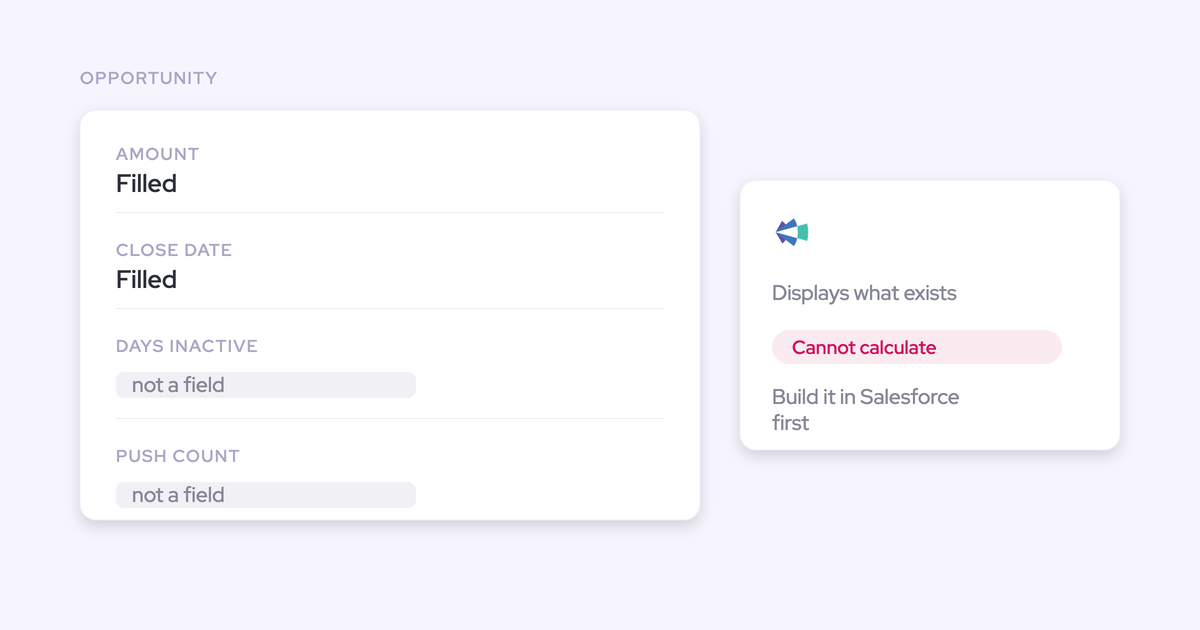

You already know why your forecasting tool can't show the column your VP asked for. It reads the opportunity record. It doesn't compute against it. So every derived metric has to exist as a Salesforce field before the tool can display it, and the ones that need cross-field logic can't be expressed at all.
That's not a configuration miss on your side. It's the architecture.
And it means the reporting layer you bought to answer forecast questions is quietly manufacturing CRM debt: a formula field per exec request, stacked on the last one, maintained by you.
This guide is about where the metric actually gets computed instead. Days in stage, close-date push count, days inactive, last and next meeting, and a data-quality score, derived outside your schema with no new field and no automation to populate it.
Weflow is the Revenue AI Orchestration platform for sales, customer success, and RevOps teams, and the compute layer here lives in Deal Intelligence & Forecasting. We'll also draw the honest boundary: which of these values reach a Salesforce report and your BI stack, and which stay put.
Why every new forecast column becomes a Salesforce formula field
A reporting layer with no compute layer routes every new question back into Salesforce configuration. That's the whole mechanism. It produces two distinct failure modes, and they cost different things.
Clari only displays fields that already exist in Salesforce
Clari cannot calculate a field. Any derived metric has to be built as a formula field in Salesforce first, because Clari only displays what already exists on the record.
Want a swing between best case and worst case? Want the delta between what a rep committed and what their manager submitted? Neither can be created in the tool. Both have to be specified, built and maintained in Salesforce by someone, and that someone is usually you.
Here's how it's often described:
Clari is just like an overlay of Salesforce. So anything that's in Salesforce, they can't do calculations really, without adding it into Salesforce.
Credit where it's due. Clari's pipeline waterfall, the pacing view, and the comparison of where the quarter stands against the same day in previous quarters are genuinely good, and they're the three views teams actually open.
The limitation isn't quality. It's that the product reads the record instead of computing against it.
Formula-field debt: metrics your team builds and maintains
Every exec request turns into a change request, and the artifacts pile up in your org forever.
Five years in, the pattern is familiar: formula fields layered on formula fields to reach a number the business already had at the start, several of them reading columns that got deprecated in a migration nobody finished.
Nobody can explain the derivation anymore. Inheriting that is worse than starting from nothing, because unpicking it means proving which layers still matter to somebody.
The reps see a page layout so long they fill in almost none of it. You inherit a schema where every future change is a migration.
don't add, like, ten currency fields on top of the amount fields. No one's winning because of this, and your sales motion is not necessarily going to become better.
— Philipp Stelzer, CPO and Co-founder of Weflow
Date-vs-date views that get hard-coded by quarter
The second failure mode is worse, because there's no workaround at all. Clari cannot compare two date fields relative to each other.
Take the bookings-versus-revenue-start split. You want to separate deals that book this quarter from deals whose revenue actually starts later, which means the expression "contract start date is later than close date." That expression doesn't exist.
So the view gets built by naming the future quarters explicitly in a filter. It works. Then the calendar moves, nobody is told, and the number quietly starts excluding the wrong deals.
Calculations across a currency field and a plain number field are blocked for the same reason. Which is how a forecast owner ends up with a report that was right in Q1 and wrong in Q3, with no error anywhere.
The pipeline metrics you can get without a formula field
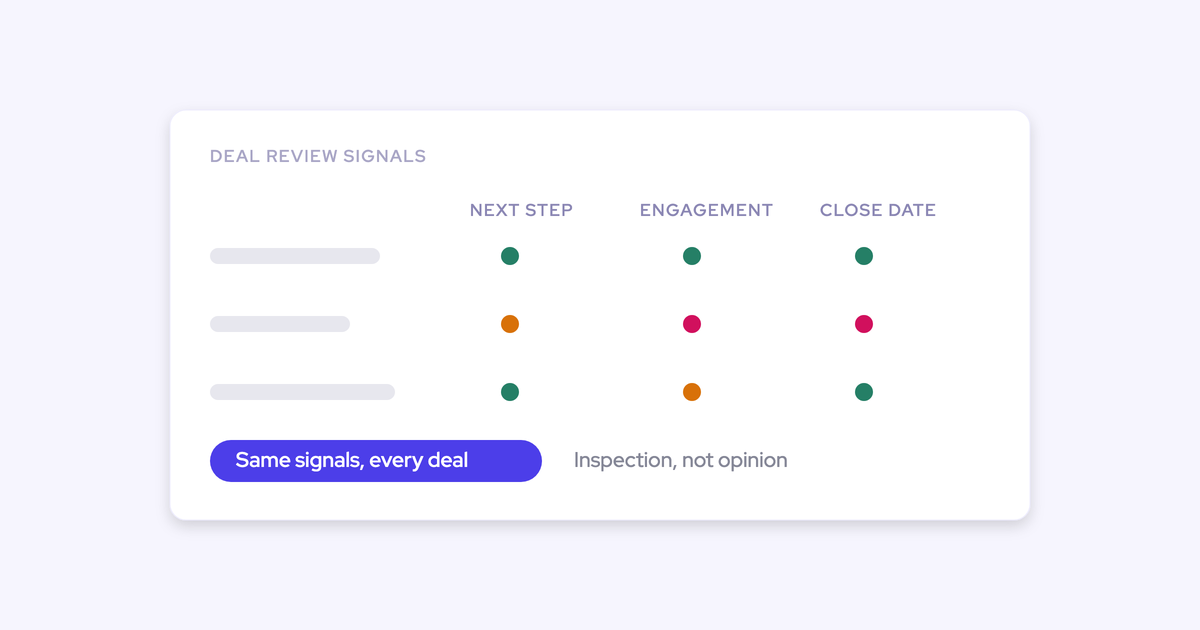
A compute layer derives the metrics Salesforce doesn't hold as fields. Weflow computes days in stage, total close-date push count, days inactive, last and next meeting, per-contact engagement, activity velocity, a rolling four-week activity timeline and a data-quality score on every opportunity, without a custom field and without automation to populate one.
| Metric | What it tells you | Derived from |
| Time in stage | Deals running long against your own closed-won benchmark | Pipeline snapshots and field history |
| Close date pushed (count) | Deals whose close date keeps moving, and whether close dates are set honestly across the org | Pipeline snapshots |
| Days inactive | Silence on a live deal, measured against your cycle length | Captured emails, meetings and tasks |
| Last meeting / next meeting | Whether anything is actually scheduled, without opening the record | Captured calendar and activity data |
| Per-contact engagement and reply rate | Single-threading, and whether outbound volume is getting anything back | Captured emails and contact roles |
| Rolling four-week activity timeline | The shape of contact over time, clickable through to the messages | Captured emails, meetings and tasks |
| Data-quality score | Missing next steps, stale close dates, incomplete required or MEDDICC data | Computed across the record at read time |
The time-based ones deserve a note, because they're the ones a Salesforce report genuinely cannot produce. A Salesforce opportunity holds the value it has now, not the value it had three weeks ago. Weflow snapshots the pipeline every few hours, which gives it its own history to difference. That's what makes period-over-period movement and any cross-time derived metric possible at all, rather than a warehouse project with a bill attached.
The other reason to trust these columns: they're derived from captured activity rather than typed by a rep, so they can't be gamed.
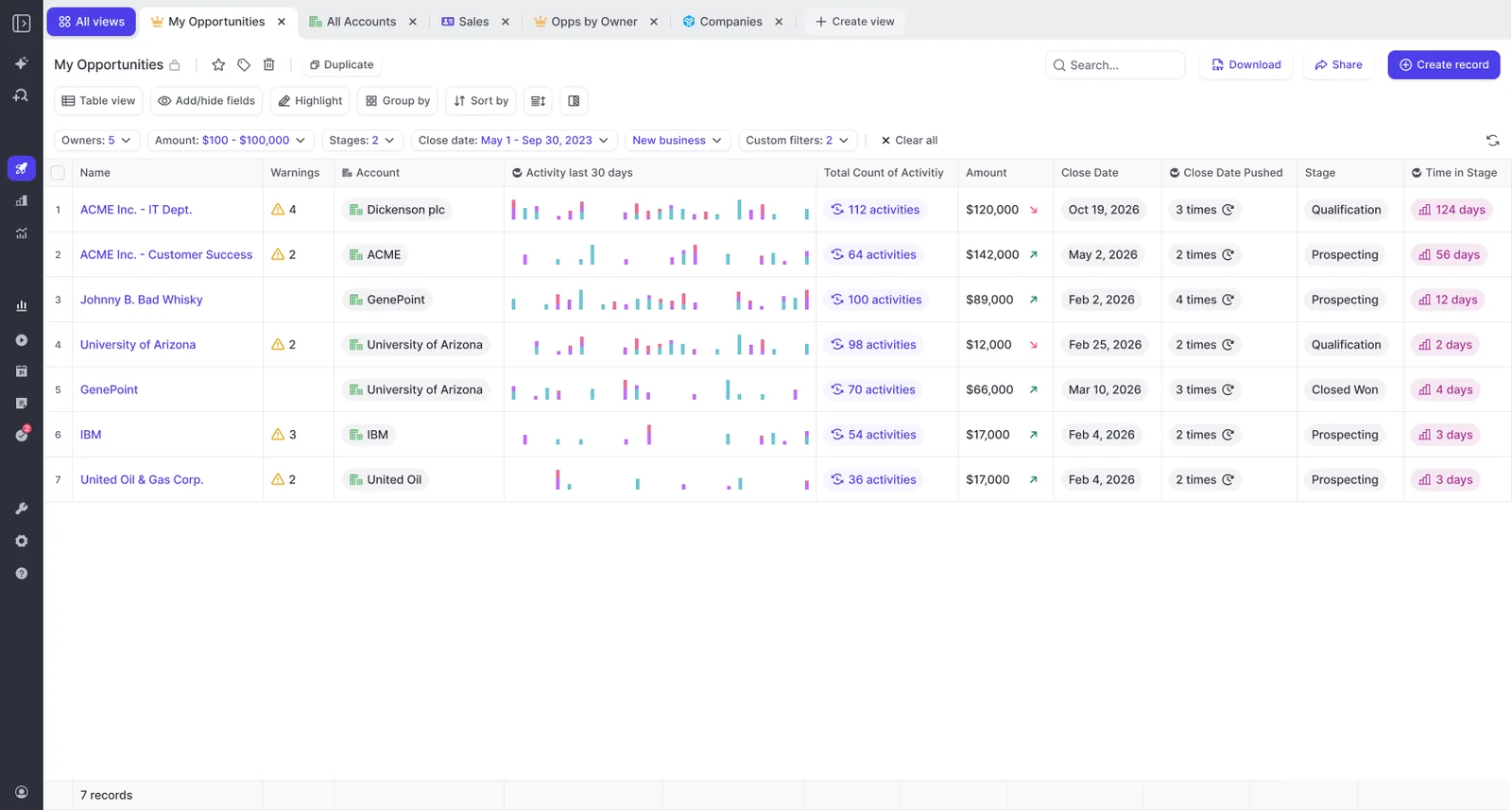
What makes any of it actionable is the benchmark underneath. The average time in each stage for deals that went on to close won is your own definition of normal, and without it there's no basis for calling a deal late.
What you need before setting up computed pipeline metrics
Four things, and one packaging trap worth knowing before you get a quote.
- Deal Intelligence & Forecasting, at $39 per user per month billed annually. Pipeline Analytics ships as part of the Forecasting package, not with Pipeline Management, which is a separate product. The two names sound alike and the analytics upsell shows in-app even when the license is absent, so check the line item rather than the tab.
- A Salesforce connection. The technical integration runs 30 to 45 minutes with a Salesforce admin and a mail admin in the same call. What stretches an implementation is getting those two people in a room, not the product.
- Activity capture running for anything activity-derived. Days inactive, last meeting and reply rate are only ever as good as what's captured, so if half your team's mail never reaches the CRM, those columns will read as silence that isn't there.
- Salesforce field history tracking enabled on the fields you care about. Weflow imports up to 12 months of historical Salesforce data by default, and historical accuracy on custom fields depends on history having been tracked before you arrived. Snapshots build automatically from install onward.
One more, and it's a decision rather than a prerequisite: work out which legacy formula fields die. Connecting a new layer on top of an unfinished migration just gives you two derivations nobody can explain.
How to set up computed pipeline metrics in Weflow
All five steps are configuration you control. None of them is a change request.
Step 1: choose the amount and date fields your views read
A forecast setup in Weflow is one chosen Salesforce amount field indexed on one chosen date field. The amount can be any opportunity currency field, not just standard Amount.
That matters because almost nobody manages by Amount. Subscription businesses summarize ARR into a custom field. Global teams build a converted USD field so regions rolling up in local currency use finance-approved rates. Point the setup at the field the business actually runs on and every chart downstream is right on arrival.
Two things to know here:
- Weflow forecasts read the standard Salesforce currency field and don't apply Salesforce dated exchange rates. If you need dated conversion, point the setup at your own calculated converted-amount field, so the numbers stay on your conversion logic.
- You can run several setups in parallel, each with its own stages, cadence, targets and forecast calls. New business indexed on close date, renewals indexed on the renewal or end date, and the bookings-versus-revenue-start split handled as two setups rather than a filter that names next quarter by hand.
Step 2: add computed columns to your pipeline views
Open the field picker on any pipeline view and the computed fields sit alongside Opportunity and Account fields as their own category.
Add Time in Stage, Close Date Pushed, Warnings, Engagement Score, Reply Rate, the activity sparkline. They exist from day one on every opportunity. No custom field, no flow, no request into the admin queue.
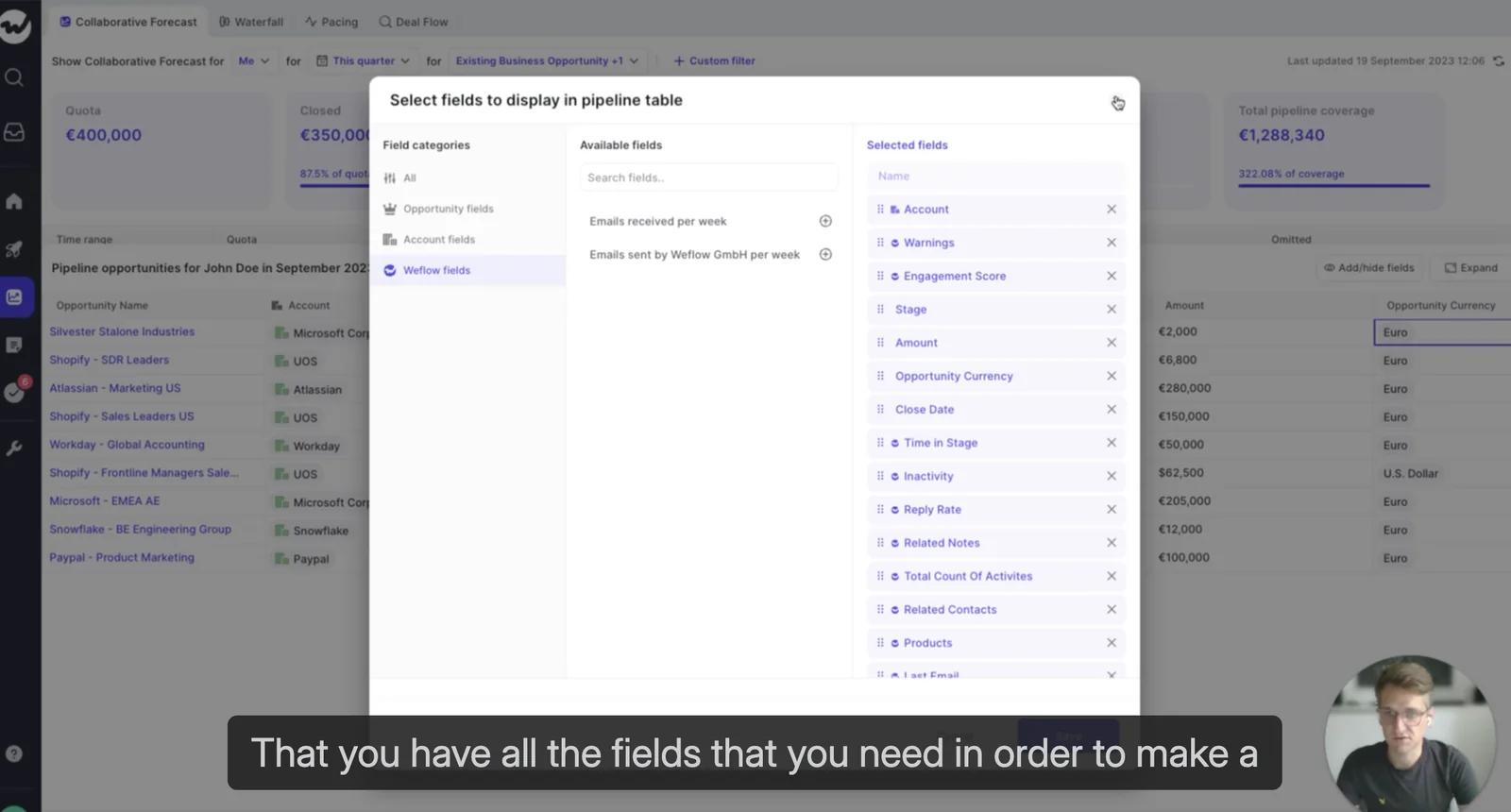
Save it as a view, group by owner or stage, switch it to Kanban if that's how you run the review. The view is the artifact, and it's yours to edit.
Step 3: build warnings against Salesforce and computed fields
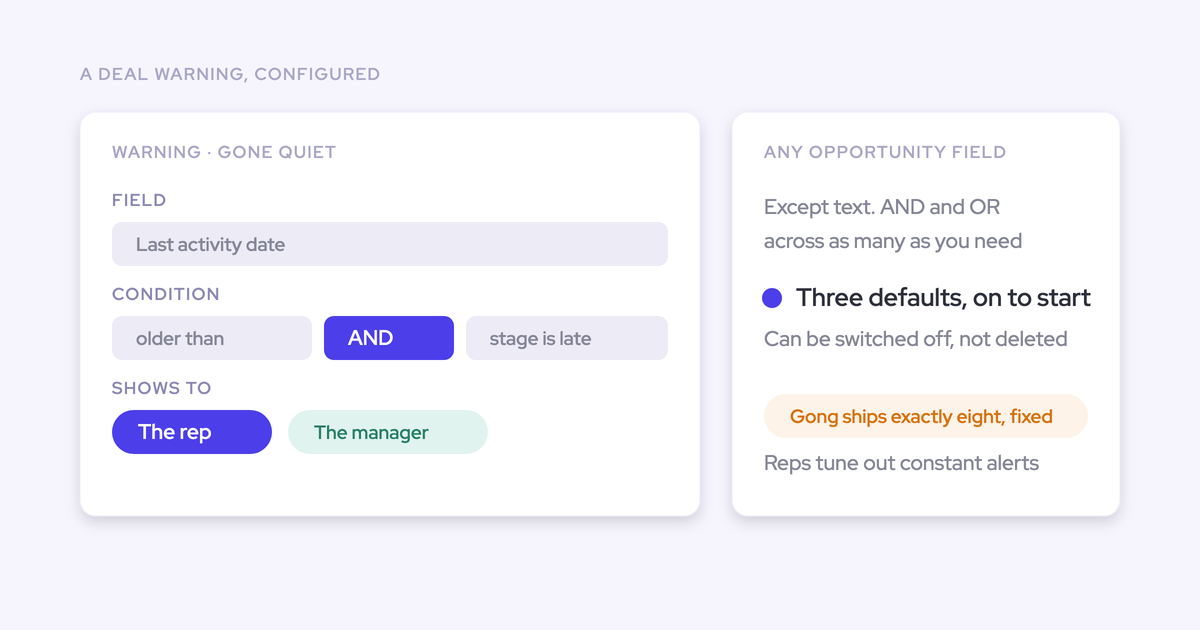
Here's the part an overlay structurally can't do: the computed fields are inputs to logic, not just display columns. Weflow deal warnings can be authored as rules against any Salesforce field or any computed field.
So your org encodes its own slippage patterns instead of accepting a vendor's fixed model. Typical triggers:
- Close date pushed more than twice
- No activity for a set number of days, tuned to your cycle. A 60-day-cycle team calls silence at 14 days; a 12-month-cycle team wouldn't.
- Only one contact on a six-figure deal
- Days in the current stage past the closed-won benchmark
- A missing methodology field on a deal forecast to close this quarter
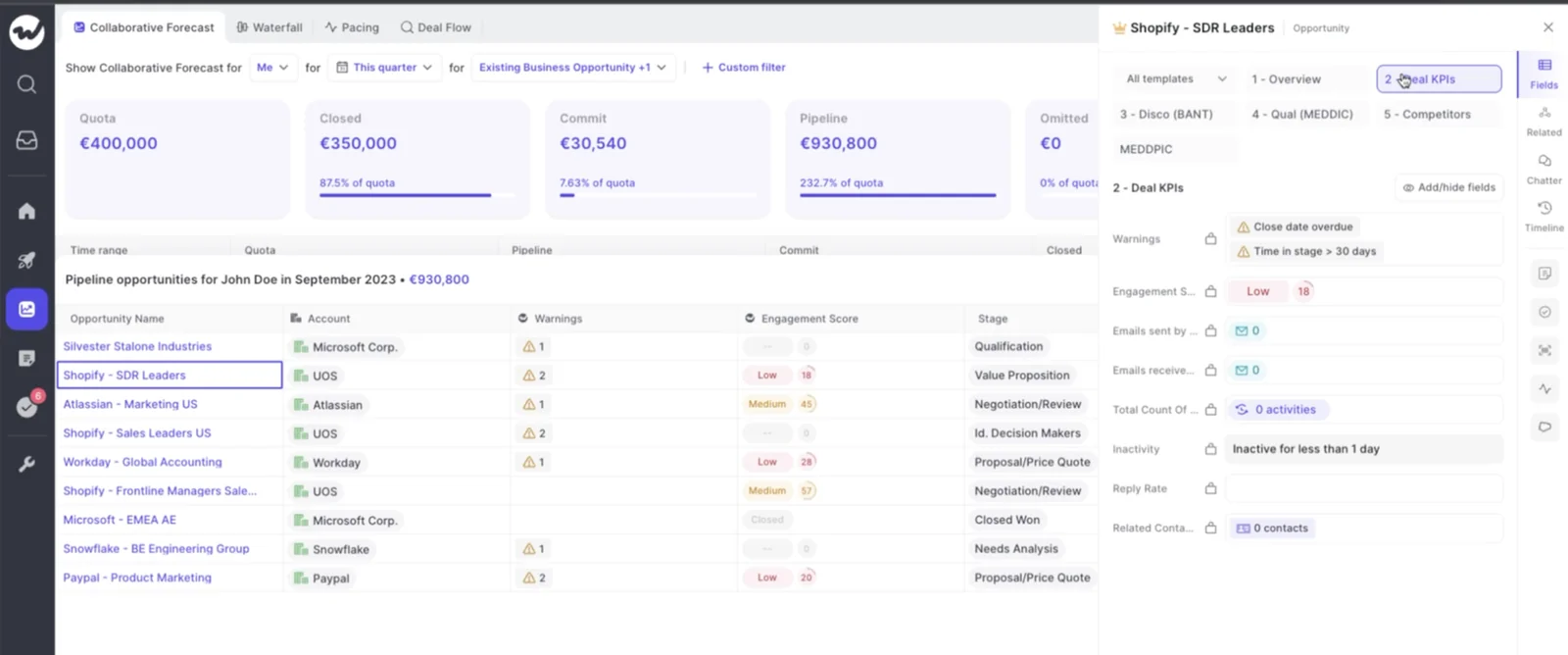
The warnings also render inside the forecast submission screen, at the moment a rep picks which deals to commit. That's the difference between stopping unhealthy pipeline and reporting on it after the number is already wrong.
Step 4: gate forecast submissions with data-quality scoring
Data-quality scoring is the strongest form of the same idea: a computed judgment rather than a stored field.
Weflow flags opportunities with missing required fields, stale close dates, missing next steps or incomplete MEDDICC data before they enter the forecast submission flow. Nothing was written to the record to make that possible, and nobody had to remember to run a report.
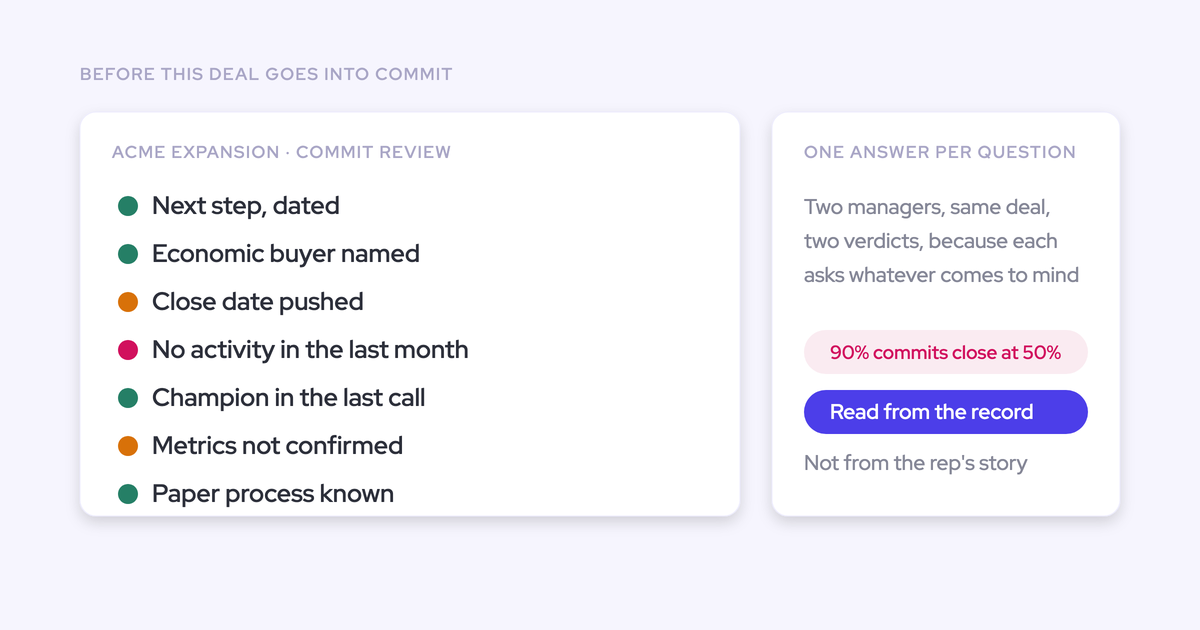
The practical effect is on the process, not the view. A manager reviewing commit sees which deals are qualified on paper and which are qualified in evidence, in one place, instead of opening opportunities one at a time and giving the weakest deals the least scrutiny.
Step 5: treat the next exec request as an edit
Say the CRO comes back on a Thursday and wants to see every commit deal where the close date has moved more than once and nobody has spoken to the buyer in three weeks.
That's two computed columns and a filter on a saved view. Five minutes, done in the tool, no field created, nothing queued behind anyone. Next month they change their mind again, and it's another five minutes.
This is the whole tax the article is about, and it's the thing RevOps leaders ask for by name:
Where each computed field lives: Weflow or Salesforce
You're escaping an overlay, so the fair question is whether you've just moved into a different one. Field residency in Weflow is knowable and marked, so here it is plainly.
| What | Where it lives | Reaches Salesforce reports and BI? |
| Emails, meetings, contacts | Native Salesforce objects | Yes |
| Transcripts, summaries, AI field updates from calls | Salesforce fields you map, including picklists, numbers and dates | Yes |
| Opportunity edits made in Weflow | Written straight back to the Salesforce record | Yes |
| Computed columns (time in stage, push count, days inactive, engagement) | Weflow, marked with a W | No |
| Deal warnings and AI Playbook scores | Weflow | No |
| Forecast submissions, targets and roll-up | Weflow application | No, pull through the public API |
Which fields stay in Weflow (marked with a W)
Weflow's computed fields, deal warnings and AI Playbook scores are Weflow fields, not Salesforce fields. They can't be reported on in Salesforce and they can't be pulled into Power BI or Tableau.
The W marker in the interface is the quickest tell of what will and won't reach a report. Get used to reading it early, because it saves the conversation where a deal is flagged at risk inside Weflow and that flag can't go in the deck the board reads.
So the "no formula field needed" win applies to inspection: the pipeline views, the deal reviews, the forecast submission screen, the analytics built on the forecast setups. It does not automatically apply to your external BI stack.
How to land a computed metric in Salesforce for BI
If a metric has to appear in a board deck built in BI, it has to be written into a Salesforce field. That path exists and it works, but you build it:
- Create the Salesforce field the metric will land in, with the right type. Picklists and numbers are more useful downstream than free text, because a narrative can't be grouped or charted.
- Have Weflow write the assessment into it. An AI Playbook reads the whole opportunity, including its activities, meetings and recordings, refreshes on a schedule, and writes its result back to the Salesforce fields you mapped.
- Report off the Salesforce field as normal, in dashboards or in your BI tool.
Two honest caveats. That's one field you now own and maintain, so pick the two or three metrics that genuinely reach the board rather than mirroring every column. And forecast roll-up data isn't in Salesforce at all, so a team that snapshots forecasts into BI pulls it through the public API.
Everything else about the deal stays where you want it. Edits made in Weflow write straight back, so the Salesforce record remains the source of truth for the opportunity itself.
Pitfalls when moving pipeline metrics off formula fields
All four of these are expectation failures, and all four are avoidable if you name them before the trial rather than during it.
- Assuming the W-marked fields reach BI. They don't, and discovering it while building a QBR deck is the worst possible moment. Decide in week one which two or three computed judgments need a Salesforce field written for them.
- Expecting full parity with a mature Clari setup. An honest evaluation lands around 80% of what a team with years of accumulated configuration already has. The missing 20% is usually the specific things they built over time: splits, dual date logic, a particular roll-up. If your deal data lives on non-standard Salesforce objects, validate feasibility in the trial rather than assuming it.
- Connecting the new layer on top of the legacy stack. If you don't decide which deprecated formula fields die before you set up, you've added a second derivation nobody can explain instead of replacing the first one. Weflow forecasting runs independently of Salesforce forecasting and reads a small number of named fields, so that decision is the natural moment to retire the rest.
- Buying Pipeline Management and expecting analytics. Pipeline Analytics is generated from the forecast configurations you build, so it's sold with Forecasting. A team holding Pipeline Management, Activity Capture and Conversation Intelligence has no analytics or forecasting tab, and the in-app upsell makes it look like a settings problem.
FAQ: computed pipeline metrics and Salesforce formula fields
Can Weflow handle logic that compares two date fields?
Not as an arbitrary formula engine, and it's worth being precise about what's actually expressible.
Two mechanisms cover the cases that break in a display-only tool. First, each forecast setup indexes on a configurable date field, so bookings can run on close date while a second setup runs on contract start or end date, and you read them side by side rather than filtering by hard-coded quarter names. Second, warning rules can be authored against any Salesforce field or any computed field, so date-driven conditions get encoded as rules on the deal.
What that buys you is a view that stays correct when the calendar moves. What it isn't is a general expression builder for arbitrary cross-field arithmetic.
Does Weflow add custom fields to my Salesforce org?
The computed metrics need none. Days in stage, close-date push count, days inactive, last and next meeting and the engagement fields are all derived, so there's no custom field to create and no automation to keep them populated.
The managed package adds one custom object and three custom fields for conversation data. Everything captured lands in native Salesforce objects, and if you ever stop using Weflow, that data persists because it's yours. Nothing here makes your CRM harder to change.
Do days in stage and push count cover pre-existing deals?
Partly, and the limit is Salesforce's rather than ours. Weflow imports up to 12 months of historical Salesforce data by default, so deals that predate install get history where history exists.
For custom fields, historical accuracy depends on Salesforce field history tracking having been switched on before the change happened. Nothing recovers a history that was never recorded. From install onward, snapshots build automatically every few hours, so the depth grows from day one whatever state you start in.
Which Weflow plan includes computed pipeline metrics and analytics?
Deal Intelligence & Forecasting, at $39 per user per month billed annually, with Ask Weflow AI and Agent Builder included.
On the bundles, watch the slice: Revenue AI Business at $59 includes Deal Intelligence without pipeline analytics and forecasting, so you get the views, scoring and warnings. Revenue AI Enterprise at $79 adds the full forecasting layer, which is where Pipeline Analytics lives.
What carries over if we migrate off Clari?
Nothing imports from Clari. Forecasting gets set up fresh in Weflow against a small number of named fields, which sounds like a cost and is mostly an opportunity: it's the one moment you can retire the deprecated formula-field stack without arguing about it.
Set expectations at roughly 80% parity with a mature Clari configuration, validated in a trial rather than promised in a deck. The case for switching isn't parity on the forecast. It's the axis where a display-only overlay has nothing: the computed fields, the rules built on them, and the activity and conversation data underneath.