

How to Audit a Sales Pipeline You Just Inherited: Stale Deals, Skipped Stages, and Coverage That Is Not Real
Learn how to audit an inherited sales pipeline: stale deals, skipped stages, and real coverage.


Treat an inherited pipeline as unverified inventory, not a forecast. Preserve the starting position, check whether activity data reflects the work happening, then audit stale deals, stage progression, qualification, and coverage. Your outputs are an opportunity-level exception register and a reconciled coverage baseline leadership can defend.
Start with the current quarter and keep questionable deals visible until you resolve them with their owners. A quiet opportunity might be dead, or its meetings might sit on another record. That distinction matters before you change anyone’s pipeline. You can begin with existing Salesforce reports and retained history without replacing your forecast process or buying software.
Weflow is the Revenue AI Orchestration platform for sales, customer success, and RevOps teams. We’ll use Weflow Deal Intelligence & Forecasting as a worked example of maintaining audit evidence, alongside what you can do with Salesforce and your warehouse.
Prepare your inherited Salesforce pipeline for the audit
Preserve the pipeline before cleanup, and establish which evidence you can trust. Otherwise, you’ll struggle to separate the inherited problems from changes made during the audit.
- Access: Opportunity reports, relevant fields, retained history, and authorized access to supporting communications.
- Owners: A Salesforce admin for configuration questions, sales managers for deal decisions, and Finance for target and bookings definitions.
- Scope: A reporting period, sales motion, valuation basis, and cutoff time.
- Working records: One exception register and one evidence-gap log.
- Change control: Separate proposed corrections from approved Salesforce updates.
Preserve a scoped Salesforce pipeline baseline
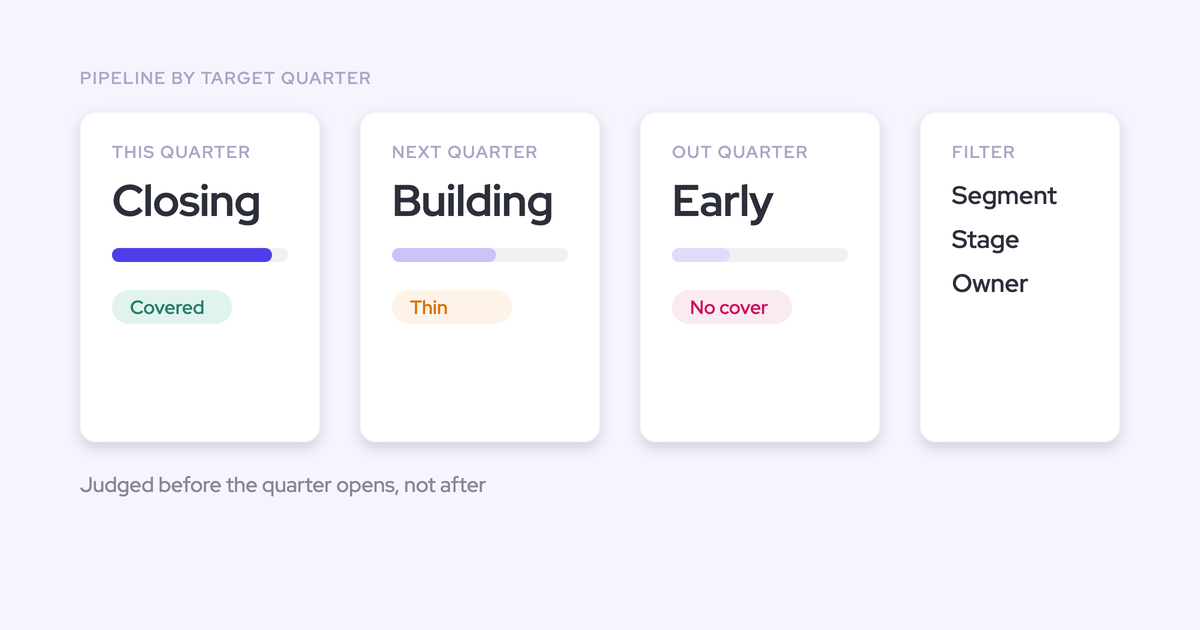
Begin with open opportunities expected to close this quarter, including overdue opportunities that still remain open. Review future-quarter pipeline separately so the immediate audit doesn’t become an unlimited CRM cleanup.
- Fix the population. Record the date filters, teams, segments, and opportunity record types. Keep new business, renewal, expansion, and partner motions identifiable.
- Export the starting position. Include opportunity IDs so every finding and adjustment stays traceable after names, owners, or stages change.
- Preserve available history. Save retained stage, amount, and close-date changes alongside any warehouse snapshots.
- Document the calculation basis. Record the amount field, currency treatment, target, and closed-won amount for the period.
- Record evidence availability. Ask your admin which fields have history, when retention begins, and where snapshots live.
| Input | What to preserve | Availability to record | Owner |
|---|---|---|---|
| Opportunity baseline | ID, account, owner, record type, stage, forecast category, amount, created date, close date, next step | Fields and records visible at the cutoff | RevOps |
| Historical changes | Stage, amount, and close-date history; retained snapshots | Earliest retained date and missing intervals | Salesforce admin or data team |
| Activity evidence | Emails, meetings, calls, participants, and record associations | Connected users, covered channels, exclusions, and known gaps | Systems owner |
| Qualification | Methodology fields and written stage criteria | Definitions by sales motion and evidence behind field values | Sales leadership |
| Commercial baseline | Target, attained bookings, and valuation rules | Agreed period and revenue measure | Finance |
For example, preserve current-quarter new-business opportunities as one baseline. Put next-quarter renewals in a separate review population with their own criteria and target. You now have a bounded audit rather than one mixed pipeline total.
Your exception register should carry the opportunity ID, finding, evidence source, proposed disposition, owner, approval status, and coverage impact. Multiple findings can reference one opportunity; the coverage reconciliation must count that opportunity only once.
Check activity capture before judging deal health
Missing Salesforce activity doesn’t establish buyer inactivity. First test whether relevant communications reach the right opportunity and whether reports count each interaction correctly.
- Sample different deal shapes. Include apparently quiet deals, busy deals, accounts with several open opportunities, and post-sale motions.
- Compare source and destination. Trace an authorized email thread or meeting from its source to the Salesforce record.
- Inspect the relationships. Review participants, contacts, opportunity contact roles, and related accounts.
- Separate activity from engagement. Look for buyer replies and substantive meeting outcomes, not just outbound email volume.
- Record missing channels. Customer Slack conversations and unrecorded phone calls may contain evidence absent from the CRM.
| Discrepancy | Audit action |
|---|---|
| The buyer replied, but the opportunity shows no exchange | Inspect capture coverage and record mapping before flagging inactivity. |
| A meeting appears against a sibling opportunity | Resolve the association and inspect the calendar event and recording separately. |
| One meeting appears several times | Reconcile distinct meetings rather than counting attendee rows or duplicate capture records. |
| Implementation activity appears on a renewal deal | Separate account-service work from evidence about the renewal decision. |
| The source communication is unavailable | Mark the evidence unresolved and assign an owner to obtain the missing context. |
Suppose a renewal looks dormant, but the account timeline contains a recent implementation meeting. Reading the meeting shows no renewal discussion. That activity neither proves renewal engagement nor justifies closing the renewal lost.
Keep evidence unresolved whenever missing or conflicting communications could change the deal decision. Don’t turn a capture problem into a judgment about the rep.
1. Separate stale Salesforce opportunities from dead deals
Staleness should trigger a review; buyer evidence should determine the disposition. An old opportunity with a current buying process differs from one whose close date keeps moving without buyer participation.
- Set review rules by cohort. Compare stage age and inactivity within the same motion, segment, and deal-size range.
- Inspect retained changes. Look at time in stage and close-date pushes where history supports them.
- Read the latest buyer evidence. Find the last substantive reply, meeting outcome, and agreed next action.
- Test the remaining path. Ask what the buyer still needs to do and whether those steps fit the period.
- Propose a disposition. Record the evidence and the validation needed before changing Salesforce.
| Evidence | Proposed disposition | Validation needed |
|---|---|---|
| Buyer engagement and a credible next milestone | Retain; correct outdated fields | Owner confirms the milestone and timing |
| Buyer remains engaged but timing has moved | Reperiod the opportunity | Evidence supports the revised buying timeline |
| Current stage exceeds demonstrated progress | Move back to the supported stage | Manager applies the agreed stage criteria |
| Buyer confirms the project ended or chose another option | Close lost | Owner and manager agree on the outcome and reason |
| Silence, repeated pushes, and no supported next action | Request validation; quarantine from validated coverage pending resolution | Owner supplies current buyer evidence or agrees on disposition |
| Missing or conflicting activity | Resolve the evidence gap first | Systems owner reconciles capture and mapping |
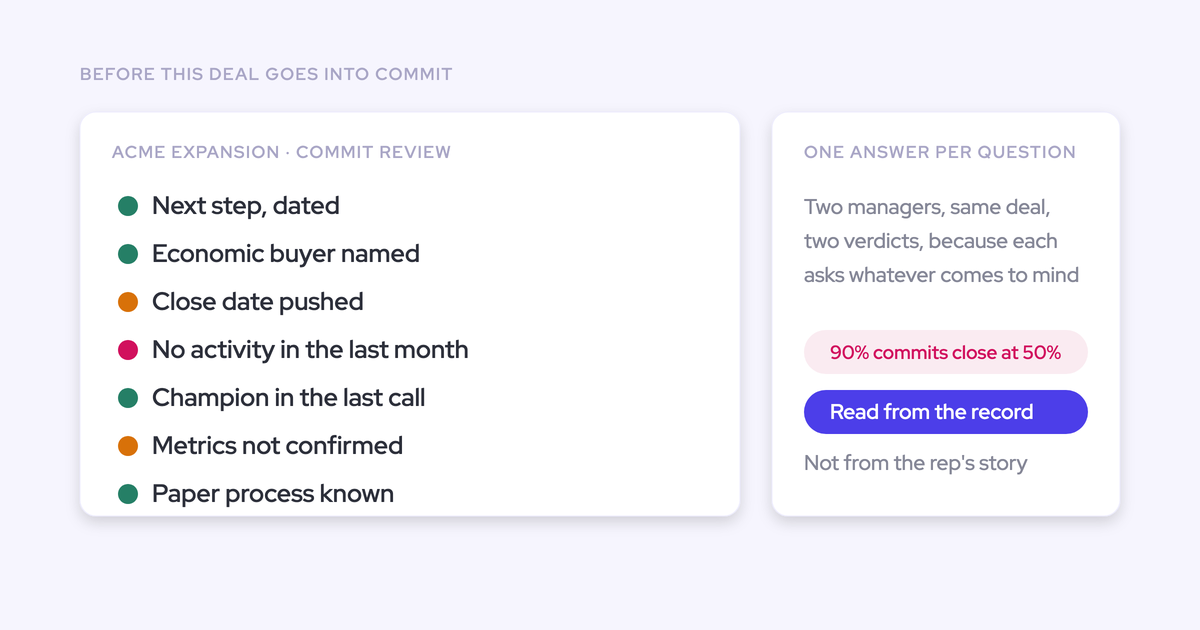
Take a proposal-stage opportunity with repeated close-date pushes. The rep has sent follow-ups, but the captured record shows no buyer response or agreed next meeting. That establishes a risk finding, not proof that the buyer has abandoned the project.
Give the owner a specific question: what current buyer evidence supports the close date? Until the team resolves it, show the deal separately from validated coverage.
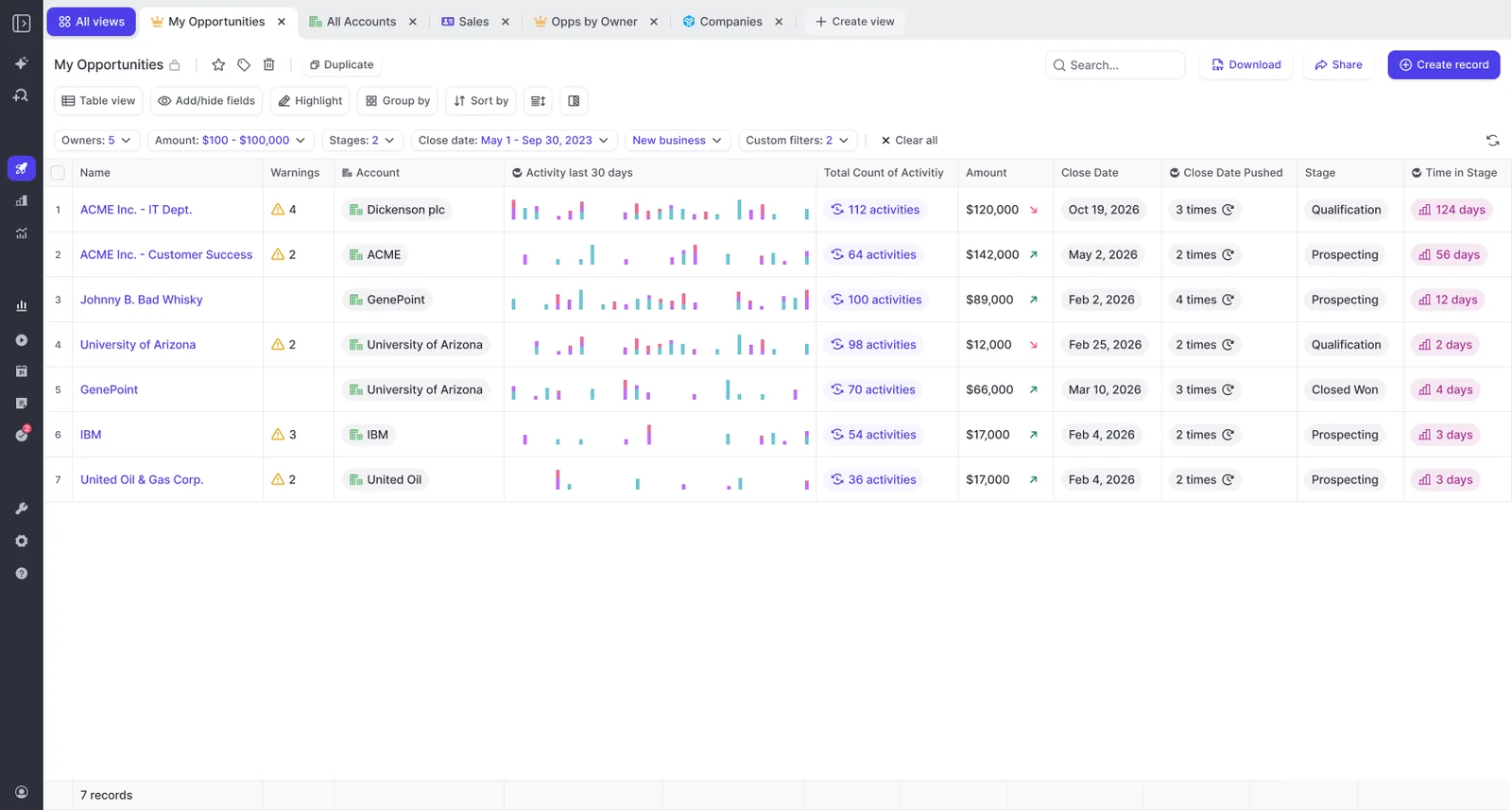
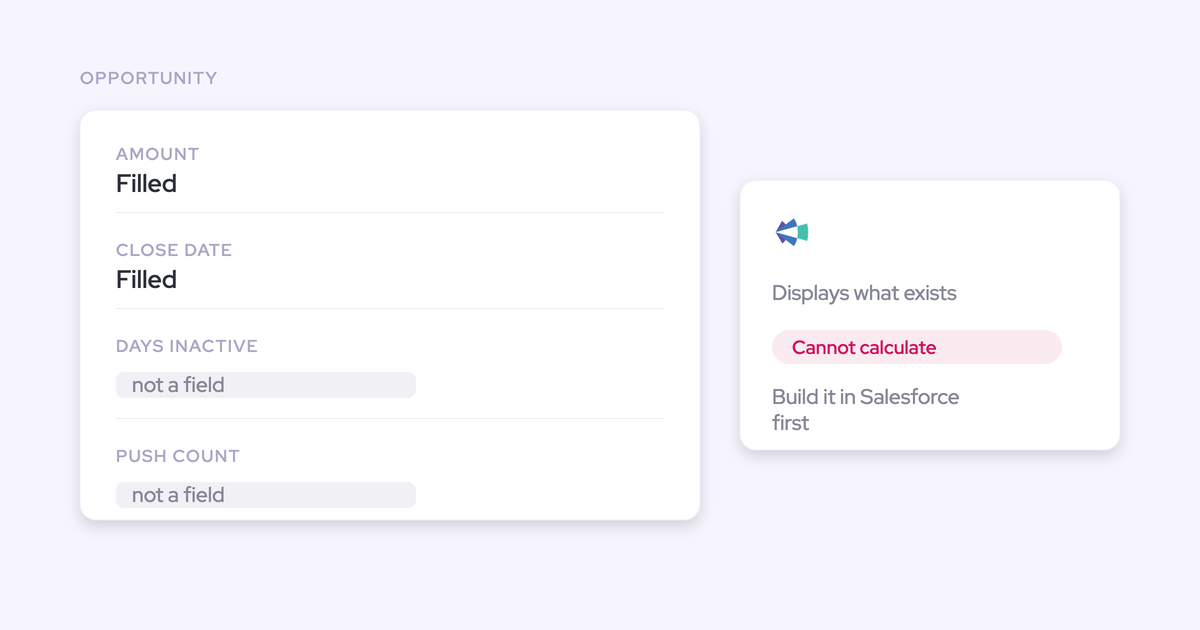
Weflow brings activity, close-date push counts, and time in stage into the opportunity view. You can use those signals to prioritize inspection without treating a warning as an automatic closed-lost decision.
2. Trace skipped Salesforce stages and late-created opportunities
Use retained history to distinguish observed stage changes from gaps the record can’t explain. A late-stage opportunity today doesn’t prove that someone skipped the earlier stages.
- Read the correct stage path. Use the opportunity’s record type rather than a company-wide stage sequence.
- Order retained changes by time. Compare stage transitions with created date, close-date changes, and available communication evidence.
- Flag compressed progression. Investigate direct jumps and several transitions recorded together.
- Look before opportunity creation. Earlier account or contact communications may show that selling began before the opportunity existed.
- Classify what you know. Add observed exceptions, suspected gaps, and unknown history to the same register.
| Timeline evidence | What it establishes |
|---|---|
| Buyer discovery appears in communications before opportunity creation | The recorded opportunity age understates the observed selling period. |
| The opportunity starts in qualification | Qualification was its initial recorded stage. |
| Retained field history shows a direct change to negotiation | The CRM progression skipped intermediate stages. |
| Buyer evidence supports evaluation before that change | The team may have completed the work without recording the progression. |
This timeline exposes two different problems: late opportunity creation and delayed stage maintenance. Neither, by itself, proves the rep skipped qualification.
| Finding class | Example | Audit treatment |
|---|---|---|
| Observed change | Retained history records a direct stage jump | Flag the transition and investigate whether buyer milestones occurred. |
| Suspected gap | Successive snapshots show different stages | Record the endpoints; don’t claim they capture every intervening transition. |
| Unknown history | No retained changes cover the relevant period | Assess current qualification and preserve the historical uncertainty. |
Late creation also distorts cycle-length and conversion benchmarks. Keep those opportunities identifiable when building comparison cohorts instead of treating their short recorded cycles as evidence of faster selling.
3. Test whether Salesforce stages reflect buyer progress
A Salesforce stage should represent a verifiable buyer milestone that the team applies consistently. Test both the definition and whether the underlying opportunities meet it.
Start within each sales motion. Then inspect the evidence on individual deals, rather than accepting a stage label or completed methodology field as proof.
Compare stage criteria within each opportunity record type
Compare stage meanings within the same record type before comparing teams. New business, renewal, expansion, and partner opportunities don’t need identical paths.
Build a stage-evidence matrix with sales managers. These example rows show the distinctions you’re trying to make:
| Record type and stage | Buyer milestone | Entry requirement | Exit requirement | Interpretation to investigate |
|---|---|---|---|---|
| New business: evaluation | Buyer agrees to evaluate the solution | Confirmed problem and evaluation owner | Buyer validates agreed success criteria | Some reps advance after sending a demo invitation |
| Renewal: negotiation | Customer engages on renewal terms | Renewal intent and commercial stakeholders identified | Agreed terms and approval path | Some owners advance because expiry approaches |
| Expansion: proposal | Buyer considers a defined additional scope | Confirmed expansion need and stakeholders | Buyer agrees on scope and decision steps | Some reps count routine account meetings as expansion progress |
| Partner: qualification | Evidence supports an end-customer buying process | Defined customer need and partner role | Agreed route to evaluation | Some teams treat partner interest as customer qualification |
If one manager uses evaluation to mean “demo delivered” and another requires buyer-agreed success criteria, record a definition inconsistency. Don’t rank their conversion rates as though they describe comparable deals.
Renaming the stage won’t resolve that disagreement. Write the buyer milestone, agree on acceptable evidence, and make the entry and exit rules visible to reps.
Validate qualification fields against buyer evidence
Test whether each qualification field contains relevant, supported information. A filled field can still hide an unqualified deal.
- Select the criteria required at this stage. Don’t demand procurement evidence from an early discovery opportunity.
- Read across the deal. Use relevant emails, meetings, transcripts, notes, and CRM fields rather than judging qualification from one call.
- Classify each criterion. Mark it established, partial, unsupported, or unresolved because evidence is missing.
- Propose the stage decision. Retain the stage only when its required milestones have support.
| Criterion | Evidence that supports it | What doesn’t establish it |
|---|---|---|
| Business metrics | A buyer connects the problem to a measurable business outcome | Company headcount with no link to the purchase |
| Economic buyer | Evidence identifies approval authority and the route to that person | A senior title entered without context |
| Decision process | Buyer-described steps, participants, and timing | The seller’s preferred close date |
| Next step | A buyer-agreed action with an owner and timing | A generic follow-up reminder |
For example, a negotiation-stage deal names an economic buyer, but the communications only identify that person’s title. The buyer hasn’t explained approval steps. If the stage requires an established decision process, propose moving the deal back while the owner resolves that gap.
Weflow AI Playbooks evaluate methodology criteria across opportunity evidence and write structured results to the corresponding Salesforce fields. The evaluation also examines human-entered text, so filling a field with superficial content doesn’t establish qualification.
4. Rebuild coverage from qualified, workable pipeline
Rebuild pipeline coverage from a defined opportunity population, comparable conversion history, and a realistic view of execution capacity. A headline multiple alone can’t tell you whether the team can reach its target.
Keep this calculation provisional until managers approve the opportunity decisions. Exclusions should remain visible in the reconciliation.
Define which pipeline covers the remaining gap to goal
For an in-quarter audit, use qualified, in-period open pipeline against the remaining gap to goal. Keep raw pipeline and weighted pipeline as separate measures.
| Measure | Calculation | What it answers |
|---|---|---|
| Raw coverage | All selected open pipeline ÷ full-period target | How large is the selected inventory relative to the target? |
| In-period coverage | Open pipeline dated inside the period ÷ remaining gap | How much nominal pipeline currently targets the remaining goal? |
| Validated coverage | Qualified, evidence-supported in-period pipeline ÷ remaining gap | How much defensible pipeline supports the remaining goal? |
| Weighted coverage | Sum of opportunity values multiplied by their probabilities ÷ remaining gap | How much probability-adjusted value supports the remaining goal? |
- Calculate the gap. Subtract attained bookings from the period target using the same valuation basis.
- Reconcile the numerator. Separate validated deals from out-of-period, unsupported, dead, and unresolved opportunities.
- Divide validated value by the gap. Preserve the opportunity IDs behind the result.
- Keep definitions visible. Don’t compare a weighted ratio with an unweighted coverage requirement.
In your working example, the inherited report counts every open deal against the full target. Rebuild it by removing future-period deals, separating unresolved opportunities, and reducing the denominator by bookings already attained.
The result can move in either direction. A smaller numerator doesn’t automatically mean a lower ratio when the remaining target has also shrunk.
If the team has already reached the target, report that outcome and the remaining pipeline separately rather than dividing by a zero or negative gap.
Derive coverage requirements from comparable conversion history
Derive the coverage requirement from how comparable pipeline converted within the available time. An eventual win rate doesn’t establish what can close before this quarter ends.
- Select comparable historical positions. Match sales motion, segment, qualification definition, and time remaining in the period.
- Follow the original opportunity population. Include losses and slips rather than looking only at winners.
- Measure value conversion. Divide bookings from that population within the period by its starting pipeline value.
- Calculate the requirement. Divide the current gap to goal by the observed value-conversion rate.
- Assess confidence. Review cohort consistency, late-created opportunities, and changes in stage definitions.
Required pipeline = remaining gap to goal ÷ comparable in-period value-conversion rate.
Continue the current-quarter example by taking qualified pipeline from the same point in prior comparable quarters. Measure how much of that original value became bookings before quarter-end. Apply that conversion rate to today’s remaining gap.
Keep pipeline created and won after the historical cutoff separate. Otherwise, you’ll credit the starting inventory with revenue it didn’t contain.
If the underlying definitions changed or the retained history can’t support the comparison, present a provisional range. A borrowed coverage multiple won’t repair unreliable cohorts.
Stress-test coverage against concentration and rep capacity
Test whether the team can work the deals behind the ratio and withstand material slippage. Coverage can look adequate while depending on an overloaded rep or one large opportunity.
| Test | What to inspect | How to use the finding |
|---|---|---|
| Deal load | Open deal count, stage mix, required next actions, and available support per rep | Identify prioritization or staffing decisions. |
| Concentration | Share of validated value in the largest opportunities | Show exposure if a material deal slips. |
| Timing | Remaining buyer milestones against time left in the period | Separate supported timing from seller preference. |
| Segment balance | Coverage and conversion by territory, segment, and motion | Expose shortfalls hidden by the aggregate. |
| Shared dependencies | Deals competing for legal, security, implementation, or executive support | Identify bottlenecks across otherwise healthy opportunities. |
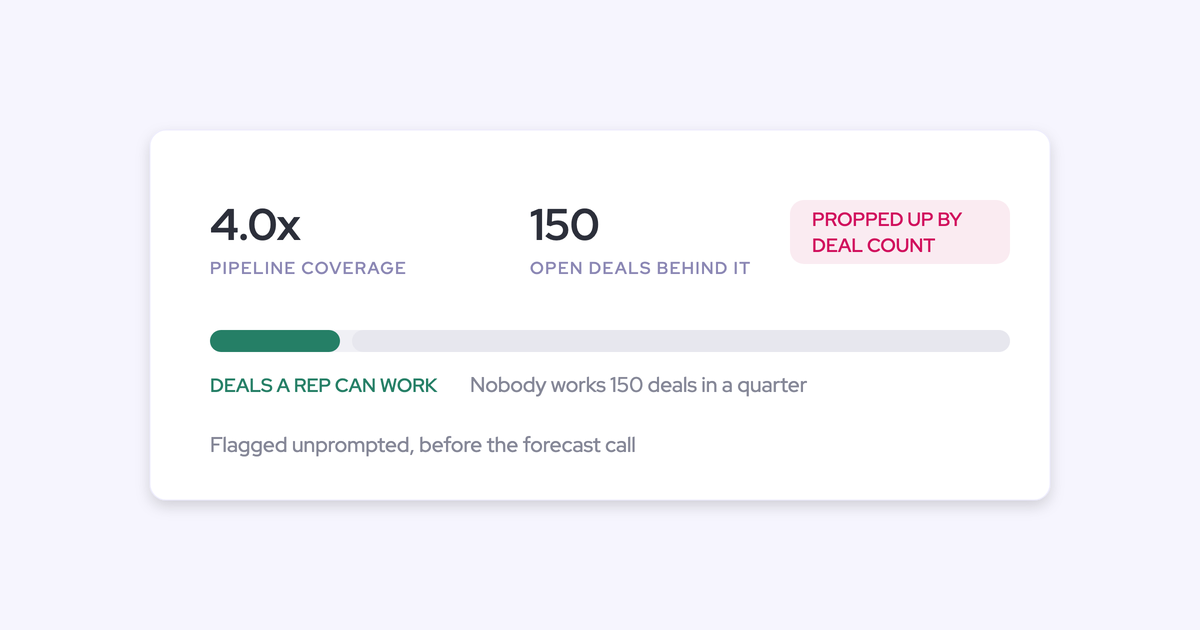
One buyer described a rep with 4x coverage spread across roughly 150 open deals. The useful audit question was whether the rep could work that portfolio during the quarter. The ratio alone didn’t answer it.
For your baseline, remove the largest timing-sensitive opportunity in a separate scenario and recalculate coverage. Then review the remaining deals’ next actions against rep capacity.
Keep these stress tests separate from approved exclusions. Concentration creates exposure; it doesn’t make a qualified deal invalid.
5. Publish an agreed baseline for the inherited pipeline
Publish a baseline that reconciles every material change to an opportunity, supporting evidence, and an accountable decision. Leadership should be able to move from the headline number to the deals behind it.
- Review findings with owners. Ask what evidence supports the deal and what help would advance it.
- Resolve data disagreements. Separate capture defects from commercial judgments.
- Approve dispositions. Sales managers own deal decisions; RevOps maintains consistent criteria and the reconciliation.
- Apply approved updates. Preserve the original export and log the reason for each change.
- Publish the baseline. Show validated coverage, unresolved exposure, and stress-test results separately.
| Disposition | Salesforce treatment | Coverage treatment |
|---|---|---|
| Retain | Keep the opportunity; correct supported details | Include if it meets the population rules |
| Restage | Move to the stage supported by evidence | Reassess eligibility and weighting |
| Reperiod | Update timing to the supported buying plan | Remove from the current-period numerator |
| Close lost | Record the agreed outcome and reason | Remove from open coverage |
| Quarantine | Track unresolved status in the audit register | Show separately from validated coverage |
| Repair evidence | Correct capture or mapping defects | Reassess after reconciliation |
Your before-and-after table should reconcile both count and value:
| Reconciliation line | Deal count | Pipeline value |
|---|---|---|
| Preserved starting population | Distinct opportunity IDs at cutoff | Total at the agreed valuation basis |
| Approved removals from current-period coverage | Distinct IDs closed lost, reperioded, or otherwise excluded | Value removed, without double-counting findings |
| Unresolved population | Distinct IDs awaiting evidence or decisions | Value shown separately |
| Approved amount corrections | No count change for amount-only edits | Net increase or decrease |
| Validated ending population | Retained eligible IDs | Reconciled eligible value |
For example, a manager resolves an apparently stale deal after finding a buyer reply on the wrong opportunity. The team corrects the mapping, but the reply also establishes later purchasing timing. The deal stays open and leaves current-quarter coverage.
That’s a defensible correction. Closing it lost would have confused a data defect with a commercial outcome.
- Assign every unresolved finding an owner and review date.
- Give leadership the coverage definition and remaining gap alongside the ratio.
- Carry stage-definition and capture fixes into an owned work queue.
- Review newly created opportunities against the agreed qualification criteria each week.
How Weflow Deal Intelligence & Forecasting supports pipeline audits
Weflow connects deal evidence with retained opportunity changes so you can repeat the audit without rebuilding the record before every review. Use the audit findings to identify which part of that work you need to automate.
- Inspect current deals. Bring communication velocity, participants, and an AI summary across opportunity meetings into the deal review.
- Evaluate qualification. Use AI Playbooks to assess methodology evidence and write structured results into Salesforce fields.
- Explain movement. Weflow snapshots opportunity data every few hours to support pipeline movement analysis.
- Open the underlying deals. Drill through waterfall buckets for created, increased, moved-in, moved-out, decreased, won, and lost pipeline.
- Keep motions distinct. Maintain separate stage paths, forecast-category mappings, and roll-ups for different Salesforce opportunity record types.
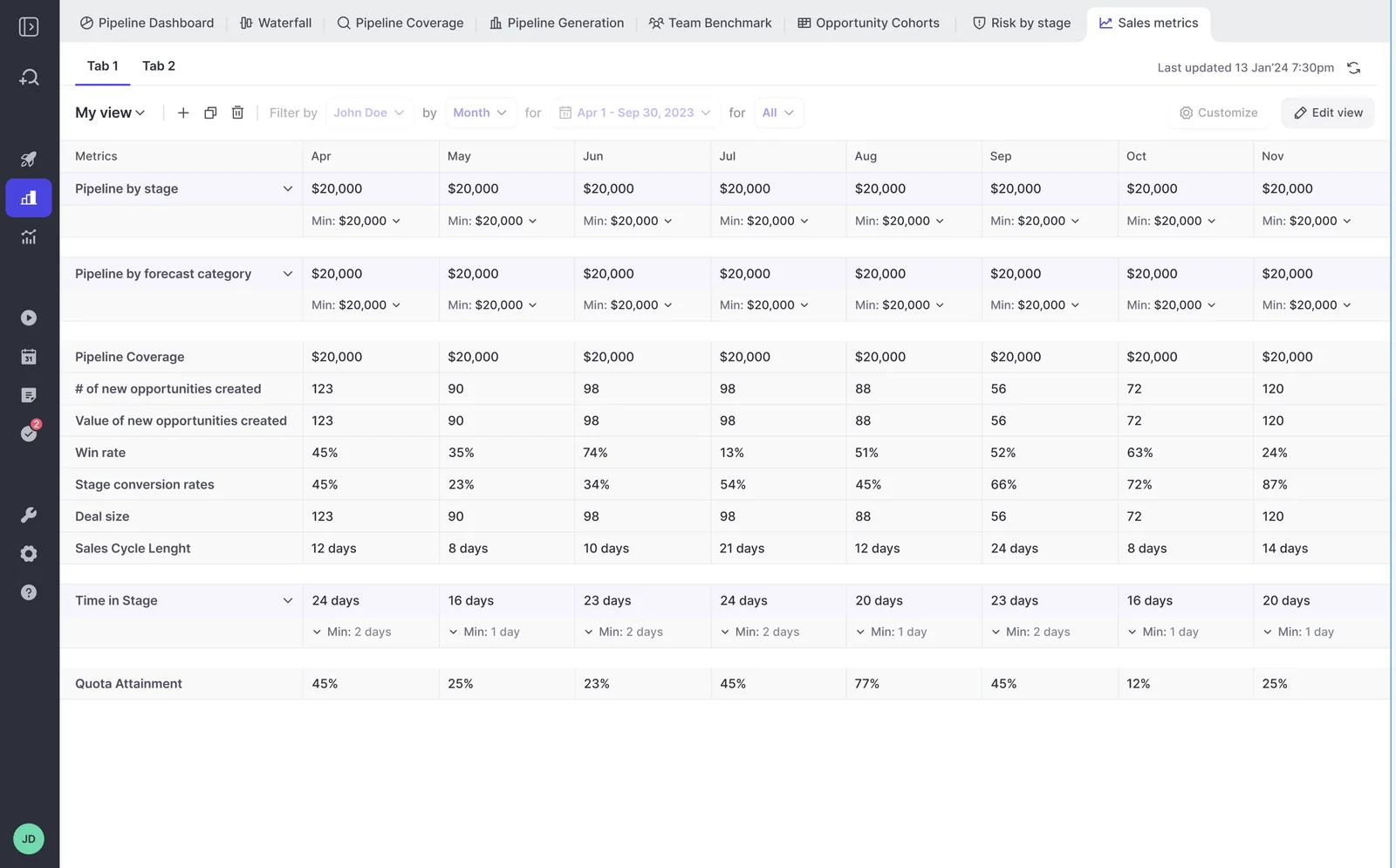
Weflow’s pipeline analytics also show coverage, conversion, cycle length, and team benchmarks. These views help you compare the audit baseline with subsequent performance; stage-conversion analytics don’t offer the same drill-through as the waterfall.
| Approach | Audit work it supports | Maintenance and boundaries |
|---|---|---|
| Existing Salesforce reports and retained history | Current opportunity lists, field checks, and inspection of available changes | Your team maintains report definitions, criteria, and evidence reconciliation. Historical analysis depends on what the org retained. |
| Warehouse snapshots and BI | Historical populations, movement analysis, and company-specific cohort calculations | Your data team maintains ingestion, snapshot completeness, metric definitions, and opportunity-level traceability. |
| Weflow | Snapshot-based pipeline analytics, waterfall drill-through, and deal inspection connected to activity and conversation evidence | RevOps configures the sales motions and audit views. The evidence available depends on the products and capture sources in use. |
Weflow can’t recreate opportunity changes that no system retained. We store pipeline snapshot history and recordings in Weflow; activity and contact records written into native Salesforce objects remain in your Salesforce after cancellation.
Capture setup also affects what you can inspect. Salesforce contact validation rules can block automatic contact creation, and associating meetings with multiple contacts depends on Shared Activities. Our Slack integration delivers output to Slack; it doesn’t capture customer-channel conversations.
If you already have reliable warehouse snapshots, complete activity evidence, and consistently applied stage criteria, use that infrastructure for the audit. Weflow’s role is to capture and connect missing evidence, retain opportunity changes, and make those records usable in recurring reviews.
Free Guide: Deal Insights & Pipeline Management Best Practices
What else should you know about Salesforce pipeline audits?
Missing history changes what you can conclude, but it doesn’t prevent you from establishing a current baseline. Keep observed facts, unresolved evidence, and proposed changes distinct.
Can I audit Salesforce opportunities without historical snapshots?
Yes. You can assess current qualification, buyer engagement, stage consistency, and coverage without historical snapshots. Use retained field history for past changes where it exists.
Export the current population and begin preserving changes now. Leave unsupported push counts and earlier stage transitions unknown rather than reconstructing them from the current record.
Should I backfill skipped Salesforce stages after the audit?
Don’t move opportunities through old stages just to create a cleaner-looking path. Correct the current stage using buyer evidence and record the historical exception separately.
If retained evidence establishes an earlier milestone, document its source and timing. Keep that reconstructed analysis distinct from the original CRM change history.
What if my historical conversion rates are unreliable?
Publish validated pipeline value and the remaining gap without claiming a precise coverage requirement. Use credible subsets of history for provisional conversion scenarios, and show where those scenarios differ.
Start a consistently qualified cohort from the agreed baseline. Track its wins, losses, and slips so later coverage decisions rest on comparable evidence.
Can I test Weflow without replacing our forecast process?
Yes. You can evaluate Weflow’s audit views while retaining your existing forecast submissions and meetings. Scope the evaluation around observable outputs:
- Activity and conversations attach to the correct opportunities.
- Qualification assessments reflect the underlying buyer evidence.
- Pipeline movement reconciles to named deals over the retained snapshot period.
- Filters preserve the sales motions and valuation basis you use.
Pipeline Analytics requires Forecasting licensing and configuration, even if your existing forecast process stays in place. A short evaluation can establish capture quality and inspect available analytics; it can’t establish sustained forecast accuracy or adoption of a new forecasting cadence.
What does Weflow Deal Intelligence & Forecasting cost?
Weflow Deal Intelligence & Forecasting costs $39 per user per month, billed annually, with a 10-user minimum.
The full evidence workflow also uses Weflow Activity & Contact Capture and Weflow Conversation Intelligence. Revenue AI Enterprise includes all three products, including Forecasting, for $79 per user per month, billed annually.
Revenue AI Business includes Deal Intelligence but excludes Forecasting and its Pipeline Analytics. Choose the licensing boundary around the audit outputs you need: managing opportunity records and analyzing historical pipeline movement are different requirements.


.webp)
.webp)