From Gut-Based to Data-Driven Deal Reviews: A Sales Manager's Guide
Learn how to move from gut-based to data-driven deal reviews and choose the right review cadence.



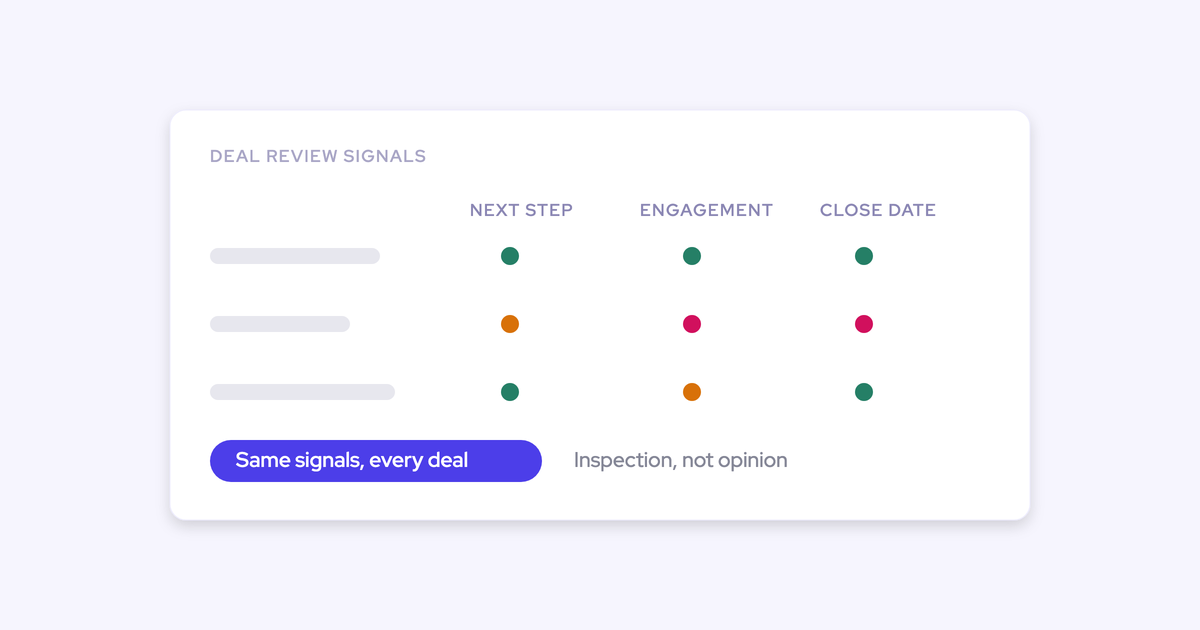

You already know the review isn't working. Before Monday you pull one report for stage duration, a second for last activity, and take the rest from the rep. That's about an hour per team per week, and it still ends with you accepting their version of the deal, because the engagement data that would contradict them isn't in front of you.
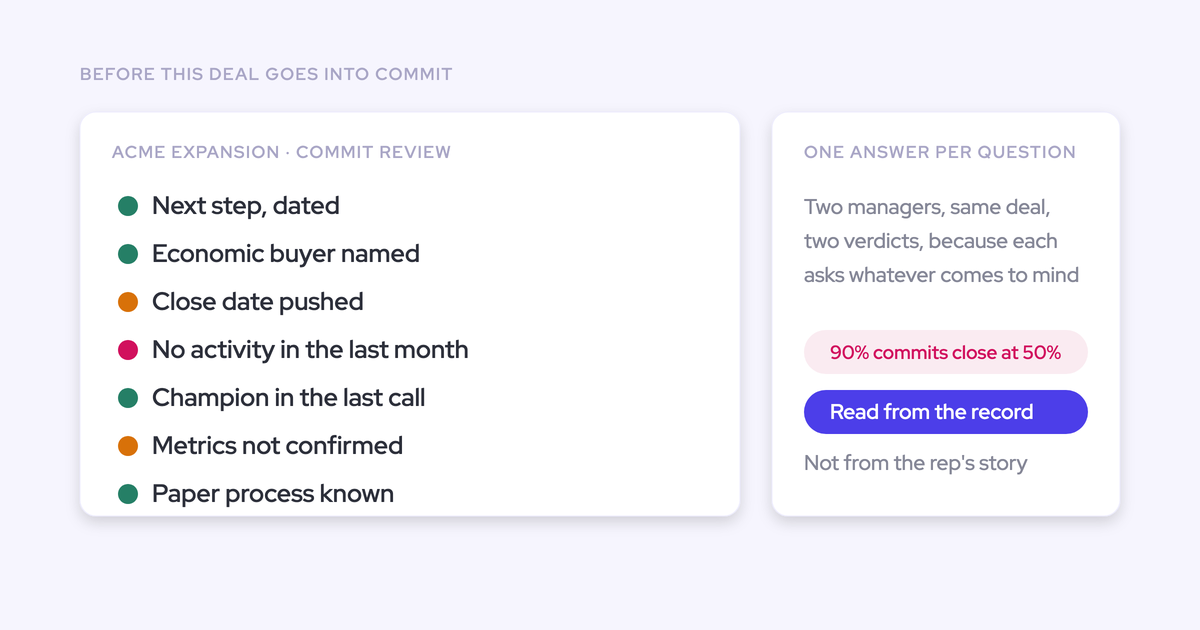
The questions come from whatever's on your mind that morning. So two managers inspecting the same deal reach two different answers, and neither one can be defended when your VP asks why you called it.
This guide covers the one question a review has to answer, the signals that answer it without the rep speaking, the standard question set that makes inspection defendable, and an honest comparison of the four ways to get there, including why the two you've probably already tried keep dying. One thread runs through all of it: the shift from opinion to evidence only works if the data foundation exists underneath, which is the job of a RevOps orchestration layer.
Why deal reviews run on the rep's story, not data
The review reverts to opinion because the data that describes deal health sits in four separate layers, and nothing joins them. So you join them, by hand, every week. That's the hour.
The four layers, and where each one actually lives:
- Activity data. Every email, meeting and contact. It lives in Outlook or Google Workspace, not in Salesforce, unless something puts it there.
- Conversation data. What was actually said on the call. It lives in a recording tool, as a transcript nobody opens during a review.
- Qualification and methodology data. The MEDDIC or MEDDPICC fields. They live in Salesforce and they're empty, because a rep has to type them.
- Stage criteria. What has to be true before a deal advances. Usually a slide, sometimes a validation rule, rarely both.
Three structural facts make the joining unavoidable.
First, Salesforce holds what a rep typed. Nothing else. Second, your engagement platform maps activity to the contact, not the opportunity, which is why a team with full sequencing coverage still can't answer how many follow-ups went out on a deal, whether the buyer replied, or how long the gaps were.
Third, and this is the one that catches most managers out: Salesforce stores current state, not history. The close date on the opportunity is the date it holds now. Not the three dates it held before. So slippage, push count and sandbagging are invisible in a live pipeline report, and there's no out-of-the-box view of how pipeline developed over the quarter.
Put those together and you get the mechanism: with no surface that joins the layers to the deal, the manager becomes the human aggregator. You're not running a bad process.
Can you tell whether a deal is healthy or derailed?
That's the whole test. Everything else in a review is downstream of it.
"The fundamental question people have to ask is, when you look at a deal, can you tell whether it actually is healthy or it's derailed?"
The answer comes from a short list of signals, and none of them are exotic. Deal health reads from activity velocity on the opportunity, the depth and recency of contact across the buying committee, days in stage, close-date push count, inactivity, single-threading, whether a next step is actually booked, and whether the qualification the methodology requires exists as data.
Here's the part that decides whether your review improves or just gets longer. Signals split into two kinds: the ones derived from what happened, and the ones a rep typed. Only the first kind can carry a review, because the second kind is negotiable in the meeting.
| Signal | What it tells you | Where the data comes from | Can a rep game it? |
| Communication velocity (sent vs received) | Whether the buyer is engaging or being talked at | Emails actually sent and received on the opportunity | No |
| Buying committee depth and recency | Who's involved, and who's gone quiet | Captured meetings and emails, mapped to contacts on the deal | No |
| Days in stage | Whether the deal is running long against your own benchmark | Computed from stage history | No |
| Close-date push count | Chronic slippage, and the sandbagger's signature | Stored snapshots of the opportunity over time | No |
| Inactivity (days silent) | The deal is dead and nobody has said so | Last captured activity on the opportunity | No |
| Single-threading | One relationship carrying the whole number | Count of engaged contacts on the deal | No |
| Next step booked | Whether the buyer agreed to spend more time | Next meeting on the calendar, not the notes field | Only by booking a real meeting |
| Qualification completeness | Whether the deal is where the process says it is | Methodology fields, if they're populated from conversations rather than typed | Yes, if a rep fills them in by hand |
Read the last row against the rest. It's the reason methodology rollouts keep failing, and we'll come back to it.
The deal review questions that make inspection defendable
A defendable review asks the same questions of every deal, in the same order, and answers each one from data before the rep opens their mouth. That's what ends the two-managers-two-answers problem, and it's what lets you show your VP the basis for a call instead of your confidence in it.
A qualification framework isn't a checklist to complete. It supplies the parameters you test against, so you have a shared language for interrogating any deal in the pipeline. Here's the question set, and what answers it before the conversation starts.
| Question | What answers it before the rep speaks |
| Is this deal moving? | Days in stage against your stage benchmark, plus the push count on the close date |
| Is the buyer engaging, or are we broadcasting? | Emails sent versus received, reply rate, and the gap since the last inbound message |
| Who's actually in this deal? | The contacts with captured activity, how recently each one was touched, and how many of them there are |
| Has anything happened in the last two weeks? | Days inactive on the opportunity and whether a next meeting is on the calendar |
| Is it qualified to sit in this stage? | The methodology fields, populated from the calls rather than typed at quarter end |
| What changed since last week? | Amount, stage and close-date movement, read from stored snapshots |
| Do we have access to power? | Whether anyone above the day-to-day contact appears in the captured activity at all |
Now the honest limit, and it matters more than any of the above.
Every deal in your pipeline claims to have a champion, and no signal will tell you whether that champion is real. Email and meeting volume tells you somebody is busy with you. It doesn't tell you somebody is arguing for you in a room you're not in, and the difference between those two is your forecast.
So that question stays in the conversation, asked out loud and evidenced. Will this person take your call this week? Will they get you to the economic buyer, and when? Any tool that hands you a relationship score instead is guessing, and dressing the guess up as data.
Four paths to a data-driven deal review
You have four realistic options. Each one succeeds or fails for a structural reason traceable back to the four disconnected layers, not because somebody executed badly. Two of them you've probably already tried.
Enforce the methodology and police the fields
This is the path most teams take first, and it's the one that already failed for you.
The framework itself is necessary. It gives the review its parameters and gives your managers a shared language. What fails is enforcement by instruction. Open any opportunity and the MEDDIC or SPICED fields are empty, because the company trained on the methodology, built the fields, and then nobody policed them while the deal advanced anyway.
The worse outcome isn't empty fields, it's inconsistently filled ones. Every rep has a slightly different idea of what qualified means, so you end up comparing two definitions and calling it a conversion analysis.
"It's worse to have incomplete, inconsistent, or inaccurate data than to have no data at all, because then you have this illusion that you can trust the data."
An empty field is honestly empty. A filled one invites a decision. And telling reps to try again is the fix nobody has ever made stick, because the incentive runs the other way: a thin pipeline gets you a difficult conversation with your manager, and a fat one doesn't.
Build the signals in Salesforce yourself
Your admin can build some of this. Be precise about which parts.
What genuinely can be built:
- Custom fields plus automation for days in stage and a push counter, if you're willing to own them forever.
- Reports on last activity date, as long as something is writing activity to the opportunity.
- Validation rules on stage entry, which are the one piece of methodology enforcement that actually holds. Changing your stage names is cosmetic. Validation criteria are not.
What structurally can't:
- Anything historical. Salesforce doesn't history-track calculated or roll-up fields, so slippage, sandbagging and period-over-period movement can't be reconstructed without building the snapshotting yourself.
- Activity joined to the opportunity, when your engagement tool maps it to the contact.
- Communication velocity and buying committee depth, because the underlying emails and meetings were never captured in the first place.
Then there's the queue. Most Salesforce teams we talk to are two people, sized for keeping the system running rather than building on it. The capability exists and it doesn't get built, which is a different problem from not owning the platform.
"So far we haven't built anything other than we wasted a lot of time."
Redesign the review cadence and question set
This path costs nothing and you should do it regardless of what else you decide.
Writing down the same seven questions, agreeing the stage benchmarks, and running the same sequence every week makes your reviews consistent across managers immediately. It also defines what the data has to answer, which makes any later tooling decision much sharper.
What it can't do is supply evidence. With no data underneath, the standard questions get standard answers from the rep, and you've upgraded from ad-hoc opinion to structured opinion. Necessary, and not sufficient.
Add a deal inspection layer on top of Salesforce
The fourth path is a layer that captures activity automatically, computes the signals from what it captured, and stores its own history so movement is visible.
That combination is what changes the review, for one reason: signals derived from captured activity can't be gamed in the meeting. Nobody negotiates a reply rate. And because the layer keeps snapshots, the deal that's been pushed three times looks different from the deal that's on its first close date, which it never does in a live Salesforce report.
The cost is real. You're running a vendor evaluation, a rollout, and a configuration decision about thresholds. And there's a question worth asking every vendor in this category up front: what of this reaches my Salesforce dashboards, and what only exists inside your product.
| Path | What it fixes | What it can't fix | What it costs, and whom |
| Enforce the methodology | Gives the review shared parameters | Fields stay empty or inconsistent; nothing becomes verifiable | Manager time spent chasing; rep goodwill |
| Build in Salesforce | Days in stage, push count, stage validation | No history, no activity joined to the deal, no committee view | An admin queue that never clears, plus permanent maintenance |
| Redesign the cadence | Consistency across managers, defendable question set | Answers still come from the rep | Nothing but a decision |
| Add an inspection layer | Ungameable signals, visible movement, one surface | Whether a champion is real | Evaluation, rollout, a per-seat line item |
The criteria a data-driven review process has to pass
Before you weigh the options, fix the tests. These five come straight from what your situation punishes, and they double as the checklist for any demo you sit through.
- It adds zero work for reps, and none for you. Any step that depends on a rep doing a small piece of admin doesn't happen, so the admin ends up doing it for them. Test it by asking what a rep has to do differently on Monday. If the answer isn't "nothing", the fix has already failed once.
- The signals can't be gamed. Anything typed by the deal owner is a claim, not a signal. Test it by asking, for each number on the screen, where the underlying data came from.
- The whole review runs inside one view. Stage time, last activity, engagement and deal health on one surface, filterable and sortable. Test it by running an actual review in the trial and counting how many tabs you open.
- Thresholds are yours, not the vendor's. A 60-day cycle and a 12-month cycle define "gone quiet" completely differently. Test it by asking who changes a threshold and whether it takes a support ticket.
- Engagement facts stay visibly separate from the rep's story. One blended health score hides both. Test it by asking to see the inputs behind a flag, on a specific deal, in the demo.
The recommended path: standard questions plus signals nobody can game
Do two of the four, in order. Redesign the cadence and question set first, then put automated, activity-derived signals underneath it.
The reasoning is straightforward against the criteria. A standard question set with no data reverts to the rep's story, so it fails the ungameable test on its own. Automated signals with no standard question set turn into a nicer version of ad-hoc inspection, where you look at whatever the board sorted to the top. Together they pass all five, and the sequence matters because the question set tells you which signals you actually need.
| Criterion | Enforce methodology | Build in Salesforce | Redesign cadence | Cadence + inspection layer |
| Zero extra work | No | Partly | Yes | Yes |
| Ungameable signals | No | Partly | No | Yes |
| One view | No | Partly | No | Yes |
| Your thresholds | Yes | Yes | Yes | Depends on the vendor |
| Facts separate from story | No | Yes | Partly | Yes |
Two cases where we'd tell you to stop at the free path. If you run three or four reps, you can hold the whole pipeline in your head and a written question set plus a weekly discipline gets you most of the way. And if you have genuine spare engineering capacity plus a long runway, building it is defensible, as long as you're honest that what ships in a year answers the requirements as you understood them a year ago.
Everyone else: the methodology stays, the enforcement moves off your shoulders and onto the data.
How Weflow puts every deal review signal on one surface
Weflow is the Revenue AI Orchestration platform for sales, customer success, and RevOps teams, and this is the part of it that replaces your Monday morning report-assembly. Here it is against the review's own questions rather than as a feature list.
Is this deal moving? Weflow tracks days in stage and total close-date push count on every opportunity automatically, with no custom fields for your admin to build and maintain. And because Weflow snapshots opportunities every few hours, it holds the history Salesforce doesn't, which is what makes chronic slippage and sandbagging visible in a waterfall instead of hidden inside a net number.
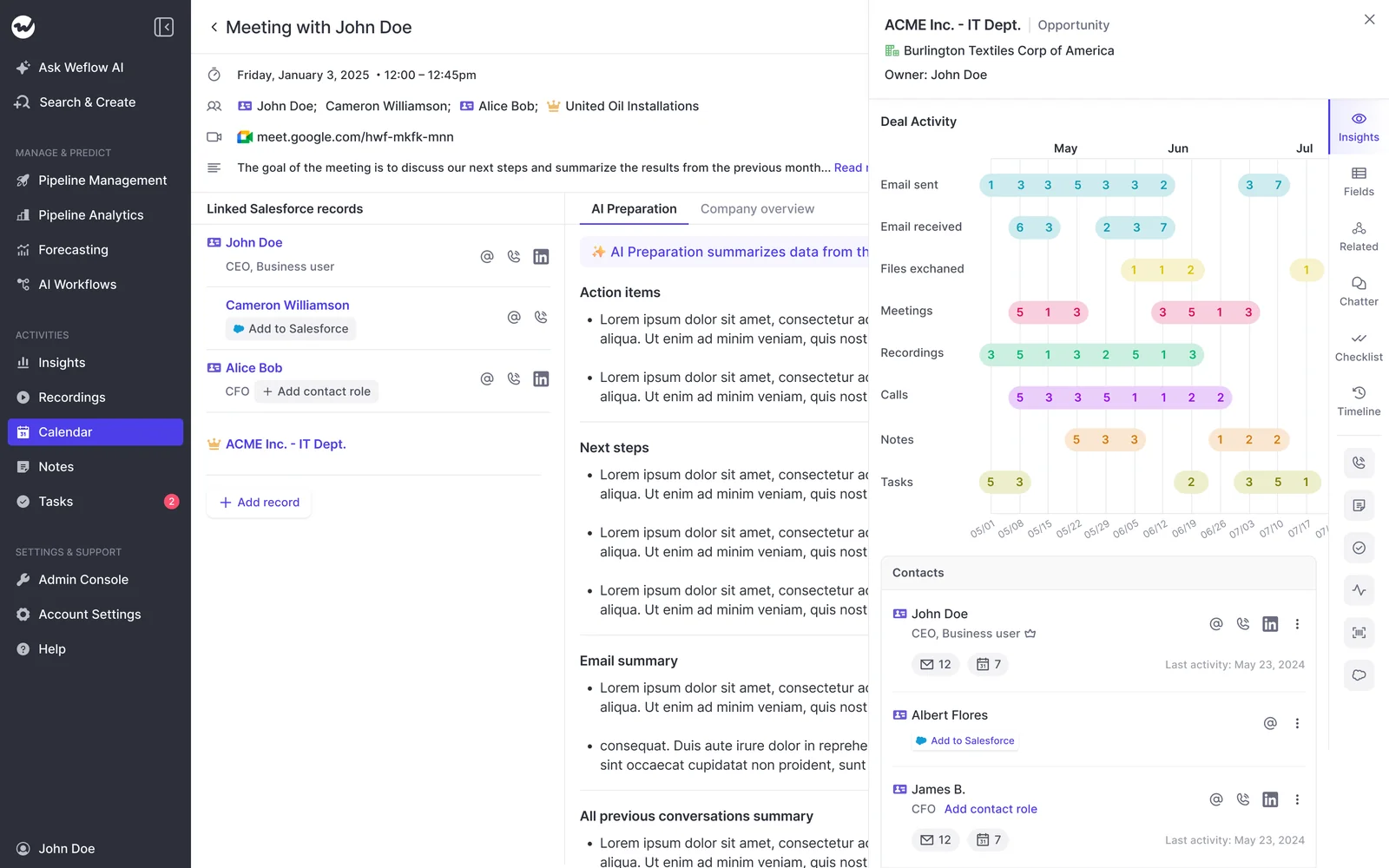
Is the buyer engaging? Weflow produces a deal-level AI summary that reasons across every meeting on the opportunity rather than one call at a time, shown next to communication velocity computed from the emails actually sent and received. That figure describes the relationship, not the rep's account of the relationship, which is exactly the neutral second opinion managers say they want.
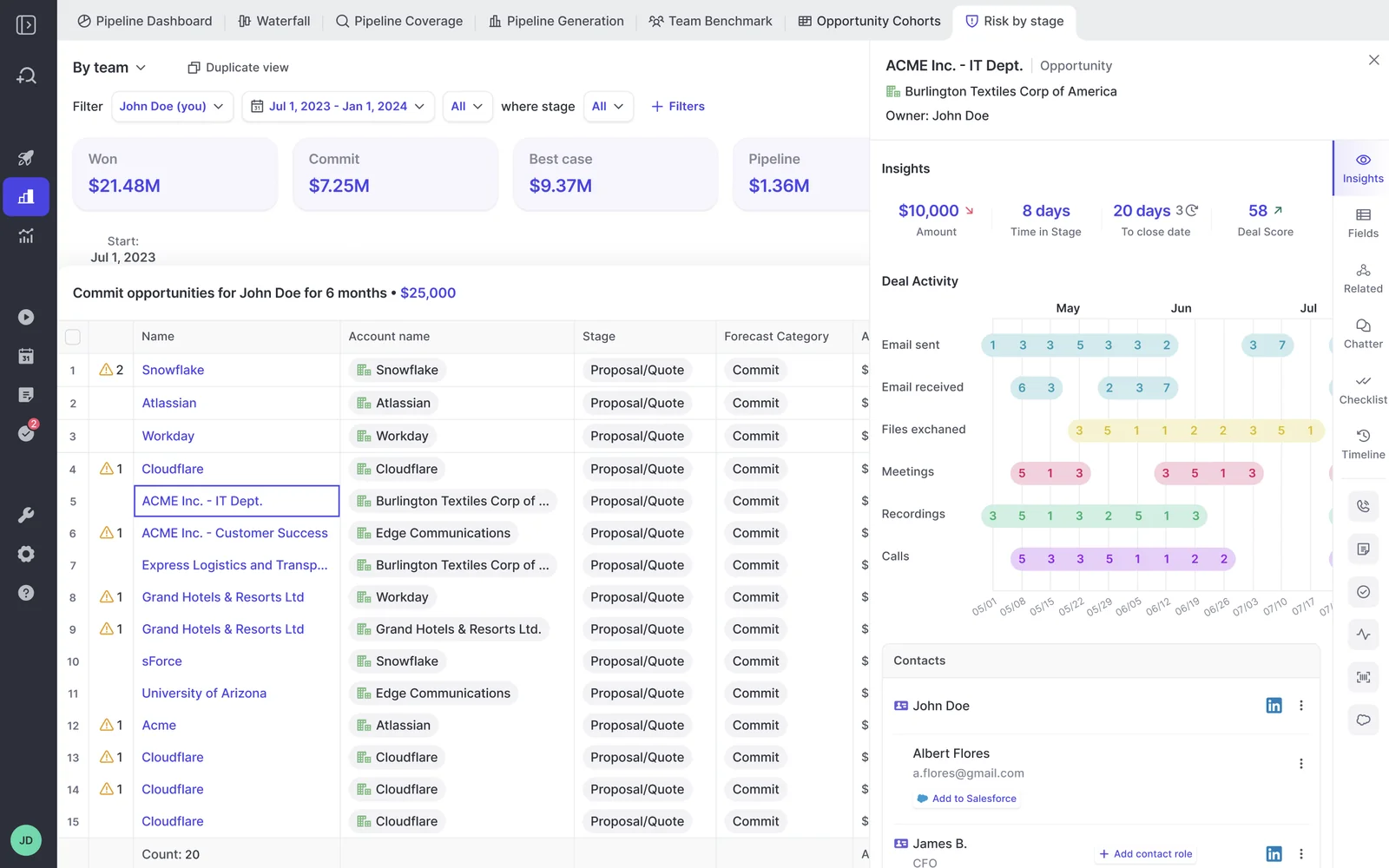
Who's actually in this deal? The buying committee sits on the record, with the depth and recency of contact for each person on it. Opening the deal answers the question you'd otherwise have to ask the rep, which turns the review from an interrogation into an inspection and gives your coaching time back.
Is it qualified? Weflow Conversation Intelligence writes methodology fields into Salesforce from the calls themselves, using templates your admin maps, so the qualification column stops being a rep-typed claim. Then you can scan the whole team's pipeline for deals missing what the methodology requires, filtered to this quarter and above a size threshold, instead of opening opportunities one at a time.
That last point is the one that changes outcomes. Reviewing deal by deal doesn't scale past a few reps, so today the weakest deals get the least scrutiny, because nobody reaches them.
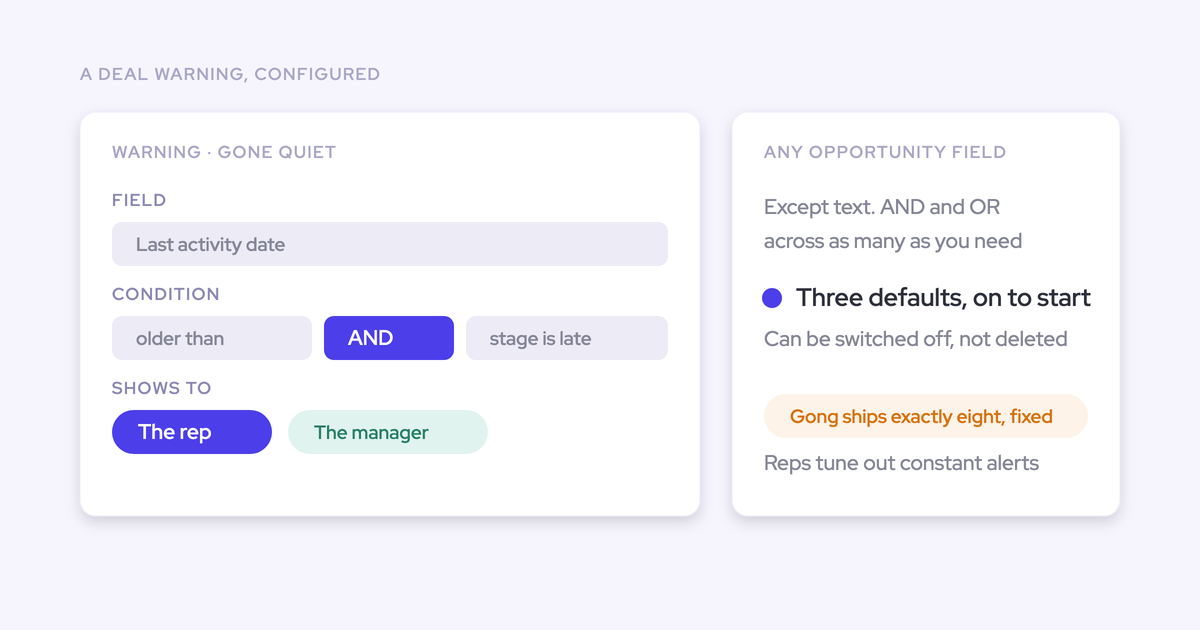
What do I look at, and who decides? Weflow enriches any Salesforce view with computed fields Salesforce doesn't have: a rolling activity timeline, days inactive, last and next meeting, per-contact engagement, activity velocity. Warnings are then rules you author against any of those or any Salesforce field, with AND/OR logic, assigned to a team. Close date pushed more than twice. Only one contact on the deal. No activity in 14 days. Your patterns, your cycle length.
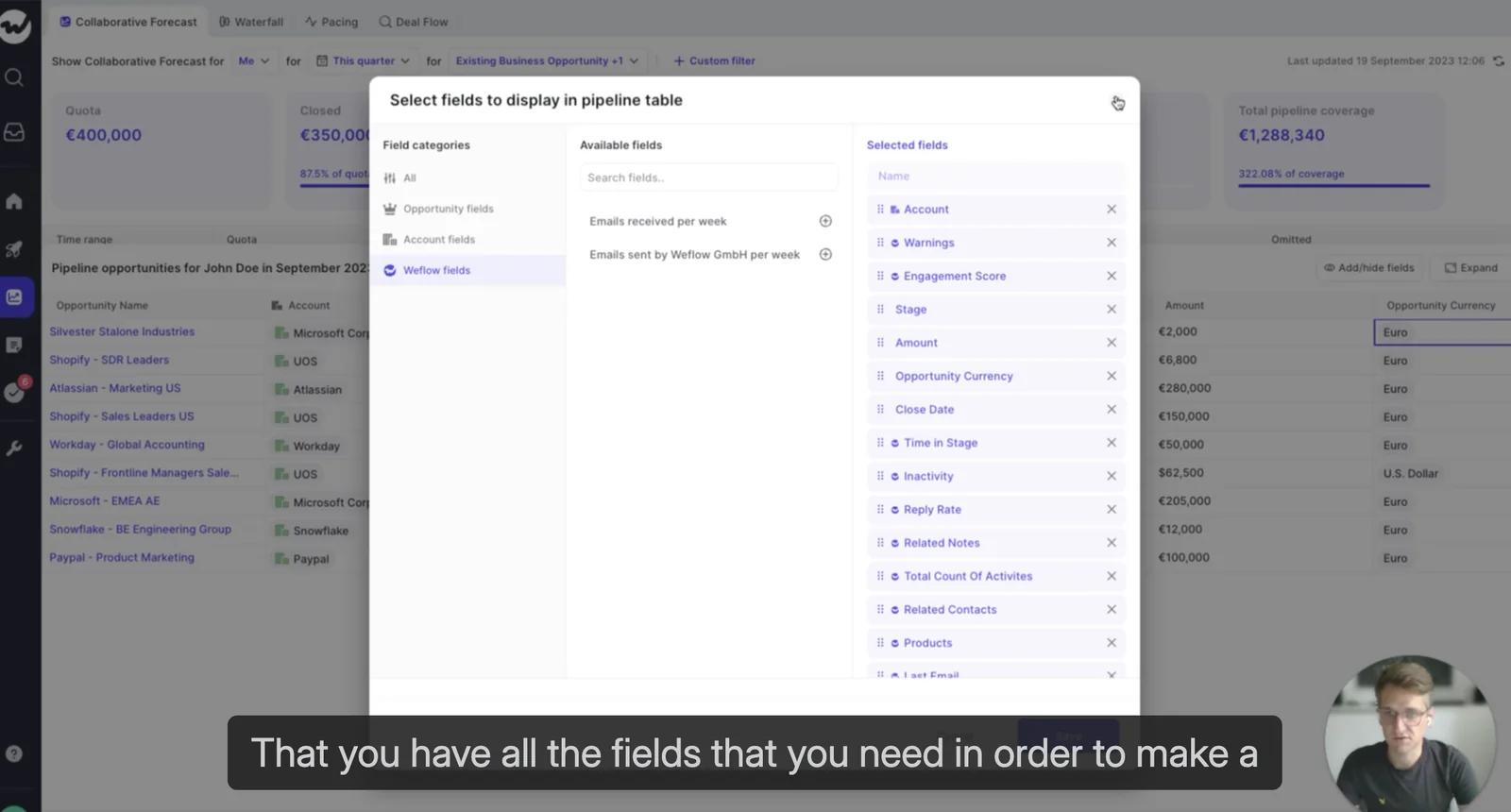
The warnings also appear inside the forecast submission screen, at the moment a rep picks what to commit. That's what stops unhealthy pipeline entering the number, rather than explaining it afterwards.
What customers actually moved:
- HolidayCheck cut inactive opportunities by over 60% and past-due opportunities by around 75%.
- Zeotap increased win rate by 12%, off the back of review and qualification discipline rather than a forecasting calculation.
- Blockaid runs deal signals, warnings and automatic opportunity snapshots after moving off Einstein Activity Capture.
"The visibility alone changed behavior. Reps come into meetings already aware of what's overdue or inactive. They're more proactive now, because they can actually see what needs attention."
— Bastian Stosic, Head of Media Sales Operations at HolidayCheck
"Weflow provides extraordinary visibility into pipeline health and progression, allowing us to act on risks early and make the right decisions."
Two limits, stated plainly.
Weflow shows you engagement facts. It won't tell you whether a champion is real, and we don't pretend to score the relationship. That question belongs in your conversation, evidenced by whether the person takes the call and opens the door to power.
And deal warnings and AI Playbook scores are Weflow fields, not Salesforce fields. They're marked with a W in the interface. If your executive reporting runs out of Salesforce dashboards or a BI tool, getting a flag into that report means an agent writing the assessment into a Salesforce field you create. Buildable, and not out of the box.
Designing the deal review cadence around the signals
With the signals on one surface, the cadence inverts. You stop spending the hour building the picture and start spending it on the deals the picture flagged.
The sequence we'd run, in this order:
- Open the inspection view, not a report. Sorted by warnings, filtered to this quarter above your size threshold. Five minutes of prep, not sixty.
- Start with flagged deals in the highest-stakes bracket. The weakest deals get the most scrutiny, which is the reverse of what happens when you go rep by rep down a list.
- Answer each question from data first, then ask the rep. "This has been in Proposal 41 days, pushed twice, one contact, nothing inbound in 12 days. What am I missing?" The conversation starts where it used to end.
- Ask the champion question out loud. The one thing no signal answers gets the time it deserves.
- Agree one action per deal and where it lands. A next meeting booked, a second thread opened, or a close date corrected. Corrections go into Salesforce there and then, not into someone's notebook.
- Close the loop next week on last week's flags. A flag nobody acted on teaches everyone the flags can be ignored.
| Old cadence | New cadence | |
| Prep | An hour rebuilding the picture from two reports and the rep's story | Minutes, opening one view |
| Order of business | Rep by rep, deal by deal, biggest first | Flagged and highest-stakes deals first |
| Questions asked | Whatever comes to mind that morning | The same seven, on every deal |
| Who supplies the answer | The rep | The data, then the rep |
| What it produces | A feeling about the quarter | An action per deal and a defendable call |
One more change worth making while you're at it: separate the pipeline review from the sales meeting. A pipeline review works the deals. A sales meeting works on making the person better at what they do. When the pipeline conversation eats the whole hour every week, coaching quietly disappears from your calendar. Shortening the review is what buys it back.
Walk through the product yourself, no call required.
FAQs about running data-driven deal reviews
Do reps have to log or update anything extra?
No, and any process that needs them to is the fix that already failed. Weflow Activity & Contact Capture pulls emails, meetings and contacts server-side and maps them to the right Salesforce records, and the signals are computed from what it captured. A rep starts being captured as soon as an admin adds them to a capture configuration, whether or not they've ever signed in. Signing in is only needed to see the insights.
Does deal inspection work alongside Outreach, Salesloft, or Apollo?
Yes, and they're solving a different problem. Engagement platforms own the top-of-funnel cadence and map their activity to the contact, which is why sequencing coverage never answers deal review questions. Weflow doesn't do sequencing, cadences or dialing at all. It starts once there's an opportunity to manage, and joins activity to that opportunity so the review has something to read.
Can we set signal thresholds to match our sales cycle?
Yes, and you should, because a fixed model won't fit your motion. Warnings in Weflow are rules you author against any Opportunity-related field or any computed field, with AND/OR logic, then assign to a team. Three defaults ship switched on and can be deactivated. A team with a 60-day cycle can define 14 days of silence as a warning where a team with a 12-month cycle wouldn't go near that number.
Can deal warnings show up in Salesforce dashboards or BI reports?
Not directly. Deal warnings and AI Playbook scores are Weflow fields, marked with a W in the interface, so they don't appear in a Salesforce report or a BI tool on their own. The route there is an agent that writes the assessment into a Salesforce field you create, which works and has to be built. If your board pack comes out of Salesforce dashboards, plan that piece deliberately rather than discovering it in week three.
Isn't a deal inspection layer just another CRM to maintain?
"My only concern is that I feel like we're just moving from one CRM to another here."
Fair concern, and the answer is where the data lives. Salesforce stays the system of record. Weflow imports your Salesforce list views, refreshing every couple of minutes, and computes on top rather than storing a competing copy of the pipeline. Everything captured lands in native Salesforce objects that you own, so your own reporting and automations can read it. Edits made in Weflow sync back to Salesforce in real time, though view customizations you make on the Weflow side stay there.
Who configures the signals, and can managers compare reps across teams?
An admin configures the signals, the views and the warning rules from the admin console and assigns them to teams, so a manager lands on the board built for their role rather than an empty one. Technical setup runs 30 to 45 minutes with a Salesforce and Google or Microsoft admin; most of the real work is business logic, which is why full time to value is typically two to three weeks.
"You're stuck with the Salesforce hierarchy. I want to look at all enterprise reps globally and compare them."
Weflow teams are built dynamically from Salesforce by manager, role or a field condition, so a team can be every enterprise rep globally rather than one branch of the reporting tree. It also means a rep who changes team in Salesforce changes team in Weflow, and your provisioning survives the next reorg.