
How to Improve Sales Pipeline Visibility
Learn how to improve sales pipeline visibility with CRM hygiene, activity capture, and review metrics.



What is sales pipeline visibility?
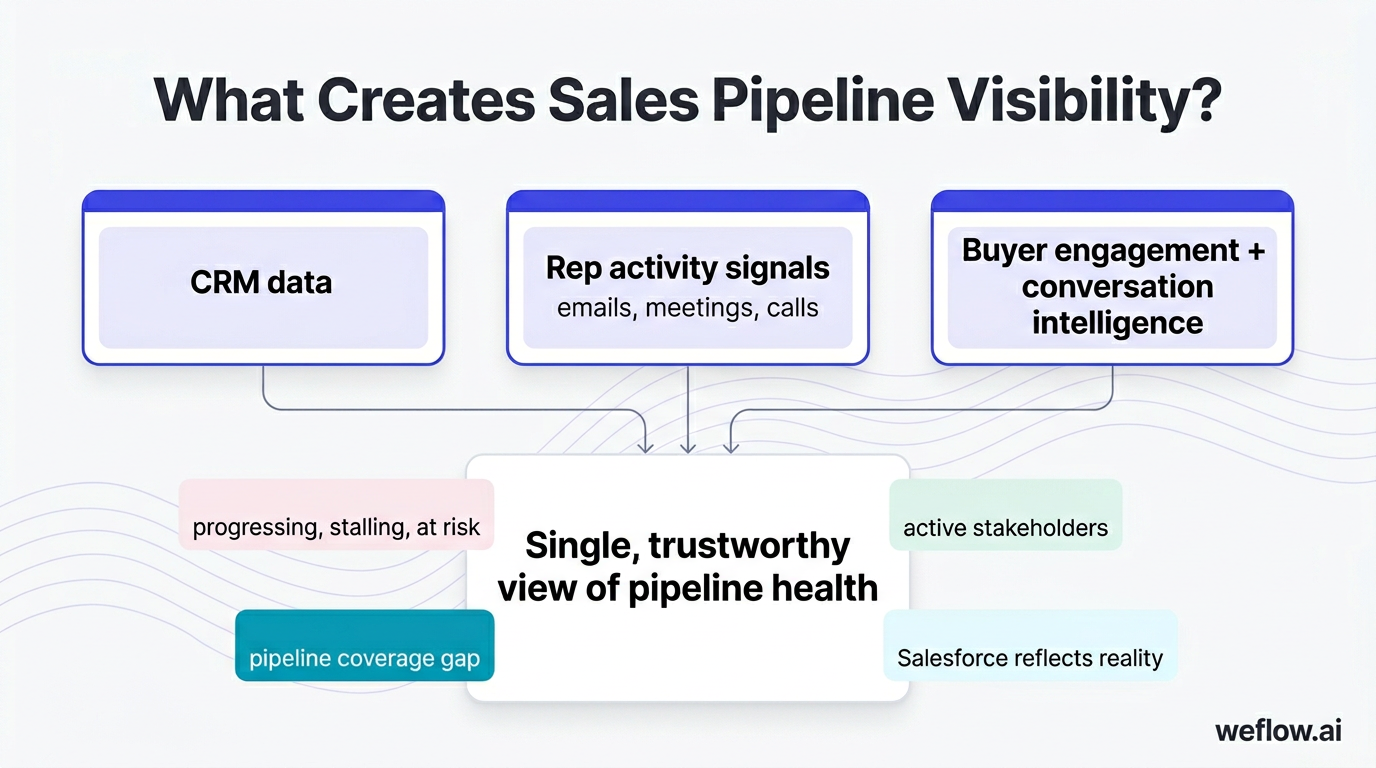
Sales pipeline visibility is the ability to see exactly where every deal stands, what activities have occurred, and which deals are progressing, stalling, or at risk—without relying on reps to manually update Salesforce. It combines CRM data, rep activity signals (emails, meetings, calls), and buyer engagement patterns into a single, trustworthy view of pipeline health.
True pipeline visibility goes beyond what’s recorded in opportunity fields. It includes whether stakeholders are engaged, how recently contacts have responded, what was discussed in the last call, and whether the deal is following the expected progression pattern for its stage. When RevOps leaders talk about “visibility,” they mean confidence that the numbers in Salesforce reflect reality—not hopes, guesses, or stale data from two weeks ago.
Organizations with strong pipeline visibility can answer questions like: Which deals have gone silent? Who are the active stakeholders on our largest opportunities? Where is the pipeline coverage gap for next quarter? The answers live in the intersection of CRM data, activity capture, and conversation intelligence—not in any single field.
Why sales pipeline visibility matters
Pipeline visibility directly determines forecast accuracy, deal velocity, and the ability to coach reps before deals die. Without it, revenue leaders operate on lagging indicators and gut feel. With it, they can intervene early, allocate resources intelligently, and present numbers to the board with confidence.
Accurate forecasting requires accurate data
Only 18.7% of sales organizations achieve 75% or higher forecast accuracy, according to Korn Ferry’s 2024 Seller and Buyer Preferences Study. The primary culprit: incomplete or unreliable CRM data. When reps don’t log activities and deal stages don’t reflect actual buyer engagement, forecasts become educated guesses. Pipeline visibility closes the gap between what’s in Salesforce and what’s actually happening in deals.
Faster deal velocity through proactive management
Deals stall when no one notices they’ve gone quiet. With clear visibility into activity recency and stakeholder engagement, managers can identify stuck opportunities before they slip to next quarter. Research from Salesforce shows that companies with mature sales analytics achieve 28% higher revenue growth—largely because they catch problems earlier and course-correct faster.
Better resource allocation
When you can see which deals are genuinely progressing versus which are dead but still sitting in pipeline, you can reallocate rep time to winnable opportunities. Pipeline visibility prevents the common problem of reps spending hours on deals that were lost weeks ago but never updated.
Coaching based on evidence, not assumptions
Managers who can see conversation patterns, activity gaps, and deal progression anomalies can coach on specific behaviors rather than generic advice. Teams coached weekly on pipeline hit 76% quota attainment versus 56% for teams coached monthly, according to MySalesCoach’s 2026 Sales Coaching Study.
CRM reporting isn’t enough on its own
Despite lacking confidence in their CRM data, 69.9% of sales organizations still rely on CRM reporting as their primary forecasting method (Korn Ferry). This gap—between what teams use and what they trust—explains why pipeline visibility initiatives matter. The tools exist to capture activity automatically and surface engagement signals. The question is whether organizations deploy them.
5 common challenges that kill pipeline visibility
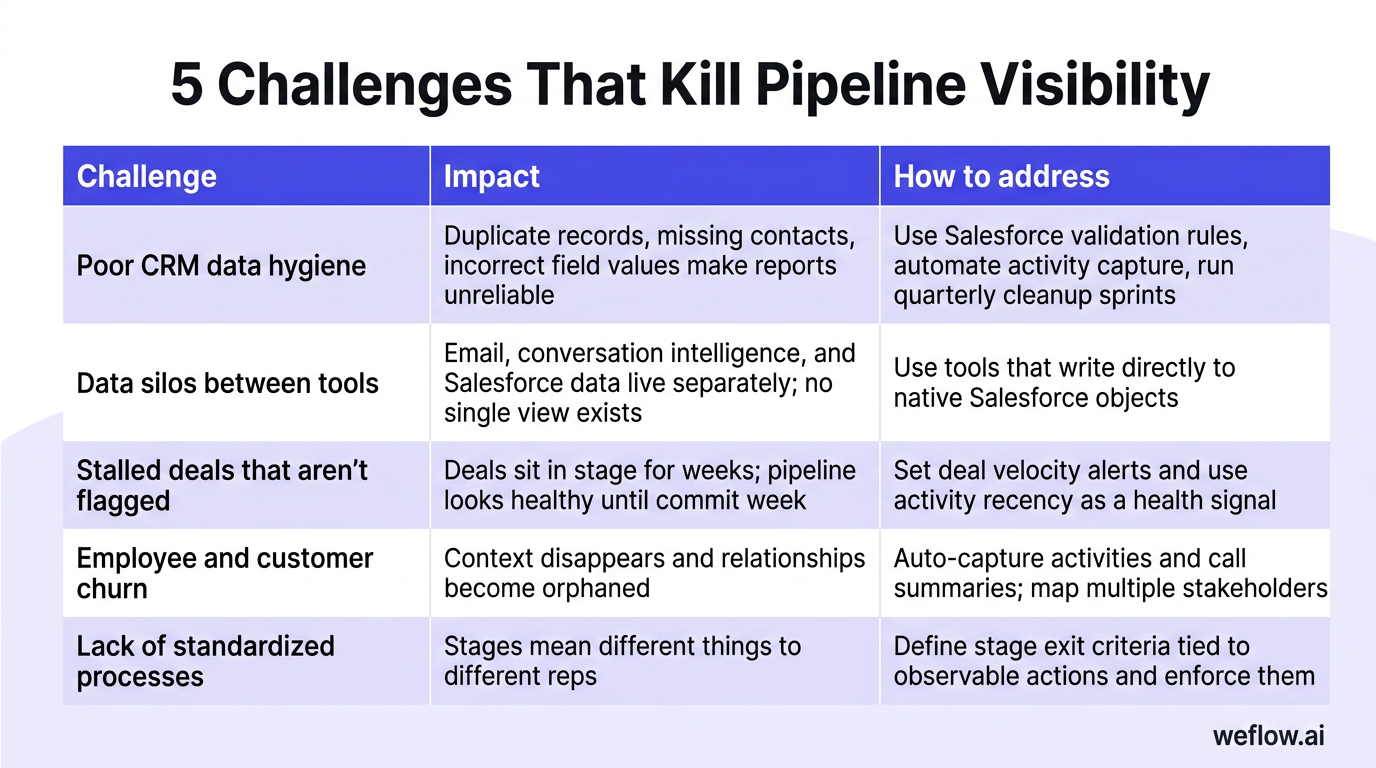
Pipeline visibility breaks down for predictable reasons. Identifying which challenges affect your organization determines which fixes to prioritize.
| Challenge | Impact | How to address |
|---|---|---|
| Poor CRM data hygiene | Duplicate records, missing contacts, and incorrect field values make reports unreliable and pipeline coverage impossible to calculate accurately. | Implement validation rules in Salesforce, automate activity capture to eliminate manual entry gaps, and run quarterly data cleanup sprints. |
| Data silos between tools | Activity lives in email, conversation intelligence in a separate platform, pipeline data in Salesforce. No single view exists, and insights don’t flow where decisions happen. | Consolidate to tools that write directly to native Salesforce objects (Task, Event, Contact) rather than storing data externally. Evaluate total integration footprint. |
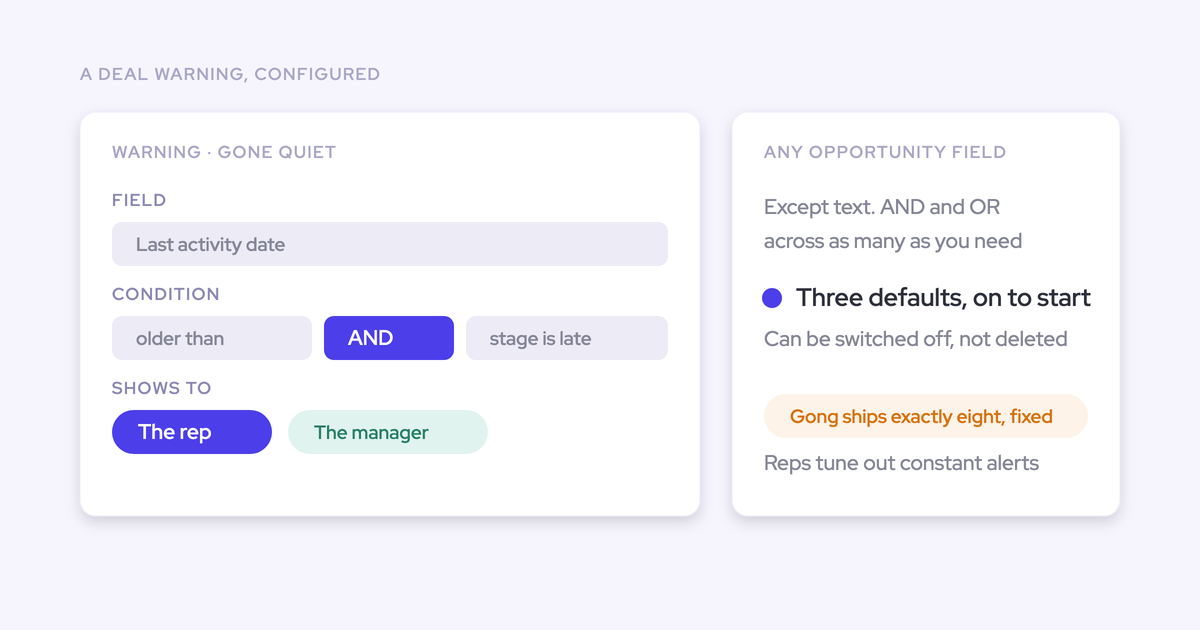
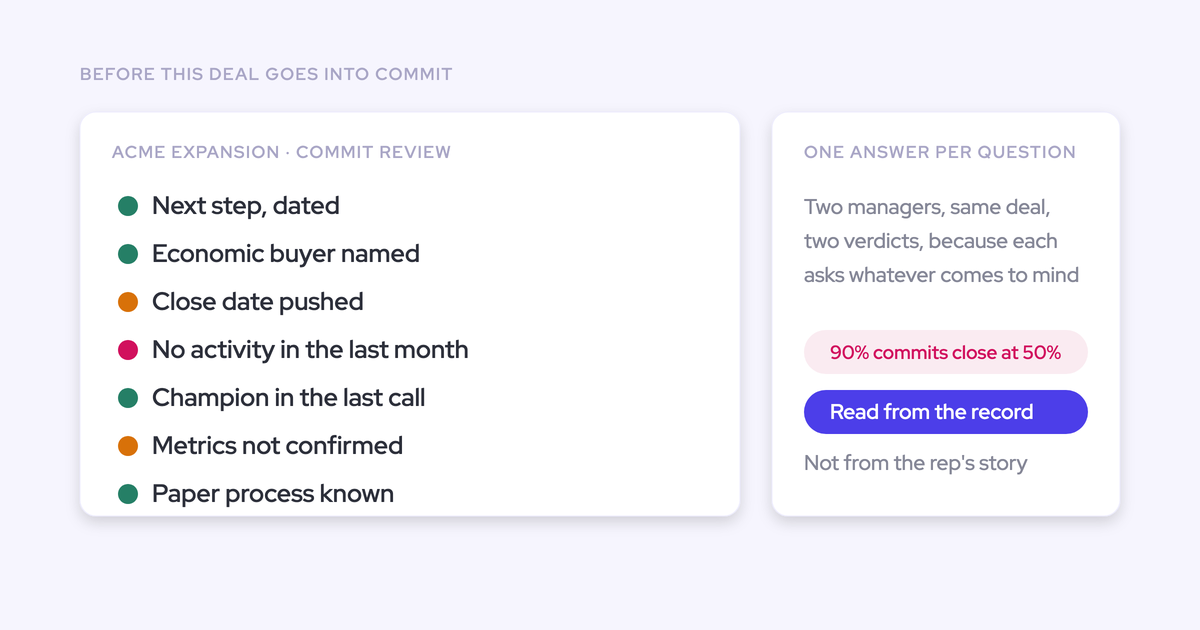
| Stalled deals that aren’t flagged | Opportunities sit at the same stage for weeks without triggering alerts. Pipeline coverage looks healthy until commit week reveals dead deals. | Set up deal velocity alerts based on stage age. Use activity recency as a health indicator—deals without recent engagement are at risk regardless of rep confidence. |
| Employee and customer churn | When reps leave, deal context disappears. When contacts change roles, relationships become orphaned. Institutional knowledge walks out the door. | Capture activities and call summaries automatically so context persists. Map multiple stakeholders per opportunity to reduce single-threaded risk. |
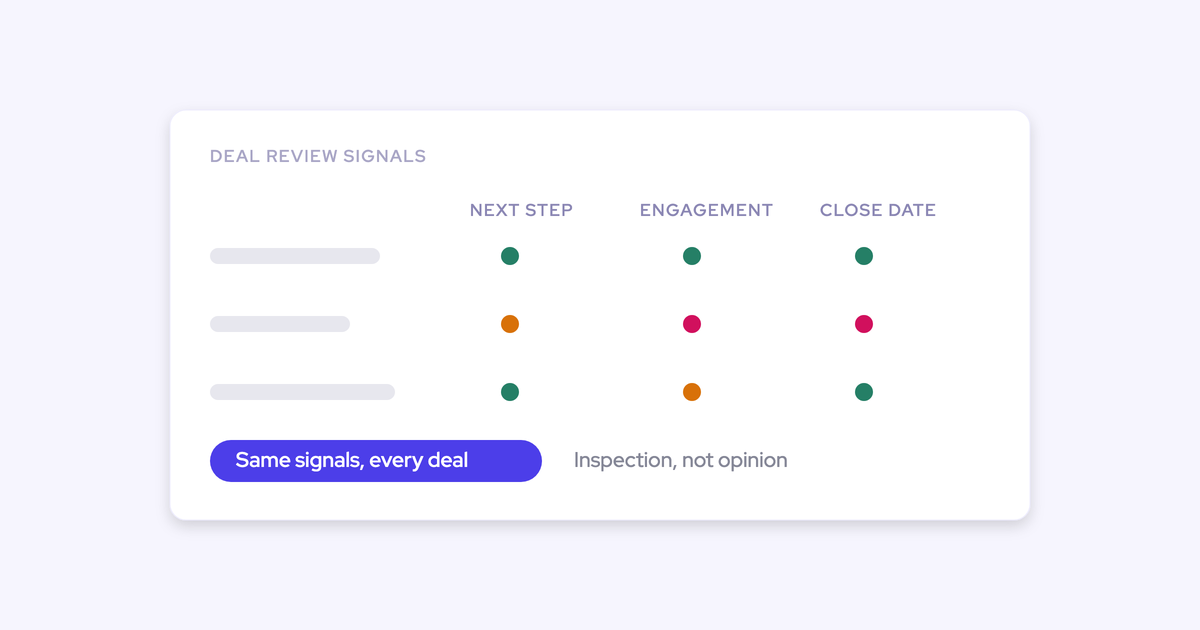
| Lack of standardized processes | Without consistent stage definitions and exit criteria, pipeline stages mean different things to different reps. “Verbal commit” in one territory isn’t the same as another. | Define stage exit criteria tied to observable actions (e.g., “demo completed” requires a logged meeting with at least two stakeholders). Enforce through Salesforce validation rules or AI-powered compliance checks. |
How do you clean CRM data to improve pipeline visibility?
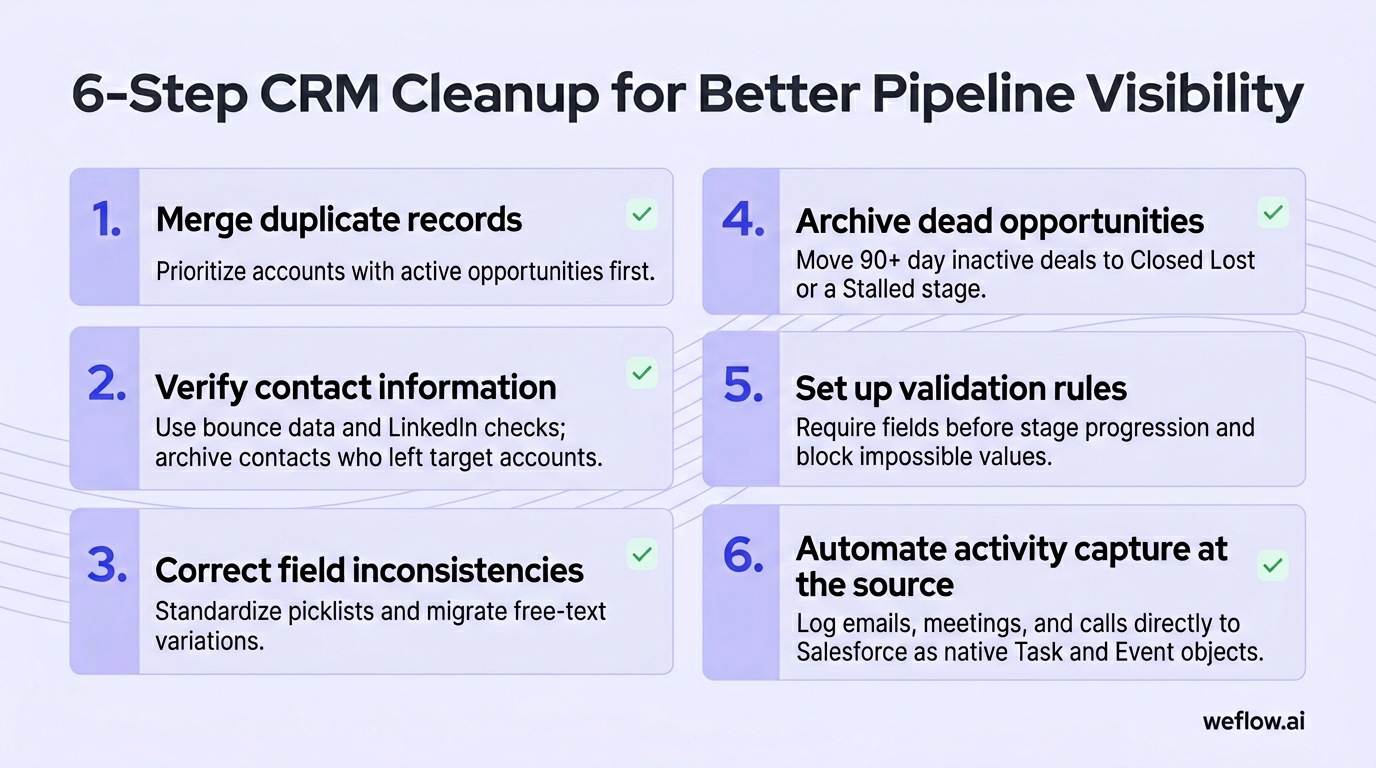
Clean data is the foundation of pipeline visibility. Every report, forecast, and dashboard depends on it. Here’s how to approach CRM data hygiene systematically.
Merge duplicate records
Duplicate contacts, accounts, and leads fragment activity history and inflate pipeline counts. Use Salesforce’s built-in duplicate management rules or third-party tools like Cloudingo to identify and merge duplicates. Prioritize accounts with active opportunities first.
Verify contact information
Contacts change roles, companies, and email addresses. Stale contact data means activities get logged to people who no longer matter. Run quarterly verification using email bounce data and LinkedIn profile checks. Archive contacts who’ve left target accounts.
Correct field inconsistencies
Free-text fields accumulate variations: “VP Sales,” “VP of Sales,” “Vice President, Sales.” Standardize picklist values and migrate legacy free-text data. Consistent field values make reporting accurate and segmentation possible.
Archive dead opportunities
Opportunities that haven’t progressed in 90+ days with no recent activity are dead weight. They inflate pipeline coverage and distort velocity metrics. Move them to Closed Lost with a reason code, or create a “Stalled” stage that excludes them from active pipeline calculations.
Set up validation rules
Prevent bad data at the source. Require fields before stage progression (e.g., “Budget confirmed” before Stage 3). Block impossible values (close dates in the past, negative amounts). Validation rules create friction but pay off in data quality.
[banner type="download" url="https://www.weflow.ai/resources/cheat-sheets/pipeline-visibility-cheat-sheet" text="Pipeline Visibility Cheat Sheet" subtitle="Spot stalled deals and bad data before they wreck your commit" button="Get the cheat sheet"]
Automate activity capture at the source
The biggest source of data decay isn’t dirty records—it’s missing activities. When reps don’t log emails, meetings, and calls, you lose visibility into deal health. Tools like Weflow capture activities automatically from Gmail, Outlook, and calendar systems, then write them directly to Salesforce as native Task and Event objects. This eliminates the manual entry gap that kills most CRM data quality initiatives.
How to run effective pipeline reviews (metrics, cadence, and agenda)
Pipeline reviews work when they happen weekly, focus on the right metrics, and follow a structured agenda. Teams coached weekly hit 76% quota attainment versus 56% for monthly coaching (MySalesCoach 2026). The cadence matters as much as the content.
Weekly is the right cadence
Weekly reviews catch problems while there’s still time to act. Monthly reviews surface issues too late—by the time you see a deal has stalled, it’s often already lost. Keep reviews to 30-45 minutes for managers with 5-8 direct reports; longer reviews lead to surface-level coverage of too many deals.
Metrics that matter for pipeline visibility
Track these five metrics in every pipeline review.
| Metric | What it measures | Why it matters |
|---|---|---|
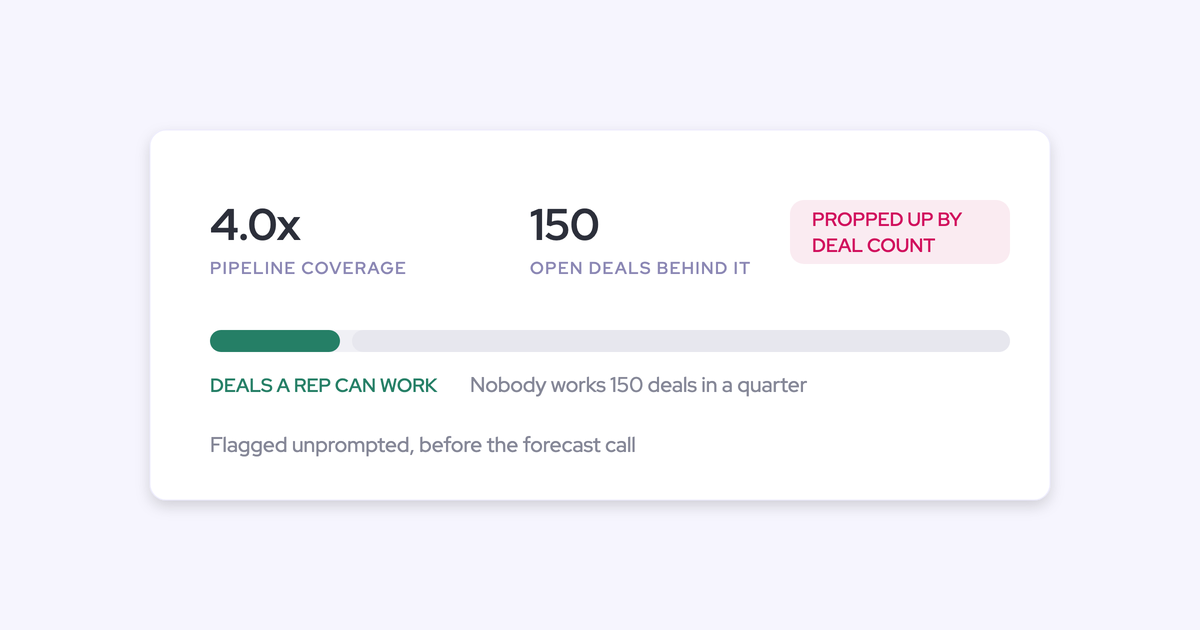
| Pipeline coverage ratio | Total weighted pipeline divided by quota remaining. A 3x ratio is the common benchmark. | Reveals whether there’s enough pipeline to hit the number, accounting for historical win rates. Below 3x signals a generation problem. |
| Deal velocity by stage | Average days deals spend in each stage, compared to deals that eventually closed won. | Identifies stuck deals. If your average Stage 3 duration is 14 days and a deal has been there for 28, something’s wrong. |
| Win rate by stage | Historical conversion rates from each stage to Closed Won. | Informs weighted pipeline calculations and identifies stages where deals die. A 40% drop between Stage 4 and 5 suggests a process gap. |
| Stakeholder engagement | Number of contacts engaged per opportunity and recency of contact activity. | Multi-threaded deals close at higher rates. Single-threaded deals are fragile. Activity recency shows whether relationships are active or dormant. |
| Forecast accuracy | Comparison of commit calls to actual results, tracked over time. | Measures whether pipeline visibility is translating to predictability. Persistent over- or under-forecasting indicates a data or process problem. |
A pipeline review agenda that works
Structure reviews around three questions.
- What closed since last week? Start with wins and losses. For wins, identify what worked. For losses, understand what the data showed (or didn’t show) before the loss.
- What’s the current pipeline state? Review commit deals first—these determine whether you hit the number. Then walk through pipeline coverage, velocity anomalies, and deals with recent stage changes.
- What roadblocks need intervention? Identify deals that need help: executive involvement, technical resources, legal escalation. Assign specific actions with owners and due dates.
Gartner research shows that sales teams spending more than 30% of review time on deal inspection (versus reporting and status updates) achieve 23% higher quota attainment. Focus on coaching and intervention, not data entry validation.
How to track buyer engagement beyond CRM updates
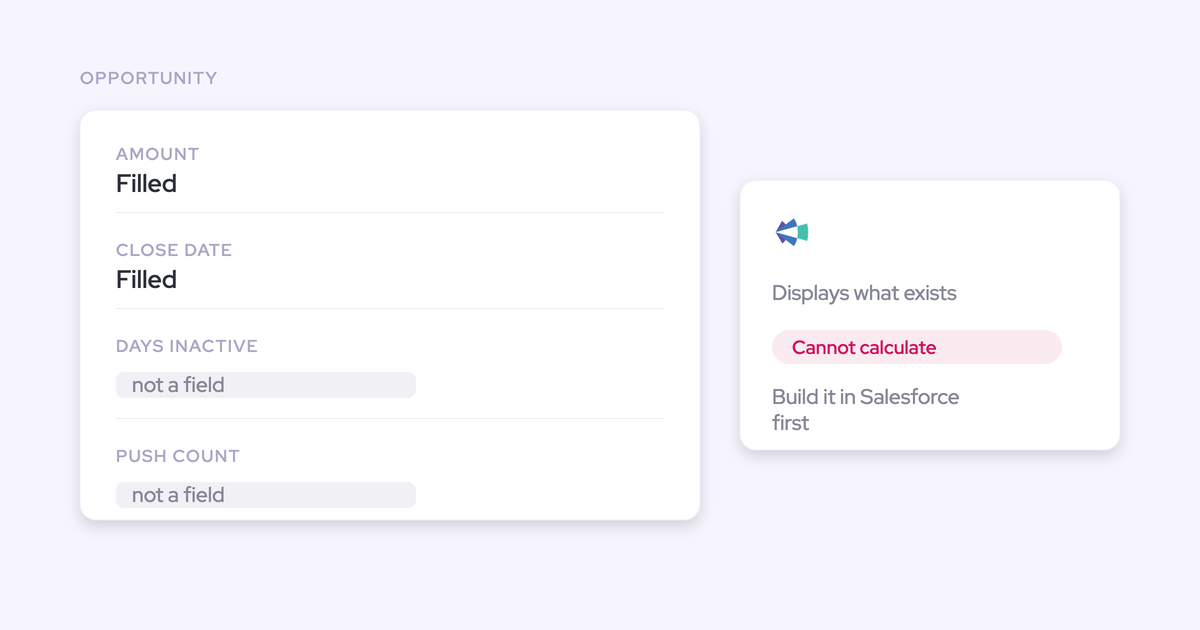
CRM opportunity fields show what reps report. Buyer engagement data shows what actually happened. The gap between these two determines forecast accuracy.
Activity signals tell the real story
A deal in “verbal commit” stage with no stakeholder emails in three weeks isn’t a commit—it’s a hope. True pipeline visibility requires tracking:
- Email engagement: Not just whether emails were sent, but whether they were opened, replied to, and by whom.
- Meeting attendance: Which stakeholders showed up? Did the economic buyer attend the demo, or was it delegated?
- Content engagement: Who opened the proposal? Did they forward it internally? Multiple viewers suggest internal momentum; no opens suggest a stalled evaluation.
- Response latency: How quickly do contacts reply? Slowing response times often precede deal losses.
Multi-threading visibility
Deals relying on a single contact are fragile. That contact can change roles, go on leave, or simply lose internal influence. Tracking stakeholder count and engagement distribution reveals single-threaded risk before it becomes a loss reason.
Conversation intelligence fills the gaps
Call recordings and meeting transcripts capture buying signals that never make it into Salesforce fields. Mentions of budget timelines, competitive evaluations, internal stakeholders, and decision criteria all inform deal health—but only if they’re captured and accessible.
Weflow’s conversation intelligence records calls and meetings, then uses AI to extract key topics, action items, and deal signals. Unlike standalone conversation intelligence tools, these insights write directly to Salesforce opportunity records, making them visible in pipeline reviews without switching between platforms. For RevOps teams tired of activity data living in a separate system from CRM data, this consolidation matters.
What technology do you need for full pipeline visibility?
Pipeline visibility requires a stack that captures data automatically, writes it to your CRM, and surfaces insights where managers already work. Here’s what each layer does.
CRM: Salesforce as the foundation
Salesforce is the system of record for pipeline data. Opportunities, stages, amounts, and close dates live here. The CRM captures what reps enter—the challenge is that manual entry is inconsistent. According to Salesforce’s own research, reps spend only 28% of their time selling; the rest goes to admin tasks they often skip.
Activity capture and conversation intelligence
Activity capture tools automatically log emails, meetings, and calls to Salesforce without rep involvement. Conversation intelligence records and transcribes sales calls, extracting insights about deal health, competitive mentions, and buying signals.
[banner type="download" url="https://www.weflow.ai/resources/cheat-sheets/pipeline-management-guide" text="Pipeline Management Guide" subtitle="Run deal reviews that surface risk instead of rubber-stamping rep commits" button="Get the guide"]
The distinction that matters: where does the data live? Tools that store activities in their own database create data silos. Tools that write to native Salesforce objects (Task, Event, Contact) keep data in the CRM where reports and automation can use it.
Weflow combines activity capture and conversation intelligence in a single platform built natively around Salesforce. Emails become Tasks. Meetings become Events with associated contacts. Call recordings and AI-generated summaries write to opportunity records. This delivers the core capabilities of Gong—call recording, conversation intelligence, activity tracking—with deeper Salesforce integration and more affordable pricing. For RevOps teams evaluating whether to consolidate from multiple point solutions or replace an expensive Gong contract, the architecture difference matters.
Sales analytics and pipeline inspection
Analytics tools surface patterns across the pipeline: stage velocity trends, conversion rate changes, forecast accuracy over time. Pipeline inspection tools let managers drill into specific deals with full activity context.
Salesforce’s native reporting handles basic analytics. For deeper inspection—seeing deal-level activity timelines, stakeholder engagement patterns, and AI-identified risk signals—you need tools purpose-built for pipeline visibility. Weflow’s pipeline inspection capabilities show deal health at a glance: last activity, stakeholder count, stage velocity versus historical norms, and AI-flagged risks.
How the stack works together
The goal is a single source of truth for pipeline data. CRM captures deal structure. Activity capture fills in engagement history. Conversation intelligence adds qualitative context. Analytics surfaces patterns and risks. When these write to native Salesforce objects rather than external databases, you get visibility without the integration maintenance burden.
Typical enterprise stacks include Salesforce + Gong + Clari + additional point solutions. This works but creates integration debt and data reconciliation challenges. An alternative approach: consolidate activity capture, conversation intelligence, and pipeline inspection into a single Salesforce-native platform, reducing tool count and keeping all data in CRM.
Frequently asked questions
What is sales pipeline visibility?
Sales pipeline visibility is the ability to see where every deal stands, what activities have occurred, and which opportunities are progressing or at risk—based on actual data rather than rep self-reports. It combines CRM opportunity data, logged activities (emails, meetings, calls), and buyer engagement signals into a unified view of pipeline health.
Why is pipeline visibility important for revenue forecasting?
Forecast accuracy depends on data accuracy. When reps don’t log activities and opportunity stages don’t reflect actual deal progress, forecasts become guesses. Organizations with strong pipeline visibility can see which deals have genuine momentum versus which are stalled, leading to more predictable commit calls.
What causes poor sales pipeline visibility?
The most common causes are incomplete activity logging (reps don’t update Salesforce), data silos between tools (activity lives in email, conversations in a separate platform), duplicate records, stale contacts, and inconsistent stage definitions. Each gap creates blind spots in pipeline reporting.
How often should you review your sales pipeline?
Weekly reviews hit the right balance between catching problems early and avoiding meeting fatigue. Teams coached weekly achieve 76% quota attainment versus 56% for monthly coaching (MySalesCoach 2026). Keep reviews under 45 minutes and focus on coaching and intervention rather than status updates.
What metrics should you track for pipeline visibility?
Five metrics matter most: pipeline coverage ratio (3x is the benchmark), deal velocity by stage (compared to closed-won deals), win rate by stage, stakeholder engagement (contact count and activity recency), and forecast accuracy over time. These reveal pipeline health, deal risk, and process gaps.
How does CRM automation improve pipeline visibility?
Automated activity capture removes the manual entry bottleneck that kills data quality. When emails, meetings, and calls log to Salesforce automatically, you get complete activity history without relying on rep discipline. AI-powered field updates can also populate methodology fields (MEDDIC, SPICED) based on conversation content, improving data completeness further.
What is the difference between a sales pipeline and a sales funnel?
A sales pipeline shows active opportunities by stage—it’s a snapshot of deals in progress. A sales funnel tracks conversion rates from stage to stage—it’s an analysis of historical flow. Pipeline visibility focuses on the pipeline: what’s in it, how it’s moving, and which deals are at risk.
How do you fix a stalled sales pipeline?
First, identify stalled deals using activity recency and stage velocity data. Then diagnose why: missing stakeholders, unclear next steps, competitive pressure, or budget changes. Finally, intervene with specific actions—executive alignment calls, technical deep-dives, or proposal revisions. Deals without recent activity and no clear next step should be moved to Closed Lost or a “Stalled” stage to avoid inflating pipeline coverage.



.webp)