Sales Pipeline Management: Stages, Metrics, and Best Practices
Learn sales pipeline management stages, key metrics, and best practices for accurate forecasts.



What is sales pipeline management?
Sales pipeline management is the process of tracking, analyzing, and optimizing deals as they move through each stage of your sales cycle. It's how RevOps leaders and sales managers maintain visibility into which opportunities are progressing, which are stalled, and which are likely to close—and when.
For revenue teams, pipeline management isn't optional. Without it, forecasts become guesswork, reps waste time on dead deals, and leadership can't answer basic questions about revenue attainment. A well-managed pipeline gives you the data you need to coach reps, allocate resources, and hit your number.
The alternative is flying blind. When deals move through stages without consistent criteria, when activity data is incomplete, or when close dates are based on optimism rather than evidence, your pipeline becomes fiction. RevOps leaders who take pipeline management seriously treat it as a core operating discipline—not a reporting exercise.
Sales pipeline stages: from prospecting to closed-won
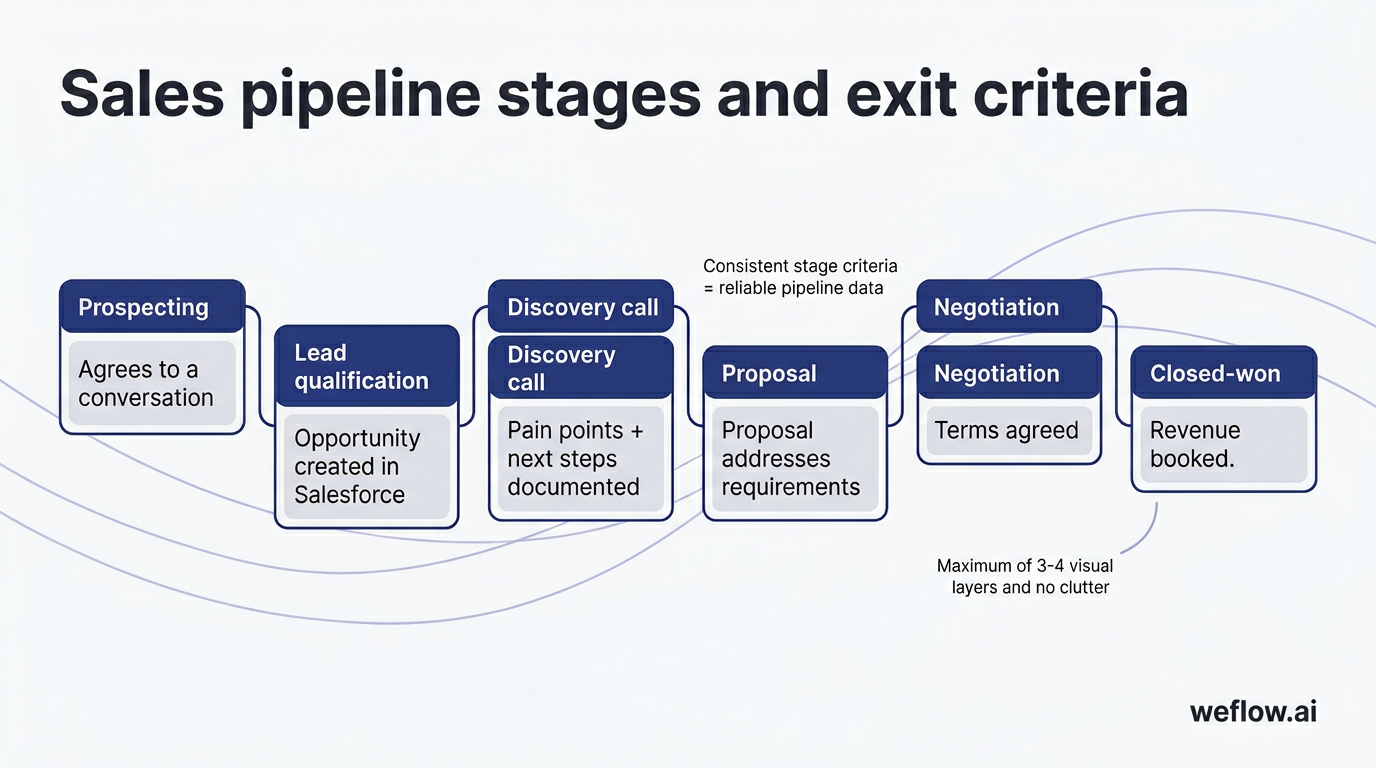
Most B2B sales pipelines follow six core stages. The specifics vary by company—your MEDDIC implementation might add qualification gates, or your sales cycle might collapse negotiation into proposal—but this framework covers the fundamentals.
| Stage | What happens | Exit criteria |
|---|---|---|
| 1. Prospecting | Reps identify potential buyers through outbound activity, inbound leads, or referrals. Initial outreach happens here. | Prospect responds positively and agrees to a conversation. |
| 2. Lead qualification | Rep confirms the prospect fits your ICP and has budget, authority, need, and timeline (or whatever qualification framework you use). | Prospect meets qualification criteria; opportunity created in Salesforce. |
| 3. Discovery call | Rep conducts a structured discovery conversation to understand the prospect's pain points, current state, and decision process. | Rep documents pain points, stakeholders, and next steps; prospect agrees to continue. |
| 4. Proposal | Rep presents a solution, pricing, and business case tailored to the prospect's needs. | Prospect confirms proposal addresses their requirements; moves to negotiation or asks for revisions. |
| 5. Negotiation | Both parties work through pricing, contract terms, legal review, and procurement processes. | Terms agreed; contract ready for signature. |
| 6. Closed-won | Contract signed. Deal moves to onboarding or fulfillment. | Revenue booked; opportunity marked closed-won in Salesforce. |
The key isn't having exactly six stages—it's having clear definitions for each stage and enforcing them consistently. When reps interpret stages differently, your pipeline data becomes unreliable.
Some teams add stages for specific milestones—technical validation, security review, or executive sponsor meeting. Others collapse stages that happen concurrently in their sales motion. The right number depends on your deal complexity and sales cycle length. What matters is that every rep applies the same criteria when moving a deal from one stage to the next.
Sales pipeline vs. sales funnel: what's the difference?
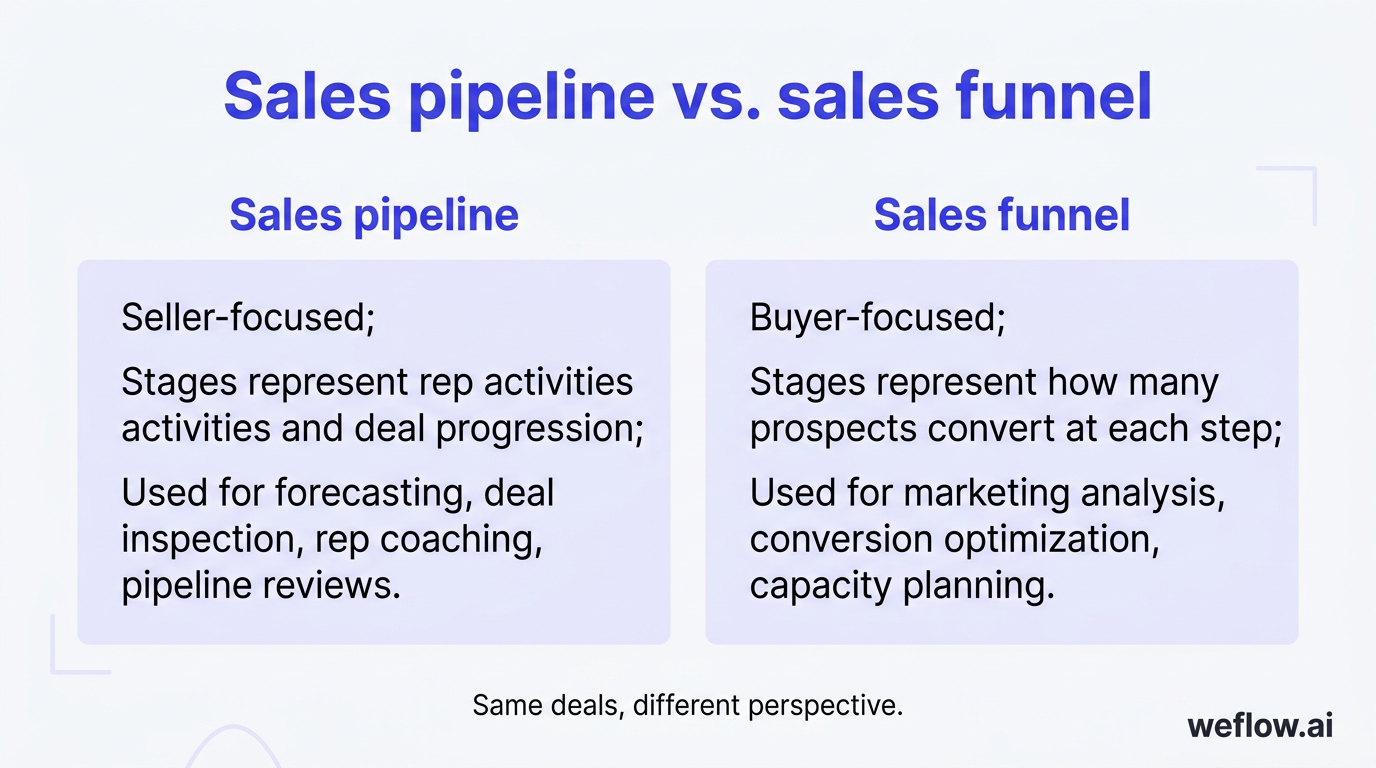
Pipeline and funnel describe the same deals from different perspectives. The pipeline tracks seller actions—what your reps do to move deals forward. The funnel tracks buyer volume—how many prospects remain at each stage of the buying journey.
| Concept | Perspective | Primary use |
|---|---|---|
| Sales pipeline | Seller-focused: stages represent rep activities and deal progression | Forecasting, deal inspection, rep coaching, pipeline reviews |
| Sales funnel | Buyer-focused: stages represent how many prospects convert at each step | Marketing analysis, conversion optimization, capacity planning |
In practice, RevOps teams care about both. The funnel tells you where prospects drop off; the pipeline tells you which deals need attention right now.
How to define exit criteria for each pipeline stage
Exit criteria are the specific conditions a deal must meet before advancing to the next stage. Without them, reps move deals forward based on gut feel, and your pipeline inflates with opportunities that aren't real.
Good exit criteria are observable and verifiable—not subjective. "Prospect seems interested" isn't an exit criterion. "Prospect confirmed budget of $50K+ and named the decision-maker" is.
| Stage | Example exit criteria |
|---|---|
| Prospecting | Prospect replies to outreach and agrees to a meeting |
| Lead qualification | Prospect meets ICP; budget confirmed; authority identified; timeline under 90 days |
| Discovery | Pain points documented; stakeholder map completed; mutual action plan agreed |
| Proposal | Proposal delivered; prospect confirms it addresses requirements; next step scheduled |
| Negotiation | Legal review complete; pricing agreed; signature date confirmed |
| Closed-won | Contract signed; opportunity updated in Salesforce |
Once you've defined exit criteria, enforce them. Use Salesforce validation rules to prevent stage advancement until required fields are populated. Run weekly pipeline reviews that specifically check whether deals meet criteria for their current stage.
The enforcement mechanism matters as much as the definition. If reps can move deals forward without documenting the exit criteria, they will—and your stage distribution data becomes meaningless. Build the criteria into your Salesforce configuration so compliance happens automatically.
Why clean CRM data is the foundation of pipeline accuracy
Your pipeline is only as accurate as the data behind it. When activity data is missing, deal stages are stale, or contact information is incomplete, every downstream metric breaks—forecast accuracy, win rates, sales velocity, coverage ratios.
The root cause is usually manual data entry. Reps are busy selling. Asking them to log every email, call, and meeting in Salesforce creates friction. They skip it, batch it at week's end, or enter incomplete information. The result: your pipeline report shows deals that haven't been touched in three weeks, contacts without recent activity, and opportunities sitting in stages they've long since passed.
The fix is automated activity capture. Weflow syncs emails, meetings, and calls directly into Salesforce—writing to native Task, Event, and EmailMessage objects—without requiring reps to do anything. Every customer touchpoint is recorded automatically, giving RevOps a complete picture of deal activity without relying on rep discipline.
Clean data also means consistent data. When activity capture is automated, you can trust that a deal showing "no activity in 14 days" actually has no activity—not that the rep just forgot to log it.
[banner type="download" url="https://www.weflow.ai/resources/cheat-sheets/pipeline-management-guide" text="Pipeline Management Best Practices Guide" subtitle="Run deal reviews that surface risk early instead of recapping last week" button="Get the guide"]
Data hygiene is a continuous process, not a one-time project. Beyond automated activity capture, schedule regular audits of opportunity data: deals past their close date that haven't been updated, opportunities without recent contact associations, and accounts with activity but no open opportunity. These patterns indicate either process gaps or data entry problems that need addressing.
Which sales pipeline metrics should you track?
Five metrics give you a comprehensive view of pipeline health. Track these weekly, and you'll catch problems before they become missed quarters.
| Metric | What it measures | Why it matters |
|---|---|---|
| Number of deals in pipeline | Total active opportunities across all stages | Shows whether you have enough at-bats to hit your target. Too few deals = revenue risk. Too many = reps may be spread thin. |
| Average deal size | Mean value of closed-won opportunities | Helps you forecast revenue and identify whether you're moving upmarket or down. |
| Sales velocity | How fast revenue moves through your pipeline | Combines deal count, deal size, win rate, and cycle length into a single number. Higher velocity = more efficient sales motion. |
| Win rate | Percentage of opportunities that close-won | Indicates sales effectiveness. Declining win rates signal qualification problems or competitive pressure. |
| Pipeline coverage ratio | Total pipeline value divided by revenue target | Tells you whether you have enough pipeline to hit quota, adjusted for your historical win rate. |
The sales velocity formula
Sales velocity quantifies how much revenue your pipeline generates per day. The formula:
Sales Velocity = (Number of Deals x Average Deal Size x Win Rate) / Sales Cycle Length
For example: 50 deals x $25,000 average deal size x 25% win rate / 60-day sales cycle = $5,208 per day.
To increase velocity, you can add more deals, increase deal size, improve win rate, or shorten the sales cycle. Most teams focus on one or two levers at a time based on where they're underperforming.
Track velocity by segment, rep, and deal source to identify where improvements will have the biggest impact. A rep with high win rate but low deal count needs more pipeline. A segment with large deals but long cycles may benefit from deal acceleration tactics. Velocity is most useful as a diagnostic tool, not just a headline metric.
How to calculate sales pipeline coverage ratio
Pipeline coverage ratio tells you whether you have enough pipeline to hit your revenue target. The formula is straightforward:
Pipeline Coverage Ratio = Total Pipeline Value / Revenue Target
If your quarterly target is $1M and your pipeline totals $3M, your coverage ratio is 3x.
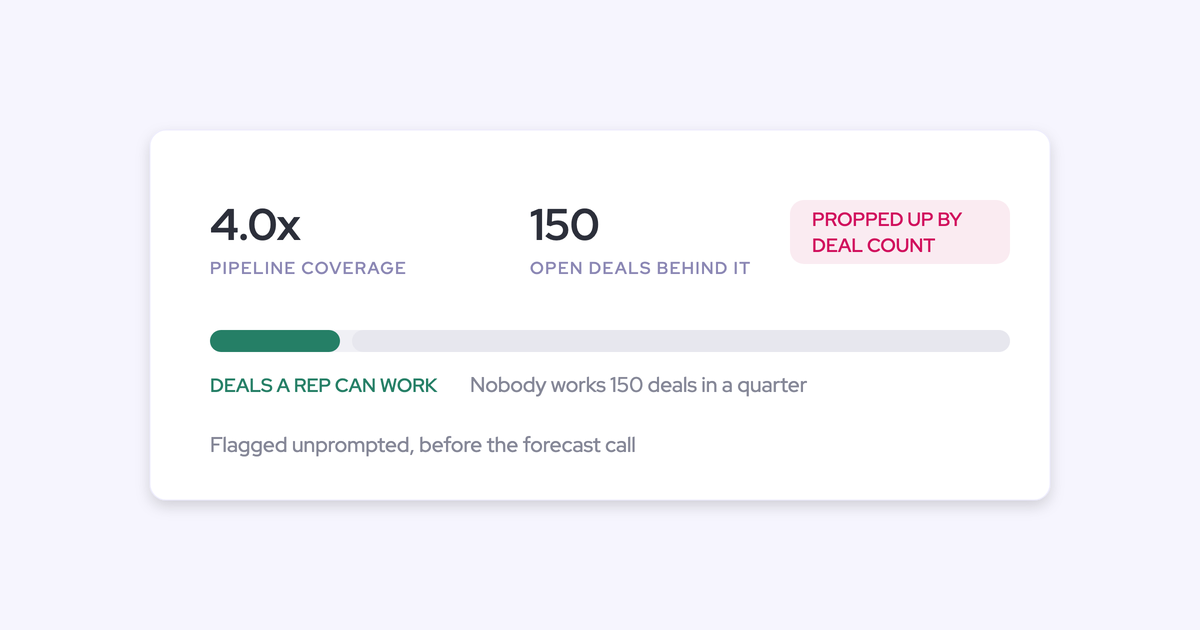
Most B2B sales teams target 3x to 4x coverage. The exact number depends on your win rate. If you close 25% of opportunities, you need 4x coverage to have a realistic shot at quota. If you close 33%, 3x coverage is sufficient.
Coverage below 3x is a warning sign. Either you need to generate more pipeline or accept that you're unlikely to hit target without a dramatic improvement in win rate.
One caveat: coverage ratio only works if your pipeline data is accurate. If deals are inflated, stale, or sitting in the wrong stage, your coverage number is meaningless. Fix data quality first, then use coverage to manage capacity.
Also consider segmenting coverage by deal stage. Early-stage coverage (discovery and proposal) tells you about future quarters. Late-stage coverage (negotiation) tells you about the current quarter. A healthy pipeline has adequate coverage at every stage, not just in aggregate.
How to run pipeline reviews that don't waste time
Pipeline reviews are where data becomes action. Done well, they surface deal risk, align the team on priorities, and improve forecast accuracy. Done poorly, they're hour-long status updates that change nothing.
[banner type="download" url="https://www.weflow.ai/resources/cheat-sheets/pipeline-visibility-cheat-sheet" text="Pipeline Visibility Cheat Sheet" subtitle="Trust your pipeline data without chasing reps for activity updates" button="Get it free"]
Run two types of reviews:
- Weekly deal-level reviews: 30-45 minutes. Manager and rep review active opportunities, focusing on deals that have changed stage, stalled, or have upcoming close dates. The goal is deal-specific coaching and next-step clarity.
- Monthly strategic reviews: 60 minutes. RevOps, sales leadership, and managers review pipeline health at the team and segment level. The goal is identifying systemic issues—stage conversion problems, coverage gaps, rep performance patterns.
What to cover in weekly deal reviews
- Deals with close dates in the next 30 days: Are they real? What's the path to signature?
- Deals that haven't moved stages in 14+ days: What's blocking progress?
- Deals missing key information: Who's the decision-maker? What's the budget?
- New opportunities: Do they meet qualification criteria?
- Deals at risk: What's the recovery plan or should we push the close date?
The fastest reviews use a shared view of pipeline data that everyone can see in real time. Weflow's pipeline views let managers and reps work from the same Salesforce-connected dashboard, filtering by rep, stage, close date, or deal risk—so reviews focus on decisions, not data gathering.
Common mistakes that make pipeline reviews ineffective
- Reviewing every deal: Focus on deals that need action—stalled opportunities, upcoming closes, new entries. Deals progressing normally don't need discussion.
- Turning it into a status update: Reps shouldn't be reading deal notes aloud. The review should surface new information, ask probing questions, and result in specific next steps.
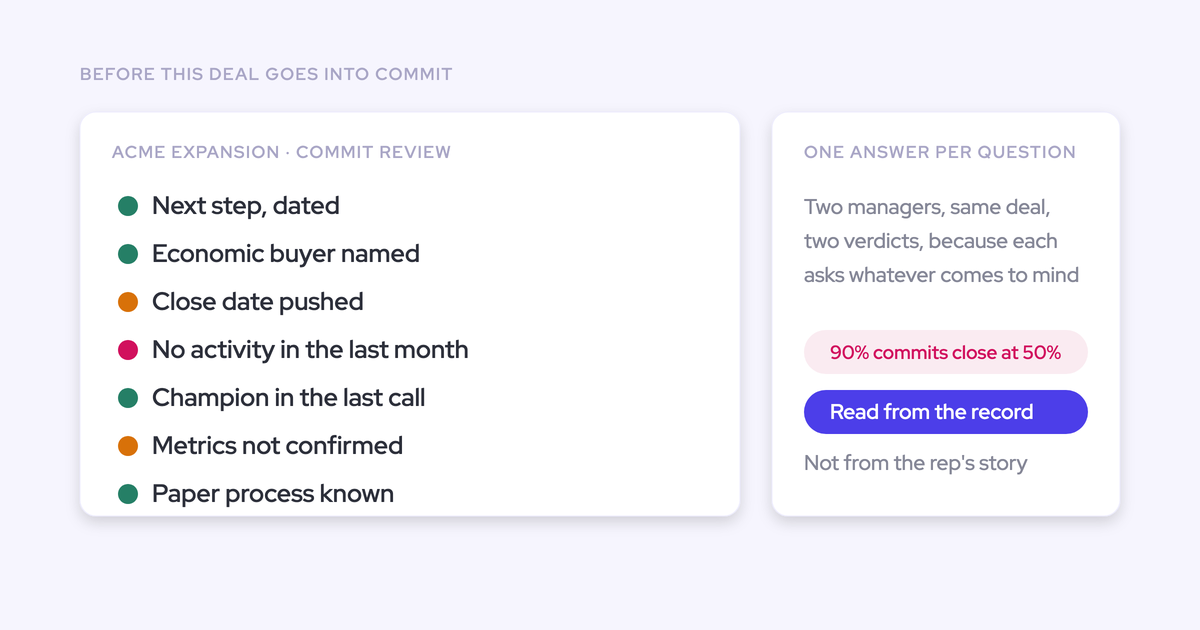
- No pre-work: Managers who haven't looked at the pipeline before the meeting waste half the session getting oriented. Review the data beforehand and come with specific deals to discuss.
- No accountability follow-up: If a deal was flagged last week, check whether the agreed action happened. Reviews without follow-up teach reps that commitments don't matter.
How to use deal signals and AI to monitor pipeline risk
Waiting for the weekly review to spot deal risk is too slow. By the time a stalled deal shows up in your pipeline report, you've already lost days or weeks you could have used to course-correct.
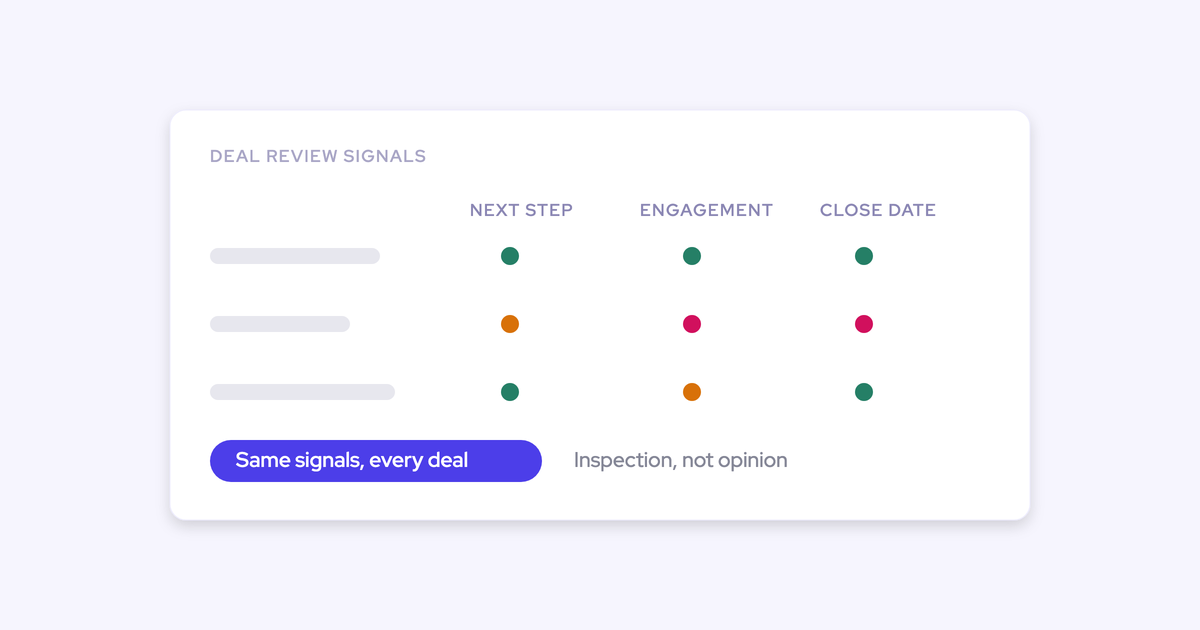
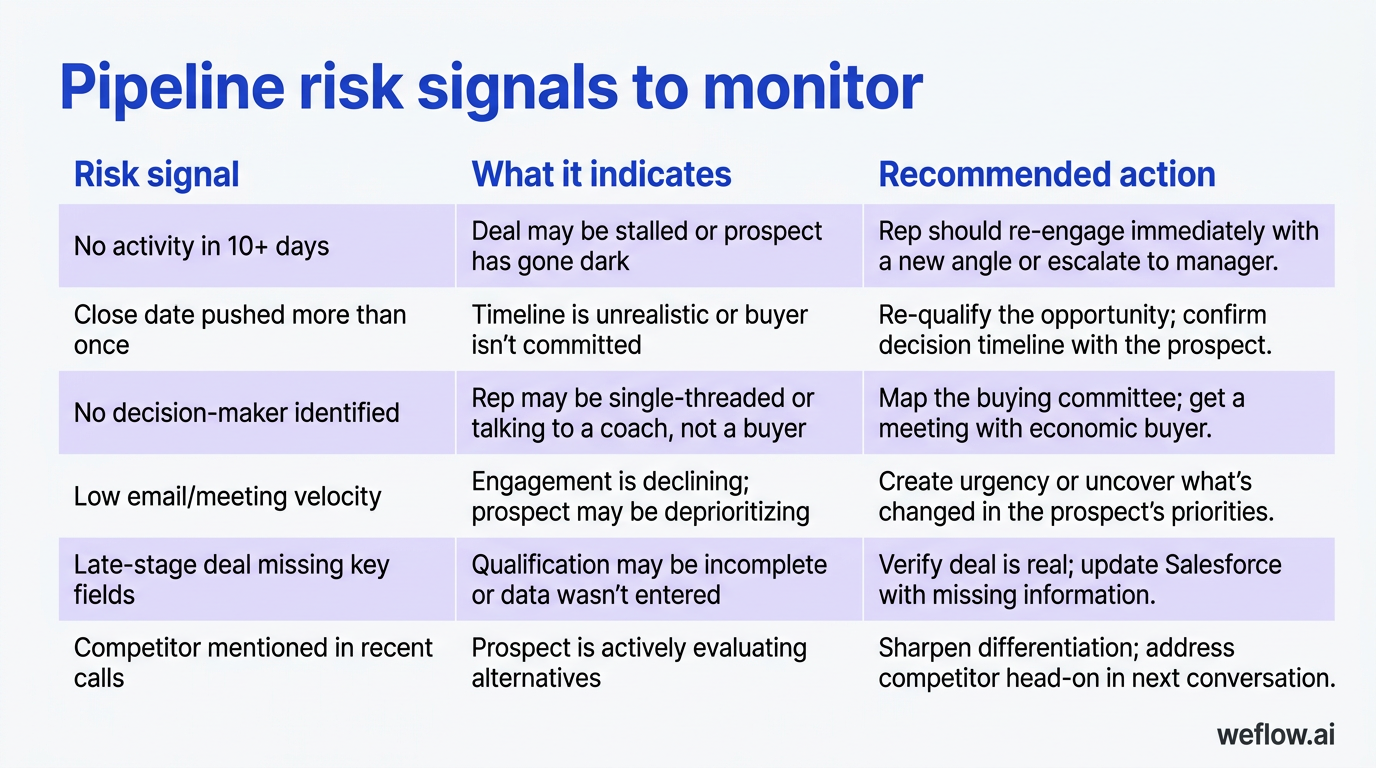
Deal signals are specific patterns that indicate a deal may be in trouble. Some are obvious (no activity in two weeks). Others require more context (champion went silent after the proposal call). The best RevOps teams define these signals explicitly and use automation to surface them.
| Risk signal | What it indicates | Recommended action |
|---|---|---|
| No activity in 10+ days | Deal may be stalled or prospect has gone dark | Rep should re-engage immediately with a new angle or escalate to manager |
| Close date pushed more than once | Timeline is unrealistic or buyer isn't committed | Re-qualify the opportunity; confirm decision timeline with the prospect |
| No decision-maker identified | Rep may be single-threaded or talking to a coach, not a buyer | Map the buying committee; get a meeting with economic buyer |
| Low email/meeting velocity | Engagement is declining; prospect may be deprioritizing | Create urgency or uncover what's changed in the prospect's priorities |
| Late-stage deal missing key fields | Qualification may be incomplete or data wasn't entered | Verify deal is real; update Salesforce with missing information |
| Competitor mentioned in recent calls | Prospect is actively evaluating alternatives | Sharpen differentiation; address competitor head-on in next conversation |
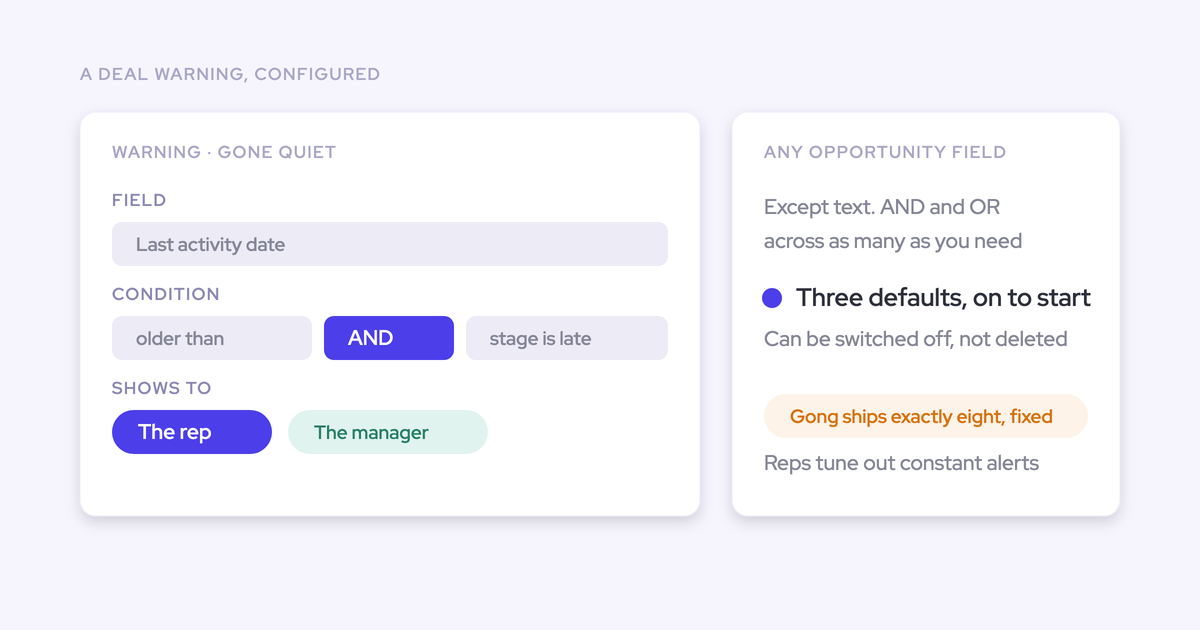
Weflow's deal signals feature automatically flags at-risk opportunities based on activity patterns, field completeness, and engagement trends. Instead of manually reviewing every deal, managers see a prioritized list of opportunities that need attention—so coaching time goes where it matters most.
AI takes this further by analyzing conversation content, not just activity metadata. When a prospect expresses concern about pricing in a call or goes silent after a specific objection, AI can surface that context alongside the deal record. This gives managers the "why" behind the risk signal, not just the fact that something's wrong.
The combination of activity-based signals and conversation intelligence creates a more complete picture of deal health than either approach alone. Activity metrics tell you whether engagement is happening; conversation analysis tells you what's actually being discussed. Together, they let you catch problems earlier and coach more effectively.
Frequently asked questions
What is sales pipeline management?
Sales pipeline management is the practice of tracking deals through defined stages, analyzing progression patterns, and taking action to improve conversion and forecast accuracy. It's how revenue teams maintain visibility into current opportunities and predict future revenue.
What are the stages of a sales pipeline?
Most B2B pipelines include six stages: prospecting, lead qualification, discovery, proposal, negotiation, and closed-won. The exact stages vary by company—some add demo or technical validation stages, others combine negotiation with proposal. What matters is consistent definitions and clear exit criteria for each stage.
How is a sales pipeline different from a sales funnel?
The pipeline tracks what sellers do—rep activities and deal progression. The funnel tracks buyer behavior—how many prospects convert at each stage. Pipeline helps with forecasting and deal inspection; funnel helps with marketing analysis and conversion optimization.
How do you calculate sales velocity?
Sales velocity = (Number of Deals x Average Deal Size x Win Rate) / Sales Cycle Length. The result tells you how much revenue your pipeline generates per day or per week. Improving any of the four inputs—more deals, larger deals, higher win rate, shorter cycle—increases velocity.
What is a good pipeline coverage ratio?
Most B2B teams target 3x to 4x coverage, meaning pipeline value should be three to four times the revenue target. The right ratio depends on your win rate. If you win 25% of deals, you need 4x coverage. If you win 33%, 3x is sufficient. Coverage below 3x signals revenue risk.
How often should you review your sales pipeline?
Weekly deal-level reviews (30-45 minutes) between managers and reps keep individual opportunities on track. Monthly strategic reviews (60 minutes) with RevOps and leadership address systemic pipeline issues—conversion rates, coverage gaps, stage distribution. Both cadences are necessary.
What are the most common pipeline management mistakes?
The biggest mistakes: undefined or inconsistent stage criteria, deals sitting in pipeline without activity, inflated deal values or optimistic close dates, relying on manual data entry for activity tracking, and reviewing pipeline without taking action. All of these corrupt your data and make forecasts unreliable.
How can AI improve sales pipeline management?
AI automates activity capture so pipeline data is complete without manual entry. It identifies at-risk deals based on engagement patterns and conversation content. It surfaces coaching opportunities by analyzing what top performers do differently. And it improves forecast accuracy by weighting deals based on behavioral signals, not just rep judgment.