How to Build a Weekly Stalled Deal Alert With Weflow Agent Builder
Learn how to build a weekly stalled deal alert with Weflow Agent Builder in Slack or email.


You can get a short list of your stalled deals in Slack or email every Monday morning, sent to you and to the reps who own them. Your Weflow admin builds it in Weflow Agent Builder, which already comes with your plan on the free tier.
The agent has four parts: a Monday schedule, a lookup of open opportunities in your close-date window, a prompt, and a delivery step. You decide what "stalled" means for your team. The agent reads the emails and meetings attached to each deal, names the ones where the buyer has gone quiet, explains why, and drafts the next move.
The list holds up because silence is measured from buyer interaction, not from whoever last edited the record. A single weekly agent also fits within the 25 free agent actions a month.
Weflow is the Revenue AI Orchestration platform for sales, customer success, and RevOps teams. This agent is a small, concrete example of what that means: activity Weflow already captures becomes a decision delivered to the deal owner every Monday. The list feeds the 1:1s and pipeline reviews you already run, which is where deal reviews in Weflow pick it up.
This is a scheduled digest, not an alert that fires on every event. In our experience, that's what most managers want.
What the Monday stalled deal list looks like when it works
A good stalled deal list is short. When your team is on track, it's a single line saying there's nothing to chase. Every line that does appear carries enough evidence for you to act without opening Salesforce.
| Element | Where it comes from | Why it matters |
|---|---|---|
| Deal, owner, stage, close date, amount | The lookup, read live from Salesforce | You know whose deal it is and what's riding on it |
| Last buyer email or meeting | The agent step, reading the activity attached to the opportunity | It shows how long the buyer has actually been quiet |
| Why it looks stalled | The agent's reasoning over the emails, meetings, and transcripts on the deal | It turns a flag into a reason you can discuss with the rep |
| Next move | The agent, drafting a follow-up or asking whether the deal is closed lost | The rep has something to send, not just something to explain |
| Follow-up questions | A link from the delivered result back into Ask Weflow AI | You can ask your second question without logging in to dig |
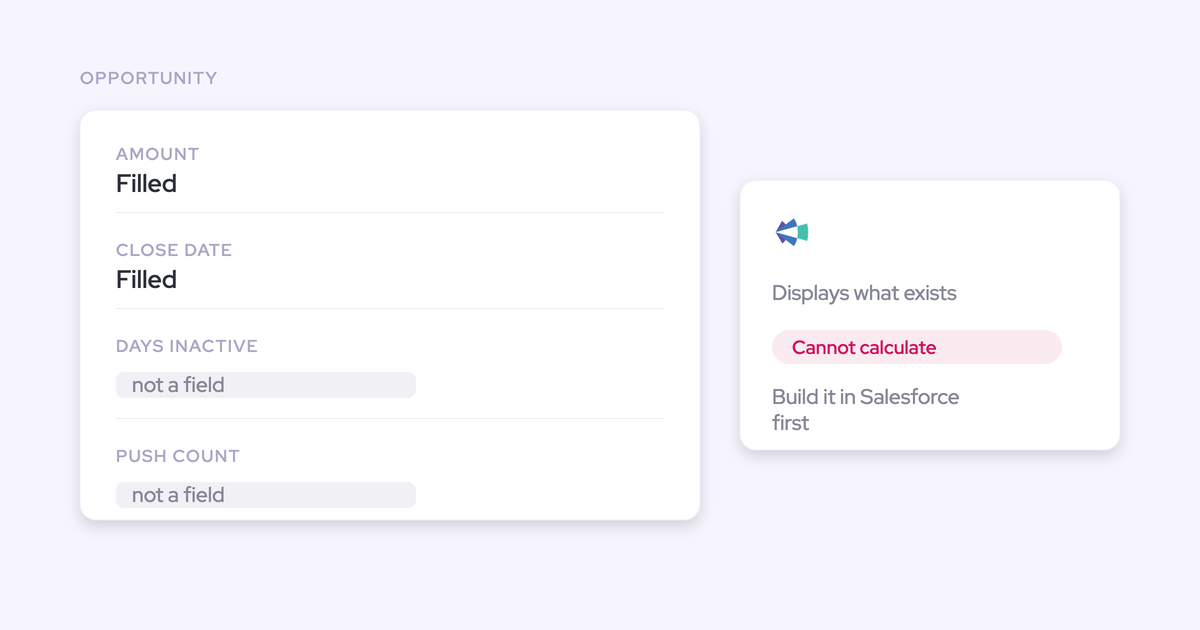
Days in stage and close-date push count stay on the deal board and in your deal warnings, where Weflow tracks them on every opportunity. The list tells you which deals to open. The board shows you their history once you do.
How a stalled deal agent differs from Weflow deal warnings
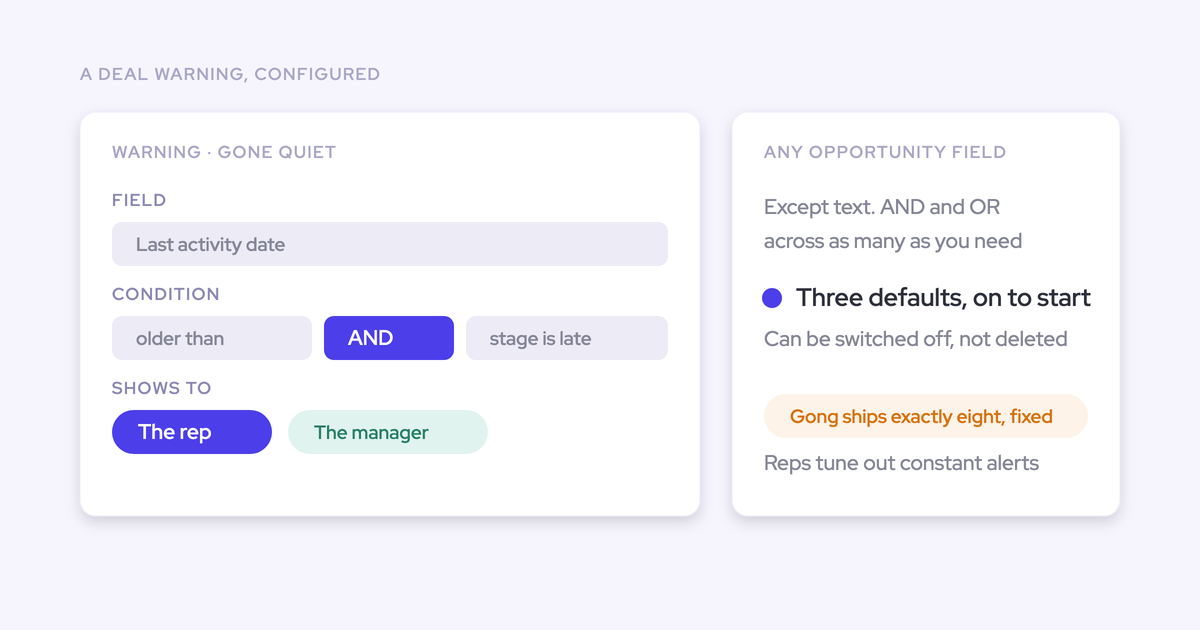
Deal warnings flag risk where someone has to go and look. The agent pushes a reasoned list on a schedule to the people who own the deals. You want both: the warnings encode your thresholds, and the agent delivers the decision.
Managers ask us this a lot, because the warnings are already configured and on the board. The gap is that a manager with ten reps doesn't open the board every morning.
| Weflow deal warnings | Weekly stalled deal agent | |
|---|---|---|
| Where it shows up | The deal board, the opportunity sidebar, and the forecast submission screen | Slack or email |
| Who has to act to see it | Someone has to open the view | Nobody, it arrives |
| What it reads | Rules on opportunity fields (except text fields) and Weflow's computed fields, with AND/OR logic | The looked-up records plus their emails, meetings, calls, and transcripts |
| Whether it explains why | It names the rule that fired | It writes a reason from what the buyer said or stopped saying |
| Whether it drafts a next step | No | Yes |
| Cadence | Always on, whenever someone looks | Weekly, on your schedule |
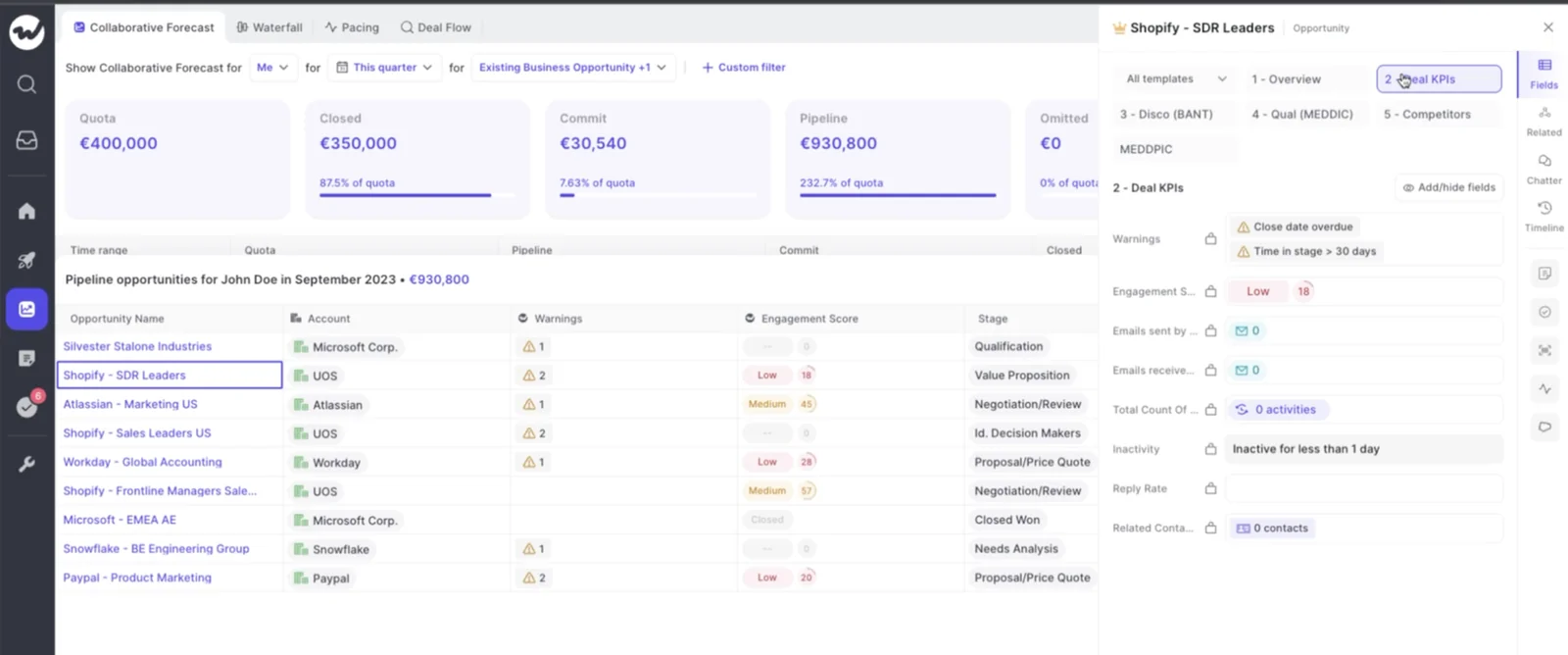
Warnings on their own work. IDnow reduced slipped deals by 60% using Weflow's AI deal warnings. The agent adds delivery: the warning still sits on the board, and the agent makes sure the right person hears about it on Monday.
What you need before your admin opens Weflow Agent Builder
You need four things: an admin to build the agent, captured email and meeting activity so silence means something, a place to deliver the list, and three decisions from you.
- Weflow admin access. Only admins build agents today. Permission for individual non-admins is coming.
- Weflow Agent Builder Free. It's included in every Weflow plan and bundle, with 25 agent actions a month per workspace.
- Weflow Activity & Contact Capture running on your team. Silence is only meaningful if every email and meeting reaches the opportunity.
- A Slack workspace or email. Agent output goes to those two. It doesn't post into Microsoft Teams chat.
- Your average sales cycle length and your stage list. The threshold and the lookup both depend on them.
- A recipient list. It starts with you. Reps come later.
Your role is to write the spec, and your admin builds from it. The next section is that spec.
How to define a stalled deal for your sales cycle
A stalled deal is one where the buyer has gone quiet for longer than your cycle tolerates, confirmed by a stage running long or a close date that keeps moving. It isn't a deal that nobody edited.
Get this definition right and the list starts conversations. Get it wrong and every Monday becomes a debate about whether the agent was fair.
Measure silence from buyer emails and meetings, not Last Modified
Salesforce's Last Modified date moves whenever anyone touches the record. A rep nudging the close date or adding a note makes a neglected deal look alive.
Weflow's days inactive counts only emails and meetings. Field edits and notes don't reset it, so a deal can't look busy just because someone tidied it up. Your admin sets the inactivity threshold per team in the admin console, and days inactive is available as a column on any pipeline view.
The agent can go one step further than a field. It reads the emails themselves, so you can tell it that a rep's unanswered chaser doesn't count as a buyer touch. That's the difference between "we emailed them" and "they're talking to us."
Set the silence threshold from your own sales cycle length
The threshold is a judgment about your business, so size it against your cycle. A team with a 60-day cycle can treat 14 days of buyer silence as a warning. A team with a 12-month cycle would flag half its healthy pipeline at that number.
- Start from your average cycle length. Measure it from qualified opportunity to closed won, and read it knowing that the dead deals you're about to find have stretched it.
- Start loose. A threshold that's too tight fills the list on day one, and a long first list gets muted.
- Tighten after two or three runs. If every deal on the list was obviously dead, you can afford to catch them earlier.
- Split by segment if cycles differ. Enterprise and mid-market teams rarely share a cycle length, so they shouldn't share a threshold.
Add days in stage and close-date pushes as the second signal
Silence alone catches deals that are legitimately paused, like a buyer on holiday or a procurement review that takes three weeks. Silence combined with a stage running long or a close date pushed again is the stall worth a conversation.
Weflow tracks days in stage and close-date push count on every opportunity automatically. Nobody has to build custom fields or the automation to keep them current.
| Signal | What it exposes | Example rule shape |
|---|---|---|
| Buyer silence | The buyer has stopped engaging | No email or meeting in [your threshold] days |
| Days in stage | The deal is running long against how your deals normally move | Days in current stage greater than [your stage benchmark] |
| Close-date push count | The close date keeps moving while the deal doesn't | Close date pushed more than twice |
Combine the rules with AND logic in your deal warnings, so a deal needs silence plus one corroborating signal before it turns red.
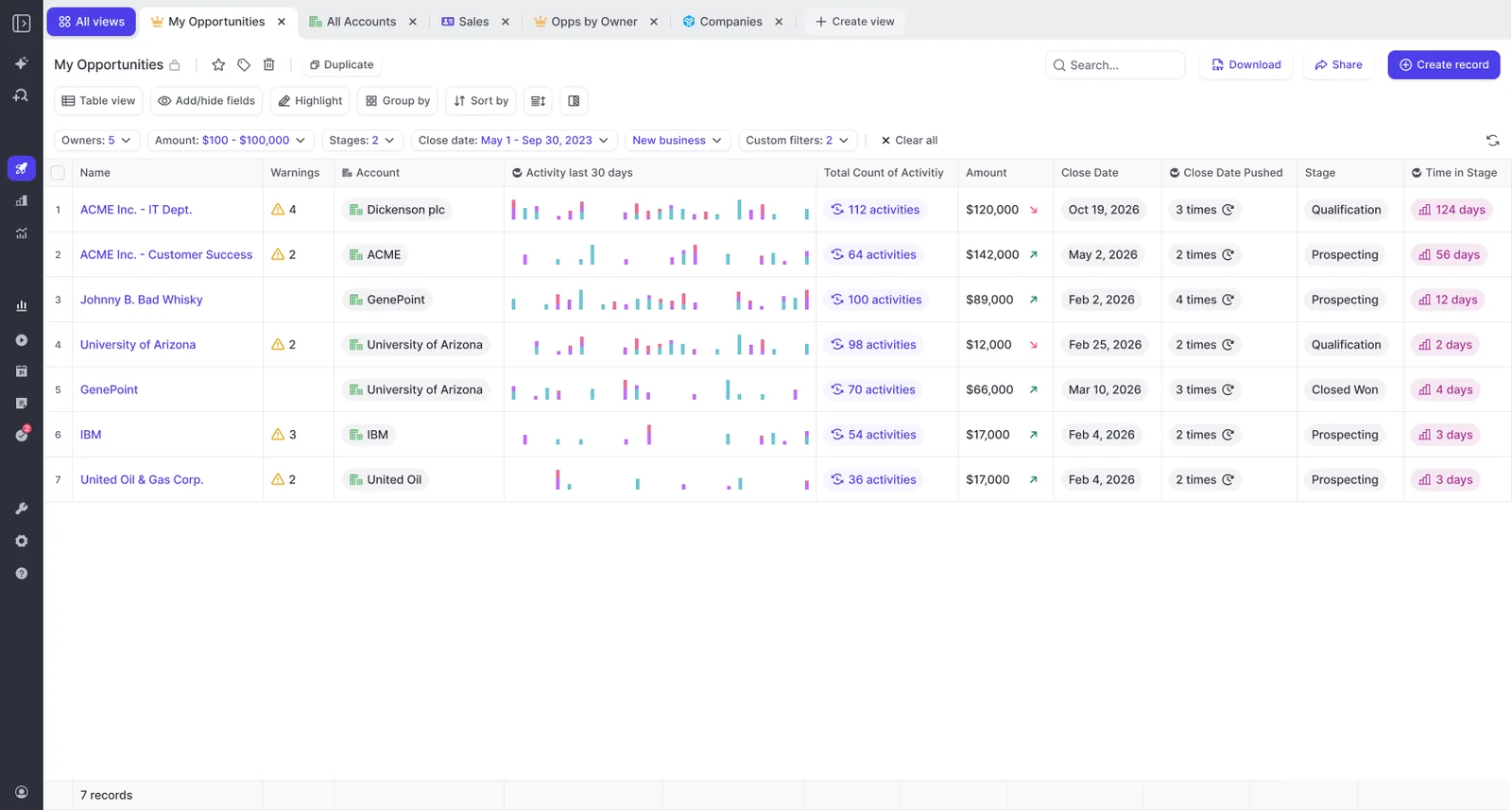
A deal that shows up on Monday's list and also carries those warnings on the board is the one to bring to the 1:1.
How to build the stalled deal agent in Weflow Agent Builder
The agent has four parts: a scheduled trigger, an opportunity lookup, a prompt, and delivery. The lookup and the prompt carry the definition from the previous section, and a private tuning loop protects the first run your team sees.
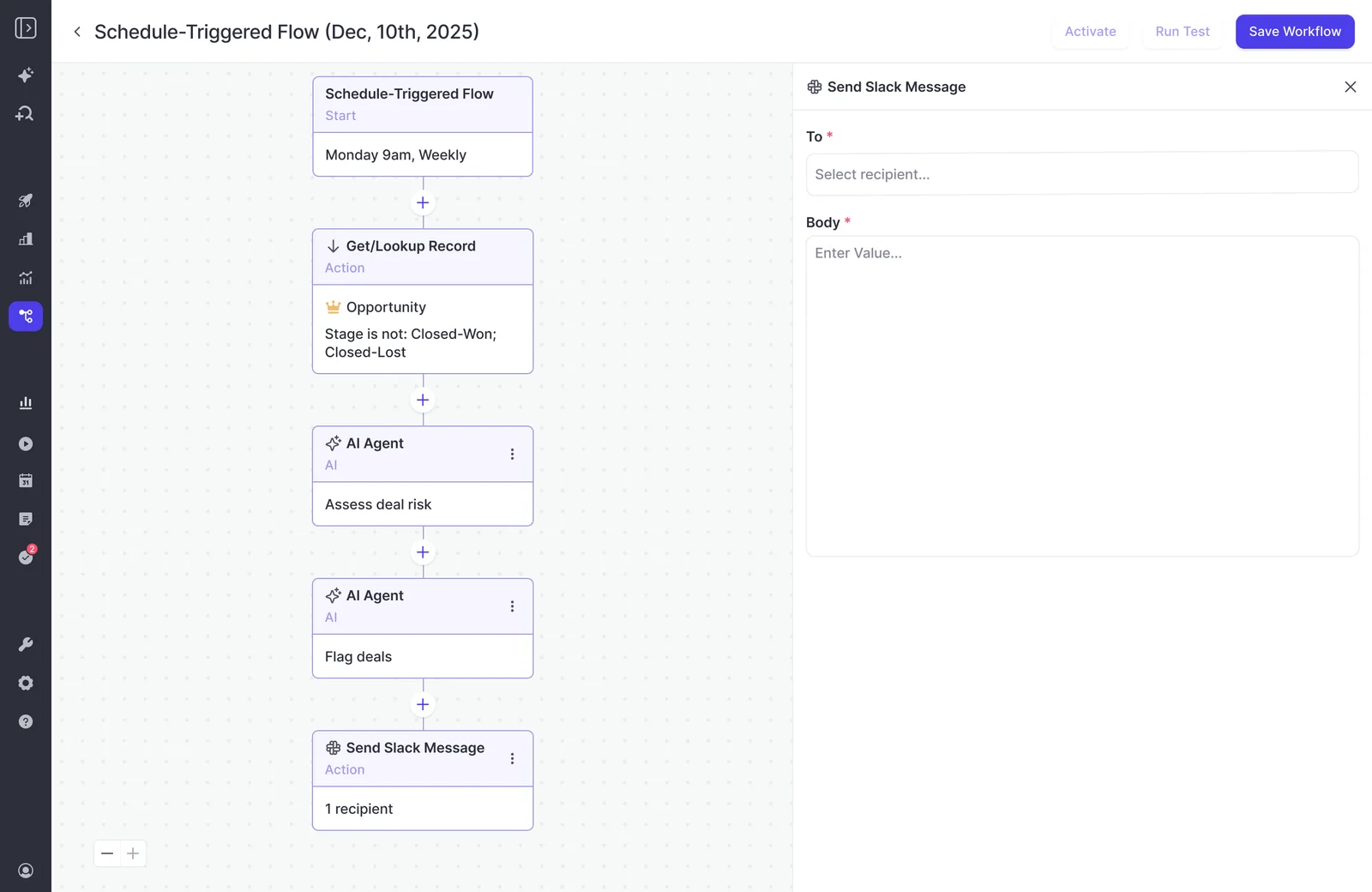
Step 1: Start from a Weflow agent template, not a blank agent
Starting from a template puts a constrained lookup ahead of the prompt by default. That ordering is what separates usable output from an empty report.
Weflow Agent Builder ships three starting templates: a pipeline snapshot, a meeting recap bundle, and a deal risk PDF. The deal risk PDF is the closest to this job. Its prompt is deliberately basic, so expect to replace it entirely in Step 4.
Step 2: Schedule the trigger for Monday morning in your timezone
Set the trigger so the list arrives before your 1:1s, with enough lead time for reps to act on their own deals first.
- Day: Monday. The week's 1:1s and pipeline review haven't happened yet, so the list shapes them.
- Time: before your reps start. If the list lands at 9 and your first 1:1 is at 9:30, the rep is hearing about their deal from you again.
- Timezone: where your reps work. A team in Berlin shouldn't get its Monday list on Monday afternoon because the agent runs on New York time.
Step 3: Narrow the opportunity lookup before the prompt runs
The lookup is the biggest lever you have on output quality. A prompt that gives a sharp answer in chat returns an empty or generic report from an agent when the lookup is left wide open. Narrowing it tells the model what it's allowed to look at, and it costs fewer actions.
| Filter | Setting | Why |
|---|---|---|
| Object | Opportunity | Stalls happen on deals, not accounts |
| Status | Stage is not Closed Won or Closed Lost | Only open deals can stall |
| Stage | The stages where a stall costs you, usually from qualification onward | Early-stage silence is often just prospecting |
| Close-date window | This quarter, or the next 60 days | These are the deals inflating the number you're about to forecast |
| Owner or team | Your reps | The list is yours to act on, not the whole company's |
Lookups read Salesforce live, not from a snapshot. A rep who closes a deal lost on Friday afternoon won't appear on Monday's list.
Step 4: Write a prompt that names the deals, dates and rules
A working prompt is long and specific. A one-sentence prompt answers from generic context, so you get observations that could apply to any company instead of yours.
Your prompt should name whose deals and which period, define what counts as a buyer touch, state the stall rules, say what to leave out, fix the output format, and say what to return when nothing qualifies.
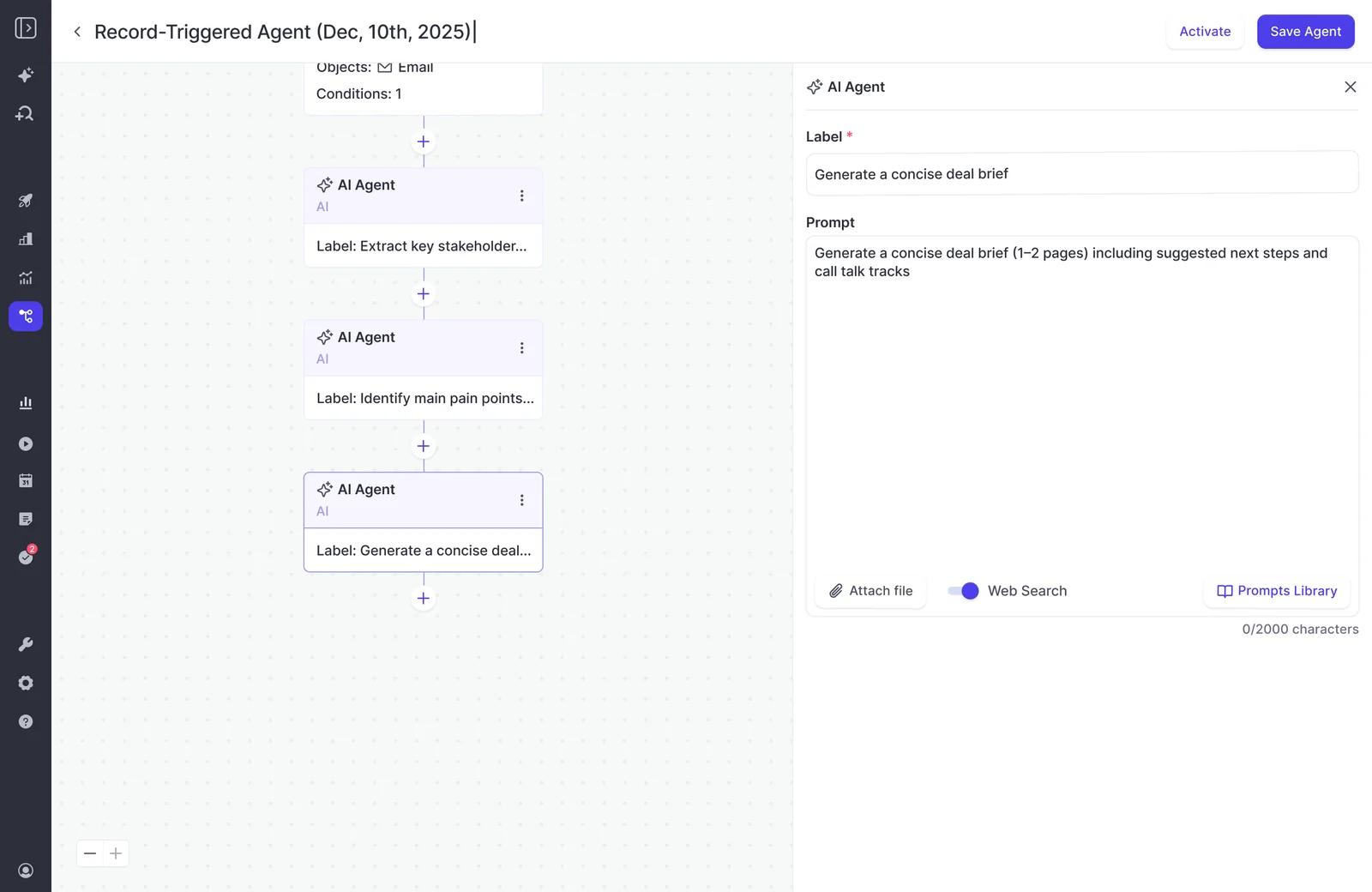
Here's a structure to adapt:
You are reviewing open opportunities for [Manager name]'s team at [Company].
We sell [what you sell] to [who you sell to]. Our average sales cycle is
[60] days from qualified opportunity to closed won.

Scope: only the opportunities returned by the lookup.

A buyer touch is an email from someone at the customer, or a meeting
attended by someone from the customer. An email our rep sent that got
no reply is not a buyer touch. Field edits and notes are not buyer touches.

Flag a deal as stalled only if BOTH are true:
- There has been no buyer touch in the last [14] days.
- The latest email or call transcript shows no agreed next step with a
  date, or that date has already passed.

Do not flag:
- Deals with a meeting booked in the next [7] days.
- Deals with no captured emails or meetings at all. List these separately
  under "No captured activity, ask the rep", because they may be worked
  by phone or text.

For each stalled deal, write one block:
[Deal name] | [Owner] | [Stage] | [Close date] | [Amount]
Last buyer touch: [date, type, who]
Why it looks stalled: [one or two sentences, quoting the last buyer
email or call where possible]
Next move: [a two-line follow-up the rep can send, or the question
"Is this closed lost?" if the last buyer touch is older than [30] days]

Group by owner. Sort by close date, soonest first.
No introduction, no summary paragraph.

If no deal qualifies, return exactly: "No stalled deals this week."
Every version you write needs these elements:
- Your context. Include what you sell, your cycle length, and what a buyer touch means for your team.
- Explicit rules. Use the same thresholds as your deal warnings, so the list and the board agree.
- Exclusions. Leave out booked meetings and deals with no captured activity.
- A fixed line format. The list should read the same every week, so people learn to scan it.
- An empty-list answer. A short line on a quiet week is what keeps the list trusted.
Step 5: Send the list to Slack or email, owner and manager together
Send the list to the reps who own the deals as well as to yourself. Reps would rather see their own red deals before you raise them. That's the difference between a tool that helps and one that polices.
- A team Slack channel that you and your reps are in.
- A Slack message to a chosen person, which is useful for the private tuning phase.
- Email to you and your reps, with an optional PDF attached.
Every result Weflow delivers carries a link back into Ask Weflow AI. When the list prompts a second question, like "what did the buyer say on the last call?", you can ask it against the same data. For lists split by rep, see the FAQ.
Step 6: Tune the output privately before your team receives it
Test runs show the result inside Weflow but don't send the email. Delivery only happens on the live schedule. That means the first real Monday run is the first time anyone sees the output as recipients will, so make sure that recipient is you.
- Test run. Tune the prompt on the in-app output until the deals it flags are the ones you'd have flagged.
- Live run to yourself only. Let it run for one or two Mondays and read it as a rep would.
- Add your reps. Tell them what the list is for before the first one lands.
- Add leadership last. Only add your VP once the list has earned it, because a weak first impression is hard to undo.
How to use the Monday list to close or revive deals
Every deal on the list gets one of two outcomes that week: it's revived with a real next step, or it's closed lost. Leaving a listed deal untouched is how the list turns into noise.
This matters beyond the forecast. Dead deals that reps won't close lost stretch your average sales cycle and distort your win rate, so the benchmarks you use to judge live deals are wrong too.
"So this whole pipeline bloat, unhealthy pipeline, unhealthy deals sitting in your pipeline that never make it anywhere, they'll skew your numbers significantly." Janis Zech, CEO & Co-founder of Weflow
The list changes the tone of that conversation. You're no longer saying "I think this one's dead." You're pointing at 21 days of buyer silence, a stage running long, and a close date on its third push. Reps who saw the list first often settle the decision before the 1:1 starts.
- The rep reviews their lines on Monday morning.
- The rep either revives the deal by sending the follow-up and booking a dated next step, or proposes closing it lost.
- You confirm the call in the 1:1, based on the evidence on the line.
- The rep updates Salesforce. The agent can't write the decision back, so a person records it.
- Follow-up questions go to Ask Weflow AI through the link on the result.
If you want the rest of the pipeline routine around this list, our Free Guide: Deal Insights & Pipeline Management Best Practices covers it.
Mistakes that turn a stalled deal alert into noise
Stalled deal alerts fail through noise more often than through inaccuracy, and every cause is a design choice you can reverse.
| Mistake | Fix |
|---|---|
| No lookup constraint | Filter to open opportunities, your stages, your close-date window, and your team |
| A one-sentence prompt | Name the deals, the dates, the rules, the exclusions, and the output format |
| No company context | Tell the agent what you sell, your cycle length, and what a buyer touch means |
| A threshold tighter than your cycle supports | Start loose and tighten once the list is consistently right |
| Every rep on the list from day one | Run it to yourself first, then add reps |
| Leadership added before vetting | Add your VP only after a few clean Mondays |
| A list nobody reviews or retires | Check on a fixed cadence whether anyone acted on it, and retune or switch it off |
What the stalled deal agent can't do yet
The agent detects stalled deals and delivers the list. It doesn't update Salesforce, and it has blind spots you should know about before you trust it on every deal.
- It can't write its verdict into Salesforce or close a deal. A person records the decision.
- Deal warnings aren't reportable in Salesforce. They're Weflow fields, so they can't go into Salesforce dashboards or a BI tool.
- Only admins can build agents today.
- Delivery is Slack and email only. It doesn't post into Microsoft Teams chat.
- Phone calls, texts, and deal Slack channels aren't captured. A deal worked over the phone can look silent.
- Weflow Agent Builder is our newest product. It's less mature than Weflow Activity & Contact Capture, Weflow Conversation Intelligence, and Weflow Deal Intelligence & Forecasting.
If you need the alert to update the Salesforce record directly from Slack, Momentum does that and Weflow agents don't.
How many Weflow Agent Builder actions a weekly run uses
Weflow meters agents in actions, not runs, and the cost depends on what the agent does. As a rough guide, a simple lookup is about one action, a research agent about three, and an agent reasoning across transcripts and activity about five.
A stalled deal agent is the reasoning kind. At about five actions a run and four or five Mondays a month, one weekly agent fits within the free 25, with little room to spare.
A second agent, one agent per manager, per-rep versions, or a daily cadence all point to a paid tier. Standard workflows such as meeting prep, summaries, field updates, and coaching scorecards don't draw on the allowance at all.
| Tier | Price and actions | What it fits |
|---|---|---|
| Free | Included in every Weflow plan and bundle, 25 actions a month | One weekly stalled deal agent for one team |
| Growth | $299 a month, 500 actions | Agents for several managers, or several agents per team |
| Scale | $999 a month, 2,500 actions | Agents across a larger sales org |
| Enterprise | Custom package | Custom volume |
Weflow Agent Builder is priced per workspace, not per user. Moving up a tier doesn't change your seat pricing.
FAQ
Can I build this agent myself if I'm not a Weflow admin?
Not today, because only admins can build agents. Permission for individual non-admins is coming. In the meantime, you write the spec (your stall definition, close-date window, and recipients) and your admin builds from it.
Can one agent send each rep only their own stalled deals?
Two patterns work today: one agent per manager's team, posting to a team channel or emailing the team, or one agent per rep with an owner filter in the lookup and the rep as the recipient. The team version is cheaper on actions. Per-rep agents multiply the action count, so they belong on a paid tier.
Can the lookup filter on days inactive or close-date pushes?
The build in this guide doesn't need it to. The lookup narrows by Salesforce fields (stage, close date, owner), and the agent step judges silence from the emails and meetings attached to each deal. Days in stage and push count live in your deal warnings, which you combine with the list in the 1:1.
Can I set my own stall thresholds, unlike Gong's fixed deal warnings?
Yes. Weflow deal warnings are rules you write on any opportunity field (except text fields) or on Weflow's computed fields, combined with AND/OR logic. Gong's AI Deal Monitor offers eight warnings defined by Gong. You can switch each one on or off and adjust its timing, but you can't define a new one.
We use Microsoft Teams, not Slack. Can we still get the alert?
Yes, by email, with an optional PDF attached. Agent output doesn't post into Microsoft Teams chat. Weflow still records and analyzes your Teams meetings as normal, so the activity behind the list is still captured.
Will deals worked by phone or text show up as stalled?
They can, because Weflow doesn't capture phone calls, texts, or deal Slack channels. The example prompt handles this by listing deals with no captured activity separately under "ask the rep" instead of calling them stalled. Treat silence on those deals as a question for the rep, not a verdict.
Can the agent close a deal lost or update the next step in Salesforce?
No. The agent delivers the list, and a person records the decision in Salesforce. If write-back from Slack is a requirement, Momentum works that way.
When should I switch the weekly stalled deal alert off?
Switch it off when the list has been empty for weeks on end, or when nobody acts on it anymore. Review it on a fixed cadence, every month or quarter. Retune the threshold or retire the agent rather than let it become one more message your team ignores.