The CRM-free Future: When You Ask AI Instead of Opening Salesforce
Learn when asking AI can replace opening Salesforce—and where Claude and Ask Weflow AI fall short.



Run the math on your own week. There's the time you spend in front of buyers, and then there's the time after every call spent typing what happened into fields someone else designed for a report you'll never read.
The wish underneath that is reasonable: you'd like to never open a Salesforce record page again. The realistic version of it already exists, and it's smaller and more useful than the hype. Salesforce doesn't disappear. Your job of feeding it does.
You ask a question instead of hunting through record pages, and the record fills itself behind you from the calls and emails you were already having. Ask Weflow AI is the shape that takes today.
Plenty of reps are already ahead of their tools here, pasting a pipeline snapshot into Claude and asking what changed. This piece separates what's real now from what's still a vision, including the parts that don't work yet.
What a CRM-free future means for sales reps
A CRM-free future means the CRM leaves your day, not your company. You interact with your deals by asking questions in plain language, the record maintains itself from your conversations, and Salesforce stays the system of record it always was. It just stops being a place you go.
That distinction matters because it matches what reps actually want. You don't hate the record existing. You hate being the one who types it.
My eventual vision is a CRM free world, where you just ask the AI and it tells you your average sales cycle.
Here's the same workday, before and after.
| The job | Today | The CRM-free day |
| Find out what changed on a deal | Open the record, scroll the timeline, ping your SE | Ask what changed since the last call, read the answer |
| Log the meeting | Type a recap into the notes field, if you get to it | The meeting, transcript and summary land on the record |
| Fill the MEDDIC fields | Thursday night, from memory, before the forecast call | Written from what the buyer actually said |
| Add the new stakeholder | Create the contact, remember the contact role | Created and linked from the email thread |
| Prep for the 2pm | Open the account, read old notes, search your inbox | Ask for a brief built from prior emails, meetings and recordings |
Why reps are pasting their deals into Claude
Because nothing in the stack answers "what changed," and Claude will.
We hear the same move described on sales calls almost word for word:
It isn't only reps doing it. CROs and CEOs are pulling their own revenue data through the open API into Claude to answer whatever question came up in board prep, because waiting three days for a report is worse. One BDR we heard about runs an AI prompt over his team's meetings, gets the output, and then types it into Salesforce by hand.
Two things made that behavior inevitable.
CRMs were built for management reporting, so the burden of feeding them landed on the people furthest from the report. That's design, not laziness. And AI only recently got good enough to pull structured values out of a conversation reliably, which is what finally makes the manual step removable rather than just annoying.
So the paste-into-Claude habit isn't a hack to be embarrassed about. It's a diagnosis. You're doing by hand the one job your tools should have been doing for you.
Why pointing Claude at Salesforce doesn't work yet
Connect an assistant straight to your CRM and it will answer confidently from a record that's missing half the story.
If you could just hook Claude into Salesforce and it gives you the truth. I mean, in theory, if it's a system of truth, it should be able to do it. But the reality is it just doesn't work.
The gaps are specific, and every one of them is a gap you already know about:
- Meetings that never landed. Where logging is left to reps, every team invents its own method and none of them covers everyone. An account with no activity might be a quiet account or a rep who never clicked.
- Empty fields. Across the Salesforce orgs Weflow connects to, the methodology fields are almost always empty before we're deployed. Ask an assistant about your champion and it's reading a blank.
- Only current state. A Salesforce opportunity holds the amount it has now, not the amount it had three weeks ago. That's exactly why you export a snapshot in the first place.
- The answer goes nowhere. You get a good summary in a chat window, and the record still needs updating. The hack adds a step instead of removing one.
An assistant inherits whatever the data is. Feed it a thin record and you get a fluent answer built on a thin record, wrong in ways nobody can see.
How the CRM disappears from a rep's day
Two shifts have to happen together. There's an ask-first interface on top, and a record that fills itself underneath. One without the other gives you an oracle with nothing to read, or a clean database you still have to visit.
You ask about your deals instead of opening record pages
The interaction changes from navigating to asking. Instead of opening a record page and hunting, you type the question you actually have:
- What changed on Acme since our last call?
- Which of my open deals have no next step?
- Who's really the decision maker here, across two years of email?
- Which competitors came up in my deals in the last six months, and what happened when they did?
- Prep me for the 2pm.
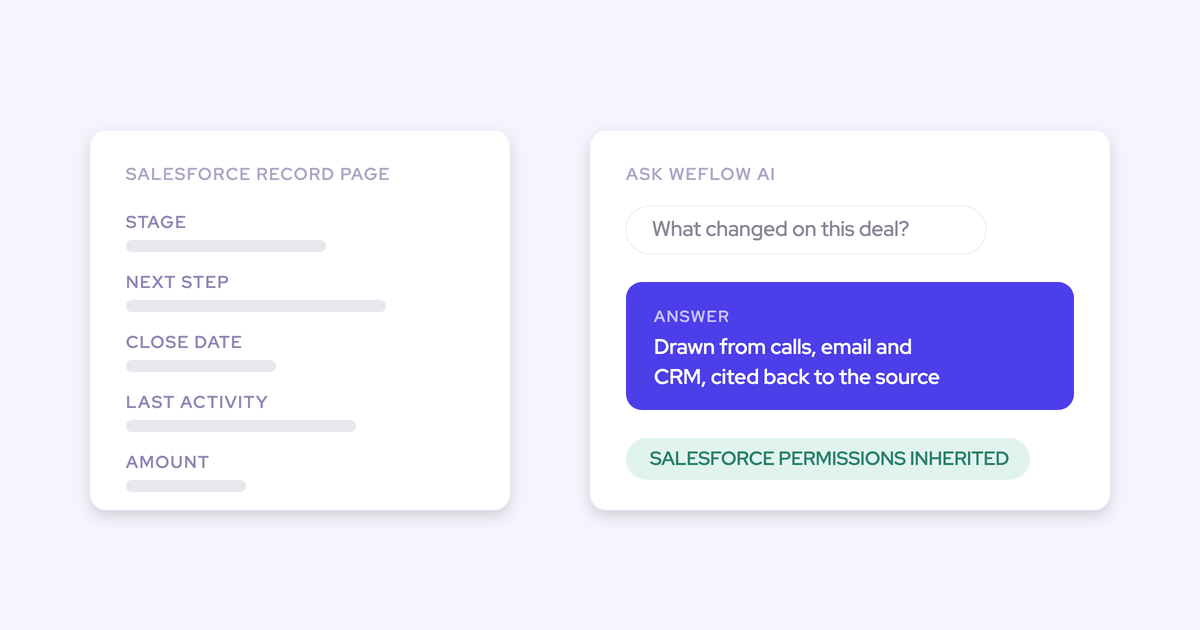
The reason those answers hold up is that the question runs against evidence, not fields. Ask Weflow AI reads Salesforce records, captured emails, meetings and call transcripts together, so a gap analysis returns what was actually said rather than what someone remembered to type.
You can also point it at one thing. A single call, a single deal, a filtered board, an account, or everything. Point it at a filtered board and "which of these are blocked" applies to exactly the deals in view.
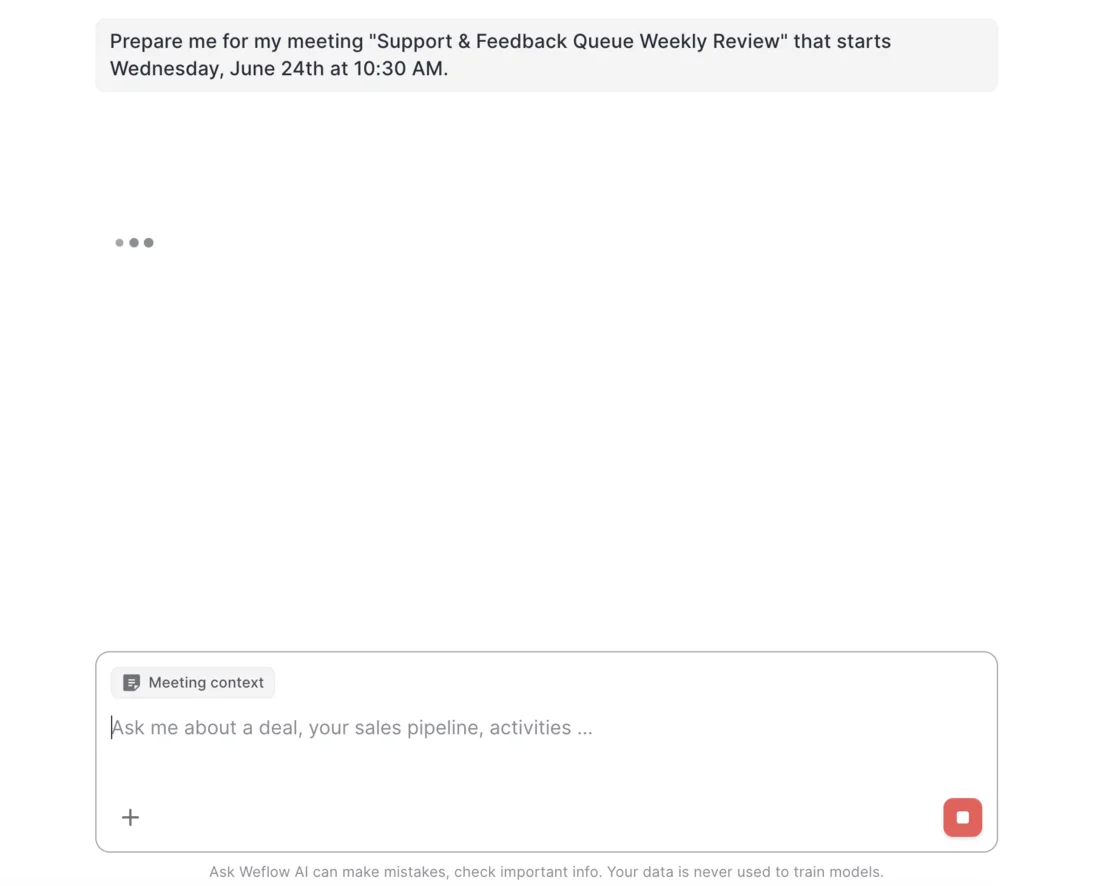
Meeting prep is the version you'll use daily: hit Prepare meeting on the calendar entry and the brief comes back assembled from prior emails, meetings, recordings and Salesforce, with the meeting already attached as context so you can keep interrogating it in the same thread.
The Salesforce record fills itself from your calls
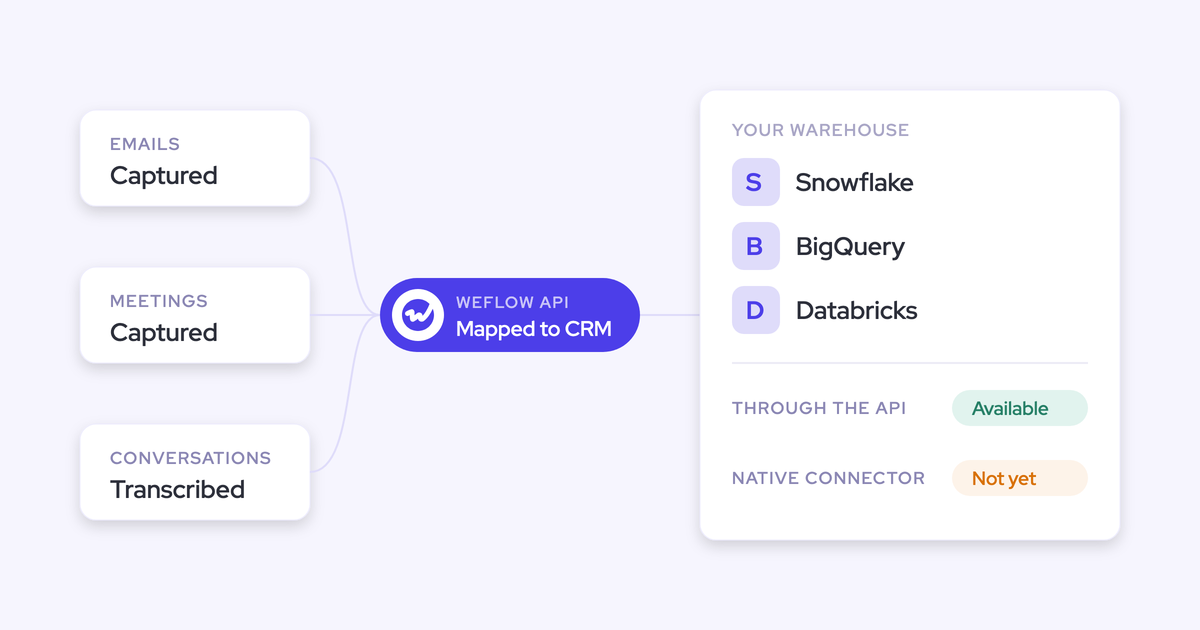
The second shift is the one that gets your evenings back. Emails, meetings and contacts get captured and mapped to the right Salesforce records without you clicking anything, and the fields get written from the conversation.
Not a summary dumped into a text box. AI field updates write picklists, numbers, dates and multi-select fields, on standard and custom objects, which is the difference between a note and something your team can report on.
So the chores that disappear are concrete:
- Logging the call and typing the recap
- Filling the MEDDIC or SPICED fields you get chased about
- Creating the new stakeholder who appeared on the thread, and setting the contact role
- Straightening the record on Thursday night before the forecast meeting
One honest note on how this should be rolled out. Field updates work best starting with a human in the loop: you see the current value beside the suggested one, accept, edit or reject, and write them back in one click. Once the output has earned it, your admin can flip specific fields to automatic.

How Ask Weflow AI replaces opening Salesforce record pages
Weflow is the Revenue AI Orchestration platform for sales, customer success, and RevOps teams, built for Salesforce teams. Ask Weflow AI is the part of it you'd touch every day.
Start with the objection you're already holding: is this another login?
Ask Weflow AI runs inside the Weflow interface and inside the Weflow Chrome extension, which means it's available anywhere in your browser, including on a Salesforce record page. Type a question into the extension and it detects that it's a question and routes it to the AI instead of filing it as a note. No second place to work.
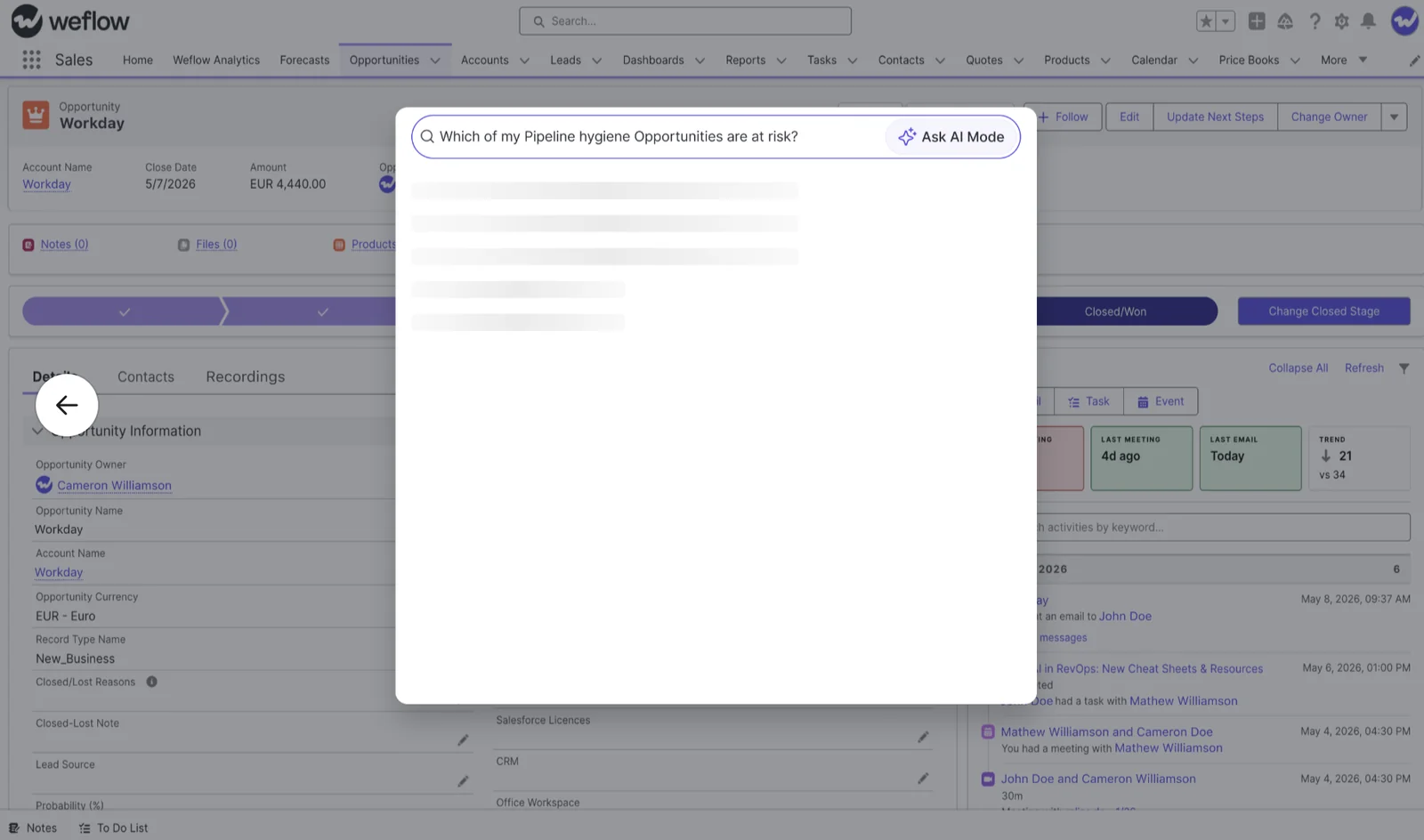
Then the second objection: can you trust the answer? Every answer comes back with its sources listed, and you can open the call, the transcript or the email the claim came from.
I love being able to go right to the call, transcript or email and see where something was said that the AI is referencing.
— Scott Jones, SVP of GTM Revenue Intelligence & Enablement, KORE Wireless
Two more things worth knowing. Ask Weflow AI inherits your Salesforce permissions and then applies its own guardrails on top, so it will withhold things you could technically reach in Salesforce yourself. And everything Weflow captures and writes lands in native Salesforce objects, so it's your company's data whether or not you personally ever open a record page again.
There's a selfish reason to want that last part. Once managers read the opportunity timeline as the measure of whether a deal is being worked, an empty timeline reads as an absent rep. A complete record is the thing that argues for you in a pipeline review.
Where the CRM-free vision stops today
The catch is worth knowing before you go recommend this to your VP.
What goes:
- Opening record pages to find out what happened
- Logging calls, emails, meetings and contacts
- Typing qualification fields from memory
What stays:
- Salesforce. It remains the system of record. Weflow makes it something you stop opening, not something that's gone.
- The boundary of what the AI knows. Ask Weflow AI reads your Salesforce records, captured emails and meetings, call transcripts and the public web. It doesn't reach your process documentation, your product guides or your ticketing system, so "how do we handle a mid-term upgrade" is not a question it answers.
- One activity, one opportunity. A Salesforce activity can relate to a single opportunity, which is a platform limit every capture tool inherits. If you're running two live deals with the same customer, some correspondence lands on the account instead of the deal you'd have picked.
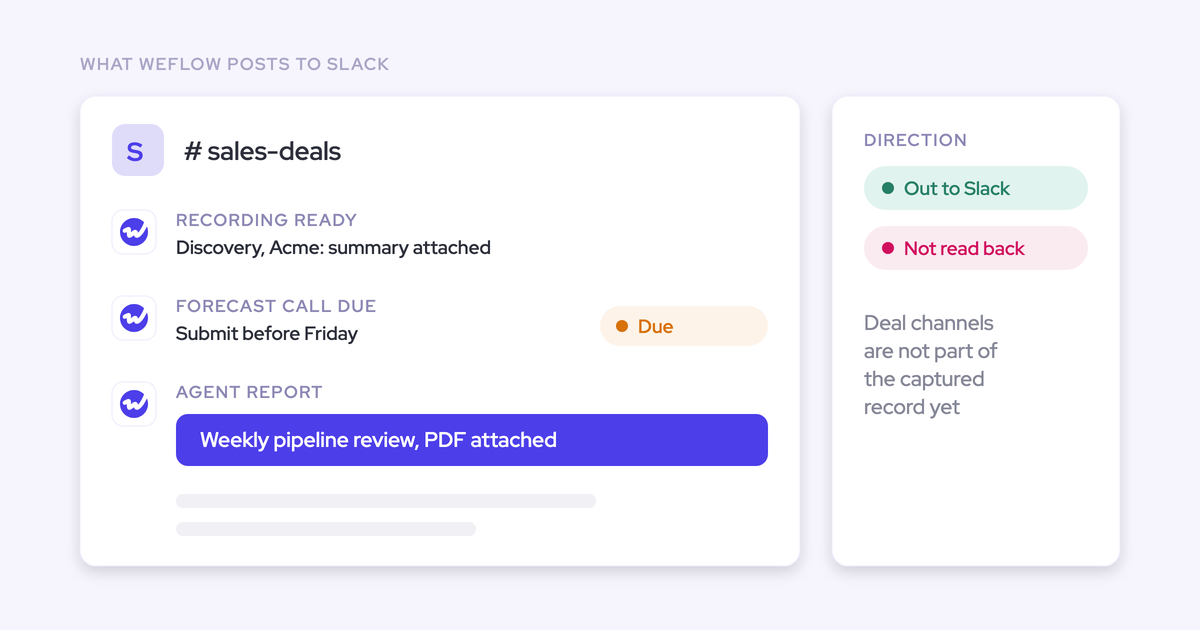
- A gap between agents and fields. Weflow agents deliver to email and Slack, and they don't write their conclusions back into Salesforce fields. Field updates and AI playbooks do that; an agent's insight still needs a person to put it on the record.
- Your judgment. Whether you commit the deal, whether the close date is real, whether that champion is actually a champion. The system can tell you what the evidence says and pressure-test your answer. It shouldn't make the call.
FAQ: asking AI instead of updating Salesforce
Do reps still have to update Salesforce at all?
Not for the mechanical parts. Emails, meetings and contacts are captured and mapped automatically, and fields get written from your call transcripts, either after review or automatically once your admin trusts the output.
What's left is judgment: forecast category, close date, and anything you know that was never said out loud. The manual controls, like the Outlook or Gmail add-in for overriding where an email logs, stay optional rather than required.
Can I see the call or email behind an AI answer?
Yes, and this is the part to test in an evaluation. Ask Weflow AI returns its sources with the answer, spanning opportunities, accounts, contacts, calendar entries, emails and recordings, and you can open the underlying call or thread to see where a claim came from.
Can I use my own Claude or ChatGPT with this?
Yes. Weflow has an official read-only MCP connector, so an assistant like Claude or ChatGPT can reach your Weflow data through a connector rather than hand-written API calls.
Through it, the assistant reaches playbooks, call summaries, transcripts and forecast calls. Your admin enables it per workspace, with a separate toggle deciding whether connected assistants see full transcripts or only AI summaries.
Will AI field updates overwrite notes I already typed?
Not silently, unless someone configures it that way. The default working pattern shows you the current Salesforce value beside the suggested one so you can accept, edit or reject each field before anything is written.
Two other details protect you. Weflow checks a picklist's allowed values before writing, so it never pushes a value the field doesn't accept. And for anything cumulative, like a metric discussed differently across five calls, an AI playbook runs across the whole opportunity on a schedule and keeps the field at the best current answer rather than the most recent one.
Does this work for in-person meetings?
Yes, through Mobile Copilot (Android and iOS), which records in-person conversations and syncs them to Salesforce so they join the same record and the same asking surface as your video calls.
What does something like this cost per rep?
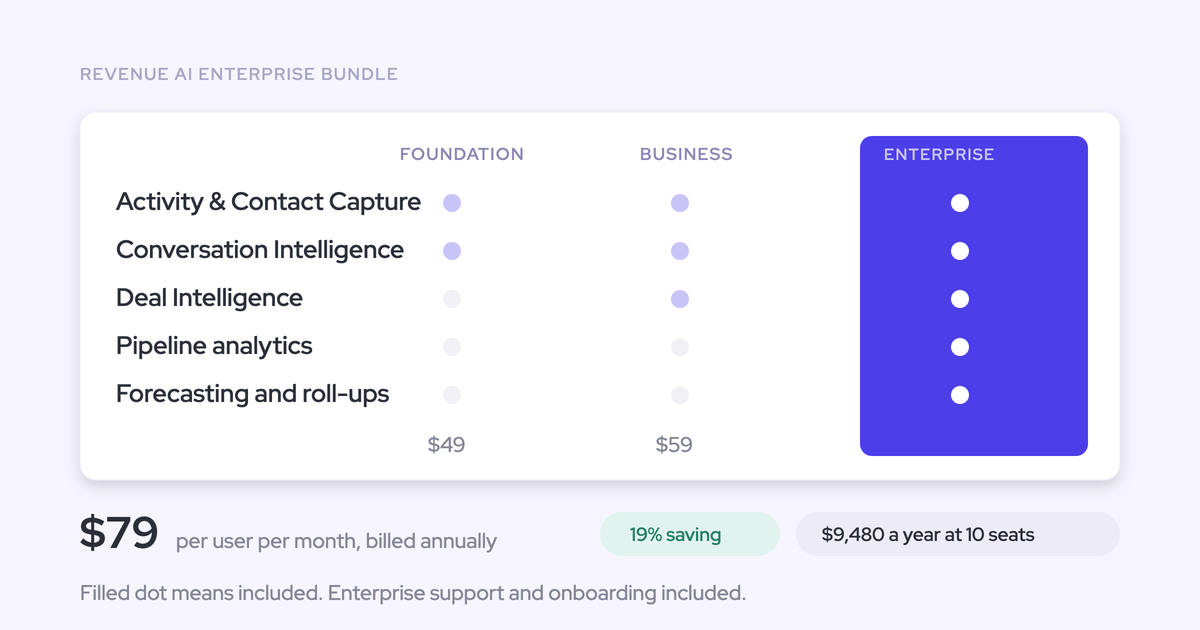
Weflow prices per seat and publishes the numbers on the website, which is not the norm in this category. Conversation Intelligence is $39 per user per month billed annually, and the Revenue AI Foundation bundle, which pairs it with Activity & Contact Capture, is $49.
Ask Weflow AI, AI summaries and AI field updates are included in the seat. The only consumption-priced product is Agent Builder, which means nobody has to ration questions to protect an invoice.
If you want to poke at it before you believe any of this: walk through the product yourself, no call required.