Why Clari loses your commit history, and how to keep point-in-time pipeline snapshots in Salesforce
Learn why Clari loses commit history and how to keep point-in-time pipeline snapshots in Salesforce


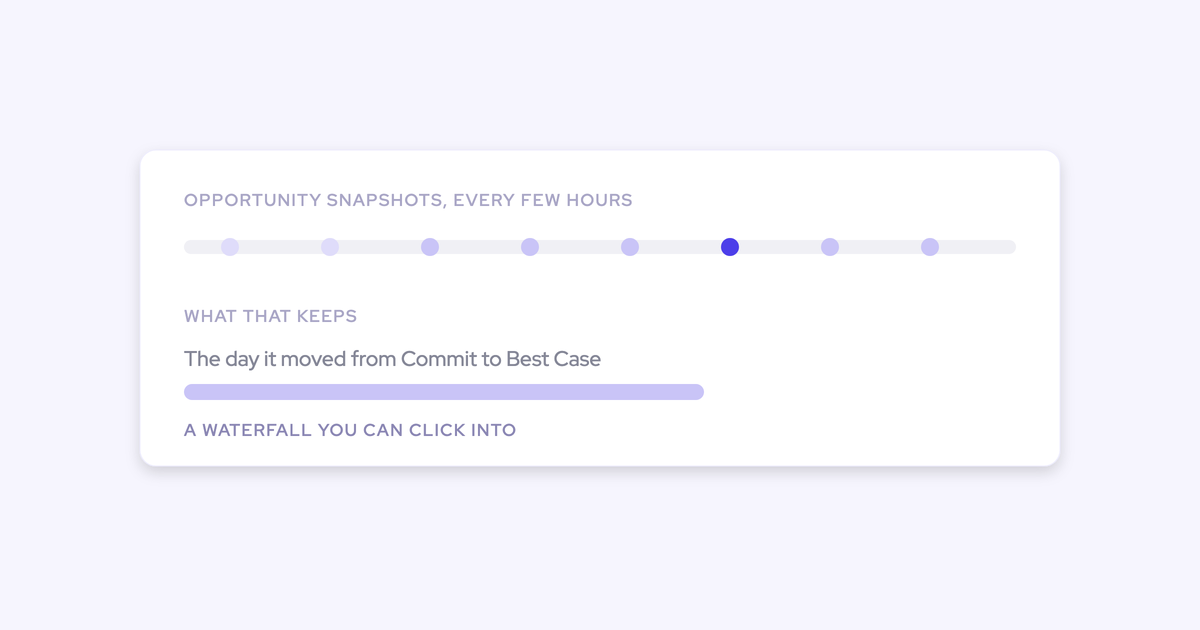

Someone asked what the pipeline looked like at day 35 of last quarter, and you couldn't answer it Clari. or Salesforce. Not because you didn't look. Because the record was never kept.
Two mechanics cause that, and neither one is a configuration mistake you made. A Salesforce field holds exactly one value, today's, and field history tracking can't cover the calculated or roll-up field your forecast probably runs on. Clari tracks where a deal's forecast category sits now, not where it sat two weeks ago.
This article covers how to fix this without setting up a warehouse: what each system loses and why, what the build actually costs, and how automatic opportunity snapshots answer both the day-35 question and the committed-to-best-case question.
Weflow is the Revenue AI Orchestration platform for sales, customer success, and RevOps teams, and it's the worked example here, with Weflow forecast roll-ups keeping every submission against what actually closed.
One thing to be straight about before anything else: snapshots build going forward from install. No vendor, us included, can recover a past state that Salesforce never stored.
Why Salesforce and Clari can't show last month's pipeline
Point-in-time reporting needs a time series, and neither system produces one. Each loses the past state for a different structural reason, which is why turning on more settings in either tool doesn't get you there.
Salesforce overwrites fields and can't track roll-ups
A Salesforce field stores its current value and nothing else. When a rep changes the amount, the old amount is gone, unless field history tracking was switched on for that field before the change happened.
What field history tracking does and doesn't cover:
- It covers the standard and custom fields you explicitly selected, from the moment you selected them forward.
- It gives you nothing retroactively. Switch it on today and yesterday stays invisible.
- It cannot track formula, calculated, or roll-up summary fields at all.
That last one is the killer. The custom currency field a lot of teams forecast on is exactly the calculated field Salesforce refuses to track.
There's a quieter failure too. Teams switch tracking on late, or on half the fields, then build time-in-stage and slippage analysis on top. The report runs on whichever opportunities happen to have history and returns averages that look plausible and are wrong.
Clari keeps the current forecast category, not the trail
Clari shows you where a deal's forecast category is, and when the category changes, the previous state isn't preserved as a record you can query.
The problem with Clary is if it went from committed to best case, you lost it because you don't track that it was committed.
That's a prospect describing the exact moment the evidence disappears. A deal was committed on the Monday call, it's best case on the Friday one, and there's no queryable trail saying it was ever committed. Which is precisely what leadership asks about after a miss.
Credit where it's due: the three Clari views revenue teams genuinely use every week are the waterfall, the pacing view, and the same-day-versus-last-quarter comparison. Those are real, and a replacement gets judged on them. The commit trail is the gap, and it's not one an admin can close.
The data warehouse workaround, and what it costs
The standard fix works, and it turns a management question into an engineering project with a bill.
What that build actually entails:
- A warehouse and a Salesforce connector, with someone owning the API budget it consumes.
- A scheduled snapshot job on the Opportunity object, plus a decision on which fields and what grain you're storing.
- Schema versioning, because your stages, categories, and amount fields will change and last year's snapshots have to stay readable.
- A reporting layer on top, and a person who maintains all of it when the quarter gets busy.
And the same limitation still applies: your history starts the day the job starts. You've paid for infrastructure and you're still waiting three quarters for a quarter-over-quarter comparison.
The cheaper version is worse. One RevOps lead told us they'd started pulling Salesforce data into Excel every week by hand, just to get a week-over-week view. That's a person's Monday, forever, and the archive dies when they leave.
How to set up opportunity snapshots in Salesforce with Weflow
Every step below is admin-console work. Nothing here depends on rep behavior, and nothing asks you to build custom fields or a snapshot flow you'll then have to maintain.
What you need before you start:
- Salesforce admin access, with rights to install a managed package.
- The Salesforce REST API enabled on the org.
- A Weflow workspace with Deal Intelligence & Forecasting.
- A decision on which custom fields you want field history tracking enabled for, ideally made today rather than after the renewal call.
Step 1: Install the Weflow managed package and connect Salesforce
Install the managed package, connect the integration user, and you're done. The technical setup runs 30 to 45 minutes with a Salesforce admin.
Two details that matter to the admin in the room:
- The only way to sign in to Weflow is through your Salesforce authentication, using OAuth and whatever SSO the org already enforces. There's no separate Weflow identity to provision, and deactivating a user in Salesforce cuts their Weflow access immediately.
- The package adds one custom object and three custom fields. It doesn't hand you a wall of new fields to explain to your successor.
Step 2: Import up to 12 months of Salesforce history
Weflow forecasting and pipeline analytics import up to 12 months of historical Salesforce data by default, so day one isn't an empty dashboard.
Here's the caveat, stated where it applies: for custom fields, the accuracy of that imported window depends on Salesforce field history tracking having been enabled on those fields already. If tracking was off, the import can only work with what Salesforce kept.
Step 3: Let snapshots build every few hours, automatically
From install onward, Weflow snapshots opportunity data every few hours. No job to write, no schedule to babysit, no warehouse in the middle.
That time series is the thing that matters. The pipeline waterfall, stage conversion, the pacing view, and team benchmarks are all computed from the snapshots rather than from current state, which is why they can show you what changed instead of only what's true right now.
Step 4: Reconstruct any past date with the pipeline waterfall
The waterfall reconciles starting pipeline to ending pipeline for a period, and decomposes the change into buckets:
- Newly created deals
- Amounts increased
- Deals moved into the period
- Deals moved out
- Amounts decreased
- Won
- Lost
Every bucket drills through to the actual opportunities, with whatever fields you care about on the row. That's what answers why a quarter that opened at a strong number ends thin: deals pushed out mid-quarter rather than closing, and now you can name them.
It's also where sandbagging and chronic slippage stop hiding. A pipeline total can look stable quarter after quarter while the same deals churn underneath it, and a live report can't see that.
One honest note here: stage conversion is available by month and by stage, but it isn't drillable the same way the waterfall is. If deal-level drill-through on conversion is a hard requirement, ask about it in the demo.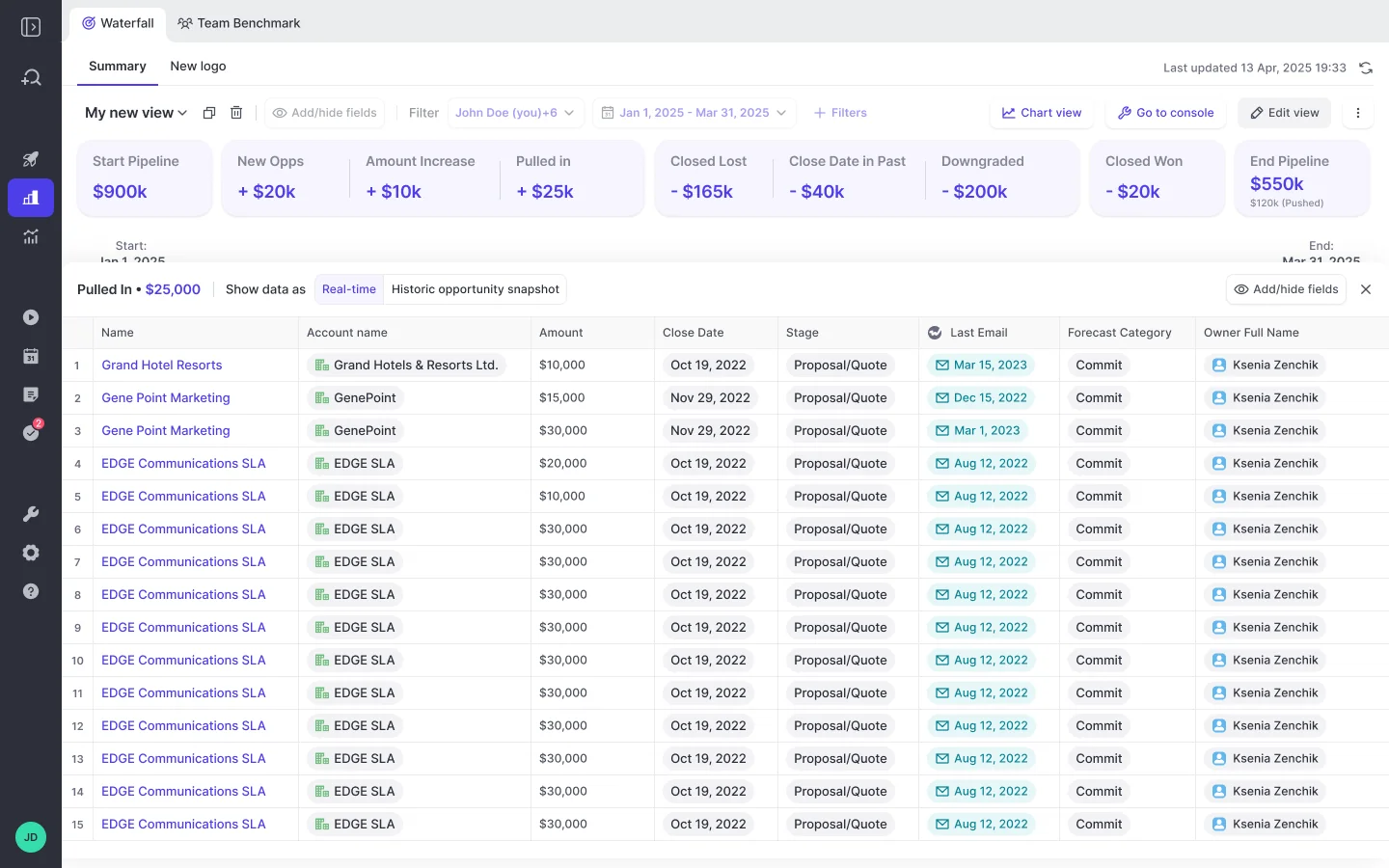
Step 5: Run the day-35 comparison against past quarters
The pacing view compares where the quarter stands against the same day in previous quarters, out of the box. That's the comparison Salesforce reporting can't produce and the one most teams were about to buy a warehouse for.
Make it the demo test. Bring your own org, pick a date, and ask to see the pipeline as it stood that day, then the same day one quarter back. If a vendor's answer involves a services scope, you've learned something.
Step 6: Turn on forecast roll-ups to retain commit history
Configure the forecast setup and the trail starts recording. Three choices define it:
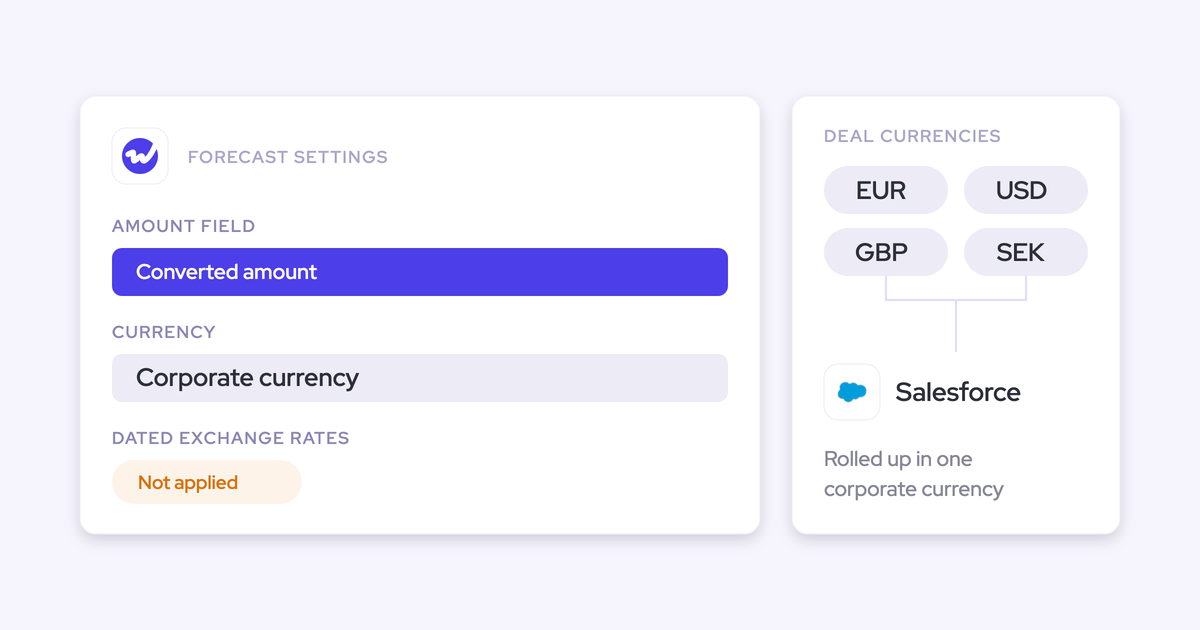
- The amount field you forecast on, which can be any opportunity currency field rather than standard Amount.
- The date field the deal is indexed on, close date or a delivery date.
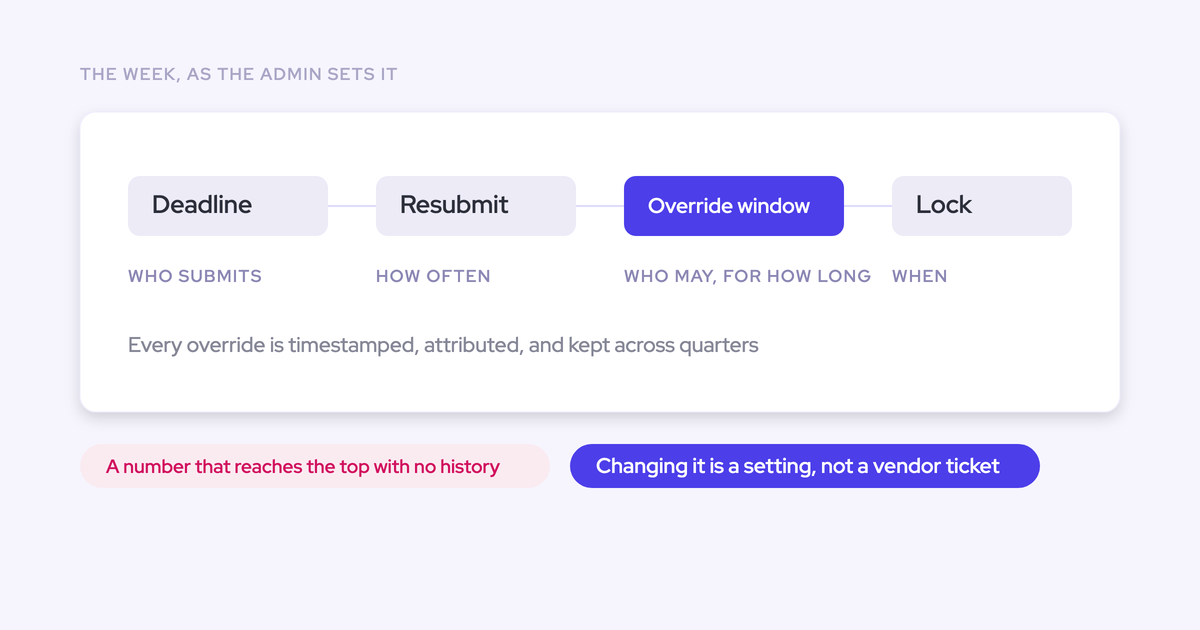
- The cadence, hierarchy, and targets, with submission and adjustment rights restrictable to managers.
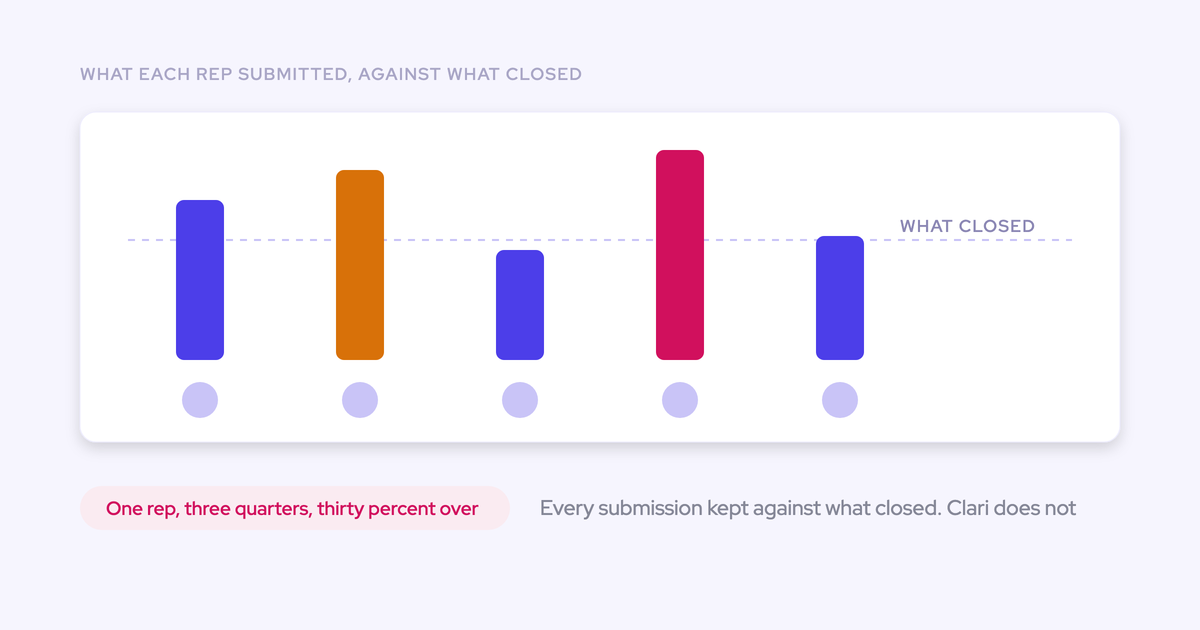
From then on, every submission is stored against the final closed amount, which gives you variance per rep, per manager, and by segment across consecutive quarters. Manager overrides sit next to the rep's original number, timestamped, attributed, logged with rationale, and kept across quarters.
Submissions are deal-by-deal, which is the question we get asked most often on these calls:
Am I able to submit for Q3 forecast by selecting the deals I want to include, not just putting in a number?
Yes, and that's what makes the history worth keeping. A number with no deals behind it can't be audited later.

How far back the snapshot history goes on day one
Up to 12 months of imported Salesforce history, and a fresh snapshot series that starts the day you install. Nothing before that is recoverable, by us or anyone else.
| What day one gives you | What it can't give you |
|---|---|
| Up to 12 months of imported Salesforce opportunity history | Past state for fields where Salesforce field history tracking was never enabled |
| Snapshots every few hours from install onward | A snapshot of any date before install |
| Days in stage and close-date push count tracked automatically | Historical values of calculated or roll-up fields, which Salesforce never tracked |
| Forecast submissions and override history from the first submitted cycle | Commit history from cycles submitted in another tool |
Which leads to the pitfall worth acting on this week: every week you wait is a week of history that will never exist. If your Clari renewal is four months out, the snapshots you'd have by then are the ones you start building now.
Same argument for field history tracking. Turn it on for the custom fields you care about before you need them, because that switch only ever works forward.
What gets retained: stage moves, amounts, categories, overrides
Each of the questions leadership asks after a miss maps to a retained record rather than to somebody's memory.
| The question you get asked | Where the answer lives |
|---|---|
| What did pipeline look like on the 12th of last month? | The historic opportunity snapshot for that date |
| Which deals were committed two weeks ago and aren't now? | The waterfall's moved-out and decreased buckets, drilled to the deals |
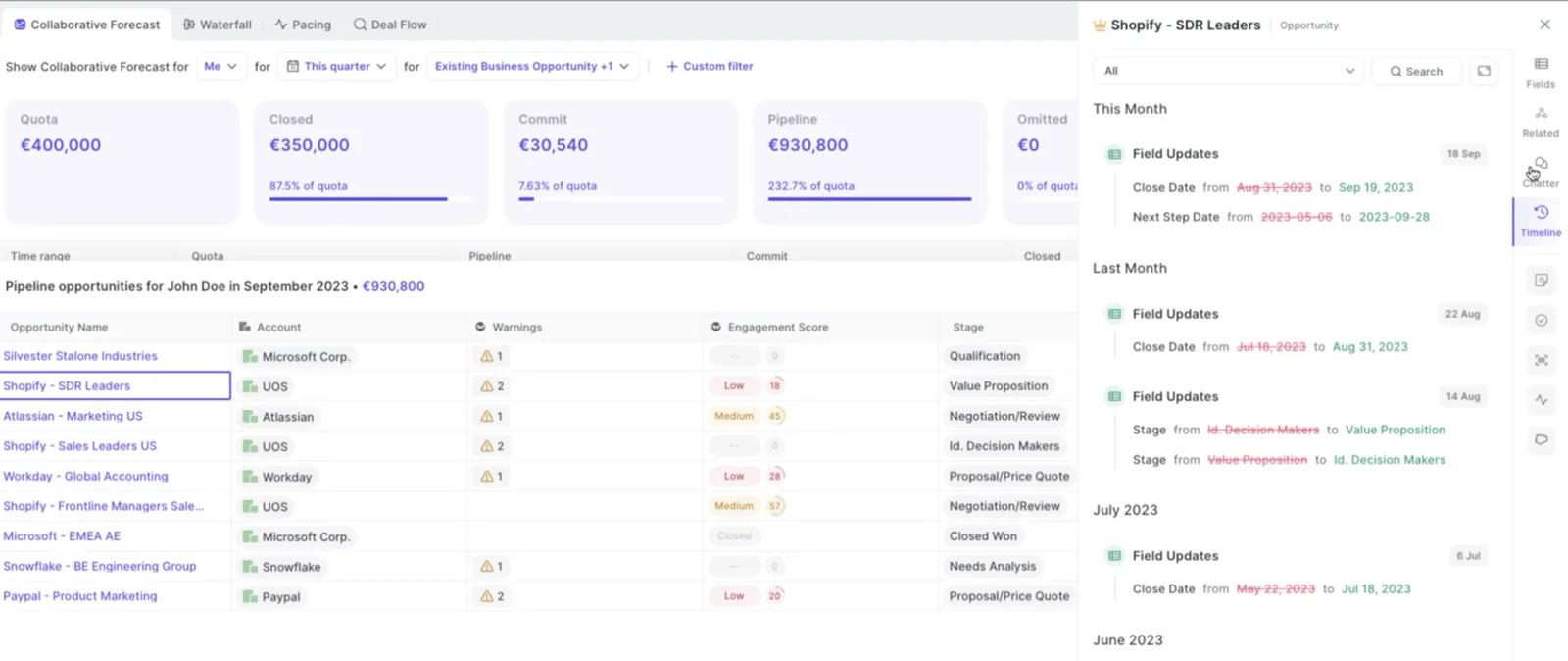
| How many times has this close date moved? | Close-date push count, tracked automatically on the opportunity, no custom field required |
| How long has this deal sat in this stage? | Days in stage, tracked automatically and benchmarked against your own closed-won history |
| What did each rep call last quarter, and what closed? | Forecast accuracy: every submission stored against the final closed amount, variance per rep, manager, and segment |
| Who changed the number, and why? | The override log: timestamped, attributed, with rationale, retained across quarters |
| Where does the quarter stand versus day 35 of the last three quarters? | The pacing view |
Where the snapshot data lives, and what you keep
Weflow runs entirely on the Salesforce API and writes captured data into native Salesforce objects, so the underlying record is yours, in your CRM, readable by your own reports, flows, and BI. There's one exception, and it's worth knowing before you sign rather than in month two.
| Lands in native Salesforce objects | Lives in the Weflow app |
|---|---|
| Emails, meetings, and contacts as native records | The opportunity snapshot series behind the waterfall and pacing views |
| Meeting transcripts and summaries, in the managed-package object and on the related Event | Forecast submissions, targets, and roll-up data |
| AI field updates, and any opportunity edit made in Weflow, written straight back | Override history and forecast accuracy tracking |
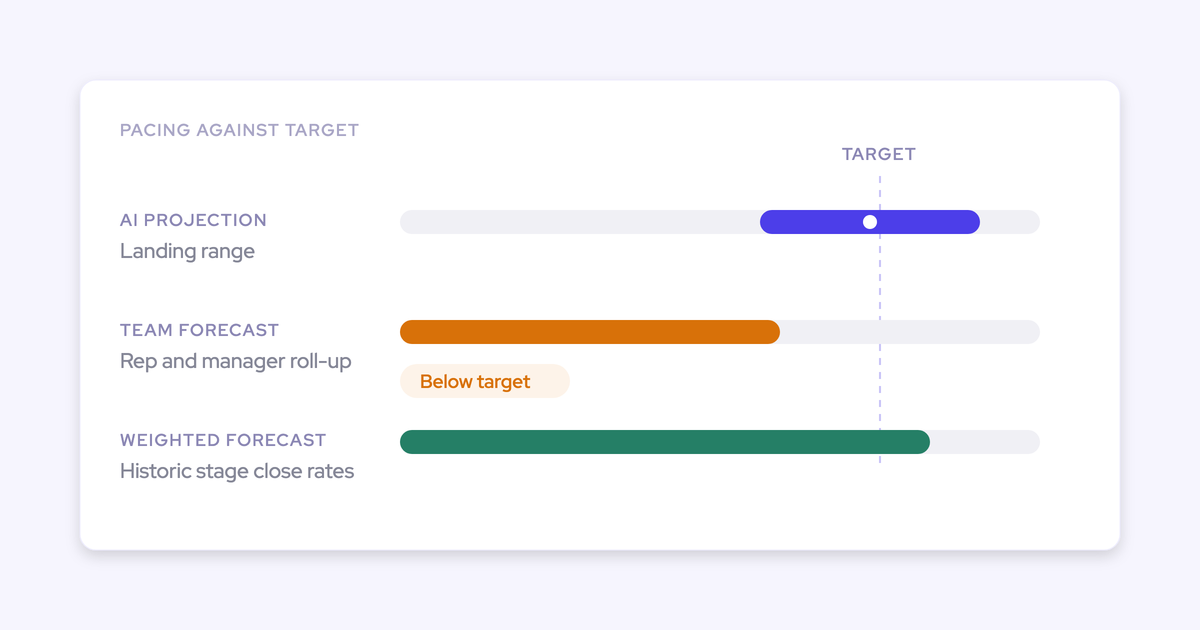
If you snapshot the forecast into a BI tool, you pull the roll-up through Weflow's public API rather than reading it off a Salesforce field. For a team whose rule is that reps live in Salesforce only, that's a real constraint on roll-up submission, and the weighted forecast plus the AI projection still work, because both run off CRM data with no rep input.
The reason we're precise about this: the buyers we talk to have already watched years of activity history leave with a contract. Salesforce stays your system of record. Weflow isn't a BI tool and doesn't try to be one.
The gaps to weigh before replacing Clari
Two gaps to put in front of your evaluation committee before anyone gets attached to the demo.
- Weflow doesn't offer Clari's pipeline flow analytics view. Pacing and waterfall are matched. Flow is not. If a leader in your org opens the flow view every week and reasons from it, that's a genuine loss and you should weigh it rather than talk yourself out of it.
- A forecast setup places a deal's full amount into the single period its date field falls into. It can't recognize part of a deal in one quarter and the rest in the next. Any business that recognizes revenue on delivery schedules or on campaign line items spanning quarters will see a period split in Salesforce that the forecast view doesn't reproduce.
The second one is the sharper disqualifier. If your revenue genuinely splits across periods, test that first, because no amount of snapshot history compensates for a forecast view that indexes the deal differently from your finance team.
Can you run Weflow alongside Clari?
Yes, and where the Clari contract has months left it's usually the right sequence. Clari reads activities from Salesforce, so Weflow can run as the capture and snapshot layer while Clari stays on forecasting, and both get better: Clari consumes cleaner activity, and your snapshot history starts building before the renewal decision instead of after it.
The failure mode to avoid: running two activity-capture engines against the same mailboxes. That produces duplicate activities and a reporting layer nobody can reconcile. Pick one capture infrastructure feeding Salesforce, turn the other one off, then compare.
What Weflow costs compared with Clari
Weflow Deal Intelligence & Forecasting is $39 per user per month standalone. Clari is reported at $120 to $180 per user per month and isn't sold standalone.
| Dimension | Weflow | Clari |
|---|---|---|
| Per-user list price | $39/user/month for Deal Intelligence & Forecasting; bundles at $49, $59, $79 | Reported $120 to $180/user/month |
| Standalone forecasting | Yes, buy Deal Intelligence & Forecasting on its own | No, products are not sold standalone |
| Implementation fees | None | Reported $15k to $50k in professional services |
| Trial and self-serve | 14-day free trial with guided onboarding | No free trial, no self-serve signup, quote-only pricing |
| Usage charges | Seat-based, AI usage included, minimum 10 users, billed annually | Quote-only |
The practical difference for you isn't the delta, it's what you have to do to get it approved. One is a line item a RevOps leader can defend in a meeting. The other is a procurement cycle.
Packaging note if a forecasting renewal is already signed and your CFO won't fund a second one: start with capture and conversation intelligence, then add forecasting for roughly $10 more per user per month at bundle level, rather than opening a new contract.
FAQ: opportunity snapshots and commit history in Salesforce
Which Salesforce fields need field history tracking enabled?
The custom fields whose imported 12-month history you actually care about, typically your forecast amount field if it's a plain currency field, stage, close date, and forecast category. Snapshots going forward don't depend on tracking at all, Weflow captures the state itself. Calculated and roll-up fields can't be tracked regardless of what you do, which is the reason snapshotting exists.
How much setup effort does Weflow snapshotting take?
The technical setup is 30 to 45 minutes with a Salesforce admin: install the managed package, connect the integration user, sign in through Salesforce OAuth. Snapshots then run automatically every few hours with nothing to maintain. Full time to value is typically two to three weeks, and that time goes on business logic, forecast setups, cadences, quotas, warning rules, pipeline views, not on plumbing. There's no professional-services engagement to buy.
Can I pull snapshot and forecast data into my own BI tool?
Yes, through two routes. Everything Weflow captures lands on native Salesforce objects, so any BI layer already reading Salesforce reads it with no extra work. Forecast submissions, targets, and roll-up data come out through Weflow's public API, because they live in the Weflow app rather than as Salesforce fields.
Can I start with Deal Intelligence & Forecasting alone?
Yes. It's $39 per user per month standalone, minimum 10 users, billed annually, and it includes Ask Weflow AI Pro and the free tier of Agent Builder. Activity & Contact Capture and Conversation Intelligence are separate products, and the bundles exist if you want capture and call data feeding the same pipeline views later.
Can renewals be forecast separately from new business?
Yes, and it's usually the fastest win in a Clari replacement, because we keep finding renewals were never implemented in the incumbent at all.
Weflow runs parallel forecast setups, each with its own amount field, stages, cadence, targets, and forecast calls. Salesforce opportunity record types keep their own stage paths, forecast-category mappings, and roll-ups, so renewals, expansion, and new business stay separate instead of being blended into one number that hides the motion actually failing. The renewal view tracks contract end dates and fires a configurable kickoff milestone ahead of expiry.
See how Weflow captures activity, updates Salesforce fields from calls, and rolls up your forecast. Book a 30-minute demo, bring your own org, and ask the day-35 question on your real data.