
How to replace Clari and Clari Copilot: migration timeline and change management
Learn the Clari and Clari Copilot migration timeline, overlap plan, and change management


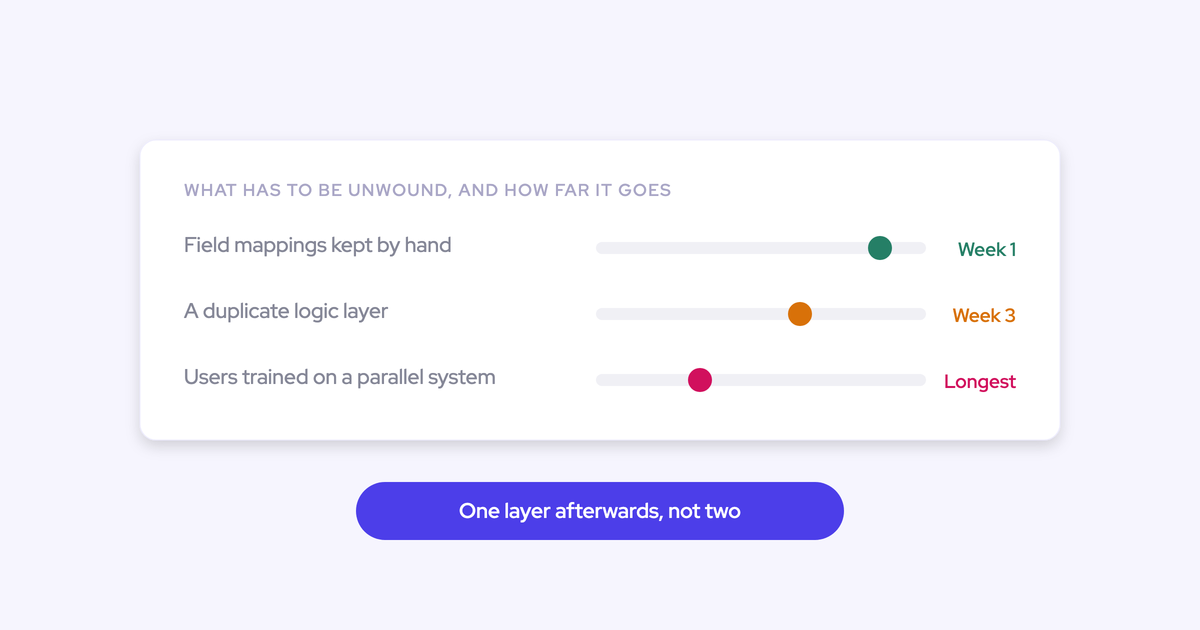

The hard part of leaving Clari isn't the product decision. It's the date. Your contract ends on a specific day, there's no budget to run both, and if the replacement isn't live and tested before that day, the forecast call has nowhere to happen.
We have got a finite stop. We lose Clari on a day. And I want this live and ready and tested a minimum of two weeks before the 31st of September.
— RevOps leader, on a Weflow evaluation call
This guide plans the switch the way that reader is already planning it: backward from the renewal date, with go-live and a full test cycle landing before Clari goes dark. It covers both products, because most teams leaving Clari own two: the forecasting platform and Clari Copilot. You'll get the sequence, what carries over, what starts fresh, and an honest sizing of the change management, which is the part that actually decides whether this lands. Weflow is the Revenue AI Orchestration platform for sales, customer success, and RevOps teams, and it runs deal execution and the forecast in one place instead of two disconnected products.
One thing to know up front: Clari reads activity from Salesforce, so Weflow can feed it clean data while Clari is still live. You don't need a hard swap on the last day of the contract.
What replacing Clari and Clari Copilot actually involves
You're replacing two products that were never one product. Clari's forecasting platform and Clari Copilot don't talk to each other, so call data never informs the forecast, and teams that own both end up piping transcripts into a separate AI workspace to get structured insight back into the CRM by hand.
That's why this migration looks bigger than it is. You're not doing two projects. You're collapsing two into one platform, and everything it captures and generates lands in native Salesforce objects your own reporting and automations can read.
| What Clari runs today | What replaces it |
| Roll-up forecast submissions, quota tracking, forecast accuracy | Weflow Deal Intelligence & Forecasting: baseline and best case per rep, versioned submissions, manager override, deadlines that lock the field |
| Pipeline waterfall, pacing, quarter-over-quarter comparison | Weflow pipeline analytics, built from opportunity snapshots taken every few hours |
| Clari Capture activity sync | Weflow Activity & Contact Capture, writing emails to the EmailMessage object and meetings to the Event object, with contact creation and opportunity-level mapping |
| Clari Copilot recording, transcription, call library | Weflow Conversation Intelligence, plus AI field updates and methodology coaching scorecards that Copilot doesn't have |
| Configuration changes routed through professional services | Self-serve admin console that follows your existing Salesforce permissions and config |
The end state is one platform, one login, and the forecast running on data your Salesforce org owns. The outcome this guide produces is that end state live and tested before your renewal date, with buffer.
What you need before you start the migration
This migration is won or lost in what gets decided before week one. Every stall we see later traces back to something on this list that nobody nailed down.
- The renewal date in writing, and a go-live target at least two weeks earlier. Every step below gets scheduled from the go-live date, not from kickoff.
- A named internal owner, before the contract. Not a function, a person. The rollouts that fail are the ones nobody owned.
- A Salesforce admin and your Google Workspace or Microsoft 365 admin for 30 to 45 minutes. That's the whole technical setup window, and it's the only time you need them both in a room.
- An inventory of which Clari views your team actually opens. In practice it's usually three: the waterfall, the pacing view, and the comparison against the same day last quarter. Write down who uses each one.
- A decision on which capture engine writes to Salesforce during the overlap. Exactly one. This is the single setting that causes duplicate activity, and it needs an answer before anything is switched on.
- Your consent mode, signed off by whoever owns compliance. Opt-out, opt-in, or manual. It's the first question reps and guests will ask you, so don't discover it in week three.
- Your forecast motions and record types listed out. New business, renewal, expansion, partner: each one can keep its own stage path, forecast-category mapping, and independent roll-up, so decide the shape you want rather than inheriting the one Clari forced.
- A list of anything you need out of Clari's own screens before access ends. Submission history and Clari's derived pipeline snapshots don't come with you.
The migration timeline, working back from your renewal date
The technical connection takes 30 to 45 minutes. Full time to value, including AI template customization, forecast configuration, and team rollout, runs two to three weeks.
So why start earlier than that? Two things don't compress. Pipeline snapshot history only accrues from the day capture and snapshotting are switched on, and a phased rep rollout takes the number of weeks it takes. Start those early and the rest of the plan has room to breathe.
Step 1: Set go-live two weeks before Clari goes dark
Go-live is not the renewal date. Go-live is the date the new system is running your process while Clari is still available as a fallback, and two weeks earlier is the minimum we'd plan for.
That buffer is what absorbs the things every migration produces: a mapping rule that needs correcting, a forecast hierarchy that needs a second pass, a manager who wants a different column set before the QBR. Fix those with Clari still on, and none of them is an incident.
Step 2: Connect Weflow through Salesforce auth and start snapshots
Connecting is a self-serve step, not a professional-services engagement. Weflow signs in only through your Salesforce authentication, using OAuth and whatever SSO your org already enforces, so there's no separate identity to provision and no second password floating around. Then you install the Google Workspace or Microsoft app and you're connected.
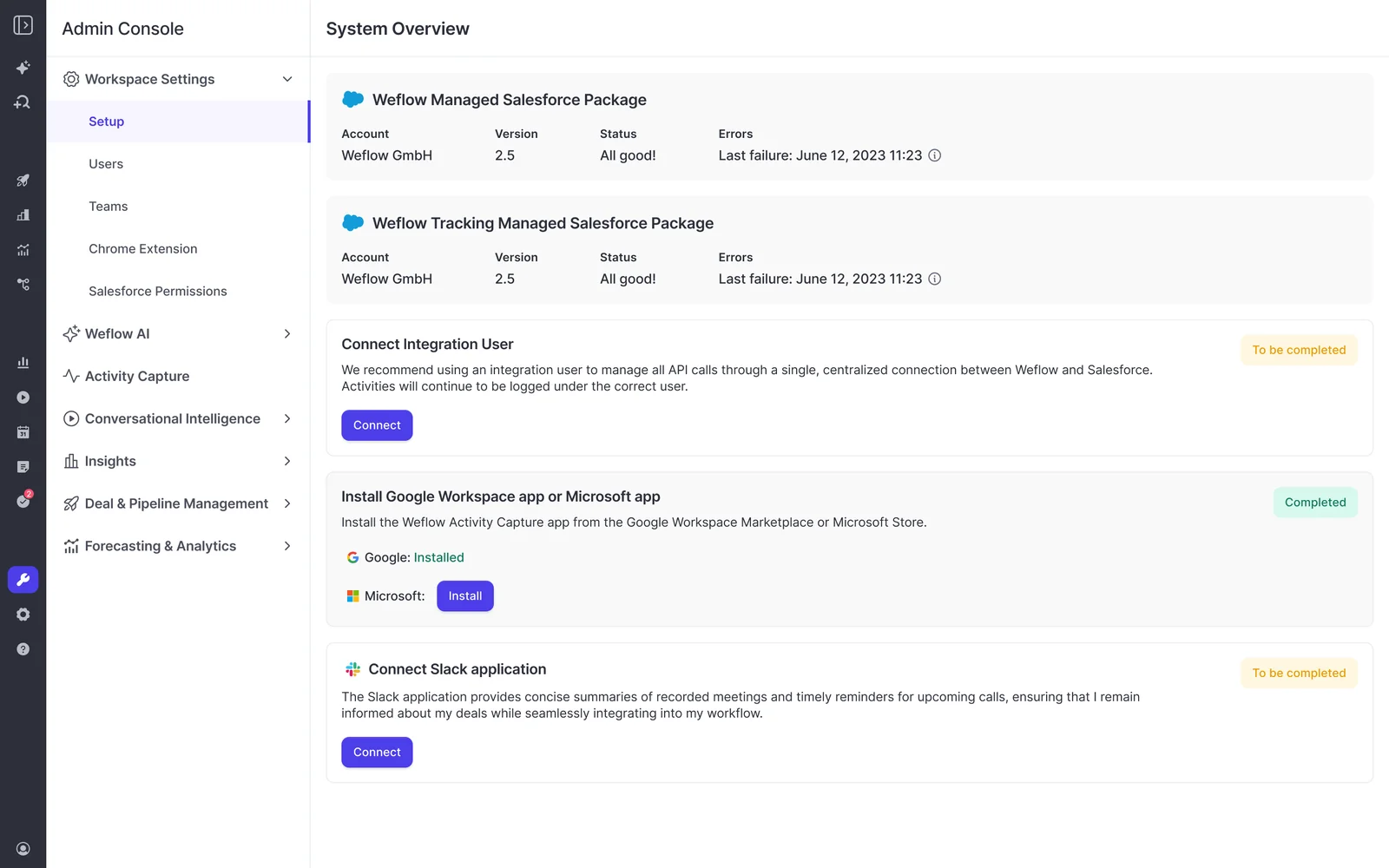
Switch on capture and snapshotting the moment you can, even if reps aren't enabled yet. Weflow snapshots opportunity data every few hours, and the pipeline history views are built from those snapshots, which means comparison history starts accruing from the day you turn it on and cannot be recovered retroactively.
This is the step teams underestimate. If you flip snapshots on two weeks before Clari's last day, you go into your first quarter without Clari holding no quarter-over-quarter comparison at all. Turn it on early and you have real history the week you need it.
If you want activity history that predates the migration, historical backfill of up to 24 months is available as an add-on to Activity & Contact Capture.
Step 3: Move to one capture engine while Clari stays live
Yes, you can run Weflow and Clari in parallel. Clari reads activities from Salesforce, so Weflow can be your capture layer while Clari keeps producing the forecast, and Clari gets better data in the process. The coexistence is safe.
Running two capture engines that both write to Salesforce is the failure mode. That's how you get the same meeting logged twice, meeting counts per rep quietly inflated, and a reporting layer nobody can reconcile.

The traps are specific and worth checking one by one:
- Clari Capture stays off while Weflow writes. One engine writes to Salesforce during the overlap. Clari consumes what's already there.
- Einstein Activity Capture event sync must be set to one direction only, from the calendar into Salesforce. Left bidirectional, the event gets written to Salesforce, pushed back to the calendar, and written again. Removing the Einstein permission from users does not stop it, and duplicates already written aren't cleaned up automatically.
- Sequencers sending through the same mail tenant get compatibility mode. You name the other tool's sending domain, Weflow delays its sync by roughly ten seconds, checks the message for that tool's tracking pattern, and skips it if it finds one. Outreach, Salesloft, and Apollo ship as presets.
- Everything else writing activity gets inventoried. Routing tools, CS platforms, dialers. If five tools sync activity and each maps to a different object, the reconciliation problem is yours regardless of which vendor you fired.
Compatibility mode is a bridge, not a destination. Once the tool you're replacing is off, switch it off too and let one capture layer own the objects.
Step 4: Configure the forecast roll-up and conversation intelligence
This is where the switch stops being like-for-like and starts being an upgrade, and it's the step where most of your one-to-three weeks actually goes.
On the forecasting side, the pain most teams are carrying out of Clari is hierarchy dependence.
The biggest limitation we had on Clari is that it was very dependent on the Salesforce hierarchy.
— RevOps leader, on a Weflow evaluation call
Weflow rolls up across the Salesforce role hierarchy and also supports a hierarchy you define, so one sales leader running multiple products with different teams doesn't have to be modeled as a Salesforce reporting line that doesn't exist. Each opportunity record type keeps its own stage path, forecast-category mapping, and roll-up, so new business, renewal, and expansion can be forecast separately with their own cadences and quotas.
Then you set the submission mechanics: baseline and best case per rep, either as a total or by selecting the specific opportunities behind each figure, a free-text comment, a reminder email that deep links the rep straight into the form, and a deadline that locks the field. Every revision is retained, and managers can override.
On the conversation side, you're not just re-pointing a recorder. Clari Copilot doesn't write AI field updates back into Salesforce fields and objects, doesn't run methodology coaching scorecards for MEDDIC or MEDDPICC, and doesn't give you rep-level coaching depth. That's the layer you build here.
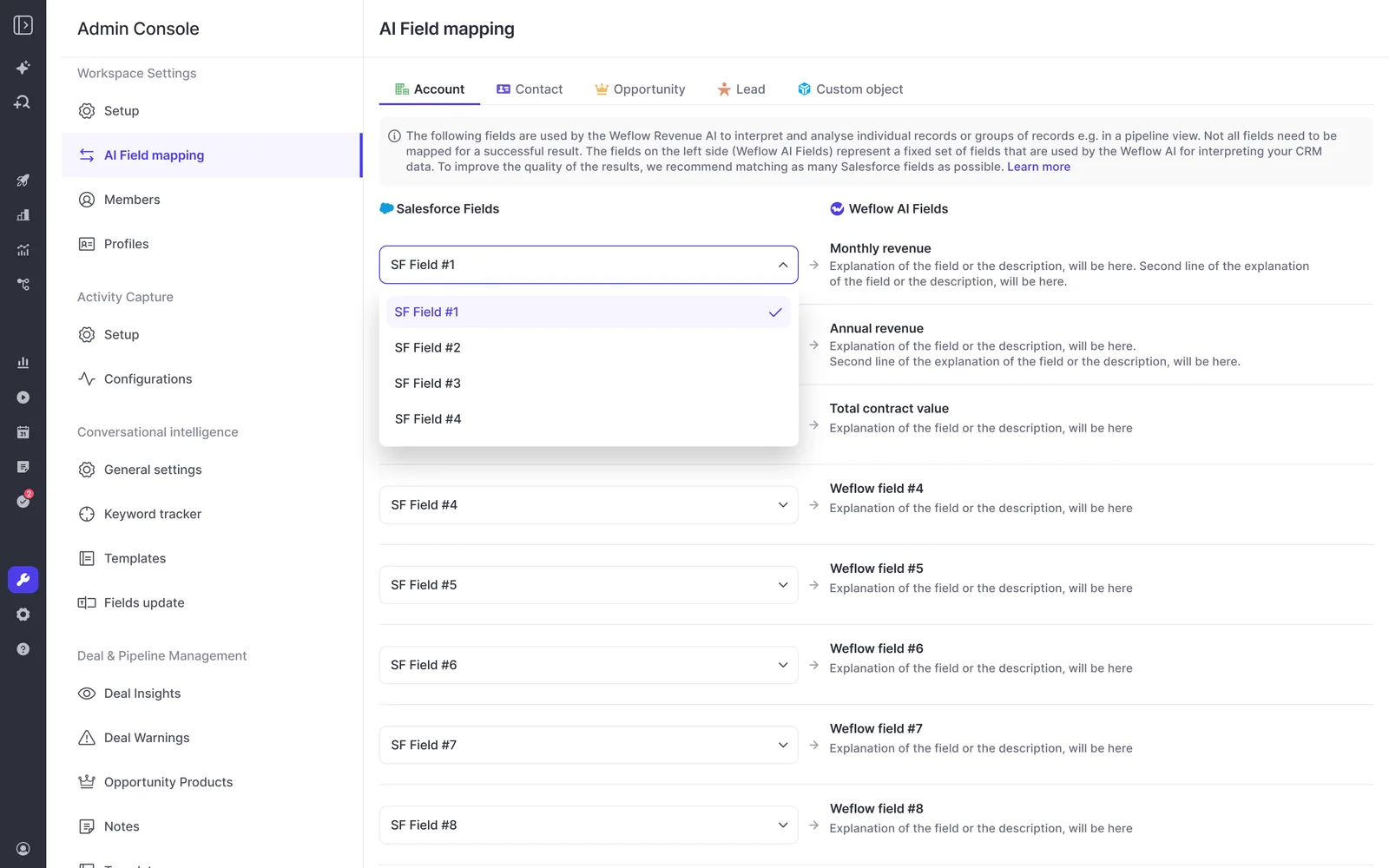
Map your AI templates to the Salesforce fields your deal reviews already read. If you track MEDDPICC as text fields with checkboxes, the extraction writes into those fields, not into a scorecard of Weflow's own.
Set the consent flow here too. Most teams pick opt-out: the meeting records by default, a notice is posted in the meeting chat with a link any participant can use to stop it, and the recording rate stays high. Opt-in works one to one and breaks down in larger groups where one person forgetting kills the recording. If a participant opts out, the notetaker leaves and the recording, transcript, and notes are destroyed.
Step 5: Enable reps in phases with a day-in-the-life demo
Enable a pilot team first, gather feedback for a week, then roll out in waves. Don't switch on 200 reps the same afternoon just because you can.

Phasing is safe because gaps are recoverable. Any meeting or email that failed to sync can be inspected, the mapping rule corrected, and the record pushed into Salesforce later, whether the failure was a week or a month ago. A capture gap during rollout doesn't become a permanent hole in your activity history.
The sequence that works:
- Pilot with one team that has a vocal manager. Include CS and account management if they touch customers, not just AEs. Post-sale activity going dark is how you end up with a data layer over half your revenue base.
- Run a day-in-the-life demo, not a buying-committee demo. Show a rep their Monday: the notes they stop writing, the fields that fill themselves, the follow-up email drafted from the call. Lead with what they stop doing.
- Say the logging rules out loud. Internal domains are excluded, internal mail isn't logged, capture runs in the background. Teams that have never had capture read it as surveillance until someone explains the exclusions.
- Fix what the pilot surfaces before wave two. Usually it's partner domains, internal test and demo accounts pulling threads onto the wrong record, or a template prompt that needs tightening.
- Roll out in waves, and re-sync anything the fixes affected. Correct the history, don't just stop the bleeding.
Step 6: Run a full forecast cycle, then decommission Clari
"Tested" means you ran a complete forecast cycle in the new system while Clari was still available as a fallback. Not a sandbox walkthrough. The real one.
What that cycle has to include:
- Reps submitted baseline and best case against real deals, with the deadline enforced.
- The roll-up reconciled to what leadership expects, by team and by record type.
- A manager defended a number in the actual forecast call, off Weflow's views.
- The three views your team used in Clari were opened by the people who used them, and nobody had to ask where something went.
- AI field updates were spot-checked against a handful of calls so managers trust what's landing in the fields.
Only then do you switch Clari off. Access cleanup on your side is trivial, because Weflow login runs on Salesforce authentication: deactivate a user in Salesforce and their access is gone, which makes joiner and leaver a non-event for IT rather than a new process to document.
How much change management does replacing Clari take?
Less than you think for reps, more than you think for you. Capture runs in the background and reps never touch it, so the rep-facing change is narrow: recording consent, and the forecast submission. That's the list.
The work that matters is yours: naming the owner, choosing the quick win, and making the benefit visible to the people who have to live in the tool.
| Who | What actually changes for them |
| Reps | Two new behaviors: a recording consent flow on customer calls, and a weekly forecast submission with a reminder that deep links into the form. Capture and field updates happen without them. What they stop doing is writing call notes and hand-updating methodology fields. |
| Managers | The forecast review moves surfaces. They gain versioned submissions, so they can see whether a rep's call moved during the quarter or never moved at all, and deal-by-deal submissions instead of arguing about a total. |
| RevOps | Ongoing admin load drops. Configuration is self-serve through the admin console and follows your existing Salesforce permissions and config, so there's no parallel logic layer to maintain and no billed ticket to add a quarter target or change a column set. |
| Finance and execs | The number arrives the same way. One decision to make explicitly: roll-up submissions live in the Weflow app rather than as Salesforce fields, so if you snapshot forecasts into a BI tool you'll pull the roll-up through the public API instead of reading it from Salesforce. |
That RevOps row is the answer to an objection we hear a lot, often from inside the buying team:
Our RevOps team doesn't want to change tools because they think it's too much work so they want to renew with Copilot.
— RevOps leader, on a Weflow evaluation call
It's a fair instinct and it's measuring the wrong thing. The migration is a few weeks of concentrated work. Staying is another year of routing ten-minute changes through professional services, which is the load your team is actually carrying.
Implementation was really easy. And a lot of it's self serve compared to Clary and Gong.
— RevOps leader, on a Weflow evaluation call
The failure mode to avoid is the one your team may already have lived through: a tool bought by one function, no internal owner, licenses issued and nobody using them. Clari and Copilot are frequently described by their own users as built for managers and ops, with no real reason for a rep to open them, which is exactly how adoption dies quietly.
It's so important to identify the thing that moves the needle and then create quick wins so that the reps buy into it and the managers buy into it, so that they see that what you are jointly working on as a team helps them become more successful. If it's just another thing on their plate, they're just gonna ignore it, and they will fight it.
Pick the quick win before go-live. The one that lands fastest is usually the call summary and drafted follow-up email, because it gives a rep back time on the day they first see it.
Will the Clari views your team uses survive in Weflow?
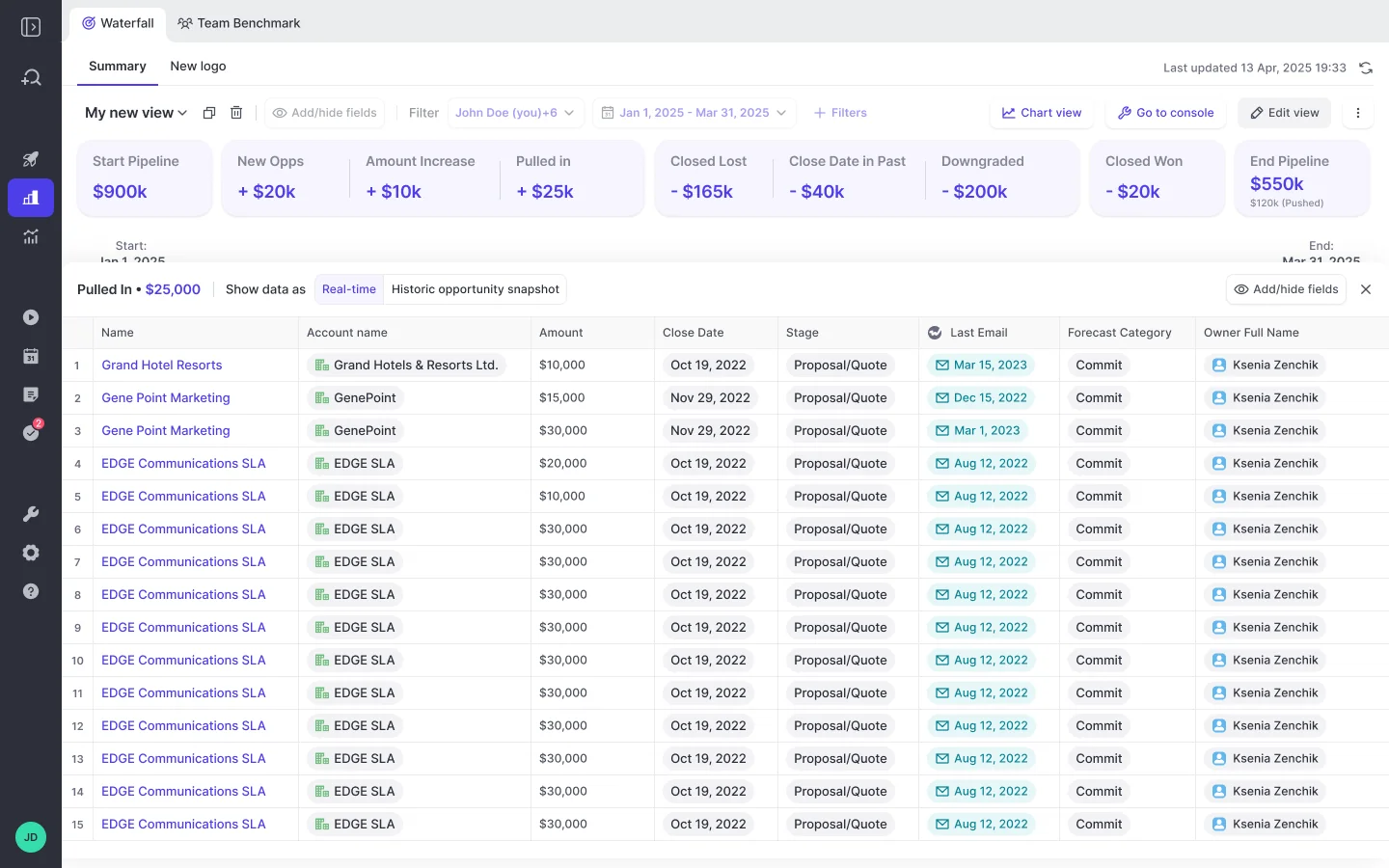
Yes, with two caveats you should plan around rather than discover. In practice the views teams actually use are the waterfall, the pacing view, and the same-day-last-quarter comparison, and all three have a home after the move.
| Clari view | What replaces it | What to know |
| Pipeline waterfall | Weflow waterfall, reconciling starting to ending pipeline through newly created, increased, moved in, moved out, lost, decreased, and won | Every bucket drills through to the actual opportunities with whatever fields the viewer cares about, and rows are editable inline with two-way Salesforce sync |
| Pacing view | Weflow pacing and coverage analytics, built from opportunity snapshots | Available out of the box, no warehouse build required |
| Same-day-last-quarter comparison | Weflow historic snapshot views | The hardest one to reproduce anywhere, because it needs stored pipeline state. History accrues from the day you switch snapshots on, which is why this is Step 2 and not Step 5 |
| Roll-up forecast and submissions | Weflow roll-up: baseline and best case, deal-by-deal or total, versioned, manager override, deadline locks | Submissions live in the Weflow app, not as Salesforce fields |
| Forecast accuracy tracking | Forecasted versus actual by rep and manager | Starts from your first cycle in Weflow, so run Step 6 inside the buffer to have one cycle on the board before Clari goes |
| Engagement timeline and activity signals | Weflow Activity & Contact Capture with opportunity-level mapping, plus 50+ deal signals and health scoring | Clari Capture maps server-side on email domain, which misattributes activity when an account carries several open opportunities. Weflow adds a rep-facing browser and Outlook extension so a rep can see and correct which record an activity mapped to |
| Copilot call library, trackers, coaching | Weflow Conversation Intelligence: unlimited recordings and transcripts, topics and trackers with historical crawl, clips and playlists, methodology scorecards | Adds AI field updates into Salesforce, which Copilot doesn't do. Free view-only licenses (up to one per recording license) mean product, CS, and enablement can watch calls without paid seats |
The two caveats, stated plainly:
- Comparison history starts at go-live. Snapshots build forward, not backward. Turn capture and snapshotting on as early as procurement allows so you have real quarter-over-quarter comparison by the time Clari's access ends.
- Roll-up submissions and targets live in the Weflow app. Everything else, activity, transcripts, summaries, AI field updates, opportunity edits, writes back into Salesforce objects. Forecasting is the exception. If you've mandated that reps live only in Salesforce, roll-up submission breaks that rule, and you should know it now. The weighted pipeline view and the AI projection still work for you, because both run off CRM data with no rep input.
Two smaller limits worth checking against your process: the roll-up sums the amount field on selected deals and doesn't apply stage-probability weighting unless the weighted value is itself the foundation field, and a forecast setup places the full opportunity amount into the single period its date field falls into, so it can't split one deal's amount across quarters. If you recognize revenue on delivery schedules, test that before go-live. And if your procurement requires FedRAMP, Weflow isn't certified, so stop here.
What happens to your historical Clari data
Most of what you're worried about losing was never trapped in Clari. Clari Capture writes activity into native Salesforce objects, so the record of what happened is already in the system you own and stays there when the contract ends.
Already yours in Salesforce, nothing to do:
- Captured emails and meetings on the objects they were written to
- Contacts and contact roles created during Clari's tenure
- Opportunity field history that Salesforce itself tracks
Export before your access ends:
- Forecast submission history and manager overrides held in Clari
- Clari's own pipeline snapshots and any waterfall period you'll want to reference
- Copilot recordings, transcripts, and call libraries your team still uses for onboarding
- Any executive deck built off Clari views, and the extract behind it
Starts fresh at go-live:
- Weflow's own opportunity snapshots, and therefore the waterfall and quarter-over-quarter comparison
- Forecast accuracy tracking, from your first submitted cycle
- Recording history and AI field updates, unless you backfill activity as an add-on
Put the export on the calendar in week one. It's the single item on this plan that becomes impossible the day the contract lapses.
What replacing Clari costs compared to renewing
The switch removes two cost lines, not one: the per-seat price and the implementation fee.
| Dimension | Clari | Weflow |
| Per seat, per month | Reported at $120 to $180, with regular increases | $19 to $79 depending on product or bundle |
| Packaging | Products not sold standalone | Activity & Contact Capture $19, Conversation Intelligence $39, Deal Intelligence & Forecasting $39. Bundles: Revenue AI Foundation $49, Revenue AI Business $59, Revenue AI Enterprise $79 |
| Implementation fees | Reported at $15,000 to $50,000 in professional services | None. Setup is 30 to 45 minutes with your Salesforce and workspace admins |
| How changes get made | Limited self-service, changes routed through professional services or customer success and billed | Self-serve admin console following your existing Salesforce permissions and config |
| AI usage | Quote-based | Seat-based with AI bundled in. Unlimited recordings, transcripts, and Ask Weflow AI prompts, no metering |
| Trial and evaluation | No free trial, no self-serve signup, pricing quote-only | 14-day free trial with guided onboarding |
| Commitment | Annual, quote-only | Annual billing, minimum 10 users. Free view-only licenses (up to one per recording license) included |
One number to run before you present this: Clari's per-seat cost falls sharply as seat count rises, so a small renewal is disproportionately expensive. If you were already planning to cut seats at renewal, the comparison gets worse for Clari, not better.
FAQ
How long does replacing Clari and Clari Copilot take?
The technical connection takes 30 to 45 minutes with a Salesforce admin and your Google Workspace or Microsoft 365 admin, and full time to value runs two to three weeks including AI template customization, forecast configuration, and team rollout. What governs the real length is rep count, how many waves you enable in, and the fact that you want a complete forecast cycle inside the window before Clari goes dark. Plan backward from the renewal date with go-live at least two weeks earlier, and start capture and snapshotting as early as procurement allows, because pipeline comparison history only accrues from the day it's switched on.
Can Weflow and Clari run in parallel without duplicate activity?
Yes, as long as only one capture engine writes to Salesforce. Clari reads activities from Salesforce, so Weflow can be the capture layer while Clari keeps producing the forecast during cutover, and Clari gets cleaner data than it had. Turning both captures on at once is the failure mode, and if Einstein Activity Capture is also in play, set its event sync to one direction only, from the calendar into Salesforce, or every meeting gets written twice.
Do Weflow forecast submissions appear as Salesforce fields?
No. Forecast submissions, targets, and roll-up data live in the Weflow application, while everything else Weflow produces, activity, transcripts, summaries, AI field updates, and opportunity edits, writes back into Salesforce objects. A team that mandates reps work only inside Salesforce can't use roll-up submission without breaking that rule, though the weighted pipeline view and the AI projection still work because both run off CRM data with no rep input. If you snapshot forecasts into a BI tool, you pull the roll-up out through the public API.
Who should own the Clari migration internally?
One named RevOps person, chosen before the contract is signed, with the sales leaders whose teams will use it involved in the evaluation. Rollouts bought by one function with no internal owner are the documented failure mode, and the symptom is licenses issued to everyone and adoption at zero years later. The owner's job isn't the technical setup, it's the pilot, the day-in-the-life demo, and the quick win that gives reps a reason to open the tool.
Is there a trial before committing, and what are the minimums?
Weflow offers a 14-day free trial with guided onboarding, which is enough to run a side-by-side against your current setup as long as you keep one capture engine writing to Salesforce during the test. Pricing is published, billing is annual, and the minimum is 10 users with free view-only licenses (up to one per recording license) included. Clari has no free trial and no self-serve signup, and its pricing is quote-only, which is worth noting when you're building a comparison your CFO has to sign.
See how Weflow captures activity, updates Salesforce fields from calls, and rolls up your forecast. Book a 30-minute demo.







