How to replace Gong and Einstein Activity Capture with Weflow
Learn how to replace Gong and Einstein Activity Capture with Weflow in Salesforce, step by step


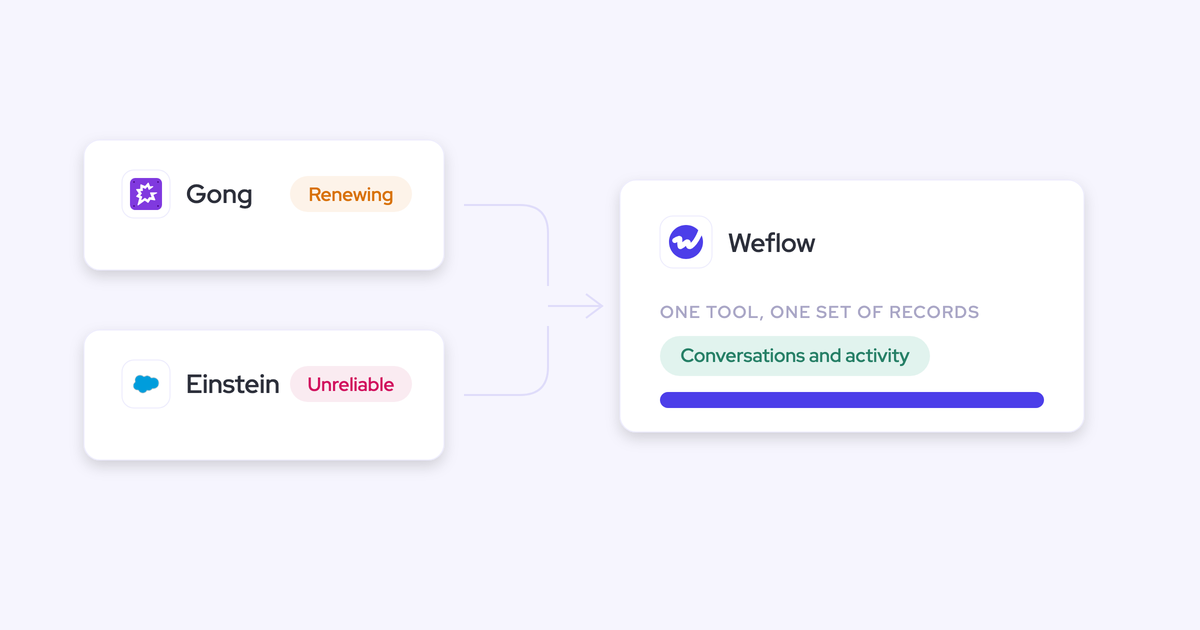

Replacing both tools at once is not a leap of faith. It's a sequence: one Einstein Activity Capture setting, one Gong API key, one historical backfill, and a decommission at the end. Do it in that order and you never run two capture engines against the same inbox without a dedupe rule in place.
What you end up with is the thing neither incumbent gives you today: every email, meeting, contact, and call transcript sitting in native Salesforce objects you own, which is what you need to be running deals out of Salesforce instead of out of two vendor systems. Weflow, a revenue AI orchestration platform built for Salesforce teams, is where the steps below land.
This is the migration, not the pitch. The exact settings, the parallel-run traps, the honest list of what you give up when Gong goes away.
What replacing Gong and EAC with Weflow looks like
At the end of the migration, one platform does both jobs. Weflow Activity & Contact Capture takes over email, meeting, and contact capture from Einstein Activity Capture, and Weflow Conversation Intelligence takes over recording, transcription, and call analysis from Gong.
Two contracts collapse into one line item. One capture layer writes to Salesforce. And your call history comes with you.
| Today: EAC plus Gong | After the switch |
| Einstein mirrors Outlook or Google into the activity timeline; reporting depth depends on how your org is configured | Emails and meetings written as EmailMessage, Task, and Event records you can query, report on, and use in Flows |
| Activity lands on the account when an account carries more than one open opportunity | Activity mapped to the opportunity, with reps able to see and correct the mapping from their mailbox |
| Contacts on the thread never make it into Salesforce, so the buying committee looks like one champion | Contacts created automatically against existing accounts, attached to the opportunity as contact roles |
| Recordings, transcripts, and call intelligence live in Gong's cloud | Transcripts, summaries, and AI field updates written into the Salesforce fields your team already tracks |
| Two renewal clocks, and a CFO who won't approve overlap | One seat-based contract, no platform fee, deployable to sales and CS |
| Cancel either tool and the history goes with it | Cancel and the native Salesforce records stay in your org |
Why EAC and Gong fail the same data ownership test
They fail on the same axis from opposite ends. Einstein Activity Capture captures into your Salesforce but maps badly. Gong maps conversations beautifully and keeps them in its own cloud.
Einstein's mapping problem is structural, not a bug. It leans on opportunity contact roles to decide which deal an email belongs to, and contact roles are one of the least maintained objects in any CRM. So the moment an account carries a new business deal, a renewal, and an upsell with the same contacts on all three, there's no one-to-one link to follow and the activity falls back to the account.
It also runs as pure background logging with no interface. The Salesforce Outlook and Gmail add-in is a separate service that isn't connected to it, so a wrong mapping stays wrong and the correction never teaches the matching anything.
Gong's problem is where the data lives. Gong does log activity to Salesforce, so that's not the reason teams leave. The reason is that recordings, transcripts, and the intelligence built on them sit in Gong's own graph, which means they can't trigger a Salesforce Flow, can't be read by an agent you build on your CRM, and don't survive the end of the contract.
Gong is getting all the data into Gong. If you ever stop using Gong, getting it back into Salesforce is not so easy.
One honest correction on the EAC side: Salesforce shipped an opt-in path to store captured email as Salesforce activity in the Summer '25 release and moved further toward native records around the start of 2026, and existing orgs have to actively migrate through Salesforce Support to get it. If your case against Einstein was only "it's not stored in Salesforce," that argument has an expiry date.
The durable failures are the other three: opportunity mapping, contact capture, and the absence of any place for a rep to fix what the algorithm got wrong. Storage was never the whole problem.
What you need before starting the migration
Nothing exotic. Gather these five things and you can run the whole sequence yourself.
- Salesforce admin access to install the managed package and connect an integration user. This is the 30 to 45 minute technical part of the whole project.
- Access to Einstein Activity Capture's configuration, because step one is changing its event sync direction. Removing users' Einstein permission is not a substitute and won't stop the duplicate loop.
- A Gong admin who can issue an API key. That key is the entire import mechanism for your recording history, so line the person up before you start rather than at the end.
- An inventory of every tool currently writing activity into Salesforce, sequencers included. Outreach, Salesloft, Apollo, a CS platform, a routing tool. This list is what compatibility mode gets configured against, and the tool nobody remembered is the one that produces duplicates.
- A recording consent decision agreed with legal before rollout: opt-out, opt-in, or manual. Guests ask about it first, so sellers need the answer on day one.
One more thing worth checking while you're in there: your Salesforce API consumption per integration user. The daily allowance is org-wide, not per tool, and when it's exhausted every integration degrades differently. One disconnects, one silently stops syncing, one won't let anyone log in. Knowing your baseline before you add a tool saves a week of blaming the wrong vendor.
The six-step migration from Gong and EAC to Weflow
The order matters more than the speed. You de-risk the parallel run first, land the new capture layer second, backfill, then migrate conversations, then decommission.
Run it in a different order and you'll spend your first two weeks reconciling duplicate meetings instead of checking whether capture works.
Step 1: set Einstein Activity Capture event sync to one direction
Change Einstein's event sync to one direction, from the mail and calendar system into Salesforce, before you switch anything else on.
Here's the mechanism. Left bidirectional, Einstein writes the event to Salesforce, pushes it back out to the calendar, and writes it to Salesforce again. Add a second capture tool writing the same meeting and you get two events per meeting, sometimes more.
Teams hit this and conclude the new tool is broken. It isn't. And two details catch people out:
- Removing the Einstein permission from users does not stop the loop. The setting is what stops it.
- Duplicates already written are not cleaned up automatically. They keep distorting activity metrics, which is how a rep shows thirteen meetings a week in one view and eight in another.
With the setting corrected, Weflow adds call summaries and codings onto the events Einstein already creates, so you don't have to switch Einstein off on day one to start.
Step 2: turn on Weflow capture with compatibility mode
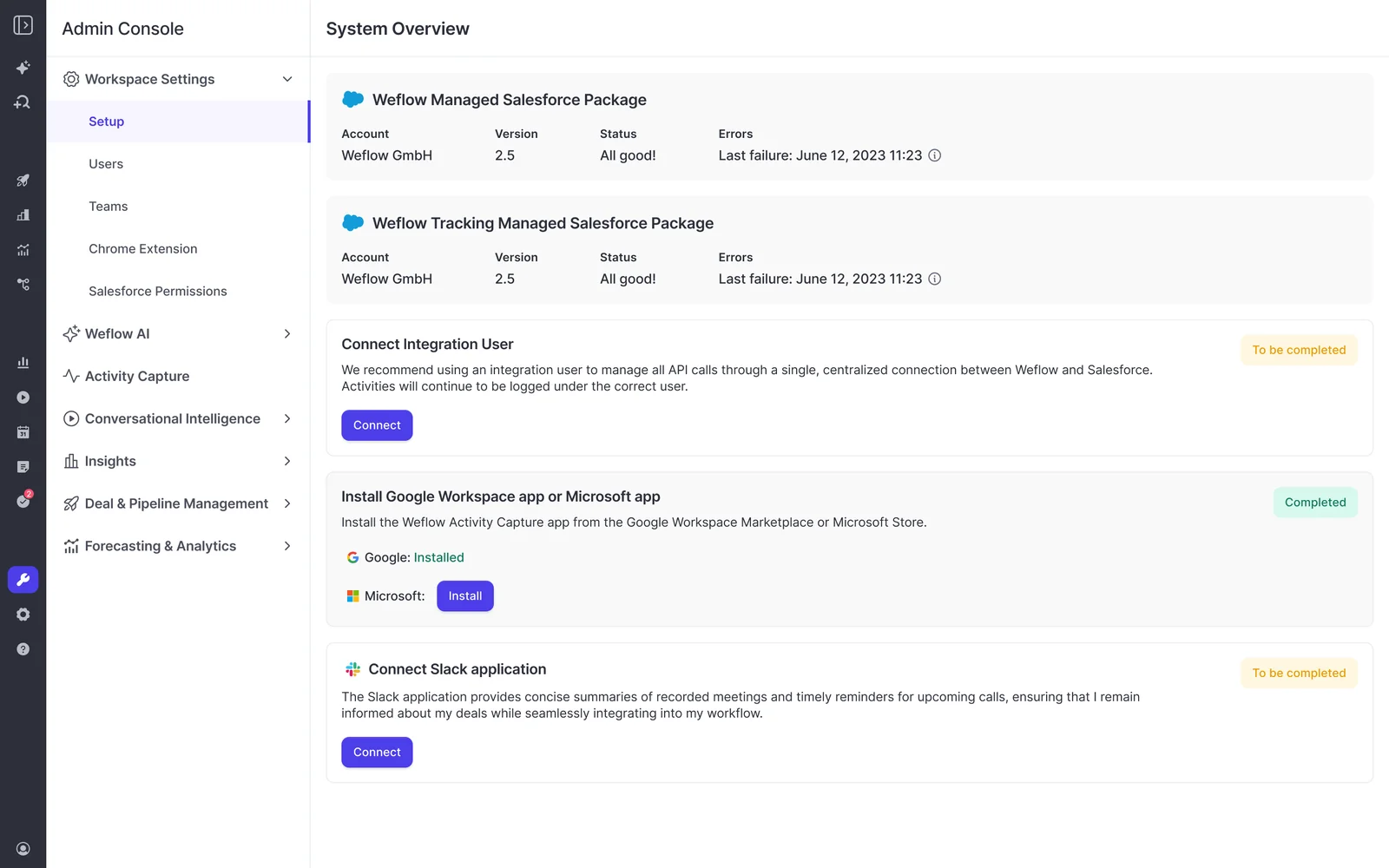
Now enable Weflow Activity & Contact Capture, and configure compatibility mode for every tool on your inventory list.
Compatibility mode is the part sellers tell us they haven't seen elsewhere. You name the other tool's sending domain, Weflow delays its own sync by roughly ten seconds, checks the message for that tool's tracking pattern, and skips it if it finds one. The sequencer claims the record, Weflow steps back. Named sequencers ship as presets.
Capture itself is configured per team, per user, and per object, and one workspace can run as many configurations as you have teams or regions. That's where you decide:
- Whether an email lands as an EmailMessage or a Task, which determines what you can report on later
- Whether attachments are stored, and above what size they're excluded
- Which internal domains and addresses never sync (the calendar resource addresses are the usual first entry)
- Whether contacts are created, and how many a single event may create, so a webinar invite doesn't write ninety nine contacts
- Custom rules that block logging against an entire Salesforce record based on any field, which is how regulated and B2C-adjacent accounts stay out of the data set

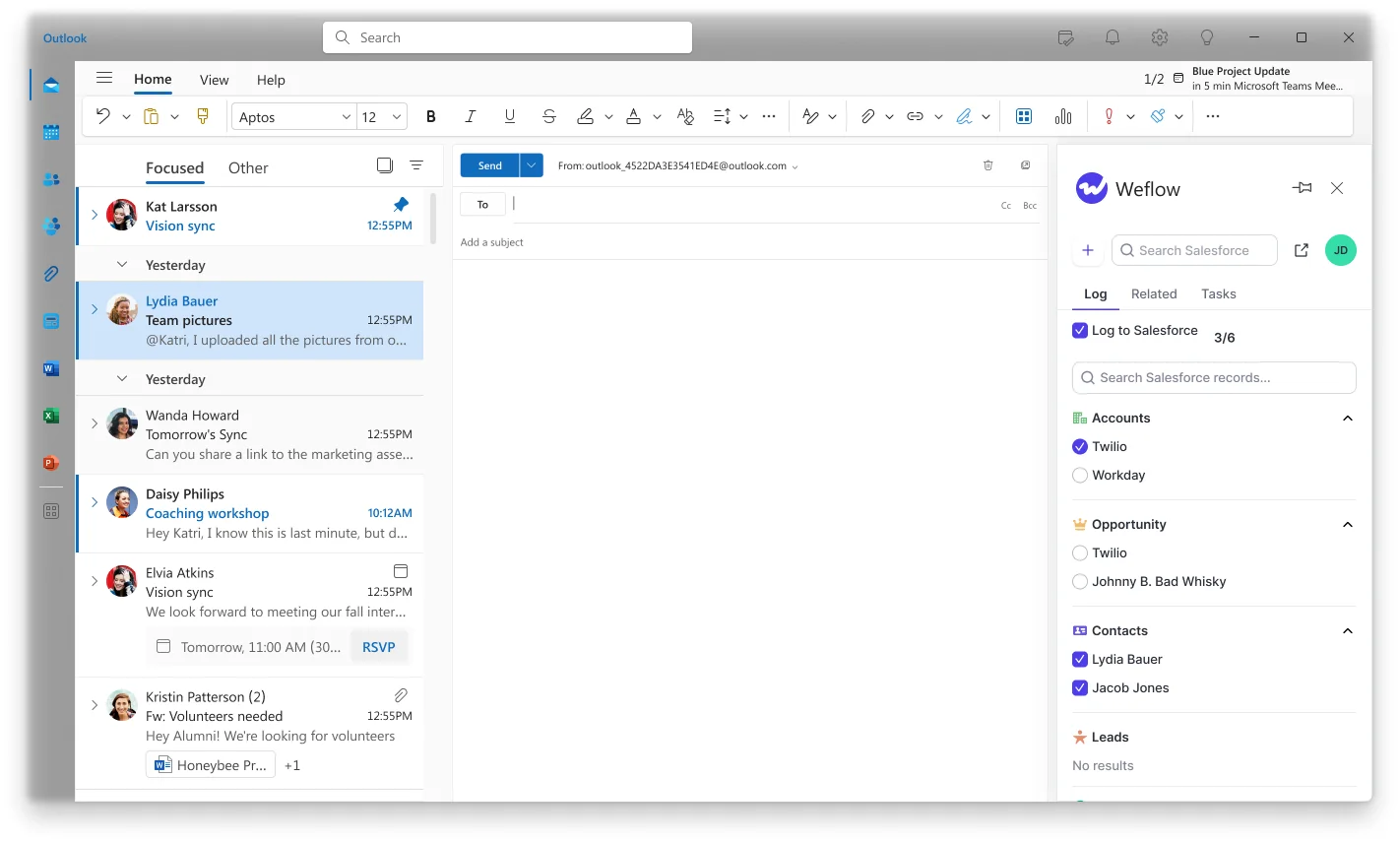
This step is also where Einstein's core failure gets replaced. Capture runs automatically in the background, and the browser extension and Outlook add-in show the rep which account, opportunity, and contacts an activity was mapped to, with the option to correct it.
Nobody solves the ambiguous case with a better algorithm. When the same contact holds a role on two open opportunities, there is nothing in the data that says which deal the email belongs to. The seller in the mailbox is the only one who knows, so give them one click to say so.
Step 3: backfill up to 24 months of activity history
The switch doesn't start your activity record from zero. Emails, meetings, and contacts backfill up to 24 months as standard, and up to three years on a custom scope.
That matters for more than tidiness. Any analysis of how many meetings it takes to close a deal, or which engagement patterns separate won from lost, needs history on both sides of the switch to be worth running.
And if something fails to sync during rollout, it isn't gone. A meeting or email that didn't map can be inspected, the rule corrected, and the record pushed into Salesforce later, whether it failed a week ago or a month ago. That recoverability is why you can enable teams in phases instead of flipping everyone at once.
Step 4: import your Gong recordings with an API key
This is the step everyone asks about first, so here is the whole of it: you hand over a Gong API key and Weflow does the import.
No manual export, no file uploads, no CSV wrangling by your team. Four things happen:
- You share the API key from your Gong admin account.
- Recordings and transcripts import on Weflow's side.
- Each recording is mapped to the right Salesforce record. Where the Salesforce association is retrievable through Gong's API, that data is used directly to attach the call to the correct account, opportunity, or contact. Where it isn't, a lookup service matches it, so nothing lands orphaned.
- The imported calls are reprocessed through Weflow's AI, so your archive gets the same summaries, field extraction, and scoring as calls recorded next week.
If no API key is available, a raw file export can work, but our team has to evaluate it first. The three-step migration itself is free.
Step 5: move call recording to Weflow Conversation Intelligence
New calls record through Weflow Conversation Intelligence, with the notetaker joining Zoom, Microsoft Teams, and Google Meet.
Set the consent flow before you tell reps anything else:
- Opt-out is what most customers pick. The meeting records by default, guests are told in the chat with a link to stop it, and the recording rate stays high.
- Opt-in requires every participant to accept first. Works one to one, breaks down in a group where one person forgets.
- Manual leaves the call to the seller in the room.
If someone opts out, the notetaker leaves and the recording, transcript, and notes are destroyed. A host can also remove the notetaker mid-call and everything up to that point is kept, which is how you record the working half of a meeting and leave the rest private.
One expectation to set inside your own team before rollout week: recording lives in Conversation Intelligence, not in Activity & Contact Capture. If you buy capture alone, no meetings get recorded. That's the single most common misread of the packaging, and it's why the Revenue AI Foundation bundle pairs the two.
What lands in Salesforce per call is where this stops being a like-for-like swap. Transcript and summary, yes, and then AI field updates written into the fields your deal reviews already read, including your methodology fields, whether you run MEDDIC, MEDDPICC, SPICED, BANT, or a framework you wrote yourself.
Step 6: switch off EAC and let the Gong contract lapse
Verify first, then decommission. Before you turn Einstein off, check four things against the parallel run:
- Emails and meetings appear once, not twice, for a sample of reps across every team you enabled
- Activity is landing on opportunities, not just accounts, on the accounts with several open deals
- Contacts and contact roles are being created on live opportunities
- Your own activity reports and any Flows reading captured activity return what you expect
Then switch Einstein off. That's the cleaner end state, and it makes the compatibility measures for Einstein unnecessary.
Gong you simply let lapse at renewal. The recordings and transcripts already live in Salesforce as native records against the right accounts and opportunities, so the exit costs you nothing. Which is the opposite of what leaving Gong normally means.
Duplication traps to avoid while both stacks still run
Every duplication mess during a capture migration has a specific cause. Here's the diagnostic to run when a rep's meeting count stops matching your report.
| Symptom | Cause | Fix |
| Two Event records per meeting | Einstein Activity Capture event sync still set to both directions | Set it to one direction, calendar into Salesforce. Then clean up the duplicates already written, because that doesn't happen on its own |
| The same sequenced email logged twice | Outreach, Salesloft, or Apollo logging outside compatibility mode | Add the tool's sending domain to compatibility mode so Weflow detects its tracking pattern and skips the message |
| One meeting appearing as a meeting and again as a recording | A notetaker and a capture tool both writing the same event as separate records | Keep one meeting activity and attach the summary and transcript to it. A recorded meeting is not a second meeting |
| Conflicting logging during an evaluation | Two capture tools trialed against the same inbox at the same time | Disable one, or run the other in compatibility mode. Otherwise you're testing the collision, not the product |
| Emails logged as Tasks in one place and EmailMessage in another | Different tools mapping to different objects with different logic | Decide the object per team in one place and treat capture as a single infrastructure layer, the way you treat telephony |
| No meetings recorded after go-live | Capture was bought without Conversation Intelligence | Recording sits in Conversation Intelligence. Check the packaging before rollout week, not during it |
| Post-sale funnel still dark | CS and account management left off the capture layer | Enable every customer-facing team. Leaving CS out rebuilds the fragmented funnel the consolidation was supposed to end |
What you gain and lose when leaving Gong and EAC
Gong invented this category and still has the deepest conversation analytics in it. If that depth is genuinely why you bought it, weigh this section carefully rather than skimming it.
| What you gain | What you give up |
| Emails, meetings, contacts, transcripts, and AI field values stored as native Salesforce records that stay in your org after cancellation | Gong's conversation analytics depth, including methodology summaries aggregated across every call on an account rather than call by call |
| Opportunity-level mapping that a rep can see and correct from Outlook or the browser, instead of a background match nobody can fix | Salesforce only. If a second CRM is anywhere in your roadmap, Weflow is not the answer |
| Automatic contact creation and opportunity contact roles, so multi-threading becomes a reportable fact instead of a claim | No VoIP or phone-call capture, so a phone-heavy motion stays partly uncovered by the capture layer |
| Captured activity that Salesforce Flows can read and trigger on, plus exports into Looker, Tableau, or Power BI | Some of the EAC gap narrows over time: Salesforce moved toward native activity records around early 2026, so build your case on mapping, contact capture, and reportability |
| AI field updates and coaching scorecards written into the fields your reviews already use, not into a scorecard only your vendor can see | No sales engagement. No sequences, no cadences, no dialer, so keep Outreach or Salesloft and run compatibility mode |
| Coverage for every customer-facing team, including CS, on one capture layer | Forecast submissions and roll-ups live in the Weflow application rather than as Salesforce fields, if you ever expand into forecasting |
What one Weflow contract costs versus Gong plus EAC
The number your CFO wants is per seat, per year, with the add-ons included. Here it is.
| Line item | Gong | Weflow |
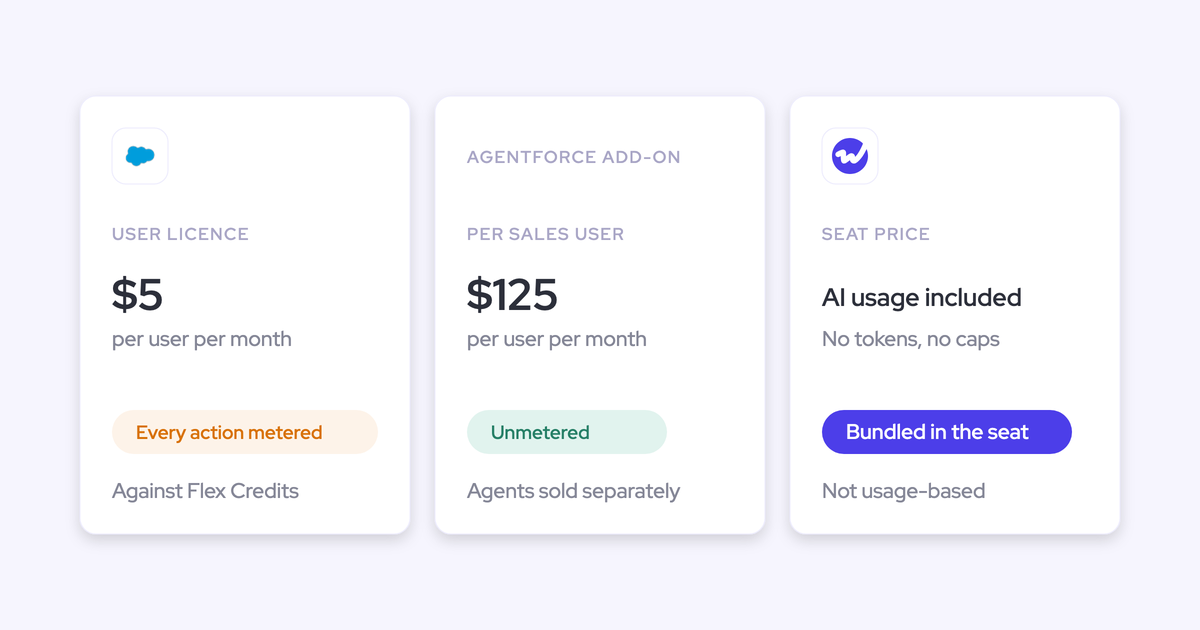
| Per-seat license | About $1,600 per seat per year for the Gong Foundation tier | Activity & Contact Capture $19 per user per month, Conversation Intelligence $39, or the Revenue AI Foundation bundle at $49 covering both |
| Platform fee | $5,000 per year Platform Access, before any seat | None |
| Coaching and forecasting depth | Paid add-ons: Enable Essentials and Forecast Essentials around $300 per seat per year each, the fuller Engage and Forecast tiers around $800 each | AI coaching scorecards and AI field updates included in Conversation Intelligence; Deal Intelligence & Forecasting is $39 if you want it |
| Getting the data into a warehouse | Data Cloud add-on, around $5,000 per year | The data is already in your Salesforce, so your existing pipeline reads it |
| AI usage | Varies by tier and add-on | Seat-based, with recordings, transcripts, AI templates and Ask Weflow AI prompts included, no metering |
Einstein Activity Capture isn't the line item you're cutting. Its cost shows up as admin time, support tickets, and reporting you can't build.
Now the question every RevOps leader asks next: what's missing at roughly half the price?
The honest answer is when the product was built, not what it does. Gong set its pricing when transcription was genuinely expensive, and that price level is now held up by growth expectations against a high valuation. The same capability costs materially less to build today. That's a cost-base difference, not a thinner product, and the way to test it is a side-by-side trial rather than taking our word for it.
The practical consequence matters more than the saving. Gong's per-seat cost pushes teams into partial coverage, so CS and account management routinely go without it. At $19 to $49 a seat with free view-only licenses (up to one per recording license) on top, you can put every customer-facing team on the same capture layer, which is the only way full-funnel reporting ever works.
I don't care about Gong. I care about making sure our tool stack is fair, fit for purpose, value for the price.
FAQ: replacing Gong and Einstein Activity Capture with Weflow
How long does the migration from Gong and EAC take?
The technical install is 30 to 45 minutes with a Salesforce admin and your Google Workspace or Microsoft admin. One customer had the managed package installed and syncing in under an hour. Capture typically goes live in two to three weeks, most of which is configuration decisions rather than engineering, and full time to value including template customization and team rollout runs two to three weeks. Because failed syncs can be recovered and pushed in later, you can phase teams without leaving a permanent hole in the activity history.
Do I lose my Gong call recordings and transcripts?
No. You share a Gong API key, Weflow imports the recordings and transcripts with no manual export, maps each one to the right Salesforce account, opportunity, or contact, and reprocesses them through its own AI. The three-step migration is free. Once it's done, the history sits in your Salesforce as native records, which is more ownership than it had inside Gong.
Can I start with capture while locked into a Gong renewal?
Yes, and it's the sequence we'd recommend anyway. The products are modular, so start with Activity & Contact Capture at $19 per user per month, the line item you don't already own, and add Conversation Intelligence when the Gong renewal comes up. A CFO won't approve two contracts covering the same job, so don't ask them to. Capture is also the right first move technically, because everything downstream is only as good as the activity data feeding it.
Does Weflow respect Salesforce permissions and field-level security?
Yes, and there's no way to bypass it. The only way to sign in to Weflow is through your Salesforce authentication, using OAuth and whatever SSO your org already enforces, with no email and password option. Deactivating a user in Salesforce removes their Weflow access immediately, so joiners and leavers stay a Salesforce process. Queries and writes inherit that user's Salesforce permissions, and field updates respect validation rules, field dependencies, and role hierarchy.
What is Weflow's security and compliance posture?
Weflow is SOC 2 Type II certified and GDPR, HIPAA, and CCPA compliant, with selectable EU, US, and APAC data residency, TLS 1.2+ in transit and AES-256 at rest. Customer data is never used to train AI models, and there's zero data retention for AI processing. Procurement usually also wants the 48-hour breach notification commitment, the DPA with EU Standard Contractual Clauses, and the public sub-processor list with advance change notice. Two honest gaps: ISO 27001 is in progress, not certified, and Weflow is not FedRAMP, so US government contractors who require it are not a fit.
Does Weflow capture phone calls made through a dialer?
No. Weflow has no VoIP or phone-call capture today, so if a large share of your customer conversations happen on the phone, that part of the picture stays outside the capture layer. In practice telephony providers ship their own deep Salesforce integrations that log calls out of the box, which is why capture work in Salesforce concentrates on email and meetings, where no vendor owns it by default. Keep the dialer's integration doing that job.
See how Weflow captures activity, updates Salesforce fields from calls, and rolls up your forecast. Book a 30-minute demo.