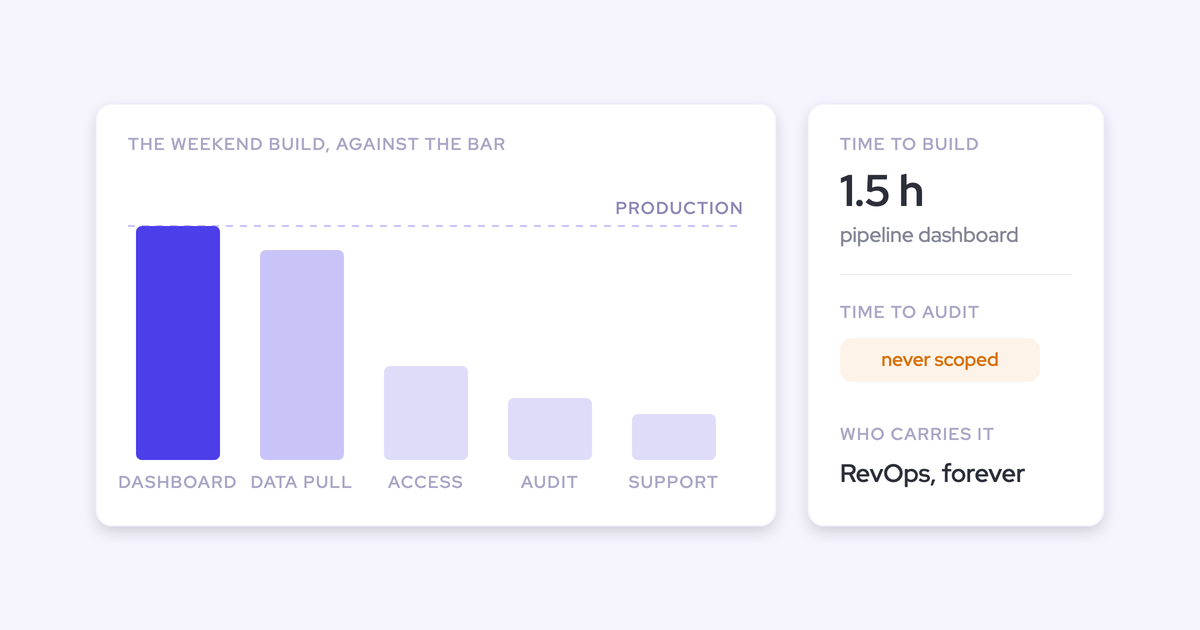
You've stopped opening the dashboard RevOps built for you, and that's a reasonable call. So the real decision is how revenue reporting reaches you instead: a scheduled PDF, a digest in email or Slack, or asking an AI assistant directly.
Here's what we recommend:
- Keep one deep weekly forecast review.
- Push everything else as a short digest that links back into the live data.
- Use a scheduled PDF where the board or exec team needs a pre-read.
- Give the technical exec governed access to the forecast from their own assistant.
All four come down to one requirement. Every report you read triggers a second question, and the only path that holds up is the one where you can ask that follow-up against the same data without routing it back to a person.
Weflow is the Revenue AI Orchestration platform for sales, customer success, and RevOps teams. That second question is why every digest our agents send carries a link into Ask Weflow AI.
Executive revenue reporting splits into one review and pushed updates
Your week as a revenue leader has two parts. One deep forecast review where you go deal by deal, and the rest of the week, where you want to be told what changed.
Right now, that daily part usually reaches you through a workaround:
- Someone exports the forecast every week and reformats it into an email for the exec team and the board.
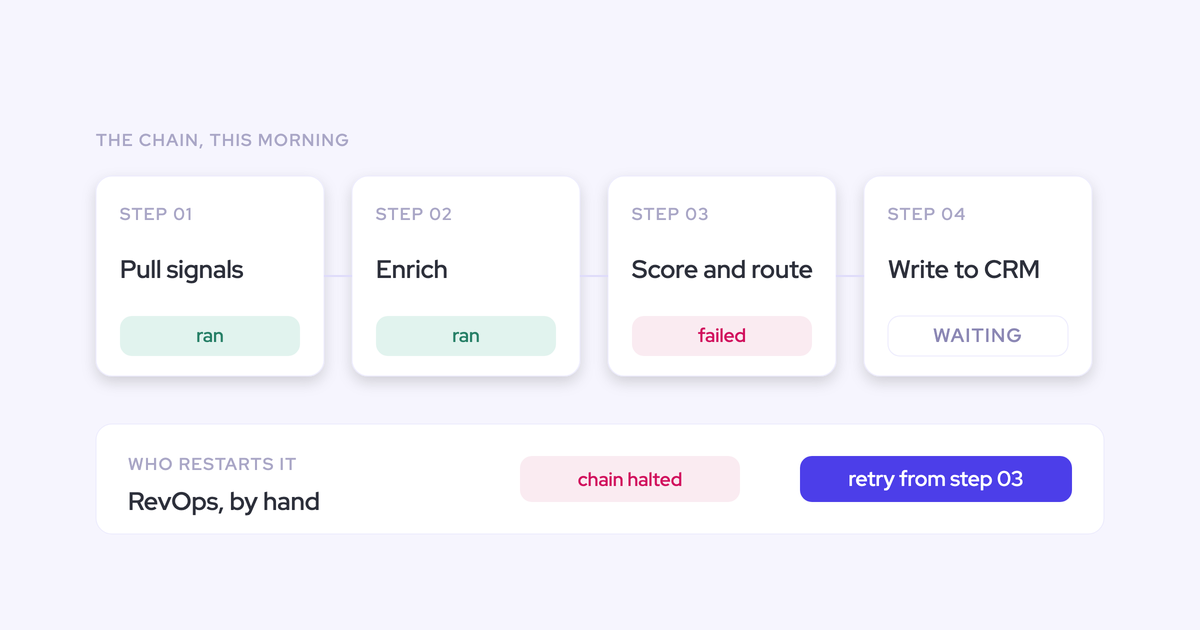
- You ask a person to pull a number, and the answer waits behind everything else on their list.
- You, or your CEO, point Claude at an API and pull the data yourselves.
Each workaround is an early version of the three paths this guide compares: the scheduled PDF, the pushed digest, and asking AI directly. The question is which one should carry the part of your week that isn't the review.
Four questions executives ask of every revenue report
Any report that reaches you has to answer four questions. You can test every delivery path against them.
- Is this current? You should be able to tell when the data was read and whether the targets are this quarter's. If you can't tell whether it refreshed, you won't act on it.
- Where did the number come from? You should be able to trace a number to the deals behind it before you repeat it to the board. This is the trust gate, and a report that fails it gets ignored.
- What do I do? The report should name the deals and reps that need your attention this week, with a reason. A chart you have to interpret yourself doesn't count.
- Can I ask the next question without asking a person? When the report says "we're short", you should be able to walk that down to a segment or a cause yourself.
The fourth question is the one most paths fail.
Scheduled PDF vs daily digest vs AI questions, side by side
Each path fails differently. The PDF can't take the follow-up, the digest depends on reaching the right channel with a sharp read, and raw AI questions drift on definitions and widen security exposure.
| Question | Human-reformatted weekly email (today's default) | Scheduled PDF | Daily digest in email or Slack | Asking an AI assistant directly |
|---|---|---|---|---|
| Is this current? | As of whenever someone ran the export, often days old by the time you read it | As of the scheduled run, fixed from then on | As of this morning's run | Live at the moment you ask |
| Where did the number come from? | A spreadsheet one step away from the CRM, so the board version and CRM version drift apart | Traceable only if the document lists the deals behind each figure | Deals named in each line, with a link through to the detail | Depends on the connection; a raw CRM connection guesses at your fields and hierarchy |
| What do I do? | As good as the person writing it that week | A narrative that fits a pre-read | A three-point headline plus the deals at risk and why | Whatever you thought to ask |
| Can I ask the next question without a person? | No, it goes back to whoever wrote it | No, a document can't take a follow-up | Yes, if each line links back into the live data | Yes, that's the point of it |
| Typical failure mode | Skilled hours burned every cycle, numbers drifting from the CRM | Static, so every second question returns to RevOps | Lands in a channel nobody opens, or says something generic enough to mute | Everyone's version of the number differs; open connectors widen security exposure |
| Best audience | Nobody long-term; it's the baseline you're replacing | CEO and board pre-read | Exec team, daily | The technical exec whose question changes every week |
When a scheduled Monday forecast PDF is the right call
Use the PDF as the board and exec pre-read
Yes, the Monday PDF has a legitimate place. Exec and board audiences prefer a narrative, and a pre-read lets you set the story before the meeting starts.
"When you're talking with Exec and with our CEO, it's very difficult to go direct into solution because it's better to have a narrative. So you try to pre read, to pre write everything."
A PDF also holds its shape when it's forwarded. Your CEO can send it to a board member and it reads the same on any device. That alone makes it the right format for the board pack.
A static PDF can't answer the follow-up question
The PDF breaks the moment you have a second question, and you almost always do. Why did that deal slip? Which segment is short? A document can't answer either.
So the question goes back to a person, and you're queuing behind RevOps again. Use the PDF for the pre-read and don't expect it to carry the rest of your week.
When a daily sales digest in email or Slack works
Build the digest around a three-point headline and drill-in
The digest that works is the one-minute morning email.
A good digest contains:
- a three-point headline you can read in the time it takes to open it;
- the deals that need action, each with the reason it's at risk;
- one line per item, each linking through to the detail;
- a pre-written next step where one applies.
It leaves out:
- per-event alerts, which you'll mute within a week;
- charts you have to interpret yourself;
- every deal in the pipeline, when only five need you;
- numbers with no deals behind them.
Check whether your company runs Slack or Microsoft Teams
Chat delivery only works if it lands where your people already are. A digest posted to Slack in a company that runs Microsoft Teams reaches nobody, and the tool gets judged as low value when what failed was delivery.
If you're a Teams-only org, settle channel reach before you pick this path. Email works everywhere, so it's the fallback that never fails on reach.
Generic AI interpretation turns a digest into noise
Pulling the data is the easy part. Interpreting it for your company is where digests fail.
A digest that says what could be true of any company gets muted. It needs your definitions: what an opportunity means here, how long your cycle runs, who your rivals are. Without them, the output isn't wrong so much as unusable.
When asking Claude or ChatGPT about pipeline directly works
Technical executives already pull revenue data into Claude themselves
Asking AI directly works for the exec whose question changes every week. That question will never be on a dashboard, and building a view for each one would consume the whole RevOps roadmap.
For that exec, whether revenue data can leave a tool in a shape a model can use is a personal requirement. It stopped being an IT checkbox the day board prep waited three days for an answer.
A raw CRM connection guesses at your definitions
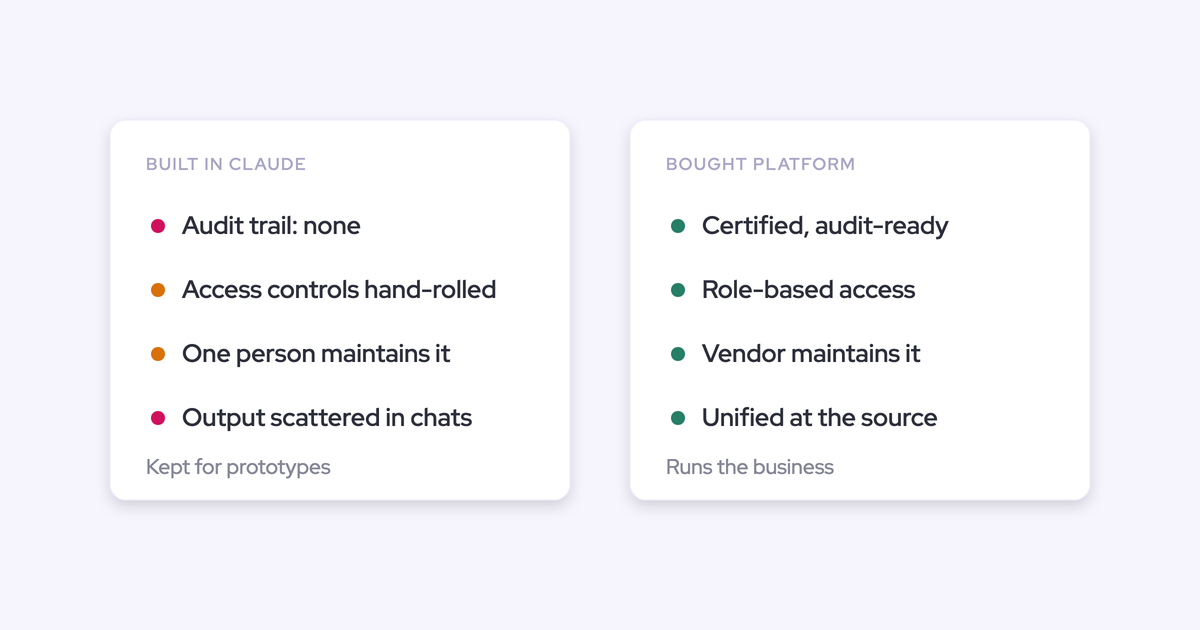
A direct CRM connection infers your fields and your hierarchy, and it gets some of them wrong. Kluster makes this argument well: Claude connected straight to a CRM gives almost-right answers, because it guesses at fiscal calendar, forecast categories, revenue streams and reporting lines.
Almost-right is the dangerous kind of wrong in front of a board.
There's a second problem. Self-serve AI without shared definitions recreates the self-serve BI mess. Everyone builds their own version of win rate or coverage, then asks RevOps why the numbers disagree.
An open CRM connector widens your security exposure
Connectors carry real risk.
Other security teams won't point revenue data at any vendor-hosted connector. They run their own Model Context Protocol (MCP) server inside their boundary and use an API key instead.
Either way, the requirement is the same: read-only access that an admin controls and can see.
We recommend digests that can take the second question
Keep one deep weekly review, and push the rest as a digest that links back into the live data. That way the follow-up question never returns to RevOps.
Measured against the four questions, the reasoning goes like this:
- The digest is current as of its morning run.
- It names the deals behind each line, so you can trace a number before you repeat it.
- It tells you where to spend your time.
- If each line opens into the same data the digest read, it answers the fourth question too.
The PDF and direct AI questions each pass two or three of the four. The linked digest is the only path that can pass all four.
You don't have to pick only one. The paths run well together as long as they read one set of definitions. Janis, our CEO, put the split this way:
"The orchestration layer will continue to be RevOps and the interaction layer will be chat, whether that's in Slack, in a tool, or in email."
— Janis Zech, Co-founder and CEO, Weflow
RevOps designs the system once. Each audience gets the format that fits how they read.
| Audience | Path | Why |
|---|---|---|
| CEO and board | Scheduled PDF pre-read | Narrative format that holds its shape when forwarded |
| Exec team | Daily digest in email or Slack with drill-in | One-minute read, deals named, follow-up without a person |
| Technical exec | Governed access from their own AI assistant | Their question changes weekly and won't be on any report |
| Frontline managers | Weekly digest before the forecast call | The deals at risk in their pipeline, prepared before the review |
How Weflow runs digests, PDFs and AI questions on one dataset
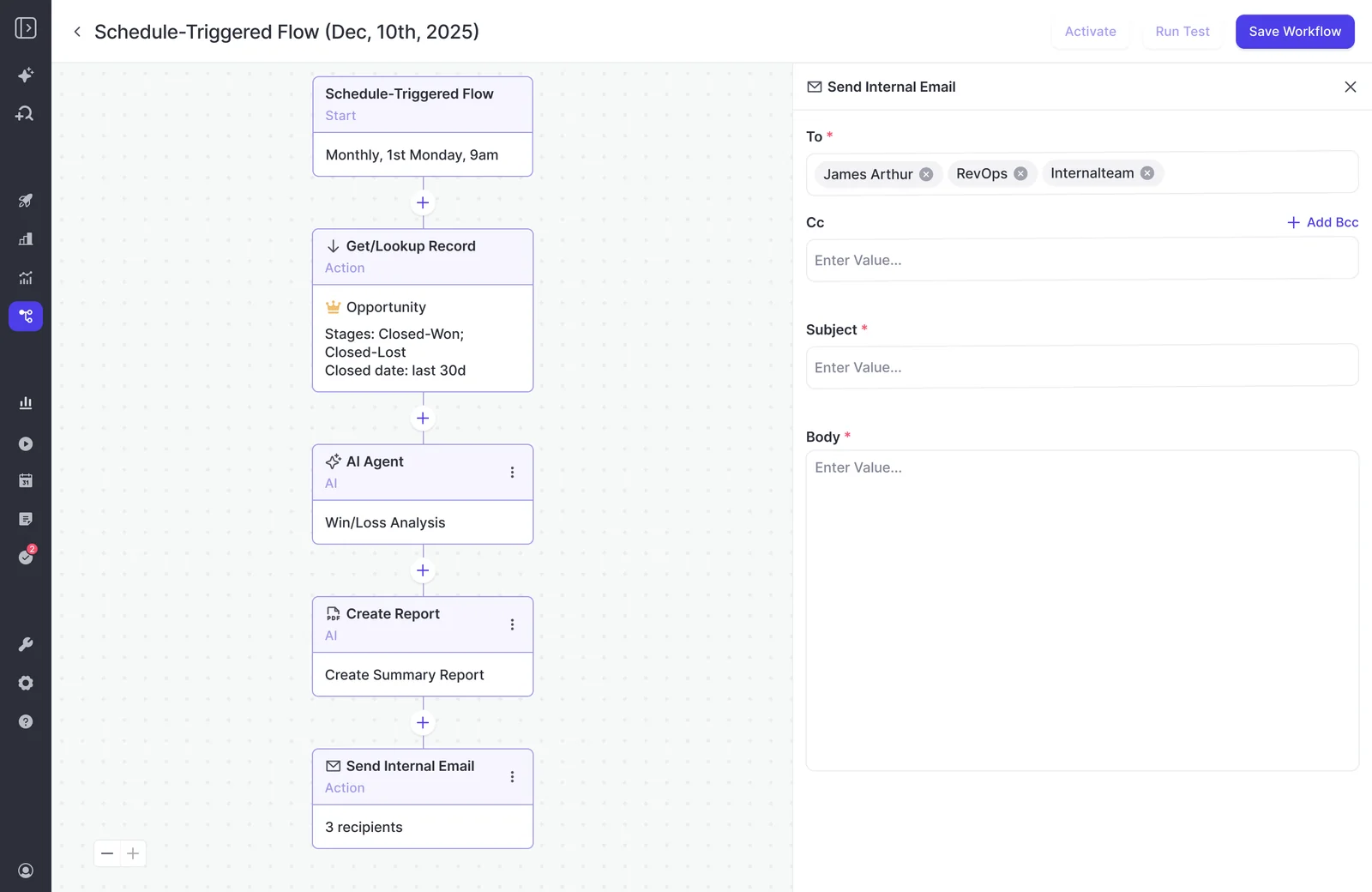
Agent Builder sends the digest and the PDF on a schedule
One Weflow Agent Builder agent covers both the digest and the PDF. You set the day, time and timezone it runs, and it does the rest:
- A lookup reads Salesforce accounts, contacts, leads or opportunities with field-level filters. It reads live, so a change made a minute ago is in the run.
- The agent step reads the activity, emails, calls and transcripts attached to those records. That's how the digest says why a deal is at risk, instead of only that a field changed.
- Delivery goes to email or a Slack channel, with an optional PDF or CSV attached.
Agent Builder ships three starter templates: a pipeline snapshot, a meeting recap bundle and a deal risk PDF. Two plays fit executive reporting best:
- the Monday morning pipeline pass, which names the deals needing action and pre-writes the follow-up;
- the weekly risk scan before the forecast call.
Ask Weflow AI picks up the follow-up from the digest
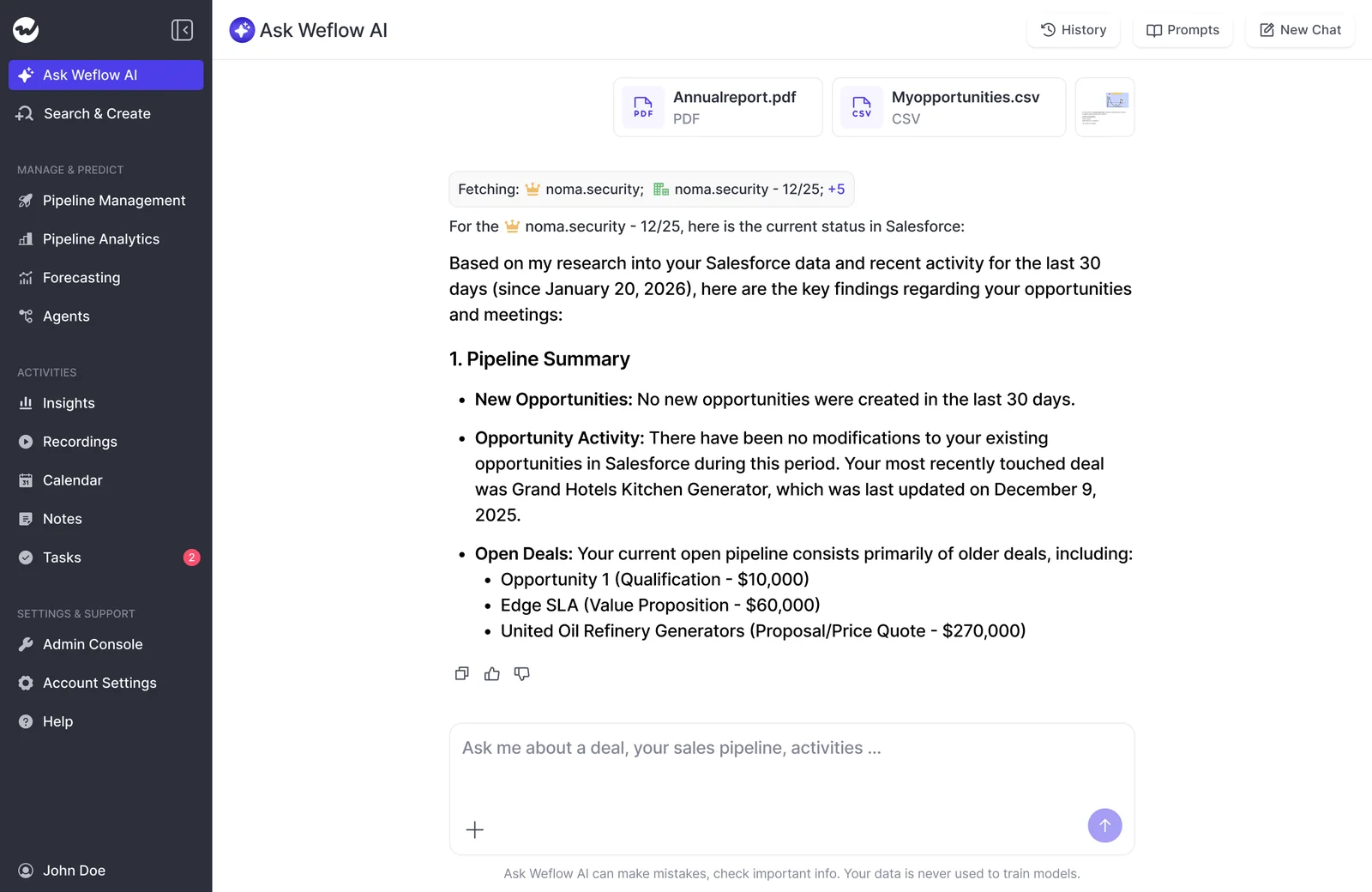
Every result a Weflow agent sends by email or Slack carries a link back into Ask Weflow AI, against the same data the agent read. You click, ask why the Acme deal slipped, and get the answer without messaging anyone.
This is how a Weflow digest answers the fourth question. A static document can't take a follow-up. A report generated in a general assistant usually lands with someone who has no access to the data underneath it.
The link back also helps with the trust gate. Scott Jones at KORE Wireless described it this way:
"I love being able to go right to the call, transcript or email and see where something was said that the AI is referencing."
— Scott Jones, SVP of GTM Revenue Intelligence & Enablement, KORE Wireless
The Weflow MCP connector puts your forecast inside Claude or ChatGPT
For the exec who lives in Claude or ChatGPT, the Weflow MCP connector gives read-only access to forecast data no Salesforce connector can see. Forecast calls, submissions and targets live in Weflow rather than in Salesforce objects.
For a close-date period, scoped to you or your team, the connector returns:
- the most recently submitted forecast call next to the live pipeline total, and the delta between them;
- targets, where your admin has configured them;
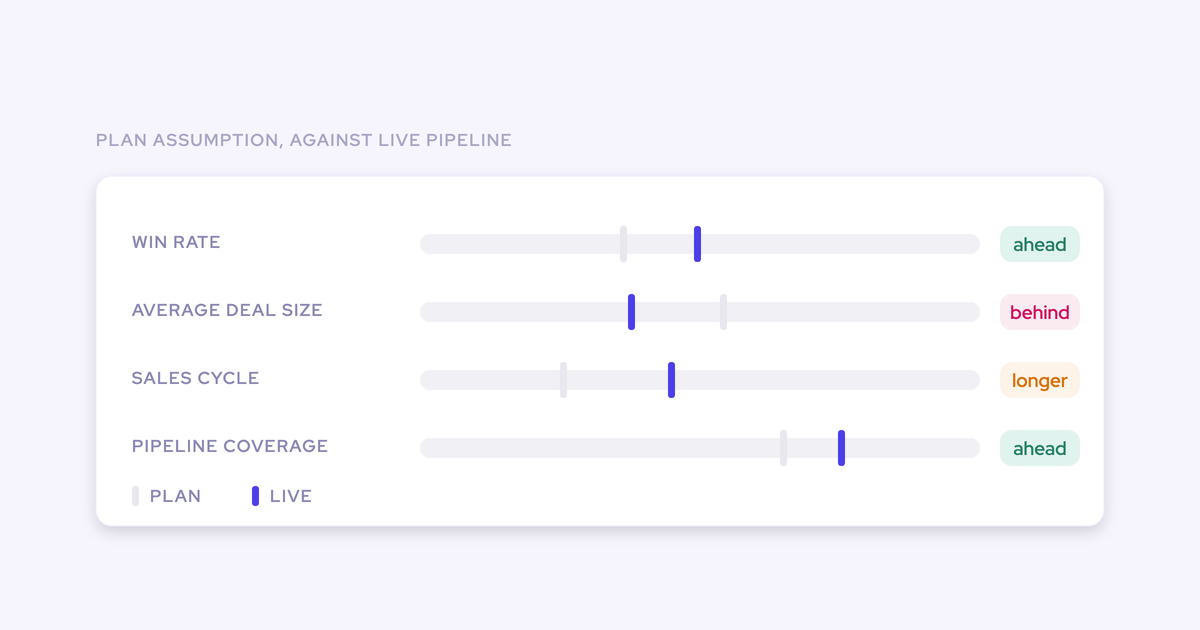
- pipeline weighted and unweighted, coverage, gap to forecast, win rate and sales cycle length;
- the opportunity IDs behind those numbers.
Those IDs let you see where a number came from. The breakdown also follows the forecast categories your team uses, so the assistant answers in the language of your forecast calls.
Governance sits with your admin:
- The admin switches the connector on per workspace.
- A separate toggle decides whether assistants read full call transcripts or only AI summaries.
- The admin console lists every connected user with their email and the date they connected.
How to make sure the CEO's first AI report is right
Run the agent on yourself before adding the CEO
Your CEO's first AI report is a one-shot credibility event.
In Weflow, a test run shows the agent's output in Ask Weflow AI before anyone receives it. RevOps can run it for a cycle, tune the prompt, and only then add senior recipients.
Tell Weflow AI what your objects and fields mean
Generic interpretation is a context problem, so fix the context. In the admin console, Context and Sources lets your admin choose which Salesforce objects Weflow AI may read.
The Object Context and Field Context tabs let the admin tell the AI what an object and a field mean, rather than leaving it to guess.
Treat the starter template prompts as a first draft. They're deliberately basic and meant to be rewritten with your vocabulary, your cycle length and your competitors.
Narrow the record lookup before the prompt runs
A lookup scoped by object, stage and date window is what turns an unusable report into a useful one. Run without it, a prompt that works well in chat returns an empty or unusable report from the agent. The model doesn't know what to focus on.
Narrowing the lookup also cuts consumption, so a well-scoped agent is cheaper to run on a schedule. Starting from a template puts that lookup step in by default.
Keep agent design with RevOps, the way report design already sits there. A handful of well-scoped agents beats every leader building their own.
The rollout order we'd follow:
- Start from a template, and scope the lookup to the deals the exec cares about.
- Fill in Context and Sources with your object and field definitions.
- Rewrite the template prompt in your own vocabulary.
- Test-run the agent and read the output in Ask Weflow AI.
- Send it to yourself for a full cycle and tune.
- Add the exec team, then the CEO.
Where Weflow executive reporting falls short today
Gaps in Weflow agent delivery and Salesforce reporting
- Agent delivery is email and Slack only. Microsoft Teams delivery is in development.
- Agents run on a schedule, so they're briefings, not real-time alerts. A deal that slips on Tuesday shows up at the next run.
- Insights charts can't be scheduled. Agent output is text plus an optional PDF or CSV.
- Forecast submissions aren't written to any Salesforce field, and deal warnings are Weflow fields. Neither reaches Salesforce dashboards or a BI tool, so a board pack built in Power BI or Salesforce won't show them.
- The MCP connector caps per-rep breakdowns at 25 owners, so a large org gets aggregate answers unless the question is narrowed to a team.
- "Team" scope on the MCP connector resolves to every active user in the company if no reporting hierarchy is configured.
- The MCP connector returns no email content and no Salesforce field values. To get both in one chat, pair it with Salesforce's own MCP server.
- No exec can submit or adjust a forecast from a phone or chat tool. Submission happens in the web app.
When a finance forecasting tool or in-house MCP fits better
If your board fight is about recognized revenue, run rate and provisions, a finance-side forecasting tool fits better than Weflow. Kluster forecasts recognized revenue alongside bookings and positions itself as the forecast system of record for RevOps and finance. For that argument, it's built for exactly the question your board is asking.
If your security team requires an MCP server inside your own boundary, use the API-key route. Your team builds the server, and the data never passes through a vendor-hosted connector.
What Weflow Agent Builder and Ask Weflow AI cost
Ask Weflow AI Pro and Agent Builder Free, with 25 agent actions a month, come with every Weflow plan and bundle. Paid Agent Builder tiers are priced per workspace, not per executive, so adding the CEO to a digest doesn't add a seat cost.
| Tier | Agent actions per month | Price |
|---|---|---|
| Free | 25 | Included in every plan |
| Growth | 500 | $299 per month |
| Scale | 2,500 | $999 per month |
| Enterprise | Custom | Custom package |
Forecast data lives in Weflow Deal Intelligence & Forecasting ($39 per user per month), which Revenue AI Enterprise ($79 per user per month) includes. Revenue AI Foundation ($49) and Revenue AI Business ($59) also include Ask Weflow AI Pro and Agent Builder Free. All plans are billed annually with a 10-user minimum.
As we price it today, using the MCP connector or the API outside Agent Builder doesn't consume agent actions. Only actions run inside Agent Builder are metered.
If you'd rather see the digest and the follow-up than read about them, walk through the product yourself, no call required.
FAQ: executive revenue reporting with digests, PDFs and AI
Can I run a Monday PDF, a daily digest and AI questions together?
Yes. In Weflow, Agent Builder sends both the scheduled PDF and the daily digest, Ask Weflow AI takes the follow-up from either, and the MCP connector gives the technical exec access from Claude or ChatGPT. All three read the same Weflow data.
Does every executive need a paid Weflow seat to open digest links?
Every Weflow plan includes unlimited view-only licenses at no extra cost. They let leaders review recordings, summaries, transcripts, pipeline views and analytics without a paid seat.
Does Weflow deliver executive digests to Microsoft Teams?
Not yet. Weflow agents deliver to email and Slack today, and Microsoft Teams delivery is in development. A Teams-only company can use email delivery in the meantime.
What happens when a big deal slips between scheduled digests?
Weflow agents run on a time schedule, so a slipping deal shows up in the next scheduled run. If you need a faster read, run the digest daily rather than weekly.
How do I know the digest number matches the board deck?
A Weflow digest, Ask Weflow AI and the MCP connector all read the same data, so they agree with each other. Weflow forecast submissions aren't written to Salesforce, though. A board deck built from Salesforce or a BI tool won't contain the submitted forecast unless your team pulls it out through the Weflow API. For recognized revenue and run-rate numbers, a finance-side forecasting tool is the better source.
What can Claude see through the Weflow MCP connector, and who controls it?
Through the Weflow MCP connector, Claude or ChatGPT can read playbook results, call summaries, transcripts, forecast calls and pipeline metrics, with the opportunity IDs behind them. The connector is read-only. An admin switches it on per workspace, decides whether assistants see full transcripts or only summaries, and sees every connected user in the admin console.
Will Weflow forecasts and deal warnings appear in Salesforce dashboards or BI?
No. Weflow forecast submissions aren't written to Salesforce fields, and deal warnings are Weflow fields, marked with a W in the interface. Captured activity and transcripts do land in native Salesforce objects and are reportable there.
Who builds and maintains the agent prompts, and how much RevOps time does it take?
RevOps builds and owns Weflow agents centrally, the same way it owns report design. Starting from a template gives you a scoped lookup by default. Most of the work sits in rewriting the prompt with your own definitions and testing it on yourself for a cycle before executives receive it.
Is our revenue data used to train AI models?
No. Weflow never uses customer data to train AI models and applies Zero Data Retention to AI processing. Weflow is SOC 2 Type II certified and GDPR compliant.
Can an executive submit or adjust a forecast from Slack or chat?
No. Weflow forecast submissions and adjustments happen in the web app. Weflow emails a reminder when a forecast is due and flags a missing submission as a warning.