Why Reps Keep Logging Emails by Hand After Automated Activity Capture Is Switched On
Learn why reps still log emails by hand after automated activity capture in Salesforce, and what to fix.


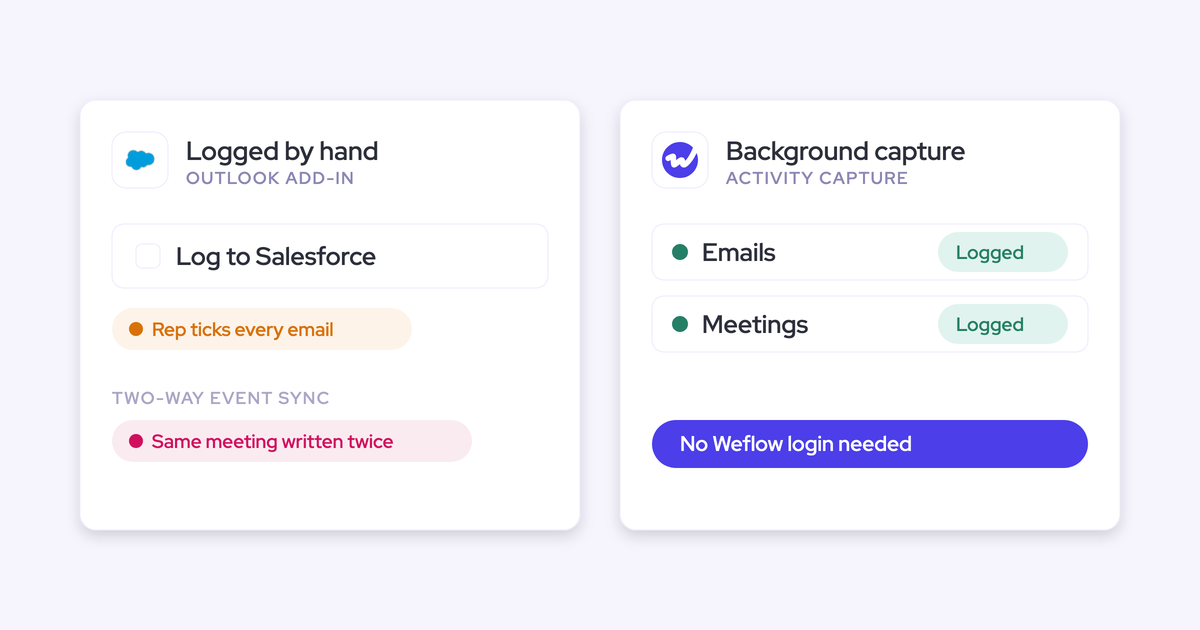

Reps keep logging emails by hand after capture goes live for a simple reason: they can't see it working. Salesforce's own prompts often tell them it isn't, and the first deal they check is often the one where their email landed on the account instead of the opportunity.
So double-logging is really a visibility problem, and it usually comes down to five causes. Each one has a quick check you can run this week and a fix that ends it.
Weflow is the Revenue AI Orchestration platform for sales, customer success, and RevOps teams. We build it for Salesforce teams, and we treat complete activity data as something the rep has to be able to see.
That's why Weflow Activity & Contact Capture shows reps where each email lands. Below, we walk through each cause in order, then cover the manual logging that's worth keeping
What is double-logging after automated activity capture?
Double-logging is when reps keep entering emails and meetings in Salesforce by hand, or keep their own shadow records, after automated capture is already logging the same activity. The result? Duplicate records, and a team that still doesn't trust the data.
Here's what that usually looks like from your side, and what's actually going on:
| What you see | What the rep is actually doing |
|---|---|
| A CSM says they'll "keep tracking this manually" | Hedging, because nothing in their workspace shows capture happened |
| Account managers keep their own records "in case" | Protecting KPIs that depend on logged emails |
| Reps ask about the red "email not connected" icon | Reading a Salesforce prompt as proof capture is off |
| The same email shows twice on the timeline | Clicking Log Email on top of automatic capture |
| Leadership asks whether the pilot does anything | Nobody can show automatic activity overtaking manual activity |
The same goes for meetings. If a rep can't see last week's call on the deal, they log it again, and the meeting count inflates just like the email count.
Why double-logging is a visibility problem, not a discipline problem
When capture moves to the server, reps lose the one thing that used to prove an email logged: the click. And nothing in their workspace replaces it.
From there, it turns into a loop:
- Capture runs in the background, so the rep has no click to confirm an email logged.
- Salesforce's own prompt still asks each user to connect their mailbox, and warns them when they haven't.
- The rep opens the opportunity to check, and it's empty because the email landed on the account.
- Past tools failed silently, so the rep assumes it's happening again.
- If their credit depends on logged emails, logging twice becomes insurance.
- The hand-logged copy creates a duplicate, the data looks wrong, and the rep's distrust is confirmed.
Telling reps to "trust it" won't break this loop, because it runs on what they can see. Enforcing discipline won't either, and that's exactly what your team bought capture to get away from.
Adding clicks doesn't work either. Reps see the inbox as the thing standing between them and selling, so a required button gets ignored within a couple of weeks.
That's the catch with background capture: being invisible is what sells it, and it's also what makes it hard to believe.
"That's also the challenge with activity capture. It runs in the background and not many people really realise that it's going all the time, so they don't really understand what we're solving for them or what we do for them."
Five reasons reps keep hand-logging after capture goes live
These five causes drive most double-logging, and they tend to show up in this order.
Background capture removes the click that used to prove logging happened
If nothing in the rep's workspace confirms an email logged, they assume it didn't. And from where they sit, that's a fair conclusion.
With the old add-in, the rep searched for the record, picked it, and clicked log. It was tedious, but it was proof. Server-side capture does the same work silently, which leaves the rep with nothing to point at.
- The check: Ask a rep to show you, from their inbox, that yesterday's customer email logged and which record it went to. If they have to open Salesforce and search to answer, this cause is live on your team.
- The change: Give reps a way to see it for themselves, right where they already work. An inbox-side panel that shows the matched record turns "I think it logged" into something they can check in two seconds.
Salesforce warns reps their email isn't connected while capture runs
Salesforce's per-user prompt doesn't know a tenant-level capture layer exists. So even when your rollout is set up correctly, reps see a red icon telling them their email isn't connected.
We hear this from ops owners in the first weeks of almost every rollout:
"Our users are saying that red icon, your emails are not connected to Salesforce, because Salesforce is trying to get you to connect your email directly. How should we be advising our users on what they connect in Salesforce versus the capture we have set up?"
— Sales Ops lead, on a call with us
Every rep who sees that icon is a potential support ticket, and has another reason to start logging by hand.
- The check: Look at how your capture authenticates. If it runs centrally through a Microsoft Entra or Google Workspace app, the Salesforce warning is describing a connection your setup doesn't use.
- The change: Before go-live, tell reps what the warning means in your setup. With tenant-level capture, the message is short: you don't need to connect anything, the warning doesn't know about our capture, and here's where you can see your emails logging.
Emails land on the account, not the opportunity reps check
When a contact sits on several open deals, or has no opportunity contact role at all, activity goes to the account, even when it's matched correctly. The deal looks untouched, and the rep decides the tool is broken.
"They do not care. They just want to see it show up. What is the value of this inactivity column when it is not showing me the truth? Their next comment is going to be, the tool does not work."
— RevOps lead, on a call with us
This isn't an edge case. One contact on several opportunities is normal for teams that sell several product lines, sell by region, or run renewals and expansions in parallel. No algorithm can tell which of three live deals a regional buyer's email belongs to.
To be fair, Einstein Activity Capture handles part of this. Under Sync Email as Salesforce Activity, a rep can correct the matched record on the email record itself, and the Activities: Match Email to Records flow won't overwrite that correction.
The problem is where the correction happens: inside Salesforce, after the fact, rather than in the inbox while the rep is writing.
- The check: Open the email the rep says is missing. Is it on the account? Does the contact have an opportunity contact role on the deal? Is the contact on more than one open opportunity, or on the wrong account entirely?
- The change: Fix contact-role coverage on open deals, because it's the mechanism that lets email land on the right one. Then give reps a correction path they'll actually use, so they resolve ambiguous threads themselves instead of filing a ticket with you.
Reps measured on logged emails log twice to protect their numbers
When a rep's credit depends on logged emails, one missed day costs them something real, so logging twice is rational insurance.
"I desperately need it to work every day, because a lot of our KPIs are measured on the information it pulls in from emails. I don't want to see it worked on some emails but not others."
— Account manager, on a call with us
If you ask them to stop before they've seen the numbers hold up, you're asking them to bet their KPIs on your word.
- The check: List who on the team has activity counts in their targets or comp. These are the people keeping shadow records, and they'll be the last to stop.
- The change: Let them confirm their own records are complete before you ask them to stop. For a set period, have them compare what they'd have logged with what capture wrote. Once the numbers match, the insurance isn't worth the effort anymore.
Past silent failures taught reps to read any gap as breakage
Reps learned this distrust the hard way. Add-ins that quietly needed re-authentication, Einstein Activity Capture connections that dropped for no visible reason, and engagement-tool syncs that broke with no alert all taught the same lesson: capture fails without telling anyone.
One team we spoke with ran Groove, which gave no alert when the sync broke. Reps found the gaps in their own activity reports, and the admin spent three years firefighting a sync they couldn't watch.
So when an email goes missing today, the rep is pattern-matching, and they're often right that something in the chain has failed before.
Managers can make this better or worse with a single sentence.
"I'm not gonna go to the rep and say, you're seven days late on following up with so and so. I'm gonna ask them like, hey, did HubSpot miss something here? And sometimes it does. It just misses something. Or your connector gets shut off or your Chrome needs to update."
- The check: Think about the last capture break on your team. Who told you about it, the system or a rep? If it was a rep, your team has already learned to watch for gaps themselves.
- The change: Set things up so admins hear about breaks from the system before reps do. And brief managers to open pipeline reviews with "did the CRM miss something?" rather than an accusation.
How hand-logging on top of capture creates duplicate Salesforce activity
Duplicates come from a handful of specific double-log paths, and each one has its own fix. So before you clean anything up, work out which path produced them.
| Double-log path | What lands twice | Where to stop it |
|---|---|---|
| Einstein Activity Capture's side-panel Log Email used alongside automatic capture | The same email, once from capture and once from the manual click | Tell reps not to use the side-panel Log Email for anything capture already logs |
| Emails sent from the Salesforce composer | Salesforce logs an Email Message, then mailbox capture logs the same email again | The capture layer has to skip emails that already exist in Salesforce |
| Engagement-tool sends (Outreach, Salesloft, Apollo) | The sequencing tool logs its email, then mailbox capture logs it again | Exclude the tool's tracking domains, such as click.outreach.io, from capture |
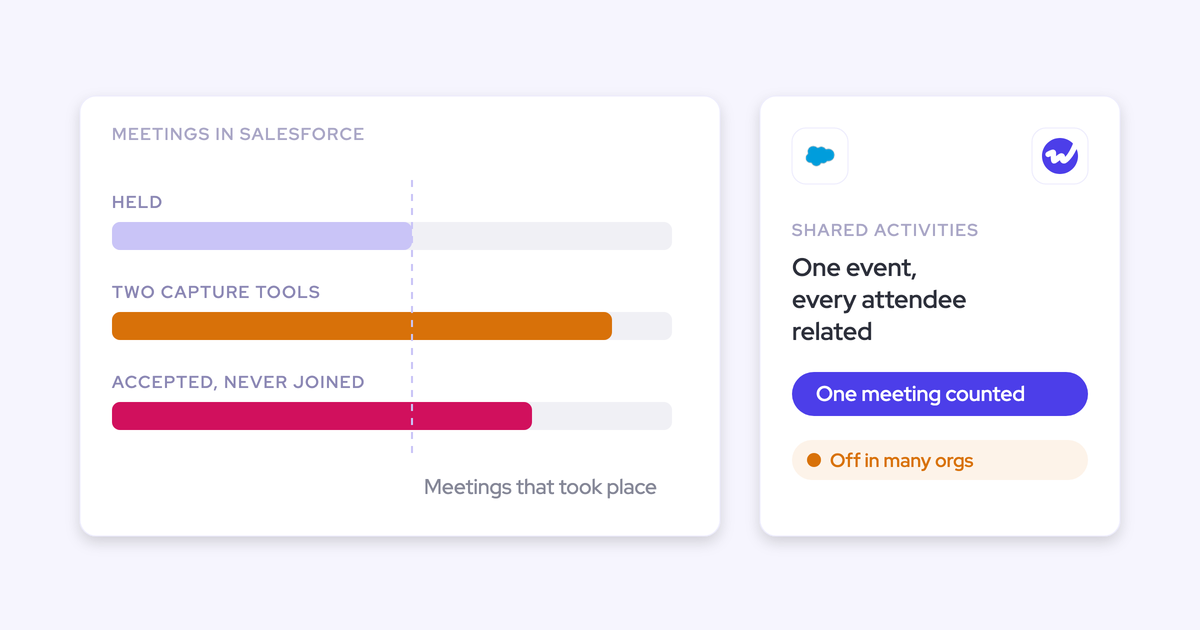
| A capture tool and a conversation intelligence tool both writing the same meeting | Two meeting records for one call, which inflates meetings per rep | Let one tool write the meeting, and attach the summary to that same record |
| Einstein Activity Capture's event sync set to both ways, next to a second capture tool | Every event, written, pushed back to the calendar, and written again | Set Einstein's event sync to one direction, calendar into Salesforce |
Every duplicate inflates per-rep counts, and it hands the rep the exact evidence that made them distrust capture in the first place.
How to tell a capture failure from a CRM data problem
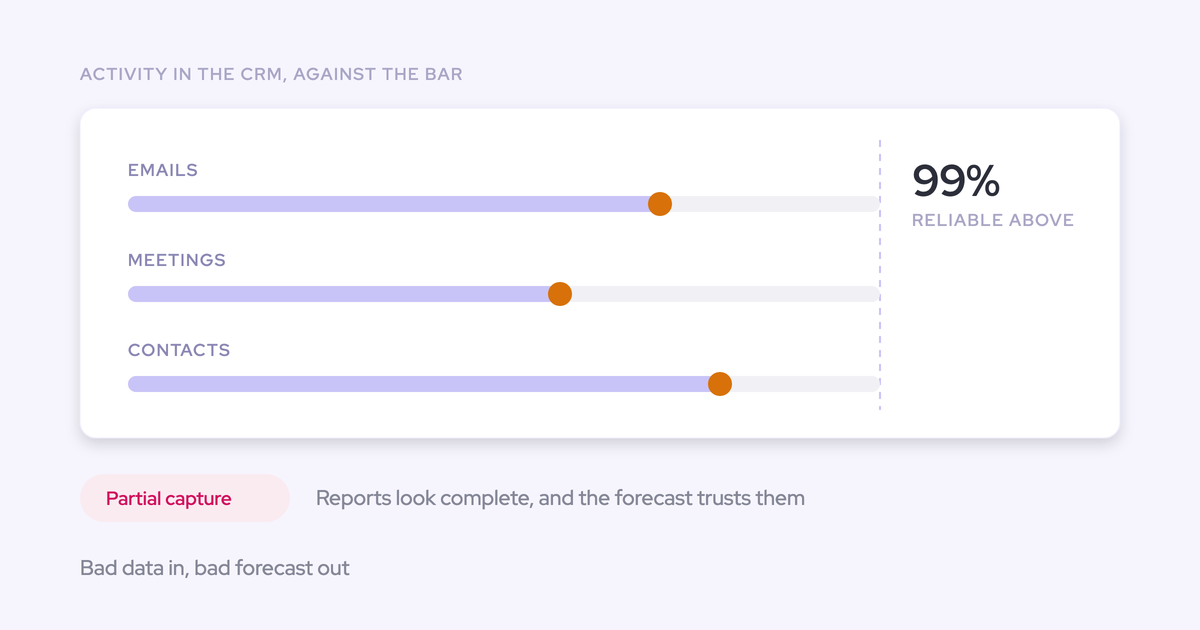
Most "capture doesn't work" reports actually trace back to CRM data problems that capture made visible. The data was already like that; the tool just put its name on it.
Many ops owners already suspect this. One told us outright that "the majority of this stuff is not a Weflow problem, it is an us problem." What they need is a quick way to prove it for one rep. Run these checks in order:
- Is the user enrolled? In Weflow, nothing is read until a user is saved into a capture configuration. A warning icon on one user points to that user, for example someone missing from the Entra or Google Workspace app. A warning on every user points to the tenant connection.
- Does the sending address match the Salesforce user record? Capture pairs the mailbox with the email address on the user record, so a rep sending from a legacy domain or a different address falls out without an error. Aliases on the same mailbox match automatically in Weflow.
- Does the contact exist, on the right account? Email to an address that matches no Salesforce record doesn't log. A contact on the wrong account sends the email to the wrong account.
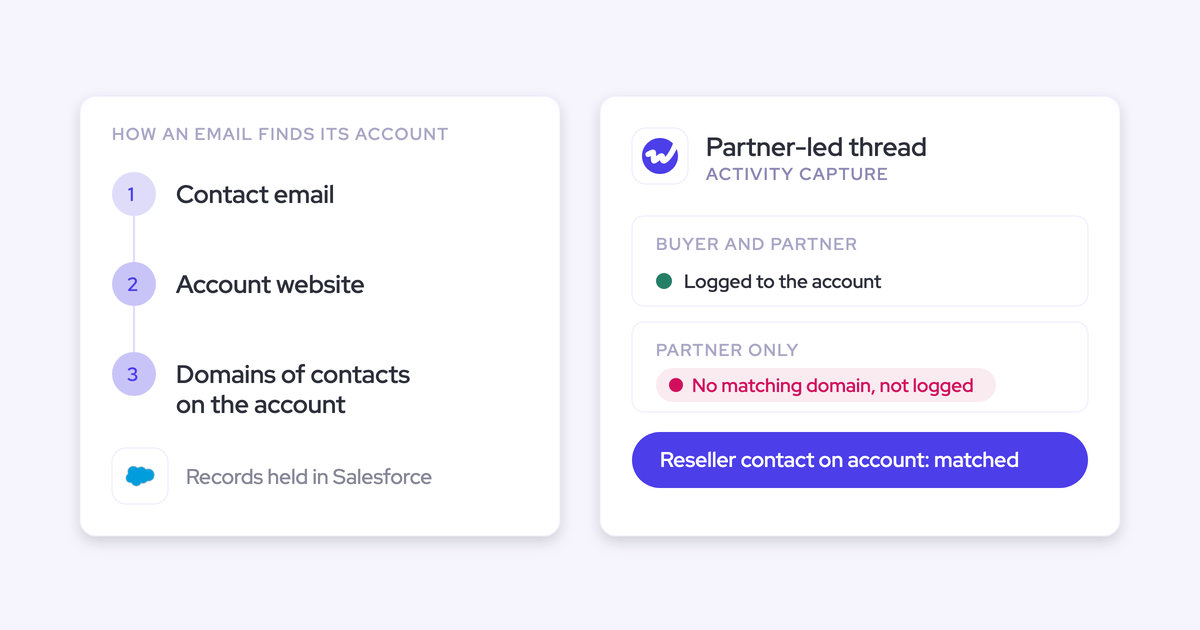
- Is the account Website field correct? Domain matching runs on that field. A missing value fails to match, duplicate accounts sharing a domain spread activity across both, and a personal mail domain there pulls unrelated email onto that account.
- Is there an opportunity contact role, and are several opportunities open? No contact role or several live deals means the email lands on the account by design.
- Are emails split across Task and EmailMessage? If your org switched logging objects, or another tool writes to the other object, a timeline or report reading one object shows only half the emails.
After that, the symptom usually tells you where the fault sits:
| Symptom | Which side it points to |
|---|---|
| Every user shows a warning at once | Capture: the tenant connection |
| One user has no activity at all | Setup: enrollment or a mismatched sending address |
| Email is on the account, not the deal | CRM data: missing contact role or several open opportunities |
| Email is on the wrong company | CRM data: contact on the wrong account or a bad Website field |
| Email to a new stakeholder never logged | CRM data: no contact or account for that person yet |
| Same email appears twice | A double-log path from the table above |
| Timeline shows only some emails | Configuration: emails stored on two objects |
| Deal conversation happened on WhatsApp or Slack | Neither: a channel capture doesn't read |
Watch what capture writes, not how often reps log in
A capture tool works best when nobody has to open it, so a low login count doesn't tell you whether it's failing. In Weflow, a user can be enrolled and captured without ever signing in.
We show them as "External," and their emails and meetings log like anyone else's.
Instead, watch whether activity is still being written, whether records are complete, and whether people still rely on the output.
| Misleading metric | Metric to watch instead |
|---|---|
| Logins to the capture tool | Activity written per enrolled user, week over week |
| Total emails logged | Open opportunities with activity on the deal, not just the account |
| Rep complaints this week | Manually logged activity falling while captured activity holds steady |
| Meetings per rep from the calendar | Meetings with a recording behind them, since a calendar shows invitations, not attendance |
| Rollout survey scores | Whether managers still use activity data in pipeline reviews |
When leadership asks whether the pilot is doing anything, show them the output, not the tool: which deals now carry a full activity trail, which reports depend on it, and how much manual logging has dropped.
How Weflow Activity & Contact Capture shows reps that capture happened
We built Weflow Activity & Contact Capture so that proof is part of capture. As part of Weflow's Revenue AI Orchestration platform, it logs emails, meetings, and contacts into native Salesforce objects your team owns.
Reps can see that it happened, and admins can see why when it didn't.
"Einstein frequently missed activities. Now, we trust the data. It's been a big mental lift for the team."
Tenant-level capture keeps running when a rep never signs in
Weflow captures through a central app installed once in Microsoft Entra or Google Workspace. There's no per-user connection for a rep to lose, so reps no longer go quietly dark because they ignored a re-authentication prompt.
Mail sent from a phone, a browser, or a desktop client is captured the same way. Even reps who never sign in are captured, so coverage doesn't depend on adoption.
The Outlook add-in and Chrome extension show where each email logs
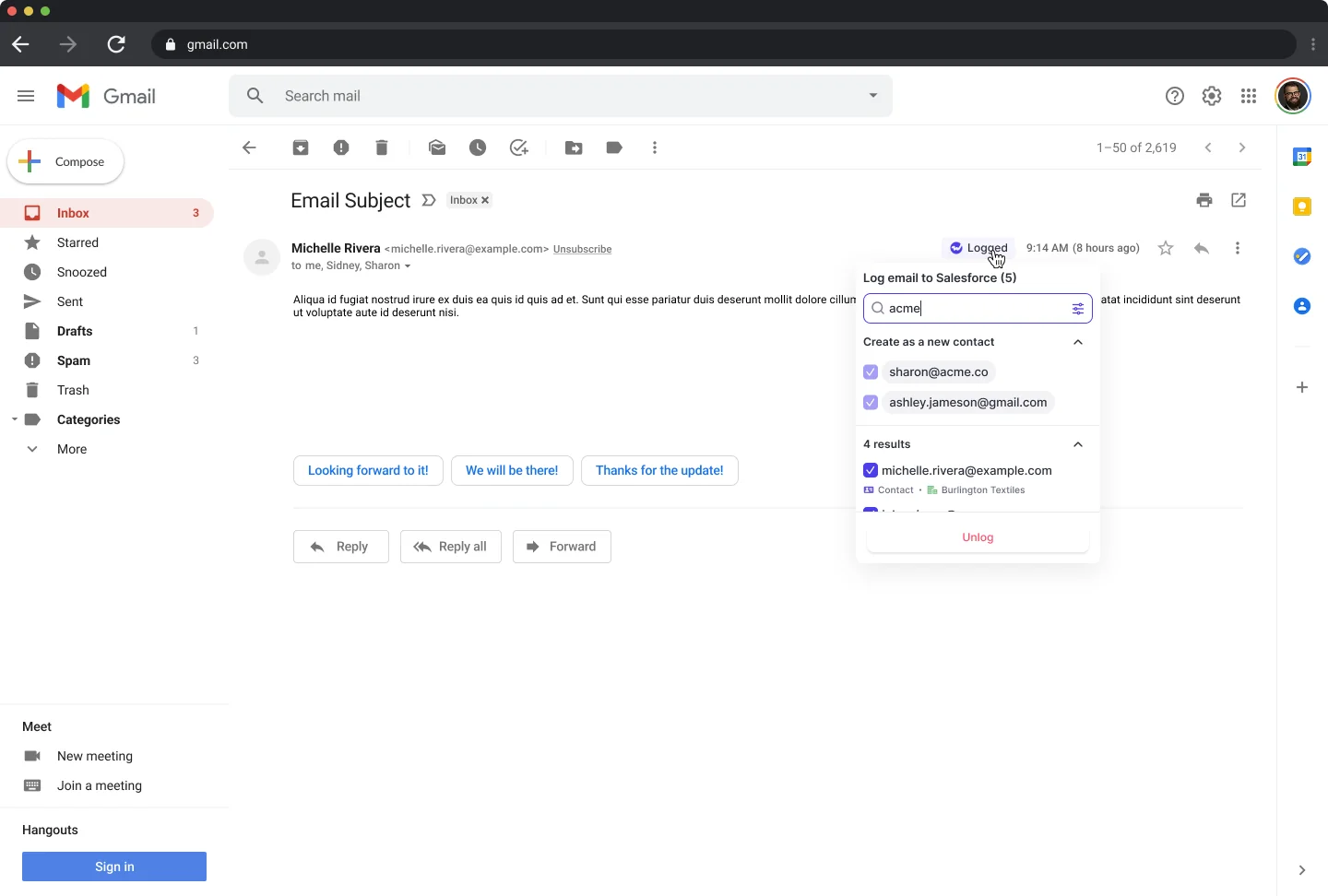
The side panel shows the rep the contact, account, and open opportunities Weflow matched before an email logs. If the match is wrong, the rep picks a different opportunity once, and every later reply in that thread follows the same choice.
The panel also shows why a single email did or didn't log, for example a contact sitting on the wrong account or an address with no matching account in Salesforce. That tackles the first and third causes right when the rep knows the right answer.
Admin alerts and a Salesforce health component show which side failed
When capture breaks at the connection level, for example when the integration user disconnects, Weflow emails your admin and alerts the Weflow CSM who owns your account. You hear about it from the system, not from a rep in a pipeline review.
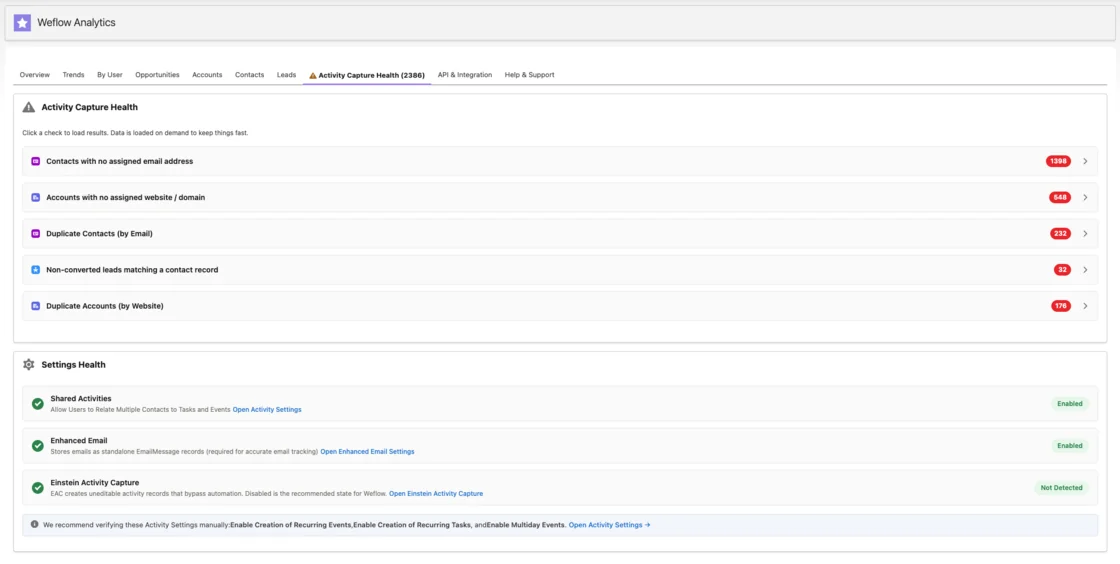
Inside Salesforce, a Lightning health component flags the four data conditions that make capture fail quietly:
- Contacts with no email address
- Duplicate accounts
- Duplicate contacts
- Unconverted leads that already match a contact
Each of these makes a record look dormant instead of throwing an error. So when a rep says capture isn't working, this view shows whether the fault is in capture or in the data underneath.
Weflow skips emails Salesforce and engagement tools already logged
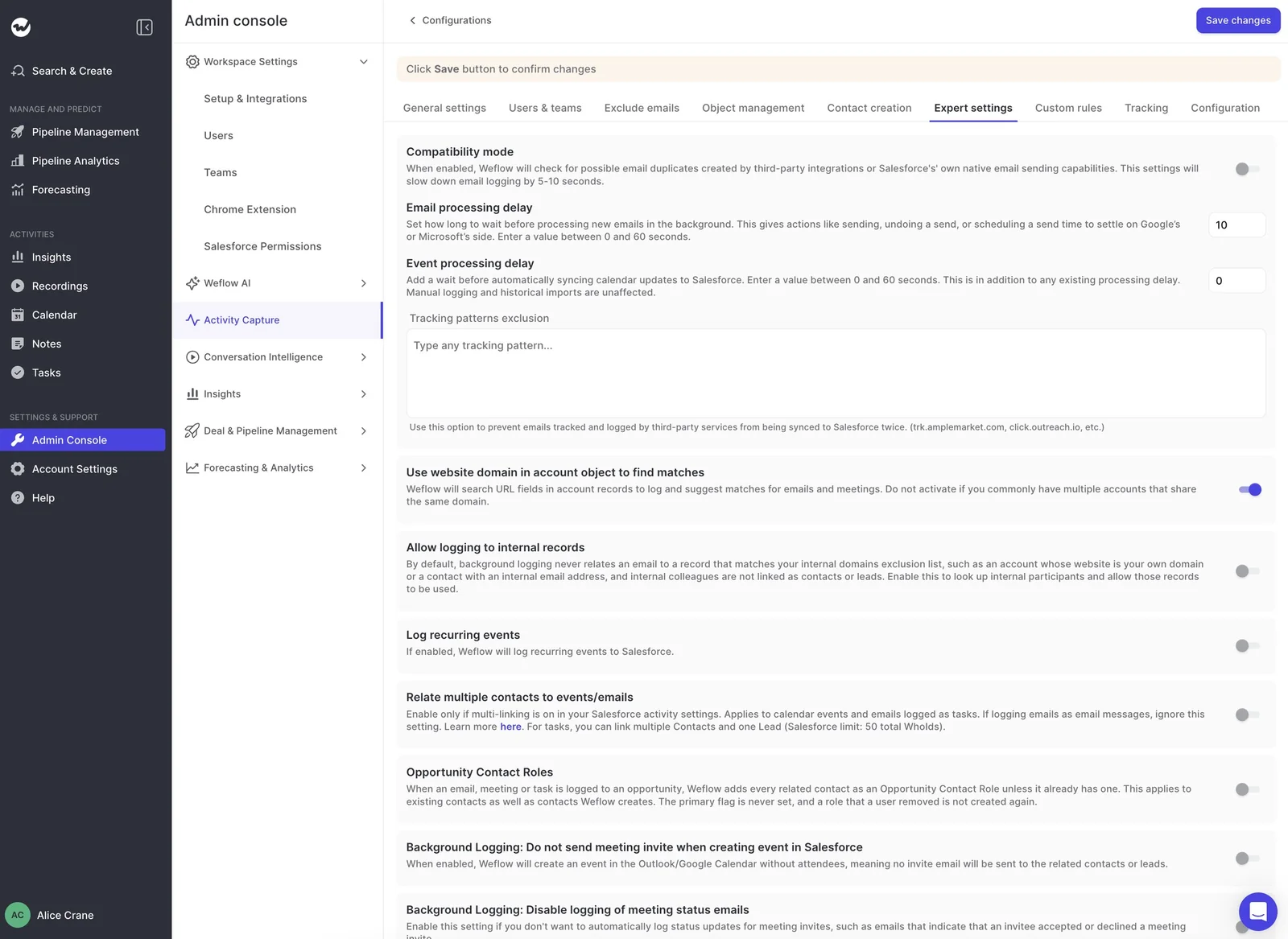
Since mid-September 2026, when a rep sends from the Salesforce composer, Weflow checks whether the email already exists as an Email Message and skips it. Replies in the thread still log.
For engagement tools, a tracking patterns exclusion list names link domains like click.outreach.io, so emails the sequencing tool already logged don't sync a second time.
When the deal is ambiguous, Weflow logs to the account instead of guessing, since a wrong deal is harder to fix than an account. And if someone creates an account after a rep has already emailed that company, Weflow logs those earlier emails to it automatically.
What Weflow Activity & Contact Capture doesn't do yet
- Admins don't get an in-app report of which emails failed to log, or a capture-rate or mismatch-rate metric. Our support team compiles those from the sync logs on request.
- The side panel isn't supported in classic Outlook for Windows. Capture still runs there, but reps don't get the mapping view.
- In Google Calendar, the panel appears in the full event editor, not the quick event pop-up.
- Weflow doesn't capture WhatsApp, personal mobile carrier calls, Teams or Google Chat, or Slack channels.
- If most of your gaps come from missing contact roles and wrong Website fields, switching capture tools won't fix them. Fix the data first.
Which manual logging should continue after capture goes live
Once capture is on, hand-logging email and calendar activity is redundant, and it's where your duplicates come from. Manual entry for channels capture doesn't read is a different story.
Name those channels for reps explicitly, so "I log manually because things go missing" stops being partly true.
| Channel | Captured automatically by email and calendar capture? | What reps should do |
|---|---|---|
| Corporate email | Yes | Stop logging by hand |
| Calendar meetings | Yes | Stop logging by hand |
| No | Log the outcome manually | |
| Calls from a personal mobile number | No | Log manually, or move calls to a connected dialer |
| Teams and Google Chat | No | Log decisions agreed in chat manually |
| Slack channels with customers | No | Log key outcomes manually |
| RFP and procurement portals | No, unless the document is attached to an email | Agree with the deal desk who records portal exchanges |
Some leaders also want a short note from the rep on top of the automated record. One ops lead told us their AI summaries were complete, but their head of sales still pushed back:
"The AI summary is working. But our head of sales said, I need to hear the voice of the rep."
— RevOps lead, on a call with us
That's a hybrid approach: everything is captured automatically, and the rep adds one sentence of judgment before the update goes out. Keep that kind of input, and drop the rest.
If you're working through this with your own team, our Free Salesforce Activity Capture Cheat Sheet puts the setup checks and capture options on one page.
FAQ: Reps logging by hand after activity capture is on
Should I remove the manual Log to Salesforce button once capture is on?
It depends on your mode. In fully automated mode, removing it closes one duplicate path. In Weflow, an admin can switch off and lock the Log to Salesforce button in the Chrome extension, or give reps the add-in with the control removed so they still see the mapping.
In hybrid mode, keeping the in-inbox control lets reps steer a thread to the right deal or keep a confidential one out.
How do I clean up duplicate emails that double-logging already created?
Stop each source first (see the double-log paths table above), or new duplicates will keep arriving while you clean. Then identify the duplicate pairs by source and remove the copy you don't want.
Does Einstein Activity Capture stop double-logging on its own?
No. Under Sync Email as Salesforce Activity, Einstein Activity Capture captures sent and received email automatically. But if reps also click Log Email in the Outlook or Gmail side panel, the same email logs twice.
Two-way event sync next to a second capture tool duplicates meetings too.
Does activity capture read reps' internal or personal email?
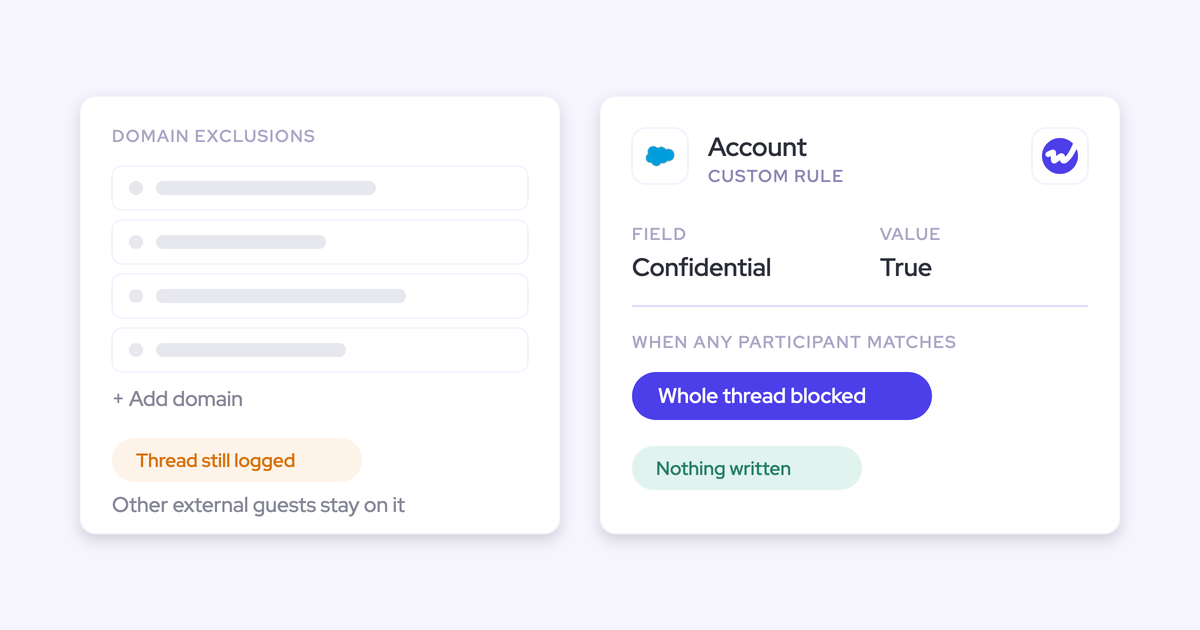
In Weflow, an email or meeting logs only when it involves an external participant who resolves to a Salesforce account or opportunity. Fully internal threads are never logged.
Internal meetings stay out unless an admin switches them on, and events or emails a rep marks private aren't logged. Weflow doesn't keep a copy of the emails it logs: it writes them into Salesforce and deletes them from temporary storage.
Should captured emails log as Task or EmailMessage records in Salesforce?
It depends on your reporting. Task lets one activity report span emails, meetings, and calls. EmailMessage carries structured From, To, and Cc, which you need for reply rates and thread reconstruction.
What matters most is picking one: emails split across both objects make timelines and reports look incomplete, and that feeds the distrust.
In Weflow, a change only applies to new emails, so switching mid-rollout leaves history on the old object. Under Sync Email as Salesforce Activity, Einstein Activity Capture writes email as both Task and EmailMessage and has no setting to pick one.
What should I tell reps before the capture rollout invitations go out?
Send a short note from the admin before activation. Say what the invitation email is and that no action is needed. In Weflow, inviting users sends each person an email straight away, even on a capture-only rollout, and an unannounced email reads like phishing.
Use the same note to explain the Salesforce "not connected" warning, so reps hear both answers before either one becomes a ticket.