Fully Automated vs Hybrid vs Manual Activity Capture: Choosing the Weflow Mode for Each Team
Decide when to use Weflow fully automated, hybrid, or manual activity capture for each team.


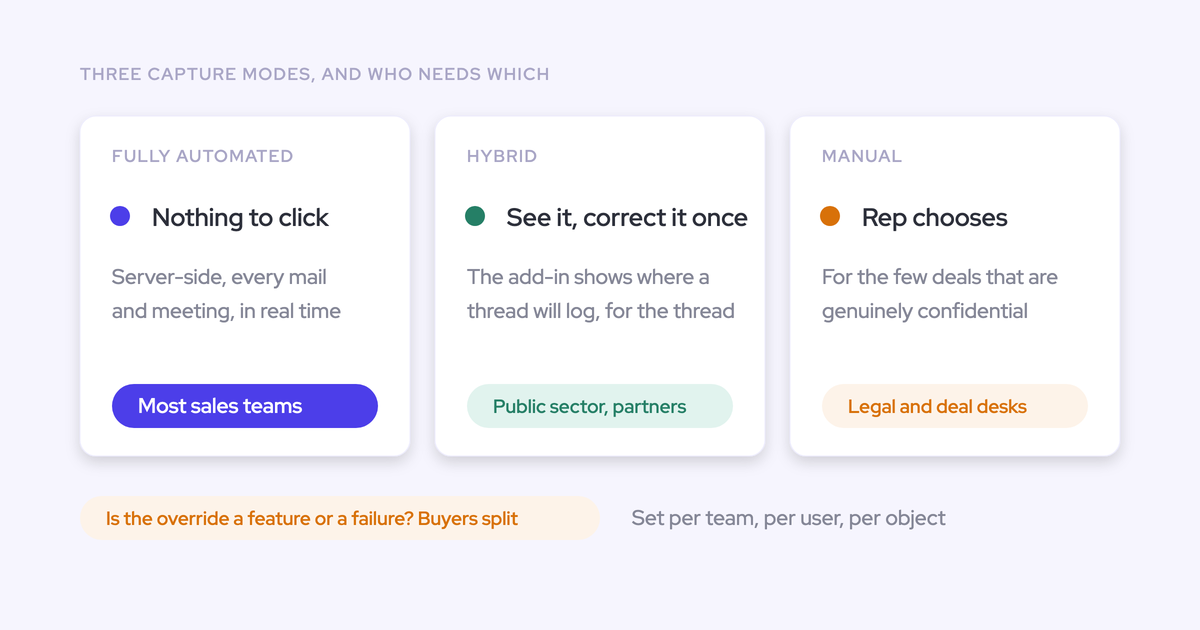

Choose your activity capture mode by who should handle exceptions. We recommend hybrid when reps need to resolve ambiguous mappings or occasional privacy exceptions. Use fully automated capture when Salesforce mappings are predictable and administrators can define exclusions. Reserve manual mode for teams whose default must be “do not capture.”
Mandatory privacy exclusions belong in administrator rules, regardless of mode. A rep’s ability to stop logging a thread doesn’t replace a rule that prevents confidential correspondence from entering Salesforce.
You’re choosing which failure costs each team more: missing activity, activity on the wrong opportunity, or correspondence that shouldn’t appear in the CRM.
Weflow is the Revenue AI Orchestration platform for sales, customer success, and RevOps teams. Built for Salesforce teams, Weflow Activity & Contact Capture supports all three modes, with separate configurations for different teams.
How do Weflow Activity & Contact Capture modes differ?
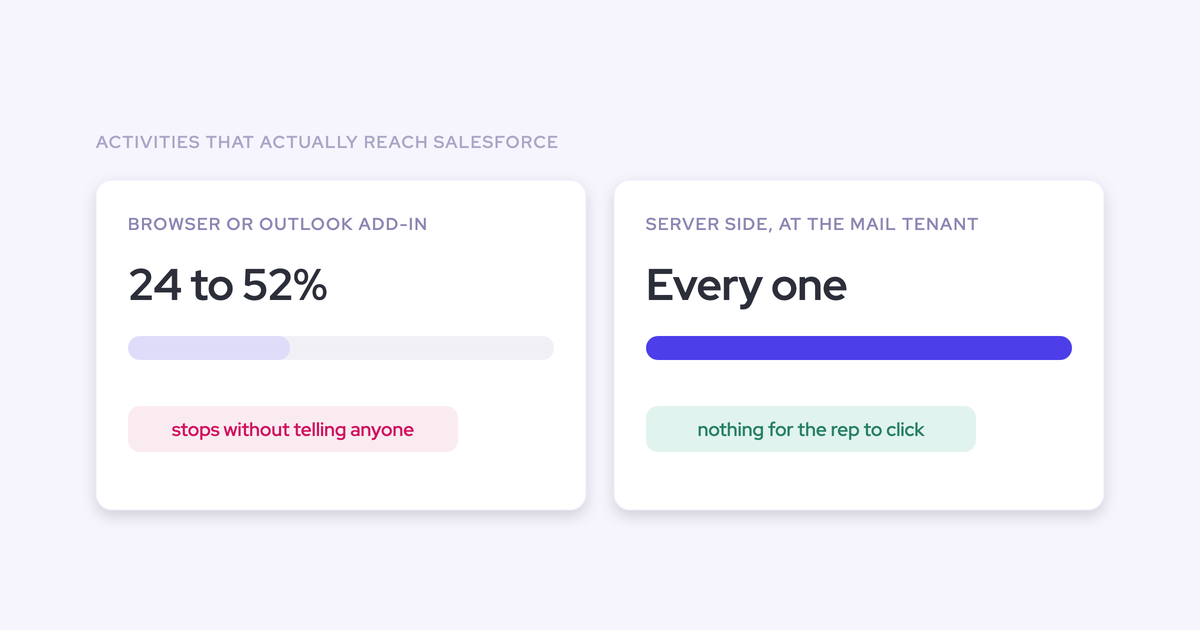
Fully automated and hybrid modes capture activity in the background. Manual mode captures nothing unless a person chooses to log it. Hybrid adds rep-facing controls without requiring approval for every email or meeting.
| Mode | Capture default | Capture scope | Required rep action | Exception controls | Principal trade-off |
|---|---|---|---|---|---|
| Fully automated | Log activity that meets administrator rules. | Incoming and outgoing emails and calendar meetings, server-side across devices. | None for routine capture. | Administrator mapping rules and exclusions. | No routine rep work, but unresolved opportunity ambiguity can leave activity on the account. |
| Hybrid | Log automatically unless a rule or permitted rep override stops it. | The same background email and meeting capture as fully automated mode. | Act only when a mapping or thread needs intervention. | Administrator rules plus Gmail extension or Outlook add-in controls. | Reps can resolve exceptions, but they must notice them. |
| Manual | Don’t log unless a person chooses to. | Emails and meetings the user explicitly selects for logging. | Select the activity to log. | User selection within administrator-defined boundaries. | Capture stays selective, and coverage depends on individual action. |
Attachments, contact creation, and destination objects are separate configuration choices. Choosing hybrid doesn’t require you to enable all of them.
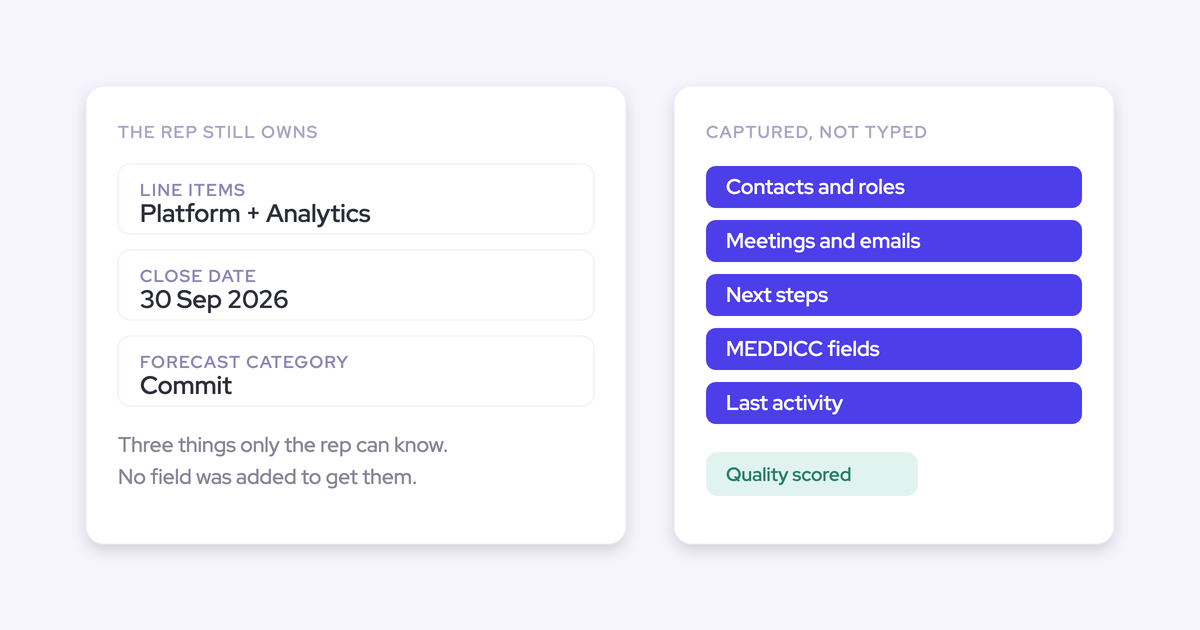
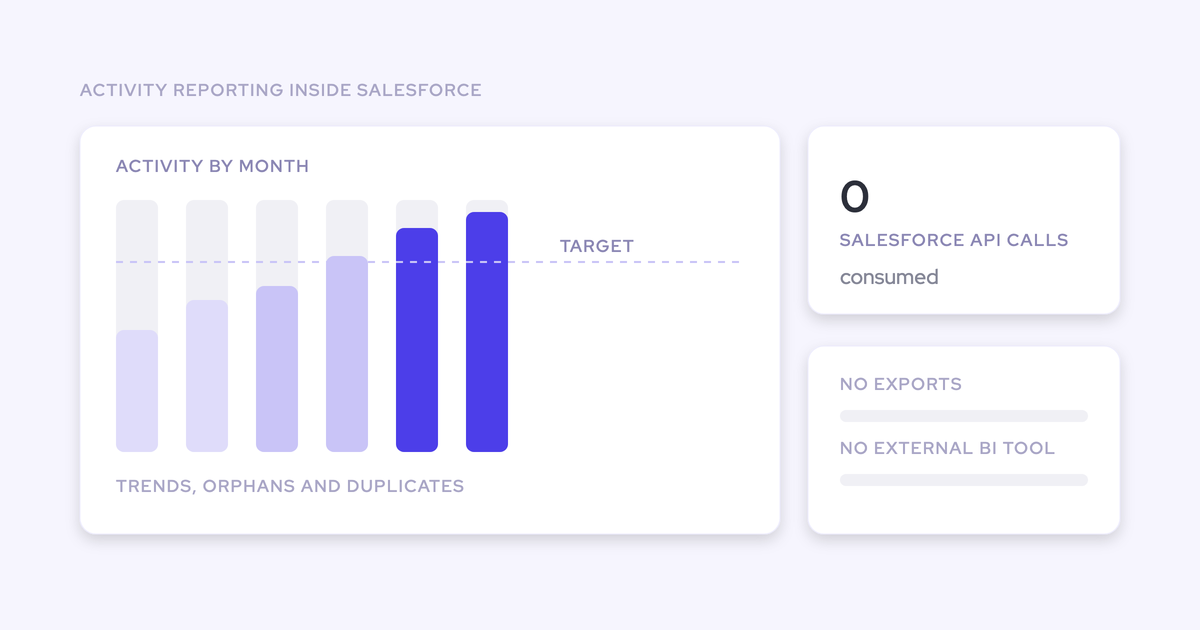
Weflow writes captured activities and contacts into actual Salesforce records. You can use those records in Salesforce reporting and flows, and they remain yours if you stop using Weflow.
Who should handle your activity capture exceptions?
Give predictable mappings to the system, genuine ambiguity to the rep, and mandatory exclusions to the administrator. These responsibilities can coexist within one team’s configuration.
A missing email and an email on the wrong opportunity need different fixes. So does a confidential email that should never have reached Salesforce. Treating all three as an adoption problem sends you back to chasing sellers.
Let the system handle predictable Salesforce mappings
Use fully automated capture when your Salesforce relationships identify the intended destination without routine rep judgment. Account-focused workflows and accounts with one open opportunity are strong candidates.
Weflow maps emails using addresses and Salesforce relationships, not the email’s content. Opportunity contact roles help identify the deal; when an account has exactly one open opportunity, Weflow can select it.
- Good fit: Your team works primarily at account level, or contacts relate clearly to one open opportunity.
- Good fit: Administrators can express exclusions through domains, addresses, or Salesforce field conditions.
- Poor fit: The same contacts work across several indistinguishable open opportunities and deal-level reporting matters.
- Poor fit: Sellers regularly need to suppress individual threads that central rules don’t identify.
ADVISA uses fully automated Weflow capture without an Outlook add-in. That deployment removes the rep-facing layer entirely. It’s a valid choice when the configuration can handle the work.
Let reps resolve ambiguous opportunity mappings
Use hybrid when the seller knows which deal a conversation belongs to, but the Salesforce relationships don’t settle it. Capture stays automatic; the rep intervenes only for the exception.
- Weflow selects a destination. Mapping uses email addresses, contact roles, and Salesforce relationships. With several open opportunities, ownership and stage also inform the match.
- Unresolved ambiguity falls back to the account. We don’t guess which opportunity owns the conversation.
- The rep corrects the mapping in the mail client. The Gmail extension or Outlook add-in shows the proposed destination. Weflow retains a corrected email-thread mapping for subsequent replies.
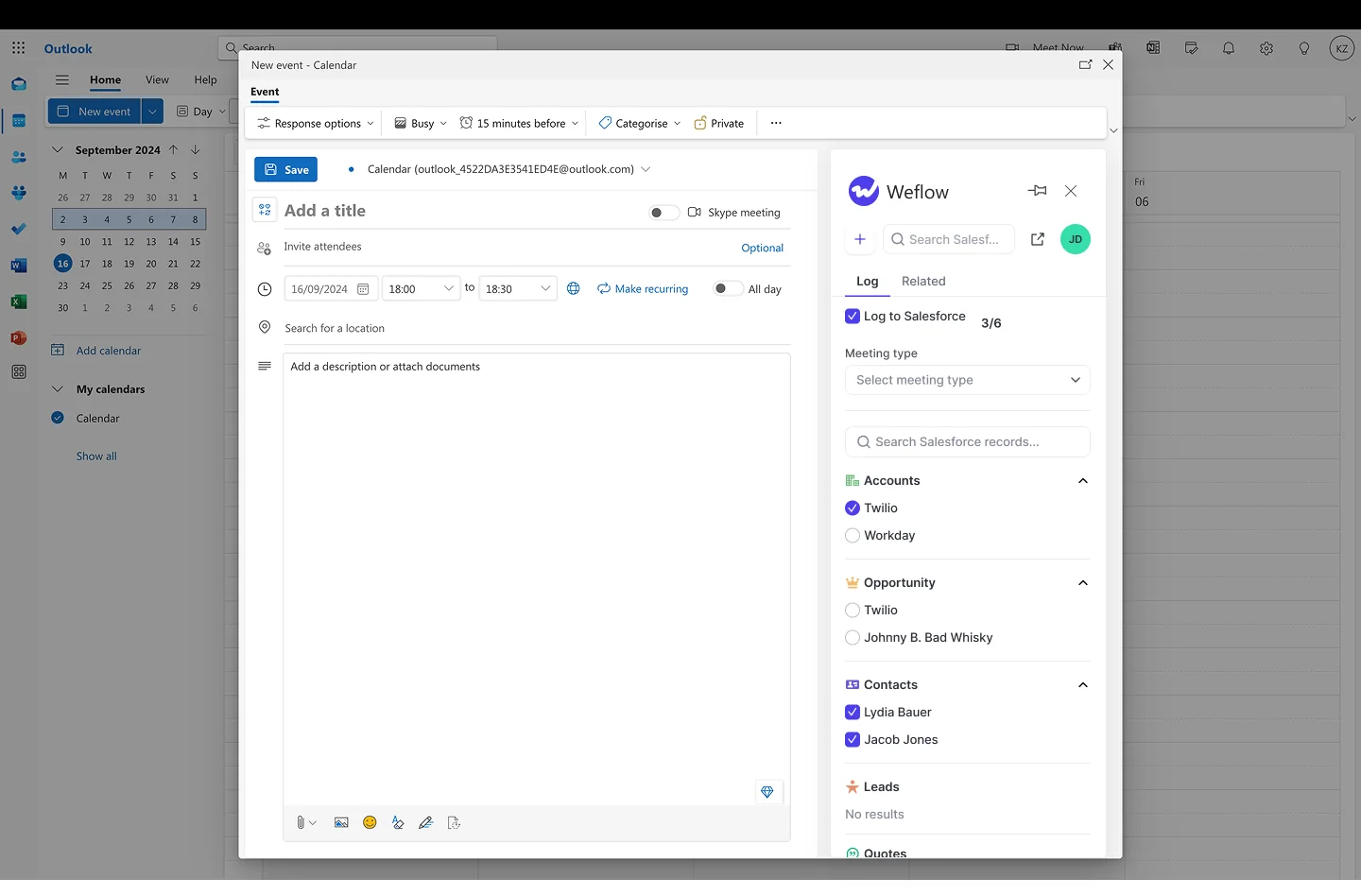
Hybrid doesn’t eliminate ambiguity or make correction automatic. If a rep leaves an account fallback untouched, the activity stays there.
For parallel renewal and expansion motions, separate capture configurations by team and opportunity type before asking sellers to correct individual activities. Weflow doesn’t select opportunities by nearest close date.
Use administrator rules for correspondence you must never capture
Use central exclusions whenever policy says correspondence must never enter Salesforce. Weflow can block logging using Salesforce record fields, including a confidential account flag, a personal contact flag, or billing country.
| Control | Policy scope | Responsible owner | Reliance on rep attention | Unsuitable use |
|---|---|---|---|---|
| Hybrid thread override | An occasional thread the rep chooses not to log. | Rep, where the administrator allows suppression. | The rep must notice and act. | Enforcing a standing must-not-capture policy. |
| Central exclusion | A domain, address, record, or category identified by Salesforce field conditions. | Administrator, using the organization’s privacy policy. | No per-thread rep action. | Identifying sensitivity that exists only in message content. |
| Manual mode | A population whose correspondence should remain unlogged by default. | Administrator sets the mode; users select permitted activity. | Every captured activity requires a choice. | Teams that need complete background coverage. |
Weflow doesn’t infer confidentiality from message content. For an NDA-covered account that must stay out of capture, define an account-level exclusion rather than relying on the seller to suppress each thread.
You can also give reps visibility into mapping while removing their ability to suppress logging. Decide separately whether a team needs visibility, correction, and thread suppression.
Which activity capture mode should each team use?
Assign modes by workflow risk, not job title. We recommend hybrid where exceptions need human judgment, then remove rep intervention where central configuration makes it unnecessary.
| Workflow | Decisive risk | Recommended mode | Configuration priority | Exception owner | What changes the recommendation? |
|---|---|---|---|---|---|
| High-volume sellers with predictable mappings | Missing activity because reps don’t log it. | Fully automated | Define target objects and exclusions; separate sequencer activity from inbox activity. | Administrator | Frequent multi-opportunity ambiguity makes hybrid more useful. |
| Enterprise AEs sharing contacts across open opportunities | Busy accounts with incomplete or incorrect deal timelines. | Hybrid | Deploy the mail controls and teach thread correction. | Rep for unresolved mappings; administrator for recurring patterns. | Distinct contact roles and opportunity-type rules may remove most exceptions. |
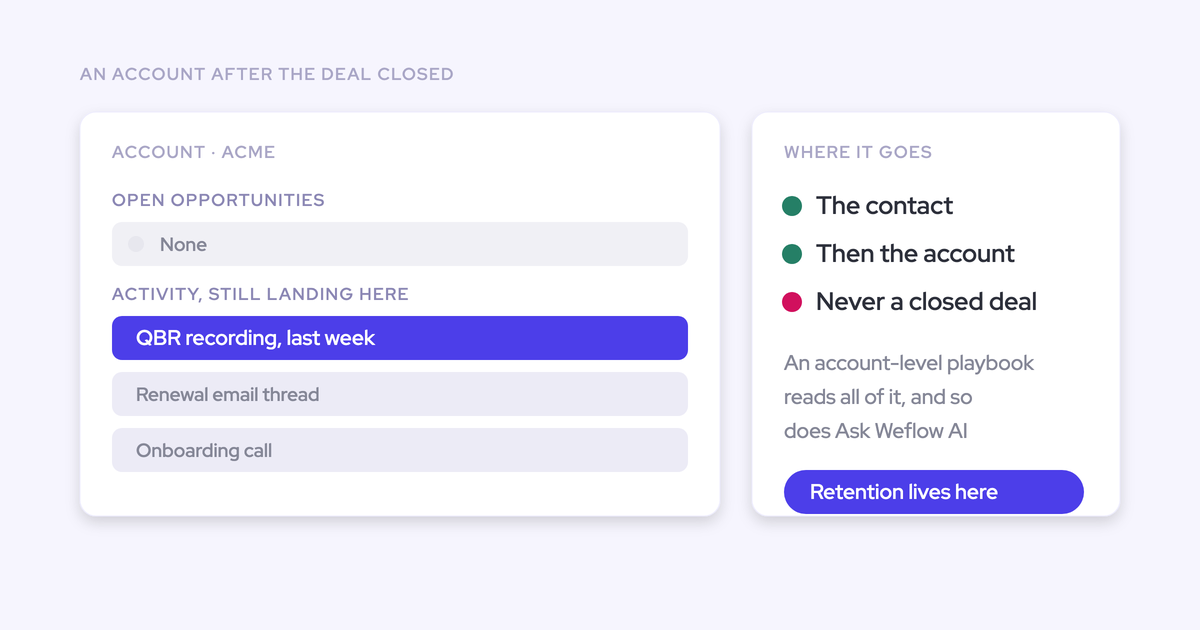
| CS teams handling implementation and support conversations | Post-sale activity appearing on unrelated opportunities. | Fully automated, account-scoped | Map to accounts rather than forcing every conversation onto a deal. | Administrator | A mixed account and renewal workflow may need hybrid. |
| Teams running renewals and expansions in parallel | Activity crossing between revenue motions. | Hybrid | Separate configurations by team and opportunity type. | Administrator for routing; rep for remaining ambiguity. | Predictable separation between motions supports fully automated capture. |
| Leaders whose mail should remain private by default | Capturing sensitive correspondence wholesale. | Manual | Make selective logging part of the workflow; keep mandatory exclusions central. | User for permitted capture; administrator for exclusions. | A defined business-only population with clear exclusions may support automation. |
| Regulated teams with identifiable confidential accounts | Logging correspondence policy prohibits. | Fully automated or hybrid with central exclusions | Translate confidentiality rules into record-level exclusions before enrollment. | Administrator | If default capture itself is unacceptable, use manual mode. |
Blacklane combines background capture with the Gmail extension and custom exclusions for B2C contacts. Lendz uses fully automated background capture. Both patterns work because the configuration follows the organization’s workflow.
What should you test before enabling activity capture?
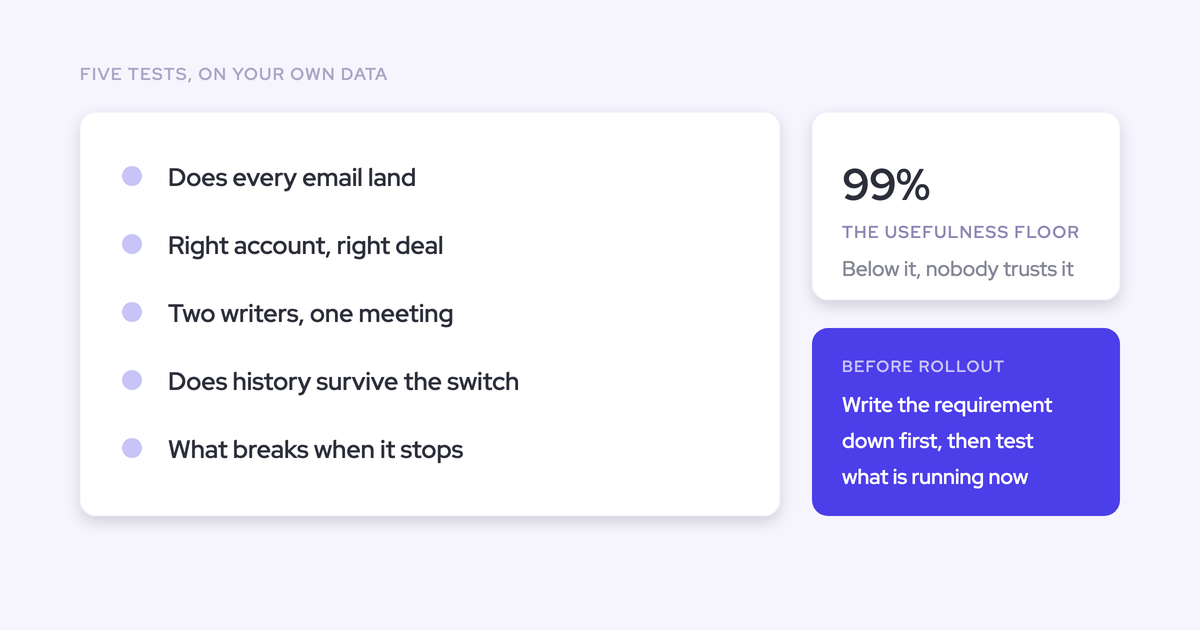
Your pilot should prove that eligible activity reaches the intended records and excluded activity stays out. Start with the team’s failure cases, including shared contacts, mobile email, and sensitive accounts.
Installing Weflow and connecting the integration user don’t start capture. Weflow begins reading a mailbox only after you enroll its user in an activity capture configuration.
Check Salesforce prerequisites before enabling activity capture
Validate permissions and Salesforce relationships before judging the capture mode. Hybrid can resolve an ambiguous destination; it can’t compensate for an integration user that lacks access to the required objects.
| Dependency | Validation method | Responsible owner |
|---|---|---|
| Required: Account, Opportunity, and Contact access | Exercise mapping against all three objects. Contact-only access doesn’t support Weflow’s mapping and contact-creation logic. | Salesforce administrator |
| Required when org-wide defaults are Private: Modify All Records on Account, Opportunity, and Contact | Test both creating and updating activity on records the integration user doesn’t own. | Salesforce administrator and security owner |
| Mapping input: opportunity contact roles | Include a contact on one opportunity and a contact shared across several opportunities. | Sales Ops |
| Required for relating meetings to every attendee: Shared Activities | Test a meeting with multiple contacts and inspect attendee relationships. | Salesforce administrator |
| Optional: automatic contact creation | Test creation with first name, last name, and email. Additional required fields can block creation. | Salesforce administrator and contact-data owner |
| Configuration choice: Task or EmailMessage | Run the intended Salesforce report against the chosen email record type. | Sales Ops |
| Configuration choice: attachments | Test attachment inclusion and the configured size exclusions against storage requirements. | Salesforce administrator |
If contact validation rules require a phone number, automatic creation fails because Weflow doesn’t supply one. You can exempt the integration user from the rule or leave contact creation off. That choice affects buying-committee visibility, not just setup.
For email reporting, Task records fit a combined task-and-event activity report. EmailMessage retains native sender, recipient, and thread structure. Choose the object your reporting and automation need.
Prevent duplicate Salesforce activity during a parallel pilot
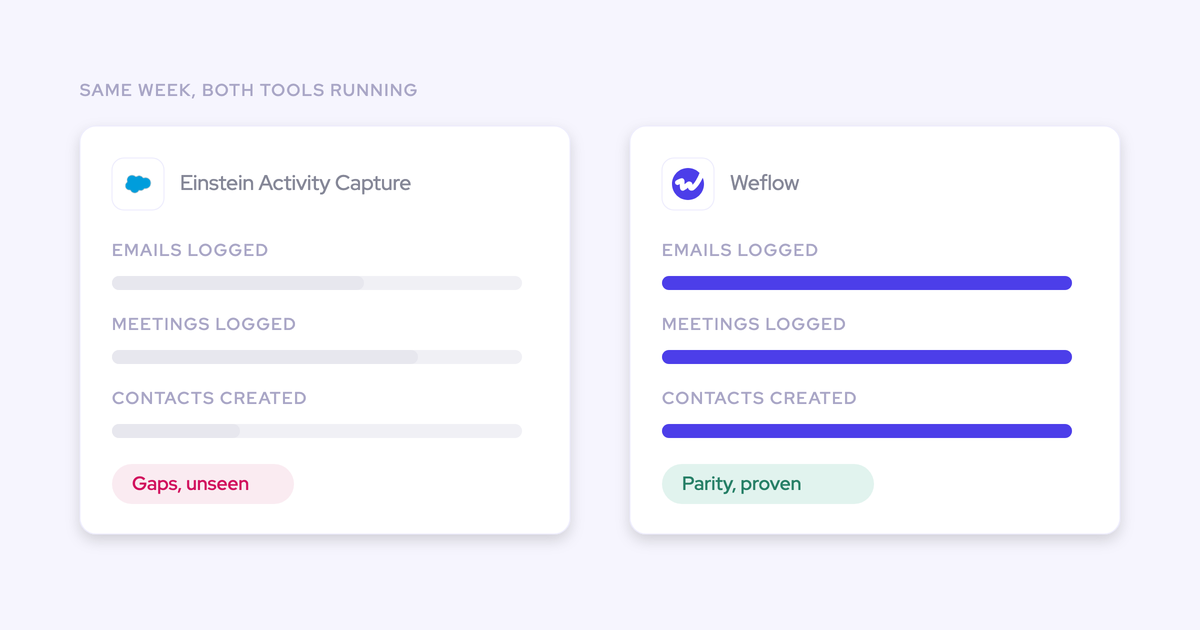
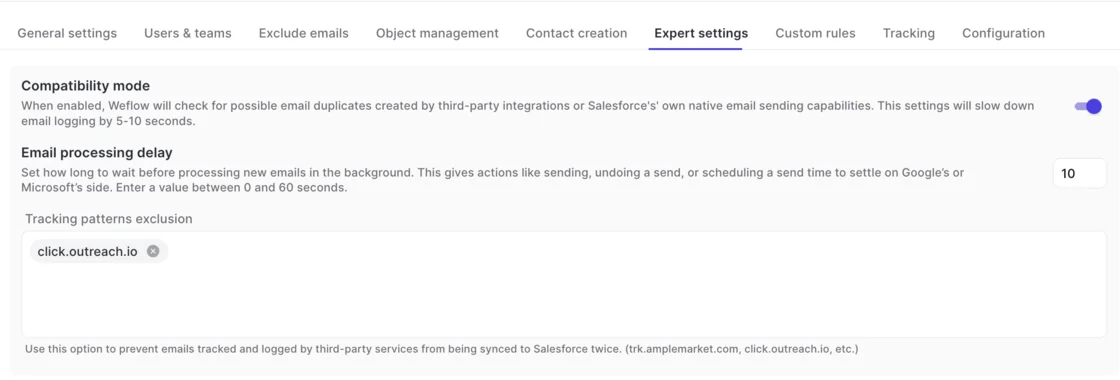
Assign a writer for each activity source before comparing counts. Weflow Compatibility Mode skips activity already logged by Outreach, Salesloft, Apollo, or Clay; other overlaps need their own ownership rules.
| Activity source | Designated writer | Overlap control | Verification method |
|---|---|---|---|
| Sequenced emails | Outreach, Salesloft, Apollo, or Clay where that service already logs them. | Enable Weflow Compatibility Mode. | Trace a sent email to one Salesforce activity record. |
| One-off inbox emails and replies | Weflow | Keep these outside the sequencer exclusion scope. | Compare sent and received messages with Salesforce records. |
| Calendar events during an EAC coexistence test | Salesforce Einstein Activity Capture (EAC) for existing event creation. | Set EAC event sync to one direction, from the mail/calendar service into Salesforce. | Follow an event through creation and an update; inspect for duplicates. |
| Meetings with a separate recording provider | One chosen event writer. | Disable overlapping meeting-activity writes. | Count the meeting activity separately from its recording record. |
| Meetings using Weflow capture and Weflow Conversation Intelligence | Weflow | Weflow updates one meeting Event rather than creating another for the recording. | Inspect the Event and linked recording separately. |
Weflow’s Expert settings expose Compatibility Mode and tracking-pattern exclusions, so you can define which third-party email traffic Weflow should skip.
- Record the existing writers and their destination objects.
- Apply exclusions and coexistence settings before enrolling pilot users.
- Compare individual source emails and meetings with Salesforce records, rather than trusting total counts alone.
- Resolve gaps and duplicates before expanding enrollment or retiring the incumbent.
Removing EAC permissions from users alone doesn’t stop a bidirectional event-sync loop. Existing duplicates also remain until you clean them up.
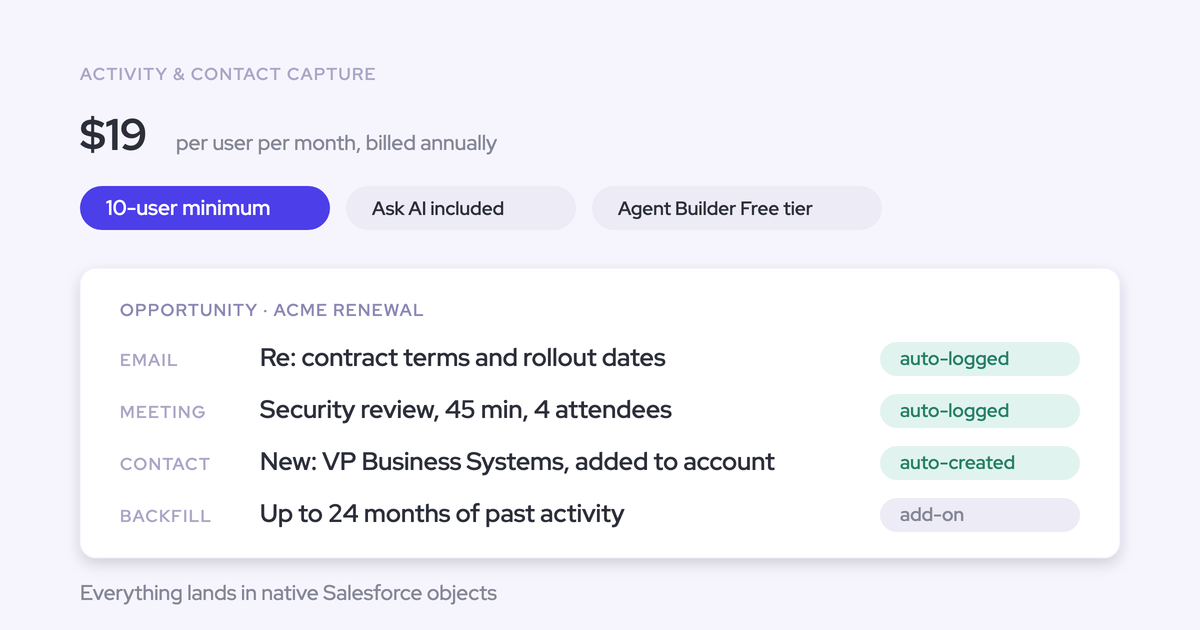
Weflow supports historical email and meeting backfill for up to 24 months as an add-on. Test live capture first so historical writes don’t obscure the pilot’s coverage results.
Test the rep actions each capture mode requires
Test what happens when a rep does nothing, then test the exceptions. Fully automated and hybrid capture should continue without the seller opening Weflow or its mail controls.
| Mode | Rep action or inaction | Expected behavior | Observation to record |
|---|---|---|---|
| Fully automated | Send from a phone and receive a reply without opening Weflow. | Eligible emails reach Salesforce through background capture. | Inbound and outbound coverage and destination records. |
| Hybrid | Leave the add-in closed. | Background capture continues without approval. | Whether eligible activity reaches Salesforce. |
| Hybrid | Correct an email thread’s opportunity mapping. | Subsequent replies retain the corrected mapping. | The destination of the next reply. |
| Hybrid | Stop logging a thread using an allowed suppression control. | Weflow stops logging that thread. | Whether subsequent thread activity stays out. |
| Manual | Take no logging action, then explicitly log an eligible activity. | The unselected activity stays out; the selected activity reaches Salesforce. | The effort required to capture the selected activity. |
| Any mode with central exclusions | Exchange test correspondence with an excluded record. | The exclusion blocks logging. | Whether any prohibited activity reaches Salesforce. |
Keep add-in usability separate from capture testing. Have pilot users reopen Outlook, restart their machines, and use their normal Salesforce authentication path. Measure the effort to reach the mapping controls, not just whether those controls exist.
Include the sending addresses your users actually use. A contact’s secondary email field and an employee’s alternate sending identity are different mapping cases.
Measure capture coverage and mapping health, not logins
Judge Weflow Activity & Contact Capture by the records it writes, their destinations, and the boundaries it respects. Login rate doesn’t tell you whether background capture works.
| Signal | Measurement method | Interpretation | Resulting action |
|---|---|---|---|
| Eligible activity coverage | Compare a sample of source emails and meetings with Salesforce records, excluding deliberately blocked correspondence. | Missing records indicate a capture, enrollment, or configuration gap. | Trace the affected users, addresses, and rules. |
| Correct destination | Review a sample with the people who own the conversations. | High volume doesn’t compensate for incorrect mapping. | Adjust object scope, opportunity-type rules, or the team’s mode. |
| Account fallbacks | Inspect account-level activity for teams that need opportunity reporting. | Frequent fallback shows unresolved mapping ambiguity. | Improve contact roles and configuration; use hybrid for remaining exceptions. |
| Unwanted capture | Run controlled exclusion tests and review unexpected records. | Correspondence outside policy is a boundary failure. | Correct central exclusions before expanding enrollment. |
| Duplicate activity | Match Salesforce records to individual source messages and meetings. | Overlapping writers inflate reports. | Correct writer ownership and remove existing duplicates. |
| Rep correction burden | Observe exception handling during the pilot and collect recurring cases. | Repeated correction suggests a configuration problem. | Move recurring patterns into administrator rules. |
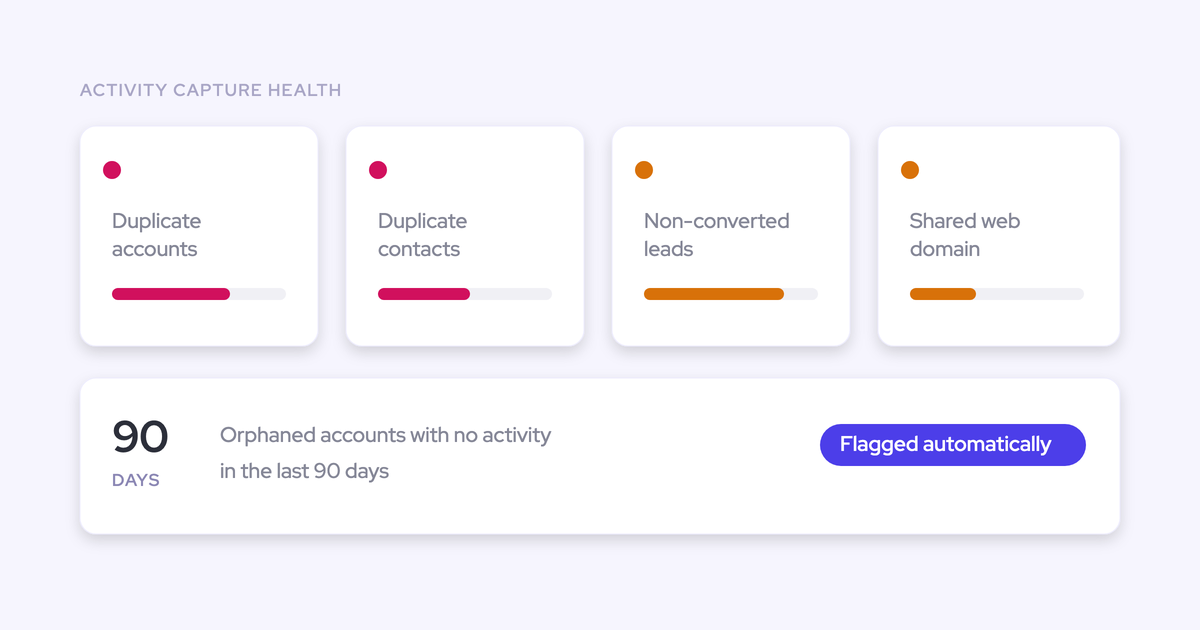
| CRM matching health | Use Weflow Analytics Activity Capture Health inside Salesforce. | Missing email addresses, duplicate records, and shared account domains can undermine matching. | Fix the underlying Salesforce records. |
Weflow Analytics surfaces capture-related data quality and Salesforce settings checks. The source-to-record samples above are operational checks you run alongside that reporting.

Before you expand enrollment, take one ambiguous opportunity mapping and one mandatory exclusion through the complete workflow. Those cases tell you more about rollout readiness than a rising activity count.
See how Weflow captures activity, updates Salesforce fields from calls, and rolls up your forecast. Book a 30-minute demo.
What else should you know about activity capture modes?
Capture modes govern logging behavior. Enrollment, recording, application access, and pricing have separate rules.
Can we assign capture modes by user or region?
Yes. Weflow supports separate capture configurations for different user populations, with Salesforce field conditions controlling which records qualify.
- Enrollment: Individual users or teams, including dynamic teams based on Salesforce manager, role, or user fields.
- Capture scope: Objects, opportunity types, regions, and other Salesforce field conditions.
- Exclusions: Domains, addresses, and record-level rules.
Multiple mail tenants require separate capture configurations. Maintain sibling-company domain exclusions across those configurations so internal group correspondence doesn’t look like external customer activity.
Which mapping changes move Salesforce events and recordings together?
Make meeting-mapping corrections from the Outlook add-in or Chrome extension when you want both the Salesforce Event and the Weflow recording to move.
| Correction surface | Affected records | Remaining limitation |
|---|---|---|
| Outlook add-in or Chrome extension | Changes the Event and recording mapping. | The Event can relate to one opportunity or account. |
| Recording view inside Weflow | Changes the recording mapping only. | The calendar Event stays on its existing record. |
A recording can link to several records. That doesn’t make its meeting Event appear on every linked opportunity’s activity timeline.
Will Outlook add-in sign-ins interrupt automatic activity capture?
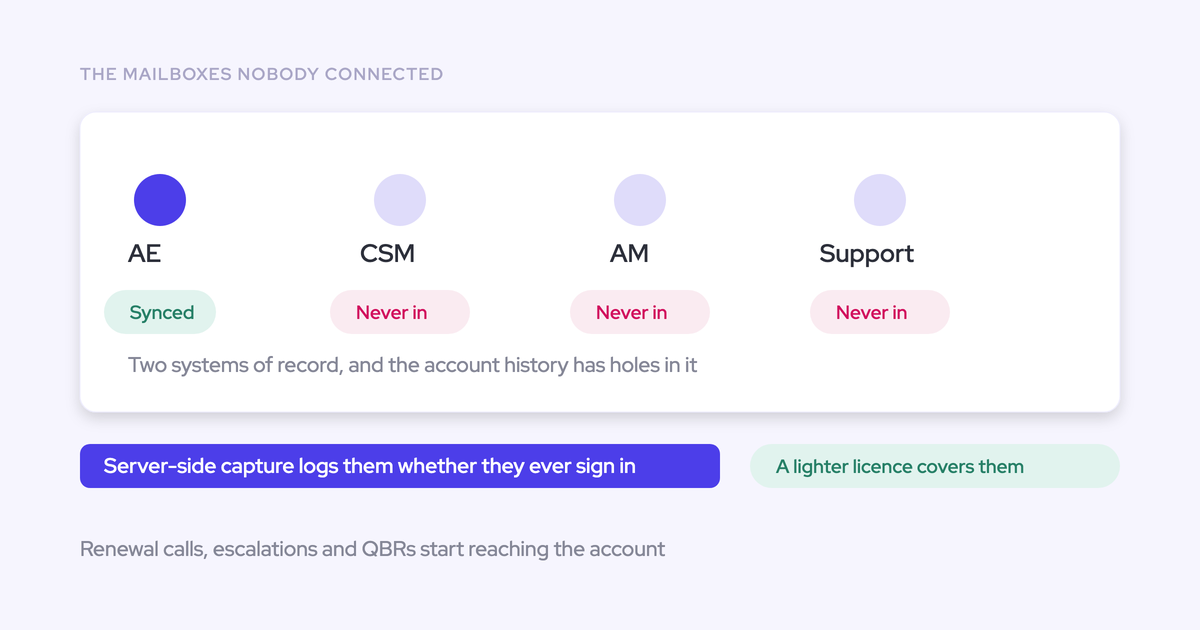
No. In fully automated and hybrid modes, Weflow captures activity server-side. An Outlook add-in authentication prompt affects access to rep controls, not the background capture service.
Authentication frequency depends on your environment. Include restart and sign-in behavior in the add-in usability test because hybrid users need access when an exception occurs.
Do users need Weflow logins for automatic activity capture?
No. Once an administrator enrolls a user in an automatic capture configuration, Weflow captures their eligible emails and meetings without that user signing in.
Weflow Conversation Intelligence has a different dependency: a licensed user must sign in once before the notetaker starts joining their meetings.
Does Weflow Activity & Contact Capture include call recording?
No. Weflow Activity & Contact Capture logs email and meeting activity. Call recording belongs to Weflow Conversation Intelligence.
Choosing a capture mode doesn’t choose a recording policy. You can purchase Weflow Conversation Intelligence separately or together with capture in Revenue AI Foundation.
What does Weflow Activity & Contact Capture cost?
Weflow Activity & Contact Capture costs $19 per user per month, billed annually, with a 10-user minimum. The Gmail extension and Outlook add-in are included.
Weflow charges no platform or implementation fees. Historical backfill of up to 24 months is available as an add-on.