How to Test a New Salesforce Activity Capture Tool Against Einstein Activity Capture Before You Switch
Learn how to test a new Salesforce activity capture tool against Einstein Activity Capture before switching


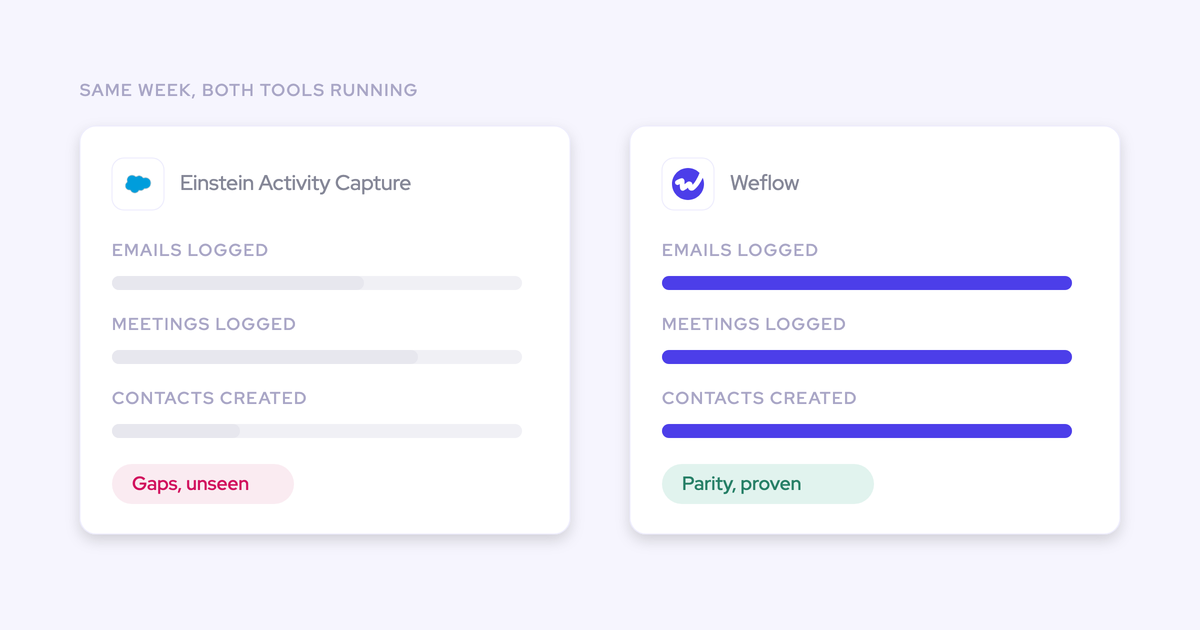

You don't need a vendor's word on capture parity. You can run the replacement alongside Einstein Activity Capture on default settings, count what each one logged for the same users over the same window, and prove it tracks one for one before you switch anything off.
You already know why you're here. Salesforce has named Momentum the future of call recording and activity capture, which leaves EAC on a superseded path with no migration story, and you've spent enough time resetting a connector that dropped without throwing an error.
This guide runs the test with Weflow, the Revenue AI Orchestration platform for sales, customer success, and RevOps teams, because Weflow can run in parallel with Einstein during the test and writes its Salesforce data capture into native objects, which is what makes the comparison reportable in the first place.
The outcome: a parity report you can defend to leadership
At the end of this process you hold one artifact: a per-category count showing what Einstein captured and what the new tool captured, for a named test group, over a named window, with every difference explained rather than discovered six months later.
That's what makes the switch-off auditable instead of a judgment call. It's also the exact shape of the thing a Sales Ops person we spoke with described before killing their EAC licence:
We were trying to get out of certain additional licenses with Salesforce with their Einstein Activity capture since we have the unlimited edition or we get all that with our org, so we were paying like twice for the licenses. So we tested it out, made sure it tracked one for one.
One-for-one parity means this: for the same users and the same window, every email and meeting that reached Salesforce through Einstein also reaches Salesforce through the new tool, once and only once, mapped to a record you can report on.
Two honest caveats before you start.
- You run the test on defaults. No templates, no custom objects, no tailored rules. Configuration is what you do after parity is proven, not the thing that makes parity happen.
- Some categories won't be parity, they'll be a gap. Attachments, automatic contact creation, and opportunity-level mapping are places where EAC structurally doesn't do the work. The test should surface that difference, not hide it.
Prerequisites for a clean parallel capture test
Get these four decided before you touch a setting. Each one stalls the test mid-run if you leave it open.
- A test group of real users, not a demo account. Pick people who actually send mail and run meetings, and cover more than one motion if you have SDRs, AEs, and CSMs on different tooling. Capture behaves differently on an account with three open opportunities than on a single-deal account, and you want that in the sample.
- Admin access on both sides. You need the Salesforce side (Einstein setup, integration user, reporting) and the mail tenant side, because server-side capture installs as a central app in Microsoft Entra or Google Workspace. If your IT team owns the tenant, book them before day one rather than day three.
- A defined window, decided up front. A short pilot of around two weeks settles it for emails and meetings. Long enough to cover a full sales week twice, short enough that nobody loses interest. Write the start and end date down before the first record lands, because a window you adjust afterwards is a number nobody upstream will trust.
- The decision to run on defaults. Agree it with whoever asked for the evaluation. The question this test answers is "does it track what EAC tracked," not "can it be configured to do more."
And the sandbox question, since it's usually the first one asked:
we can test the way that it connects and integrates to salesforce in a sandbox environment of salesforce rather than production.
Yes, for the connection. You can validate the Salesforce connection, the integration user, permissions, and how records are written in a sandbox. What you can't do there is the parity count itself, because the thing being measured is real mail flow between real people. A sandbox tells you the plumbing works. Production tells you the numbers match.
How to run Weflow in parallel with Einstein Activity Capture
Seven steps, in this order. Step 1 comes before installation for a reason: get it wrong and the test generates the exact duplicate mess it was meant to prevent.
Step 1: set Einstein's event sync to one direction
Einstein Activity Capture with event sync left bidirectional creates a loop. The event is written to Salesforce, pushed back out to the calendar, and written to Salesforce again.
On its own that loop is survivable. The moment a second capture tool starts writing events, it isn't: you get two events per meeting, your rep counts inflate, and the natural conclusion in the room is that the new tool is broken.
Setting Einstein's event sync to one direction, from the mail and calendar system into Salesforce, stops it without switching Einstein off.
| Einstein event sync setting | What happens once a second capture tool is also writing |
|---|---|
| Both directions | Event lands in Salesforce, gets pushed back to the calendar, lands again. Two records per meeting, no error, and activity metrics distorted from day one. |
| One direction (calendar into Salesforce) | Einstein writes the event once. Weflow adds summaries and codings onto the events Einstein already created instead of writing its own duplicate. |
The trap here is a shortcut that looks equivalent and isn't: removing the Einstein permission from your test users does not stop the loop. Change the sync direction itself.
Do this before installation, not after. Duplicates written while the sync was bidirectional don't clean themselves up, and you'll be reconciling them by hand while trying to run a count.
Step 2: install Weflow on defaults for a test group
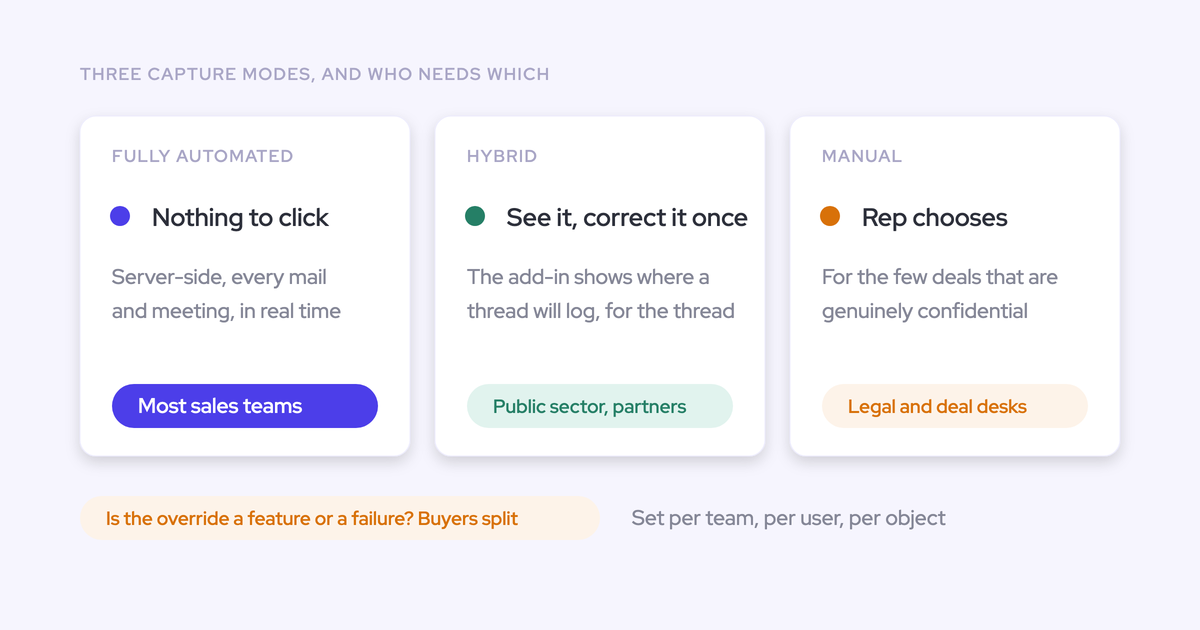
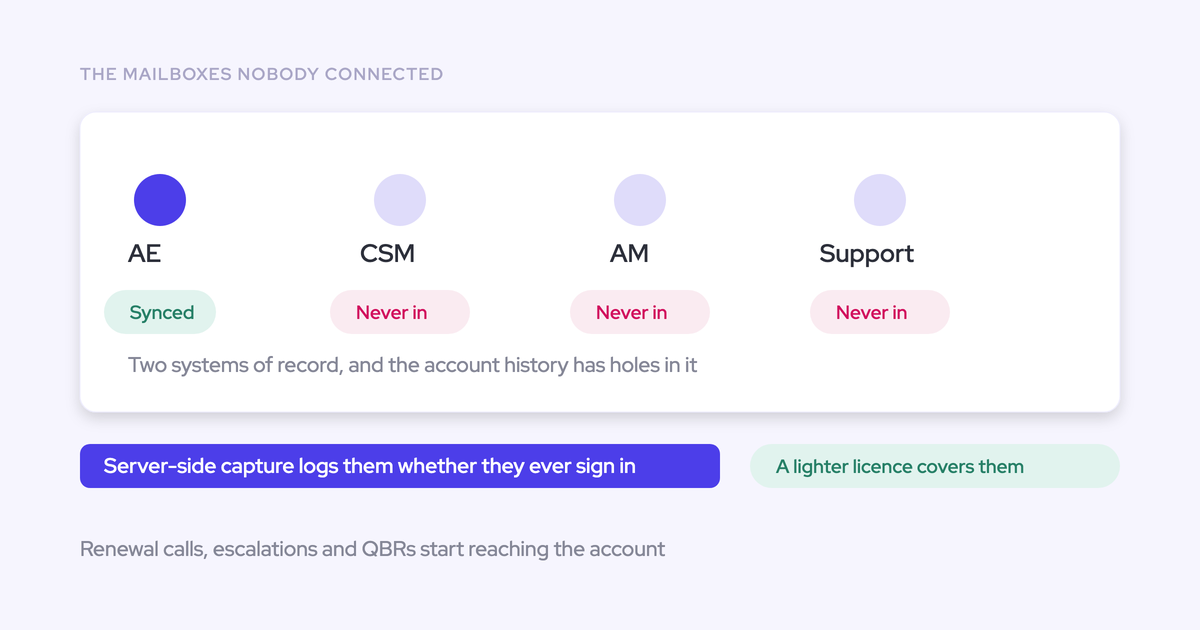
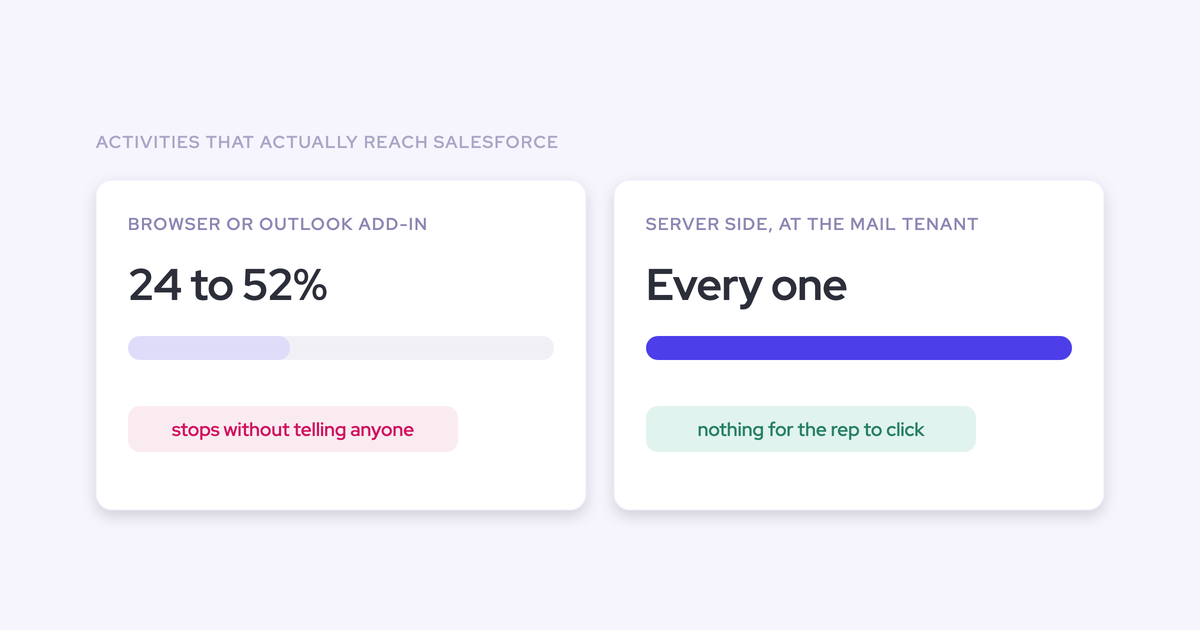
Weflow Activity & Contact Capture runs server-side at the mail tenant level through a central app installed in Microsoft Entra or Google Workspace. It captures every email and meeting regardless of client or device, and there is nothing for a rep to install, click, or remember.
That matters for the test design. Whatever you measure is the tool's actual capture rate, not a measure of who bothered to use it.
- Connect Salesforce and pick your mail service, Google Workspace or Microsoft 365.
- Add only your test group to the capture configuration. Capture is scoped per team, per user, and per object, so nobody outside that list is affected.
- Leave the sync settings as they come: email background logging on, calendar event logging one direction into Salesforce, internal meetings off.
- Confirm the object type the email lands on. Weflow lets an admin choose EmailMessage or Task. EAC gives you no choice at all, and this is one of the rows in your comparison table later, so note what you set.
- Note one behavior that affects your counts: Weflow only logs an activity when it can match it to an existing Salesforce record. It never writes an email into Salesforce with no link to an account, opportunity, contact, or lead.

Resist the urge to configure. Exclusion rules, custom objects, and contact creation limits are all there, and they're all things you tune once you've proven the baseline.
Step 3: backfill the test group's activity history
New capture starts a forward-looking timeline, which is a problem for an evaluation. Two weeks of activity on deals that have been running for six months looks thin no matter how good the capture is.
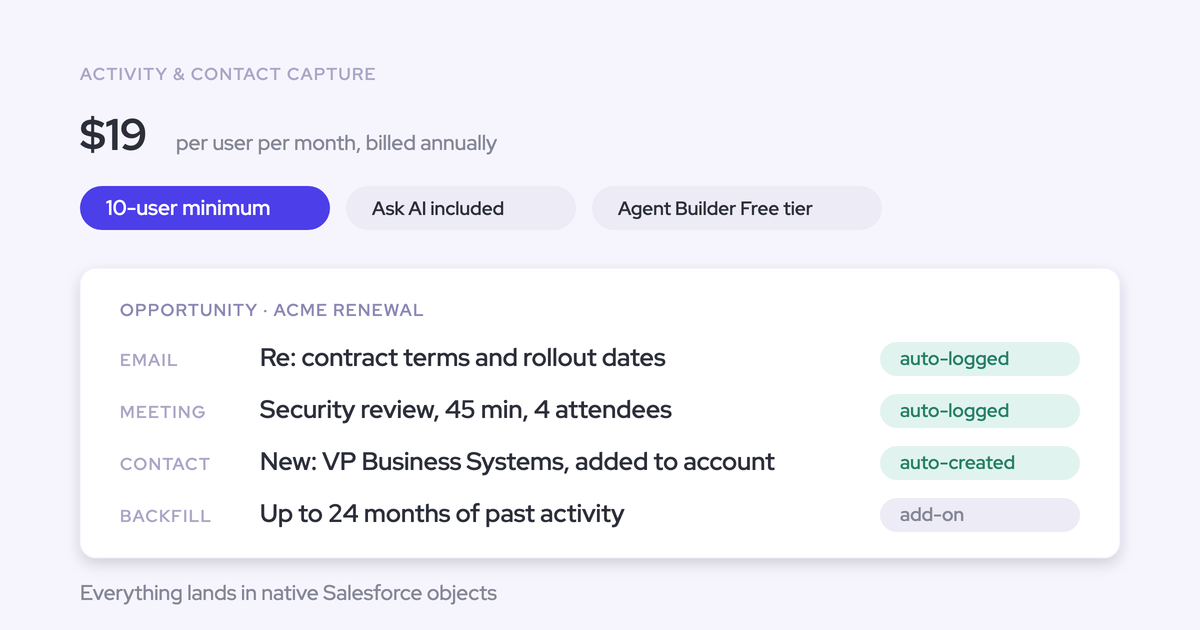
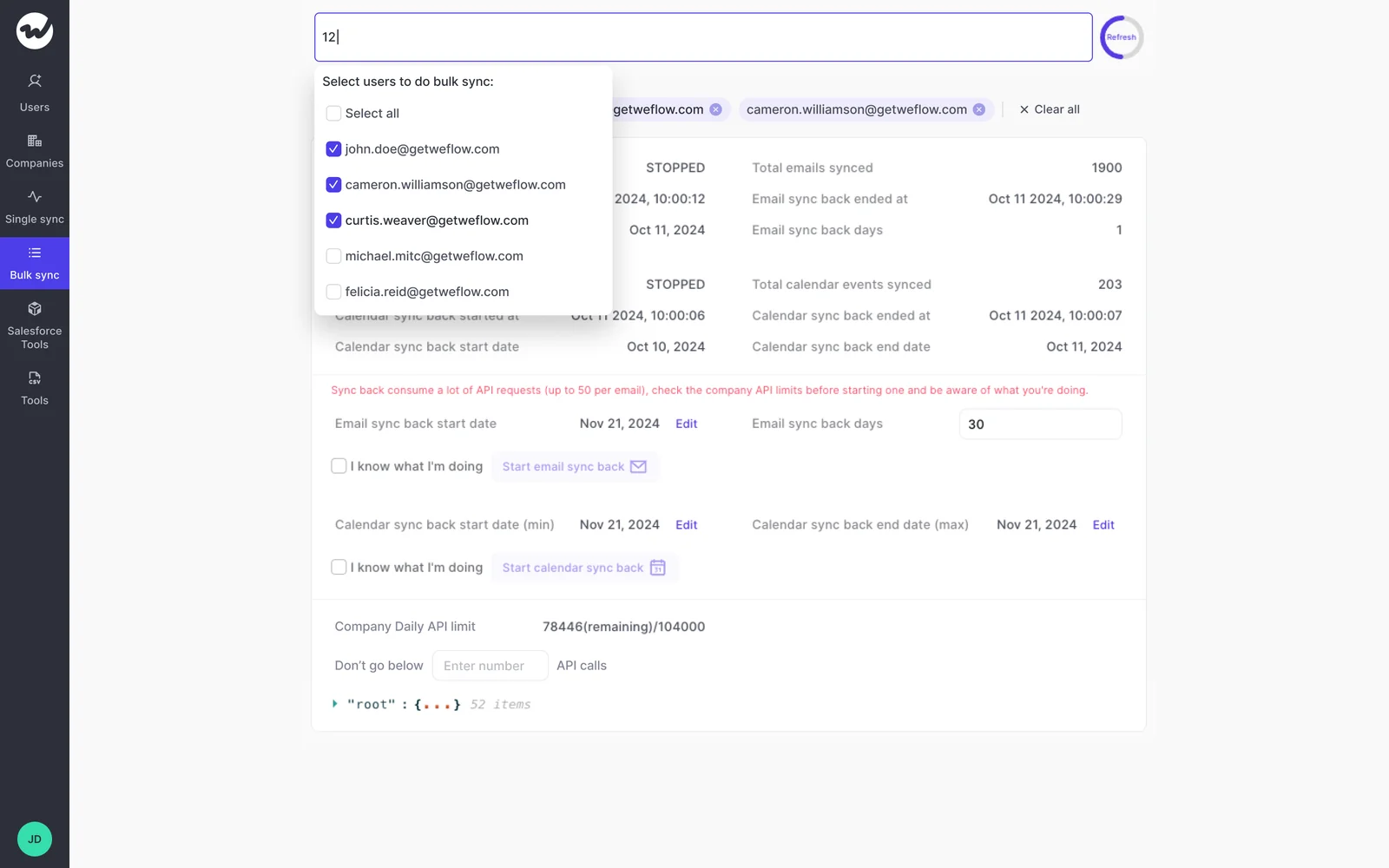
Weflow can sync back up to 24 months of historical emails and meetings for users who are in the capture configuration, and a paid licence is not required to do it. That means your test group can show months of real activity from day one instead of an empty timeline you have to apologize for.
Two constraints to plan around:
- It takes three to four days, not minutes.
- It draws on your org's shared Salesforce API quota. A backfill can stall because an unrelated integration is eating the daily limit, so check your headroom before you kick it off.
The backfill also answers the question finance will ask about cutover risk: the mail data lives in your tenant, so turning a capture tool off doesn't destroy history. Any gap can be filled afterwards.
Step 4: define the comparison checklist and pass criteria
"One for one" is a phrase until you break it into categories with a pass bar per category. This is the part you screenshot and send upward.
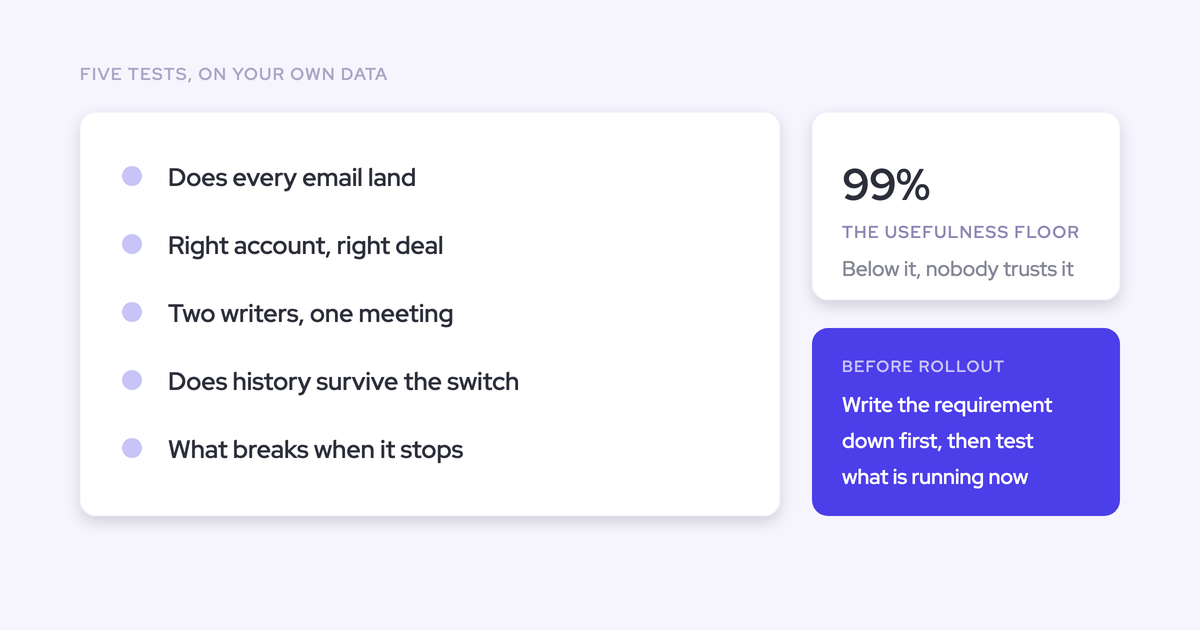
Set the bar before you count. Capture is only useful above roughly 99% of emails, meetings, and contacts landing in the CRM, because below that any missing activity could be the one that changes the answer. Use that as your threshold for the count categories, and treat the rest as differences to explain.
| Category | What to compare | What a pass looks like |
|---|---|---|
| Outbound emails | Count per user for the window | Matched count. Any gap traced to a named cause (excluded domain, unmatched record, address mismatch), not left as "roughly the same" |
| Inbound emails | Count per user for the window | Matched count. Check this separately, because inbound is where partial setups quietly fail |
| Meetings and events | Count per user, and records per meeting | Matched count, and exactly one record per meeting. Two means Step 1 didn't take |
| Contacts | New contacts created on existing accounts from threads and invites | Observable difference, not parity. EAC does not create contacts automatically |
| Attachments | Emails with a file, stored against the record | Observable difference. EAC cannot log email attachments at all |
| Opportunity mapping | Activity on the opportunity versus activity on the account, specifically for accounts with more than one open opportunity | Observable difference. Expect EAC to fall back to the account here |
| Object type | Whether an email lands as EmailMessage or Task | You chose it in Step 2. EAC gives an admin no choice, which is itself a finding |
Be precise about EAC when you write this up, because a sloppy claim will get you corrected by someone who reads release notes.
The old complaint was storage: activities sat in an external store, so they weren't queryable, weren't usable in flows, and couldn't be exported to Tableau or Power BI. Salesforce moved EAC toward native records around the start of 2026, via the opt-in "Sync Email as Salesforce Activity" setting introduced in Summer '25, with existing orgs migrating through Salesforce Support.
So the reportability gap narrowed. What didn't change is the list that actually drives switches:
- Reliability. It works, then it doesn't, and nothing tells you why.
- Contact capture. No automatic contact creation, so the buying committee stays as incomplete as it was.
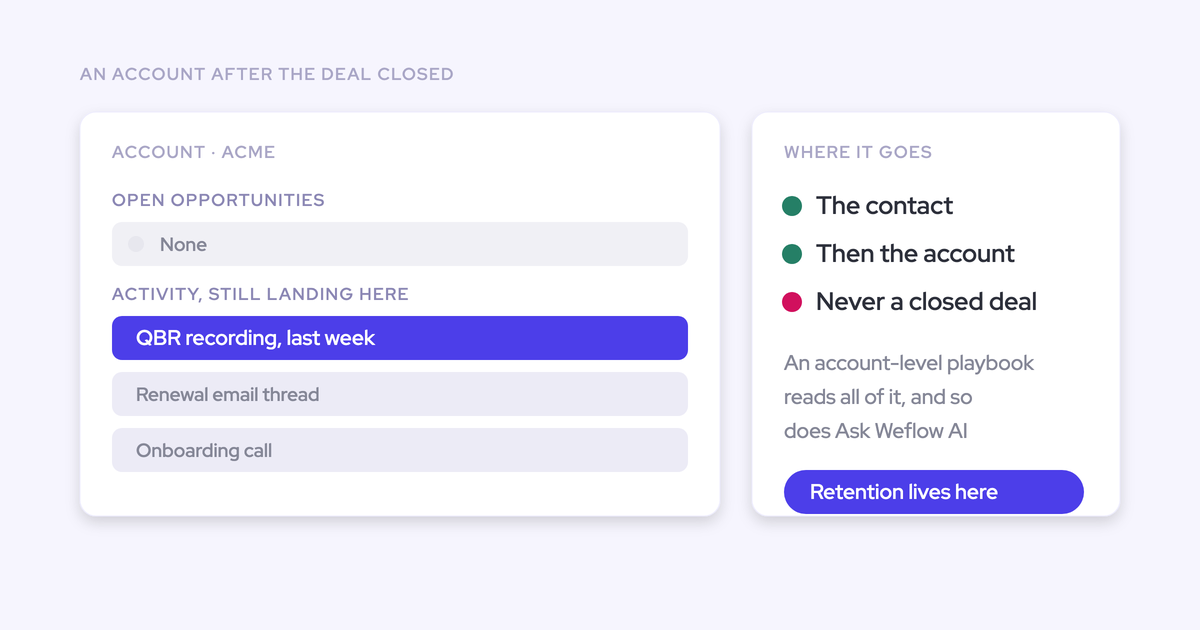
- Opportunity mapping. EAC decides which opportunity an activity belongs to through opportunity contact roles, and where those aren't maintained it has nothing to follow. With several open opportunities on one account it falls back to the account.
- Mobile. Acceptable on desktop, weak where field reps actually work.
- No rep-facing correction. Matching is fully automatic with no interface, and the Salesforce Outlook and Gmail add-in is a separate service that isn't connected to it. A wrong mapping stays wrong.
That last one is worth designing into the test rather than reading about. Salesforce lets an activity relate to either an opportunity or an account, not both, so every capture tool has to pick. Weflow's hybrid model puts the mapping in front of the rep in the Outlook add-in or Chrome extension, they can re-map a thread once, and that choice sticks for the rest of the thread.
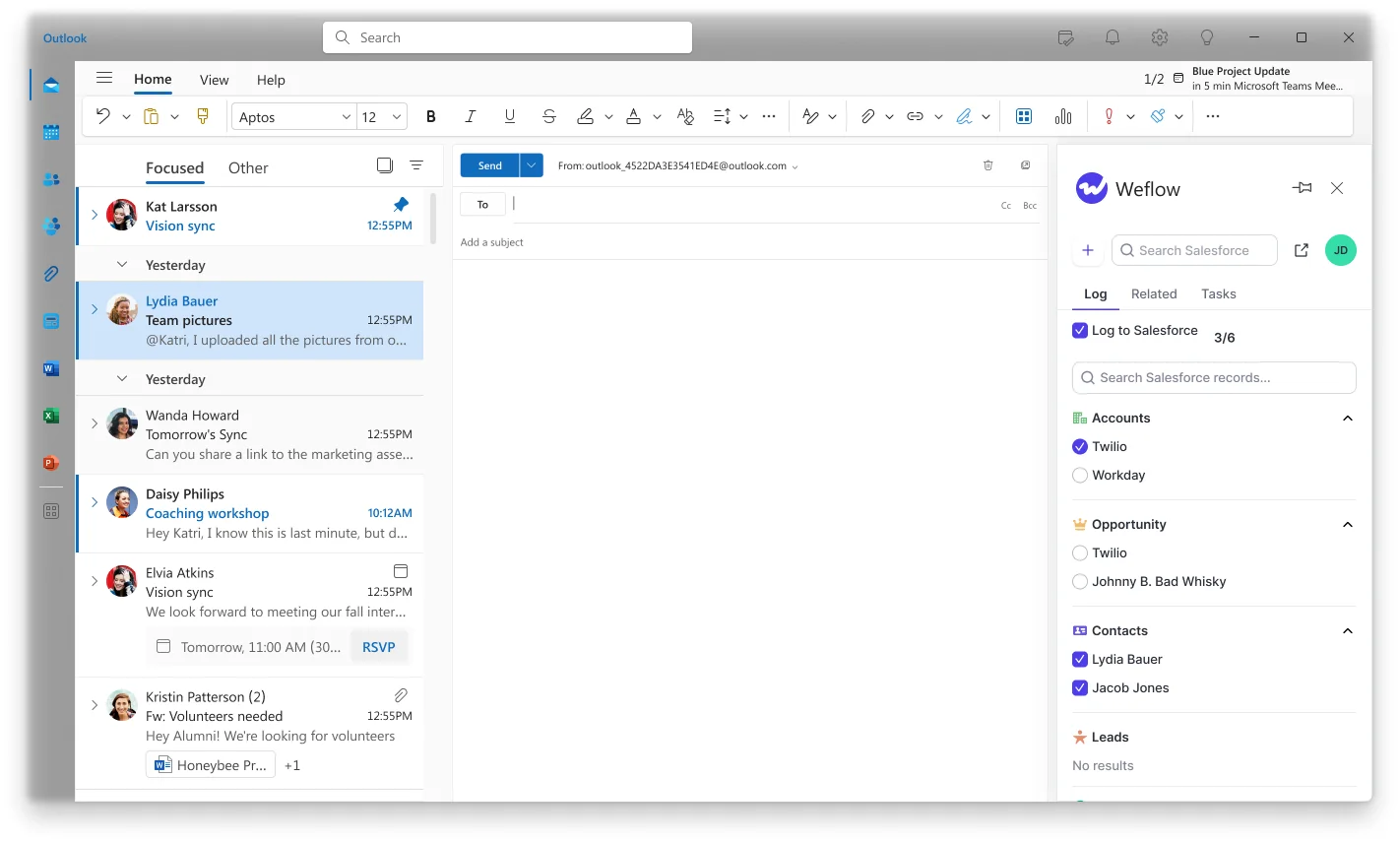
Pick two or three multi-opportunity accounts in your test group and check where the activity landed in each tool. That single row usually carries more weight with leadership than the raw email count does.
Step 5: build the parity report in Salesforce
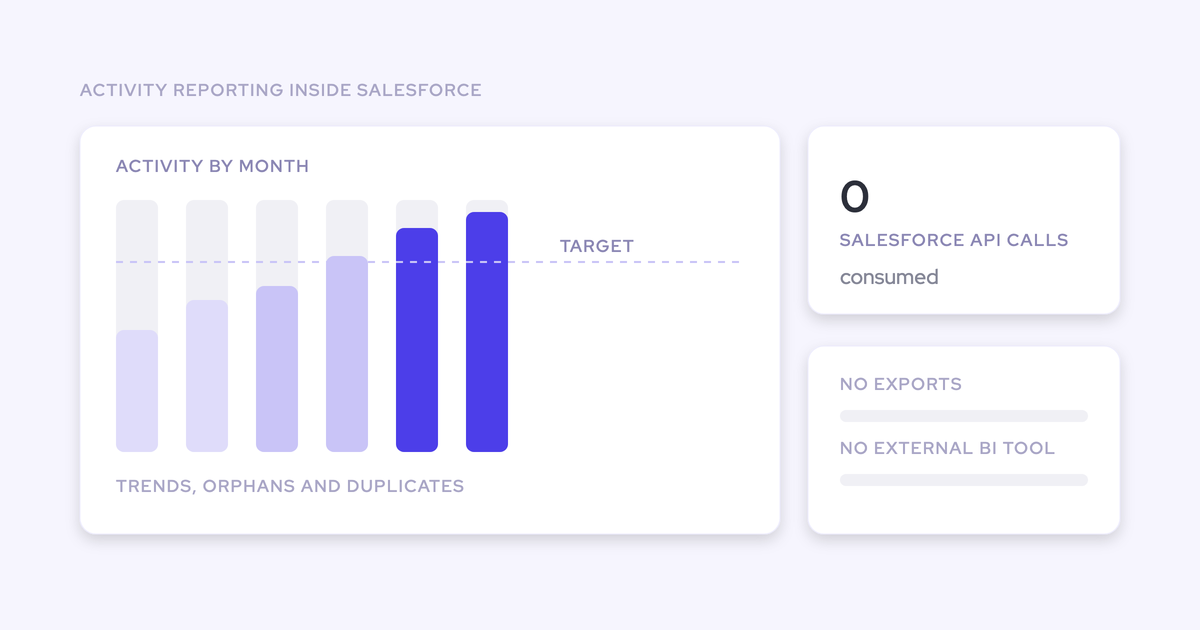
Because Weflow writes to native Salesforce objects, the Weflow side of the comparison is reportable inside Salesforce with no export and no BI tool.
- Enable the Weflow Analytics package from the Weflow admin console. It appears as a Salesforce app.
- Open the per-user activity counts, which split by emails, meetings, and other types. That's your Weflow column, per user, for the window.
- Filter to your test group and your dates. Nothing else.
- Pull the same shape of number for the Einstein side (see below).
- Put them side by side, per user, per category from the Step 4 table, and mark every row pass, gap, or explained difference.
One detail that matters at scale: the Weflow Analytics reporting consumes no Salesforce API calls, so you can run it continuously without competing with every other integration for the org's daily limit. That also means the answer to "where does this report live" is Salesforce, not a vendor dashboard.
Now the honest part about the Einstein baseline.
- If your org has enabled Sync Email as Salesforce Activity, EAC activities are native records and you can build the same per-user count against them. Straightforward.
- If you haven't migrated, you're working with the standard Salesforce activity reporting plus the legacy Activity 360 Reporting, Activity Metrics, and Activities Dashboard, which retire in Summer '26. Build the baseline from what you have, and say in your write-up which one you used.
- Either way, the real denominator is the mail tenant. Both tools read from the same mailboxes, so if the two columns agree with each other but both look low against what your reps say they sent, the gap is upstream of both. Check Step 6 before you blame either tool.
Worth noting for anyone who built reporting on EAC's old architecture: when Salesforce moved it to native records, velocity reports, flows, and custom fields built against the previous structure stopped matching, and those customers rebuilt. That's the durable argument for activity living in objects you control, rather than the reporting complaint itself.
Step 6: check for users silently producing nothing
A raw total can look fine while individual users have fallen out of capture entirely. This is the failure mode that invalidates a naive parity count, and it throws no error.
The usual cause is an address mismatch. If a user's sending address doesn't exactly match the address on their CRM user record, their activity simply doesn't appear.
It's common in businesses that have been through an acquisition and kept a legacy domain, or where a team sends from a subdomain or a secondary alias. Nobody reports it, because from the outside it looks like a person who isn't working:
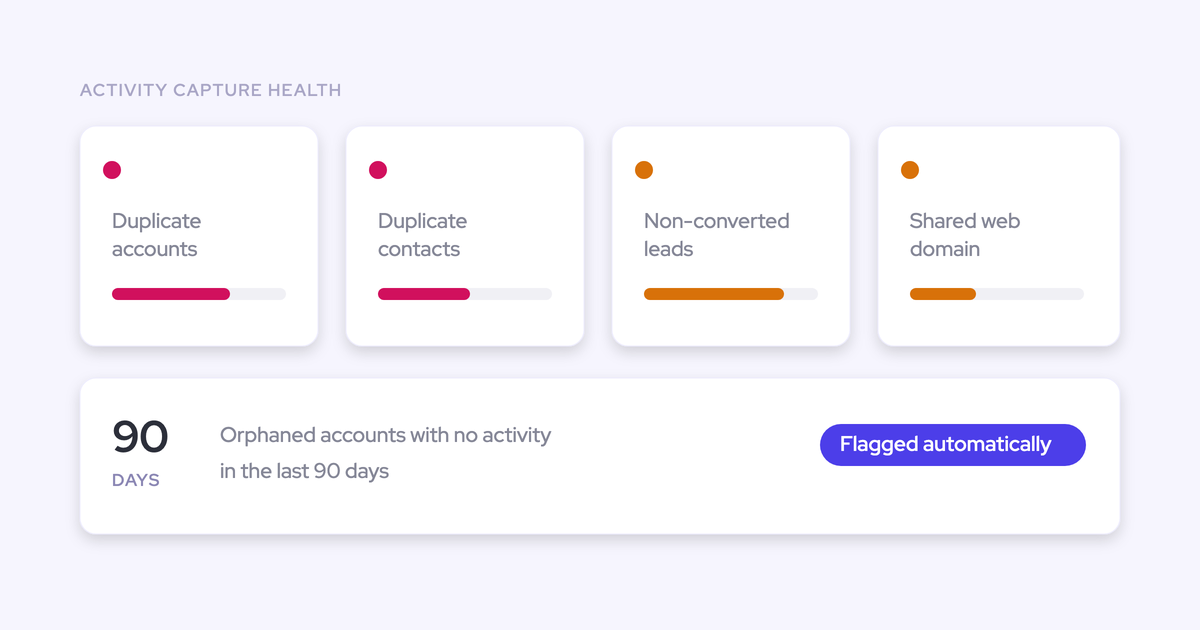
Before you call the test a pass, open Activity Capture Health in Weflow Analytics inside Salesforce and check for:
- Users in the test group generating zero activity for the window
- Capture settings not yet configured for optimal capture, which is the one that bites on a fresh install and then gets blamed on the product months later
- Duplicate accounts sharing the same website domain, the specific pattern that breaks activity-to-opportunity mapping because the capture can't tell which of two identical accounts an email belongs to
- Duplicate contacts and non-converted leads sitting under the same people
Fix these, re-run the count for the affected users, and only then read the total. A parity number that includes a silently broken user is a number you'll have to retract.
Step 7: decide, then switch Einstein off or run it one-way
You have two end states, and picking one is the decision, not the default.
| Clean cutover | Coexistence | |
|---|---|---|
| What you do | Switch EAC off, run one capture layer | Leave Einstein running with event sync one direction, as you already set it in Step 1 |
| What it requires | Confidence in the parity report, and a backfill if you want the gap between the two closed | An ongoing rule about which tool owns what, and someone remembering that rule at the next admin change |
| What it risks | Nothing to your history: the mail data lives in your tenant, so anything missing can be synced back up to 24 months | Two engines writing forever, which is a duplicate waiting for the next person who touches the sync setting |
Cutover is the cleaner end state, and it's the one we'd push you toward once the checklist passes. Coexistence is for teams who need a phased transition across regions or business units, not a permanent architecture.
There's usually a licence line in this decision too. EAC is included up to 100 users and runs around $50 per user per month above that, and teams on Salesforce Unlimited Edition already hold it through the edition. We've seen orgs buy additional capture licences on top without realizing, and pay twice. Nothing in Salesforce flags it, so it surfaces during a stack review or never.
Now, and only now, start configuring: exclusion rules, custom objects, contact creation scope, AI templates. Parity first, tailoring second.
Common pitfalls that invalidate a capture parity test
Three things will wreck a count that was otherwise run correctly.
Another tool is already logging the same emails
Einstein isn't the only writer in most stacks. If Outreach, Salesloft, Apollo, or a scheduling tool is already logging to Salesforce through the same mailboxes, your counts will double and the whole test gets discredited by the one person in the room who spotted it.
All my activities are already logged through Outreach. Is there any conflict with weflow? Is it gonna double log into Salesforce?
You need an explicit ownership rule per tool before the window opens, and Weflow gives you two mechanisms that solve different halves of the problem.
- Compatibility mode is for a tool that should keep logging. You name the other tool's sending domain, Weflow delays its own sync by around ten seconds, checks the message for that tool's tracking pattern, and skips it if it finds one. Named sequencers ship as presets.
- Tracking patterns are for a sequencer whose bulk sends should never reach the CRM at all. Matched on a string in the message body, suppressed entirely.
Pick the wrong one and you get either a doubled activity count or a silent hole in a rep's history. Both look like a capture failure in the report, and neither is.
Old CRM damage looks like a capture gap
The first question leadership asks about any new tool is whether the data is accurate. It's a loaded question, because the honest answer is usually that the tool is capturing correctly and the CRM it's writing into has years of accumulated damage.
Name the pre-existing problems before you present the count, or every gap in the report gets attributed to the new tool.
| What it looks like | What it usually is |
|---|---|
| Healthy activity volume, empty deal timelines | Opportunity contact roles aren't maintained, so activity defaults to the account and disappears from opportunity reporting |
| Activity on the wrong customer | Partner or reseller contacts that legitimately belong to more than one account, breaking domain-based matching |
| One account collecting everyone's threads | Internal users listed as contacts on a test or demo account, pulling in every thread they touch |
| Two accounts, activity split unpredictably | Duplicate accounts sharing a website domain, from a merge nobody finished |
Run the Step 6 health check before the window, write down what you find, and present it as a separate list. The parity test judges the capture layer. Anything on that list was there before either tool.
Duplicates written before the sync fix don't clean themselves
If you already see two events per meeting, the setting was bidirectional while a second tool was writing. Fixing the direction stops new duplicates. It does not remove the ones already in Salesforce.
They keep distorting activity metrics until you delete them, which is how the same rep shows thirteen meetings a week in one view and eight in another. Clean them before you count, or your parity report starts with a number nobody believes.
What no capture tool logs: phone and messaging channels
Scope this before you present, so you don't over-claim what the test proved.
Email and calendar are capturable. Messaging is not, for Weflow or anyone else. Text, WhatsApp, iMessage, and shared chat channels carry some of the strongest deal signal in an enterprise cycle and sit outside every capture layer, because the obstacle is consent and device ownership rather than integration.
Phone is a different case. Telephony providers ship their own deep Salesforce integrations, so call activity is generally logged by the dialer itself. Weflow does not capture VoIP or phone calls today.
- In scope for the parity test: outbound and inbound email, calendar meetings including video calls, contacts, attachments, and the Salesforce record each of those maps to.
- Out of scope for every tool in this class: SMS, WhatsApp, iMessage, LinkedIn messages, shared chat channels.
- Owned elsewhere: phone and VoIP, through your dialer's own Salesforce integration.
If your motion is phone-heavy, say so in the write-up. Capture parity is a complete answer for the email and calendar layer and a partial one for the whole customer relationship, and it's better that you name that than a skeptical VP does.
FAQ: testing and replacing Einstein Activity Capture
Can I test the Salesforce connection in a sandbox first?
Yes. You can validate the connection, the integration user, permissions, and how records get written in a Salesforce sandbox before touching production.
What a sandbox can't give you is the parity count, because real mail flow between real people is the thing being measured. Use the sandbox to de-risk the integration, then run the count in production against a small test group.
Does the historical backfill require a paid Weflow licence?
No. Users who are added to the activity capture configuration can be backfilled without a licence, which is exactly what makes a pre-purchase test group useful.
Weflow syncs back the previous 12 to 24 months of emails and meetings. Expect three to four days, and check your Salesforce API headroom first, since the backfill draws on the org's shared daily quota.
Will Weflow double-log activity that Outreach or Salesloft captures?
No, provided compatibility mode is on. You name the other tool's sending domain, Weflow holds its sync back by around ten seconds so the other system claims the record first, checks the message for that tool's tracking pattern, and skips it if it finds one. Outreach, Salesloft, Apollo, and Clay ship as presets.
Compatibility mode is only needed while a second capture tool is still live. Once the old tool is off, you don't need it, and one capture layer is the cleaner end state.
Can we keep Clari for forecasting while replacing Einstein?
Yes. Clari reads activities from Salesforce, so a single capture layer feeding cleaner activity into Salesforce improves what Clari consumes rather than competing with it.
The failure mode is two capture engines writing at once, not coexistence itself. Same principle as Step 1: decide which tool owns the write, then make sure only that tool writes.
What does Weflow Activity & Contact Capture cost to test?
The test costs nothing. There's a 14-day free trial with guided onboarding, and the backfill doesn't require a licence.
If the parity test passes, Weflow Activity & Contact Capture is $19 per user per month billed annually, with a 10-user minimum. No implementation fees and no professional-services fee, which is worth checking against whatever the alternative quote includes.
How will I know if capture breaks after go-live?
Assume it will fail quietly at some point, because that's how capture fails. A connector gets switched off, an address changes after a rebrand, and nothing errors.
Make the Step 6 check standing work rather than a one-time gate. Activity Capture Health and the analytics views inside Salesforce show users generating zero activity, capture settings that aren't configured correctly, activity trend lines over time, and accounts with no activity in the last 90 days.
The orphaned-record view is the one that changes behavior, because it inverts the question: instead of showing what activity exists, it shows which accounts and opportunities have none. That's the set a pipeline review never surfaces on its own.