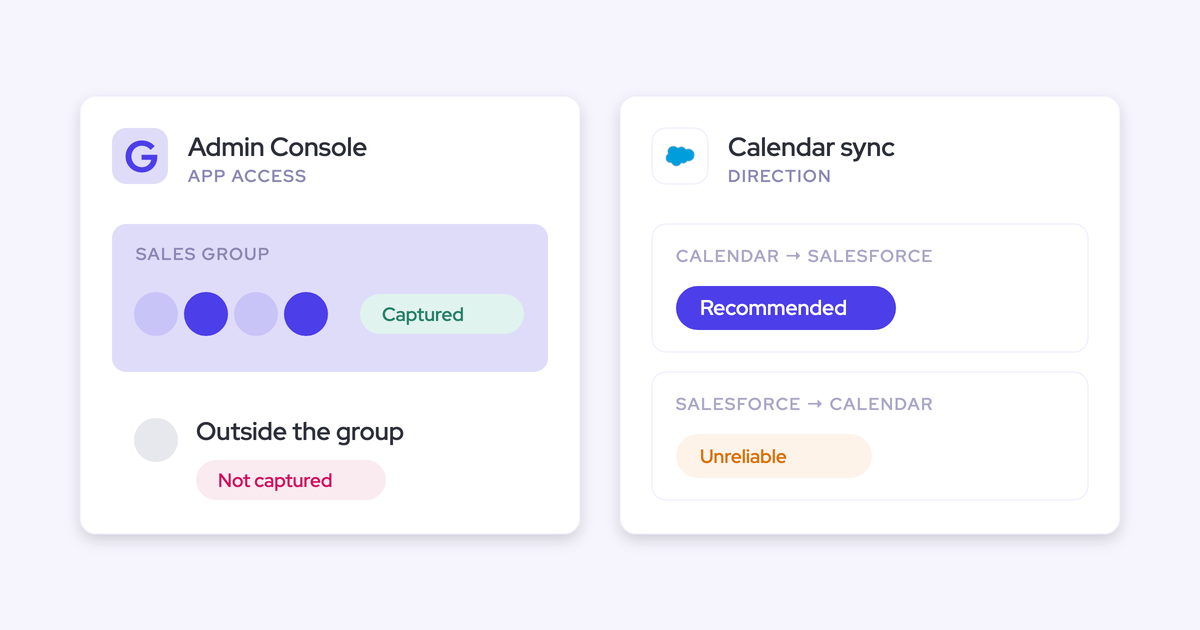
Weflow Activity & Contact Capture Pricing: What $19 per User Includes, Who It Is For, and What It Pairs With (2026)
Learn Weflow Activity & Contact Capture pricing: what's in $19/user, who it's for, and what to pair it with.


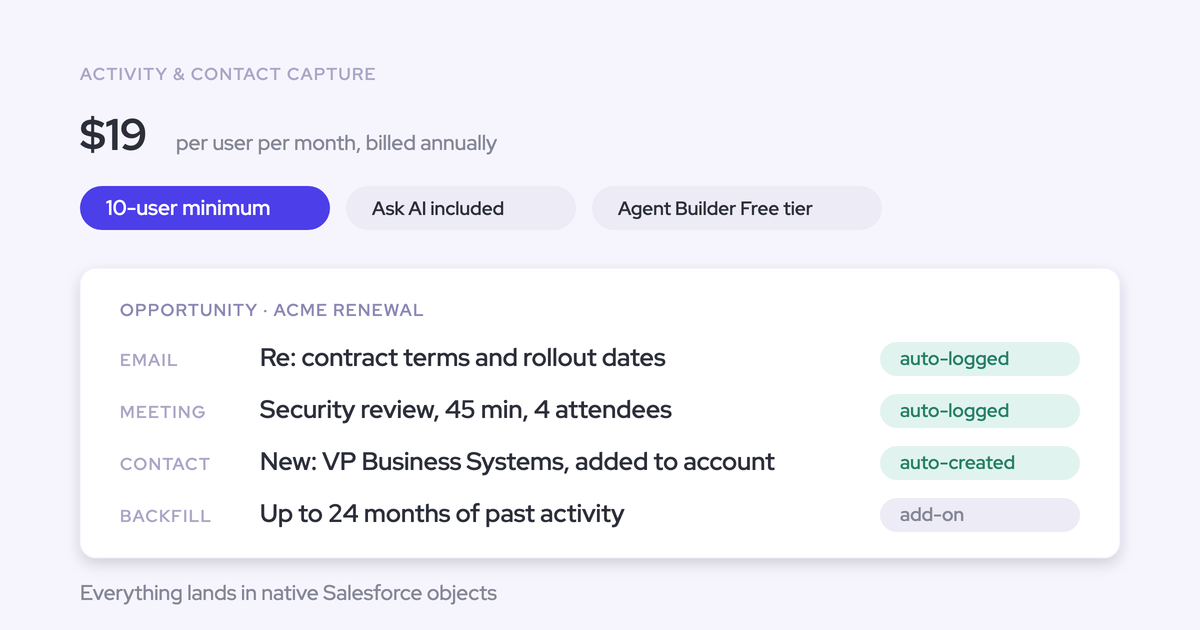

Weflow Activity & Contact Capture costs $19 per user per month, billed annually, with a ten-user minimum. It automatically syncs emails, meetings, and contacts into Salesforce. The minimum annual seat commitment is $2,280, before additional fees.
Implementation is free. A variable platform fee can apply to contracts under $10,000. If you also need call recording, transcription, and Salesforce field updates from conversations, Revenue AI Foundation combines both products for $49 per user per month, billed annually.
Weflow is the Revenue AI Orchestration platform for sales, customer success, and RevOps teams. You can buy Weflow Activity & Contact Capture on its own. You don’t need to replace your recording or forecasting software to start.
What does Weflow Activity and Contact Capture include?
Weflow Activity & Contact Capture includes automatic mailbox capture, Salesforce record mapping, contact creation, and activity reporting. The work happens in the background, so your activity record doesn’t depend on reps remembering to log it.
The useful buying question is whether those records support your reports and automations. An email on the wrong opportunity still gives you the wrong answer.
How Weflow captures emails, meetings, and contacts
Weflow captures emails and meetings from Microsoft 365 or Google Workspace and writes them into native Salesforce objects. Admins manage enrollment centrally; enrolled users don’t need to sign in for capture to run.
| Captured input | Salesforce output | Your team’s involvement |
|---|---|---|
| Incoming and outgoing emails | EmailMessage or Task records, linked to the relevant CRM records | Your admin chooses the object type and logging rules. |
| Calendar meetings | Event records with participant relationships | Your admin configures mapping and attendee matching. |
| Email attachments | Attachments logged with captured correspondence | Your admin controls capture settings. |
| Missing customer contacts | Contact records associated with existing accounts | Your admin enables contact creation and accounts for validation rules. |
| Contacts involved in an opportunity | Opportunity Contact Roles | Your admin enables automatic role creation. |
Your reps keep working in Outlook or Gmail. The optional mail extensions let them see where activity landed and correct a mapping without opening Salesforce.
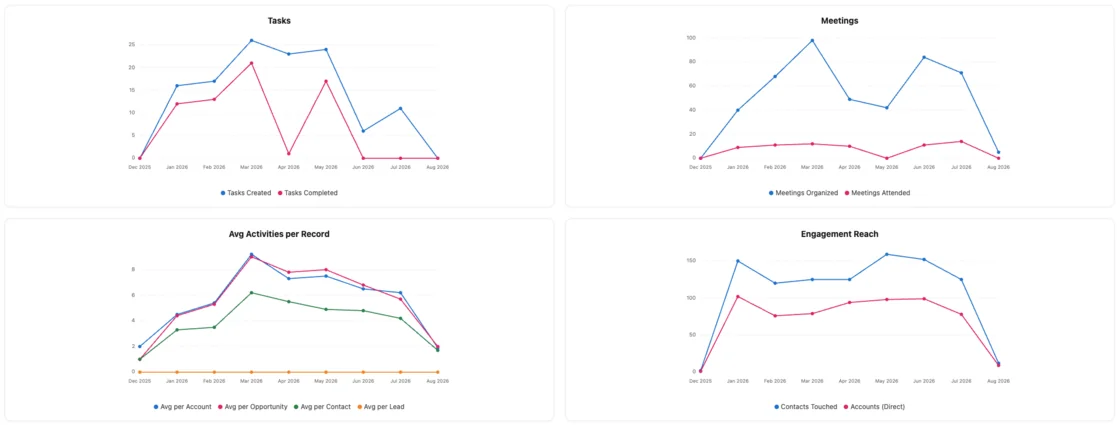
Weflow also includes prebuilt activity insights and reports. You can review activity trends across accounts, opportunities, contacts, and leads rather than treating application logins as proof that capture works.
How Weflow maps activities to Salesforce records
Weflow maps activity using email addresses and Salesforce relationships, not the email’s content. When those relationships don’t identify an opportunity confidently, Weflow logs to the account instead of guessing.
- Find the person. Weflow looks for the address in primary and secondary email fields on contacts, leads, or configured custom objects.
- Read the deal relationships. Opportunity Contact Roles connect the person to an opportunity. If the account has exactly one open opportunity, Weflow selects it.
- Resolve competing matches. With several open opportunities, Weflow weighs contact roles, ownership, account relationships, and stage. It excludes closed opportunities.
- Keep ambiguity visible. If the available relationships don’t settle the match, Weflow uses the account. A rep’s correction applies to later replies in the same email thread.
| Situation | Behavior or control | What it means for you |
|---|---|---|
| The same contact participates in several open deals | Weflow falls back to the account when the match remains ambiguous. | Some activity needs a manual opportunity selection. |
| A renewal and an expansion run together | Separate capture configurations can filter opportunities by type or close-date threshold. | Your mapping can follow each team’s sales motion. |
| An email maps to an opportunity without a contact role | Optional automatic Opportunity Contact Role creation connects the contact. | Later activity has a stronger relationship to follow. |
| A rep corrects a meeting | The Outlook or Chrome extension changes the Event mapping and, when applicable, its linked Weflow recording. | The activity and conversation stay aligned. |
Choose EmailMessage when you need native sender, recipient, and thread information. Choose Task when you need emails alongside tasks and meetings in a standard Salesforce activity report. That choice affects how your team reports on the captured data.
Which AI capabilities accompany Weflow Activity and Contact Capture?
Weflow Activity & Contact Capture includes Ask Weflow AI Pro and Agent Builder Free. Those entitlements don’t add recording or forecasting to the standalone product.
| Capability | Available inputs | Practical output | Usage allowance |
|---|---|---|---|
| Ask Weflow AI Pro | Accessible Salesforce records and captured activity | Answers about customer activity and CRM information | No prompt usage caps |
| Agent Builder Free | Available revenue data mapped to Salesforce | Custom AI workflows over that data | 25 agent actions per workspace per month |
With capture alone, you can ask about the activity and CRM data available to Weflow. You won’t get a transcript of an unrecorded meeting.
Agent Builder’s allowance belongs to the workspace, not each user. Paid Agent Builder tiers provide additional actions separately.
Which capabilities require another Weflow product?
Call recording requires Weflow Conversation Intelligence. Pipeline intelligence and forecasting require the corresponding Weflow product or bundle.
| You need | Required product or bundle | Standalone capture boundary |
|---|---|---|
| Meeting recordings, transcripts, and summaries | Weflow Conversation Intelligence, standalone or in Revenue AI Foundation, Revenue AI Business, or Revenue AI Enterprise | Logging the calendar meeting doesn’t record the conversation. |
| Salesforce field updates extracted from calls | Weflow Conversation Intelligence, standalone or in an applicable bundle | Mailbox capture doesn’t supply call transcripts for extraction. |
| Mobile Copilot and the desktop recorder | A Weflow Conversation Intelligence seat, standalone or bundled | Neither recording client comes with capture alone. |
| Deal health signals and pipeline analytics | Weflow Deal Intelligence & Forecasting, Revenue AI Business, or Revenue AI Enterprise | Activity reports aren’t the deal intelligence product. |
| Forecast submissions and roll-ups | Weflow Deal Intelligence & Forecasting or Revenue AI Enterprise | Revenue AI Foundation and Revenue AI Business don’t include forecasting. |
What does Weflow Activity and Contact Capture cost?
Weflow Activity & Contact Capture’s list price is $19 per user per month on an annual contract. That’s $228 per user per year, with a minimum purchase of ten users.
| Commercial term | Weflow Activity & Contact Capture |
|---|---|
| Monthly-equivalent list price | $19 per user |
| Annual seat price | $228 per user |
| Billing cadence | Annual |
| Minimum term | 12 months |
| Minimum seats | 10 users |
| Minimum annual seat subtotal | $2,280 |
When does Weflow charge platform and implementation fees?
Weflow can charge a variable platform fee on contracts under $10,000. Implementation is free for contracts above $20,000 a year; below that, a $5,000 implementation package applies.
| Charge | When it applies | Budget treatment |
|---|---|---|
| Platform fee | Can apply to contracts under $10,000 | Contract-specific amount, separate from the seat subtotal |
A small deployment can have a first-year cost above its seat subtotal. We show that difference explicitly because $2,280 in annual licenses isn’t a complete ten-user budget.
Calculate your Weflow Activity and Contact Capture first-year cost
At list price, Weflow Activity & Contact Capture costs $11,400 annually for 50 users and $22,800 for 100 users.
| Users | Annual seat subtotal | Platform fee | First-year budget |
|---|---|---|---|
| 10 | $2,280 | May apply | $2,280 plus any quoted platform fee |
| 25 | $5,700 | May apply | $5,700 plus any quoted platform fee |
| 50 | $11,400 | Not applicable at this list-price subtotal | $11,400 |
| 100 | $22,800 | Not applicable at this list-price subtotal | $22,800 |
Contract discounts can change the spend used to determine fee treatment.
Who should buy Weflow Activity and Contact Capture?
Buy Weflow Activity & Contact Capture when missing or mis-mapped Salesforce activity prevents useful reporting, and you need capture that doesn’t depend on rep action.
Another good reason: you’re paying for Outreach or Salesloft seats whose users never run sequences. Keep those products for the people using their engagement capabilities. Price capture separately for everyone working from an inbox.
| Your situation | Fit |
|---|---|
| Reps work in Outlook or Gmail, and Salesforce misses their activity | Central background capture addresses the logging gap. |
| You need Salesforce reports and flows to use captured history | Weflow writes activity into native Salesforce records that remain yours. |
| Missing contacts obscure the buying group | Automatic contact and contact-role creation helps, provided your validation rules allow it. |
| You need fewer than ten paid users | The minimum purchase is ten users. |
| You use a CRM other than Salesforce | Weflow works exclusively with Salesforce. |
| You require perfect automatic assignment across indistinguishable open deals | Weflow won’t resolve genuine ambiguity without a correction or additional configuration. |
Blacklane reports that 96% of its leads, accounts, and opportunities have emails, meetings, and key contacts logged since adopting Weflow. Lendz Financial reports virtually 100% of relevant emails captured while respecting its custom logging settings.
Those outcomes speak to coverage. Your own evaluation should also establish whether the activity reaches the records your reports actually read.
When should you keep your current activity capture?
Keep your incumbent when its included capture already meets your reporting and mapping requirements. Paying for another product needs an operational reason.
Salesforce Einstein Activity Capture (EAC) can remain the right choice when your current configuration delivers what you need:
- Relevant emails and meetings arrive without rep intervention.
- Activity maps to the records your team uses.
- Your reports show usable counts without duplicate meetings.
- Contact handling and exclusion controls meet your requirements.
- The storage and retention arrangements support your reporting needs.
Don’t replace working capture just to reduce the number of vendor names in your stack. A switch earns its place by fixing a gap or lowering the cost of capabilities your team uses.
When should you choose Weflow Revenue AI Foundation?
Choose Revenue AI Foundation when the same users need both activity capture and conversation intelligence now. The bundle costs $49 per user per month, compared with $58 for the two standalone products together.
| Buying route | Capabilities | Monthly-equivalent seat price | Annual seat price | Best fit |
|---|---|---|---|---|
| Weflow Activity & Contact Capture | Email, meeting, and contact capture with activity reporting | $19 | $228 | You need capture while keeping an existing recording product. |
| Weflow Activity & Contact Capture plus Weflow Conversation Intelligence purchased separately | Capture plus recording, transcription, call-derived field updates, Mobile Copilot, and the desktop recorder | $58 combined | $696 combined | Separate product allocation serves different user groups. |
| Revenue AI Foundation | Both products for the same users, including the recording clients | $49 | $588 | Your users need both capabilities in this rollout. |
All three routes use annual billing. The ten-user minimum and applicable fee conditions remain part of the purchase.
Revenue AI Foundation saves $108 per user annually against buying both products separately for the same person. It costs $360 more per user annually than capture alone.
If your recording renewal blocks a switch, start with capture. If you need recordings now, the bundle avoids paying the combined standalone rate for the same capabilities.
How should you roll out Weflow without capture gaps?
Roll out Weflow by preparing permissions and exclusions, assigning capture ownership, and proving that expected activity reaches Salesforce before expanding deployment.
Keep the first evaluation focused on emails, meetings, contacts, and reporting. Advanced workflows won’t compensate for a missing activity record.
What must admins configure before Weflow captures activity?
Your Salesforce admin and Microsoft 365 or Google Workspace admin prepare the connections. User enrollment activates capture.
Before enrollment, the setup needs:
- A Salesforce integration user with access to Account, Opportunity, and Contact records.
- The required Weflow managed package and approved permissions.
- The Microsoft or Google workspace application.
- Capture rules, exclusions, and the chosen email record type.
- A decision on automatic contact creation and Opportunity Contact Roles.
Weflow’s Admin Console brings the package and integration setup into one view.
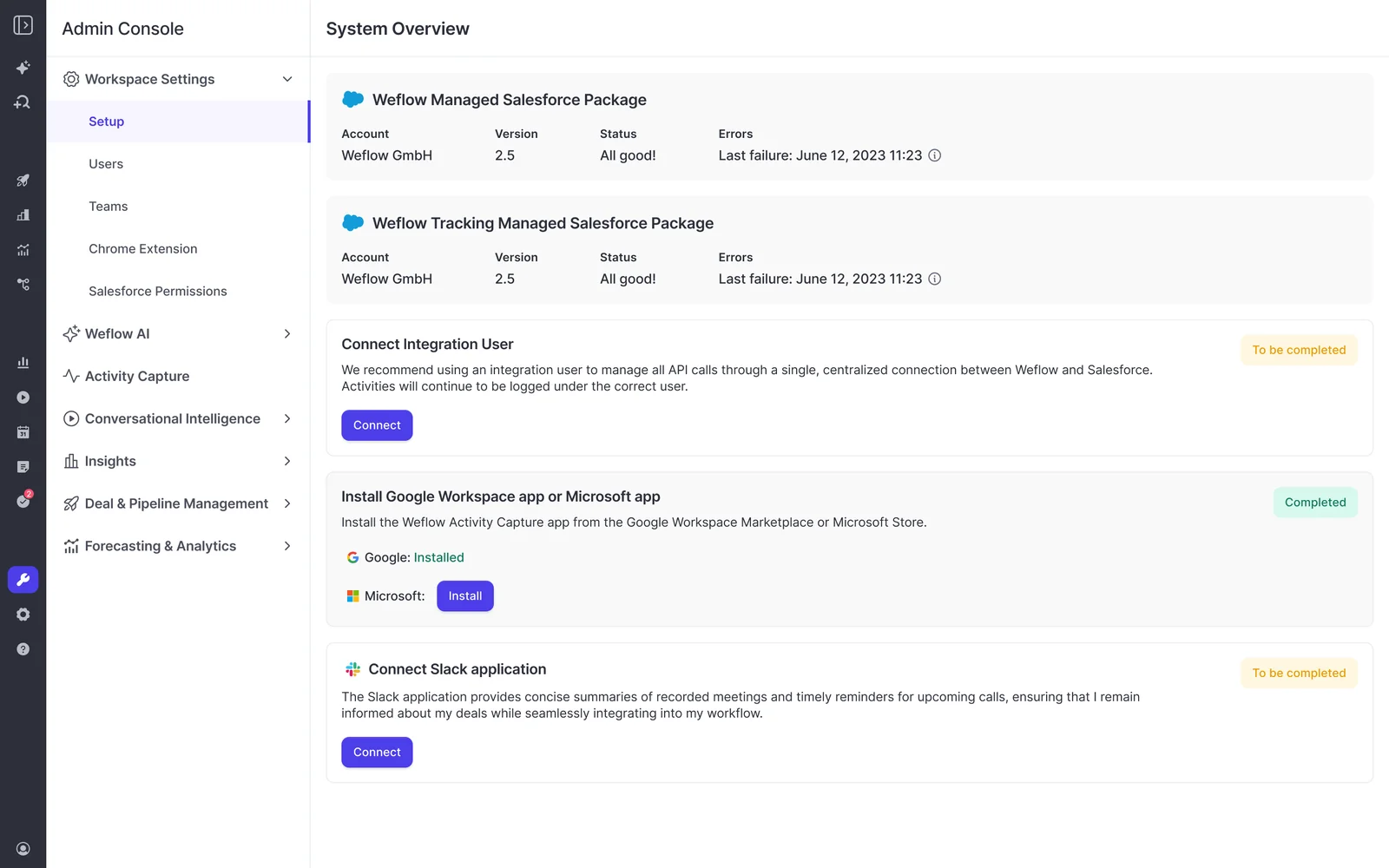
- Salesforce admin: establish access. Connect the integration user and install the package. Test record creation and subsequent updates, including records the integration user doesn’t own.
- Mail admin: connect the workspace. Install the Microsoft or Google application. Keep users unenrolled while technical and legal preparation continues.
- RevOps and the Salesforce admin: define capture behavior. Choose EmailMessage or Task, mapping rules, and exclusions. Test internal, confidential, personal, and test records against those rules.
- Salesforce admin: enable the required relationships. Review contact validation rules and enable Shared Activities if meetings need to relate to every attendee. Test contact creation and participant matching.
- RevOps: enroll the first cohort. Activate capture for those users, then compare known mailbox activity with the resulting Salesforce records.
Weflow doesn’t read a mailbox until you enroll its user in a capture configuration. Installing packages and connecting the applications alone doesn’t start capture.
A few configuration details deserve attention before activation:
- Private sharing: When Salesforce org-wide defaults are Private, the integration user needs Modify All Records on Account, Opportunity, and Contact. Read, Edit, and View All alone don’t support subsequent activity updates.
- Contact validation: Automatic contact creation supplies first name, last name, and email address. Validation rules requiring additional fields can block creation.
- Multiple mail tenants: Each tenant needs its own capture configuration. Internal-domain exclusions must include sibling companies to keep internal group correspondence out of customer records.
United Fintech had Weflow activity capture running centrally in under an hour. Your permission model and business rules determine how much preparation comes before activation.
How should Weflow coexist with your existing revenue tools?
Give each activity source a clear owner before two products write to Salesforce. Weflow can coexist with engagement and forecasting products without replacing the work they do.
| Activity source | Owning product | Coexistence setup | Validation |
|---|---|---|---|
| One-to-one Outlook or Gmail correspondence | Weflow Activity & Contact Capture | Capture inbox activity while separating traffic another product already logs. | A one-to-one email produces the expected Salesforce record. |
| Sequences and outbound dialer activity | Outreach or Salesloft | Use Compatibility Mode and agreed logging responsibilities. | Sequence traffic doesn’t create duplicate activity. |
| Calendar events during an EAC evaluation | Defined through the parallel capture configuration | Set EAC event sync to one direction, from the mail/calendar system into Salesforce. | A meeting doesn’t loop back into the calendar and create duplicates. |
| Activity used by Clari forecasting | Weflow captures; Clari reads Salesforce activity | Keep one activity capture engine writing to Salesforce. | Clari sees the captured activity without a second copy. |
| Meeting recordings from an existing conversation product | Your recording product | Separate calendar-event ownership from recording ownership. | A recording doesn’t create a second count of the same meeting. |
Changing EAC’s sync direction doesn’t clean up duplicates already in Salesforce. Include those existing records in your reporting baseline so they don’t distort the comparison.
How should you test Weflow before expanding deployment?
Test Weflow against known mailbox activity and the Salesforce reports your team relies on. Application login counts won’t tell you whether background capture works.
- Choose a representative cohort. Include users with ordinary accounts, multiple open opportunities, and any relevant domain or tenant complexity. A limited rollout cohort doesn’t change the ten-user purchase minimum.
- Establish the expected activity. Compare sent and received emails and calendar meetings with Salesforce records. Separate intended exclusions from missing capture.
- Inspect mapping exceptions. Include shared contacts, closed opportunities, account fallbacks, and a corrected email thread.
- Run your existing reports. Evaluate meeting counts, rep activity, contact coverage, and opportunity-level activity.
- Expand after the baseline works. Add AI workflows and further products after your team trusts the underlying record.
Your acceptance criteria should include:
- Expected emails and meetings reach Salesforce.
- Excluded correspondence stays out.
- Meeting counts don’t inflate.
- Contact creation follows your validation rules.
- Ambiguous mapping follows the agreed fallback.
- Historical activity appears for the selected backfill period.
See how Weflow captures activity, updates Salesforce fields from calls, and rolls up your forecast. Book a 30-minute demo.
Weflow Activity and Contact Capture pricing FAQ
Weflow Activity & Contact Capture is a standalone annual purchase. These answers cover the remaining packaging, history, and ownership questions.
Does Weflow Activity and Contact Capture include call recording?
No. Weflow Activity & Contact Capture logs the meeting activity, not its conversation. Recording requires Weflow Conversation Intelligence, available standalone for $39 per user per month or with capture in Revenue AI Foundation for $49, both billed annually.
Can different teams buy different Weflow products?
Yes. You can allocate Weflow products and bundles by team instead of giving every user the same capabilities. For example, customer-facing users can have activity capture while a smaller group also uses conversation intelligence or forecasting. Weflow has a ten-user minimum.
Does Weflow offer volume or multi-year discounts?
Yes. Weflow offers volume and multi-year discounts. The worked budgets above use annual list prices, so they don’t count negotiated savings before those savings form part of your offer.
Can Weflow backfill historical emails and meetings?
Yes. Weflow offers historical backfill of up to 24 months of emails and meetings from connected mailboxes into Salesforce. Backfill can restore activity history, but it can’t recreate conversations nobody recorded.
What happens to Salesforce activity when you cancel Weflow?
The activity and contact records Weflow writes into Salesforce remain in your Salesforce org after cancellation. Ongoing capture stops. This retention promise covers the activity and contact layer, not Weflow-hosted recordings or pipeline snapshot history.