
Weflow on Google Workspace: Admin Console Install, Group Scoping and Calendar Sync Direction
Learn how to install Weflow in Google Workspace, scope groups, and set one-way Google Calendar sync.


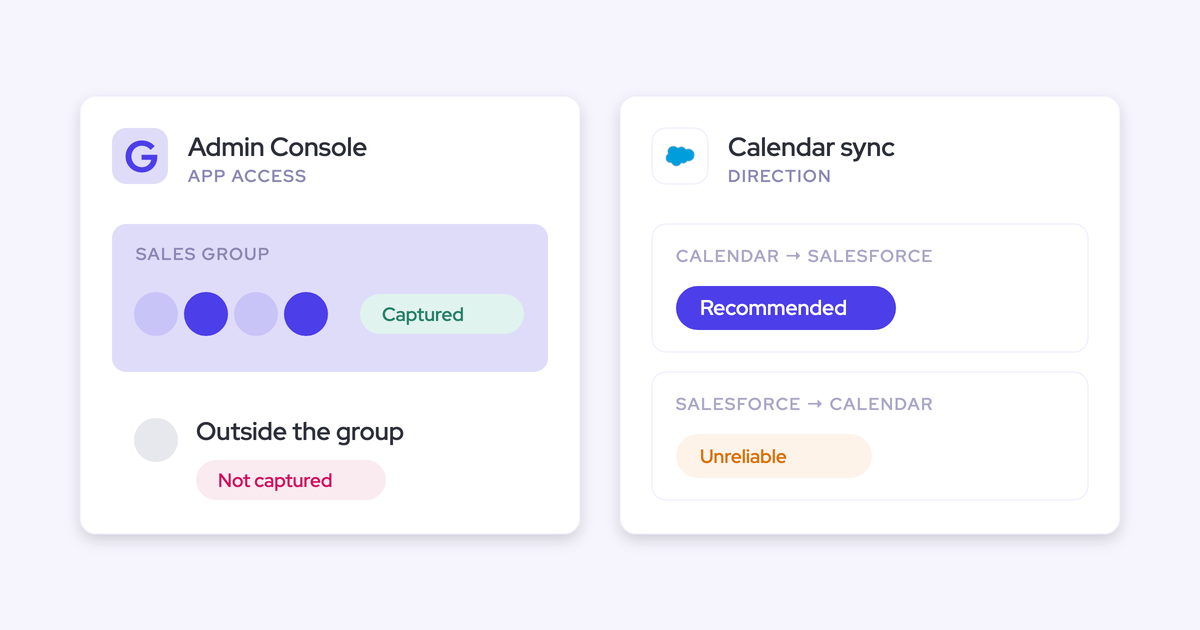

On Google Workspace, none of your reps installs, connects or authorizes anything for Weflow. Your Workspace admin approves one app centrally. After that, the rollout comes down to three admin decisions you make before you enroll a single rep.
- Who installs: your Workspace admin, once, in one short session with your Salesforce admin.
- Whose mailboxes: the Google group or org unit the app is scoped to, plus Weflow enrollment, with a test you can show IT.
- Which direction: one-way calendar sync from Google Calendar to Salesforce, with Einstein Activity Capture (EAC) changed to match first.
Weflow is the Revenue AI Orchestration platform for sales, customer success, and RevOps teams. We built it for Salesforce teams, and Weflow Activity & Contact Capture is the foundation of the platform.
Blacklane made this move on Google Workspace, off EAC. They now have emails, meetings and key contacts logged on 96% of leads, accounts and opportunities.
The real test of the rollout comes later, in a pipeline meeting. When a manager running deal reviews in Weflow sees an empty timeline, they should be able to read it as "no contact happened", not "tracking glitch". Everything below is about getting you to that point without a wonky first week.
Why per-rep logging leaves gaps in Gmail and Google Calendar
Every common capture path on Google Workspace depends on something each rep does, or has to keep alive. That's why coverage decays without anyone noticing.
You've probably lived some version of this already. Blacklane did: manual logging from Google Workspace left about 20% of their activity unrecorded before they switched.
| Capture path | What each rep has to do | Where the gap shows up |
|---|---|---|
| Salesforce Gmail add-in | Click log on every email, and re-authenticate when prompted | Only 24 to 52% of activity lands. It logs outbound only, so buyer replies stay in Gmail. A dismissed re-auth prompt stops logging silently. |
| Einstein Activity Capture | Complete a per-user setup step after the admin step | Connections drop without explanation, and reps estimate it logs about 80% of their activity. It can't run on an integration user license. |
| Native Google Calendar to Salesforce sync | Nothing, in theory | Meetings don't land reliably, so some teams pay for a separate tool just to bridge the sync. |
| Salesforce Momentum on Google Meet | Authorize Salesforce and grant broad Google Calendar and Drive access themselves | Calls aren't captured for any user who hasn't granted both permissions. |
The rep-dependency problem is the bigger one.
So "nothing per rep" is the requirement for this rollout. Anything that relies on rep behavior will end up with you doing it for them, every time someone joins.
How Weflow captures Gmail and Google Calendar on the server
Weflow Activity & Contact Capture reads Gmail and Google Calendar through one central app in your Google Workspace. Capture runs on a tenant-level permission, so it doesn't depend on any rep connecting a mailbox.
Here's the path an email or meeting takes:
- A rep sends or receives an email, or has a meeting, in Google Workspace.
- The Weflow app in your Workspace gives Weflow access to that mailbox, as long as it belongs to an enrolled Salesforce user.
- Weflow matches the activity to a Salesforce record using the email address and the account Website field.
- Weflow writes the activity to Salesforce through your integration user, almost immediately rather than on a nightly batch.
- The email or meeting lands on the native Salesforce record, where your reports and flows can read it.
What this means in practice:
- Inbound and outbound mail are both captured, whether the rep works from the browser, a desktop client or a phone.
- There's no per-rep token that can expire, so a rep who ignores a prompt or changes a password doesn't go dark.
- Weflow logs an email or meeting only when it involves an external participant who matches a Salesforce record. Mail where everyone sits on your internal domains is never logged.
- The Weflow Chrome extension in Gmail is an optional layer on top. Server-side capture runs whether or not a rep ever installs it.
Leslie Phillips at ADVISA described the result from the admin's side:
"Most of our team doesn't even know we have Weflow for activity capture. That was a big attraction for me: I didn't need them to set it up or learn anything new."
— Leslie Phillips, Director of Operations at ADVISA
Your Google Workspace admin installs Weflow once, centrally
The technical install is one session of about 45 minutes, with your Salesforce admin and your Google Workspace admin on the same call. Blacklane's technical implementation was virtually done after a 30-minute session.
Who needs to be there:
- Your Salesforce admin installs the managed packages, sets up the integration user with its permission set, and relaxes IP restrictions on the connected app.
- Your Google Workspace admin approves the Weflow app centrally and scopes it to your whole organization, a Google group or an org unit.
- Weflow's customer success team runs the session and guides the rest of the rollout.
In most companies those two admins sit on different teams. Getting them into the same call is usually what turns a one-hour job into a two-week one, so book it early.
The install runs in this order:
- Install the core Weflow managed package in Salesforce. A second package for email open tracking is optional.
- Create the integration user and assign it the dedicated Weflow permission set.
- Relax IP restrictions on the Salesforce connected app.
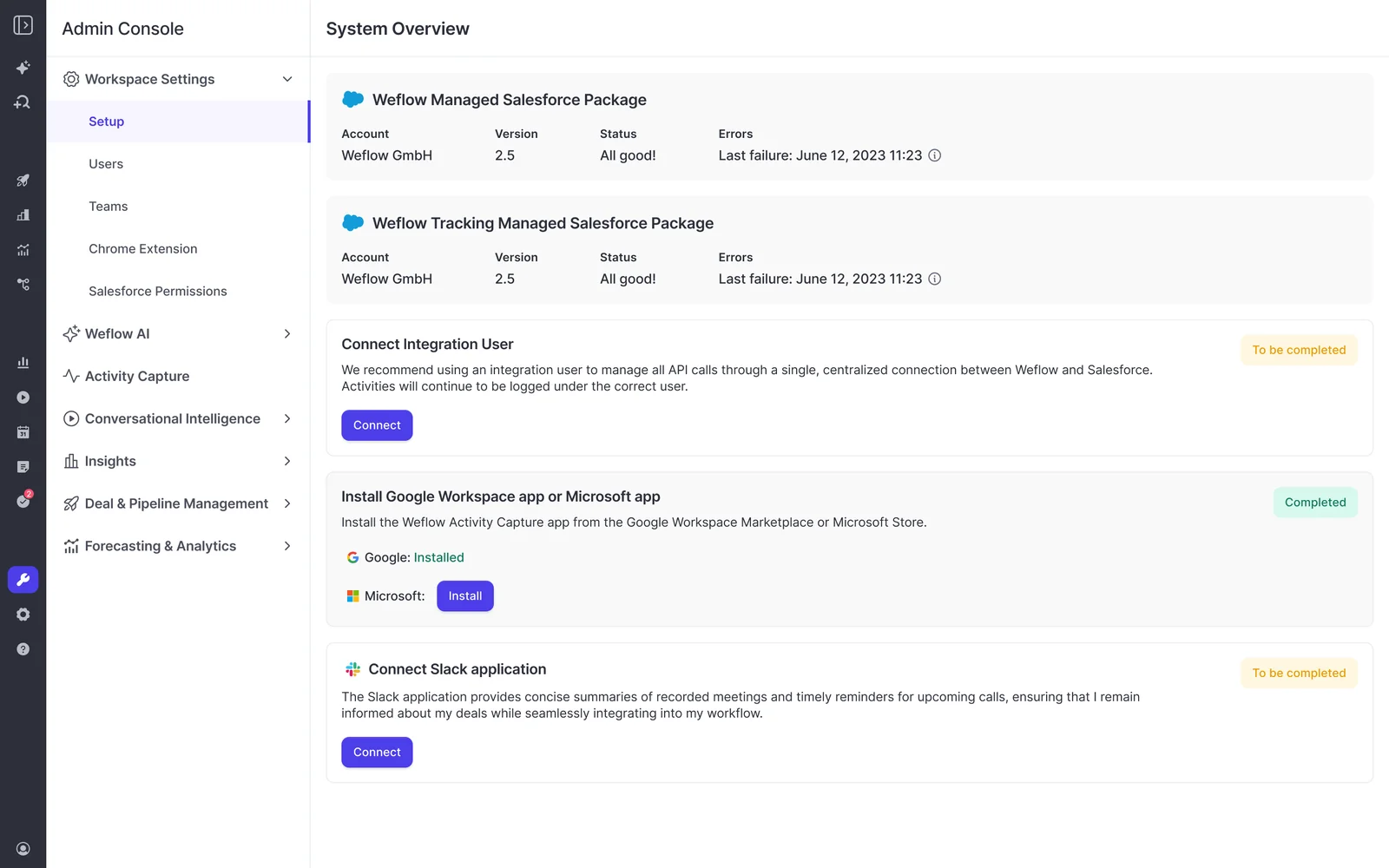
- Have your Workspace admin approve the Weflow app in Google Workspace, scoped the way you decided.
- In Weflow's admin console, choose Google as your email and calendar service.
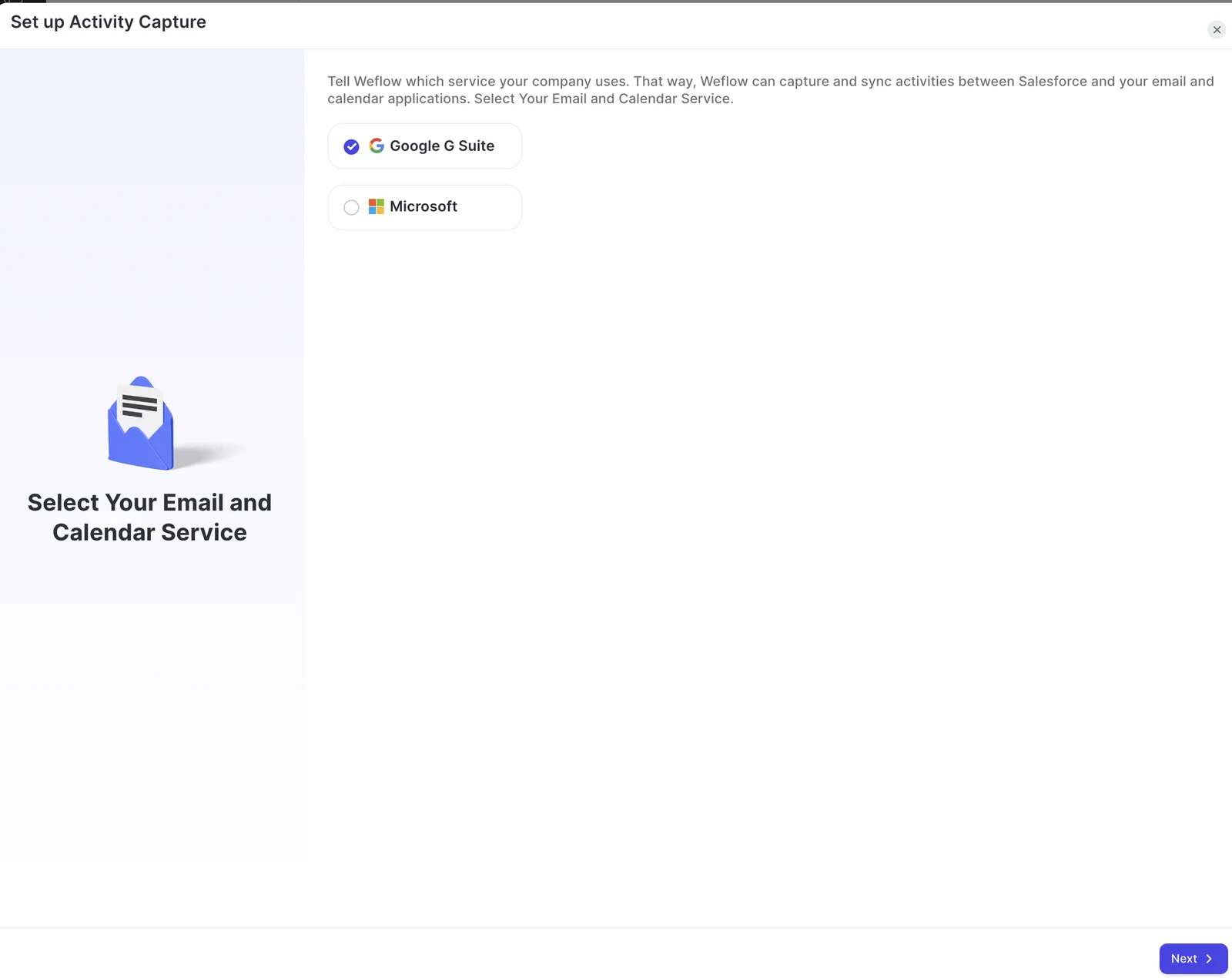
No code gets deployed, and Google environments tend to move faster than Microsoft ones.
One point matters for your legal review: Weflow reads no mailbox until a user is enrolled in a capture configuration. The packages, the integration user and the Workspace app grant access without capturing anything. You can finish the technical install while legal is still reviewing.
Choose whose Gmail mailboxes Weflow reads: group scope plus enrollment
Weflow reads a Gmail mailbox only when it passes two gates:
- The mailbox sits inside the Google group or org unit the Workspace app is scoped to.
- Its Salesforce user is enrolled in a Weflow capture configuration.
Here's the one sentence you can give IT: a mailbox outside the group, or one with no enrolled Salesforce user behind it, is never read.
| Workspace gate | Enrollment gate | |
|---|---|---|
| Where it's set | The Weflow app in Google Workspace | A capture configuration in Weflow's admin console |
| Who controls it | Your Google Workspace admin | You, the Salesforce or Weflow admin |
| What it's built from | A Google group or org unit | Salesforce users, often through dynamic teams |
| If a user fails it | Connection warning in Weflow, nothing logged | Mailbox never read |
Scope the Weflow app to a Google group or org unit
Weflow supports both a Google group and an org unit as the outer gate, and you can also approve the app for the whole organization.
Pick the one your Workspace admin already maintains reliably. What protects you is that it matches enrollment, not which of the two you chose.
If IT has asked you to restrict scope, this is where you do it. Admins we work with often assume the default install reaches every mailbox in the company. Scoping to a group or org unit answers that before anyone is enrolled.
Keep the Google group in step with Weflow enrollment
A user who is enrolled in Weflow but missing from the Google group logs nothing. They show a connection warning in Weflow, and their activity never reaches Salesforce.
The fix is to drive both lists from Salesforce:
- Weflow teams build dynamically from Salesforce users, by manager, role or a field condition, and those teams drive enrollment. A rep who moves team in Salesforce moves in Weflow automatically.
- The common setup keeps the mail-side group refreshed from Salesforce, so the two lists match as people join and leave.

If one rep's capture stops, check their Google group membership first.
Prove the scope to IT with a user outside the group
You can show IT and legal that the restriction holds with a test that takes a few minutes:
- Pick a Salesforce user whose Google account is not in the group or org unit.
- Add that user to a Weflow capture configuration and save.
- Look at the user in the configuration. A warning icon appears next to them, because Weflow can't connect to their mailbox.
- Send an email from that user's Gmail to an outside contact who exists in Salesforce, then open the contact record.
The test passes when the warning shows and the email never appears in Salesforce. Remove the test user from the configuration afterwards.
Sync Google Calendar to Salesforce one way, not both
Set Weflow's calendar sync to run one way, from Google Calendar into Salesforce. That's the direction capture needs. The Salesforce-to-calendar direction is the one that fails.
Two-way sounds more complete, and we understand why it feels like the safer default. Here's how the two compare:
| One-way: Google Calendar → Salesforce | Two-way | |
|---|---|---|
| What syncs | Every meeting from Google Calendar into Salesforce | Meetings both ways, including events created in Salesforce |
| What fails | Nothing capture depends on | Events created in Salesforce and pushed to the calendar, the unreliable direction |
| On a conflict | Not an issue, the calendar is the source | In EAC's documented behavior, the calendar version wins anyway |
| Who it suits | Teams that book meetings in Google Calendar, which is most | Teams that mostly book meetings from inside Salesforce |

You don't have to take only our word for it. Salesforce's own EAC documentation recommends the same direction, Google or Microsoft into Salesforce. In that direction, events typically sync within five minutes. Salesforce changes take 15 minutes or more to reach the external calendar, and on conflicts the external calendar wins.
There's one honest exception. If your reps mostly create meetings from Salesforce, one-way sync won't push those events out to their Google Calendar.
Set Einstein Activity Capture to one-way before you enroll anyone
If EAC's event sync runs both ways while Weflow is capturing, the two loop. You get duplicate events in Salesforce, and because updates to events with external attendees can notify them, your customers can get repeated calendar notifications.
That's why this change happens before enrollment, not after the first complaint.
Weflow's Settings Health check inside Salesforce shows whether EAC is detected in your org. It sits alongside the Shared Activities and Enhanced Email settings Weflow needs enabled. For Weflow, the recommended state is EAC disabled.

Change the Einstein event sync or switch those users off
For every user Weflow captures, pick one of two options in EAC:
- Set EAC event sync to one direction, from Google Calendar into Salesforce. Weflow then adds to the events EAC already creates, so you don't have to switch EAC off to adopt Weflow.
- Switch those users off in EAC entirely, so only Weflow writes their emails and meetings.
Removing the EAC permission from users is not enough to stop the loop. Duplicates already written don't get cleaned up automatically, and they keep distorting activity metrics. We've seen a rep show thirteen meetings a week in one view and eight in another until the setting was corrected.
Compare Weflow against Einstein Activity Capture without duplicates
You can't run both tools on the same user's email at the same time, because both write the same emails and you get duplicates. Putting different users on each tool doesn't work either, since activity volumes differ from person to person.
A fair parity test works like this:
- Save your current EAC activity reports for the users in the test.
- Move those users fully to Weflow.
- Backfill the test period with Weflow's historical sync-back. It checks each email's message ID before writing, so it adds only what EAC missed.
- Compare against the saved EAC reports. What the backfill filled in is the difference.
Run Weflow out of the box during the parity test, with no templates or custom use cases. The question at this stage is whether anything is lost, and configuration can wait until that's settled. It also helps to ask the users who complained most about EAC how the new timeline compares.
Keep gmail.com, B2C contacts and internal mail off customer records
Weflow matches activity on email address and on the account Website field. Any value in that field behaves as a matching domain, including a free-mail domain like gmail.com.
This failure looks correct in Salesforce. Nobody spots it until someone, often an executive, opens an account and reads something that should never be there. Set these controls before enrollment:
| Risk | What it does | Control to set |
|---|---|---|
| gmail.com or another free-mail domain in an account's Website field | Every email and invite involving that domain, from any connected mailbox, logs to that one account | Exclude free-mail domains, correct the Website field, and delete activity already written |
| B2C contacts in Salesforce | Consumer correspondence lands on records your B2B team reads | Custom rules that block logging against records based on a field value |
| Internal mail between colleagues | Would inflate account activity counts | Rely on the internal-domain exclusion, which drops internal-only threads before any write |
| Test accounts or confidential accounts | A test account built on an employee's address pulls in their mailbox | Custom rules on a test or confidential flag, not only on domains |
| Supplier and tool vendors | Invoices and notifications match accounts with the same name | Exclude the domains of suppliers and tools you buy |
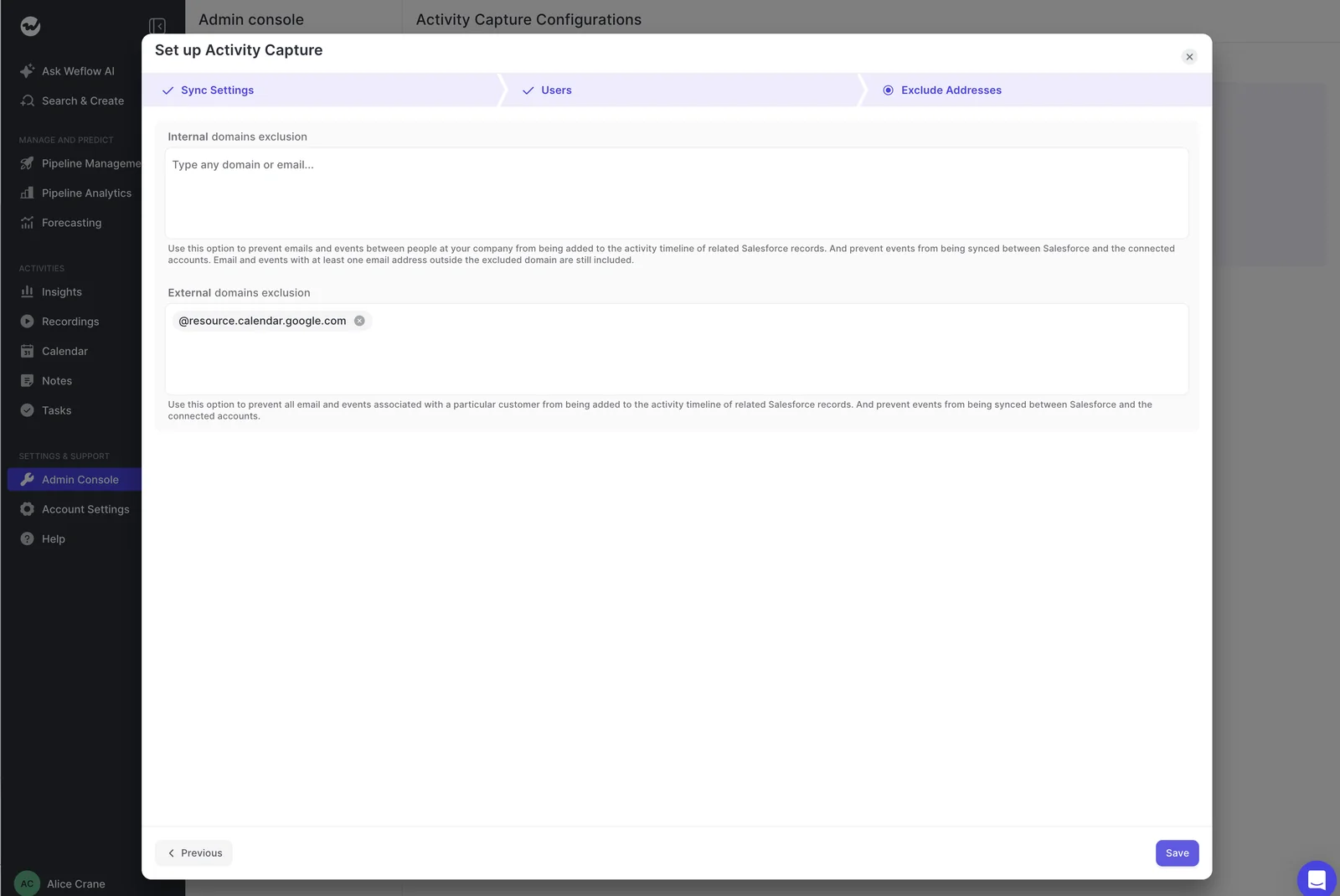
Blacklane is the worked example here. They run a B2B2C motion, and custom exclusion rules keep their B2C contacts out of the captured data in Salesforce.
Decide whether reps get the Weflow Chrome extension in Gmail
Server-side capture doesn't depend on the Weflow Chrome extension. The extension adds visibility and control in Gmail for the cases automation can't settle alone.
Its main job is the ambiguous case. When a contact sits on two open opportunities, say a renewal and an expansion, server-side capture alone can't tell which deal an email belongs to. Weflow logs to the account rather than guessing.
In the extension, the rep sees the contact, account and open opportunities Weflow matched. They can re-map the email once, and every later reply in that thread follows the same record without them touching it again. They can also move an email that's already logged.
You set the capture mode per team:
| Mode | What reps see and do | Who it suits |
|---|---|---|
| Fully automated | Nothing. Capture runs server side with no extension | Teams with mostly one open opportunity per account |
| Hybrid | The extension shows what each email will log to, lets them re-map once per thread, and lets them switch logging off for a thread | Accounts with several open opportunities. Most of our customers run hybrid |
| Hybrid, control removed | Reps see and re-map the record but can't suppress logging | Teams where you want mapping fixes without opt-outs |
| Manual | Nothing logs unless the person chooses to log it | Leadership, whose mail is the most sensitive |
Blacklane runs hybrid, with reps using the Chrome extension in Gmail. If you want a parity test first, you can start a team on fully automated and add the extension once the numbers hold.
Test Weflow Activity & Contact Capture with one user before go-live
Test with one user in your sandbox, using the paths that break in real use. Each step below has the result you should see:
- Email an outside address, not a colleague. Internal mail is excluded, so a test between colleagues logs nothing and looks broken. Use an outside address on a domain you haven't excluded, with a matching contact or account Website in Salesforce. Expected: the email appears on that record within moments.
- Reply from the outside address. Expected: the inbound reply logs too, on the same record.
- Create a meeting with an outside attendee. Expected: the event appears in Salesforce.
- Move, reschedule and delete that meeting. Creating proves the create permission. Moving and deleting prove the update rights that otherwise fail weeks after go-live. Expected: each change reaches Salesforce, with no duplicate events.
- Add the outside-group user. Expected: a connection warning, and nothing logged.
- Download the capture health CSV from the admin console for the test period. Expected: no skipped or errored items you can't explain.
Why push this hard on one user? Because partial capture is worse than none. It produces confident-looking reports on an incomplete record.
"And reliably, I really mean, you know, you wanna have, like, ninety nine percent or more of those activities stored in your CRM so you can run reports on it, automations, flows, and so on."
— Philipp Stelzer, CPO & Co-founder at Weflow
What to tell reps, IT and legal about the rollout
Most first-week trouble comes from questions nobody prepared an answer for. These are the lines to have ready:
| Who asks | What they ask | What you tell them |
|---|---|---|
| Reps | "Salesforce says my email isn't connected." | You don't connect anything. Capture runs centrally, so ignore Salesforce's "email not connected" warning. |
| Reps | "Is the company reading my email?" | Only emails and meetings with an external participant who matches a Salesforce record get logged. Internal mail never does. |
| IT and legal | "Whose mailboxes does this read?" | Only mailboxes inside the Google group or org unit and enrolled in Weflow. Nothing is read until enrollment, and here's the outside-group test that proves it. |
| Your boss | "Why are the reports moving?" | Automated capture exposes old data hygiene issues in the first weeks. The numbers move because the record is finally complete. |
The "email not connected" warning catches almost every team.
Set the hygiene expectation with your boss before go-live, not after. Duplicate accounts and contacts on the wrong parent already exist in most orgs. Complete capture just makes them visible, and the person who has run the reports for years will otherwise conclude the new tool broke them.
What Weflow won't capture or control on Google Workspace
These are the limits to plan around before go-live:
- No mapping control from a phone. Mail sent from a phone is captured and matched automatically, but reps can't see or change the record from mobile. A thread already mapped on desktop keeps its mapping.
- No capture for mailboxes without a Salesforce user. Each mailbox pairs with one Salesforce user, so shared or non-user mailboxes are never synced.
- No personal channels. Personal email accounts, SMS and calls from a personal mobile aren't captured, so channel policy belongs in your rollout plan.
- Deliverability subdomains and aliases are missed. Capture matches the sender address held in Salesforce. Outbound sent from a separate deliverability subdomain isn't logged until the buyer replies on your standard domain, and reps on several aliases scatter their activity. The only real fix for aliases is consolidating on one domain.
- Google Workspace or Microsoft 365 is required. Custom email servers aren't supported.
- One configuration per mail tenant. A group running several tenants needs a configuration for each, and every configuration has to list the sibling companies' domains as internal.
- One-way sync won't push Salesforce events out. Meetings created in Salesforce don't appear in Google Calendar under the recommended setup.
Weflow on Google Workspace: rollout questions we get asked
Does Weflow use the same integration user as on Microsoft 365?
Yes. The Salesforce side of a Weflow install is the same on Google Workspace and Microsoft 365: the managed packages, one integration user and its dedicated permission set. Only the mail-side app differs, and on Google your Workspace admin approves it centrally.
Do I need to relax IP restrictions on the Salesforce connected app?
Yes. IP restrictions on the connected app have to be relaxed for the Weflow install. Your Salesforce admin handles this during the technical session.
How long does a Gmail history backfill take in API calls?
Weflow's historical sync-back runs per user or for the whole organization, working backwards in rolling windows. One month of history for one user takes about 15 to 20 minutes and 2,000 to 3,000 Salesforce API calls, and a single email can cost up to about 50 calls.
Your org's daily API allowance sets the pace, so a multi-month backfill across a team takes weeks rather than days. Running users one at a time is faster than a whole team at once.
Blacklane backfilled 4 months of emails and meetings, batched over one week to protect their daily API limits.
What happens to licensed reps who never sign in to Weflow?
Weflow Activity & Contact Capture runs for them in the background anyway, from the moment you add them to a capture configuration. The Conversation Intelligence notetaker won't join their meetings until they sign in to Weflow once. In the admin view, an assigned but unregistered user shows as external, so include the sign-in step in your rollout if you're adding Conversation Intelligence.
How do I move Weflow from a Salesforce sandbox to production?
Switch off activity capture and conversation intelligence on the sandbox workspace before production goes live, because running both against the same users causes conflicts. Weflow's team can copy your teams and templates from sandbox to production, so you don't rebuild the pilot setup by hand. The packages and the integration user are set up again in production.
Can Weflow log Gmail activity to custom Salesforce objects?
Yes. Weflow logs activity to any Salesforce object, including cases and custom objects. Weflow can also surface a custom object in the Chrome extension, so a rep links an email to it directly from Gmail.
How will I know if Weflow capture breaks after go-live?
When capture breaks at the connection level, for example if the integration user disconnects, Weflow automatically emails your admin and alerts your customer success manager. Individual emails and meetings that were skipped or errored show in the admin console's capture health metrics, with a CSV download for any period.
What does Weflow Activity & Contact Capture cost per user?
Weflow Activity & Contact Capture is $19 per user per month, billed annually, with a 10-user minimum. It includes Ask Weflow AI and Agent Builder.
Seats you add mid-term are charged pro rata to the end of the term. If you add Weflow Conversation Intelligence later, the Revenue AI Foundation bundle is $49 per user per month, about 16% less than buying the two separately.
If you want a reference to keep beside the rollout, grab our free Salesforce Activity Capture Cheat Sheet.


