Capturing Sales Calls From Personal Mobile Phones: What Weflow Logs and What It Cannot
Learn what Weflow logs from personal mobile sales calls, what it can't capture, and your workarounds.


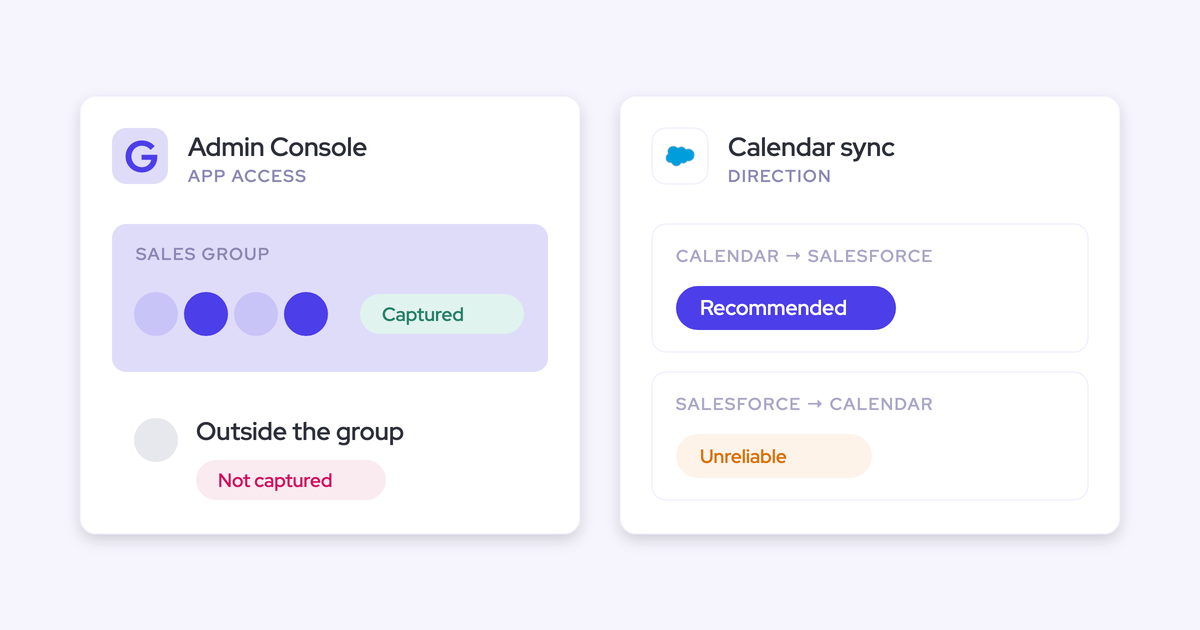
Weflow doesn't capture calls a rep places on a mobile phone's own carrier line, and that's true whether the phone is personal or company-issued. No third-party app can capture those calls. iOS and Android don't let any app tap a native phone call, so the limit belongs to the operating system, not to any one vendor.
Every other kind of sales call has a route into Salesforce through Weflow:
- Softphone calls (Aircall, RingCentral and others) recorded by the Weflow desktop app
- Outreach dialer recordings, pulled in automatically
- A voice note dictated in Weflow Mobile Copilot after a carrier call
- In-person meetings recorded on the rep's phone
- Manual upload for anything recorded somewhere else
Below is the route map for each call type: what lands on the record, what the rep has to do, and what stays missing. It ends on the part no software fixes, which is the phone channel policy you set as RevOps.
Why no app can record a native mobile phone call
The gap belongs to the phone's operating system and the carrier line, not to Weflow. That matters before you look at any workaround. If the limit were ours, you could wait for a fix. Because it's the operating system's, the fix has to come from how your team places calls.
iOS and Android block apps from tapping carrier calls
Capture tools only see infrastructure they can connect to:
- The mail tenant
- The calendar
- Meeting platforms
- Connected dialers
- The computer's own audio
A call on the phone's native dialer runs through none of these. iOS and Android also forbid third-party apps from accessing that call. Here's the version you can repeat to your CRO: the operating system owns the native call, and it doesn't share it.
Some vendors offer workarounds. Chorus records a call held on speakerphone through its mobile app, and Granola's iPhone app adds outbound phone calls. These use a different mechanism, either a recorder listening to the call or a call placed inside an app. Neither one gets an app access to the native carrier call itself.
Company-issued cell phones have the same gap as personal ones
Who owns the phone doesn't change anything. The carrier line is what matters. If your outside team carries company cell phones and logs calls by hand, those calls sit in exactly the same gap as calls on a rep's personal number.
This is how buyers usually raise it with us:
"They may be having phone calls on their own personal cell phones, which is where I think there may be a gap."
Softphone calls at least exist as records. Telephony providers log call activity through their own Salesforce integrations. A native carrier call doesn't even get that, so unless the rep logs it, Salesforce has no trace of it.
How each type of sales call reaches Salesforce with Weflow
Each call type takes its own route, puts a different result on the record, asks something different of the rep, and leaves a different gap.
| Conversation type | Route into Salesforce | What lands on the record | Rep action needed | What's still missing |
|---|---|---|---|---|
| Native mobile carrier call (personal or company phone) | No tool captures the call itself | Nothing, unless the rep logs it or dictates a Mobile Copilot voice note | Dictate a voice note after the call | What was actually said |
| Softphone call on the desktop (Aircall, RingCentral, others) | Weflow desktop app records the system audio | Recording, transcript, summary, AI field updates, scorecard | Start the recording on each call | Calls where the rep doesn't start it |
| Connected dialer call (Outreach) | Weflow pulls the dialer's recording in | Outbound call with the person called, transcript, summary, coaching | None | Calls on dialers that aren't connected |
| In-person meeting | Mobile Copilot recording on the rep's phone | Recording, summary, AI field updates, follow-up email | Press record | Meetings where recording was refused (a voice note covers these) |
| Recording made elsewhere | Manual upload into Weflow | Same treatment as a Weflow recording | Upload the file | Anything nobody uploads |
| Buyer messages (SMS, WhatsApp, iMessage) | No capture route | Nothing | None possible | The whole channel |
How Weflow captures the calls it can reach
Weflow is the Revenue AI Orchestration platform for sales, customer success, and RevOps teams. We built it for Salesforce teams, and every route below ends in the same place: structured data on your Salesforce records, owned by you. Each route also has a cost, and we name it at the end of each one.
The Weflow desktop app records Aircall, RingCentral and other softphones
The Weflow desktop app records any softphone call whose audio runs through the computer. It captures the system audio, so it doesn't need an integration with the telephony provider. Aircall, RingCentral, or a provider we've never heard of all work the same way.
The call gets the same treatment as a recorded meeting:
- Transcript
- Summary
- AI field updates in Salesforce
- Scorecard
Because the app doesn't depend on the provider, you can change dialer next year without losing call capture.
Adoption cost: the rep starts each recording on the desktop app, and nothing pulls a desktop-recorded call in automatically. If a rep doesn't press record, Weflow has no recording of that call.
Weflow pulls Outreach dialer recordings in without rep action
This is the one fully automatic phone route. When a rep calls through Outreach's dialer, the dialer records the call. Weflow pulls the recording in and writes it to Salesforce as a call activity.
Each call arrives labelled as an outbound call with the name of the person called. It includes the audio, speaker separation, a transcript, a summary and coaching. There's no video. Because it lands like any other recording, it also feeds field updates, scorecards and search.
Weflow doesn't record these calls itself. The dialer stays the recorder, which means the dialer also owns recording compliance, such as the announcement some countries and US states require.
Adoption cost: none for the rep. The limit is reach, because this route only covers calls placed through Outreach.
Mobile Copilot voice notes stand in for carrier calls
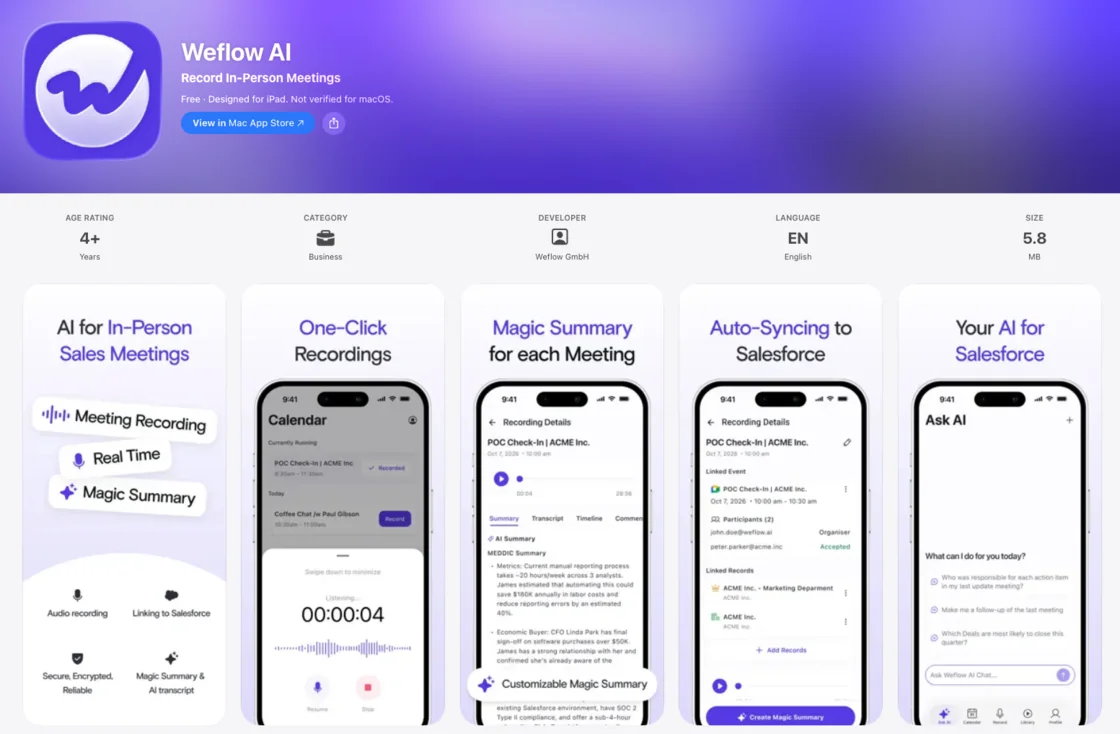
This is the field team's answer to the carrier-line gap. After a call on the phone's own dialer, the rep opens Weflow Mobile Copilot and dictates what happened, from the car or wherever they are. Weflow processes the voice note like a call recording. It produces AI field updates, a summary, a scorecard and a follow-up email, all synced to Salesforce.
The honest limit is that the voice note holds what the rep remembered, not what was said. The app can't prompt the rep while they dictate, so whatever they leave out stays out.
You catch those gaps later. A scheduled agent checks each opportunity against your playbook and messages the rep about elements that were never discussed. It's a correction after the fact, not a recording.
Adoption cost: the rep has to dictate a voice note after every carrier call. This is a habit you have to build.
Mobile Copilot records in-person meetings on the rep's phone
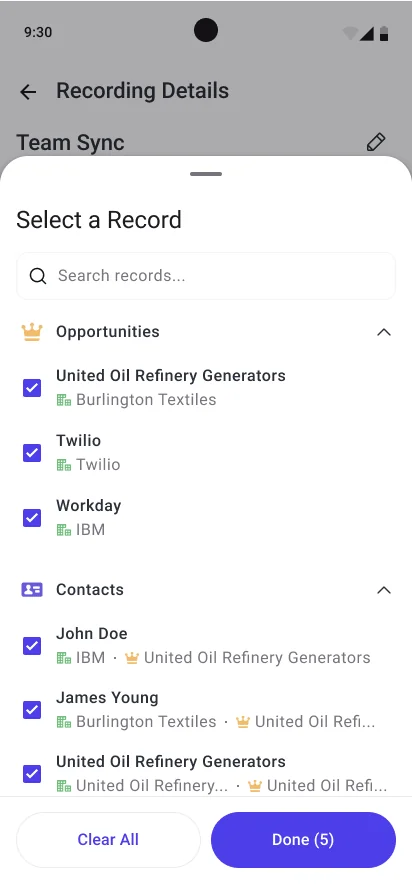
For in-person meetings, the rep selects the meeting in Mobile Copilot, presses record and puts the phone on the table. The recording gets the same summaries and AI field updates as any other meeting, and it syncs to Salesforce.
Keep the distinction sharp: recording a meeting on the phone works, and recording a phone call on the phone doesn't. If a customer refuses recording, the rep dictates a voice note afterwards. That way the meeting still lands structured data instead of nothing.
Some teams we talk to have priced dedicated recording devices at around $200 per rep per month. Mobile Copilot comes included with Weflow Conversation Intelligence.
Adoption cost: the rep presses record.
Manual upload brings in calls recorded anywhere else
Any Weflow user can upload a recording of up to 512MB. Weflow processes it exactly like a call it recorded itself, with transcription, extraction, search and AI, so an uploaded call isn't a second-class record.
The uploader controls three things:
- Which Salesforce records the recording links to
- The participant type
- Who can access it, down to the uploader alone
Adoption cost: someone has to upload the file. A recording nobody uploads never reaches the record.
Which dialers Weflow connects to by API today
Outreach is the dialer Weflow connects to by API today. Most other softphones are covered through the desktop app instead. Here's where your dialer lands:
- Connected by API: the Outreach dialer. Recordings arrive in Weflow automatically.
- Recorded through the desktop app: any softphone running on the rep's computer, including Aircall and RingCentral. The rep starts each recording.
- Connected during implementation: a dialer we have no established connection for, such as a contact-centre dialer like Five9. Our team sets it up, which takes hours to days, so it's scheduled into the full implementation and not offered during a trial.
Zoom Phone is on our roadmap as a connection and isn't available today.
If your team runs a phone-heavy motion across many dialers and needs automatic import from each of them, Gong is stronger here. Gong lists about thirty dialers it imports from by API, including Aircall, Dialpad, Five9, RingCentral and Zoom Phone.
How to set up Weflow phone coverage, in order
Start with the route that asks nothing of the rep, then add the routes that do, then measure what you've got.
- Map each team's call types against the route map. Note where each team dials from: Outreach, a desktop softphone, or the phone's own dialer. That tells you which route each rep needs.
- Connect Outreach on Weflow's Setup and Integrations page, if your team uses its dialer. From then on, Outreach calls flow in with no rep action.
- Roll out the Weflow desktop app to softphone reps on Windows or macOS. Make starting the recording part of how a call begins.
- Roll out Mobile Copilot to field reps. Give them two rules: press record for in-person meetings, and dictate a voice note after every carrier call.
- Upload recordings made elsewhere through manual upload, and link each one to the right Salesforce records.
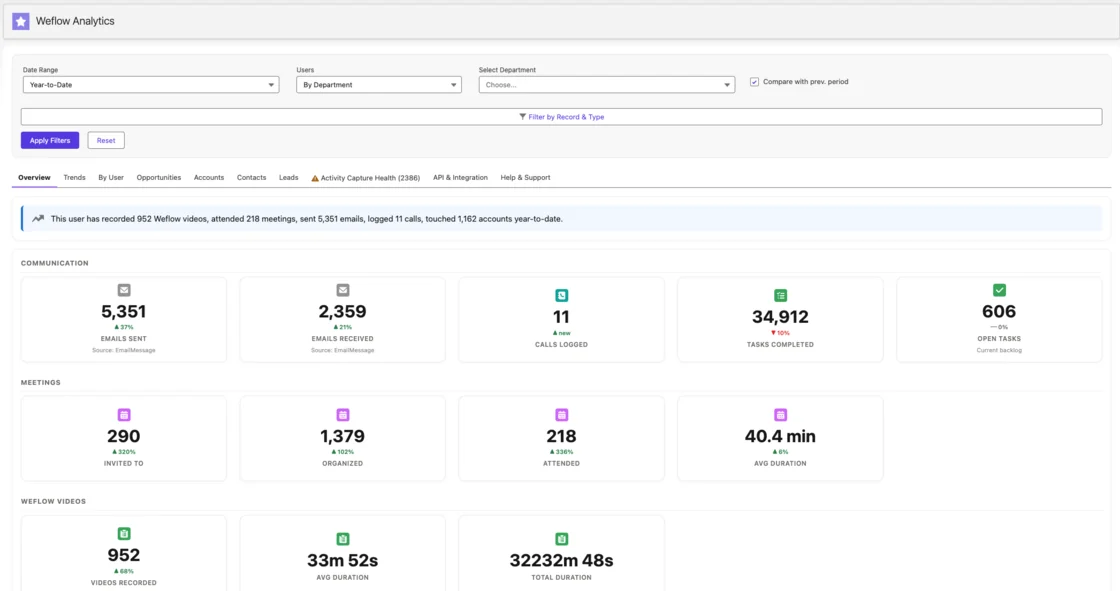
- Check coverage in Salesforce per rep and per account. The Weflow Analytics package shows per-user activity counts by type, recording volume and duration, and accounts with no activity in the last 90 days.
Which Weflow products and plans include phone call recording
Call recording sits in Weflow Conversation Intelligence, not in Weflow Activity & Contact Capture. That covers desktop app recordings, Outreach dialer pulls, manual uploads and Mobile Copilot.
Activity & Contact Capture handles emails, meetings and contacts. On its own, it gives you no phone recordings. Weflow Revenue AI Foundation pairs the two products, so both layers come in one plan.
| Product or bundle | What it covers for calls | List price |
|---|---|---|
| Weflow Activity & Contact Capture | No call recording. Captures emails, meetings and contacts into Salesforce | $19 per user per month |
| Weflow Conversation Intelligence | Desktop app, Outreach dialer recordings, manual upload, and Mobile Copilot voice notes and in-person recording | $39 per user per month |
| Weflow Revenue AI Foundation | Activity & Contact Capture plus Conversation Intelligence, including Mobile Copilot | $49 per user per month |
| Weflow Revenue AI Business | Foundation plus Deal Intelligence | $59 per user per month |
| Weflow Revenue AI Enterprise | All Weflow products, including Forecasting | $79 per user per month |
All plans bill annually with a 10-user minimum. Seats you add mid-term are charged pro rata to the end of the term.
The phone channel policy only RevOps can put in place
If your revenue conversations run on carrier lines, software won't fix it, and a channel policy will. You probably know this already. Buyers say it to us plainly:
"It's not zoom calls or Teams calls. It's field sales, meaning pick up your phone, quietly press record."
Without a policy, nothing closes the gap. The quick call that moved the deal stays invisible. Stale-deal alerts misfire on the deals that matter. And coaching stops at the edge of the phone.
These are the rules to take to sales leadership:
- Business calls go through a softphone on the desktop or through the connected dialer, not the phone's native dialer.
- Any call that does happen on a carrier line gets a Mobile Copilot voice note the same day.
- In-person meetings get recorded on Mobile Copilot, and a refused recording gets a voice note.
- SMS, WhatsApp and iMessage are dark channels, so anything agreed there gets restated by email or in a voice note.
Be honest with your field leaders about the first rule. Moving calls onto a softphone is a behaviour change, not a config change, and field teams resist it. Expect pushback and make room for the voice-note fallback.
See how Weflow captures activity, updates Salesforce fields from calls, and rolls up your forecast. Book a 30-minute demo.
FAQ: phone calls, mobile capture and Weflow
Does a call reach Salesforce if the rep forgets to press record?
Weflow gets no recording of a desktop softphone call the rep didn't record, and nothing pulls it in afterwards. The call activity itself usually still exists, because telephony providers log calls through their own Salesforce integrations. You get the record that the call happened, but no transcript, summary or field updates.
Can we test our Aircall or RingCentral setup during a Weflow trial?
Yes, through the desktop app. The softphone runs on the computer, and the app records its audio with no provider integration. A new API connection to a dialer we don't already support isn't offered during a trial, because our team builds it during implementation.
Who handles recording consent announcements on phone calls?
For connected-dialer calls, the dialer is the recorder, so the dialer owns the consent announcement. Our built-in consent flows, a pre-meeting email with an opt-in or opt-out link and an in-call chat message, are built around Microsoft Teams meetings. On desktop softphone calls and in-person recordings, the rep starts the recording, so the announcement follows your recording policy.
How accurate is a Mobile Copilot voice note compared with a recording?
A voice note holds what the rep remembered, not what was said, and the app can't prompt them while they dictate. Anything they forget stays out. A scheduled agent then checks each opportunity against your playbook and messages the rep about elements that were never discussed, so the gaps surface before the deal review.
Does Weflow capture SMS, WhatsApp or iMessage conversations with buyers?
No. These channels mostly run on personal phones where private and business messages mix, and capturing them would mean asking reps to expose their personal lives. Weflow captures only what flows through your company's own infrastructure.
How do I see which reps and deals are missing phone activity?
The Weflow Analytics package in Salesforce shows activity counts per user split by type, recording volume and duration, and accounts with no activity in the last 90 days. A rep with plenty of email and no calls or recordings stands out quickly. For deals, the playbook agent flags opportunities where required elements were never discussed.
Do reps who never make calls need Weflow Conversation Intelligence seats?
No. Weflow Activity & Contact Capture captures a person's emails and meetings even if they never log in to Weflow. Conversation Intelligence seats go to the people who record. Unlimited view-only licenses let everyone else review recordings and summaries without a paid seat.
Can we upload historical call recordings from our current tool?
Yes, one recording at a time through manual upload, at up to 512MB per file. Each upload goes through the same transcription and extraction as a new call, and the uploader links it to the right Salesforce records.