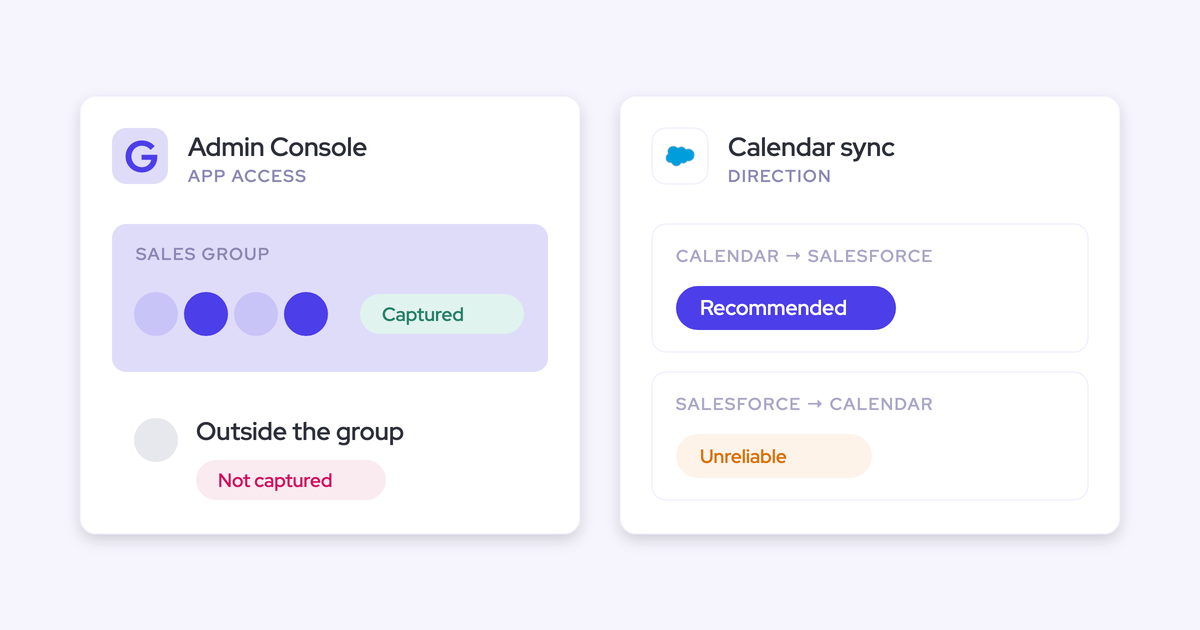
How to Capture Emails and Meetings From Account Managers and CSMs Who Never Log Into Salesforce
Learn how to capture CSM and AM emails and meetings in Salesforce without logins or extensions.


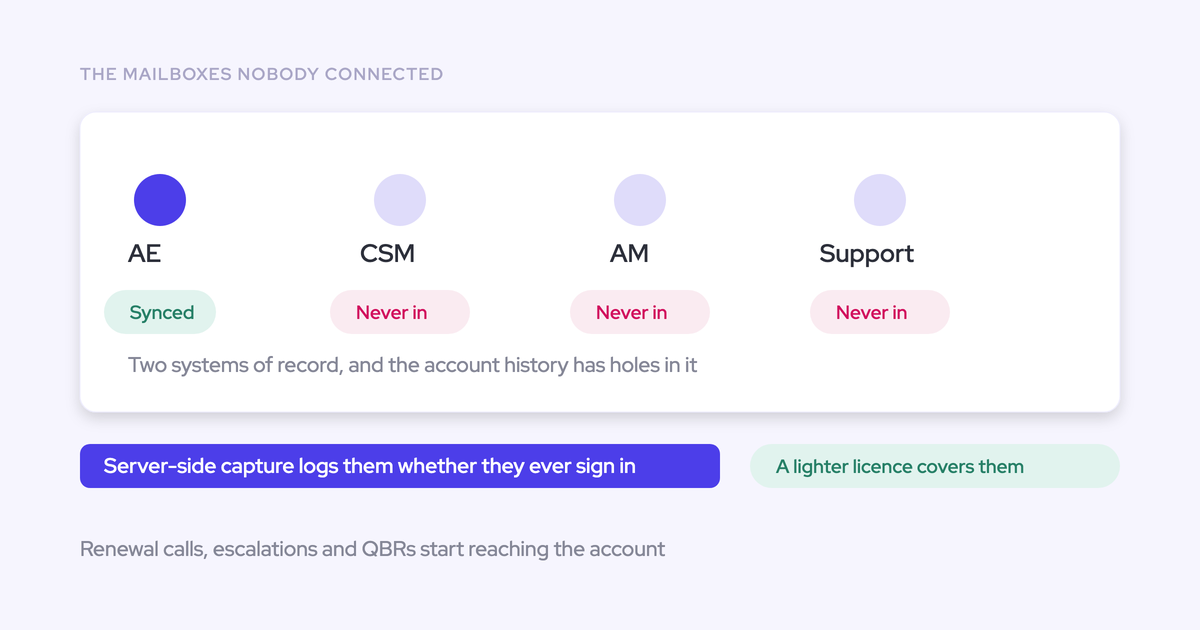

Capture post-sale emails and calendar meetings through a centrally administered mailbox connection, enroll your CSMs and account managers, and give them account-first Salesforce routing rules. Then compare their mailbox and calendar activity against the records in Salesforce. An implementation escalation shouldn’t land on an unrelated expansion opportunity just because the customer contact appears on both. Your capture policy needs to distinguish account work from renewal and expansion work. Here, “meetings” means calendar activity, not recordings or transcripts.
Weflow is the Revenue AI Orchestration platform for sales, customer success, and RevOps teams. We’ll use Weflow Activity & Contact Capture as the implementation below. It captures eligible emails and calendar meetings server-side and writes them into Salesforce without requiring the captured person to sign in.
Before you start capturing post-sale activity in Salesforce
Choose a capture method that meets your no-login requirement, then prepare the administrative access and routing policies before enabling writes. A Salesforce integration alone doesn’t establish either.
Choose a capture method that works without Salesforce logins
Evaluate capture methods by what each employee must do to keep activity flowing. If capture depends on a CSM clicking a button or maintaining an individual connection, participation still controls coverage.
| Method | User action required | Activity covered | Salesforce routing control | What to test |
|---|---|---|---|---|
| Manual logging | Someone records each interaction. | Whatever that person enters. | The person chooses the destination. | Whether inbound replies and busy periods appear in the record. |
| Browser or mail extensions | Installation and authentication; manual extensions also require logging clicks. | Depends on the extension and workflow. | Often includes manual record selection. | Capture from mobile, other clients, and users who stop opening the extension. |
| CS-platform integration | Depends on how the CS platform collects and syncs activity. | The activity types the integration exports. | Depends on its Salesforce mapping options. | Whether actual emails and meetings arrive, where they land, and whether other integrations duplicate them. |
| Centrally administered server-side capture | Administrators connect the tenant and enroll users. | Eligible mailbox and calendar activity, independent of client or device. | Central policies; Weflow also provides optional mapping controls. | Coverage, exclusions, record destinations, and downstream reporting. |
Your existing CS integration deserves the same test as a new capture product. If it already writes the required records without individual participation, preserve that workflow. Add another writer only for a defined gap.
Confirm Salesforce and mail-tenant access before setup
You’ll need a Salesforce administrator, a Microsoft 365 or Google Workspace administrator, and an approved test scope. Prepare these together so connection work doesn’t outrun privacy and reporting decisions.
- Mail environment: List the tenants, internal domains, acquired-company domains, and actual sending addresses for the pilot users.
- Salesforce access: Prepare the integration user and required managed package. Weflow needs access to Account, Contact, and Opportunity for matching; Contact access alone doesn’t support the mapping logic.
- Sharing model: With Private org-wide defaults, Weflow’s integration user needs Modify All Records on Account, Opportunity, and Contact to maintain captured records.
- Test data: Include an account without an opportunity, an account with one renewal, and an account with both renewal and expansion opportunities.
- Privacy approval: Agree on internal-domain, supplier, personal-contact, and confidential-account exclusions before enrolling live mailboxes.
- Platform capacity: Record current Salesforce storage and API consumption. Decide whether to capture attachments and how much history to backfill.
Weflow doesn’t read mailboxes until you enroll users in an activity capture configuration. Installing the packages and connecting the applications establishes access without starting capture.
Capture post-sale emails and meetings without Salesforce logins
Set write ownership first, configure the connections and policies, then enroll a controlled cohort. Expand only after the resulting Salesforce records pass your tests.
1. Decide which tool writes each post-sale activity to Salesforce
Assign one authoritative writer to each team and activity type before adding capture. Otherwise, more activity records can mean more duplicates rather than better visibility.
- List every system that currently writes emails, calendar events, calls, or CS-specific activities.
- Inspect sample Salesforce records to identify their writer, object type, and related account or opportunity.
- Document which writes stay, which move to Weflow, and which overlapping syncs stop.
- Test the replacement path on controlled records before disabling the existing writer.
For example, you can keep Outreach for outbound sequencing while moving inbox-based post-sale activity to Weflow:
| Team | Activity source | Current writer | Salesforce destination | Proposed owner | Keep/change/stop |
|---|---|---|---|---|---|
| SDRs | Outbound sequences | Outreach | Existing activity records | Outreach | Keep sequencing writes; prevent overlapping email writes. |
| CSMs | Outlook emails | Manual mail add-in | Manually selected records | Weflow | Change to account-first background capture. |
| Account managers | Calendar meetings | Salesforce Einstein Activity Capture | Existing calendar activity | Weflow | Stop overlapping event sync after replacement testing. |
| Customer success | CS-platform-specific records | Existing CS integration | Existing configured destination | Existing CS integration | Keep records outside mailbox and calendar capture. |
Weflow’s Compatibility Mode checks for email duplicates from other integrations. If you retain Salesforce Einstein Activity Capture, set its event sync to one direction, from the mail and calendar system into Salesforce. Bidirectional event sync can create a loop.
Completion check: Every activity type has a named writer, and your controlled test produces one intended Salesforce activity per source interaction.
2. Connect Weflow Activity & Contact Capture centrally
Connect the mail tenant and Salesforce through administrators, without asking each CSM to authenticate their mailbox.
- Have your Salesforce administrator install the required Weflow managed package and connect the integration user.
- For Microsoft 365, have your mail administrator install the central application in Microsoft Entra.
- For Google Workspace, have your Workspace administrator install the central Google Workspace application.
- Create the capture configuration for that tenant, leaving live users unenrolled while you finish routing and exclusions.
- Choose email and calendar logging settings, including the Salesforce email record type and attachment policy.
Weflow lets you log emails as EmailMessage or Task records and calendar meetings as Event records. Choose EmailMessage when you need native sender, recipient, and thread detail. Choose Task when a combined Salesforce activity report across tasks and events takes priority.

For a Microsoft 365 CS team, you might select EmailMessage, turn on calendar logging, and leave attachments off. That preserves email detail without immediately adding attachment storage.
Completion check: The tenant and Salesforce connections are in place, and the configuration has no live users enrolled yet.
3. Give customer success account-first Salesforce mapping rules
Route general CS work to the account and reserve opportunity logging for teams with a defined renewal or expansion motion. Copying the sales policy into CS puts unrelated work on deals.
- Create separate configurations for sales, customer success, and account management where their routing needs differ.
- Set the destination objects for each configuration.
- For opportunity-based teams, restrict eligible opportunities using fields such as opportunity type or a close-date threshold.
- Test an account with multiple open opportunities and the same contact on both.
- Assign an owner for ambiguous mappings and corrections.
Weflow maps emails using addresses and Salesforce relationships, not the meaning of the email body. Opportunity contact roles help identify the deal. When the signals don’t settle the opportunity, Weflow falls back to the account rather than guessing.
| Team or scenario | Intended Salesforce destination | Qualifying conditions | Exception handling |
|---|---|---|---|
| Implementation and escalation work | Account | CS configuration with account-oriented logging | Keep unrelated open opportunities outside this policy. |
| Dedicated renewals team | Renewal Opportunity | Eligible open opportunity with the required type and matching relationships | Inspect account fallback when the match remains ambiguous. |
| Expansion account managers | Expansion Opportunity | Separate configuration restricted to expansion work | Correct threads that span several deals. |
| One meeting covering renewal and expansion | Account or one deliberately selected Opportunity | Multiple eligible opportunities | Choose one Event destination; Salesforce provides a single account-or-opportunity relationship. |
Weflow doesn’t select the opportunity with the nearest close date. Use explicit opportunity filters instead. Restricting capture to the opportunity owner also drops contributions from other people working the account, so we don’t recommend it as a general fix.
Completion check: Your test escalation lands on the Account, while a dedicated renewal interaction follows the renewal configuration.
4. Exclude sensitive correspondence before enrolling post-sale users
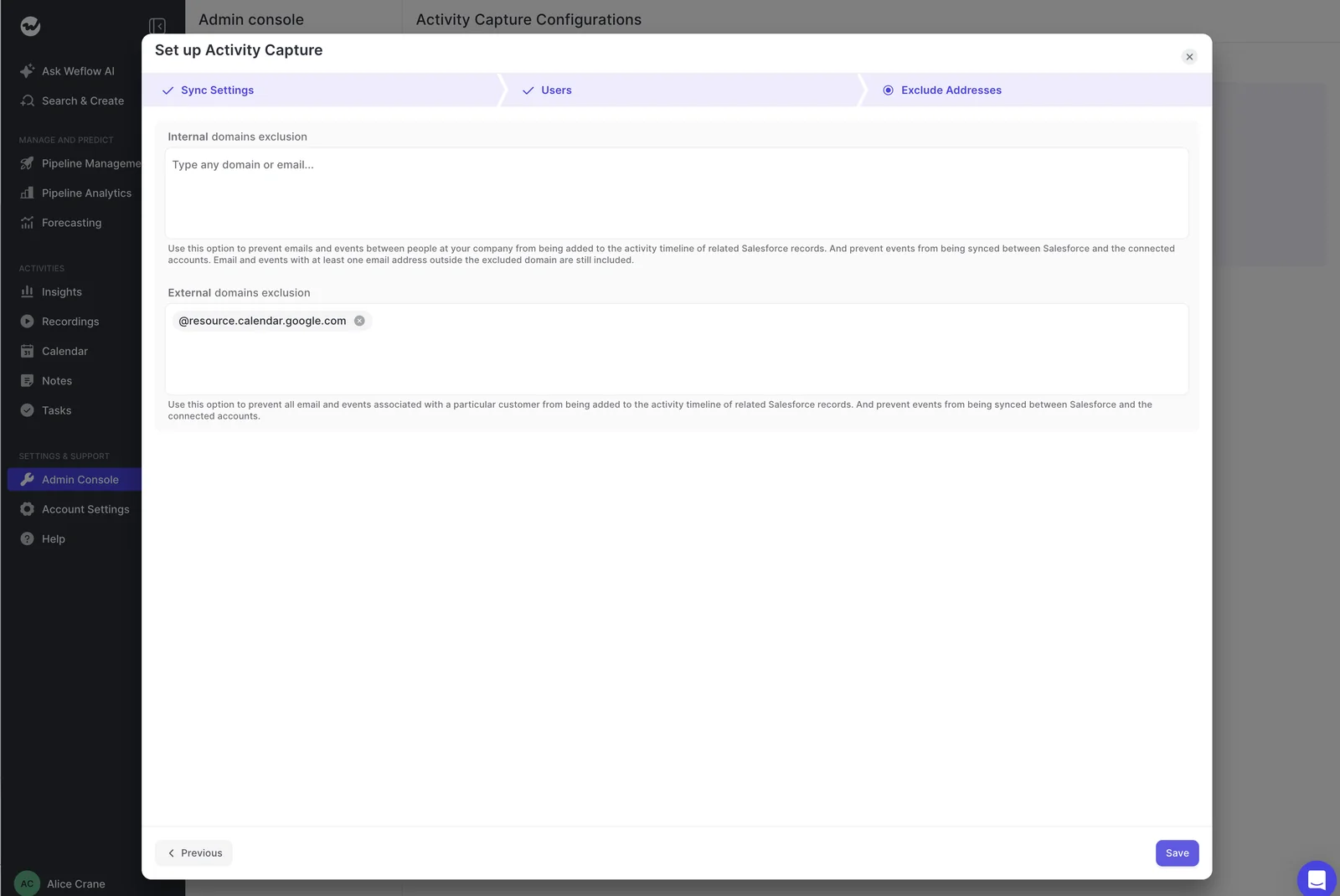
Set central exclusions before live capture begins. Domain filters handle addresses; Salesforce field-based rules handle customer confidentiality.
- Add every internal domain, including sibling-company domains, to the exclusion policy.
- Exclude supplier addresses and other correspondence that matches Salesforce records but shouldn’t enter the customer activity history.
- Add custom rules for confidential accounts, personal contacts, and test records.
- Run approved test messages through each exclusion scenario.
Weflow can block logging based on Salesforce record fields, so an account’s confidentiality flag can govern capture without maintaining a separate list of every contact address.
| Scenario | Expected capture decision | Control to test | Observed result to record |
|---|---|---|---|
| Internal-only email | Don’t log | Internal-domain exclusions | Whether any Salesforce activity appears |
| Email between acquired subsidiaries | Don’t log | Sibling domains in each tenant’s configuration | Whether either tenant writes an activity |
| Supplier email matching an existing account | Don’t log | Supplier-domain exclusion | Whether the matched account receives an activity |
| Contact on a confidential account | Don’t log | Salesforce field-based custom rule | Whether the rule blocks the write |
| Eligible customer email | Log | Normal matching and routing | Salesforce record ID and destination |
These controls govern Salesforce logging. They aren’t a claim that the application lacks mailbox access. Weflow also leaves unmatched activity out of Salesforce; it doesn’t write an email without a related record.
Completion check: Excluded test correspondence stays out, and an eligible customer message still reaches its intended record.
5. Enroll CSMs and account managers without requiring sign-in
Add people to the approved capture configuration centrally. Weflow captures enrolled users’ eligible emails and calendar meetings even if they never sign in to Weflow.
- Select the pilot users or teams within their tenant’s configuration.
- Assign each cohort its CS or account-management routing policy.
- Have the cohort continue using its normal inbox and calendar workflow.
- Inspect the first eligible inbound email, outbound email, and calendar meeting in Salesforce.
For example, enroll a CSM who works in Outlook and an account manager who sends customer emails from a phone. Neither needs the optional extension for background capture.
In Weflow, an enrolled person who has never signed in can appear as an external user. That status doesn’t mean capture has stopped.
For the first activities, inspect:
- The source mailbox and actual sending address.
- The Salesforce EmailMessage or Task and calendar Event.
- The related Account, Contact, and Opportunity where applicable.
- The absence of a second record from another writer.
Completion check: Eligible activity reaches Salesforce while both pilot users remain signed out of Weflow and Salesforce.
6. Prove post-sale coverage in a two-week pilot
Reconcile source activity with correctly mapped Salesforce records. Higher activity counts alone don’t prove that capture works.
- Set acceptance criteria for coverage, mapping, exclusions, duplicates, and reporting before the pilot starts.
- Build the source sample from approved mailbox and calendar activity, including inbound replies and meetings nobody recorded.
- Match each eligible source item to its Salesforce record and inspect the destination.
- Test records with missing contacts, multiple opportunities, and confidentiality rules.
- Run the Salesforce report, Flow, or BI extract that the captured data must support.
- Fix failures and repeat the affected tests before expanding enrollment.
For coverage, use eligible source interactions as the denominator. Keep excluded and unmatched activity visible in the reconciliation so it doesn’t disappear from your explanation.
| Test | Source evidence | Expected Salesforce result | Observed result to record | Pass or investigate |
|---|---|---|---|---|
| Two-way email coverage | Outbound message and customer reply | Both eligible messages reach the intended account. | Record IDs and related records | Investigate either missing direction. |
| No-login calendar capture | External calendar meeting from an enrolled user | One Event, independent of recording | Event ID and destination | Pass when the activity appears without sign-in. |
| Account-first routing | CS escalation on an account with an open expansion | Account destination | Actual related record | Investigate unrelated opportunity mapping. |
| Privacy exclusion | Approved test against a confidential account | No logged activity | Presence or absence of a write | Investigate any captured record. |
| Duplicate control | Meeting touched by existing integrations | One intended Event | Record count and writers | Investigate duplicate writes. |
| Downstream usability | Known captured record IDs | Report, Flow, or BI extract reads the records. | Output and field values | Pass when the required workflow works. |
Test automatic contact creation separately. Weflow creates Contacts against matching existing accounts, but validation rules can reject a new contact when your org requires fields beyond the captured name and email.
Completion check: Every exception has an explanation, and the pilot meets the acceptance criteria you set before enrollment. Login counts don’t belong on this scorecard.
7. Extend verified capture across your post-sale teams
Expand the configuration that passed the pilot, with a named owner for capture health. Treat each new cohort as a routing and capacity change, not just another user list.
- Add the next team within its mail tenant and apply the appropriate capture policy.
- Reconcile its first eligible emails and meetings against Salesforce.
- Measure storage and API consumption before adding more users or history.
- Backfill the approved historical period after routing and exclusions pass testing.
- Assign ongoing ownership for capture-health reviews, new hires, departures, and domain changes.
For example, expand from customer success to implementation after testing that project meetings stay on accounts rather than open opportunities. Leave a dedicated renewals team on its separate opportunity policy.
Weflow supports up to 24 months of historical email and meeting backfill as an add-on. That restores activity still available in the source systems, not recordings of conversations nobody recorded.
Completion check: Each enrolled cohort has a tested policy, a reconciled sample, and an owner responsible for ongoing capture health.
Troubleshoot post-sale capture before treating accounts as inactive
Inspect the capture path before calling an account neglected. An empty Salesforce record can mean no customer contact, a failed write, or activity on another record.
Weflow’s Activity Capture Health view surfaces conditions such as missing email addresses, duplicate contacts, and accounts sharing a website domain. These are matching problems that otherwise look like inactivity.

| Observed symptom | Diagnostic check | Corrective action | Retest |
|---|---|---|---|
| No activity for an enrolled user | Compare the actual sending address with the capture identity and Salesforce user address. | Resolve address mismatches and review the user’s configuration assignment. | Send an eligible message from the normal working address. |
| Activity missing for a new customer contact | Inspect contact matching and the account website domain. | Correct the matching data or enable account-domain matching where appropriate. | Send an email from the contact and inspect the Account destination. |
| Automatic contacts don’t appear | Inspect validation rules and required fields. | Use an approved integration-user exception or keep contact creation off under your existing data policy. | Process an eligible new participant. |
| CS activity lands on an unrelated opportunity | Inspect the assigned configuration and eligible opportunity types. | Apply account-first routing or narrow the opportunity policy. | Repeat the multi-opportunity test. |
| Meetings appear twice | Identify both writers and inspect EAC event-sync direction. | Remove overlapping writes or sync loops; clean up existing duplicates separately. | Create a new meeting and count resulting Events. |
| One attendee appears, others don’t | Inspect Salesforce Shared Activities and matching settings. | Enable Shared Activities through your Salesforce change process for multi-contact association. | Capture a meeting with several known contacts. |
| Initial writes succeed but later updates fail | Inspect integration-user access under Private sharing. | Apply the required object-level permissions. | Update a captured activity on a record the integration user doesn’t own. |
| Several integrations stop syncing | Inspect org-wide API consumption. | Address the integration consuming the shared allowance. | Monitor writes when API capacity becomes available. |
| Parent account looks inactive | Look for activity on child accounts. | Adjust your reporting scope or account-hierarchy roll-up. | Reconcile the report against known child-account activity. |
Use the Free Salesforce Activity Capture Cheat Sheet to document the capture requirements your post-sale reporting depends on.
FAQs about capturing post-sale activity in Salesforce
Background capture, interactive product access, and meeting recording are separate capabilities. Your rollout should reflect which of them each team needs.
Does calendar capture also record and transcribe meetings?
No. Weflow Activity & Contact Capture writes calendar meeting activity to Salesforce. Recording and transcription require Weflow Conversation Intelligence.
An enrolled user’s calendar activity can sync before they ever sign in. Weflow’s notetaker requires the user to sign in once before conversation recording starts.
Can Weflow capture emails from CSMs who use ChurnZero?
Yes, when those emails pass through the CSM’s enrolled Microsoft 365 or Google Workspace mailbox. Weflow captures that mailbox activity independently of whether the CSM works in ChurnZero.
This captures emails and calendar meetings, not ChurnZero-specific records. Keep ownership of those records separate from mailbox capture.
Who corrects Salesforce mappings when CSMs never sign in?
Assign mapping exceptions to a named RevOps or CS operations owner. Background capture removes routine logging work, but ambiguous account relationships still need a correction process.
Weflow’s optional Outlook add-in and Chrome extension provide mapping controls. For teams also using recordings, a correction there moves both the Event and recording mapping. Moving a recording inside Weflow changes only the recording.
Can you capture activity across multiple mail tenants?
Yes. Weflow requires a separate activity capture configuration for each mail tenant, and users belong to configurations covering their own domain. There isn’t a single administrative view across those tenants.
- Configure each tenant’s user scope and routing.
- Maintain sibling-company domains as internal exclusions in every configuration.
- Test cross-company correspondence so internal group traffic doesn’t enter customer records.
Do captured Salesforce records remain after you cancel Weflow?
Yes. The activity and contact records Weflow writes into native Salesforce objects remain after cancellation. Your Salesforce reporting and automations can continue using those records.
This retention statement covers activity and contact capture, not Weflow-hosted recordings or forecasting history.
Do captured CSMs need their own Salesforce licenses?
Weflow’s no-login capture works through the Salesforce integration user rather than an individual CSM’s active Salesforce session. An enrolled CSM doesn’t need to sign in to Weflow for eligible emails and calendar meetings to sync.
Interactive Weflow access uses Salesforce authentication. The no-login capability describes how capture operates, not an exemption from Salesforce licensing requirements.
How much does Weflow Activity & Contact Capture cost?
Weflow Activity & Contact Capture costs $19 per user per month, billed annually, with a 10-user minimum.
- No platform or implementation fees.
- Historical backfill of up to 24 months is an add-on.
- Free view-only licenses (up to one per recording license) are included; view-only access is separate from enrolling a mailbox in capture.
- A 14-day free trial includes guided onboarding.
Start with a defined post-sale cohort and a mailbox-to-Salesforce reconciliation. Expand when the records show the right activity on the right accounts, without asking CSMs to log it.