Server-Side Capture vs Browser Extensions: Why the Add-In Silently Stops Logging
Learn why server-side capture beats browser extensions when Salesforce add-ins silently stop logging



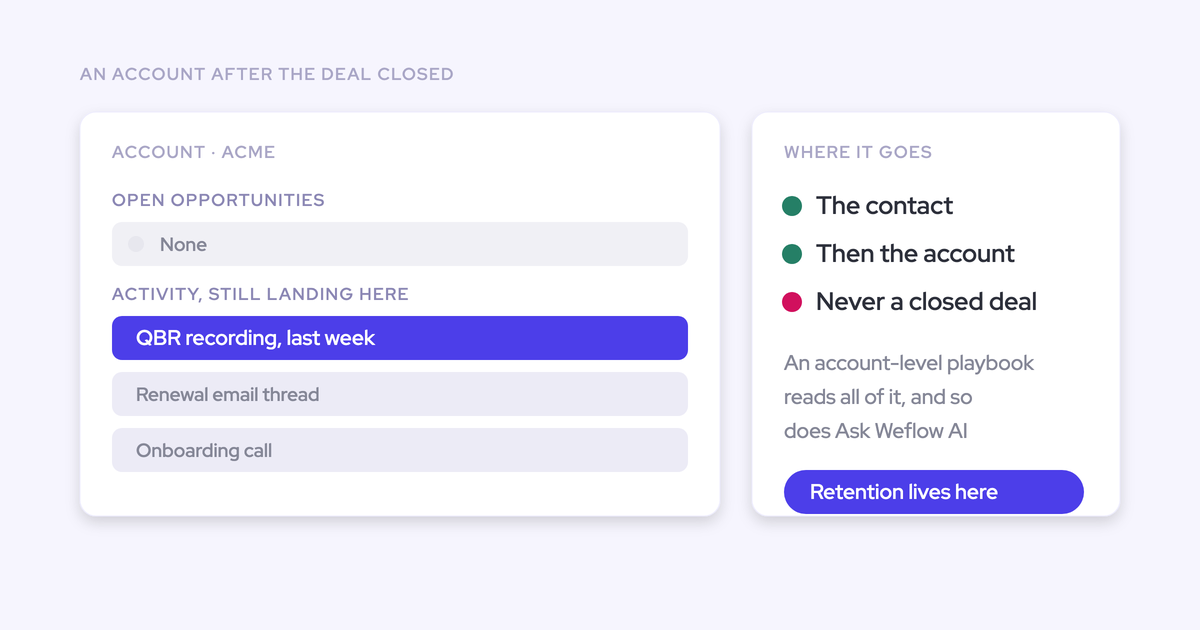
The deal that showed no activity for six weeks wasn't dead. The rep who "went dark" was working the account every day. Your capture just stopped, and nothing told you.
That's not a configuration mistake and it isn't a bug you can raise a ticket for. It's a property of where the capture runs. Capture that lives at the edge, in a browser extension, a mail client add-in, or a per-user mailbox connection, inherits everything fragile about the edge and fails invisibly by design. Capture that runs server-side at the mail tenant doesn't have that failure mode.
This piece explains the distinction so you can judge any Salesforce activity capture tool by its architecture instead of its feature grid. It matters more than it used to: every reporting layer, deal signal, and AI agent you want to build sits on top of the capture layer and inherits whatever holes it leaves.
Server-side capture vs edge capture: where the logging runs
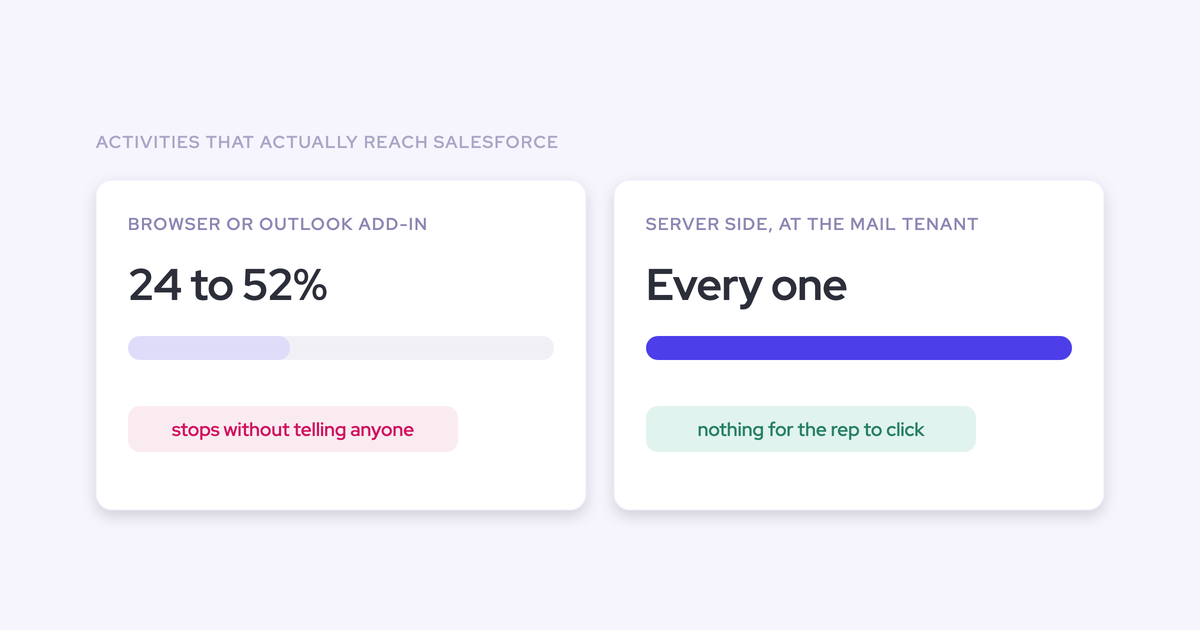
Activity capture splits into two classes, separated by one property: where the capture sits. Edge capture runs in the rep's browser, mail client, or individual mailbox connection, and it only ever sees what passes through that point. Server-side capture runs centrally at the mail tenant, between the mailbox provider and Salesforce, and sees everything regardless of the rep or the device.
Everything else follows from that one difference.
| Edge capture (add-in, browser extension, per-user connector) | Server-side capture (central app at the mail tenant) | |
| Where it runs | In the rep's Outlook client, Chrome tab, or individual mailbox connection | Centrally, between the mail provider and Salesforce |
| What it can see | Only what passes through that plugin on that device, usually outbound mail | Inbound and outbound email and meetings, from phone, desktop or browser |
| What auth depends on | A token per mailbox, granted and re-granted by the user | One admin grant for the whole group |
| What the rep must do | Click log, per email, and reauthenticate when prompted | Nothing |
| What happens when it breaks | Nothing errors. The record simply stops filling | The failure is central and visible, so it can be reported on |
Most Salesforce orgs sit in the first column. When we asked RevOps practitioners how they capture activity, around 35% named a third-party tool, 30% named Einstein Activity Capture, 30% named the Salesforce Outlook or Gmail add-in, and 5% named something else. Roughly two thirds are running on a mechanism that structurally cannot capture the full picture.
Why does activity capture stop logging without an error?
Because nothing in the edge architecture is designed to notice. A token lapses, an extension needs an update, a connector drops. No alert fires, no queue backs up, no record goes red. The activity just stops appearing, and the absence looks identical to a rep who stopped working.
That's the real cost. Once a stale-deal warning and a genuine gap in someone's week are indistinguishable, the manager either accuses a rep who did nothing wrong or learns to ignore the warning. Either way, inspection loses its teeth.
Four mechanisms produce that silence. You've probably lived at least two of them.
Manual add-in logging captures only 24–52% of activity
When logging depends on a rep clicking a button, between a quarter and a half of activity reaches the CRM. Up to three quarters of what the team actually did never gets recorded.
Do the arithmetic on a single rep. Finding the record, attributing the email, clicking log: two or three clicks for a contact, four if the company logs to a custom object. At thirty or forty emails a week, that's over a hundred clicks a week to file mail you already sent.
"And for each email, it required four clicks for the seller because they were logging to a custom object. So it was even more complicated than just logging to a contact. I think with a contact, it's more like two or three clicks, but the custom object was even more. So for each email, four clicks, and then only the outgoing emails. And then imagine you have thirty, forty emails, right, per week. Some people have that per day easily as well. Right? So how many clicks is that? It's completely insane. So, obviously, no one is gonna do that all the time."
The gaps aren't random either, which is what makes this worse than a flat 50% sample. The reps with the most activity have the least time to log it, so the missing data concentrates in your busiest people and your biggest deals.
The Outlook and Gmail add-in only syncs outgoing email
The add-in logs what the rep sent. It doesn't log what came back.
The reply is the half of the record that actually proves a deal is alive, and it sits in Outlook or Gmail where no Salesforce report can reach it. So a pipeline review shows an account with plenty of outbound touches and no way to tell whether a single human ever wrote back.
Managers then judge engagement on volume instead of response. That's why teams shopping for capture ask about inbound mail first, and why a tool that syncs one direction isn't really capturing activity at all.
Per-user connections expire and nobody reauthenticates
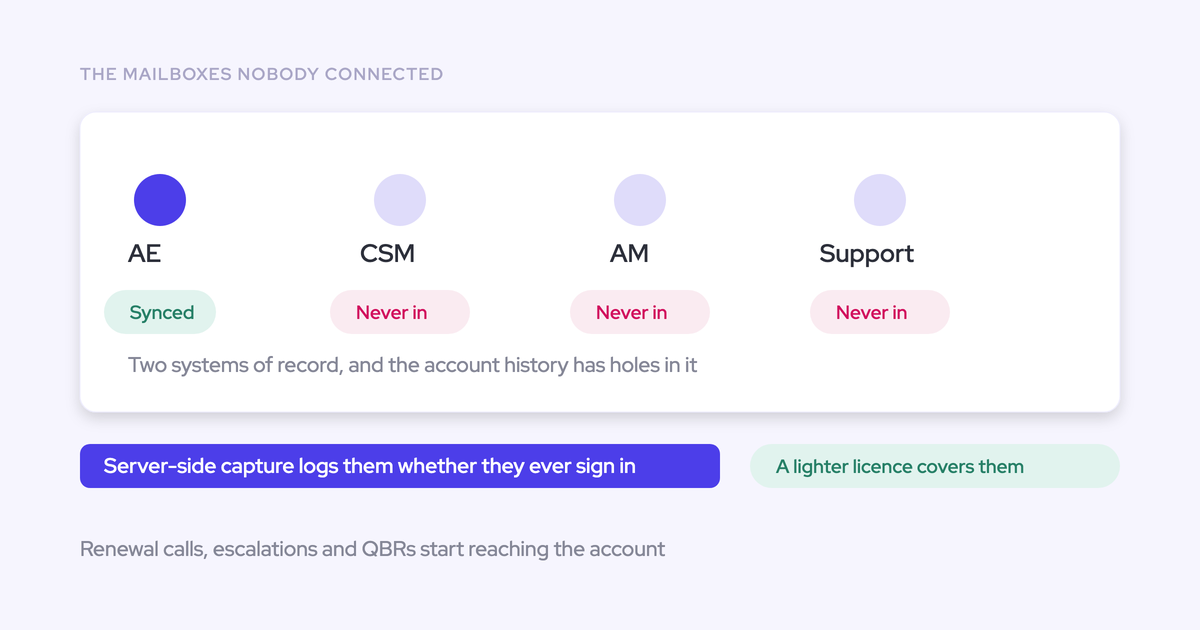
The Salesforce extension for Outlook and Gmail requires every user to authenticate individually with their Salesforce account. That connection breaks and needs re-authenticating, and users frequently don't do it.
A rep sees a prompt in the middle of a busy morning and dismisses it. Nothing errors. Their activity stops flowing that day.
Because the connection is per user, capture degrades one rep at a time, and there's no central signal that it happened. The admin discovers it when the reporting looks wrong, weeks later, by which point the missing activity is unrecoverable.
Einstein Activity Capture disconnects with nothing to announce it
Moving from the add-in to Einstein Activity Capture relocates the failure rather than removing it. EAC's connections drop repeatedly with no explanation, and teams tell us they've raised it with Salesforce support many times without resolution.
"We relied on Einstein Activity Capture for years - but the reliability was very inconsistent. It would work, but then it wouldn't. I got tired of being asked, 'Why isn't Salesforce working?'"
EAC also runs as pure background logging with no user interface, and the Salesforce Outlook and Gmail add-in is a separate service that isn't connected to it. So there's nowhere for a rep to see what a given email mapped to, and a wrong mapping stays wrong forever.
What eventually pushes these teams to look elsewhere isn't a missing feature. It's that nobody can promise the connection will still be up next week.
What changes when capture runs at the mail tenant level
Weflow is the Revenue AI Orchestration platform for sales, customer success, and RevOps teams, and Weflow Activity & Contact Capture is our worked example of the server-side model. Weflow activity capture runs server-side at the mail tenant level through a central app installed in Microsoft Entra or Google Workspace.
Take the rep and the individual mailbox connection out of the capture path, and the four failure modes above can't occur. Not because they're handled well. Because the components that produce them aren't in the system.
One central app in Microsoft Entra or Google Workspace
Authentication is granted once, by an admin, for the whole group. There's no per-user token to expire, and no rep sitting in the auth path who can dismiss a prompt and go dark.
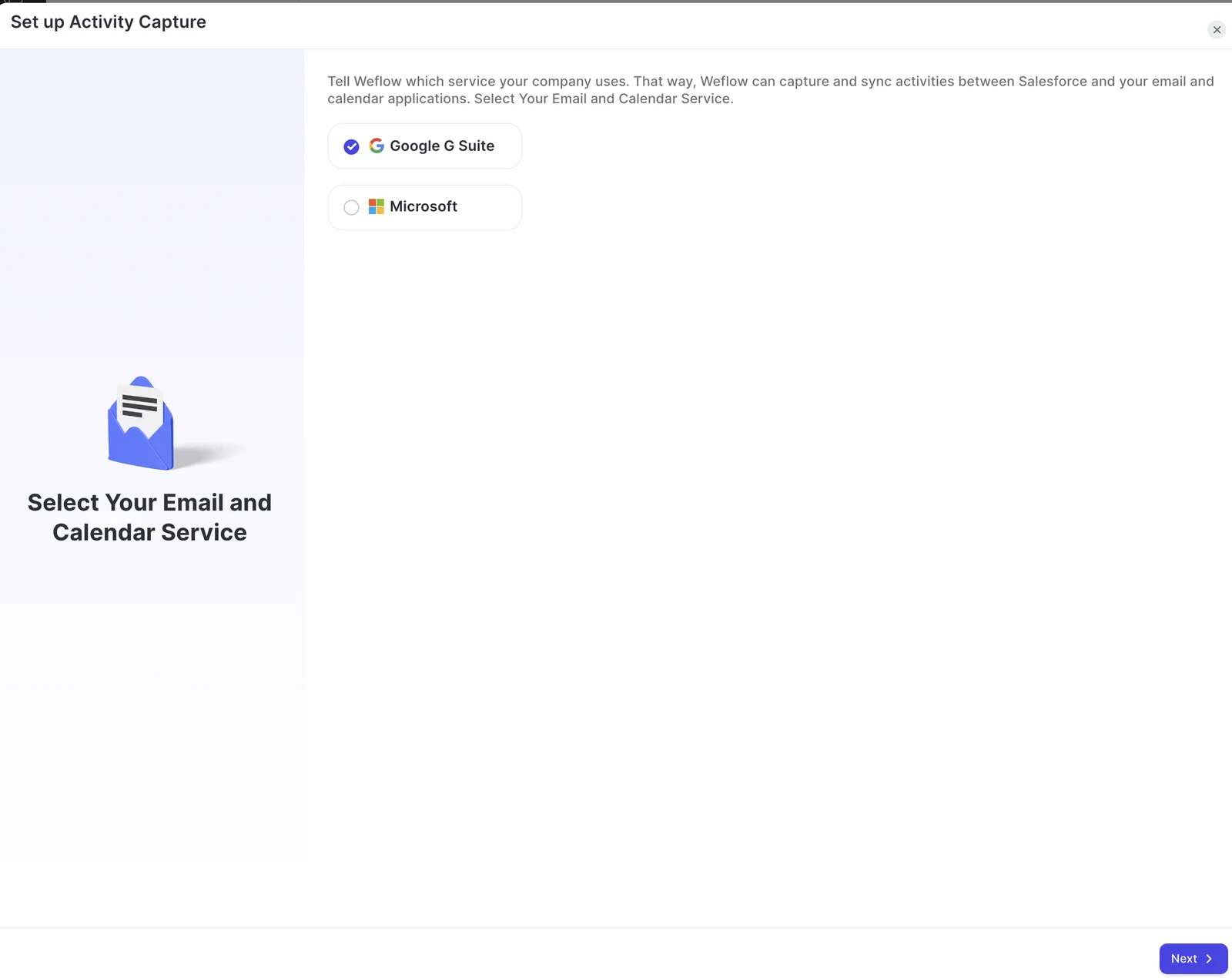
That changes enrolment from a chase into a decision. Instead of confirming that each person authenticated and stayed authenticated, you add users and teams to a capture configuration and they're in.
The technical setup itself is short: 30 to 45 minutes with a Salesforce admin and a mail admin in the room. What stretches an implementation is getting those two people on the same call, not the product.
Inbound, outbound, every device, no rep action required
Because the capture sits between the mailbox provider and Salesforce, it doesn't care which client the mail passed through. Weflow logs email and meetings in real time whether the rep sent from a phone, a browser, or a desktop client, and it treats an inbound reply exactly like an outbound send.
What lands in Salesforce:
- Outbound email, from any device
- Inbound replies, the evidence a buyer is actually engaged
- Meetings, logged as Salesforce activities whether or not anyone recorded them
- Contacts on the thread, created automatically so a growing buying committee shows up in the CRM
Nothing here asks a seller to do anything. That matters more than any feature, because reps are consistent about one thing:
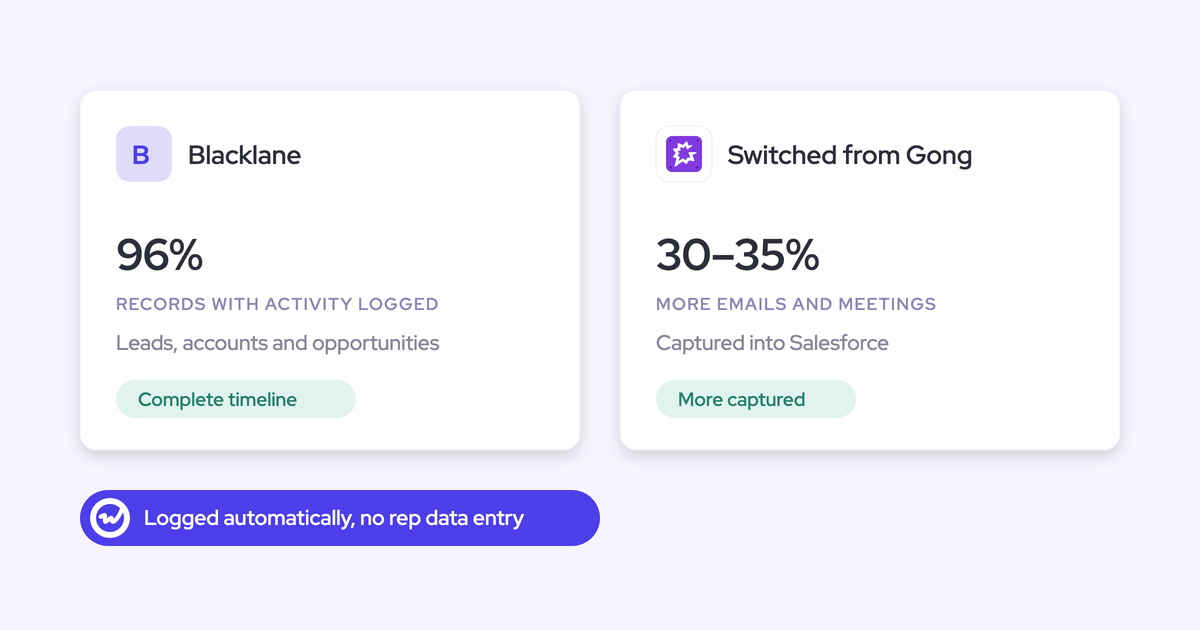
One customer, Lendz Financial, moved off Einstein Activity Capture and now captures virtually 100% of relevant emails in Salesforce while keeping their custom logging settings.
Activities land as native Salesforce records you keep
Server-side is necessary but it isn't sufficient. Where the data lands decides whether you can use it, and this is exactly where EAC falls over.
"That's why Einstein Activity Capture can be very problematic. Activities are not stored as Salesforce records but sit on a different AWS server"
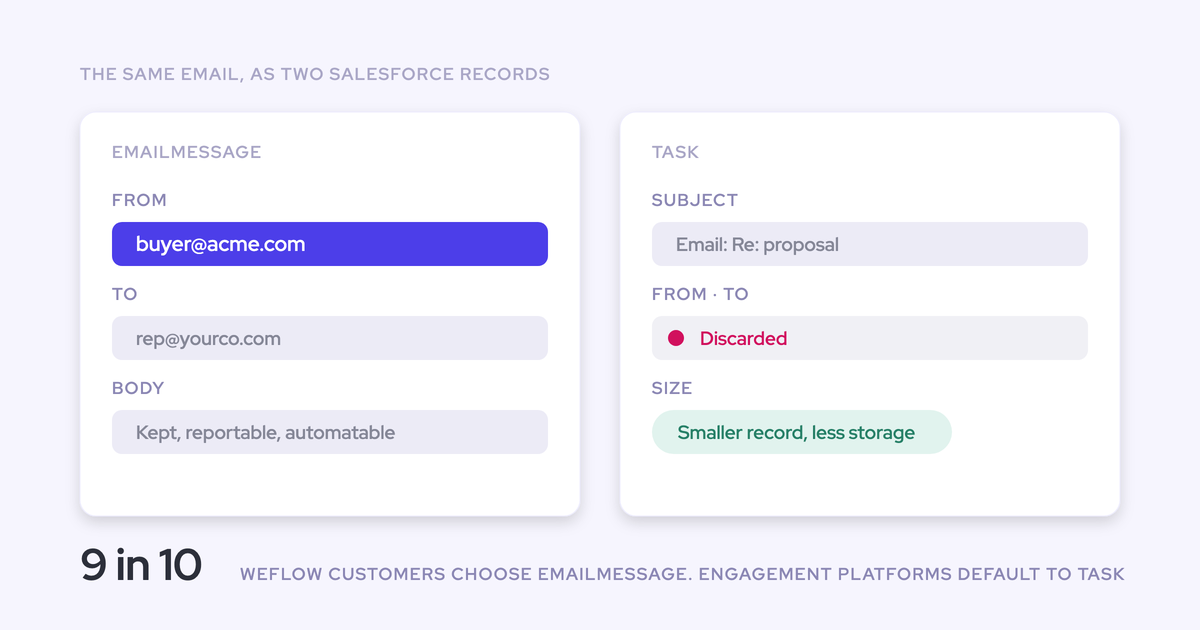
An activity that isn't a record in the core Salesforce database can't trigger a flow, can't be read inside a flow, can't be queried, and can't be exported. You lose the automation layer that is one of the strongest reasons to be on Salesforce in the first place.
"If you haven't stored an object or record into the core Salesforce database, then you cannot do automations with it."
Weflow writes captured email and meetings into native Salesforce objects, so activity is reportable, queryable, usable in flows, and yours regardless of what happens to the contract.
"We use the native objects in Salesforce. If you ever stop using Weflow, the data persists. It is your data."
— Janis Zech, CEO and Co-founder of Weflow
How will you know when capture breaks?
Ask this question of every vendor, and treat a vague answer as the answer.
Architecture decides how often capture breaks. A standing health view decides how fast you find out when it does. Those are two separate design choices, and most tools only address the first one, which leaves detection to a manager noticing an empty column on a deal that matters.
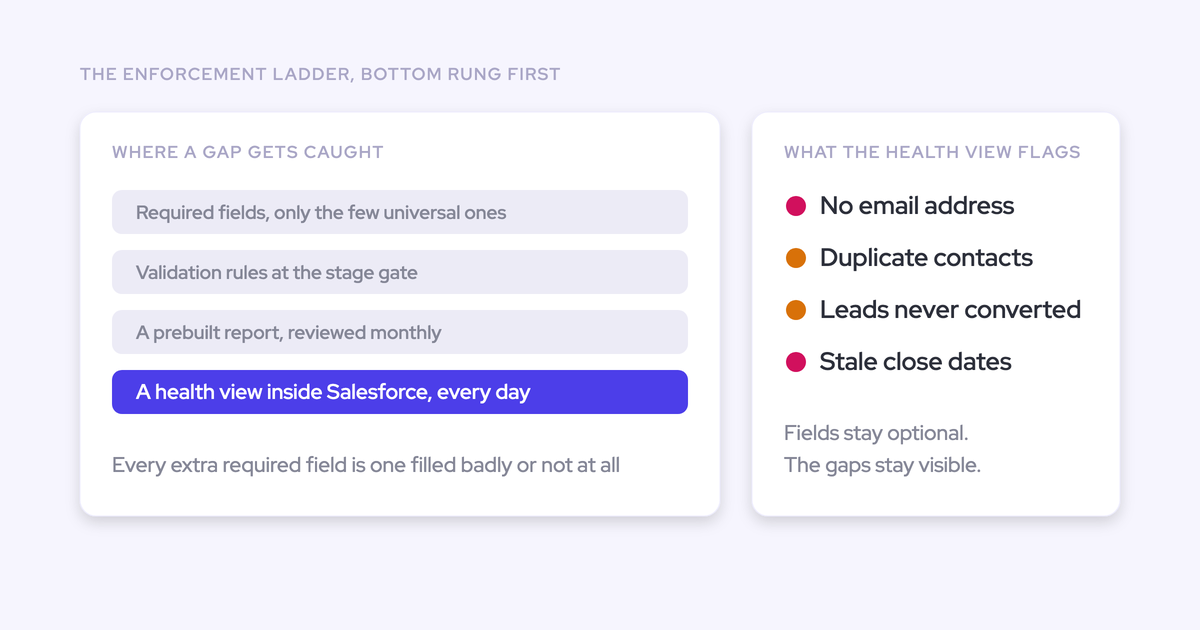
Weflow's Activity Capture Health names users whose capture produces nothing
Activity Capture Health is a Weflow Analytics view you open inside Salesforce. It turns hygiene from an audit somebody has to remember to run into a standing list.
What it flags:
- Contacts with no assigned email address
- Accounts with no website or domain
- Duplicate contacts by email and duplicate accounts by website
- Non-converted leads that match a contact record
- Capture settings not yet configured for optimal capture
The settings check earns its keep on a new install, because a capture configuration that's quietly wrong produces missing activity nobody attributes to configuration for months. It also reports whether Einstein Activity Capture is detected, and states plainly that EAC creates uneditable activity records which bypass automation.

Duplicate accounts sharing a website domain is the one to fix first. It's the specific pattern that breaks activity-to-opportunity mapping, because the capture can't tell which of two identical accounts an email belongs to.
The sending-address mismatch that still drops users from capture
Here's a gap we haven't closed. A user whose sending address doesn't exactly match the address on their CRM user record falls out of capture, and the capture layer itself won't announce it.
It's common in specific situations:
- After an acquisition, where people keep a legacy domain
- Teams sending from a marketing subdomain to protect the main one
- Anyone using a secondary alias
Their activity simply doesn't appear, and because there's no error, the assumption is that the person isn't working. The health view surfaces the user with no activity so you find them in a list rather than user by user, but the mismatch is real and somebody still has to fix the record. We'd rather say that than pretend the architecture makes it impossible.
The edge case server-side capture cannot solve alone
If you take one thing from an evaluation, take how the tool behaves in the ambiguous case, not the clean one.
One contact, two open opportunities: activity falls to the account
Salesforce relates an activity to an opportunity or to an account, never both. So when the same contact holds a role on two open deals, a renewal and an expansion, no capture algorithm can decide which one an email belongs to.
Server-side capture on its own has no additional information to break that tie. The honest behavior is to fall back to the account.
That fallback produces no error and no warning. The account timeline looks healthy while both opportunities look dormant, which is exactly backwards for anyone inspecting pipeline. And a tool that guesses is worse than one that doesn't, because a silently wrong mapping gets built on:
Two things reduce how often you hit this. Opportunity contact roles being maintained gives the matching logic something to work with, and a single-opportunity-per-account motion with clean user records rarely hits the ambiguity at all. If that's your shape, this section matters less to you. In advertising and hospitality, where one regional contact buys across many sites, it's the common case rather than the edge case.
How Weflow's hybrid extension resolves mapping once per thread
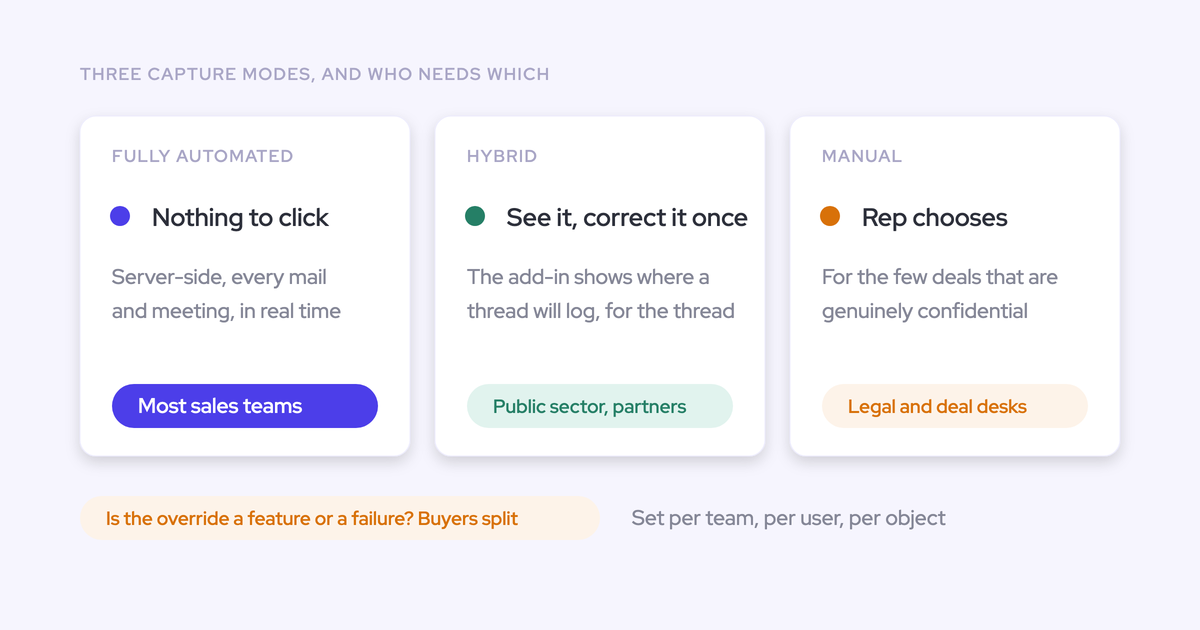
Our answer is a correction layer, not a second capture path. The Weflow Outlook add-in and Chrome extension show the rep which Salesforce records an email is about to log to, and let them pick a different opportunity, account, or custom object.
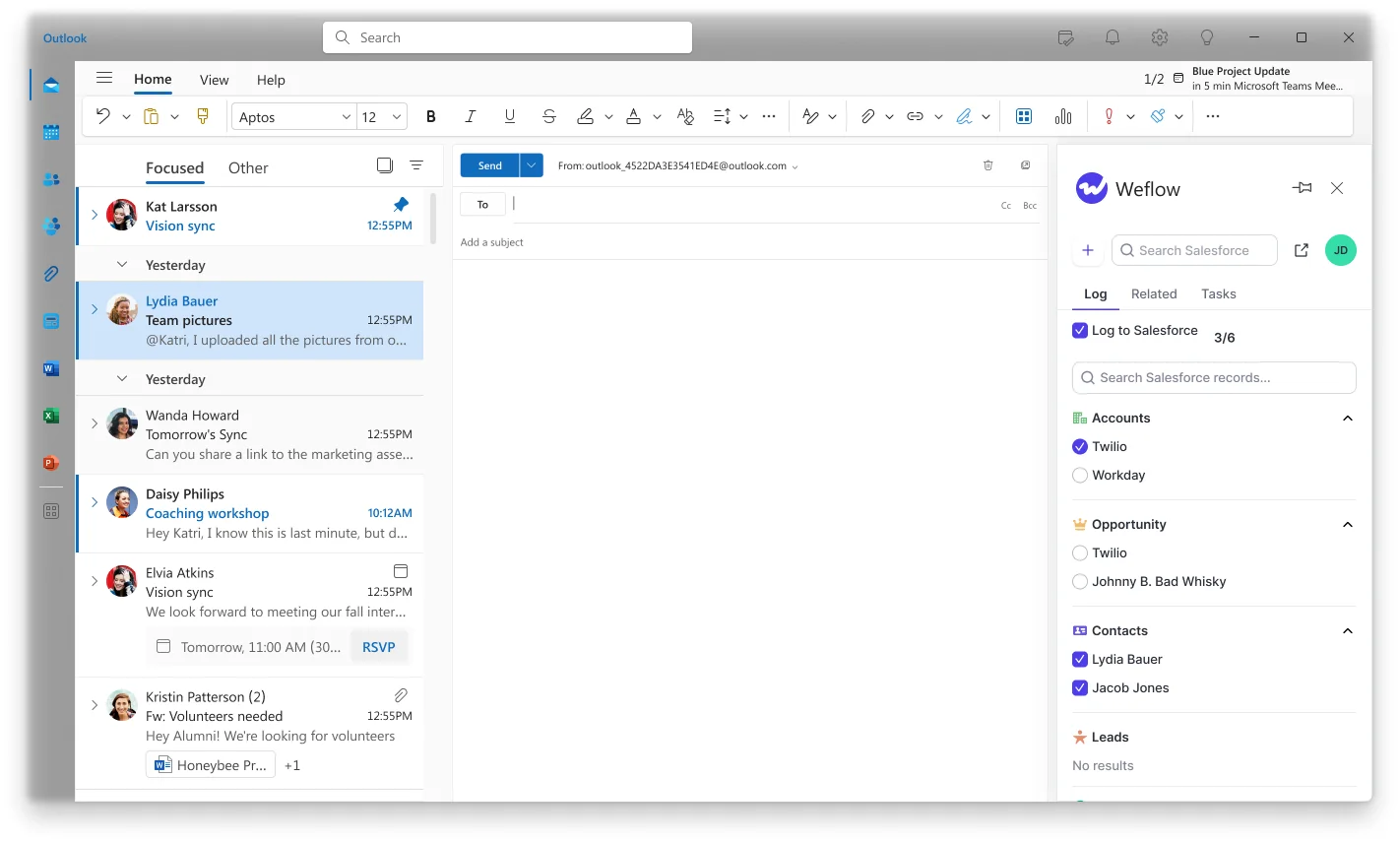
The choice is stored against the thread. Every later reply routes to the same record without anyone touching it again, and starting a new thread resets it.
That's the design argument in one line: the rep resolves the ambiguity once, from inside the mailbox they already work in, at the only moment where the answer is actually known. Capture stays automatic. The mapping stops being a guess.
If the extension is switched off, capture keeps running. It's an override on top, never the thing doing the logging.
FAQ: server-side activity capture questions
How is missing activity history backfilled after a gap?
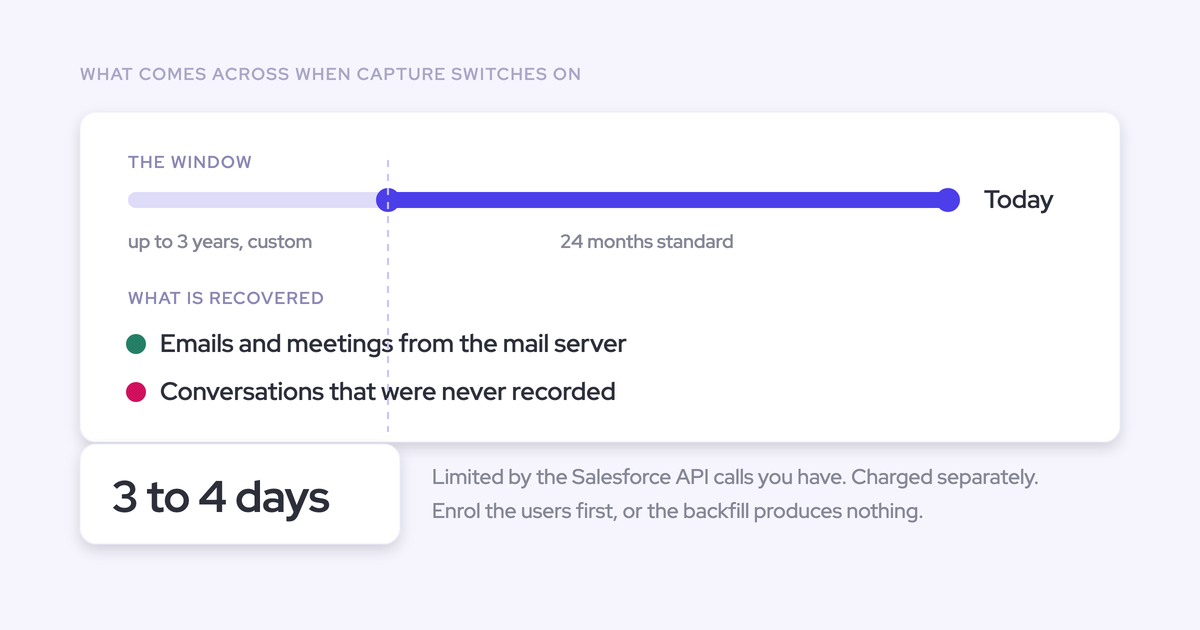
Weflow's historical email and meeting sync-back covers the previous twelve to twenty-four months and takes three to four days to complete. The real constraint is the Salesforce API calls your org has available, which are shared with every other integration, so a backfill can stall because something unrelated is consuming the quota. Users have to be added to the activity capture configuration before a backfill can be requested, and a license isn't required for it, so you can backfill a test group before buying the wider rollout.
Will server-side capture double-log emails sent through Outreach or Salesloft?
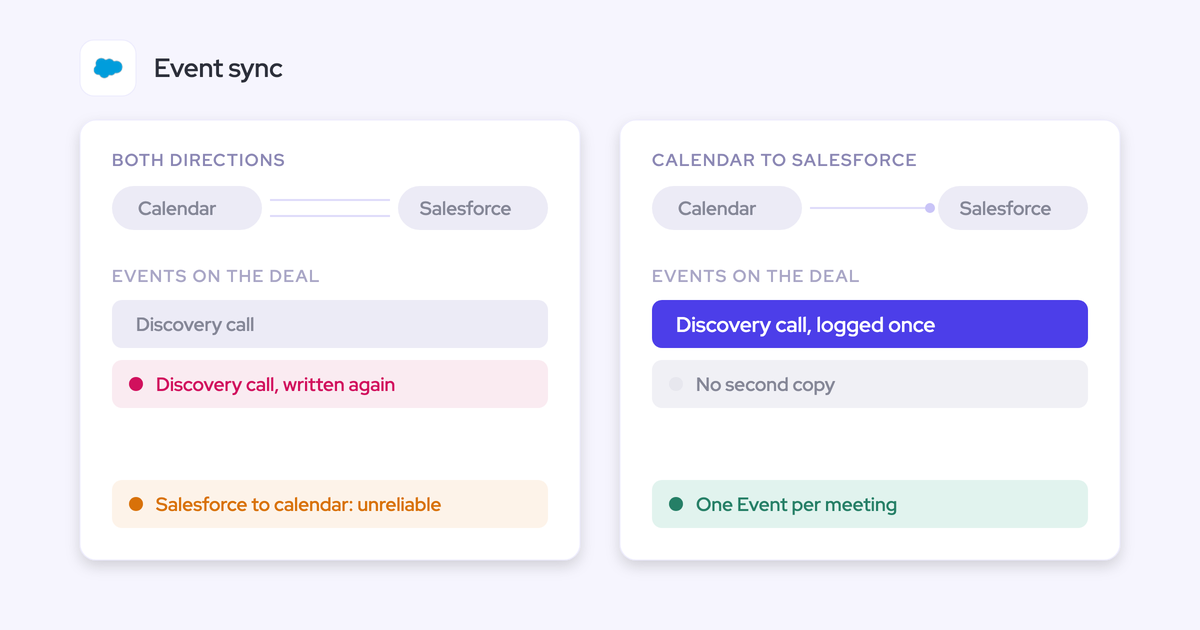
No, and two separate settings handle two different halves of the problem. Compatibility mode holds Weflow's sync back by around ten seconds so the other tool logs first, then matches on the record ID so the same email isn't written twice. Tracking patterns go further and suppress a sequencer's emails entirely, matched on a string in the message body, which is what you want for bulk sends that should never reach the CRM at all.
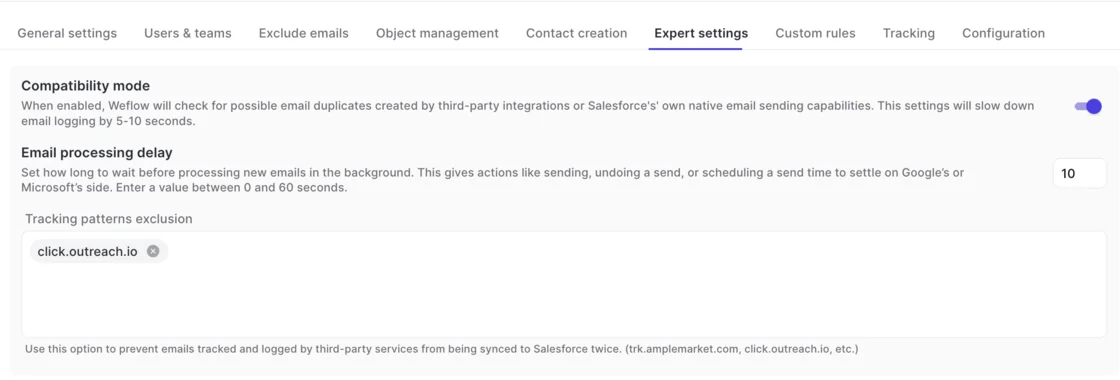
Getting the choice wrong produces either a doubled activity count or a silent hole in a rep's history, so decide which tool owns what before go-live.
Does automatic capture log internal, HR, or personal email?
No. Weflow only logs an email or meeting when it involves an external participant that resolves to an account or opportunity, and anything where every participant sits on an internal domain is never logged. That exclusion happens before any Salesforce write, so internal threads never inflate account activity counts. Admins can additionally exclude specific domains and addresses, and custom rules can block logging against an entire Salesforce record based on any field on the object.
Do reps have to do anything for capture to work?
No. Capture requires no action from the seller, which is the whole point of running it server-side. The Outlook add-in and Chrome extension are optional layers that show what's about to be logged and let a rep override the mapping or choose not to log a thread.
Do you need Conversation Intelligence to log meetings?
No. A meeting is logged as a Salesforce activity whether or not it was recorded, so your activity trail stays complete even when recording coverage is well below 100%. Recording adds the summary and the AI field updates on top of that activity, and recording lives in Weflow Conversation Intelligence rather than in Weflow Activity & Contact Capture.
What happens to captured data if you stop using Weflow?
It stays. Weflow writes activity into native Salesforce objects, so the records are yours and they persist regardless of the contract. This is the structural difference from capture that streams from a separate server and never becomes a real Salesforce record.
What does Weflow Activity & Contact Capture cost?
Weflow Activity & Contact Capture is $19 per user per month, billed annually, with a minimum of 10 users. It's sold standalone, and it includes Ask Weflow AI Pro and the free tier of Agent Builder. If you also want meeting recording, Revenue AI Foundation bundles capture with Conversation Intelligence at $49 per user per month.
Where to take this next
Run the audit before you run a trial. Open your current setup and answer three questions: does inbound mail reach Salesforce, who authenticates the connection, and what would tell you if it stopped. If the answers are no, each rep, and nothing, you're in the edge class and no amount of configuration moves you out of it.
We put the checks and the settings that matter into one page you can work through with your Salesforce admin: the free Salesforce Activity Capture Cheat Sheet.