Why Einstein Activity Capture fails Salesforce teams (and what a replacement must do)
Learn why Einstein Activity Capture fails Salesforce teams and how to evaluate a replacement




The report you can't build, the sync that died three weeks ago without telling anyone, the email sitting on the account instead of the deal: none of that is a misconfiguration you can settle in Setup. It traces back to how Einstein Activity Capture was built, and above all to one decision, that captured activity never becomes a Salesforce record your org owns. Because the causes are structural, the fix is a requirements question rather than a settings question. So this piece does two things: it walks each symptom back to the design decision behind it, then turns that diagnosis into the written checklist you score your options against, including the option of keeping EAC. We use Weflow Activity & Contact Capture as the worked example later, measured against your list rather than pitched at you. Weflow is the Revenue AI Orchestration platform for sales, customer success, and RevOps teams.
The root cause: EAC doesn't store activity as Salesforce records
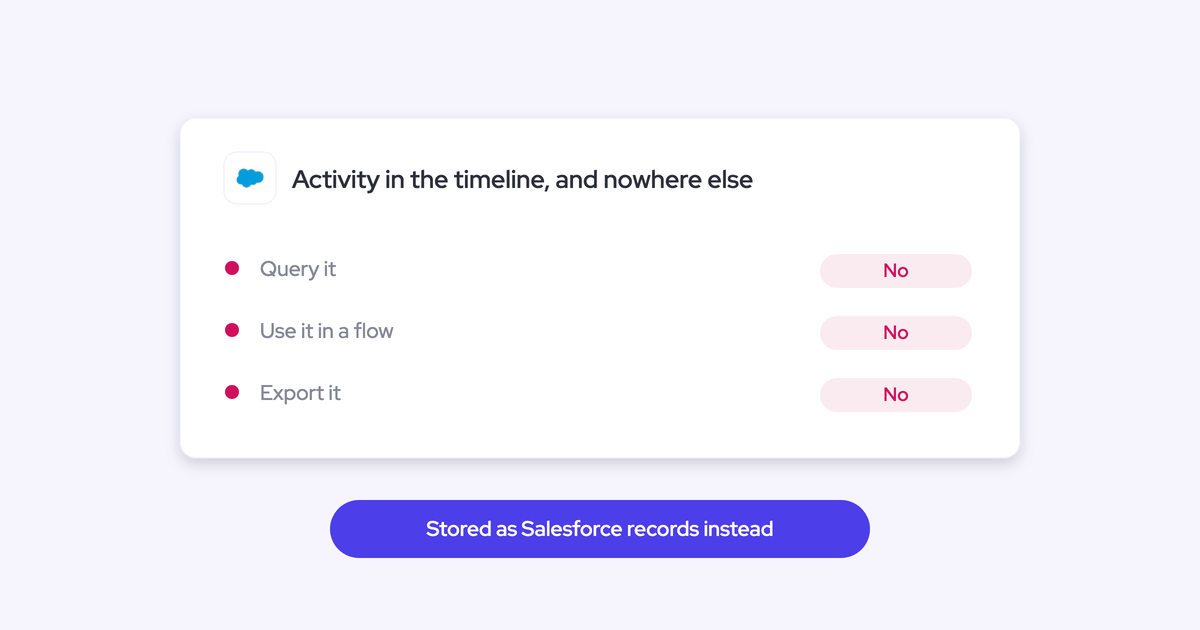
Einstein Activity Capture streams activity into the timeline from an external store. Historically that store was AWS, then Hyperforce, and either way it isn't the core Salesforce database. The activity is displayed to you. It isn't handed to you.
Every other failure in this article inherits from that. No record means no query, which means no custom report, no BI export, no flow trigger, and no standard field update.
"If you haven't stored an object or record into the core Salesforce database, then you cannot do automations with it."
Here's the difference in practical terms, because this is the whole argument in one table.
| A native EmailMessage, Task, or Event record | Streamed timeline activity |
| Queryable in SOQL and in report builder, so you can build any report you want | Visible in the timeline plus the canned report Salesforce provides for you |
| Exportable to Looker, Tableau, or Power BI and joinable with your other data | Not exportable, so activity can't reach the warehouse your analysts work in |
| Readable and triggerable inside Flow, so meetings can advance a lead or raise a task | Invisible to Flow, so the whole Salesforce automation layer is off the table |
| Updates standard fields like Last Activity Date | Leaves those fields stale because the activity isn't recognized as native |
| Persists until you delete it, and leaves with you if the vendor does | Removed by a retention window measured in months |
This is the part that reframes the whole evaluation. It isn't that a feature is missing. It's that the activity your reps generated, on your mail tenant, about your customers, is being rented back to you as a view.
"With Einstein Activity Capture, I was trying to report on how many meetings we have. I got on a call with Salesforce support, who was just as confused as I was. I also learned that activities are just temporarily stored on Salesforce's side. It's actually not even my own data."
Six EAC failures and the design decisions behind them
The failures are systematic. Each one comes from a specific choice in how EAC was designed, which is why configuration can't clear them, and why knowing which choice causes which symptom is what lets you write requirements instead of tickets.
| Symptom you're seeing | Design decision behind it |
| You can't build a report or export to BI, and Last Activity Date stays stale | Activity lives in an external store and streams into the timeline |
| Activity lands on the account, not the opportunity | Opportunity attribution depends on opportunity contact roles |
| A wrong mapping stays wrong forever | EAC is background logging with no user interface; the mail add-in is a separate service |
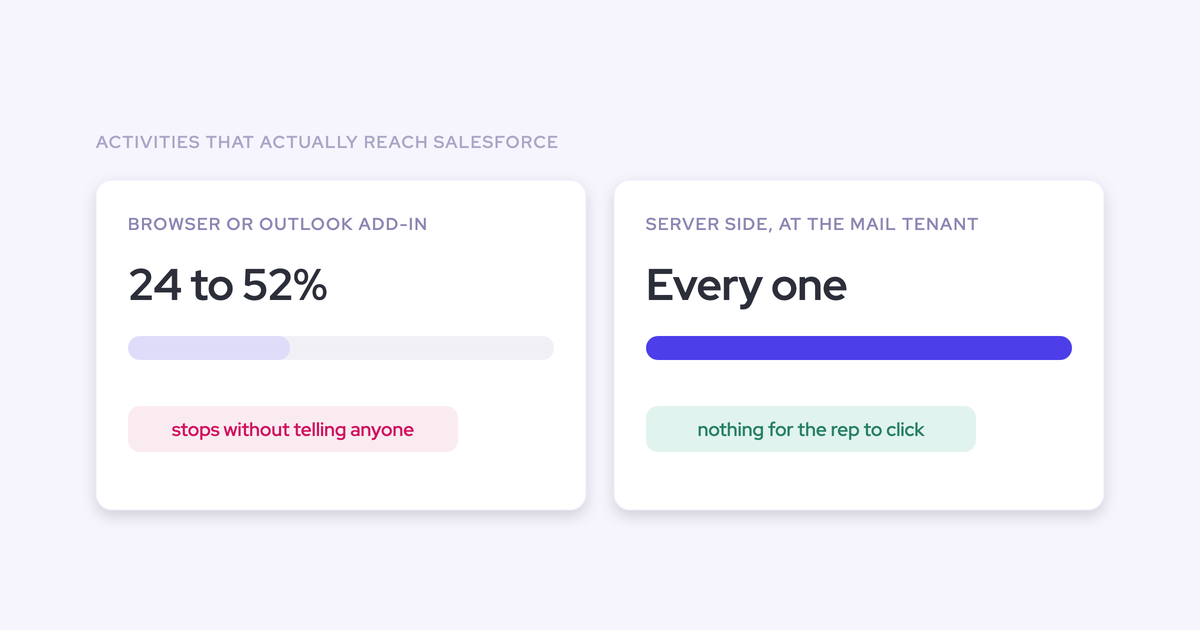
| Sync dies for one rep and nobody notices | Each user connects mail and calendar individually over OAuth, and failures are silent |
| Deals show one contact when five people are on the thread | Contact sync works from synced address books, not from the participants on threads and invites |
| Last year's activity has disappeared | A retention window deletes captured activity after months |
Why you can't report on Einstein Activity Capture data
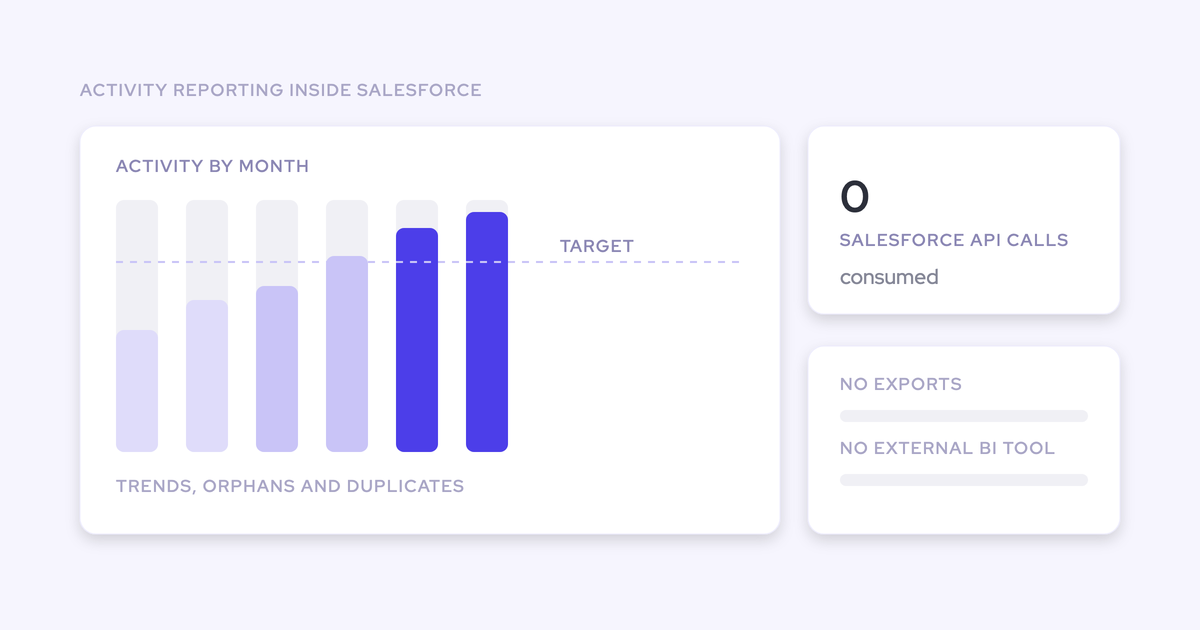
Because the activity isn't a record, there is nothing to report on. You get the out-of-the-box activity reporting Salesforce provides and that's the ceiling: you can't adjust it, and you can't build your own.
Concretely, the missing record takes four things away from you:
- Custom reports and dashboards on emails and meetings, at rep, account, or opportunity level.
- Export into Looker, Tableau, or Power BI, so activity can't be joined with product usage or finance data.
- Flow triggers and Flow lookups, so a booked meeting can't advance a lead and a quiet account can't raise a task.
- Standard field updates, most visibly Last Activity Date, which is what half your existing reports filter on.
"Einstein Activity Capture activities don't update the standard "Last Activity Date" field because they are stored externally and aren't recognized as native Salesforce activities. This was a huge issue for our reports"
— Irina Smirnova, Senior Sales Operations Manager at Blacklane
Most teams find this the same way. Leadership asks how many meetings the team ran last quarter, or which accounts have gone quiet, and there's no raw data to go and get.
Why EAC maps activity to the account, not the opportunity
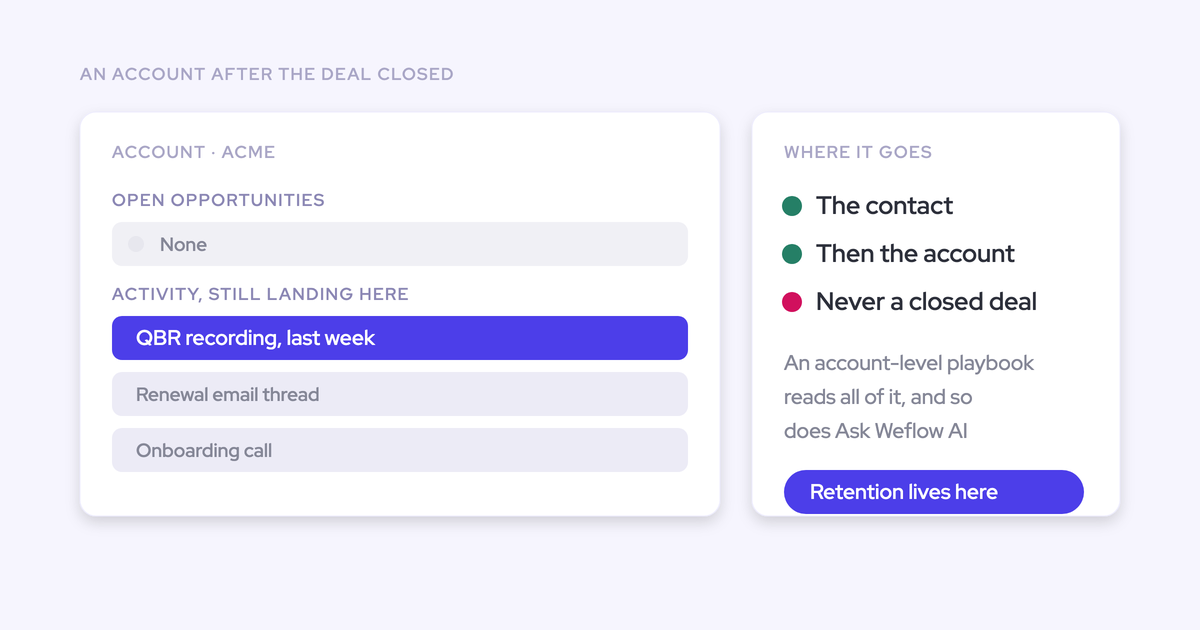
EAC decides which opportunity an activity belongs to by following opportunity contact roles. That's the link between a contact and a deal in Salesforce, and it's one of the least maintained objects in any CRM.
So the mapping works when an account has exactly one opportunity. Take the ordinary case instead: one parent account carrying new business, an upsell, and a renewal, with the same two contacts sitting across them. There's no one-to-one link for EAC to follow, so the activity falls back to the account.
"This is where it gets complicated because one customer will have multiple opportunities. So which opportunity does that activity relate to?"
The consequence is the cruel part. Opportunity-level activity reporting, the reason you wanted capture in the first place, is empty in exactly the accounts that carry the most revenue. The account looks busy and the deals look dead.
Why a wrong mapping stays wrong: no rep-facing correction
EAC runs purely as background logging with no user interface. There is nowhere for a rep to see which record an email matched to, and nowhere to change it. Admins can shape the matching through Flow, and that's the extent of the control.
The Salesforce Outlook and Gmail add-in is routinely assumed to be part of EAC. It isn't. It's a separate service that gives a rep manual logging while EAC keeps matching in the background with its own logic, so a correction made in one place never feeds the other.
"There's no way to remap it unless I did a bunch of manual cleanups using Excel."
What that costs you isn't a data point, it's credibility. A rep opens their opportunity before a review, sees none of the emails they sent and none of the meetings they ran, and concludes the tool is broken. As far as they're concerned, it is.
Why EAC sync disconnects silently, one rep at a time
Each user connects their own mail and calendar to EAC over OAuth, and when that connection breaks it breaks quietly. There's no central signal, no alert, no queue of failures for you to work through.
So capture degrades rep by rep, and you find out when the reporting looks wrong. By then the activity for those weeks is gone, and you're the one being asked why Salesforce isn't working.
"We relied on Einstein Activity Capture for years - but the reliability was very inconsistent. It would work, but then it wouldn't. I got tired of being asked, 'Why isn't Salesforce working?'"
Why the buying committee never makes it into Salesforce
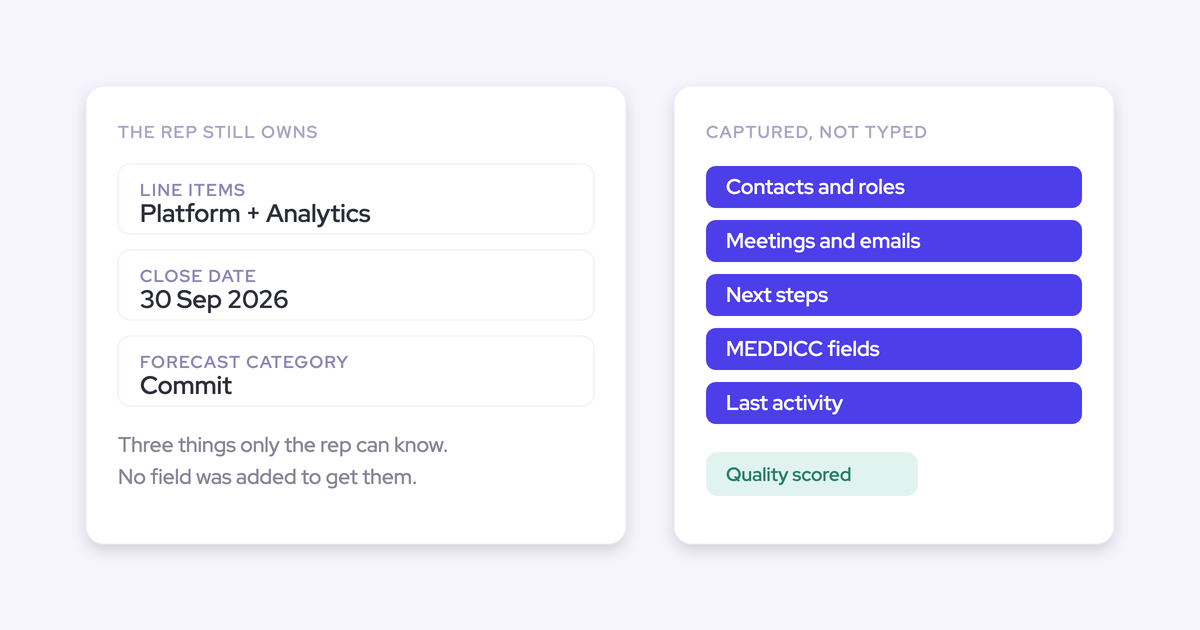
EAC's contact sync works from synced address books. It doesn't create contacts for the people who appear on an email thread or a calendar invite, which is where new stakeholders actually show up.
Reps won't add them by hand either, and you can't blame them: creating four extra contacts on a deal has no payoff for the person doing it. An enterprise deal with six people involved shows one champion in the CRM.
Then multi-threading stops being measurable. You can't tell a deal with a live buying committee from a deal with one contact and a lot of hope, and stakeholder mapping has nothing to hang off.
Why EAC deletes your activity history after months
EAC applies a retention window measured in months, and after it passes the captured activity is removed. For the first few months everything looks correct, which is why teams discover this late.
"The speed is extremely slow and they have this whole thing with retention. The activities are not really stored in Salesforce and then they get deleted after six months or so."
Retention lands on precisely the analysis activity data exists for:
- Year-on-year engagement comparisons, where last year's baseline is already deleted.
- Enterprise cycles that run longer than the window, so the first half of the deal is missing.
- Reconstructing what happened on a deal that closed last year, for a win-loss review or a QBR.
A capture layer with a retention limit is a monitoring tool. It is not a system of record, and you shouldn't treat it as one.
Did Sync Email as Salesforce Activity fix EAC?
Partly, and the honest answer matters more than the reassuring one. Salesforce's Summer '25 release introduced an opt-in Sync Email as Salesforce Activity option that writes email as native records, and existing orgs have to actively migrate through Salesforce Support to get it. That resolves the storage problem for email. It doesn't resolve the mapping problem, the contact problem, or the correction problem.
| What the change fixes | What still breaks |
| Email lands as native Salesforce records, so it becomes reportable and usable in flows | Opportunity mapping still rests on contact roles, so multi-opp accounts still fall back to the account |
| Custom-object matching is possible, through admin Flow customization | Salesforce warns that complex matching rules can slow the sync, and the logic now lives in Flow you maintain |
| Legacy Activity 360 Reporting, Activity Metrics, and the Activities Dashboard become unnecessary once you migrate | Those legacy reports retire in Summer '26, so anything you built on them has an expiry date |
| Salesforce auto-migrates legacy EAC orgs from June 2026, using the org's maximum email retention history | Historical backfill is still capped at 50,000 emails per user from the past 180 days |
| Still no rep-facing way to correct a mapping, still no contact creation from threads and invites, still weak on mobile, and the native Outlook add-in is sunsetting |
There's a second lesson buried in that migration, and it's the one that should shape your requirements. Teams who had built velocity reports, custom fields, and flows around the old EAC architecture had to rebuild them when the architecture changed. They did nothing wrong. Their reporting layer just sat on someone else's design decisions.
Which is the argument for activity living in objects you control, not the argument for any particular vendor.
How to write your activity capture requirements list
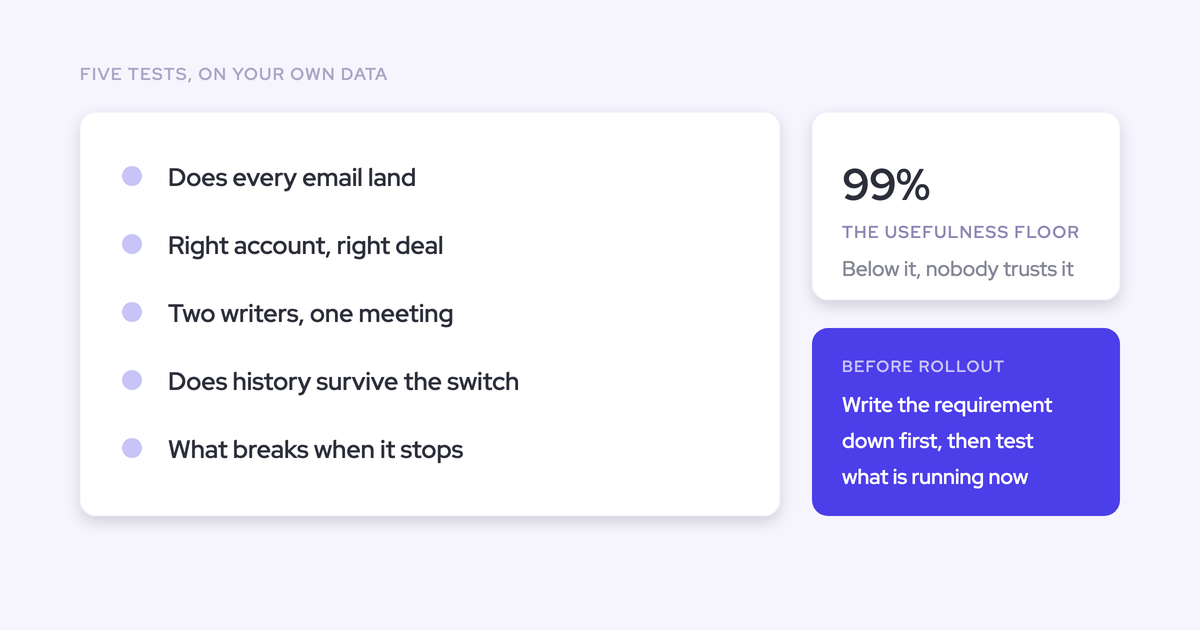
Write the list before you take a single vendor call. Then score three things against it: your current EAC setup, EAC with native sync enabled, and whatever else you're considering.
"This should be reportable. I should be able to sync both incoming and outgoing emails, and they should be permanently stored in Salesforce so I can analyze them via Looker."
Each diagnosed failure above converts into one testable requirement. Here's the list, with what to actually check in a pilot rather than what to ask on a demo.
| Requirement | The failure it answers | How to verify it in a pilot |
| Activity stored as native EmailMessage, Task, and Event records, permanently, with no retention window | No reporting, no export, no flows, deleted history | Query the records in SOQL, build one custom report, and trigger a test flow off a captured meeting |
| Both directions of email, inbound and outbound | Manual add-in logging captures what the rep sends and loses the reply | Have a buyer reply to a thread and confirm the inbound message lands as a record with direction intact |
| Opportunity-level mapping that doesn't depend on contact roles alone | Activity falling back to the account on multi-opp accounts | Pick an account with an open new business deal and an open renewal, then check where the thread lands |
| A rep-facing way to see and correct the mapping, remembered for the thread | A wrong match becoming permanent fiction | Deliberately let one email mismap, fix it from the mailbox, then confirm later replies follow the correction |
| Automatic contact creation from threads and invites, with dedup guards | The buying committee living in the inbox | Add two new stakeholders to a live thread and check what appears in Salesforce, and what doesn't |
| Central, server-side deployment with no per-rep OAuth to break | Silent single-rep disconnects | Confirm reps did nothing to enable it, and ask what the central signal is when capture fails |
| Historical backfill from your own mail tenant | In-flight deals looking artificially inactive on day one | Start the trial from a past date so the checklist gets tested on months of real activity |
| Export and exit rights on your terms | Data held outside the CRM becoming leverage at renewal | Get the export format, destruction provisions, and transition assistance in writing before signing |
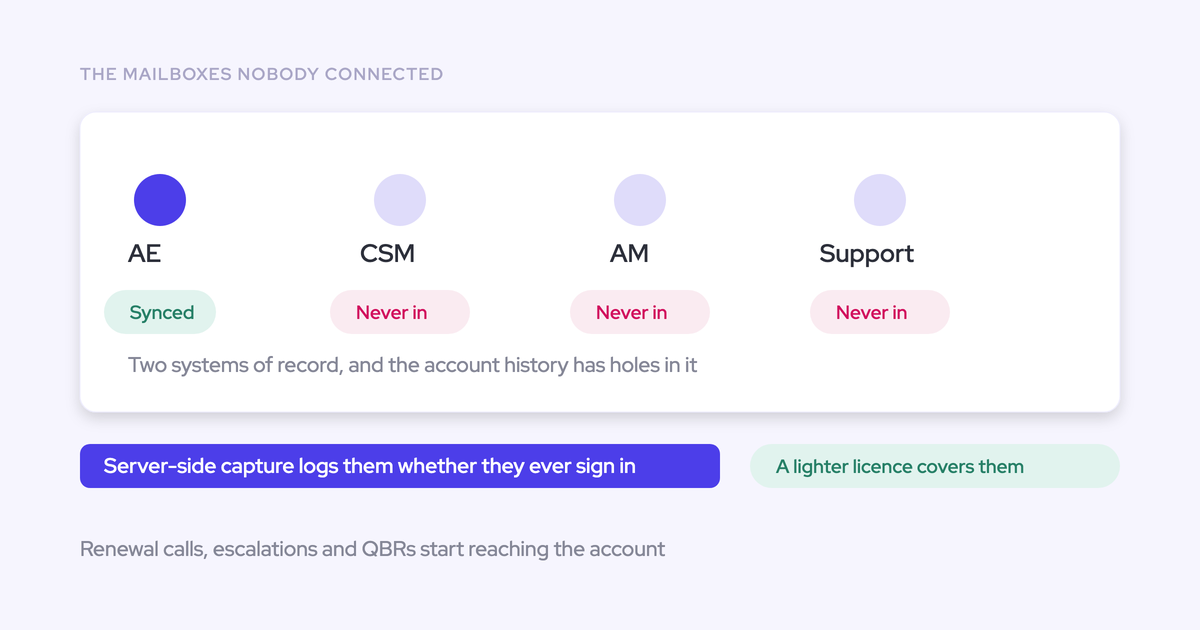
| Coverage for every customer-facing role, priced so CSMs can be included | Post-sale activity going untracked because licenses stopped at the AEs | Price the full customer-facing headcount, not the sales seats |
Two weeks is enough. A vendor who can't be tested against a written list in that time doesn't belong on the shortlist, and a demo tells you nothing about how a tool behaves in the ambiguous case, which is the only case that matters.
One thing to check on your own side first: audit the website domain field on your accounts and your contact role coverage. Most capture tools match accounts on the domain, and a hygiene gap there will look like a vendor failure during the pilot.
Get the free Salesforce Activity Capture Cheat Sheet if you want this as a document you can drop straight into your evaluation doc.
How Weflow Activity & Contact Capture meets each requirement
Weflow's design decisions are the inverse of EAC's on the requirements above, because Weflow was built for teams who had already hit those walls. Here it is line by line, against the same list.
| Requirement | How Weflow answers it |
| Native storage, no retention | Emails, meetings, and contacts are written into native Salesforce objects and stay there. Admins choose whether an email lands as EmailMessage or as a Task, and attachments can be logged with a size cap. |
| Both directions | Inbound mail from a buyer is evaluated exactly like a rep's outbound. Anything where every participant sits on an internal domain is never logged at all. |
| Opportunity-level mapping | Weflow matches on the contact or lead, then relates the activity to an open opportunity in preference to the account, weighing prior thread communication, opportunity stage, and creation date rather than contact roles alone. Closed opportunities are never written to. |
| Rep-facing correction | The Outlook add-in and Chrome extension show which records an email will log to and let the rep pick a different opportunity, account, or custom object. The choice is stored against the thread, so later replies follow it automatically. |
| Contact creation with guards | Contacts are created for people detected on threads and invites, scoped to accounts that already exist, capped per event, and deduplicated on top of Salesforce's own duplicate rules. Weflow never creates accounts, leads, or opportunities. |
| Central deployment | One mail app installed in Microsoft Entra or Google Workspace, two managed packages, and one integration user with a purpose-built permission set. Roughly a 45-minute admin session, no per-rep OAuth. |
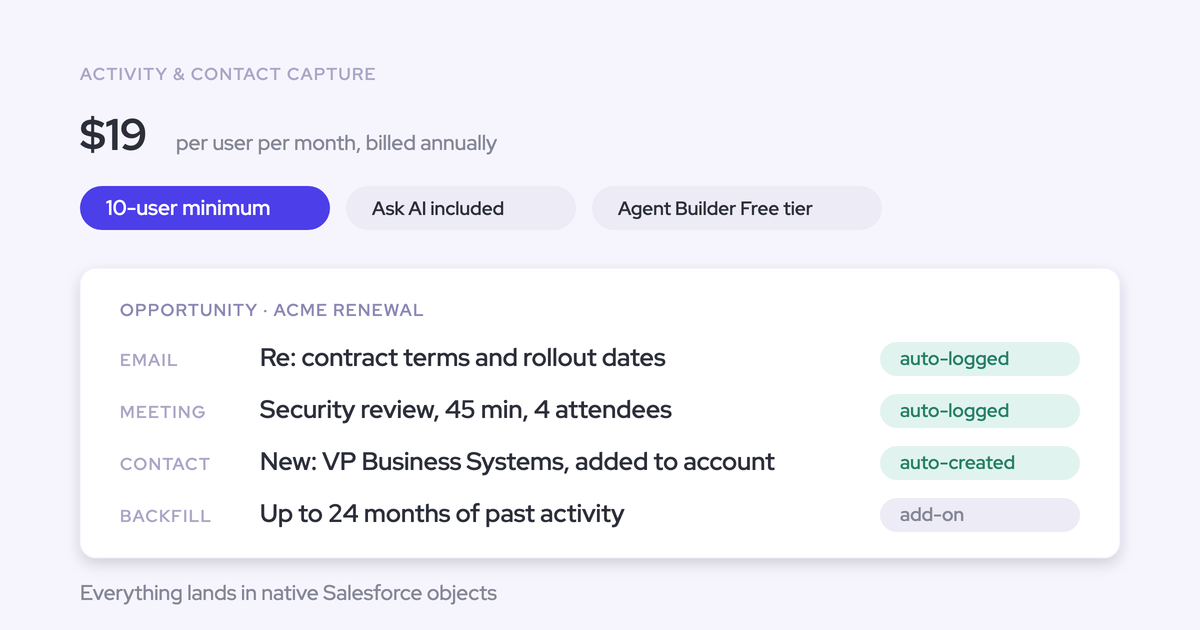
| Backfill | Up to 24 months of historical emails and meetings pulled from your mail tenant, against EAC's 50,000-per-user, 180-day cap. |
| Clean counts | One parent Event per meeting plus child Events per attendee, so meetings-per-rep isn't inflated by attendee count. A recorded meeting is the same meeting, so the summary attaches to the one activity that happened. |
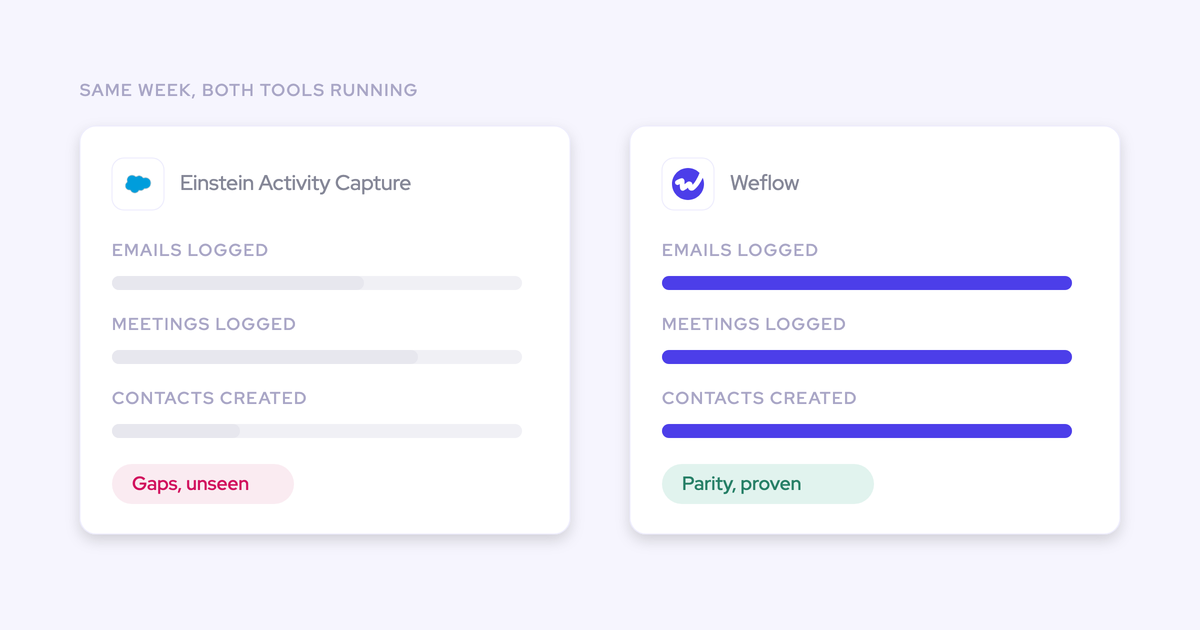
| Reliability signal | A 99.9% activity sync rate, and the most common failure cause is an exhausted Salesforce API rate limit rather than a broken user connection. |
Two of those need the mechanism spelled out, because they're where evaluations are usually won or lost.
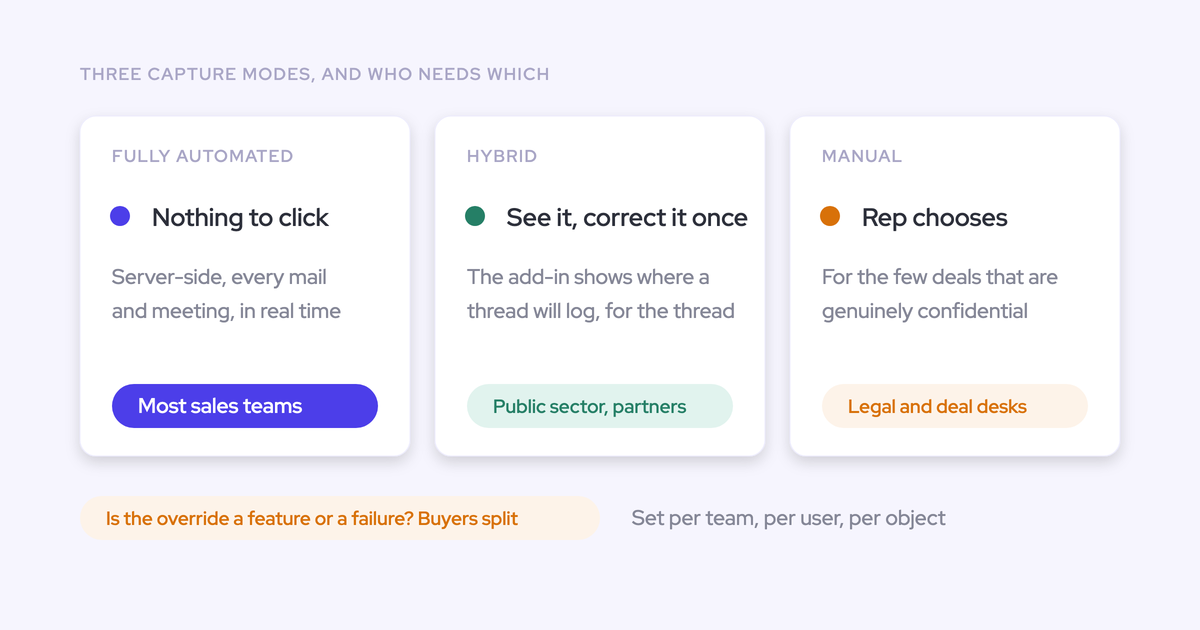
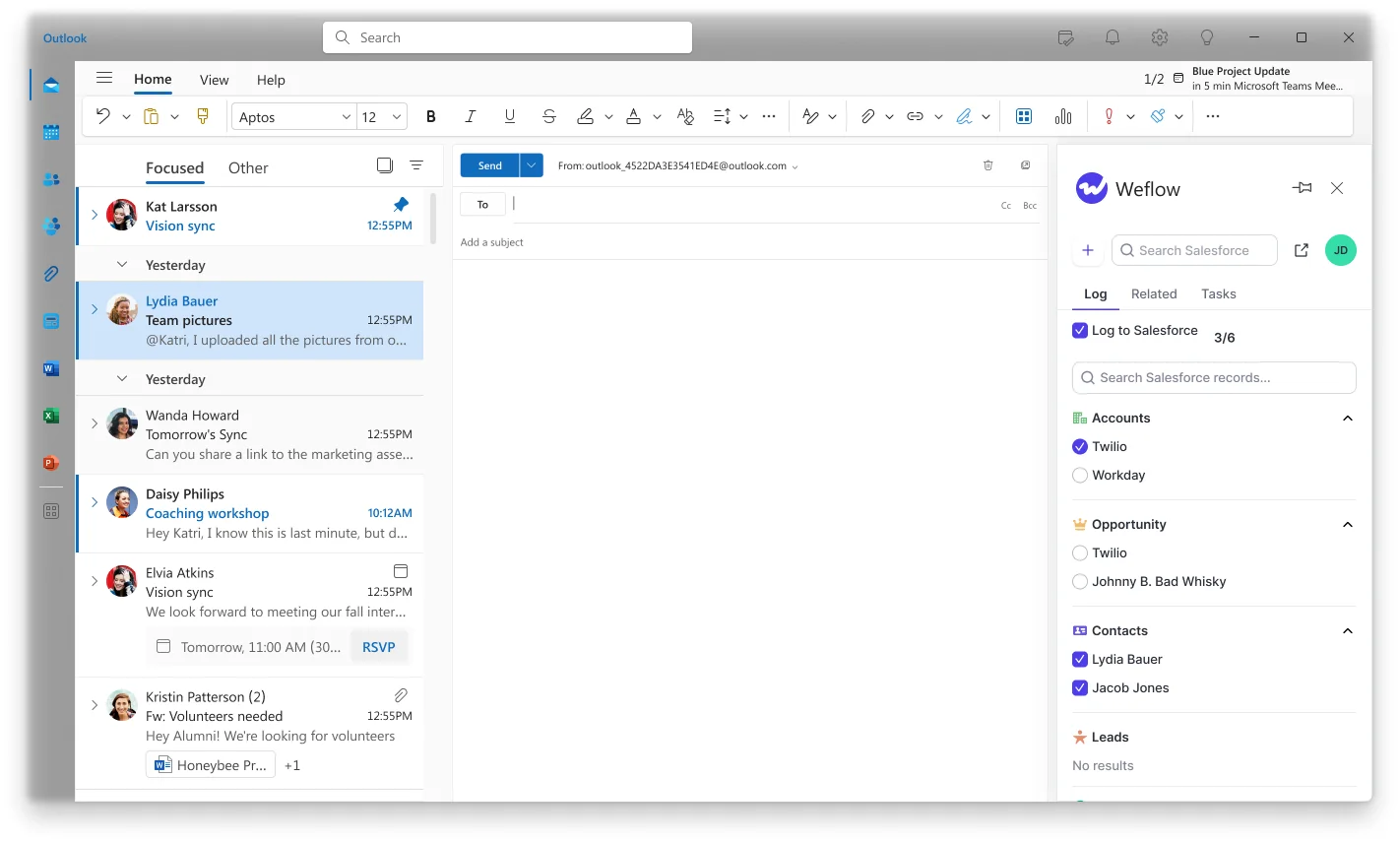
The hybrid model. Server-side capture alone cannot decide which of two open opportunities an email belongs to when the same contact sits on both. No algorithm can: the information isn't in the data. So Weflow keeps capture automatic and gives the rep one place to resolve the ambiguity, from inside the mailbox they're already working in, at the only moment the answer is actually known.
The side panel shows the matched contact, account, and open opportunities, and the rep picks. Starting a new thread resets the choice.
Server-side capture. Weflow sits between the mail tenant and Salesforce rather than inside a per-rep plugin, so mail sent from a phone, a browser, or a desktop client is captured the same way, in real time, and coverage doesn't depend on rep adoption. Capture is configured per team, per user, and per object, so a sales team and a CS team can log to different objects without one team's rules leaking into the other's.

The reps notice none of it, which is the point.
"Most of our team doesn't even know we have Weflow for activity capture. That was a big attraction for me: I didn't need them to set it up or learn anything new."
Where Weflow falls short and when EAC is enough
The case for switching sharpens with scale and with reporting need. It doesn't apply to everyone, and the boundaries are real.
What Weflow doesn't capture
- Weflow works only with Salesforce. No HubSpot, no Dynamics, no Pipedrive. If part of your group runs a different CRM, Weflow can only cover the Salesforce side.
- Capture covers corporate email and calendar. There's no VoIP or phone-call capture today, and no SMS or WhatsApp capture, which means the text-message relationship with a buyer stays a blind spot.
- Email sent from a separate deliverability subdomain isn't logged, because matching runs on the sender address held in Salesforce. Pre-reply outbound from a sequencer often falls outside capture for that reason.
- Backfill is heavy on the Salesforce API, so it's opt-in and spread over days or weeks rather than run in an afternoon.
- Weflow can attach a captured contact to an opportunity as a contact role, but it doesn't infer the role value. Coverage improves; naming the economic buyer is still a human step.
- Meeting time is derived from calendar events, so an in-person conversation that was never on the calendar doesn't count toward it.
When EAC's free tier is genuinely adequate
If you're under 100 users, your accounts carry one opportunity at a time, and you need no custom reporting, no BI export, and no automations built on activity, EAC is free and it does the job. Enable native sync, keep your money.
The requirements list will tell you that, which is exactly why it's worth writing before you shop. Where EAC stops being adequate is fairly predictable: it's the hundredth seat, where it steps to around $50 per user per month, and it's the moment leadership starts asking questions the canned report can't answer.
How to replace EAC without duplicating Salesforce activity
A phased switch is safe if you do it in this order. The one setting in step two is what prevents the duplicate-event mess that makes teams abandon the transition.
- Audit your Salesforce side first. Check the website domain field on accounts and your contact role coverage, so pilot results reflect the tool rather than your hygiene.
- Set EAC's event sync to one direction, from calendar into Salesforce. Left bidirectional, EAC writes the event to Salesforce, pushes it back to the calendar, and writes it again, which is what produces two events per meeting once a second tool is also writing. Removing EAC permissions from users does not stop this, and duplicates already written are not cleaned up automatically, so a rep can show thirteen meetings in one view and eight in another until you fix the setting.
- Turn Weflow capture on for one team. The mail app is installed centrally and can be scoped to a single organizational unit, so only the pilot group is captured and no rep has to grant anything.
- Run in parallel and score against your list. With EAC's event sync corrected, Weflow adds summaries and codings onto the events EAC already creates, so you don't have to switch EAC off to evaluate. If Outreach, Salesloft, or Apollo are also logging email, turn on compatibility mode so Weflow recognizes their activity and steps back instead of duplicating it.
- Backfill the history. Up to 24 months comes out of your own mail tenant, spread over days, with an eye on your daily API allowance. Nothing was lost when EAC's retention window deleted its copy, because the source data was always yours.
- Disable EAC. One capture engine writing to Salesforce is the clean end state, and it's the point at which compatibility mode stops being necessary.
FAQ: replacing Einstein Activity Capture
How much does Weflow cost compared to Einstein Activity Capture?
Weflow Activity & Contact Capture is $19 per user per month, billed annually, with a 10-user minimum and unlimited view-only licenses. EAC is free up to 100 users and around $50 per user per month above that. So the comparison depends entirely on which side of the hundredth seat you're on, and that step is usually the moment the free tier stops being free.
Can I pilot Weflow against my own requirements in two weeks?
Yes, and start the trial from a past date. Because backfill pulls from your mail tenant, the pilot can run on months of real activity from day one instead of a forward-looking timeline that makes every in-flight deal look dormant. That's how the checklist gets tested on your data rather than on a demo org.
Will Weflow create duplicate contacts in an already-messy Salesforce org?
The guards come before the creation. Contact creation is scoped to accounts that already exist, capped per event so a hundred-person webinar doesn't write ninety-nine contacts, deduplicated on top of your own Salesforce duplicate rules, and if an address already exists as a lead the activity attaches to the lead instead. Weflow also only logs an activity when it can match it to an existing record, so unmatched email isn't dumped into your org.
Does Weflow respect field-level security, permission sets, and custom objects?
Weflow runs through a dedicated integration user with a purpose-built permission set rather than an edited existing one, which keeps the access auditable, and it respects validation rules, field dependencies, permissions, and role hierarchy. Activity can be logged to any Salesforce object including cases and custom objects, and custom objects can be surfaced in the mail extension so a rep links an email to them directly. Roughly a fifth to a third of Weflow customers log to custom objects, and it's the most common reason a capture evaluation fails on functionality rather than price.
What do reps have to do after Weflow is rolled out?
Nothing. Capture runs server-side at the tenant level, so a user starts capturing as soon as an admin adds them to a capture configuration, whether or not they've ever signed in. The extension is an optional correction layer, and users who only need capture don't consume a Weflow seat.
Do I lose my EAC activity history when I switch?
No. Up to 24 months backfills from your mail tenant, which is where the original emails and meetings live, so the history EAC's retention window deleted is recoverable and the gap during a phased rollout closes afterward. If you've already run another capture tool that wrote native records, you may not need the backfill at all.
Start with the list, not the vendors. Write down what your activity data has to do, test your current EAC setup against it this week, and you'll know within a fortnight whether native sync gets you there or whether you're replacing the capture layer.