How Missing Activity Data Distorts the Sales Forecast
Learn how missing activity data biases sales forecasts high and how to measure capture gaps


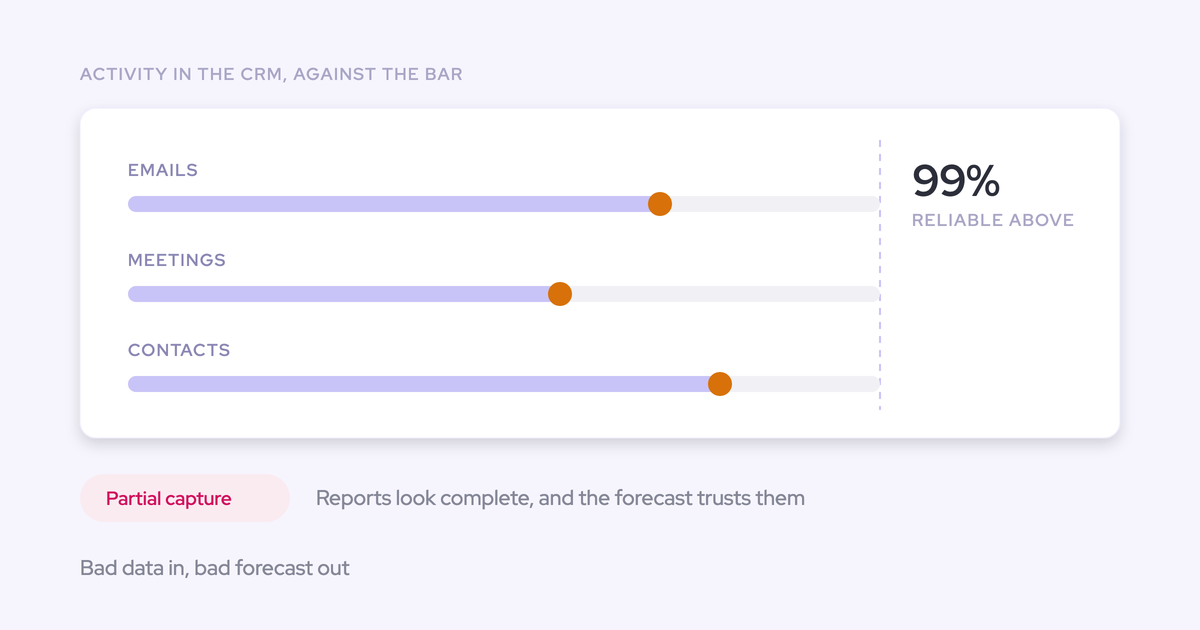

Missing activity doesn't add noise to your forecast. It pushes the number up. The gaps cluster on your busiest reps, your busiest weeks, and the deals that got hard, so the record over-reports a healthy pipeline.
That's why your roll-up misses in the same direction, quarter after quarter.
In this guide, we'll cover:
- The five places that bias enters the number
- How to measure your own gap before you spend anything
- Five fixes teams weigh, from logging discipline to automated capture
We'll judge every fix by one test: does it remove the forecast's dependence on reps typing? If you’re the one defending the weekly forecast roll-up to a CRO, that test decides whether next quarter's number holds.
We learned this the hard way. Weflow is the Revenue AI Orchestration platform for sales, customer success, and RevOps teams, and we shipped an AI forecast early, and it didn't work.
No model can tell a stalling deal from a slipping one without the activity and conversation record underneath it. That's why most of our engineering now goes into capture and mapping.
Why missing activity pushes your forecast toward optimism
Missing activity isn’t random. Reps log when they have time, and they have the least time in the weeks and on the deals that matter most.
The gaps tend to cluster in three places:
- The busiest reps: The people running the most meetings log the smallest share of them.
- The busiest periods: Quarter end, when every rep is in front of customers and Salesforce waits.
- The deals that got hard: The pushed meeting, the unanswered follow-up, the new stakeholder nobody added.
On top of that, activity moves first. A deal goes quiet weeks before the stage changes or the close date slips, so the earliest warning sign is exactly the one your record is missing.
What's left is a record of what went well, logged by the people who had time to log it.
| Question | What teams assume (noise) | What actually happens (bias) |
|---|---|---|
| Who doesn't log? | A random mix of reps | The busiest reps, consistently |
| When are the gaps? | Spread evenly across the quarter | Concentrated at quarter end |
| Which deals lose activity? | Any deal, equally | The deals that stalled or got complicated |
| Which way is the number wrong? | Sometimes high, sometimes low | High, in the same direction each quarter |
| What does more data fix? | Averages the errors out | Nothing, until the gaps are closed |
That's also why partial data scares experienced RevOps leaders more than no data. A blank report makes you ask questions. A half-complete one renders a confident chart.
"it's worse to have basically incomplete, inconsistent, or inaccurate data than to have no data at all because then you have this illusion of like, oh, I have data and I can trust the data"
Five places missing activity changes your forecast number
The bias enters your roll-up at five specific points, and you'll recognize most of them from your last forecast call.
Close dates and next steps go stale with nothing challenging them
Stale close dates survive review because nothing in the record contradicts them.
Picture a deal in commit:
- The next step is blank
- The close date has moved four times
- The last logged meeting was six weeks ago
The rep says it's on track. Salesforce shows no emails from the last month, so you have nothing to push back with.
Either the buyer went silent, or the rep spoke to them and didn't log it, and you can't tell which. So the deal stays in commit, and the roll-up carries it.
"It's not being tracked" lets reps off the hook in forecast calls
When capture is unreliable, a quiet deal and a tracking glitch look identical, so nobody can be held to their number.
Once that defense works, the forecast call becomes a hierarchy of opinions: the most confident voice wins, and the number rolls up with it.
Activity falls back to the account, so live deals look dead
Salesforce relates an activity to either the opportunity or the account, not both. So when a capture tool can't decide which of several open deals an email belongs to, it files the email on the account without warning you.
The result is a busy account timeline and a deal that looks untouched:
| What you check | Account timeline | Opportunity timeline |
|---|---|---|
| Emails this month | Dozens, from every open deal | None |
| Last meeting | Yesterday | Six weeks ago, or never |
| Contacts engaged | Everyone on the threads | The one champion the rep added |
| What the manager concludes | The customer is active | The rep isn't working the deal |
That last row is where reviews turn into accusations. The rep can prove the work happened, and after the argument, nobody trusts the activity numbers again.
This hits hardest where one contact sits on several live deals. Hospitality and advertising are the hardest industries we see, and capture that comes bundled with a sequencer often doesn't map to the opportunity at all. The stakes get large fast:
"You're running seventeen different opportunities at one account sometimes, and some of those are worth five k, and some of those are worth five million."
— Kelly Lewis, RevOps and sales leadership coach; co-host, The Revenue Insiders podcast
Stacked capture tools double-count meetings and break reporting
When several tools write activity into Salesforce, you get duplicates and gaps at the same time. Each tool writes its own way:
- Sequencers (Outreach, Salesloft, Apollo) log what reps send through them, often as Tasks, and usually against the contact or account rather than the deal.
- Einstein Activity Capture follows the organizer's sync settings. When the organizer isn't syncing, every syncing attendee gets their own copy of the Event.
- Conversation intelligence tools write the recorded meeting as a separate record, so a meeting that Capture already logged lands twice.
- CS platforms log their own threads with their own rules about what counts as an activity.
One prospect told us about their sequencer:
"we're having an issue where Apollo is logging five calls or five meetings because five people joined."
If you report on meeting volume, the duplicates inflate the number. If you look for activity on a specific deal, the gaps are still there. That's why nobody believes activity data, even when it exists.
Weighted and AI forecasts learn from a record full of gaps
A forecast model only knows what reached the CRM. AI won't fix missing activity. It learns the same optimism faster.
Mediafly put a number on the cost in its guidance for Mediafly Intelligence:
- Its deal predictions need about 100 opportunities a quarter per opportunity type when every customer-facing person has activity capture on.
- Without capture, they need about 300.
- Account executives alone produce about 60% of customer-facing activity, so a model that only sees what AEs type is missing a large share of the story.
Finance's re-weighting of the same pipeline export inherits the same gaps. Our CEO puts it bluntly:
"If you connect Claude to Salesforce today and you don't have good data in Salesforce, it's like BI with data you cannot trust."

vs
How to find where your activity data is actually missing
Before you pick a fix, measure the gap and work out which side of it you own. That's also the evidence you'll need when leadership asks whether the data is accurate.
Measure your capture rate before you pick a fix
Start by assuming your capture rate is lower than you think. Where reps log through an Outlook add-in or Gmail extension, only 24% to 52% of activities reach Salesforce.
Our bar is near-total coverage, roughly 99% of emails, meetings and contacts. Below that, any missing activity could be the one that changes the conclusion, so you can't safely build reports or flows on the data.
Write your requirements down and test your current setup against them:
- Every activity is reportable in Salesforce, not only visible on a timeline.
- Both incoming and outgoing emails sync, not just what reps send.
- Records are stored permanently in Salesforce, so a BI tool or finance's model can read them.
- Each activity maps to the right object, the opportunity included, not only the contact or account.
- Every customer-facing role is covered, CSMs and account managers included, not just the people with sequencer licenses.
- Capture keeps running when a rep ignores a re-authentication prompt.
Then pull a handful of live deals and compare each rep's mailbox and calendar with what Salesforce shows on the opportunity. The difference is your gap, in your own data.
Separate the faults that live in your CRM from capture faults
Some failures belong to your CRM and travel with any capture tool. Knowing which side a fault sits on keeps you from wrongly defending a tool, or wrongly blaming one.
| Symptom you see | Where the fault lives | Cause |
|---|---|---|
| One rep's activity never appears | Your CRM | The address on their Salesforce user record doesn't match the mailbox they send from |
| Unrelated email piles onto one account | Your CRM | A wrong or personal mailbox domain sits in the account's Website field |
| Activity splits across two identical accounts | Your CRM | Duplicate accounts share the same website domain |
| A known contact's emails don't attach | Your CRM | The contact record has no email address |
| An account reads untouched, but someone met them last week | Your CRM | Account hierarchy: the activity sits on a child account |
| A seller's activity scatters or vanishes | Your org | They send from several email aliases |
| Work on a live deal shows up only on the account | Capture | The mapping logic can't choose between open opportunities |
| A rep goes dark with no error | Capture | A per-user connection expired and nobody re-authenticated |
Judge every fix by whether reps still have to type
The main test is whether the fix removes the forecast's dependence on reps typing. If reps still type, the gaps come back exactly where deals get hard.
Five supporting criteria sharpen the comparison:
- It improves truth, not only completion rates: Could a rep clear the requirement with a guess?
- It corrects the optimistic bias, not only the noise: Does it capture activity on stalled deals, where reps log least?
- It covers every customer-facing role: Are CSMs and account managers in scope?
- It acts before the number is committed: Does the rep see the problem while choosing what to commit, or does a manager find it in a report afterward?
- It costs little selling time: How many minutes per rep per week does it add?
Five ways to fix forecast data, and how each holds up
Each of these paths solves something real, but only one takes typing out of the activity record.
| Path | What it fixes | What it can't fix | Do reps still type? |
|---|---|---|---|
| Logging discipline | Logging habits on small teams with good loggers | Gaps at quarter end and on hard deals | Yes, everything |
| Required fields and validation | Completion rates on mandatory fields | Whether what's typed is true | Yes, to clear the rule |
| Commission at risk | Rep attention to the CRM | Gaming of the score, missing activity nobody chose to log | Yes, with money attached |
| Finance shadow forecast | A second, sometimes more accurate number | The gaps in the export both numbers share | Yes, upstream of finance |
| Automated activity capture | Missing emails, meetings and contacts | CRM faults and commit discipline | No, for activity |
Push reps harder on logging discipline
Logging discipline costs nothing and works on small teams with reps who already log well. At scale, though, it fails, because data entry always loses to selling.
"No training in the world will bring people to fill out data quality, and I understand it. I was selling myself for many years."
Most teams have good Salesforce users and bad ones, and the gaps reappear wherever deals get difficult.
Implementation note: If you take this path, review data quality in every deal review. Leadership attention is the only thing that keeps it alive.
Add required fields and validation rules in Salesforce
Required fields raise completion rates, not truth. Reps type whatever clears the rule.
We've heard of reps faking a compelling event just to get past the red asterisk and move the stage. We've also seen a team whose mandatory fields were still only 52% filled out.
Required fields still earn their place for stage exit criteria the rep genuinely owns, like a confirmed decision date. They just can't stand in for activity.
Implementation note: Keep the list short and tied to buyer milestones you can verify. Every extra field is one more thing to fill with a guess.
Put part of the commission at risk on data quality
Tying commission to data quality is a real and spreading practice. Teams score each rep's Salesforce records and put part of the bonus at risk when the score drops:
"You get twenty five percent less bonus if your Salesforce is under a certain state."
It does change behavior, but it still depends on typing, and a score with money on it gets gamed. Reps learn what the score checks and fill in exactly that.
Implementation note: Score things a rep can't fake by typing, such as whether the next step date is in the future. Then check samples by hand.
Let finance build its own forecast from exported pipeline
When leadership stops believing the stage-and-probability forecast, finance builds its own by exporting the pipeline and applying weighted averages. To be fair, it sometimes ends up with the more accurate number.
But it treats the symptom and leaves the cause in place. You now run two forecasts and reconcile them every week, and both rest on the same export with the same gaps. It also takes pressure off fixing the CRM, since a workaround already produces a number.
Implementation note: If finance already has a model, keep it as a check on the roll-up. Don't let it become the reason nobody fixes the record underneath.
Automate activity capture so nobody has to log anything
Automated capture is the only path that removes typing from the activity record. It reads mailboxes and calendars server-side and writes the emails, meetings and contacts into Salesforce without the rep doing anything.
It has three limits you should know going in:
- It doesn't fix CRM faults like duplicate accounts or wrong website domains. It makes them visible.
- It doesn't replace commit discipline, stage criteria or a forecast cadence.
- It's only as good as its mapping to the opportunity.
If your capture is already near-complete and mapped to opportunities, this isn't your problem. Your bottleneck is process, so stick with the tooling you have.
Implementation note: Run a two-week pilot against your written requirements. Test it on your messiest multi-opportunity accounts, not your cleanest.
Why we tell teams to fix capture before the forecast
We recommend automating capture first, then keeping the commit discipline the other paths were reaching for. Capture is the only fix that passes the main test, and it also corrects the bias, because it records the stalled deals reps don't log.
We didn’t always see it this way. Our own early AI forecast failed because the activity and conversation record underneath it was incomplete.
A model sees the same gaps your managers see, so it inherits the same optimism.
That's why a company that sells forecasting spends most of its engineering on capture and mapping. Forecasting accuracy depends on what sits underneath it.
Capture alone won't make your forecast accurate, though. Forecasting is a muscle, and stage criteria, commit discipline and a weekly cadence still matter.
Take Zeotap. They already ran a tight weekly, monthly, and quarterly cadence, and the forecast still missed because AEs updated opportunities partially and leading indicators like last activity were missing.
Once the pipeline data was complete, the same cadence got them forecasting the quarter within 7%.
"We had Salesforce, but no consistent data, no activity tracking, no structured reporting, and no repeatable forecasting process. The team worked hard, but the data foundation wasn't there."
— Bastian Stosic, Head of Media Sales Operations at HolidayCheck
How Weflow connects activity capture to your forecast
Each of the five failure points above has a specific mechanism in Weflow. Here's how we handle each one, and where our coverage stops.
Weflow Activity & Contact Capture logs every email and meeting server-side
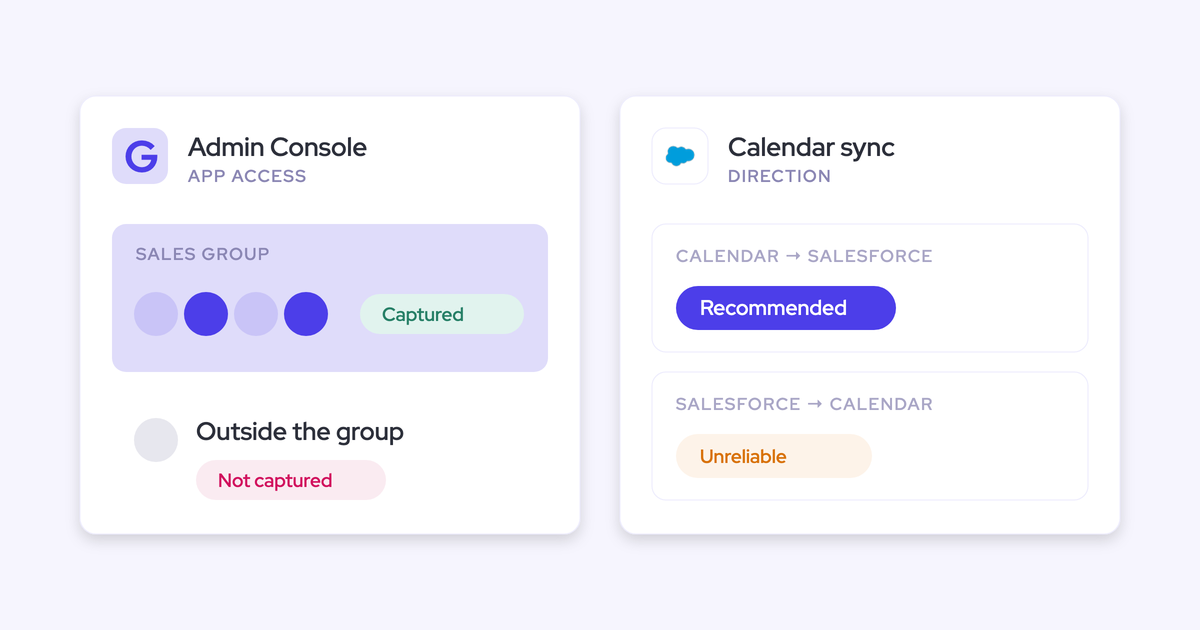
Weflow Activity & Contact Capture connects centrally to Google Workspace or Microsoft 365, so reps have nothing to click. There's also no per-user connection to quietly expire when a rep dismisses a sign-in prompt.
Every external meeting is logged as an Event in Salesforce, whether or not it was recorded. Recording adds the summary and field updates on top. That's what keeps "days inactive" trustworthy even when your recording rate is well below 100%.
Weflow also creates contacts for new people on threads and invites and attaches them to the matched account and opportunity. A deal that has five people on the thread stops showing one champion.
When United Fintech switched, captured activities went up 3x. Their team checked the new activity by hand because they didn't believe it:
"We thought it was just wrong data - but we looked manually and realized this is the amount of insight we were missing before."
— Rugile Pudzevelyte, Senior Revenue Operations Manager at United Fintech
Weflow logs to the account rather than guessing the wrong deal
Weflow maps each email by the address and the Salesforce relationships around it, in a fixed order:
- It looks up the address in primary and secondary email fields and logs to the contact, lead or custom object that holds it.
- It checks for an opportunity contact role.
- If the account has exactly one open opportunity, it picks that one.
- If several are open, it weighs the contact role, the opportunity owner, the mailbox owner, the account relationship and the stage.
Weflow never logs to a closed opportunity, and it doesn't read the email's content to decide. We tested content matching and left it out because it wasn't accurate enough.
When the evidence doesn't settle which deal an email belongs to, Weflow logs it to the account. An activity on the account is easy to move. An activity on the wrong deal corrupts the report you're defending.
Reps see the mapping in the Outlook add-in or Chrome extension and can move an email to the right record. The correction holds for every later reply in that thread, so it's a one-time fix.
Weflow can also create the opportunity contact role automatically when it logs a contact's email to a deal. The next email from that person then resolves to the opportunity through the role, so mapping gets more accurate the longer it runs.
Health views in Salesforce show whether the fault is ours or your CRM's
Weflow puts the diagnosis inside Salesforce, where you and your admin can act on it. That answers "is it the tool or our CRM?" with records instead of reassurance.
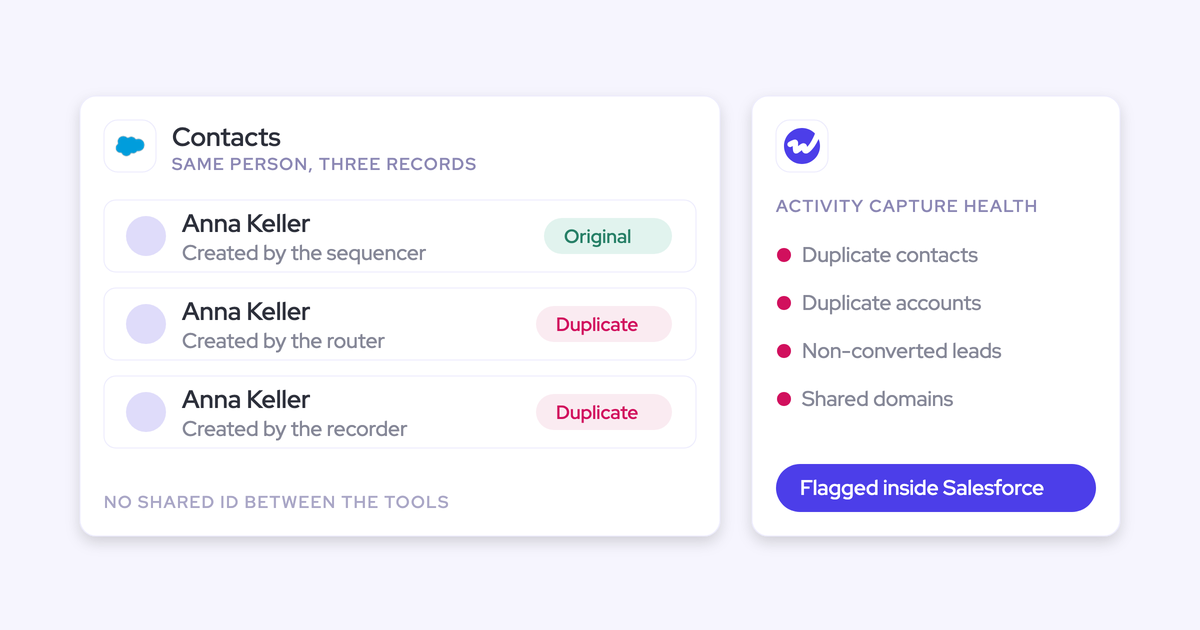
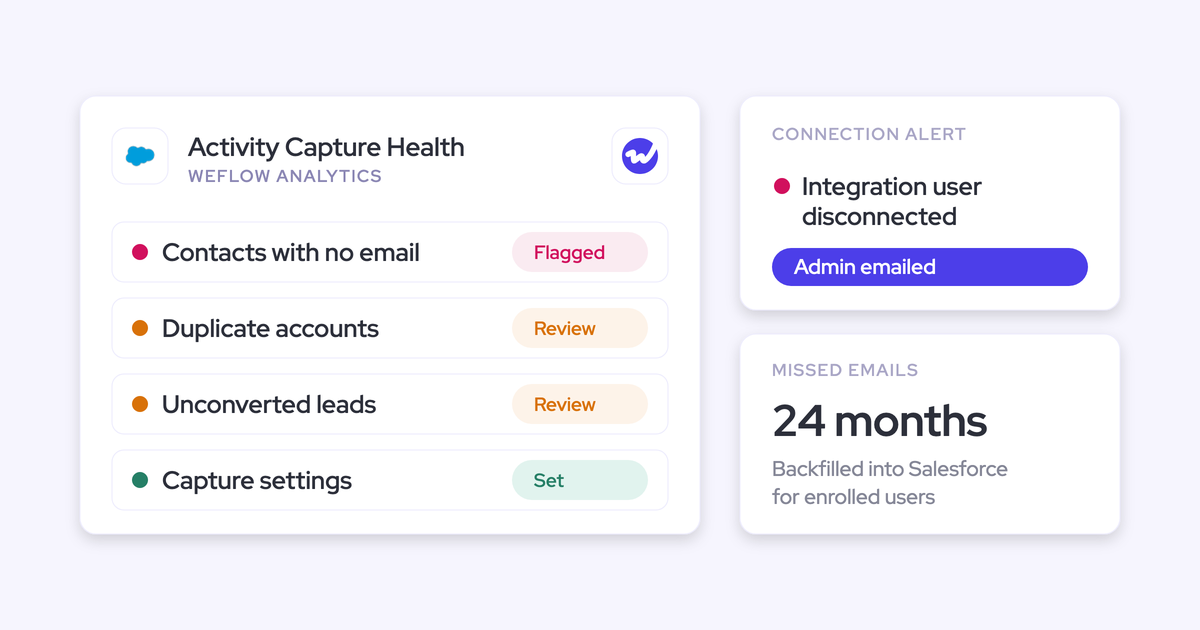
- Activity Capture Health flags duplicate accounts, duplicate contacts, contacts with no email, unconverted leads that already match a contact, and accounts sharing the same website domain.
- Settings Health checks your org's Shared Activities and Enhanced Email settings and reports whether Einstein Activity Capture is running.
- The orphaned-records view lists accounts, contacts, leads and opportunities with no activity in the last 90 days. That's the set a pipeline review never surfaces.
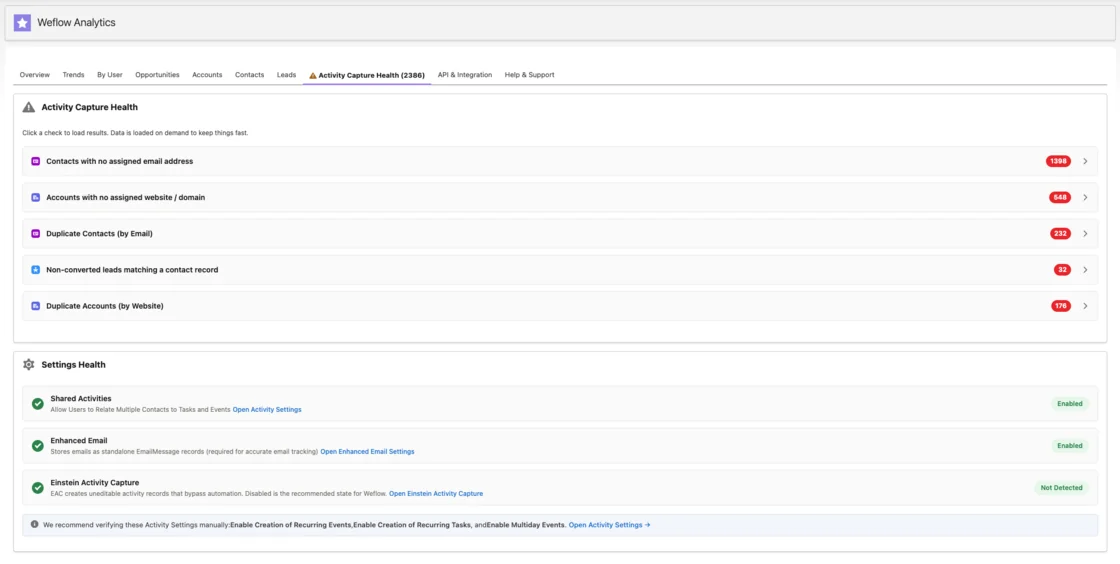
This matters most in the first weeks, when reps blame the new tool for problems that were already there.
Weflow Deal Intelligence & Forecasting warns reps at the moment of commit
Weflow Deal Intelligence & Forecasting computes fields from captured activity, so reps can't game them. These include:
- A rolling four-week activity timeline
- Days inactive
- Last and next meeting
- Per-contact engagement
- Activity velocity
You build deal warnings as rules on those fields or any Salesforce field. You write them because they have to match your own slippage patterns. A team with a 60-day cycle might flag 14 days of silence, where a team with a 12-month cycle wouldn't.
Typical triggers include:
- A close date pushed more than twice
- One contact on the deal
- A missing methodology field
- Too long in the current stage
- No activity for a set number of days
The warnings appear inside the forecast submission screen, right when the rep chooses which deals to commit. That keeps unhealthy pipeline entering the number, instead of reporting it after the forecast is already wrong.
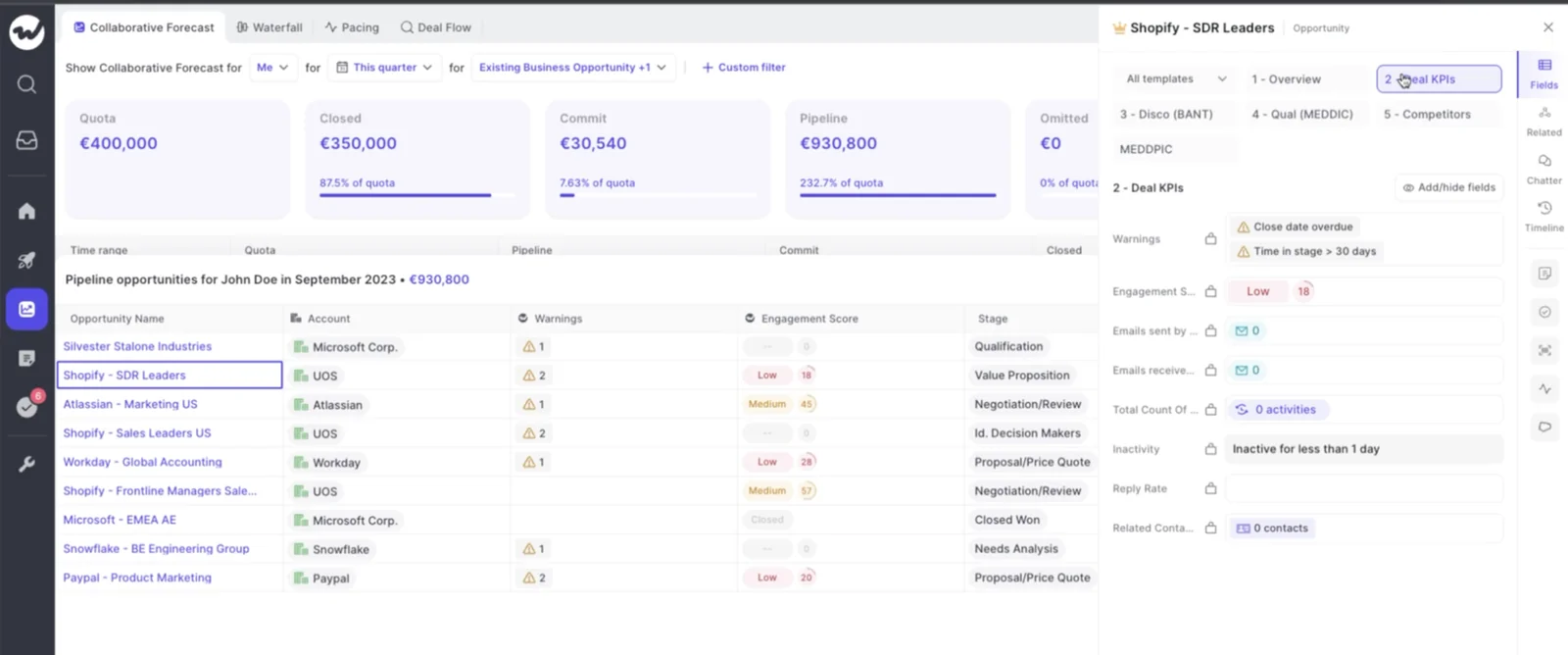
This is what ends the "it's not being tracked" defense. The call moves from whether the email went out to what happens next.
"It just works. The data's clean, the setup was easy, and we're no longer debating whether someone sent the email…we know."
Your captured activity stays in your Salesforce as Task, Email Message and Event
Weflow writes emails as Task or Email Message, whichever your admin chooses, and meetings as Event. Your data stays in your Salesforce.
Finance's model, your BI tool and your flows can all read those records without going through Weflow. If you stop using Weflow, the activity and contacts stay where they are.
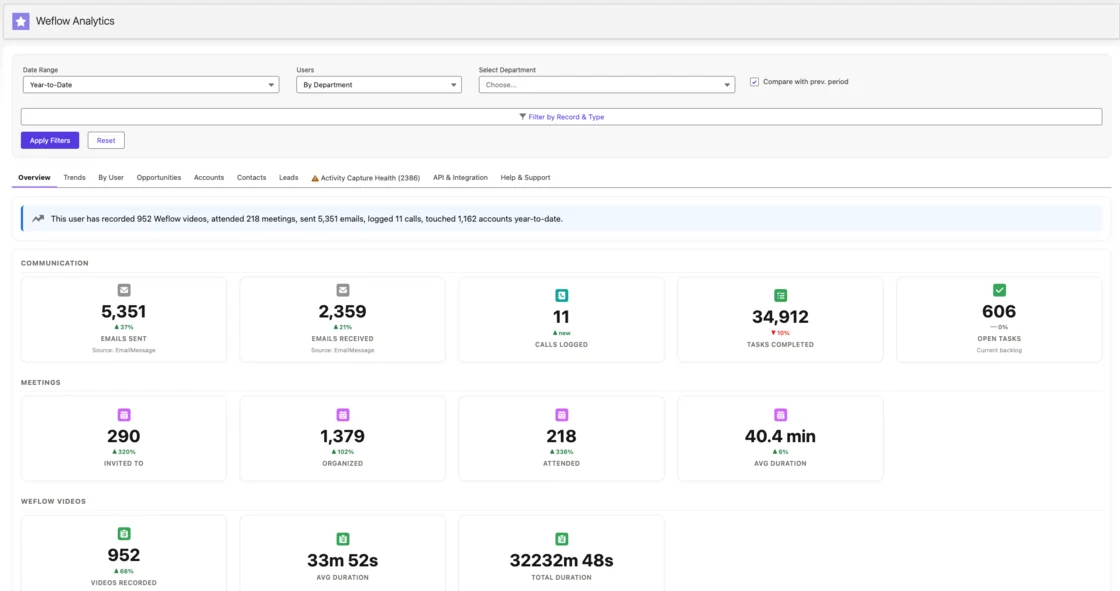
Missed syncs aren't permanent holes. Any meeting or email that failed to sync, a week or a month ago, can be recovered and backfilled once support corrects the rule that missed it.
Two things live on our side. Conversation Intelligence stores the recordings, and Deal Intelligence & Forecasting stores hourly opportunity snapshots, which is what makes waterfall and push-count analysis possible. Salesforce doesn't keep that history.
What Weflow Activity & Contact Capture does not capture today
Weflow Activity & Contact Capture has real gaps, and you should plan around them:
- It doesn't capture calls a rep makes on their own mobile carrier line. Dialer calls and softphone calls through the desktop app are covered.
- It doesn't read Slack, text or WhatsApp deal threads. Our Slack integration is outbound only, and reading channel context is on the roadmap.
- It doesn't create contacts for people who joined through a forwarded invite, because they never appear on the seller's calendar event. Weflow creates them once they reply to, or join, an email thread with the seller.
- It can't fix a seller who sends from several email aliases, or roll activity up across an account hierarchy. Those are organizational fixes in your CRM.
Roll out capture first, without waiting for a clean CRM
Turn on capture now and clean up in parallel. Every month you wait is a month of conversations that will never exist in the record, and no later clean-up can recreate them.
Waiting also buys less than it seems. When you create an account in Salesforce after reps have already emailed people there, Weflow logs those earlier emails to it automatically.
The rollout order we recommend:
- Activity capture: It asks nothing of reps and starts working the day you enable it. It's a configuration exercise that can go live in roughly two weeks.
- Conversation intelligence: Reps get an immediate personal win in summaries and notes, which builds trust before you ask anything of them.
- Deal intelligence: Its signals are computed from activity, so it only pays off once activity sits on the right opportunities.
- Forecasting: It's an operating cadence more than a tool, so it needs sales leadership in the room. By now you'll have weeks of clean activity underneath it.
Phased enablement is safe, because a team turned on later doesn't leave a permanent hole if a sync gets missed along the way. You can also configure and compare the forecast privately while reps are already on capture. Forecasting is a separate license, so reps see nothing until you assign it.
KORE Wireless followed a five-phase version of this order: activity capture, conversation intelligence, coaching, deal intelligence, then forecasting.
Your next step is measuring your own gap. Use our Free Salesforce Activity Capture Cheat Sheet to audit your current setup against the requirements above before you talk to any vendor, including us.
FAQ: Missing activity data and sales forecast accuracy
Should I clean up Salesforce before turning on activity capture?
No. Start capture now and clean up alongside it. Activity you don't capture today can't be recreated later. Weflow's health views also show you which records to clean first, so capture speeds up the clean-up.
How long until complete activity data improves the forecast?
Technical setup takes 30 to 45 minutes with your Salesforce admin and your Google or Microsoft admin, and capture can go live in roughly two weeks. Deal warnings get useful as soon as activity lands on the right opportunities. The forecast improves once a few weeks of complete data sit under a cadence your leaders actually run.
Will Weflow duplicate what Outreach, Salesloft or Apollo already log?
Weflow works alongside Outreach, Salesloft and Apollo through compatibility mode. It's a setting in Activity & Contact Capture that skips activity your engagement tool already handles, so the same email doesn't land twice. It adds 5 to 10 seconds to logging. Calls from the Outreach dialer come into Weflow as recordings with a transcript and summary.
How do I replace Einstein Activity Capture with Weflow?
Weflow's Settings Health check reports whether Einstein Activity Capture is running in your org. It recommends disabling it, because it creates uneditable activity records that bypass automation. Teams like Lendz and ADVISA moved from Einstein Activity Capture to Weflow Activity & Contact Capture. Weflow then writes activity as standard Task, Email Message and Event records you can report on.
Will my validation rules block automatic contact creation?
Only where a rule requires a field that enrichment couldn't fill. Weflow enriches each contact before writing it, so rules on fields like title or phone pass when enrichment finds them. Where strict rules can't change, you can relax them for the integration user or create the remaining contacts by hand.
Can legal exclude executive mailboxes and sensitive customers from capture?
Yes. Weflow reads no mailbox until a user is enrolled in a capture configuration, so executive mailboxes stay out unless you add them. Admins can block addresses and whole domains, exclude a customer's domain entirely, and write custom rules that keep activity off records with a given field value, like a confidential flag. In Microsoft Entra, set the app's Assignment required property to Yes so the user group restriction actually holds.
How much admin time does troubleshooting capture take at high volume?
Most troubleshooting runs through views you already have. Activity Capture Health and Settings Health show the CRM conditions that make capture fail quietly. Our support team can see why each email logged or skipped, without reading its content. When a match fails, support corrects the rule and backfills what was missed.
Where does Weflow store forecast submissions and roll-up data?
Forecast submissions, targets and roll-up data live in Weflow, not in Salesforce. Everything else writes back to Salesforce, including activity, contacts, AI field updates and opportunity edits made in Weflow. Teams that snapshot forecasts into a BI tool pull the roll-up through Weflow's public API.
How much does Weflow Activity & Contact Capture cost per seat?
Weflow Activity & Contact Capture costs $19 per user per month, billed annually, with a 10-user minimum. It includes Ask Weflow AI and Agent Builder. If you want call recording too, Revenue AI Foundation bundles Activity & Contact Capture with Conversation Intelligence at $49 per user per month. Seats you add mid-term are charged pro rata to the end of the term.
Can I put customer success managers on capture without blowing the budget?
Yes. You can mix plans, so CSMs can sit on Activity & Contact Capture at $19 per user per month while AEs take a bundle. Every plan includes unlimited view-only licenses for people who only need to read recordings, pipeline views or analytics. That puts every customer-facing role on the same capture without paying full-platform prices for all of them.