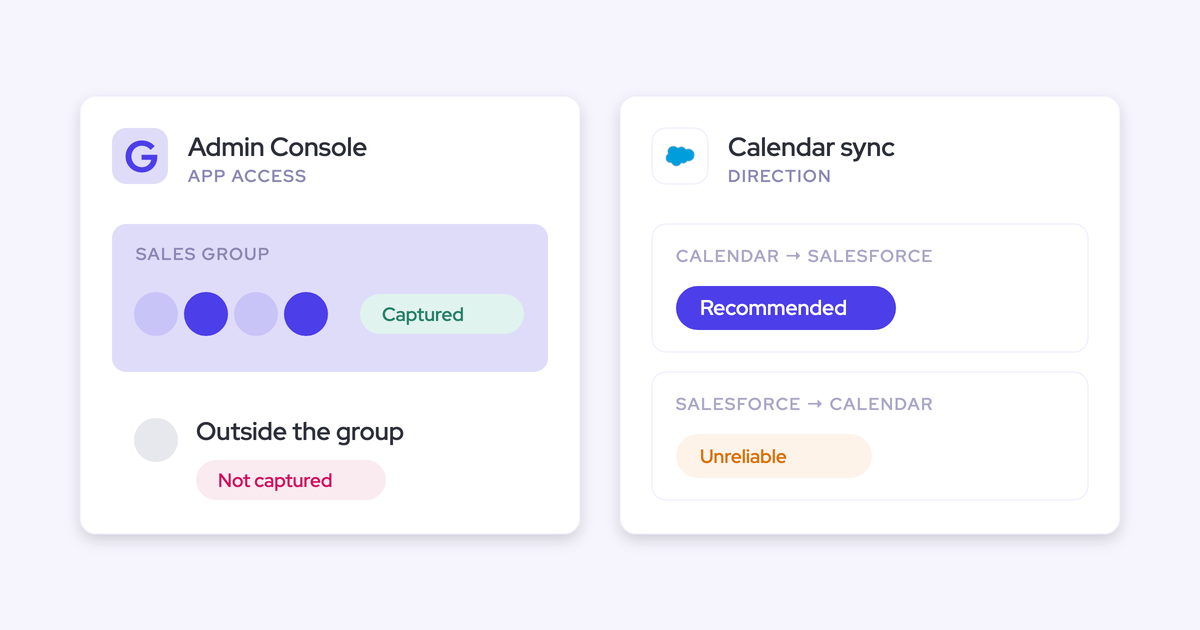
Stop Paying Reps to Do Data Entry: The Automated-Capture Math
Learn the automated-capture math and compare Activity & Contact Capture with Einstein Activity Capture.



Your reps sell about a third of the week. The rest goes on meeting prep, follow-up, hunting for context, and feeding Salesforce, and none of that closes anything.
Someone in RevOps has probably already put that stat in front of you. What you need next is the arithmetic: what the non-selling two thirds costs you per year, and whether automating it is cheaper than hiring around it. That's what this piece is. The lever is automated capture, and Weflow Activity & Contact Capture is how we do it.
One honest note before the math. Automating capture removes busywork. It doesn't make a mediocre rep sell, and it can't see the channels it can't see. We'll get to both.
Your reps sell about a third of the week
Selling time sits at roughly 30 to 35% of an account executive's week. Everything else is administrative work around the selling.
"The typical AE spends thirty, thirty five percent on just selling. And the rest is preparing meetings, administrative work, preparing meetings, following up on meetings, feeding the CRM, updating CRM."
Janis Zech, CEO and Co-founder of Weflow
Where the other two thirds actually goes:
- Preparing for meetings, and re-reading old threads to work out who's involved.
- Writing follow-ups after the call.
- Logging emails and meetings into Salesforce, one record at a time.
- Creating the contacts nobody ever has time to create.
- Straightening the deal record on Thursday night so the forecast call on Friday isn't embarrassing.
- Reconstructing an account for a handover, from an inbox.
That's what caps capacity. Most reps land at five to eight customer meetings a week, and it doesn't matter how much pipeline you generate or how good the rep is. The ceiling isn't demand. It's hours.
And it never shows up as a cost, because nobody line-items admin. You have a line for headcount, a line for tooling, a line for events. You have no line for the 60% of a fully loaded rep cost that buys work which closes nothing.
Why hiring and enforcement don't recover selling time
The two standard responses to a capacity problem are more heads and more discipline. Both attack the wrong variable.
More reps inherit the same admin load
A new rep arrives with the same week your current reps have. Roughly a third of it sells.
So the fully loaded cost of one AE buys you about a third of a seller, after ramp, if they ramp. Hiring doesn't remove the waste, it multiplies it: every head you add carries its own 60-plus percent of non-selling time onto the payroll.
That's the uncomfortable part of the headcount case. You're not buying capacity, you're buying a ratio, and the ratio is bad.
Mandates change willingness, not capacity
Enforcement fails for a structural reason: only the deal record gates commission.
"I remember when I was starting my career, the phrase that you always heard was, oh, if it's not in Salesforce, it doesn't exist. And it was kind of true because if you wanted to be paid commission correctly, you needed to have the deal in there to get paid. But everything up until that point was kind of like all bets are off. And, you know, reps, they get in there, they do their data entry when they have time. And if they are selling a lot, they don't have a lot of time."
Mallory Lee, VP Revenue Operations at PhoneBurner
Everything upstream of the payment gate gets logged late, badly, or never. And the numbers on manual logging are brutal: where activity reaches Salesforce because a rep clicked "log" in an Outlook add-in or Gmail extension, only 24 to 52% of it actually lands.
Look at the mechanics and you see why. Logging one email to a custom object can take four clicks. A rep sends thirty or forty emails a week, sometimes a day. Nobody does that consistently, and the ones who send the most emails do it least.
Which means the gaps aren't random. They sit on your busiest reps and your hottest deals. Your best closer has your emptiest records.
Tying a slice of variable comp to CRM completeness helps at the margin, and it signals that data entry is part of the job. But an incentive changes willingness, not capacity. A rep under pressure still fills fields from memory on a Friday afternoon.
The automated-capture math: what a rep's week gets back
Here's the comparison, then the arithmetic you can take to the CFO.
| Manual or plugin-based logging | Weflow Activity & Contact Capture | |
| Selling share of the week | ~30 to 35% | The target is pushing the non-selling block down toward 20% |
| Customer meetings per rep per week | 5 to 8 | 15 to 25 at that ceiling |
| Share of activity reaching Salesforce | 24 to 52% | Every external email and meeting, logged server-side in real time. Customers measure 99% of customer interactions captured in Salesforce |
| What the rep does | Find the record, pick it, click log, up to four clicks per email | Nothing. An optional one-click re-map in the mailbox when a deal is ambiguous |
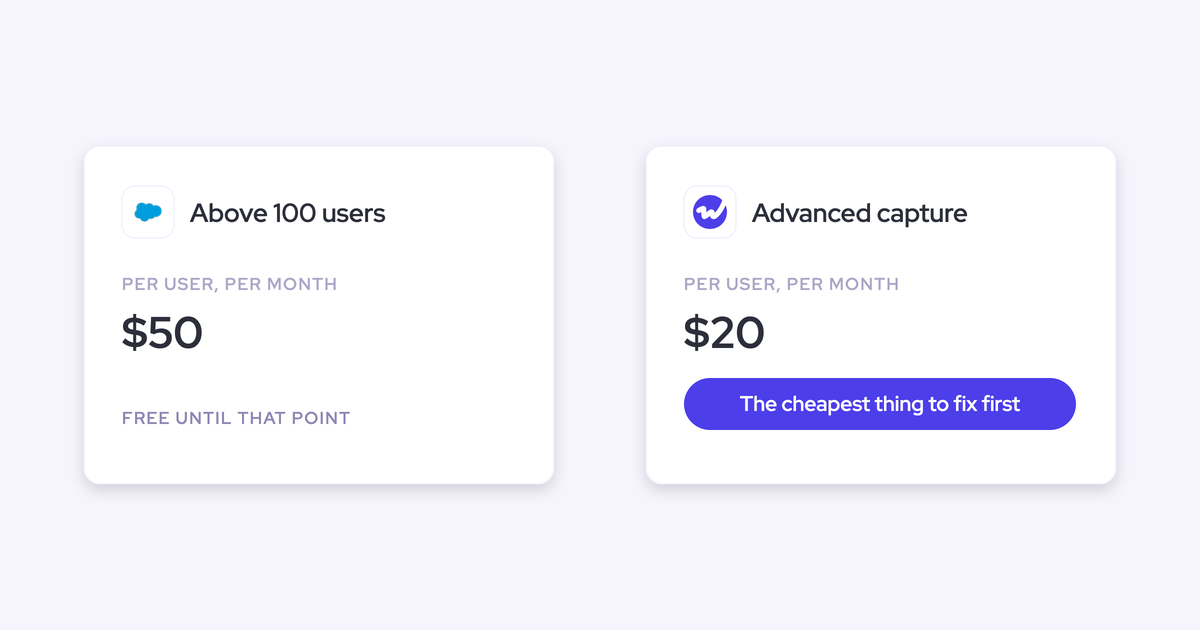
| What it costs | Often full-price seats in a sequencing tool used only for capture, or Einstein Activity Capture free to 100 users then about $50 per user per month | $19 per user per month, billed annually, 10-user minimum |
Now the arithmetic. Three steps, all of them using your own numbers.
Step one: price the non-selling week. Take your fully loaded cost per rep, multiply by headcount, multiply by 0.65. That figure is what you currently pay per year for work that closes nothing. It's the number that has never been on a slide, and it's usually larger than the entire tooling budget it would take to cut it.
Step two: price the recovery. Weflow Activity & Contact Capture is $19 per user per month, billed annually. For a 50-person revenue team that's a bit over eleven thousand dollars a year.
Some of that money is already committed, by the way. The pattern we see constantly: thirty sequencing licenses bought for the BDR team, five people actually running cadences, and the other twenty-five kept alive purely so activity keeps flowing into Salesforce. That's full sales engagement pricing for a background data feed.
Step three: be honest about what each layer buys. Capture takes the logging, the meeting records, the contact creation, and the attachments off the rep's plate entirely. The 5-to-8-meetings-becomes-15-to-25 ceiling comes from automating the whole non-selling block, which means the note-writing and follow-up too, and those sit in Weflow Conversation Intelligence rather than capture.
So the defensible version of the case is: capture is the first and cheapest slice, it needs nothing from your reps, and it's the layer everything else depends on. Bad data in, bad forecast out.
How Weflow recovers selling time with zero rep action
Weflow is the Revenue AI Orchestration platform for sales, customer success, and RevOps teams. The reason selling time comes back is that the work gets removed at the infrastructure level, not handed to a new tool your reps have to adopt.
Server-side capture switched on centrally, no plugin or login
Weflow activity capture runs server-side at the mail tenant level, through a central app installed in Microsoft Entra or Google Workspace. Coverage doesn't depend on rep adoption, because there's nothing for a rep to install or connect.
What deployment actually involves:
- Two Salesforce managed packages installed, plus one integration user with a dedicated permission set.
- One mail app installed once in the Microsoft or Google admin console, scoped to the users you want captured.
- A capture configuration set up per team: which objects activity logs to, which domains to exclude, whether contacts get created.
- Users added. Activity starts flowing immediately, whether or not they ever sign in.
That whole first sequence is a single admin session of about 45 minutes with a Salesforce admin and a mail admin in the room. No code deployment.

Teams are built dynamically from Salesforce, pulled by manager, role, or a field condition. A rep who changes team in Salesforce changes team in Weflow, so joiners and leavers stop being a weekly RevOps chore.
The Outlook add-in and Chrome extension exist, but they're an optional layer for visibility and overrides. ADVISA runs a fully automated setup with no Outlook add-in at all.
Native Salesforce records your own reporting can read
Weflow writes captured emails, meetings, and contacts into native Salesforce objects, permanently, in the org you own. That means your existing reports read it, your flows can trigger on it, and your BI tool can export it.
This is where the alternatives split from us, and it's worth being precise about how.
- Einstein Activity Capture historically stored activity in an AWS store that wasn't reportable inside Salesforce. Salesforce moved this toward native records around the start of 2026, but weak contact capture and poor opportunity mapping remain the persistent gaps, and connection is per user via OAuth so it fails silently one rep at a time.
- Gong does log activity to Salesforce, so that's not the reason teams move. The difference is that Gong maps captured activity into its own data structure, and its capture is built around the calls it records, so email between meetings and contacts who never joined a call are largely missing.
"What did the team do? What has the team booked for next week? With Einstein Activity Capture, I was trying to report on how many meetings we have. I got on a call with Salesforce support, who was just as confused as I was. I also learned that activities are just temporarily stored on Salesforce's side. It's actually not even my own data."
Alex Knechtl, Director of Revenue Operations at Blockaid
If you can't report on it, you can't build the capacity case on it. That's why ownership matters here and not just at renewal.
Mapping stays accurate without asking reps to log
Automatic capture only helps if the activity lands on the right deal. Weflow writes activity to the contact or lead matched on the email address, then relates it to an open opportunity in preference to the account.
The hard case is the common one: an account with a new business deal, a renewal, and an upsell all open at once, and the same contact on all three. No server-side algorithm can know which deal an email belongs to, because the information isn't in the data.
So we don't guess. The rep sees the suggested mapping in the Outlook add-in or Gmail extension and can re-map the thread once. Every later reply in that thread routes to the same record without them touching it again.
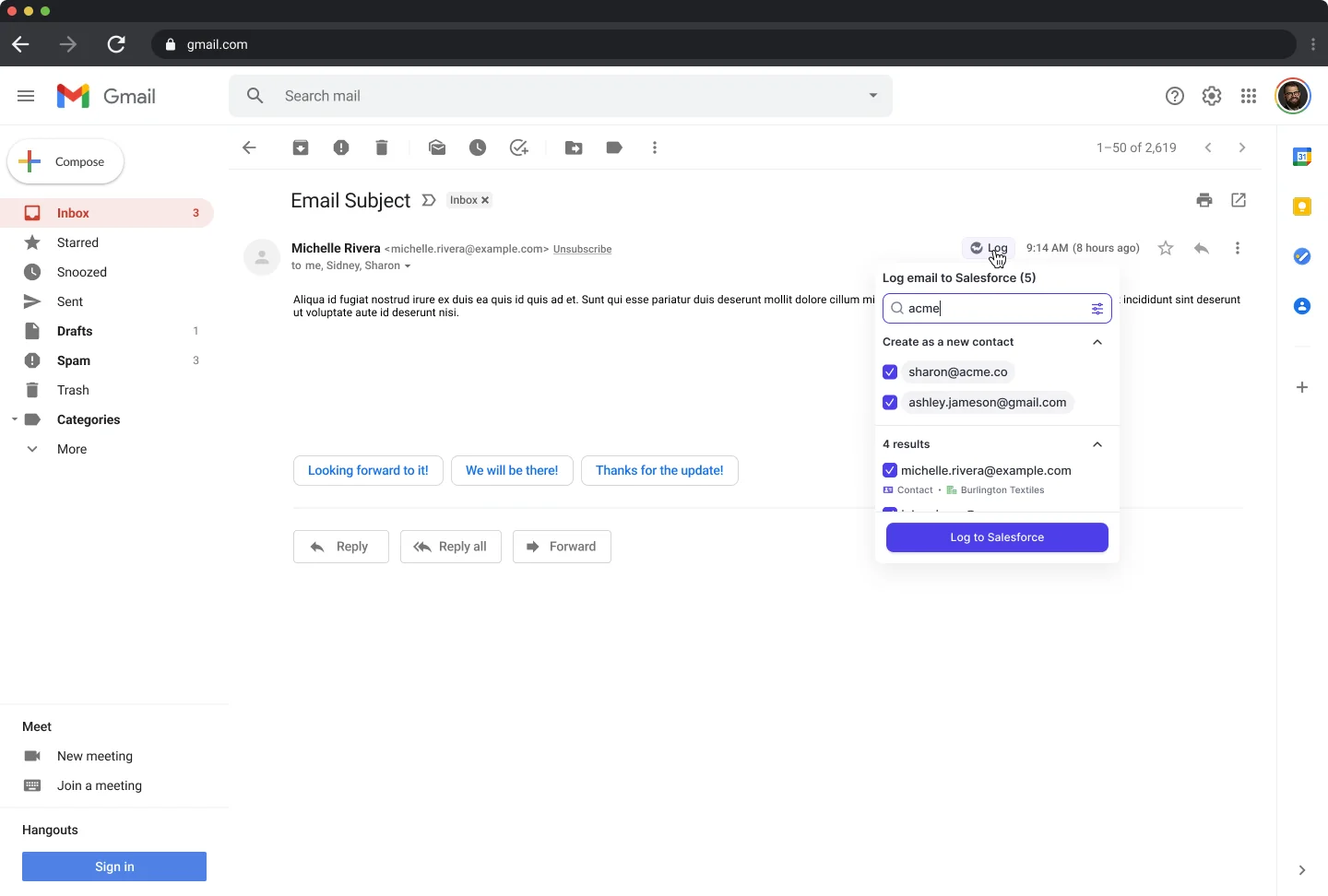
One decision, made from inside the mailbox they already work in, at the only moment anyone actually knows the answer. That's the difference between activity data reps trust and activity data they re-link by hand.
What automated activity capture won't recover
Here's what you are not buying, stated plainly.
- It doesn't make a rep sell. Capture gives back hours. What a rep does with those hours is a management and coaching question, not a tooling one.
- It cannot see text, WhatsApp, or iMessage. Weflow doesn't capture SMS, and it isn't on the roadmap. This is a real blind spot, because getting onto a texting basis with a buyer is one of the better signs an enterprise deal is advancing.
- It only sees corporate infrastructure. Personal email accounts and calls from a personal mobile aren't captured. If your sellers work customers from personal channels, channel policy is part of the rollout.
- It doesn't replace rep judgment. Three inputs still have to come from the human: what they're selling, when they think it closes, and how confident they are. Everything else on the record can arrive without anyone typing.
- It can attach a contact to a deal but not name their role. Contact role coverage improves automatically. Deciding who the economic buyer is stays a human step.
- It can fail quietly. Automated capture doesn't break loudly, it just stops, and a silent gap looks exactly like an inactive rep. Coverage has to be monitored as an operational metric, not assumed.
"I'm not gonna go to the rep and say, you're seven days late on following up with so and so. I'm gonna ask them like, hey, did HubSpot miss something here? And sometimes it does. It just misses something. Or your connector gets shut off or your Chrome needs to update. And so it's not foolproof, but hopefully it gives you a few things that you can skip over, build trust, understand, like, what's in front of you, and removes some of the, like, subjectivity from the conversation."
Mallory Lee, VP Revenue Operations at PhoneBurner
That's the right instinct with any capture layer, ours included.
Teams that replaced manual data entry with Weflow
The teams that make this move usually arrive from one of two places: manual entry that never happened, or a capture tool that was live and still didn't produce usable data.
Argus Media chose Weflow Activity Capture and Conversation Intelligence to replace manual CRM data entry outright, with emails, meetings, contacts, and conversations syncing into Salesforce automatically.
ADVISA came off Einstein Activity Capture. They now run fully automated capture with no Outlook add-in, email attachments land in Salesforce, and custom dashboards track last email date and last meeting date on leads and accounts, which then drive automated follow-up workflows.
"We relied on Einstein Activity Capture for years - but the reliability was very inconsistent. It would work, but then it wouldn't. I got tired of being asked, 'Why isn't Salesforce working?'"
Leslie Phillips, Director of Operations at ADVISA
Blacklane also switched from Einstein, with custom exclusion rules so their B2C contacts never get logged, syncing from Google Workspace, licenses managed centrally by RevOps. On the back of that data foundation they now run with 96% of MEDDIC fields populated in Salesforce.
Should you stop hiring? Hire on activity evidence instead
Not a freeze. A different order of operations: recover the capacity you already paid for, then hire against what the data says is still missing.
The reason headcount requests get argued on feel is that nobody can answer the prior question. How many meetings a week does this AE actually run? How many emails went out, how many came back? How does that compare to the rep next to them? Without captured activity, "are we at capacity?" has no answer, so the only available move is to ask for more people.
Once activity lands in Salesforce automatically, that changes. You get per-rep meeting volume, emails sent and replies received, side by side across AEs, AMs, CSMs, and SDRs, computed from what happened rather than from what someone typed.
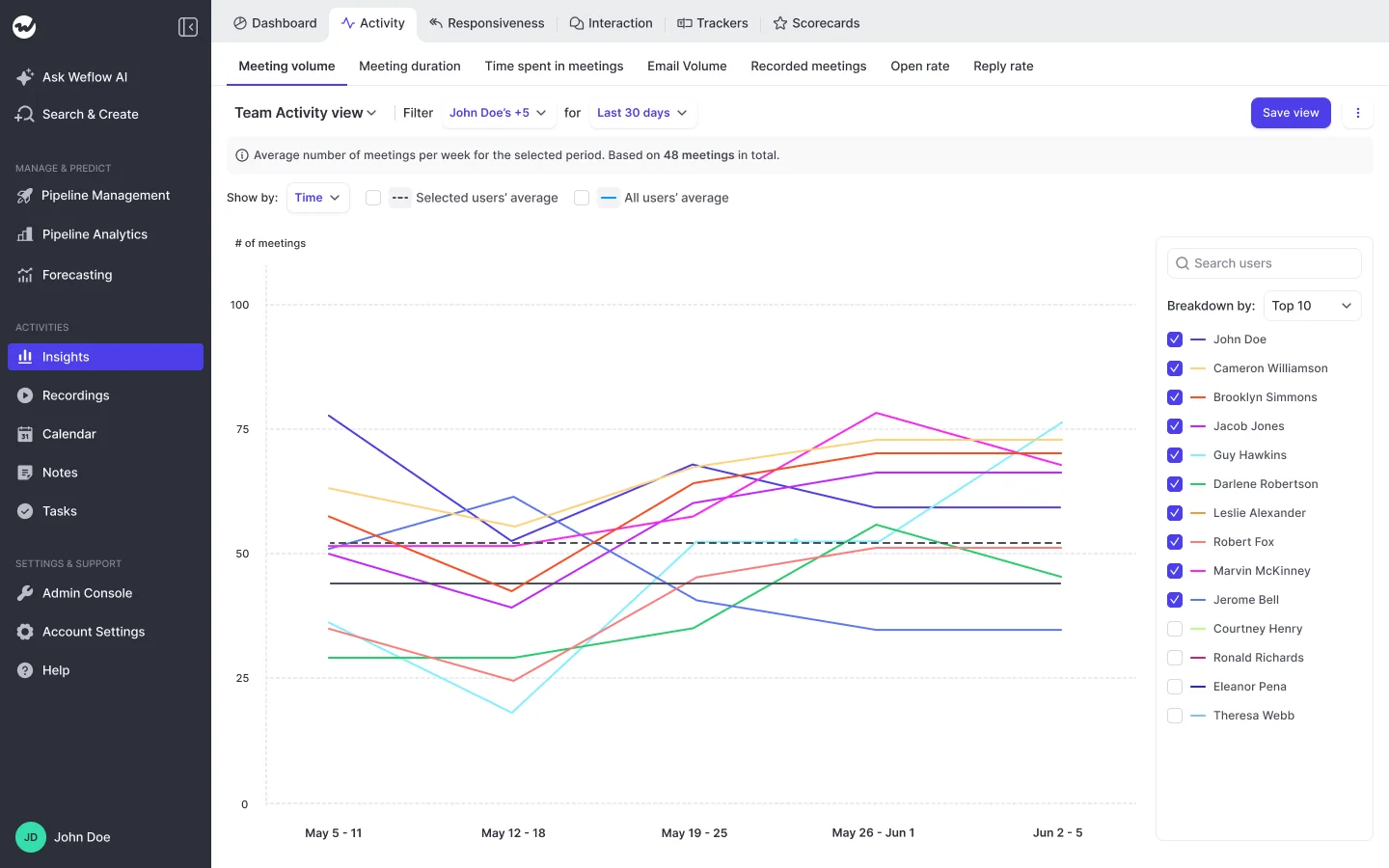
Which turns three separate conversations into one dataset: the capacity conversation, the coaching conversation, and the headcount request you take to the board.
And when you do ask for heads, you're asking with evidence that your current team is genuinely maxed out, not with a feeling that they're busy.
See how Weflow captures activity, updates Salesforce fields from calls, and rolls up your forecast. Book a 30-minute demo.
FAQ: the automated-capture business case
How fast does automated activity capture show value?
Capture starts the day you enable users. The technical setup is a 45-minute session with a Salesforce admin and a mail admin, and full deployment including configuration and rollout runs two to three weeks.
Evaluations run as a 14-day free trial with implementation included at no cost, on your own Salesforce and your own activity rather than a demo org. With a historical sync-back you can see months of real activity on day one, which is why capture proves out cleanly in a fortnight where forecasting needs a quarter.
What does Weflow Activity & Contact Capture cost at scale?
$19 per user per month, billed annually, with a 10-user minimum and volume discounts on larger teams. No implementation fee, no usage-based charges, and free view-only licenses (up to one per recording license).
The thing you're probably really asking: there's no price step at the hundredth seat. Einstein Activity Capture is free up to 100 users and then costs about $50 per user per month above that, which is exactly the moment a growing team can least afford to re-platform the data layer its reporting already runs on.
Do reps need a Weflow seat or login to be captured?
No. A user starts capturing activity as soon as an admin adds them to a capture configuration, whether or not they ever sign in. Reps who are only on Activity & Contact Capture need no Weflow seat and are asked to do nothing.
Signing in is only needed to see insights, and the only way to sign in is through your Salesforce authentication, so there's no second identity to manage and deactivating someone in Salesforce removes their access immediately.
Can Weflow run alongside Einstein Activity Capture?
Yes, with one setting changed first. Einstein's event sync has to be set to one direction, from the mail and calendar system into Salesforce, or the same meeting gets written twice and your meeting counts per rep inflate quietly.
Most teams disable Einstein once Weflow takes over. Running in parallel is for the transition, not the end state.
What happens when automated capture misses activity?
Any meeting or email that failed to sync can be recovered and pushed into Salesforce later, whether the failure was last week or last month. Support inspects why the match failed, corrects the rule, and backfills the record.
Weflow can also backfill up to two years of historical emails and meetings from the mail server, so switching capture on doesn't leave your in-flight deals looking artificially dead on day one. A gap during rollout doesn't become a permanent hole in the activity history.