How to Fix Stale Salesforce Contact Data With Automated Activity Capture
Learn how automated activity capture fixes stale Salesforce contacts and maps activity to the right records.



Your quarterly contact cleanup can't win, and it isn't a resourcing problem. Contact records that depend on a rep hand-typing them go stale the week after the cleanup ends, because the customer keeps reorganizing and the CRM doesn't.
And "stale contacts" is two problems wearing one name. The buying committee that was never captured at all is one problem. Phone numbers, titles and employers decaying on records you already have is a different one. They have different causes and different fixes, and mixing them is how teams buy the wrong tool.
This guide covers the first problem in mechanics: how to get the people actually in the conversation into Salesforce continuously, as part of an automated Salesforce cleanup that runs in the background instead of a project you staff twice a year, without inflating the duplicates you already have. It's also explicit about the half that capture does not fix.
Why Salesforce contacts go stale (and why cleanups don't stick)
Contacts go stale because creating and maintaining them is rep work with no payoff for the rep. An enterprise deal involves four to six people. Creating each of them as a contact by hand, then keeping them current, buys the rep nothing, so it doesn't happen.
Three things then compound:
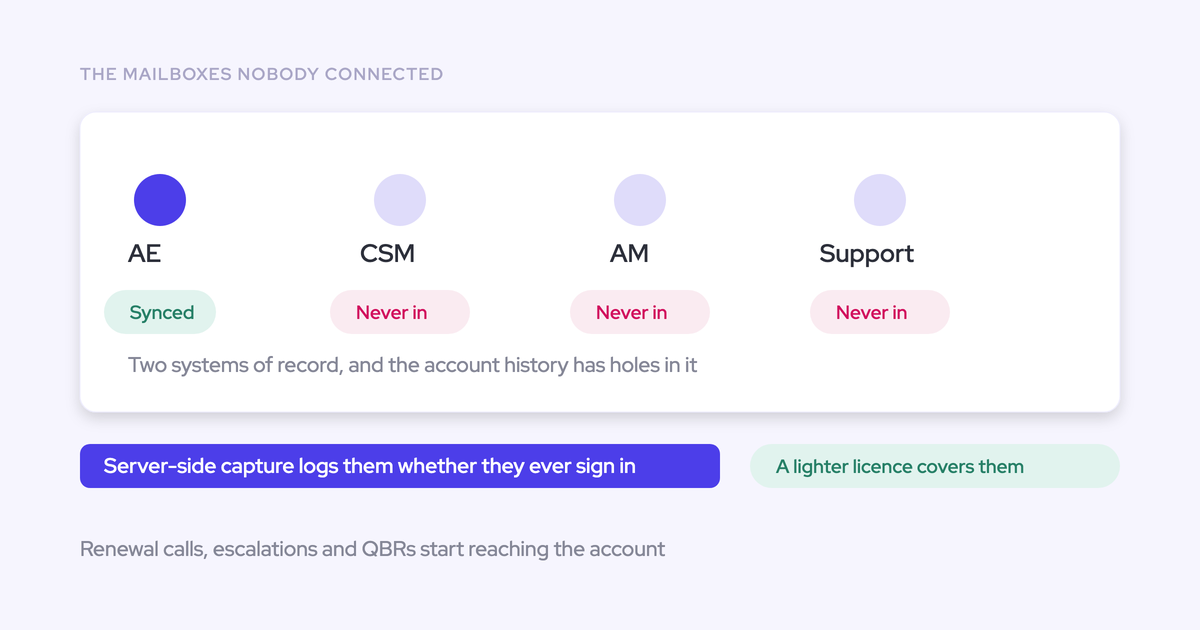
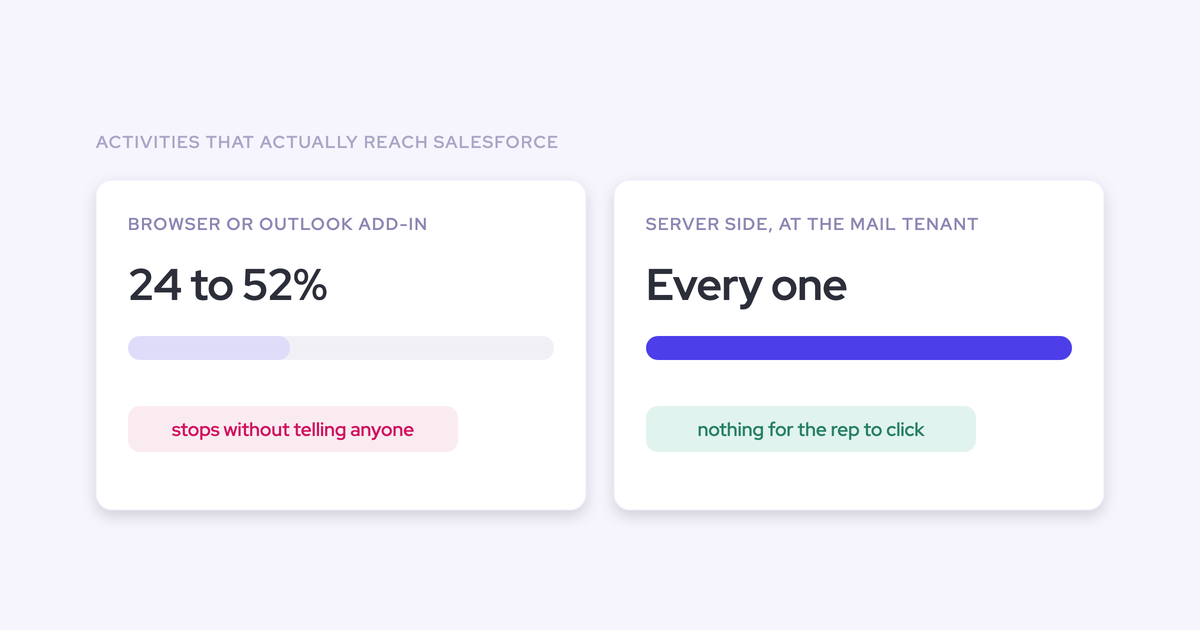
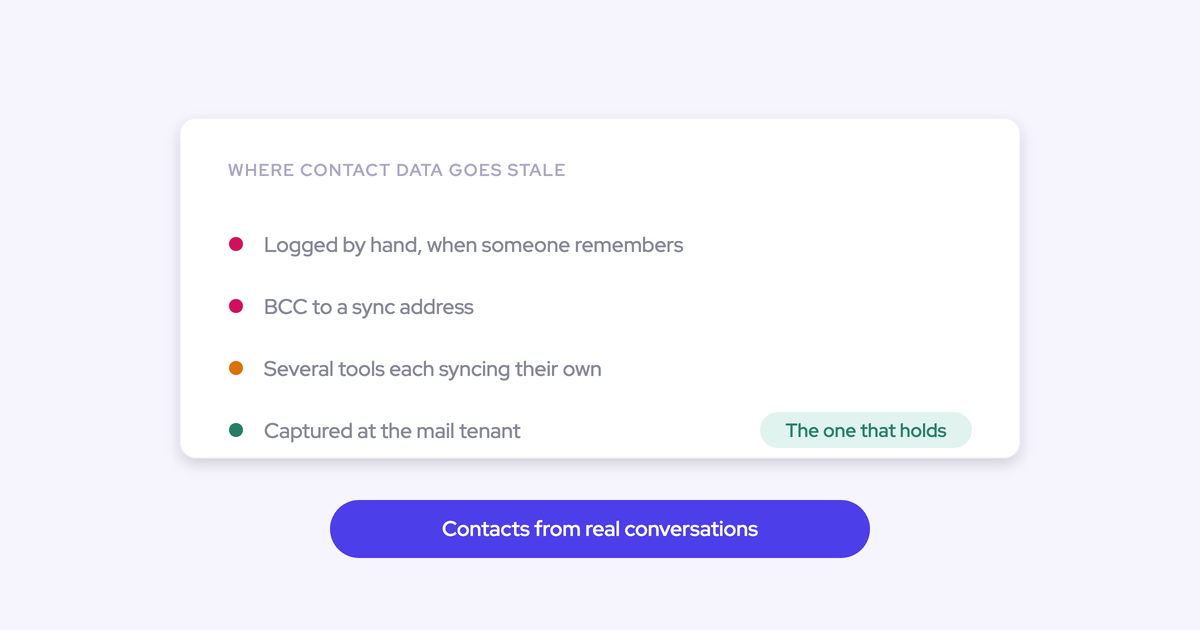
- Creation depends on the rep. Where logging depends on someone clicking "log to Salesforce" in an Outlook add-in or Gmail extension, only 24% to 52% of activities ever reach the CRM. The committee stays in the email thread.
- Customers reorganize continuously. Whatever was typed in decays from the moment it's entered, so a half-yearly refresh means the list is wrong for most of the year.
- The capture layer doesn't create contacts. Sequencing tools log activity to the Task object, which discards the from and to information. Gong captures call participants but doesn't create the missing contact records in Salesforce. Nothing in that chain adds the four people who joined the thread last month.
The symptom set is always the same, and Sales Ops describes it the same way:
A cleanup fixes the records that exist on the day you run it. It doesn't change the reason they were wrong.
Stale contact data is two problems, not one
Split them before you shortlist anything, because only one of them is a capture problem.
| What you see | Root cause | What actually fixes it |
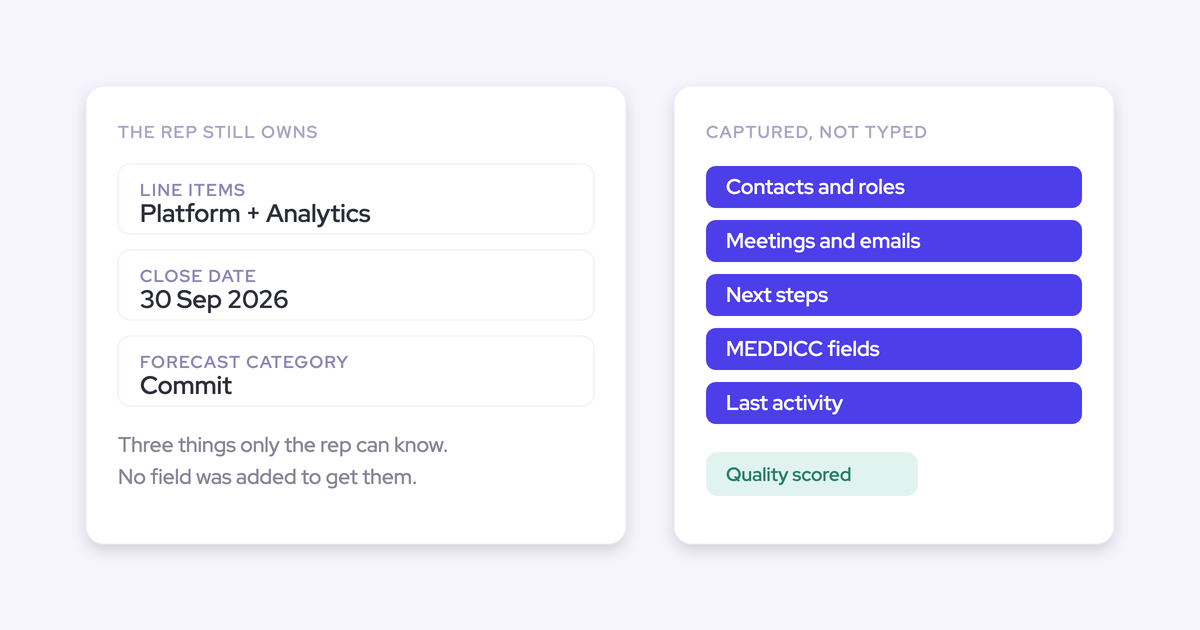
| The opportunity shows one champion, and five people are on the thread. Opportunities with no contact at all. Nobody can say who signs off without reading back through email. | Contacts and contact roles are created by hand, so the buying committee never reaches Salesforce. | Automated activity and contact capture: create the contacts from the thread and the invite, attach them to the account and opportunity, and set contact roles. |
| Reps dial numbers that stopped working months ago. Titles are two promotions out of date. The champion left in March and the account still reads as covered. | Details on existing records decay as people change roles and employers. Nothing checks them. | Enrichment tooling or an agent loop that verifies against external sources and writes corrections back. |
Capture is the structural fix for the first row, and it's the one worth doing first, because a contact who is genuinely engaged shows up in the activity data whether or not their title is current. The rest of this guide is about that row. The second row gets its own section further down, and it's honest about the boundary.
What stops automated contact capture from creating duplicates
Safe contact capture is defined by its restraints, not by what it writes. Your Salesforce already has duplicates and half-finished records, so the only interesting question about any auto-write tool is what stops it creating.
Weflow is the Revenue AI Orchestration platform for sales, customer success, and RevOps teams, and Weflow Activity & Contact Capture is the product that does this job. Contact creation runs as a background service with hard limits on it.
| Guard | The mess it prevents |
| Deduplication layer sitting on top of Salesforce's own duplicate rules | A second contact for someone who is already in the org under a different address |
| Existing lead check: if the address is already a lead, the activity attaches to that lead | A duplicate contact shadowing a live lead. Lead conversion stays a manual Salesforce step you control |
| Existing accounts only | Orphan contacts hanging off accounts that don't exist in your org |
| Per-event contact cap | A 100-person webinar invite writing 99 contacts into your CRM overnight |
| No match, no log: an activity is only written when it can be tied to an existing record | Emails stored against nothing, which is worse than an empty timeline because it looks like data |
| Accounts, leads and opportunities are never created | The capture layer quietly inventing the objects your reporting is built on |
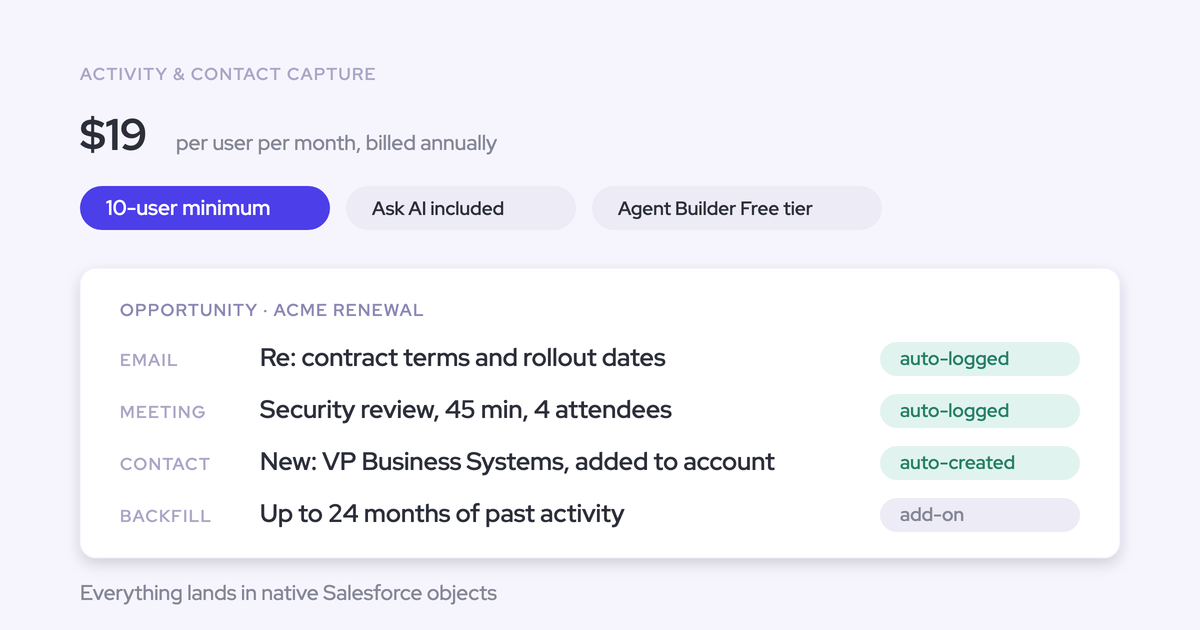
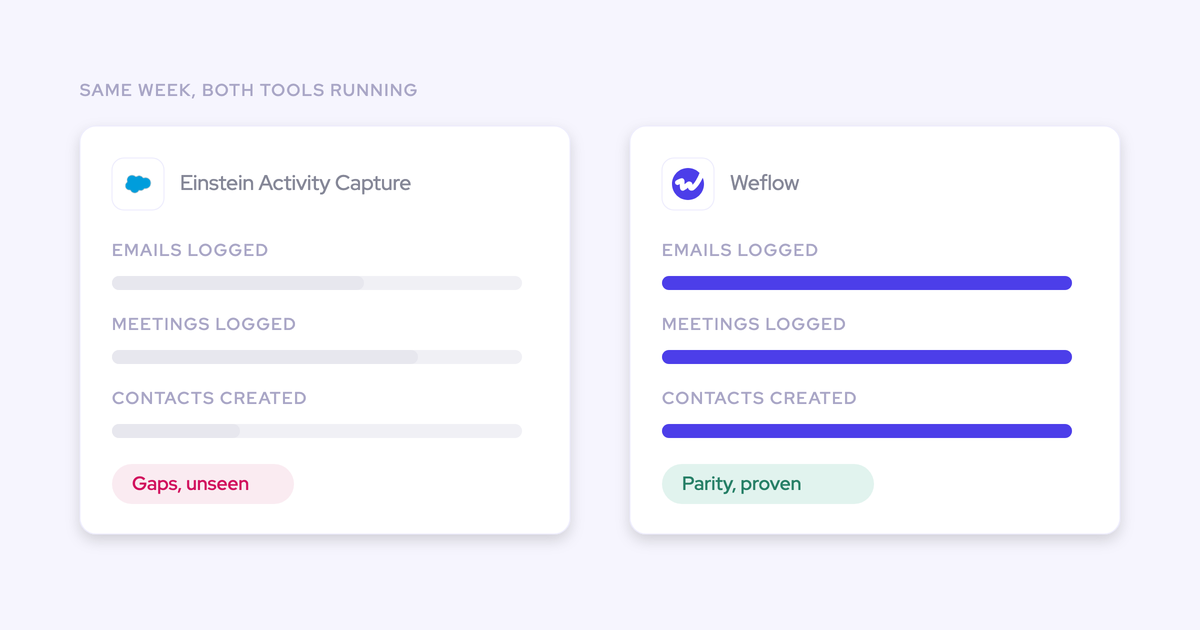
Everything it writes lands in native Salesforce objects: Contact, EmailMessage, Task, Event. That's the part that matters six months later. An activity that isn't a record in the core Salesforce database can't be queried, can't be read inside a flow, and can't be exported into Looker or Power BI, which is exactly the wall teams hit with Einstein Activity Capture. Records you own, you can dedupe, report on and build automation against.
How to set up automated contact capture with Weflow
Run through these seven steps and you get one thing: a contact and activity picture that stays current on its own, buying committee included, without a rep creating a record or an admin running a cleanup. Each step is a decision you make once.
Before you start, have this ready:
- Salesforce admin access, and your duplicate rules already live (capture defers to them).
- A Google Workspace or Microsoft 365 admin for the server-side mail and calendar connection. The technical setup is a 30 to 45 minute call, and rollout is central rather than per rep: United Fintech had capture running in under an hour via OAuth.
- An inventory of everything currently writing activity into Salesforce: Einstein Activity Capture, a sequencer, a notetaker, a CS platform. All of it counts.
Step 1: Audit where contacts and activity go missing today
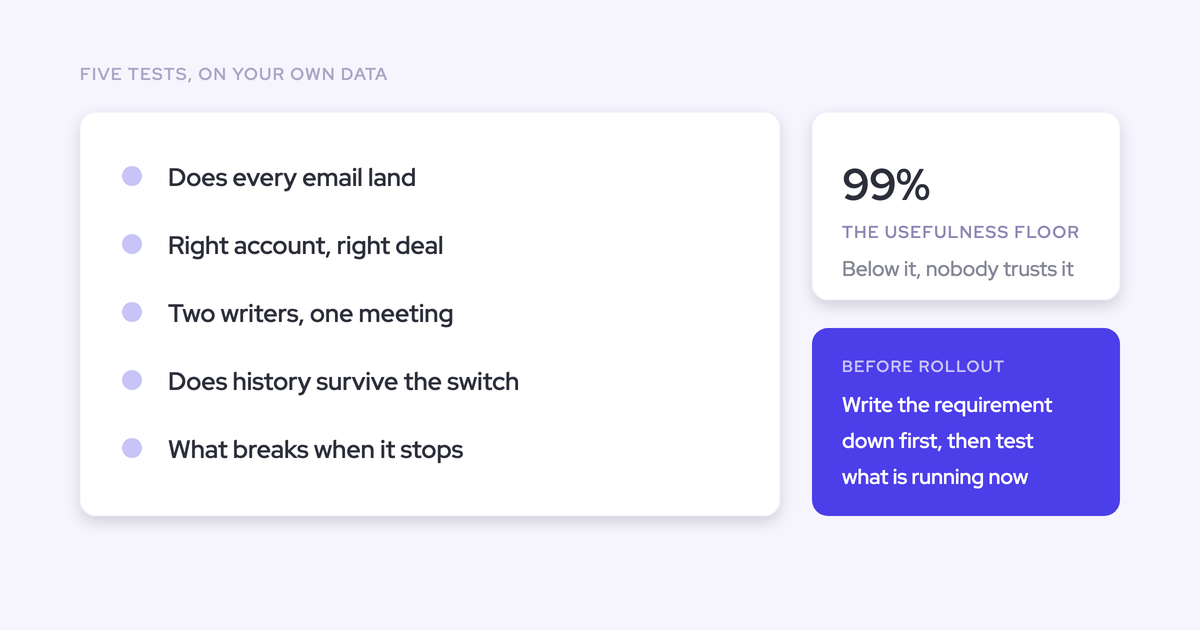
Write the requirements down first, then test your current setup against them. Vendor calls before this produce demos, not evidence.
- Activities have to be reportable, and stored permanently in Salesforce so they can be pulled into a BI tool.
- Incoming and outgoing email both have to sync. Replies are the strongest proof a real conversation exists, and they're the first thing manual logging loses.
- Every activity has to map to the right object, not just the right account.
- Contacts on the thread and the invite have to end up on the record.
Then run the three reports that turn "our data is bad" into a case: open opportunities with no contact, activity logged against a contact who isn't on the deal, and a sample of five live threads checked against the contacts on the opportunity. Expect the gap to be bigger than you think. United Fintech measured a 3x increase in captured activities after moving off manual Outlook-plugin logging, and validated manually that the new volume was real interactions that had been slipping through.
Step 2: Scope capture per team and exclude problem domains
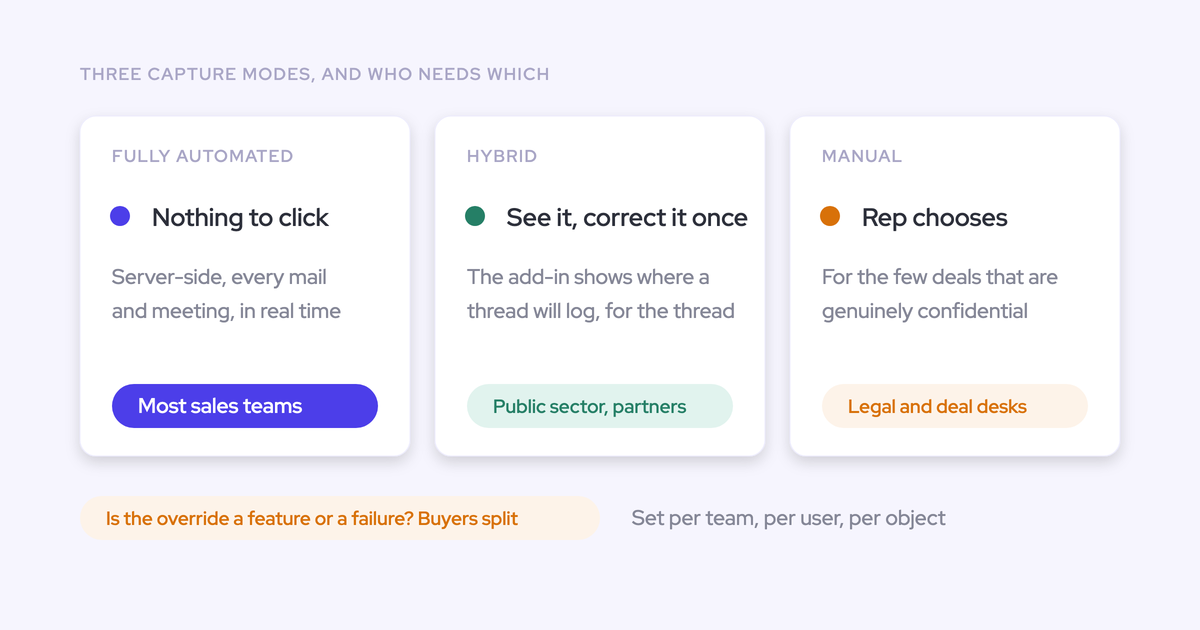
Capture is configured per team, per user and per object, and one workspace can run as many configurations as you have teams or regions. A sales team and a CS team can log to different objects and different opportunity types without one team's rules leaking into the other's.
The exclusions do as much work as the inclusions. Set them at the same time:
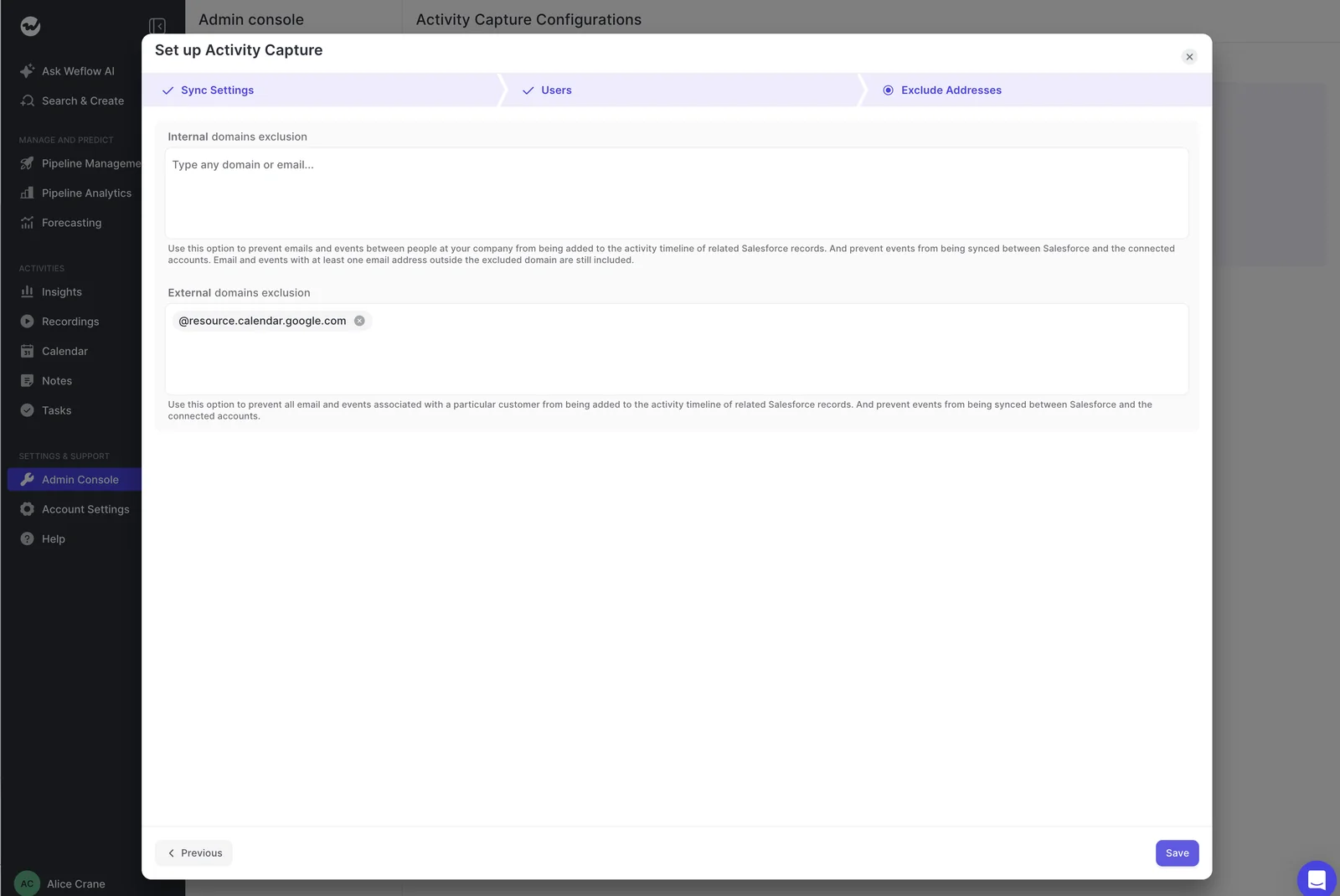
- Internal domains, so internal mail is never logged (say this out loud to the team, it's the objection that defuses fastest).
- Partner and reseller domains, the pattern that breaks domain-based matching because the same person legitimately belongs to several account relationships.
- Calendar resource addresses, which otherwise arrive as participants.
- Internal test and demo accounts, blocked with a custom rule on any field on the object. Internal users sitting as contacts on a demo account will pull every thread they touch onto it.
While you're in here, choose the object emails land on. EmailMessage keeps direction, so sent and received stay separable and reply rate is calculable. Task doesn't, which is why sequencer-captured activity supports volume reporting and nothing else.
Step 3: Set contact creation rules, caps, and contact roles
Two decisions sit with you here: how many contacts a single event may create, and whether new contacts attach to the opportunity as contact roles automatically.
Turn contact roles on. That's the switch that changes what a deal review can see. A deal with five people on the thread and one contact in Salesforce reads as single-threaded to every report, every deal score and every AI summary downstream, and no manager can tell the difference between a thin deal and a thin record.
Set the per-event cap deliberately. It's the difference between capturing a buying committee and importing an attendee list.
One caveat on the signal: multi-threading is only real when it's measured from who is actually engaging, not from how many contact roles exist. Six roles and one person replying is still a single-threaded deal. Captured activity shows sends, receives and attendance, so it separates a populated contact list from a live committee, including the case that kills deals, where the economic buyer is on the record and never in the conversation.
Step 4: Resolve one-contact-many-accounts with thread-level re-mapping
This is the case server-side capture alone cannot solve, and buyers test it first.
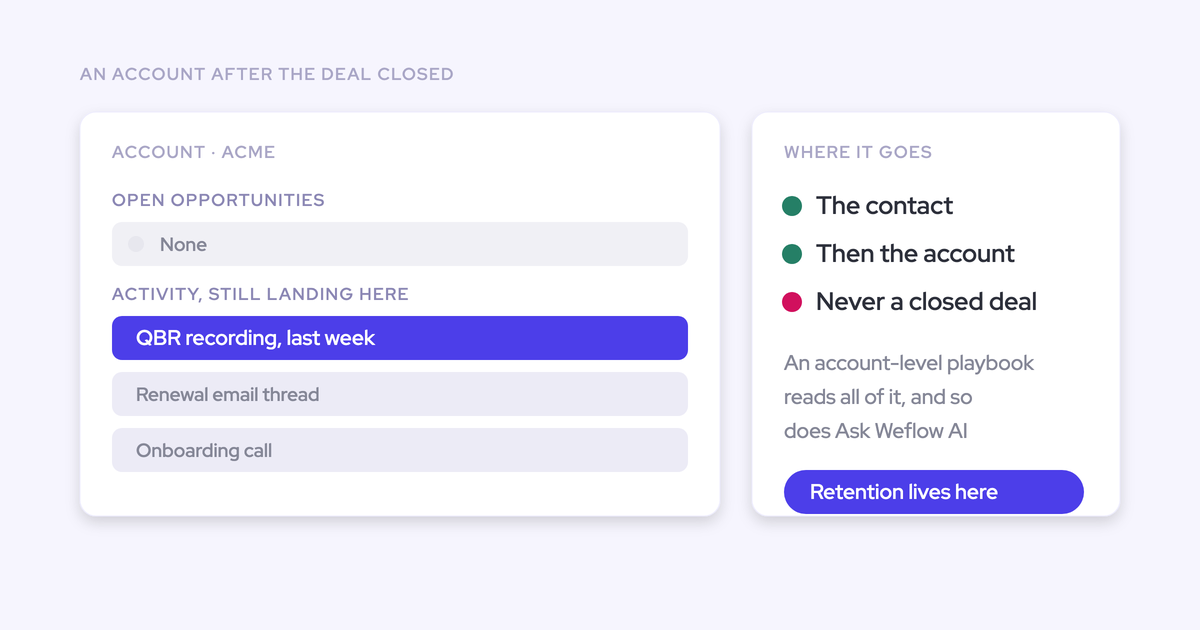
No algorithm can answer it, because the answer isn't in the data. Salesforce also lets an activity relate to either an opportunity or an account, not both, so any tool that can't determine the opportunity falls back to the account: the account timeline looks healthy, the deal looks dormant, and nothing warns you.
Weflow's answer is hybrid. The Outlook add-in and Chrome extension show the rep which records an email will log to, and let them pick a different opportunity, account or custom object. That choice is stored against the thread, so every later reply routes to the same record with nobody touching it again. A new thread resets it.
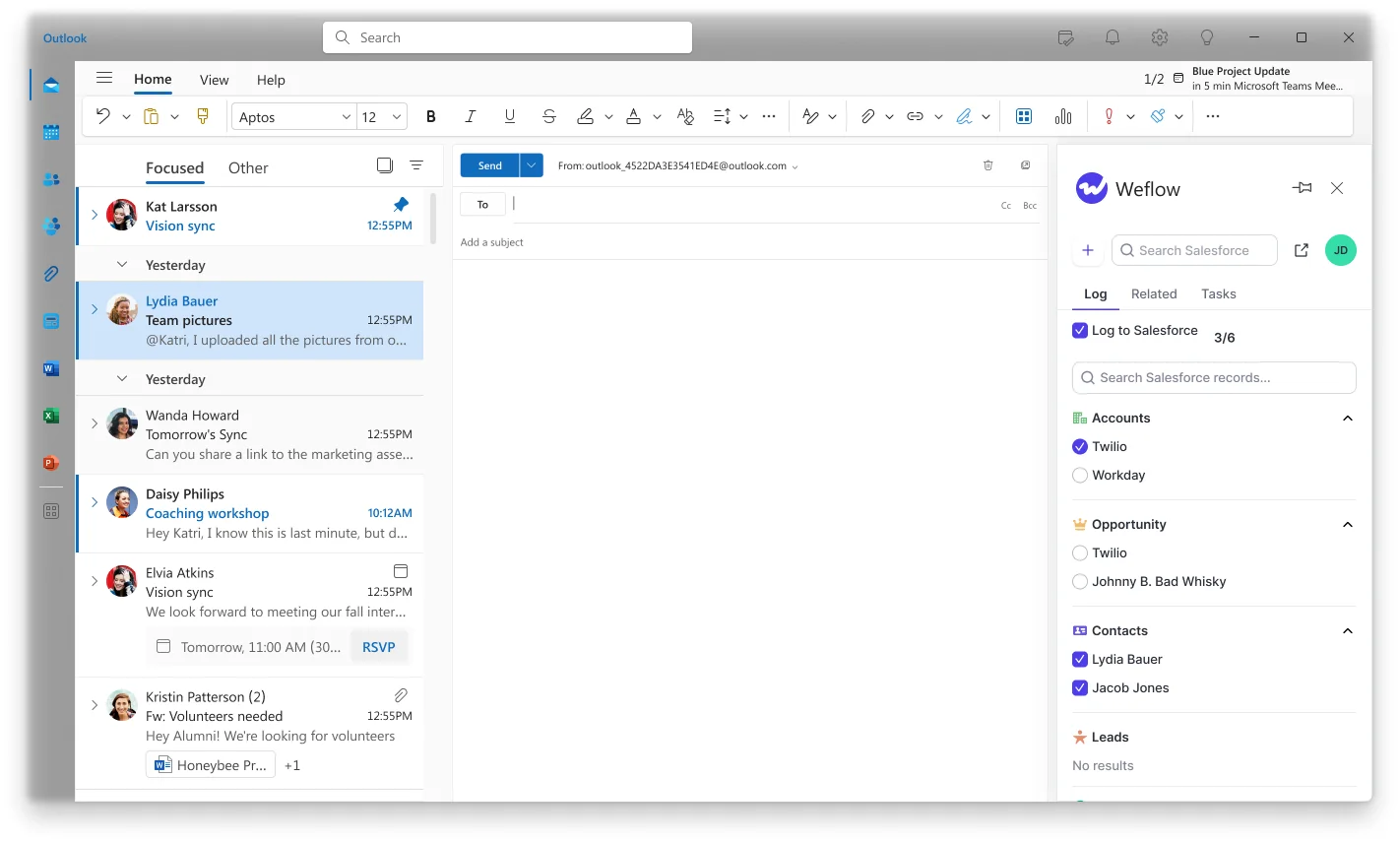
The franchise owner with two sites, the partner reselling to three end customers, the contact sitting on both a renewal and an expansion: one correction, from inside the mailbox the rep already works in, at the only moment where the answer is actually known.
Step 5: Turn on compatibility mode for Outreach or Salesloft
If a sequencer is already syncing, two writers means two records for the same email. Compatibility mode recognizes activity logged by Outreach, Salesloft, Apollo or Clay and skips it.
The coexistence rule is worth writing into your own runbook: one capture layer owns the write. Everything else reads. Where Einstein Activity Capture is set to sync events in both directions, the event goes to Salesforce, back out to the calendar, and into Salesforce again, so you get two events per meeting and blame the new tool. Setting Einstein's event sync to one direction, calendar into Salesforce, resolves it without switching Einstein off during a transition.
Step 6: Backfill up to 24 months of contacts and activity
Capture only starts from the moment a user is enabled, which leaves every in-flight deal looking artificially dormant on day one and gives your engagement trends nothing to run against.
Weflow can backfill up to 24 months of historical emails, meetings and contacts from the mail server into Salesforce, up to three years as a custom scope. Two things to know before you run it:
- It's opt-in and deliberately spread over days or weeks, because pulling that much history is heavy on the Salesforce API.
- Teams that already ran another capture tool often skip it, since the historical record is already in the CRM.
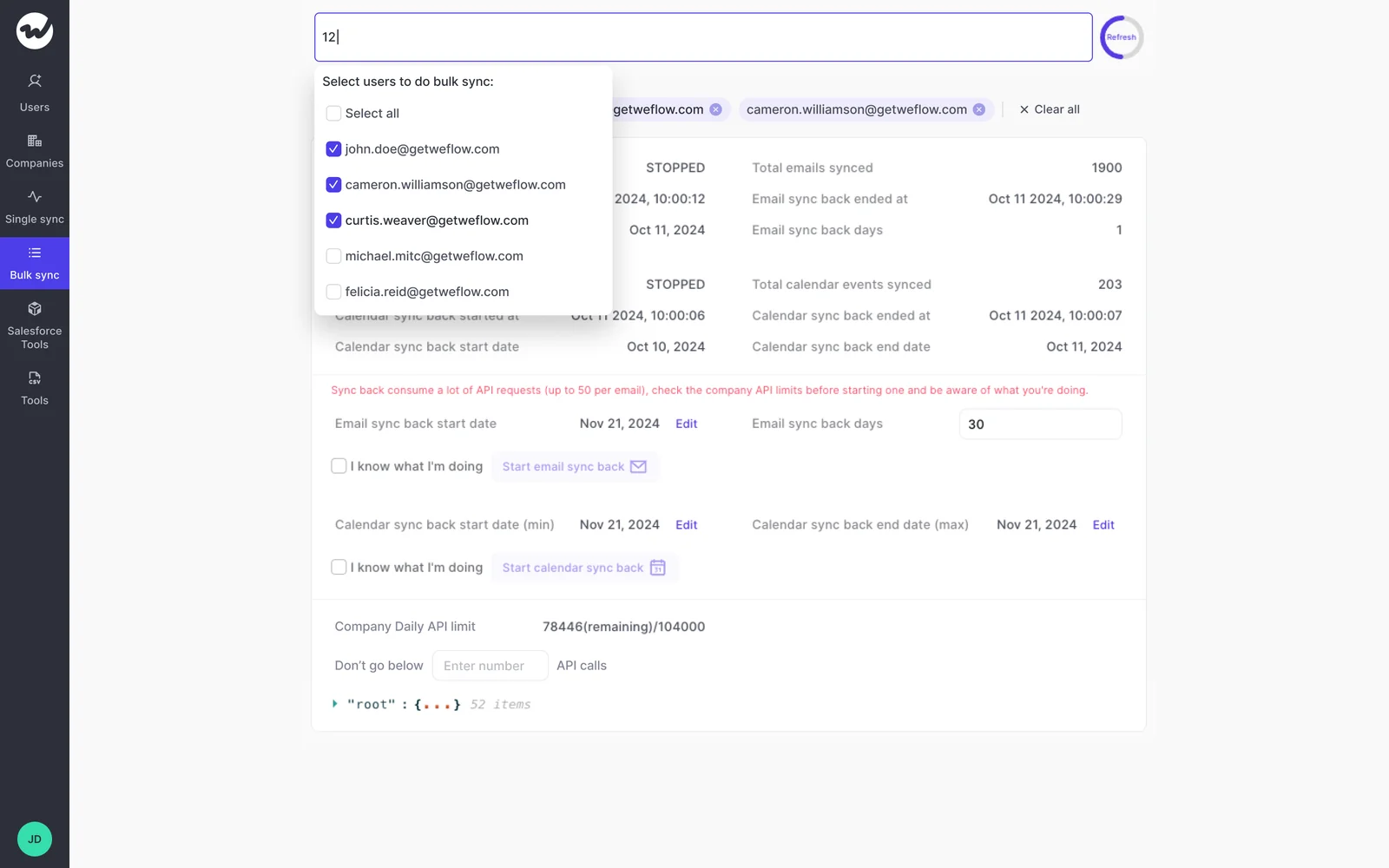
The same mechanism covers rollout gaps. A meeting or email that failed to sync can be recovered and pushed into Salesforce later, whether the failure was last week or last month, so enabling teams in phases doesn't leave permanent holes.
Step 7: Monitor capture health inside Salesforce, not by audit
This is the end state Sales Ops actually asks for: hygiene as a standing view somebody checks, not a project somebody runs.
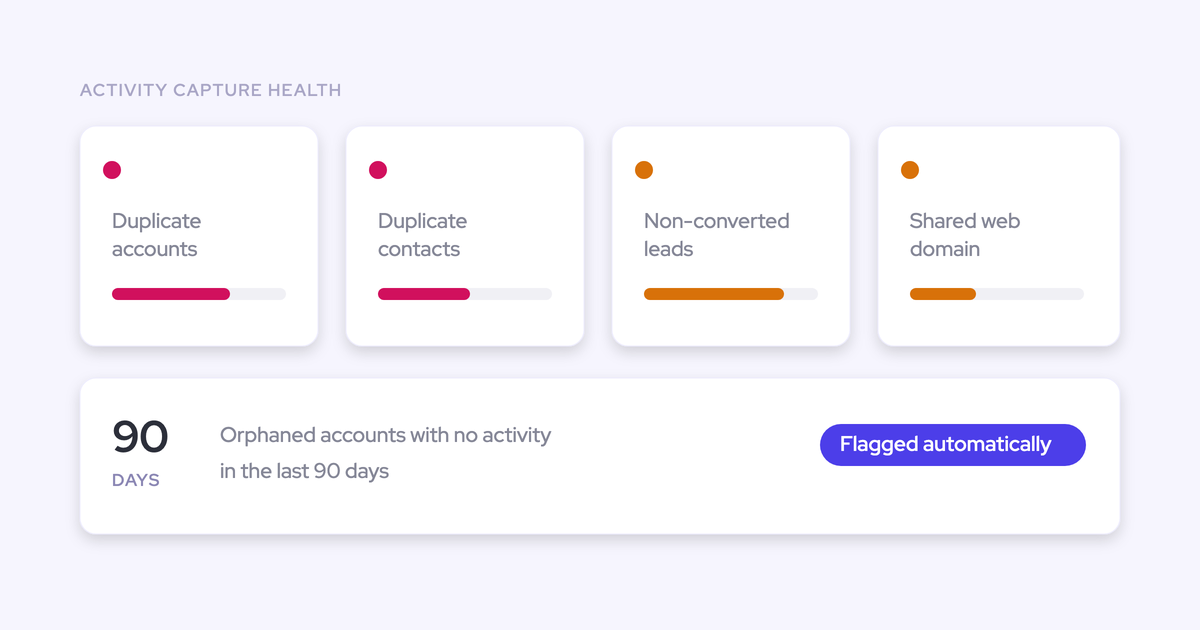
Activity Capture Health is a Weflow Analytics view inside Salesforce that flags duplicate accounts, duplicate contacts, non-converted leads, accounts sharing the same website domain, and capture settings that aren't configured for full capture. The settings check earns its place on a new install, because a configuration that's quietly wrong produces missing activity nobody attributes to configuration for months.
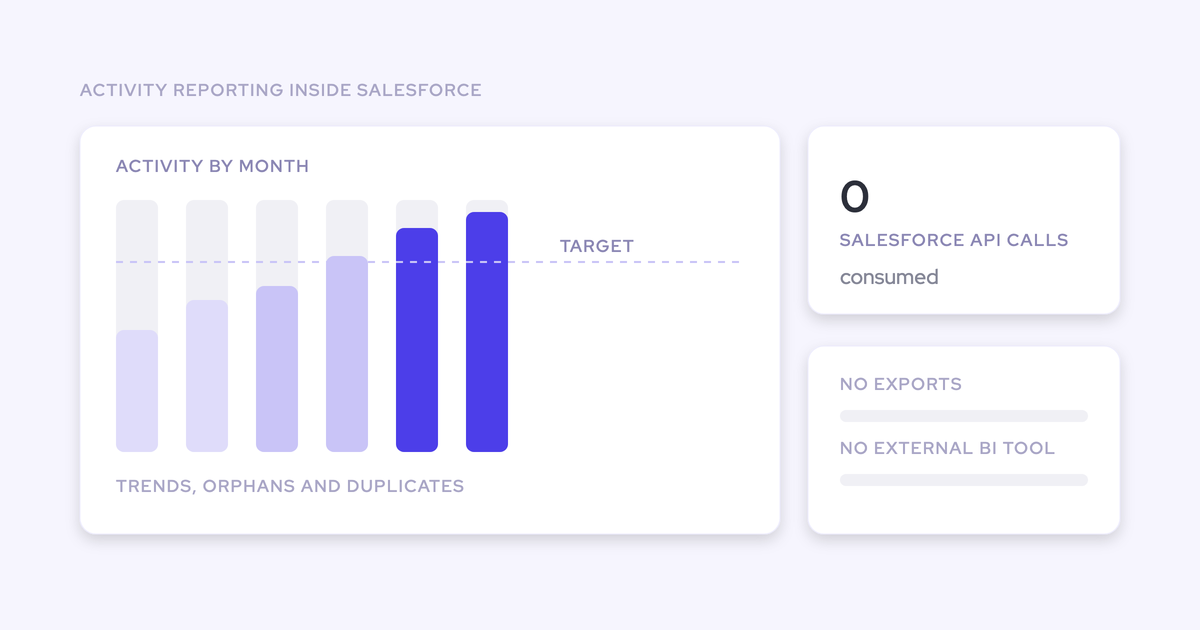
Two more reasons it works as a permanent view: the reports run natively in Salesforce and consume no Salesforce API calls, and accounts sharing a website domain is the specific pattern that breaks activity mapping, so seeing it standing is what keeps step 4 from becoming a recurring problem.
Pitfalls that put activity on the wrong account or contact
Capture fails quietly. That's the whole risk profile: a dropped connection and an inactive rep look identical in a report, so a stale-deal flag is a question about the data before it's a question about the rep.
| Symptom | Cause | Fix |
| A whole conversation sitting on the wrong record | The first message in a thread sets the mapping for the thread, so one wrong match at the start carries every reply with it | Re-map the thread once from the add-in. If it keeps happening, the contact and account structure is the problem, not the email |
| Activity on the account, opportunity looks dead | Salesforce relates an activity to an opportunity or an account, not both, so an unresolvable thread falls back to the account | Check contact roles on the opportunity and let reps resolve ambiguous threads from the mailbox |
| Emails landing on the wrong customer | Duplicate accounts sharing a website domain, or a partner contact who legitimately belongs to several accounts | Merge the duplicates flagged in Activity Capture Health, exclude partner domains or partner account types, then re-sync the affected history |
| Everything a set of internal users touches lands on one account | Internal users sitting as contacts on a test or demo account | Block the account with a custom rule on any field, then re-sync |
| Two events per meeting, inflated meeting counts per rep | A legacy capture tool left running in two-way event sync while a second tool writes the same event | Set the legacy event sync to one direction, and use compatibility mode for sequencer activity |
| A rep with no activity for three weeks | A silently dropped connection or an out-of-date extension, which is indistinguishable from a quiet rep | Treat capture coverage as an operational metric in the health view, and ask whether the data missed something before you ask the rep |
One more that catches territory handovers: activity assigned to a deactivated user is invisible in the default view, so those accounts read as having had no recent contact. Filter activity views to inactive users when you reassign accounts.
What activity capture won't fix: decayed contact details
Automated capture keeps Salesforce current on who is actually in the conversation. It does not verify or refresh a phone number, a job title or an employer on a contact you already have.
So if your champion's mobile stopped working in March and they've gone quiet since, capture won't flag it. There's no email to read and no invite to parse. Capture sees presence, not accuracy of stored fields.
That job belongs somewhere else, and it's worth naming plainly: enrichment tooling like Clay, or an agent loop that flags the record, checks several sources, detects the changed employer or number, writes the correction back, and tells the rep in the channel they already work in. The teams doing this well have moved it from a quarterly list refresh to something that runs continuously.
Buy capture for the committee. Buy enrichment for the decay. Buying one and expecting both is how a data project fails twice.
FAQ: keeping Salesforce contacts current
Will automated capture overwrite or edit my existing contacts?
No. Weflow Activity & Contact Capture creates contacts that don't exist yet and attaches activity to records that do. It doesn't rewrite fields on your existing contacts, and it never creates accounts, leads or opportunities. Writes respect Salesforce validation rules, field dependencies, permissions and role hierarchy.
Does lead conversion stay manual when activity attaches to a lead?
Yes. If an address already exists as a lead, the activity attaches to that lead instead of creating a duplicate contact. Converting the lead stays a Salesforce step your team owns, on your timing and your process.
Can we keep confidential deals out of captured data?
Yes. Custom rules sit above every other setting and can block logging against an entire Salesforce record based on any field on the object, which is how regulated teams keep NDA accounts out of the captured set. Exclusions also run per domain and per address, and reps can choose not to log a specific thread from the add-in.
How much Salesforce API load does capture and backfill add?
Historical backfill is the heavy part, which is why it's opt-in and deliberately spread over days or weeks rather than run in one pass. Ongoing activity reporting runs natively inside Salesforce through the Weflow Analytics package and consumes no Salesforce API calls, so it doesn't compete with your org's daily allowance the way reporting built on the API does. Watch API consumption per integration user during the pilot, not per vendor.
How much does Weflow Activity & Contact Capture cost?
$19 per user per month, billed annually, minimum 10 users. That standalone product covers everything in this guide: email, meeting and contact capture into native Salesforce objects, mapping, the add-in and extension, activity reporting, and Ask Weflow AI. Meeting recording sits in Weflow Conversation Intelligence, not in capture, so if you want transcripts and AI field updates from calls, that's a separate product or the Revenue AI Foundation bundle at $49 per user per month.
If you're still comparing paths, the Salesforce Activity Capture Cheat Sheet is the checklist version of step 1: the requirements to test your current setup against, and the questions to put to any vendor before you shortlist one.