Keep Outreach for Sequencing, Replace It for Activity Capture: A Sales Ops Migration Guide
Learn how to keep Outreach for sequencing and replace it for Salesforce activity capture.



Outreach logs the email to the contact and the account. Then someone in a deal review asks how many touches this opportunity has had, when the last one was, and whether the buyer is replying, and nobody can answer it from Salesforce. That's the moment most Sales Ops teams discover they've had an inbox log for years, not activity capture.
The reflex is to start scoping an Outreach exit. That's the wrong frame. Your SDRs still need cadences, and sequencing is the part Outreach is genuinely good at. What's broken is the capture job that quietly got handed to it, and you can take that job away without touching a single sequence.
Weflow is the Revenue AI Orchestration platform for sales, customer success, and RevOps teams. Weflow Activity & Contact Capture takes over exactly one thing here: getting emails, meetings, and contacts into the right native Salesforce objects, mapped to the opportunity.
This guide covers why a sequencing platform structurally can't do opportunity-level capture, the exact mechanics for running Weflow and Outreach side by side without duplicate Salesforce records, and the end state where Outreach's Salesforce write-back is switched off and it just sends.
Why Outreach maps activity to contacts, not opportunities
Because the email address is the only identifier a sequencer needs, and cadence reporting is the only thing its logging was ever built to serve. No setting fixes that. It's not a misconfiguration in your org.
Sales engagement platforms map activity to the contact, not to the opportunity, which is why a team with full sequencing coverage still can't answer basic deal-review questions. We hear the same sentence on evaluation calls almost word for word:
"We use Outreach activity capture right now and it misses a lot. It has record misalignments that impact data quality."
Contact matching can't tell two open opportunities apart
One contact, two open deals. A renewal and an expansion under the same account, or new business alongside an upsell. Nothing in the email itself says which one the thread belongs to.
Server-side matching on the domain and the contact has no tiebreaker, so the activity lands on the account and the deal timeline stays empty. This is the common case, not the edge case, in any org that sells more than one product line or splits opportunities by region.
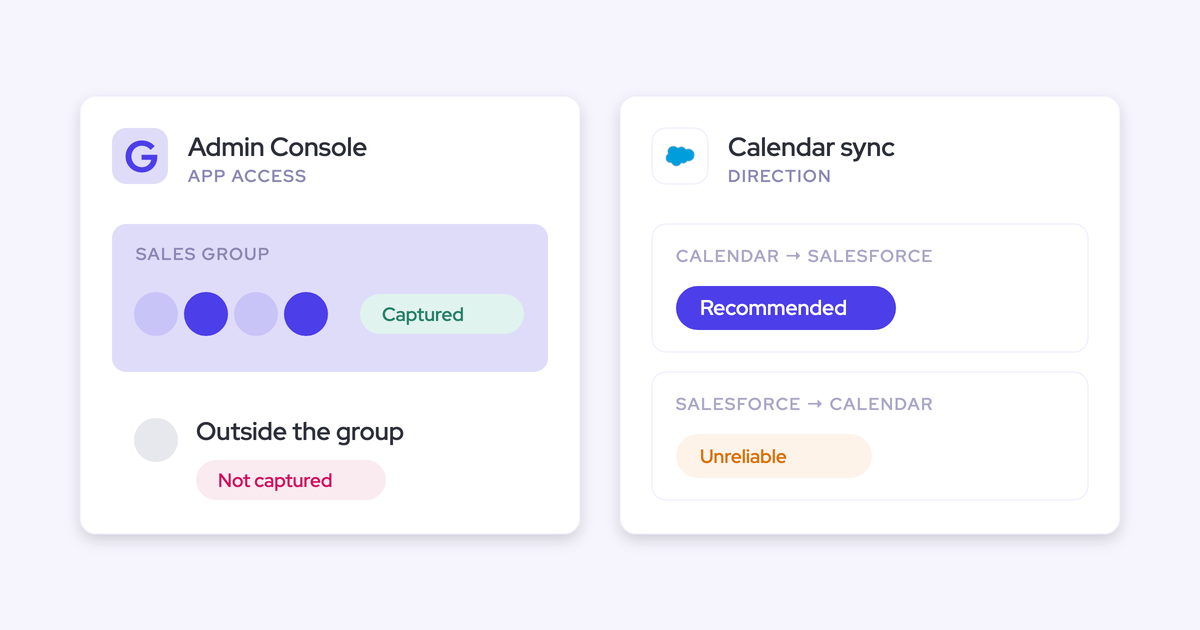
Einstein Activity Capture hits the same wall from a different direction: it leans on opportunity contact roles, which are one of the least maintained objects in most Salesforce orgs. Either way, the accounts look busy and the deals look dead.
Task-object logging discards direction and reply rate
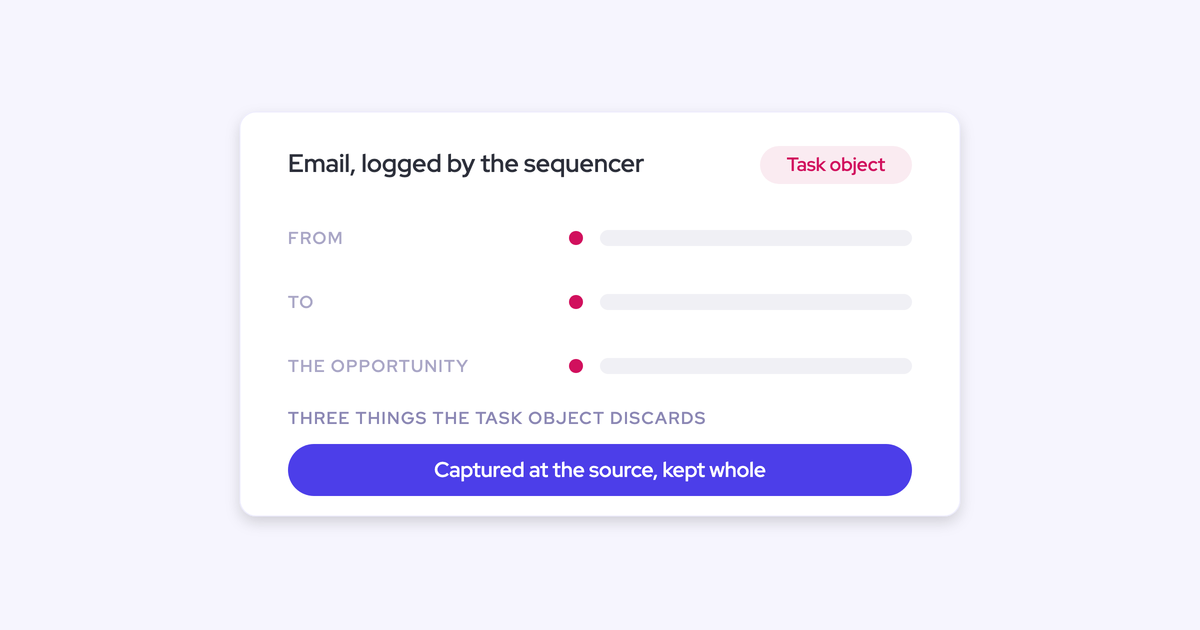
Sequencing platforms log activity to the Salesforce task object rather than to EmailMessage and Event. A task carries no from and no to, so sent and received collapse into one undifferentiated pile.
| What a task log can answer | What it can't |
| How many activities a rep logged this week | How many of those were sent versus received |
| Total touch volume on a record | Reply rate on a deal or a sequence follow-up |
| When the last logged activity happened | Time to follow up after a meeting |
| Volume by owner | Whether the buyer engaged at all, or the rep just kept sending |
Volume counts are fine. Deal signals aren't buildable, and reply rate is the single most useful engagement metric you'd want out of captured email.
Deliverability subdomain sends never reach Salesforce
Outbound sequences often send from an alternate deliverability subdomain to protect the primary domain's reputation. That means the same rep effectively has several sending addresses, and only the primary one matches what Salesforce knows.
Those pre-reply outbound touches are invisible in the CRM regardless of which capture tool you run. Weflow included. Capture picks the thread up once the buyer replies and the conversation moves back onto the standard domain. If the bulk of your reporting need is cold outbound volume, keep reading Outreach's own cadence reports for that number.
The cost of using Outreach as your capture layer
The failure is invisible until a deal-review question exposes it. By then you're paying sequencing list price for a background data feed that can't answer the question anyway.
Deal-review questions your activity data can't answer
These are the ones that break when activity sits on the contact and the account instead of the opportunity:
- How many touches has this deal had since it entered the current stage?
- When did we last speak to anyone on the buying committee, not just anyone at the company?
- Are our follow-ups getting replies, or are we emailing into silence?
- How many meetings does it take us to close a deal in this segment, by funnel?
- Which reps are working their pipeline week over week, and which are working two accounts hard and ignoring twelve?
Contact-level association tells you a person was emailed. It doesn't tell you which deal moved.
The seat math: sequencing licenses bought for capture
The tool spread by accident. Sequencing got bought for the BDR team, capture appeared to work, and over the next two years the rest of the go-to-market org got licensed on it as a background data feed. Nobody decided that. It accumulated.
Then you do the arithmetic out loud:
Twenty five seats using two or three percent of the product. That's the cheapest budget line in your stack for a real data foundation, and it's the argument that turns your renewal into a short conversation.
Post-sale goes dark when CSMs never got seats
Licenses followed history rather than need. SDRs got them, some AEs got them later, CSMs never did.
So every renewal call, escalation, and expansion thread happens outside the CRM, or inside a third tool with different mapping logic. When an account churns, nobody can show what was done for it. Full-funnel reporting is impossible on a capture layer scoped to prospectors.
How Weflow replaces Outreach for activity capture
Weflow was built for the capture job specifically: server-side collection, native Salesforce objects, and a mapping model that resolves the two-open-deals case instead of falling back to the account and hoping nobody notices. Everything below is testable in a sandbox in an afternoon, which is how this buyer should evaluate it.
Server-side capture covers every customer-facing rep
Weflow activity capture runs at the mail tenant level through one app installed centrally in Microsoft Entra or Google Workspace. Nothing is installed per rep, nothing needs authenticating per rep, and nothing needs clicking.
That matters for two reasons your team has already felt:
- Coverage doesn't depend on adoption. Mail sent from a phone, a browser, or a desktop client is captured the same way, so there's no per-user token quietly expiring and taking a rep's activity history with it.
- Coverage isn't tied to a sequencing license. AEs and CSMs get captured whether or not they'd ever run a cadence.
Capture is scoped to business-relevant activity: an email or meeting only logs when an external participant resolves to an account or opportunity, and threads where every participant sits on an internal domain are never written to Salesforce. Say that in the rollout email and the first rep objection disappears.
Emails land as EmailMessage, meetings as Events
Weflow writes emails to the EmailMessage object and meetings to Event, permanently, as native Salesforce records. Direction comes with EmailMessage, so sent versus received separates cleanly and reply rate becomes a field you can report on rather than a metric you approximate.
The bigger consequence is automation. Native records are queryable, so a flow can read them.
"If you haven't stored an object or record into the core Salesforce database, then you cannot do automations with it."
Philipp Stelzer, CPO and Co-founder of Weflow
That's what unlocks the workflows RevOps teams actually want: advance a lead status automatically when a meeting gets booked, raise a task and a Slack alert when a high-ARR account has had no email or meeting for a month. Admins choose the object per configuration, per team, so a CS team and a sales team can log differently without one team's rules leaking into the other's.

How Weflow picks the right opportunity automatically
Here's the decision sequence, in order, so you can test it against your own data model:
- Match the email address to a contact or lead in Salesforce.
- Where no contact matches, match the sender's domain against the website field on the account record. Accounts with a blank or wrong website field fail silently, which is why auditing that field is a rollout prerequisite.
- Relate the activity to an open opportunity in preference to the account. That happens when the contact holds a contact role on exactly one open opportunity, or when a single open opportunity sits under the parent account.
- Where the contact holds roles on several open opportunities, or holds no contact role at all, fall back to the account rather than guessing.
- Never write to a closed opportunity.
Weflow also creates contacts it detects on threads and invites, attaches them to the matched account and opportunity, and can set the contact role automatically. It won't infer whether that person is the champion or the economic buyer. Role coverage improves; role quality is still your playbook's job.
Reps resolve two-open-deal ambiguity once per thread
Rule four above is where every server-side-only tool stops. Weflow doesn't leave it there.
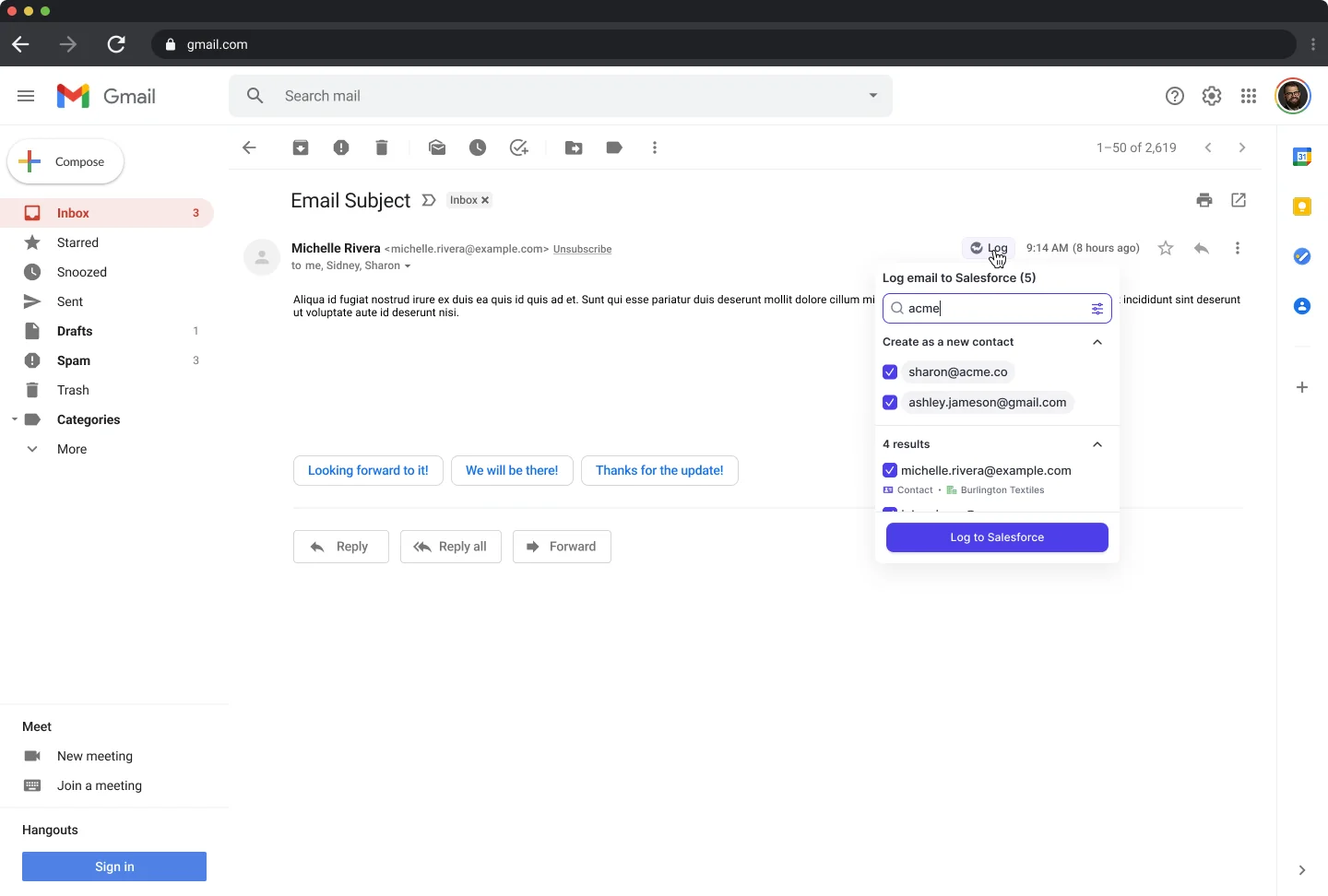
The Outlook add-in and Chrome extension show the rep which Salesforce records an email is about to log to, and let them pick a different opportunity, account, or custom object. Weflow stores that choice against the thread, so every later reply routes to the same record without anyone touching it again. Start a new thread and the choice resets.
This is the hybrid model, and it's deliberate. The rep isn't logging emails, they're settling one ambiguity, once, from inside the mailbox they already work in. It's also the moment where the answer is actually known: the renewal-versus-expansion question is obvious to the person writing the email and unknowable to any algorithm reading it.
One thing to watch: the first message in a thread sets the mapping for the whole thread, so a wrong first match pulls the conversation with it. That's exactly what the extension is there to catch.
Running Weflow and Outreach together without duplicates
This is the pilot blocker, and it's a fair one. Prospects tell us this is literally why they're running the pilot:
"We do plan to continue using Outreach. One of the main reasons for the pilot is to see how these activities will log in Salesforce where there could be duplication."
The duplication risk is real and the mechanism behind it is simple. Modern sequencers send through your own Microsoft or Google tenant, which is the same mail tenant Weflow reads server-side. Without a rule, one sequenced email gets written to Salesforce twice and every activity count built on top is inflated.
Weflow's compatibility mode handles it in four steps:
- You name the sequencer's sending domain in the Weflow configuration.
- Weflow delays its own sync for that mail by roughly ten seconds, which lets Outreach claim the record first.
- Weflow checks the message for Outreach's tracking pattern.
- If it finds one, Weflow skips the message. One email, one Salesforce record.
Presets ship for Outreach, Salesloft, Apollo, and Clay, so this isn't a services engagement or a custom rule someone hand-builds for you. Turn it on, run both tools, and your activity counts during the pilot stay honest.
Compatibility mode is a transition state though, not the destination. It exists so two capture engines can coexist while you evaluate. The clean setup has one capture engine.
The end state: switch off Outreach's Salesforce sync
The migration finishes with Outreach still sending sequences and Weflow alone writing activity to Salesforce. At that point compatibility mode becomes unnecessary and you can switch it off too.
Turning off Outreach's write-back without breaking sequencing
Sending and syncing are two separate functions in Outreach. Because sequences go out through your own mail tenant, disabling the Salesforce write-back changes nothing about how mail gets sent. Cadences keep running. SDRs won't notice.
The rollout sequence we run with customers switching capture away from Outreach or Apollo:
- Install Weflow and enable capture for a pilot group with compatibility mode on, naming Outreach's sending domain.
- Run two weeks and check the things you actually care about: are emails landing on EmailMessage, are they landing on the opportunity rather than the account, and is there a single record per email.
- Turn off Outreach's Salesforce sync for the pilot group, then for everyone.
- Turn compatibility mode off, and extend capture to the AEs and CSMs who never had a sequencing seat.
Backfilling history and deduping against Outreach's logs
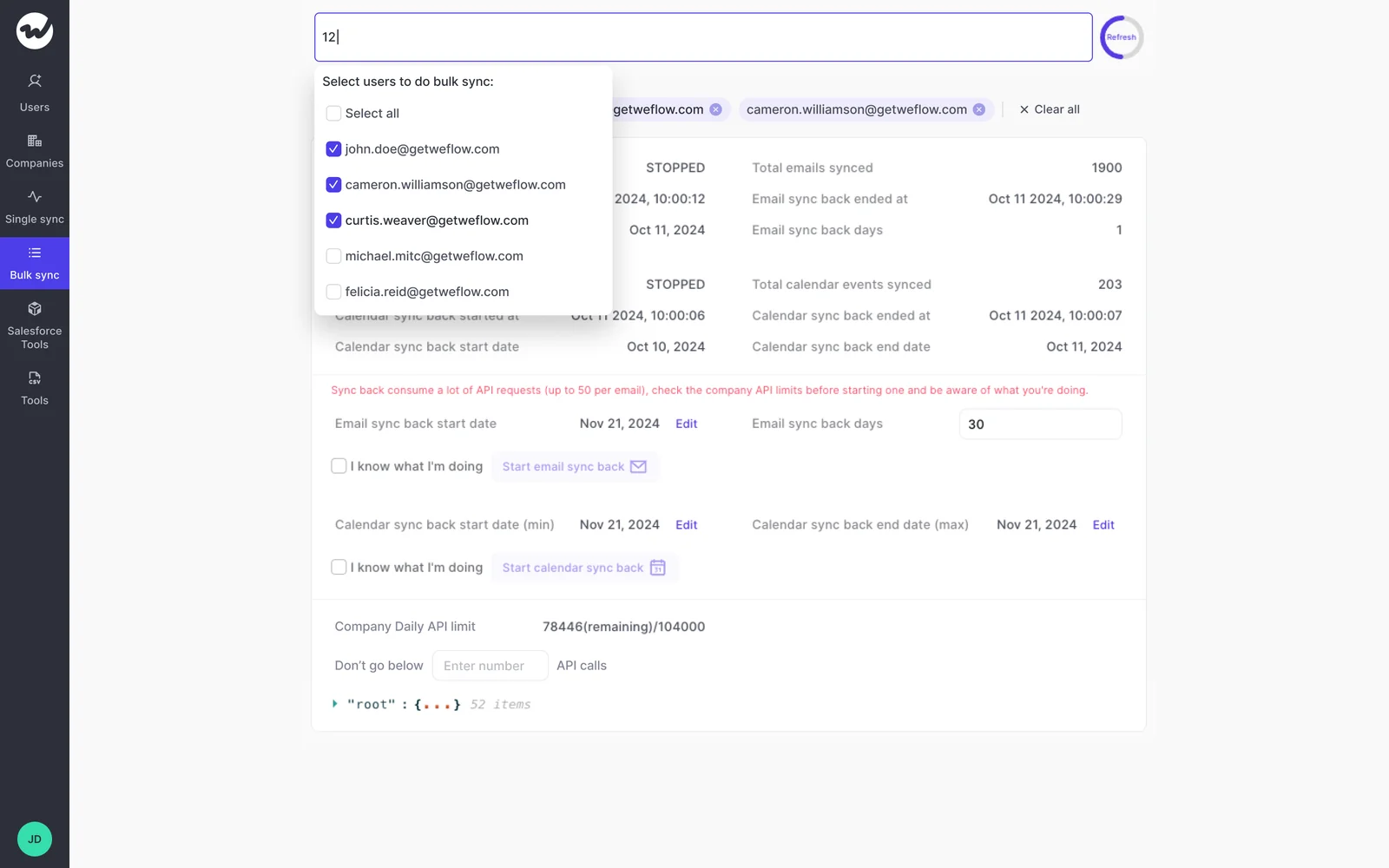
You won't lose your history, because it was never really Outreach's. The emails and meetings live in your own mail tenant, so Weflow can backfill up to two years of them into Salesforce after the switch, and the backfill dedups against activity Outreach, Salesloft, or Apollo already logged.
Two practical notes. The backfill is opt-in and gets spread over days or weeks, because pulling that much history is heavy on your Salesforce API allowance and you don't want it starving your other integrations. And plenty of teams skip it entirely: if Outreach has been syncing something for three years, the historical record is already in the CRM and only the mapping was wrong.
What Weflow doesn't replace: sequencing stays in Outreach
Take this list to your SDR leader before the pilot, not after it. The capture job is fully covered. The sequencing job was never claimed.
- Weflow does no sales engagement. No sequences, no cadence engine, no dialer, and it doesn't send email to a customer on a rep's behalf. Outreach keeps that work.
- Email sent from a separate deliverability subdomain isn't captured until the buyer replies onto your standard domain. Cold outbound volume stays a report you pull in Outreach.
- Phone and VoIP capture is a gap today. So are personal channels: personal email, SMS, and calls from a personal mobile aren't captured by anything reading your corporate infrastructure.
- Meetings that were never on the calendar don't produce an activity, so a field-heavy team's in-person time is understated unless the rep files a voice note from the mobile app.
If sequencing is the main thing you value in Outreach, keep Outreach. This migration only moves the capture job.
What United Fintech saw after moving capture to Weflow
United Fintech saw a 3x increase in captured activities after switching to Weflow, and their RevOps team validated it by hand because the number looked wrong at first.
"We thought it was just wrong data - but we looked manually and realized this is the amount of insight we were missing before."
Rugile Pudzevelyte, Senior Revenue Operations Manager at United Fintech
Be precise about what that proves and what it doesn't. United Fintech came off manual Outlook plugin logging, not off Outreach, so the outcome backs the capture and rollout claims rather than an Outreach exit specifically. What it does show is the size of the gap between what a semi-manual capture layer reports and what actually happened.
"We had a lot of missing activities. Salespeople were manually logging with Outlook plugins, and things slipped through."
Rugile Pudzevelyte, Senior Revenue Operations Manager at United Fintech
Rollout was live in under an hour, deployed centrally via OAuth rather than rep by rep. That's the number to compare against your own pilot window.
See how Weflow captures activity, updates Salesforce fields from calls, and rolls up your forecast. Book a 30-minute demo.
FAQ: replacing Outreach activity capture with Weflow
What does Weflow activity capture cost per seat?
Weflow Activity & Contact Capture is $19 per user per month, billed annually, with a 10-user minimum. Ask Weflow AI and the Agent Builder free tier are included. Compare that to what you're paying per sequencing seat for the twenty five people who never send a sequence, and the renewal conversation gets a lot simpler.
Do contact roles need fixing before the rollout?
Contact role coverage directly determines how much of your activity lands at opportunity level rather than account level, so audit it before you roll out, along with the website domain field on your account records. Those two fields are the rollout prerequisites. The rep-facing extension then covers the ambiguous cases hygiene can't fix, like one contact who legitimately sits on both a renewal and an expansion.
Can Weflow run alongside Einstein Activity Capture too?
Yes, but set Einstein's event sync to one direction first, from the calendar into Salesforce. Left bidirectional, the event gets written to Salesforce, pushed back out to the calendar, and written again, which is what produces two events per meeting once a second capture tool is also writing. Removing Einstein permissions from users doesn't stop it, and duplicates already written aren't cleaned up automatically, so a rep can show thirteen meetings in one view and eight in another until the setting is corrected.
How would I know if capture silently stops?
Automated capture doesn't fail loudly, it just stops, and that's the honest risk with any capture layer. A gap in the data and a rep who genuinely did nothing look identical in a stale-deal report.
What makes it survivable with Weflow: any email or meeting that failed to sync can be recovered and pushed into Salesforce later, whether the failure was last week or last month. Support inspects why the match failed, corrects the rule, and backfills the record, so a gap doesn't become a permanent hole in the history.
What does the Weflow install involve for IT review?
Two Salesforce managed packages, one integration user with a purpose-built permission set, and one mail app installed centrally in Microsoft Entra or Google Workspace. No code deployment. It's a single admin session of roughly 45 minutes with a Salesforce admin and a mail admin present, and the mail app can be scoped to one organizational unit so only licensed users are captured.
On the login question security will ask first: the only way to sign in to Weflow is through your Salesforce authentication, using OAuth and whatever SSO your org already enforces. There's no email and password login, so there's no separate identity to phish or deprovision, and deactivating a user in Salesforce removes their Weflow access immediately.
Does compatibility mode work with Salesloft, Apollo, and Clay?
Yes. Presets ship for Outreach, Salesloft, Apollo, and Clay. The task-object logging and contact-level mapping that motivate this migration apply to Salesloft and Apollo capture as well, so the same argument and the same rollout sequence hold if your sequencer is one of those instead.