Will Automated Activity Capture Make Your Bad Salesforce Data Worse?
Learn when automated activity capture makes bad Salesforce data worse—and the safeguards to stop it.




Your fear is rational. Every tool that ever wrote to your Salesforce made the mess bigger, so a new one is guilty until proven innocent. That's not paranoia, that's pattern recognition.
But the question underneath it isn't "should another tool write to my CRM." It's narrower than that: does this writer have restraint built in, or is it about to become the sixth unreconciled source? Dedup that respects your rules. Existing-record-only matching. Field writes an admin controls. A way for a rep to fix a bad match before it poisons a thread.
This article lays out your real options, the guards that separate a safe writer from a mess-maker, and what no capture tool will fix, including Weflow Activity & Contact Capture. Because the AI layer your CEO is asking about can't be built until the source of new garbage is shut off.
Why the tools you already ran made Salesforce worse
Your data didn't go bad by accident. Two forces produced it, and both are still running.
The first is manual entry. Reps were asked to log activity by hand and they didn't, or they did it three days late from memory. Teams relying on the Salesforce Outlook add-in or Gmail extension capture somewhere between 24% and 52% of their activities. Logging a single email to a custom object takes four clicks. Nobody sustains that across forty emails a day.
The second force is the one that actually created the duplicates: several tools writing the same email or meeting into Salesforce with different mapping logic and no reconciliation.
Here's what that collision looks like in a typical mid-market org:
| Writer | What it logs | What it duplicates or breaks |
| Sales engagement platform (Outreach, Salesloft, Apollo) | Sequenced emails, usually to the Task object | Task logging discards from/to, so reply rate can't be calculated. Activity lands on the contact, not the opportunity |
| Einstein Activity Capture | Emails and events, mapped via opportunity contact roles | With event sync left bidirectional, the event is written to Salesforce, pushed back to the calendar, and written again. Two events per meeting |
| AI notetaker | The recording, as its own event | The same customer meeting now exists twice: once as the meeting, once as the recording |
| Routing and CS tools | Meetings, activities, sometimes contacts | Each maps to a different object. Same conversation, two or three records, no unique identifier tying them |
Now multiply. Meetings per rep is inflated. Meetings per closed opportunity is inflated. Contact coverage on an account looks healthier than it is because the same person exists three times under two email addresses.
And the part that stings: none of it is reportable anyway.
Einstein Activity Capture maps to an opportunity reliably only when an account has exactly one opportunity, and most accounts carry new business, renewal, and upsell at once. It falls back to opportunity contact roles, which is one of the least maintained objects in any CRM. So activity defaults to the account and opportunity-level reporting comes back empty on exactly the deals you care about.
"What did the team do? What has the team booked for next week? With Einstein Activity Capture, I was trying to report on how many meetings we have. I got on a call with Salesforce support, who was just as confused as I was."
So the honest read on your org: you have a thin base from manual entry, a duplicated layer from unreconciled writers, and reporting that's confidently wrong. That's the mess. It has causes, and the causes are still live.
Your three options when Salesforce data is already bad
You have three defensible paths. Each fixes something real and leaves something running. Pick with your eyes open.
Option 1: clean up Salesforce first, add capture later
This is the instinct almost everyone arrives with, and it's the one we hear most on calls.
The logic is sound. Get the base clean, then add tools on top of something you trust.
The problem is that "first" has no end date. Cleanup is manual, tedious, and while it runs, the manual process and the unreconciled writers keep producing new garbage behind you. You dedupe a thousand contacts in March and by June the sequencer and the notetaker have added four hundred more. You're bailing a boat with the leak open.
When it genuinely fits: when specific historical records block a specific imminent thing. A territory realignment, a migration, a compliance request. Cleanup as a scoped project with a defined end is real work. Cleanup as a precondition for everything else is a project that never finishes.
Option 2: keep manual logging and tighten the process
No new tools, no new spend, no new writer touching your org. Redesign the page layout, publish the standard, hold managers to it.
You've already tried this. So has everyone reading. Coverage sits between a quarter and half of activities and never climbs, because it isn't a configuration problem: it's work sitting on someone whose day is already full and who gets nothing back for doing it.
And the gaps aren't random. They cluster exactly where the deal got difficult, which is exactly where you needed the record.
When it genuinely fits: a team of five with a short window before a bigger change lands. As a lasting answer for a 50-to-1,500-seat org, it isn't one. Anyone who has run this loop twice already knows it.
Option 3: add guarded capture now, clean history separately
The reframe here matters. Guarded capture isn't another writer stacked on top of five others. It's the replacement for the manual process that produced the mess, and ideally the consolidation of the five writers onto one layer.
The honest cost is real, though. It does nothing for the duplicates you already have. And it asks you to trust a new writer, which is the whole thing you've learned not to do.
That's fair. It's also why the next section exists: you shouldn't extend that trust on a promise, you should extend it on mechanisms you can test.
When it genuinely fits: when your priority is stopping new bad data and building a forward-looking foundation the AI agenda can actually stand on.
| Option | What it fixes | What it leaves running | When it fits |
| Clean first | Existing duplicates and stale records | The manual process and every current writer, so new garbage accumulates during cleanup | A scoped historical blocker with a deadline |
| Tighten manual logging | Nothing new enters from a tool | Sub-50% coverage, gaps concentrated on hard deals | Tiny team, short bridge period |
| Guarded capture now | The source of new bad data; consolidates writers onto one layer | Years of existing duplicates, untouched | The AI agenda needs a foundation that stops decaying |
Five guards that decide whether capture adds garbage or stops it
Judge a capture tool by what it refuses to write, not by what it can write. Capability is easy. Restraint is the hard part, and it's the part that decides whether your org gets cleaner or noisier.
These are the five refusals to demand, and the questions to put to any vendor including us.
It only logs what it can match to an existing record
The safest write is the one that never happens.
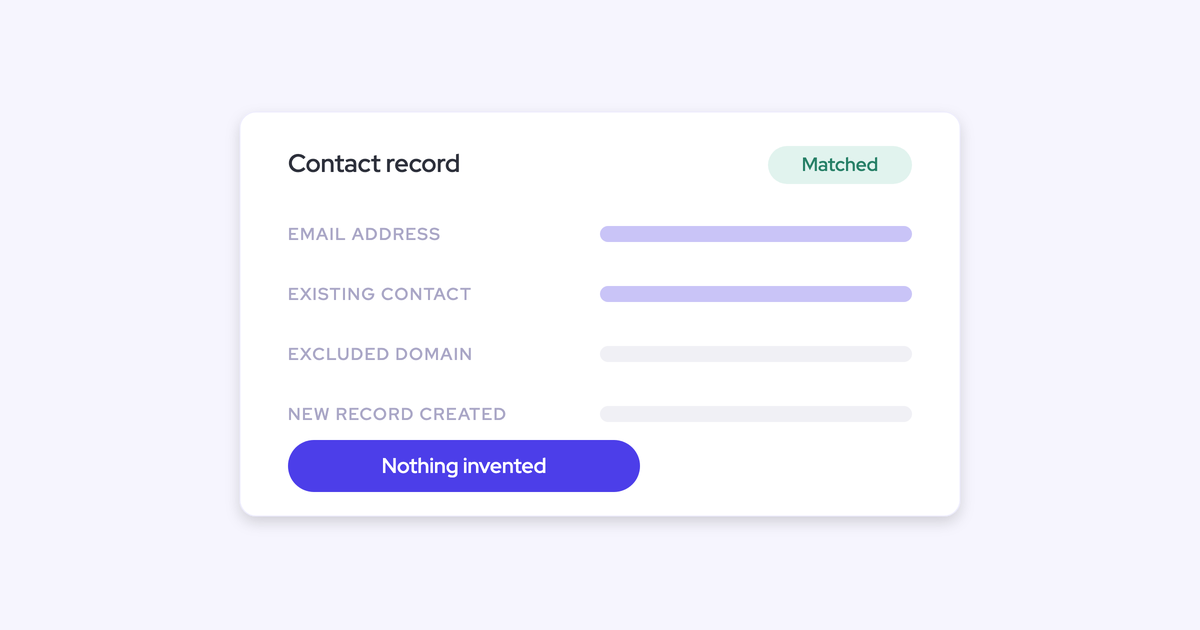
Weflow only logs an activity when it can match it to an existing Salesforce record, and never stores an email without a link to an account, opportunity, contact, or lead. Unmatched emails and events aren't written at all. Weflow never creates accounts, leads, or opportunities.
Capture is also scoped to business-relevant activity: an email or meeting is logged only when it involves an external participant that resolves to an account or opportunity. Threads where every participant sits on an internal domain are excluded before any write happens, so internal chatter never inflates your activity counts. Admins can exclude supplier domains and free-mail domains on top of that.
Ask a vendor:
- What happens to an email you can't match to an existing record: is it written somewhere, or dropped?
- Under what conditions do you create an account, a lead, or an opportunity?
- How do you decide a thread is internal, and is that rule mine to configure?
Deduplication runs on top of your Salesforce duplicate rules
You built duplicate rules for a reason. A capture tool should supplement them, not walk around them.
Weflow creates contacts for people it detects on email threads and calendar invites, and the creation runs behind three guards:
- Existing accounts only, so capture can never spawn an orphan record.
- A cap on contacts per event, so a hundred-person webinar doesn't write ninety-nine contacts into your org.
- A dedup layer on top of your own Salesforce duplicate rules. If an address already exists as a lead, the activity attaches to that lead rather than creating a duplicate contact. Lead conversion stays a manual Salesforce step, where it belongs.
The one that catches people out is multiple addresses per person. Someone uses their work address on one thread and a personal one on another, and a naive writer creates a second contact.
"We try really hard to maintain data quality in our data structure, and we don't want to create duplicate contacts just because someone has two sets of emails that they use. Weflow covers this, which was a big saver for us."
— Erick Mahle, Vice President of Revenue Operations & Digital Transformation at Lendz Financial
Lendz now captures virtually 100% of relevant emails in Salesforce while respecting their custom logging settings. That combination, near-total coverage and no new duplicates, is the pair to hold vendors to. One without the other is a half-answer.
Field writes are admin-controlled and approved before they sync
"Who decides what gets written" has one right answer: the admin, in a console, invisible to reps.
This is the field-sprawl scar. Reps added so many fields to the opportunity over the years that RevOps lost track of what was there, and unpicking it is half of what your week looks like now. A tool that lets sellers spin up their own fields is a fast route straight back into that.
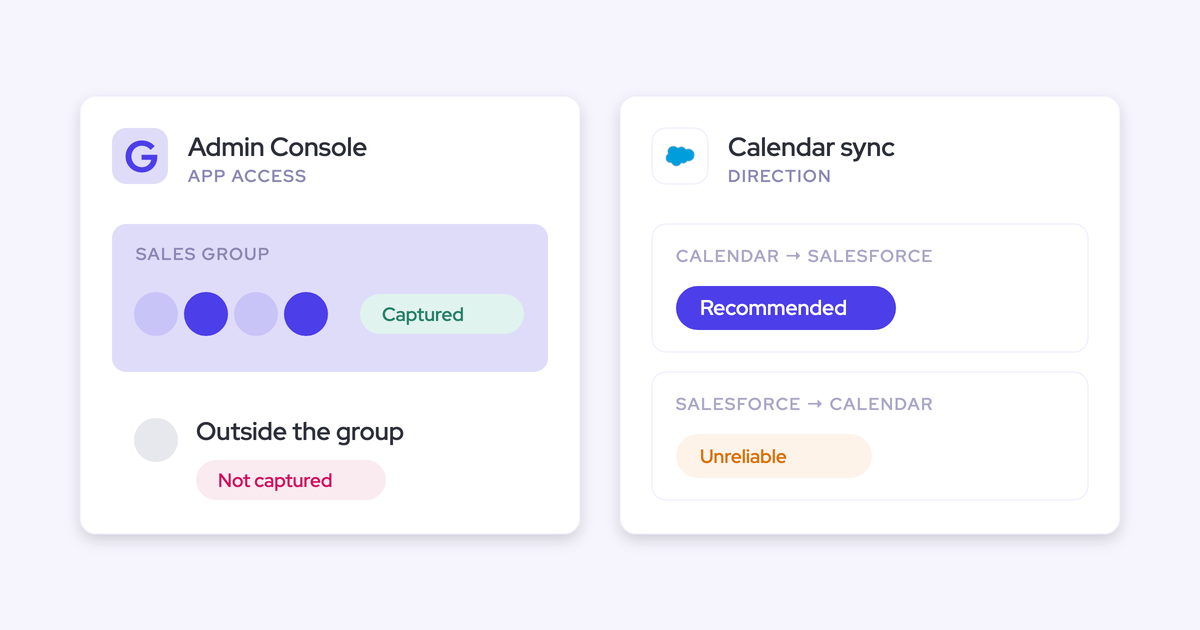
In Weflow, activity capture is configured per team, per user, and per object in the admin console: which users are in scope, which objects activity logs to, whether an email lands as an EmailMessage or a Task, which domains are excluded, whether contacts are created and how many per event. Custom rules sit above all of it and can block logging against an entire Salesforce record based on any field on the object.
Weflow AI Field Updates work the same way, with one extra step: the AI proposes, the user approves.
- Suggested values appear beside the current CRM values, and the user accepts, edits, or rejects each one.
- Nothing changes in Salesforce without confirmation, and required fields stay locked.
- Templates are assigned per team, so sales, onboarding, and CS can write to different fields and different objects without one team's rules leaking into another's.
Weflow also respects validation rules, field dependencies, permissions, and role hierarchy, and sign-in runs only through your Salesforce authentication, so there's no separate identity to deprovision.
Ask a vendor: can I see, before it commits, every field this thing is about to change, and can a rep add a field without me?
Reps can see and correct the record mapping
No algorithm can decide which of two open opportunities an email belongs to. The data doesn't contain the answer. Only the rep knows.
This is the failure mode nobody warns you about. Server-side capture guesses, guesses wrong once an account has more than one open deal, and gives you nowhere to fix it. Einstein Activity Capture runs as background logging with no interface, and the Salesforce Outlook and Gmail add-in is a separate service that doesn't feed back into it, so a wrong mapping stays wrong forever. Clari Capture maps server-side on email domain, which misattributes activity the same way. Gong has no mailbox add-in that lets a rep correct which record an email maps to.
Weflow runs a hybrid model: automated background capture plus an Outlook add-in and a Gmail and Chrome extension where the rep sees which Salesforce record an activity was mapped to and can change it.
The rep isn't searching for a record. They're confirming or correcting a suggestion rather than searching for the record themselves.
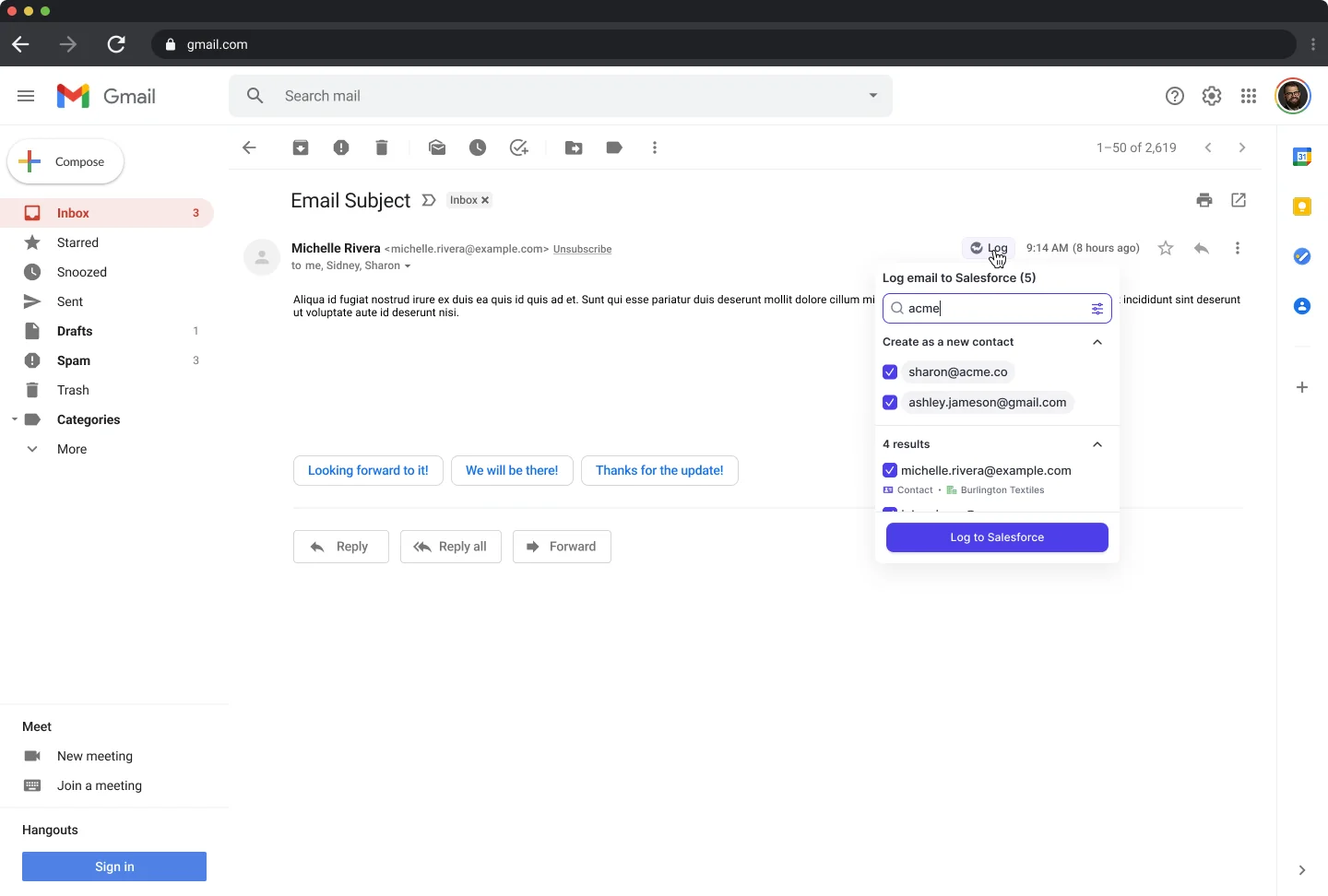
Ask a vendor what happens in the ambiguous case, not the clean one. Every tool demos well on an account with one opportunity. The ambiguous case is the common case in any org selling more than one thing.
It steps back when another tool already logged the activity
A safe writer must not become the sixth unreconciled source. That means it has to know when to do nothing.
Weflow compatibility mode handles the sequencers: you name the other tool's sending domain, Weflow delays its own sync by roughly ten seconds, checks the message for that tool's tracking pattern, and skips it if it finds one. Outreach, Salesloft, and Apollo ship as presets. The other system claims the record and Weflow steps back rather than writing a second copy.
Einstein Activity Capture works differently and it's the one to get right. Weflow runs in parallel with EAC, but the Einstein event sync has to be set to one direction, from the mail and calendar system into Salesforce, first.
Leave it bidirectional and you get a loop: the event is logged to Salesforce, pushed back out to the calendar, and logged again. Removing the Einstein permission from users doesn't stop it. And duplicates already written aren't cleaned up automatically, so a rep shows thirteen meetings a week in one view and eight in another until the setting is fixed.
With the setting corrected, Weflow adds summaries and codings onto the events Einstein already creates. Historical backfill dedups against activity already logged by Outreach, Salesloft, and Apollo, so pulling in history doesn't recreate the problem you're trying to leave.
Compatibility mode is a transition tool, not the destination. The cleaner end state is one capture layer, the way telephony ended up on one VoIP provider.
Why guarded capture comes before cleanup, not after
Our recommendation: put guarded capture in first, and run historical cleanup as its own project on its own timeline.
Replace the process producing bad data before scrubbing history
Cleanup-first fails on sequencing, not on effort. While manual entry and five unreconciled writers keep running, every hour of deduping is partly undone before the quarter closes. There's no version of that project that finishes.
Capture with the five guards isn't another writer. It's the replacement for the process that made the mess, and the consolidation of the writers that stacked on top of it. Turn it on and two things change on day one: reps stop being the bottleneck for whether an interaction reaches the CRM, and the tools that were each writing their own version of the same meeting stop competing.
Now cleanup can actually finish, because nothing is refilling the bucket behind you.
The second reason is the one your CEO cares about. Every AI initiative reads from the CRM. If the emails, meetings, and contacts that carry the real context never landed there, the agent is reasoning over stage and amount and returning plausible-sounding output built on a thin slice of reality.
"If you could just hook Claude into Salesforce and it gives you the truth. I mean, in theory, if it's a system of truth, it should be able to do it. But the reality is it just doesn't work."
Which is why capture isn't a risk to the AI agenda. It's the precondition for it, and the argument that gets you budget for a data foundation instead of an AI pilot that embarrasses everyone.
One number to hold onto: activity capture is only useful above roughly 99% of emails, meetings, and contacts landing in the CRM. Below that, any report could be missing the one activity that changes the conclusion. Partial capture is worse than none, because it produces confident-looking reports on an incomplete record. Weflow is the Revenue AI Orchestration platform for sales, customer success, and RevOps teams, and capture is the layer everything else in it stands on for exactly this reason.
What capture won't fix: the duplicates you already have
Weflow is not a data-cleansing tool. It prevents new mess. It does not retroactively deduplicate or repair the years of garbage already in your org.
Specifically:
- The three copies of the same contact stay three copies. Weflow won't merge them.
- Duplicate events already written by a bidirectional EAC sync stay in Salesforce and keep distorting your activity metrics until someone removes them.
- Half-finished opportunity records, orphaned leads, and the acquisition-era accounts nobody has touched are all still there.
- The first message in a thread sets the mapping for the whole thread, so one wrong match at the start pulls the conversation onto the wrong record until a rep corrects it. Fixing it properly can mean fixing the contact and account structure underneath, not just relabeling the email.
Weflow's bulk-edit makes historical cleanup faster, since you can correct records in the same place you surfaced them instead of running an export-fix-reimport loop through the data loader. That shortens the work. It doesn't do the work.
So if your real priority right now is scrubbing existing records, treat that as its own initiative with its own owner and its own end date. Just don't let it be the thing that has to finish before you shut off the source.
How to roll out Weflow capture without adding risk to a weak org
The rollout can carry the same restraint as the tool. Small first step, coexistence with what's already live, measured as it goes.
Start with capture only, add AI Field Updates later
Weflow Activity & Contact Capture is a standalone product. You don't have to buy the AI layer to get the data layer, and you shouldn't, if your own logic says prove the foundation first.
That sequence also matches how procurement actually works at companies with an AI review board:
"Would rather just have activity capture, like with Weflow in the door, and then go back and say, hey, they're approved provider. Now we need to have another review to turn AI on. But that's okay."
A phased sequence that works:
- Technical setup. 30 to 45 minutes with a Salesforce admin and your Google Workspace or Microsoft admin. Connection is central and OAuth-based, not per rep, so nothing degrades one rep at a time when a token silently expires.
- Scope the mailboxes. Restrict the connection to a nominated security group rather than the whole tenant. Set your domain exclusions and any custom rules blocking confidential accounts before a single user goes live.
- Enable one team. Capture is configured per team and per user, so you can start with one region or one motion. Anything that fails to sync during rollout can be recovered and pushed into Salesforce later, so a gap doesn't become a permanent hole.
- Expand, then decide on backfill. Weflow can back fill up to two years of email and calendar history, spread over days or weeks because the API load is heavy. It's opt-in. Teams that already ran another capture tool often skip it.
- Then turn on the AI layer. Once coverage is proven and the review is done.

One thing to watch: backfill is heavy on the Salesforce API, and if you've ever had integrations break in five different ways on the same afternoon, you know why that matters. Weflow's admin console shows daily API consumption against your limit while a bulk sync runs, so you can pace it rather than discover it.
Run compatibility mode while your current tools still write
You don't need a rip-out day. Weflow can go live while your existing writers are still running.
The sequence that avoids duplication:
- Sequencers first. Name Outreach, Salesloft, or Apollo as the sending domain in compatibility mode. Weflow delays, checks for their tracking pattern, and skips those emails.
- EAC second, and this is the one that burns people. Set Einstein's event sync to one direction, calendar into Salesforce, before Weflow goes live. Bidirectional plus a second writer equals two events per meeting, and nobody cleans those up for you.
- Notetakers third. A recorded meeting is not a second meeting. If your current notetaker writes the recording as its own event alongside your capture tool's event, you're already double-counting meetings per rep. Weflow logs the meeting as one Salesforce activity and attaches the summary to that same record.
- Then switch the old writers off. Compatibility mode is only needed while a second capture tool is live. One layer is the point.
Teams commonly find they were paying full sequencing licenses for people who never send a sequence, because the sequencer quietly became the company's capture tool. Consolidating capture onto one layer usually shrinks that line item too.
Prove the foundation is improving with captured-vs-manual reporting
Don't ask anyone to take this on faith, including yourself. Some of your team won't believe capture is running and will keep logging by hand alongside it, which is its own kind of duplication.
Because Weflow writes to native Salesforce objects, EmailMessage, Task, Event, Contact, everything is queryable in your own reports, usable in flows, and exportable to your BI tool. You can build the proof yourself. Three things worth reporting on from week one:
- Automatically captured versus manually logged activity. Watch one line overtake the other. That's the adoption proof and the answer to whether the pilot did anything.
- Coverage against the 99% threshold, by team. Blacklane went from roughly 20% of activities unrecorded under manual logging to 96% of leads, accounts, and opportunities carrying emails, meetings, and key contacts.
- Opportunity-level activity, not just account-level. This is the one your previous setup probably couldn't produce at all, and it's the one that makes a deal review a conversation about evidence instead of confidence.
That last one is the board slide. Not "we bought a tool," but "we can now answer when this deal was last touched, how many people are engaged on it, and whether the buyer replies."
Free Salesforce Activity Capture Cheat Sheet, if you want the criteria in a form you can run against any vendor.
FAQ: automated activity capture and Salesforce data quality
Does automated capture clean up the duplicate contacts I already have?
No. Weflow prevents new duplicates, it doesn't cleanse existing ones. Its dedup layer sits on top of your Salesforce duplicate rules and stops new duplicate contacts from being created, including when the same person uses two email addresses. The three copies already in your org stay three copies until someone merges them. Weflow's bulk-edit makes that cleanup faster by removing the export-fix-reimport loop, but historical cleanup is a separate project.
What happens to an email Weflow can't match to a Salesforce record?
Nothing gets written. Weflow only logs an activity when it can match it to an existing account, opportunity, contact, or lead, so unmatched emails and events never reach Salesforce. It also never creates accounts, leads, or opportunities. Threads where every participant is on an internal domain are excluded before any write happens.
Does Weflow respect Salesforce duplicate rules and field-level security?
Yes. Weflow's deduplication runs on top of your existing Salesforce duplicate rules rather than around them, and it respects validation rules, field dependencies, permissions, and role hierarchy. Configuration lives in the admin console, scoped per team, per user, and per object, so reps can't change what gets written. Sign-in runs only through your Salesforce authentication, using whatever SSO your org already enforces.
Will Weflow double-log meetings alongside Einstein Activity Capture or Outreach?
Not if it's set up correctly. For Outreach, Salesloft, and Apollo, compatibility mode names the sending domain, delays Weflow's sync by roughly ten seconds, and skips any message carrying the other tool's tracking pattern.
For Einstein Activity Capture, set the Einstein event sync to one direction, from calendar into Salesforce, before going live. Left bidirectional it creates a loop that writes every event twice, and those duplicates aren't cleaned up automatically.
Can Weflow backfill historical activity without creating duplicates?
Yes. Weflow can back fill up to two years of emails and meetings from your mail server, and the backfill dedups against activity already logged by Outreach, Salesloft, and Apollo. It's opt-in rather than automatic, and it's spread over days or weeks because pulling that much history is heavy on the Salesforce API. Teams that already ran another capture tool often skip it, since the history is already in the CRM.
How much does Weflow Activity & Contact Capture cost?
Weflow Activity & Contact Capture is $19 per user per month, billed annually, with a 10-user minimum. That includes auto-sync of emails, meetings, and contacts from Outlook or Google into Salesforce, pre-built activity insights and reports, the Chrome and Outlook/Gmail extensions, plus Ask Weflow AI and Agent Builder. Historical backfill is an add-on. Free view-only licenses (up to one per recording license) are included, so stakeholders who only need to read the data don't consume a paid seat.