Why activity capture fails in Salesforce: A buyer-evidence audit
Learn 5 Salesforce activity-capture failure modes and how to audit Weflow vs Einstein Activity Capture.


Activity capture can keep running while your Salesforce data gets less trustworthy. A customer replies, but the opportunity still looks untouched. Two systems log the same meeting. A contact never gets created, and nobody sees an error.
The RevOps problem starts when leadership asks you to act on that data. Before you use activity signals for forecasting or automated deal hygiene in Salesforce, you need to prove that the right interactions reach the right records, once, in a form your reports and automations can read.
We recommend auditing five failure modes before considering a replacement. The buyer evidence supports these recurring patterns, but it doesn't establish their relative frequency. Treat them as diagnostic categories, not a ranked study.
Five recurring Salesforce activity-capture failures
Reliable Salesforce activity capture requires correct mapping, working syncs, adequate coverage, duplicate prevention, and usable records. A setup can pass one requirement and fail the others.
| Failure mode | What it means | Visible symptom |
|---|---|---|
| Wrong mapping | An interaction reaches an incorrect record or lacks the opportunity relationship you need. | The account looks busy while a live deal looks untouched. |
| Silent sync failure | An interaction that should sync doesn't reach Salesforce, without a warning reaching the owner. | A mailbox or user's activity history stops unexpectedly. |
| Missing coverage | A role, channel, or interaction type sits outside capture scope. | Outbound email appears, but post-sale or field activity doesn't. |
| Duplicate writing | Several systems represent one interaction as separate activities. | Meeting counts exceed the meetings that happened. |
| Unusable records | Captured data can't support the required report, automation, or export. | A timeline shows activity that your reporting workflow can't retrieve. |
These failures overlap. One meeting can land twice, attach to the wrong opportunity, and inflate the engagement signal your forecast reads.
What the buyer evidence establishes
Weflow's supplied buyer conversations and published customer accounts establish recurring operational problems, not market-wide failure rates.
The evidence includes mapping complaints, repeated disconnections, overlapping capture systems, and reporting requirements that existing setups couldn't meet. Some accounts describe previous product behavior. That distinction matters when evaluating Salesforce Einstein Activity Capture (EAC), whose storage architecture has changed.
What evidence supports the audit?
The audit draws on buyer pain descriptions, implementation discussions, published customer outcomes, and product behavior documented in the supplied material.
| Evidence type | What it supports | What it doesn't prove |
|---|---|---|
| Buyer conversations | Failure scenarios and evaluation requirements | How frequently every Salesforce team experiences a problem |
| Published customer accounts | Specific migration experiences and outcomes | A guaranteed result for another organization |
| Product documentation and screenshots | Available controls and configuration choices | Correct behavior in your configured org without testing |
How should you distinguish the failure modes?
Classify the failure by comparing the expected result with the actual Salesforce record.
- Expected capture never arrived: investigate a sync failure.
- The interaction was outside capture scope: record a coverage gap or intentional exclusion.
- The interaction arrived on the wrong record: investigate mapping.
- One interaction produced competing records: investigate write ownership.
- The record exists but can't support the required workflow: investigate usability.
Account fallback needs separate treatment. A documented fallback isn't an arbitrary mapping error, but it still leaves an opportunity-level requirement unmet.
Can one incident belong to several categories?
Yes. Track each applicable failure, but count the underlying interaction once when measuring overall capture completeness.
The supplied evidence doesn't include a verified call-level dataset, category counts, or coding history. We can't calculate sample shares or rank these categories from excerpts and knowledge entries.
Wrong mapping corrupts opportunity-level activity
Capturing an email doesn't establish which opportunity the email belongs to. Multiple open deals, shared contacts, and account hierarchies create ambiguity that collection alone can't resolve.
Buyer conversations describe accounts with new-business, renewal, and expansion opportunities involving the same person. Other examples involve one email address associated with several customer accounts.
Post-sale work creates another trap. An implementation escalation shouldn't become evidence that an unrelated renewal is progressing merely because the attendee holds a contact role on that renewal.
| Audit element | What to inspect |
|---|---|
| Symptom | A rep's work appears on an account or unrelated opportunity. |
| Underlying condition | Missing or overlapping opportunity contact roles, shared domains, or several legitimate account relationships. |
| Downstream damage | Incorrect last-touch dates, stakeholder coverage, and deal-health signals. |
| Pilot test | Use one contact across several open opportunities. Inspect the mapping order, fallback, correction path, and subsequent thread behavior. |
Don't reward a vendor for always choosing an opportunity. Reward a disclosed fallback when the CRM lacks enough information to choose correctly.
Silent sync failures create invisible activity gaps
A silent gap occurs when an interaction falls within expected capture scope but never reaches Salesforce, and the responsible owner doesn't receive a useful warning.
Buyers describe Einstein Activity Capture connections repeatedly dropping and requiring resets. Weflow implementations also expose configuration risks: missing Contact creation permissions or required fields can prevent new contacts from appearing.
A health check must tell you what stopped, not merely whether someone logged in.
| Symptom | Diagnostic signal to inspect |
|---|---|
| One user's activity stops | Enrollment, mailbox authorization, permissions, and recent successful writes |
| Emails arrive but new contacts don't | Contact creation access, required object fields, and validation rules |
| A rep sees a connection warning | Whether the warning concerns the active capture service or a separate Salesforce mailbox connection |
| A gap appears after configuration changes | Failed writes, matching decisions, and the available recovery path |
In a controlled test, introduce a recoverable failure. Require evidence of detection, diagnosis, correction, and backfill before approving rollout.
Missing channels leave customer work outside Salesforce
Missing coverage means the capture setup never included the work you're trying to measure. Reconnecting a mailbox won't fix an unsupported channel or an unenrolled team.
Sales engagement licenses often follow prospecting needs. Buyers describe CSMs and account managers operating outside that capture footprint, leaving renewal and escalation history incomplete.
| Role or motion | Interactions to inventory | Question to settle |
|---|---|---|
| SDRs and BDRs | Sequenced emails, replies, and dialer calls | Which system owns each interaction and its Salesforce write? |
| Account executives | Inbox email, calendar meetings, and customer conversations | Does capture include work outside the engagement application? |
| Customer success | Implementation, renewal, and escalation conversations | Do these interactions belong to an account, renewal, or another record? |
| Field sales | In-person meetings and phone-based work | What requires a separate recording or logging workflow? |
| Customer deal channels | Shared Slack channels and direct messages | Which sources does the vendor actually ingest, rather than send notifications to? |
Separate calendar capture from recording. A meeting can exist as an activity even when no recorder joined.
Document intentional exclusions too. An account you exclude for confidentiality reasons creates a known reporting limitation, not a sync defect.
Overlapping capture tools inflate Salesforce activity reporting
Several systems writing the same interaction can make Salesforce activity reporting look healthier than the customer relationship actually is.
Buyer evidence includes duplicate meetings from separate activity-capture and conversation-intelligence products. It also includes overlap between Outreach and Weflow. Compatibility requires configuration and proof, even when a vendor offers duplicate controls.
Start with write ownership.
| Activity type | Writing systems to inventory | Object to inspect | Ownership decision |
|---|---|---|---|
| Sequenced email | Engagement application and mailbox capture | Task or EmailMessage | Choose the writer and verify how the other skips the email. |
| Calendar meeting | Calendar sync and conversation intelligence | Event and related records | Define how one meeting supports both activity reporting and conversation output. |
| Dialer call | Dialer and connected integrations | The actual call activity record | Keep the source-specific data without counting the call twice. |
Count underlying interactions, not just rows. Check whether several records represent duplicate writes, attendance relationships, or different artifacts from the same meeting.
Unusable records block reports, flows, and BI
Activity is operationally usable only when your required reporting, automation, and export paths can read it.
Older Einstein Activity Capture deployments generated buyer complaints about activity appearing outside the core Salesforce record model. The supplied evidence also describes Salesforce moving toward native records. Don't apply the historical complaint to every current deployment.
Inspect your org's actual storage and reporting behavior.
| Requirement | Proof to request |
|---|---|
| Reporting | Build the report leadership needs using captured test records. |
| Automation | Demonstrate the intended Salesforce Flow reading or responding to those records. |
| BI access | Retrieve the records through your existing export or connector path. |
| Persistence | Document source retention, Salesforce retention, and what remains after cancellation. |
| Storage | Measure the pilot's data footprint, including email bodies and attachments. |
Data ownership comes with storage responsibility. An org near its allocation needs attachment controls and a retention policy before broad capture begins.
How failures differ across Salesforce capture setups
Capture architecture changes which tests deserve attention first, but the supplied evidence doesn't support normalized comparisons between setups.
Which failures should Einstein Activity Capture users test?
Einstein Activity Capture users should prioritize connection reliability, opportunity mapping, event duplication, and their current record model.
Test the version and configuration running in your org. If Einstein Activity Capture meets your requirements with one opportunity per account and basic timeline needs, keeping it is a reasonable decision.
Which failures should sales engagement capture users test?
Teams relying on Outreach or Salesloft for capture should test opportunity relationships and coverage outside licensed sequencing users.
Outreach and Salesloft serve the engagement workflow. Keep that work where sellers perform it, then determine how to capture inbox and post-sale activity without buying unnecessary engagement seats.
Which failures should multi-tool capture stacks test?
Multi-tool stacks should test duplicate writing and conflicting mapping rules before trusting aggregate activity counts.
Consolidation doesn't require removing every application. It requires explicit ownership of each Salesforce activity write.
Broken capture makes forecast signals untrustworthy
Activity-based forecast signals inherit the quality of the Salesforce records beneath them.
- A customer interaction happens.
- The capture system includes or excludes it.
- Mapping assigns the interaction to a record.
- Reporting interprets that record as engagement.
- A manager or model uses the signal to assess the deal.
Weflow learned this through its own early forecasting work. We shipped a prediction before automating the underlying data capture and found that the prediction wasn't accurate.
| Capture failure | Decision it compromises |
|---|---|
| Wrong mapping | Which opportunity is progressing |
| Silent gap | Whether a deal has gone quiet |
| Missing coverage | Whether post-sale engagement supports renewal confidence |
| Duplicates | How much customer interaction has actually occurred |
| Unusable records | Whether your reporting or automation can assess engagement at all |
Complete activity doesn't prove a deal will close. It gives you a defensible basis for investigating what happened.
Which failures require configuration, consolidation, or replacement?
Fix configuration when the capability exists, consolidate conflicting writers, and replace capture when a hard requirement remains unmet.
| Diagnosed problem | First remedy | Evidence it worked | Escalation condition |
|---|---|---|---|
| Contact creation fails | Correct permissions and required-field dependencies. | A new eligible contact reaches Salesforce. | The required creation workflow remains unsupported. |
| Several systems log one meeting | Assign write ownership and configure duplicate prevention. | One meeting produces the intended reporting count. | The integrations can't avoid conflicting writes. |
| Activity falls back to accounts | Inspect contact roles and mapping controls. | Clear cases map correctly; ambiguous cases have a disclosed resolution path. | No workable opportunity mapping or correction path exists. |
| Post-sale activity is absent | Expand enrollment and verify source coverage. | Eligible CSM interactions reach the intended records. | Required roles or channels remain outside scope. |
| Reports can't access activity | Inspect object choice and report configuration. | The required report and automation run on test records. | The underlying storage model can't support the requirement. |
How Weflow handles Salesforce activity-capture failures
Weflow addresses capture reliability through defined mapping rules, rep correction controls, central enrollment, and recoverable sync failures.
Weflow is the Revenue AI Orchestration platform for sales, customer success, and RevOps teams. Built for Salesforce teams, Weflow Activity & Contact Capture writes captured activity into Salesforce records the customer owns.
| Failure mode | Weflow's response | What to verify in your pilot |
|---|---|---|
| Wrong mapping | Weflow prefers a Contact over a Lead, uses a single qualifying open opportunity through contact roles, and falls back to the Account when unresolved. | Test overlapping contact roles and account relationships. Hybrid mode adds mapping visibility and correction in Outlook or Gmail. |
| Silent gaps | Central enrollment supports capture without users logging into Weflow. Support can investigate failed syncs, correct the cause, and backfill. | Verify recovery for your failure scenario and who owns the investigation. |
| Missing coverage | Capture enrollment can include customer-facing users who never open Weflow. | Validate sources separately. Weflow Conversation Intelligence, rather than capture alone, includes call recording. |
| Duplicates | Compatibility Mode detects activity already logged by Outreach, Salesloft, Apollo, or Clay and skips the duplicate. | Test your actual integration settings. Don't assume this covers every possible writer. |
| Unusable records | Captured emails and meetings land in Salesforce objects, with email logging choices including EmailMessage and Task. | Run your report, Flow, export, and storage tests against those records. |
Weflow Activity Capture Health surfaces missing contact emails, missing account domains, duplicate contacts, shared-domain accounts, and configuration issues inside Salesforce.

These checks expose conditions that undermine capture. They don't establish that every mailbox is syncing or every activity maps correctly.
Weflow can also create opportunity contact roles during capture. Reps can unlink incorrectly mapped meetings and log them to the correct record afterward.
The limit remains human context: when the same person participates in several open deals and the CRM contains no distinguishing signal, Weflow needs a rep correction.
Lendz reports virtually 100% capture of relevant emails after moving from Einstein Activity Capture to Weflow, plus several months of historical backfill. That's a customer result, not a universal capture guarantee.
How to test activity capture in two weeks
A two-week pilot should prove capture behavior against known interactions and difficult Salesforce records. It won't prove forecast accuracy.
- Write the requirements first. Define eligible users, channels, exclusions, target objects, and downstream workflows.
- Build a source baseline. Use mailbox and calendar evidence to identify expected interactions. The incumbent's records alone can't reveal what the incumbent missed.
- Choose difficult records. Include overlapping contact roles, several open opportunities, shared domains, account hierarchies, and post-sale activity.
- Prove the write path safely. Follow your organization's sandbox and production approval process before expanding to live users.
- Control the transition. Agree which system writes each activity, when the incumbent stops, and who checks the handoff.
- Test correction and recovery. Correct a wrong meeting relationship and recover a deliberately interrupted sync.
- Run the downstream workflow. Build the actual report, execute the intended automation, and retrieve records through your BI path.
| Metric | Measurement | Approval requirement |
|---|---|---|
| Completeness | Unique eligible interactions captured divided by expected eligible interactions | Agree the threshold before testing; investigate every unexplained omission. |
| Mapping accuracy | Correct relationships against independently reviewed expected relationships | Separate correct mappings, disclosed fallbacks, and incorrect assignments. |
| Duplicate writing | Interactions with unintended extra activity records | No unexplained duplicates in the test cases. |
| Observability | Evidence that the test failure reached its responsible owner | The owner can identify the affected user, source, and time window. |
| Recovery | Recovered records reconciled against the missing source interactions | Backfill restores the intended history without duplicate writes. |
| Usability | Successful reporting, automation, and export tests | Every hard downstream requirement passes. |
RevOps should own the scorecard. Your Salesforce admin verifies records and permissions; reps resolve the business context of ambiguous interactions.
Use the Free Salesforce Activity Capture Cheat Sheet to document requirements before your first vendor call.
Evidence citation and reuse notes
Describe this article as a qualitative buyer-evidence audit, not a frequency study.
Weflow identifies five recurring Salesforce activity-capture failure modes: wrong mapping, silent sync failures, missing coverage, duplicate writing, and unusable records. The framework draws on supplied buyer conversations and customer evidence; it doesn't establish category prevalence or market-wide failure rates.
Customer experiences describe particular implementations. Verify current product behavior before applying a historical complaint to a live deployment.
Salesforce activity capture audit FAQ
What separates a silent gap from missing coverage?
A silent gap concerns an interaction your configuration should capture but doesn't. Missing coverage concerns an interaction outside the configured or supported scope.
Check enrollment, source support, and exclusions before classifying the absence. An intentional exclusion should remain visible in the audit without counting as a sync defect.
How should several open opportunities be tested?
Test multiple opportunities with and without a distinguishing contact role.
- Use a contact with a role on one open opportunity.
- Add a role on another open opportunity.
- Inspect the selected relationship or fallback.
- Correct the mapping through the supported user control.
- Send a follow-up and verify whether the correction persists for the thread.
Ask the vendor to explain the decision from the available records. A correct guess isn't proof of reliable mapping.
Can activity map to custom Salesforce objects?
Weflow supports activity logging to custom Salesforce objects, but your pilot must distinguish automated mapping from rep-directed logging.
- Test the exact custom object your team uses.
- Verify the integration user's permissions and the working write path.
- Confirm that the mailbox control supports the rep's existing workflow.
- Check reporting and relationship behavior after logging.
Can Einstein Activity Capture and Weflow run together?
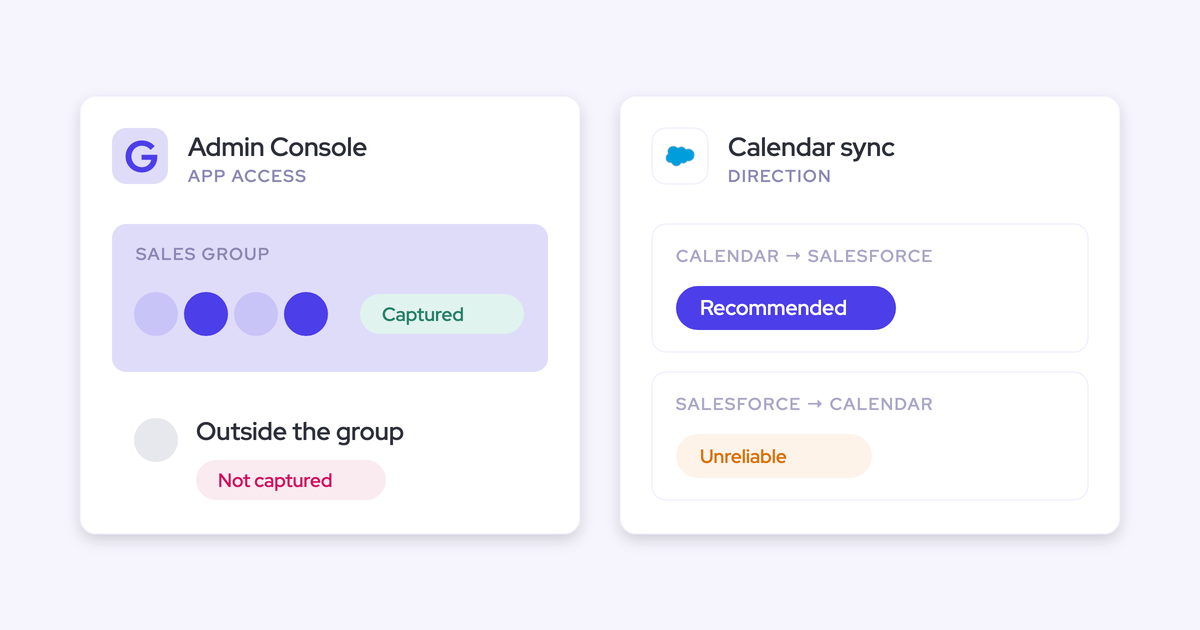
Don't assume an unrestricted parallel run is safe. The supplied evidence includes both cutover requirements and a setting-dependent transition involving one-way event sync.
Changing event direction can address a calendar feedback loop. It doesn't establish that two capture engines can write the same emails and meetings without conflict.
- Confirm the current transition procedure with Weflow before enrollment.
- Document email and event write ownership separately.
- Use a controlled cutover unless both teams verify a duplicate-safe test configuration.
- Reconcile source interactions across the handoff window.
Should emails use EmailMessage or Task records?
Choose the email object around the reporting and message-detail requirements you need to preserve.
| Consideration | EmailMessage | Task |
|---|---|---|
| Message detail | Preserves native sender, recipient, CC, and thread structure. | Doesn't provide the same native email structure. |
| Reporting | Requires testing the report path for email records. | Supports activity reporting alongside tasks and events. |
| Storage | Evaluate message detail and attachment footprint. | Offers a lighter record model, with less native email detail. |
| Weflow insights | Weflow reads this format. | Weflow reads this format. |
Build the required report before choosing. Don't trade away thread detail and discover later that your reply analysis needed it.
What Salesforce settings can block activity capture?
Integration permissions, required object fields, and validation rules can prevent capture or contact creation.
- Verify Contact creation permission for the integration user.
- Check Account and Opportunity access required for Weflow's mapping workflow.
- Inspect required Contact fields that the capture process doesn't populate.
- Test validation rules against actual integration writes.
- Review Shared Activities and Enhanced Email configuration.
- Inspect competing capture services and event sync direction.
Distinguish object-level requirements from page-layout settings. Test the API write rather than assuming the Salesforce screen explains integration behavior.
How far back can missing activity be recovered?
Weflow offers historical sync-back up to 24 months as an add-on. Weflow can also investigate failed email and meeting syncs and backfill them after correcting the cause.
Historical import and failure recovery are different requirements. Confirm source availability, the eligible time window, and the configuration that will govern the recovered records.
- Identify the missing interactions from the source system.
- Verify their destination records after backfill.
- Check for duplicate writes.
- Rerun the report that originally exposed the gap.
Approve the capture change when that report answers the original business question without a rep reconstructing the missing history.