Sales Automation: A Practical Guide for RevOps Teams
Learn how sales automation works, what to automate, and how RevOps teams implement it in Salesforce.



What is sales automation?
Sales automation is software that handles repetitive sales tasks—CRM data entry, email follow-ups, lead scoring, meeting scheduling, and pipeline updates—so reps can spend more time selling. Instead of manually logging every call in Salesforce, updating MEDDIC fields, and writing follow-up emails, automation tools capture this data and sync it to your CRM automatically.
Consider a typical day without automation: your rep finishes a discovery call, then spends 10 minutes logging it in Salesforce, updating opportunity fields, and drafting a follow-up. With sales automation, the call is recorded, transcribed, and synced to Salesforce. AI extracts next steps and updates the relevant fields. The rep moves to their next meeting.
Sales automation tools fall into several categories:
- CRM data capture and activity logging — automatically sync emails, meetings, and calls to Salesforce
- Lead enrichment — append company size, industry, contact data, and technographics to inbound leads
- Email sequencing — automate multi-touch outbound cadences with personalization
- AI-powered dialers — parallel dial, voicemail drop, and automatic call logging
- Meeting schedulers — eliminate back-and-forth with self-booking links
- Pipeline analytics and forecasting — track deal health, flag risk, and predict revenue
- Compensation management — calculate commissions and track attainment in real time
How does sales automation work?
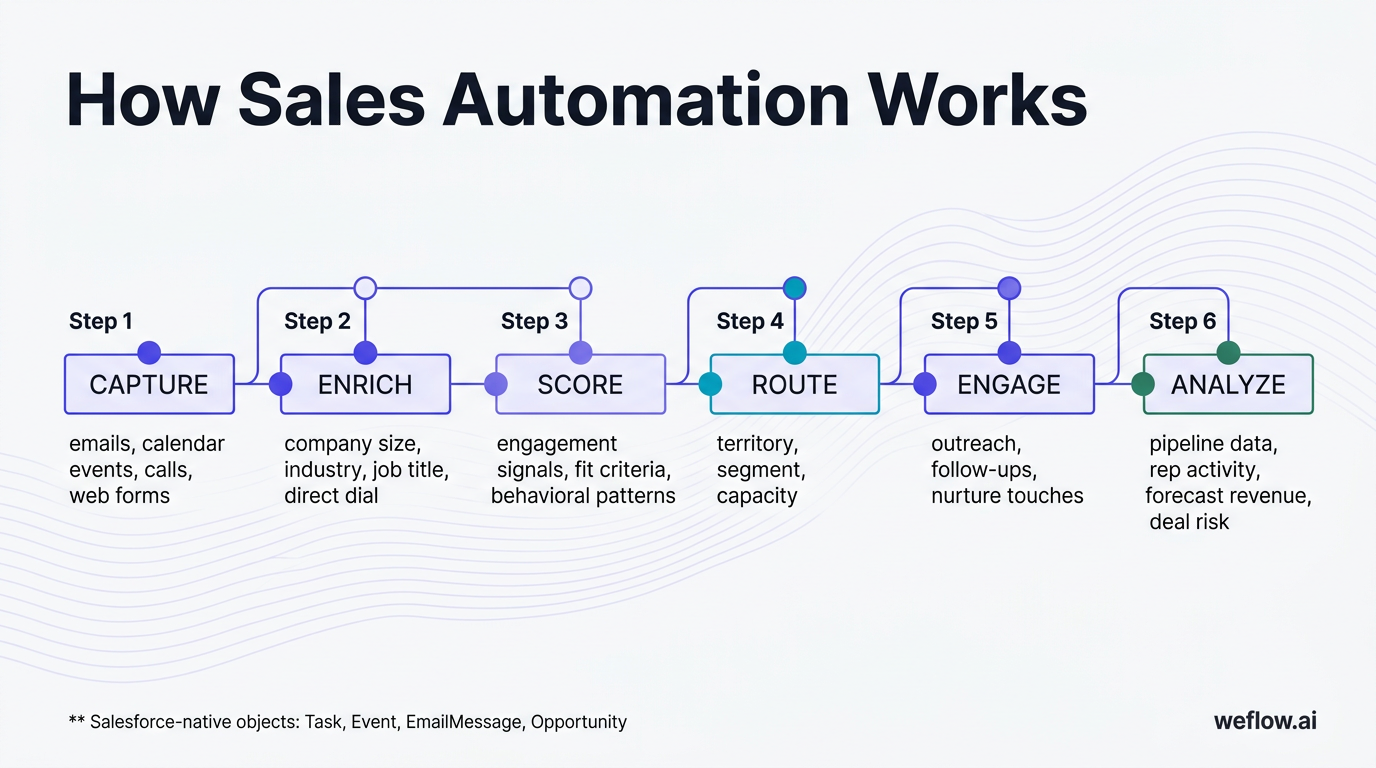
Sales automation follows a workflow that starts with data capture and ends with pipeline analytics. Here's how it typically flows:
- Capture — Data from emails, calendar events, calls, and web forms is automatically ingested and associated with the right Salesforce records. No manual entry required.
- Enrich — Third-party data providers append firmographic and contact information (company size, industry, job title, direct dial) to new leads and contacts.
- Score — AI assigns lead scores based on engagement signals, fit criteria, and behavioral patterns. Hot leads surface automatically.
- Route — Rules-based or round-robin assignment sends leads to the right rep based on territory, segment, or capacity.
- Engage — Automated sequences handle initial outreach, follow-ups, and nurture touches. Reps get notified when a prospect engages.
- Analyze — Dashboards aggregate pipeline data, track rep activity, forecast revenue, and flag deals at risk—all updated in real time from Salesforce.
The best automation stacks connect these steps natively to Salesforce, using standard objects (Task, Event, EmailMessage, Opportunity) rather than storing data in external systems that break your reports.
What are the benefits of sales automation?
Sales automation delivers measurable improvements across rep productivity, data quality, and forecast accuracy. Here are the seven benefits RevOps teams cite most often:
- Reclaim selling time — According to Salesforce's State of Sales report, reps spend only 28% of their time actually selling. The rest goes to admin work, internal meetings, and CRM updates. Automation reclaims hours every week by eliminating manual data entry.
- Reduce data entry errors — Manual CRM updates introduce typos, missing fields, and inconsistent data. Automated capture ensures every email, call, and meeting is logged accurately with timestamps and associations.
- Speed up the sales cycle — Automated follow-ups, instant lead routing, and real-time alerts mean no lead waits in a queue and no deal goes cold because a rep forgot to follow up.
- Improve forecast accuracy — When activity data is complete and deal stages are updated automatically based on conversation signals, forecast models have better inputs. Less guessing, more confidence in your commit.
- Enable personalized outreach at scale — Sequencing tools let reps run personalized multi-touch campaigns to hundreds of prospects without sacrificing relevance.
- Give managers real-time pipeline visibility — No more waiting for the weekly pipeline review to learn a deal slipped. Automation surfaces deal risk, stage changes, and activity gaps as they happen.
- Scale operations without adding headcount — As your team grows from 20 to 200 reps, automation ensures process consistency without requiring proportional increases in ops staff.
Sales automation vs. marketing automation: what's the difference?
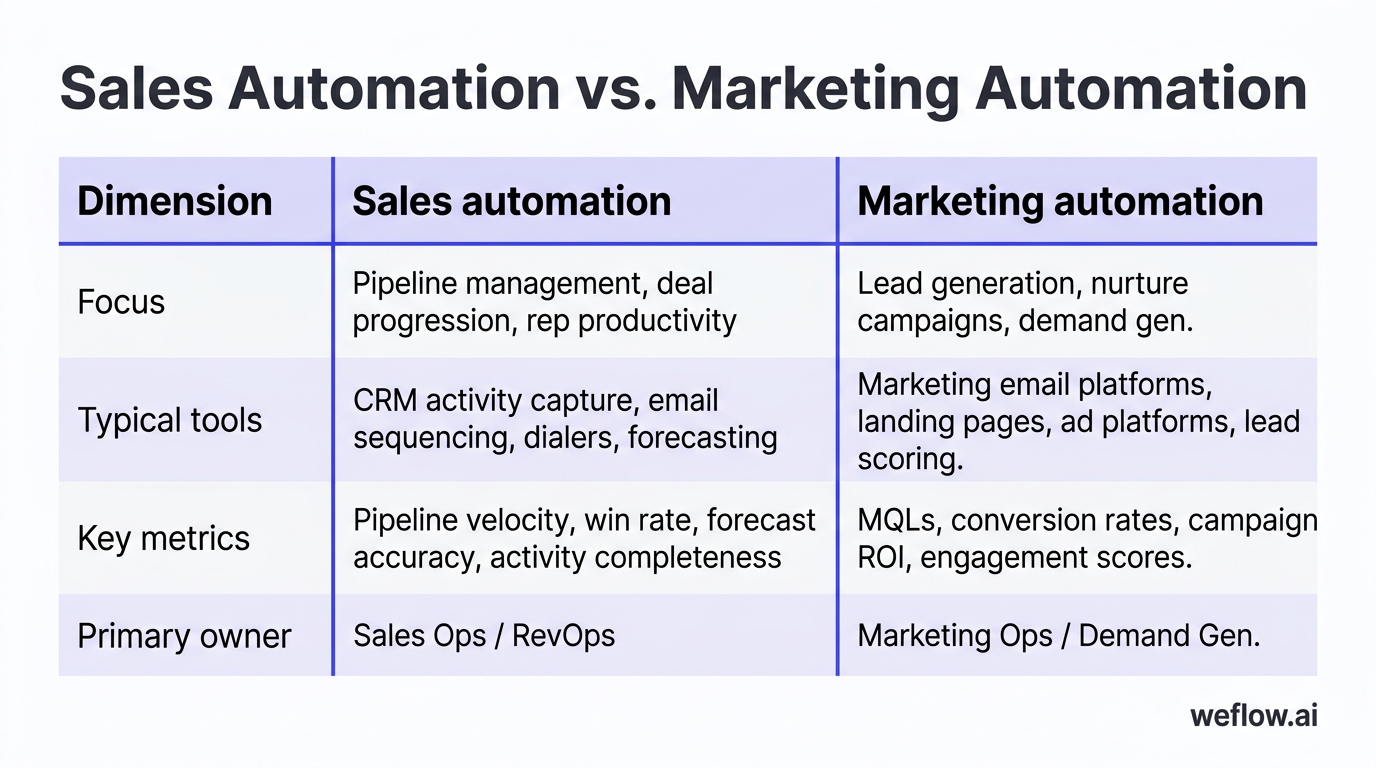
Sales automation and marketing automation address different stages of the revenue funnel. Marketing automation operates at the top—running campaigns, nurturing leads, scoring engagement, and handing off MQLs. Sales automation picks up post-handoff—managing pipeline updates, deal tracking, follow-up sequences, and forecasting.
The overlap happens at lead scoring and nurture, but the ownership differs. Marketing owns the lead until it meets qualification criteria. Sales owns it from opportunity creation through close. Both systems should sync to the same CRM, but they serve different teams with different workflows.
| Dimension | Sales automation | Marketing automation |
|---|---|---|
| Focus | Pipeline management, deal progression, rep productivity | Lead generation, nurture campaigns, demand gen |
| Typical tools | CRM activity capture, email sequencing, dialers, forecasting | Marketing email platforms, landing pages, ad platforms, lead scoring |
| Key metrics | Pipeline velocity, win rate, forecast accuracy, activity completeness | MQLs, conversion rates, campaign ROI, engagement scores |
| Primary owner | Sales Ops / RevOps | Marketing Ops / Demand Gen |
RevOps teams increasingly own both stacks, which is why alignment between sales and marketing automation—especially around lead handoff and attribution—is a top priority for most B2B organizations.
How to implement sales automation: a 5-step framework
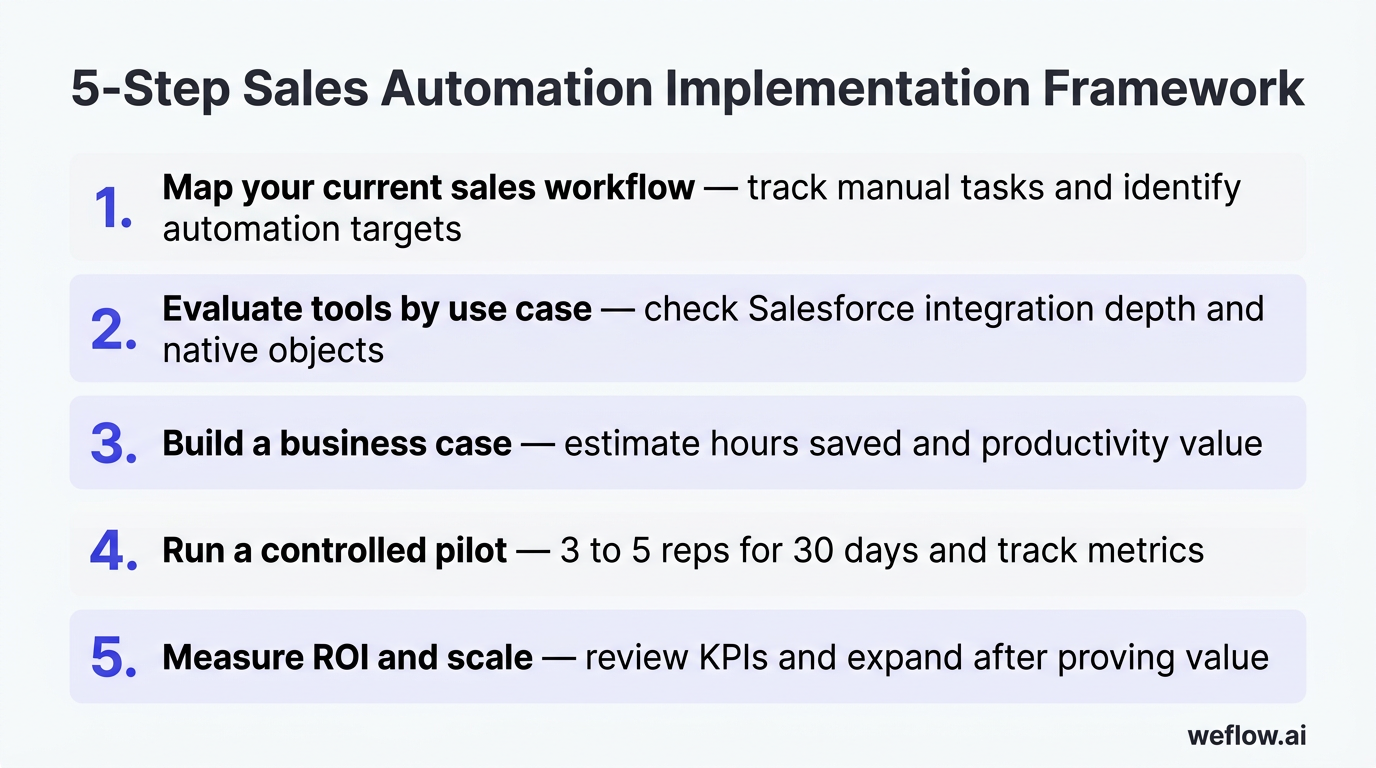
Step 1: Map your current sales workflow
Before buying tools, document how your reps actually work. Shadow a few AEs for a day and track every manual task: CRM updates, email logging, call notes, follow-up scheduling, pipeline reviews. Identify the tasks that eat the most time and introduce the most errors. These are your automation targets.
Step 2: Evaluate tools by use case
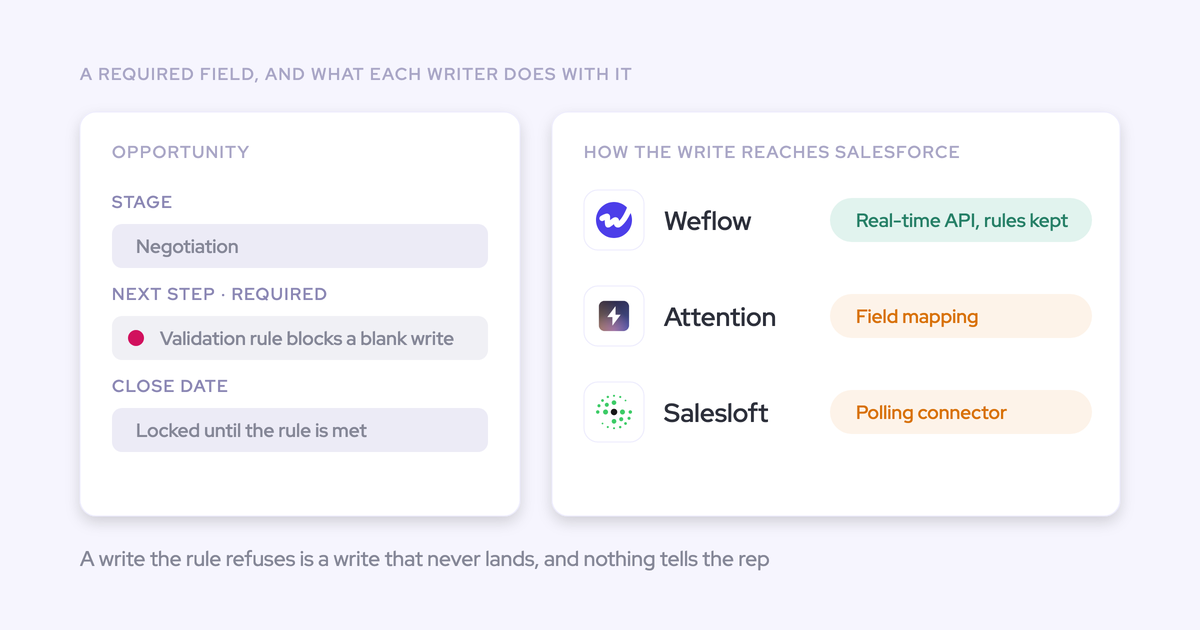
Match each automation need to a tool category. Check Salesforce integration depth—does the tool write to native Salesforce objects or store data externally? Verify compatibility with your Salesforce edition (Enterprise, Unlimited) and existing tech stack. Prioritize tools that consolidate capabilities rather than adding point solutions.
Step 3: Build a business case
Estimate hours saved per rep per week, multiply by fully loaded rep cost. If 50 reps save five hours each at $75/hour, that's $18,750 in weekly productivity. Factor in data quality improvements (fewer forecast surprises, better reporting) and reduced tool sprawl. Present this to your CFO with specific numbers, not general claims.
Step 4: Run a controlled pilot
Roll out to three to five reps for 30 days. Track specific metrics: CRM data completeness before and after, time spent on admin tasks, adoption rate, rep satisfaction. Document issues and workarounds. Use pilot learnings to refine configuration before full rollout.
Step 5: Measure ROI and scale
After the pilot, measure hours saved per rep, Salesforce data completeness rate, pipeline velocity changes, and tool adoption (daily active users). Set ongoing KPIs and review quarterly. Scale to the full team only after proving value with measurable results.
10 sales tasks you can automate right now
1. CRM data entry and activity logging
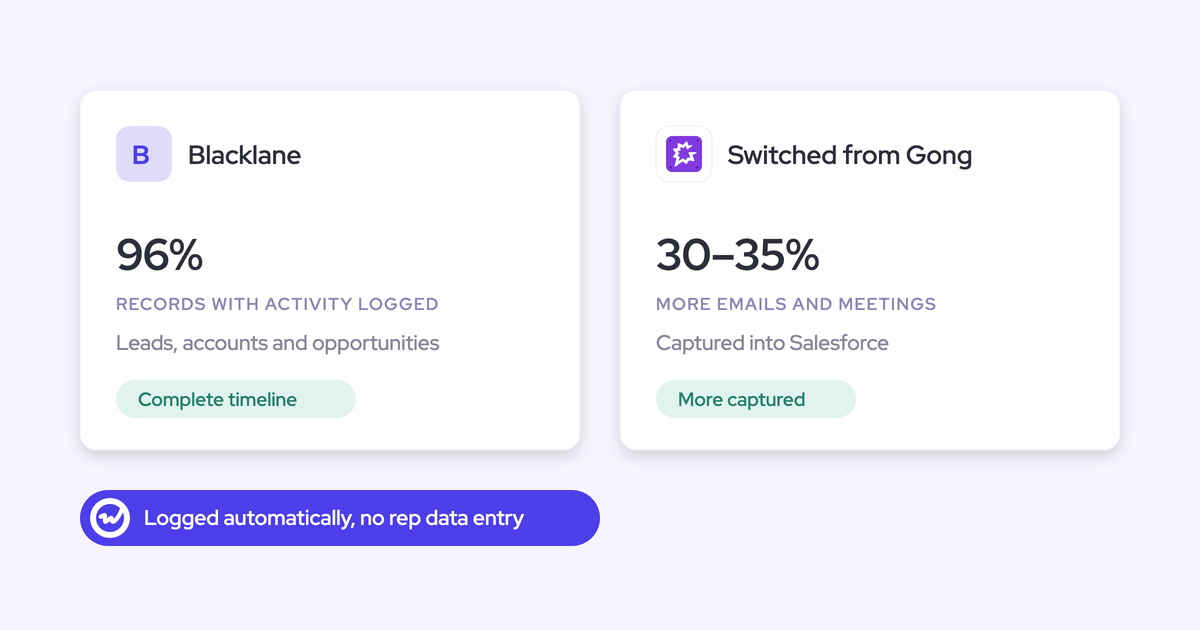
The biggest time sink for sales reps is manually logging calls, emails, and meetings in Salesforce. Activity capture tools sync this data automatically, associating emails with contacts and opportunities, logging call outcomes, and updating timestamps—without rep involvement.
Tools: Weflow, Scratchpad
2. Lead enrichment and contact data hygiene
When a new lead comes in, enrichment tools append company size, industry, revenue, technographics, and direct contact information. This eliminates manual research and ensures reps start outreach with complete data.
Tools: ZoomInfo, Apollo.io, Clay
3. Outbound calling and AI-powered dialers
Parallel dialers call multiple prospects simultaneously and connect reps only when someone answers. AI handles voicemail drops, call logging, and disposition coding. Reps talk to more prospects per hour with less manual work.
Tools: Orum, Nooks
4. Sales call recording, transcription, and AI analysis
Conversation intelligence tools record and transcribe sales calls, then use AI to surface coaching moments, competitive mentions, objection handling, and deal risk signals. The data syncs to Salesforce for pipeline context.
Tools: Gong, Fathom, Avoma
5. Automated email sequences and follow-ups
Email sequencing platforms let reps enroll prospects in multi-touch cadences with personalized templates. The system handles timing, follow-ups, and removes prospects who reply or book meetings.
Tools: Salesloft, Outreach
6. Direct mail, gifting, and ABM touchpoints
For high-value accounts, automated gifting platforms send physical items (gifts, handwritten notes, branded swag) triggered by deal stage or engagement signals. This adds a personal touch at scale.
[banner type="download" url="https://www.weflow.ai/resources/cheat-sheets/salesforce-data-hygiene-cheat-sheet" text="Salesforce Data Hygiene Cheat Sheet" subtitle="Fix the dirty CRM data that's quietly breaking your forecast" button="Get the cheat sheet"]
Tools: Sendoso, Reachdesk
7. Lead routing and assignment rules
When a new lead enters Salesforce, routing tools apply rules to assign it to the right rep based on territory, round-robin, capacity, or account ownership. No manual reassignment, no leads sitting unworked.
Tools: Chili Piper, LeanData, Default
8. AI-powered lead scoring and prioritization
Machine learning models analyze engagement patterns, firmographic fit, and behavioral signals to score leads. High-scoring leads surface first, so reps focus on prospects most likely to convert.
Tools: HubSpot lead scoring, MadKudu
9. Meeting scheduling and calendar automation
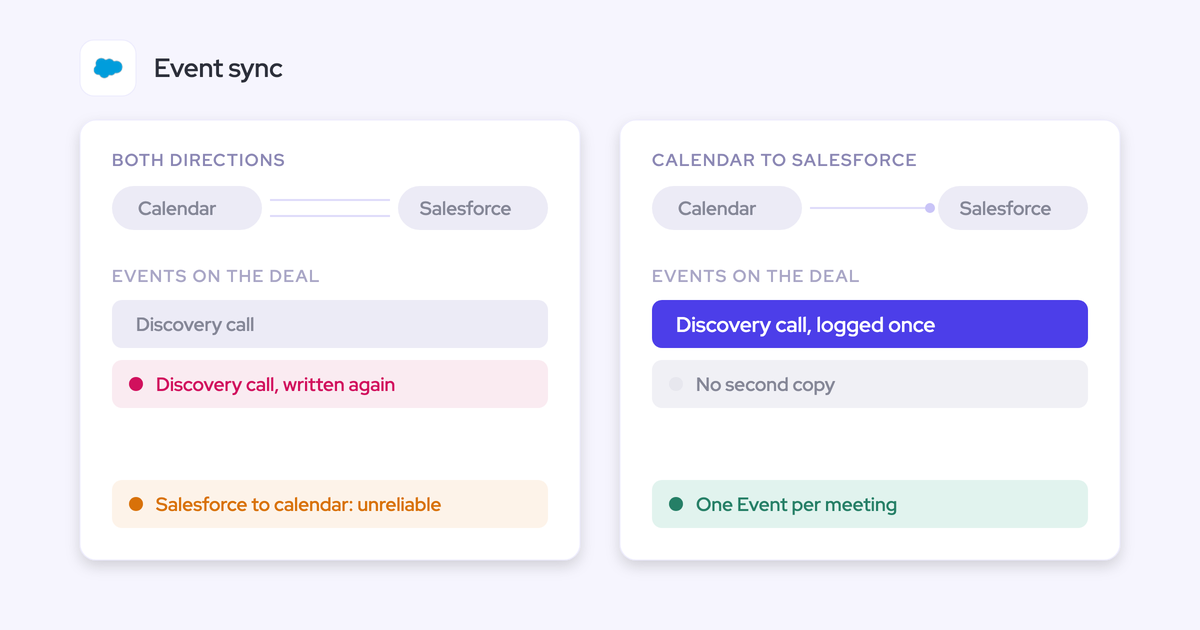
Scheduling links let prospects book time directly on rep calendars. The tool handles time zone conversion, buffer time, and Salesforce event creation. No more email ping-pong.
Tools: Calendly, Chili Piper, Cal.com
10. Sales compensation and commission tracking
Compensation platforms calculate commissions in real time based on closed deals, SPIFs, and accelerators. Reps see their earnings without waiting for month-end spreadsheets.
Tools: QuotaPath, CaptivateIQ
How AI is changing sales automation in 2026
The biggest shift in sales automation over the past 18 months isn't incremental feature updates—it's AI moving from assistance to autonomy. Three trends are reshaping what's possible.
Generative AI for email drafting and call summaries. AI now writes personalized follow-up emails based on call transcripts, drafts meeting agendas, and generates executive summaries. Reps review and send rather than write from scratch. This cuts post-call admin time by 80% or more.
Predictive AI for deal risk scoring and forecasting. Modern forecast models analyze conversation signals (not just stage and close date) to predict which deals will close, slip, or churn. AI flags deals with decreasing engagement or missing stakeholders weeks before they stall.
AI agents handling multi-step workflows. The newest development is AI agents that execute entire workflows autonomously. Weflow's AI agents, for example, can update MEDDIC fields after a call, create follow-up tasks, draft emails, and log activities—all without rep intervention. This moves beyond "AI-assisted" to "AI-executed" workflows.
Conversation intelligence as a CRM data source. The original use case for conversation intelligence was call coaching. Now, teams use call data to improve CRM data quality—extracting next steps, identifying stakeholders, and updating opportunity fields automatically. The recording becomes a data source, not just an archive.
Frequently asked questions
What is an example of sales automation?
A rep finishes a sales call. An activity capture tool records and transcribes the call, logs it as a Salesforce Task associated with the Opportunity, extracts discussed topics and next steps, updates MEDDIC fields, and drafts a follow-up email—all automatically. The rep moves to their next meeting without touching Salesforce.
What is the difference between sales automation and marketing automation?
Sales automation focuses on post-pipeline activities: CRM updates, deal tracking, follow-up sequences, and forecasting. Marketing automation handles top-of-funnel: campaigns, lead nurturing, and engagement scoring. Sales automation serves reps and RevOps; marketing automation serves demand gen and marketing ops.
What are the best sales automation tools in 2026?
It depends on your primary need. For Salesforce activity capture, look for tools with native object storage and AI-powered field updates. For conversation intelligence with deep coaching features, Gong remains the market leader. For outbound sequencing, Salesloft and Outreach dominate. For lead enrichment, ZoomInfo and Apollo.io lead the category.
How much time does sales automation save?
Teams using activity capture tools typically report five to eight hours saved per rep per week. The Salesforce State of Sales report shows reps spend 72% of their time on non-selling activities—automation targets the manual data entry, logging, and admin work that dominates that time.
Does sales automation replace sales reps?
No. Sales automation replaces admin work, not selling. The goal is to let reps spend more time on high-value activities—discovery calls, demos, negotiations—and less time on CRM updates and data entry. Top-performing teams use automation to increase rep productivity, not reduce headcount.
How does AI improve sales automation?
AI adds intelligence to automation. Instead of just logging a call, AI extracts key topics, identifies deal risk signals, updates methodology fields, and drafts follow-ups. Predictive AI forecasts deal outcomes and flags at-risk opportunities. AI agents execute multi-step workflows autonomously rather than requiring manual triggers.
How do I choose the right sales automation software?
Start with your biggest pain point. If CRM data quality is the issue, prioritize activity capture tools with native Salesforce integration. If outbound volume is the bottleneck, focus on sequencing and dialers. Check Salesforce integration depth—tools that write to native objects (Task, Event, EmailMessage) preserve your existing reports. Factor in total cost of ownership, not just license price.
Can small sales teams benefit from sales automation?
Yes. A 10-person sales team still wastes hours weekly on CRM data entry. Activity capture and basic sequencing tools have low per-seat costs and deliver immediate ROI. The key is avoiding tool sprawl—choose a platform that covers multiple use cases rather than buying five point solutions for a team of 10.
Start automating your sales process today
You don't need to automate everything at once. Start with CRM data entry—it's the biggest time sink and the foundation for every downstream improvement. When activity data is complete and accurate, forecasts get better, managers get visibility, and reps get hours back.
Weflow, a Salesforce-native revenue AI platform, automates Salesforce activity capture so reps stop logging calls and start selling. Activity data flows to native Salesforce objects, AI updates CRM fields after every conversation, and your pipeline reports finally reflect reality.