New in Weflow: Activity reporting and data health views inside Salesforce with the Advanced Analytics package
Decide if Weflow in Salesforce can replace Einstein Activity Capture for reporting and data health.


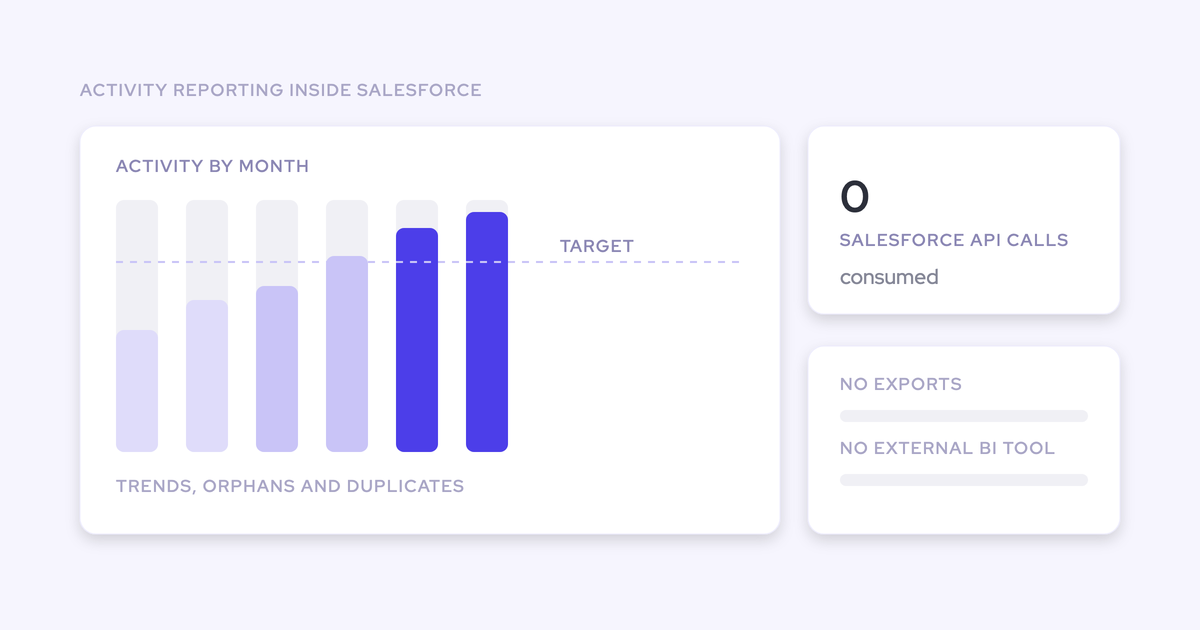

The Weflow Advanced Analytics package is live. It puts activity reports, trend lines, CRM data health views, and an embeddable activity timeline inside Salesforce itself, running on activity stored as native records you own, consuming zero Salesforce API calls.
Which means the questions your leadership keeps asking get answered in the CRM. How many meetings did we run last month. Which accounts have gone dark. Which reps send email and which ones actually get in the room. No export, no BI tool, no argument about the org's daily API limit.
The timing isn't an accident either. EAC's legacy Activity 360 reporting, Activity Metrics, and Activities Dashboard retire in Summer '26, so this is the year most Salesforce teams have to decide who owns their activity reporting layer. Weflow is the Revenue AI Orchestration platform for sales, customer success, and RevOps teams: it automates Salesforce data capture and uses AI to turn that data into deal, pipeline, forecast, and coaching intelligence. This release is the reporting layer sitting on top of the capture.
What the Weflow Advanced Analytics package adds to Salesforce
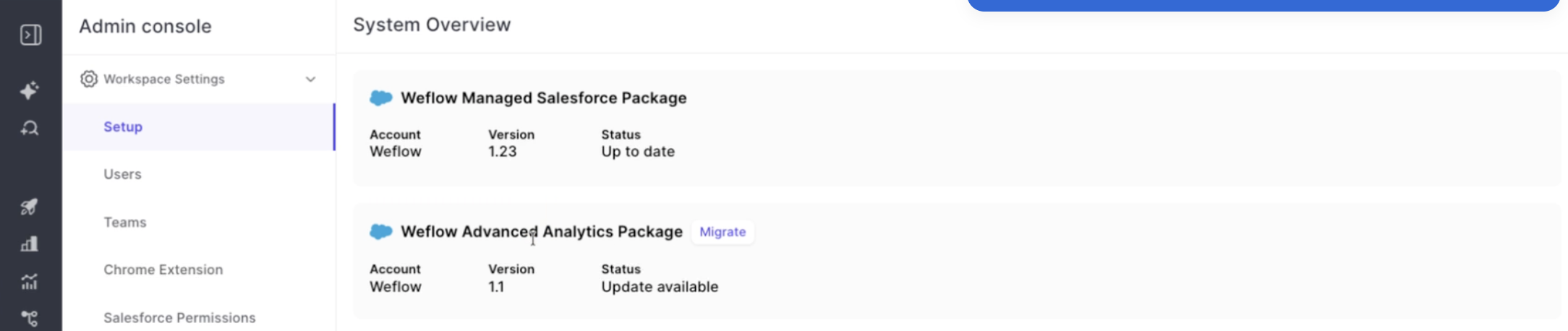
It's one managed package an admin enables from the Weflow admin console. Once it's in, it shows up as a Salesforce app, not a vendor dashboard you have to send people to.
 What ships in it:
- Activity reports and tre
 nd lines showing activity over time, by record, by account, and per user split by emails, meetings, and other types.
- An orphaned-record view listing the accounts, contacts, leads, and opportunities with no activity in the last 90 days.
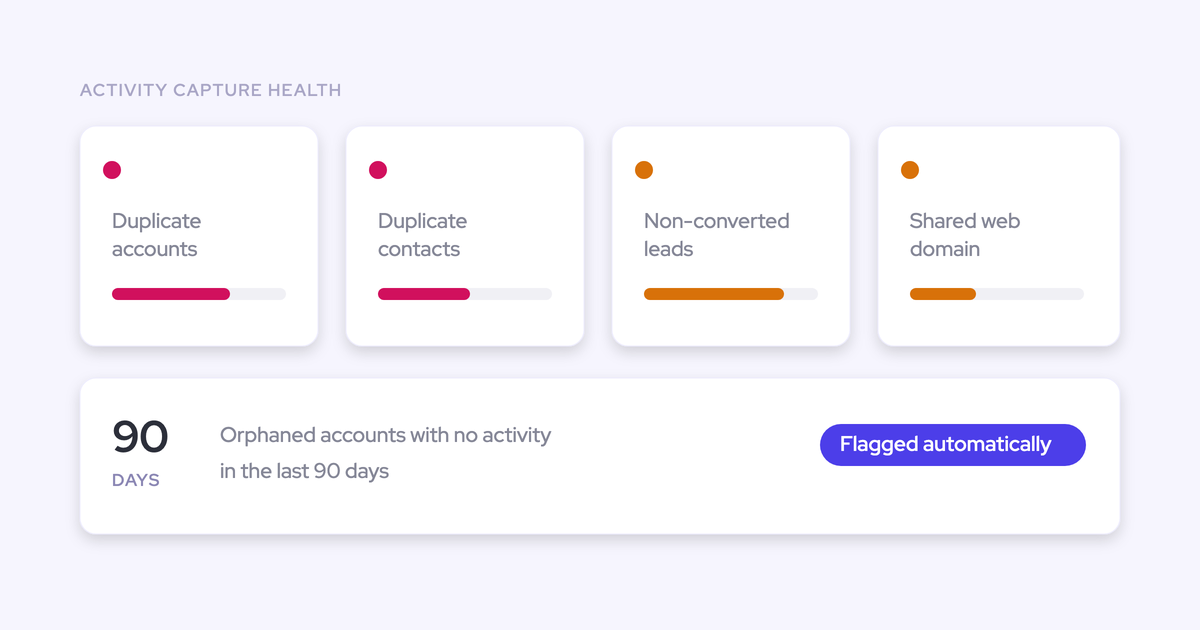
- Activity Capture Health, a standing hygiene view that flags duplicate accounts, duplicate contacts, non-converted leads, accounts sharing a website domain, and capture settings that aren't configured for optimal capture.
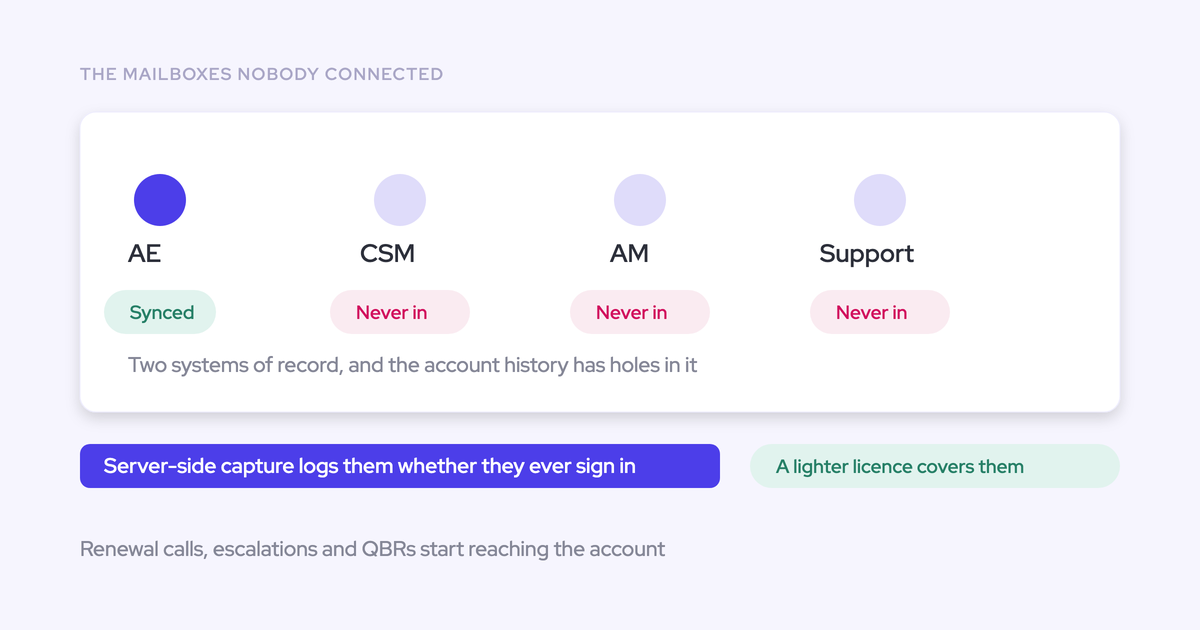
- An inactive-user filter that surfaces activity still assigned to reps you've deactivated in Salesforce.
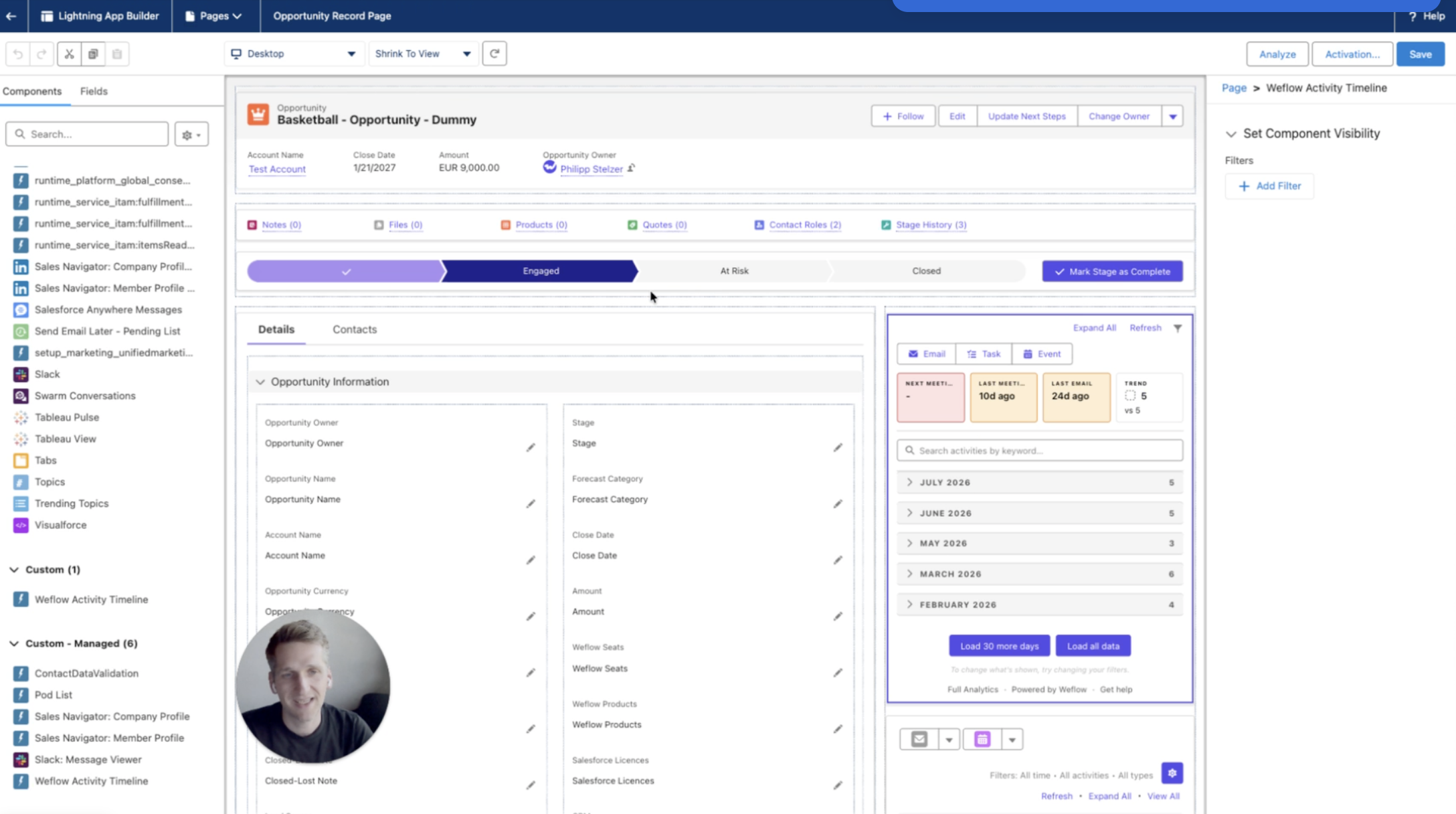
- The Weflow Activity Timeline, a Lightning component you drop onto any Account, Opportunity, Contact, or Lead page.
Recording metrics come with it too: volume, total duration, average duration. And an API call overview, which we'll come back to.
Why you can't report on activity data in Salesforce today
Every path to activity reporting in Salesforce fails on the same axis: either the data or the reporting doesn't live where the CRM can use it.
| The path you're on | Where it breaks |
| EAC's canned activity report | Historically EAC stored activity on AWS/Hyperforce rather than as records in the core Salesforce database, so you got one report Salesforce built for you. You couldn't customize it, couldn't build your own, couldn't export it, and couldn't read the data in a flow. The activities also didn't update the standard Last Activity Date field, because Salesforce didn't recognize them as native activities. |
| Salesforce reports and flows you build yourself | Reporting built against the Salesforce API competes with every other integration for the org's daily limit. So it gets rationed, or it gets moved out. Teams that build it also end up maintaining flows, custom fields, and record-matching logic that breaks quietly whenever a sync misses. |
| Export to Looker, Tableau, or Power BI | The reporting works and the data no longer sits where Salesforce can act on it. A flow can't read your BI warehouse, so you've bought analytics and given up automation. |
We hear the same sentence from Sales Ops on almost every call about this:
we've basically built Salesforce reports to do the velocity stuff. And it's been a pain, building flows and custom fields and trying to pick up the right records. And then if the records don't sync, emails don't sync.
Credit where it's due: Salesforce did fix the storage problem. The Summer '25 release introduced an opt-in "Sync Email as Salesforce Activity" option, and EAC activities become fully reportable once you enable it and migrate through Salesforce Support. But that fix cost the teams who had already worked around the old architecture, because reporting built against the previous structure stopped matching and had to be rebuilt.
Now the legacy reporting layer retires in Summer '26, and Salesforce has named Momentum, the product it acquired, as the future of call recording and activity capture in Salesforce. No migration path, no end-of-life date, no pricing consequence given.
So the honest read: the native path you standardized on has no forward story of its own, and the reporting layer you build sits on someone else's architecture decisions. That's the argument for activity living in objects you control.
What you can do with the Advanced Analytics views
Each view in this package exists because a specific question a Sales Ops person gets asked couldn't be answered inside Salesforce before. Not one of them is a chart for the sake of a chart. Here's the question each one settles.
Run activity reports and trend lines without an API budget
Your VP asks how many meetings the team ran last month, and how that compares to the month before. You open the Weflow app inside Salesforce and answer it, without exporting anything and without spending a single API call.
What you get in the package:
- Activity trend lines over time, so you can see the shape of the quarter instead of a single total.
- Activity broken down by record and by account.
- Activity counts per user, split by emails, meetings, and other types.
- Recording metrics: volume, total duration, average duration.
- An API call overview, so you can see consumption rather than guess at it.
The per-user split by type is the one managers get most out of. A volume count tells you a rep is busy. A split tells you they sent 400 emails and ran four meetings, which is a coaching conversation, not a leaderboard.
And because the reporting costs nothing in API terms, it runs continuously. You stop deciding which reports the org can afford this week.
Find accounts and opportunities with no activity in 90 days
The orphaned-record view shows which accounts, contacts, leads, and opportunities have no activity in the last 90 days.
That's the set a pipeline review never surfaces, because reviews inspect what's moving. Nobody walks into a Monday call and says "let's look at the twelve accounts we haven't touched since October." Those accounts are exactly where the retention risk sits, and they're invisible in every report that counts activity rather than the absence of it.
It's also the view that turns into a workflow. Once you can see the list, you can decide what happens to it: a task for the owner, a reassignment, a check-in cadence on your highest-ARR accounts.
Catch duplicates and misconfiguration with Activity Capture Health
Activity Capture Health turns CRM hygiene from an audit somebody has to remember to run into a standing view inside Salesforce. It flags:
- Accounts sharing the same website domain. This is the pattern that breaks activity-to-opportunity mapping. If two accounts carry the same domain, capture can't tell which one an email belongs to.
- Duplicate accounts. One company, two records, and the engagement history split between them.
- Duplicate contacts. The same human on two records, so the deal looks half as engaged as it is.
- Non-converted leads. Activity lands on the lead while the deal work happens on the account and opportunity.
- Capture settings not yet configured for optimal capture. This one matters most on a fresh install, where a quietly wrong configuration produces missing activity that nobody attributes to configuration for months.
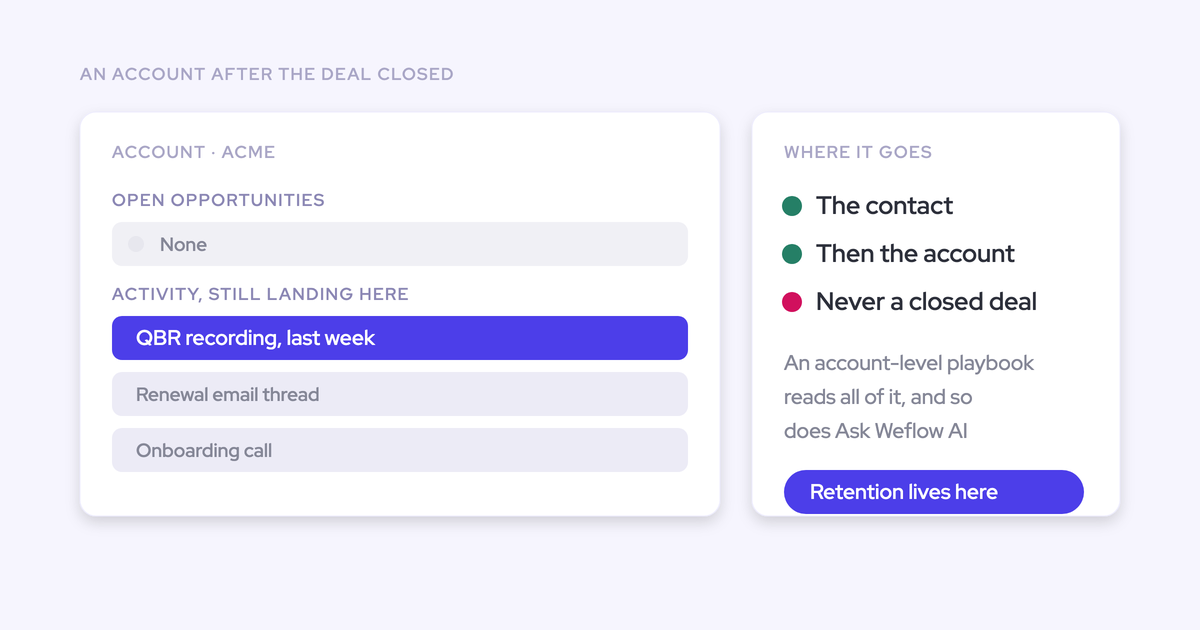
Worth knowing why the domain flag deserves its own line: Salesforce lets an activity relate to either an opportunity or an account, not both. When capture can't determine the opportunity, it falls back to the account. No error, no warning. The account timeline looks healthy and the deal looks dormant.
The other thing this view does is defend you.
A view that names the duplicate account and the misconfigured setting lets you say which side the fault sits on, in about a minute, with a screen to point at.

Surface activity still assigned to deactivated reps
The inactive-user filter shows activity still owned by people you've deactivated in Salesforce.
Default views filter to active users, so a departed rep's activity disappears from them. It doesn't disappear from the org, it just stops being visible, and the accounts involved start reading as having had no recent contact. During a territory handover that's the difference between an auditable transfer and a guess.
Drop the Weflow Activity Timeline onto any Salesforce record
The Weflow Activity Timeline is a Lightning component. An admin drags it onto any Account, Opportunity, Contact, or Lead page through Edit Page, and positions it wherever the team actually looks.
On the record it shows:
- Next meeting, last meeting, and last email at a glance.
- A trend line of activity over time for that record.
- Email threads grouped by conversation.
- Summaries of call and meeting recordings, with the Weflow recording object surfaced natively.
It's built as a replacement for the standard Salesforce activity timeline, not an extra panel beside it. The grouping is the part reps notice: a thread of six emails reads as one conversation instead of six rows you have to open one at a time.
Two honest notes. The recording surfacing only pays off if your team runs Weflow Conversation Intelligence, because recording lives there rather than in capture. And email open tracking ships in this same package, but it only registers on mail sent through the Weflow plugin.
Where the reports live: native Salesforce records, zero API calls
The reports read activity that Weflow has already written into native Salesforce objects inside your own org. Nothing gets fetched out, nothing gets shipped to a vendor warehouse, so there's no API call to spend.
That single architectural fact is doing three jobs at once:
- Zero API consumption. The reporting isn't querying Salesforce from outside, so it doesn't compete with your sequencer, your enrichment tool, or your CPQ integration for the daily limit.
- The reports live in Salesforce. The answer to "where do I go to see this" is the Weflow app in your org, not a login somebody outside the revenue team will never open.
- The data stays usable. Native records are queryable, readable inside a flow, exportable, and they update the standard Last Activity Date field.
The API point isn't fine print for this reader.
One limit to state plainly, because it's the same subject: historical sync-back is not free of API calls. Backfilling the previous 12 to 24 months of email and meeting history takes three to four days and runs against the API calls your org has available, so a busy quota can slow it down. The ongoing reporting costs nothing. The one-time backfill does.
How to install the Advanced Analytics package for all users
It's a Salesforce managed package. You need Salesforce admin rights, it takes a few minutes, and it doesn't affect existing Weflow data or running activity capture.
- Open the Weflow admin console. If your org is already on the older Advanced Tracking package you'll see Migrate. If you never installed it, you'll see Install. Both do the same thing.
- Choose "Install for All Users." This is the step that goes wrong. Picking "Install for Admins Only" leaves your team without the fields and objects the package adds, so the timeline is missing for reps and the analytics data doesn't show up. Every user needs access.
- Find the Weflow app in Salesforce. The reports and health views appear there once the package is in.
- Add the Activity Timeline where your team works. Open a record page, hit Edit Page, and drag the component onto your Account, Opportunity, Contact, and Lead layouts.
If you want to sanity-check it first, install into a sandbox and click through it there before it touches production. Plenty of teams do exactly that.
Frequently asked questions about the Weflow Advanced Analytics package
Is the Advanced Analytics package included with Weflow Activity & Contact Capture?
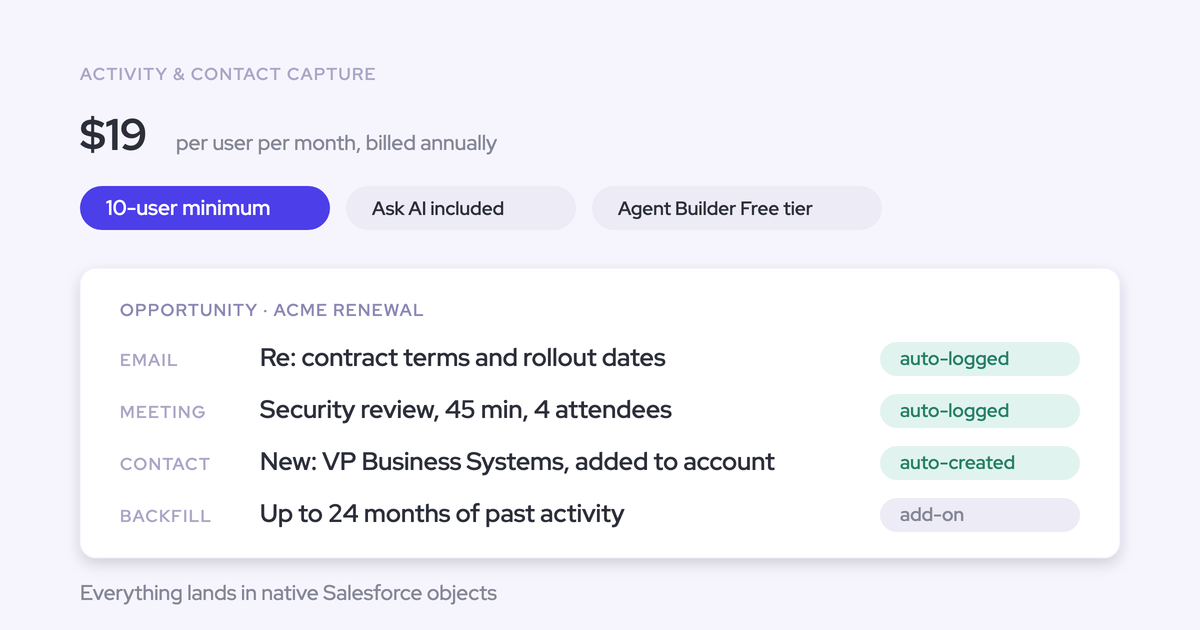
Yes. Weflow Activity & Contact Capture is $19 per user per month billed annually, and pre-built activity insights and reports are part of it. The Advanced Analytics package is how those land inside Salesforce as a managed package. It's a step you install, not a separate line on your invoice. Weflow's minimum is 10 users, billed annually.
Do I need Conversation Intelligence to see call recordings in the timeline?
Yes. Call and meeting recording lives in Weflow Conversation Intelligence ($39 per user per month), not in Activity & Contact Capture. Capture-only teams get the full activity half of the timeline: next meeting, last meeting, last email, grouped email threads, and the activity trend line. The recording summaries and the recording metrics reports need recordings to exist first.
Can I test the Advanced Analytics package in a Salesforce sandbox?
Yes. It installs into a sandbox like any other managed package, and testing there first is what most Sales Ops people ask for before production:
we can test the way that it connects and integrates to salesforce in a sandbox environment of salesforce rather than production.
Weflow evaluations also run as a proof of concept in a sandbox, alongside the 14-day trial and the opt-out pilot, so the sandbox route isn't a workaround. It's one of the supported paths.
Does the upgrade affect existing Weflow data or activity capture?
No. The upgrade needs Salesforce admin rights, takes a few minutes, and leaves existing Weflow data and running capture untouched. The views read activity that's already in your org, so switching the package on doesn't rewrite or re-map anything.
Will the views conflict with Einstein Activity Capture or a sequencer running in parallel?
The views themselves can't create a duplicate, because they only report on what the capture layer already wrote. Duplication is a capture question, and Weflow has two settings for it.
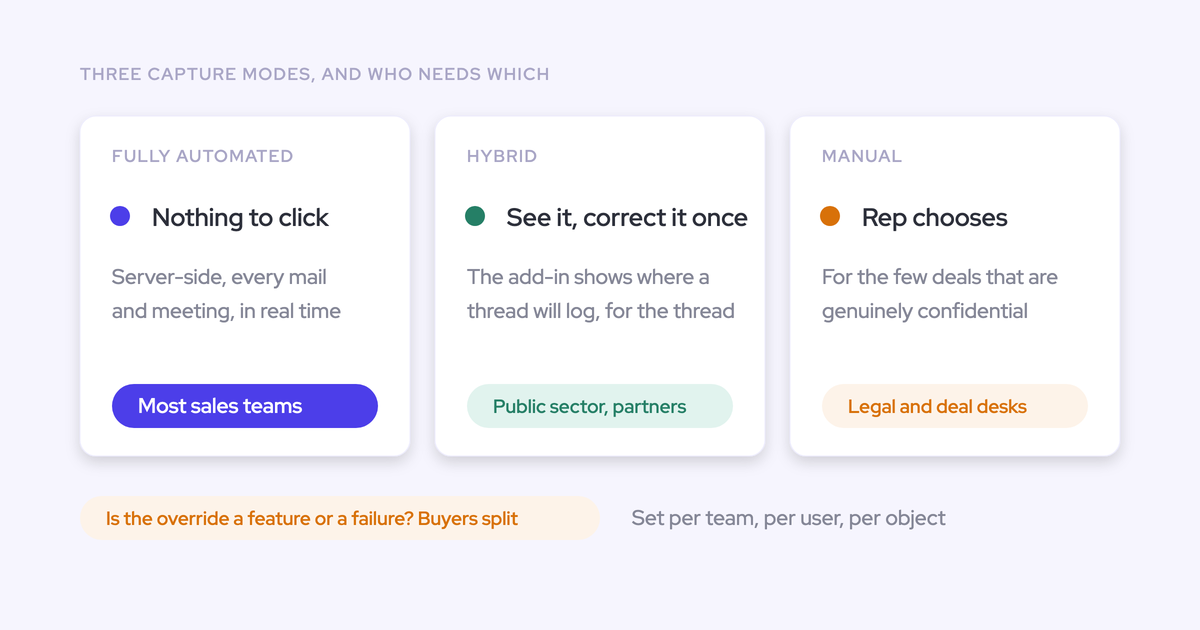
- Compatibility mode holds Weflow's write back by about ten seconds so another tool can log the email first, then matches on the record id so the same email isn't written twice. That's the setting for a tool that should keep logging, like Outreach, Salesloft, or Apollo.
- Tracking patterns suppress a sequencer's bulk sends entirely, matched on a string in the message body, so marketing traffic never reaches the CRM at all.
On EAC specifically: if EAC event sync is set to run in both directions, it creates a loop that duplicates every event once a second capture tool is also writing. Setting EAC's event sync to one direction, calendar into Salesforce, resolves it without turning EAC off. Most of our customers disable EAC once Weflow is handling capture anyway.
What replaces EAC Activity 360 reporting after Summer '26?
You have two real options. Enable "Sync Email as Salesforce Activity," migrate your org through Salesforce Support, and build the reporting yourself against native records and the Salesforce API. That's a legitimate path, and for a small team that needs no customization it's the cheaper one.
Or put the reporting layer somewhere you control. The Weflow Advanced Analytics package gives you activity reports, trend lines, orphaned-record views, and Activity Capture Health inside Salesforce, on activity stored as native records you own, with no API consumption and nothing to rebuild the next time a vendor changes where the data sits.
That's the part worth deciding on before Summer '26, and it isn't really a reporting decision. It's a storage decision. Whoever owns the store owns your reporting roadmap.