Einstein Activity Capture 360 reporting retires in February 2027: migrate or switch to Weflow?
Decide whether to rebuild Einstein Activity Capture reporting or switch to Weflow before February 2027.


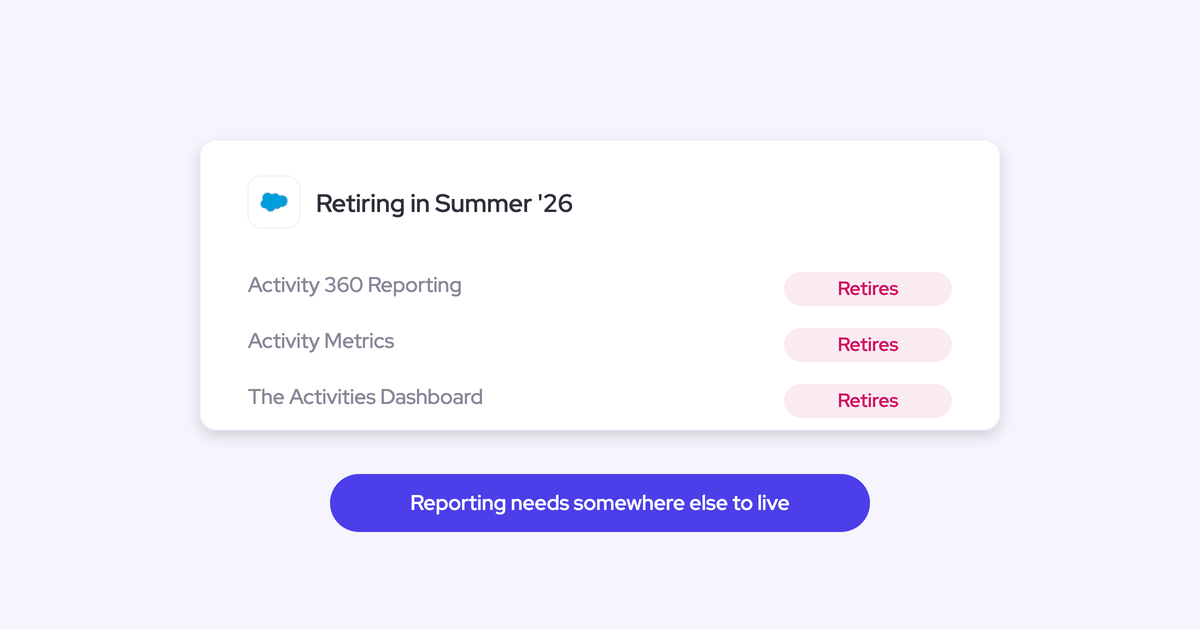

Salesforce is retiring four Einstein Activity Capture features you probably rely on: Activity 360 Reporting, Activity Metrics, the Activities Dashboard, and Recommended Connections. All four go away with Salesforce's Spring '27 release in February 2027. If your activity reporting runs on Einstein Activity Capture today, the dashboards leadership opens on Monday morning now have an expiry date.
Here's the part most vendor content gets wrong. Salesforce did fix the old complaint. Activity from EAC can now land as native records, and the opt-in "Sync Email as Salesforce Activity" path makes email and meeting activity reportable inside Salesforce. Anyone still telling you EAC simply can't report is describing 2024.
What the retirement actually means is this: every EAC org now does a migration project on Salesforce's timeline. You don't get to skip it. The only real question is whether you do that work to stay inside EAC's remaining gaps, or do it once and move to activity data you own and can report on permanently.
What retires from Einstein Activity Capture in February 2027
Four legacy features retire: three reporting surfaces, Activity 360 Reporting, Activity Metrics, and the Activities Dashboard, plus Recommended Connections. Capture itself keeps running, and the email and activity records already in Salesforce are not affected. What stops is the layer Salesforce built on top of the old external-storage model.
The replacement is not a new dashboard. It's standard Salesforce reporting against activity records, which only exist in your org once you've enabled "Sync Email as Salesforce Activity" and migrated onto it.
| What changes in February 2027 | What it means for your org |
| Activity 360 Reporting retires | Its objects (UnifiedEmail, UnifiedMeeting, UnifiedTask and their participant objects) are retired, so saved reports built on them stop returning data. Activity reporting has to be rebuilt as standard Salesforce reports against activity records. |
| Activity Metrics retires | The email and meeting counts on account and opportunity records stop populating. Custom code, validation rules, and reports that reference those fields return null values. |
| Activities Dashboard retires | It stops loading, and its historical data is not kept. It has to be rebuilt as a standard Salesforce dashboard, on records that exist only after migration. |
| Recommended Connections retires | The suggested contacts disappear from record pages and Seller Home. Salesforce's replacement is invocable actions your admin builds. |
| Email and event capture | Keeps working. EAC continues syncing from Outlook or Google into Salesforce. |
| "Sync Email as Salesforce Activity" | The path forward. It's opt-in, and existing orgs have to actively migrate through Salesforce Support. |
That last row is the one that reframes the decision, so it's worth spending a section on.
Why "Sync Email as Salesforce Activity" is a migration project
Enabling native sync is not a checkbox in Setup. It's opt-in, existing orgs migrate through Salesforce Support, and everything you built against the previous structure gets reconciled afterward.
We've watched this play out already. When Salesforce moved EAC from its external store toward native records, customers who had built reporting around the old architecture had to rebuild it. Velocity reports stopped matching. Flows and custom fields written against the previous structure needed rework.
The work items on the "stay" path:
- Raise the migration request with Salesforce Support and schedule it around your release windows.
- Rebuild the reports and dashboards that sat on Activity 360, Activity Metrics, and the Activities Dashboard, as standard Salesforce reports on activity records.
- Reconcile flows, custom fields, and automations that referenced the old structure or the EAC metrics layer. Apex, flows, and validation rules that read Activity Metrics fields get null values after the retirement.
- Re-validate anything downstream: BI extracts, Last Activity Date logic, inactivity alerts, territory or coverage reporting.
- Confirm in writing what happens to the activity history you already have, and how long the new records are retained.
Salesforce's own timeline for this work: audit which of the four features your org uses by June 2026, build the replacements between June and December 2026, validate them in a sandbox in January 2027, and the features retire in production in February 2027.
None of that is exotic admin work. It is, however, a project with a deadline attached, and it lands on the same RevOps person who is already behind. So if you're going to spend that quarter anyway, the honest question is what you get at the end of it.
Einstein Activity Capture vs Weflow at a glance
Weflow is the Revenue AI Orchestration platform for sales, customer success, and RevOps teams, and Weflow Activity & Contact Capture is the product that competes with EAC directly. The dimensions below are the ones that decide this evaluation in practice: where the records live, how activity finds the right opportunity, what gets captured at all, and what it costs. Feature-grid rows like "syncs email" are true on both sides and tell you nothing.
| Dimension | Einstein Activity Capture (after the native migration) | Weflow Activity & Contact Capture |
| Where activity lives | Native records once you've enabled Sync Email as Salesforce Activity and migrated. Before that, activity streams into the timeline from Salesforce's own store. | Written permanently into native EmailMessage, Task, and Event objects from day one. Admins choose whether an email lands as an email message or a task. |
| Opportunity mapping | Depends on opportunity contact roles, and falls back to the account when an account has more than one open opportunity. | Hybrid model: automatic server-side matching, plus the Outlook add-in and Chrome extension so a rep can pick the right opportunity, account, or custom object. |
| Fixing a wrong mapping | No interface for it. EAC runs as background logging, and the Salesforce Outlook and Gmail add-in is a separate service that doesn't feed back into EAC's matching. | The rep re-maps the thread once from inside their mailbox, and Weflow applies that choice to every later reply in the thread. |
| Contacts and attachments | Creates no contacts and logs no email attachments. | Creates contacts on existing accounts with dedup and per-event caps, can set opportunity contact roles, and stores attachments with a configurable size cap. |
| Meeting event model | One Event per attendee, which inflates meeting counts per rep and per opportunity. | One parent Event per meeting plus child Events per attendee, so meeting counts stay reportable. |
| Retention | A retention window measured in months, after which captured activity is removed. | Permanent records. Historical email and meeting activity can be backfilled, up to 24 months as an add-on. |
| License cost | Free up to 100 users, roughly $50 per user per month above that. | $19 per user per month, billed annually, 10-user minimum. |
When staying on EAC's native path is the right call
Sometimes it is. EAC is free up to 100 users, it's already installed, and if all you need is email and meeting activity visible and reportable in Salesforce, the native path gets you there without a procurement cycle.
Stay on EAC if most of these are true:
- You're under 100 users, so EAC costs you nothing in license terms.
- Your reporting question is "did we touch this account", not "how much engagement did this opportunity have".
- Accounts in your org typically carry one open opportunity at a time, so contact-role-based mapping mostly works.
- You don't need email attachments in Salesforce, and you don't need contacts created from threads and invites.
- You have the admin capacity in the next two quarters to run the migration and rebuild the reports.
- Your team sells from a desk. EAC is workable on desktop and weak on mobile, which matters a lot if your reps are in the field.
And the honest limits on our side, because they disqualify some readers outright:
- Weflow works only with Salesforce. If part of your group runs a different CRM, we can only cover the Salesforce footprint.
- VoIP and phone-call capture is a gap. A phone-heavy motion won't be fully covered.
- Weflow isn't FedRAMP certified, so US government contractors with that requirement aren't a fit.
- Meeting recording lives in Weflow Conversation Intelligence, not in Activity & Contact Capture. Buying capture alone doesn't get you recordings.
Where Weflow beats EAC after the native migration
The native migration fixes storage. It doesn't touch the capture layer underneath, and the capture layer is where the grievances came from in the first place.
That's the migrate-twice risk in one sentence: you spend a quarter moving onto native records, and the mapping, the missing contacts, the missing attachments, and the inflated meeting counts are all still there when you're done.
Opportunity mapping without relying on contact roles
Einstein Activity Capture attributes activity to an opportunity through opportunity contact roles, which is one of the most consistently unpopulated objects in any Salesforce org. Where the roles aren't maintained, there's nothing for EAC to follow, so activity lands on the account and opportunity-level reporting comes back empty.
It gets worse in the accounts you care about most. Run new business, renewal, and upsell as separate opportunities under one parent account, with the same two or three contacts on all of them, and there is no one-to-one link to resolve. The account looks busy. The deals look dead.
No algorithm solves that case, because the answer isn't in the data. The rep is the only one who knows which deal a thread belongs to.
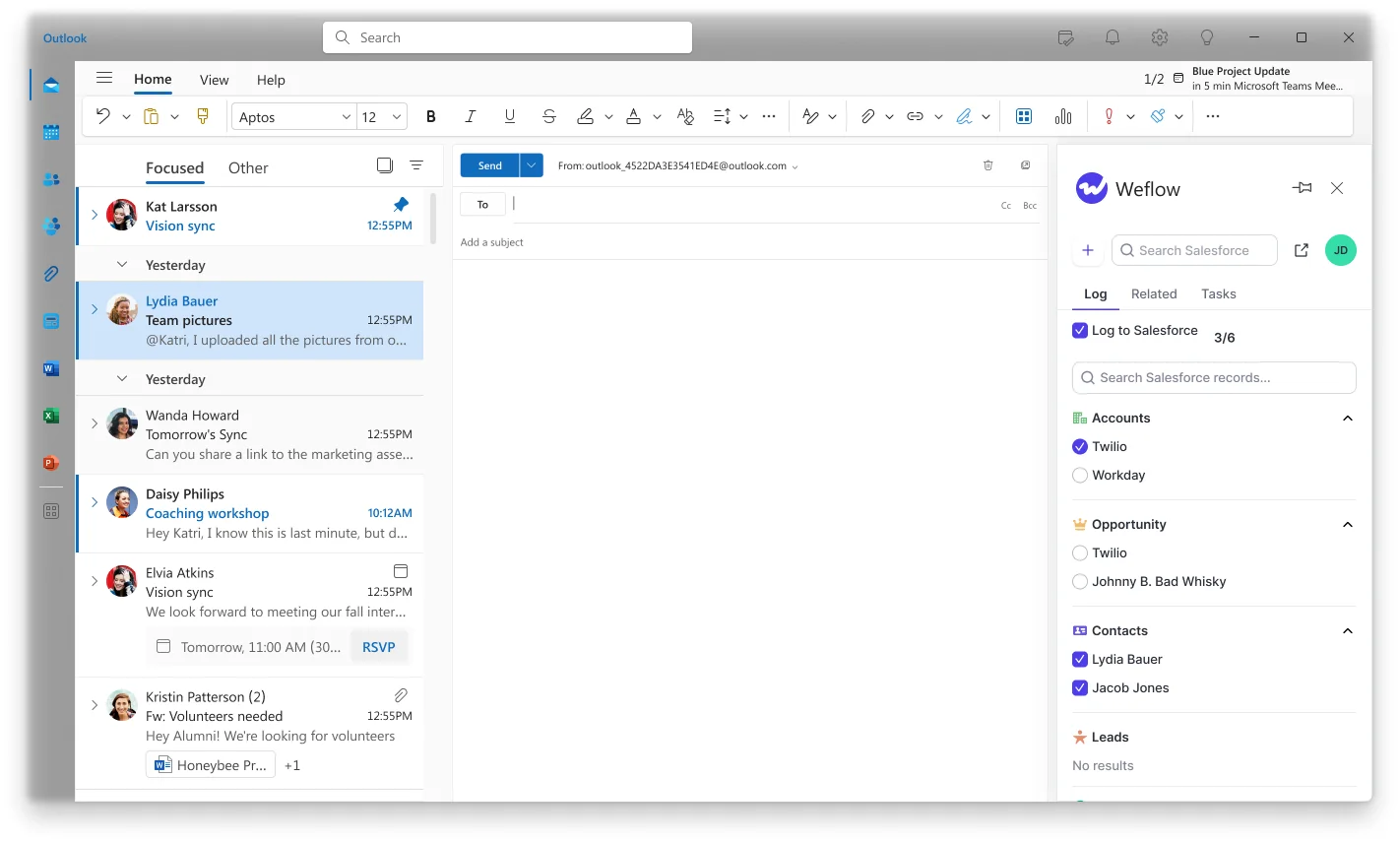
So Weflow splits it. Capture runs server-side through a central app in Microsoft Entra or Google Workspace, so every email and meeting is logged in real time whatever device the rep sends from. Then the Outlook add-in and Chrome extension show the rep which records the thread is about to log to, and let them pick a different opportunity, account, or custom object. That choice sticks to the thread, so every later reply routes to the same record without anyone touching it again.
"I want to relate activities to the right contacts and opportunities reliably. Our solution is not doing that at this point."
— Alex Knechtl, Director of Revenue Operations at Blockaid, on Einstein Activity Capture
Contact creation, attachments, and clean meeting counts
These are the three gaps you've already hit, and none of them close with the native migration.
- Contacts. EAC creates no contacts, so the buying committee in Salesforce stays whatever the rep typed in months ago. Weflow creates contacts for people it sees on threads and invites, attaches them to the matched account and opportunity, and can set the opportunity contact role. Guards keep it safe: existing accounts only, a cap on contacts per event so a webinar doesn't write ninety of them, and dedup on top of your own Salesforce duplicate rules.
- Attachments. EAC doesn't log email attachments, which means the quote and the signed contract stay in someone's mailbox. Weflow stores them, with a configurable size cap and exclusions.
- Object choice. EAC doesn't let an admin decide whether an activity lands on the email message object or on the task object. Weflow does, per configuration, and the email message object is what carries direction, so sent and received stay separable and reply rate is actually calculable.
- Meeting counts. EAC writes one Event per attendee. A five-person meeting becomes five meetings, and every meetings-per-rep and meetings-per-closed-opportunity number is inflated. Weflow writes one parent Event per meeting with child Events per attendee, so the count matches reality.

Configuration is scoped per team, per user, and per object, so sales and CS can log to different objects and different opportunity types without one team's rules leaking into the other's.
Permanent records you own vs a retention window
Weflow writes activity permanently into native EmailMessage, Task, and Event objects, so it's queryable in SOQL, readable inside flows, reportable with standard Salesforce reports, and exportable to Tableau, Looker, or Power BI.
Einstein Activity Capture applies a retention window measured in months, after which captured activity is removed. That's the part teams find late, because for the first few months everything looks correct. It shows up when someone tries a year-on-year engagement comparison, or reconstructs what happened on a deal that closed last year, or runs an enterprise cycle longer than the window itself.
Get the retention answer in writing before you commit to the stay path. It decides whether you're buying a system of record or a monitoring tool.
"And a big problem with this is that you actually don't have those records stored into the core Salesforce database. And if you haven't stored an object or record into the core Salesforce database, then you cannot do automations with it. You cannot trigger automations or flows, and you cannot retrieve any information from that within flows."
There's a second-order point in the forced rebuild that's easy to miss. Your reporting layer sits on someone else's architecture decisions. Salesforce changed the storage model, and the customers who'd built around the old one paid for it in rework. Activity living in objects you control is the only version of this that doesn't repeat.
What "free" EAC really costs vs Weflow pricing
Your CFO will ask why not the free Salesforce path. It's a fair question and it deserves a straight table rather than a "free is a lie" line.
| Einstein Activity Capture | Weflow Activity & Contact Capture | |
| License cost | Free up to 100 users | $19 per user per month, billed annually, 10-user minimum |
| Cost above 100 users | Roughly $50 per user per month for each user beyond 100 | Same $19 per user per month, with volume discounts on larger teams |
| Migration work in the next two quarters | Migration request through Salesforce Support, plus rebuilding reports, dashboards, flows, and custom fields built on the old structure | Central OAuth setup, configuration per team, phased enablement, then EAC off |
| What you get for it | Email and meeting activity as native records, reportable in Salesforce | Permanent native records, opportunity-level mapping with rep correction, contacts, attachments, clean meeting counts, historical backfill |
How to frame it internally: the labor is not optional on either path, so it cancels out of the comparison. What's left is a per-seat line against a set of capabilities you don't have today and won't have after the migration.
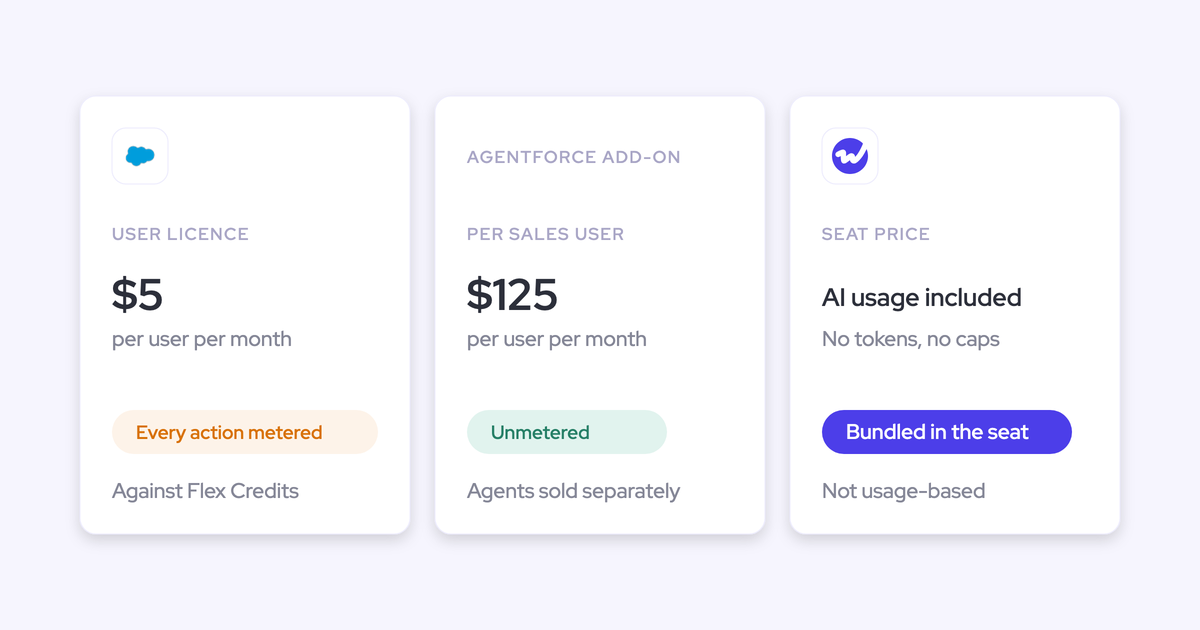
At 200 seats the math also stops being close. EAC bills roughly $50 per user per month for every user past the first hundred, which puts the free incumbent above the paid alternative.
And it's a cheap fix by RevOps standards. Compared to a CPQ project or a marketing automation rebuild, activity capture is fast to procure, fast to configure, and asks nothing of the reps.
"I sometimes show Activity Capture as this kind of checkbox item a lot of companies offer, but very few do very well. So, yeah, the devil is really in the detail as always. But yeah, it's one of those, I would say, quick wins."
How to run Weflow in parallel with EAC during migration
You don't need a big-bang cutover. Weflow runs alongside Einstein Activity Capture during the transition, on one condition that has to come first.
- Set EAC's event sync to one direction, calendar into Salesforce. Left bidirectional, the event is written to Salesforce, pushed back out to the calendar, and written again, and every meeting lands twice. Removing the Einstein permission from users does not stop it. This step is not optional and it is the single most common reason a parallel run looks broken.
- Enable Weflow for one team. Capture rolls out centrally through the app in Microsoft Entra or Google Workspace, so there's no per-rep plugin to chase.
- Check parity on that team. Compare emails, events, and contacts against what EAC logged. Weflow only writes an activity when it can match it to an existing Salesforce record, so unmatched mail never lands as an orphan.
- Backfill whatever was missed. Any email or meeting that failed to sync can be recovered and pushed into Salesforce later, whether it failed last week or last month. That's what makes phased enablement safe.
- Roll out the remaining teams. Each team gets its own configuration: which objects activity logs to, which domains are excluded, whether attachments are stored, whether contacts are created.
- Disable EAC. Duplicate events written during the overlap aren't cleaned up automatically, so plan a cleanup pass on that window before you trust the meeting counts again.
One thing to watch for if you also run Outreach, Salesloft, Apollo, or Clay: Weflow's compatibility mode recognizes activity those tools already logged and skips it, so consolidating capture doesn't mean tripling the records.
RevOps teams that already replaced EAC with Weflow
This is a walked path, not a theoretical one. Blockaid, Blacklane, ADVISA, Lendz Financial, and United Fintech all moved off Einstein Activity Capture to Weflow, and they went on the record about why.
The reasons repeat: reporting they couldn't build, reliability they couldn't explain, and mapping that never reached the opportunity.
"What did the team do? What has the team booked for next week? With Einstein Activity Capture, I was trying to report on how many meetings we have. I got on a call with Salesforce support, who was just as confused as I was. I also learned that activities are just temporarily stored on Salesforce's side. It's actually not even my own data."
"We relied on Einstein Activity Capture for years - but the reliability was very inconsistent. It would work, but then it wouldn't. I got tired of being asked, 'Why isn't Salesforce working?'"
What came out the other side:
- Blacklane: 96% of leads, accounts, and opportunities now have emails, meetings, and key contacts logged, with custom exclusion rules keeping B2C contacts out of the captured set.
- Lendz Financial: virtually 100% of relevant emails captured in Salesforce, with several months of historical email backfilled to feed their internal AI models.
- United Fintech: capture live in under an hour through central OAuth rollout, and a 3x increase in captured activities against the previous setup.
"We thought it was just wrong data - but we looked manually and realized this is the amount of insight we were missing before."
— Rugile Pudzevelyte, Senior Revenue Operations Manager at United Fintech
Should you stay on EAC or switch to Weflow?
Both paths cost you a migration. Pick based on what you need on the other side of it.
| Stay on EAC's native path if | Choose Weflow if |
| You're under 100 users and the license cost is genuinely zero for you. | You're above 100 users, where EAC bills roughly $50 per user per month and Weflow is $19. |
| Account-level activity answers your reporting questions. | You need opportunity-level activity reporting, and your accounts carry more than one open opportunity. |
| You don't need attachments in Salesforce or contacts created from threads and invites. | You need attachments stored, contacts created and deduplicated, and contact roles set automatically. |
| You have the admin capacity to run the migration and rebuild the reports before February 2027. | You'd rather spend that same capacity once and not face the same gaps again. |
| Your meeting metrics can tolerate one Event per attendee. | You report on meetings per rep or per closed opportunity and need the counts to be right. |
| Months of activity retention is enough for your sales cycle. | You need permanent records, year-over-year comparisons, flows on activity, and BI exports. |
If you're on the right-hand side of that table, the next step is a working session rather than more reading. See how Weflow captures activity, updates Salesforce fields from calls, and rolls up your forecast. Book a 30-minute demo.
FAQ: EAC retirement and switching to Weflow
What happens to historical EAC activity data when you switch?
EAC's history sits in Salesforce's own store under its retention window, so it doesn't travel with you as native records you can query. Weflow closes the gap from the source instead: it backfills historical email and meeting activity from Outlook or Google into native Salesforce objects, with up to 24 months available as an add-on. Lendz Financial had several months of email history backfilled during their move off EAC.
Does Weflow log activity to custom Salesforce objects?
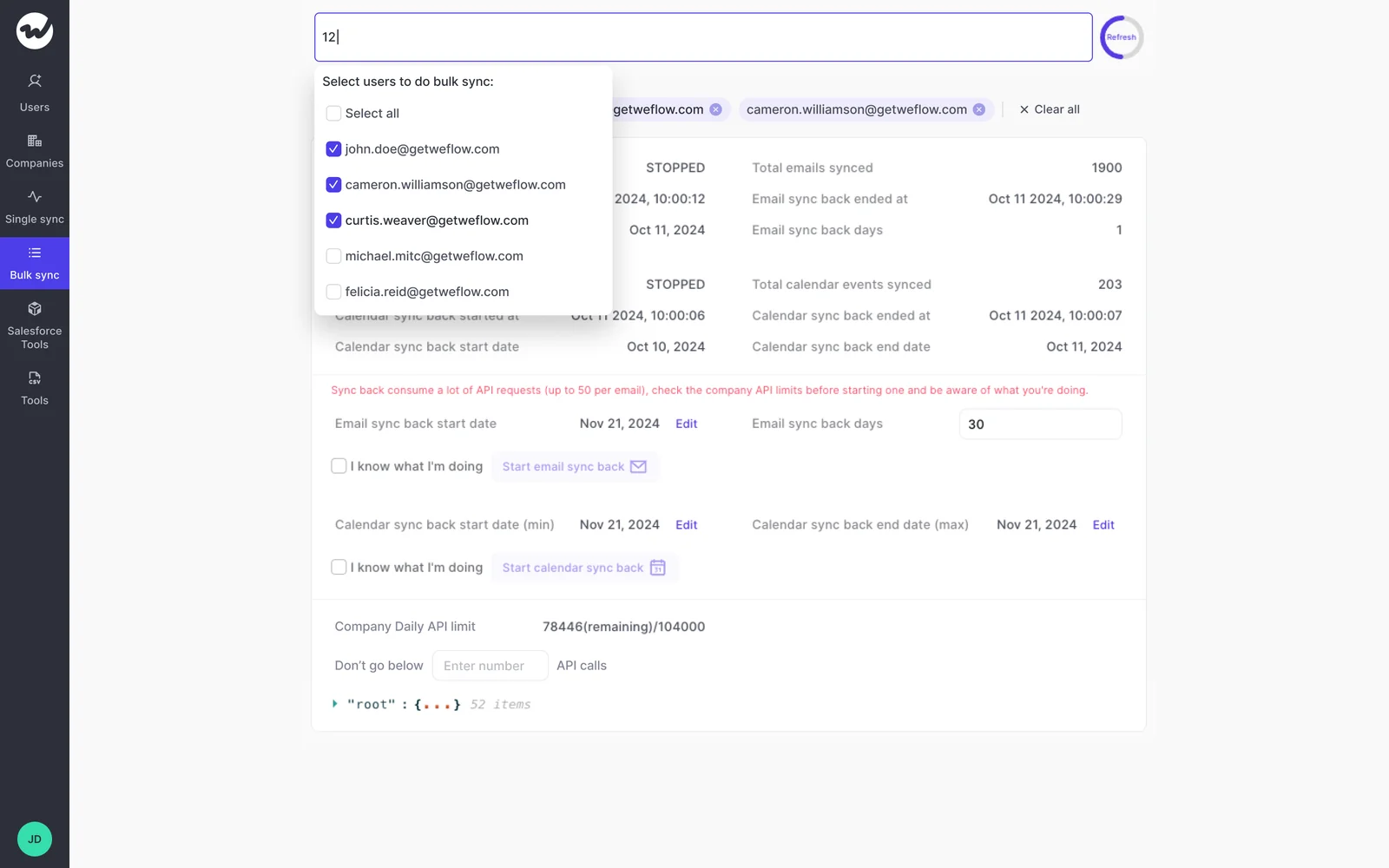
Yes, and roughly 20 to 30% of Weflow customers do exactly that. Logging is configured per team, per user, and per object, so a CS team can log to a different object than sales, and reps can re-map a thread to a custom object from the Outlook add-in or Chrome extension. Custom-object support is the most common reason a capture evaluation fails on functionality rather than price, so test it in your own org.
Will Weflow duplicate activity already logged by Outreach or Salesloft?
No. Weflow's compatibility mode recognizes activity already logged by Outreach, Salesloft, Apollo, or Clay and skips it, so you don't get two records for the same email. Worth knowing why it matters beyond dedup: sales engagement platforms log to the task object, which discards the from and to information, so reply rate can't be calculated from their records. Weflow can write to the email message object, which keeps direction intact.
How does Weflow handle sign-in, permissions, and security review?
The only way to sign in to Weflow is through your Salesforce authentication, using OAuth and whatever SSO your org already enforces. There's no email-and-password login and no separate Weflow identity, so deactivating a user in Salesforce removes their Weflow access immediately. Writes go through an integration user and respect your validation rules, field dependencies, permissions, and role hierarchy. Weflow holds SOC 2 Type II, is GDPR compliant with a DPA incorporating EU Standard Contractual Clauses and a 48-hour breach notification commitment, and never uses customer data to train AI models. ISO 27001 is in progress, and Weflow is not FedRAMP certified.
How long does Weflow take to set up?
Technical setup is a 30 to 45 minute session with a Salesforce admin and your Google Workspace or Microsoft admin. Because capture rolls out centrally through OAuth rather than a per-rep plugin, there's nothing for reps to install: United Fintech had activity capture live in under an hour. Full time-to-value typically runs two to three weeks, and most of that is configuration decisions, which objects to log to, which domains to exclude, which teams get which rules, rather than technical work.