How to Move From Backstory (People.ai) to Weflow: History Backfill, Contact Creation and Cutover
Learn how to move from Backstory (People.ai) to Weflow: history backfill, contact creation, cutover.


You don't have to export anything from Backstory to keep your activity history. Your email and calendar history lives in your own Microsoft 365 or Google Workspace tenant. The Tasks and Events Backstory wrote are already records in your Salesforce. Your recordings sit in Zoom, Teams, Meet, Webex or Gong.
What stays behind is the analysis that only ever lived inside Backstory's app:
- meeting-type classification going forward
- engagement metrics and dashboards
- secondary opportunity matches
So the migration is a parity test, not a data export. Backstory already proved org-wide capture works for you, so the only question left is whether anything gets lost on the way over.
Weflow is the Revenue AI Orchestration platform for sales, customer success, and RevOps teams. This guide covers the capture layer, Weflow Activity and Contact Capture, and how to move to it in order:
- a per-user pilot, with a scoped backfill as your measuring instrument
- the exact order for switching off Backstory's contact creation, contact roles and CRM push
- what changes for reps when corrections move from Backstory's web app into their inbox
Where your Backstory activity history actually lives
Your history sits in three places: your mail tenant, your Salesforce org, and Backstory's own app. Only the third can't come back. Here's the inventory to take to your CRO.
| Data | Where it lives today | What happens when you move |
|---|---|---|
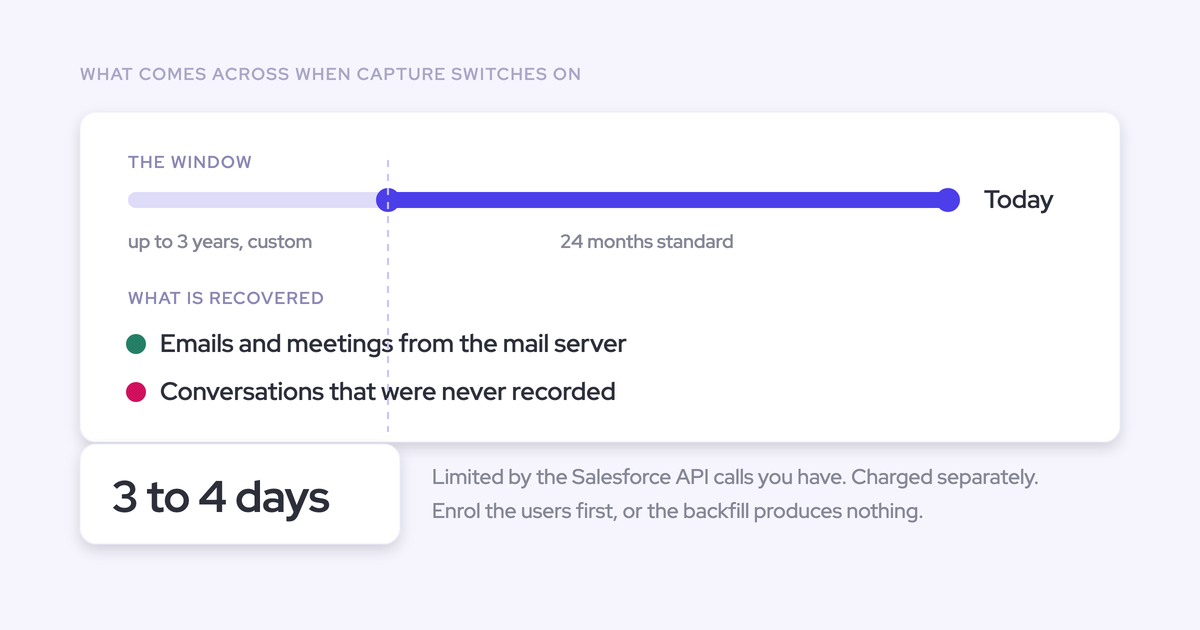
| Email and calendar history | Your Microsoft 365 or Google Workspace tenant | Weflow re-pulls it from the tenant: up to 24 months as standard, up to 3 years on a custom backfill |
| Tasks and Events Backstory wrote | Salesforce, as Task and Event records in your org | They're records in your Salesforce. Backstory's admin push exclusions block future syncs only. Exclusions created from the Engagement Log also remove that contact's past synced activity, so avoid them during wind-down |
| Contacts and contact roles Backstory created | Salesforce, as Contact and Opportunity Contact Role records | Weflow maps new activity to these existing contacts and contact roles |
| Meeting recordings and transcripts | Zoom, Microsoft Teams, Google Meet, Webex or Gong. Backstory pulls transcripts from them and doesn't record anything itself | Weflow imports recordings from Gong, Chorus, Jiminny and other providers with an API key, or from video files with a CSV |
| Engagement metrics and dashboards | Backstory's app only | They stay behind |
| Secondary multi-opportunity matches | Backstory's metrics only. Just the primary match reached Salesforce | They stay behind. The email itself is already in Salesforce on its primary match |
| Meeting-type classifications | Applied in Backstory's interface and sent to Salesforce | Classifications already synced stay in Salesforce. New meetings stop getting one |
The tenant is the source of record because Backstory reads mail; it doesn't own it. Every email and meeting Backstory captured still exists in the mailbox it came from, so any capture tool with access to that mailbox can read it again. That's why the history question has a structural answer, and why the real risk in this migration is duplication, not loss.
What you leave behind when you switch from Backstory
A known, bounded set of things stays in Backstory, and meeting-type classification is the biggest one. We'd rather you hear the list from us now than discover it after cutover.
- Meeting-type classification has no direct equivalent in Weflow. Reps who classify meetings as discovery or new business in Backstory's interface lose that step. Backfilled meetings arrive under whatever calendar title people gave them, so plan how you'll type meetings before you depend on that data.
- Backstory's engagement metrics stay in Backstory. That includes email reply rate, the share of meetings with directors, VPs or executives, blast emails sent and the 0 to 100 engagement level.
- Engagement Dashboards stay in Backstory. Boards and Tables built there don't move, so rebuild the ones you rely on as Salesforce reports on the activity Weflow writes.
- Secondary matches stay in Backstory. With multi-opportunity matching on, Backstory counted one email against several opportunities in its own metrics. Salesforce only ever held the primary link.
- Dynamics and Oracle coverage stays with Backstory. Backstory offers compatible integrations with Microsoft Dynamics 365 and Oracle. Weflow works exclusively with Salesforce.
If your team needs capture on Dynamics or Oracle, stay on Backstory. Everyone else is weighing a short list of analysis features against data that lives in their own Salesforce.
What to set up in Salesforce and your mail tenant first
The full Weflow install takes one admin session of about 45 minutes, and Weflow reads no mailbox until you enroll a user. You need a Salesforce admin and a mail or IT admin in the room. The session covers:
- two Salesforce managed packages, one for the core capture objects and fields and an optional one for email open tracking
- one integration user with a dedicated permission set
- one mail app, installed centrally in Microsoft Entra or the Google admin console
- relaxing IP restrictions on the connected app for the install
Installing everything grants access without capturing anything. Enrollment is the switch. Three checks then decide whether your pilot is clean.
Give the Weflow integration user full Task and Event access
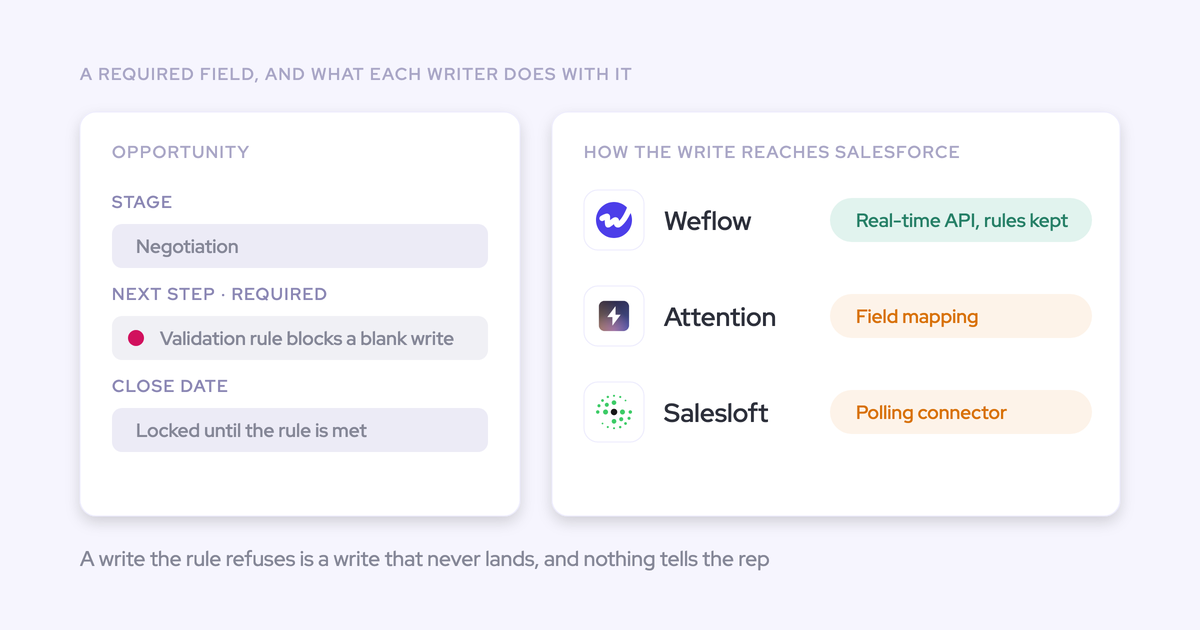
The Weflow integration user needs full access to the Event and Task objects plus a default Event record type. Without them, meetings fail to log while emails keep working, which looks exactly like broken calendar capture.
That's a different shape from Backstory's setup. Backstory asks for API Enabled, Edit Tasks, Edit Events, View All Data and View All Users, a seat at the top of the role hierarchy, and recommends the System Administrator profile. Weflow runs on a dedicated permission set. Check these before you enroll anyone:
- Every Task and Event field Weflow writes. Missing access on a single Event field, such as location, makes the whole event fail.
- Every record type Weflow writes.
- A default Event record type set in Weflow. When Event has several record types and no default is chosen, Weflow can't decide which one to use, and the log fails.
- Update rights as well as create rights. Permission to create an event is not permission to update it.
Then run the test: create a test meeting, move it, reschedule it and delete it. A missing update right otherwise shows up weeks later, the first time a logged meeting changes.
Scope Weflow to the right mailboxes in Entra or Google
On Microsoft, group assignment only limits which mailboxes Weflow can reach when "Assignment required" is set to Yes. On Google, you scope the app to an organizational unit.
| Check | Microsoft Entra | Google Workspace |
|---|---|---|
| Where you scope | Users and Groups on the Weflow Activity Capture enterprise app | The organizational unit you install the Weflow app into |
| What makes the scope hold | "Assignment required" set to Yes. With No, Weflow can still subscribe to mailboxes outside the assigned group, guest accounts included | The OU scope itself. Keep executives and out-of-scope users outside that OU |
| Optional second layer | Some IT teams also scope the app's Exchange Online access to the same group's mailboxes | Enrollment: Weflow only reads mailboxes of users saved into a capture configuration |
To test the Entra scope, add someone outside it to a capture configuration and save. When the restriction holds, a warning icon appears next to that user because the subscription fails.
Find every report and flow built on Backstory fields
Audit anything that filters on TaskSubtype, EventSubtype or the "Created by Backstory" flag before you cut over. Backstory fills the standard Subtype fields on every activity it creates, and stamps each one with its own flag. Weflow-written activity won't carry Backstory's flag, so any filter on it stops matching new activity the day Weflow takes over.
Search your org for:
- reports and list views filtering on the "Created by Backstory" flag
- reports filtering on TaskSubtype or EventSubtype
- validation rules and triggers referencing the Subtype fields
- workflow rules or flows that copy Subtype into the editable Task Type and Event Type fields
- dashboards built on any of the reports above
- activity counts your team uses as KPIs, such as meetings per rep or emails per account
Run each report on that list against the Weflow-written Tasks and Events from your pilot users. A report that drops to zero is a filter you rebuild before the wider rollout, not a capture gap.
How to run a one-for-one parity pilot without duplicates
Move each pilot user fully to Weflow, backfill their period, compare against saved Backstory reports, and keep every new capability off until parity holds. Configuration comes after parity, never before.
Why Backstory and Weflow can't capture the same rep
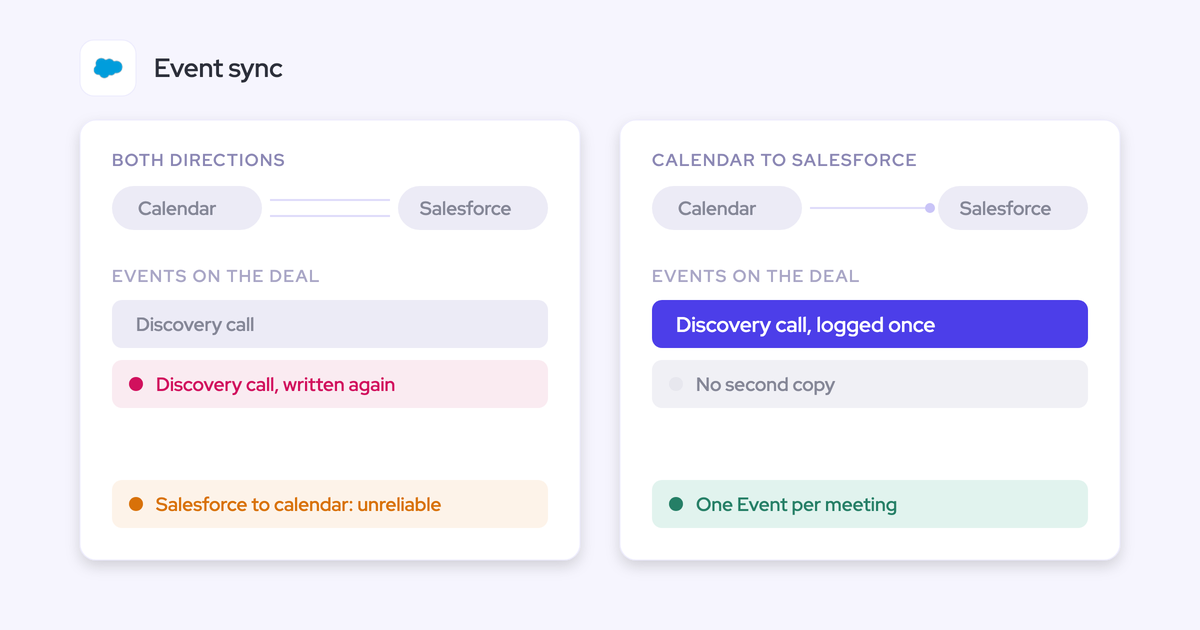
Two capture tools on one user write the same emails and meetings twice. You'd end up with duplicate Tasks, duplicate Events and, because both tools create contacts, duplicate people too.
Splitting users across tools doesn't solve it either. Activity volume varies by person, so comparing rep A on Backstory with rep B on Weflow tells you about the reps, not the tools. A fair test runs both measurements on the same user, at different times or in different places.
Steps for a per-user pilot with a scoped backfill
The backfill is the measuring instrument: what it fills in for a pilot user is the difference between the two tools. Here's the sequence.
- Pick your pilot users. Include the reps who complained most about Backstory. They know exactly where it missed, and their verdict carries weight with everyone else.
- Save baseline Backstory reports for those users. Capture email, meeting and contact counts per user for a defined window, from Salesforce and from Backstory's Engagement Log.
- Stop Backstory writing to Salesforce for those users. The clean way is to move them out of Backstory capture entirely. An option is a dedicated Backstory configuration profile with Push Data, contact creation and contact role creation off and Intake Data on. Backstory then keeps showing what it captured in its own app, which gives you a live comparison without anything landing in Salesforce twice. This uses Backstory's own documented switches.
- Enroll the users in a Weflow capture configuration. You don't need a Weflow license for the backfill, so you can prove parity before you buy the wider rollout. Enrollment is separate from inviting someone to the Weflow app. An enrolled user is captured without ever signing in.
- Run a scoped backfill for the period. Keep the window short and the user count small, so any overlap with records Backstory already wrote stays small and easy to read.
- Compare against the baseline. Check counts per user, then open a sample of records and look at what they mapped to. If the same email shows up once as Backstory's Task and once as Weflow's record, that's the cross-tool overlap, and you've found it on five users instead of five hundred.
- Run a qualitative check with the complainers. Ask whether the deals they worried about now show the activity they remember sending.
- Hold every new feature off. No conversation intelligence, no AI field updates, no templates until capture parity holds. Turning things on early mixes two questions into one.

Weflow tracks what it has already written, so re-running a backfill for a pilot user, or removing and re-adding them, never duplicates Weflow's own records. And any meeting or email that fails to sync can be recovered and pushed to Salesforce later, so a gap during the pilot doesn't become a permanent hole.
Do you need a Weflow backfill after leaving Backstory?
Often you don't need a full one. Teams coming from another capture tool frequently skip the org-wide backfill, because the historical record is already in Salesforce. Buy a backfill for specific gaps, not as a default.
When a backfill is worth paying for on a Backstory org
A backfill earns its cost on a Backstory org in these cases:
- The cutover gap. The hours or days between Backstory stopping and Weflow starting. Pulled from the tenant, it's small.
- Account-only activity Backstory never pushed. By default, Backstory syncs only activity tied to a contact or lead. Unless your team turned on "Sync Without Who", emails with no matched person stayed out of Salesforce.
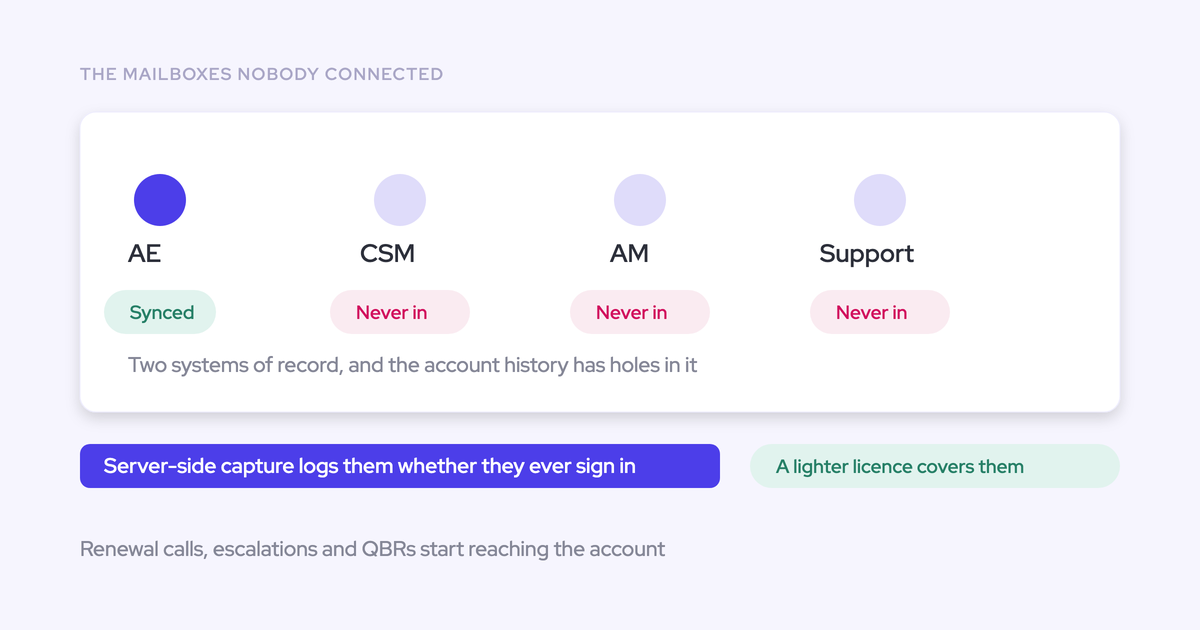
- Users Backstory never covered. Customer success, account management or regional teams that sat outside your Backstory configuration profiles.
- The months before Backstory went live. If Backstory has run for less than two years, the earlier history only exists in the mailbox.
- Former employees. Their history matters for win-loss and closed-lost analysis on deals they owned.
How backfill cost, duration and API limits fit your org
The backfill is a separate paid line, run by Weflow's team, and capped daily against your Salesforce API allowance. Here's what goes into your API budget conversation.
| Factor | What to plan for |
|---|---|
| Cost | Charged separately from the subscription because of the API volume it consumes. Implementation itself carries no fee |
| Window | Up to 24 months as standard, up to 3 years on a custom backfill |
| Daily API cap | Weflow caps a backfill at 50,000 Salesforce API calls per company per day. It pauses at the cap and resumes the next day, so your other integrations keep their share |
| Cost per email | A single email can take up to about 50 API calls. One month of history for one user takes about 15 to 20 minutes and 2,000 to 3,000 calls |
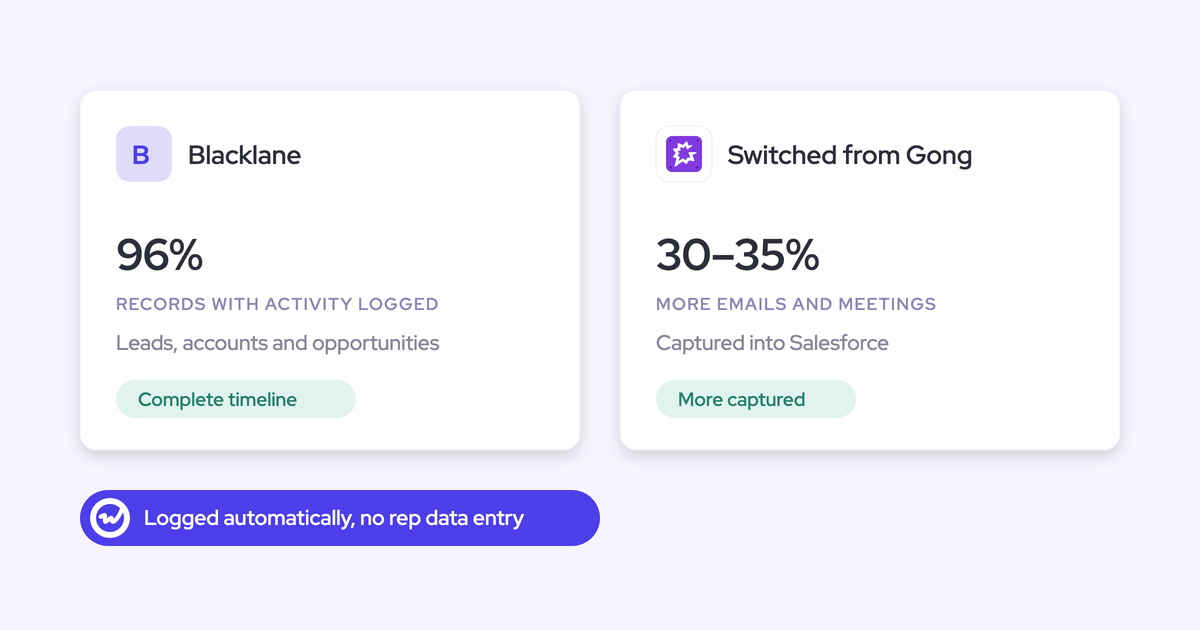
| Duration | A typical backfill takes about three to four days. Heavy history runs up to about a week, and a multi-month backfill across a full sales team takes weeks. Blacklane's 4 months of email and meetings ran in batches over one week |
| Scope | Per user for a chosen period, or org-wide, working backwards in rolling windows. Users one at a time run faster than a whole team. You prioritize by user, not by opportunity |
| Prerequisite | Users must be enrolled in a capture configuration first, or the backfill produces nothing |
The order to switch off Backstory and turn on Weflow
Stop Backstory creating records before Weflow starts writing. You can turn Backstory off in the morning and Weflow on the same day, then backfill the gap from the tenant. This is the order we recommend, built from Backstory's documented switches:
- Turn off contact creation and contact role creation in every Backstory configuration profile covering the users you're moving.
- Turn off Push Data, plus Email Sync and Meeting Sync, so Backstory stops writing Tasks and Events.
- Turn off Intake Data once you no longer need Backstory's in-app view for comparison.
- Remove the users from Backstory's mail scope. On Google, that's the Google Group or OU Backstory is limited to. Narrow or remove the Backstory app's access in your tenant the same way.
- Enroll the users in Weflow, with Entra "Assignment required" set to Yes or the Google OU scoped correctly.
- Request a backfill for the gap between Backstory stopping and Weflow starting.
- Run your Subtype and "Created by Backstory" report fixes the same day, so dashboards don't show a drop that isn't real.
Turn off Backstory contact and contact role creation first
Contacts go first because both tools create contacts and opportunity contact roles. If both run, even for an afternoon, the same new person on a thread can be created twice within minutes.
Weflow's deduplication sits on top of your Salesforce duplicate rules. Still, don't hand dedup a job you can remove with one switch. Duplicate contacts are the hardest cutover mess to clean up, because activity and contact roles attach to whichever copy got there first.
How Weflow Activity and Contact Capture creates contacts without duplicates
Weflow Activity and Contact Capture creates Salesforce contacts for people it detects on email threads and calendar invites, inside documented guards:
- It creates contacts only on existing accounts, so capture can't spawn orphan records.
- It caps how many contacts a single event can create, so a hundred-person webinar doesn't write ninety-nine contacts.
- It runs its own deduplication layer on top of Salesforce's duplicate rules.
- It attaches activity to an existing lead rather than creating a duplicate contact for the same address. Lead conversion stays a manual Salesforce step.
- It never creates accounts, leads or opportunities.
- It writes opportunity contact roles automatically, so the multi-threading on a deal shows up in Salesforce instead of one champion.
That last point compounds. Contact roles are how Salesforce decides which opportunity an activity belongs to, so every role Weflow writes makes its own mapping more accurate the longer it runs.
How reps correct matches in Outlook and Gmail, not Backstory
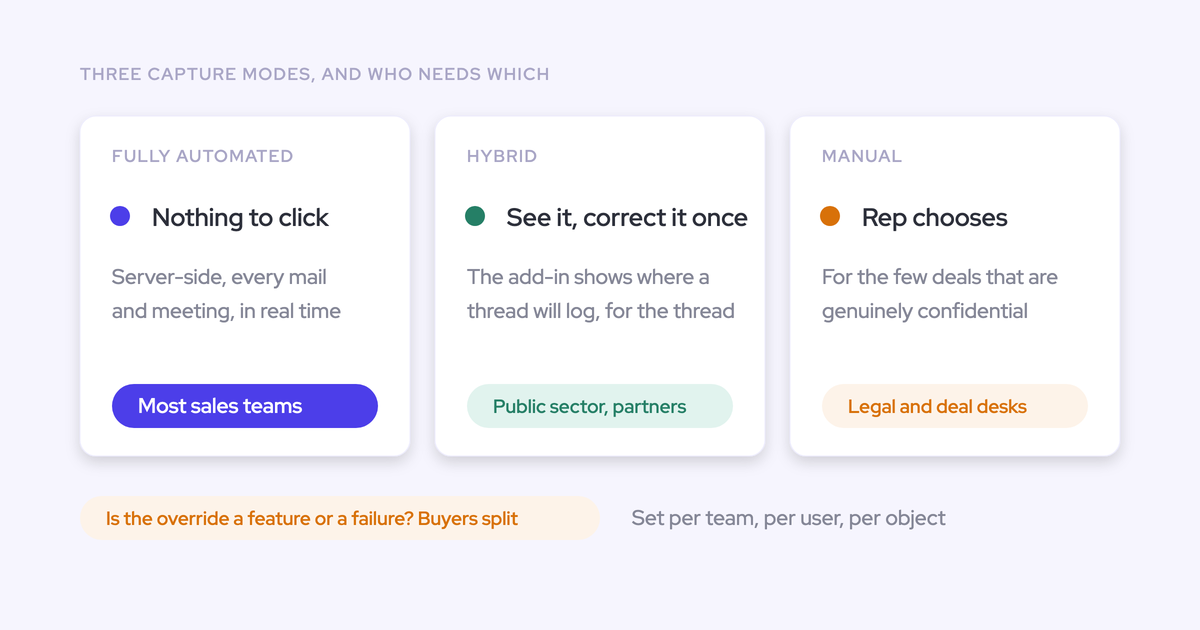
Corrections move from Backstory's web app into the inbox reps already work in. Capture itself still asks nothing of them. Enrolled users are captured server-side whether or not they open anything.
What reps see in the Weflow add-in and extension
A rep fixes a wrong match once in the Outlook add-in or the Chrome extension for Gmail, and Weflow applies that choice to the whole thread.
| Task | In Backstory | In Weflow |
|---|---|---|
| See where an email logged | Engagement Log or the Activity Table in Backstory's web app | Side panel in Outlook or Gmail shows the matched contact, account and open opportunities |
| Fix a wrong match | Search for the right record in the Activity Table in Engagement Dashboards | Pick a different opportunity, account or custom object in the side panel |
| Scope of the fix | The activity you corrected | The whole thread. Later replies route to the same record. A new thread resets the choice |
| Time to reach Salesforce | Within 24 hours | Near real time, through the integration user |
| Classify meeting type | Rep classifies it in Backstory's interface | No direct equivalent |
Weflow's mapping precedence is fixed, so admins can predict it. It logs only to open opportunities, prefers a contact over a lead, lets a single open opportunity where the person holds a contact role win, and falls back to the account when nothing resolves. Once activity is logged, it never moves on its own. Only a rep or admin moves it, from the add-in or extension.
What to tell reps about Salesforce's email-not-connected warning
Salesforce prompts each user to connect their own mailbox, and shows a warning when they haven't. That warning doesn't know about capture running at the tenant level, so a correctly configured rollout still produces alarmed reps in the first weeks.
Tell reps not to connect anything, and point them at the add-in, which shows which record each email logs to. A rep who can check stops asking.
How to spot a silent capture gap in the first weeks
Most early gaps trace back to a handful of setup causes, and you can diagnose each one per user. That matters, because when a rep says "it's not logging," they're often describing a CRM problem the new tool just made visible.
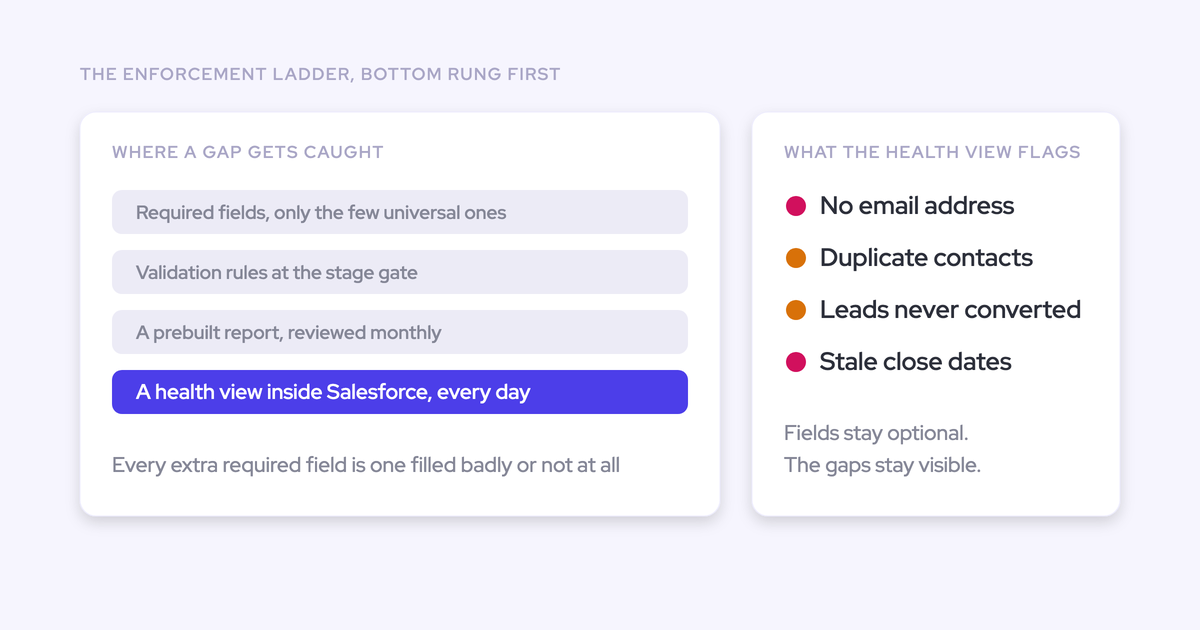
The Activity Capture Health tab in Weflow Analytics shows the data quality issues behind most mismatches, such as contacts with no email address, accounts with no domain and duplicate contacts by email.

| What you see | Likely cause | Fix |
|---|---|---|
| Meetings missing, emails fine | The integration user lacks access to an Event field or record type, or no default Event record type is set | Grant full Event and Task access, set the default record type, rerun the create, move, reschedule and delete test |
| Backfill produced nothing | The user wasn't enrolled in a capture configuration before the backfill ran | Enroll them and rerun. Re-runs don't duplicate Weflow's records |
| User shows as External and has never signed in | Enrolled for capture but not invited to the Weflow app | Nothing. Their email and meetings are captured like anyone else's |
| A mailbox outside your scope is being read | Entra "Assignment required" is set to No | Set it to Yes, then test with an out-of-scope user |
| Warning icon next to a user in the configuration | The subscription failed: the user is out of scope, or their email differs between Microsoft and Salesforce | For an in-scope user, align their Salesforce email with the mailbox they send from |
| Duplicate Tasks, Events or contacts | Backstory is still pushing or creating contacts for that user | Turn off Push Data, contact creation and contact role creation in their Backstory profile |
| A dashboard shows activity dropping after cutover | The report filters on "Created by Backstory" or the Subtype fields | Rebuild the filter for the records Weflow writes |
| Email logged to the account, not the deal | Several open opportunities and no contact roles, so Weflow falls back to the account by design | The rep re-maps it once in the add-in. Contact roles fill in over time |
Any email or meeting that failed to sync, whether a week or a month ago, can be recovered and pushed into Salesforce. Weflow support sees how Weflow decided to log or skip each message, but not the message content, so you can diagnose a user without anyone reading their correspondence.
And don't measure health by login rate. Background capture works best when nobody opens it. Watch whether activity is still being written and whether records are complete.
Weflow Activity and Contact Capture pricing against your Backstory renewal
Weflow Activity and Contact Capture costs $19 per user per month, billed annually, with seats added mid-term charged pro rata. Backfill is a separate line. Backstory publishes no price, and resizes your next term at renewal.
| Item | Weflow Activity and Contact Capture | Backstory |
|---|---|---|
| Pricing model | Per user per month, billed annually, 10-user minimum. Includes Ask Weflow AI and the free tier of Agent Builder. Unlimited view-only licenses | Platform fee per connected customer-facing person, plus a pre-packaged allotment of AI answers. Managers, finance and ops view for free |
| Published list price | $19 per user per month | Not published |
| Mid-term seat additions | Charged pro rata to the end of the term | Adding customer-facing people raises the platform fee. Usage beyond the allotment isn't cut off or back-billed mid-term |
| History backfill | Separate paid line, run by Weflow's team. Up to 24 months standard, up to 3 years custom | Markets two years of history analyzed at go-live, with no documented window for writing it to Salesforce. Transcripts are never backfilled |
| Renewal mechanics | Annual terms. Multi-year discounts of 10% for two years and 20% for three | "True Forward": the next term is resized to actual usage at renewal |
Timing matters here. Because a pilot backfill doesn't need a Weflow license, you can run the parity test before your Backstory renewal conversation, not during it. Then you go into renewal with proof on your own users instead of a vendor promise.
See how Weflow captures activity, updates Salesforce fields from calls, and rolls up your forecast. Book a 30-minute demo.
FAQ: moving from Backstory to Weflow
What happens to the Tasks and Events Backstory already wrote to Salesforce?
They're Task and Event records in your Salesforce org. Backstory's admin push exclusions block future syncing only and leave activity already written in place. Exclusions created from Backstory's Engagement Log are the exception: they remove that contact's previously synced activity from Salesforce, so avoid them while you wind Backstory down.
Will a Weflow backfill skip emails Backstory already logged?
Weflow tracks what it has written itself, so re-running a backfill never duplicates Weflow's own records. Overlap with records another tool wrote is exactly what the pilot measures. Run the scoped backfill on a handful of users, compare against your saved Backstory baseline, and you'll see any overlap before anything runs org-wide.
Can Weflow import the call recordings Backstory was summarizing?
Yes. Backstory never held the recordings: it pulled them from Zoom, Teams, Meet, Webex and Gong. Weflow imports recordings from Gong, Chorus, Jiminny and other providers with just an API key and re-links them to Salesforce records. For video-only files, such as native Zoom recordings, a CSV with participants, start and end times and titles lets Weflow match each call itself, at roughly 180 calls a day.
Can Weflow backfill email history for former employees?
Yes, as long as their mailbox is still active and their Salesforce user is reactivated with a license for the duration of the sync. A suspended mailbox can't be read. Weflow's team runs the sync-back on request, it takes one to three days depending on volume, and you can deactivate the users again afterwards.
How do I keep executive and NDA-deal mailboxes out of capture?
Scope capture in your tenant. On Microsoft, assign a group to the Weflow Activity Capture app in Entra and set "Assignment required" to Yes. On Google, install the app into an organizational unit that excludes those users. Admins can also exclude specific internal and external domains or addresses in the capture configuration, so mail with them never syncs to Salesforce.
Does Weflow work with Microsoft Dynamics or Oracle like Backstory does?
No. Weflow works exclusively with Salesforce. If you need capture on Dynamics 365 or Oracle, Backstory's compatible integrations cover that, and you should stay on Backstory.
Do reps need to log in to Weflow for capture to work?
No. Weflow captures enrolled users' email and meetings server-side whether or not they ever sign in. Those users show as External in Weflow, and a low login count is not a sign that capture is failing.
Can I install Weflow before our security review is finished?
Yes. Installing the managed packages, connecting the integration user and adding the mail app grant access without reading anything. Weflow reads no mailbox until you enroll a user in a capture configuration, so the technical setup can be done while legal review is still open. Weflow is SOC 2 Type II certified and GDPR compliant, runs Zero Data Retention for AI processing, and never uses customer data to train AI models.