Why Meeting Counts Inflate in Salesforce: Multi-Contact Meetings, No-Shows and Two Capture Tools
Learn why Salesforce meeting counts inflate from multi-contact meetings, no-shows, and two capture tools


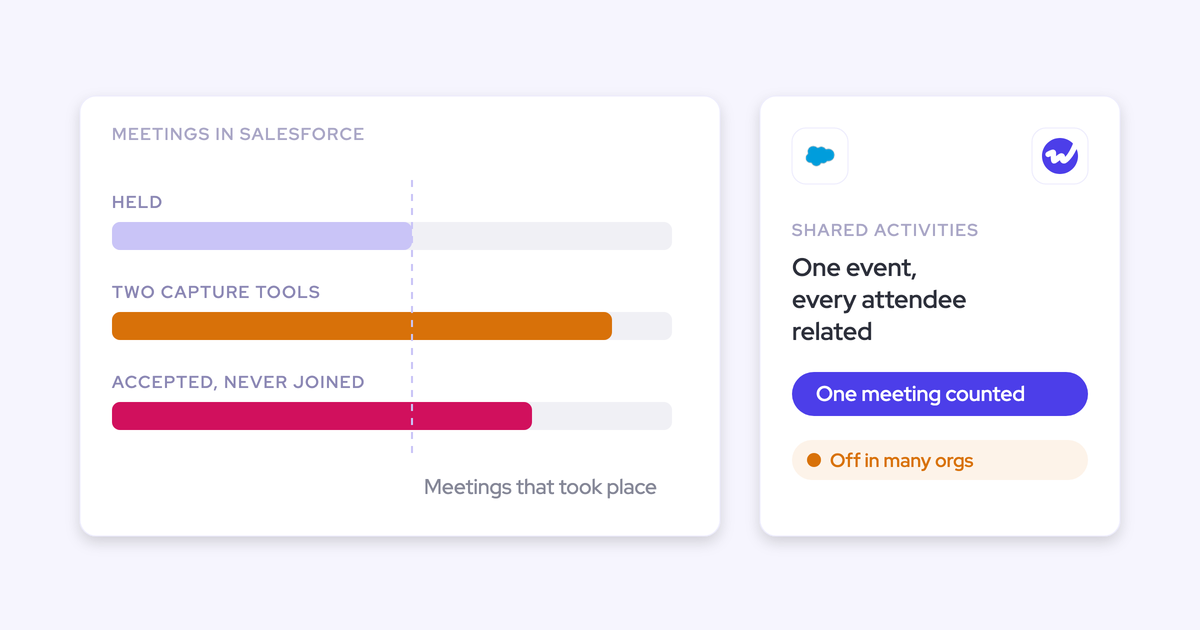

Your Salesforce meeting count inflates when it counts attendee records, calendar invitations or tool writes instead of meetings that actually took place.
A meeting with five contacts turns into five Events, a no-show nobody declined counts as held, and a capture tool and a notetaker both log the same calll.
All three show up under the same "meetings" label, but each has a different root: a Salesforce setting, how calendars work, or which tool owns the record. Below, you'll find how to spot each cause, the Salesforce mechanic behind it, and how to fix it.
Keep in mind that your capture tool only drives one of the three causes. If you're evaluating automated Salesforce data capture with Weflow Activity and Contact Capture, the multi-contact cause is the one it changes.
The other two need a report definition and an ownership rule, whichever tool you buy.
Why an inflated meeting count never throws an error
Over-capture creates records that look perfectly valid. Every duplicate Event has a subject, a start time, an owner and a related contact, so validation rules pass and no tool flags a failure.
Missing data gets noticed eventually, because someone opens a timeline and finds it empty. Extra data just looks like a busy rep. That's why most capture projects plan for under-capture, and almost none plan for the opposite.
None of this matters until the count starts driving decisions. As one sales ops lead put it:
We were tracking the number of meetings for a certain commercial play, and the reps were inflating their numbers. If you send the meeting to five people, you show five meetings. That's exactly what happened.
Here's where an inflated number does the damage:
- Play measurement: A play measured on meetings booked reports meetings that never happened, so the play looks like it's working.
- Capacity and headcount: Meetings per rep per week feed the "is this AE at capacity" conversation. A rep who appears to run eight meetings a week may be running four.
- Per-opportunity touch counts: Meetings per closed opportunity inflate, so the answer to "what does a won deal take" comes out wrong.
- Rep pay and fairness: When KPIs pay on logged activity, a rep whose meetings are logged once per contact outscores a rep whose meetings are logged once, and a reporting problem becomes a trust problem.
How to tell which cause inflates your Salesforce meeting count
Each cause leaves its own fingerprint in the data, so you can pin down yours before changing anything.
| Multi-contact meetings | No-shows | Two capture tools | |
|---|---|---|---|
| What you see in the report | The same subject and start time repeated once per contact, each Event related to a different person | Meetings with no recording and no notes, often short or rescheduled, counted like every other meeting | The same meeting twice, with a different Created By user and sometimes a different object or subject format |
| The Salesforce mechanic | Without Shared Activities, an Event relates to one person, so the tool writes one Event per contact | Calendar sync keeps every invite that wasn't declined, and the organizer always appears as attending | Each tool writes its own Event for the meeting, and neither knows about the other |
| Who owns the fix | The Salesforce admin, plus the capture tool's configuration | Whoever owns the report definition of "held" | RevOps, through a one-owner rule for the meeting record |
| Fix options | Turn on Shared Activities, relate attendees to one Event, and report on the Event | Define "held" with evidence, such as a linked recording or an external attendee count | Pick one tool to own the meeting record, then have the second tool write onto that Event or stop writing meetings |
| Does a purchase fix it? | Partly. The tool has to relate attendees to one Event | Only for recorded meetings | Rarely. This is a configuration and ownership decision |
The causes also stack, so check all three: the same meeting can show up as per-contact Events from one tool and as a duplicate Event from another.
Why one multi-contact meeting shows up as five meetings
Without Shared Activities, a Salesforce Event relates to one person. If a tool wants every attendee to see the meeting on their own record, its only option is to write one Event per contact, so five invitees become five meetings.
How Shared Activities relates one Salesforce Event to every attendee
Shared Activities lets one Salesforce Event relate to many people. Salesforce keeps a single Event and stores a relation for each person on EventRelation, up to Salesforce's limit of 50 people per Event.
One thing stays the same, though: the Event still carries a single WhatId, so it relates to one opportunity or account. A call covering both a renewal and an expansion can't sit on both opportunities through the Event alone.
| What changes | Shared Activities off | Shared Activities on |
|---|---|---|
| Who one Event can relate to | One contact or lead | Up to 50 people |
| Records a tool writes for a five-contact meeting | Five Events, one per contact | One Event with five relations |
| What a report on Events counts | Five meetings | One meeting |
| Contact activity history | Each contact shows its own copy | Each related contact shows the same Event |
| Opportunity or account (WhatId) | One per Event | Still one per Event |
Why Apollo and Einstein Activity Capture log a meeting per attendee
It's usually both the tool and the setting: the setting decides what's possible, and the tool decides what gets written. Here are the patterns teams bring to us:
- Apollo: Teams on Apollo see one Event per participant. As one prospect explained:
Without manual call, event, meeting logging, we're having an issue where Apollo is logging five calls or five meetings because five people joined. But then I also can't figure out what kind of call it was. Was it a discovery call, was it a demo?
- Einstein Activity Capture, organizer not syncing: EAC follows the organizer's sync settings. When the organizer isn't in a syncing configuration, each syncing attendee gets their own standalone copy of the Event, becomes the organizer of that copy, and doesn't see the other attendees on it.
- Einstein Activity Capture, organizer added later: When that organizer is later added to a syncing configuration, EAC creates a new syncing Event. Attendees who already hold a standalone copy see duplicates if the organizer adds new attendees.
- Einstein Activity Capture, sync resets: Duplicates also appear after an admin resets sync.
And it happens even in well-configured orgs:
We're using Einstein Activity Capture. We have an unlimited Salesforce license. So we have pretty decent capability. But you know, even if you customize it in Salesforce like there inevitably ends up being issues if two people join a meeting. It counts it as two meetings in a lot of cases
Outreach handles this case well. By default, it logs a meeting with several Outreach users invited only once, for the organizer, as long as the meeting includes an Outreach prospect, isn't cancelled, and was organized by an Outreach user.
What to check before you propose turning on Shared Activities
In a large org, turning on Shared Activities means filing a Salesforce change request, so build your case first.
- Check the current state: In Setup, go to Activity Settings, look for the setting that lets users relate multiple contacts to tasks and events. Many orgs have it switched off.
- Decide what your reports will count: Count the Event for meetings. Use attendee relations only when the question is per-contact engagement, such as "has the economic buyer been in a meeting this quarter?"
- Make sure your capture tool actually uses it: Shared Activities makes it possible to relate many people to one Event, but the tool still has to be configured to do it.
- Frame the benefit beyond meeting counts: When activity is attached to everyone present, multi-threading becomes measurable and contact activity reports become complete. That's an easier case to win than "my dashboard is wrong."
- Test in a sandbox first: Book a meeting with several external contacts, then check how many Events your tools write and what your meeting reports return.
Why a no-show still counts as a held meeting
A no-show counts as held because of how calendars work, not because of a tool bug. That makes it the one cause no capture tool fully fixes. One prospect described it like this:
A meeting is scheduled, it goes for five minutes, one customer contact is on the call, the other buying contact doesn't show, and you end up rescheduling. That gets logged as a full, successful meeting.
Calendar data records invitations and responses, not attendance
A calendar knows who was invited and how they responded, but not who showed up. Here's what each response does to a calendar-built meeting count:
- Accepted, tentative or no response: The meeting stays and counts.
- Declined: The meeting drops out of that person's activity. This is the only response that removes it.
- Organizer: Always appears as attending and can't decline their own meeting. An SDR who books a meeting for an AE is recorded as present.
In other words, any count built from calendar data measures meetings scheduled, not meetings held. A buyer who accepted and never joined looks exactly like one who showed up.
What proves a sales meeting actually happened
Proof of attendance has to come from the meeting itself, and every source has its limits.
| Evidence source | What it proves | Its limitation |
|---|---|---|
| A recording | The meeting ran, for how long, and who spoke | Covers only the meetings you record |
| The conferencing platform's join log | Someone joined the call | Often returns no participant email and a new participant ID for each meeting, so matching a joiner to a contact is hard. Zoom is the most reliable |
| A sequencer that reads the video tool's attendance | Attendance for the meetings it tracks | Depends on the same join data, so it inherits the matching problem |
| A calendar response | The invitation and the person's answer | Proves nothing about attendance |
How to report held meetings instead of scheduled ones in Salesforce
Before you build the report, write down your definition of "held." Every option catches some no-shows and misses others.
| Definition of "held" | What it catches | What it misses |
|---|---|---|
| Recording-linked only: the Event carries a recording link or a related recording | Every meeting nobody joined, if the recorder joins every external meeting | Real meetings you didn't record, such as in-person meetings or customers who opt out |
| Two or more external attendees on the Event | Meetings left with only the organizer after declines | Accepted no-shows. It also needs Shared Activities and a field holding the count, usually filled by a Flow |
| At least one accepted response from an external attendee | Unanswered and declined invites | Buyers who accepted and never joined |
| A minimum duration on the Event | Nothing useful | Every no-show, because Event duration is the booked slot |
Mediafly, for example, builds a version of the attendee rule into its activity definitions: admins can count only meetings with two or more attendees, so a declined meeting doesn't inflate the score.
Whichever rule you pick, apply it the same way to every rep, since these numbers affect pay.
Why two capture tools write the same meeting twice
Each tool has a legitimate reason to represent the meeting, so each one writes its own Event, and neither knows the other exists. Here are the usual combinations:
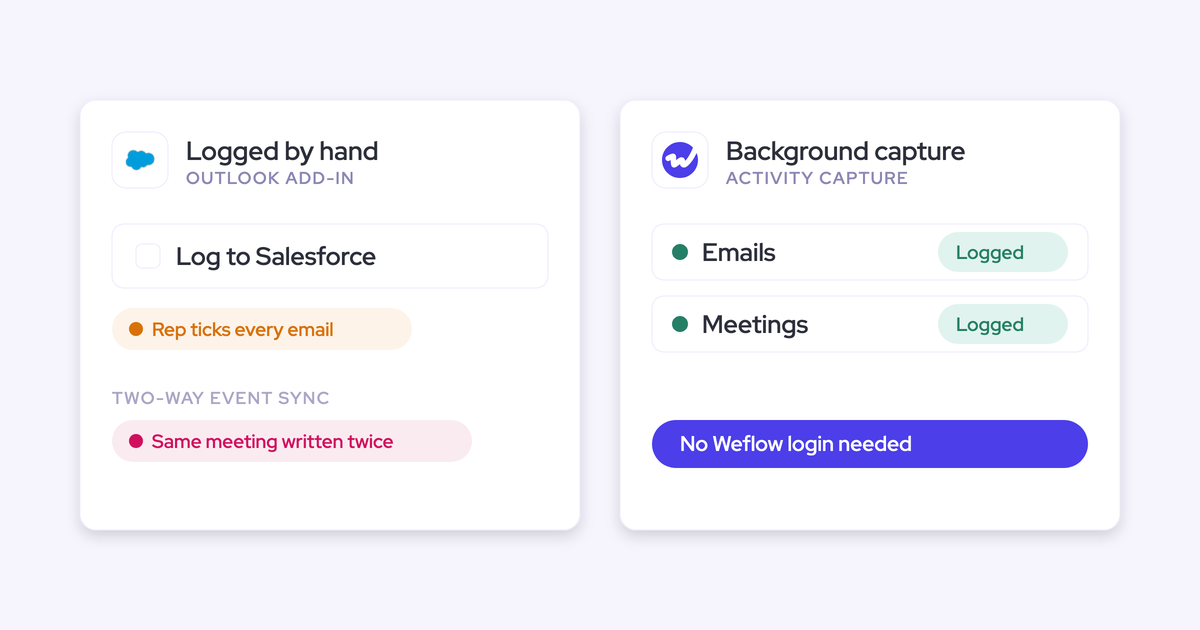
- Capture plus a notetaker or CI tool: The capture tool logs the calendar Event, and the notetaker logs the recording as its own meeting.
- Scheduler plus capture: The scheduling tool creates the Event, and the capture tool logs it a second time.
- Three to five tools at scale: Routing, sequencing, revenue intelligence and the CS platform each sync activity. Different object choices (Task, EmailMessage, Event) and different mapping logic land the same conversation two or three times.
As our co-founder puts it:
"If you record a meeting, it's not another meeting. It's the same meeting."
— Janis Zech, CEO & Co-founder of Weflow
The root cause is organizational: nobody decided which tool owns the meeting record. Our rule of thumb is that ownership follows where the seller works.
- A sequencer owns the activity of reps who live in the sequencer.
- A capture layer owns the inbox and calendar.
- Conversation intelligence attaches to the meeting the capture layer already wrote.
Some vendors already work this way. Salesloft Conversation Intelligence writes its recording link, summary and mapped call metrics onto the Event or Task already logged.
Chorus fixed its own duplicate entries in June 2025, so it now writes each engagement type as one record type.
If one tool already owns the meeting record and your recorder writes onto that same Event, you don't need to buy anything. A setting and a report change will do it.
How internal meetings and recurring series inflate Salesforce meeting counts too
Some Events in your count aren't customer meetings at all, and each tool handles them differently by default.
- Internal-only meetings: Einstein Activity Capture logs meetings where every attendee is on your own domain. Check whether stand-ups and one-on-ones appear in reps' meeting counts.
- Room and video-conference resources: EAC also logs calendar entries for meeting rooms and conferencing resources. Check for Events whose only invitee is a resource address.
- Internal meetings with one outside address: Excluding your own domain won't catch a training or wellness session run with an external provider, which still counts as a seller's customer meeting. Look for recurring vendor domains on high-volume Events.
- Pre-logged recurring series: A weekly series logged far ahead adds future Events to the account and to the rep's count. Check whether your tool writes future occurrences.
- Historical backfill on a new user: In Outreach, connecting a new user's calendar without an extra sync condition pushes all of that user's historical meetings into Salesforce. Check for a spike in the week each user was enrolled.
- Post-sale meetings in sales counts: When leadership wants to see prospecting, CS meetings blended into the total hide the gap. Check whether your report separates teams or meeting owners.
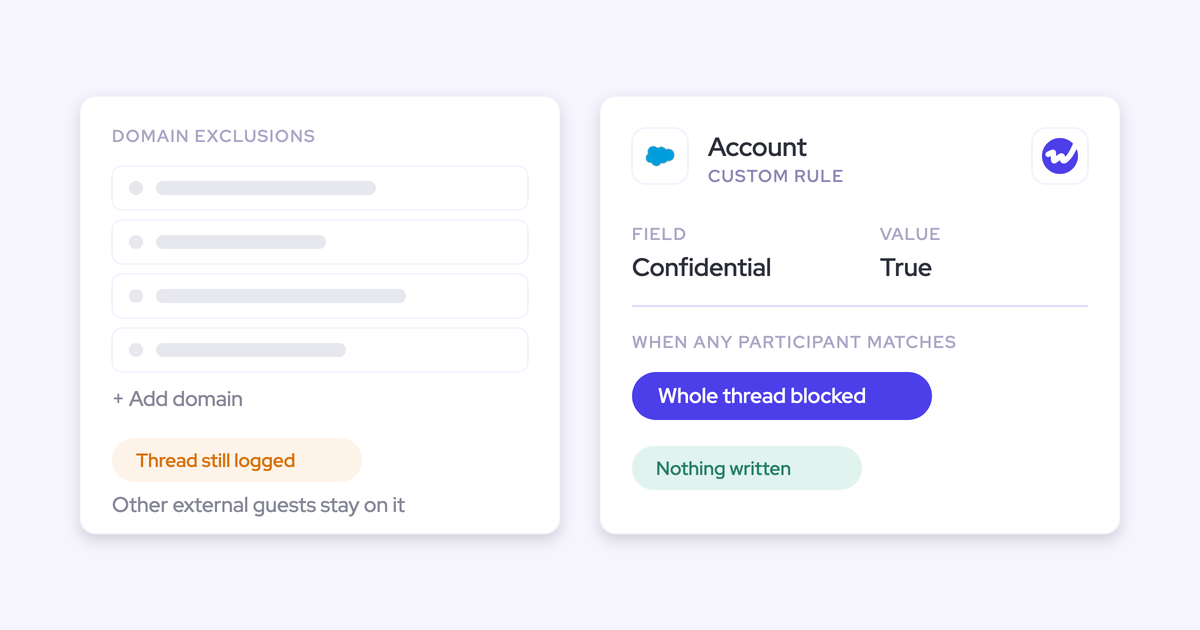
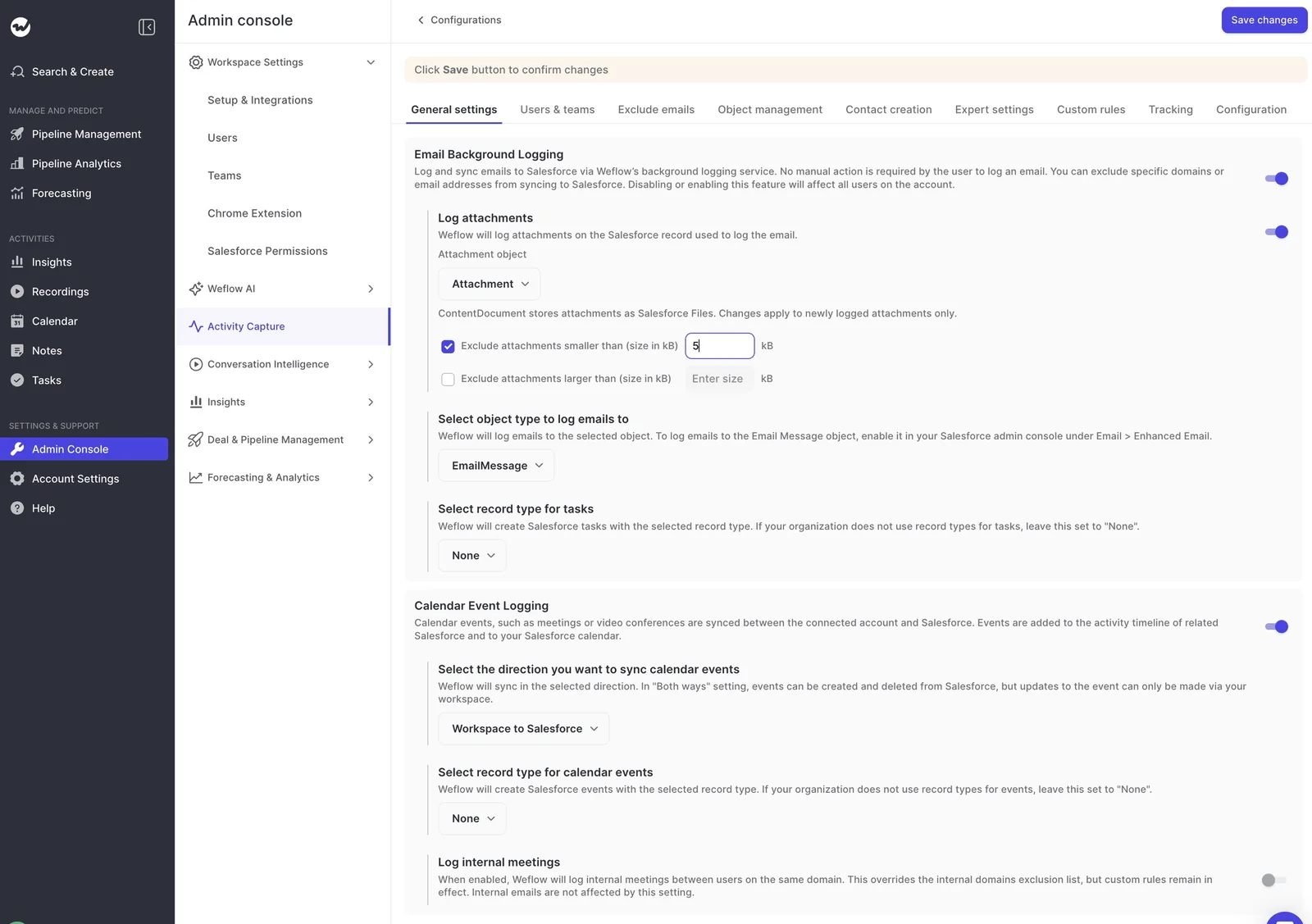
Weflow Activity and Contact Capture leaves internal-only meetings out by default and only logs an email or meeting when an external participant resolves to an account or opportunity.
Recurring-series logging is off by default for exactly the reason above. When you turn it on, Weflow writes occurrences up to two years ahead.
Why your capture tool's report and SOQL query disagree
Your capture tool's report and your SOQL query usually count different things, and the mismatch is often by design rather than a bug. As one RevOps lead described it:
The activity capture reporting was giving us one number, and my SOQL queries on tasks were giving us another number with the same filters. For some people it was pulling in meetings, for some people it wasn't. It's been a hot mess.
| Report source | What it actually counts |
|---|---|
| A capture tool's in-app report | What the tool sees in the mailbox and calendar, which can include items it chose not to log |
| SOQL on Task | Tasks only. Meetings logged as Events are missing, and some tools log meetings as Tasks |
| SOQL or a report on Event | Every Event, including per-contact copies and duplicates from other tools |
| A report that joins attendee relations | One row per relation, so a five-person meeting appears five times |
| Legacy Einstein Activity Capture reports (Activity 360) | Activity that pre-Summer '25 setups stored outside standard Salesforce records, which your SOQL can't see |
| Manually logged activity | Calls and messages reps log by hand, which a mailbox-based report never sees |
Our own reports work the same way. Weflow Insights counts every email and calendar meeting Weflow can see in a connected mailbox, whether or not it was logged to Salesforce. Weflow Analytics counts the activity records in your CRM.
Use Insights to check that capture is working and Weflow Analytics to see what's in Salesforce, and expect the two totals to differ.
How to rebuild a Salesforce meeting count you can defend
Fix the definition before you fix the tooling. Work in this order:
- Check Shared Activities: Know whether it's on, and which of your tools write one Event per contact today.
- Choose the report base: Count Events for meetings. Keep attendee relations for per-contact engagement questions.
- Write the "held" definition: Pick recording-linked, external attendee count, or accepted response, put it in writing, and apply it to every rep.
- Document one owner per activity type before go-live: Name which tool writes meetings, which writes emails, and which tools attach to existing records instead of creating new ones.
- Exclude internal meetings and recurring series: Filter out internal-only Events and resource bookings, and decide whether future occurrences belong in the count.
- Copy meeting type onto the Event with a Flow: If you need counts of discovery calls versus demos, the type has to live in a field on the Event that your report can group by.
- Test in a sandbox with an external address: Create, move, reschedule and delete meetings with multiple external contacts. Internal-only test meetings get excluded and prove nothing. Moves and deletes matter most, because they test the update rights that tend to fail weeks after go-live.
How to explain the corrected meeting count to sales leaders
Relabel each number by what it actually measures, so the drop reads as accuracy rather than lost activity. Most sales leaders will accept "this count measured invitations, not attendance" much faster than any explanation of EventRelation.
| What the dashboard called it | What it actually counted | What to call it now |
|---|---|---|
| Meetings | One record per contact invited | Meetings (one per meeting, however many people attended) |
| Meetings held | Invitations nobody declined | Meetings scheduled |
| Meetings held (new definition) | Not tracked before | Meetings with evidence: recorded, or meeting your attendee rule |
| Meetings booked on the play | Per-contact records plus duplicates from a second tool | Distinct meetings booked on the play |
| Meetings per closed opportunity | Every meeting record related to the deal, duplicates included | Distinct meetings before close |
| Time in meetings | Booked calendar slots | Time scheduled in meetings |
Show the old and new numbers side by side for one quarter. The gap shows how big the problem was and gives leadership one clear reason for the change.
How Weflow Activity and Contact Capture counts one meeting once
Weflow is the Revenue AI Orchestration platform for sales, customer success, and RevOps teams. For meeting counts, Weflow writes one Event per meeting, relates the attendees to it, and uses the recording as the signal that the meeting was held.
How Weflow writes one Event per meeting and adds the recording
Weflow Activity and Contact Capture creates the calendar Event in Salesforce, while Weflow Conversation Intelligence stores the recording on a separate custom object.
After the call, Weflow writes the summary, attendees and recording link onto that same Event, so running capture and recording from one platform gives you one meeting, not two.
Only one Weflow notetaker joins per company, however many of your Weflow users are on the call. Weflow resyncs the Event when the time, attendees or status change, and removes cancelled meetings.
Where you correct a mapping matters. A correction from the Outlook add-in or the Chrome extension moves both the Event and the recording.
A correction inside the Weflow app moves only the recording, on purpose, so that someone working in the recording view doesn't rewrite a Salesforce activity by accident.
How Weflow relates every attendee to one Event
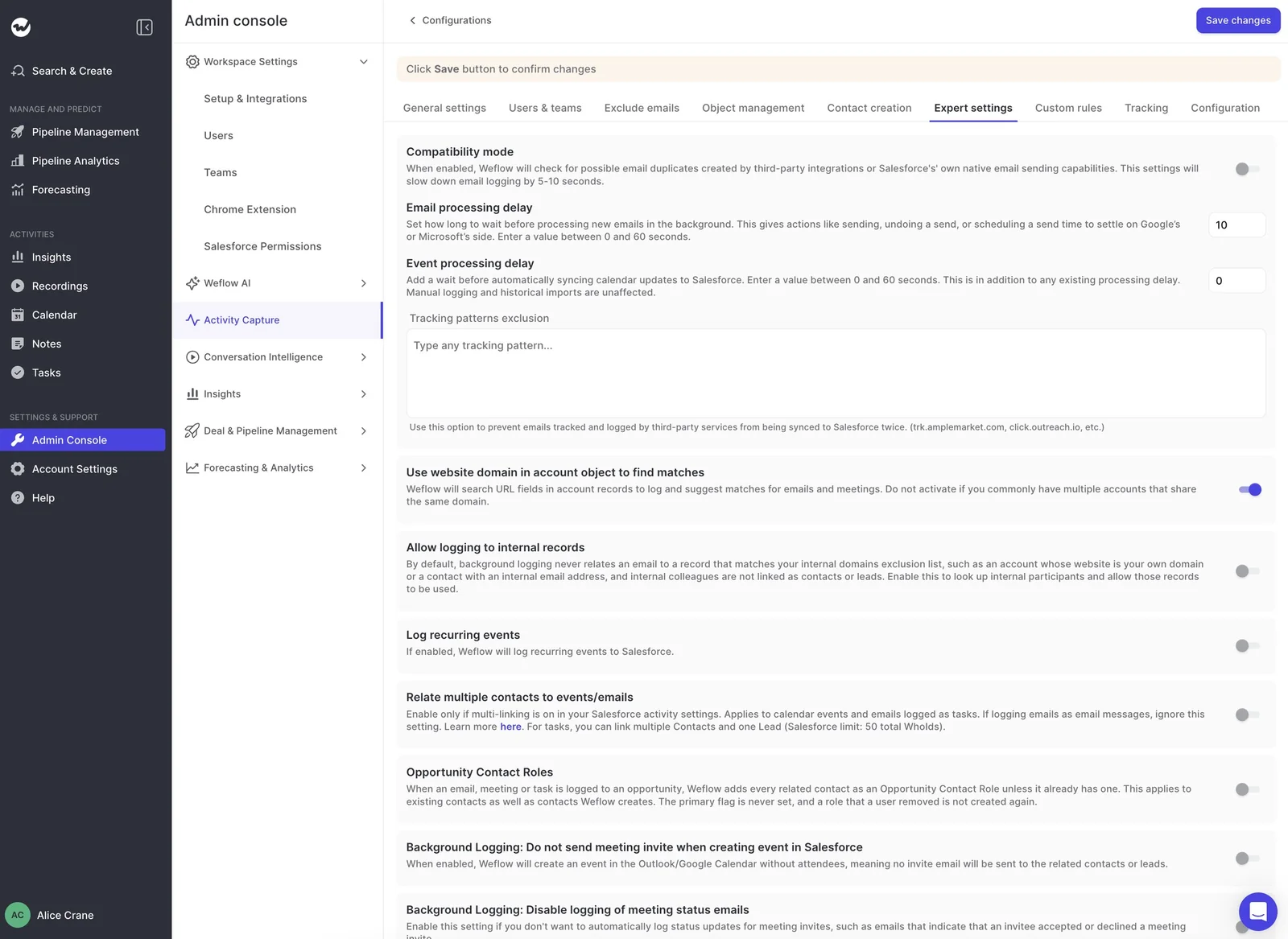
With Shared Activities on, Weflow relates one meeting to up to 50 people (contacts, plus one lead). That cap is Salesforce's own limit. The matching option in Weflow becomes available as soon as you turn the setting on.
Weflow writes each attendee's calendar response to Salesforce's native attendee relation on the Event and keeps those responses in sync until three days after the meeting.
How you report on and audit Weflow meetings in Salesforce
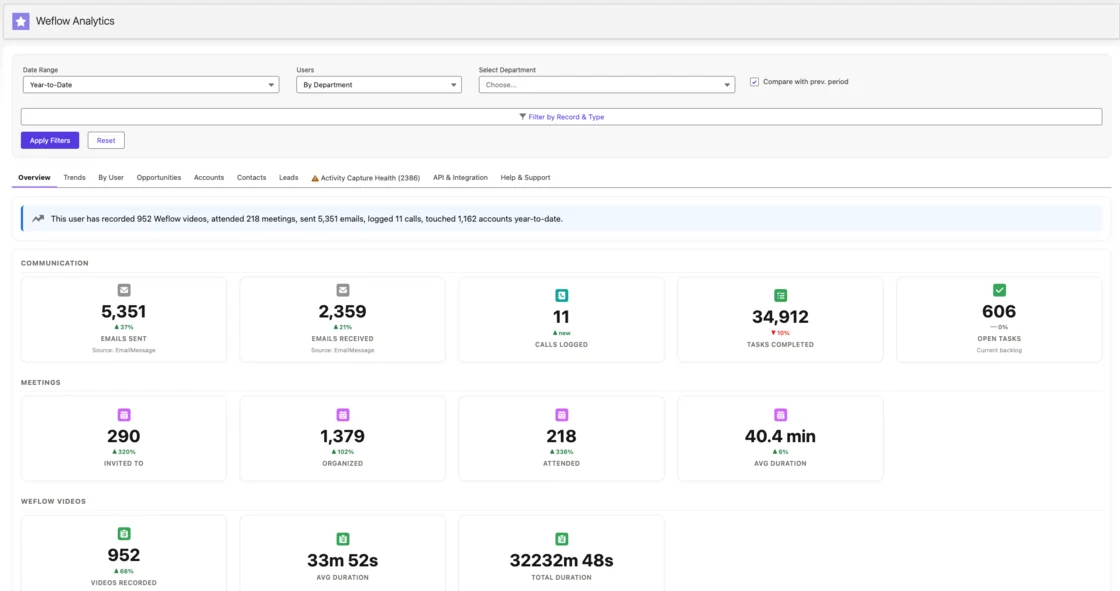
- Reports live in Salesforce: The Weflow Analytics package runs activity reports inside Salesforce on your CRM records and consumes no Salesforce API calls, so you reconcile in Salesforce without exporting.
- Recording metrics sit next to meeting counts: Weflow Analytics includes recording volume, total duration and average duration. The interaction tab in Weflow Insights uses the real recording duration, not the booked slot.
- Every Weflow record is traceable to Weflow: Emails Weflow logs as Tasks show the Weflow integration user in Created By. Emails logged as EmailMessage carry a message ID beginning with
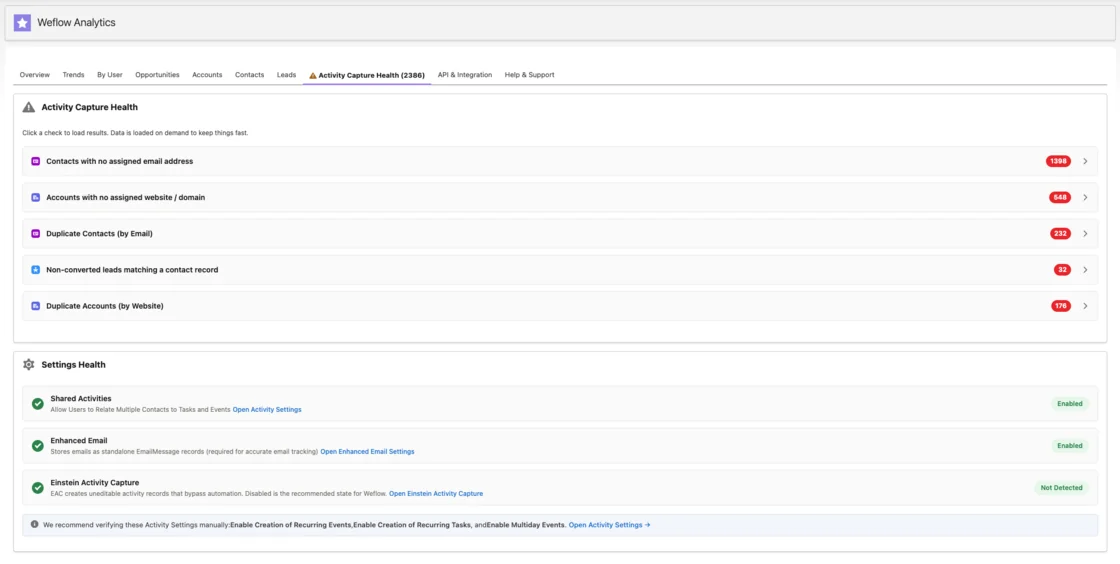
W_. - Activity Capture Health flags the conditions that break counts: This Weflow Analytics view inside Salesforce lists duplicate accounts, duplicate contacts, unconverted leads that match a contact, and capture settings that aren't configured yet.
What Weflow still can't tell you about a meeting
- Weflow records each attendee's calendar response, not their attendance, so it can't tell you whether a particular attendee joined.
- Weflow doesn't mark a five-minute no-show as rescheduled or incomplete.
- An unrecorded meeting that nobody joined looks the same in Weflow as one that happened.
- Weflow classifies every recording by meeting type, but it doesn't write that type to the Salesforce Event. Reporting on demos versus discovery calls in Salesforce needs a Flow or an API call to copy the value across.
What Weflow Activity and Contact Capture and Weflow Conversation Intelligence cost
Recording comes with Weflow Conversation Intelligence. Activity and Contact Capture on its own logs meetings but doesn't record them, so capture alone won't give you the "held" signal.
| Product or bundle | List price and what it covers |
|---|---|
| Weflow Activity and Contact Capture | $19 per user per month. Emails, meetings and contacts synced to Salesforce, with activity insights and reports. No recording |
| Weflow Conversation Intelligence | $39 per user per month. Recording, transcription, summaries and field updates from calls |
| Revenue AI Foundation | $49 per user per month. Activity and Contact Capture plus Conversation Intelligence, so one meeting gets one Event and a recording |
All plans are billed annually with a minimum of 10 users.
Still deciding between a setting change, a report redesign, an ownership rule or a purchase? Start with the audit. Our free Salesforce Activity Capture Cheat Sheet walks through the setup checks behind a meeting count you can defend.
FAQs about inflated Salesforce meeting counts
What is Shared Activities in Salesforce?
Shared Activities is the Salesforce activity setting that lets one task or event relate to multiple contacts.
With it on, a meeting stays a single Event, and each attendee is related to it, up to 50 people. The Event still relates to only one opportunity or account through its WhatId.
How do I find duplicate Events created by two different tools?
Filter Events by Created By, since each tool writes through its own integration user, then match records on subject and start time. Pairs with the same subject and start time but different creators are your duplicates.
Some tools also flag their own records. Backstory, for example, marks every activity it creates as created by Backstory.
Does Weflow's notetaker join once per user or once per company?
Once per company, no matter how many of your Weflow users attend. When two companies that both use Weflow meet, each side brings its own notetaker. A third-party recorder such as Fireflies joins as a separate participant the host can admit or decline.