Why Activity Capture Exclusion Lists Keep Growing, and How Field-Based Rules Replace Them
Learn why activity capture exclusion lists grow and when field-based Salesforce rules should replace them


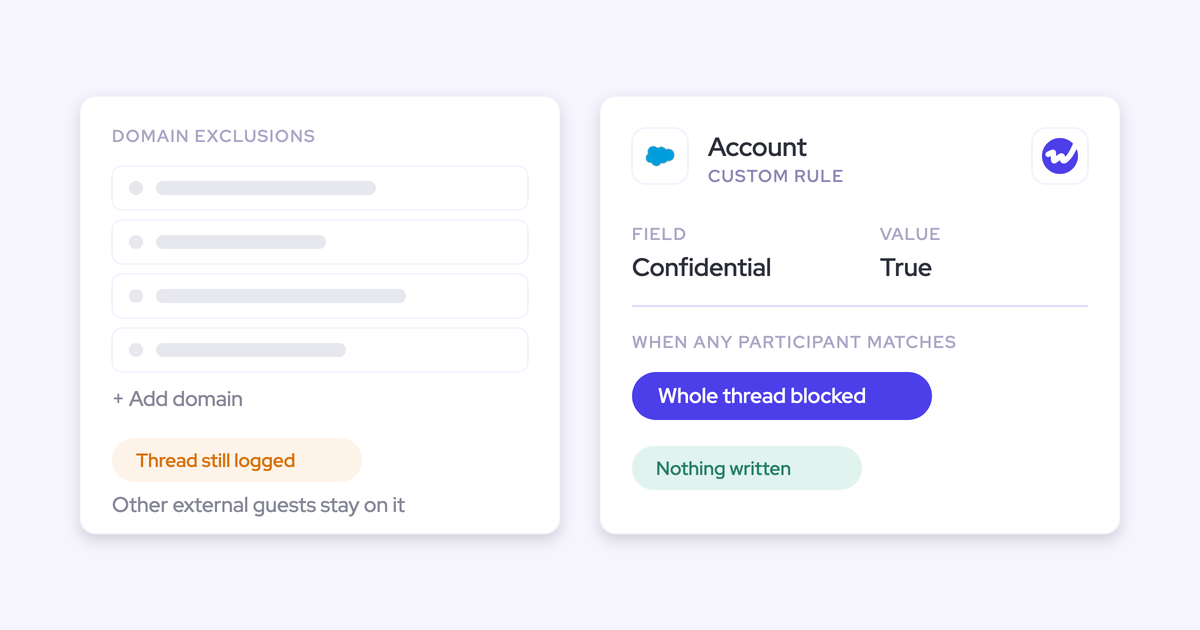

Your activity capture exclusion list keeps growing for a simple reason: the email address is the only thing capture can match on.
So every incident gets patched with another domain, even when the real problem was a wrong match, a person who should've been ring-fenced, or a mailbox that never should've been captured in the first place.
The fix is an audit: sort each entry by why it exists, then send it to the layer that actually fixes the cause.
Most of the list turns into data fixes, field-based rules on the Salesforce record, and team-level capture scopes. The domain list won't disappear, but what's left will be short.
The method works in any capture tool, and where yours needs custom code for a step, we'll flag it.
Why activity capture exclusion lists keep growing
Two things drive the growth: what capture can see, and what each entry was actually patching.
Capture can only match on an email address
Capture tools decide what to log based on sender and recipient addresses. But an address carries no relationship context, so it can't tell a customer from a board member, a vendor, or a rep's personal shopping account.
That leaves most admins with a single control, a list of domains and addresses, which is why your fixes keep turning into new lines.
Most entries patch a problem that isn't a domain
Most entries on the list exist for one of three reasons, and none of them is really about the domain:
- A match that should never have happened
- A person who already exists as a record
- A mailbox captured wholesale
Adding a domain hides the symptom but leaves the cause in place. That cause triggers the next incident, which adds the next entry.
| What the entry looks like | What actually caused it |
|---|---|
| Workday or payroll notifications | You sell to a vendor you also buy from, so its system mail matches the customer account of the same name |
| Internal system alerts | A test or internal account built on employee addresses pulls internal mail onto a fictional customer |
| Board member emails | The board member already exists as a contact, so the match runs on the record, not the domain |
| Reps' personal shopping accounts | The tool logs mail with no matching record, or a retailer or free-mail domain sits on an account somewhere |
| Personal mail from colleagues | A free-mail domain is in an account's Website field, so every message from that domain looks like activity on that customer |
| Investor domains | An executive's inbox runs under the same capture rules as the reps' inboxes |
In a typical list, only a handful of entries are genuine domain exclusions.
Compliance rules live on the Salesforce record, not the sender domain
Compliance rules describe the Salesforce record, not the sender, which is why a domain list can't enforce what legal asks for.
"Never log a confidential account" is a flag on an Account, and "never log a personal contact" is a checkbox on a Contact. Neither shows up in an email address.
| The rule compliance holds | Why a domain entry can't enforce it |
|---|---|
| Never log a confidential account | The flag lives on the Account and changes over time. A domain list drifts from it unless someone mirrors every flag change by hand. |
| Never log a contact marked personal | Personal contacts often write from free-mail domains your real customers also use, so you can't block the domain |
| Keep the B2C record type out | Consumers write from thousands of domains. The segment exists only as a record type. |
| Log nothing for accounts in a given country | Billing country is a field on the Account. No address carries it. |
| Stop board member mail | The board member is already a contact, so the match comes from the record and the fix has to live there too |
Without record-level rules, you're left with two options: switch capture off for whole teams, or watch legal block email capture entirely.
And most capture tools today only give admins lists:
- Einstein Activity Capture gives you an org-wide address and domain exclusion list, keyword exclusions, and automatic exclusion of emails containing credit card and social security patterns. To block by record logic, you'd need to add Apex to the Activities: Match Email to Records flow, which means custom code your team has to own and maintain.
- Chorus gives you organization-wide Block and Ignore lists of domains and addresses. Block skips anything where one external participant is listed. Ignore skips only when every external participant is listed.
What you need before you rebuild the exclusion list
Before you touch a single entry, gather:
- An export of the current list, with any notes on why each entry was added.
- The written compliance rules from legal or security, rephrased as record attributes ("Account.Confidential = true", not "the bank accounts").
- Admin access to create or edit fields on Account and Contact.
- A report of accounts sharing a Website domain, plus duplicate accounts and duplicate contacts.
- A sandbox with test data that uses unique, outside domains.
- A named owner for every new flag field you create.
How to rebuild your exclusion list around field-based rules
By the end of these eight steps, every entry has become one of four things: a data fix, a field-based rule, a mailbox scope, or a short list of domains you can justify.
Step 1: Sort every entry by the incident that created it
Before you change anything, tag each entry with a destination. You don't need the full history of every line, just which kind of problem it was patching.
| If the entry exists because… | It goes to… | Step |
|---|---|---|
| The sender never matches any Salesforce record | Delete | Step 2 |
| A free-mail domain sits in a Website field, a test account uses employee addresses, or a vendor account matches its own notifications | Fix the data | Step 3 |
| The record must never log because of what it is: confidential, personal, B2C, board | Field-based rule | Step 4 |
| An executive inbox mixes commercial mail with M&A, HR or legal mail | Mailbox scope | Step 5 |
| A sender not in Salesforce would otherwise become a match or a contact | Domain list | Step 6 |
| Nobody can say why it's there | Remove it in the sandbox and watch what logs | Step 7 |
Step 2: Delete entries for mail that never matches a record
If your tool only logs mail that matches a contact, lead or account, entries for unrelated senders don't do anything. Personal shopping accounts, newsletters and random noise usually land here, which makes them the quickest way to shrink the list.
Einstein Activity Capture works this way too under Sync Email as Salesforce Activity: if an email matches no Salesforce record, it isn't logged. Older setups and some other tools behave differently, though.
- Confirm in your tool's documentation that unmatched mail is never logged.
- Pick a handful of entries tagged "delete", remove them in the sandbox, and send mail from those senders.
- If nothing logs, delete the rest of the group in production.
Step 3: Fix the Website fields and test accounts behind wrong matches
When a free-mail or personal domain sits in an account's Website field, that account becomes a match for everyone on that domain. Test accounts built on employee addresses cause the same problem. Fix the cause, and the entry has nothing left to block.
- Correct the Website field by removing free-mail and personal domains and putting the company's real domain back.
- Retire test accounts built on employee addresses, or give them a test flag a rule can exclude.
- Only exclude a domain from matching if no customer uses it. Dropping an obscure personal mail domain is fine, but you can't drop gmail.com if customers write from it.
For a vendor you also sell to, exclude the vendor's notification sender addresses instead of its whole domain, so customer conversations with the same company still log.
Keep in mind that the exposure here is company-wide and historical. Mail with that domain from every connected mailbox has been landing on one account, where anyone with access can read it. Step 8 covers the cleanup.
Step 4: Turn ring-fenced contacts and accounts into field-based rules
Anything that must never log because of who the record is becomes a rule on a Salesforce field, whether that's a board member, a confidential account, a personal contact or the B2C segment.
For each one, check whether a field already exists or whether you'll need a new checkbox.
| Rule | Field to use or create | Who keeps it current |
|---|---|---|
| Confidential account | New checkbox on Account | Whoever onboards the account sets it at creation; compliance reviews the flagged list |
| Personal contact | New checkbox on Contact | The rep who owns the contact, at creation |
| B2C segment | Existing record type | Already set by your current process |
| Board member or investor | A checkbox or role value on Contact | RevOps, with a named backup in the executive office |
| Restricted country | Existing billing country on Account | Already maintained with the account |
Use existing fields where you can. A new flag is only as good as the person who sets it, so write that person's name next to the field before you build the rule.
In tools without record-level rules, this step means custom code, like Apex in Einstein Activity Capture's Activities: Match Email to Records flow.
Step 5: Give executive mailboxes their own capture scope
Executive inboxes mix M&A, HR and legal mail with commercial mail, and capturing them under the reps' rules is usually what makes legal say no. A domain list can't split one inbox into two kinds of mail, but a scope applied to that inbox can.
Your options for an executive scope:
- Manual-only logging, so nothing logs unless the executive chooses to log it.
- Automatic logging that blocks investor domains, board contacts and specific accounts.
- No capture at all for that mailbox, as the blunt fallback.
How granular this gets depends on the tool. Chorus lets you grant or exclude email and calendar sync for specific Google or Microsoft groups.
Backstory runs configuration profiles per user group and recommends a profile with intake off for executives. Either way, the inbox gets its own rules instead of a longer list.
Step 6: Keep domain entries only for senders not in Salesforce
The domain list still has a real job: it stops people who aren't records yet from becoming matches or contacts. That's why field-based rules replace most of the list, but not all of it.
- HR and payroll vendors: Their notifications reach every mailbox and shouldn't ever become activity.
- System notification senders: Calendar resources and alerting tools that aren't customers.
- Law firms and accountants: Privileged correspondence with firms you don't sell to.
- Free-mail domains for contact creation: So a stranger on gmail.com doesn't become a contact.
- Alias domains: Your own secondary domains, so mail between colleagues on them stays internal.
Step 7: Test the new rules in a sandbox with outside addresses
When a capture test fails, the test data is usually to blame, not the rules. So set up the sandbox so the only variable is the rule you're testing.
- Use one test user.
- Give each test company its own unique domain in the Website field. Never use gmail.com or outlook.com there, because they create ties production rarely has.
- Send from addresses outside your company domain. Internal-only mail is excluded, so it'll look like a failure.
- Keep one clear contact role per test opportunity.
- For each rule, send one email that should be blocked and one that should log.
- Create, move, reschedule and delete a test meeting. Moving and deleting test the update rights, which otherwise tend to fail weeks after go-live.
- Remove the entries nobody could explain and see whether anything logs without them.
Step 8: Delete activity that logged before the rules existed
A new rule only changes what logs from now on, not what's already been written. The same goes for a meeting marked private after it was logged: it stays where it is.
- Pull activity on the accounts you fixed in Step 3, going back to when the bad Website value went in.
- Pull activity on the records you flagged in Step 4 that logged before the rule existed.
- Find meetings marked private after they were logged.
- Delete them, then rerun the reports to confirm they come back empty.
Deleting stops the next person from reading those records, but it can't undo who's already read them. That's why the rules need to come before the rollout, not after the incident.
How to stop the exclusion list growing back
A rebuilt list only stays short if you keep a few habits.
- Every new incident goes through the Step 1 table before anyone adds a domain.
- Every flag field has a named owner, and that owner knows the flag drives capture.
- A standing view of shared Website domains and duplicate records catches wrong matches before they become entries.
- Each rule carries a one-line reason, so the next admin inherits rules they understand.
- When the next tool arrives, you migrate rules with reasons, not a list.
If you want a reference to keep next to your setup, grab our free Salesforce Activity Capture Cheat Sheet.
Do you need a new capture tool or a shorter list?
The right path depends on what your rebuilt list needs, and depending on what Step 1 turns up, you may not need to switch at all.
| If your rebuilt list needs… | The path that fits | What it costs you |
|---|---|---|
| A short, stable set of domains and no record-attribute rules | Prune in place in your current tool | An afternoon with the export, plus running the Step 1 triage on every new incident |
| Record-attribute rules, staying on Einstein Activity Capture | Apex in the Activities: Match Email to Records flow | Custom code your team owns, tests and keeps working |
| Record-attribute rules as configuration, plus separate scopes per team | A capture tool built for record-level rules | A migration and a parity run against your current tool |
| An executive inbox legal won't approve | A separate scope on manual-only logging | You lose automatic capture of that person's customer mail outside shared threads |
| Topic-level detection of HR, legal, medical or job-offer mail | Backstory documents topic filters that drop the body of sensitive emails and leave a note in the CRM | A different tool. No field rule reads what a message means, including ours. |
How Weflow Activity & Contact Capture handles each exclusion layer
Weflow is the Revenue AI Orchestration platform for sales, customer success, and RevOps teams.
Built for Salesforce teams, Weflow Activity & Contact Capture writes emails, meetings and contacts into native Salesforce objects, and each rebuild step above maps to a setting, limits included.
Weflow Activity & Contact Capture logs nothing without a Salesforce match
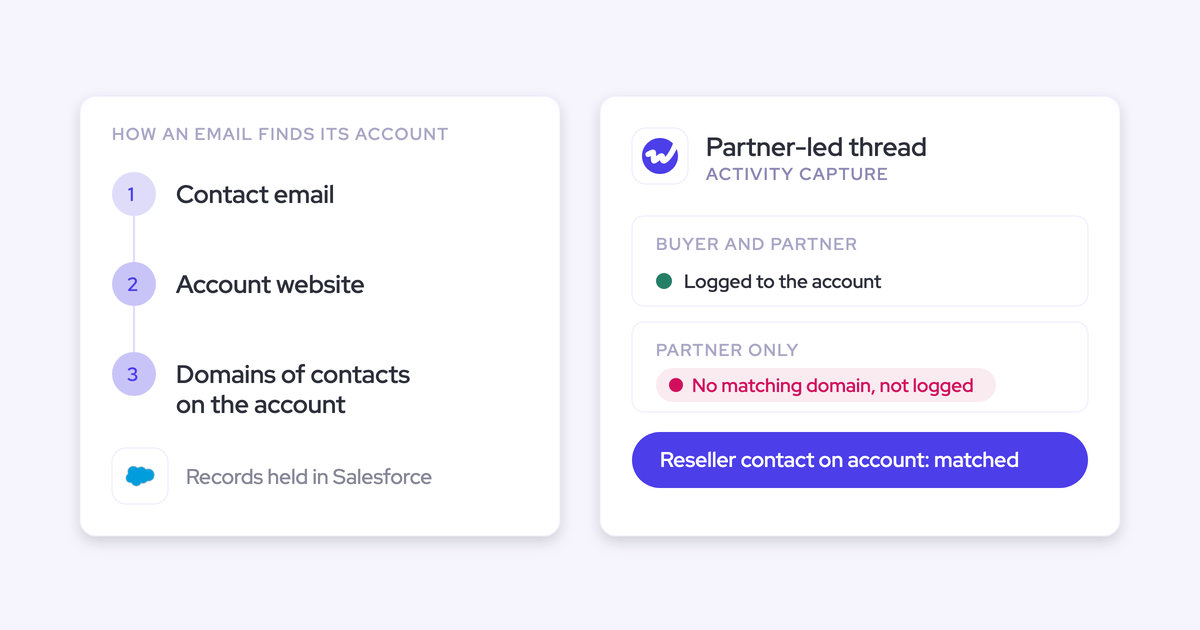
If no contact, lead or account domain in Salesforce matches the mail, Weflow doesn't log it. That makes Step 2 the default: your list only needs entries for correspondence that does match a record.
One thing to watch: Weflow matches accounts on the Website field, so a free-mail domain sitting there behaves like any matching domain. That's why Step 3 still matters in Weflow.
Weflow domain exclusions stop strangers, custom rules stop existing records
Weflow has two controls that look interchangeable but do different jobs. Domain exclusion stops people who aren't in Salesforce yet, while custom rules stop existing contacts and accounts based on any field on the account, contact, opportunity or case.
| The entry | The Weflow control that stops it |
|---|---|
| Law firm, accountant or HR vendor not in Salesforce | External domain exclusion |
| Board member who is already a contact | Custom rule on a Contact field or contact role |
| Account flagged confidential | Custom rule on the Account checkbox |
| Contact marked personal | Custom rule on the Contact checkbox |
| B2C segment | Custom rule on record type |
| Accounts in a restricted country | Custom rule on billing country |
| A team that never works leads | Object exclusion |
| A literal string in the email body | Keyword exclusion |
All of this is configuration, not Apex. Just note that each custom rule adds Salesforce API calls, and the admin console warns you about that as you add them.
Blacklane, which runs a B2B2C motion, moved from Einstein Activity Capture to Weflow. Keeping B2C contacts out of Salesforce was the requirement going in, and the team now handles it with custom exclusion rules:
We want to make sure that emails are not captured on the B2C side. Excluding certain activities based on record types is something we're looking for.
— Irina Smirnova, Senior Sales Operations Manager, Blacklane
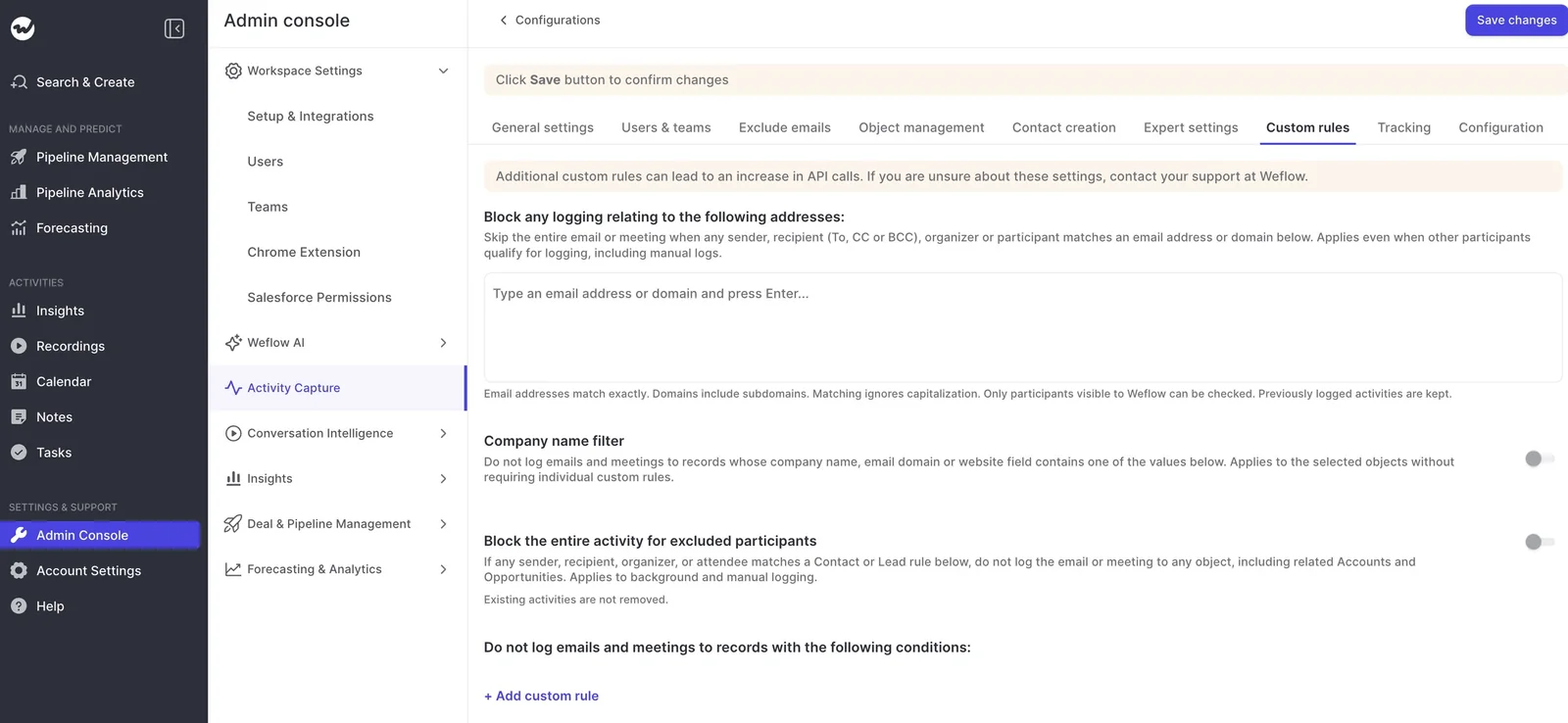
Weflow capture configurations separate executives from the sales team
Weflow scopes capture configurations by user and by Salesforce field value, and each user belongs to exactly one configuration.
An executive configuration can run on manual logging only, or block contacts of a given role, specific accounts and investor domains. That's how you keep a CEO's funding conversations out of Salesforce.
When users from several Weflow capture configurations share an email thread, Weflow logs it under the most permissive of their rules.
So if your CEO emails a customer together with a rep, the sales configuration applies and the thread logs as usual.
For most teams that's the right outcome, since a customer thread with a rep on it is commercial mail, but it's worth walking legal through that case before rollout.
Reps on hybrid mode get a tick in the Outlook add-in or Chrome extension that skips logging for a thread. You can also deploy the add-in with that control removed for some teams.
The tick only works when the rep notices, though, since nothing in Weflow detects that a message is sensitive. So treat it as a convenience and keep compliance rules central.
Weflow defaults block internal threads, your own org and test accounts
Weflow's defaults clear out a whole class of entries before you write a single rule:
- Internal-only threads are excluded by default: This replaces your internal domain entries and most internal alert entries. You can switch on logging of internal meetings if you want them.
- Your own Salesforce instance name is blocked automatically: This replaces entries for test accounts built on employee addresses and your company's own records.
- A company-name filter blocks any account, contact or opportunity whose name contains a given string: This covers inherited orgs, acquired names and test accounts where the instance name doesn't resemble your company name.
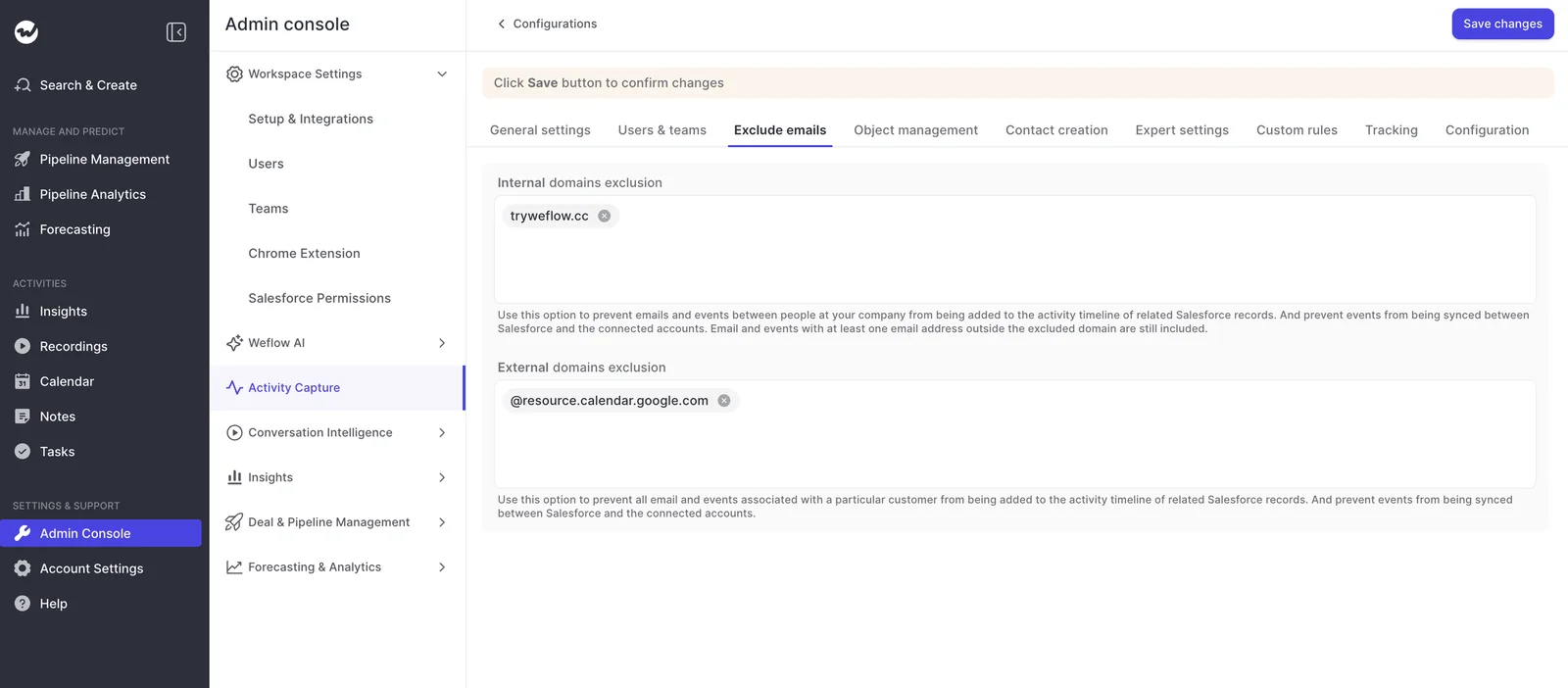
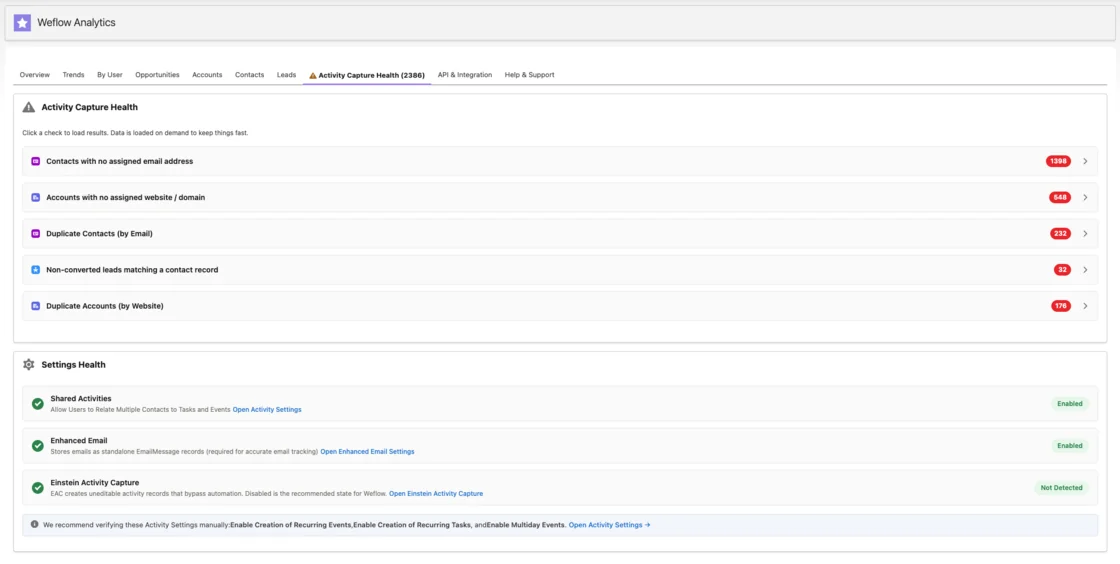
Activity Capture Health shows which matches are behind your exclusions
Activity Capture Health is a Weflow Analytics view inside Salesforce that flags accounts sharing a website domain, duplicate accounts and contacts, non-converted leads that match a contact, and capture settings that aren't configured yet.
In other words, it's the standing view of wrong matches from the habits list, already built.
Weflow also keeps a log of each matching decision for 30 days. When someone asks why an email did or didn't log, our support team can answer from the decision and the rule that applied, without reading the content.
What Weflow Activity & Contact Capture costs per user
Weflow Activity & Contact Capture costs $19 per user per month, billed annually, with a 10-user minimum. Seats you add mid-term are charged pro rata to the end of the term. Ask Weflow AI Pro and Agent Builder Free, with 25 agent actions per month, are included.
FAQ: Activity capture exclusion rules
Do exclusion rules also stop automatic contact creation?
In Weflow, contact creation has its own controls, set in the same capture configuration:
- Create contacts only for accounts that already exist.
- Cap how many contacts a single meeting or thread can create.
- Block standard prefixes such as invoice, billing, no-reply and support.
- Keep free-mail domains out of creation.
There's no admin review queue before contacts are written, but reps can clear the tick in the extension before an email sends.

How do I log customers on Gmail without logging staff personal mail?
Match customers on their full address at contact level, never on the domain. Weflow looks up the address in the primary and secondary email fields, so a contact with both a business and a personal address resolves either way.
Keep free-mail domains out of every account Website field and out of contact creation.
How do I stop sequencer bulk email without a domain entry?
Use tracking patterns: Weflow suppresses a sequencer's emails entirely by matching a string in the message body, like the sequencer's tracking link domain.
Compatibility mode solves a different problem: it holds Weflow's sync back by about ten seconds so another tool can log first, then matches on the record ID so the email isn't written twice.
Pick compatibility mode when the other tool should keep logging, and tracking patterns when the mail shouldn't reach Salesforce at all.
Can we finish setup while legal review is still open?
Yes. Weflow doesn't read any mailbox until a user is enrolled in a capture configuration, so installing the managed packages, connecting the integration user and adding the workspace app don't capture anything.
Should Einstein Activity Capture keep running during the migration?
Only for a parity check. Run Weflow on its defaults, confirm it tracks one for one with your current setup, then disable Einstein Activity Capture.
Weflow's Settings Health check recommends turning it off, since Einstein Activity Capture creates uneditable activity records that bypass automation.