How to Measure Whether Sales Activity Predicts Won Deals Using Captured Emails and Meetings
Learn if captured emails and meetings on opportunities predict won deals in Salesforce.


You can answer "do our most active reps close faster?" with your own Salesforce data. But first, one activity has to mean the same thing on every opportunity: mapped to the deal, counted once, external only, with email direction intact.
Once that's true, you compare closed-won against closed-lost deals per opportunity, normalized for how long each deal ran, split by funnel and read stage by stage, with a close look at buyer-side signals from the first few weeks.
Keep in mind that what you'll get is association and leading indicators, not causation. The answer depends on your own deals. And the result depends heavily on capture: if a third of your reps' email never reaches Salesforce, you're measuring who logs, not who sells.
That's why de-inflating your data comes before correlating it, whether your activity arrives through add-ins, Einstein Activity Capture, or automated Salesforce data capture.
Weflow is the Revenue AI Orchestration platform for sales, customer success, and RevOps teams. The method itself runs on plain Salesforce, in reports or through an AI assistant.
Since capture is the layer Weflow built first, we'll also flag where it saves you steps and where it doesn't.
What this analysis can prove to your CRO, and what it can't
The analysis shows whether activity patterns on closed-won opportunities differ from closed-lost ones, and how early that difference shows up. What it won't show is that activity causes wins.
By the end, you'll have:
- Activities per opportunity for won and lost deals, normalized by weeks open, so long deals don't look busier just because they ran longer.
- Buyer-side signals from the first weeks of each deal: reply rate, contacts who actually engage, and follow-up speed after meetings.
- Separate results for new logo, renewal and expansion, because blending them hides what's happening in each.
- Stage-by-stage benchmarks from closed-won deals that managers can read against open pipeline.
The first trap a skeptical CRO will spot is circularity: "won deals have more meetings" is partly true by design.
Winning deals sit through procurement, security and legal meetings that lost deals never reach. Long deals pile up activity just by running longer, while lost deals often stop early, so they have less activity simply because they ended.
If your comparison doesn't control for length and stage, you've measured how far deals got, not what predicted the outcome.
Done right, the result holds up. United Fintech ran this exact analysis once their capture was complete:
"We saw that deals with more activities tended to close faster. Now we can prove that."
— Rugile Pudzevelyte, Senior Revenue Operations Manager at United Fintech
What you need in Salesforce before you start
Before you build a single report, check that these five things are in place:
- Enough closed history, counted per funnel: Run an opportunity report of closed-won and closed-lost deals grouped by Opportunity Type. What matters is the count in your smallest funnel, not the total.
- Emails and meetings stored as native Salesforce records: Emails should sit on the EmailMessage object with Enhanced Email turned on, and meetings on Event. Email stored as a Task works for volume and nothing else (more on that in step 5).
- Activity related to the opportunity: Run an activities report on a handful of accounts with several open deals and check what each activity's Related To field points to. If it's mostly the account, you can't run opportunity-level analysis yet.
- A field that separates new logo, renewal and expansion: Opportunity Type usually does this. If it's blank on a large share of closed deals, fix it first.
- A known capture start date: Write down when automated capture went live for each team. Anything logged before that date carries the old gaps..
Stage one: Make one activity mean the same on every opportunity
Every count in the comparison has to mean the same thing on every deal. Otherwise you're measuring capture quality, not selling.
Each of the five steps below tackles one distortion: how to find it in Salesforce and how to remove it. Run them in order, starting with coverage, because nothing else matters if half the activity is missing.
Step 1: Check that every rep's emails and meetings reach Salesforce
Partial capture is worse than none because it produces confident-looking reports on an incomplete record. And the gaps aren't random.
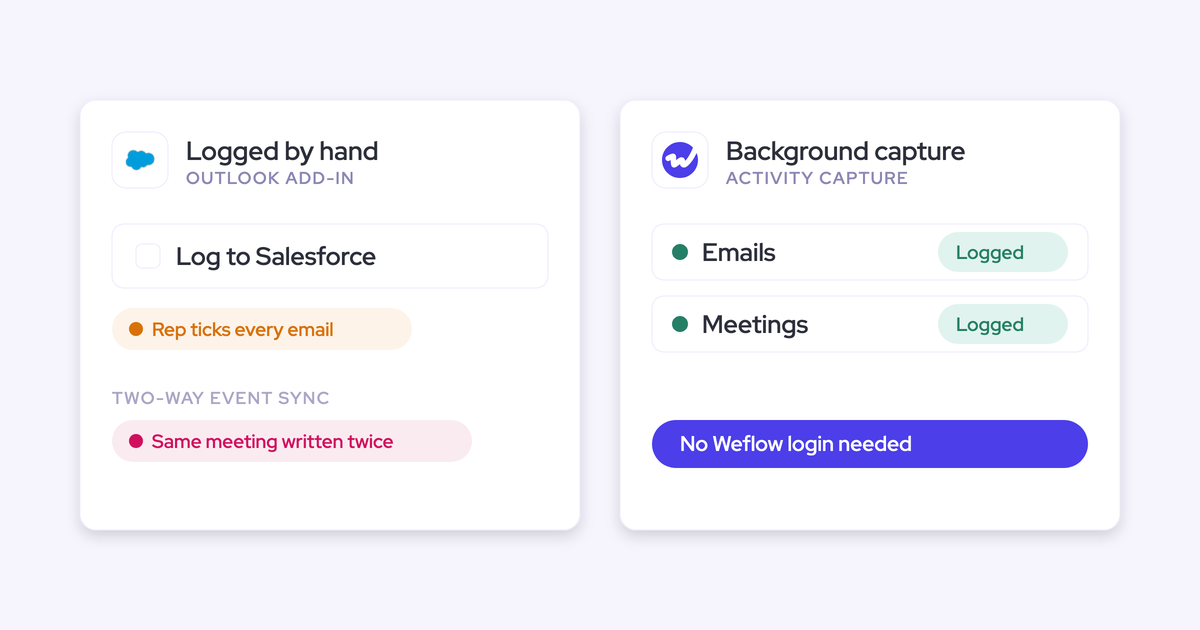
When logging depends on reps clicking "log to Salesforce" in an Outlook add-in or Gmail extension, only 24 to 52% of activity reaches the CRM. The busiest reps and weeks log the least, so a correlation run on that data makes your most active sellers look the least active.
Here's how to find the gaps:
- Build an activities report grouped by owner and by week for the last two quarters.
- Flag reps whose weekly volume sits near zero, or drops sharply with no change in their pipeline.
- List accounts with open opportunities and no logged activity in the last 90 days.
- Compare the users enrolled in your capture tool against every active customer-facing user, CS included.
- Filter to inactive users to find activity still owned by people who've left.
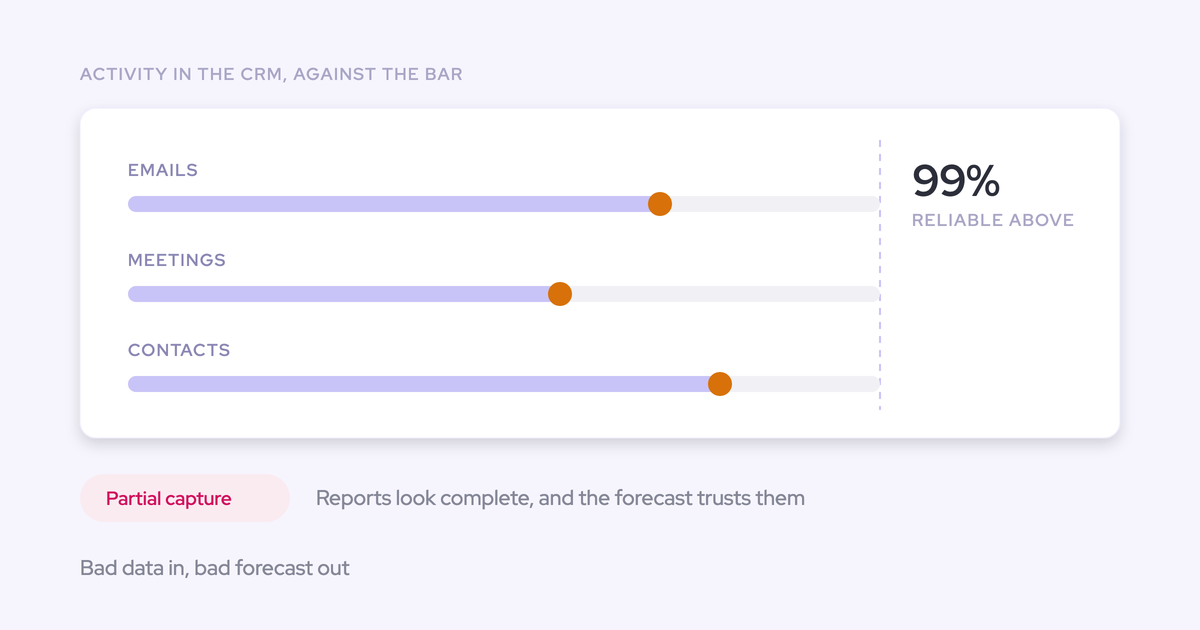
We aim for roughly 99% of emails, meetings and contacts landing in Salesforce. Below that, any missing activity could be the one that changes your conclusion.
Step 2: Attach each activity to the opportunity, not just the account
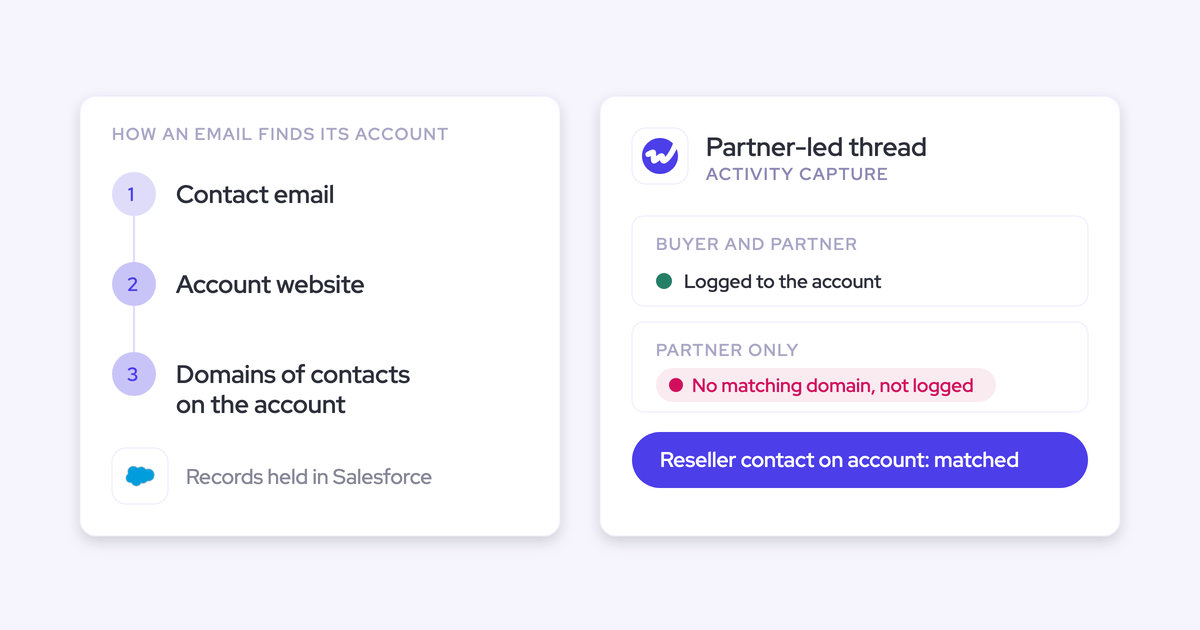
Once an account has more than one open opportunity, you can't compute "touchpoints per won opportunity" if activity lands only on the account, or on every opportunity a contact belongs to.
"Because you're running seventeen different opportunities at one account sometimes, and some of those are worth five k, and some of those are worth five million."
— Kelly Lewis, RevOps and sales leadership coach; co-host, The Revenue Insiders podcast
To check, filter to accounts with two or more open opportunities and measure the share of their activities related to the account versus a specific opportunity. Also count emails that appear on more than one opportunity at once.
That second pattern is common with Einstein Activity Capture (EAC). When a contact sits on several open opportunities, EAC shows their emails on all of them, so a renewal and an upsell carry the same thread.
Mapping based on contact roles works when an account has one deal but breaks when it has several.
To be fair to EAC, under Sync Email as Salesforce Activity a rep can correct the matched record on the email itself, and the matching flow won't overwrite that manual choice.
The fix has two parts:
- Mapping logic that picks one opportunity rather than the contact's whole list.
- A way for reps to correct the pick right in their inbox, so mapping errors get fixed close to the moment they happen.
Step 3: Count each meeting once, however many tools or invitees log it
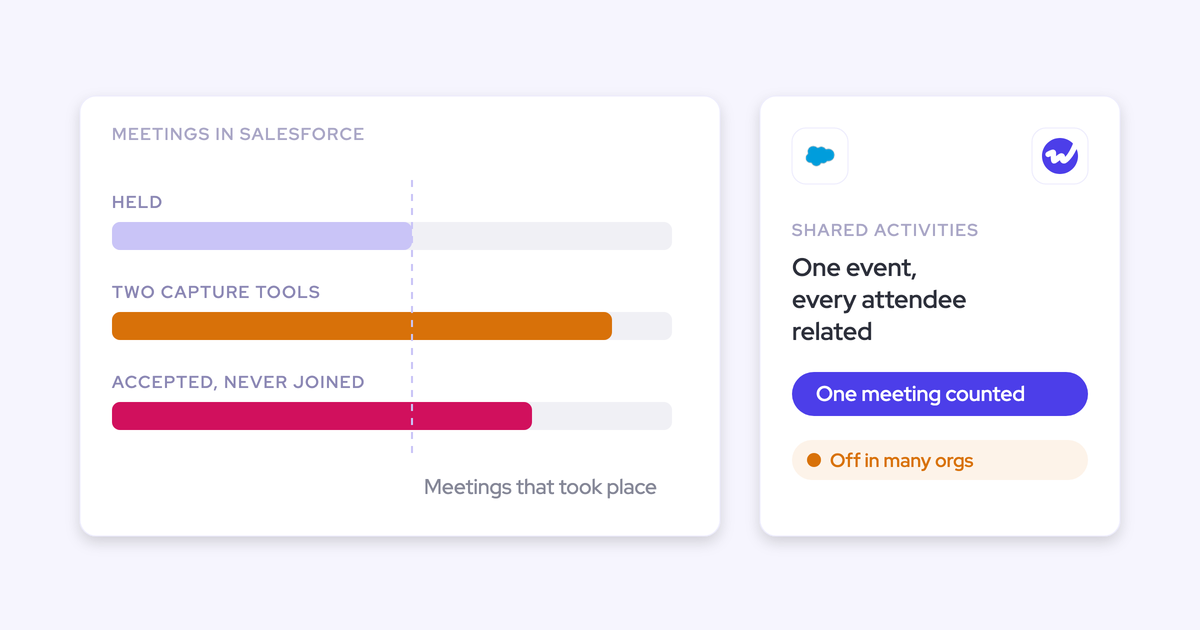
One meeting should be one Event, with every attendee related to it. Three common setups break that rule.
| Inflation source | How to detect it in a report |
|---|---|
| A capture tool and a notetaker each write the same meeting as separate Events | Group Events by account and start date/time and filter to groups with more than one record. Then check Created By: two integration users on the same slot is the giveaway. |
| One invite to several contacts becomes one Event per invitee | Group Events by subject and start time across contacts. Several Events with identical subject and time, each tied to a single contact, are one meeting counted several times. |
| Recurring series logged in advance | Filter Events with a start date in the future, grouped by subject. A weekly series logged months ahead inflates every per-account and per-rep count. |
Going forward, turn on Shared Activities, the Salesforce setting that lets users relate multiple contacts to tasks and events. Then make sure only one tool writes each meeting, with the recording attached to that same Event.
Historical data needs its own cleanup. You can either delete the second record or exclude it from the analysis by filtering on the tool that created it. Just pick one approach and use it for every deal in the comparison.
Step 4: Keep internal meetings, out-of-office replies and invite responses out
Internal meetings, auto-replies and accept/decline messages all inflate activity, and they hit reply rate hardest: a high-volume rep collects more auto-replies and ends up looking more engaged than a rep doing targeted outreach.
Apply one filter per noise type, and keep in mind what each one misses:
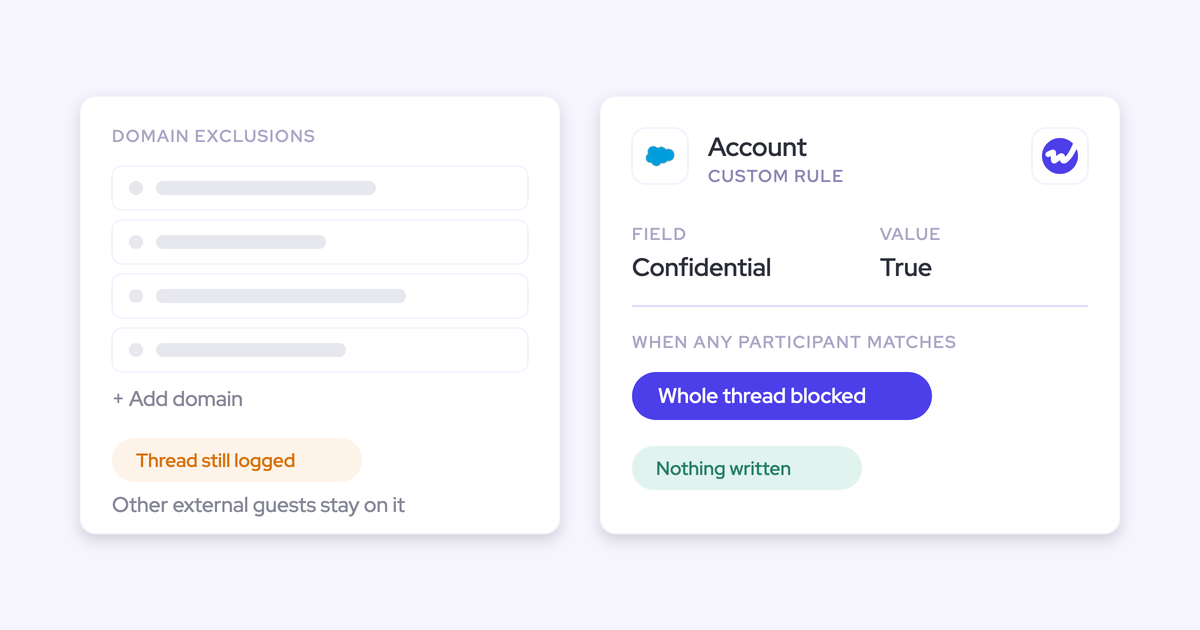
- Internal-only meetings and email: Exclude activity where every participant is on your own domain. This misses internal sessions with one outside address on the invite, such as a training run with an external provider.
- Meeting rooms and conferencing resources: Exclude resource calendar addresses so room bookings don't count as meetings.
- Invite responses: Exclude emails whose subject starts with the accept, tentative or decline prefix your mail system uses. Accepting an invite isn't an email touchpoint.
- Out-of-office replies: Exclude subjects containing common auto-reply phrases. This filter will always leak, since auto-replies come in every language and senders customize them, so sample your remaining "replies" and add phrases as you go.
- Suppliers and free mail domains: Exclude vendor domains and noisy free mail addresses that match accounts but aren't buyers.
Step 5: Keep sent and received email apart so reply rate exists
Without email direction, there's no reply rate, only rep effort. Two setups strip direction out:
- Sales engagement platforms that log email to the Task object, which drops the from/to structure.
- Add-ins that log outbound mail only, so the buyer's reply never reaches Salesforce.
| What you want to report | Email logged as a Task | Email on the EmailMessage object |
|---|---|---|
| Emails sent per opportunity | Yes | Yes |
| Emails received per opportunity | Only if the reply was logged and someone can tell it apart | Yes, from the Incoming field |
| Reply rate | No reliable way | Received divided by sent, per opportunity |
| Which contacts reply | No | Yes, from the sender address |
| Time from buyer email to rep reply | No | Yes, from message dates within a thread |
Checking takes a minute: run an Email Messages report grouped by the Incoming field for last quarter. If it returns nothing, or nearly everything is outbound, direction is missing.
Decide where the comparison runs: Salesforce reports or AI assistant
Each route handles different parts of the analysis, so pick based on what you need to calculate.
| Salesforce reports (incl. Weflow Analytics package) | AI assistant via Weflow MCP connector | Weflow Deal Intelligence & Forecasting score | |
|---|---|---|---|
| What it calculates | Activity counts by opportunity, outcome, type, owner and period; activity trends; accounts with no activity in 90 days | Per-rep win rate, cycle length, closed-won count, coverage and deal size, with the opportunity IDs behind them | A 0 to 100 likelihood to close per opportunity, recalculated nightly, with its drivers |
| What it can't | Per-opportunity ratios, time-between measures and normalization without summary formulas, buckets or an export | Per-opportunity activity analysis; its outcome metrics are per rep | Tell you which signal predicts wins across your whole pipeline; it explains each deal |
| Data it reads | Logged EmailMessage, Event and Task records in your Salesforce | Metrics Weflow computes from its own forecast configuration | Your own closed deals: time in stage, activity count, communication cadence |
| Granularity | Record level | Rep level, drillable to opportunities | Opportunity level |
| Best use | Steps 6 to 9, the core won-versus-lost comparison | Checking whether high-activity reps actually close faster or bigger | Cross-checking your own findings against a model trained on the same deals |
What standard Salesforce report types can and can't calculate
Activity reports get you further than most teams expect, but they stop right at the measures leadership asks for: percentages, time-between measures and per-opportunity ratios by outcome all need extra work.
What you can build natively:
- Activity counts grouped by opportunity, then by stage or won/lost.
- Counts split by email and meeting, by owner and by week.
- Opportunity counts and averages by Type, so the funnel split is a filter.
What needs a formula field, bucket or export:
- Activities per opportunity per week open: You need a days-open formula on the opportunity, and the division happens outside the report.
- Reply rate per opportunity, because it divides one filtered count by another.
- Time to first touch: Weflow has fields for last email, last meeting and next meeting, but no first-email or first-reply date, so you build it from the earliest activity record.
- Medians, early-window cuts and anything that compares a deal against its own history.
If you use Weflow, its Analytics package reports on captured activity inside Salesforce without consuming any Salesforce API calls.
It covers activity trends, per-user counts split by type, activity by record and account, and orphaned records with no activity in the last 90 days.
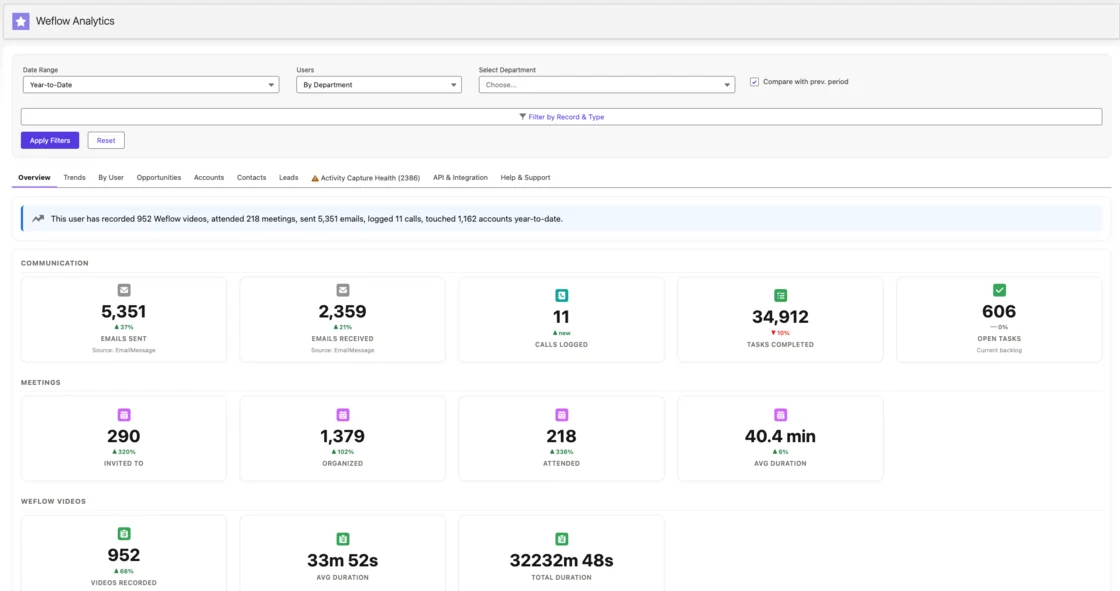
One thing to plan around: fields Weflow computes (marked with a W in the interface) are Weflow fields. Deal warnings and AI Playbook scores don't reach Salesforce reports or BI unless you write them to a Salesforce field.
The same goes for other computed deal-health fields, which is why the Salesforce-report version of this analysis runs on the logged activity records themselves.
What the Weflow Model Context Protocol connector returns per rep
The Weflow MCP connector returns outcome metrics per rep, including win rate, average sales cycle length, closed-won amount and count, average deal size, coverage ratio and gap to forecast, plus the opportunity IDs behind each number.
Those IDs matter, because an assistant can line rep outcomes up against rep activity and then open the actual deals behind an outlier.
A typical flow looks like this:
- Ask the assistant for win rate, average cycle length and closed-won count per rep for the last four closed quarters.
- Give it your per-rep activity figures from step 6, normalized per opportunity per week.
- Ask which reps combine high activity with long cycles or low win rates, and which combine low activity with fast wins.
- Ask it to open the opportunity IDs behind one outlier's closed-won count and summarize what those deals have in common.
Keep two limits in mind:
- The metrics are per rep, not per opportunity, so this route tests "do our most active reps close faster?" rather than "do our most active deals close?".
- Weflow computes them from its own forecast configuration, not from your Salesforce forecast setup.
Use the Weflow Deal Intelligence & Forecasting score as a second opinion
Weflow scores every opportunity from 0 to 100 on its likelihood to close and recalculates the score nightly.
The model trains on your own closed deals, going back as far as your instance allows (usually two years), and its inputs include activity count, communication cadence and time in stage. Each score comes with the drivers behind it.
It needs about six months of closed history to score accurately, then trains within a few days. So if your manual analysis says early reply rate separates won from lost, check whether cadence shows up as a driver on the deals the model rates highest.
When both point the same way, your CRO gets two independent reads on the same question.
Stage two: Compare closed-won and closed-lost opportunities on activity
Once your counts are clean, the comparison takes five steps, each swapping a naive measure for one that holds up to scrutiny:
- Per opportunity instead of in total
- Normalized for time
- Buyer-side instead of rep-side
- Segmented by funnel
- Stage-aware
Then you join the numbers to what was said on the calls. Throughout, build every measure for won and lost deals separately, and keep the same deal population across steps.
Step 6: Measure activities per opportunity per week open, not raw totals
Twenty emails only mean something once you know how many deals they were spread across and how long each one ran. So normalize by opportunity first, then by weeks open, or your long deals will always look more active.
| Measure | What to calculate for won vs lost | Why it beats the naive version |
|---|---|---|
| Activities per opportunity | Total external emails and meetings divided by number of closed deals in each group | Removes the effect of one rep carrying more deals than another |
| Activities per opportunity per week open | Each deal's activity count divided by (close date minus created date) in weeks | Stops long deals looking busier just because they lasted longer |
| Emails received per opportunity per week | Inbound emails only, divided by weeks open | Measures buyer engagement rather than rep effort |
| Meetings per opportunity per week | Deduplicated Events from step 3, divided by weeks open | Counts meetings, not invitees or duplicate records |
| Share of weeks with any buyer activity | Weeks with at least one inbound email or meeting, divided by weeks open | Separates steady engagement from one busy burst |
Since Salesforce doesn't let you roll activities up to the opportunity with a standard roll-up summary field, count them in a report grouped by opportunity, then export and divide.
It's also worth comparing medians, not just averages. One enterprise deal with two hundred emails can drag the won average up on its own, while the median shows you what a typical win looks like.
Step 7: Read buyer-side signals from the first weeks of each deal
Early buyer-side signals separate won from lost better than late-stage totals do, and they sidestep the circularity problem.
"The fundamental question people have to ask is, when you look at a deal, can you tell whether it actually is healthy or it's derailed? And typically, you do that by understanding the activity velocity on the opportunity level. If I send ten emails, how much do I get back?"
Test each of these signals within the same fixed window from opportunity creation:
- Reply rate: Inbound emails divided by outbound emails on the opportunity within the window.
- Contacts actually engaging: Distinct external people who sent an email or appeared on a meeting within the window. Count from the activity, not the contact-role list: a deal with six contact roles and one person replying is single-threaded.
- Follow-up speed after the first meeting: Time from the first meeting's end to the next outbound email on that opportunity.
- Emails received per week: Inbound volume in the window, which tells you whether the buyer is pulling the deal forward.
The early window gives every deal the same amount of time to show its pattern, whether it closed in six weeks or nine months. And since procurement and legal haven't joined yet, late-stage meetings that only winning deals reach can't inflate the won group.
If something separates won from lost in the first few weeks, it's a leading indicator you can act on in open pipeline. A difference that only appears at the end is just a record of how far each deal got.
In Weflow, several of these already exist as computed deal fields you can add as columns next to Salesforce fields in any pipeline view:
- Reply Rate
- Emails received per week
- Multi-threading (30d)
- Meeting follow-up, measured after recorded meetings
- Total count of activities
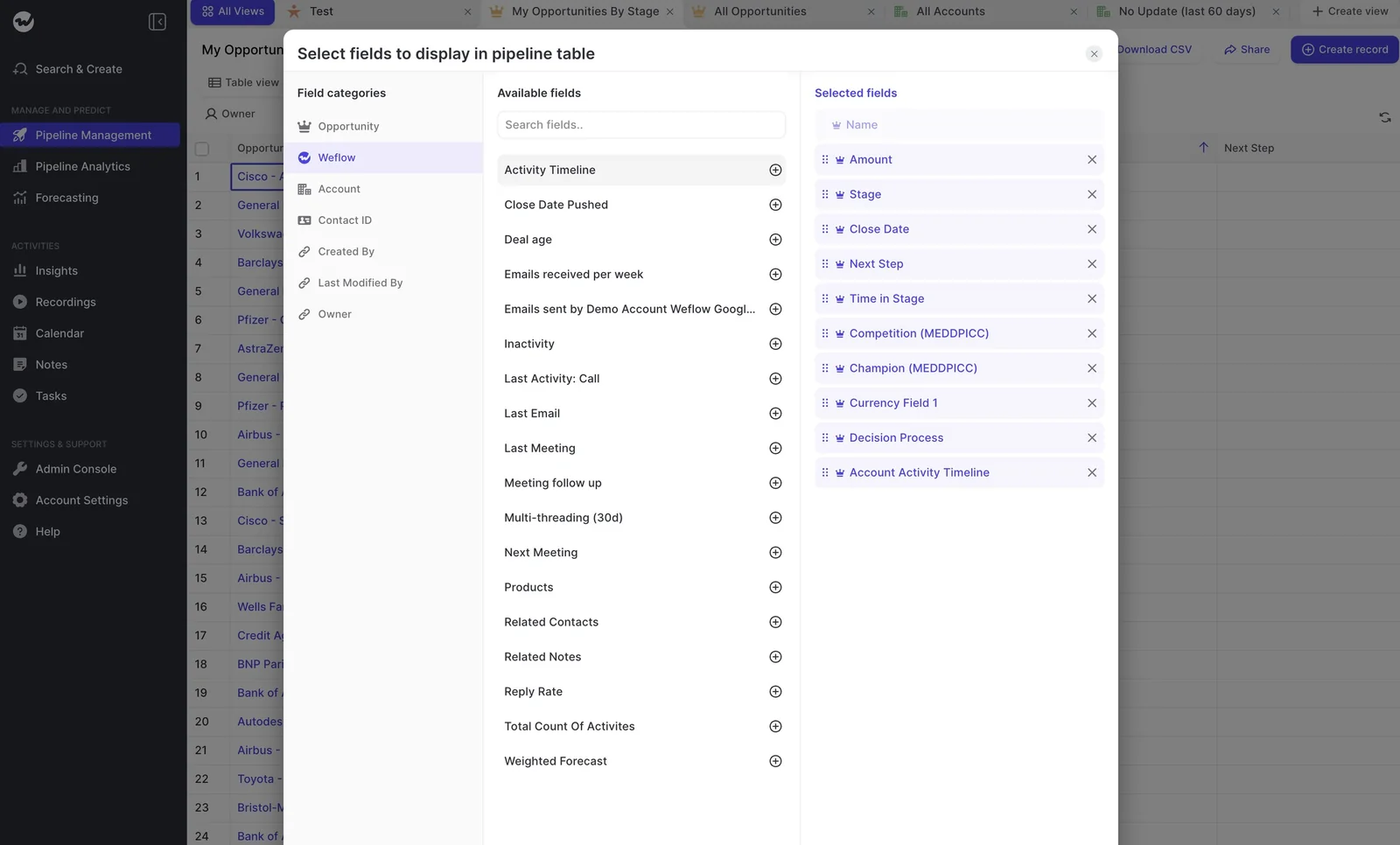
Use those columns to read open deals against what you learn here, but build the early-window comparison on closed deals from the activity records' dates.
Step 8: Split the comparison by new logo, renewal and expansion
New logo, renewal and expansion deals follow different activity patterns, and a blended result tells you almost nothing, so run each funnel separately.
Splitting also stops customer success activity on existing accounts from hiding whether sellers are prospecting at all, which is often exactly what leadership suspects.
Apply these splits:
- Funnel: Opportunity Type, or whichever field marks new logo, renewal and expansion.
- Team: The activity owner's role or profile, so CS activity and sales activity are counted apart.
- Segment, if you have the volume: Deal size band or region, read only once each cell has enough closed deals.
If a funnel runs out of deals, report it as directional rather than merging it back into new logo. A thin but separate result is honest, while a merged one quietly answers a different question.
Step 9: Read activity against closed-won benchmarks stage by stage
Closed-won benchmarks only mean something stage by stage. Procurement and legal join near the decision, so "won deals have seven contacts" sets a target nobody can hit at stage three.
"So you need to have those benchmarks. Otherwise, you won't know what is good and what is bad, basically."
Use opportunity stage history to find when each closed-won deal entered and left each stage, then compute the benchmark within each stage's time window. Here's a layout that works:
| Stage | Closed-won benchmark to compute | What to read on open deals |
|---|---|---|
| Discovery | Median days in stage; engaged contacts by stage exit; reply rate in stage | Deals with no replies past the median time in stage |
| Evaluation | Median meetings in stage; engaged contacts by stage exit | Deals still single-threaded when won deals had added stakeholders |
| Proposal | Median days in stage; emails received per week in stage | Deals where inbound volume dropped after the proposal went out |
| Negotiation and legal | Median days in stage; new contacts added in stage | Deals where procurement or legal never appeared on a thread or invite |
Give managers the stage benchmark rather than the end-of-deal total, so they have something to coach against without inventing targets.
Step 10: Join activity volume to what was said on the calls
Activity tells you a deal is busy, not whether it's qualified. To separate busy-and-lost from engaged-and-won, read the activity signal against the qualification picture from recorded conversations.
| Question | Activity only shows | Activity plus call content shows |
|---|---|---|
| Is the deal moving? | Lots of emails and meetings | Whether next steps were agreed, by when and with whom |
| Is the buyer engaged? | Replies and attendance | Whether the pain was articulated and quantified |
| Is power involved? | A senior contact on the thread | Whether the economic buyer was identified and spoke |
| Why did a busy deal lose? | Nothing beyond the volume | Competitors, objections or missing criteria raised on the calls |
In practice, you need a qualification field written into Salesforce from each call, like economic buyer identified, pain quantified or competitor named. Then split your won and lost groups by that field and rerun steps 6 and 7.
Weflow Conversation Intelligence writes those fields from recordings into Salesforce, so the split becomes a simple report filter. If qualification lives only in reps' notes, you're back to reading deals one at a time.
Mistakes that make activity look more predictive than it is
This is where a sharp CRO or a skeptical rep will poke holes:
- Reading the correlation as causation: Present the result as "won deals show this pattern early" and never as "more activity wins deals". Then test it on next quarter's open pipeline before anyone sets an activity target.
- Treating meeting counts as attendance: A calendar meeting that wasn't declined counts as held, and the organizer always shows as attending. Unless a meeting was recorded, your count measures meetings scheduled, not meetings that happened.
- Treating meeting time as time spent: Meeting duration comes from the calendar slot, so a call that overran counts only for the booked time, and in-person time never booked doesn't count at all.
- Ignoring channels outside capture: Phone, WhatsApp and text don't show up in email and calendar data. If your sellers live on the phone, your won deals will look quieter than they were.
- Inferring champion strength from digital activity: A busy contact isn't necessarily a champion. Test that in the deal review instead of reading it off a dashboard.
- Running on a thin pipeline: A handful of closed deals per funnel won't produce a stable result in any tool. Call it directional and rerun it next quarter.
- Publishing per-rep rankings: A leaderboard built on activity invites gaming and reads as surveillance. Report at opportunity and funnel level, and use buyer-side measures that are harder to inflate.
How Weflow Activity and Contact Capture handles stage one
Weflow Activity and Contact Capture handles most of stage one automatically, because of how it captures data rather than by cleaning up after the fact. It does leave a few gaps, though, and we'll name them.
Which de-inflation steps Weflow Activity and Contact Capture runs automatically
Here's how each stage one step maps to what Weflow does, and what's still on your list.
| Step | What Weflow does structurally | What's still yours to do |
|---|---|---|
| 1. Coverage | Captures server-side at the tenant level through a central app in Microsoft Entra or Google Workspace, with no rep click, so mail from any device is logged. A warning icon appears next to any user whose mailbox Weflow can't reach. | Enroll every customer-facing user, CS included, and record each team's go-live date. |
| 2. Mapping | Maps each email and meeting to the opportunity, not just the account. Reps can see and correct the mapping in the Outlook add-in or Chrome extension. | Spot-check accounts with several open deals during the first weeks. |
| 3. Duplicates | Writes one Event per meeting with up to 50 attendees related through Salesforce's native attendee relation. A recording attaches to that same Event, never a second record. Recurring-series logging is off by default. | Turn on Shared Activities in Salesforce, and clean up duplicates other tools already wrote in history. |
| 4. Noise | Never logs email or meetings where every participant is internal. Admins can exclude supplier and free mail domains, switch off meeting-response logging in expert settings, and drop out-of-office replies carrying known phrases with a compatibility mode pattern. | Maintain the out-of-office phrase list, since auto-replies vary by language and sender. |
| 5. Direction | Logs email to the EmailMessage object and meetings to Event, inbound and outbound alike, so sent and received stay separate. | Older Task-logged history stays directionless; start the comparison at go-live. |
| Engaged contacts | Creates contacts from email threads and calendar invites on existing accounts, and can attach them to the opportunity as contact roles. | Set role values such as champion or economic buyer; Weflow doesn't infer them. |
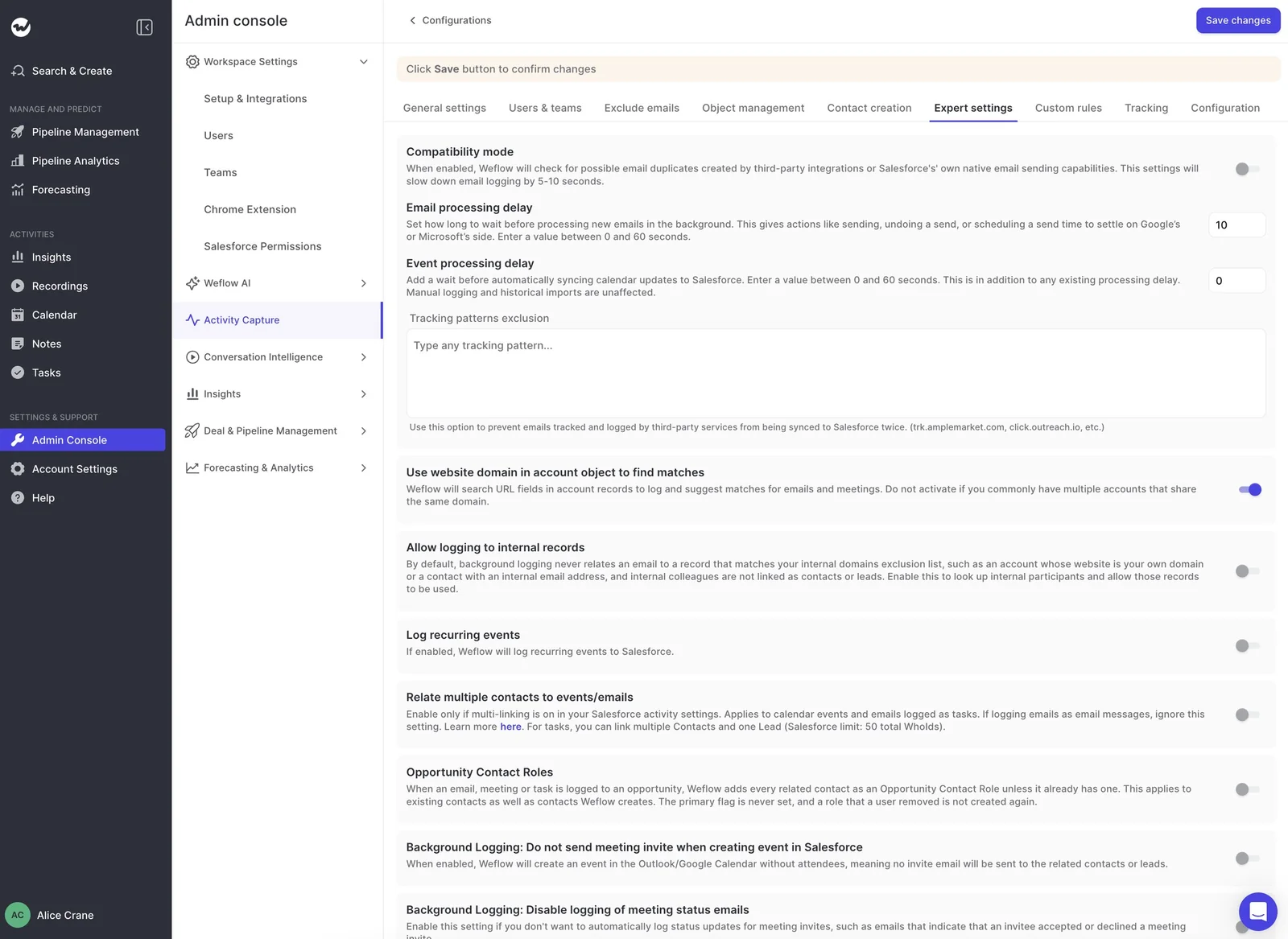
Most of the noise controls live in one place, the expert settings of an activity capture configuration:
What Weflow can't measure from emails and meetings
Clean capture still can't fix everything. As covered in the mistakes above, meeting counts reflect invites rather than attendance unless the meeting was recorded, phone and messaging sit outside capture, and champion strength still takes a conversation.
On top of that, email open tracking only covers mail sent from the Weflow add-in, so don't use open rate as a won-versus-lost signal.
The messaging gap is the one that stings most in enterprise deals:
"In a lot of businesses that I've been a part of, one of the best indicators of success is if you're on a text message basis with your buyer, especially in enterprise, I think that becomes really important. But I don't think that you can easily integrate that or measure it."
What Weflow Activity and Contact Capture costs and how fast it goes live
Weflow Activity and Contact Capture is $19 per user per month, billed annually, with a 10-user minimum. Here are the modules this article draws on:
| Module | What it adds to this analysis | List price per user per month |
|---|---|---|
| Weflow Activity and Contact Capture | Stage one: coverage, mapping, deduplication, noise exclusion, direction, auto-created contacts | $19 |
| Weflow Conversation Intelligence | Recordings that prove a meeting was held, plus the qualification fields for step 10 | $39 |
| Weflow Deal Intelligence & Forecasting | The AI deal score and computed deal fields such as reply rate and multi-threading | $39 |
| Weflow Revenue AI Foundation | Activity and Contact Capture plus Conversation Intelligence together | $49 |
| Weflow Revenue AI Business | Foundation plus Deal Intelligence, including AI deal scoring | $59 |
Note that call recording sits in Conversation Intelligence, not capture, so if you want proof of attendance and the step 10 join, Revenue AI Foundation is the package to look at.
Setup takes a 30 to 45 minute session with your Salesforce admin and mail admin, and capture typically goes live in about two weeks. Since your clean-data window starts at go-live, the sooner capture runs, the sooner you'll have closed deals to analyze.
When you can run this analysis without buying anything
If your capture is already complete, mapped to opportunities, deduplicated and direction-preserving, steps 6 to 10 work as written with no new tool, especially if you have a BI stack to handle the ratios and early-window cuts.
Run the stage one checks first. If they come back clean, you're ready, and the rest is just report-building.
To audit your current setup against stage one, use our free Salesforce Activity Capture Cheat Sheet, which walks you through what to check, whichever capture tool you use today.
FAQ: Measuring whether sales activity predicts won deals
How many closed deals do I need before the result means anything?
There's no universal number, and your smallest funnel sets the limit. For reference, here's what vendors building models on the same kind of data ask for:
- Weflow's AI deal score needs about six months of closed history.
- Gong's deal likelihood scores require at least 50 closed-won and 150 closed-lost deals from the last two years.
- Mediafly Intelligence asks for about 100 opportunities a quarter per opportunity type when every customer-facing person has activity capture on, and about 300 when they don't.
That last point shows that complete capture cuts the volume you need.
Can I include activity from before automated capture was switched on?
No, keep it out of the comparison. Pre-capture activity carries the old gaps, which cluster on your busiest reps and bias the result toward whoever logged by hand. Start every funnel's comparison at the capture start date you recorded earlier.
What if most of our customer work happens outside open opportunities?
Then you'll need an account-level view alongside the opportunity view. Most work on existing customers happens outside any open deal, so an opportunity-only analysis makes CS look idle.
Run step 8's renewal and expansion split on opportunities, then read account-level activity next to it for everything not tied to a deal. That view also catches activity that landed on the account in step 2 because several deals were open.
Do I need call recordings to trust my meeting counts?
They help a lot. Without recordings, your meeting counts mean "scheduled and not declined," not "held."
Recordings also enable the step 10 join between activity and what was actually said. If recording coverage is partial, run the meeting analysis on recorded meetings separately and compare.
How will I know if activity capture stops partway through the analysis?
Capture fails quietly, so check for it on a schedule:
- A warning icon next to a user in a Weflow activity capture configuration means Weflow can't reach that mailbox or calendar.
- When every user shows the warning at once, the tenant connection to Microsoft 365 or Google Workspace has broken, not the individual users.
- Accounts with open opportunities and no activity in the last 90 days show up in the orphaned-records view of the Weflow Analytics package.
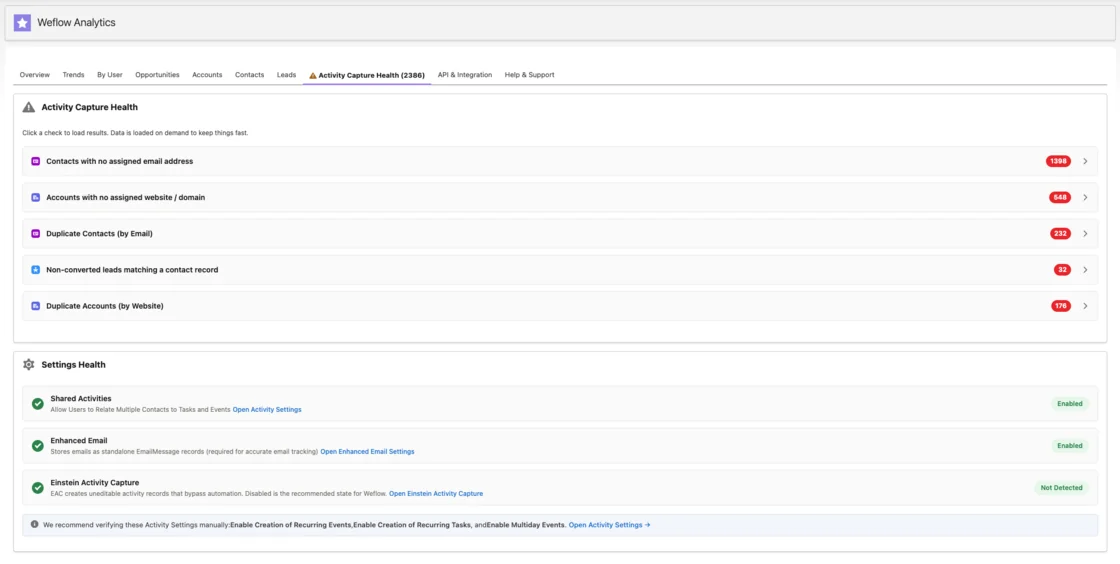
Some silent failures come from the CRM data itself: contacts with no email address, duplicate accounts and contacts, and unconverted leads that match a contact all make activity look missing. The Activity Capture Health tab flags these inside Salesforce.
How do I keep this analysis from turning into rep surveillance?
Design the reporting so it helps reps before it judges them:
- Show reps their own deal signals first, so they can fix a slipping deal before a manager asks about it.
- Tell reps that internal-only mail and meetings are never logged, which answers the first objection most of them raise.