Running Two Sales Organisations in One Salesforce Org After an Acquisition: Capture, Teams and Forecasts
Decide how to run two sales orgs in one Salesforce org: capture first, team setup, and separate forecasts.


You ou don't need a clean-up program before you can run both sales orgs on the merged Salesforce. You've got three realistic paths: keep two orgs, harmonize stages and objects first, or layer capture and per-team configuration onto the merged org you already have.
For most post-acquisition teams, we'd go with the third. That means:
- Capture activity first, so you learn how the acquired business actually sells.
- Give each sales org its own teams, templates and record-type stage paths.
- Run a separate forecast per org, so a blended number can't hide which org is missing its target.
- Harmonize later, based on what the data shows.
Weflow is the Revenue AI Orchestration platform for sales, customer success, and RevOps teams, and the layered path is the one we built it for. That third path is the one we built Weflow for.
Your Salesforce records start improving the day capture goes live, because emails and meetings land on the right deals automatically.
That's deal hygiene with Weflow in a merged org: up-to-date deals, without reps updating them and without waiting for a clean schema.
Three ways to run two sales orgs after an acquisition
Each path trades what you get this quarter against long-term structure and the RevOps hours you don't have.
| Keep two orgs | Harmonize first | Layer on the merged org | |
|---|---|---|---|
| What you do | Leave the acquired business in its own Salesforce org | Map both stage paths, qualification definitions and revenue fields to one schema, then migrate | Keep the merged org as it is, start capture, and scope teams, templates, stage paths and forecasts per sales org |
| What it costs RevOps | Two of everything to administer: users, integrations, reports | A migration project that unpicks fields, reports and integrations while the quarter runs | Configuration work on teams, capture rules and forecast setups, no migration |
| What you get this quarter | Each business keeps working exactly as today | Usually nothing until the migration ships | Activity on the record and a forecast per org |
| What you defer | Any combined view; group reporting stays a manual join | A trusted number, until the new schema is live | The schema decision, until you've seen how both businesses sell |
| What breaks when the org reshapes | Little inside each org; anything spanning both gets rebuilt by hand | The design itself, if the acquired business sells differently than you assumed | Little, when teams follow Salesforce user data; a second production org means a second workspace |
There's a fourth option too: doing nothing. You already know what that looks like: the Excel forecast you rebuild by hand every week.
The questions that decide your post-acquisition Salesforce path
Answer these six questions, and the right path mostly picks itself.
- Will the two businesses merge, or stay separate P&Ls? If they'll run separately for good, two orgs is a legitimate end state.
- Can you describe the acquired selling process today? If you can't, any harmonized design is a guess, and you'll rebuild it once you learn the business.
- How much RevOps capacity do you have? A two-person team keeping Salesforce running can handle configuration, but not a migration on top of the quarter.
- Does leadership need a trusted number this quarter? If so, rule out any path that only pays off after a migration.
- How many mail tenants do you run? Each tenant adds configuration work on the capture side, and sibling-company mail has to be kept out of the CRM.
- How long will the parent group's review take? If procurement and GDPR sit with the group, you need a path where setup can start before the review clears.
When each post-acquisition Salesforce path fits, and when it doesn't
None of these is a strawman. Each one is right for a specific situation.
Keep two Salesforce orgs if the businesses stay separate P&Ls
If there's no plan to merge the businesses, two orgs is a fair answer: each team keeps its stages, hierarchy, revenue field and integrations, and nobody has to unpick anything.
The trade-off is that you lose any combined view, so group reporting becomes a manual join, usually in a spreadsheet.
With Weflow, you'd run two workspaces, one per org, with each team enrolled where its records live. Licensing stays the same, but admin work doubles and there's no cross-org view.
Harmonize stages and objects first if you already know both processes
Harmonizing first works when you can already describe how both businesses sell and you have the people to run the project. In that case, one schema, one stage path per motion and one revenue field is the cleanest end state.
Most teams don't have both. Harmonizing means unpicking years of fields, reports and integrations nobody dares delete. That's a migration, and because it competes with the quarter, it keeps getting pushed back.
| Harmonizing first fits when | Harmonizing first stalls when |
|---|---|
| You can write down both stage paths and qualification criteria today | You're still learning how the acquired team sells |
| You have dedicated capacity for a migration | Your Salesforce team is two people keeping the lights on |
| Leadership can wait for a trusted number | The board wants a number this quarter |
| The org is young and lightly customized | Old integrations and custom fields feed reports someone still reads |
If you go this way, run capture during the project, not after it. And plan for one cost up front: a migration carries over each deal's current status, but not the path it took through the stages, and capture can't recreate that history later.
Layer capture onto the merged org while you're still learning the business
Layering means running both sales orgs on the merged Salesforce as they are today: you start capture on day one, then give each org its own teams, templates, stage paths and forecast.
It fits when your go-to-market is still shifting and your team is small. It doesn't fit if two production orgs are permanent, since that puts you on the first path with two workspaces.
Why we'd capture activity first and harmonize Salesforce later
If you can't describe the acquired process yet, have little RevOps capacity and need a number this quarter, capture-first is the only path that improves the record and delivers something now. It also means that when you do harmonize, you're deciding from evidence.
Capture shows you how the acquired team actually sells
"Automate later" is a reasonable instinct, and we hear it from post-acquisition teams all the time:
"With over three acquisitions I feel like I learn something new about the business every day. How can you automate it if you do not know it yourself?"
— RevOps leader, on a call with us
But capture isn't about automating a process you already understand. It's how you find out what that process is.
Once every email and meeting lands on the record, you can see things nobody can tell you in an interview:
- How many meetings an acquired-side deal takes to close.
- Who's actually involved on each deal.
- Where deals go quiet.
- Which of their stages carry real evidence and which are labels.
That's exactly what a harmonized stage design needs, and you have it before anyone starts drawing one.
You can backfill emails later, but not calls nobody recorded
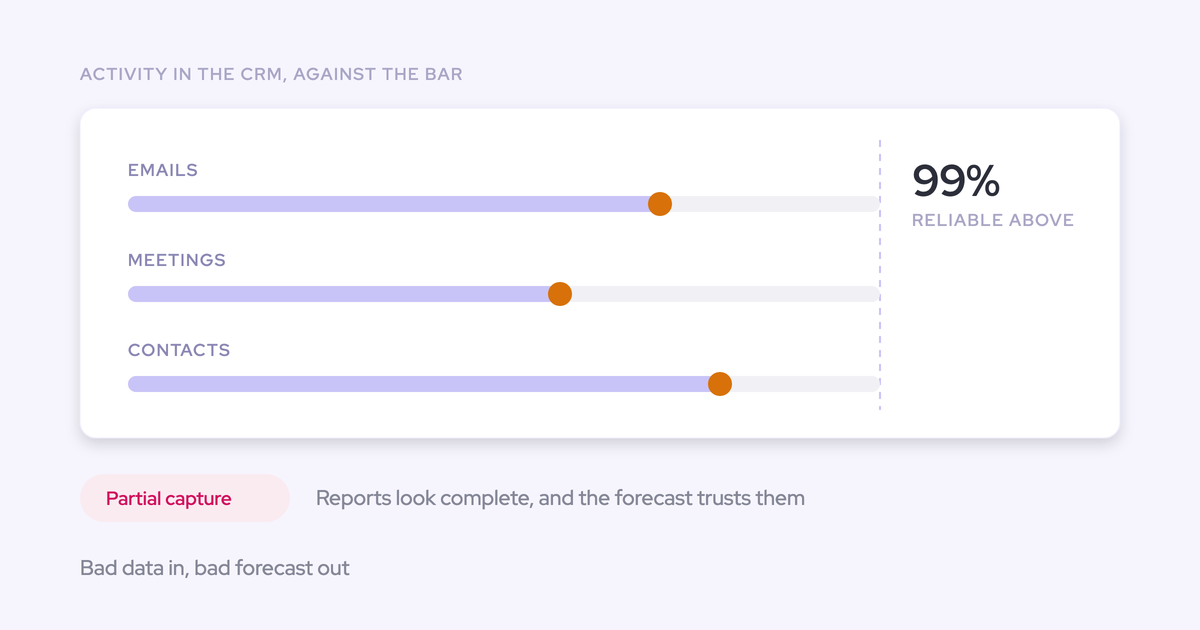
Waiting for the clean-up has a cost that rarely makes it into the plan: every month you wait is a month of customer conversations that never make it into the record.
Email, at least, is recoverable. When Lendz moved from Einstein Activity Capture to Weflow, we backfilled several months of their email history into Salesforce.
Calls are a different story. A call nobody recorded is gone for good, and no later refactor brings it back.
Your CEO's AI mandate starts with the record the AI will read
Your CEO wants the AI layer now, and you know the data underneath can't support it yet. The two aren't really in conflict, because an AI agent is only as good as the records it reads.
If half the meetings are missing and the same account exists three times, you get a confident answer that's wrong in ways nobody can see.
We learned this the hard way: our own AI forecast shipped too early and didn't work well, because no model can tell whether a deal is stalling or slipping without the activity and conversation data underneath it.
That's why most of our engineering goes into capture and mapping.
"If you could just hook Claude into Salesforce and it gives you the truth. I mean, in theory, if it's a system of truth, it should be able to do it. But the reality is it just doesn't work."
So capture isn't "another tool before AI." It's the first step of the AI mandate, and you can present it to your CEO that way.
How Weflow runs two sales orgs in one Salesforce org
The layered path rests on four things working on the same Salesforce records: capture, team-scoped configuration, a custom hierarchy and parallel forecasts. Everything Weflow captures stays in your Salesforce, so your own reports and automations can use it.
Start Weflow Activity & Contact Capture before reps ever log in
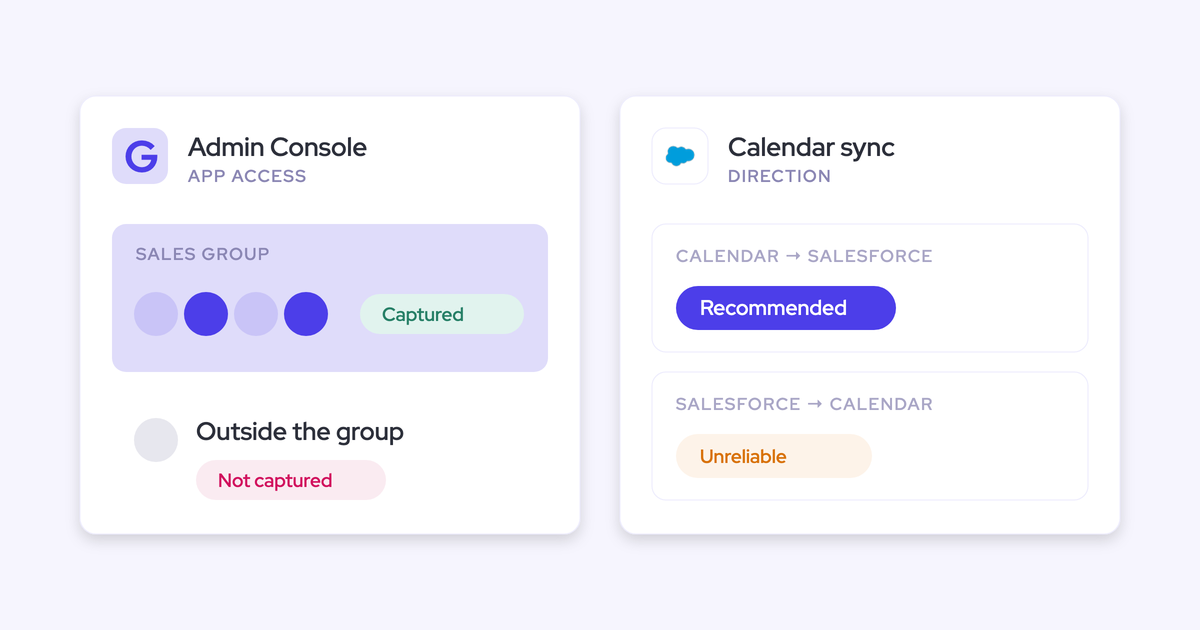
Weflow Activity & Contact Capture connects to mailboxes server to server, so a user is captured from the moment you add them to a capture configuration, whether or not they ever sign in.
For the acquired reps, nothing changes. They don't install anything, log in or learn a second tool, and if they're only on Activity Capture, they don't need any other Weflow seat.
Users sit in one of three states:
- External: Enrolled in capture and never signed in. Their emails and meetings are captured like anyone else's.
- Pending: Invited and not yet logged in.
- Active: Using the application.
So don't read a low login count as capture failing. Coverage doesn't depend on adoption.
Separate old merge damage from new capture issues with Activity Capture Health
With any tool that writes to Salesforce, your first question is probably what stops it from making more mess. In a merged org, your leaders will ask a version of it too:
"The first question I get is, is the data accurate? And I am like, well, that is a bit of a loaded question."
— RevOps leader, on a call with us
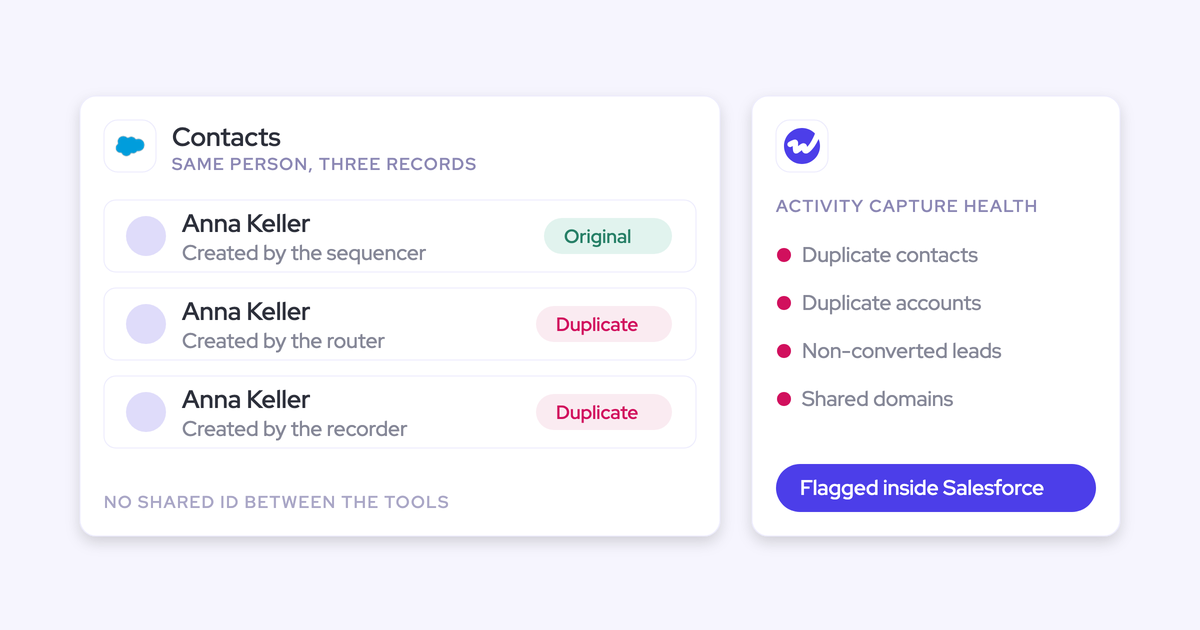
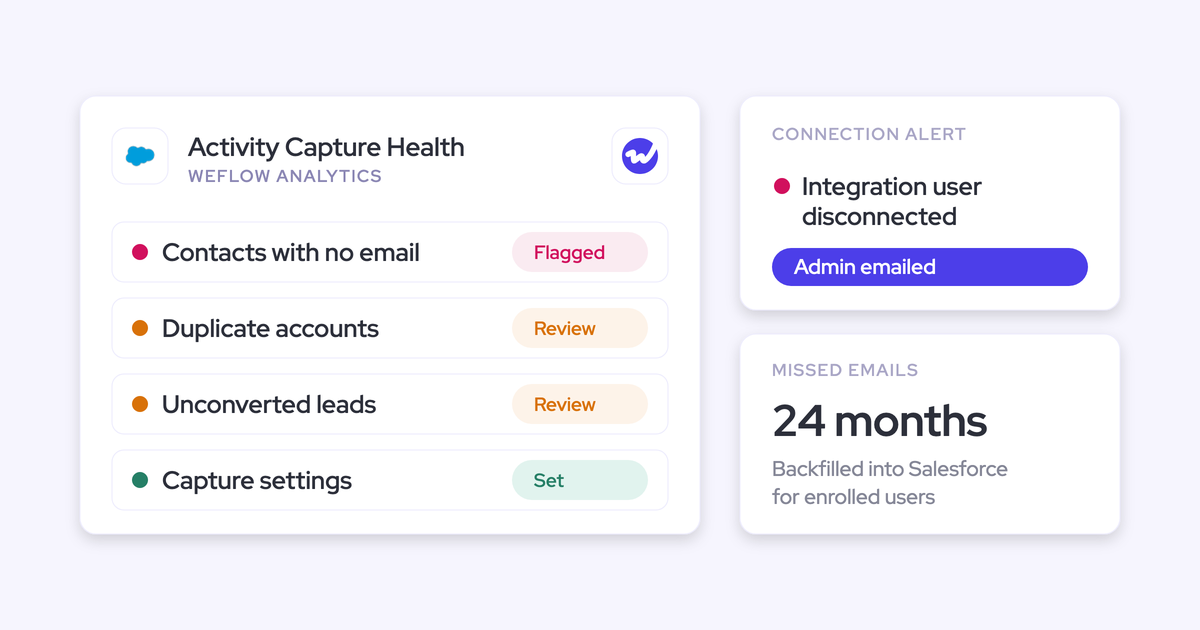
That's where Activity Capture Health comes in. It's a Weflow Analytics view inside Salesforce that flags:
- Duplicate accounts.
- Duplicate contacts.
- Non-converted leads that match a contact.
- Accounts sharing the same website domain.
- Capture settings that aren't configured for full capture yet.
Duplicate accounts on one domain are the telltale sign of a merged org, and they're exactly what breaks activity-to-opportunity mapping, because capture can't tell which of two identical accounts an email belongs to.
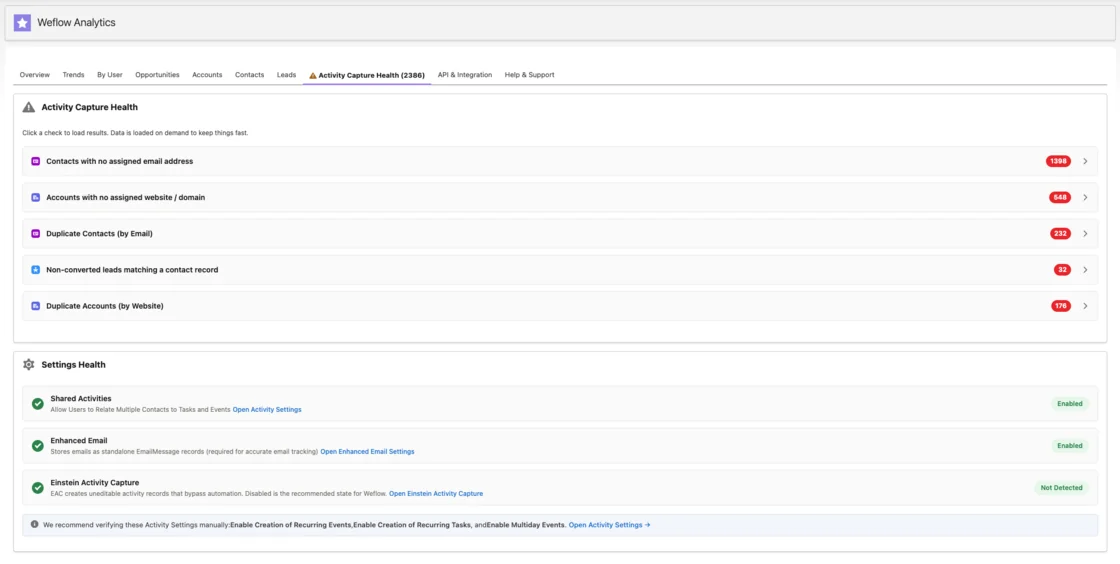
Check it once before you enroll anyone. That gives you a baseline, so you can show your leaders which problems came from the merge and which belong to capture.
| What you see | Where it comes from |
|---|---|
| Two accounts on the same website domain | Pre-existing merge damage |
| Duplicate contacts by email | Pre-existing merge damage |
| Leads that were never converted and match a contact | Pre-existing merge damage |
| A user with a warning icon in a capture configuration | Capture issue: tenant connection or an email address that differs from Salesforce |
| Capture settings flagged as not configured | Capture issue: fix in the configuration |
The mapping rules are also built for an org you don't fully trust:
- Weflow matches on email address and the Salesforce relationships around it, and never reads the email's content.
- It prefers a contact over a lead and never logs to a closed opportunity.
- When it can't tell which deal an email belongs to, it logs to the account instead of guessing. That's much easier to fix than an email on the wrong deal.
- Contact creation can be limited to accounts that already exist.
- Reps can re-map an email from the Outlook add-in or the Chrome extension, and Weflow applies that choice to the rest of the thread.
Give each sales org its own Weflow teams, templates and capture rules
Each sales org keeps its own process inside one Weflow workspace, and scoping keeps one org's rules from leaking into the other. Here's what you can scope per team:
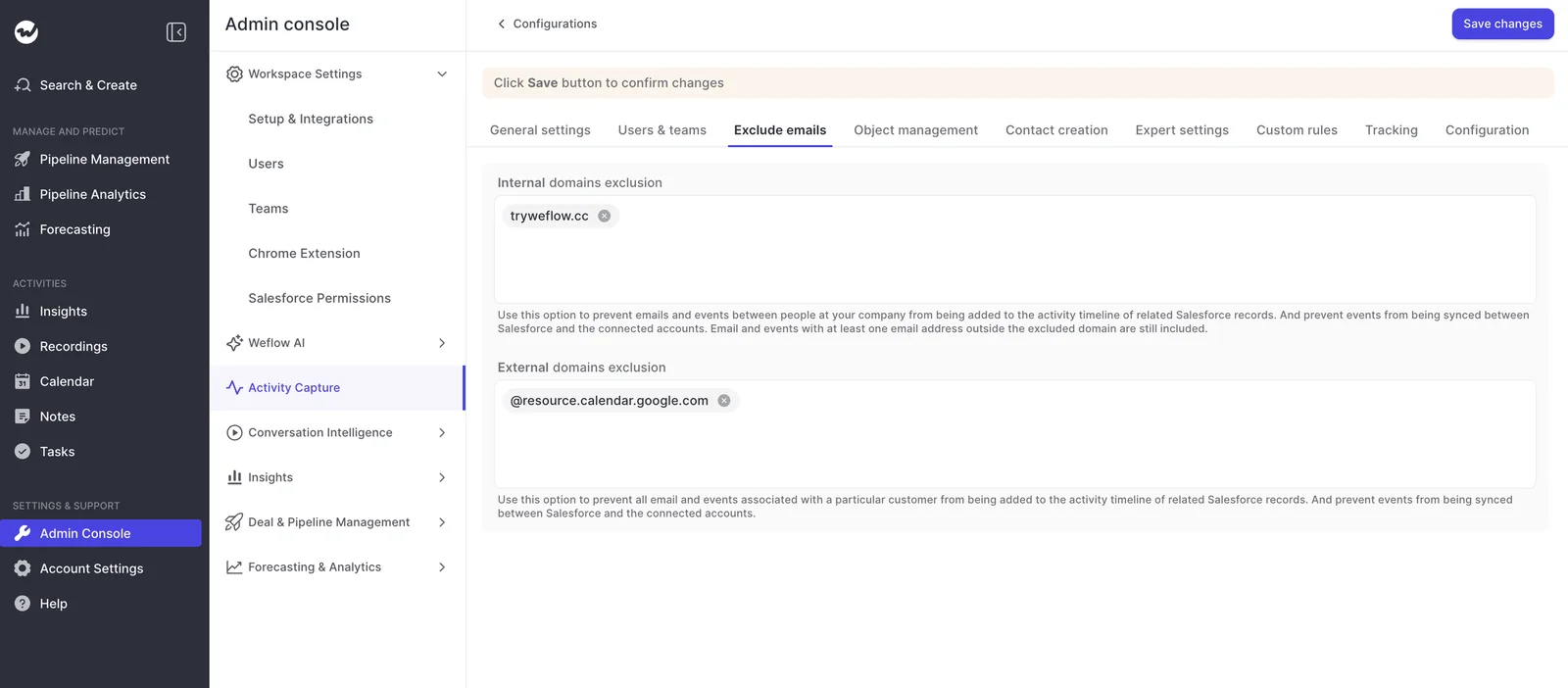
- Capture configurations, scoped by user and by Salesforce field values such as billing region. Each one sets which objects activity logs to, which domains to exclude and how contacts get created.
- Hidden teams, which exist only to scope a configuration and never appear in the teams reps see.
- AI summary and field-update templates in Weflow Conversation Intelligence, so each org's qualification structure writes to its own fields.
- Pipeline templates, which lock the field set per team. Reps who want different columns duplicate the view instead of reshaping the shared one.
- Record-type stage paths. Each opportunity record type keeps its own stage path, forecast-category mapping and roll-up.
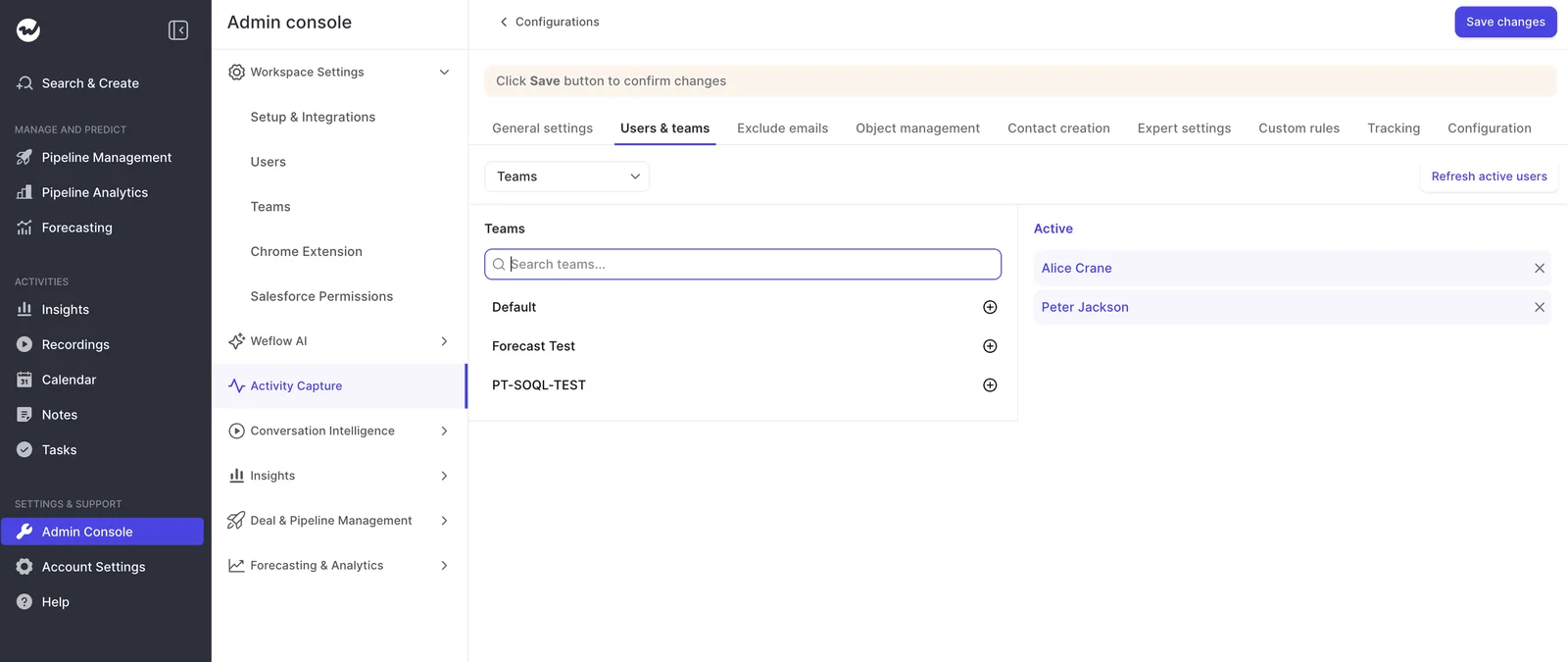
Each user belongs to exactly one capture configuration. When an email involves people from several, Weflow applies the most permissive rule, so a thread between an acquired-side rep and a parent-side rep on the same customer still lands in Salesforce.
Before you let anyone in, use login-as-user from the Admin Console to see Weflow exactly as a given rep or manager does, including their templates and whether they see only their own forecast and their team's.
Show leadership the acquired-versus-parent split with a Weflow hierarchy
We hear this frustration on almost every post-acquisition call:
"You're stuck with the Salesforce hierarchy."
— Sales leader, on a call with us
In Weflow, you aren't. Roll-ups follow the Salesforce Manager field by default, but you can switch on the Weflow hierarchy in the Admin Console and drag and drop teams to set who reports into whom.
Each Weflow team shows up as its own line in the roll-up, so "acquired company versus parent" becomes two teams with their own subtotals, not two placeholder users parked in the role hierarchy.
One person can sit in several teams, which covers the CSM carrying both a renewal and an expansion number. The same structure decides who can see recordings and Insights reports, so the split leadership looks at is also the access boundary.
Let Salesforce user changes carry reorgs into Weflow teams
Weflow dynamic teams pull members from Salesforce by manager, role, a field condition or a checkbox on the user record, and re-check every hour.
So when someone moves in Salesforce, they move in Weflow too, and nobody has to maintain a user list in a second tool.
Here's what survives the next reorg:
- Targets and past forecast submissions belong to the person, so they move with the rep to the new team.
- A disabled Salesforce user consumes no license.
- Sign-in runs through Salesforce authentication, so deactivating a user in Salesforce removes their Weflow access immediately.
One exception: view-only users have no Salesforce user, so you add and group them by hand.
Run a separate Weflow forecast on each sales org's revenue field
Weflow Deal Intelligence & Forecasting runs several forecast setups in parallel, and each one takes its own:
- Amount field: any opportunity currency field, not only standard Amount.
- Date field.
- Stages or forecast categories.
- Cadence and targets.
- Permanent filters on record type, opportunity type or any field condition.
So two orgs forecasting on two different revenue fields become two setups, not a harmonization project. The acquired business keeps its field, the parent keeps its own, and the leadership roll-up shows both.
That's what stops a blended number from hiding a miss: when one org falls short, you see which one, instead of three teams pointing at each other.
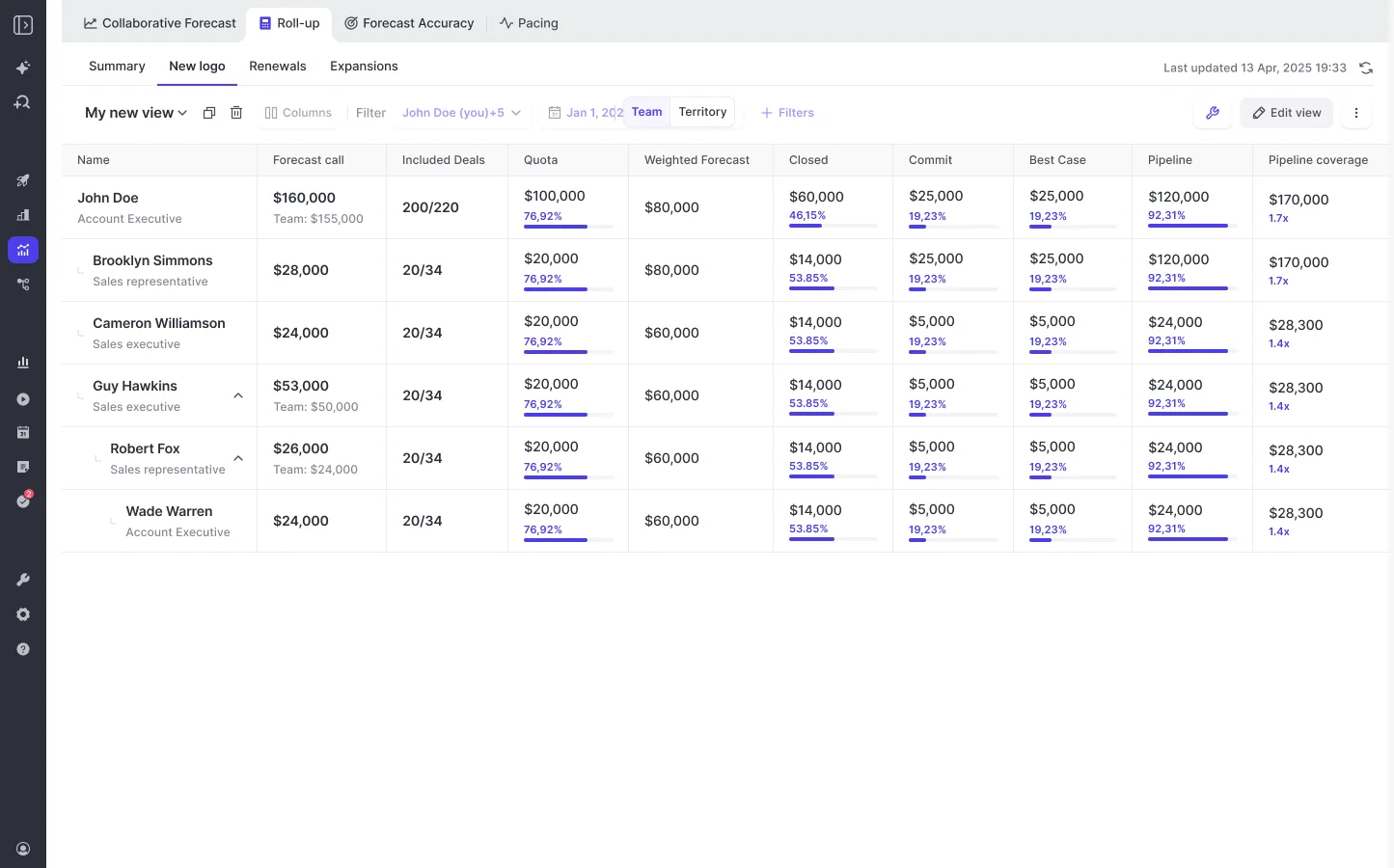
To be fair, parallel forecasts aren't unique to us. Gong, Salesloft, Backstory and Terret all run separate forecasts per motion, and each of Gong's configurable boards carries its own filters, columns and targets.
Where teams tell us it gets hard is running many motions at once in one module:
"Our RevOps team spent too many hours building it out and trying to get it to work super well. So we ended up actually doing most forecasting back in spreadsheets."
— Chris Nethercote, Head of Sales at Weflow, former Gong enterprise customer
What sets Weflow apart is the combination: the forecast runs on the same records your capture fills and your per-team templates shape, and the data stays in your Salesforce.
Where Weflow stops: Org, mail tenant and forecasting limits
The layered path has real limits for an acquisition group, and you should see them before you see the price.
| Limit | What it means for a post-acquisition group | What to do instead |
|---|---|---|
| One Salesforce org per workspace | Two production orgs mean two workspaces, with teams split between them. Licensing is the same, admin doubles, and there's no cross-org view | Combine group numbers outside Weflow, or consolidate to one org before you need a single view |
| One capture configuration per mail tenant | Each entity's tenant needs its own configuration, users can only be assigned within their own domain, and there's no single admin view across tenants. Weflow Conversation Intelligence setup takes one tenant selection | List every sibling entity's domain as internal in every configuration, and choose which tenant Conversation Intelligence connects first |
| One period type across all forecasts | An acquired business on annual renewals and a parent on quarterly must pick one shape | Pick the period your board reports on and apply it to both |
| No consumption forecasting | Usage-based revenue needs a different method from the deal-based forecasting Weflow models | Keep consumption revenue in your finance model |
| Targets are amounts only | A goal set as a number of new logos has no target type | Track logo counts in your Salesforce reporting |
| No account-level renewal board | Renewals forecast on renewal opportunities, not on the customer as a whole | Run renewals as their own forecast setup, dated on the contract date |
| Submitted forecasts aren't written to a Salesforce field | The forecast call is the one number that doesn't live in your CRM | Read forecast calls into your assistant over Weflow's MCP connector |
| One opportunity per email | A Salesforce activity carries one related record, so correspondence covering two deals lands on one of them or on the account | Reps re-map from the add-in when it matters |
| No nearest-close-date mapping rule | A renewal and an expansion on one account, with contact roles copied to both, can't be split by close date | Separate the lanes with configurations filtered on opportunity type or a close-date threshold |
| Lost stage history can't be recreated | Stage conversion and weighted forecasts only have the months since go-live to learn from | Start capture now, so history accumulates from today |
What Weflow costs for a wave-by-wave rollout
Nobody rolls out a revenue tool to four business units at once, so pricing needs to follow your rollout waves.
| Component | Price basis | What it means for waves |
|---|---|---|
| Weflow Activity & Contact Capture | $19 per user per month, billed annually | Wave one can be capture-only, including reps who never log in |
| Revenue AI Foundation (Activity & Contact Capture + Conversation Intelligence) | $49 per user per month, billed annually, 16% below buying both separately | Adding Conversation Intelligence later costs less as a bundle than standalone |
| Seats added mid-term | Charged pro rata to the end of the term | You pay for an entity from the month it goes live |
| Minimum contract | 10 users | Size your first wave at ten or more |
| View-only licenses | Unlimited, at no cost | Leaders who only watch recordings don't need a paid seat |
Volume discounts apply on larger teams..
What to hand the parent group's security and GDPR review
Once procurement moves to the group, you'll be carrying the review on your team's behalf. Here's what to hand over:
- Weflow's security credentials: SOC 2 Type II, GDPR compliance, Zero Data Retention for AI processing, and customer data never used to train AI models.
- The enrollment switch: Weflow reads no mailbox until a user is enrolled in a capture configuration. Installing the managed packages, connecting the integration user and adding the workspace app capture nothing.
- Sign-in: Users sign in through your Salesforce authentication, with whatever SSO your org enforces. There's no separate password, and deactivating in Salesforce removes access immediately.
- Support access: Weflow support sees how Weflow decided to log or skip each email, not the email's content.
- Mailbox scoping: In Microsoft Entra, assigning a group to Weflow's app limits mailbox access only when Assignment required is set to Yes. In Google Workspace, the app is approved for the whole organization or a named group.
- Record-level exclusions: Custom rules block logging against any Salesforce record by field value, such as an account flagged as confidential.
Since nothing is read before enrollment, you don't have to wait for the review to clear. Run the technical setup in parallel, and enroll the first entity the day legal signs off.
How to roll Weflow out one entity at a time
Here's the order we'd follow with a two-person RevOps team. The technical setup takes 30 to 45 minutes with a Salesforce admin and a Microsoft or Google admin, and most of the time after that goes into configuration.
- Connect each tenant and set internal domains: Your IT admin completes the tenant install from the Weflow Admin Console, then RevOps lists every sibling entity's domain as internal in each configuration. Before moving on, check that no user shows the warning icon.
- Get your future admins signed in: Admin rights attach only after a person has signed in once, so your RevOps lead and IT owner open the app before anything else.
- Enroll capture for the first entity: RevOps adds that entity's dynamic team to its capture configuration. Then check that emails and meetings start arriving on accounts and contacts within the first few days.
- Read Activity Capture Health: Record the duplicate and shared-domain counts as your baseline, so you can show leadership what was already there.
- Build teams and templates: Set up dynamic teams from Salesforce, hidden teams for configuration scope, and pipeline, summary and field-update templates per org. Check that each team picks up the right configuration.
- Verify with login-as-user: Sign in as one rep and one manager from each org. Check templates and visibility before you let anyone else in.
- Add parallel forecasts once capture has settled: Build one forecast setup per org on its own revenue field, with sales leadership in the room for the cadence and targets.
- Repeat per entity: Each new entity on its own tenant is a new capture configuration, not just a new team.
- Harmonize from what the data shows: Once you have a few quarters of activity on the record, design the shared stage path around how both teams actually sell.
If you're starting with step one, our free Salesforce Activity Capture Cheat Sheet walks through the capture setup decisions, whichever tool you choose.
FAQ: Running two sales orgs in one Salesforce org
Can two Microsoft 365 tenants, or Microsoft 365 and Google Workspace, share one Weflow setup?
Yes. Each tenant gets its own activity capture configuration in the same workspace and Salesforce org, but you manage them separately, with no single admin view across them.
How do we stop mail between sibling companies landing in Salesforce?
List every sibling entity's domain as an internal domain in every capture configuration. Mail between two group companies is internal to the group but external to each tenant, so if a configuration misses a sibling domain, the group's own traffic ends up in Salesforce.
Which record does an email land on when two merged accounts share a domain?
Weflow logs to the contact or lead that holds the email address, then looks for a single open opportunity where that person holds a contact role. Anything it can't resolve falls back to the account.
What if the acquired business forecasts renewals annually and we forecast quarterly?
You'll need to pick one, since all forecast setups in a Weflow workspace share one period type. Most teams go with a quarterly call broken down by month, and each forecast still keeps its own revenue field, date field, stages and targets.
Does the submitted Weflow forecast land in Salesforce or our warehouse?
Not in Salesforce yet: a submitted forecast isn't written to a Salesforce field today, but you can read forecast calls over Weflow's MCP connector. Captured activity and conversation data reaches your warehouse through the Weflow API, alongside what you already sync from Salesforce.
Can one entity's sales leader see the other entity's call recordings?
That depends on your team structure: the Weflow hierarchy controls whether recordings are shared within a team or across the organization.
How much admin time does this take a two-person RevOps team?
Expect 30 to 45 minutes of technical setup, then one to three weeks of configuration for templates, forecast types and permissions. After that, dynamic teams and Salesforce sign-in keep the user list current on their own.